

This document explains how to configure the ExtraHop Reveal(x) 360 v1.1.1 plugin with the Threat Exchange module of the Netskope Cloud Exchange platform. This plugin fetches offender’s IP Address (ipv4) and Hostname from the Detections page of the ExtraHop platform. The Plugin does not support sharing indicators to ExtraHop Reveal(x) 360 platform.
Prerequisites
To complete this configuration, you need:
- A Netskope tenant (or multiple, for example, production and development/test instances.
- A URL List configured on the Netskope tenant.
- A Netskope Cloud Exchange tenant with the Tenant plugin and Threat Exchange plugin already configured.
- ExtraHop Reveal(x) 360 account with API Access enabled.
- Connectivity to the following host: ExtraHop Reveal(x) 360 login URL. Example: https://extrahop-bd.cloud.extrahop.com/.
ExtraHop Reveal(x) 360 Plugin Support
This plugin fetches offender’s IP Address (ipv4) and Hostname from the Detections page of the ExtraHop platform. The Plugin does not support sharing indicators to ExtraHop Reveal(x) 360 platform.
| Fetched Indicator Types | Shared Indicator Types |
|---|---|
| IPv4, Hostname | Not supported |
Mappings
Pull Mappings
| Cloud Exchange Fields | ExtraHop Fields |
|---|---|
| Value | object_value, hostname |
| Type | IPv4, hostname |
| Severity | risk_score |
| Comments | Id: “id”, Risk Score: “risk_score”, Type: “type”,Mattire Information: “mitre_tactics”, Description: “description” |
| Firstseen | mod_time |
| Lastseen | mod_time |
Severity Mapping
| Cloud Exchange Severity | ExtraHop Severity |
|---|---|
| LOW | 1 to 30 |
| MEDIUM | 31 to 79 |
| HIGH | 80 to 99 |
| UNKNOWN | other |
Permissions
- The REST API Access and generate credentials access should be enabled for the system, For more details, refer to the ExtraHop Reveal(x) 360 documentation here.
- API Access.
| Functionality | Permissions |
|---|---|
| Pull Indicators | System Access > Full read-only. NDR Module Access > Full access. |
API Details
The ExtraHop Reveal(x) 360 REST APIs were used for authenticating the credentials and pulling the data from ExtraHop Reveal(x) 360.
List of APIs Used
| API Detail | Method | API Endpoint |
|---|---|---|
| Generate Token | POST | /oauth2/token |
| Pull Indicators | POST | /api/v1/detections/search |
Generate Token
API Endpoint: https://extrahop-bd.api.cloud.extrahop.com/oauth2/token?grant_type=client_credentials
Method: POST
Parameters:
grant_type: client_credentials
Headers:
Content-Type: application/x-www-form-urlencoded
Authorization: Basis <base64 encoded client id and client secret separated by colon>
Sample API Response:
{
"access_token": "eyJraWQiOiJkbndoem42RUNpaW9mSDRSTWdVV0FlZ1lhRHMrVlRDeDhXN1dJZnpVYjZjPSIsImFsZyI6********mZGhkcXR0dWM5aXFwc2pndWxzaXEifQ.pw-cbQTSVC1HlRdl_v63si5Jvz6fILbT-wFWua-AEBvk-GXGMXBUKCYs4g-ZvnWnSpcfsMAJZTTOO-05qpbnYE-K3N7qOQ",
"expires_in": 600,
"token_type": "Bearer"
}
Pull Data
API Endpoint: https://extrahop-bd.api.cloud.extrahop.com/api/v1/detections/search
Method: POST
Parameters: None
Body:
{
"offset": 0,
"limit": 1,
"mod_time": 1696524883357,
"filter": {
"risk_score_min": 0
},
"sort": [
{
"direction": "asc",
"field": "mod_time"
}
]
}
Sample API Response
[
{
“id”: 21474836485,
“start_time”: 1696521252445,
“update_time”: 1696521252445,
“end_time”: 1696521252445,
“mod_time”: 1696524883357,
“title”: “ET POLICY Ipconfig Command in SMB Traffic – Possible Lateral Movement”,
“description”: “The ExtraHop system observed activity that matched rule values in signature ID\n(SID) 2027185:\n\n * Flow: [tcp] any → internal 445\n * Payload: `/SMB.*(?i)ipconfig(?-i)/s`\n\n\nRule Created: 2019-04-11 \n\n\n”,
“risk_score”: 45,
“type”: “ids_bad_unknown”,
“recommended_factors”: [],
“recommended”: false,
“categories”: [
“sec”,
“sec.ids”
],
“properties”: {
“sid”: “2027185”
},
“participants”: [
{
“role”: “offender”,
“object_id”: 12884901896,
“object_type”: “device”,
“object_value”: “10.1.0.86”,
“hostname”: “pc2.i.rx.tours”,
“id”: 2171,
“external”: false,
“scanner_service”: null
},
{
“role”: “victim”,
“object_id”: 12884901899,
“object_type”: “device”,
“object_value”: “10.1.0.238”,
“hostname”: “pc3.i.rx.tours”,
“id”: 2174,
“external”: false,
“scanner_service”: null
}
],
“ticket_id”: null,
“assignee”: null,
“status”: null,
“resolution”: null,
“mitre_tactics”: [],
“mitre_techniques”: [],
“appliance_id”: 5,
“is_user_created”: false
}
]
Performance Matrix
Here is the performance reading conducted after pulling 100K IoCs on a Large CE instance with the below specifications.
| Description | Specifications |
|---|---|
| Stack details | Size: Large RAM: 32 GB CPU: 16 Cores |
| Indicators pulled from ExtraHop Reveal(x) 360 | ~14K per minute |
User Agent
netskope-ce-6.0.0-cte-extrahop-reveal(x)-360-v1.1.1
Workflow
- Get your ExtraHop Reveal(x) 360 Base URL, Client ID, and Client Secret.
- Configure the ExtraHop Reveal(x) 360 plugin.
- Configure a Business Rule for ExtraHop Reveal(x) 360.
- Configure sharing between ExtraHop Reveal(x) 360 and Threat Exchange.
- Validate the ExtraHop Reveal(x) 360 plugin.
Watch a Video
Click play to watch a video.
Get your ExtraHop Reveal(x) 360 Base URL, Client ID, and Client Secret
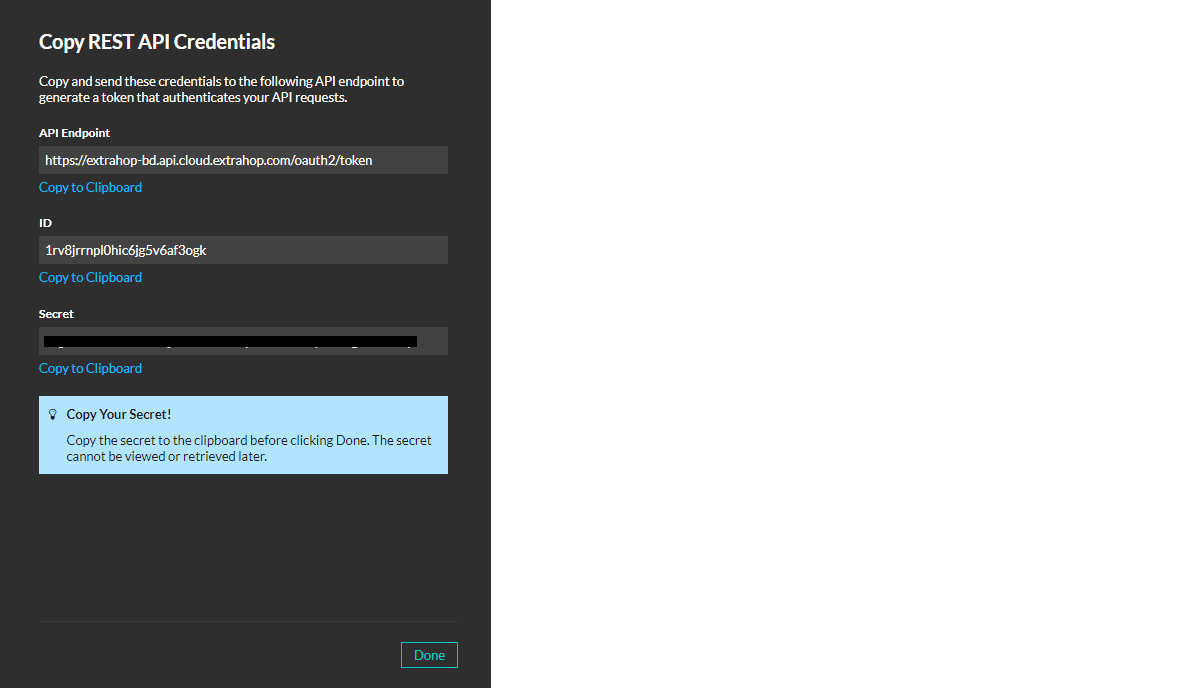
- In ExtraHop Reveal(x) 360, go to Settings > API Access.

- Scroll down and click Create Credentials.

- Enter a name for your Rest API Credentials and provide this access.
- System Access > Full read-only.
- NDR Module Access > Full access.

- Click Save.
- Copy the API Endpoint and remove the oath2/token from it. This will be the Base URL for the plugin.
- Copy the ID and Secret. This secret will not be visible later so make sure to make a note of it.
Configure the ExtraHop Reveal(x) 360 Plugin
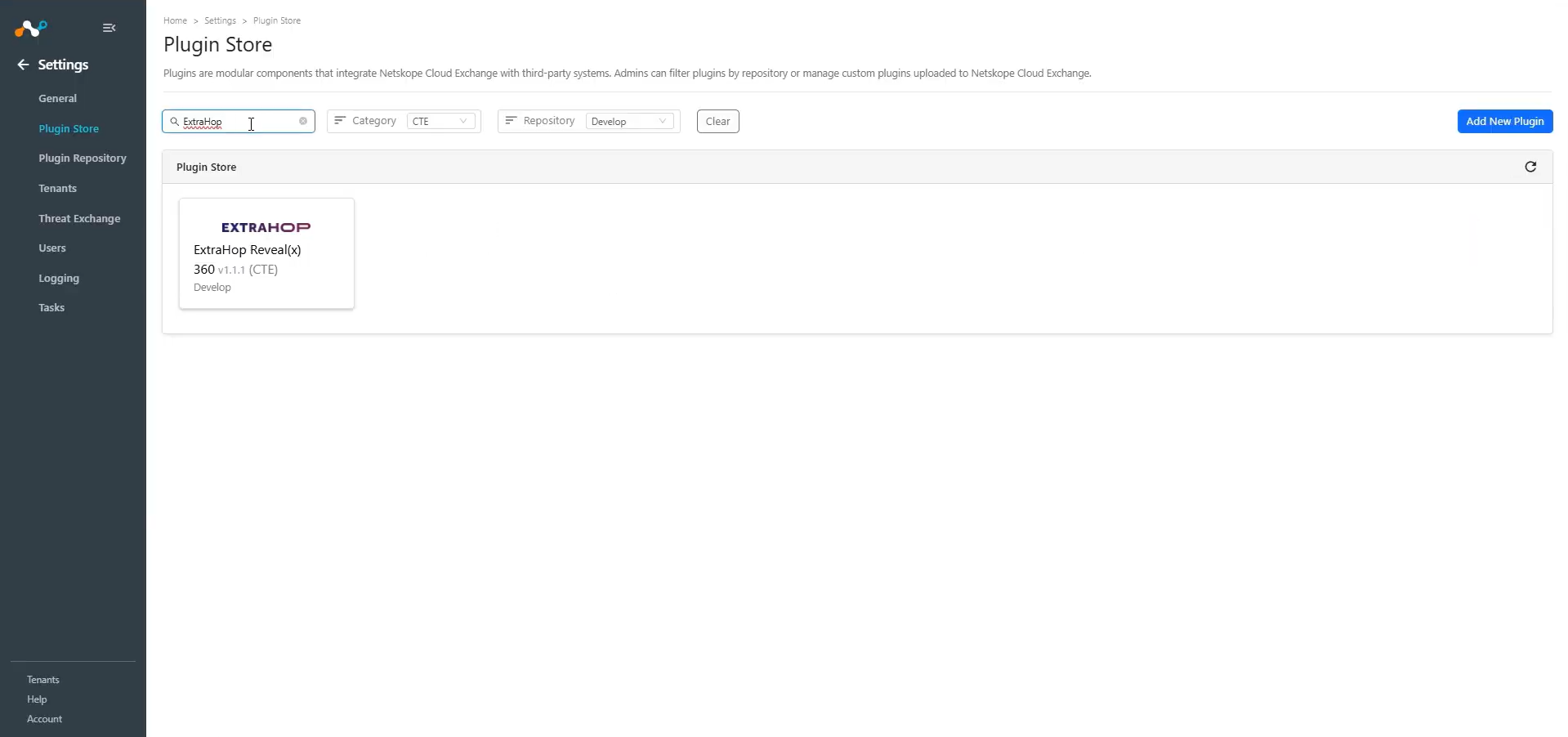
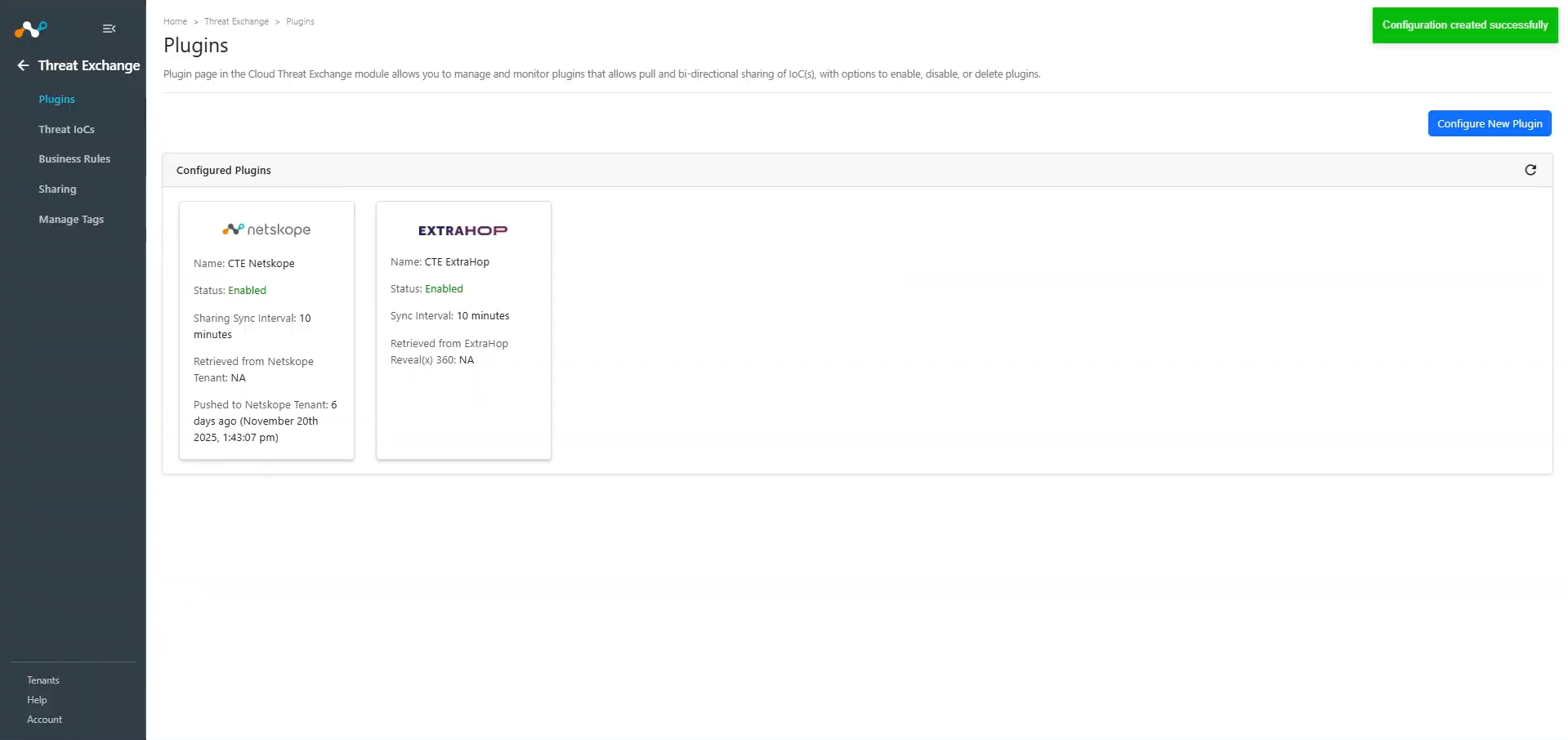
- In Cloud Exchange, go to Settings > Plugin Store. Search for and select the CTE ExtraHop Reveal(x) 360 v1.1.1 (CTE) plugin box.
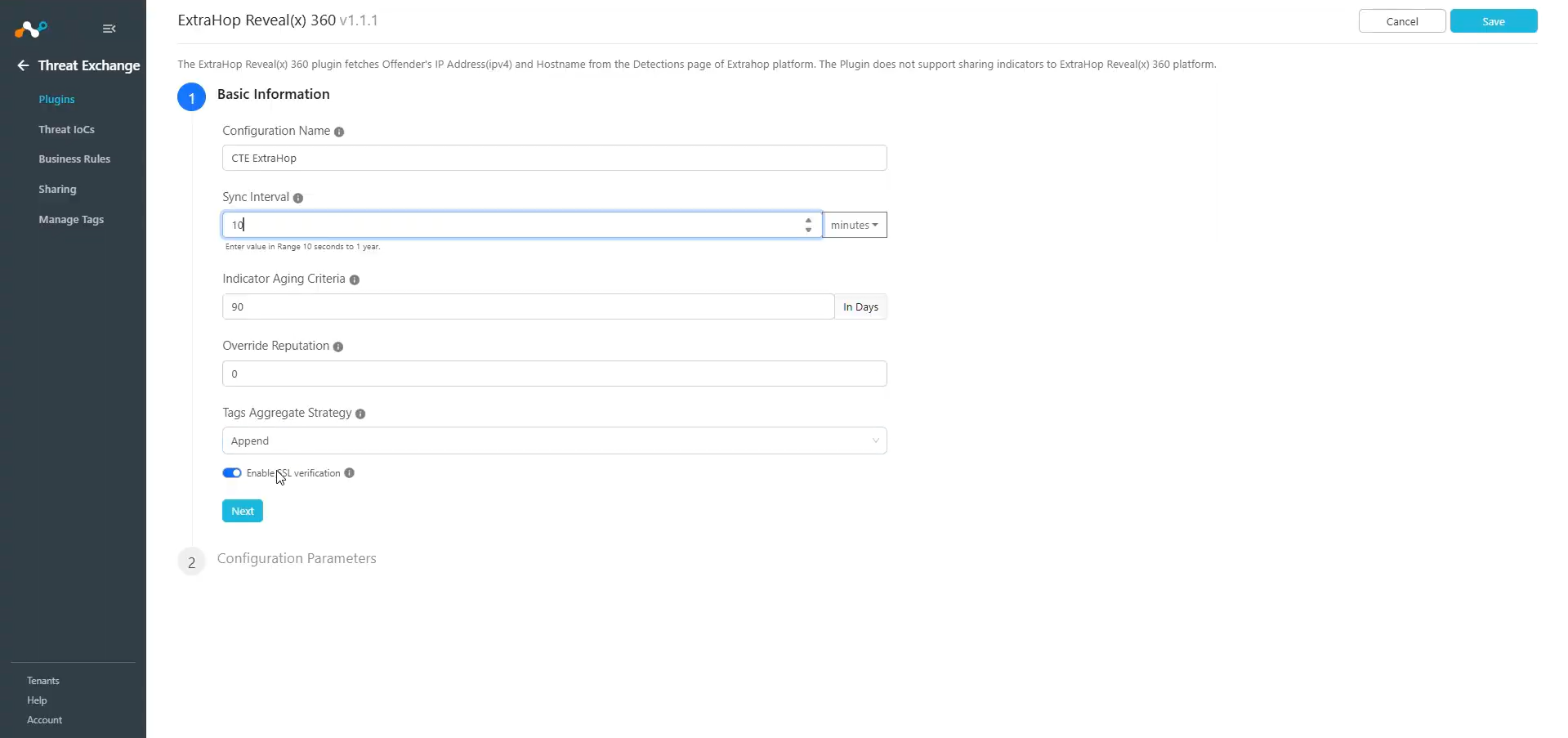
- Enter the Basic Information:
- Configuration Name: Unique name for the configuration
- Sync Interval: Leave the default.
- Aging Criteria: Expiry time of the plugin in days. (Default: 90)
- Override Reputation: Set a value to override the reputation of indicators received from this configuration.
- Enable SSL Validation: Enable SSL Certificate validation.
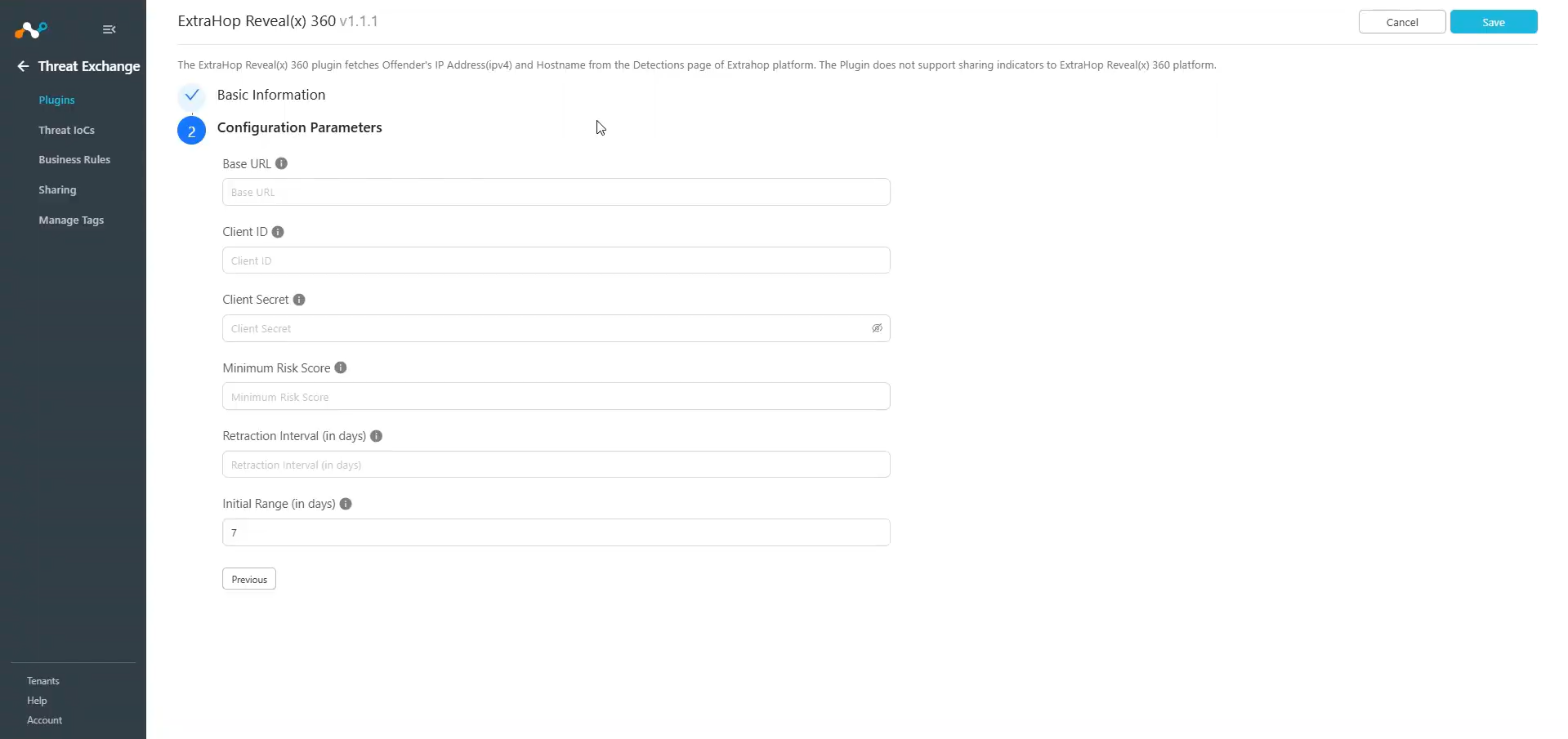
- Click Next and enter the Configuration Parameters:
- Base URL: ExtraHop Reveal(x) 360 API Base URL. This Base URL is displayed in the Reveal(x) 360 API Access page under API Endpoint. The Base URL should not include /oauth/token.
- Client ID: ExtraHop Reveal(x) 360 API ID.
- Client Secret: ExtraHop Reveal(x) 360 API Secret.
- Minimum Risk Score: Only the indicators with severity greater than or equal to specified value will be fetched. Select a value between 0-99. If no value is provided all the indicators will be fetched.
- Retraction Interval: Retraction Interval days to run IoC(s) retraction for ExtraHop indicators. Note: This parameter will only be considered if IoC(s) Retraction is enabled in Threat Exchange Settings.
- Initial Range: Number of days to pull the data for the initial run.
- Click Save.
Configure a Threat Exchange Business Rule for ExtraHop Reveal(x) 360
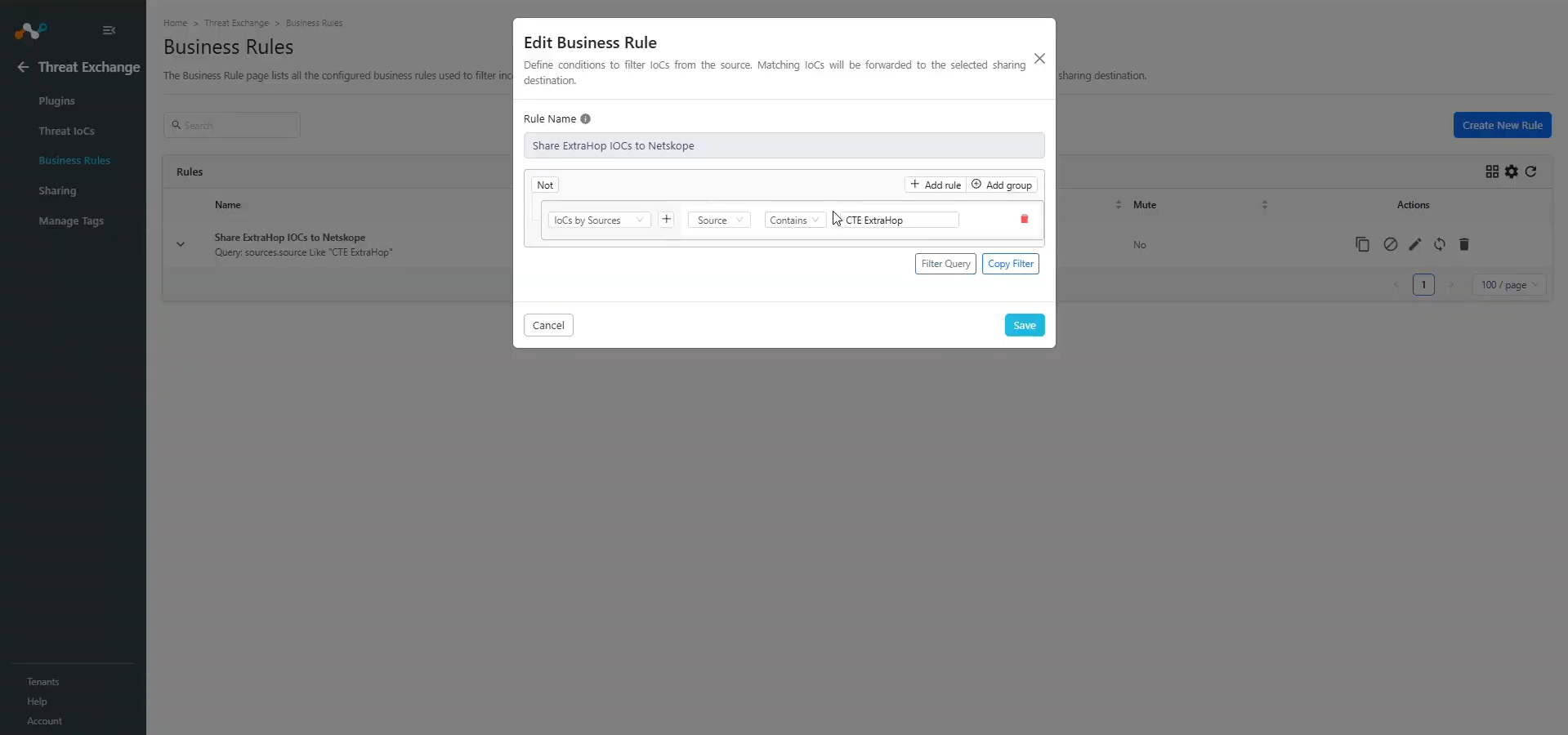
To share indicators fetched from the ExtraHop Reveal(x) 360 to Cloud Exchange, you need to have a business rule that will filter out the indicators that you want to share.
- In Threat Exchange, go to Business Rules and Create New Rule.
- Add the filter based on your requirements and click Save.
Configure Sharing for the ExtraHop Reveal(x) 360 Plugin
To share IoCs from the ExtraHop Reveal(x) 360 plugin to Netskope:
- In Threat Exchange, go to Sharing and click Add Sharing Configuration.
- Select your Source Configuration (ExtraHop Reveal(x) 360), a Business Rule, the Destination Configuration (Netskope), and Target. Select the existing IoC List Name, or create a new IoC list.
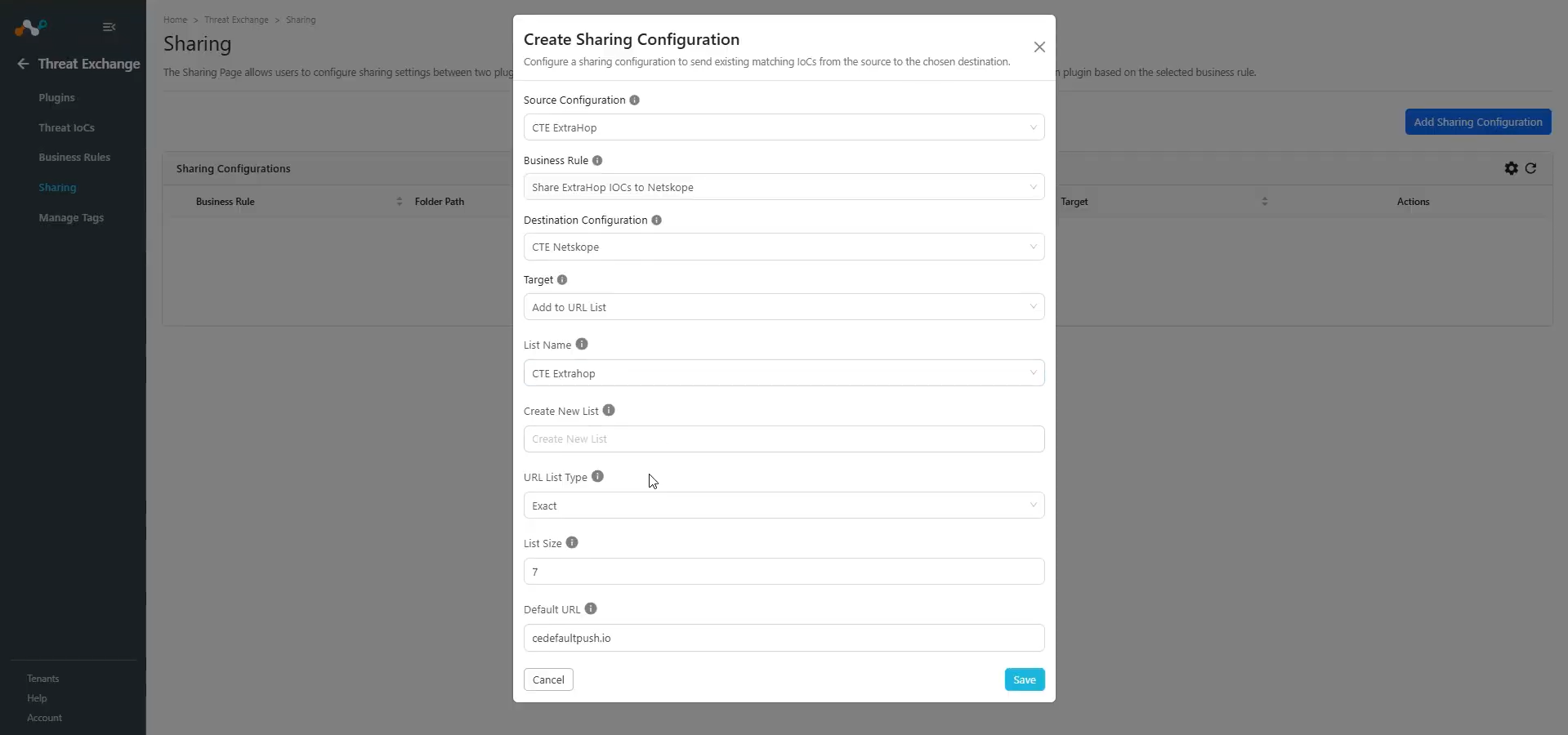
- Click Save.
Validate the ExtraHop Reveal(x) 360 Plugin
Validate the Pull
You can verify the pulling of IoCs from the plugin by going to Logging and checking the pulled logs from the ExtraHop Reveal(x) 360 plugin.

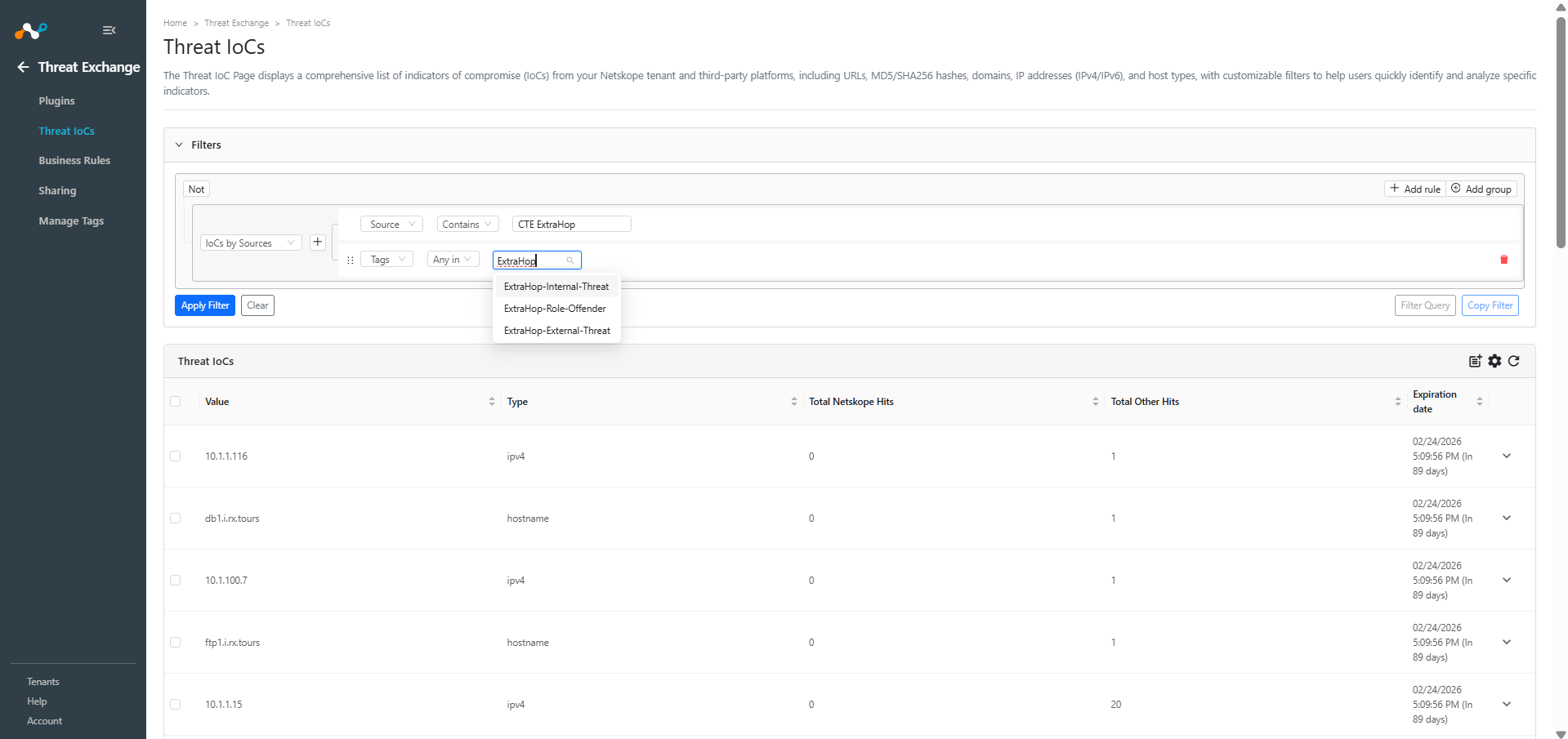
You can check the pulled data stored in Cloud Exchange at Threat Exchange > Threat IoCs. Search the IoCs pulled from the plugin.
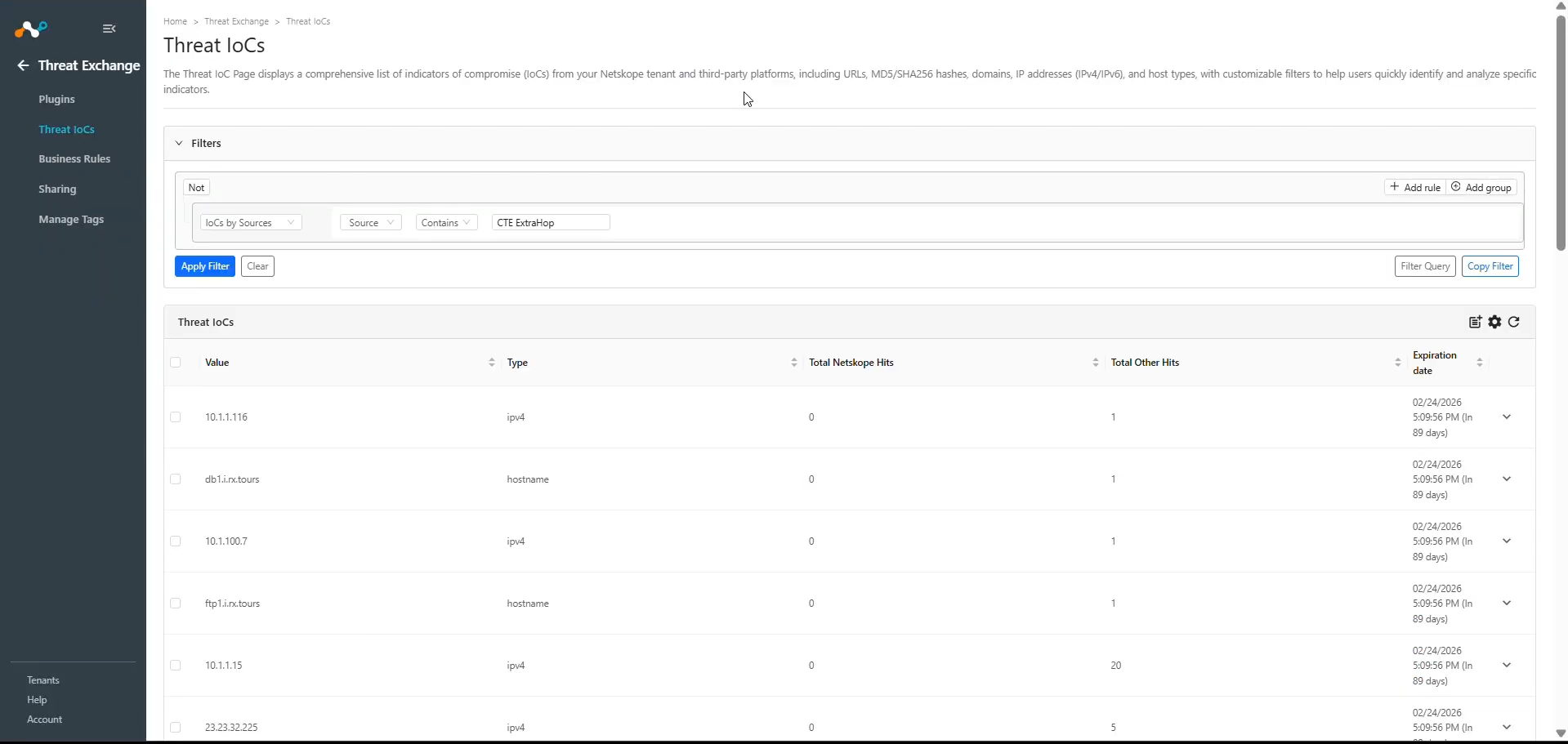
You can also filter the IoCs based on the tags.
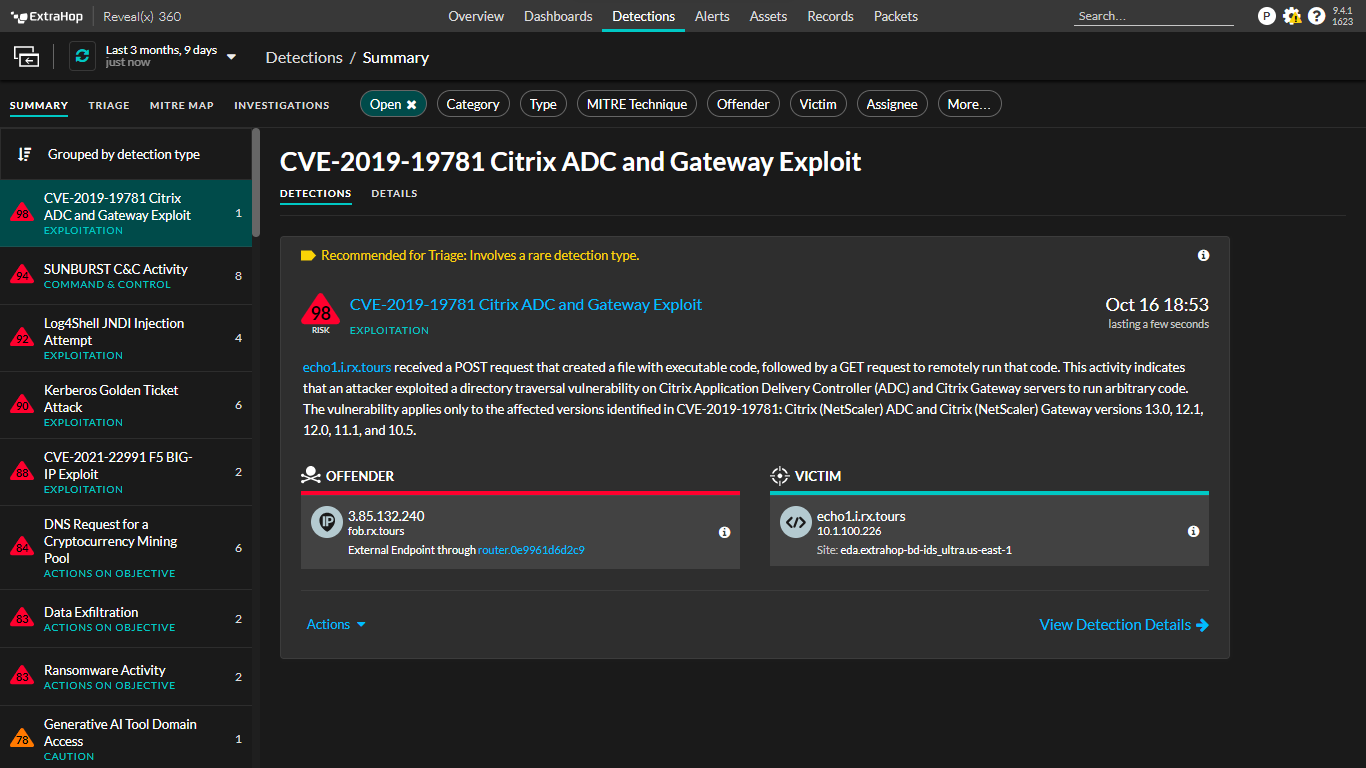
To verify the pull from the ExtraHop Reveal(x) 360 platform, log in to the ExtraHop Reveal(x) 360 platform and go to the Detections tab. You will see the detections. The plugins pulls the offender’s hostname and IP address of the detections.
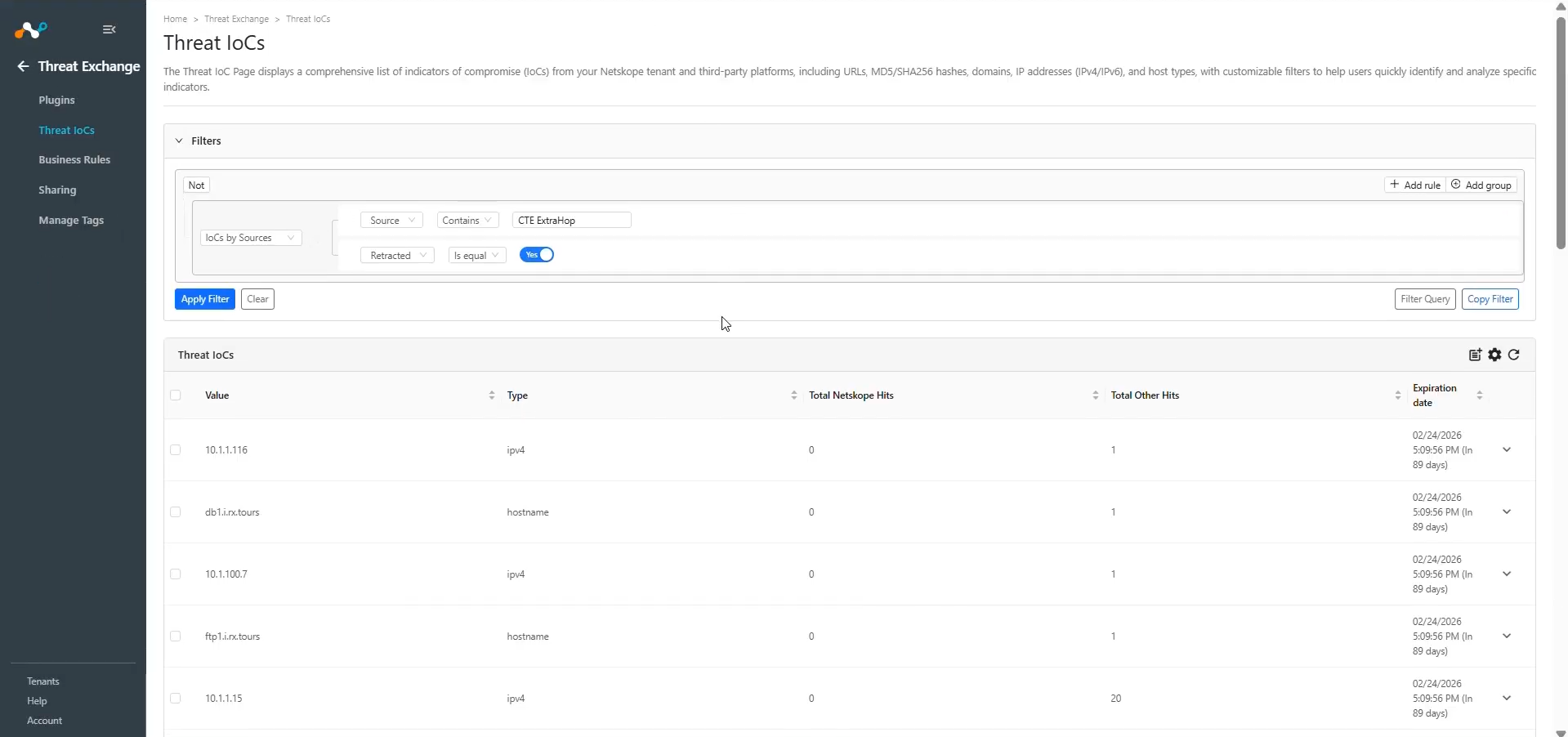
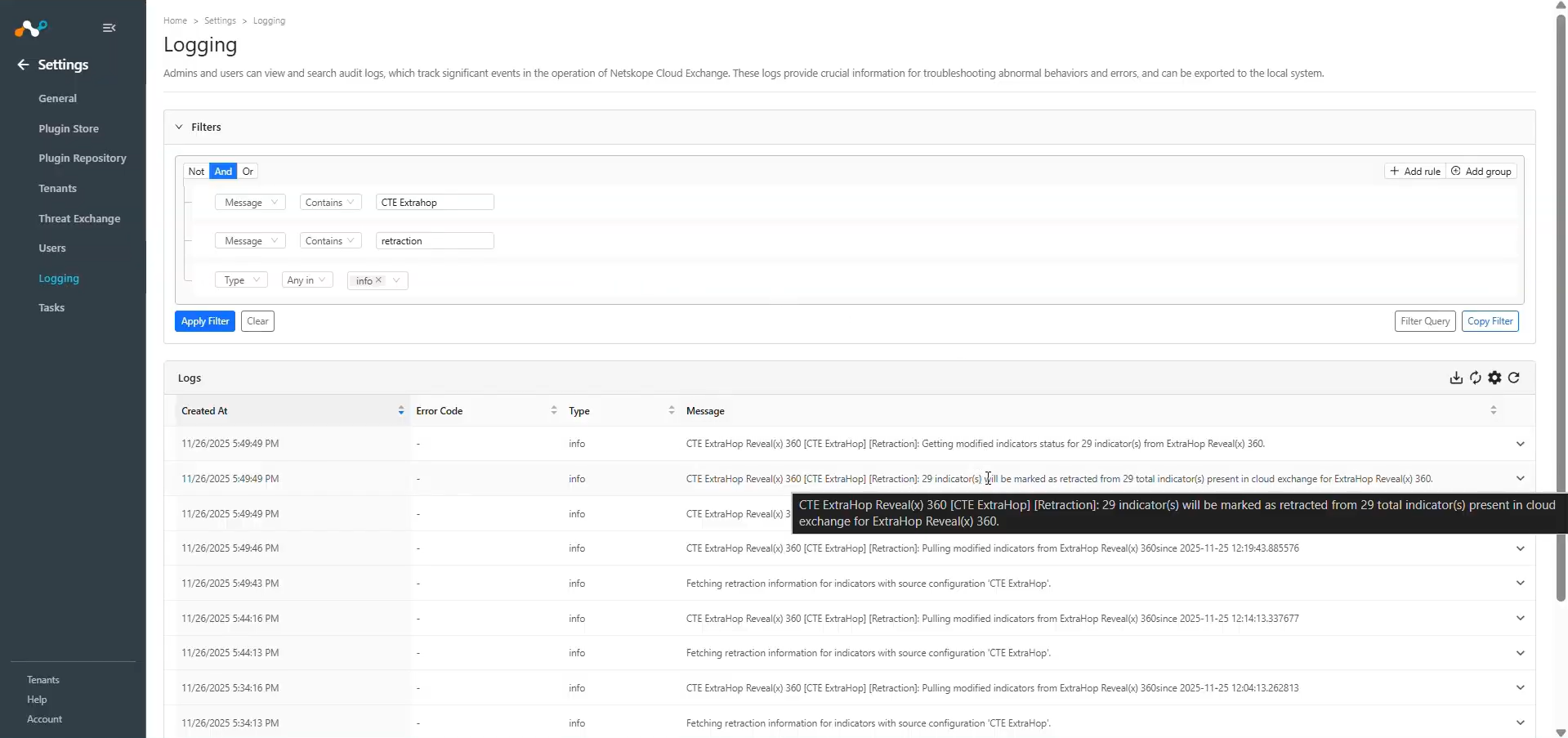
To check the retracted IoCs in Cloud Exchange, go to Threat IoCs and search for IoCs whose retraction value is Yes: sources.retracted Is equal true.
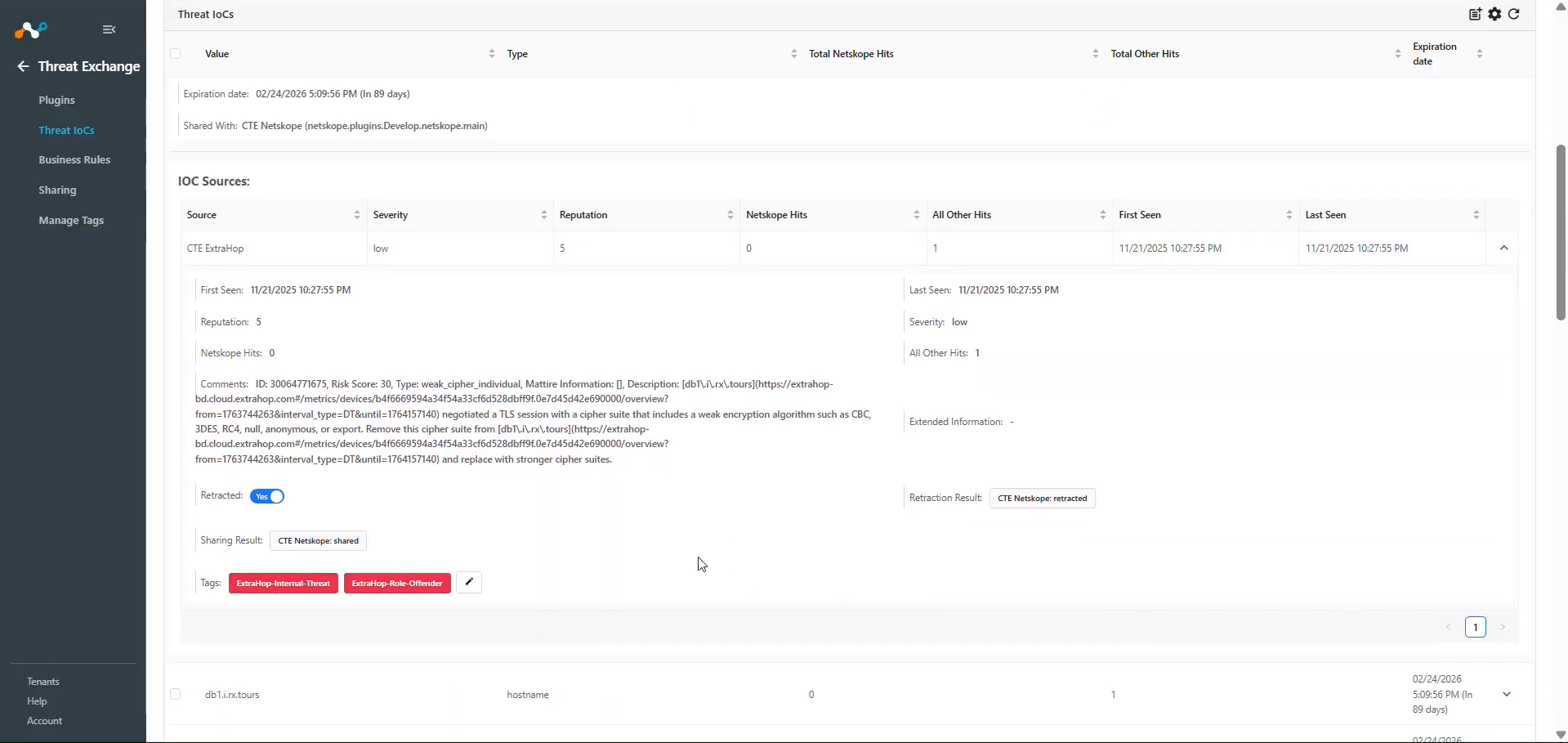
You can also verify IoC retraction via the Cloud Exchange Logs. Go to Logging and search for: message Like “extrahop” && message Like “Rectracted”.
Validate the Push
The ExtraHop Reveal(x) 360 plugin does not support the pushing of IoCs.
You can push the IoCs pulled from the ExtraHop Reveal(x) 360 to Netskope or any 3rd-party plugin supported in Threat Exchange. Refer to IoC Retraction.
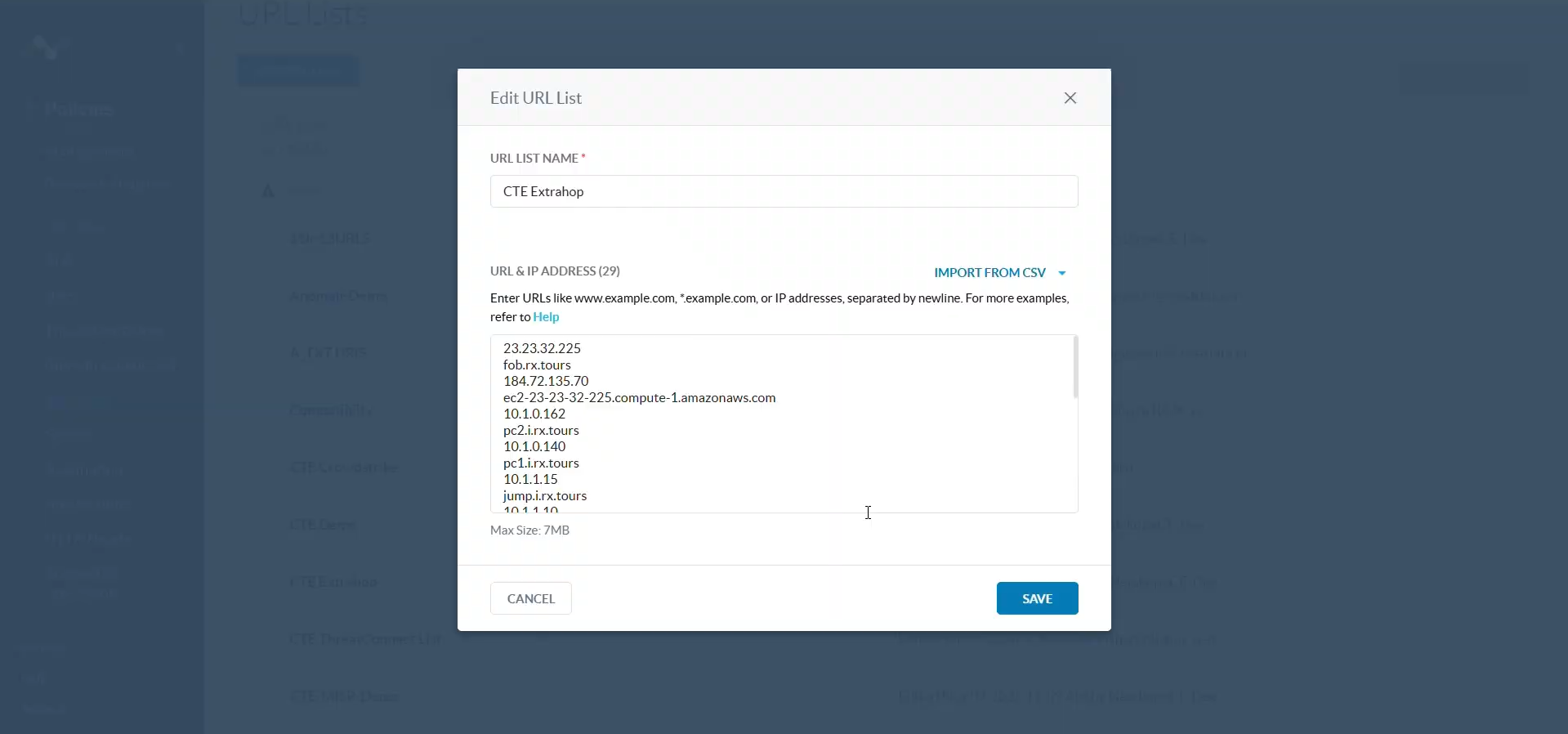
Here are the IoCs shared to Netskope before they were retracted in Cloud Exchange.
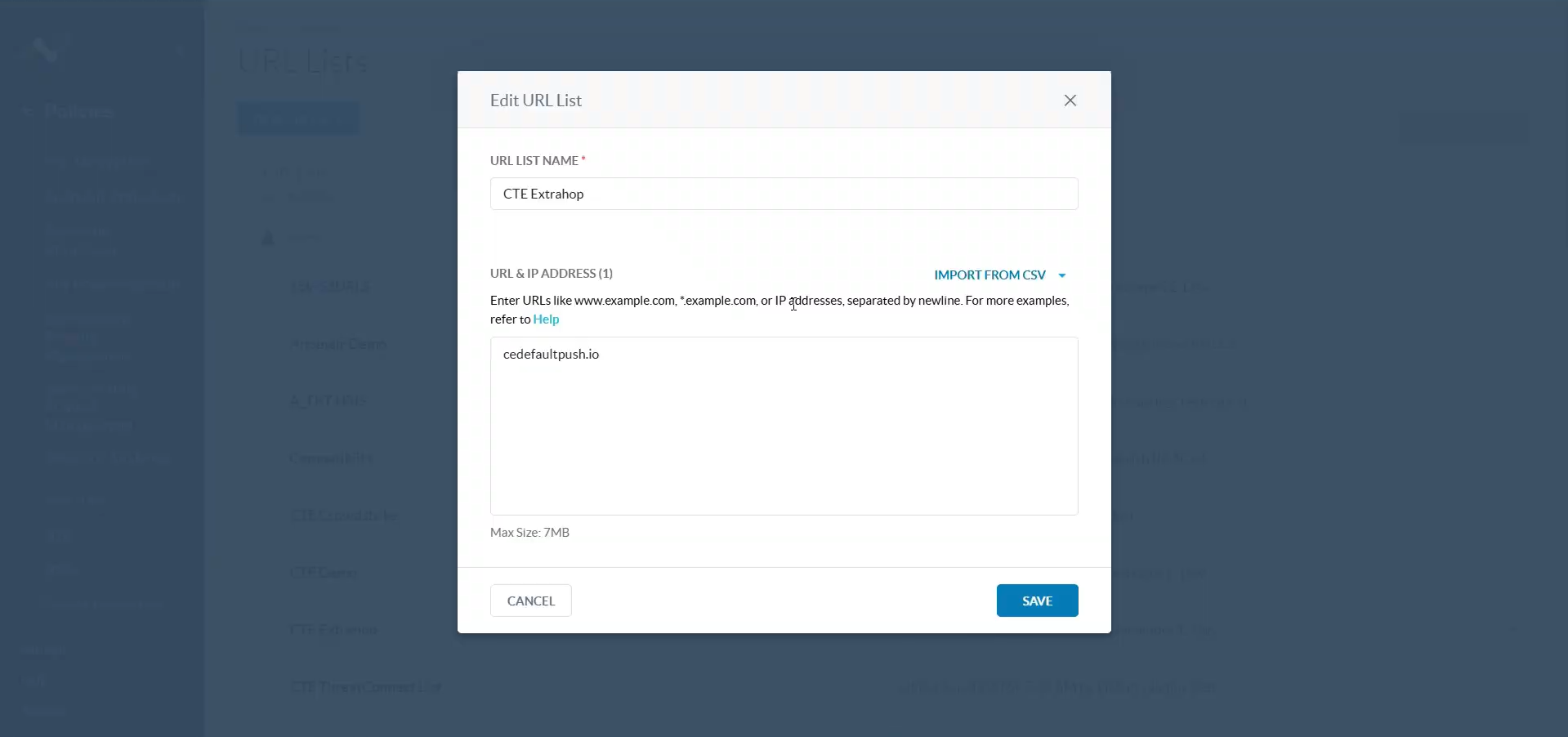
IoCs marked as retracted in Cloud Exchange will be retracted from Netskope tenants as well if shared.
Troubleshooting the ExtraHop Reveal(x) 360 Plugin
Unable to pull IoCs from the plugin
If you are not able to pull any IoCs from the plugin it might be due to one of the following reasons:
- IoCs are not available at all for pulling.
- The Detections present on ExtraHop Reveal(x) 360 does not contain the Offender’s information i.e., Object Value or Hostname.
- There are no detections on ExtraHop Reveal(x) 360 matching the severity selected on the configuration page.
What to do: In order to resolve this issue, follow these steps respectively:
- IoCs are not available at all for pulling. Log in to the ExtraHop Reveal(x) 360 platform and go to the Detection tab. You will see the detections and under the offender section the hostname and IP address of the detections.
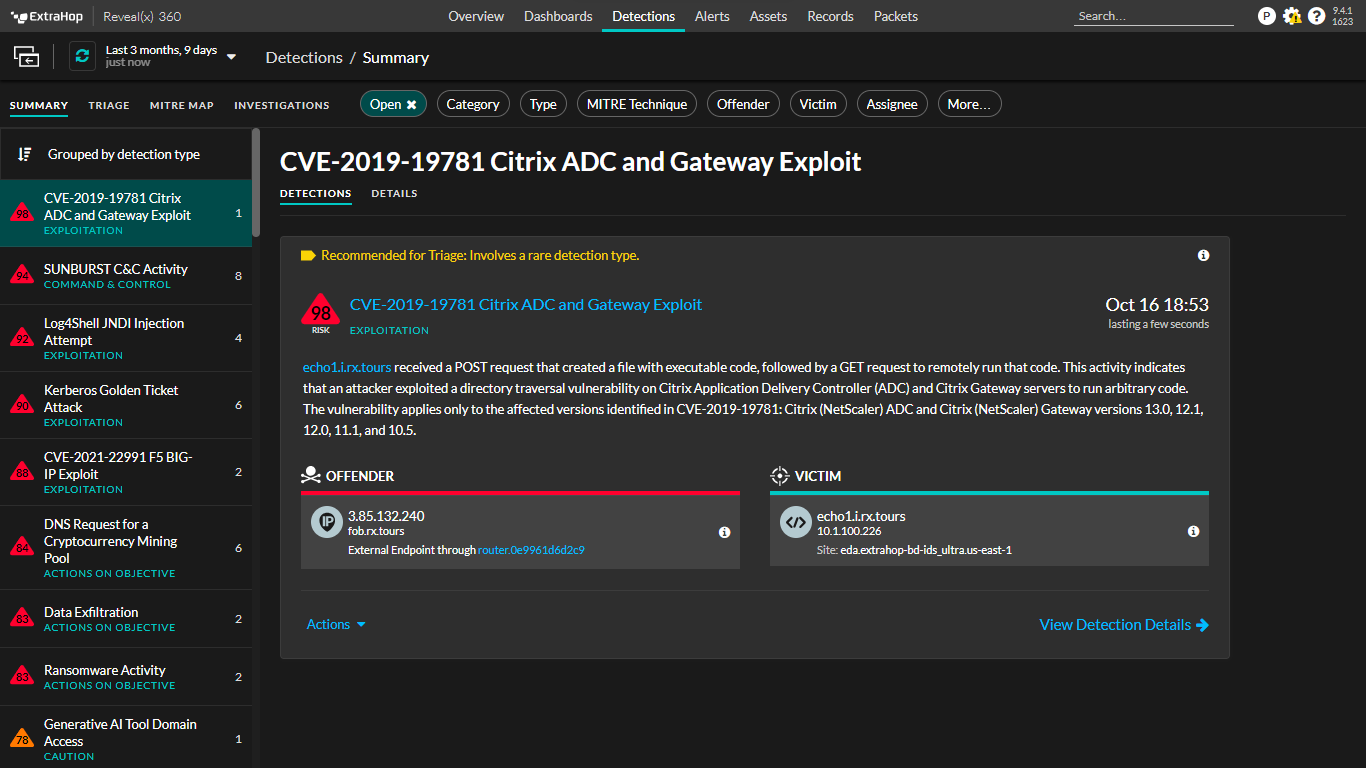
- The Detections present on ExtraHop Reveal(x) 360 does not contain the Offender’s information like Object Value or Hostname. Check under Detections if the detections present on the platform have Offender information (Hostname or IP address). The detections will only be fetched if it has at least any one of these details.
- There are no detections on ExtraHop Reveal(x) 360 matching the severity selected on the configuration page.