Action logs provide a detailed record of actions performed on users or hosts. On the Action Logs page, you can view, filter, and manage these logs to track system activities and ensure accountability.
View Action Logs
- Go to Risk Exchange > Action Logs.
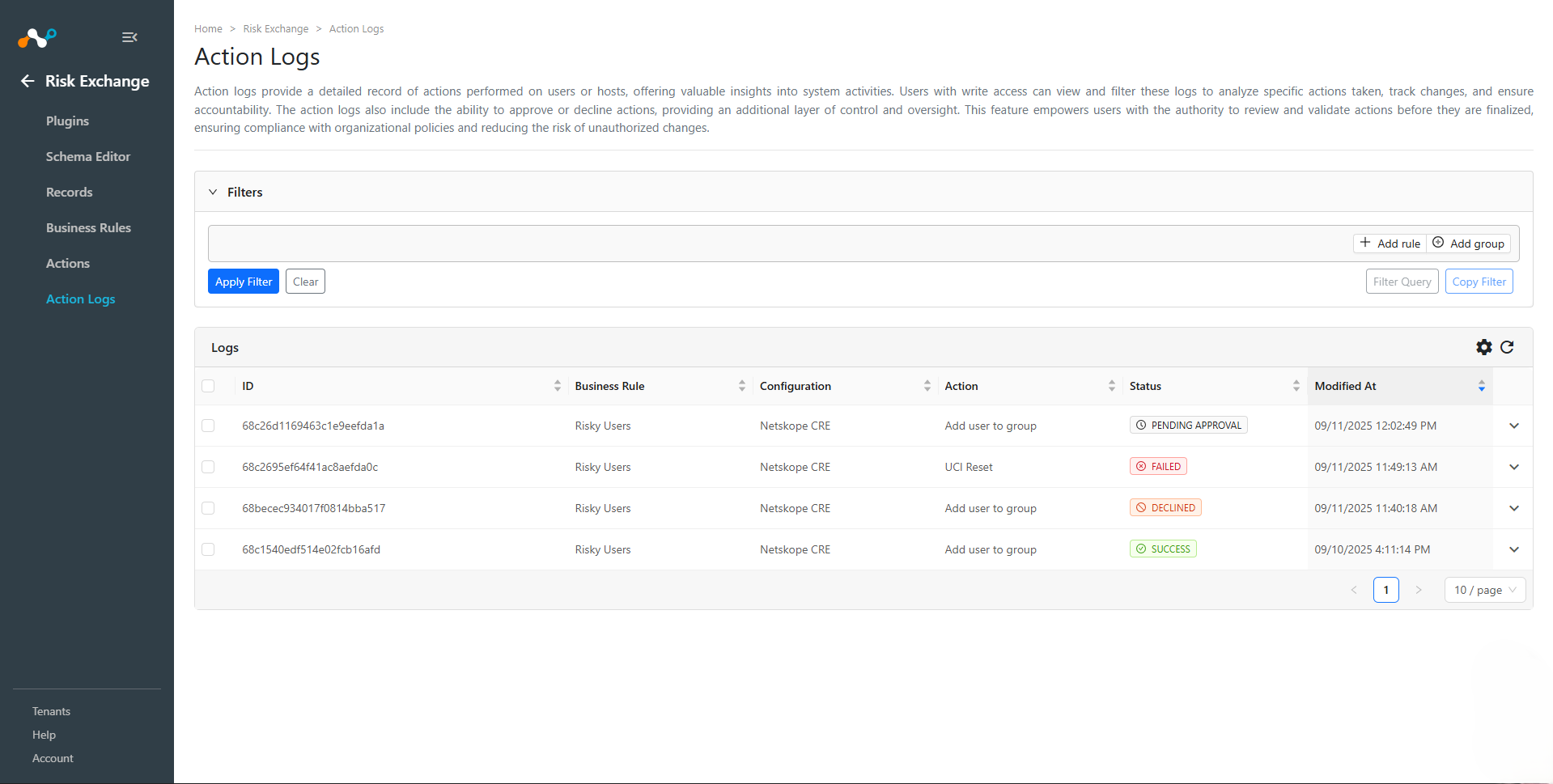
- The page displays a list of all action logs, including details such as the Business Rule that triggered the action, the plugin Configuration used, the Action performed, the current Status, and when it was last Modified At.
Action Log Statuses
Each action log has a status that indicates its current state:
- Pending Approval: The action requires manual approval before it can be executed.
- Scheduled: The action has been approved and is scheduled to be performed, either within the next few minutes or during a configured maintenance window.
- Success: The action was performed successfully.
- Failed: The action failed to execute.
- Declined: The action was manually declined and will not be executed.
Approve or Decline Pending Actions
A write-access user can approve pending actions.
To decline the pending action, select the action and click Decline to decline the action.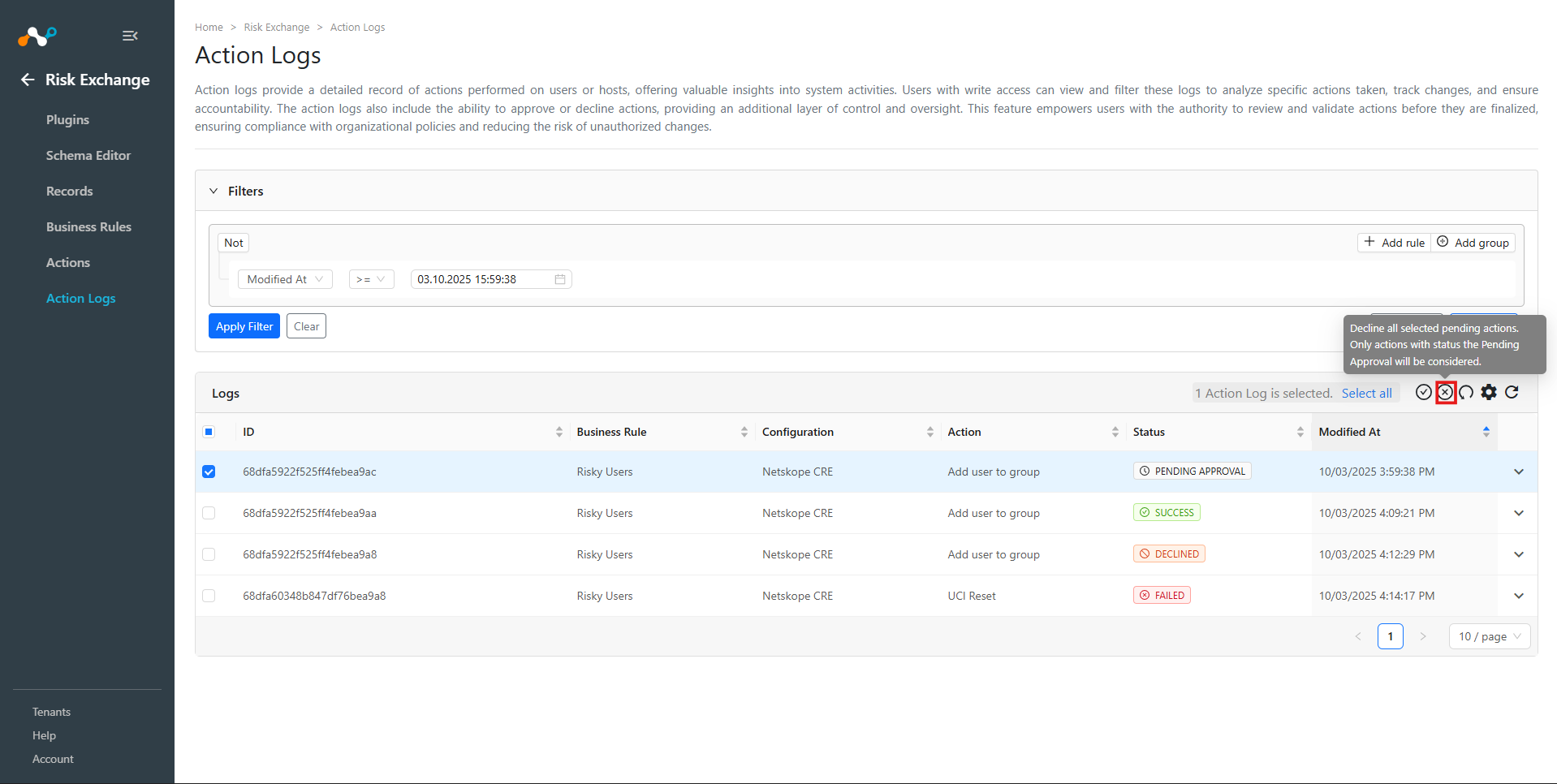
Go to Risk Exchange > Action Logs.
Action logs with status Pending Approval indicate that the action is not executed and requires approval to be completed.
Action logs can be expanded to see the details of the record as they were at the time when the record matched the specified business rule. 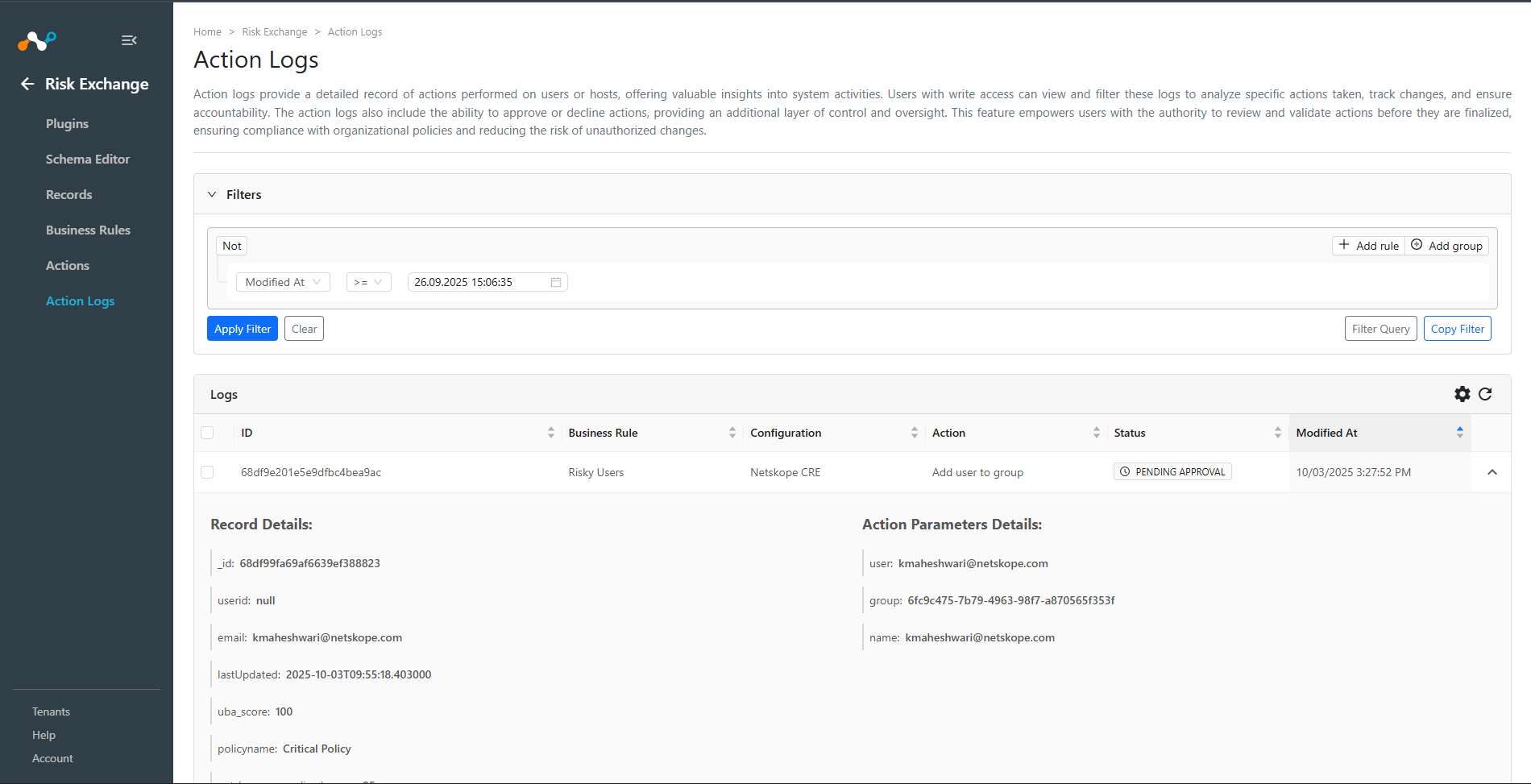
To approve the pending action, select the action and click Approve to approve the action.
Click Approve.
The Action Log status should now change to Scheduled and it will be performed within the next few minutes or the configured maintenance window duration.
Revert Actions
A write-access user can revert successful actions.
- Go to Risk Exchange > Action Logs.
- Action logs with status Success indicate that the action has been completed successfully and can be reverted if needed.
- Select one or more successful action logs that you want to revert.

- A confirmation dialog will appear. Click Revert to confirm the reversion.
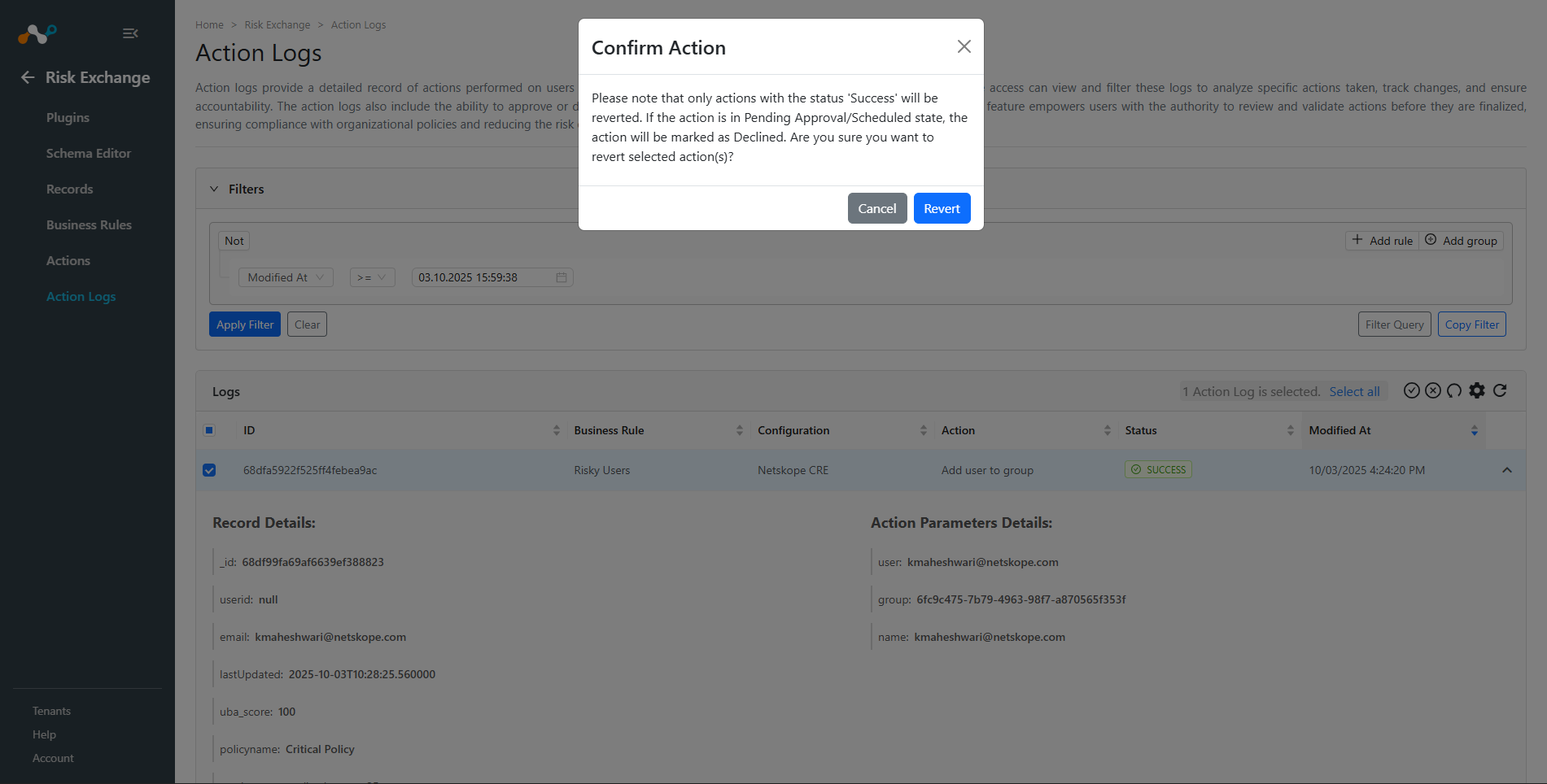
- The selected actions will be queued for reversion. The system will attempt to undo the effects of the original actions.
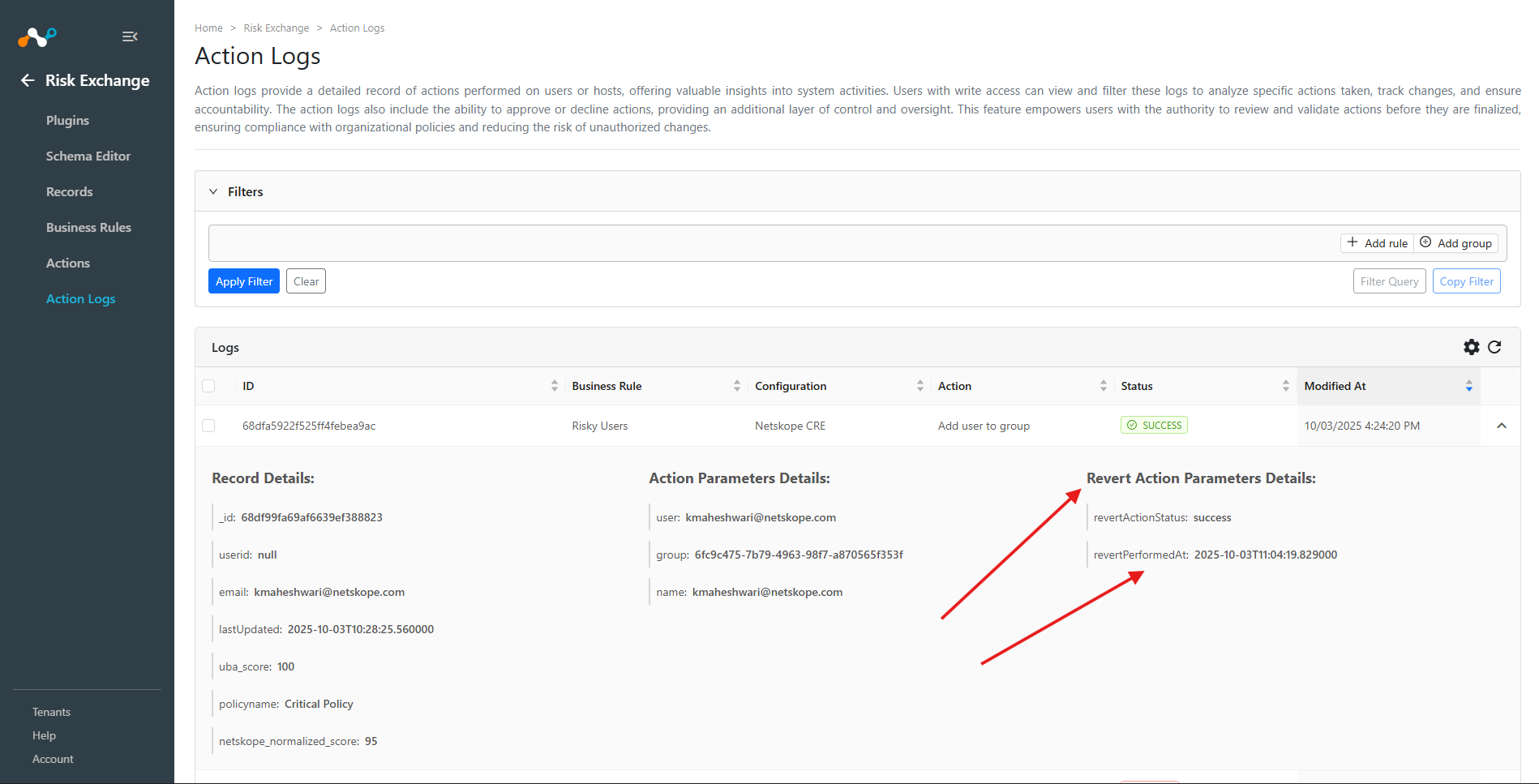
- Once the reversion is processed, the action logs will be updated with reversion status and timestamp information.