

Admins can tag dashboards in their own Personal or Group folders. Navigate to Advanced Analytics > Netskope Library to access the tag management feature from the drop-down menu.
Netskope Library dashboards come with predefined tags, which you cannot edit. However, you can copy the dashboard to our Personal or Favorite folder to enable editing.

LIST VIEW
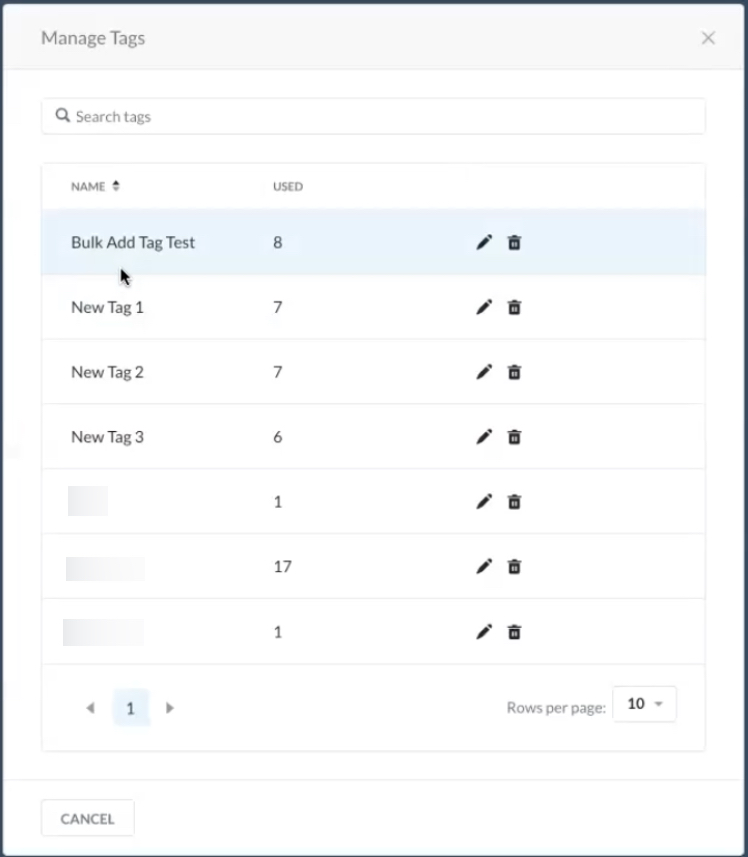
The list view shows how many times the tags are used (i.e. added to a dashboard or widget). You can also and can also edit or delete tags from the list view. However, only custom tags (those defined by the user) can be edited or deleted.

BULK TAGGING
Admins can add and delete tags in bulk by selecting the checkbox beside multiple dashboard or widget names.

Netskope Library dashboards come with predefined tags, which you cannot edit. However, you can copy the dashboard to our Personal or Favorite folder to enable editing.
Custom tags are defined by the user, while predefined tags are assigned to Netskope Library dashboards by Netskope admins.
Important
Tag names are limited to 30 characters.