

Beta feature: Advanced Data Trickling is available as a beta feature starting in Release 140 and is also available on download today. It isn’t self-service yet — contact Netskope Support to enable it for your tenant.
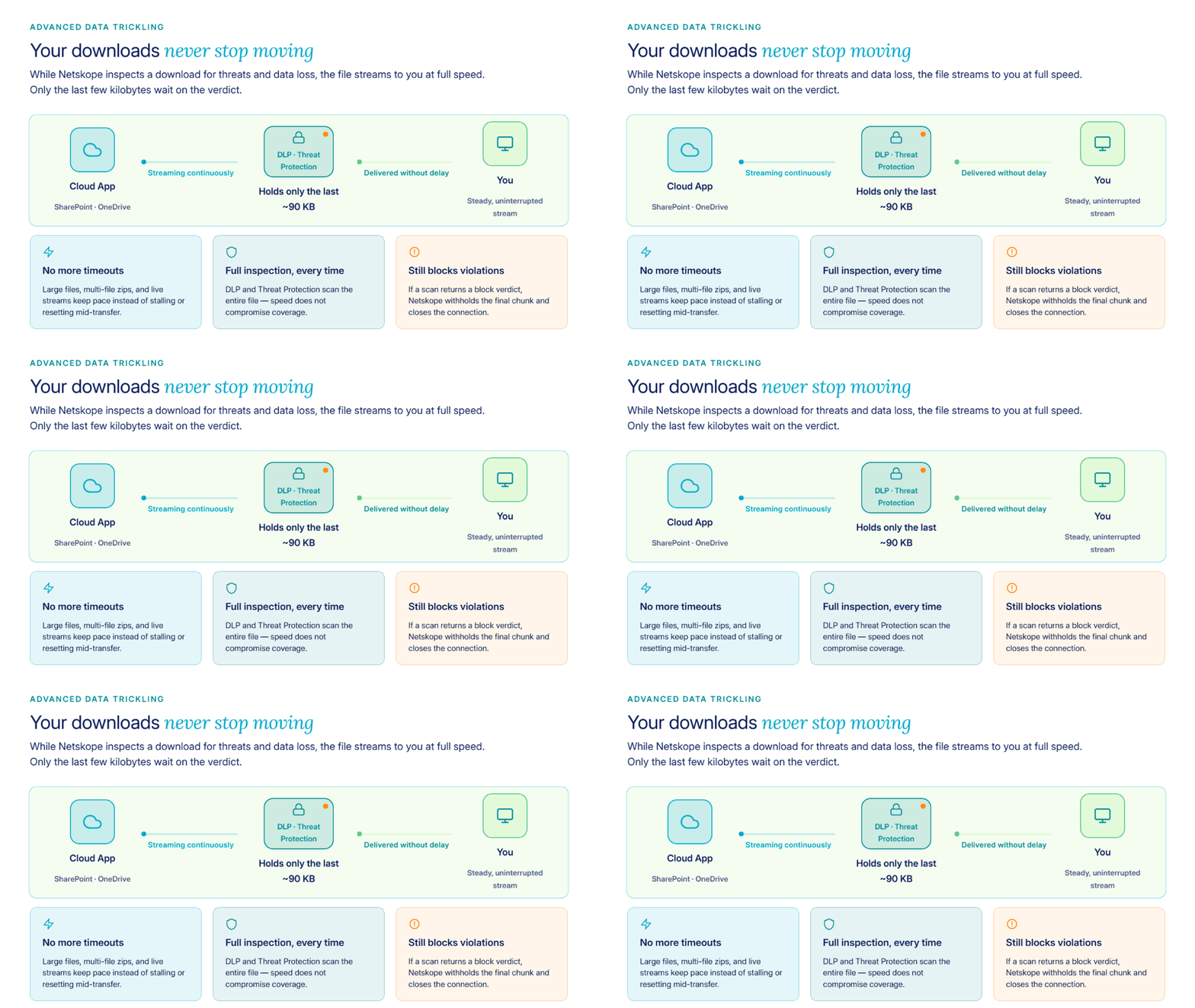
Advanced Data Trickling lets Netskope Secure Web Gateway stream downloads to users while content inspection runs. Instead of holding an entire download until DLP and Threat Protection finish scanning, Netskope forwards most of the response immediately and retains only a small trailing portion; enough to allow a block action if needed.
Why this matters
By default, Netskope holds a download, inspects it, and then forwards it to the user. This hold-inspect-forward model keeps security tight but can break in these cases:
- Large downloads from apps like SharePoint and OneDrive, especially multi-file downloads that are zipped and sent with chunked transfer encoding.
- Live streams, such as chat bots, ticker feeds, and other streaming (SSE) traffic, where the destination expects a steady flow and disconnects if none arrives.
- Long-running transfers that exceed application or client timeout windows while a large file is held for scanning.
Advanced Data Trickling keeps data moving to the destination during the download so applications stay connected instead of timing out, resetting, or failing mid-transfer.
How it works
| Mode | Direction | Behavior |
|---|---|---|
| Trickling from start | Upload and download | Sends data to the destination in small increments from the beginning of the transfer. This is today’s default behavior for uploads, and for downloads under Large File Support. |
| Trickling at end | Download | Streams data to the client at full connection speed, holding back only a small trailing portion until DLP or Threat Protection returns a verdict. |
Enabling this Beta moves your tenant’s downloads from trickling from start to trickling at end; uploads keep using trickling from start, unchanged. Because most of the download reaches the client before the scan finishes, the connection sees a continuous stream instead of a long pause. If DLP or Threat Protection returns a block verdict, Netskope blocks delivery of the remaining held-back data and ends the connection. Either way, Netskope completes a full scan of the entire response, so inspection coverage doesn’t change.
Key benefits
- Fewer application timeouts: Downloads over 1 GB and continuous streams, such as live feeds or chat-style responses, remain connected instead of stalling.
- No reduction in inspection coverage: DLP and Threat Protection scan the full response before it reaches the user.
- Broad protocol support: Supports chunked transfer encoding, HTTP/2, byte-range requests, and standard streaming (SSE) traffic.
What’s in this Beta
- Trickling at the end for downloads: standard file downloads, chunked transfer encoding, and streaming/SSE traffic.
- Adds support for large files and continuous streams that previously lacked reliable trickling.
- Per-tenant tuning of trickle size and interval, plus an option to exclude specific applications or domains so they retain the standard hold‑inspect‑forward flow when you prioritize security over compatibility.
- Upload behavior remains unchanged in this release; only downloads move from trickling from start to trickling at end.
Enable Advanced Data Trickling
Advanced Data Trickling isn’t self-service during Beta. To enable it:
- Contact your Netskope account team or Netskope Support and request that they enable Advanced Data Trickling for your tenant.
- Provide any requirements for trickle size, interval, or app/domain exclusions to Netskope Support — these settings are configured for you.
Known limitation
Advanced Data Trickling conflicts with GitHub Copilot traffic. If you use Copilot, ask Netskope Support to exclude the relevant domain from trickling as a temporary workaround until a future release resolves the issue.