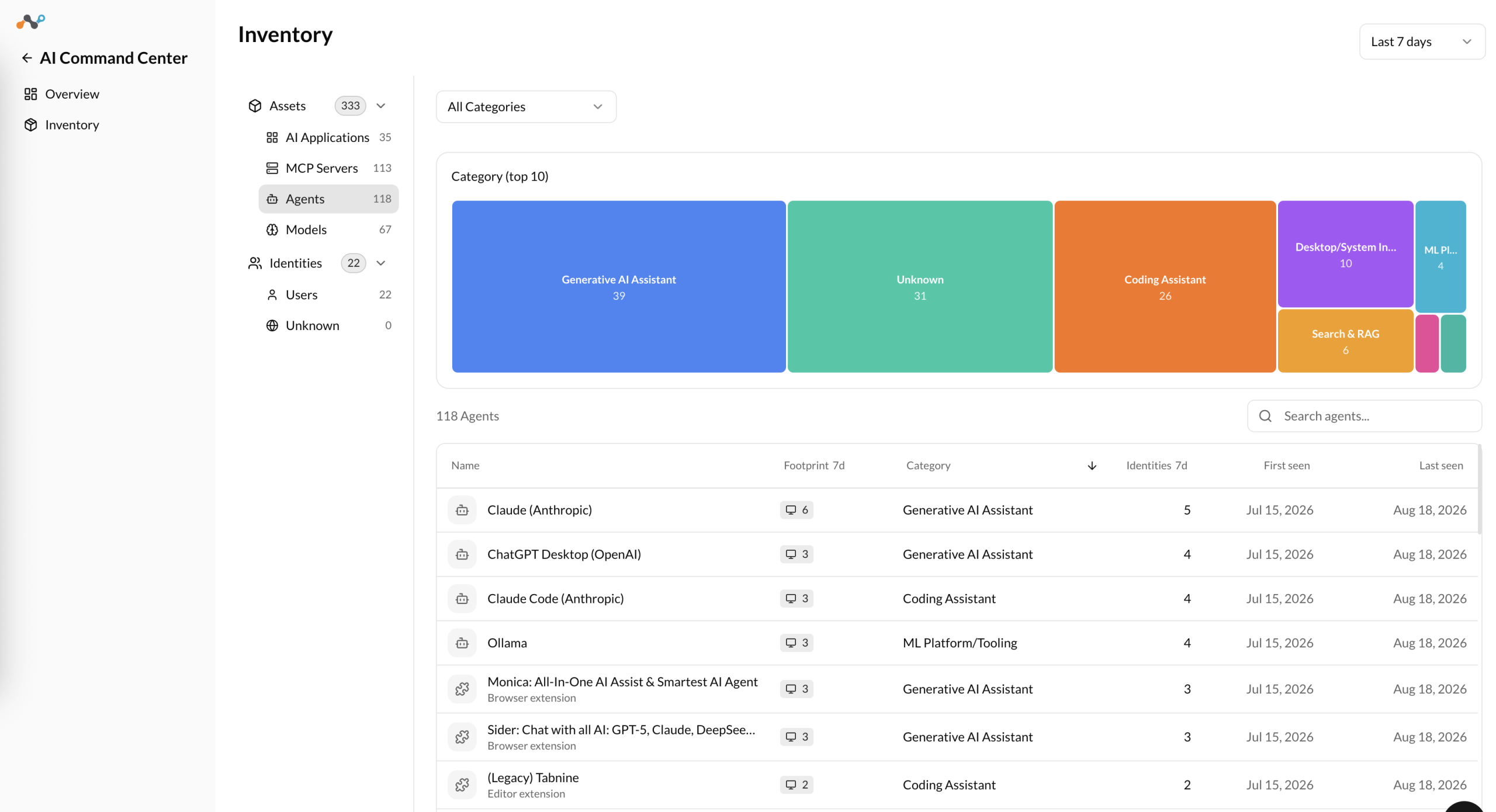
The Agents section provides visibility into AI agents discovered across your organization, such as browser extensions, editor extensions, and desktop extensions that use AI.
Source – Netskope Client
- Category (top 10) – A treemap showing the top 10 agent categories by count (for example, Browser Extension, Editor Extension, Desktop Extension, Agents). Click a category to filter the table.
- Framework (top 10) – A bar chart showing the top 10 frameworks. Click a framework to filter the table.
The following table displays a list of agents discovered in your environment with the following details:
- Name – Name of the AI agent, for example, IntelliCode, Amazon Q, Browser Copilot. A sublabel shows the agent type, for example, Editor extension or Browser extension.
- Footprint – Number of managed endpoints where this agent was detected. Hover over or click the footprint number to see more details. Available when Endpoint AI Discovery is enabled. For details on what Netskope Client discovers on the endpoint, see Assets Detected during AI Discovery.
- Category – Category of the agent, for example, Browser Extension, Editor Extension, Desktop Extension, Agents.
- Browser Extension: AI extensions installed in a web browser. Examples: Monica, Sider, Perplexity, ChatGPT, Copilot, Grammarly, Speechify, Merlin, LINER.
- Editor Extension: AI extensions installed in a code editor or IDE (VS Code, Cursor). Examples: GitHub Copilot, Codeium, CodeWhisperer, Tabnine, Claude Code, IntelliCode, Cline.
- Desktop Extension: standalone AI desktop applications. Examples: Claude Desktop, ChatGPT Desktop, Perplexity Desktop.
- Agents: autonomous or semi-autonomous AI processes that run independently. Examples: Microsoft Copilot, OpenClaw, Perplexity Comet AI Browser.
- Framework – Framework associated with the agent. Displays Unknown when the framework cannot be determined.
- #d Bytes – Volume of data exchanged by the agent for the selected time range.
- #d Sessions – Number of sessions involving the agent for the selected time range.
- #d Identities – Number of unique identities associated with the agent for the selected time range.
- First Seen – Timestamp when the agent was first detected.
- Last Seen – Timestamp of the most recent detection.
Click any row to open the agent detail panel.