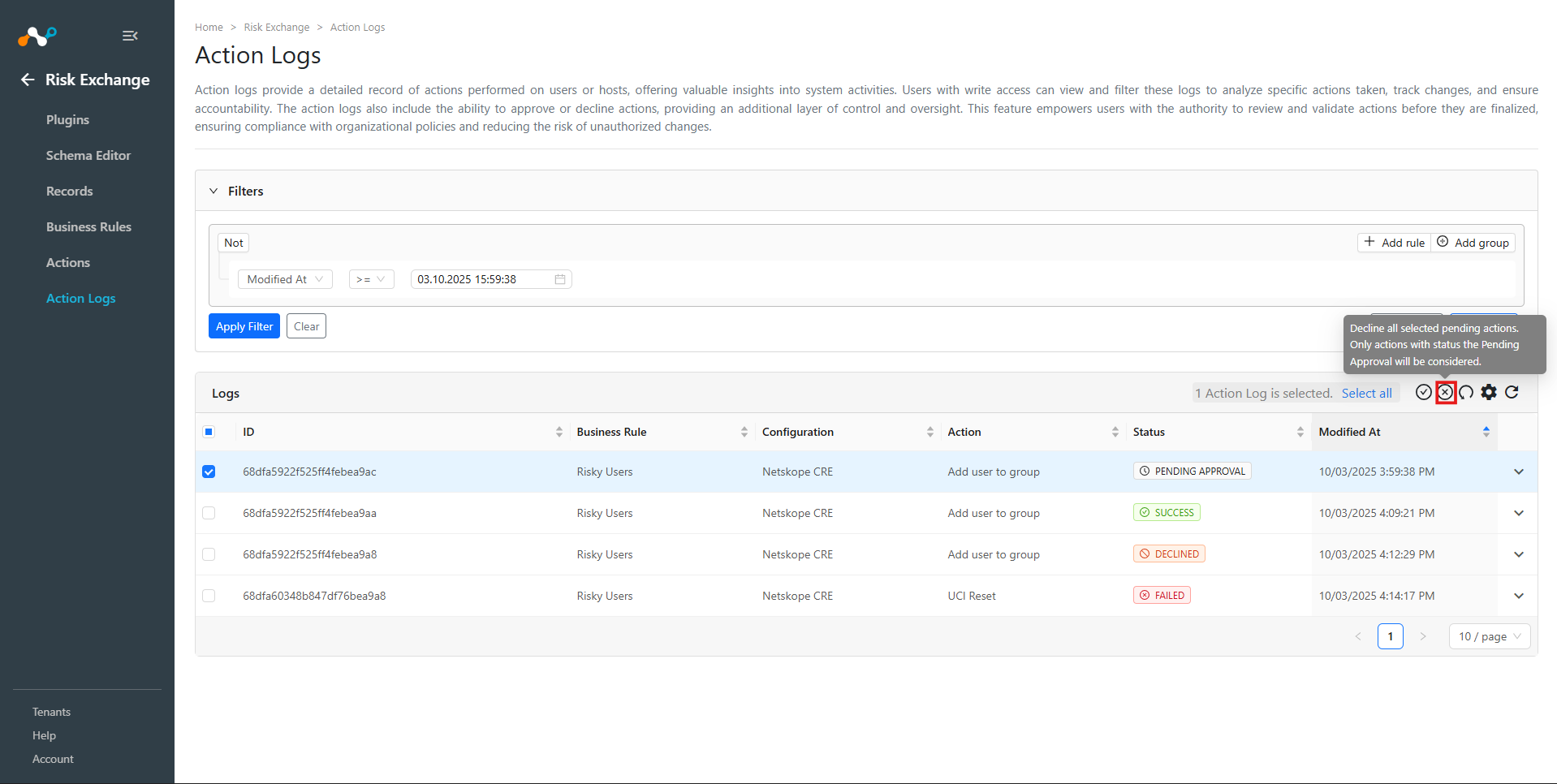
A write-access user can approve pending actions.
- Go to Risk Exchange > Action Logs.
- Action logs with status Pending Approval indicate that the action is not executed and requires approval to be completed.
- Action logs can be expanded to see the details of the record as they were at the time when the record matched the specified business rule.
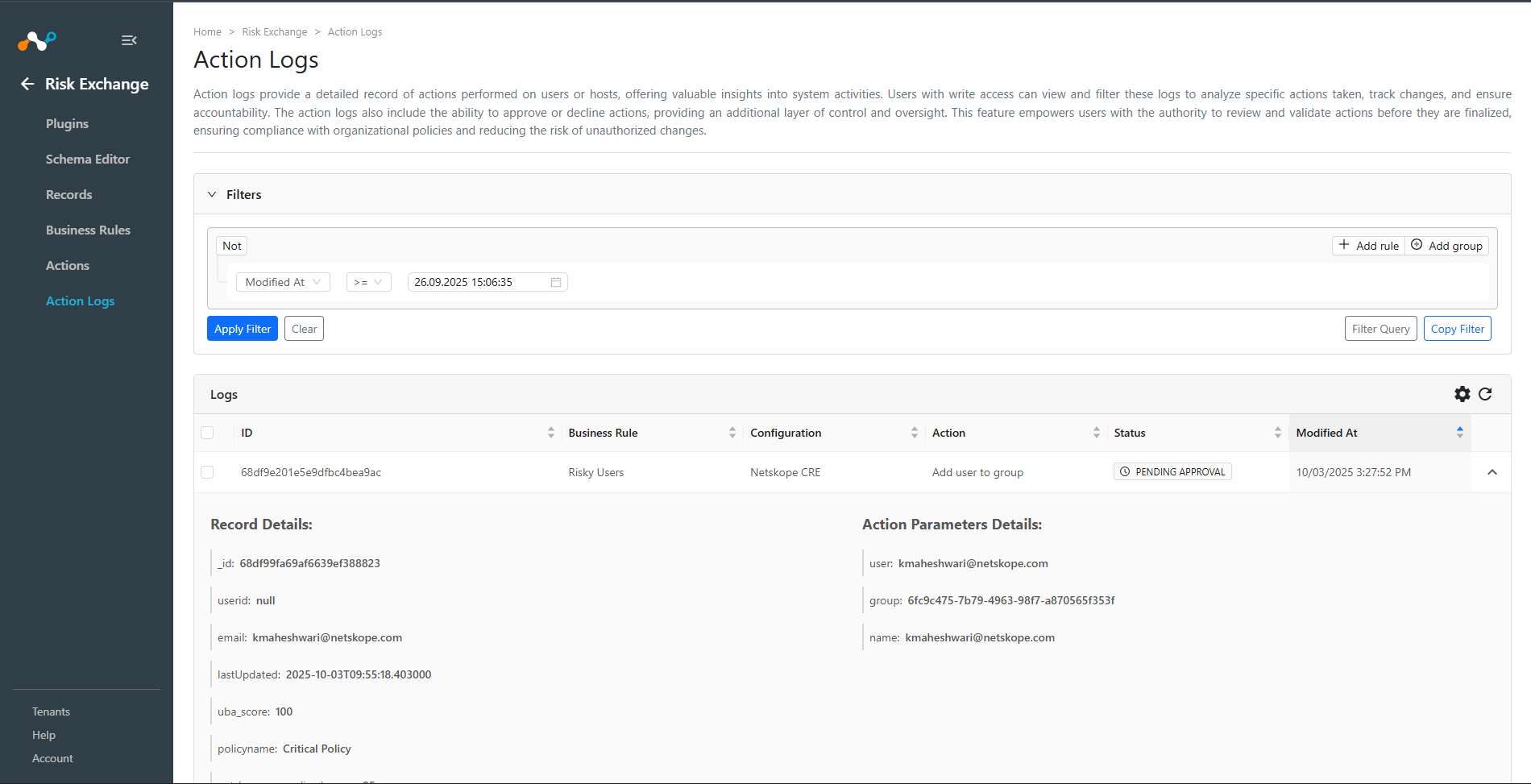
- To approve the pending action, select the action and click Approve to approve the action.

- Click Approve.

- The Action Log status should now change to Scheduled and it will be performed within the next few minutes or the configured maintenance window duration.
- To decline the pending action, select the action and click Decline to decline the action.