

Release Notes
1.0.0 (Requires minimum Cloud Exchange version 6.0.0)
Added
- Initial Release.
Supports: Task creation, task update and sync status and severity.
This document explains how to configure the Asana v1.0.0 plugin with the Ticket Orchestrator module of the Netskope Cloud Exchange platform. This plugin is used to create tasks on Asana platform. It also supports updating tasks, and syncing their status and severity.
Prerequisites
To complete this configuration, you need:
- A Netskope Tenant (or multiple, for example, production and development/test instances).
- A Netskope Cloud Exchange tenant with the Netskope Tenant plugin and Ticket Orchestrator plugin already configured.
- An Asana instance with an account having permissions to create, update and view the tickets and generate API token.
- For Secret Manager configuration, refer to this documentation. To set up Azure Key Vault Secrets Manager, refer to this documentation.
- Connectivity to the following hosts: https://app.asana.com/api/1.0.
Asana Plugin Supports
This plugin is used to create tasks on the Asana platform. It also supports updating tasks, and syncing their status and severity.
| Supported Alert Types for Tickets | Supported Event Types for Tickets |
|---|---|
| Compromised Credentials, Policy, Malsite, Malware, DLP, Security Assessment, Watchlist, Quarantine, Remediation, UBA, CTEP, Device, Content | Endpoint, Incident |
Mappings
Queue Mapping
| Description | Name and Value |
|---|---|
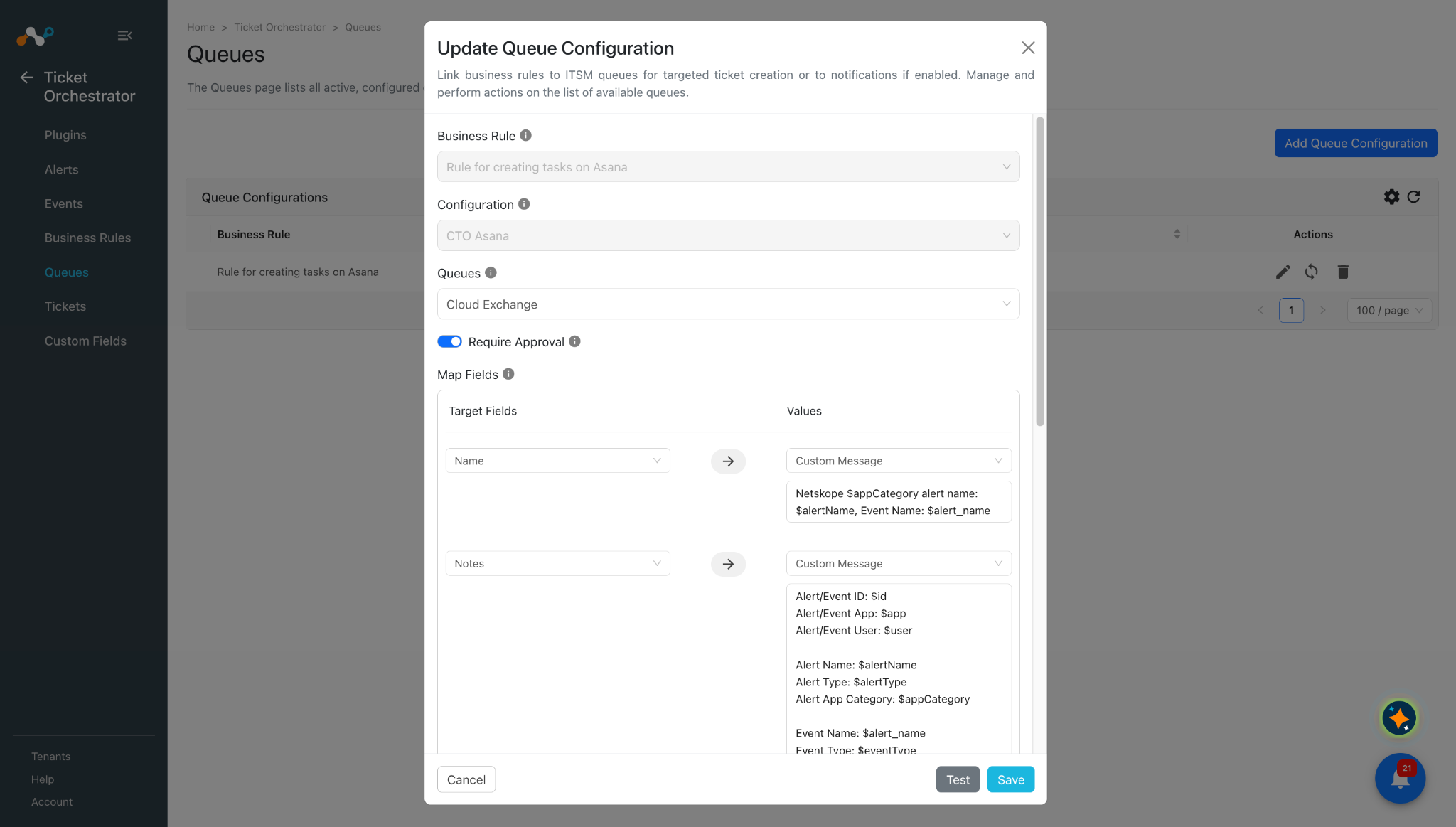
| Default mapped field for custom message of Name (Summary) | Netskope: $appCategory Alert name: $alertName Event Name: $alert_name |
| Default mapped field for custom message of Notes (Description) | Alert/Event ID: $id Alert/Event App: $app Alert/Event User: $user Alert Name: $alertName Alert Type: $alertType Alert App Category: $appCategory Event Name: $alert_name Event Type: $eventType |
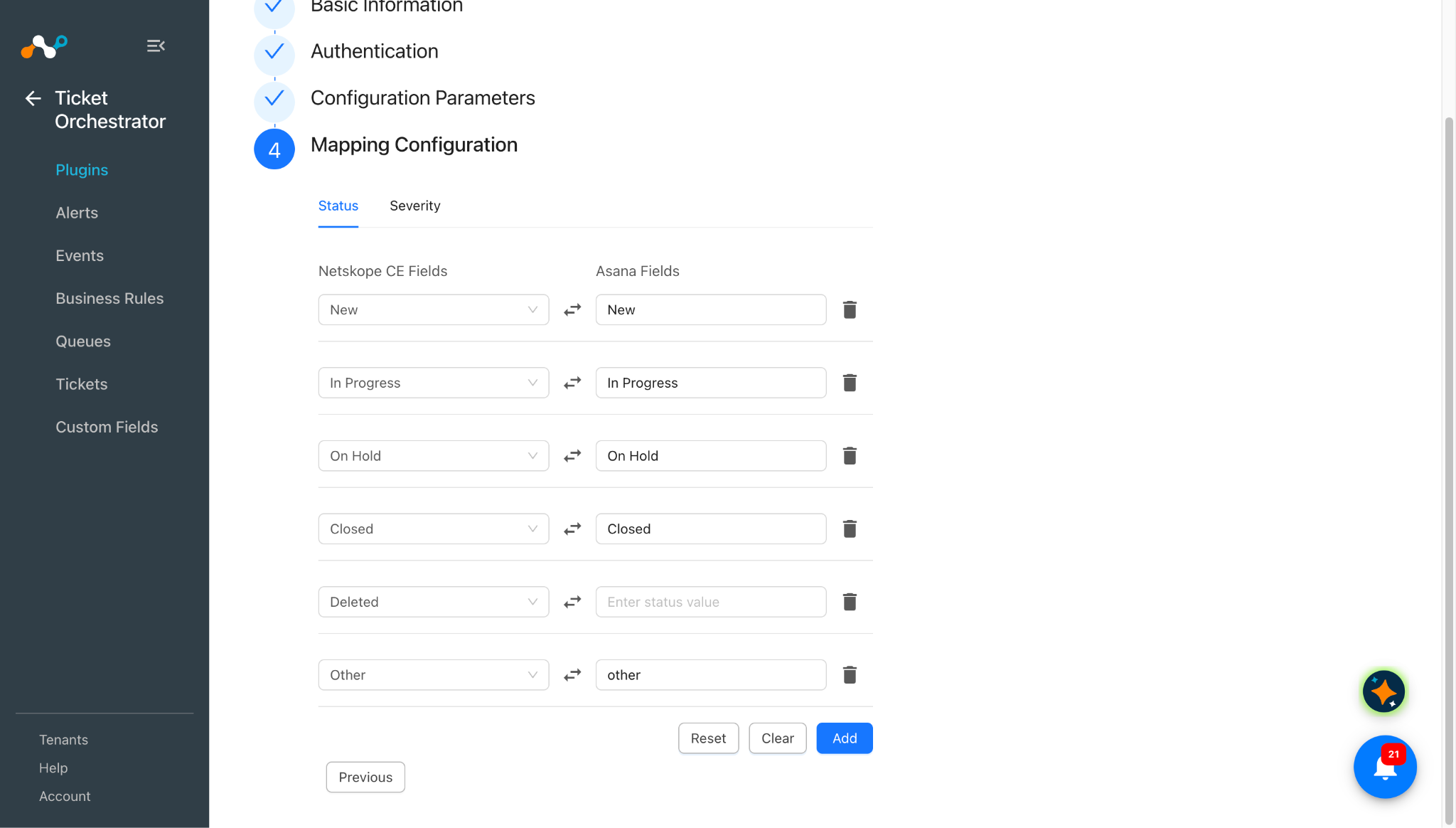
Default Status Mapping
| Cloud Exchange Fields | Asana Fields |
|---|---|
| New | New |
| In Progress | In Progress |
| On Hold | On Hold |
| Closed | Closed |
| Deleted | – |
| Other | other |
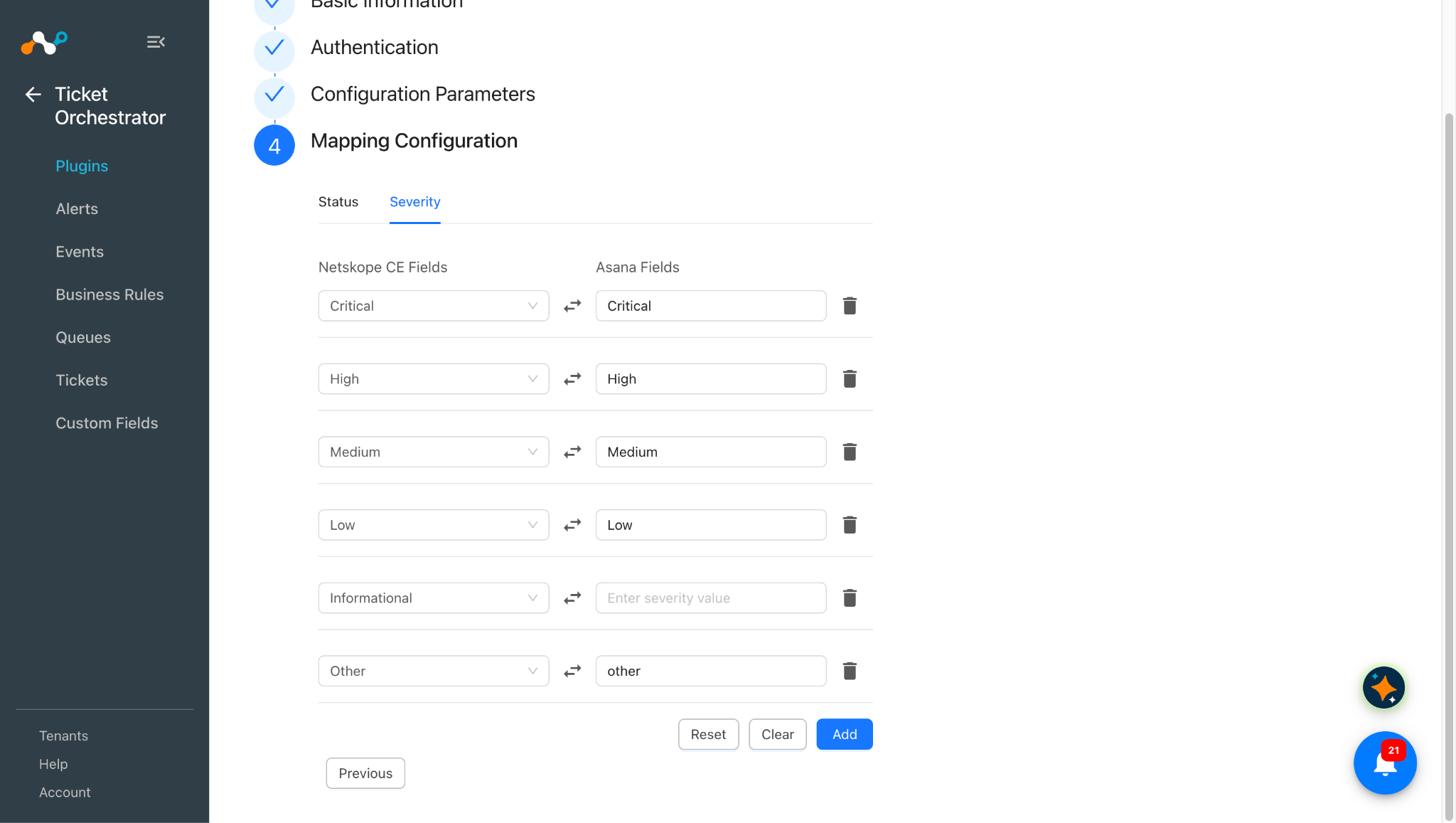
Default Severity Mappings
| Cloud Exchange Fields | Asana Fields |
|---|---|
| Critical | Critical |
| High | High |
| Medium | Medium |
| Low | Low |
| Informational | – |
| Other | other |
Permissions
Users should have admin role or the permissions to create the tasks under the target project and workspace.
API Details
Base URL: https://app.asana.com/api/1.0 (the API Base URL of the configuration). All endpoints listed are relative to it.
List of APIs Used
| API Endpoint | Method | Use Case |
|---|---|---|
| /users/me | GET | Validate the Token during the Authentication step. |
| /workspaces | GET | Populate the Workspace dropdown and validate the selected Workspace in Configuration Parameters. |
| /workspaces/{workspace_gid}/custom_fields | GET | Fetch workspace custom fields for the queue mapping and for the Status/Severity Field Name validation. |
| /workspaces/{workspace_gid}/projects | GET | Populate the Queue list with the non-archived projects of the workspace. |
| /projects/{project_gid}/custom_field_settings | GET | Fetch the custom fields of the queue project to validate and convert mapped custom field values on create and incident update. |
| /tasks | POST | Create a task in the Asana project selected as the queue. |
| /tasks/{task_gid} | PUT | Update the assignee and mapped custom fields of a task (sent as a sub-request of POST /batch). |
| /tasks/{task_gid}/stories | POST | Add a comment to a task (sent directly for a deduplication comment, or as a sub-request of POST /batch with an incident update). |
| /tasks/{task_gid} | GET | Read the current status, severity and assignee of a task during sync (sub-request of POST /batch). |
| /batch | POST | Send up to 10 sub-requests in one call: task update + comment, and task reads during sync. |
Pagination (list APIs)
| Parameter | Description |
|---|---|
| limit | Page size. Always 100. |
| offset | Cursor from next_page.offset of the previous response. Not sent for the first page. |
The plugin reads pages until next_page is null (at most 100 pages).
Validate Token
API Endpoint: /users/me
Method: GET
Request Headers
| Key | Value |
|---|---|
| Authorization | Bearer <Bearer Token> |
| User Agent | netskope-ce-7.0.0-cto-asana-v1.0.0 |
Query Parameters
| Parameter | Description |
|---|---|
| opt_fields | gid,name,email |
| limit | 1 |
API Response
{
  "data": {
    "gid": "1219158266245161",
    "email": "user@example.com",
    "name": "CE User",
    "resource_type": "user"
  }
}
Get Workspaces
API Endpoint: /workspaces
Method: GET
Request Headers
| Key | Value |
|---|---|
| Authorization | Bearer <Bearer Token> |
| User Agent | netskope-ce-7.0.0-cto-asana-v1.0.0 |
Query Parameters
| Parameter | Description |
|---|---|
| opt_fields | gid,name |
| limit | Page size (100 per page). |
| offset | Pagination cursor for subsequent pages. |
API Response
{
    "data": [
        {
            "gid": "1207511261202026",
            "name": "crestdata.ai",
            "resource_type": "workspace"
        },
        {
            "gid": "1219248179687734",
            "name": "Project Workspace",
            "resource_type": "workspace"
        }
    ],
    "next_page": null
}
Get Workspace Custom Fields
API Endpoint: /workspaces/{workspace_gid}/custom_fields
Method: GET
Request Headers
| Key | Value |
|---|---|
| Authorization | Bearer <Bearer Token> |
| User Agent | netskope-ce-7.0.0-cto-asana-v1.0.0 |
Query Parameters
| Parameter | Description |
|---|---|
| opt_fields | gid,name,resource_subtype,representation_type,is_formula_field,enum_options.gid,enum_options.name,enum_options.enabled |
| limit | Page size (100 per page). |
| offset | Pagination cursor for subsequent pages. |
API Response
{
    "data": [
        {
            "gid": "1219251107661327",
            "name": "Severity",
            "resource_subtype": "enum",
            "representation_type": "enum",
            "is_formula_field": false,
            "resource_type": "custom_field",
            "enum_options": [
                {
                    "gid": "1219251107661328",
                    "name": "Critical",
                    "enabled": true,
                    "resource_type": "enum_option"
                },
                {
                    "gid": "1219251107661329",
                    "name": "High",
                    "enabled": true,
                    "resource_type": "enum_option"
                },
                {
                    "gid": "1219251107661330",
                    "name": "Medium",
                    "enabled": true,
                    "resource_type": "enum_option"
                },
                {
                    "gid": "1219251107661331",
                    "name": "Low",
                    "enabled": true,
                    "resource_type": "enum_option"
                }
            ]
        },
        {
            "gid": "1219247798084316",
            "name": "Status",
            "resource_subtype": "text",
            "representation_type": "text",
            "is_formula_field": false,
            "resource_type": "custom_field"
        }
    ],
    "next_page": {
        "offset": "eyJ0eXAiOJiKV1iQLCJhbGciOiJIUzI1NiJ9",
        "path": "/workspaces/1207511261202026/custom_fields?limit=100&offset=eyJ0eXAiOJiKV1iQLCJhbGciOiJIUzI1NiJ9",
        "uri": "https://app.asana.com/api/1.0/workspaces/1207511261202026/custom\_fields?limit=100&offset=eyJ0eXAiOJiKV1iQLCJhbGciOiJIUzI1NiJ9"
    }
}
Get Workspace Projects
API Endpoint: /workspaces/{workspace_gid}/projects
Method: GET
Request Headers
| Key | Value |
|---|---|
| Authorization | Bearer <Bearer Token> |
| User Agent | netskope-ce-7.0.0-cto-asana-v1.0.0 |
Query Parameters
| Parameter | Description |
|---|---|
| archived | false. Only non-archived projects are returned. |
| opt_fields | gid,name |
| limit | Page size (100 per page). |
| offset | Pagination cursor for subsequent pages. |
API Response
{
    "data": [
        {
            "gid": "1219245697468891",
            "name": "Netskope Project",
            "resource_type": "project"
        },
        {
            "gid": "1219245697468900",
            "name": "SOC Board",
            "resource_type": "project"
        }
    ],
    "next_page": null
}
Get Project Custom Field Settings
API Endpoint: /projects/{project_gid}/custom_field_settings
Method: GET
Request Headers
| Key | Value |
|---|---|
| Authorization | Bearer <Bearer Token> |
| User Agent | netskope-ce-7.0.0-cto-asana-v1.0.0 |
Query Parameters
| Parameter | Description |
|---|---|
| opt_fields | custom_field.gid,custom_field.name,custom_field.resource_subtype,custom_field.representation_type,custom_field.is_formula_field,custom_field.enum_options.gid,custom_field.enum_options.name,custom_field.enum_options.enabled |
| limit | Page size (100 per page). |
| offset | Pagination cursor for subsequent pages. |
API Response
{
    "data": [
        {
            "gid": "1219248075786133",
            "resource_type": "custom_field_setting",
            "custom_field": {
                "gid": "1219251107661327",
                "name": "Severity",
                "resource_subtype": "enum",
                "representation_type": "enum",
                "is_formula_field": false,
                "resource_type": "custom_field",
                "enum_options": [
                    {
                        "gid": "1219251107661329",
                        "name": "High",
                        "enabled": true,
                        "resource_type": "enum_option"
                    },
                    {
                        "gid": "1219251107661331",
                        "name": "Low",
                        "enabled": true,
                        "resource_type": "enum_option"
                    }
                ]
            }
        }
    ],
    "next_page": null
}
Create Task
API Endpoint: /tasks
Method: POST
Request Headers
| Key | Value |
|---|---|
| Authorization | Bearer <Bearer Token> |
| User Agent | netskope-ce-7.0.0-cto-asana-v1.0.0 |
Query Parameters
| Parameter | Description |
|---|---|
| opt_fields | gid,name,permalink_url,completed,completed_at,assignee.gid,assignee.email,memberships.section.name,memberships.project.gid,custom_fields.gid,custom_fields.name,custom_fields.display_value,custom_fields.enum_value.name |
Request Body
{
    "data": {
        "name": "[CE] Netskope Alert - DLP Violation",
        "projects": [
            "1219245697468891"
        ],
        "notes": "Alert ID: 7f3c... Alert Name: DLP Violation ...",
        "assignee": "analyst@example.com",
        "custom_fields": {
            "1219251107661327": "1219251107661329",
            "1219250000000001": 85,
            "1219250000000002": {
                "date": "2026-10-16"
            }
        }
    }
}
API Response
{
    "data": {
        "gid": "1219269610239849",
        "name": "[CE] Netskope Alert - DLP Violation",
        "permalink_url": "https://app.asana.com/1/1207511261202026/project/1219245697468891/task/1219269610239849",
        "completed": false,
        "completed_at": null,
        "assignee": {
            "gid": "1219158266245161",
            "email": "analyst@example.com",
            "resource_type": "user"
        },
        "memberships": [
            {
                "project": {
                    "gid": "1219245697468891",
                    "resource_type": "project"
                },
                "section": {
                    "name": "Untitled section",
                    "resource_type": "section"
                }
            }
        ],
        "custom_fields": [
            {
                "gid": "1219251107661327",
                "name": "Severity",
                "display_value": "High",
                "enum_value": {
                    "name": "High",
                    "resource_type": "enum_option"
                },
                "resource_type": "custom_field"
            }
        ],
        "resource_type": "task"
    }
}
Update Task
API Endpoint: /tasks/{task_gid}
Method: PUT
Request Headers
| Key | Value |
|---|---|
| Authorization | Bearer <Bearer Token> |
| User Agent | netskope-ce-7.0.0-cto-asana-v1.0.0 |
Request Body
{
    "assignee": "analyst@example.com",
    "custom_fields": {
        "1219251107661327": "1219251107661328"
    }
}
API Response
{
    "status_code": 200,
    "headers": {},
    "body": {
        "data": {
            "gid": "1219269610239849",
            "name": "[CE] Netskope Alert - DLP Violation",
            "permalink_url": "https://app.asana.com/1/1207511261202026/project/1219245697468891/task/1219269610239849",
            "assignee": {
                "gid": "1219158266245161",
                "email": "analyst@example.com"
            },
            "custom_fields": [
                {
                    "gid": "1219251107661327",
                    "name": "Severity",
                    "display_value": "Critical",
                    "enum_value": {
                        "name": "Critical"
                    }
                }
            ]
        }
    }
}
Add Comment
API Endpoint: /tasks/{task_gid}/stories
Method: POST
Request Headers
| Key | Value |
|---|---|
| Authorization | Bearer <Bearer Token> |
| User-Agent | netskope-ce-7.0.0-cto-asana-v1.0.0 |
Query Parameters
| Parameter | Description |
|---|---|
| opt_fields | gid,created_at,created_by.name,resource_subtype,text |
Request Body
{
    "data": {
        "text": "Received new alert/event with Alert/Event ID: 7f3c... and Alert Name: DLP Violation, Event Name: DLP Violation in Cloud Exchange."
    }
}
API Response
{
    "data": {
        "gid": "1219270000000123",
        "created_at": "2026-10-16T09:15:22.123Z",
        "created_by": {
            "gid": "1219158266245161",
            "name": "CE User",
            "resource_type": "user"
        },
        "resource_subtype": "comment_added",
        "text": "Received new alert/event with Alert/Event ID: 7f3c... and Alert Name: DLP Violation, Event Name: DLP Violation in Cloud Exchange.",
        "resource_type": "story"
    }
}
Get Task
API Endpoint: /tasks/{task_gid}
Method: GET
Request Headers
| Key | Value |
|---|---|
| Authorization | Bearer <Bearer Token> |
| User-Agent | netskope-ce-7.0.0-cto-asana-v1.0.0 |
API Response
{
    "status_code": 200,
    "headers": {},
    "body": {
        "data": {
            "gid": "1219269610239849",
            "name": "[CE] Netskope Alert - DLP Violation",
            "completed": false,
            "completed_at": null,
            "modified_at": "2026-10-16T10:02:11.456Z",
            "permalink_url": "https://app.asana.com/1/1207511261202026/project/1219245697468891/task/1219269610239849",
            "assignee": {
                "gid": "1219158266245161",
                "email": "analyst@example.com"
            },
            "memberships": [
                {
                    "project": {
                        "gid": "1219245697468891"
                    },
                    "section": {
                        "gid": "1219245697468895",
                        "name": "In Review"
                    }
                }
            ],
            "custom_fields": [
                {
                    "gid": "1219251280995675",
                    "name": "Status",
                    "display_value": "In Progress",
                    "enum_value": {
                        "name": "In Progress"
                    }
                },
                {
                    "gid": "1219251107661327",
                    "name": "Severity",
                    "display_value": "High",
                    "enum_value": {
                        "name": "High"
                    }
                }
            ]
        }
    }
}
Batch Request
API Endpoint: /batch
Method: POST
Request Headers
| Key | Value |
|---|---|
| Authorization | Bearer <Bearer Token> |
| User-Agent | netskope-ce-7.0.0-cto-asana-v1.0.0 |
Request Body
{
    "data": {
        "actions": [
            {
                "relative_path": "/tasks/1219269610239849",
                "method": "put",
                "data": {
                    "assignee": "analyst@example.com",
                    "custom_fields": {
                        "1219251107661327": "1219251107661328"
                    }
                },
                "options": {
                    "fields": [
                        "gid",
                        "name",
                        "permalink_url",
                        "completed",
                        "completed_at",
                        "assignee.gid",
                        "assignee.email",
                        "memberships.section.name",
                        "memberships.project.gid",
                        "custom_fields.gid",
                        "custom_fields.name",
                        "custom_fields.display_value",
                        "custom_fields.enum_value.name"
                    ]
                }
            }
        ]
    }
}
API Response
{
    "data": [
        {
            "status_code": 200,
            "headers": {},
            "body": {
                "data": {
                    "gid": "1219269610239849",
                    "name": "[CE] Netskope Alert - DLP Violation",
                    "assignee": {
                        "gid": "1219158266245161",
                        "email": "analyst@example.com"
                    },
                    "custom_fields": [
                        {
                            "gid": "1219251280995675",
                            "name": "Status",
                            "display_value": "Closed",
                            "enum_value": {
                                "name": "Closed"
                            }
                        }
                    ]
                }
            }
        },
        {
            "status_code": 404,
            "headers": {},
            "body": {
                "errors": [
                    {
                        "message": "task: Not a recognized ID: 1219269610239850",
                        "help": "For more information on API status codes and how to handle them, read the docs on errors: https://developers.asana.com/docs/errors"
                    }
                ]
            }
        }
    ]
}
Performance Matrix
These readings are collected on a Large CE Stack with these specifications.
| Description | Specification |
|---|---|
| Stack details | Size: Large RAM: 32 GB CPU Cores: 16 |
| Tickets Created Per Minute | ~ 42 tickets/minute |
User Agent
netskope-ce-7.0.0-cto-asana-v1.0.0
Workflow
- Get your Asana API Token.
- Configure the Asana plugin.
- Configure a Business Rule.
- Configure a Queue.
- Validate the plugin.
Watch a Video
Click play to watch a video.
Get your Asana API Token
-
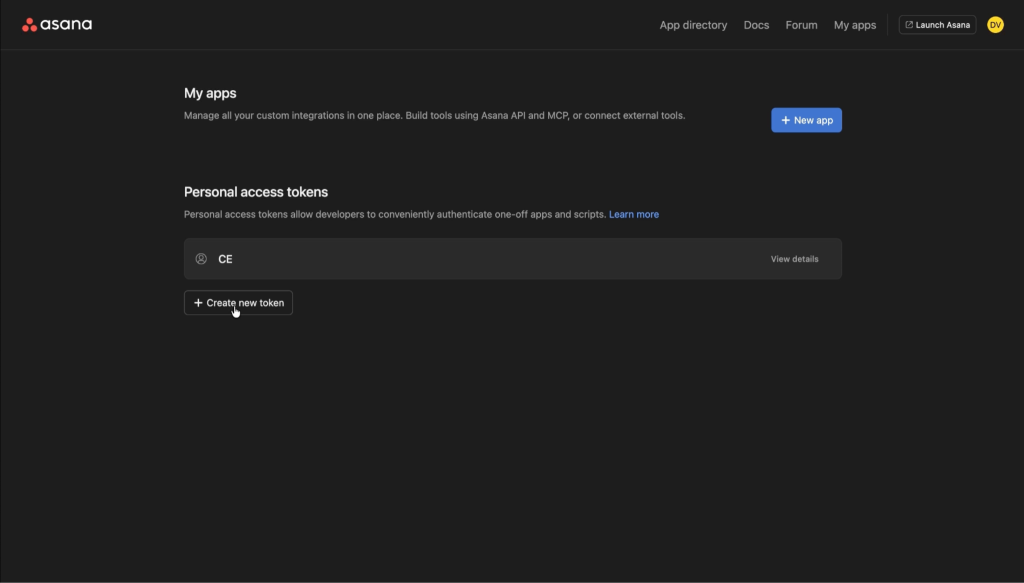
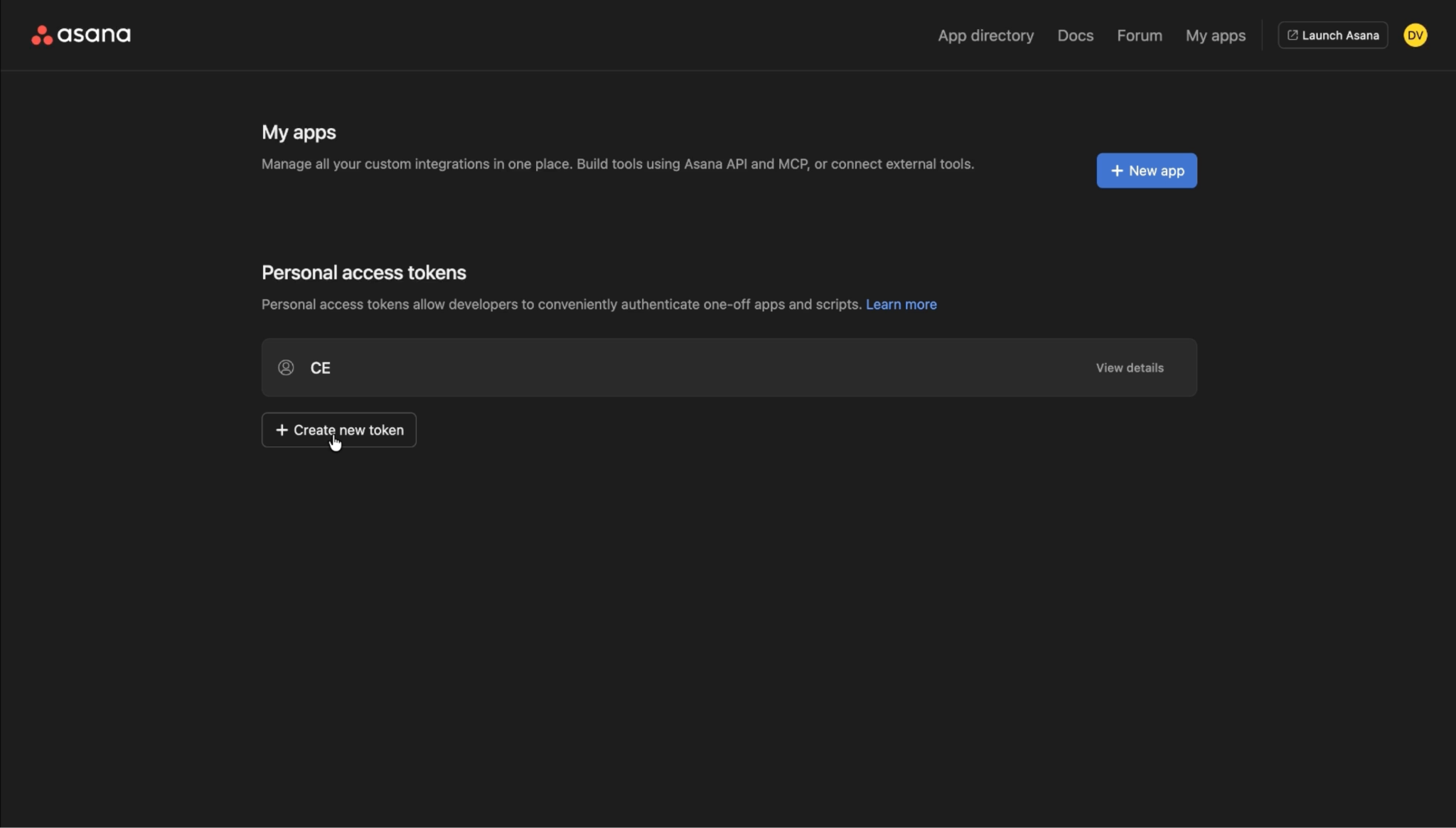
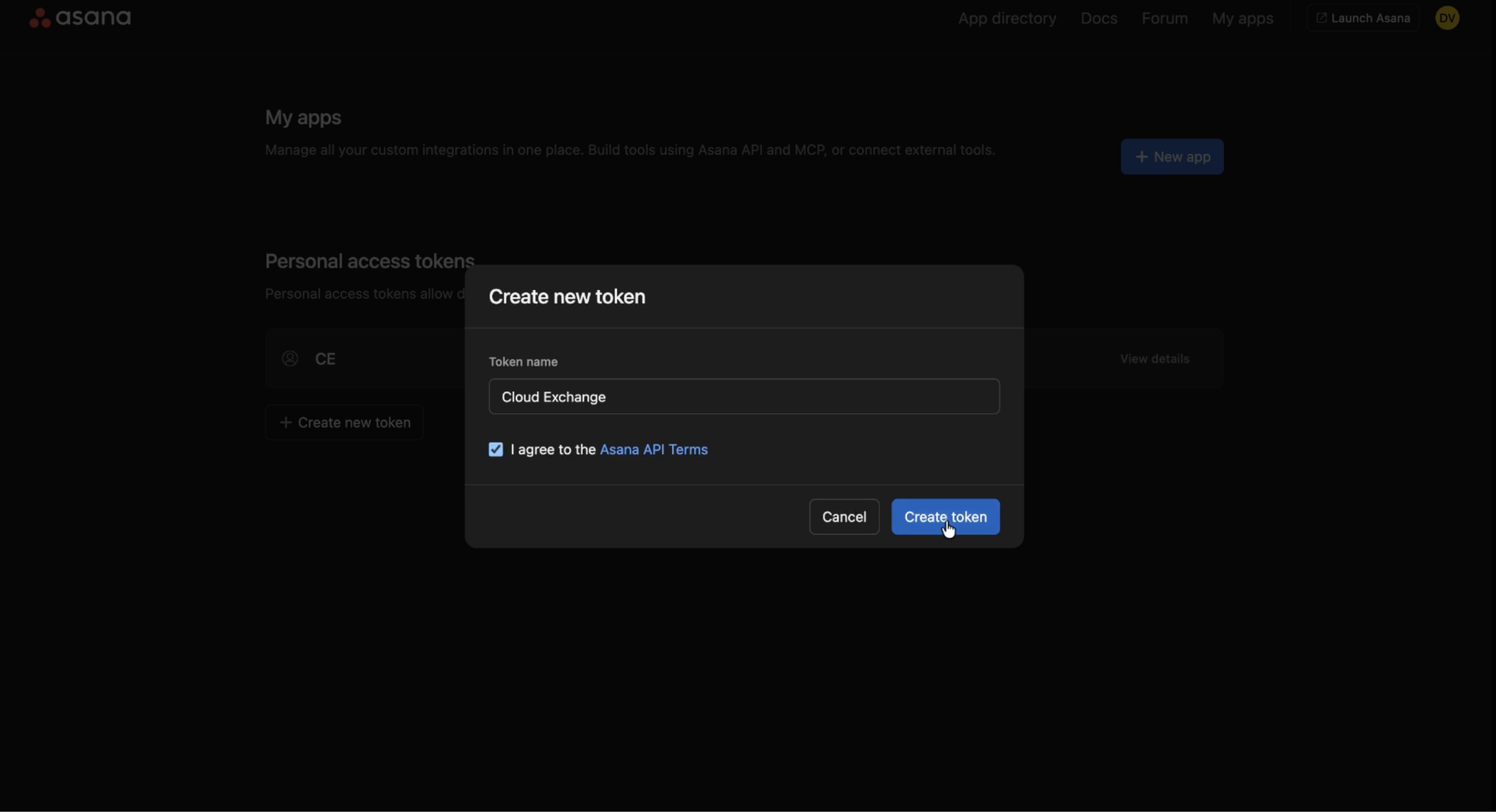
Log in to the Asana Developer Console and click Personal access tokens > Create new token. If you are not able to log in to the Asana Developer Console, then contact your Asana IT support team.
-
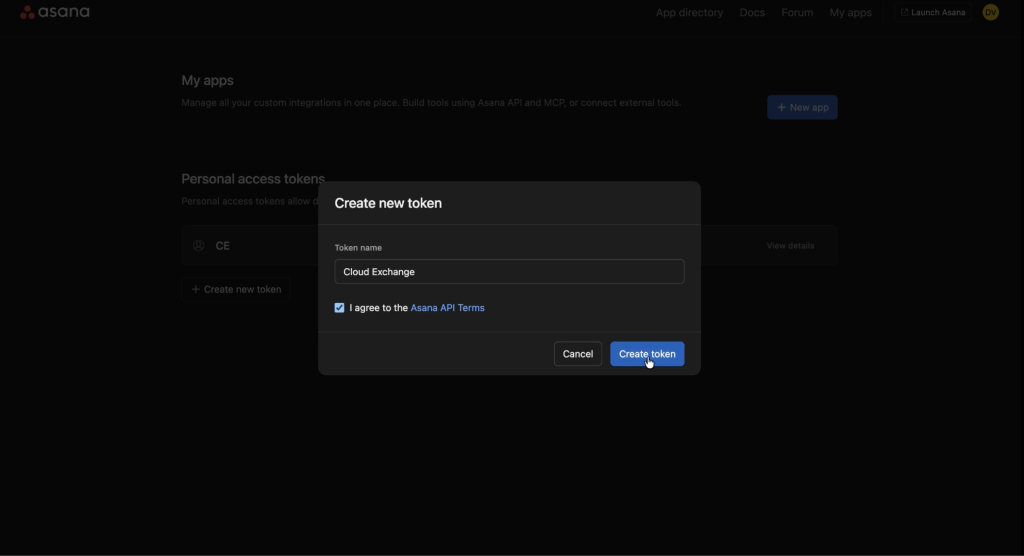
Enter a Token Name, check the I agree to the Asana API Terms checkbox, and then click Create token.
-
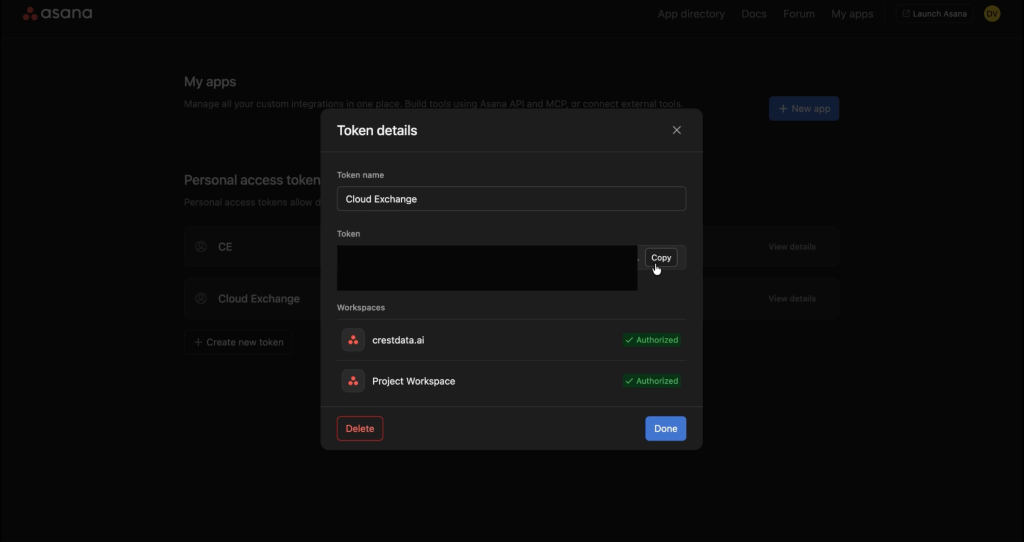
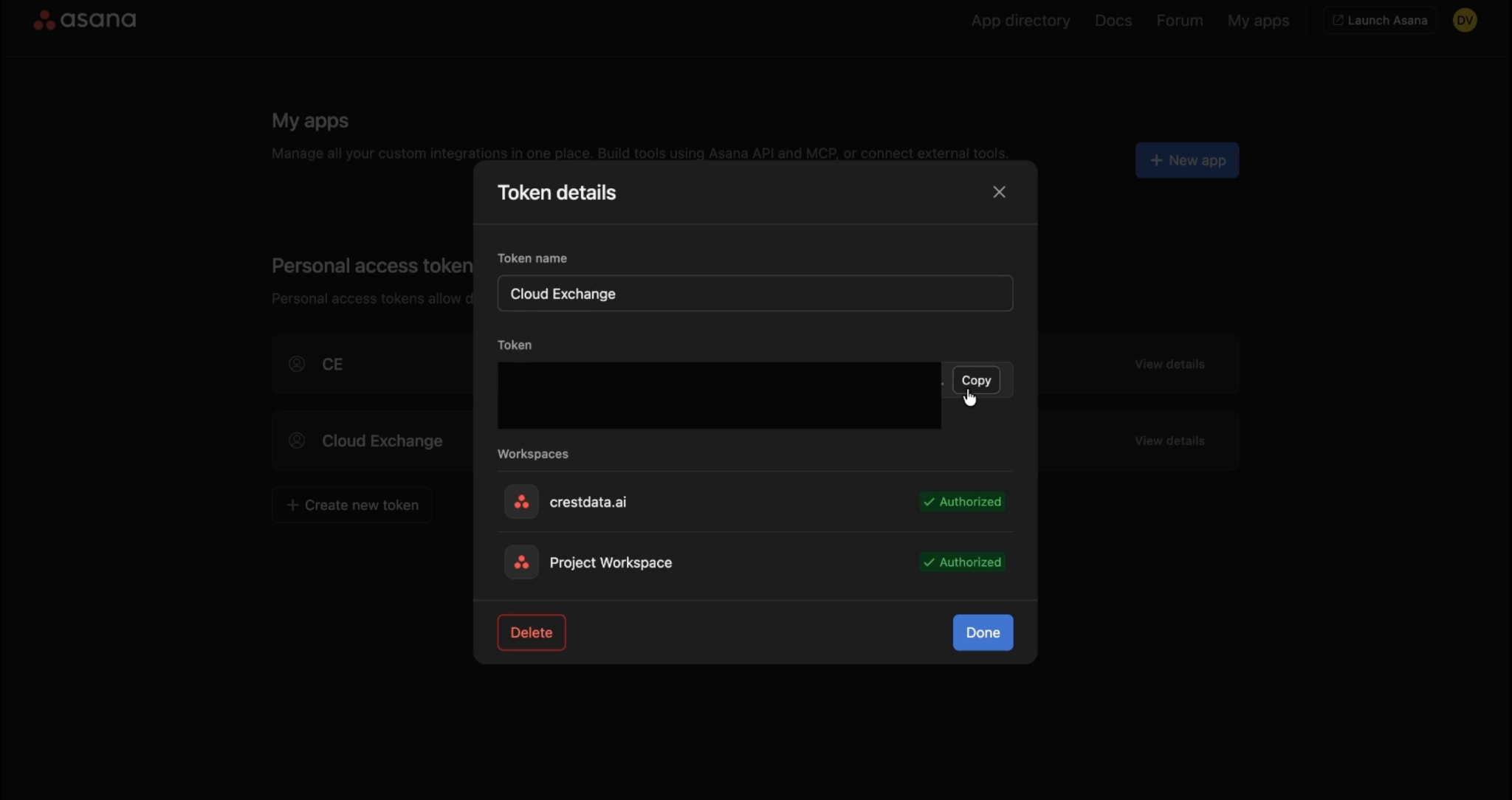
Copy the generated token as it will be used for configuring the plugin in Cloud Exchange.
Configure the Asana Plugin
-
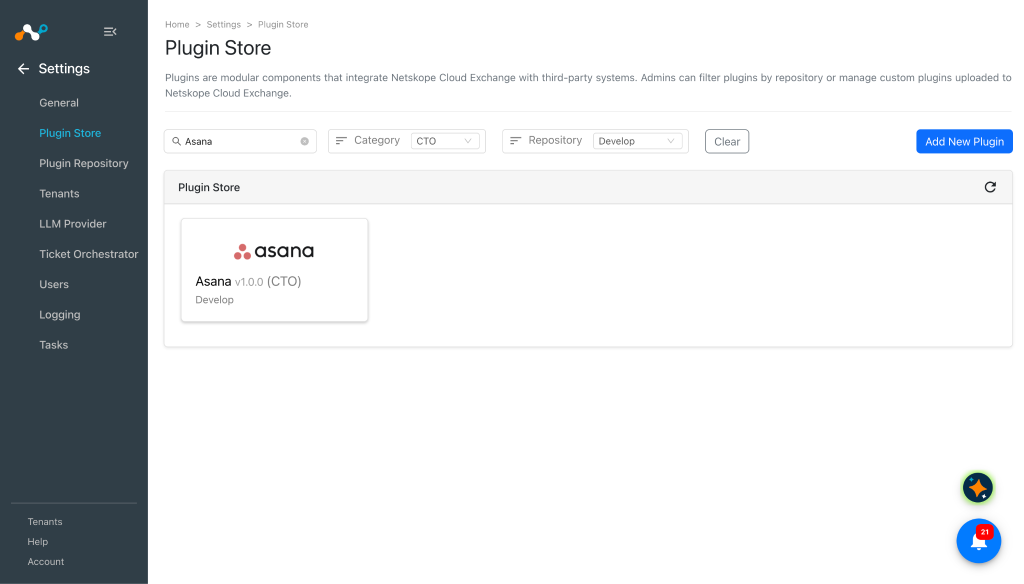
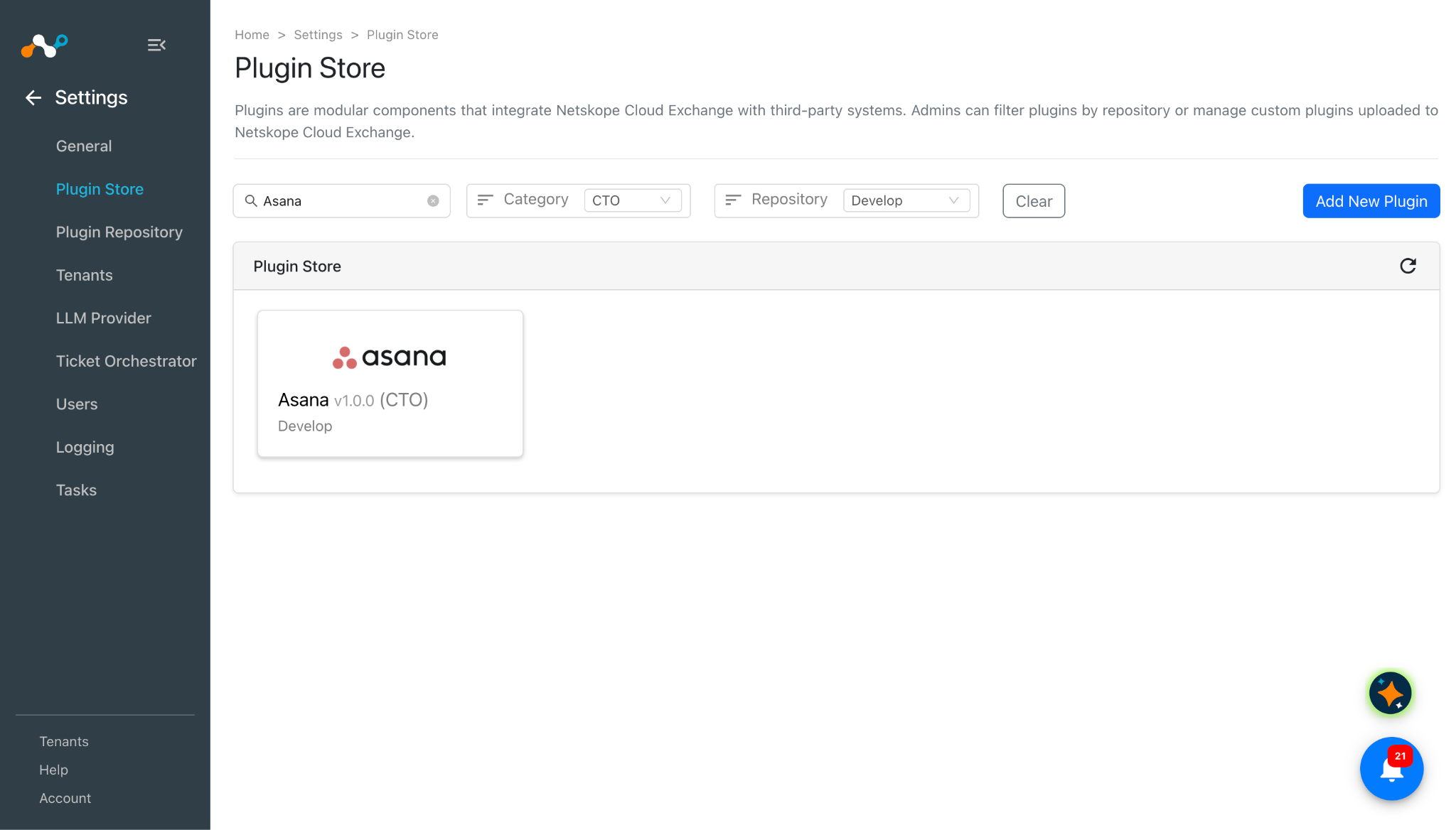
In Cloud Exchange, go to Settings > Plugin Store. Search for and select the Asana v1.0.0 (CTO) plugin.
-
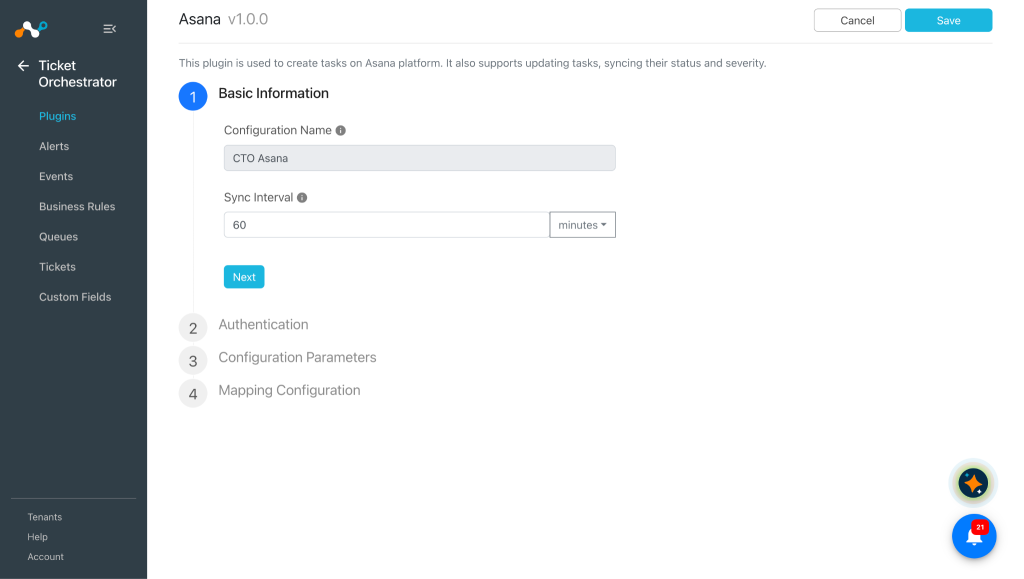
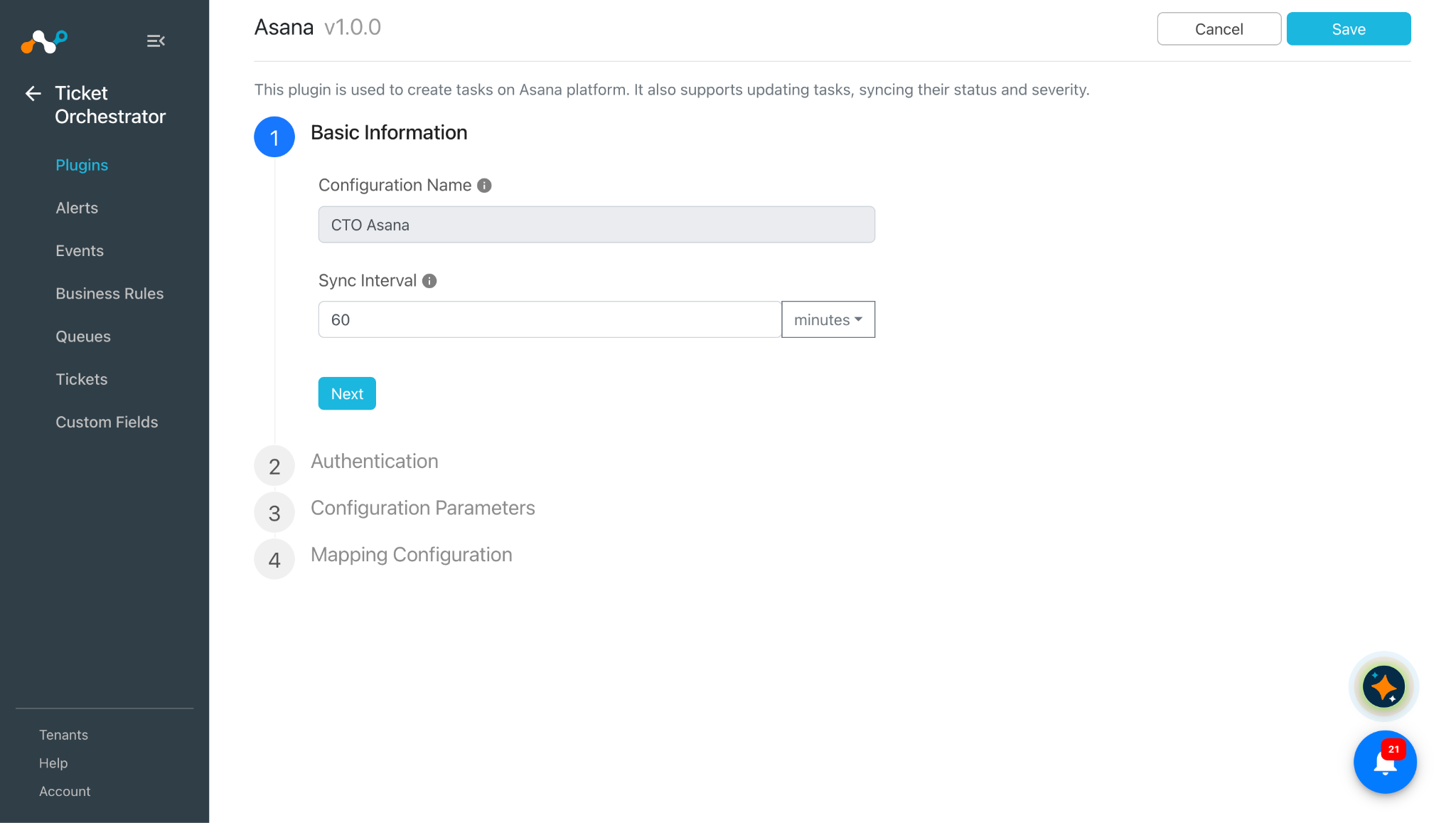
Enter a Configuration Name and change the Sync Interval per your requirement.
-
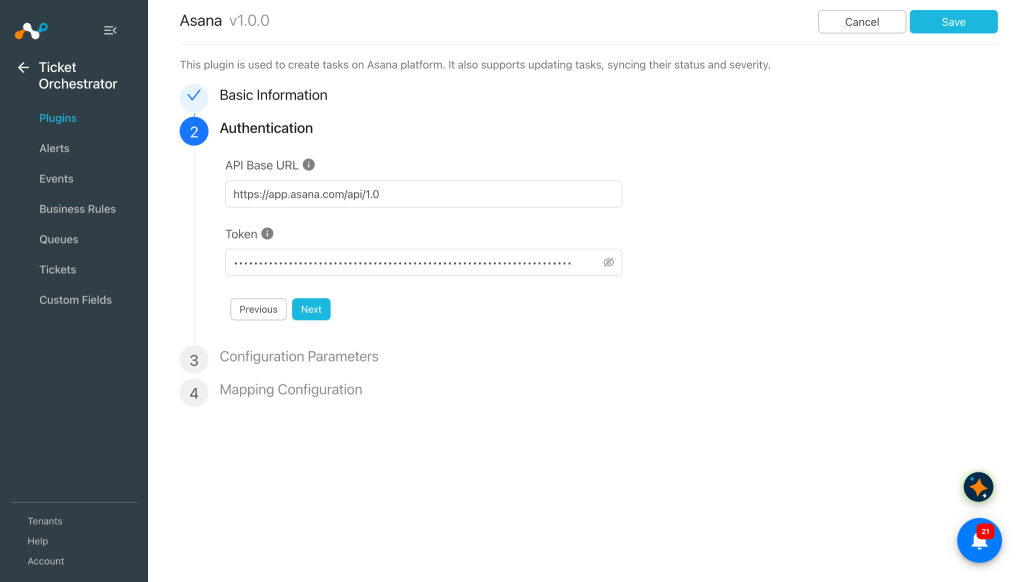
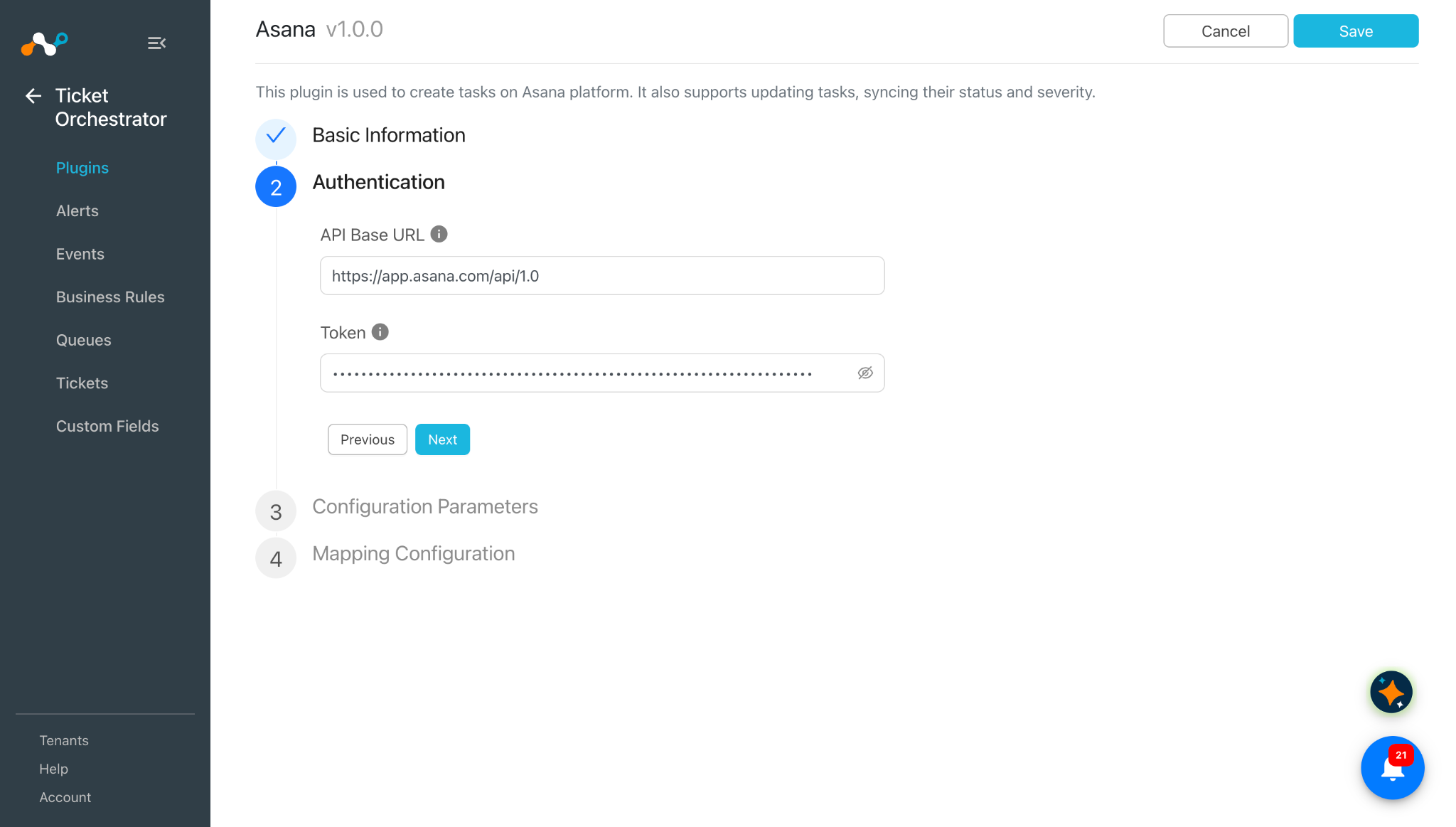
Click Next and enter the Authetication Parameters:
- API Base URL: Base URL of the Asana REST API. Default: https://app.asana.com/api/1.0
- Token: Asana Personal Access Token. The token you created previously.
-
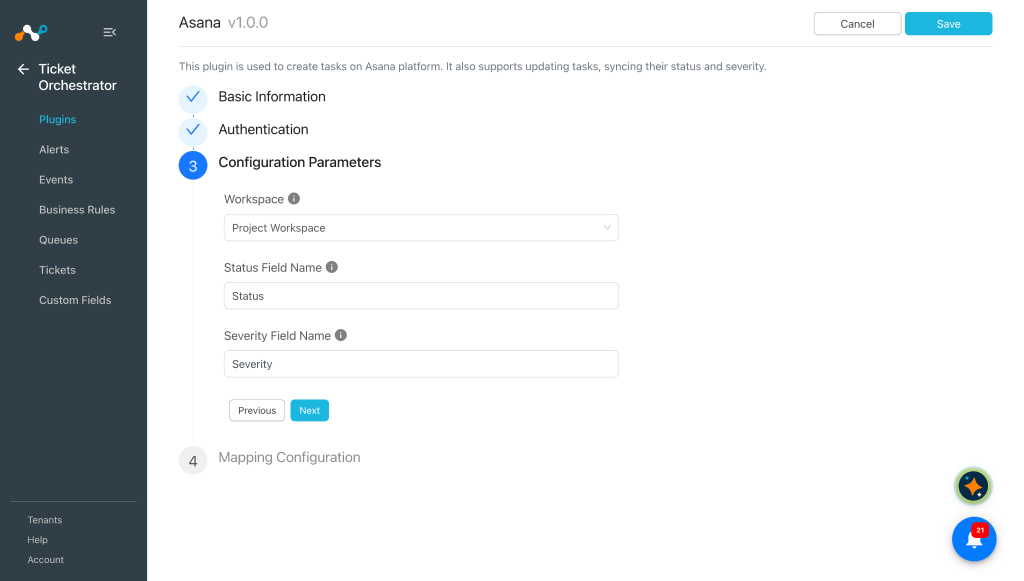
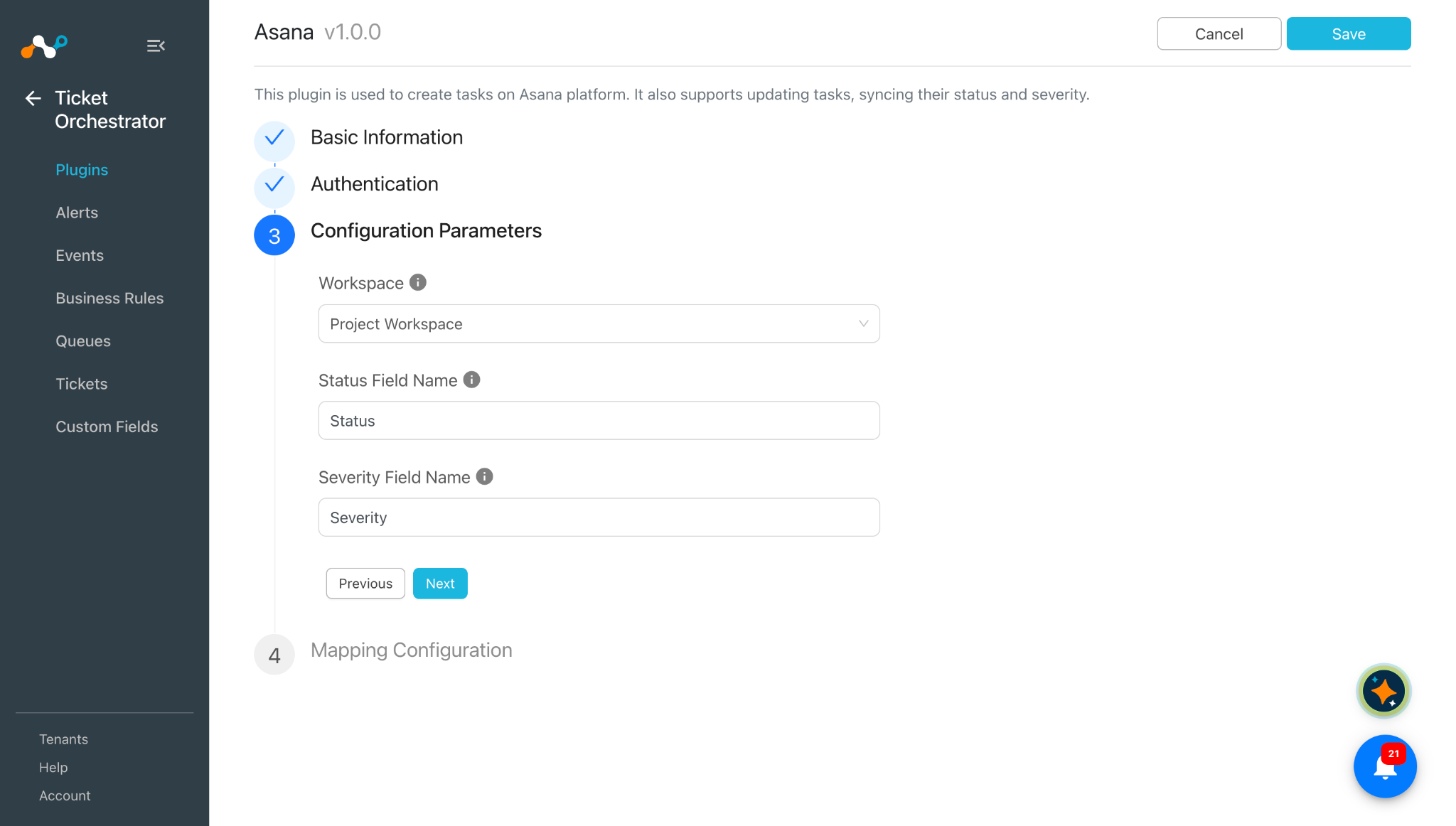
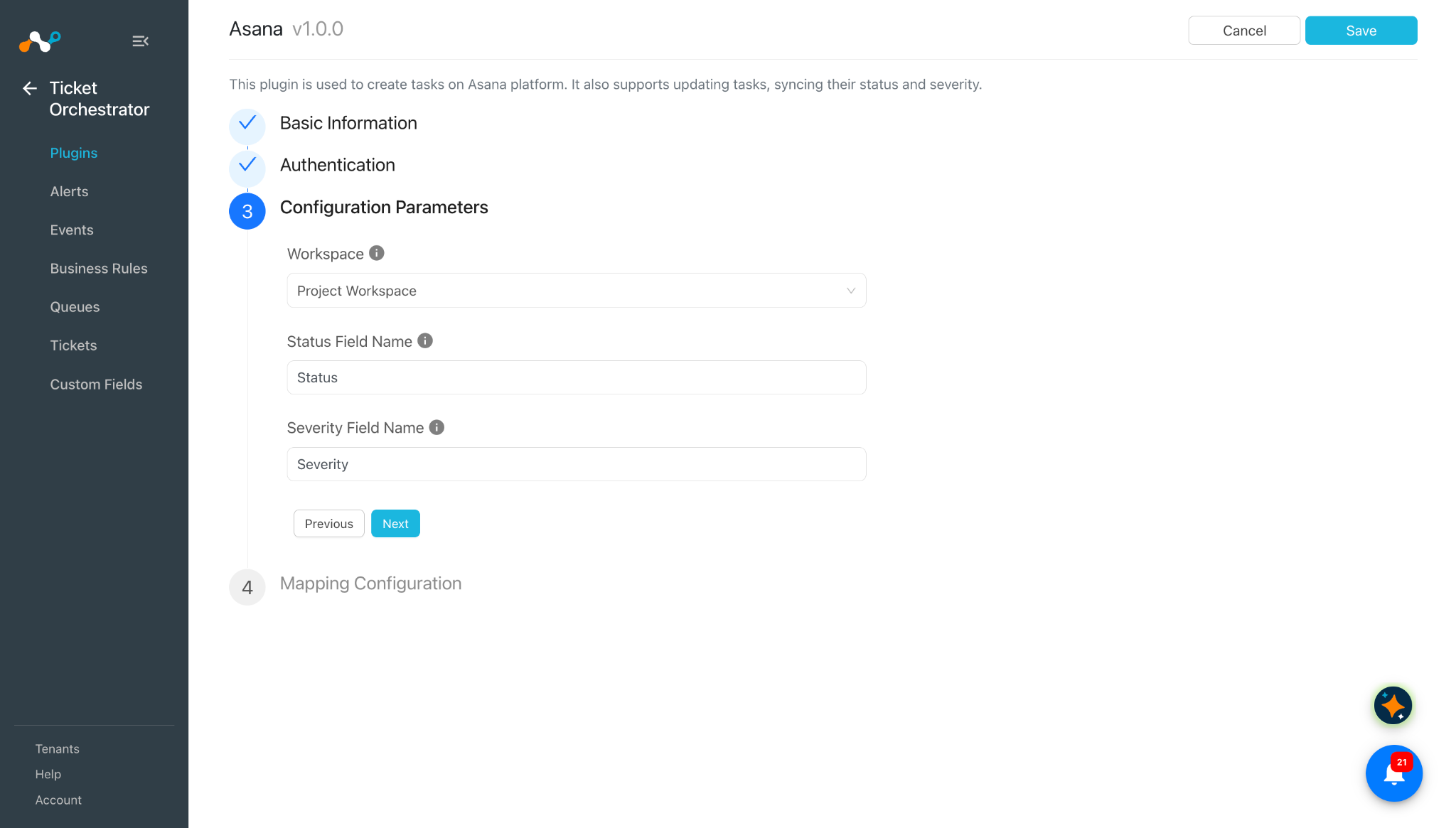
Click Next and enter the Configuration Parameters:
- Workspace: Select the Asana workspace that contains the projects. The list is fetched live from Asana instance. You can see your workspaces from the profile photo menu at the bottom left of Asana.
- Status Field Name: Exact name of the Asana custom field that holds the task status. Used to sync the status to Cloud Exchange. If empty, the status will not be synced.
- Severity Field Name: Exact name of the Asana custom field that holds the task severity. Used to sync the severity to Cloud Exchange. If empty, the severity will not be synced.
-
Click Next and enter the mapping configuration for the following fields:
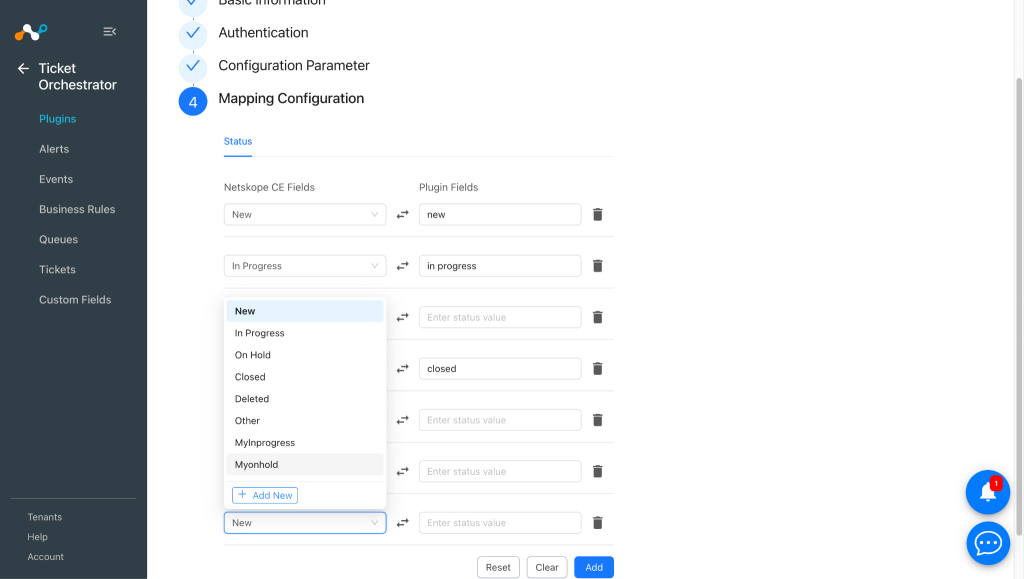
Following is the default mapping for status mapping:
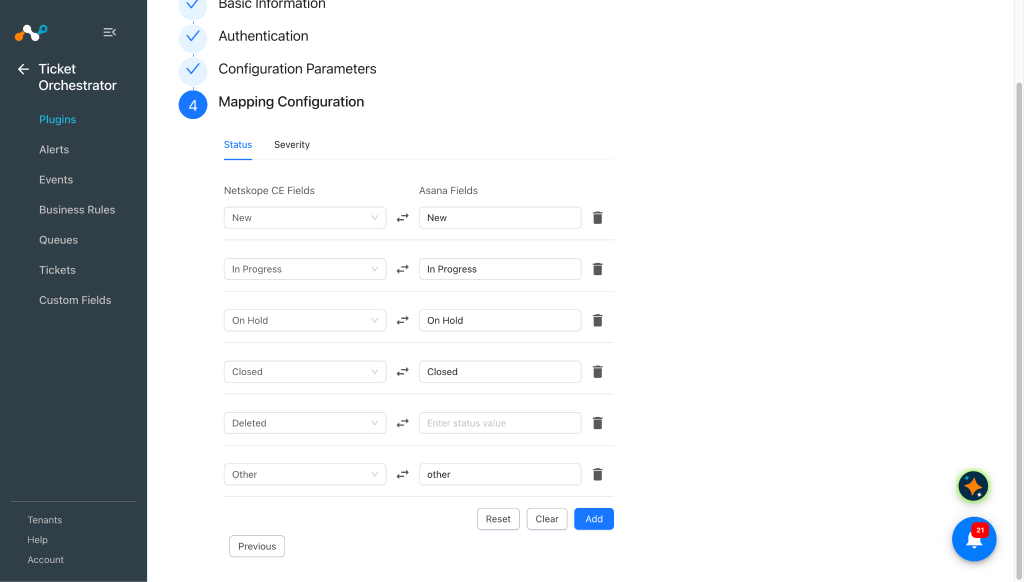
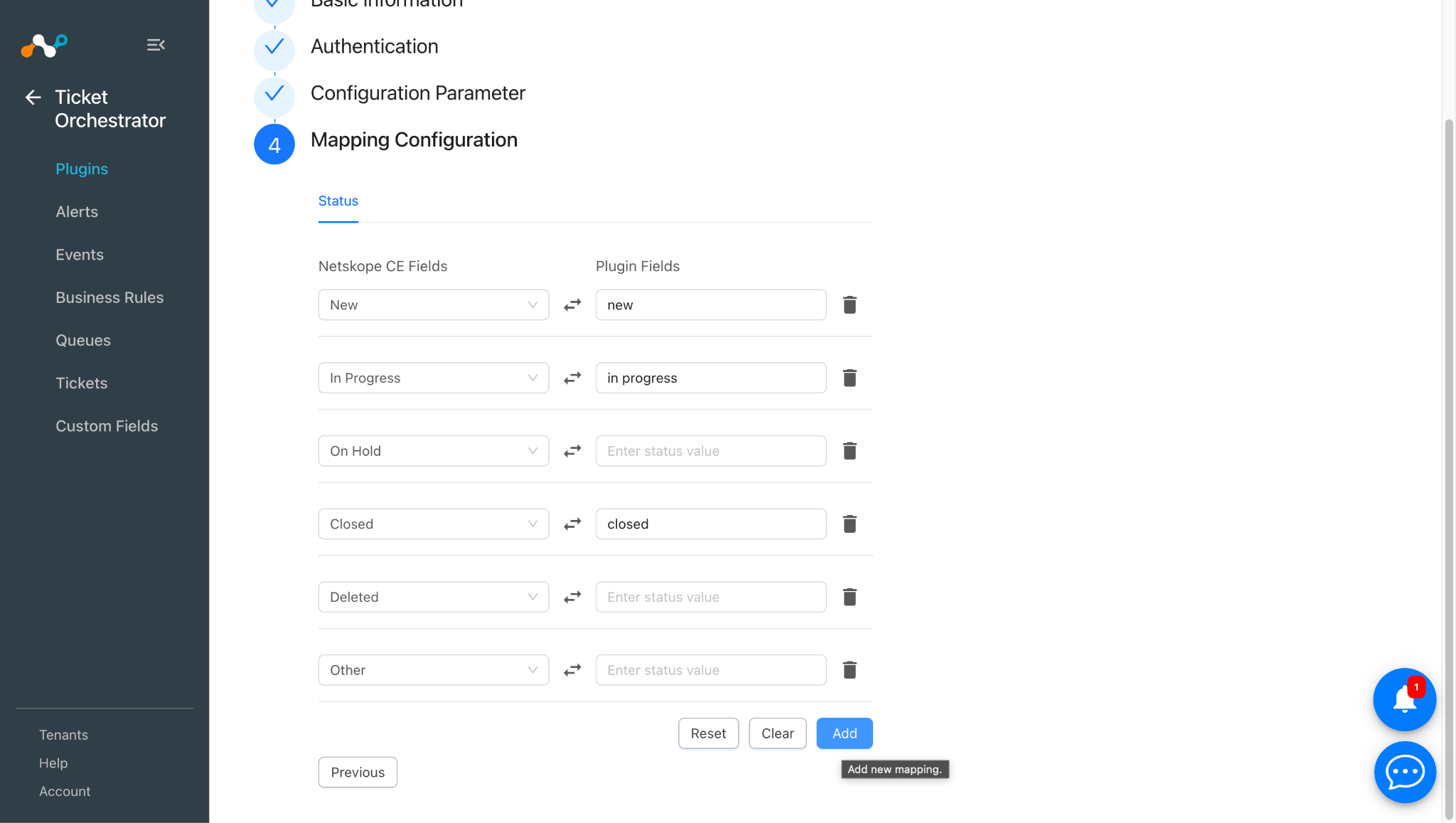
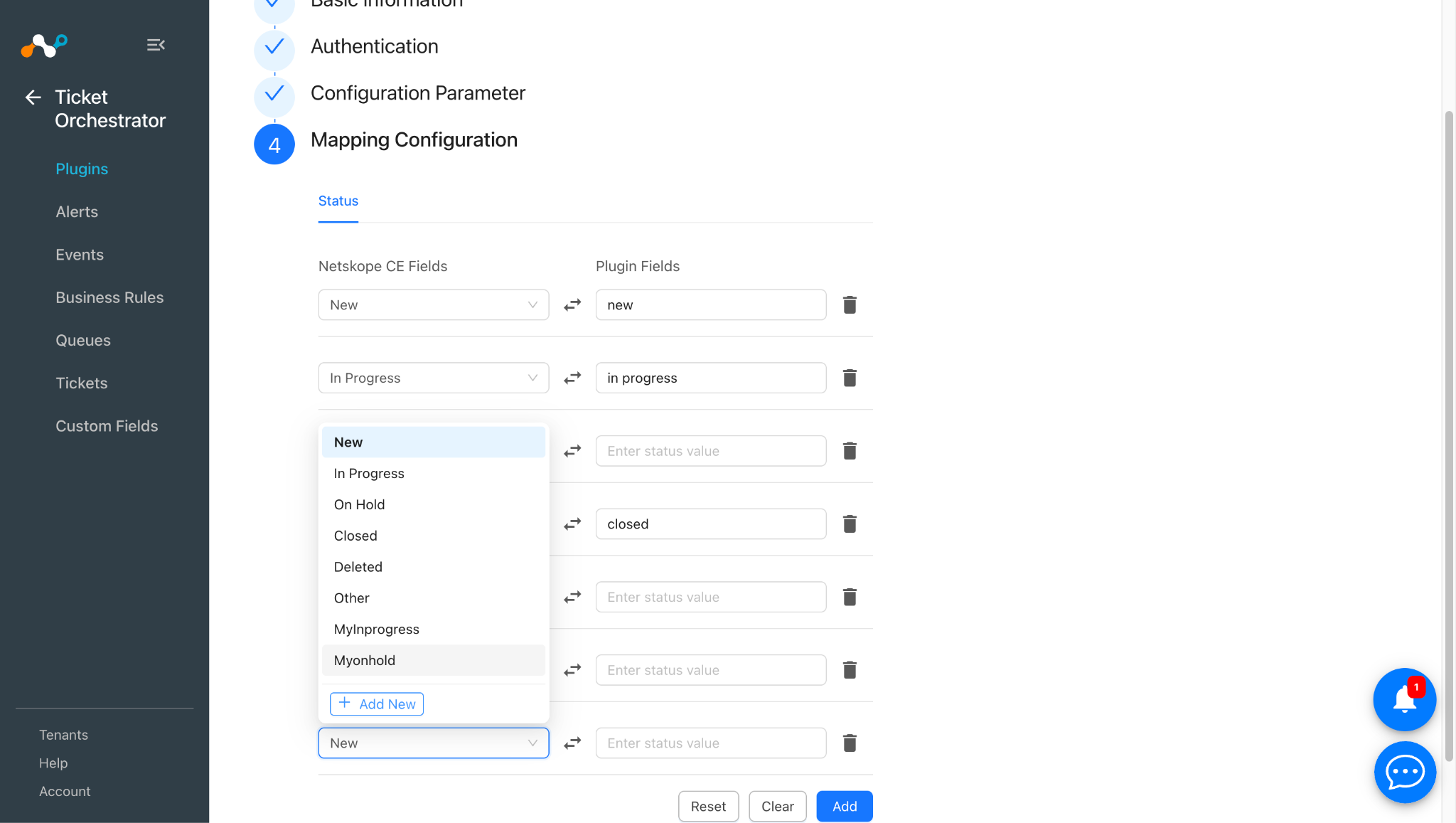
To create a custom status, click Add at the bottom of the page.
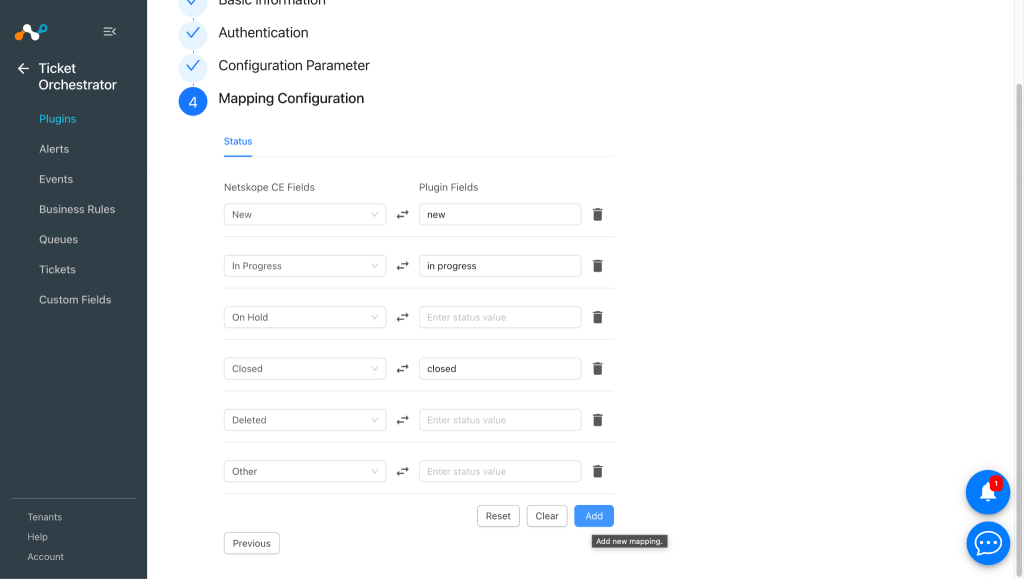
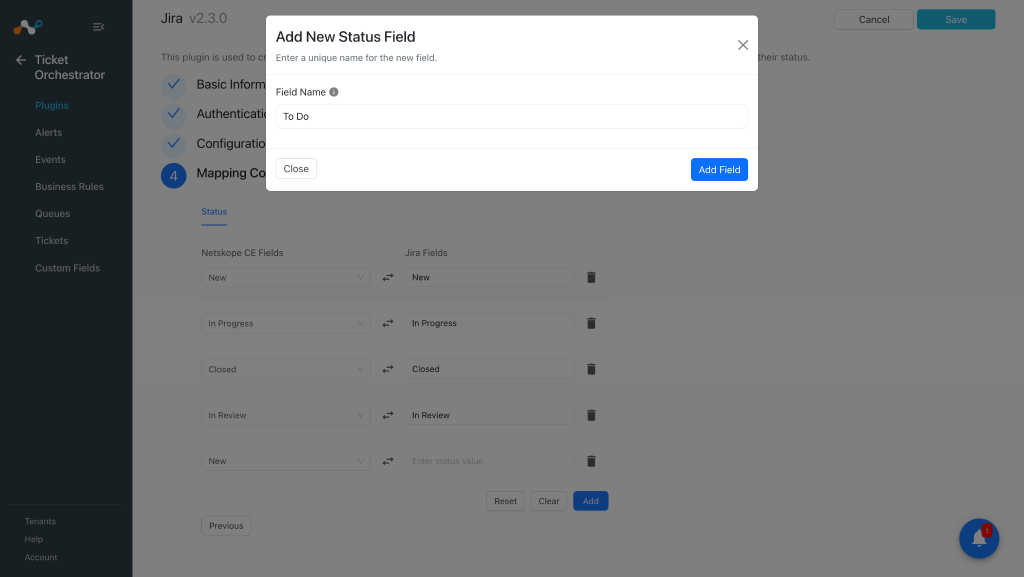
Click Add New to create a Cloud Exchange field.
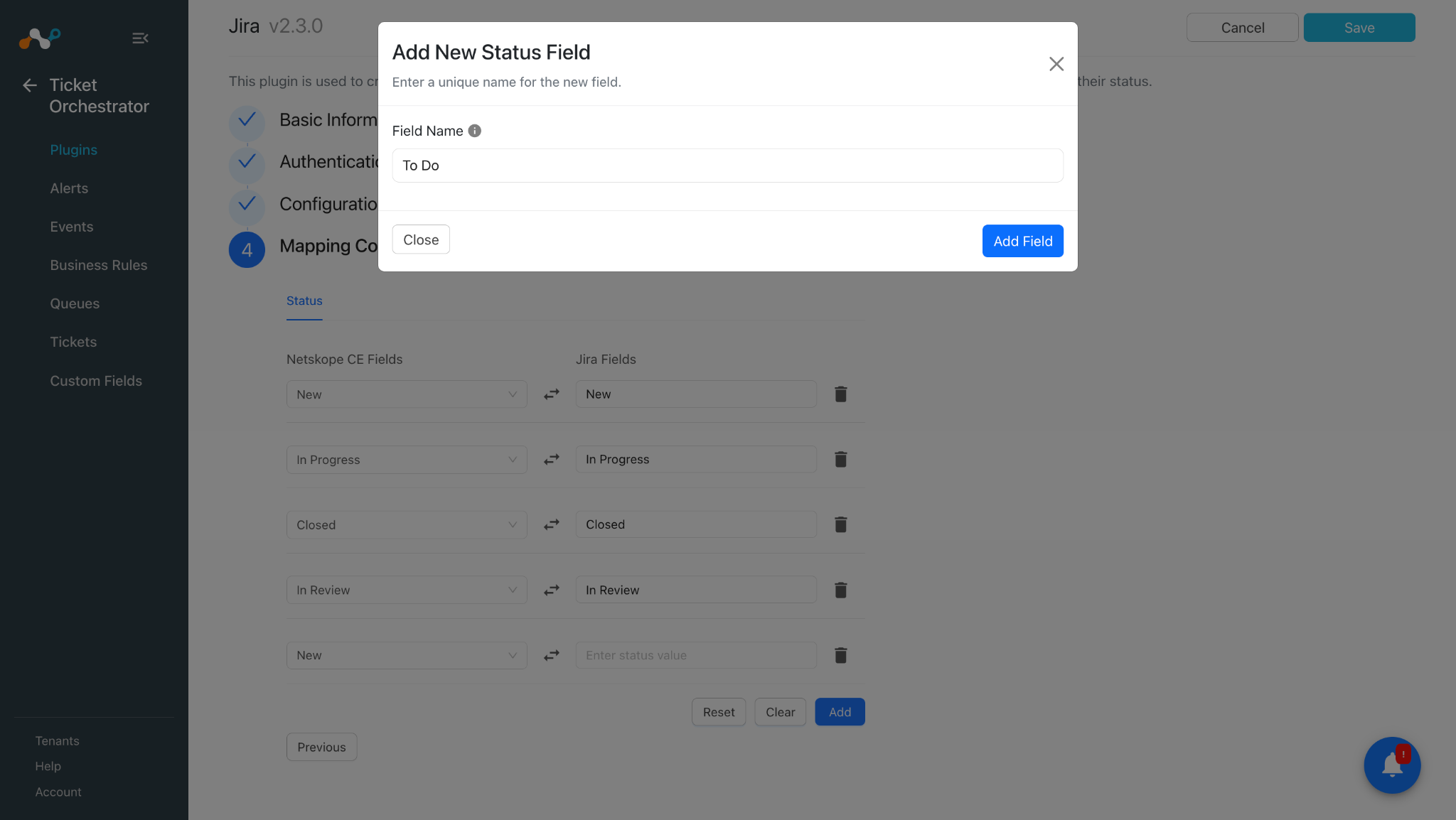
Enter the field name and click Add Field. Map it to the the status of your choice, and then click Save.
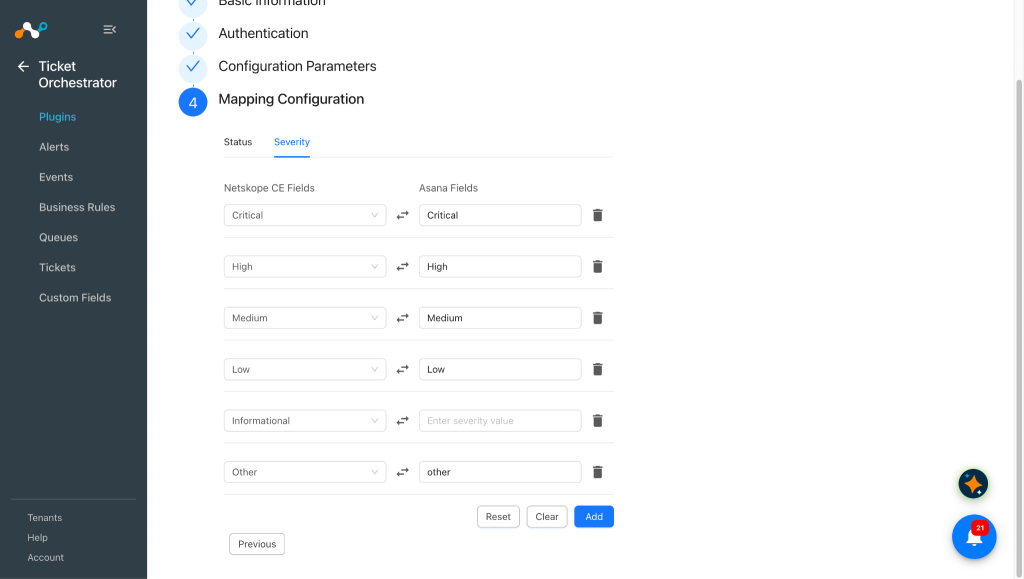
Here are the default severity mappings. You can also create a custom severity per your requirements similar to the custom status.
-
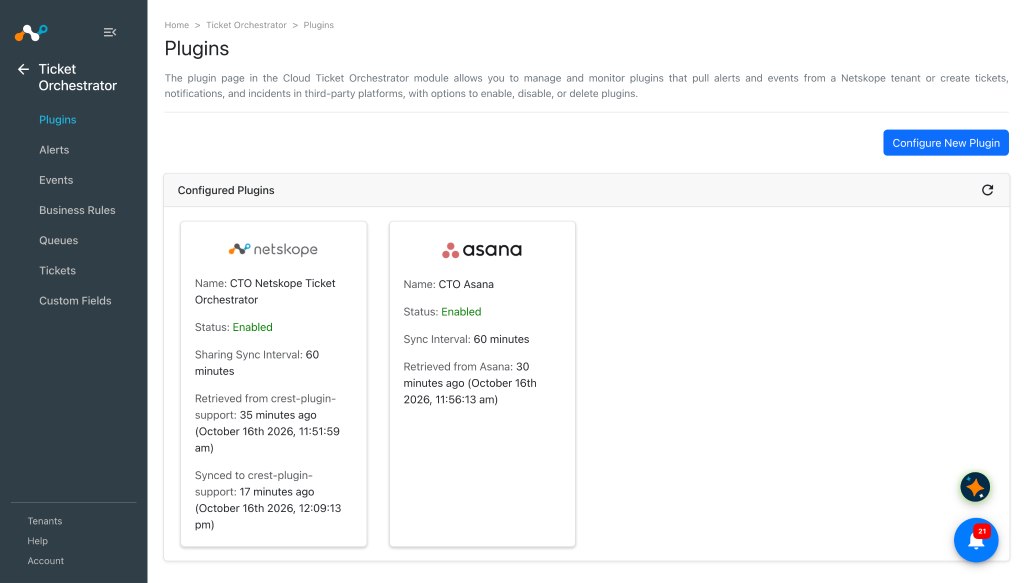
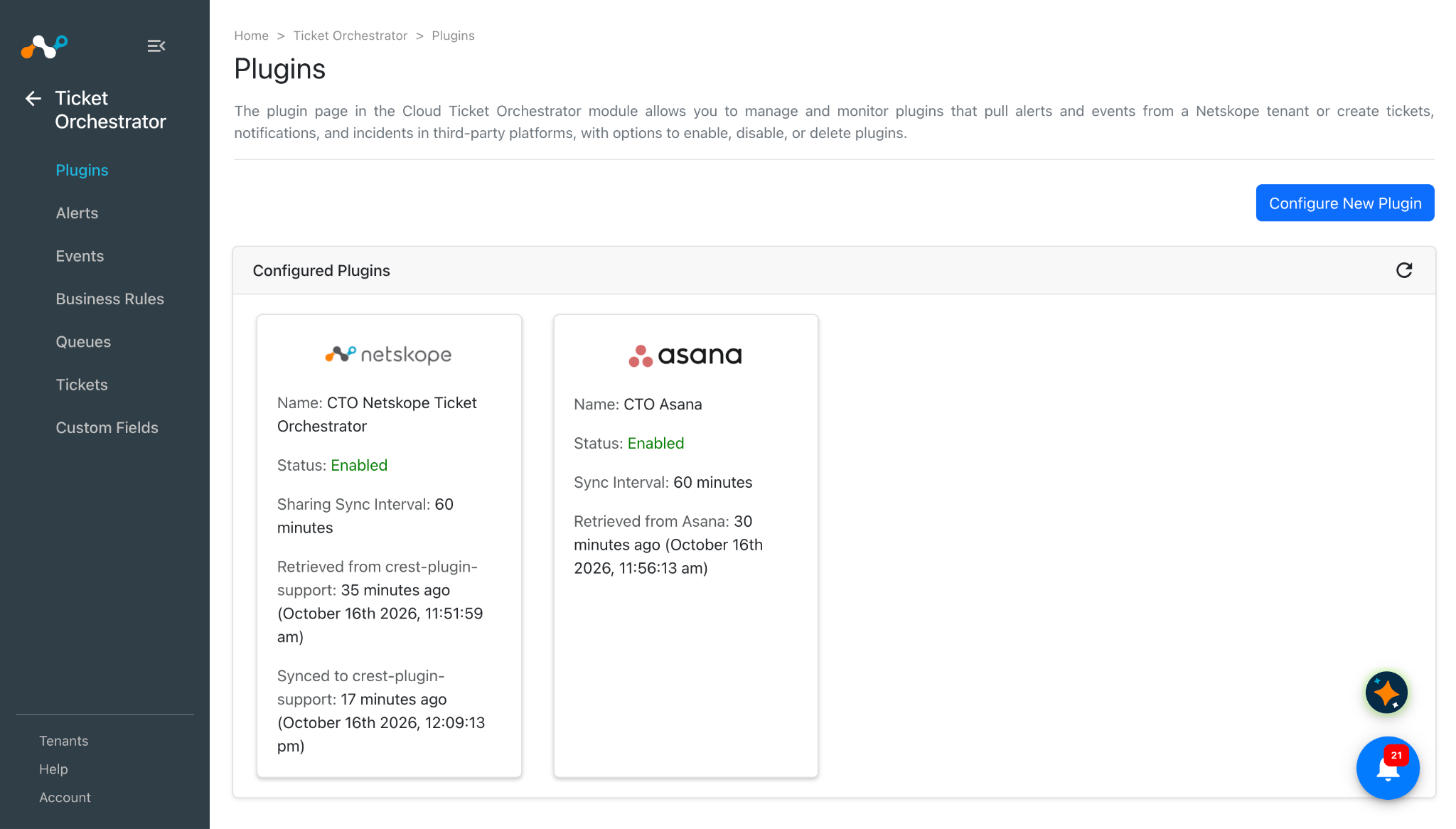
Click Save. Your new plugin appears on the Ticket Orchestrator > Plugins page.
Configure a Ticket Orchestrator Business Rule for Asana
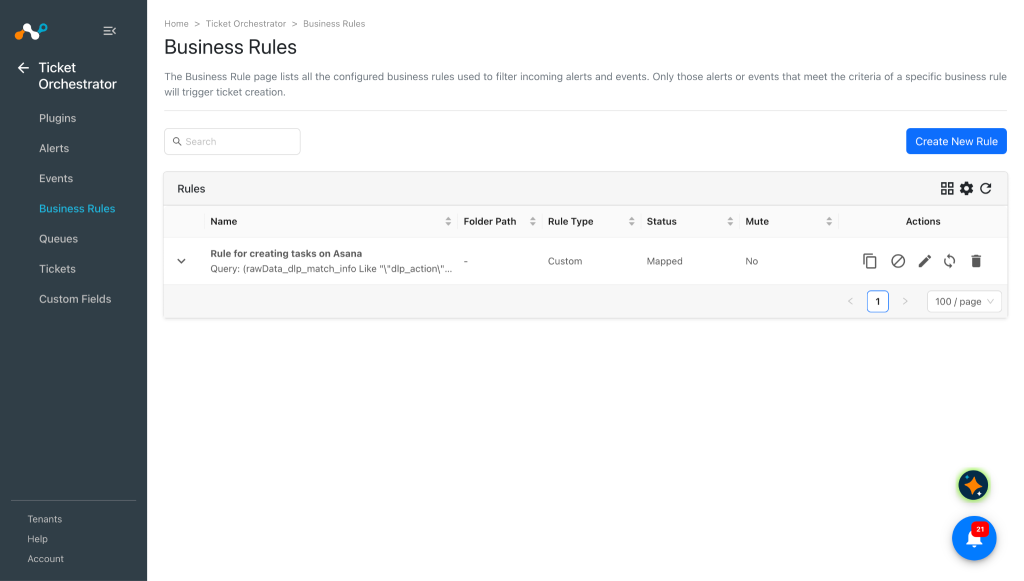
Create a business rule based on the filters you need to create tickets in the Asana platform.
-
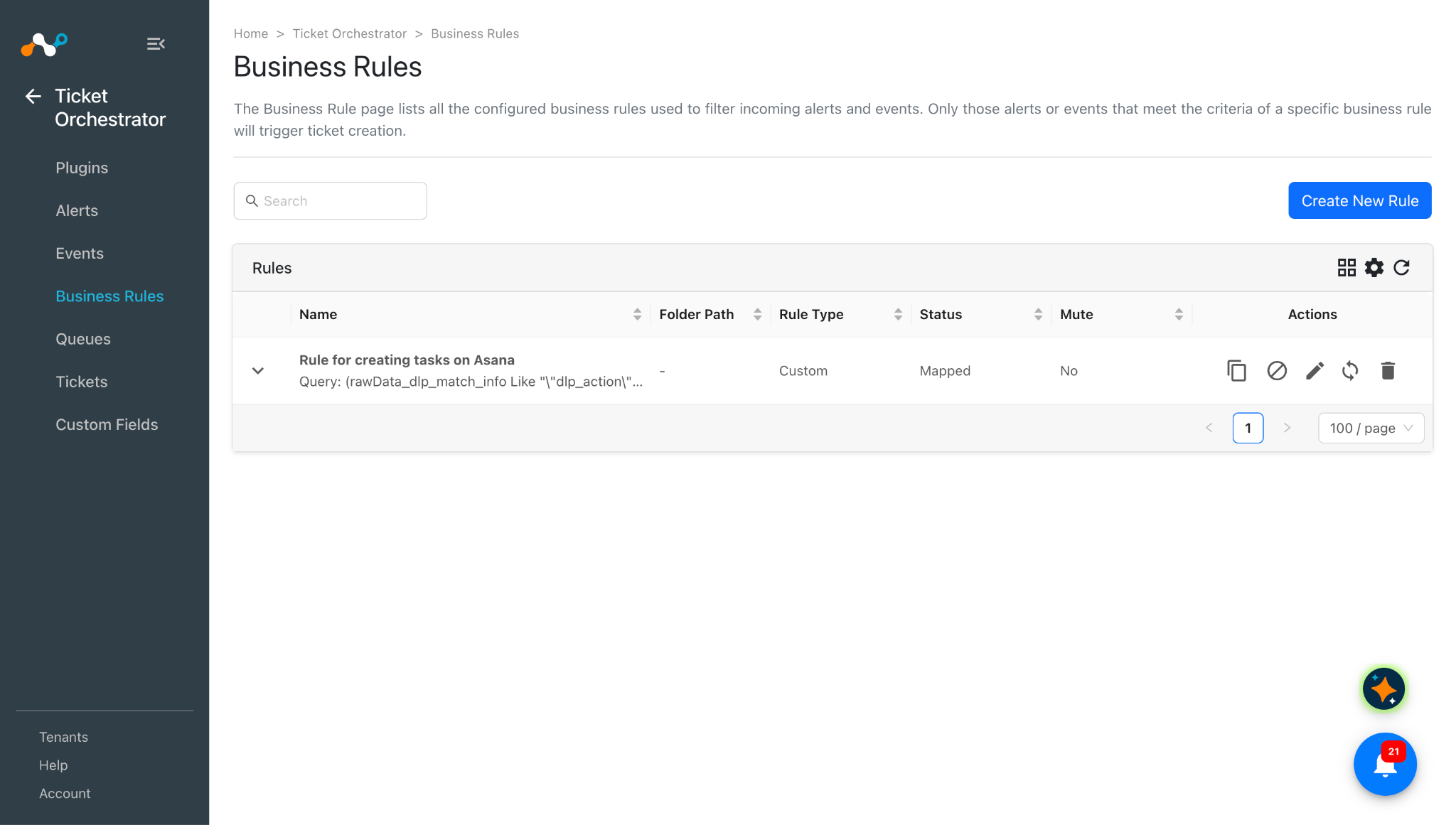
In Ticket Orchestrator, go to Business Rules.
-
Click Create New Rule.
-
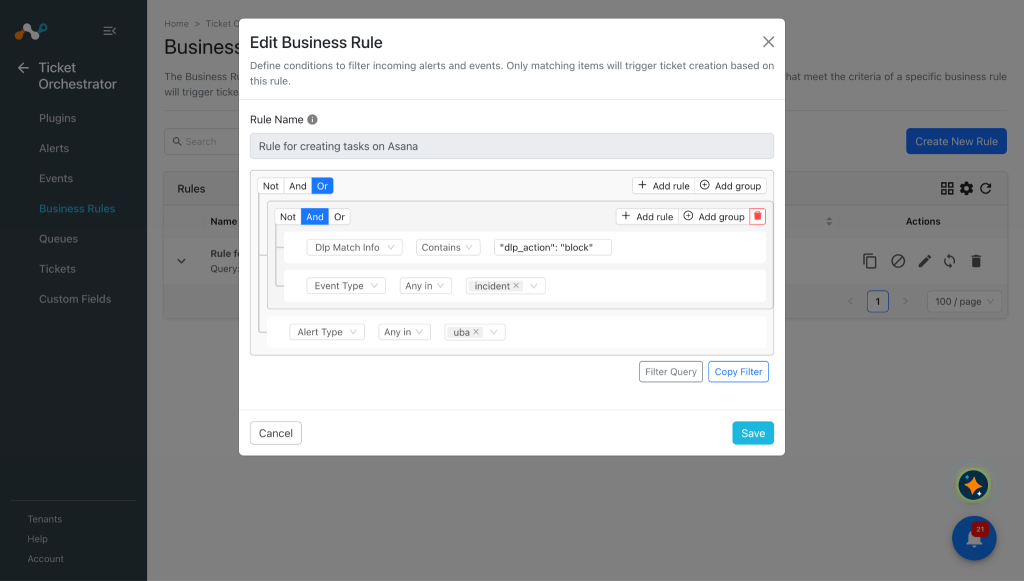
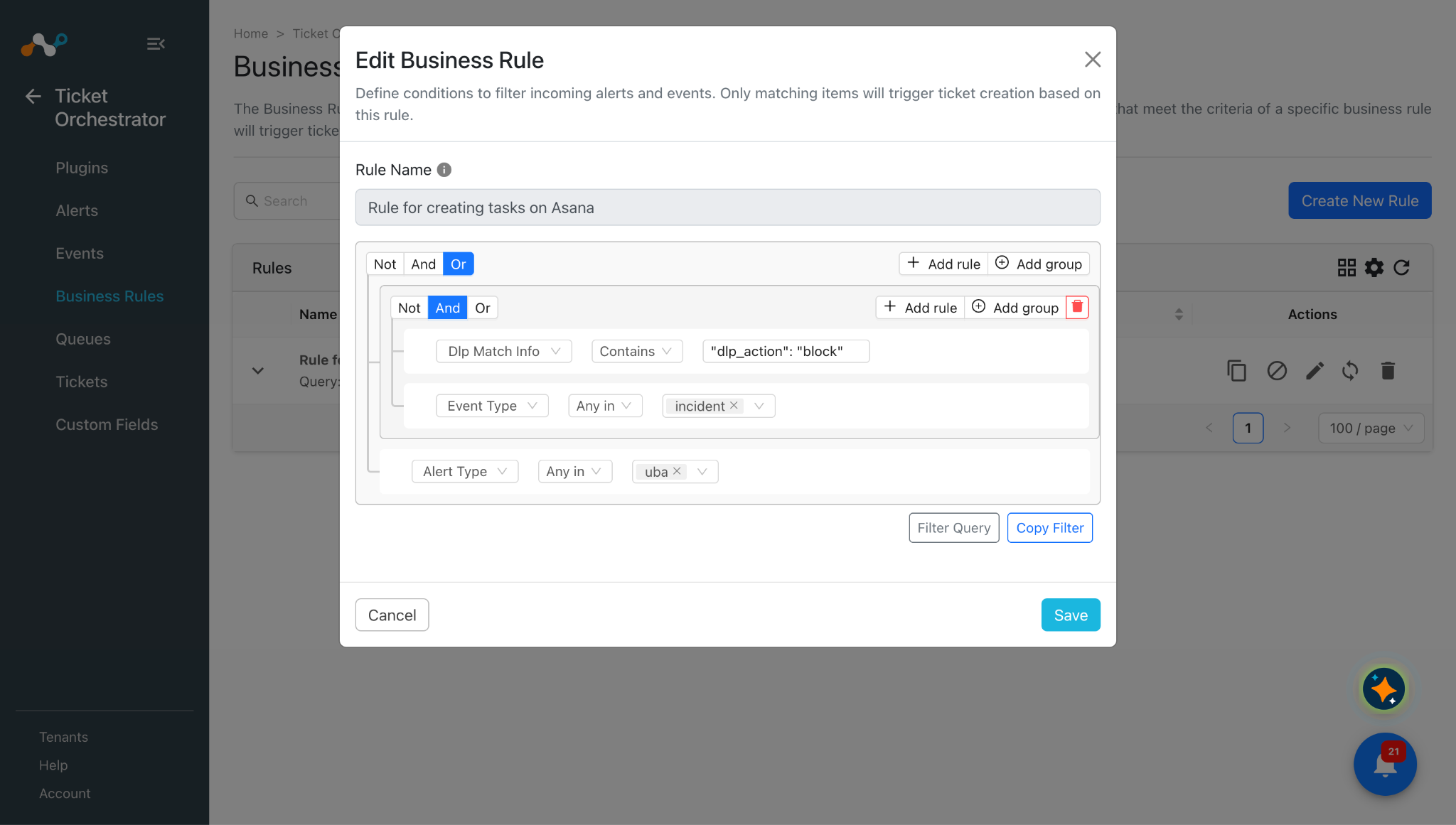
Enter an appropriate Rule Name and build the appropriate filter query condition on the field(s) for the business rule. You can also type the query manually by click Filter Query.
-
Click Save.
-
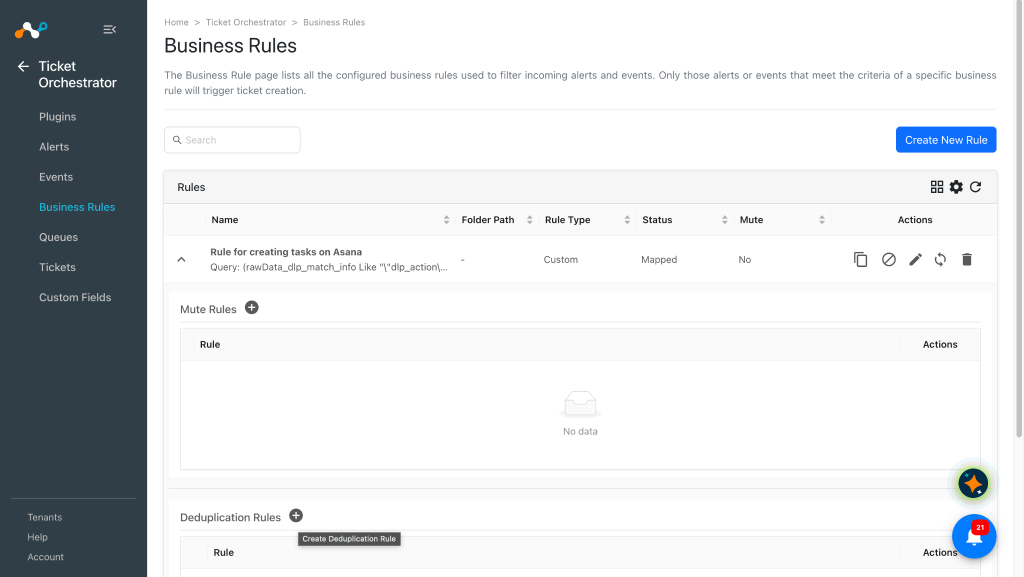
To set the Deduplication rules, expand the created business rule.
-
Click the + icon next to the Deduplication rules title.
-
Enter a rule name and filter per your requirement, and then click Save.
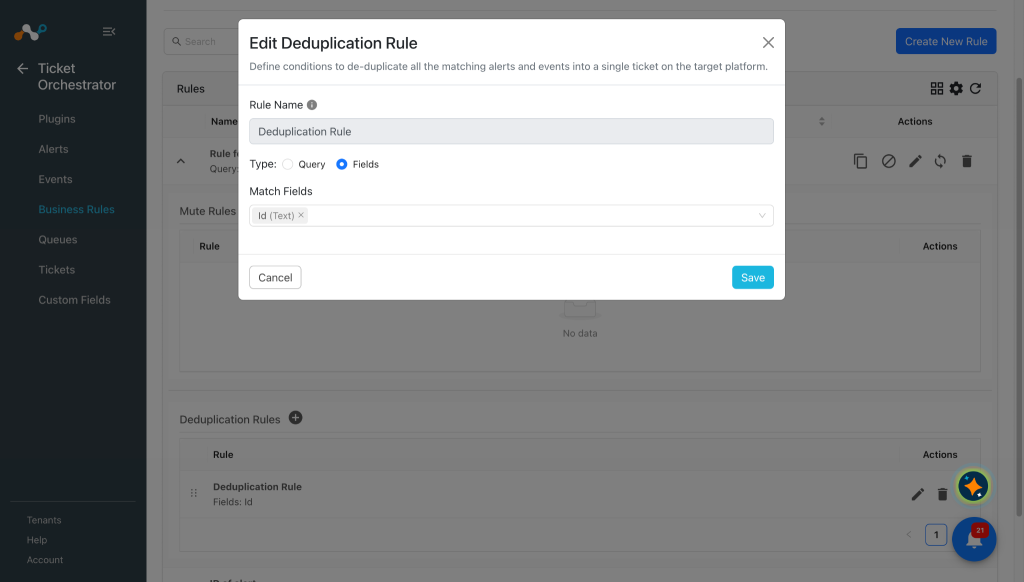
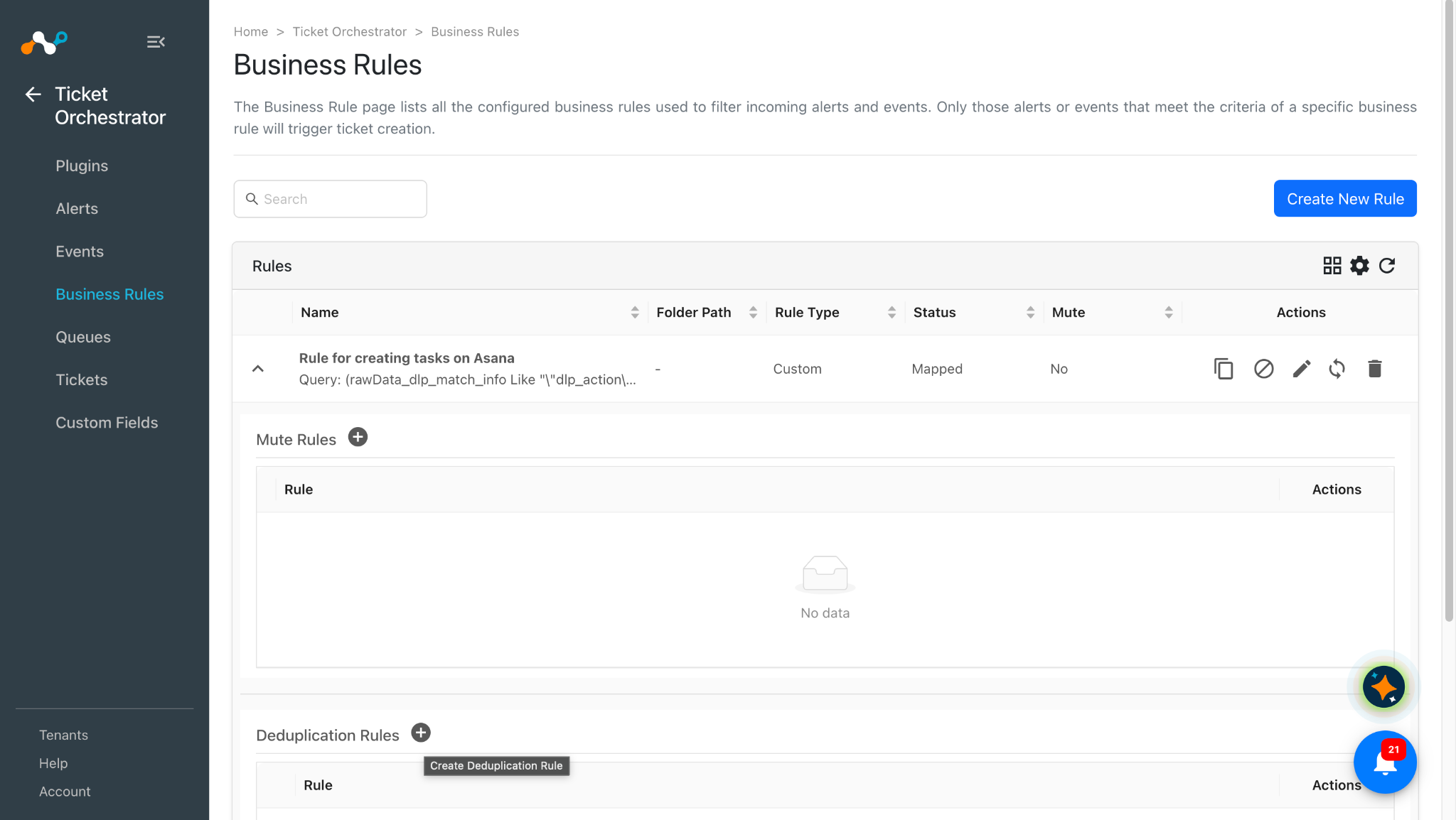
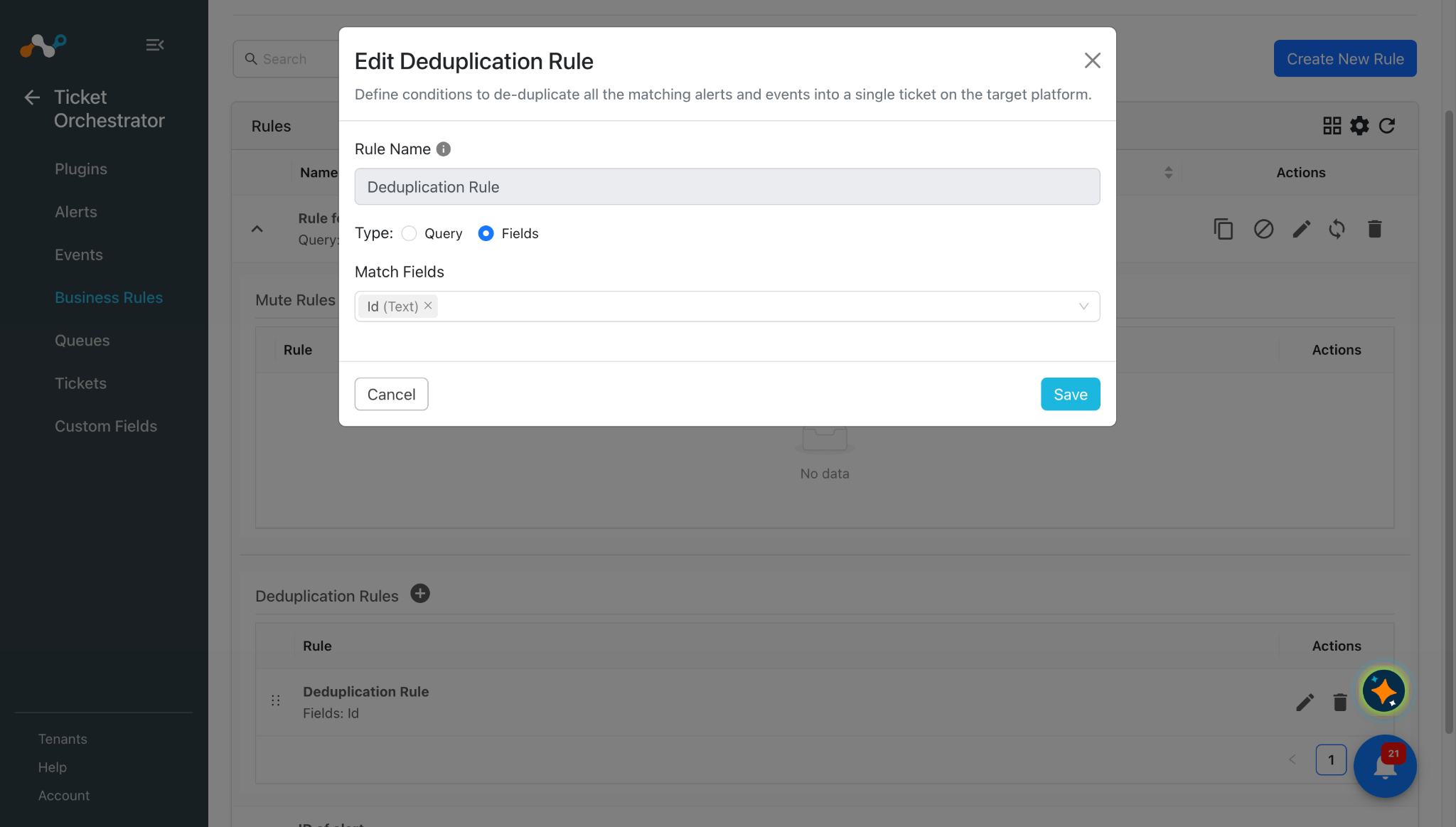
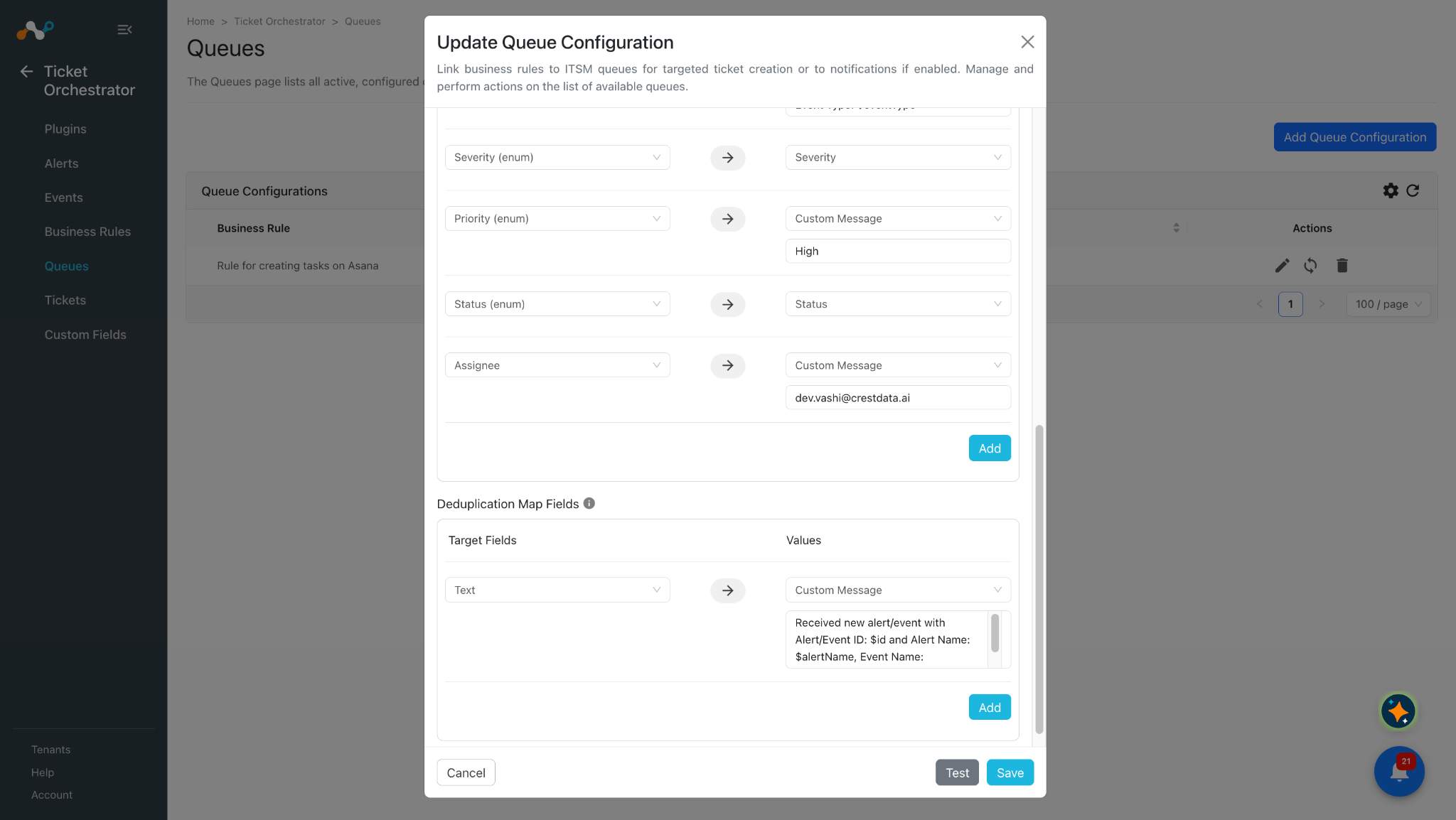
If the deduplication rule is added to your business rule, then Cloud Exchange will not create a new ticket/task per your deduplication rule. Instead, it will increase the deduplication count for that ticket and add the comment to that ticket.Deduplication rule will be required for all types of alerts and events with the type endpoint. For incident events, even if you do not have the deduplication rule, Cloud Exchange still will not create a new ticket. Instead, it will add a comment to that ticket on the destination platform.
Configure a Ticket Orchestrator Queue for Asana
-
In Ticket Orchestrator, go to Queues.
-
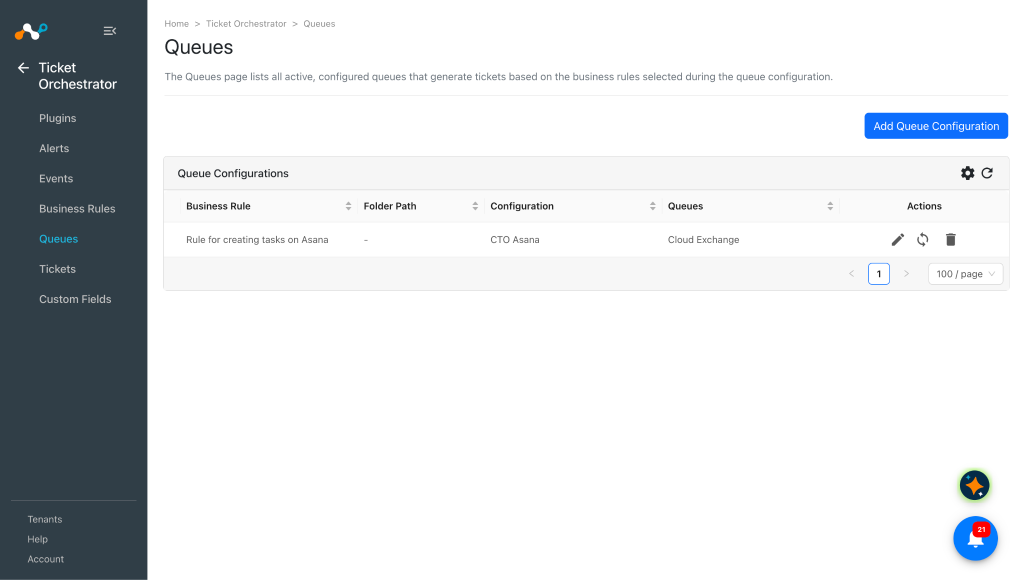
Click Add Queue Configuration, and select a Business Rule, Plugin Configuration and queue from the dropdowns.
Add/Map appropriate values between alerts and incidents under the Map Field section. Alert’s/Event’s attributes can be accessed via “$” in the custom message field. Click on the Add button to add more field mappings.
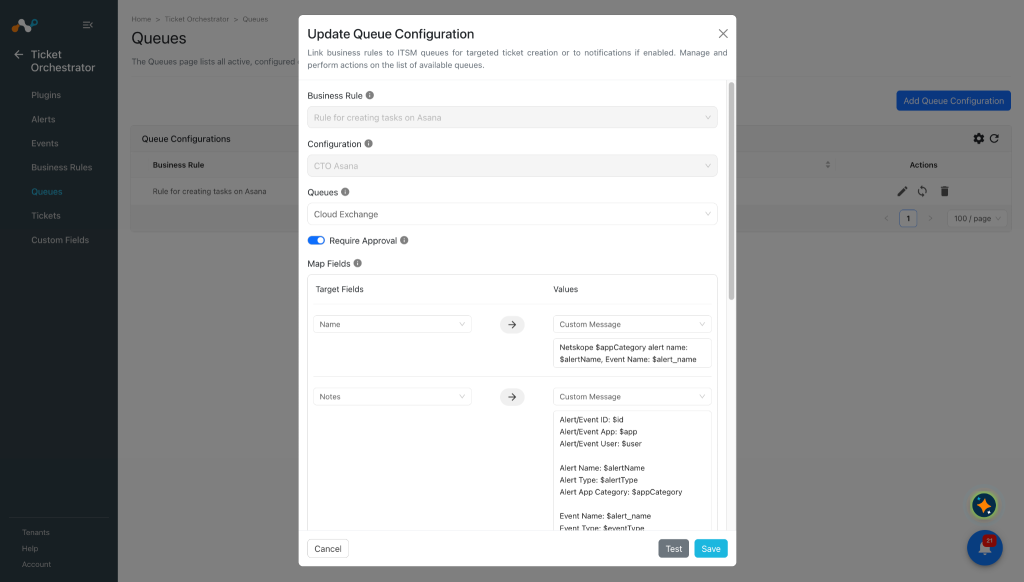
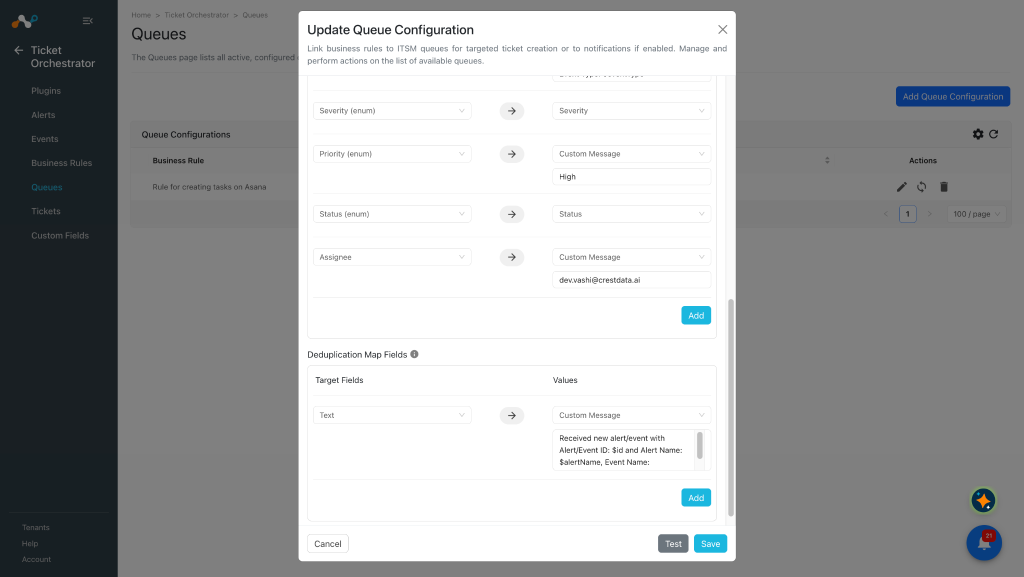 Notes will be reflected as description on the Asana platform’s UI.
-
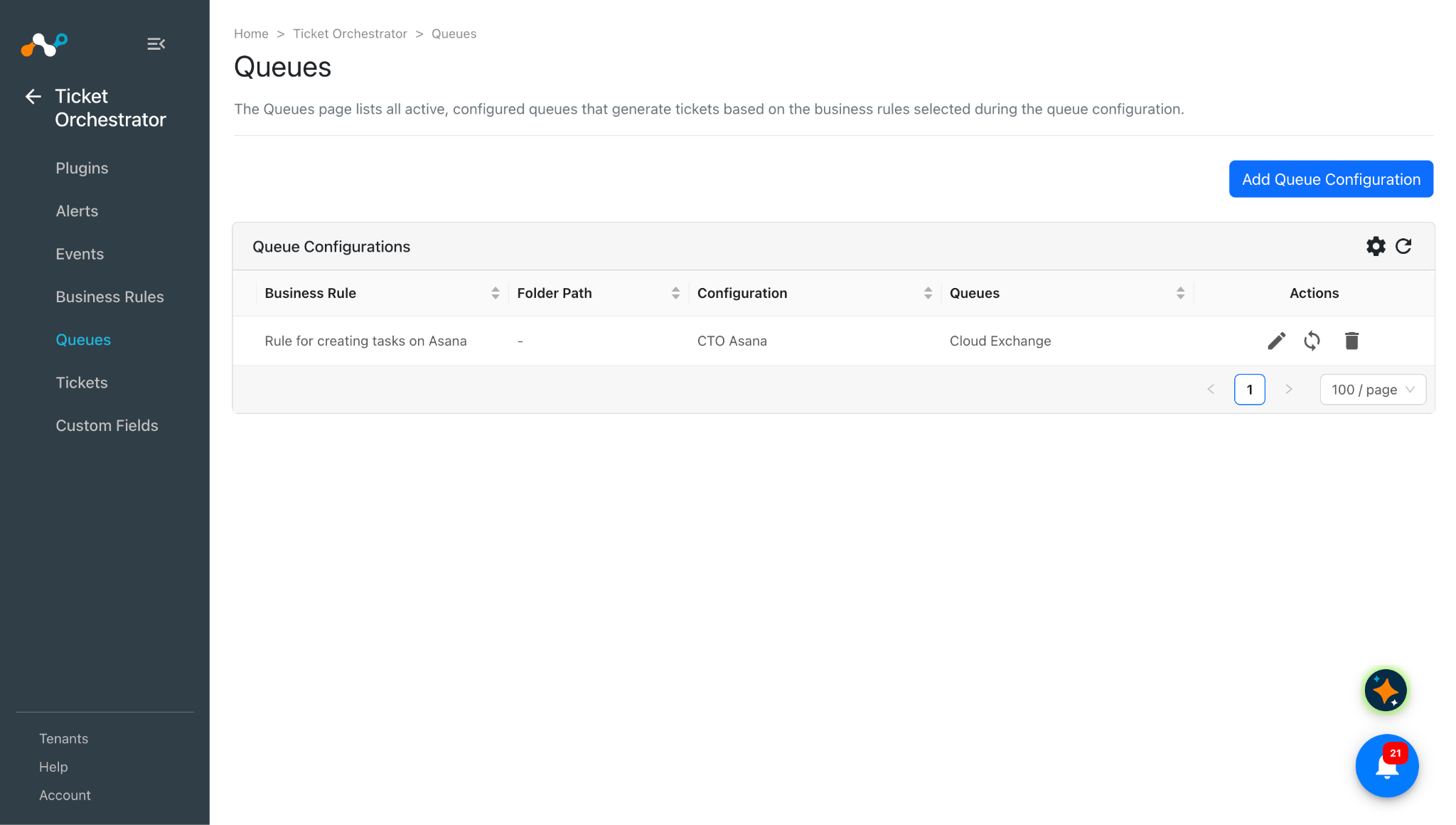
Click Save and sync the queue if you already have the alerts/events pulled.
Validate the Asana Plugin
Validate in Cloud Exchange
In order to validate the workflow, you must have Netskope Alerts/Events.
-
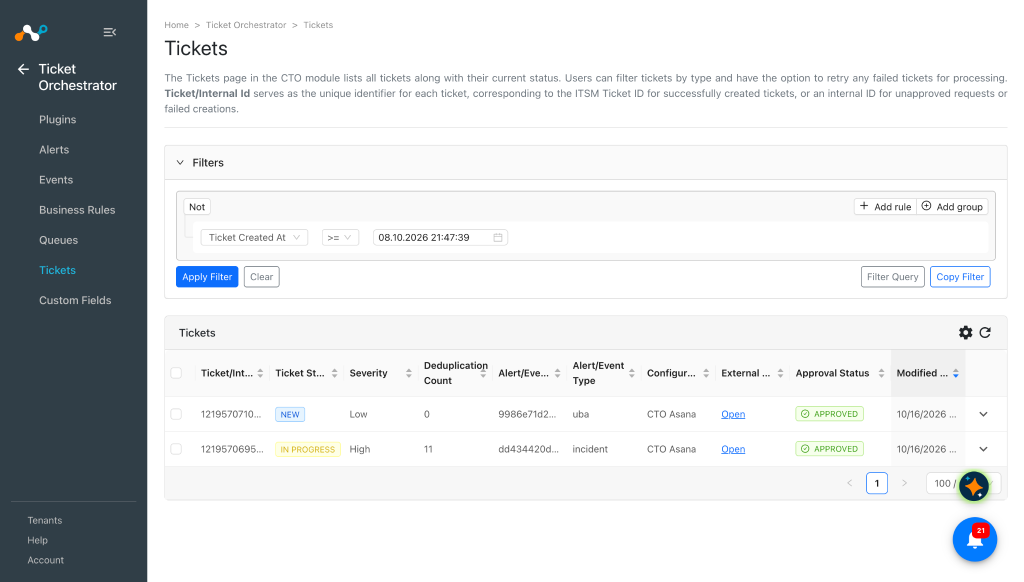
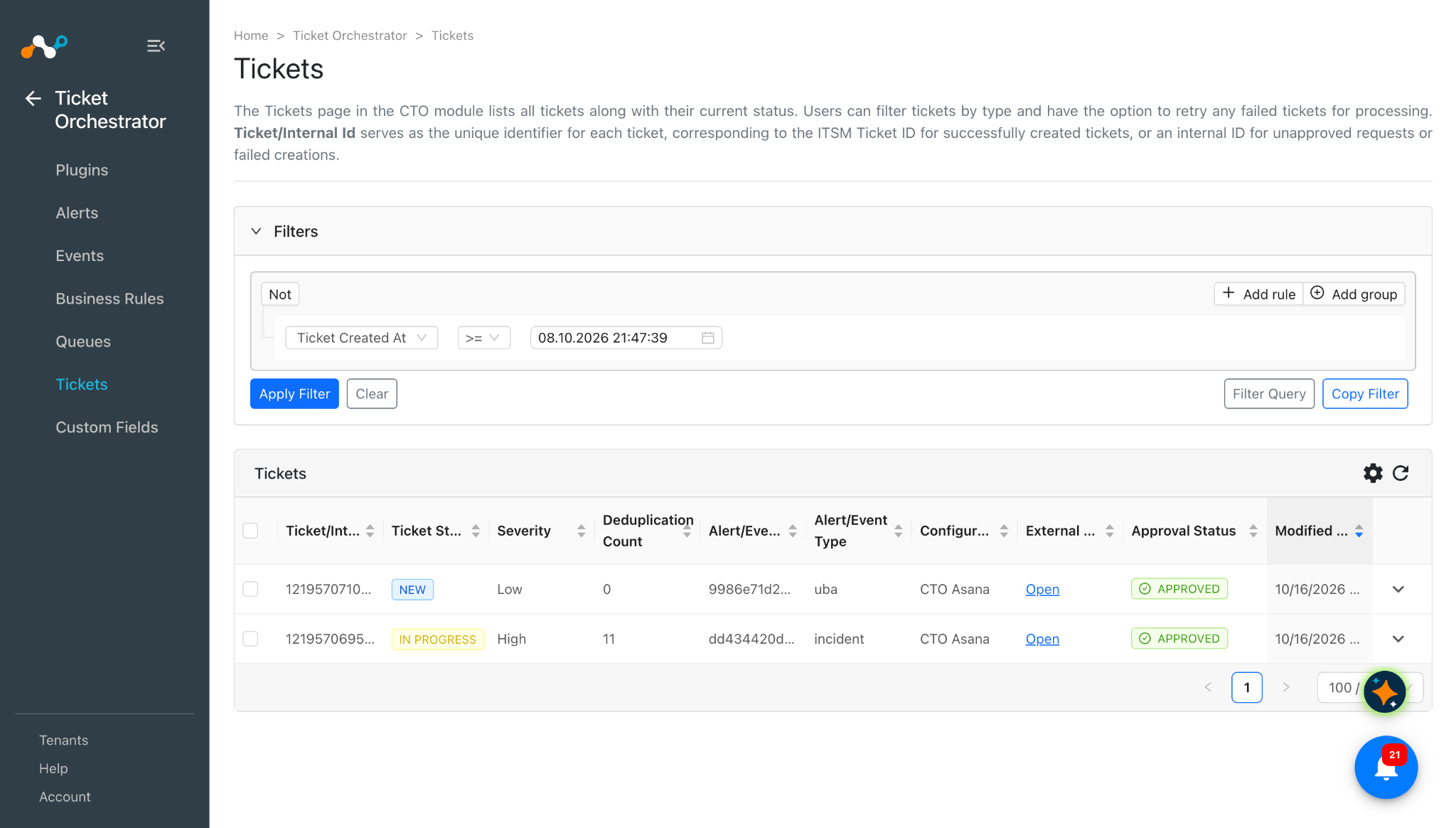
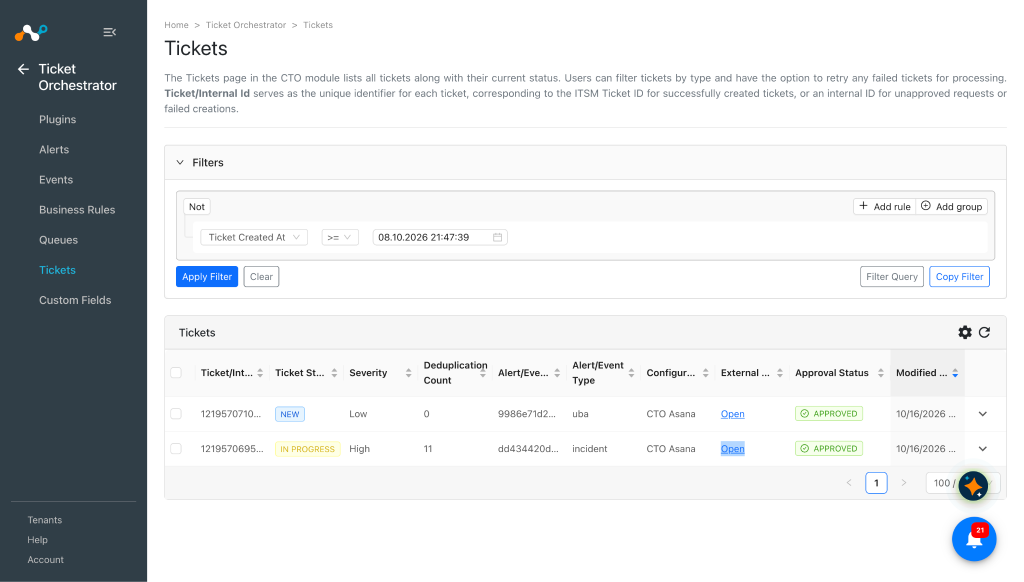
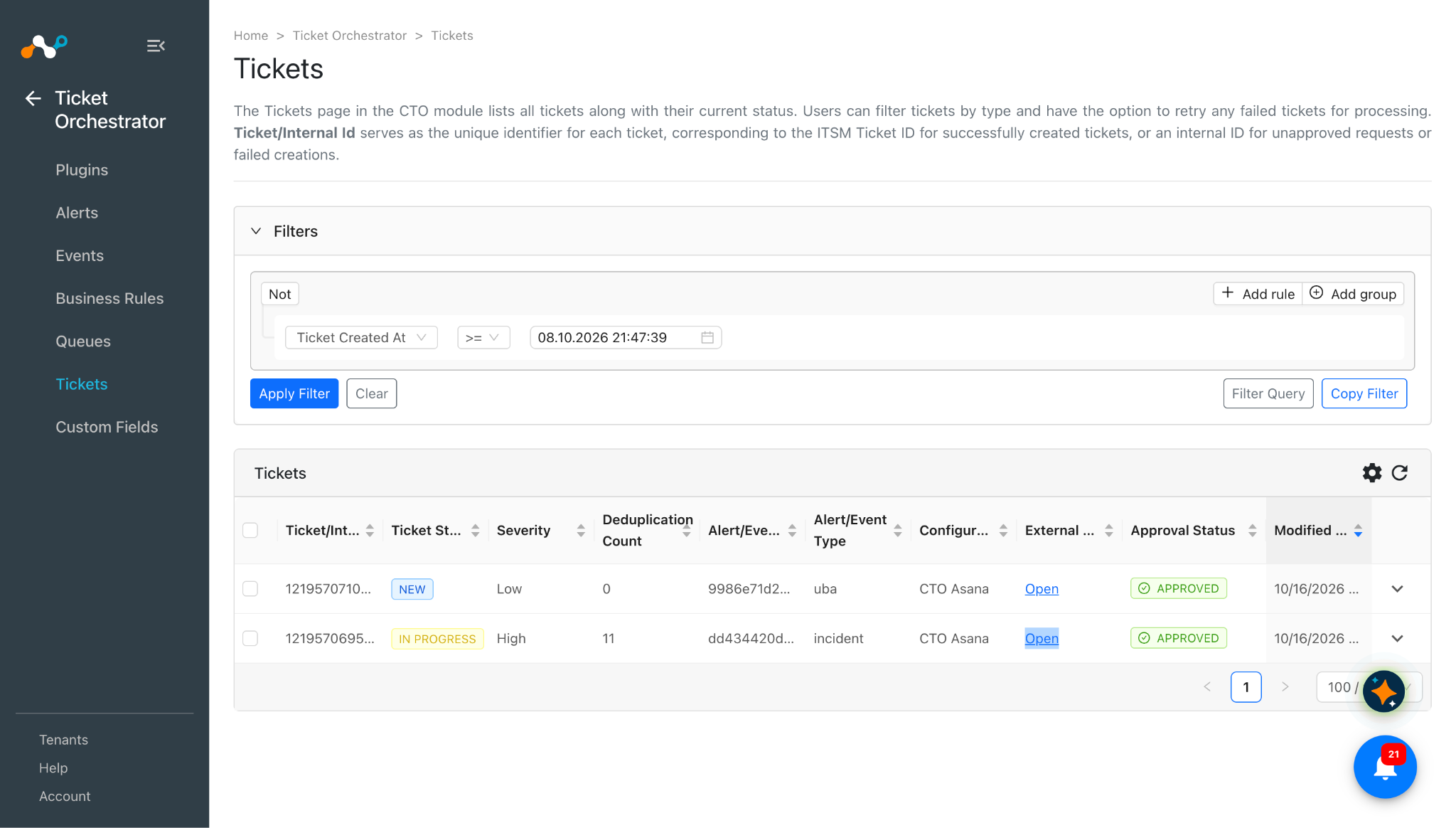
To view the list of tickets created on Asana, go to Tickets in Ticket Orchestrator.
-
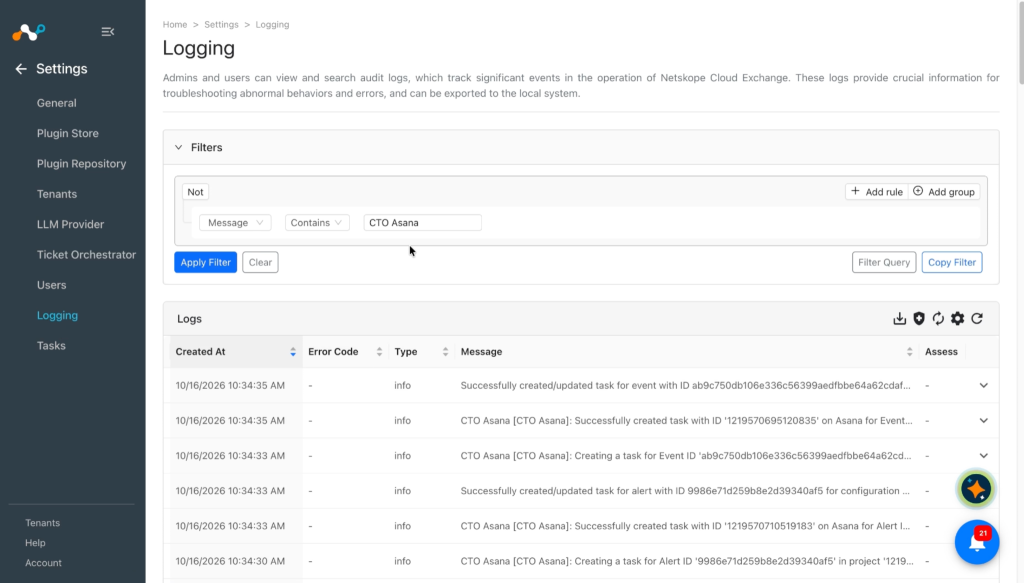
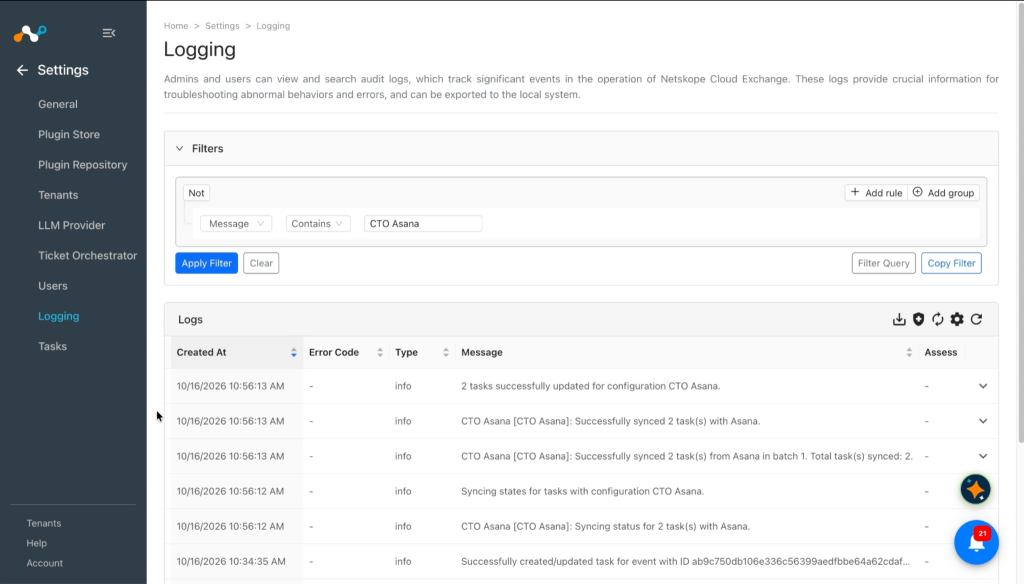
Verify the Ticket creation from the Logging page. Go to Settings > Logging and apply the filter with the plugin name.
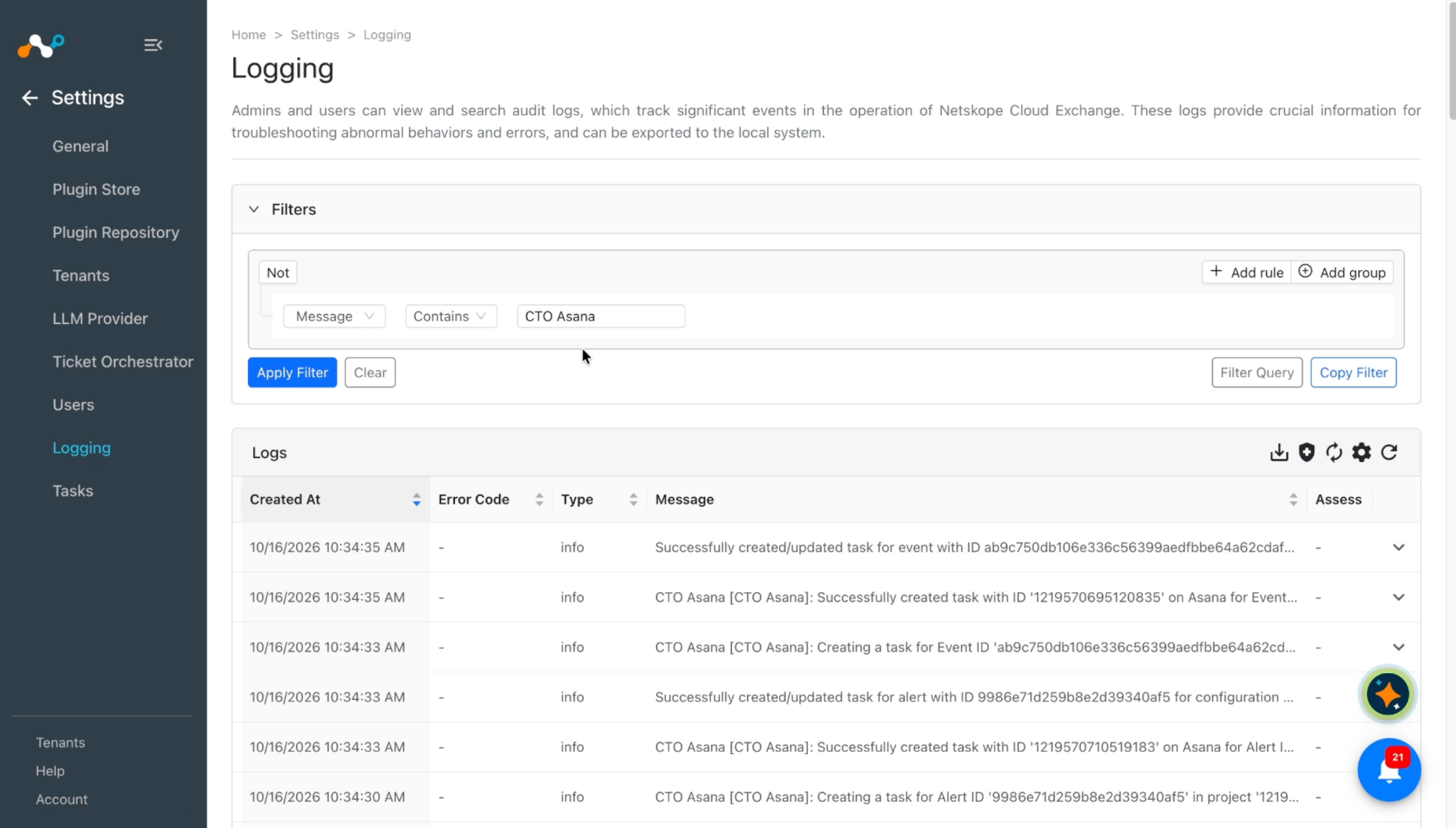
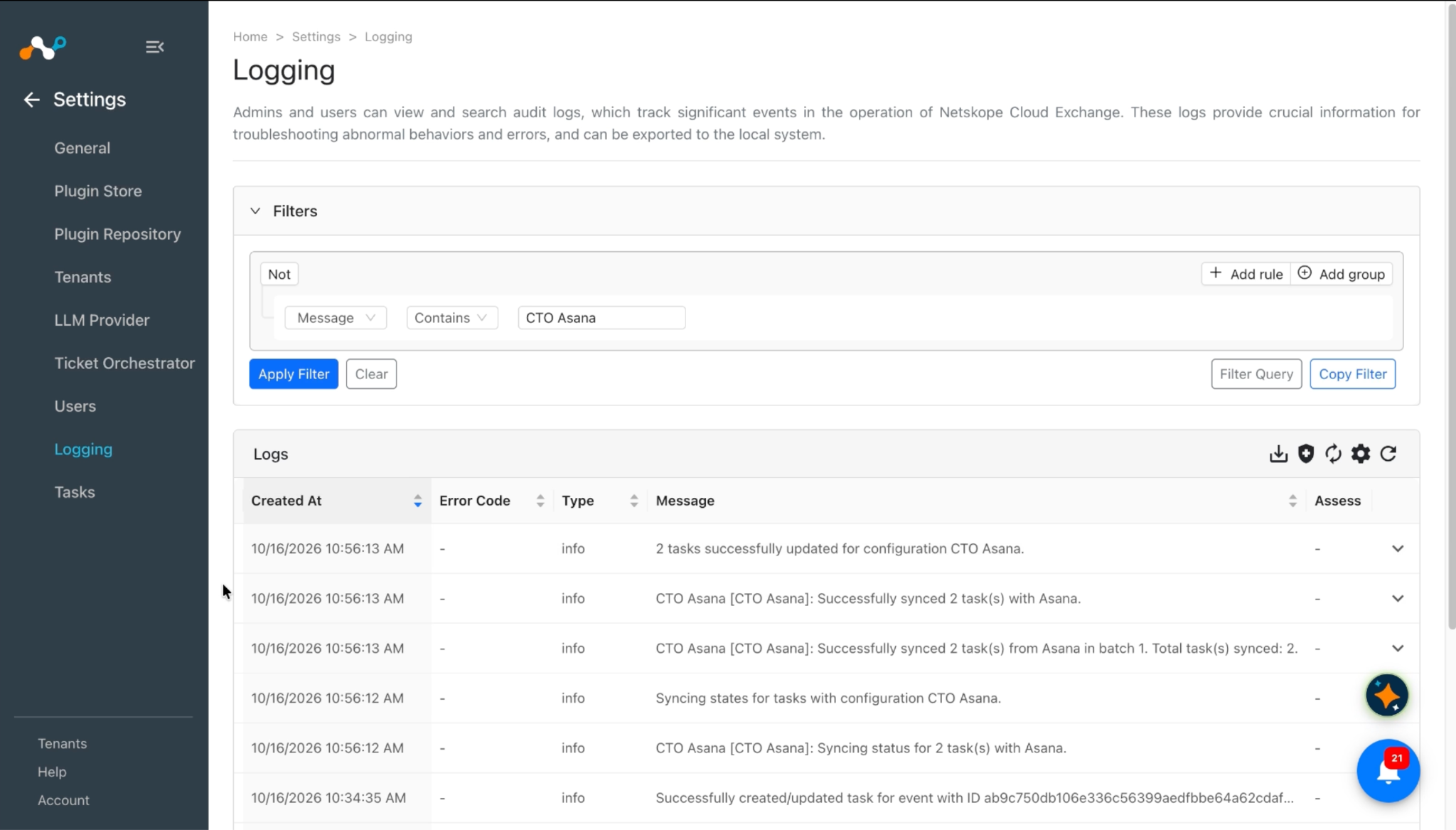
Validate in Asana
To validate the incident creation:
-
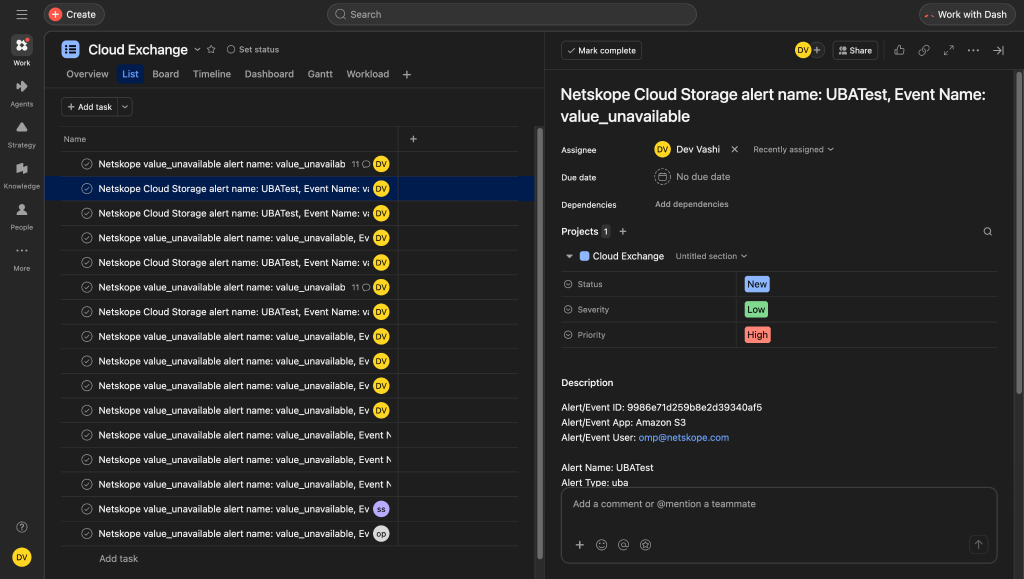
In Ticket Orchestrator, go to Tickets and click Open in the External Link of Ticket column. This will go to Asana Cloud so you can view the newly created ticket.
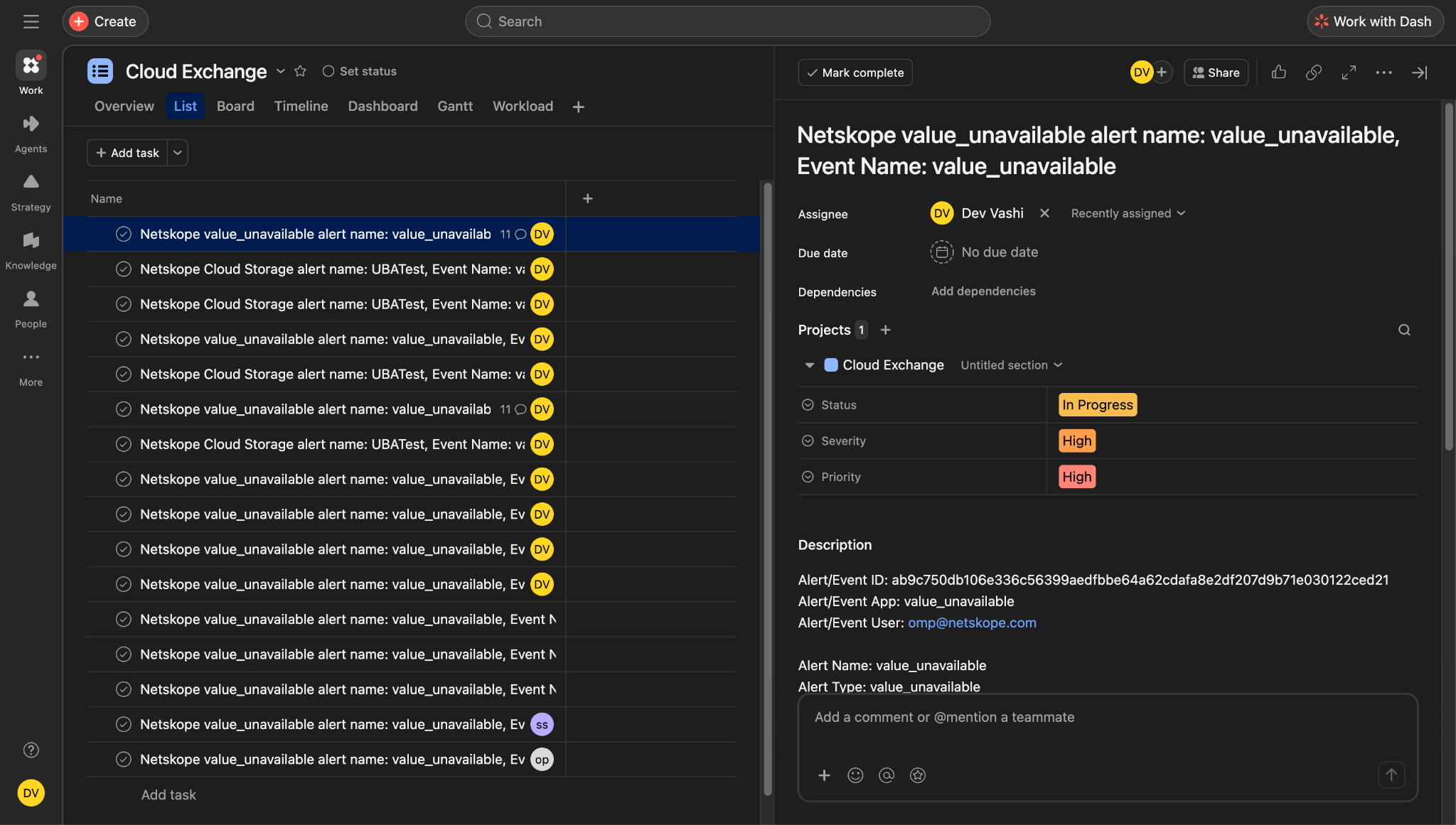
Here is the created task for incident event:
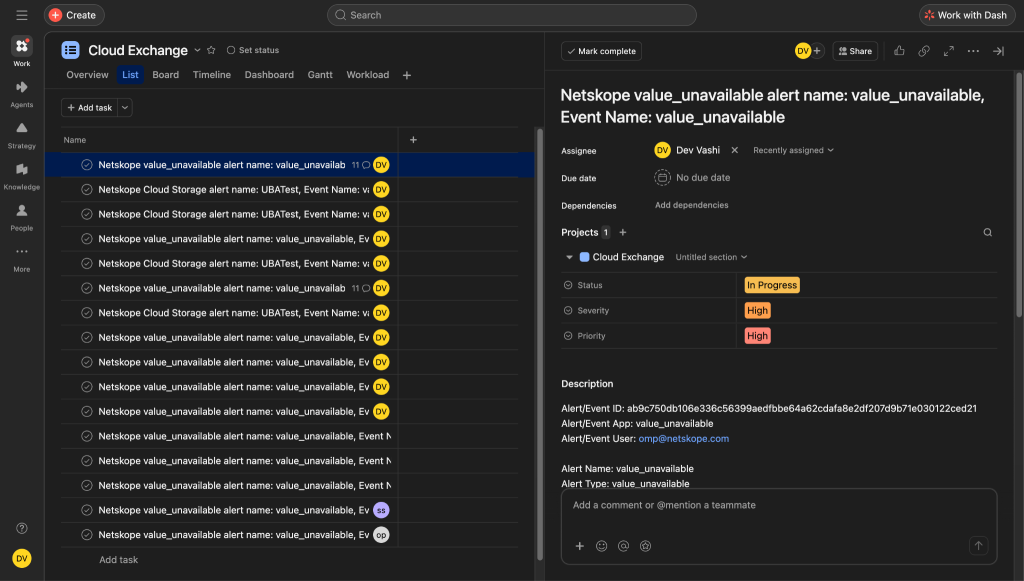
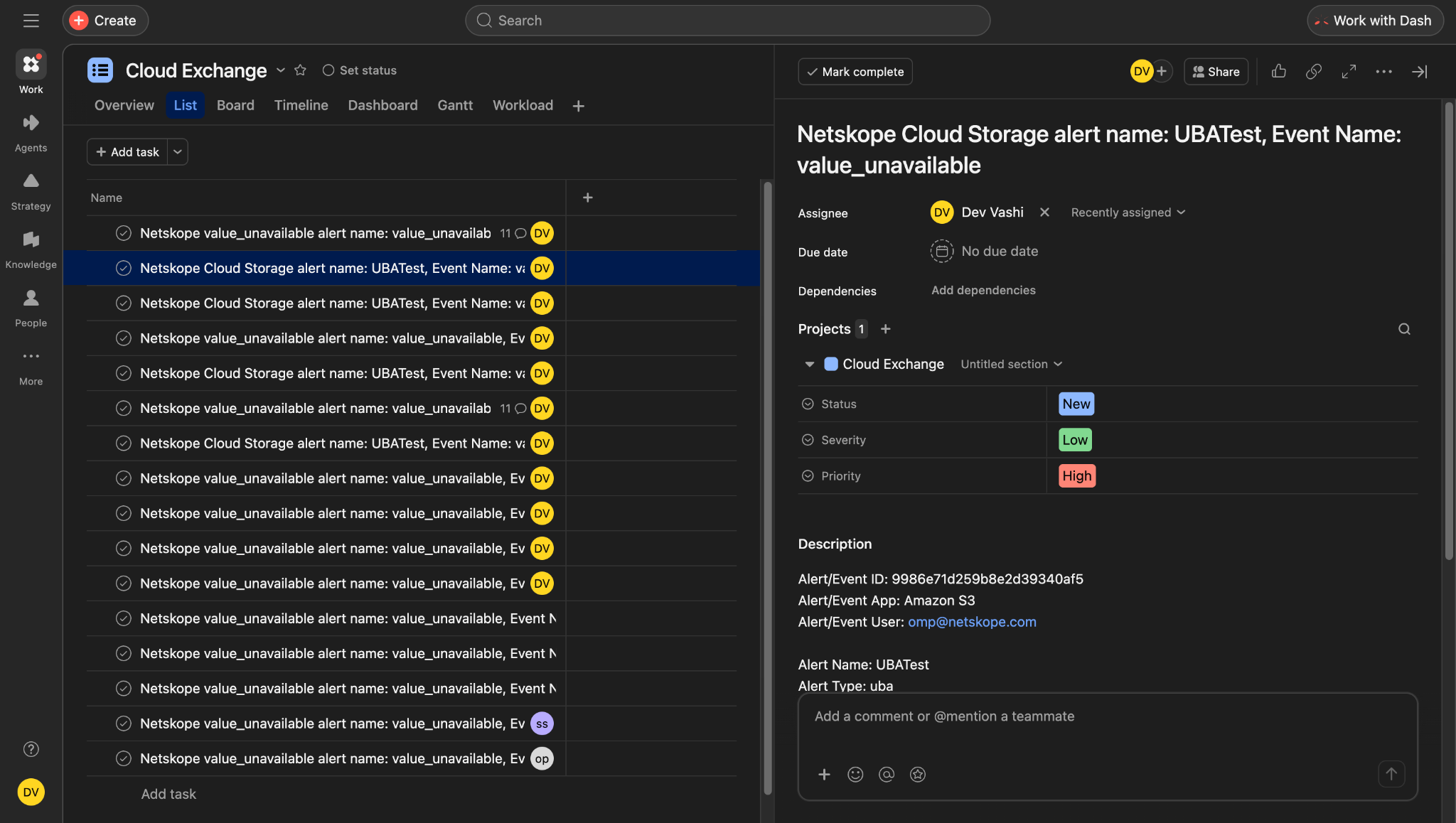
Here is the created task for UBA alert:
-
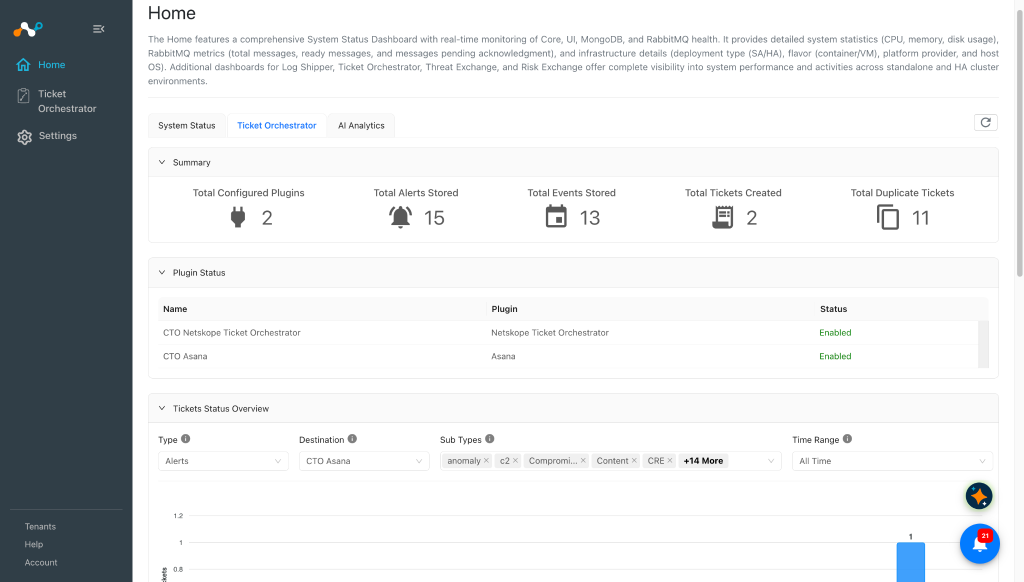
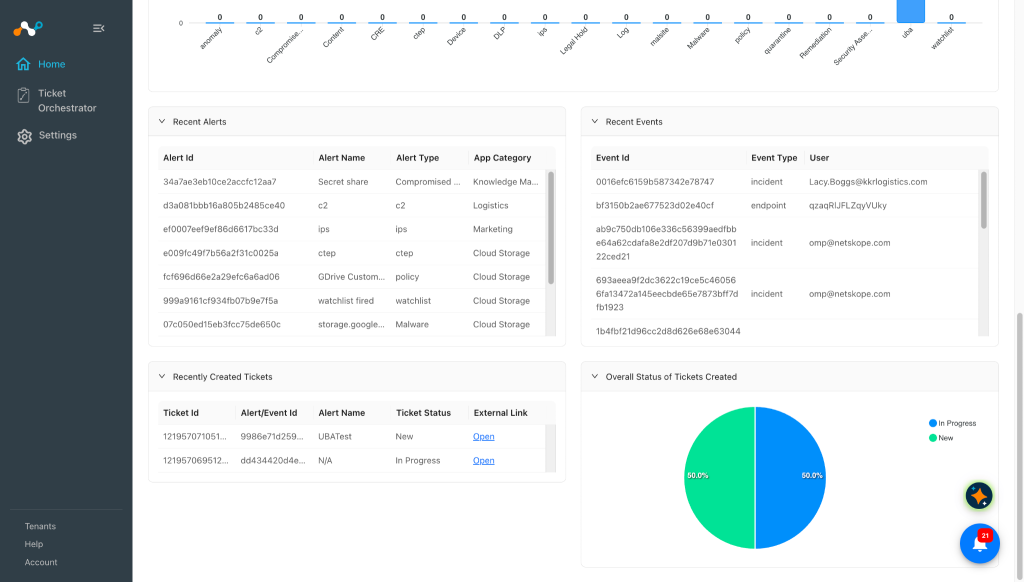
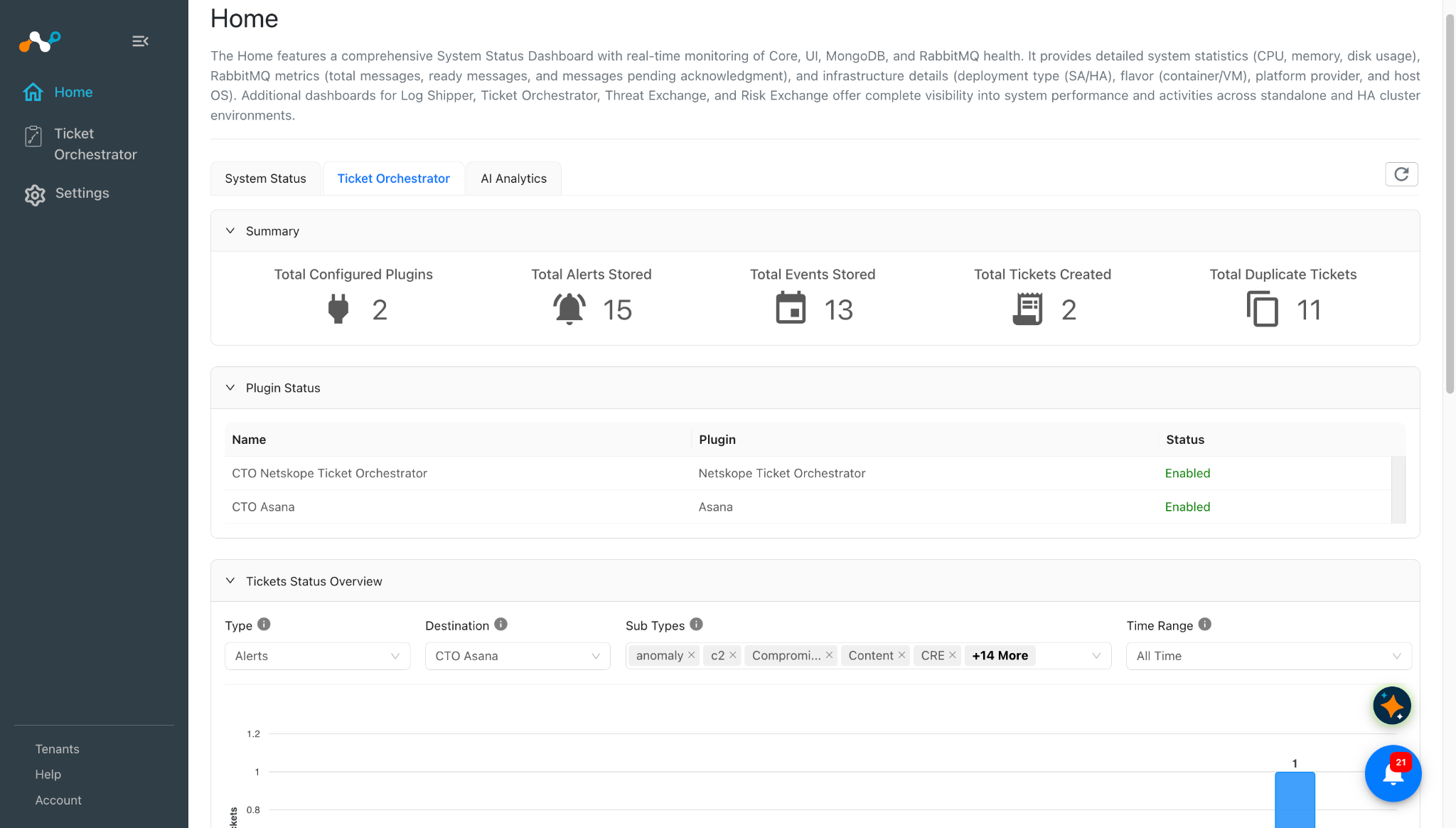
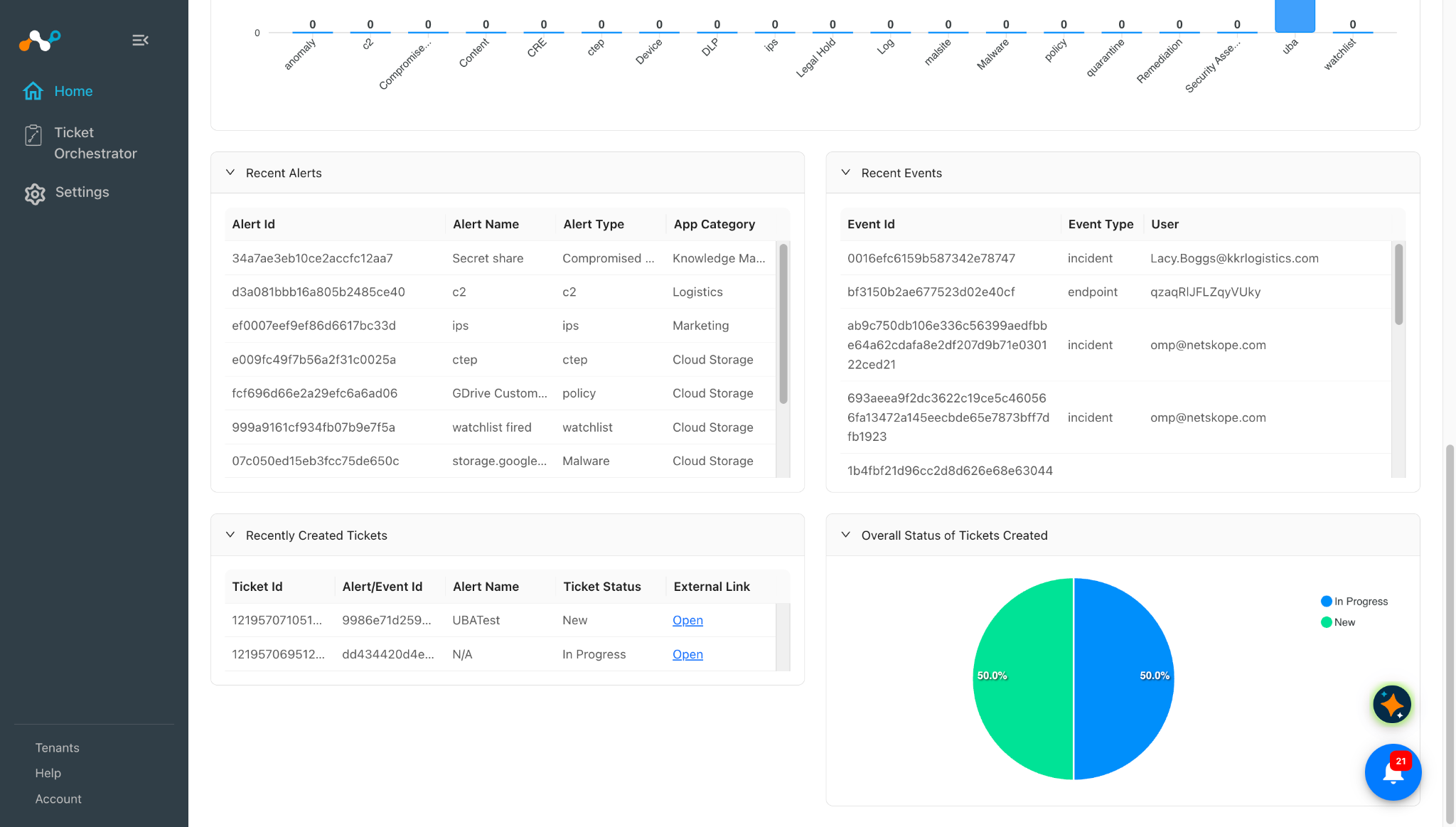
To view the overall status for all the tickets in Cloud Exchange, go to the Ticket Orchestrator tab.
Troubleshooting the Asana Plugin
Unable to configure the Asana plugin
If you are unable to configure the Asana plugin, it could be due to one of these reasons:
- Incorrect credentials provided.
- The user does not have required permissions.
- Incorrect API Base URL provided.
What to do:
- Make sure to provide correct credentials.
- Make sure that the user has the required permissions. Refer to the Permissions section.
- Make sure that the correct instance API Base URL is provided. By default, the plugin will have https://app.asana.com/api/1.0 in the URL. If your instance has a different API Base URL, then update the API Base URL for your plugin configuration.
Unable to create ticket using plugin
If you are unable to create a ticket with the plugin, it could be due to one of these reasons:
- No alerts or events are available in Cloud Exchange, or no new alerts or events are pulled.
- The Business Rule has no alerts/events filtered.
- The user does not have the required permissions for creating incidents.
- Name and Notes fields are not mapped in queue configuration.
What to do:
- Check if the alerts/events are available in the Alerts/Events page. If no alerts/events are available, the ticket won’t be created. Configure the Tenant or other required configuration to create alerts/events in Ticket Orchestrator.
- Check the business rule and test it to confirm if it has any alerts filtered, if no alerts are available in the filtering, update the business rule.
- Ensure users have required permissions. Refer to the Permissions section.
- Make sure to map the Name and Notes fields with values to create a task.
Changes while editing the already configured plugin are not reflected
On Cloud Exchange v6.1.0 or older, you may not be able to save the updated configuration parameters.
What to do: If you want to update any configuration parameters then, edit the plugin and move to the Configuration parameters page, update the parameter that you want to change and click on Save from the Configuration parameters tab.
Known Behaviors
- No Fixed Fields: Asana has no fixed fields, so the mapping depends on what the user creates. Apart from Name, Notes and Assignee, Asana tasks have no fixed fields. There is no built-in status, severity as in ServiceNow or Jira.
- Workspace-level field listing: Custom fields are listed at the workspace level rather than filtered by the selected project. Fields not associated with the selected project may appear and cause task creation to fail with an error identifying the field and project.
- Duplicate project names: Projects with identical names appear indistinguishable in the queue dropdown, although tasks are created in the project actually selected.
- Duplicate field names: Asana allows creation of custom fields with the same name and type to exist within a workspace. It allows these duplicate fields to a single project. So the fields with same names and types may appear with the same label in the queue mappings.
- Duplicate Status or Severity fields: Asana allows multiple custom fields with the same name within a project. During synchronization, the plugin identifies fields by name (
StatusorSeverity, case-insensitive).- Dropdown fields first: The plugin checks dropdown fields with the matching name in the order returned by Asana and uses the first field with a selected option.
- Other fields as a fallback: If no matching dropdown field has a selected value, the plugin uses the first text, number, or date field with the matching name that contains a value. Empty fields are skipped.
- Sync States : During sync states, the plugin reads Status and Severity from the task by field name only, and uses a dropdown field with a value first, then a text field. Asana allows several custom fields with the same name on one project.
- User Errors: You may observe 403 errors for the tasks that are deleted on Asana which were created via the Asana plugin. Due to this, users may also observe an error message on the plugin configuration card. To overcome this issue, delete the already deleted ticket (on Asana) from the Tickets page on Cloud Exchange.
CTO Asana [CTO Asana]: Error occurred while syncing task ‘1219575971976398’ with Asana. Received exit code 403. Error: You do not have access to this task.
The task will be read again in the next sync cycle. - If the Other > other mappings are removed from the Status or Severity mappings for the plugin configuration, then for any status or severity that are not present in the mapping configuration, the Cloud Exchange tickets will show New as the Status or Low as the Severity. If the Update Incident back to Netskope Tenant toggle is enabled, then this may also update the status or severity to the Netskope Tenant in case of incident events.
Limitation
When a project is deleted, then an already configured queue with that project will be visible as ID.