

With the new usage reporting feature for CASB API Data Protection, you can now gain detailed visibility into volume of data scanned for retroactive scan and billable users across all supported SaaS applications. This report helps you understand how data scanned and billable users are calculated for each SaaS app, ensuring transparency and accuracy in billing.
How to Access the Usage Reporting UI
To view the API Data Protection usage on the Netskope tenant UI, follow the steps below:
-
Log in to your Netskope tenant UI.
-
Navigate to Settings > Administration > CASB API Usage
-
On the CASB API Usage page, you can view two tabs:
Data ScannedBillable UsersData Scanned
The retroactive scan usage reporting feature in Next Gen API Data Protection gives you detailed insights into how much data your organization has processed through retroactive scans. This visibility helps you monitor your usage against allocated quotas and better plan your data protection strategies.
Retroactive scan usage reporting tracks the volume of data processed by Data Loss Prevention (DLP) and threat protection engines during retroactive scans. These scans typically run when a customer signs up with Netskope or initiates periodic deep scans across apps like Box, Google Drive, Atlassian Jira, or any supported SaaS apps.
To manage resources efficiently and ensure compliance, customers require visibility into their retroactive scan usage.
How Is Retroactive Scan Usage Calculated?
Retroactive scan usage is based on actual data processed—not just discovered. Here’s how it works:
1. Entity Discovery
When a retroactive scan is initiated, Next Gen API Data Protection identifies all relevant entities in the app (e.g., 10,000 files in Google Drive). These can include files, comments, records, wiki pages, repositories, messages, attachments, etc.
2. Policy Matching and Filtering
Each entity is evaluated against your defined retroactive policies:
-
Entities that don’t match the policy (e.g., private files in a policy targeting externally shared content) are excluded.
-
Only entities that match the policy and require DLP or threat protection are sent to the respective engines for further analysis. If a policy is configured only to generate alerts (and not trigger DLP/threat inspection), those entities will not be processed by the engines and will not contribute to usage.
3. Processing and Usage Measurement
-
Only data actually processed by the engines contributes to your usage.
-
For example, if 10,000 files are discovered and 5,000 match policy criteria, only those 5,000 are counted in usage which is then converted to gigabytes (GB) of data scanned.
-
Retroactive policy hits (entities that match your filters) contribute to usage.
-
DLP hits (violations found by DLP) are a subset of policy hits but are not the only metric used to calculate usage.
Navigating the Retroactive Scan Usage Report Page
The retroactive scan usage page provides a rolling one-year view of your data usage across supported apps. To view this page, navigate to Settings > Administration > CASB API Usage, then click the Data Scanned tab.
Key elements on the page:
-
Entitlement Metric: Retroactive scan of the specific SaaS app.
-
Platform: Retroactive scan usage reporting applies to SaaS apps in the Next Generation API Data Protection platform only.
-
Total GB Scanned: Total number of data scanned in gigabytes (GB).
-
Unit: Usage is aggregated by application over the past 12 months.
The data displayed in this tab applies to SaaS apps in Next Generation API Data Protection platform only.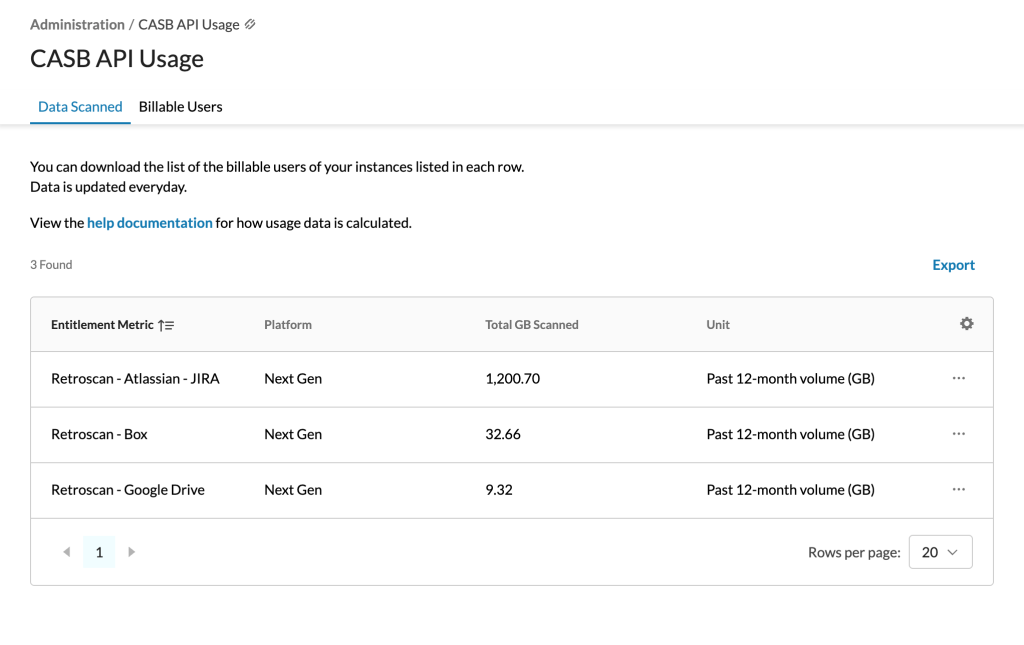
Important Points to Note
-
Data only appears if at least one retroactive scan is running or completed in the last 12 months.
-
Scans in a “ready” state will not populate usage. Data is populated based on daily usage events sent from active scans.
-
If you’ve run multiple scans for the same app, the report will show a combined total for all those scans over the last year.
-
Only scans completed after this feature’s release are included in the report.
-
If a scan was already in progress when the feature was enabled, only the data processed after the feature went live will be counted toward usage.
-
This reporting is only available for Next Generation API Data Protection apps. Classic API Data Protection app scans are not supported.
Billable Users
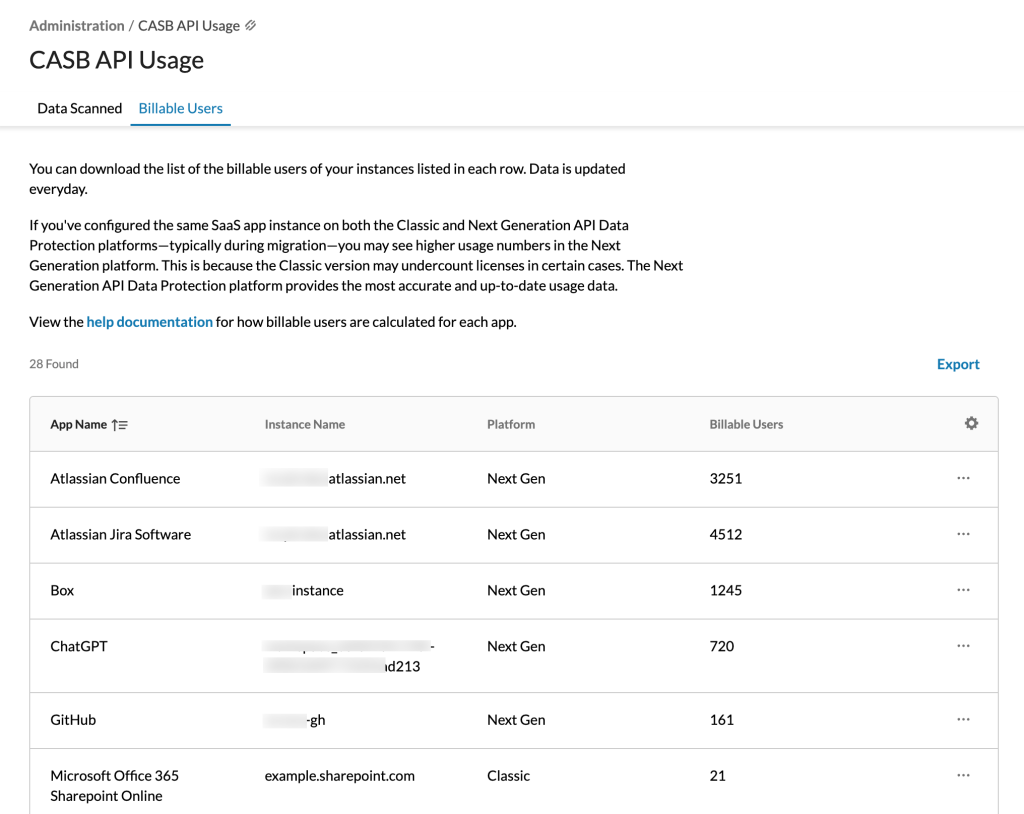
This tab includes the name of the SaaS app, instance name, platform i.e., Next Generation or classic, and the number of billable users.
Billable User Count Calculation Methodology
The table below summarizes the billable user logic and specific calculation methodology for each supported application.
Definitions:
-
Active user: A user with active access who can log in and engage with the application’s content.
-
Suspended user: The user does not have access to the app and only administrators have access to their data. However, the suspended users’ associated data can still be used for scanning and exposure calculation.
SaaS app name User type accounted for billing External user included in billing? Special note Atlassian Confluence
(Next Gen only)Active users Internal users only Deleted users and API-only users are not included in the billable user count.
If a user is part of two organizations within the same enterprise, they are counted as one user, not two.Atlassian Jira Active users Internal + external users A suspended user has their access temporarily restricted, but their account and data remain intact and available for scanning.
Users can collaborate with external users. Such users are included for billing. Any modifications to content accessible by these users will be processed by Next Generation API Data Protection.Box
(Next Gen & Classic)Active + suspended users Internal users only (employee + service account) Box enables the creation of “app users”, which function as service accounts. Since Netskope processes notifications generated by these accounts, the associated activity contributes to the customer's billable usage. ChatGPT Enterprise Active users only Internal users only The count does not included deleted, de-provisioned, or API-only users. Cisco Webex
(Next Gen only)Active users only Internal users only - Citrix ShareFile
(Next Gen only)Active + suspended users Internal users only Citrix ShareFile charges for all user licenses, whether the users are active or suspended. Suspended users cannot access the app, and only administrators can access their data. However, data associated with suspended users remains available for scanning and exposure calculation. Dropbox
(Next Gen & Classic)Active + suspended users Internal users only A suspended user may own certain files, which can still be collaborated by other users. Next Generation API Data Protection will inspect these files whenever changes are made. Egnyte
(Next Gen only)Active + suspended users Internal + external users A suspended user may own certain files, which can still be collaborated by other users. Next Generation API Data Protection will inspect these files whenever changes are made.
There are three types of users: administrator, power user, and standard user.
Standard users are external to the organization, such as vendors or partners.
Any modifications to content accessible by these users will be processed by Next Generation API Data Protection.GitHub
(Next Gen only)Active users only Internal + external users A suspended user has their access temporarily restricted, but their account and data remain intact and available for scanning.
Adding an external collaborator to a private or internal repository uses one of your paid licenses, increasing your billing count.Google Drive
(Next Gen & Classic)Active + suspended users Internal users only Both active and suspended users are counted for Google Drive because data associated with suspended users is still scanned during retroactive scans.
Administrators may choose to delete suspended users to remove them from Netskope’s billable user list and to reduce licensing costs from Google.Gmail/Calendar
(Next Gen only)Active users only Internal users only - Microsoft 365 OneDrive
(Next Gen & Classic)Active + suspended users Internal users only Total billable users = Total valid internal users
Important Notes:
- Netskope counts only the number of unique user GUIDs, not user emails. A single user may have multiple emails or aliases, so billing is based solely on unique user GUIDs.
- Netskope does not include SharePoint service plans when calculating billable users for OneDrive.
- Internal users are determined by Microsoft’s internal attribute, specifically:
userTypeset toMember. - The billable user count for Microsoft 365 OneDrive on Classic API Data Protection may appear lower due to legacy calculation methods. For accurate licensing data, please refer to the numbers reported in the Next Generation API Data Protection platform.
Microsoft 365 Outlook
(Next Gen & Classic)Active users only Internal users only Total billable users = Total valid internal users
Important Notes:
- Netskope counts only the number of unique user GUIDs, not user emails. A single user may have multiple emails or aliases, so billing is based solely on unique user GUIDs.
- Suspended users are not included because Next Generation API Data Protection does not offer retroactive scans to scan suspended users’ mailboxes.
- Internal users are determined by Microsoft’s internal attribute, specifically:
userTypeset toMember. - The billable user count for Microsoft 365 Outlook on Classic API Data Protection may appear lower due to legacy calculation methods. For accurate licensing data, please refer to the numbers reported in the Next Generation API Data Protection platform.
Microsoft 365 SharePoint
(Next Gen & Classic)Active + suspended users Internal users only Total billable users = Total valid internal users
Important Notes:
- Netskope counts only the number of unique user GUIDs, not user emails. A single user may have multiple emails or aliases, so billing is based solely on unique user GUIDs.
- Netskope does not include OneDrive or Teams service plans when calculating billable users for SharePoint.
- Internal users are determined by Microsoft’s internal attribute, specifically:
userTypeset toMember. - The billable user count for Microsoft 365 SharePoint on Classic API Data Protection may appear lower due to legacy calculation methods. For accurate licensing data, please refer to the numbers reported in the Next Generation API Data Protection platform.
Microsoft 365 Teams
(Next Gen & Classic)Active + suspended users Internal users only Total billable users = Total valid internal users
Important Notes:
- Netskope counts only the number of unique user GUIDs, not user emails. A single user may have multiple emails or aliases, so billing is based solely on unique user GUIDs.
- Internal users are determined by Microsoft’s internal attribute, specifically:
userTypeset toMember. - The billable user count for Microsoft 365 Teams on Classic API Data Protection may appear lower due to legacy calculation methods. For accurate licensing data, please refer to the numbers reported in the Next Generation API Data Protection platform.
Salesforce
(Next Gen & Classic)Active + suspended users Internal + external users Salesforce charges customers based on the total number of licenses purchased, regardless of whether the users are active or suspended.
From a Salesforce perspective, active + suspended users include the following user types:
- Standard: This user type also includes Salesforce Platform and Salesforce Platform One user licenses.
- PowerPartner: User whose access is limited because he or she is a partner and typically accesses the application through a partner portal or community.
- CsnOnly: user whose access to the application is limited to Chatter. This user type includes Chatter Free and Chatter moderator users.
ServiceNow
(Next Gen only)Active + suspended fulfiller users (users with at least one assigned role) Internal users only Only users with at least one assigned fulfiller role are counted. Role-less users are portal requesters (free) and are excluded, as are users whose only roles are portal-only ( public,snc_external).
Both active and suspended fulfiller users are counted because data associated with suspended users is still scanned for exposure calculation.Slack Enterprise
(Next Gen & Classic)Active users only Internal users only Total billable users = Total valid internal users + Total valid guest users Smartsheet Active users only Internal + external users When granting Next Generation API Data Protection access for a Plan ID, any user with the licensedSheetCreatorattribute set toTruewithin that Plan ID is considered a billable user.Workday
(Next Gen only)Active users only Internal users only Active & internal users that have access to Workday drive and can modify the content are included as part of total billable users. Zoom
(Next Gen only)Active users only Internal users only - Have a question around the billable user count? Talk to your Netskope sales representative.
-
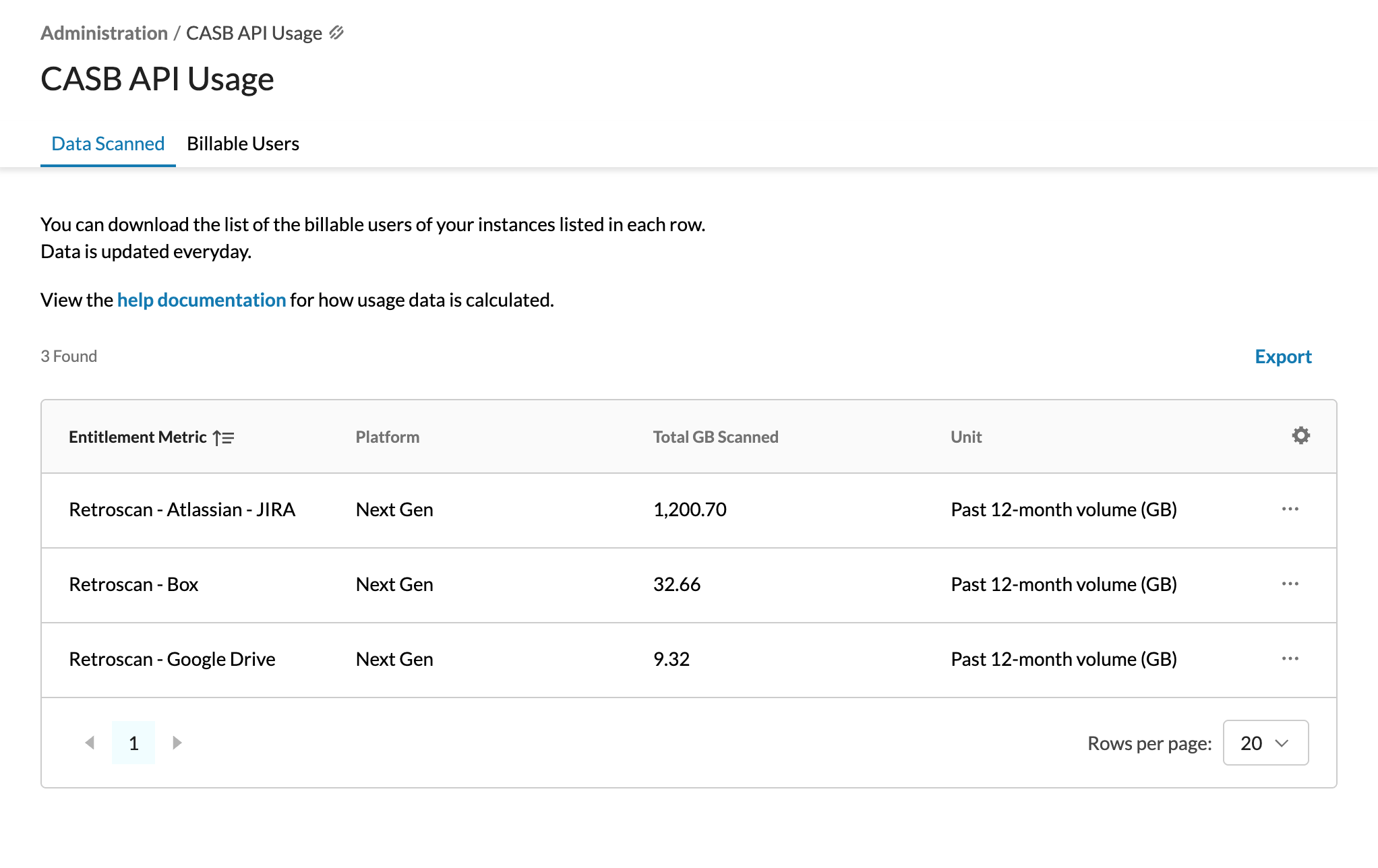
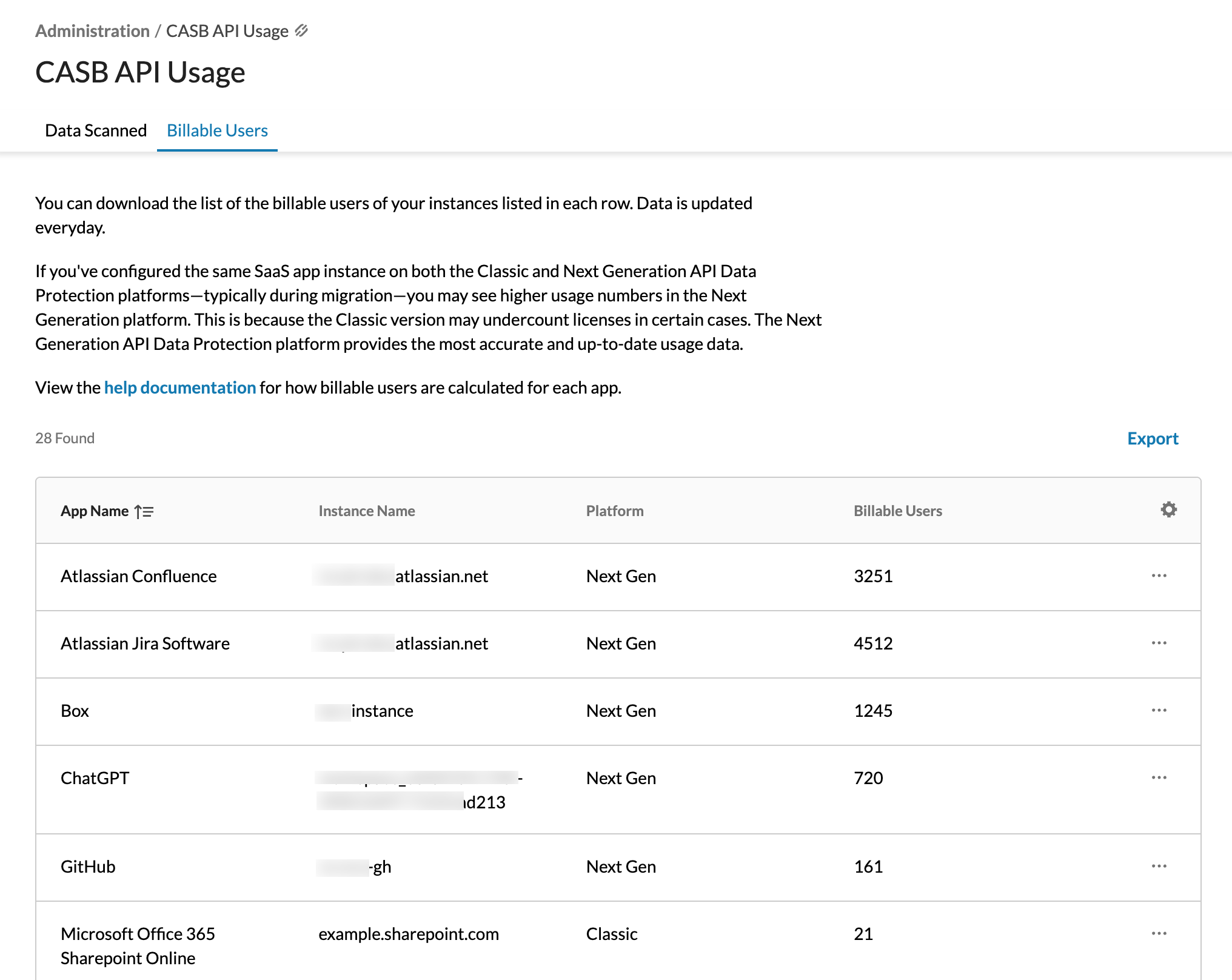
You can export the list too. To do so, click the Export button at the top-right of the table. You can select the number of rows. The report name is auto-generated, however, you can edit the name. Then, click Export. You can download the file as a .csv.

You can download the billable user count for an individual SaaS app too. To do so, click the ellipsis (⋯) > Download user list. You can download the file as a .csv.
