

Cloud Firewall supports generating a single consolidated DNS event per transaction instead of two separate events (a request and a response). Enabling this feature reduces the volume of duplicate DNS events ingested into third-party SIEM tools. This feature applies to various DNS transactions.
To enable Consolidated DNS Events:
-
Log into your Netskope tenant.
-
Go to Settings > Security Cloud Platform > Configuration.
-
Under Consolidated DNS Events, click Edit.

-
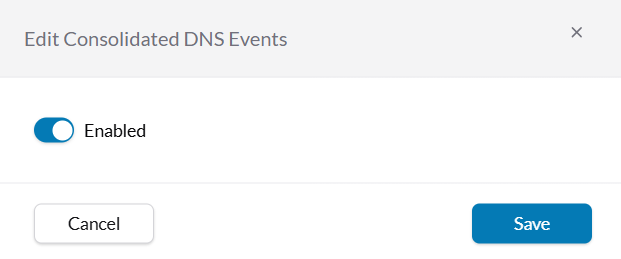
On Edit Consolidated DNS Events popup, enable the toggle.
-
Click Save.

To verify, go to Skope IT > Network Events.
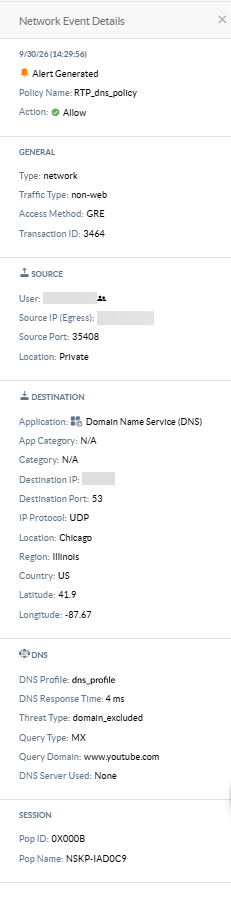
Once Consolidated DNS Event is enabled, your Network events immediately begins showing single, consolidated DNS event per transaction with following fields:
- Record IP
- DNS Profile
- DNS Response Time
- Threat Type
- Query Type
- Query Domain
- DNS Server Used
Previous events remain untouched.