OpenID Connect (OIDC) authentication enables your organization to leverage Okta as an external Identity Provider (IdP) for Netskope Forward Proxy. By implementing this industry-standard protocol, you can deliver seamless, reliable, and secure user authentication across your enterprise environment.
Follow these steps to configure OpenID Connect (OIDC) authentication for Netskope Forward Proxy using Okta.
Prerequisites before Configuring OIDC
-
A callback URL for the OIDC application
-
An authentication token for secure authentication
Access OIDC Configuration Settings
-
Log in to the Netskope Admin Console.
-
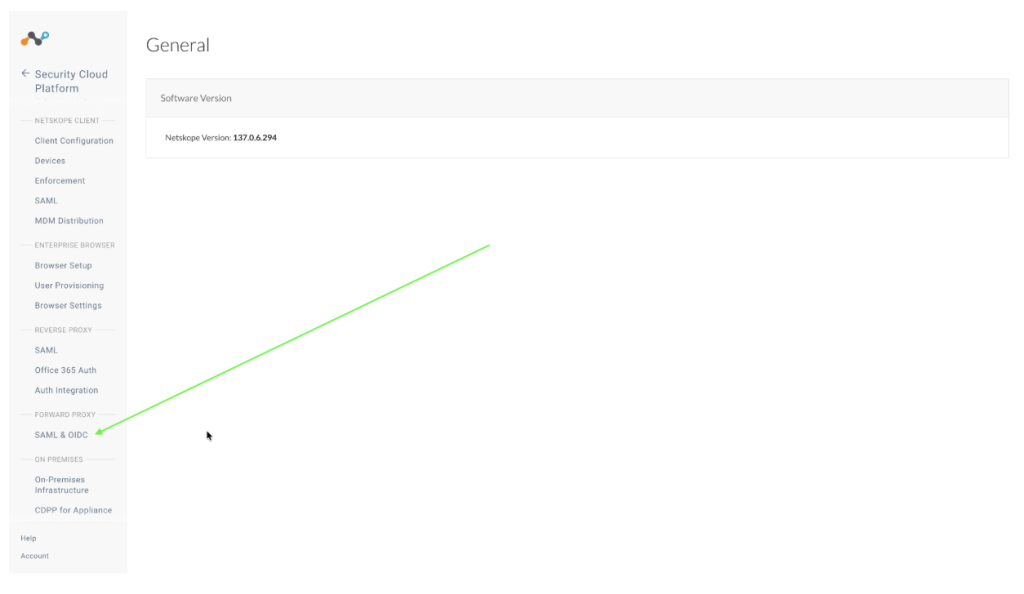
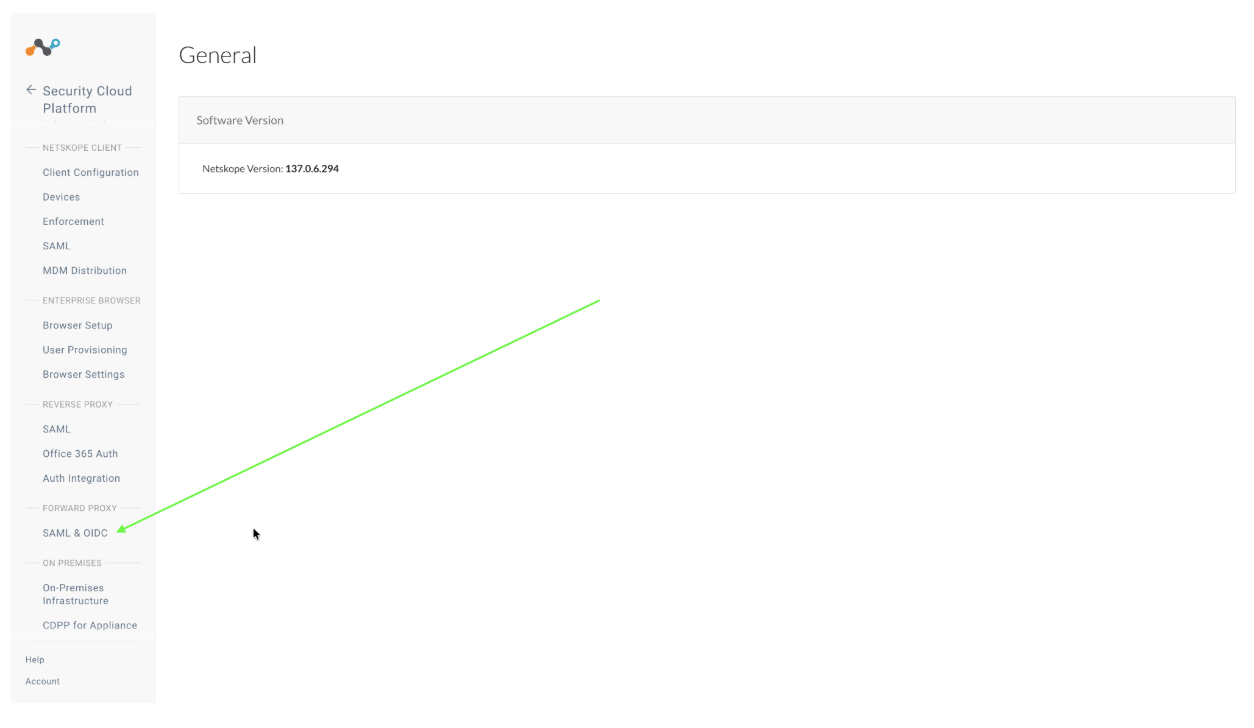
Go to Settings > Security Cloud Platform > Forward Proxy > SAML & OIDC.
-
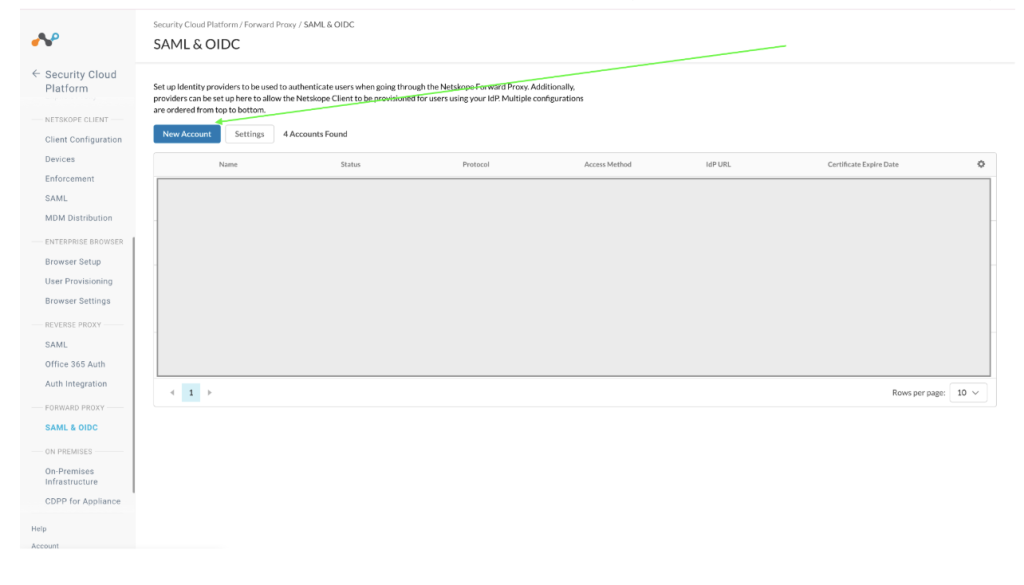
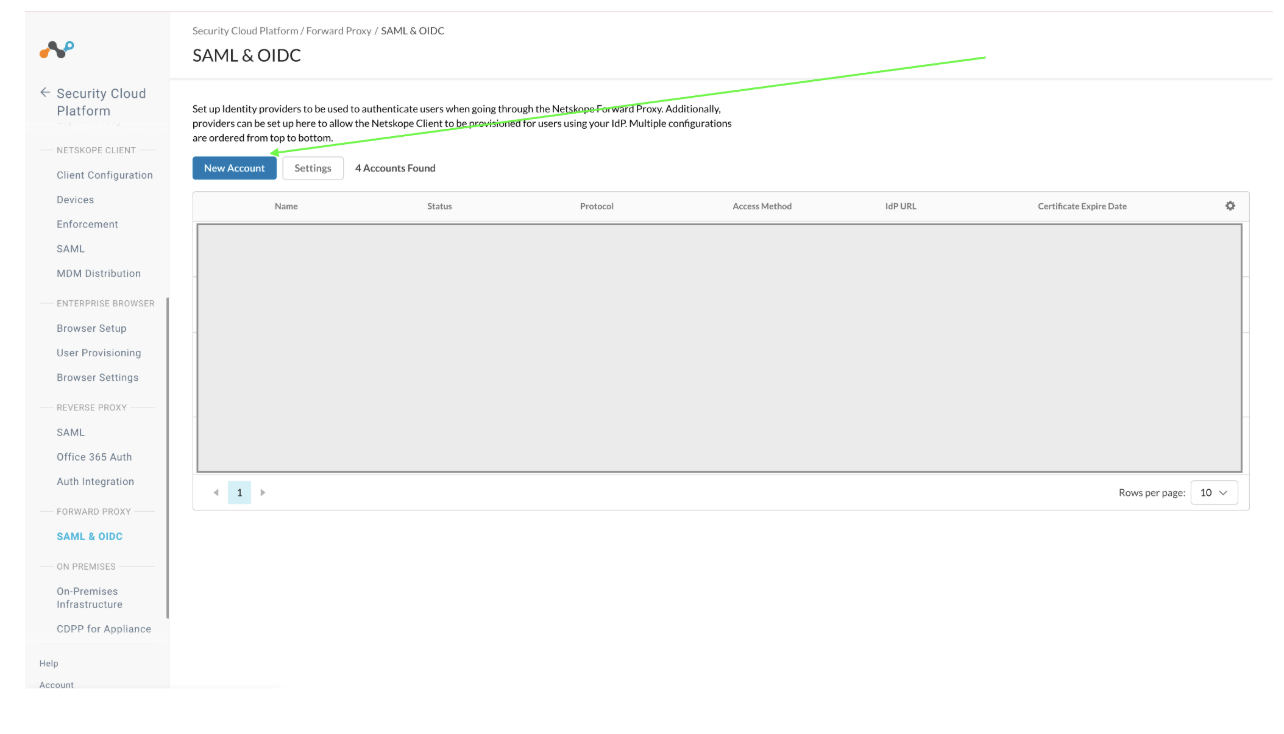
Click New Account
-
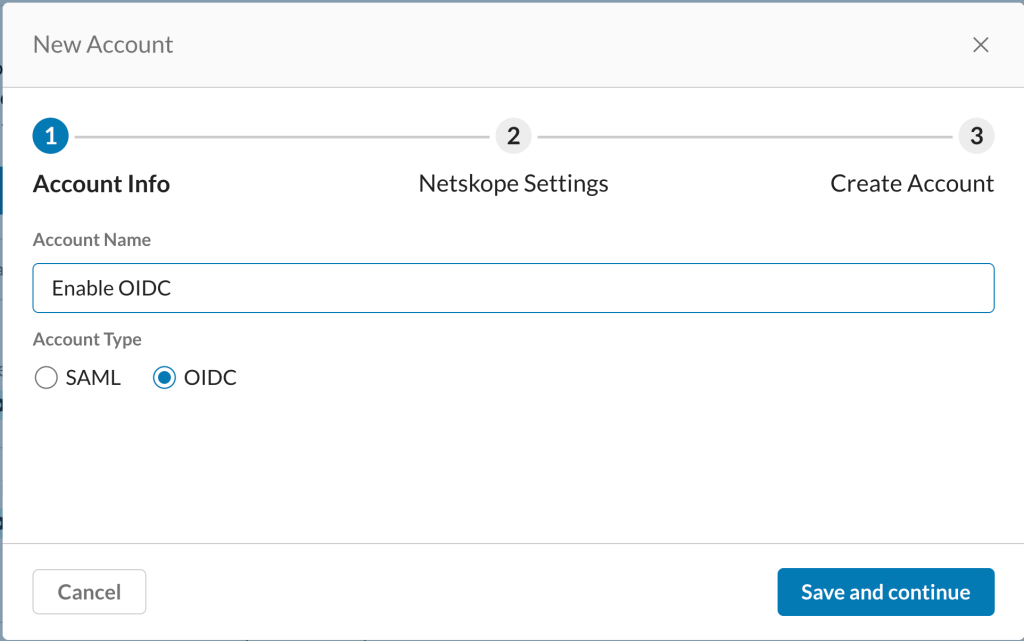
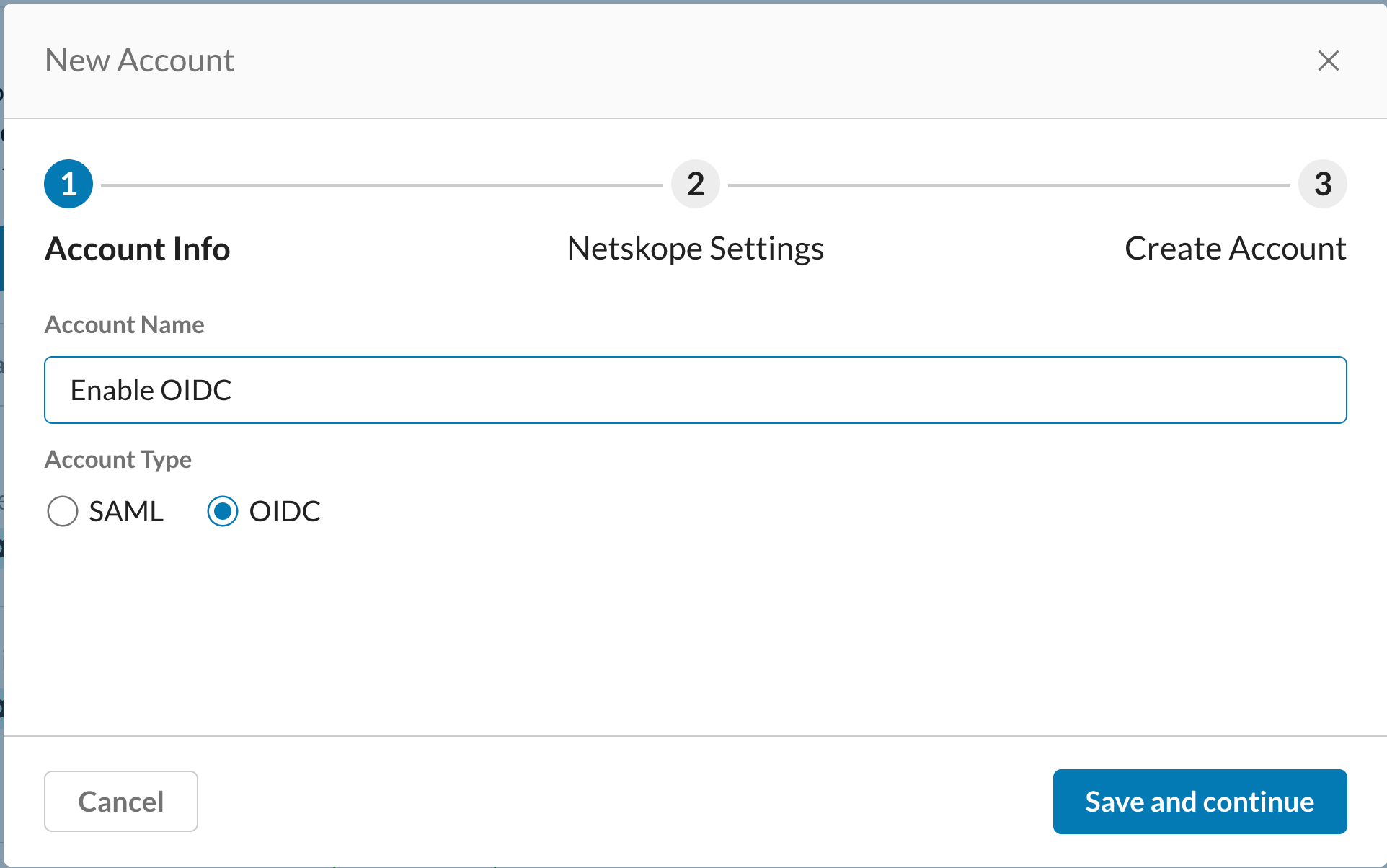
In the New Accounts wizard, enter an Account Name and select OIDC from Account Type. Click Save and Continue.
-
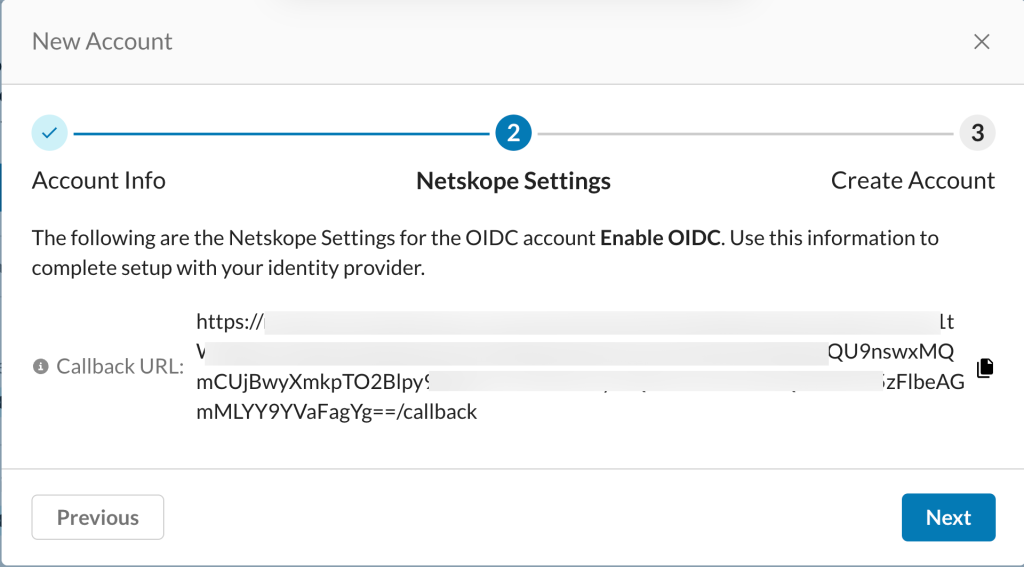
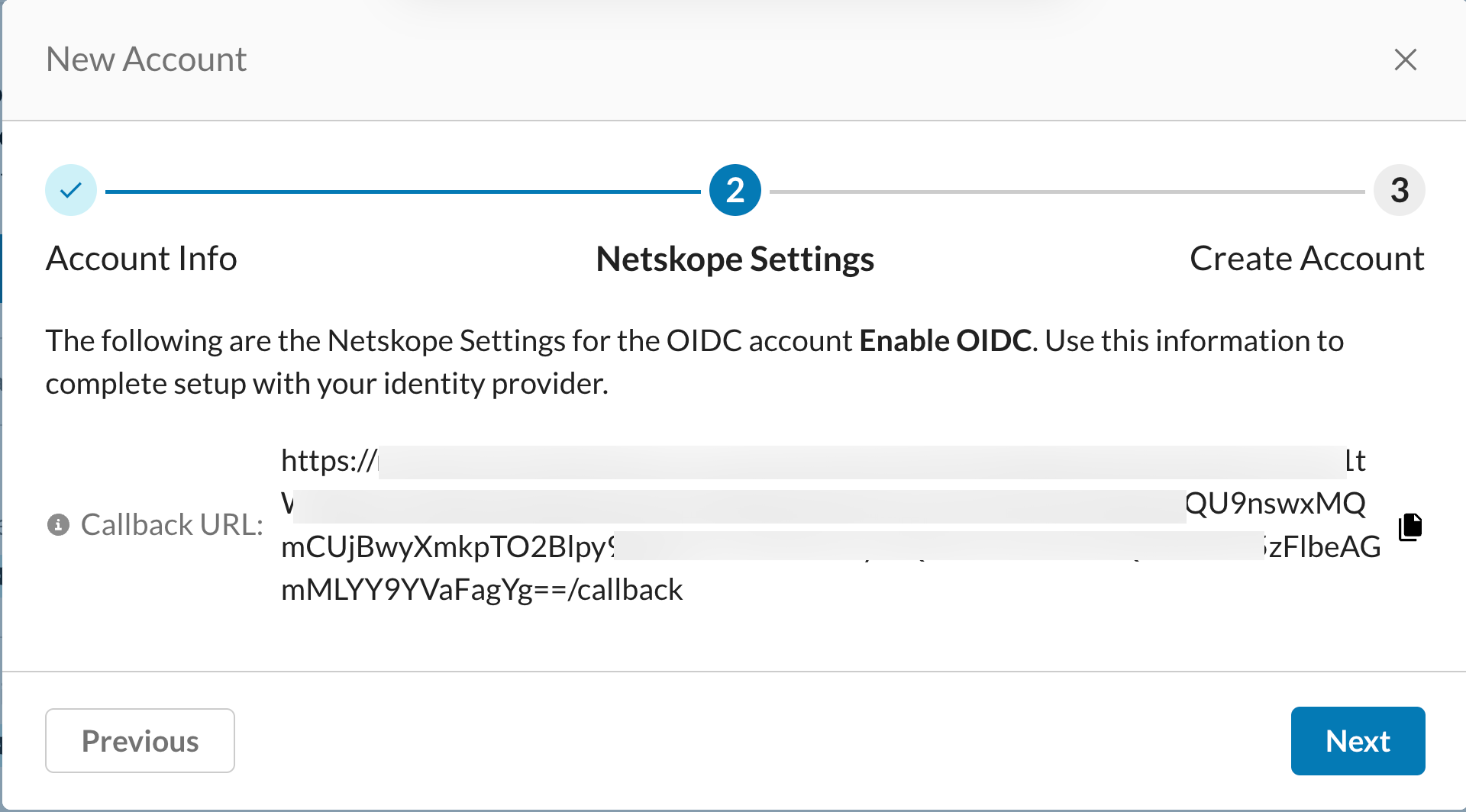
In the Netskope Settings section, copy the displayed Callback URL and store is securely. This Callback URL will be required for configuring OIDC within your OKTA account. Click Next to continue.
-
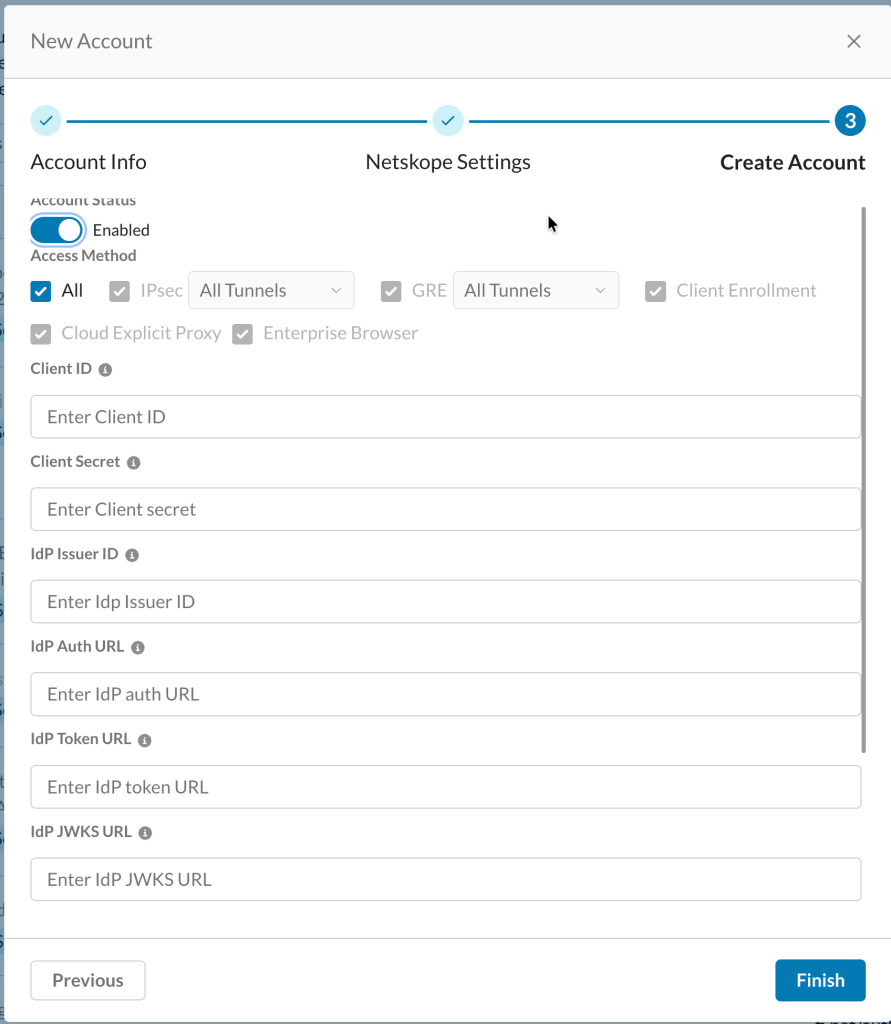
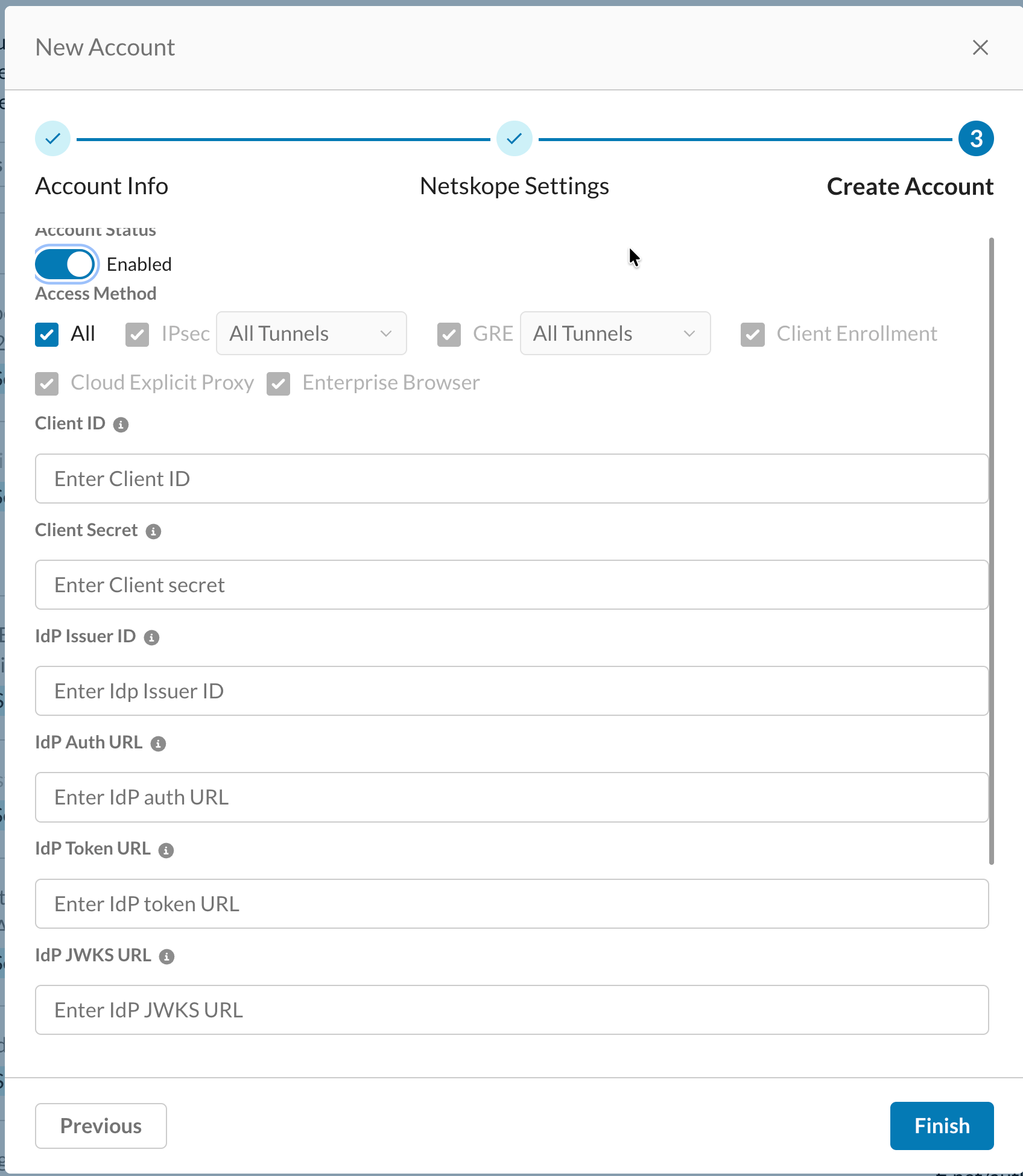
In the Create Account section, enter the following details collected from your OKTA account. After entering the following fields, toggle Account Status to Enabled and select Access Method as All. Click Finish to complete new account creation.
-
Client ID
-
Client Secret
-
IdP Issuer ID
-
Identity Provider (IdP) Authorization URL
-
Identity Provider (IdP) Token URL
-
Identity Provider (IdP) JWKS URL
-
OKTA Configurations for OIDC
-
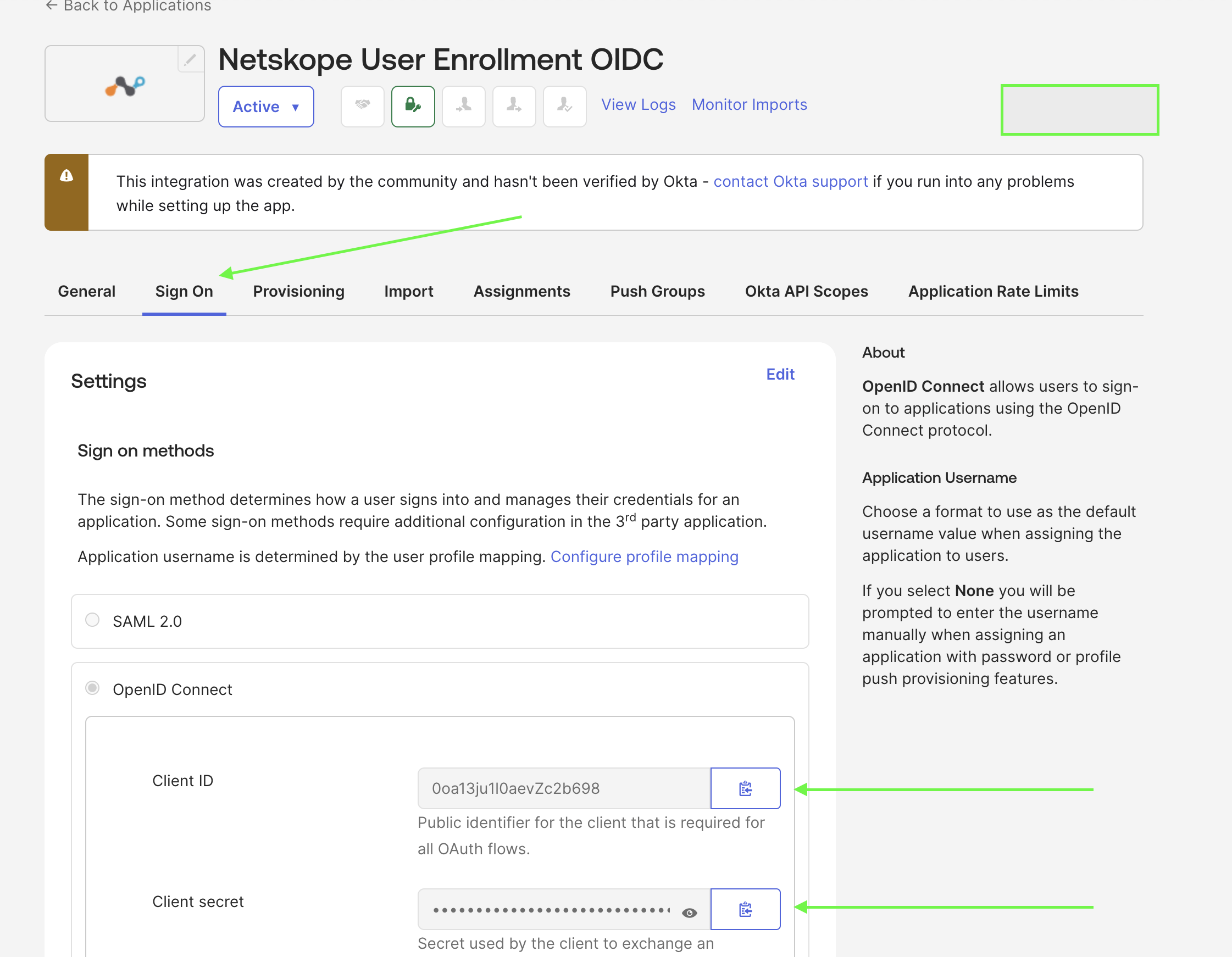
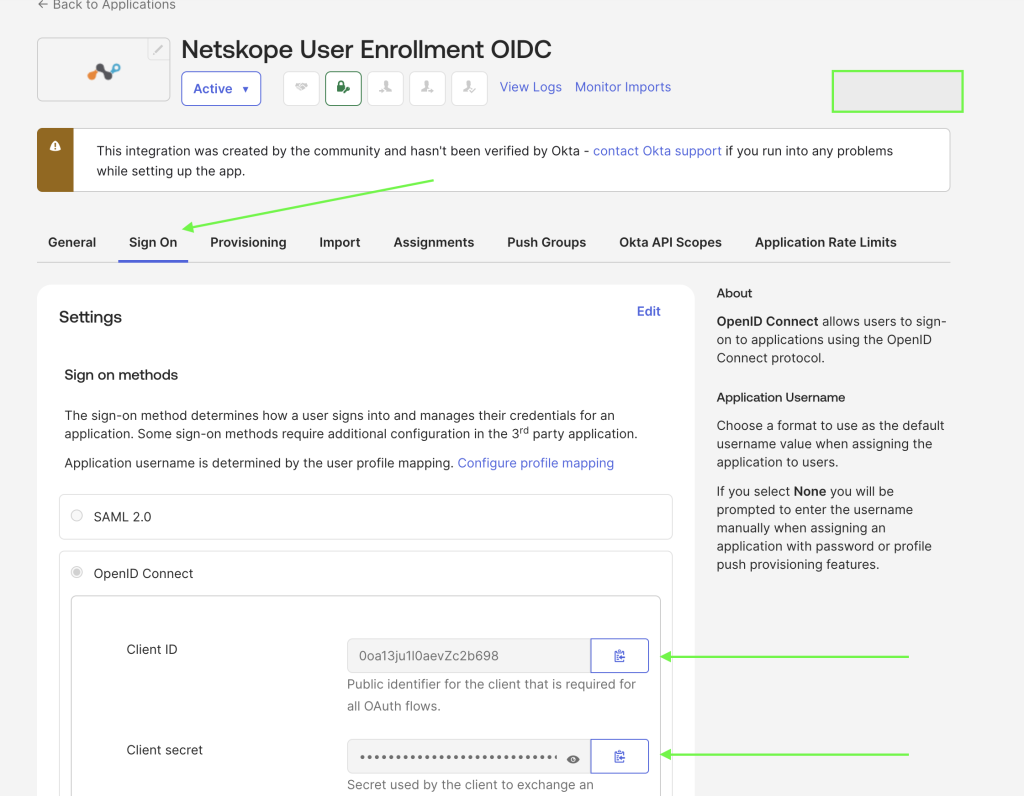
Open your designated OIDC application in the OKTA Admin Console and go to the Sign On tab. You can retrieve your Client ID and Client Secret from this tab.
-
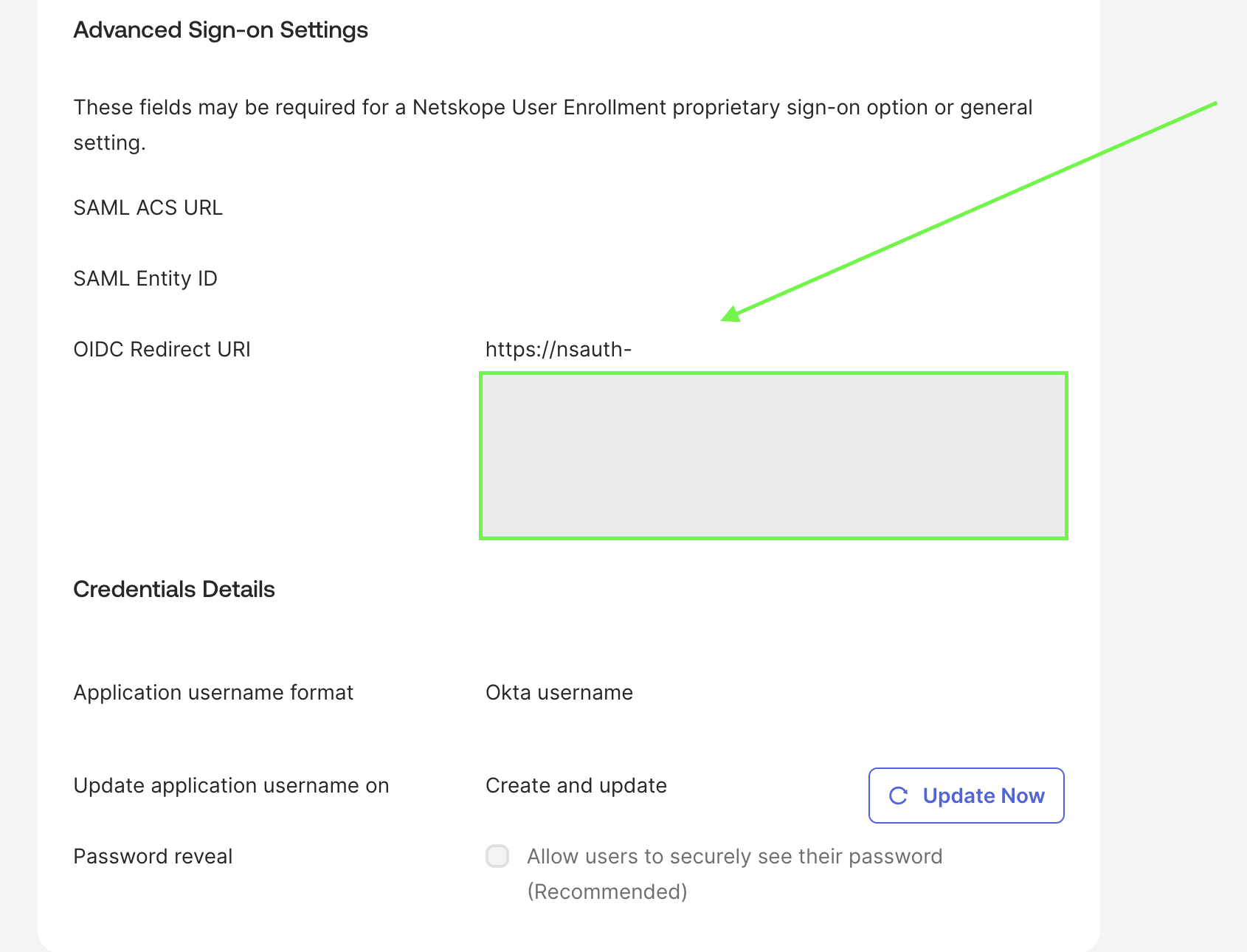
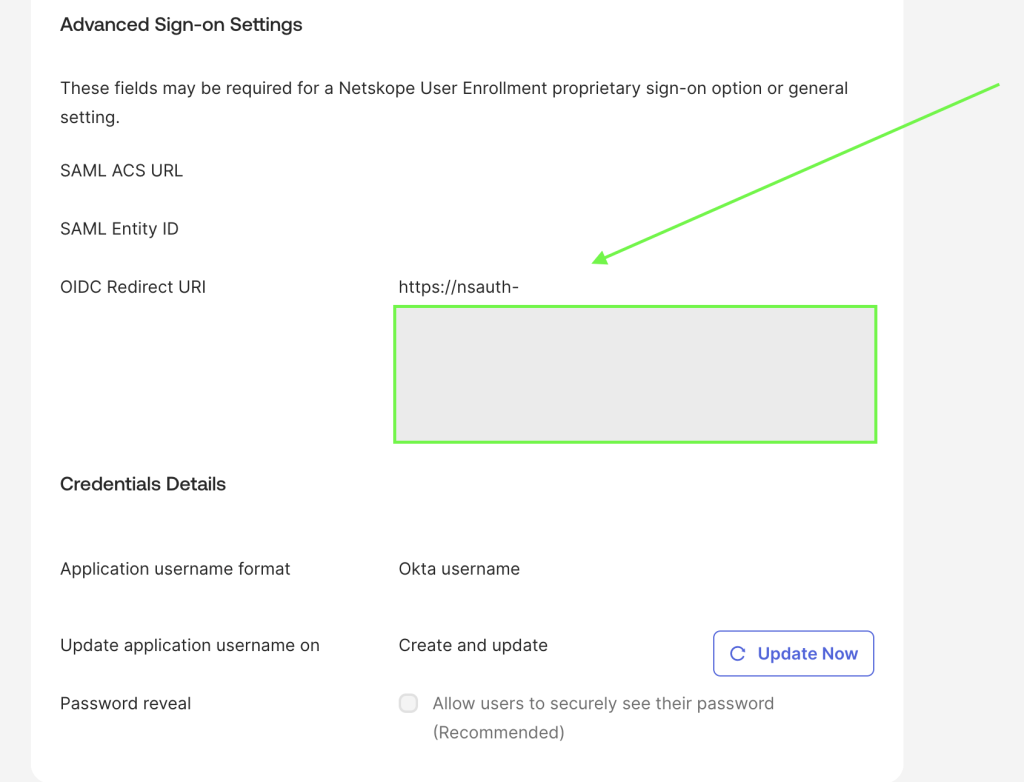
Paste the Callback URL in the OIDC Redirect URI field. The callback URL was generated in the New OIDC Account creation process.
-
To locate your IdP Metadata URLs (JWKS, Token, and Authorization URLs), append your Okta domain to the discovery endpoint format:
https://<your-okta-domain>.okta.com/.well-known/openid-configuration -
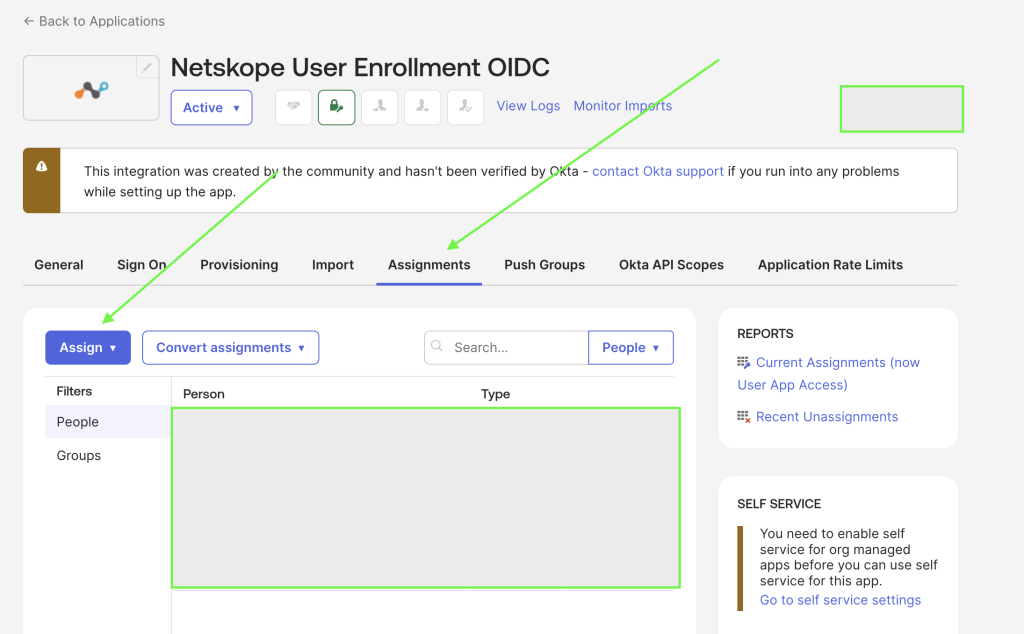
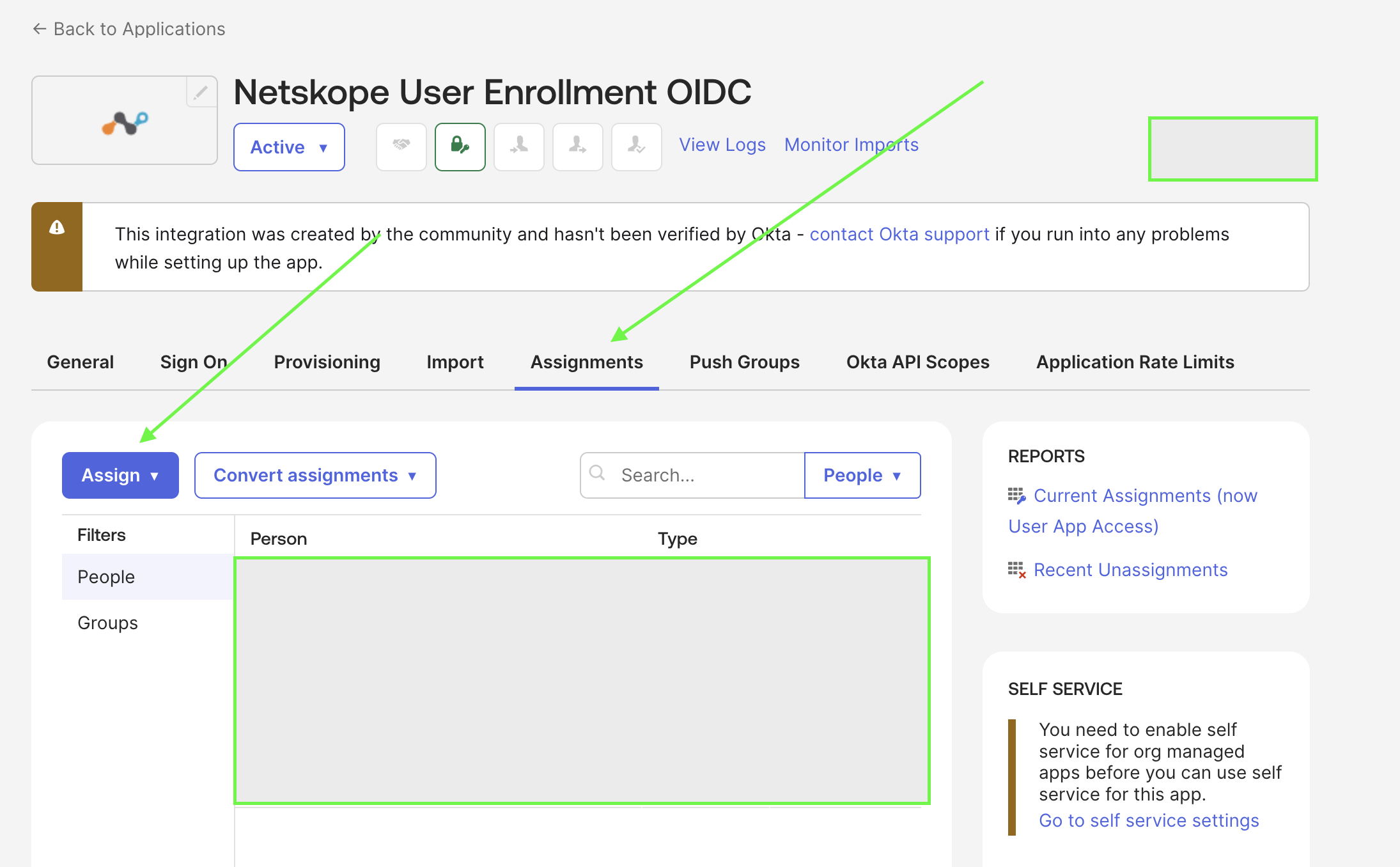
Navigate to the Assignments tab within the Okta application. Assign the application to the appropriate individuals or group directories to grant them authentication access.