

Overview
Netskope DSPM supports scanning DynamoDB data stores. Follow these instructions to set up your DynamoDB database and configure its connection to Netskope DSPM.
Retrieve Connection Information
Use the default endpoint, which is in the format:
dynamodb.{region}.amazonaws.com
For example: https://dynamodb.us-west-2.amazonaws.com
If you have a custom setup and placed it in a VPC, please get in touch with your DevOps team to get the connection details.
Connect Your Data Store
Step 1: Provide Credentials
Follow these steps to configure the connection:
-
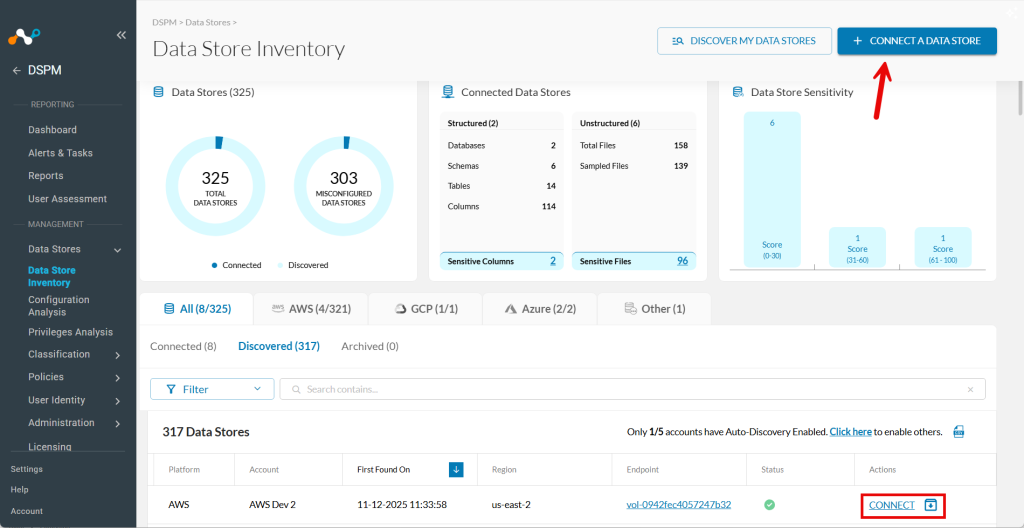
Go to Data Stores > Data Store Inventory.
-
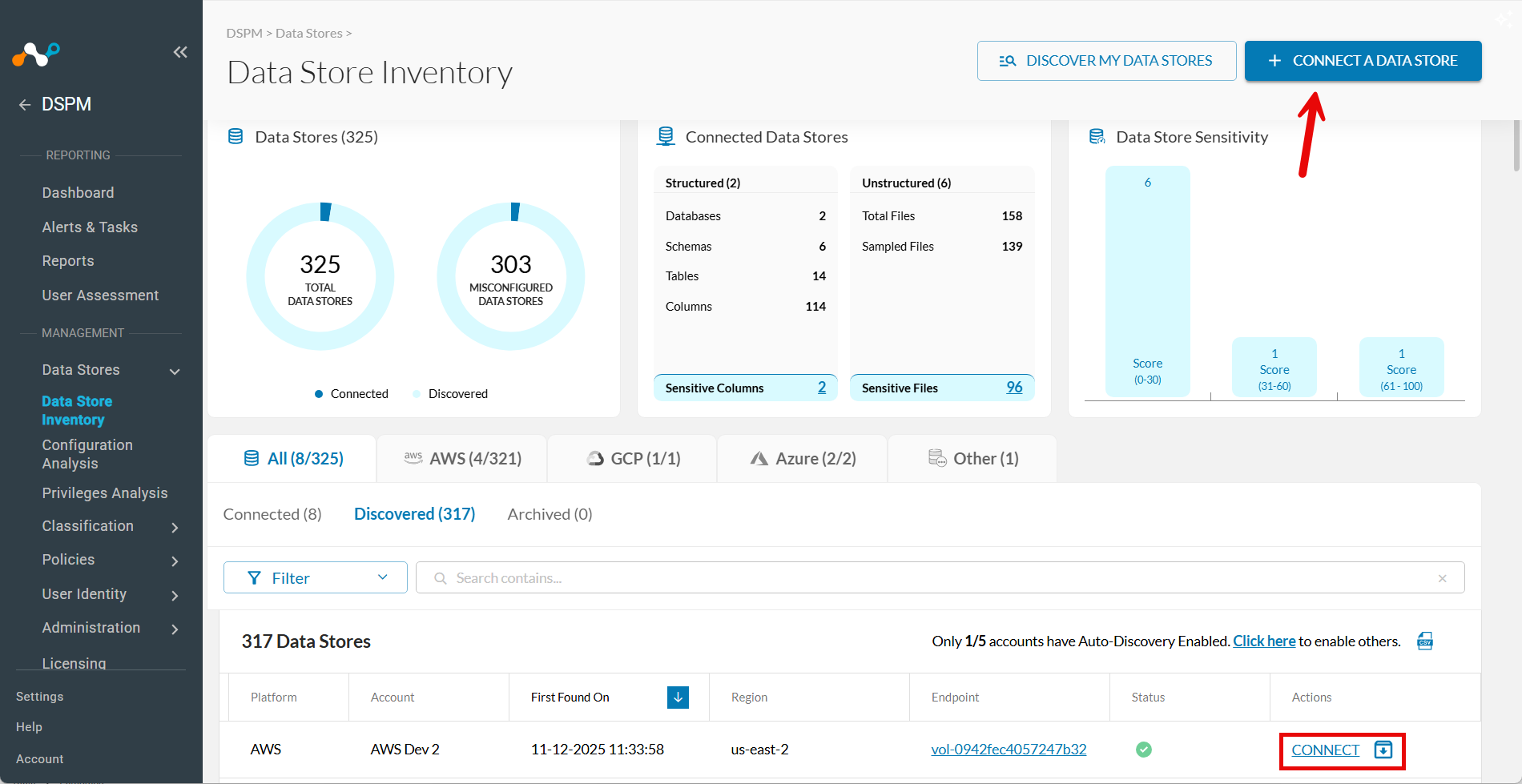
Click CONNECT A DATA STORE in the upper right.
Tip: Alternatively, if the data store was already found by auto-discovery, go to the Discovered tab and click Connect in the Actions column.
-
In the Connect a Data Store window, click the data store icon you wish to connect.
-
In the Provide Credentials section, complete the following fields:
| Field | Value |
|---|---|
| AWS Account Name | Select one of the AWS Accounts defined from the Infrastructure Connections screen. The field defaults if only one AWS account is configured. |
| Data Store Identifier | Enter a friendly name to describe your data store. This value appears in other screens, such as Policy Management and Classification Management. |
| Bucket Name | Enter the name of the S3 bucket you want to scan. Obtain this from your AWS S3 console. |
| Sidecar Pool | If you will use sidecars to monitor this data store, select a sidecar pool with network visibility to the data store. This field appears only when at least one sidecar pool is defined. To learn more, see our Sidecar Administration article. |
| Scan Frequency | This controls how often your Data Store is reviewed for changes. You can override the default recommended frequency if desired. |

Step 2: Scanning Infrastructure
- Click Next.
- When the Select Capabilities tab appears, complete the following fields:
- Assign a Data Owner (Optional): Select one or more users responsible for this data store.
- Which databases should Netskope DSPM scan?: Select the specific data stores and schemas to monitor, if applicable.
- Features: Select the features you want to enable.
| Feature | Supported for DynamoDB |
|---|---|
| Discovery | No |
| Privilege Analysis | No |
| Shadow Data Analysis | No |
| Classification | Yes |
| Data In-Use Monitoring | N/A |
| Automation | No |
Step 3: Review and Save
- Click Save.
- When the Review tab appears, the system validates your configuration. If there are any issues, follow the on-screen instructions to fix them.
- Click Save to finalize the connection.