

To create a SaaS security posture policy:
-
Log in to your Netskope tenant UI.
-
Navigate to Policies > SaaS Security Posture Management.
-
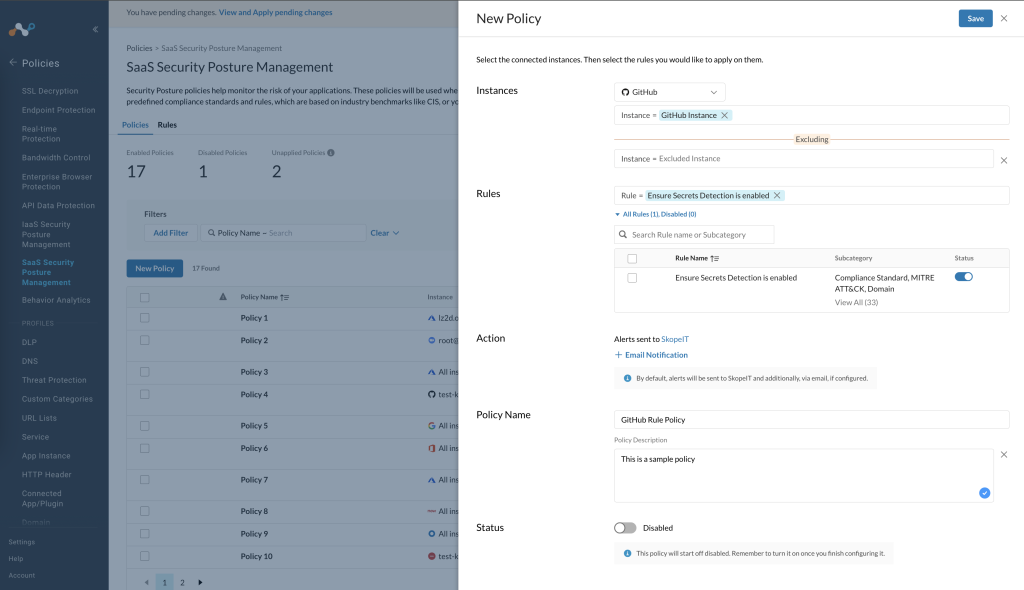
In the Policies tab, click New Policy. The New Policy side panel opens. Fill in the following details:
-
Instances: Select the SaaS app and instances you want this policy to execute on.
-
You can leave the Instance field empty and all instances will be scanned.
-
You can select a subset of instances.
-
Exceptions: You can set an exception list whereby the policy excludes scanning from the selected instances.
-
-
Rules: Select rules from a set of predefined and custom rules. In addition, you can also select a Compliance Standard, Domain, MITRE ATT&CK, and Netskope Best Practices from a list of predefined categories.
You can selectively enable or disable a rule. On disabling a rule, Netskope will not list and evaluate the resources of the SaaS app in relation to the disabled rule. When you disable a rule, it gets disabled from the specific policy only. If the same rule exists in a different policy, the rule remains active in that policy.
If you choose a cross-app-suite rule in a policy, ensure that you leave the Instance field blank. A cross-app-suite rule is a type of rule where the rule can apply to multiple SaaS apps. -
Action: By default, alerts will be sent whenever the policy is triggered.
-
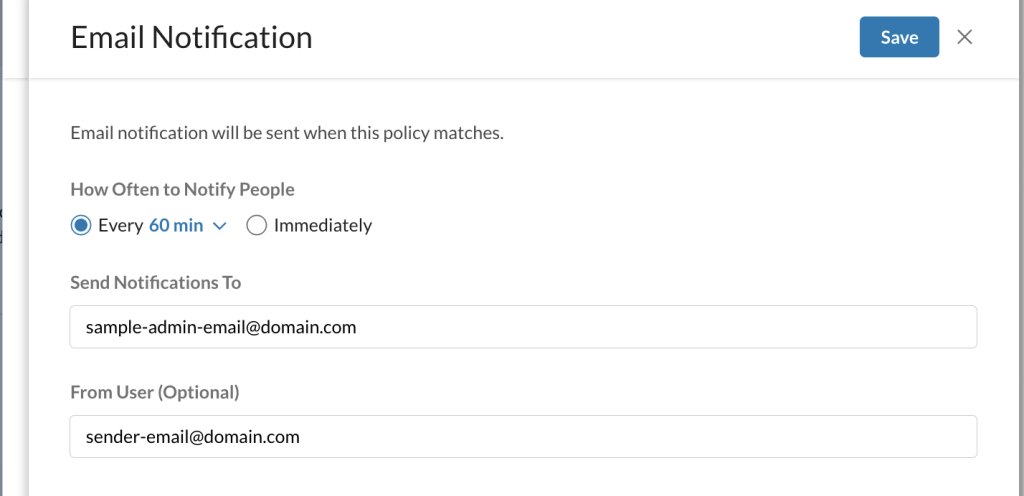
Optional Email notification: You can configure email notification, so an email will be sent when the policy is triggered.
-
-
Policy Name: Enter the name of the policy.
-
(Optional) Policy Description: Enter a short description.
-
-
Status: Enable or Disable the policy. By default, the policy is disabled.
-
-
On the top right, click Save.
-
View and Apply pending changes.


Once you apply changes, Netskope accesses and analyzes the posture of the SaaS app resources, and alerts the administrator for risk and possible remediation.