

This document explains how to configure the CrowdStrike Next-Gen SIEM v1.0.0 plugin with the Log Shipper module of the Netskope Cloud Exchange platform. This plugin supports the ingestion of Alerts (DLP, Malware, Policy, Compromised Credential, Malsite, Quarantine, Remediation, Security Assessment, Watchlist, UBA, and CTEP) and Events (Page, Application, Audit, Infrastructure, Network, Incident, and Endpoint) to HEC / HTTP Event Connector on CrowdStrike Next-Gen SIEM platform. This plugin only supports sharing raw JSON data to CrowdStrike Next-Gen SIEM.
Prerequisites
To complete this configuration, you need:
- A Netskope tenant (or multiple, for example, production and development/test instances).
- A Cloud Exchange tenant with the Tenant plugin and Log Shipper plugin already configured.
- Access to a CrowdStrike Next-Gen SIEM Server to get your API URL and API Token.
- Subscription to CrowdStrike Next-Gen SIEM service with valid certificates.
- Connectivity to the following host: https://*.ingest.us-1.crowdstrike.com/services/collector.
CrowdStrike Next-Gen SIEM Plugin Support
This plugin supports the ingestion of Alerts (DLP, Malware, Policy, Compromised Credential, Malsite, Quarantine, Remediation, Security Assessment, Watchlist, UBA, and CTEP) and Events (Page, Application, Audit, Infrastructure, Network, Incident, and Endpoint) to HEC / HTTP Event Connector on CrowdStrike Next-Gen SIEM platform. This plugin only supports sharing raw JSON data to CrowdStrike Next-Gen SIEM.
Types of Data Supported
| Data Type | Description |
|---|---|
| Alerts Support | Yes (Compromised Credential, Policy, Malsite, Malware, DLP, Security Assessment, Watchlist, Quarantine, Remediation, UBA, CTEP) |
| Event Support | Yes (Page, Application, Audit, Infrastructure, Network, Incident, Endpoint) |
| WebTx Support | Not Supported |
| CE Logs | Not Supported |
API Details
List of APIs Used
| API Endpoint | Method | Use Case |
|---|---|---|
| /services/collector | POST | Ingest Alert and Events |
Ingest Alert and Events
API endpoint: /services/collector
Method: POST
Headers
| Key | Value |
|---|---|
| Authorization | Bearer <API Token> |
| Content-Type | application/json |
| User-Agent | netskope-ce-5.1.0-cls-crowdstrike-next-gen-siem/1.0.0 |
API Payload
| Key | Value | |
|---|---|---|
| event | Alert/Event JSON payload | |
| timestamp | Timestamp in epoch format. e.g.1739436774 | |
| fields | #ce_log_source | Unique identifier for cloud exchange logs. Value: netskope-ce |
| #ce_log_source_identifier | Log Identifier for searching on Next-Gen SIEM. Default value: Netskope Cloud Exchange | |
| #ce_tenant_name | Tenant configuration name on cloud exchange. Example: Plugins | |
Sample API Payload
{
  "event": "<JSONalert/event>",
  "timestamp": 1739436774,
  "fields": {
    "#ce_log_source": "netskope-ce",
    "#ce_log_source_identifier": "Netskope Cloud Exchange",
    "#ce_tenant_name": "Plugins"
  }
}
Sample API Response
{
 "text": "Success",
 "code": 0
}
Performance Matrix
This performance reading is conducted on a Large Stack CE with these VM specifications. These readings are added factoring that it will ingest around 10K alerts and events in ~8.65 seconds to the CrowdStrike Next-Gen SIEM platform.
| Stack Details | Alerts/Events ingested to third-party SIEM |
|---|---|
| Size: Large RAM: 32 GB CPU: 16 Cores | ~200K EPM |
User Agent
netskope-ce-5.1.0-cls-crowdstrike-next-gen-siem/1.0.0
Workflow
- Configure on HEC/HTTP Event Connector on CrowdStrike Next-Gen SIEM
- Configure the Netskope Tenant and Netskope CLS Plugins
- Configure the CLS CrowdStrike Next-Gen SIEM Plugin
- Add Business Rules
- Add SIEM Mapping
- Validation
Click play to watch a video.
Configure a Connector on CrowdStrike Next-Gen SIEM
- Log in to CrowdStrike Platform
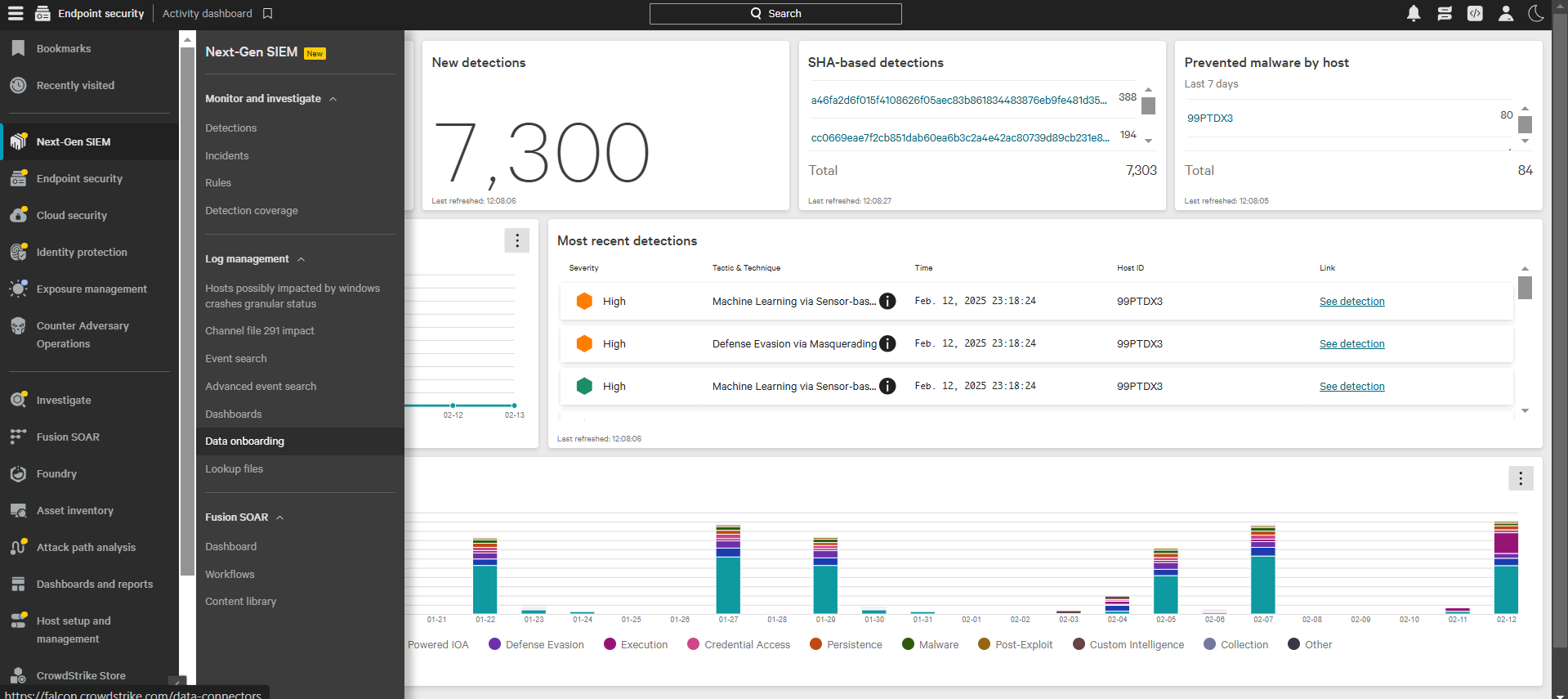
- Click on the menu from the upper left corner, and go to Next-Gen SIEM > Data onboarding.
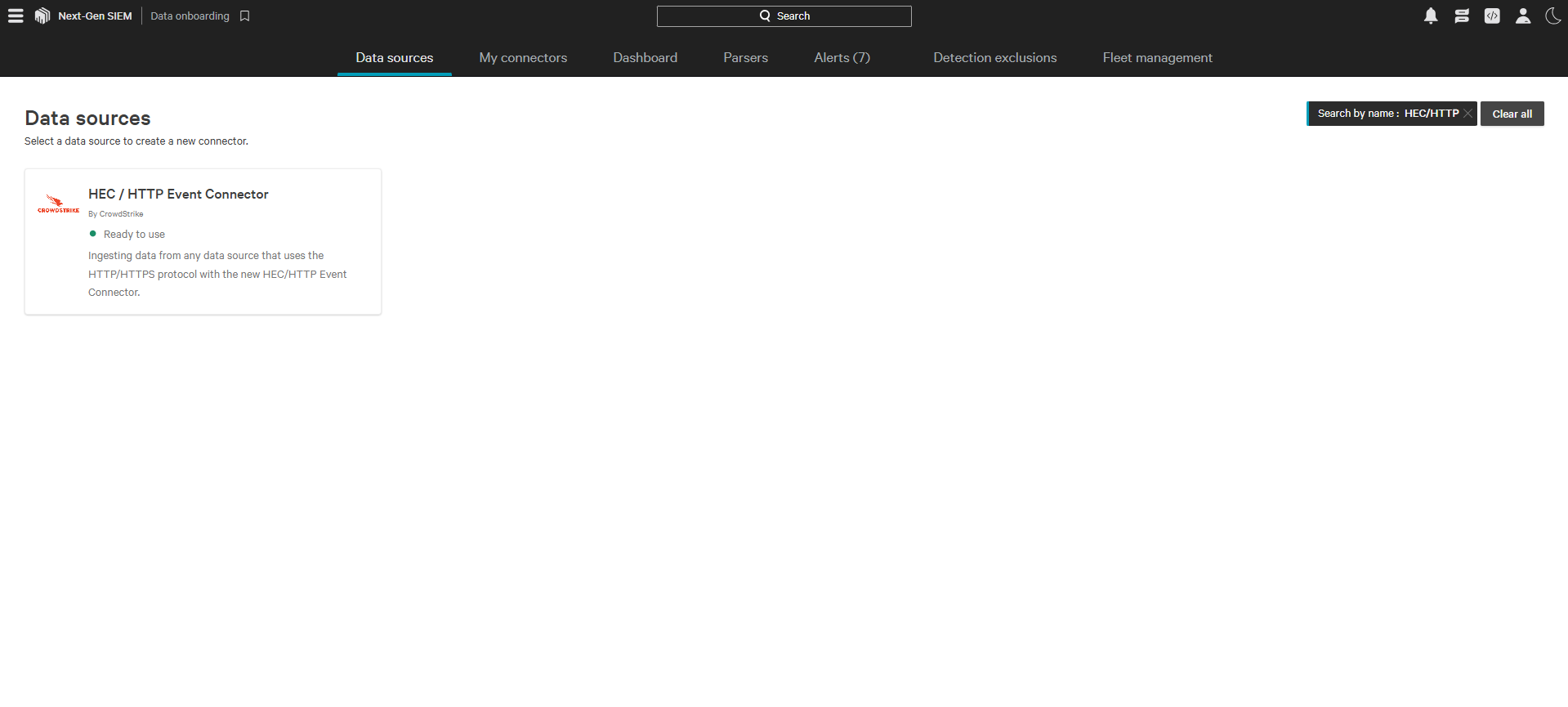
- Search for HEC / HTTP Event Connector.
- Click on the connector card, add a Data source (Data type as JSON) and Connector name, and add the netskope-sse parser.
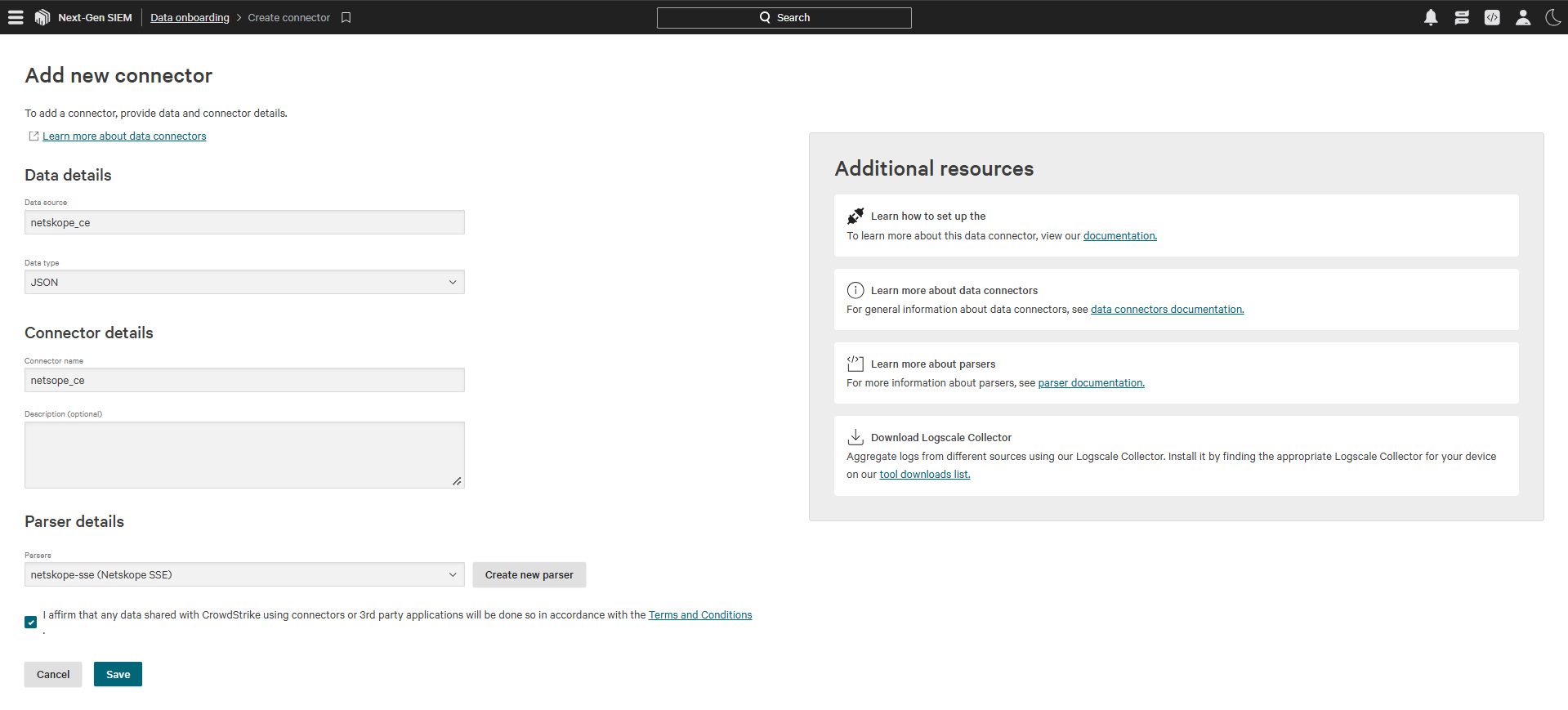
- Click the Terms and Conditions affirmation, and then click Save; this will create a connector on the My Connectors page.

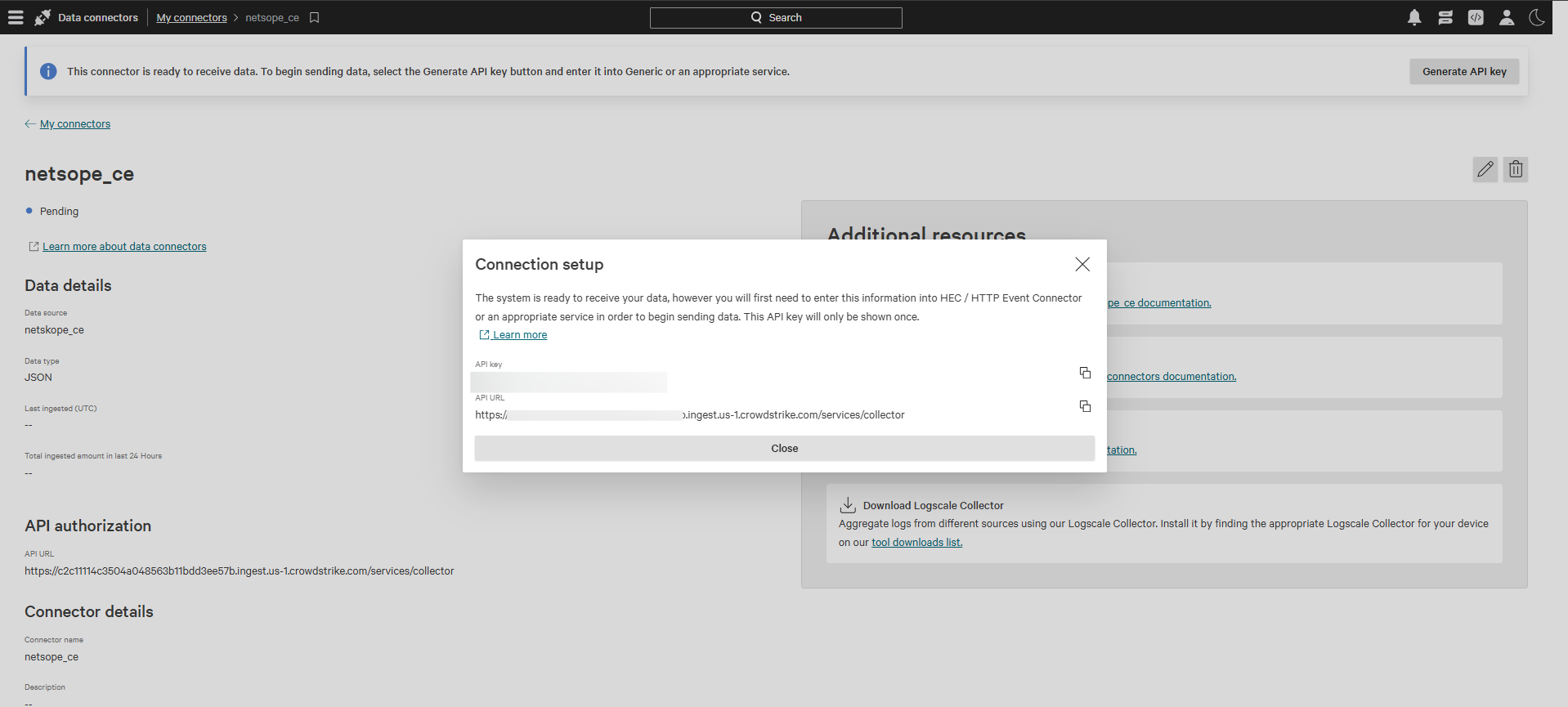
- To create the API URL and API token, click Generate API key. This will display the API URL and API Token. Save these, because the API Token can not be seen after closing it.
Configure the CrowdStrike Next-Gen SIEM Plugin
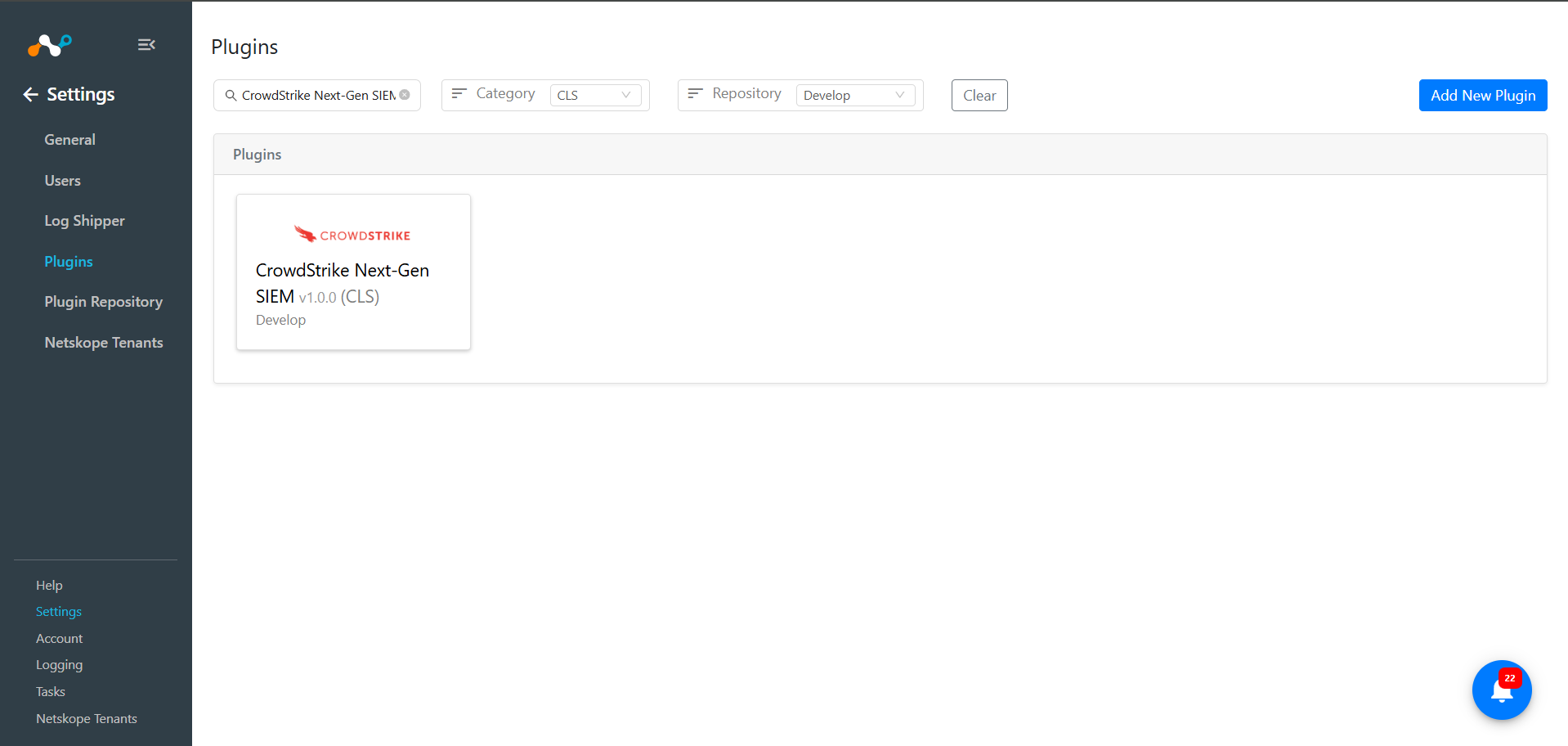
- In Cloud Exchange, go to Settings > Plugins. Search for and select the CrowdStrike Next-Gen SIEM v1.0.0 (CLS) plugin box.
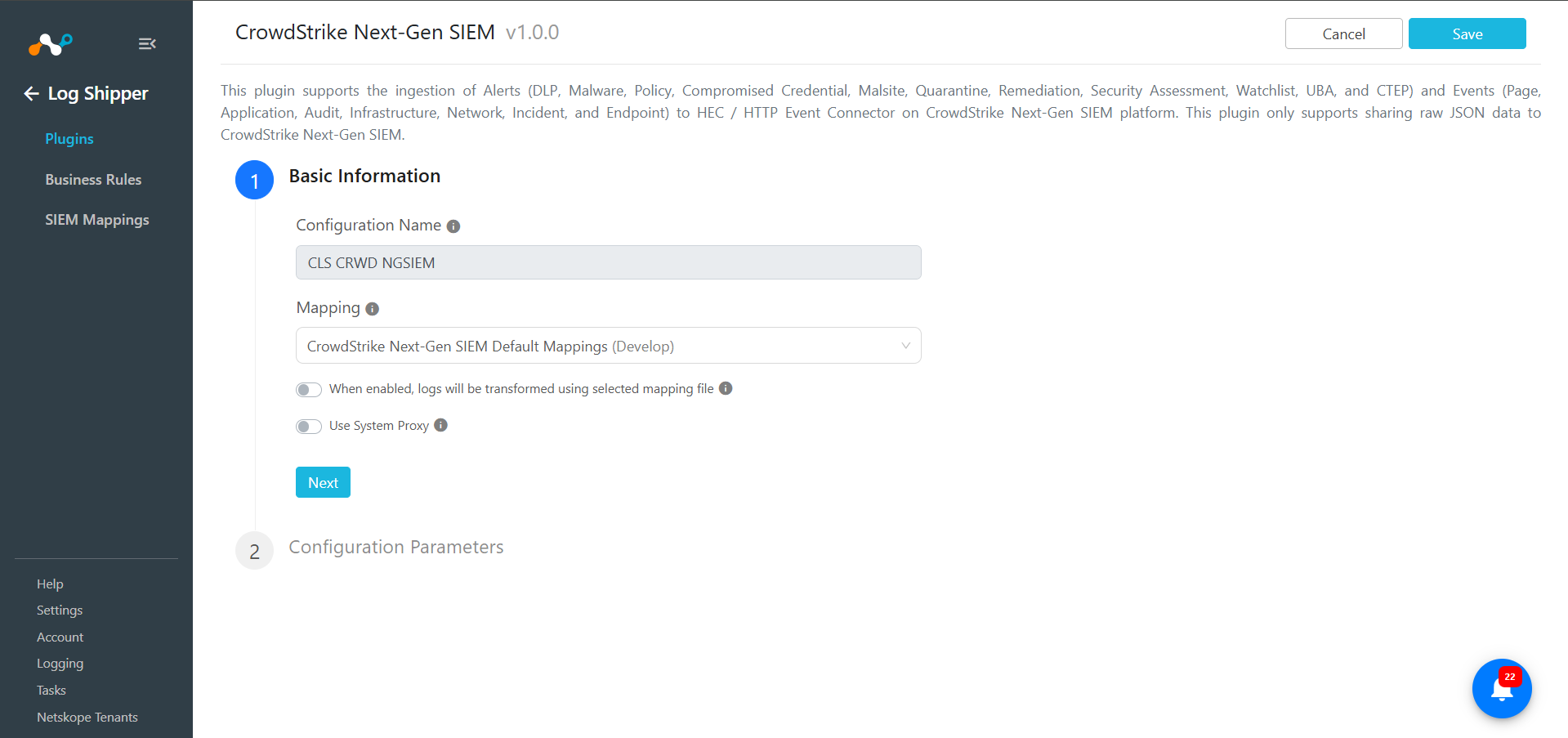
- Enter a configuration name, and make sure you have the CrowdStrike Next-Gen SIEM Default Mapping file selected. Disable the toggle button to transform the logs to ingest the data in JSON.
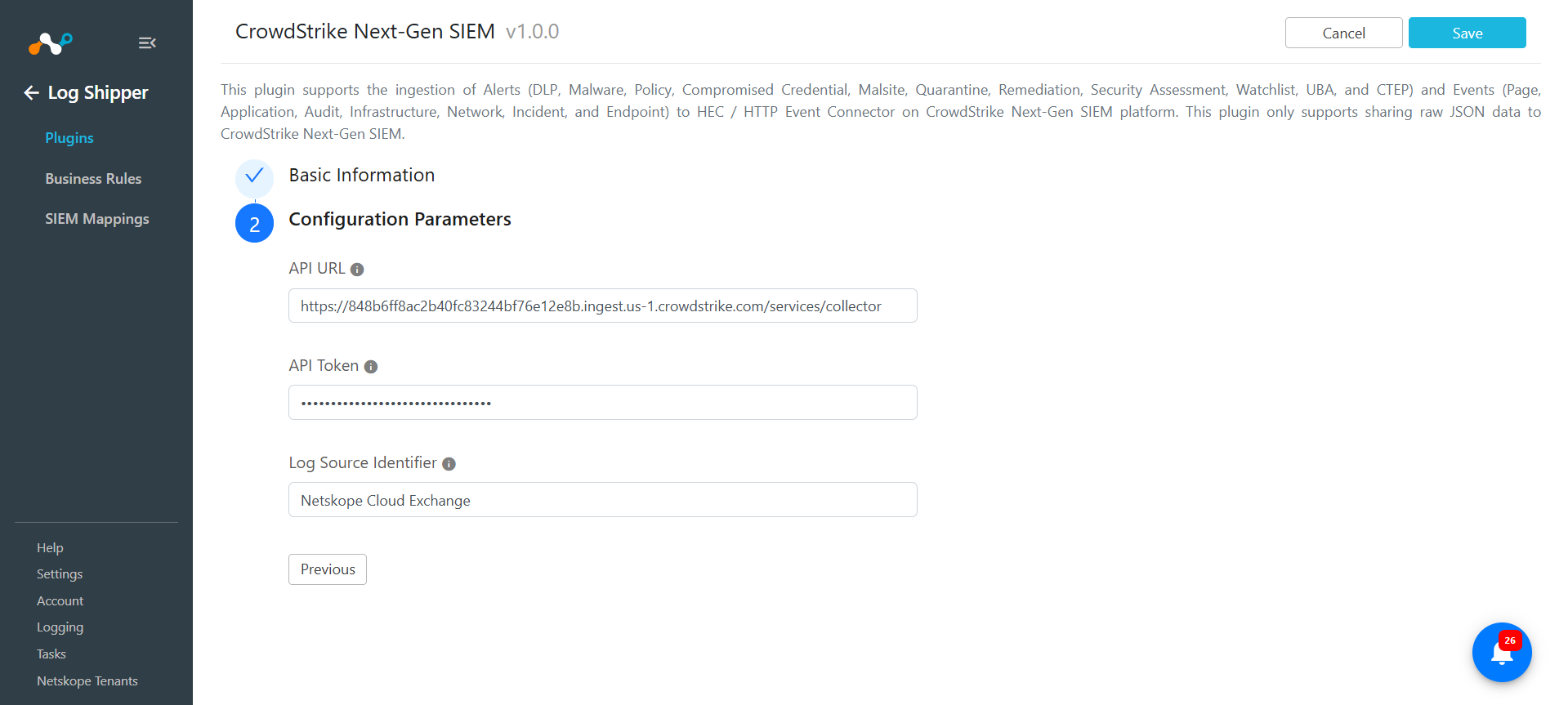
- Click Next, and enter the conifiguration parameters:
- API URL: Enter your API URL obtained previously. Example: https://<UniqueIdentifier>.ingest.<Region>.crowdstrike.com/services/collector.
- API Token: Enter your API Token obtained previously.
- Log Source Identifier: This will be added as a tag to all the alerts and events. Default value is Netskope Cloud Exchange.
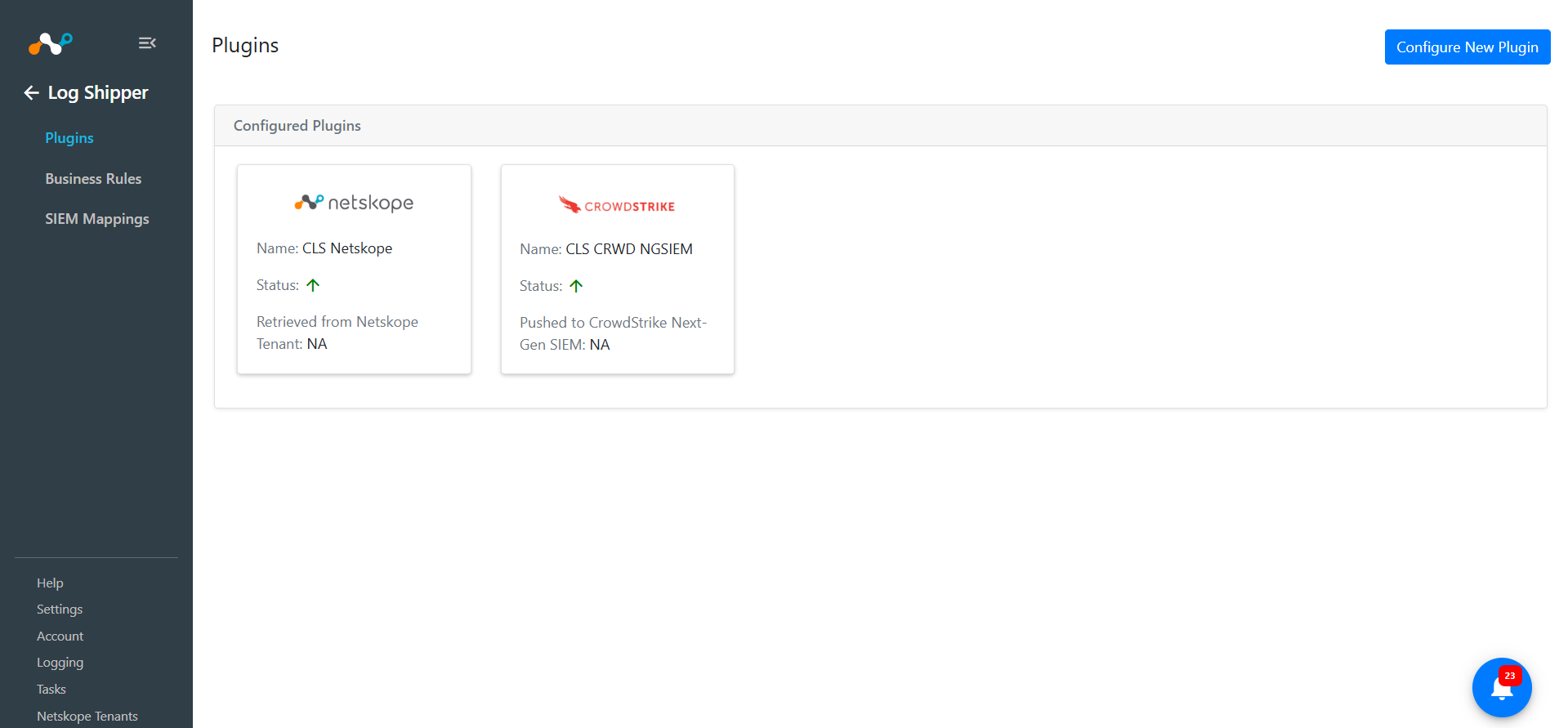
- Click Save. This plugin configuration will be available on the Log Shipper > Plugins page.
Configure a Log Shipper Business Rule for the CrowdStrike Next-Gen SIEM Plugin
- In Log Shipper, go to Business Rules.
- By default, there a business rule that filters all alerts and events. If you want to filter out any specific type of alert or event, click Create New Rule and configure a new business rule by adding the rule name and filter.
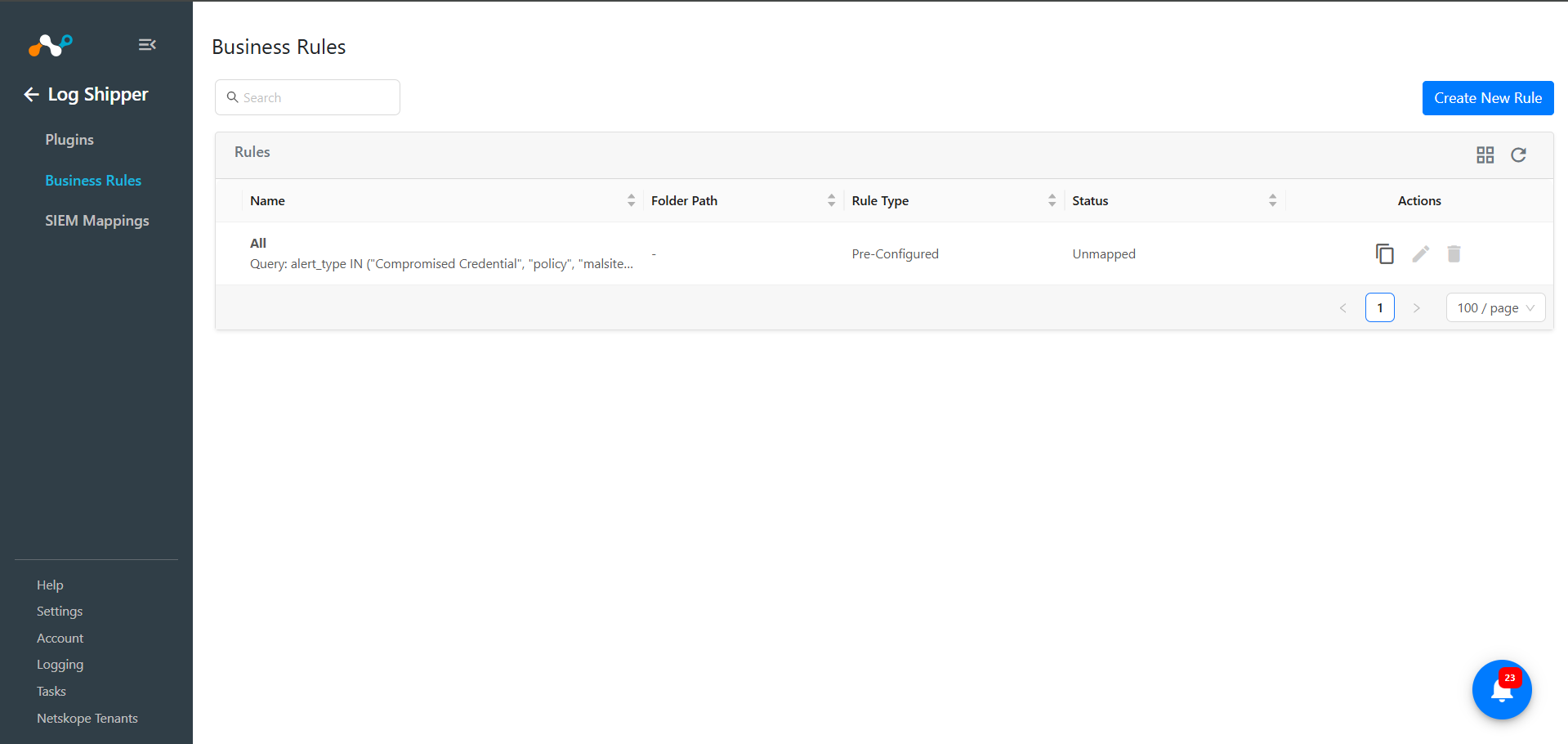
- When finished, click Save.
Configure a Log Shipper SIEM Mapping for the CrowdStrike Next-Gen SIEM Plugin
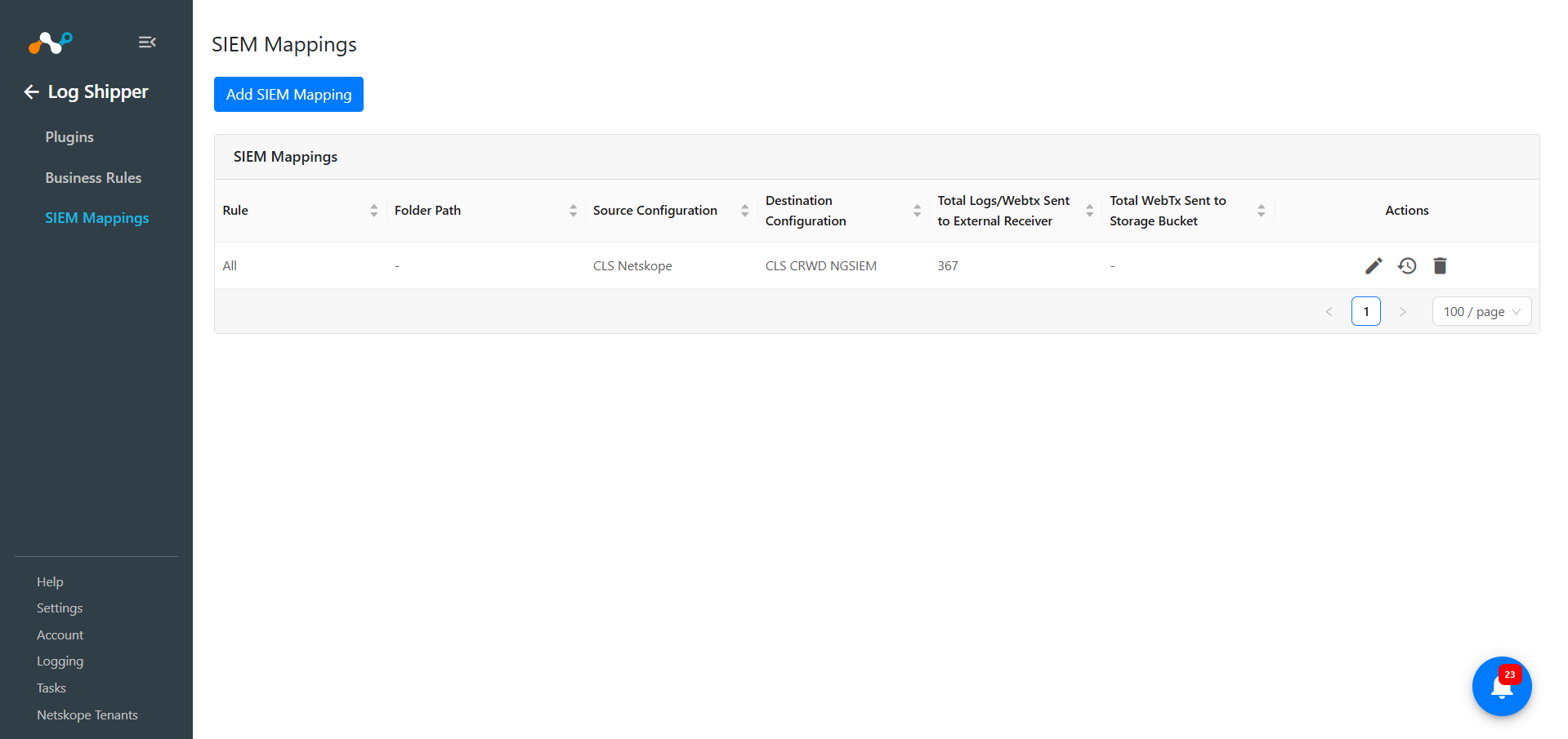
- In Log Shipper, go to SIEM Mappings and click Add SIEM Mapping.
- Select the Source plugin (CLS Netskope), Destination plugin (CrowdStrike Next-Gen SIEM), and a business rule, and then click Save.
- After the SIEM mapping is added, the data will start to be pulled from the Netskope tenant, transformed, and ingested into the CrowdStrike Next-Gen SIEM platform.
Validate the CrowdStrike Next-Gen SIEM Plugin
Validate the Pull
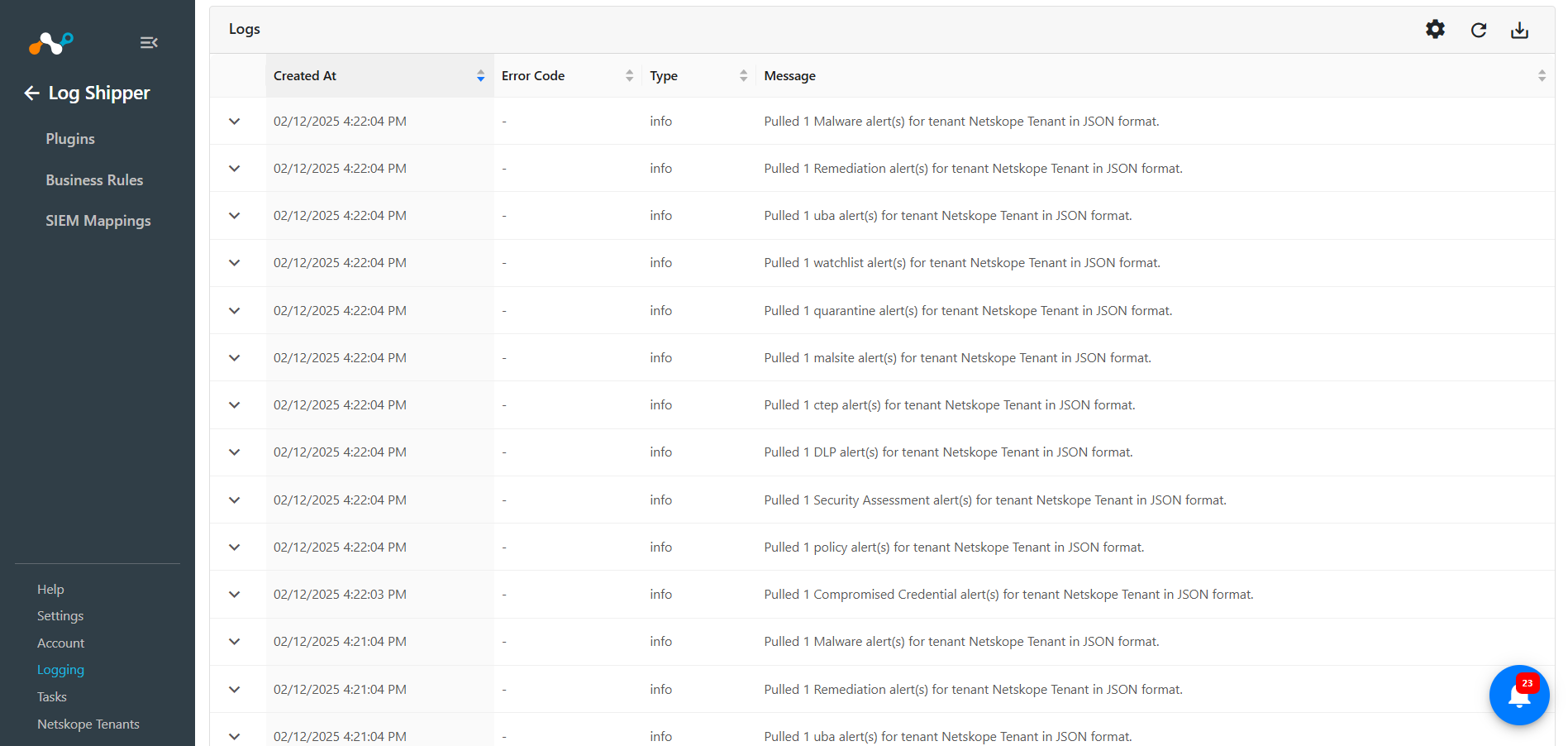
Go to the Logging in Cloud Exchange and search for the pulled logs. 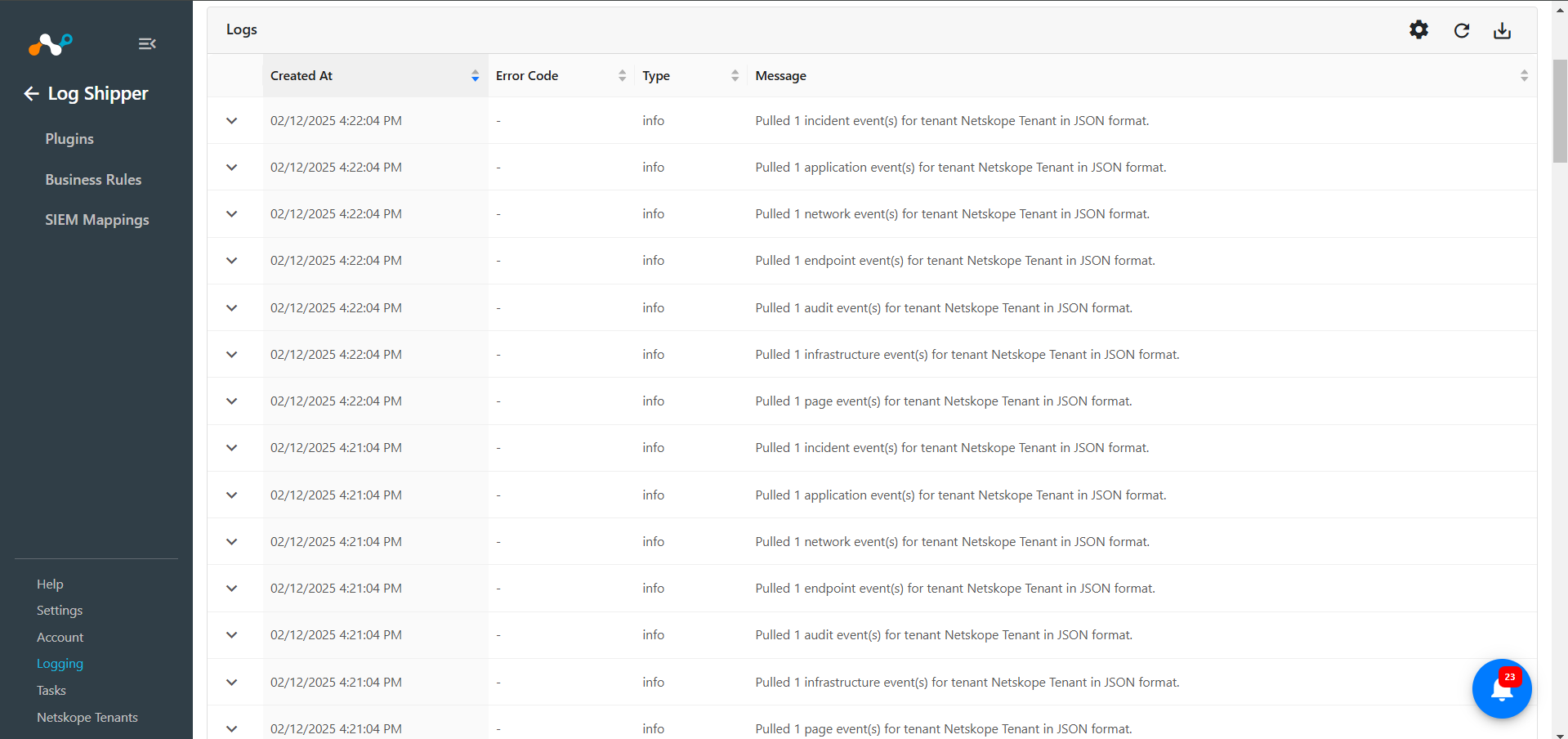
Validate the Push
To validate the plugin workflow in Cloud Exchange:
Go to Logging and search for ingested Events and Alerts with the filter message contains ingested. The ingested logs will be filtered. 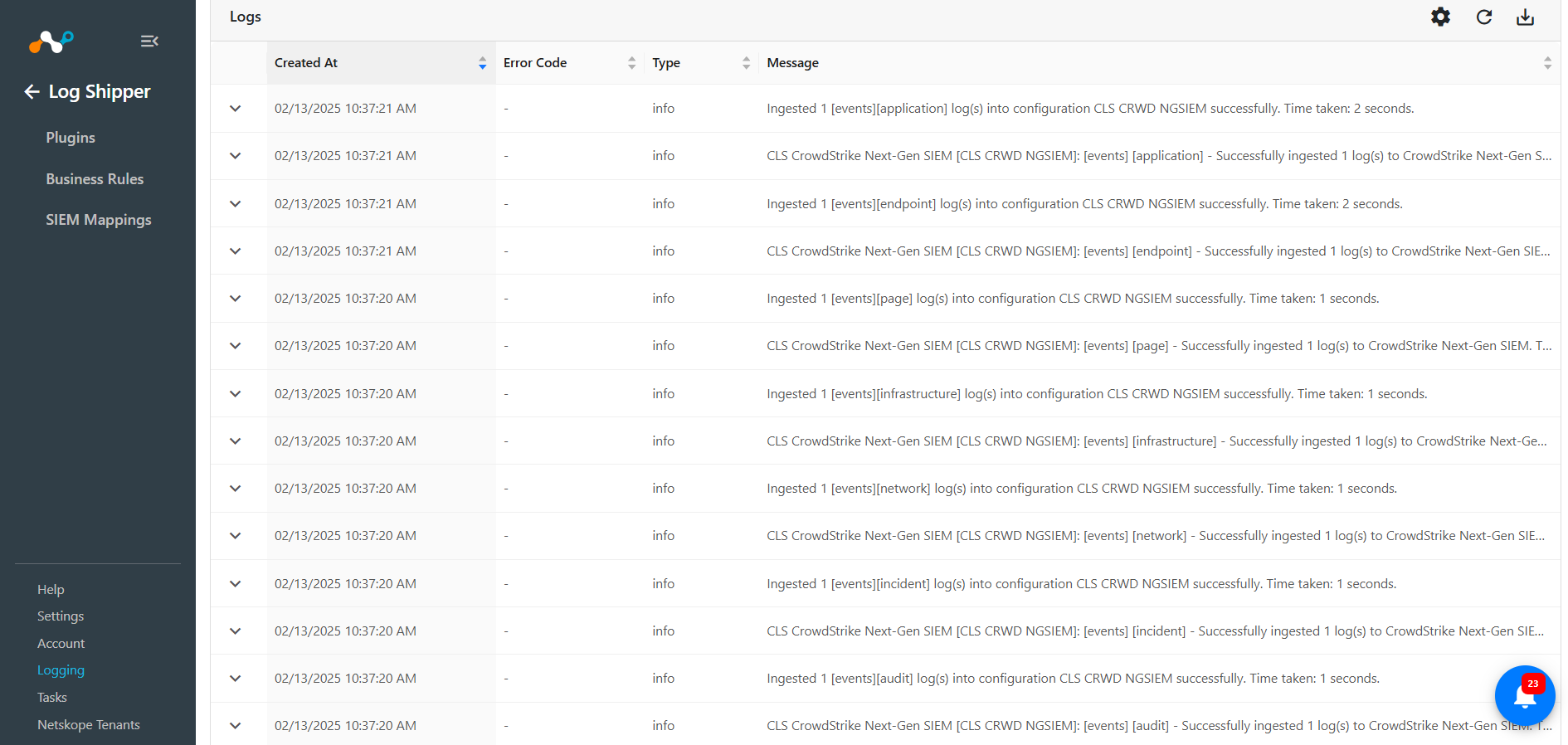
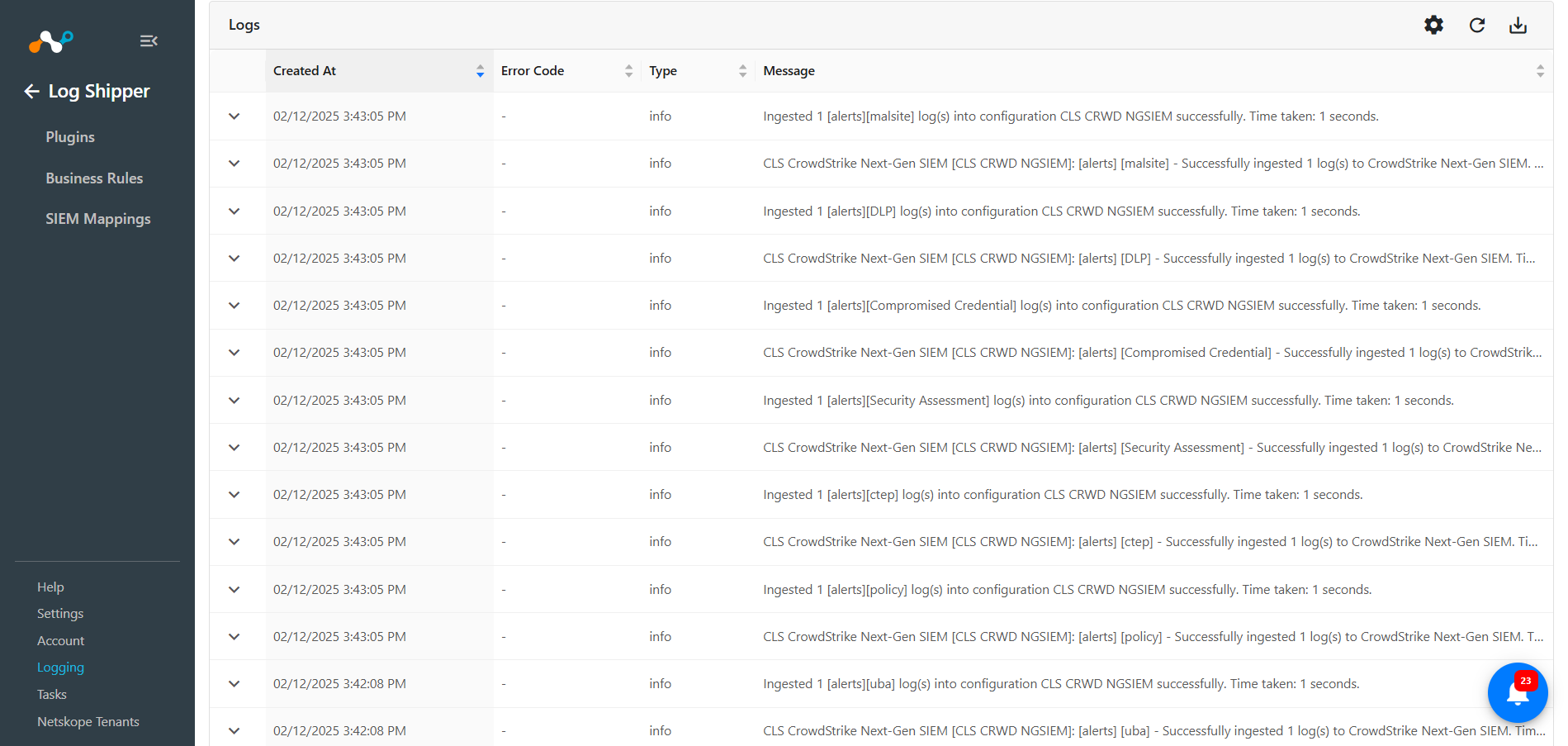
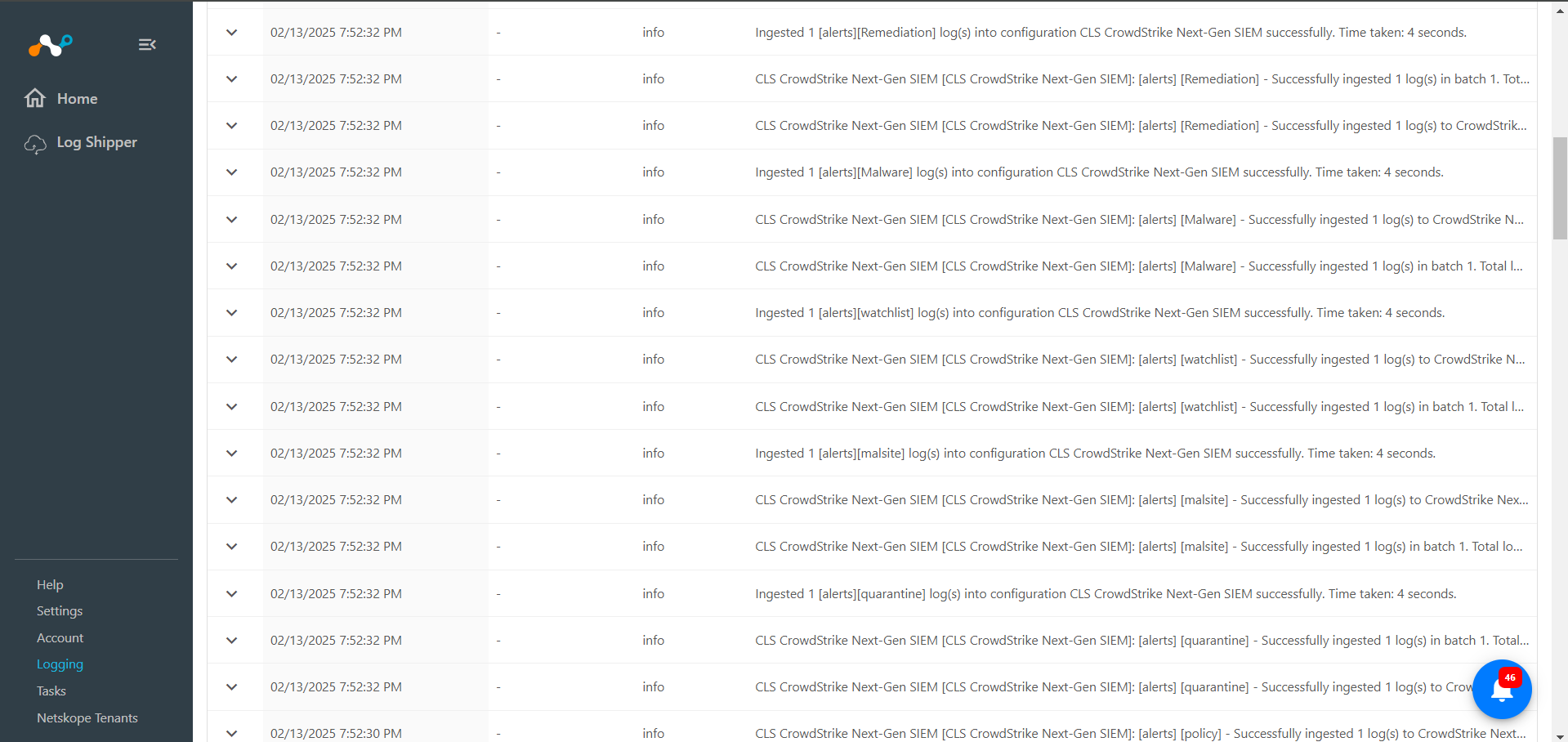
To validate the push on the CrowdStrike Next-Gen SIEM platform:
- Log in to CrowdStrike.
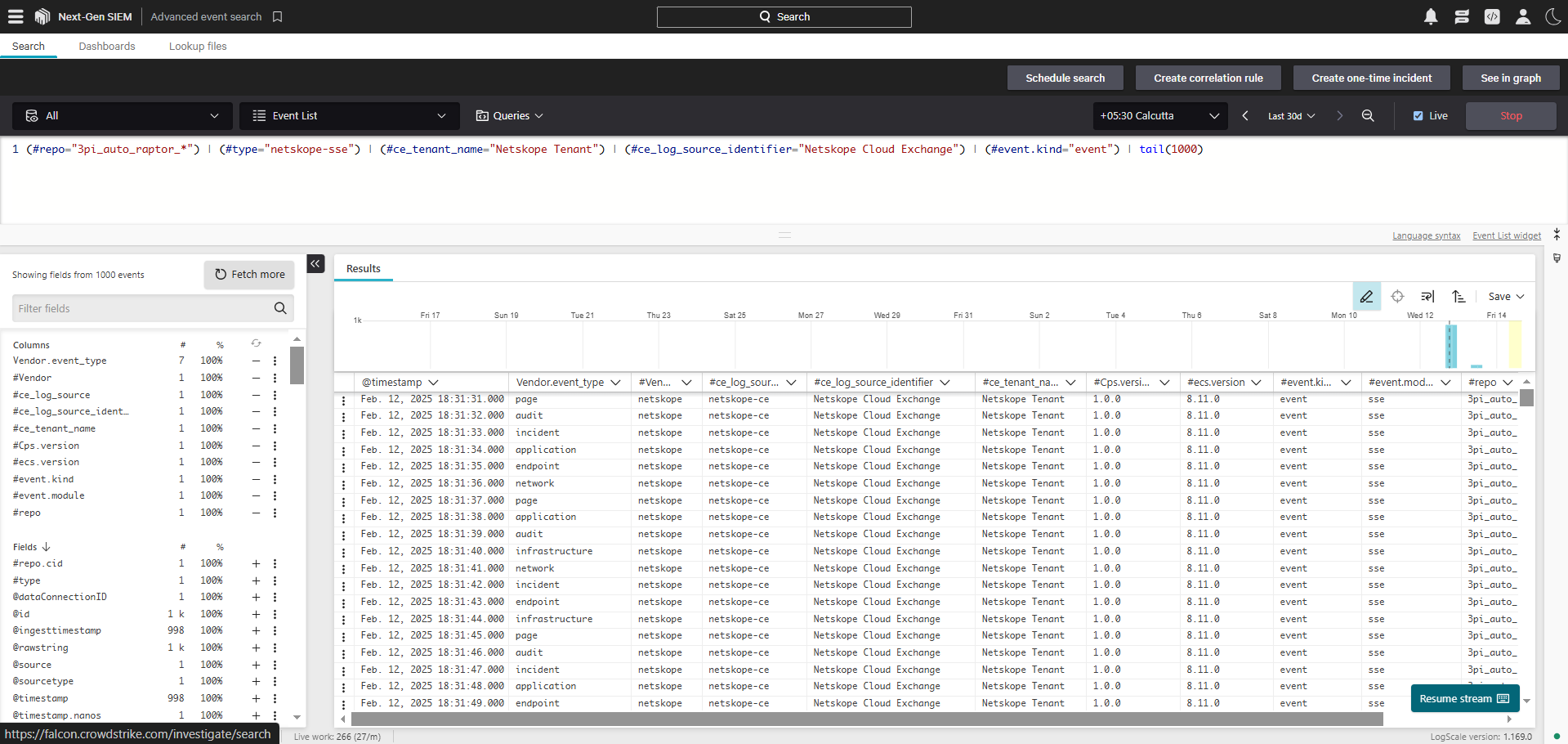
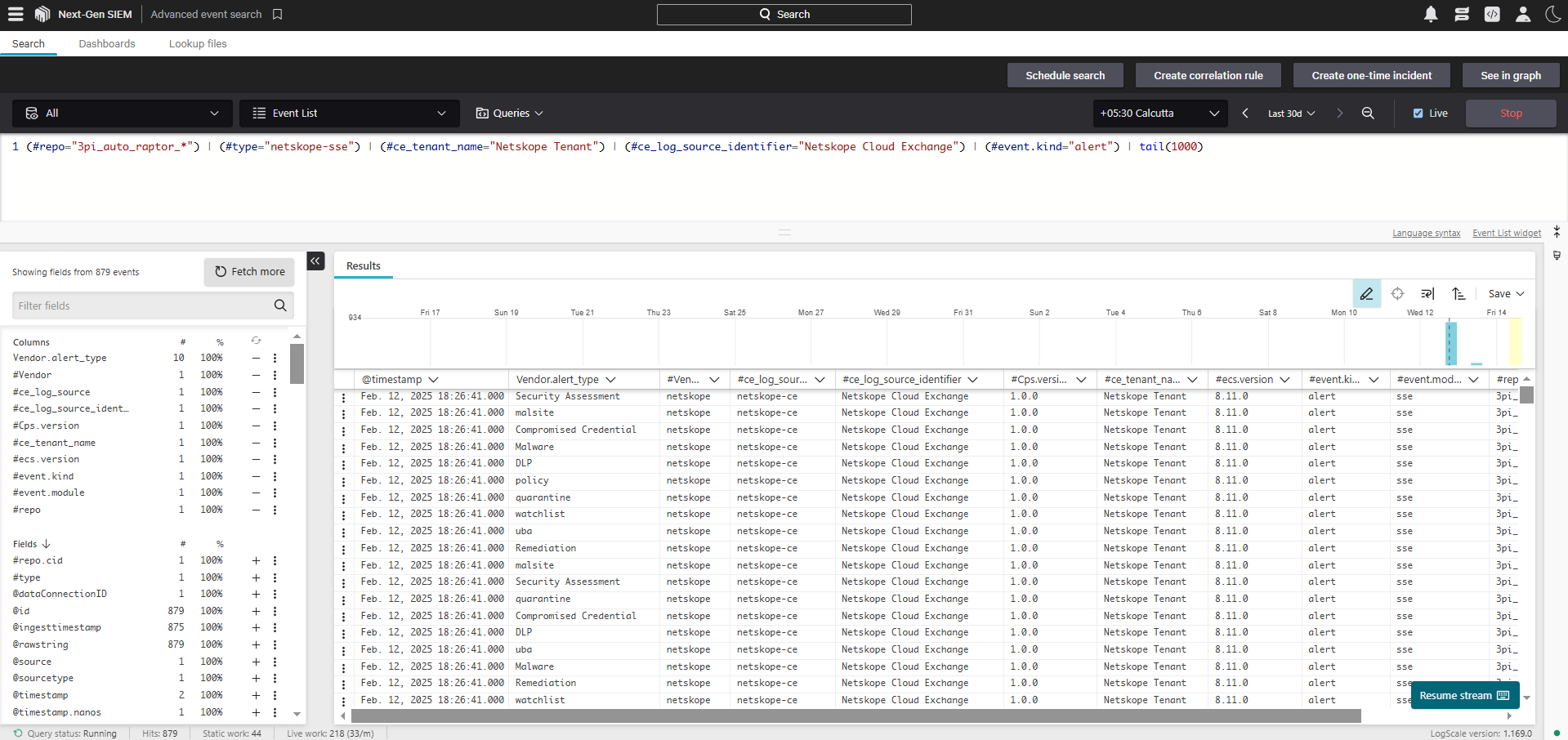
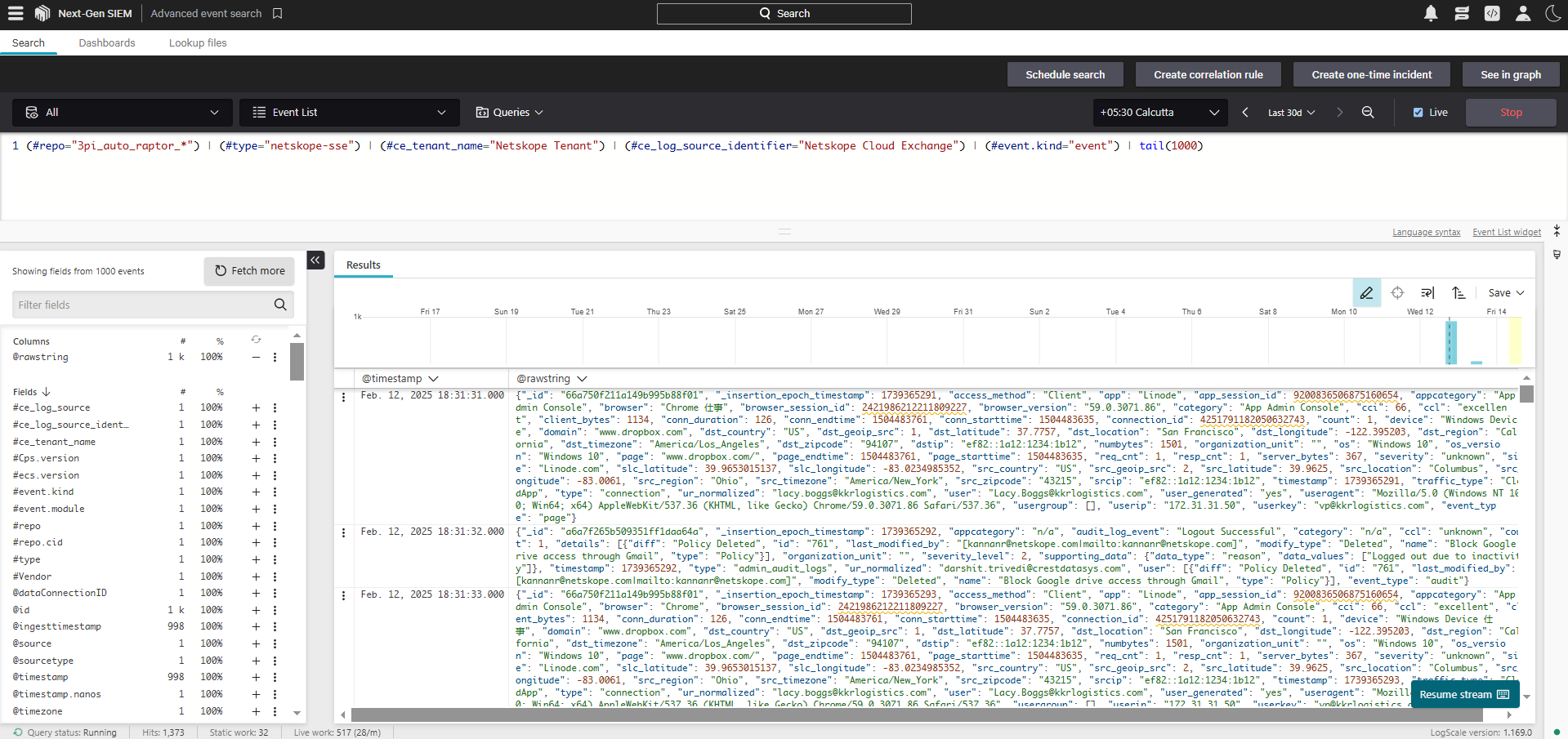
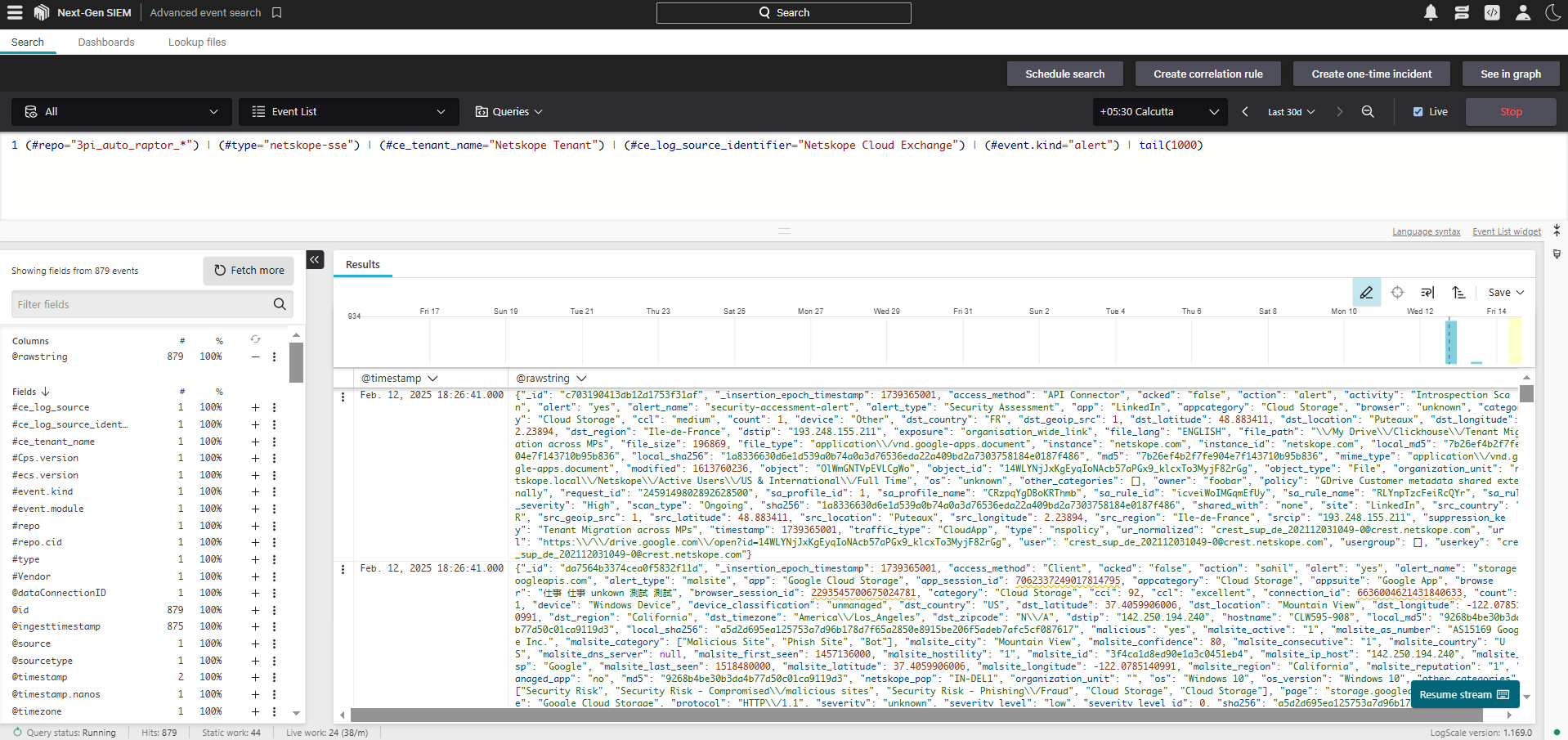
- Click on the menu from the upper left corner, and go to Next-Gen SIEM > Advanced event search.
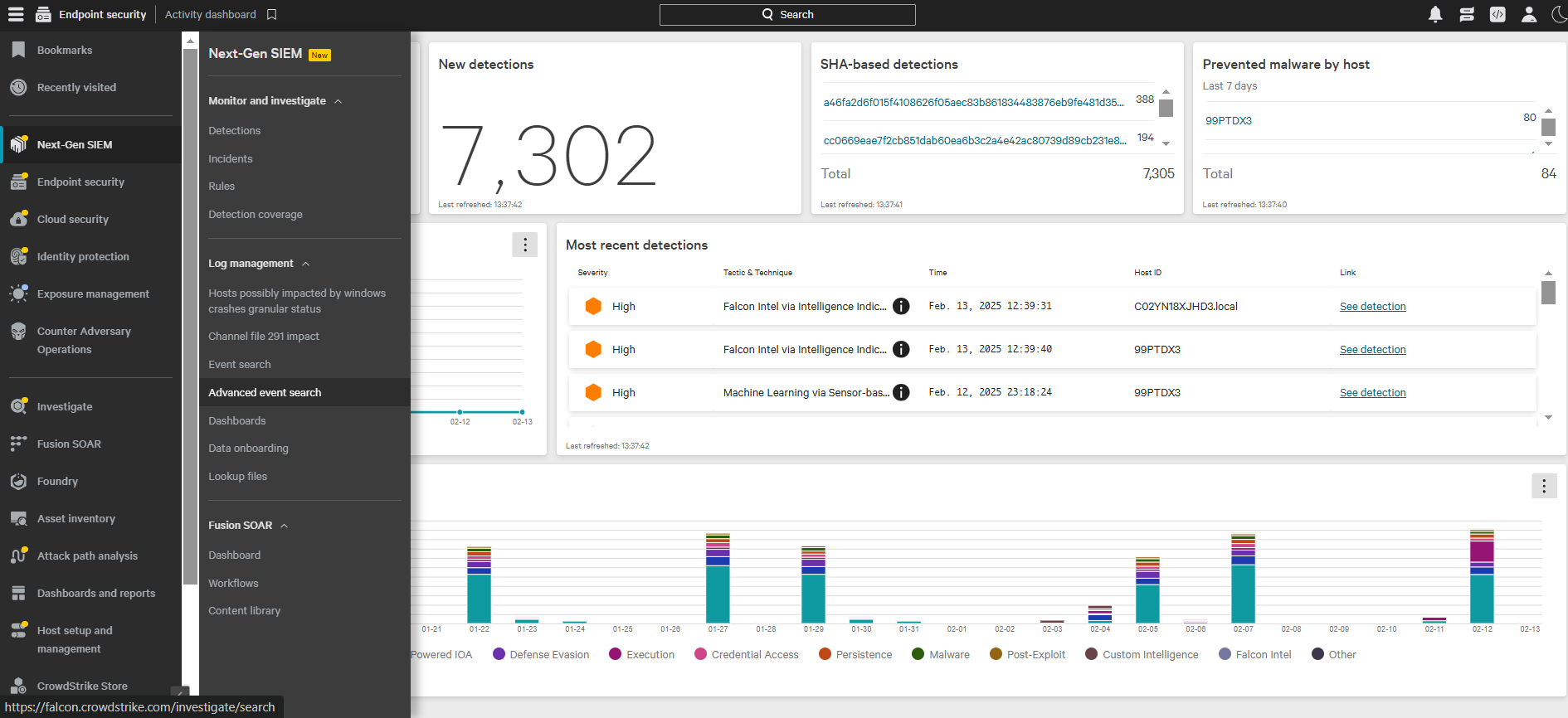
-
Add query like “(#type=”netskope-sse”) | (#ce_log_source_identifier=”Netskope Cloud Exchange”) | tail(1000)”, and also, events and alerts can be distinguished by adding (#event.kind=”alert”) or (#event.kind=”event”).
Troubleshooting
Difficulties with saving the CrowdStrike Next-Gen SIEM plugin
Despite entering all parameters and clicking Save, an error may occur, possibly due to the server/port configuration differing from the specified settings. 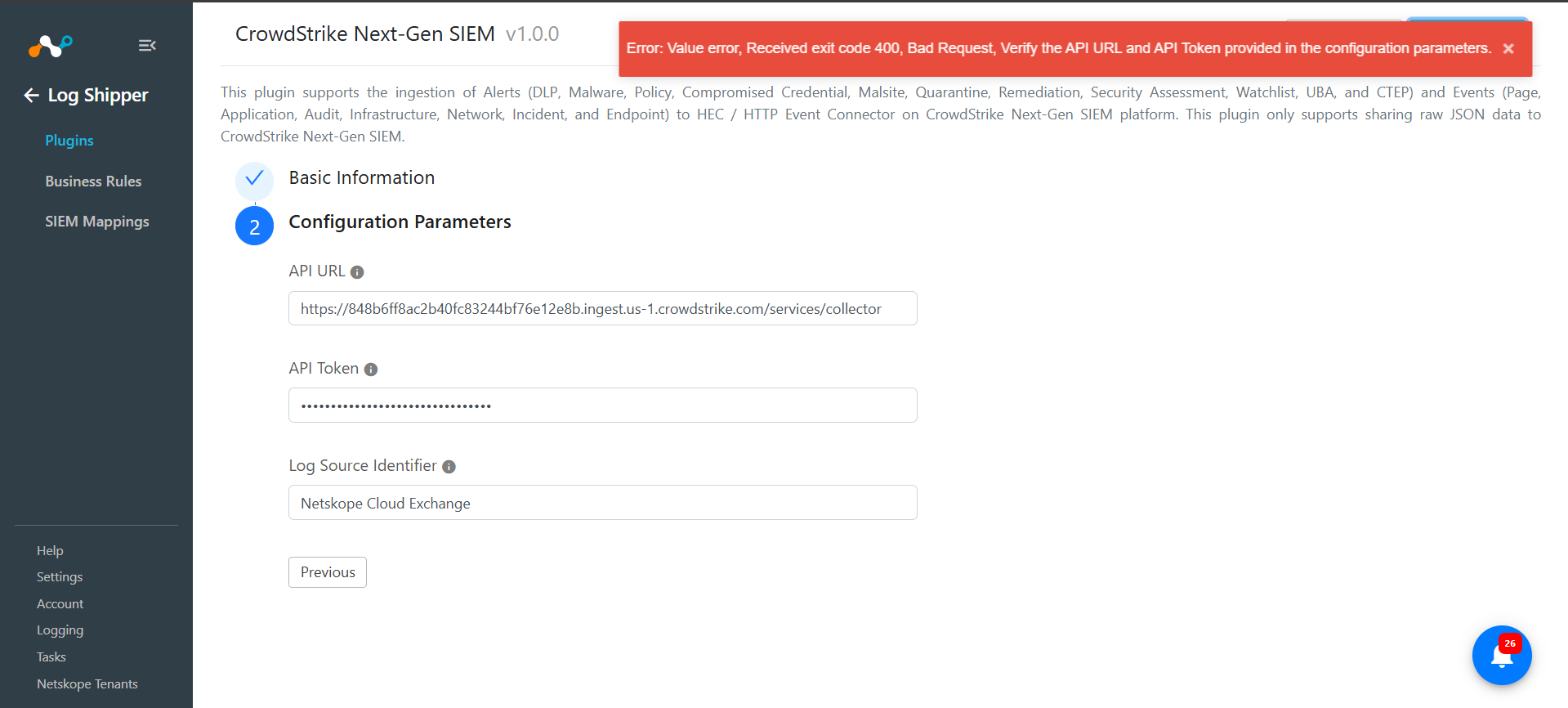
What to do:
It could be because of incorrect configuration parameters; review the steps in the Configure the CrowdStrike Plugin section.
Kept the When enabled, logs will be transformed using selected a mapping file toggle enabled. 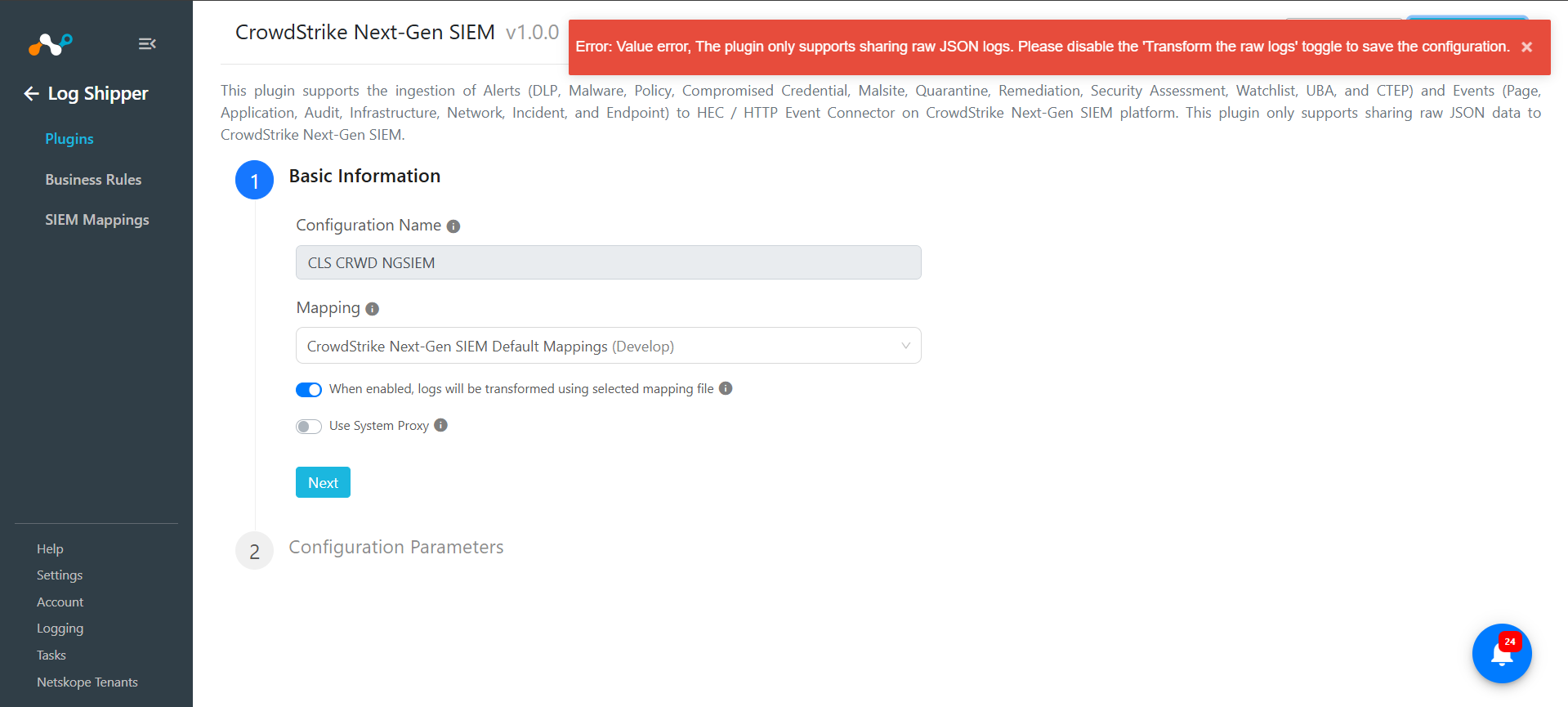
What to do:
As the plugin only supports sharing Alerts and Events in Raw JSON format, you need to disable the toggle, and then click Save.