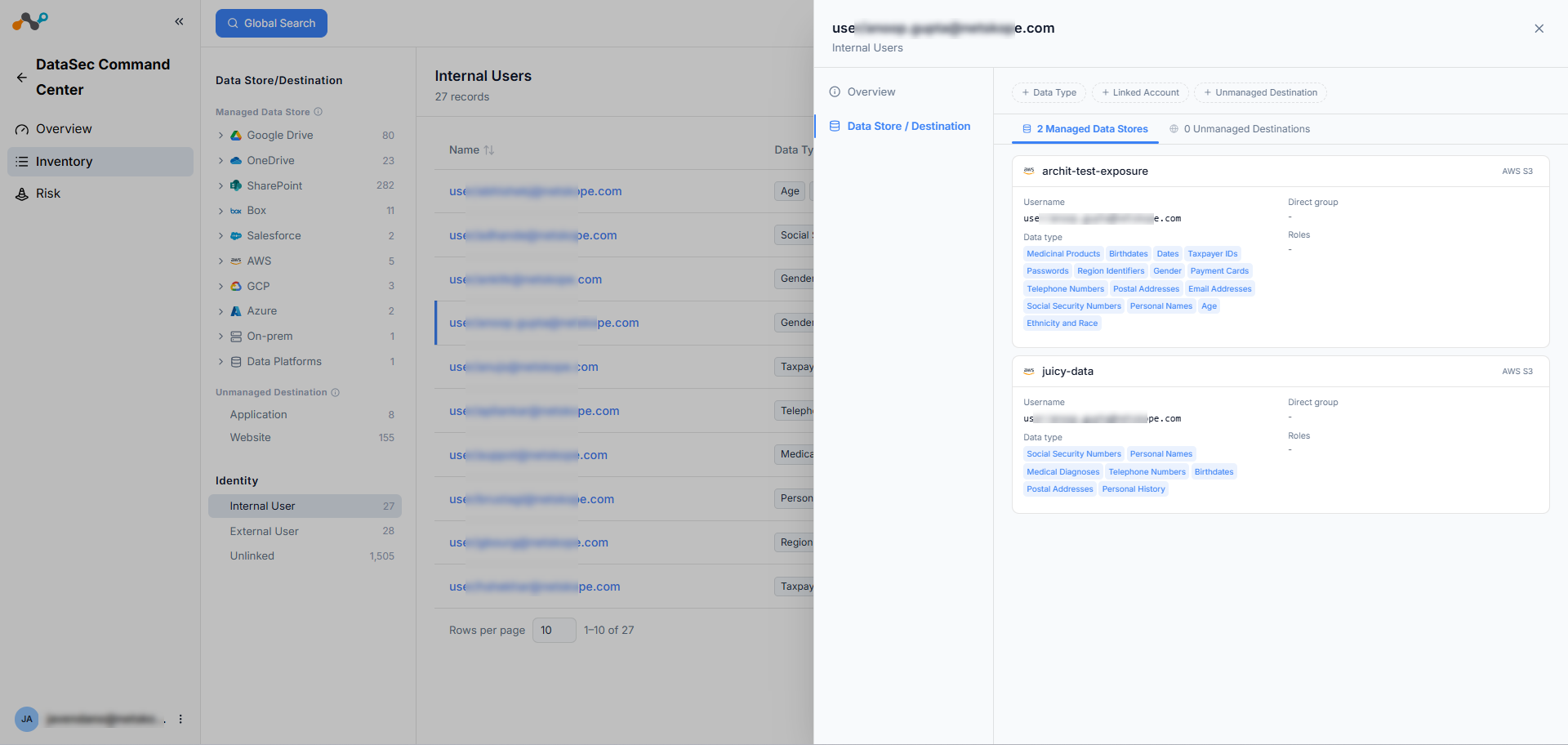
The DataSec Command Center (DCC) Identities page provides a consolidated view of all identities with access to sensitive data across your connected data stores. Use this page to review identity categorization, evaluate access patterns, and identify potential risks associated with internal, external, and unlinked users.
Identity Categorization
DCC categorizes identities into three types. Both internal and external users are assumed to be human identities only.
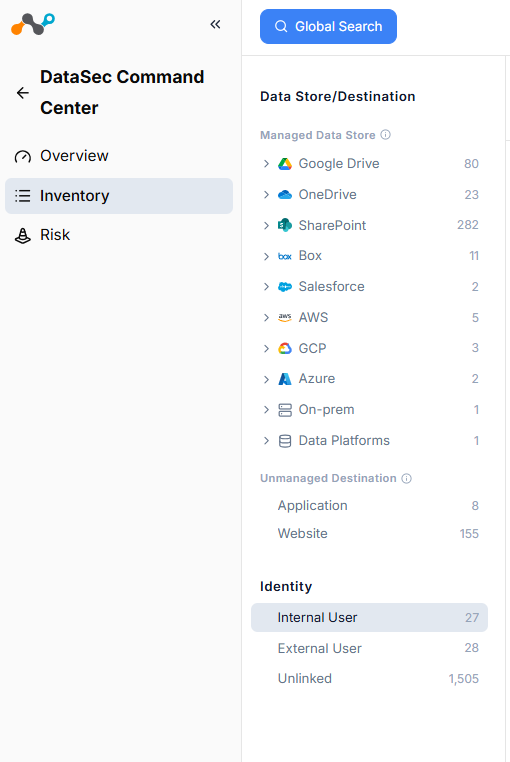
- Internal Users: A human identity with an email address matching your organization’s internal domain (e.g., employee@company.com). Internal users may or may not be connected to User Management (IDP).
- External Users: A human identity with an email address not matching your internal domain (e.g.,
vendor@externalcompany.com). External users may or may not be connected to User Management (IDP). - Unlinked: An identity that can’t be classified as internal or external (e.g., no internal domains configured), or can’t be classified as human or non-human. Unlinked is the catch-all category.
Data Sources
DCC aggregates identity data from three sources. Each source contributes different identity types and attributes. The availability of specific identity details depends on which sources you configure in your tenant:
- User Management (IDP): Provides identity provisioning and organizational attributes.
- CASB API: Provides identity data from connected SaaS applications.
- DSPM: Provides identity data from IaaS, PaaS, on-premises, and data platform environments.
Identity Table
Select an identity type from the left navigation panel to filter the table. The heading displays the identity type and total record count.
The identity table displays the following columns:
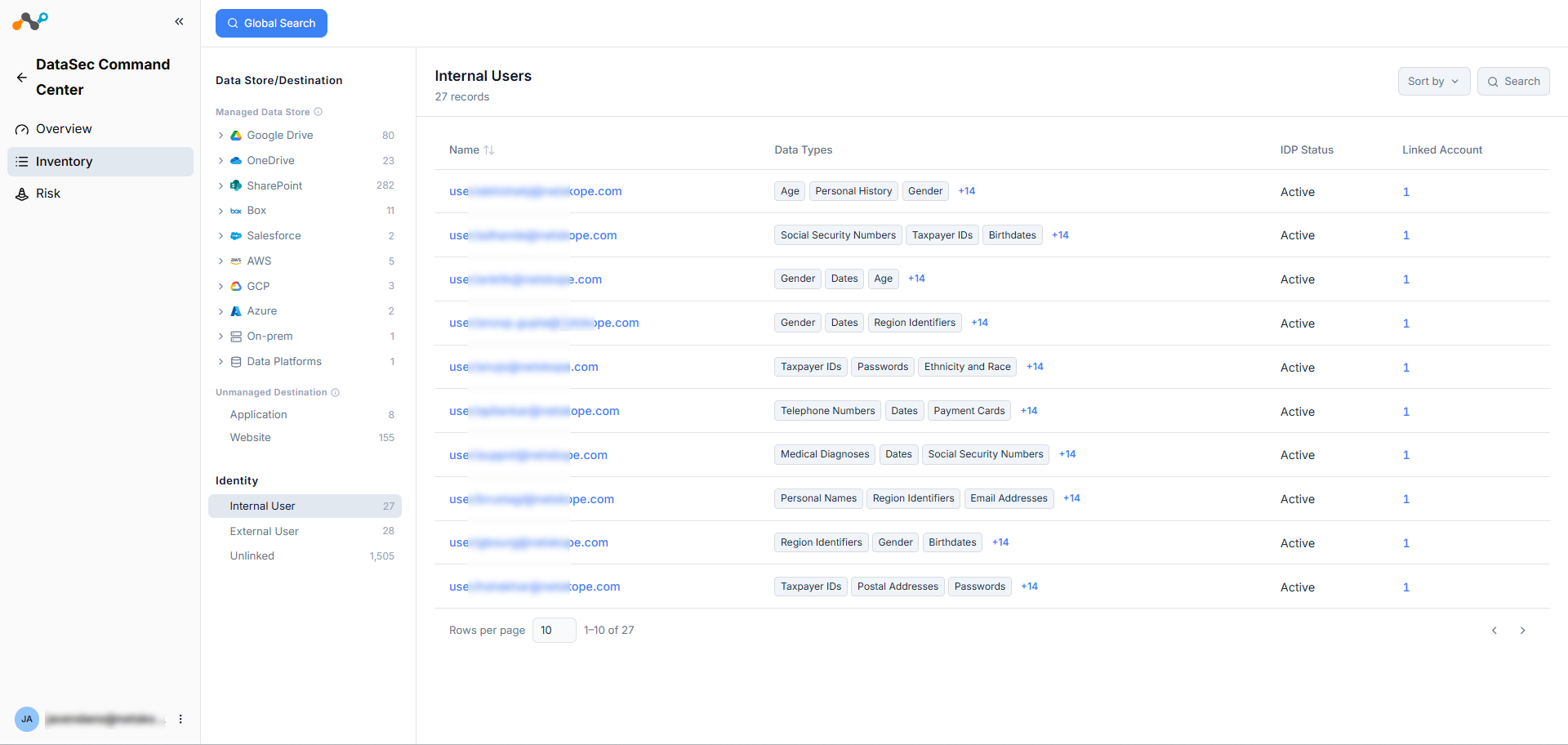
| Column | Description |
|---|---|
| Name | The identity’s name and email address. |
| Data Types | The data type classifications of files the identity has access to, displayed as tags. When more than three data types exist, a +N indicator shows the remaining count. |
| IDP Status | The identity’s status in User Management (e.g., Active, Suspended, Locked Out, Deactivated). A dash indicates the identity isn’t connected to User Management (IDP). |
| Linked Account | The number of linked accounts associated with the identity. A dash indicates no linked accounts. |
Identity Details
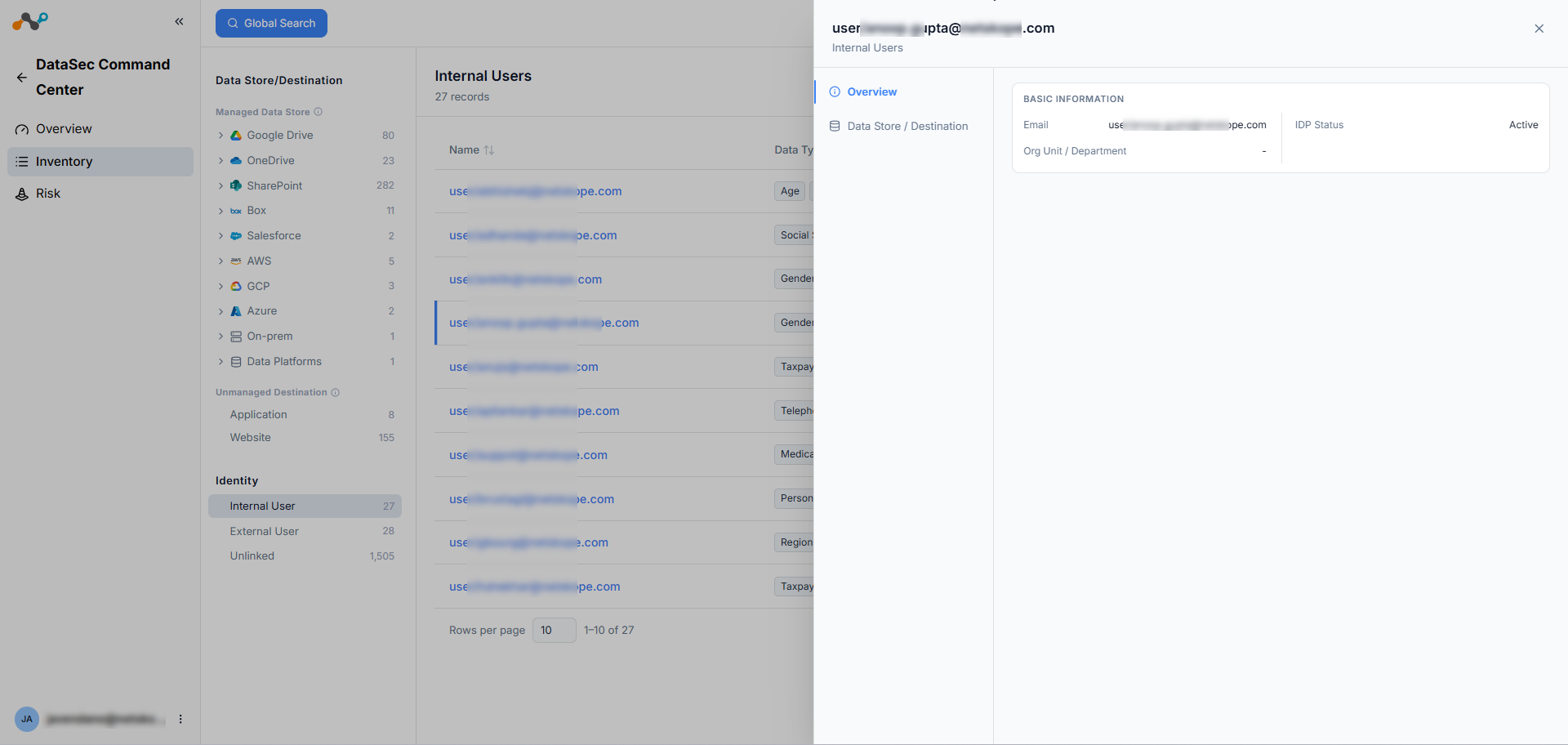
Click an identity in the table to open a drill-down side panel. The panel contains two tabs: Overview and Data Store/Destination.
Overview Tab
The Overview tab displays basic information about the identity:
- Email: The identity’s email address.
- Organizational Unit (OU): The organizational unit the identity belongs to. (Available only if the identity is connected to User Management (IDP))
- IDP Status: The identity’s status in User Management. (Available only if the identity is connected to User Management (IDP))
- UCI Score: The User Confidence Index score, sourced from UEBA (behavior analytics).
Data Store/Destination Tab
The Data Store/Destination tab lists the data stores the identity has access to, including:
- The data types detected per data store.
- The last active time for the identity within each data store (sourced from DSPM).
- Note: This field is not available for SaaS application data stores.