

As part of a Publisher software update, it’s recommended to regularly update the kernel of the host Ubuntu OS. The unattended kernel updates are used for updating the kernel on Publisher images. Publisher Release Notes contains the latest kernel versions for reference.
If the kernel version of your Publisher instance is not the latest, or the Publisher wizard shows a pending reboot, a reboot of the machine will update the kernel to the latest version. As a best practice, you could schedule regular reboots to update the kernel version to the latest version.
Enable Kernel Updates on an OVA Publisher
You can leverage automated/unattended kernel updates for OVA Publishers in one of two ways:
- Enable as part of fresh installation: Unattended Kernel updates on OVA images are enabled starting from release 110. You need to fresh install the Publisher to enable the unattended kernel updates.
In addition, you could also enable kernel updates on your existing OVA instances. Follow these steps if you wish to enable unattended kernel updates. - Enable existing OVA Publisher instances: Follow these steps to enable unattended kernel updates on existing OVA Publisher instances.
- Expand the disk of the OVA running instances from 8GB to 16GB using VM orchestrators. For ESXi, log in to ESXi, select the virtual machine, and power it off. Click Edit Settings, change the size of the Hard Disk, click OK, and power it on.
- Log in to your Publisher instance, download and run the script below. The script will expand the disk, install the required softwares, and reboot the machine.
- File: https://s3-us-west-2.amazonaws.com/publisher.netskope.com/latest/generic/expand_drive.sh
- shasum 256: 1e858c0b600184462a661e4390169d7ce779b6f4de5d455f081f74dab8a48f7c
- Execute the script: chmod +x ./expand_drive.sh sudo ./expand_drive.sh NoteRun the script with sudo. If the script was interrupted by the user, or due to the SSH session down, re-run the script.
- Check the disk size on the Publishers. The total disk size should be 16GB minimum now.
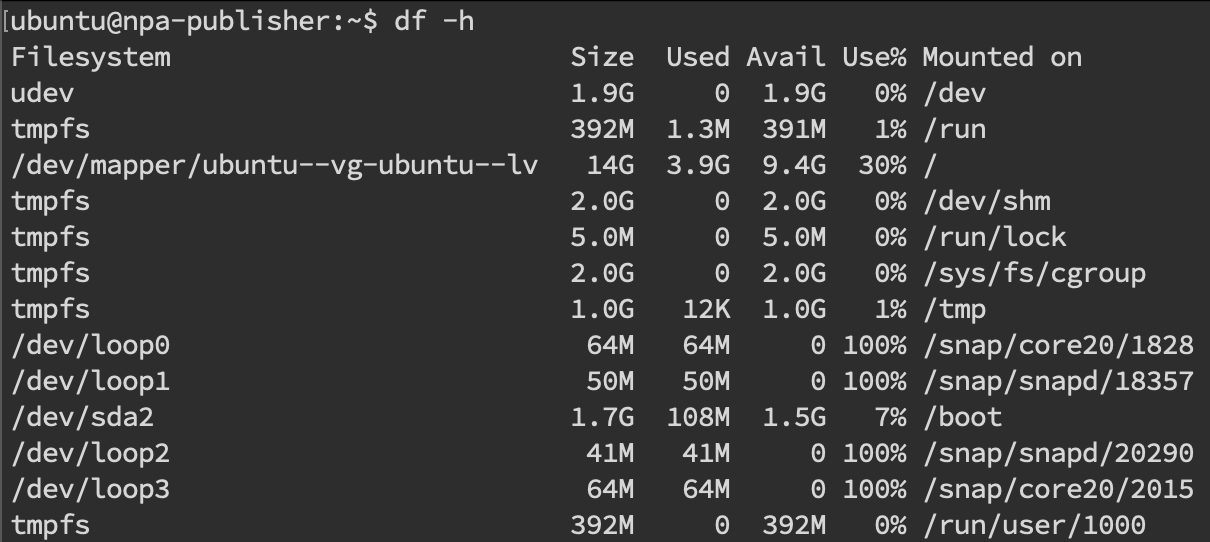
- Check the package newly installed linux-image-generic.

- The Linux kernel should be up to date

Enable Kernel Updates on a non-OVA Publisher
The unattended kernel updates are turned on by default for AMI, VHD and VHDX. Updates to the kernel are installed automatically on these image instances. A standard Publisher OS reboot will bring the instance’s kernel up-to-date.