

An example of this use case is to filter traffic for an entire top level domain (TLD), such as .ru or .cn. To filter TLDs, create a policy containing a category of URL lists that have to be acted upon.
Follow the steps shown below to create URL lists and custom categories:
- Navigate to Policies > Profiles > URL Lists.

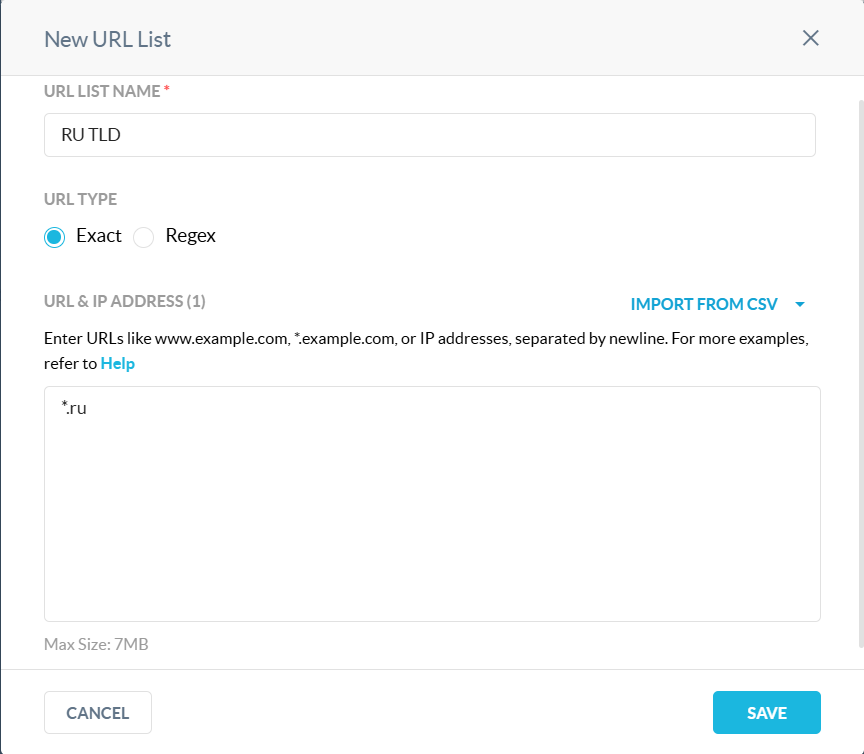
- Create a new URL list as shown in the image below.
- To create a new category, navigate to Custom Categories.
- Create a new custom category as shown in the image below.
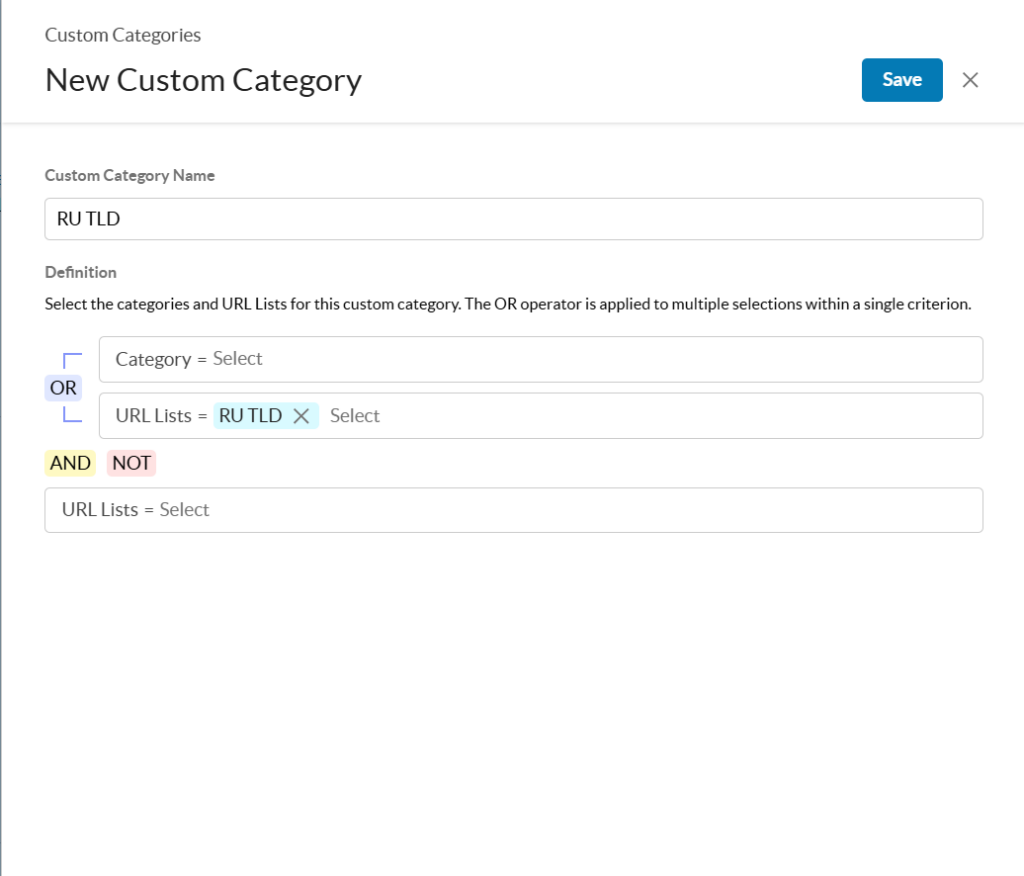

After creating URL lists and custom category, create a policy that includes the URL lists and the Custom category as shown below.

Tip
In addition to the predefined URL Categories, administrators can create and define their own custom categories. Within custom categories, you can include/exclude custom URL Lists, predefined categories, or a mixture of both. Within custom URL Lists, you can define the list via “Exact Match”, or “Regex” based entries.