

Release Notes
1.0.0 (Required minimum CE version for this is 6.0.0)
Added
- Initial Release.
- Pull: Yes (IPv4, MD5, SHA256)
- Push: No
- Pull Retraction: Yes (Based on a configurable time window)
- Push Retraction: No
This document explains how to configure the GreyNoise v1.0.0 plugin with the Threat Exchange module in the Cloud Exchange platform. This plugin is used to pull threat indicators of type IPv4 and File Hash (MD5, SHA256) from the Query page in the GreyNoise platform. This plugin supports pull retraction of indicators from the GreyNoise platform. This plugin does not support sharing of indicators to the GreyNoise platform.
Prerequisites
To complete this configuration, you need:
- Netskope Tenant (or multiple, for example, production and development/test instances)
- A Netskope Cloud Exchange instance with the Tenant plugin and Threat Exchange plugin already configured
- A URL List on your Netskope tenant.
- A Destination Profile on your Netskope tenant.
- A Private App on your Netskope tenant.
- A File Profile on your Netskope tenant.
- Connectivity to the following hosts:
- GreyNoise Tenant Login URL. Example: https://viz.greynoise.io/
- GreyNoise API Base URL. Example: https://api.greynoise.io
GreyNoise Plugin Supports
This plugin is used to pull threat indicators of type IPv4 and File Hash (MD5, SHA256) from the Query page in the GreyNoise platform. This plugin supports pull retraction of indicators from the GreyNoise platform. This plugin does not support sharing of indicators to the GreyNoise platform.
| Fetched indicator types | Shared indicator types |
|---|---|
| IPv4, SHA256 and MD5 | – |
IoC Retraction
IoC Retraction (Pull): IoCs that are deleted on the GreyNoise or not under the retraction interval set in the plugin configuration or not under the selected IoC Types/Classification/Callback Stages will be marked as retraced in Cloud Exchange.
| Retraction Type | Supported Retraction Type |
|---|---|
| IoC Retraction (Pull) | Yes |
| IoC Retraction (Push) | No |
Mapping
Pull Mapping for Indicators
| Netskope Indicator Field | GreyNoise API Field |
|---|---|
| value | IP,Callback IP, sha256, md5 |
| type | derived from IP/CIDR shape |
| firstSeen | first_seen (GNQL) / first_seen (Callback) |
| lastSeen | last_seen (GNQL) / last_seen (Callback) |
| comments | metadata.source_country, metadata.source_city, metadata.organization, internet_scanner_intelligence.actor |
| tags | classification + category:name (GNQL) / callback_ip, stage_1, stage_2 (Callback) |
Pull IoC Types
| GreyNoise Concept | Netskope CE Type | Example Value |
|---|---|---|
| IP (GNQL, IPv4 address) | IPv4 | 8.8.8.8 |
| IP (GNQL, IPv4 CIDR) | IPv4 CIDR (falls back to URL if type unavailable) | 192.168.1.0/24 |
| Callback IP | IPv4 / IPv4 CIDR | 8.8.8.8 |
| active_files.sha256 | SHA256 | e3b0c44… |
| active_files.md5 | MD5 | d41d8cd… |
Permissions
User should have permission to access Account > API Key.
API Details
List of APIs Used
| API Detail | Method | API Endpoint |
|---|---|---|
| Validate Connectivity / Pull IP Indicators (GNQL) | GET | /v3/gnql |
| Pull Callback IP / MD5 / SHA256 Indicators (list) | POST | /v1/callback/ips |
| Fetch File Hashes for a Callback IP (detail) | GET | /v1/callback/ip/{ip} |
Pull IPs from GNQL Query
Parameters
| Parameter | Value | Comments |
|---|---|---|
| query | like classification:malicious AND last_seen:1d | Built as classification:{classification} AND last_seen:{gnql_last_seen} per selected classification |
| size | 10000 (pull) / 1 (validation) | PAGE_SIZE constant; 1 for the lightweight validation call |
| exclude | comma-separated field list | Trims unused fields (tag_volumes, cves, raw_data, metadata.asn, etc.) from the response |
| scroll | scroll cursor string | Only included on subsequent pages, taken from previous response’s request_metadata.scroll |
API Request Curl
curl --location 'https://api.greynoise.io/v3/gnql?query=classification%3Amalicious%20AND%20last_seen%3Atoday&size=1' \
--header 'key: <api_key>' \
--header 'Accept: application/json'
Sample API Response
{
  "data": [
    {
      "ip": "61.134.36.102",
      "internet_scanner_intelligence": {
        "found": true,
        "first_seen": "2023-09-01",
        "last_seen": "2023-10-03",
        "last_seen_timestamp": "2023-10-03 08:15:00",
        "actor": "unknown",
        "tags": [
          {
            "category": "activity",
            "name": "Web Crawler"
          }
        ],
        "metadata": {
          "source_country": "China",
          "source_city": "Shenzhen",
          "organization": "Some Hosting Provider"
        }
      }
    }
  ],
  "request_metadata": {
    "complete": false,
    "scroll": "eyJmaWx0ZXJzIjp7fSwic29ydCI6W119"
  }
}
Pull Callback IPs
Parameters
| Parameter | Value | Comments |
|---|---|---|
| last_seen_after | YYYY-MM-DD | Computed from configured range (Today/1d/1w/1m/1y/Custom) via range_to_date() |
| page | 0, 1, 2… | Incremented until page * page_size >= total or a short page is returned |
| page_size | 100 | CALLBACK_PAGE_SIZE constant |
| is_stage_1 | true/false | From “Stage 1” config choice |
| is_stage_2 | true/false | From “Stage 2” config choice |
API Request Curl
curl--location'https://api.greynoise.io/v1/callback/ips'\--header'key: <api_key>'\--header'Content-Type: application/json'\--header'Accept: application/json'\--data'{"last_seen_after":"2023-10-01","page": 0, "page_size": 100,"is_stage_1": true,"is_stage_2": true}'
Sample API Response
{
  "total": 245,
  "items": [
    {
      "ip": "45.155.204.10",
      "first_seen": "2023-09-15T00:00:00Z",
      "last_seen": "2023-10-03T00:00:00Z",
      "is_stage_1": true,
      "is_stage_2": true,
      "file_count": 2
      "last_modifier": null
    }
  ]
}
Pull Hashes for a Callback IP
Parameters: None
API Request Curl
curl --location 'https://api.greynoise.io/v1/callback/ip/45.155.204.10' \
--header 'key: <api_key>' \
--header 'Accept: application/json'
Sample API Response
{
  "ip": "45.155.204.10",
  "active_files": [
    {
      "sha256": "e3b0c44298fc1c149afbf4c8996fb92427ae41e4649b934ca495991b7852b85",
      "md5": "d41d8cd98f00b204e9800998ecf8427e"
    }
  ]
}
Performance Matrix
Here is the performance reading conducted after pulling 100K IoCs on a Large CE instance with the below specifications.
| Description | Specification |
|---|---|
| Stack details | Size: Large RAM: 32 GB CPU: 16 Cores |
| Indicators pulled from GreyNoise | ~ 3.5K IoCs per minute |
User Agent
netskope-ce-6.1.0-cte-greynoise-v1.0.0
Workflow
- Get API Key
- Configure GreyNoise plugin configuration
- Add Business Rule
- Add Sharing
- Validation
Watch a Video
Click play to watch a video.
Get your API Key from GreyNoise
-
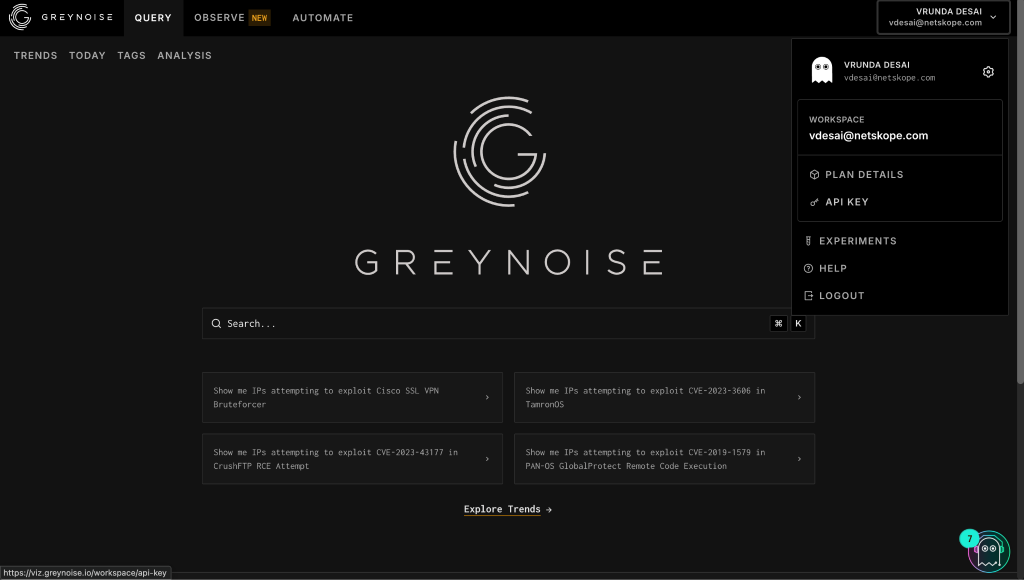
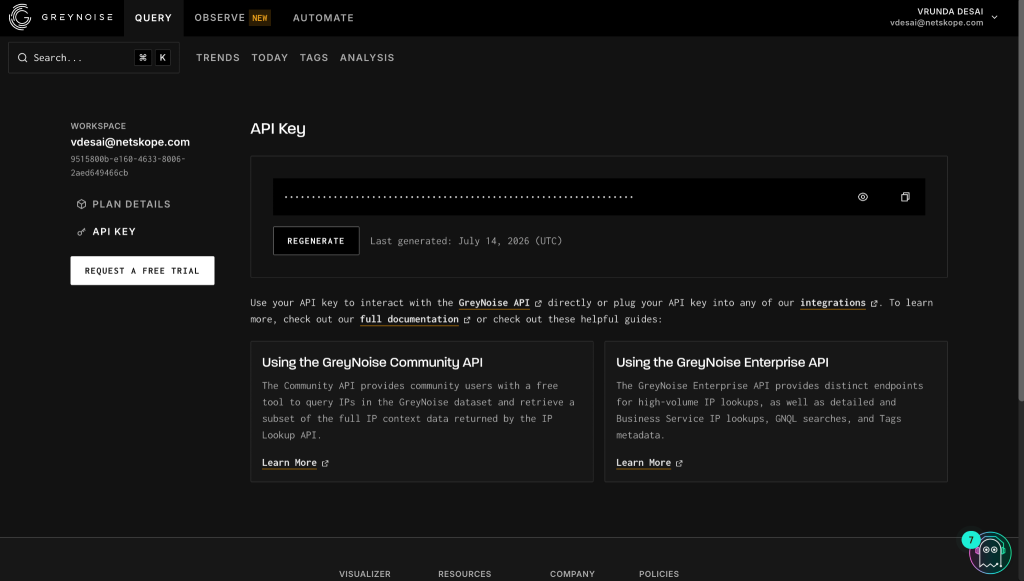
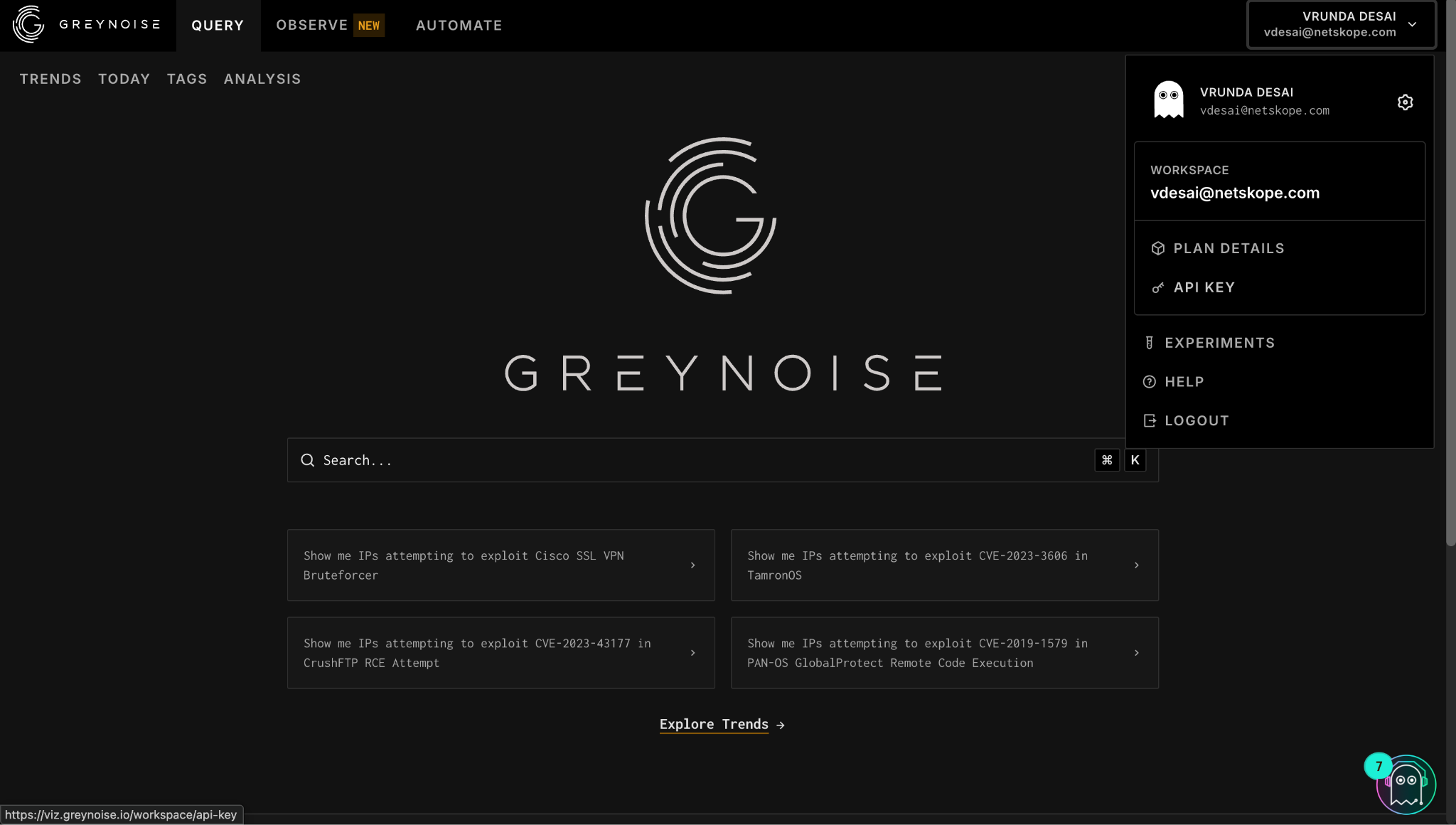
Log in to your GreyNoise instance and go to Account > API Key.
-
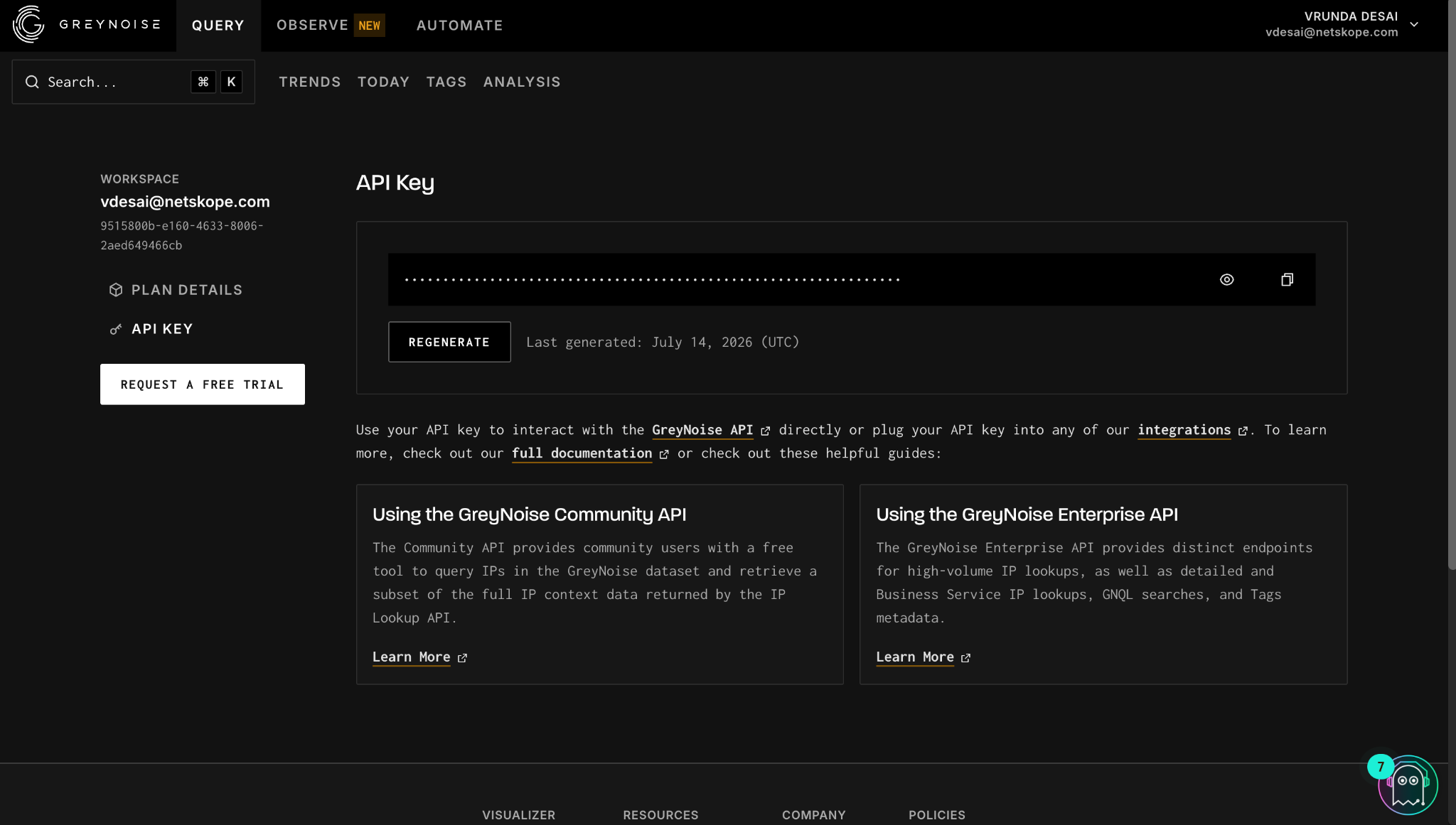
Click Generate/Regenerate and copy the generated key.
Configure the GreyNoise Plugin
-
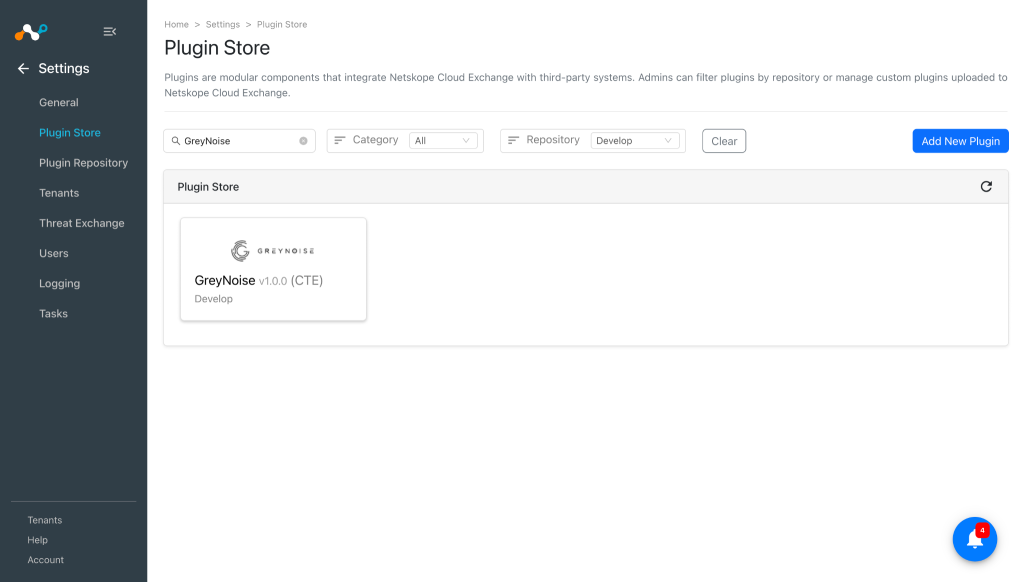
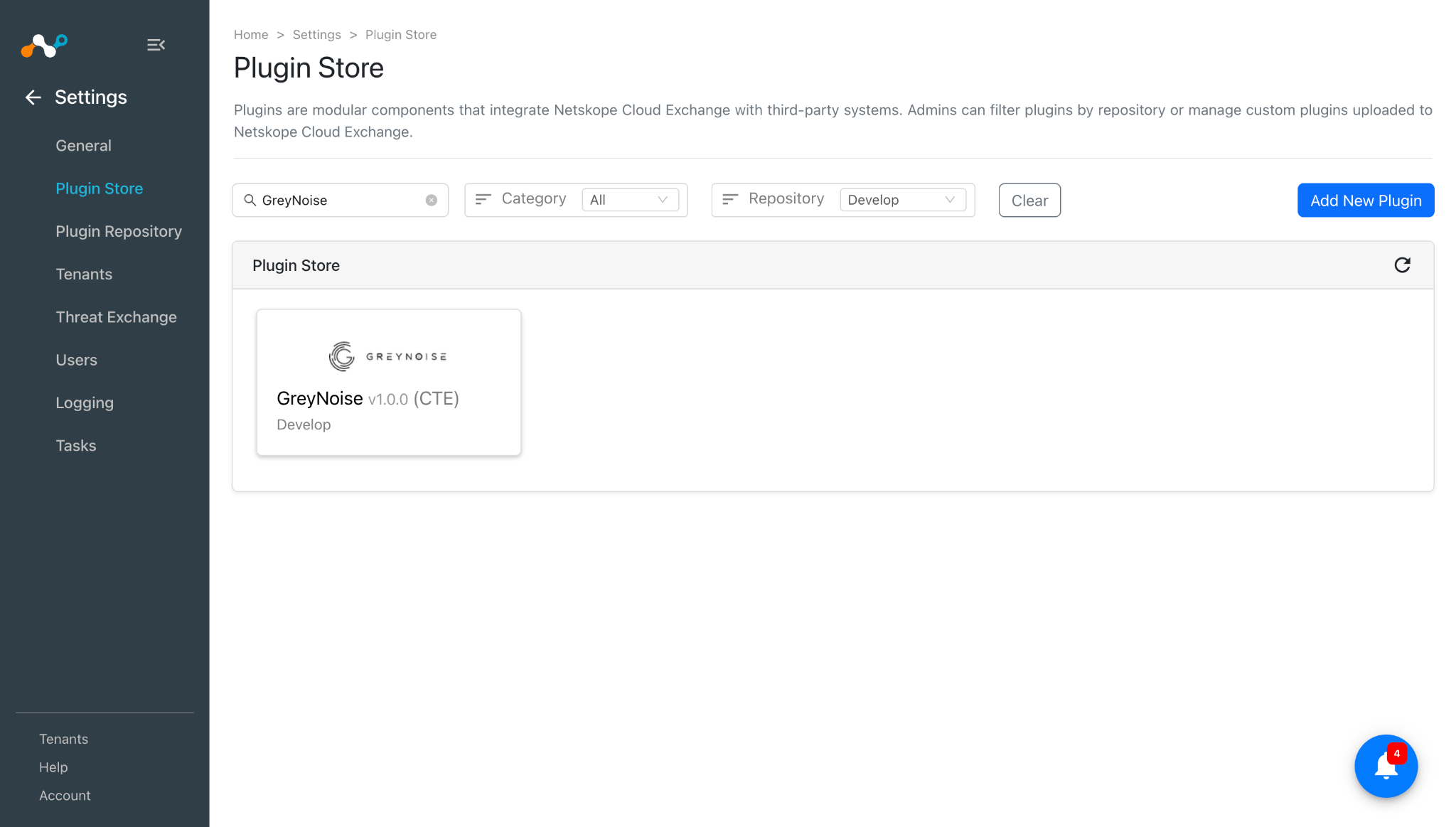
In Cloud Exchange, go to Settings > Plugin Store. Search for and select the GreyNoise v1.0.0 (CTE) plugin.
-
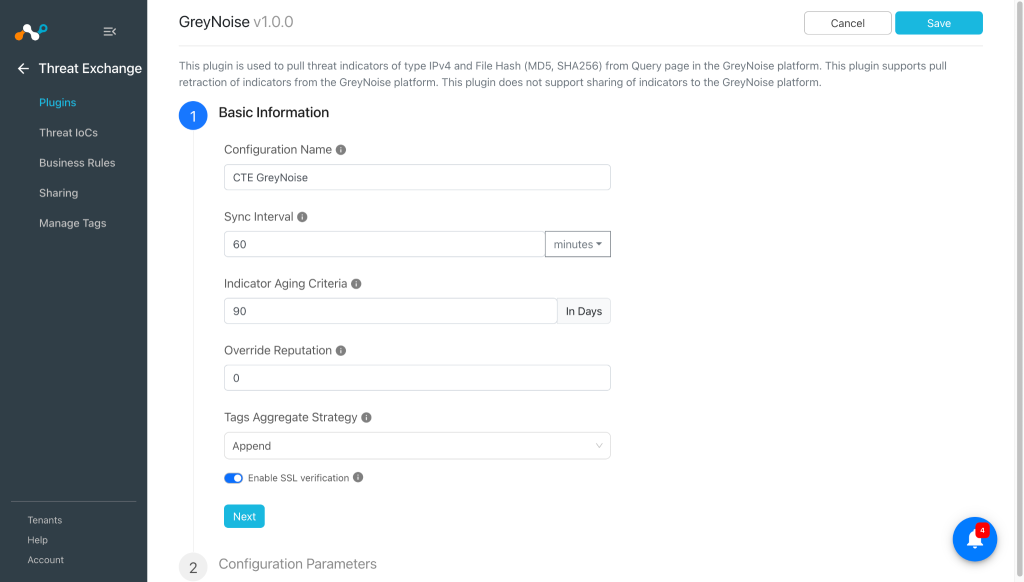
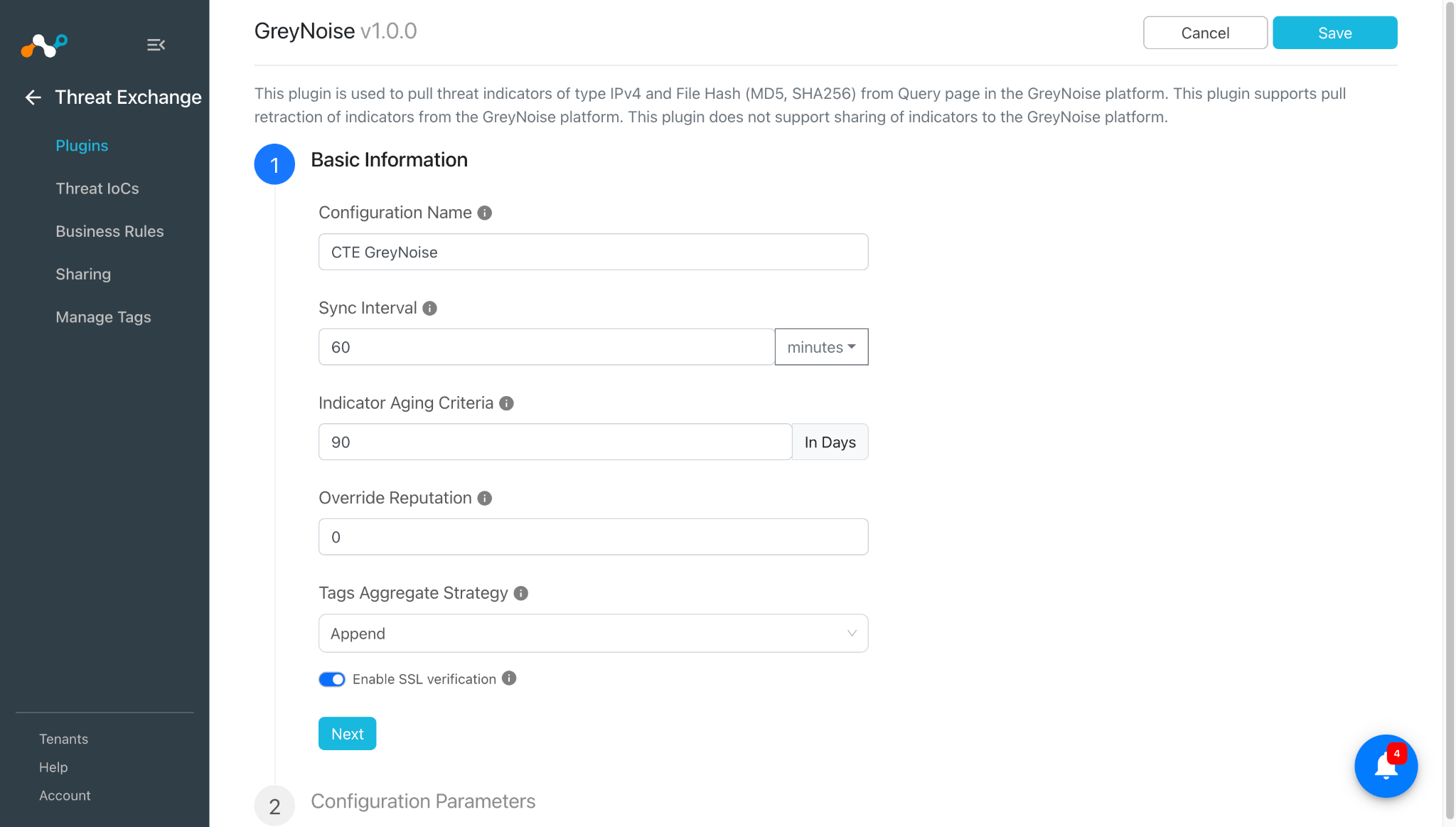
Enter the Basic Information:
- Configuration Name: Unique name for the configuration
- Sync Interval: Interval to fetch data from this plugin and share data to this plugin from other sources. Note that for the GreyNoise plugin, it is suggested to keep the sync interval greater than 1 day to avoid pulling the same IoCs again.
- Indicator Aging Criteria: Define Expiry Time (In Days) for Threat Intel/Indicators. (Default: 90)
- Override Reputation: Set value to override reputation of indicators received from this configuration. Use 0 to retain the default value, which will not override the indicator’s reputation.
- Tags Aggregate Strategy: Choose whether to append new tags to existing IoC(s) or overwrite them. This configuration parameter determines how tags are stored for indicators pulled for this configuration.
- Enable SSL Validation: Enable or disable SSL Certificate validation.
-
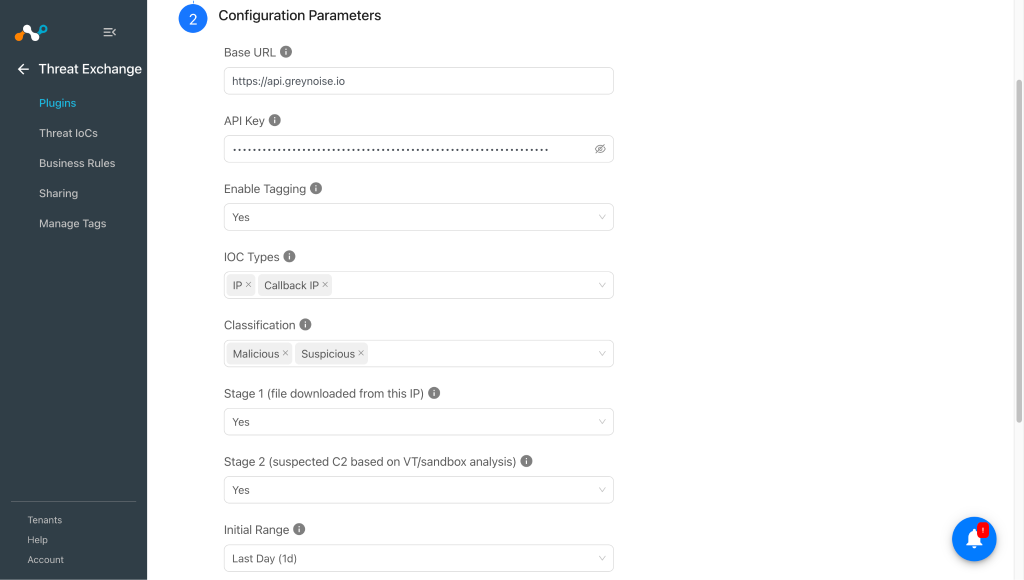
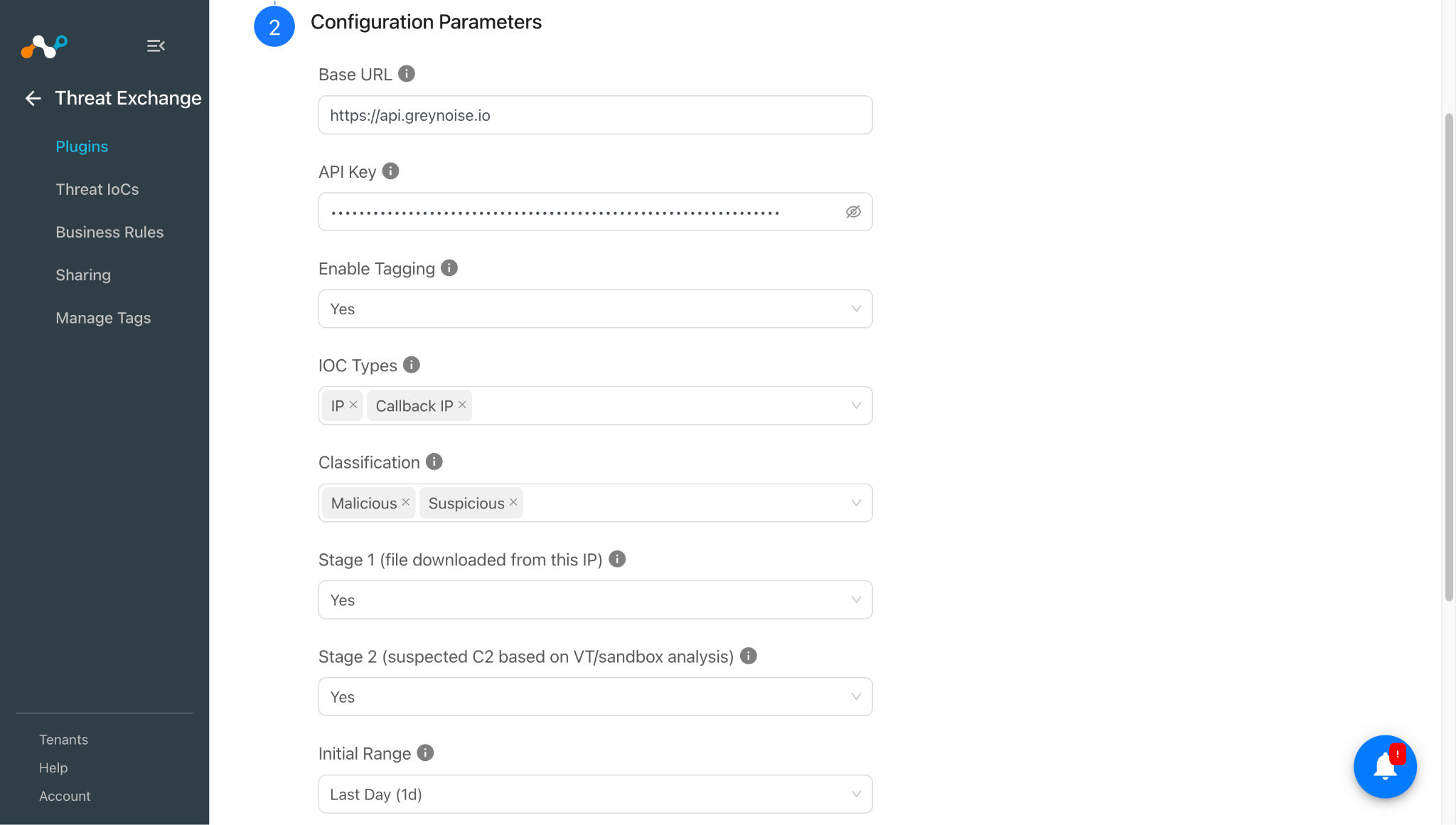
Click Next and enter the Configuration Parameters:
- Base URL: Base URL of the GreyNoise API, like https://api.greynoise.io.
- API Key: API Key for authenticating with the GreyNoise platform.
- Enable Tagging: Enable/Disable tagging functionality. When Yes is selected, tags will be added to the pulled IoCs.
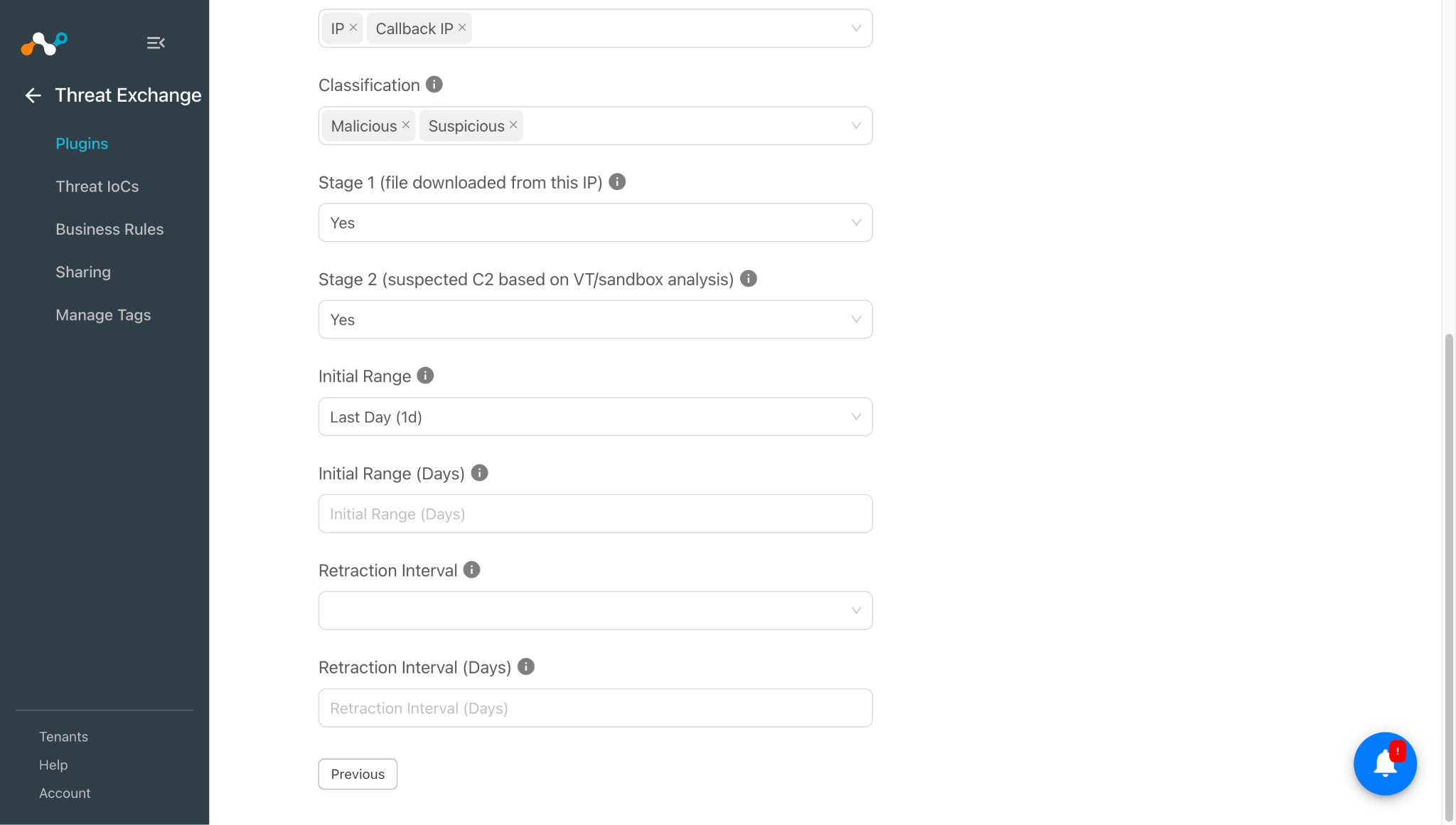
- IoC Types: Select the types of IoC(s) to pull from GreyNoise. IP and Callback IP pull IPv4 indicators via the GNQL API (Classification field will appear). MD5 and SHA256 pull malware file hashes from Callback IP records (Callback Stages field will appear).
- Classification: Select the IP classification(s) to pull from GreyNoise Platform.
- Stage 1 (file downloaded from this IP): Set to Yes to pull Stage 1 callback indicators (file downloaded from this IP) when pulling Callback IP, MD5, or SHA256 indicators. Selecting both Stage 1 and Stage 2 as Yes pulls only the IPs that are classified as both Stage 1 and Stage 2 simultaneously (intersection), rather than the union of Stage 1 and Stage 2 IPs.
- Stage 2 (suspected C2 based on VT/sandbox analysis): Set to Yes to Pull Stage 2 callback indicators (suspected Command-and-Control(C2) based on VT/sandbox analysis) when pulling Callback IP, MD5, or SHA256 indicators. Selecting both Stage 1 and Stage 2 as Yes pulls only the IPs that are classified as both Stage 1 and Stage 2 simultaneously (intersection), rather than the union of Stage 1 and Stage 2 IPs.
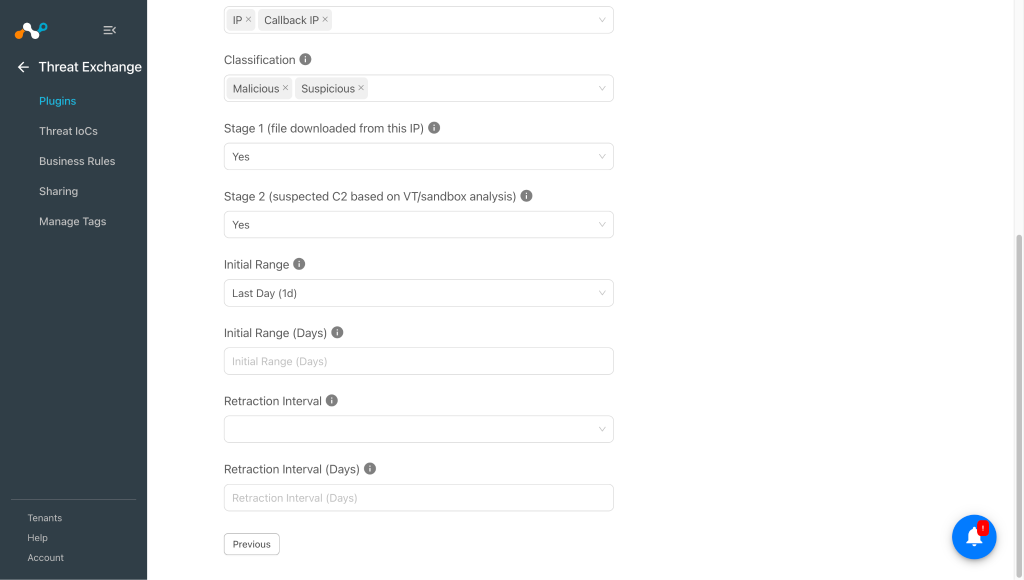
- Initial Range: Time window for the initial pull. After the initial pull, the plugin automatically retrieves data since the last successful run, ensuring no data is missed. Select Custom to specify a number of days (1-365) in the Initial Range (Days) field.
- Retraction Interval: Time window to use when performing pull retraction. Applicable only if IoC(s) Retraction is enabled in Threat Exchange Settings. Select Custom to specify a number of days (1-365) in the Retraction Interval (Days) field.
- Retraction Interval (Days): Number of days for the retraction window. Must be between 1 and 365. Applicable only when the Retraction Interval is set to Custom.
-
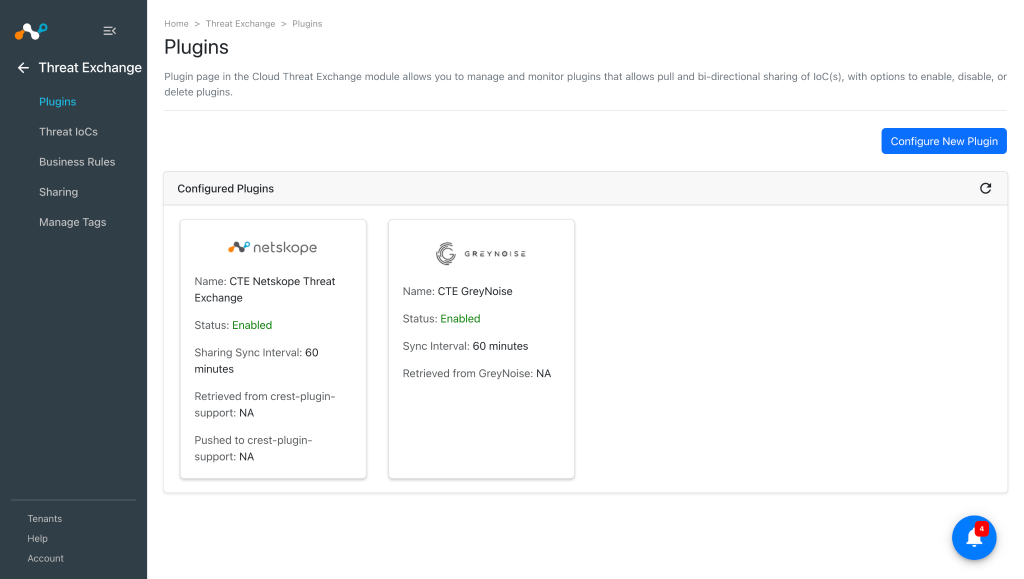
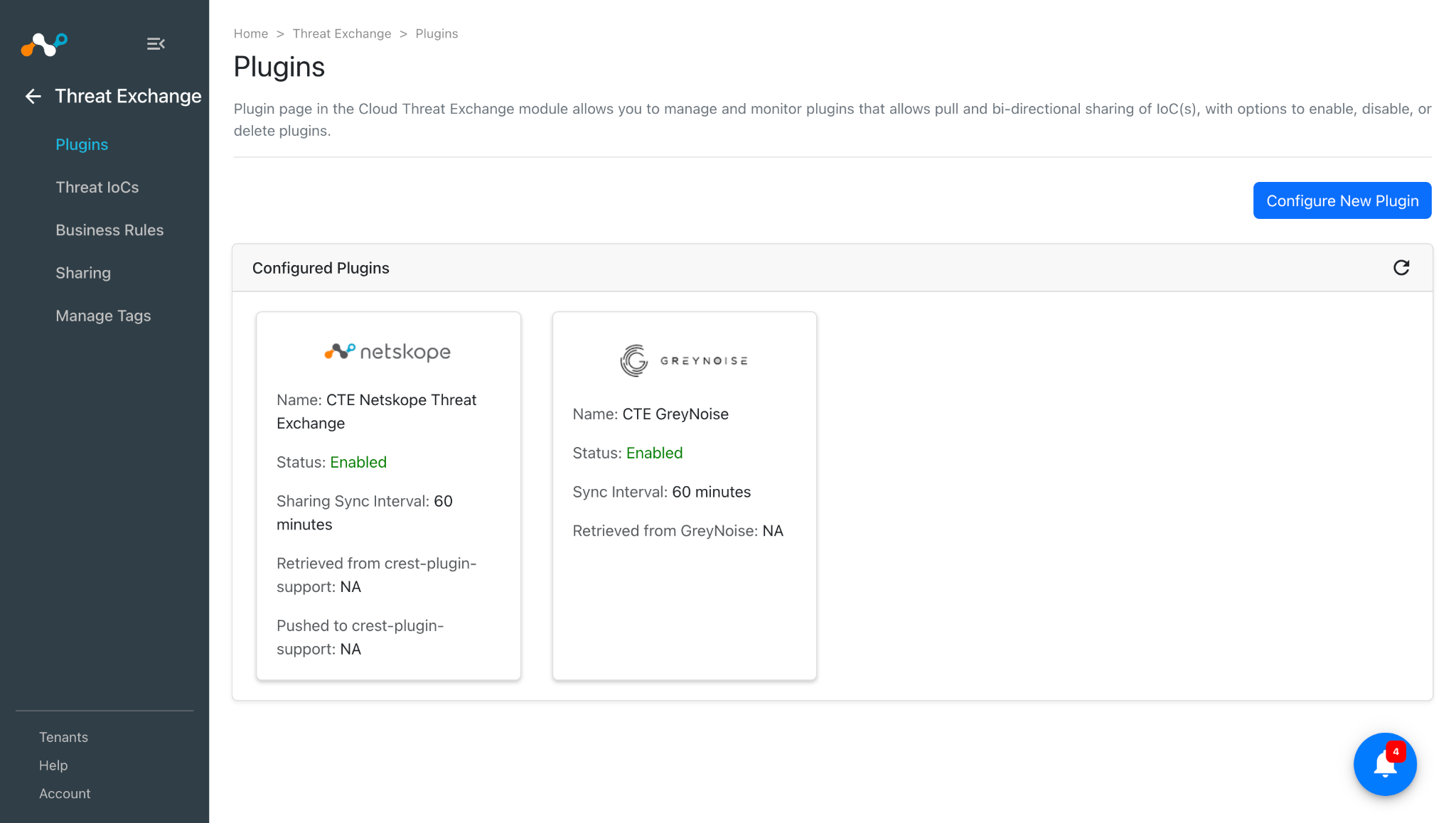
Click Save. The plugin appears on the Plugins page.
Configure a Threat Exchange Business Rule for GreyNoise
The GreyNoise plugin does not support sharing of IoCs, but the IoCs pulled from GreyNoise can be shared to the Netskope Tenant. To share indicators from Cloud Exchange to your Netskope Tenant, you need to have a business rule that will filter out the indicators that you want to share. To configure a business rule:
-
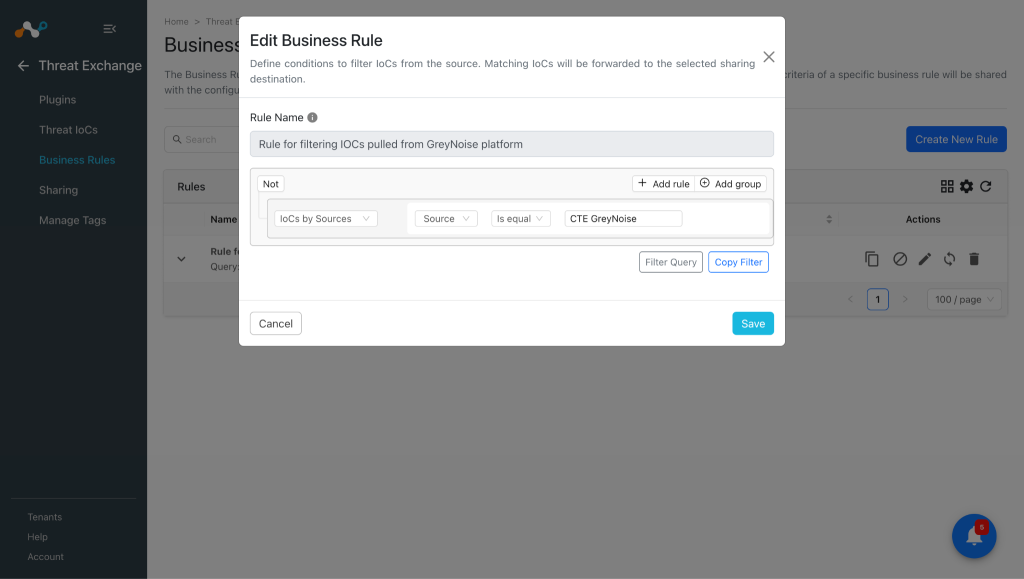
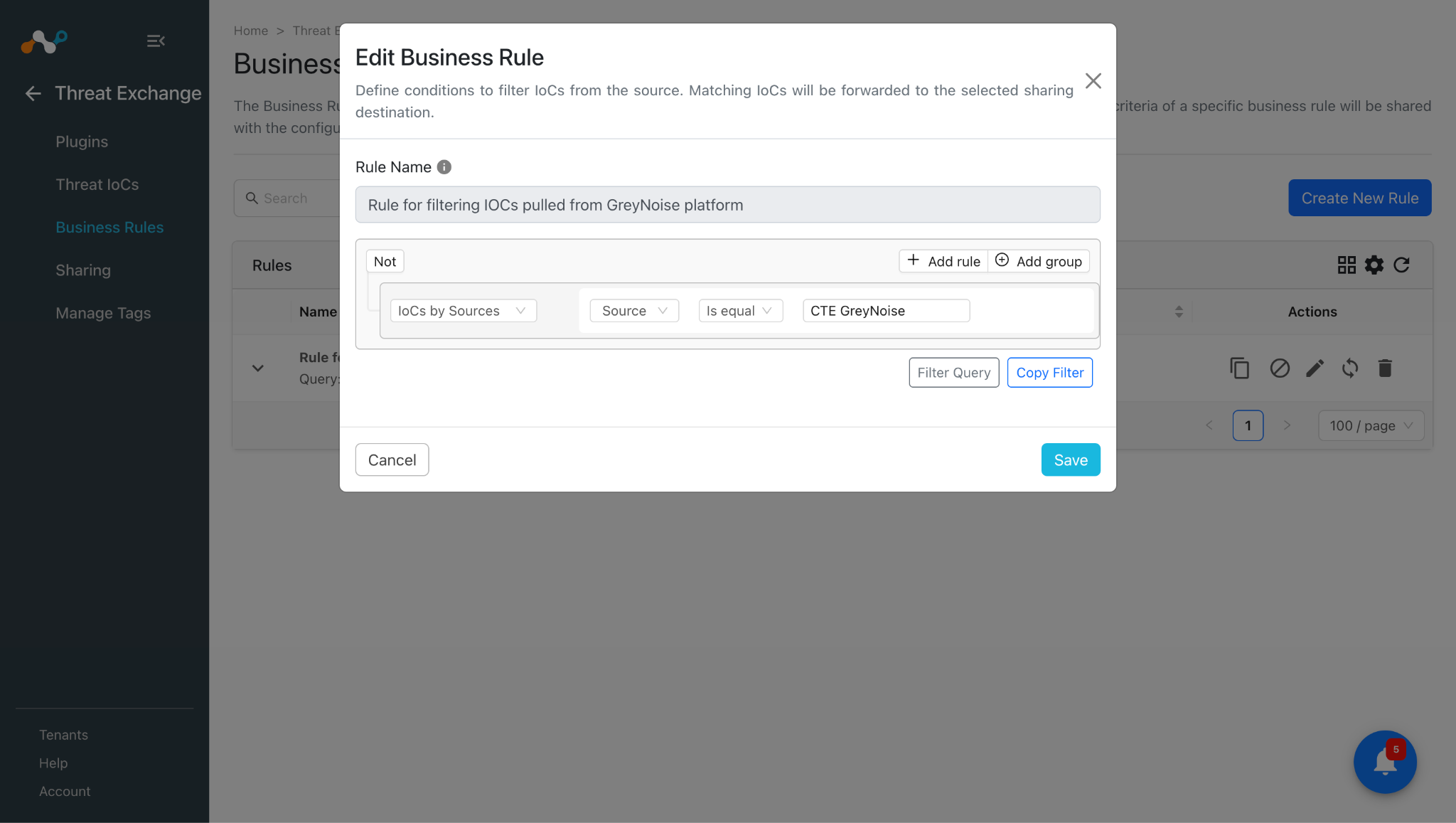
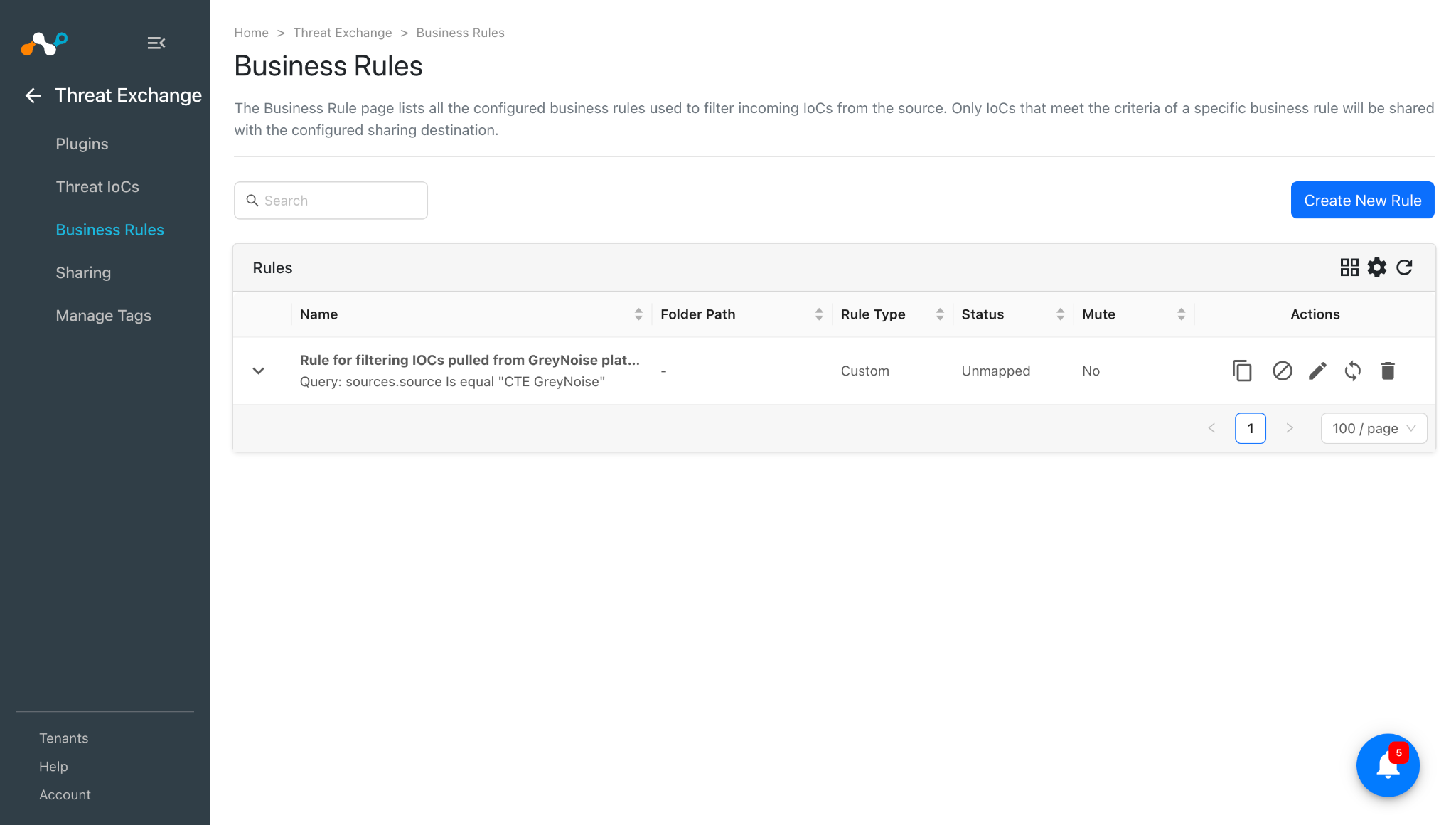
In Threat Exchange, go to Business Rules and click Create New Rule.
-
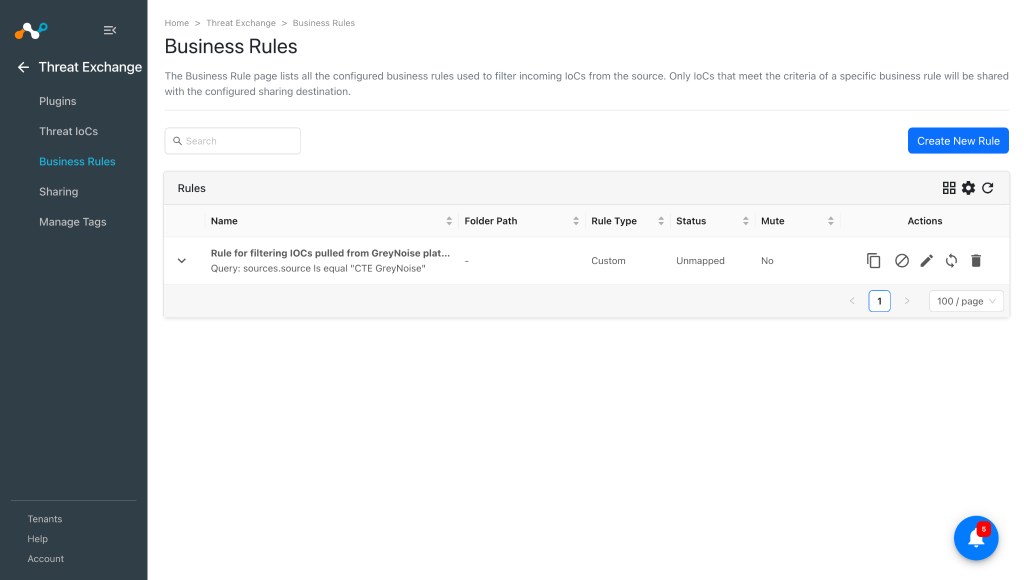
Provide the rule name and add filter as per your requirement for the IoCs you want to share, and then click Save.
Configure Threat Exchange Sharing for GreyNoise
The GreyNoise plugin does not support sharing of IoCs, but the IoCs pulled from GreyNoise can be shared to the Netskope Tenant. To share IoCs with the Netskope Tenant:
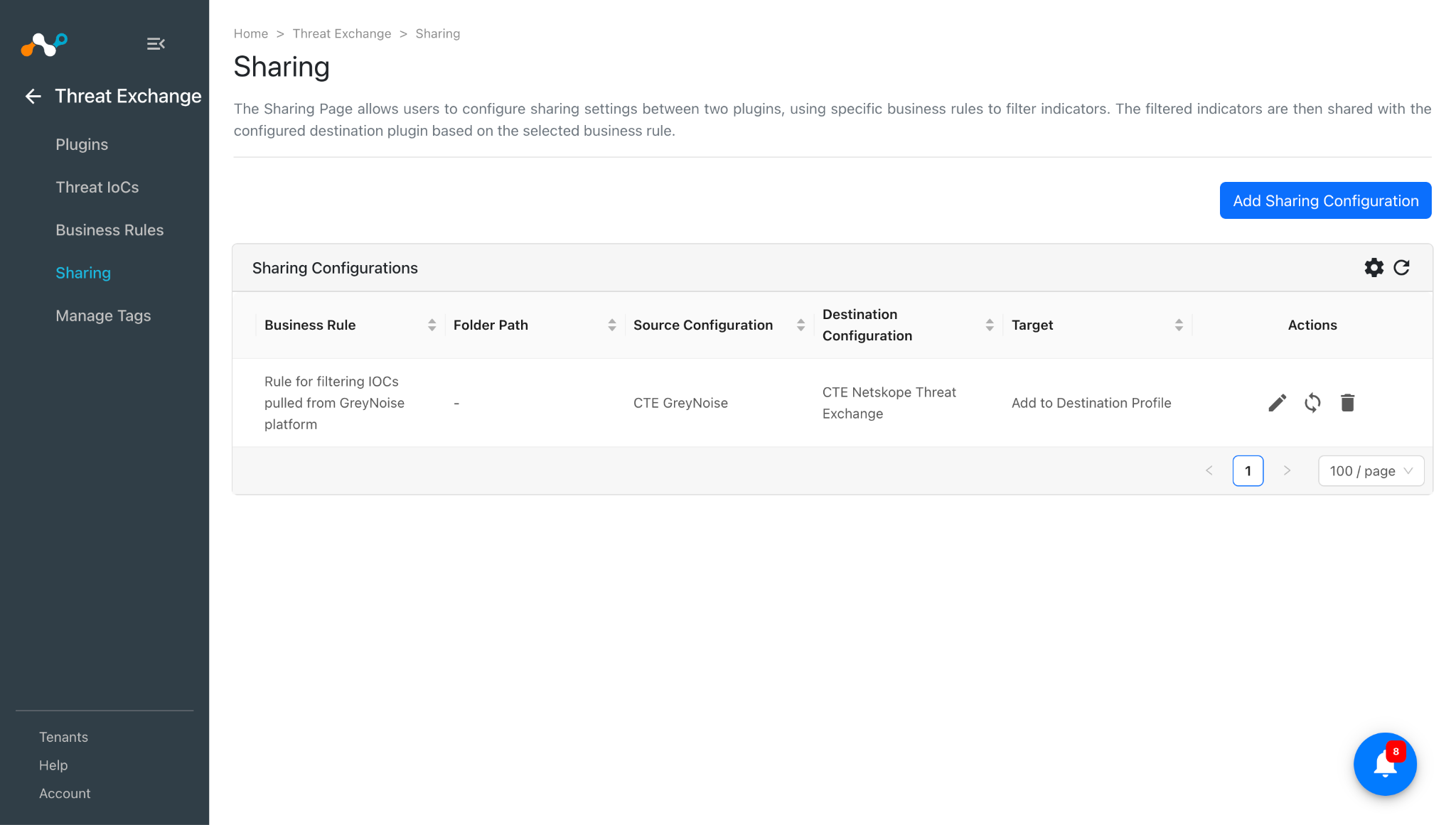
- In Threat Exchange, go to Sharing and click Add Sharing Configuration.
- Select your Source Configuration (CTE GreyNoise), Business Rule, Destination Configuration (CTE Netskope Threat Exchange), and a Target.
- Click Save.
Note
Refer to the Threat Exchange plugin guide for more information related to sharing on Netskope Tenant. As the GreyNoise plugin supports pulling IPv4, SHA256, and MD5, we can perform below actions on Netskope using these indicators:
- For IPv4
- Add to URL List
- Add to Private App
- Add to Destination Profile
- For SHA256 and MD5
- Add to File Hash List
Validate the GreyNoise Plugin
Validate the Pull
This plugin is used to pull threat indicators of type IPv4 and File Hash (MD5, SHA256) from the Query page in the GreyNoise platform. This plugin supports pull retraction of indicators from the GreyNoise platform. This plugin does not support sharing of indicators to the GreyNoise platform.
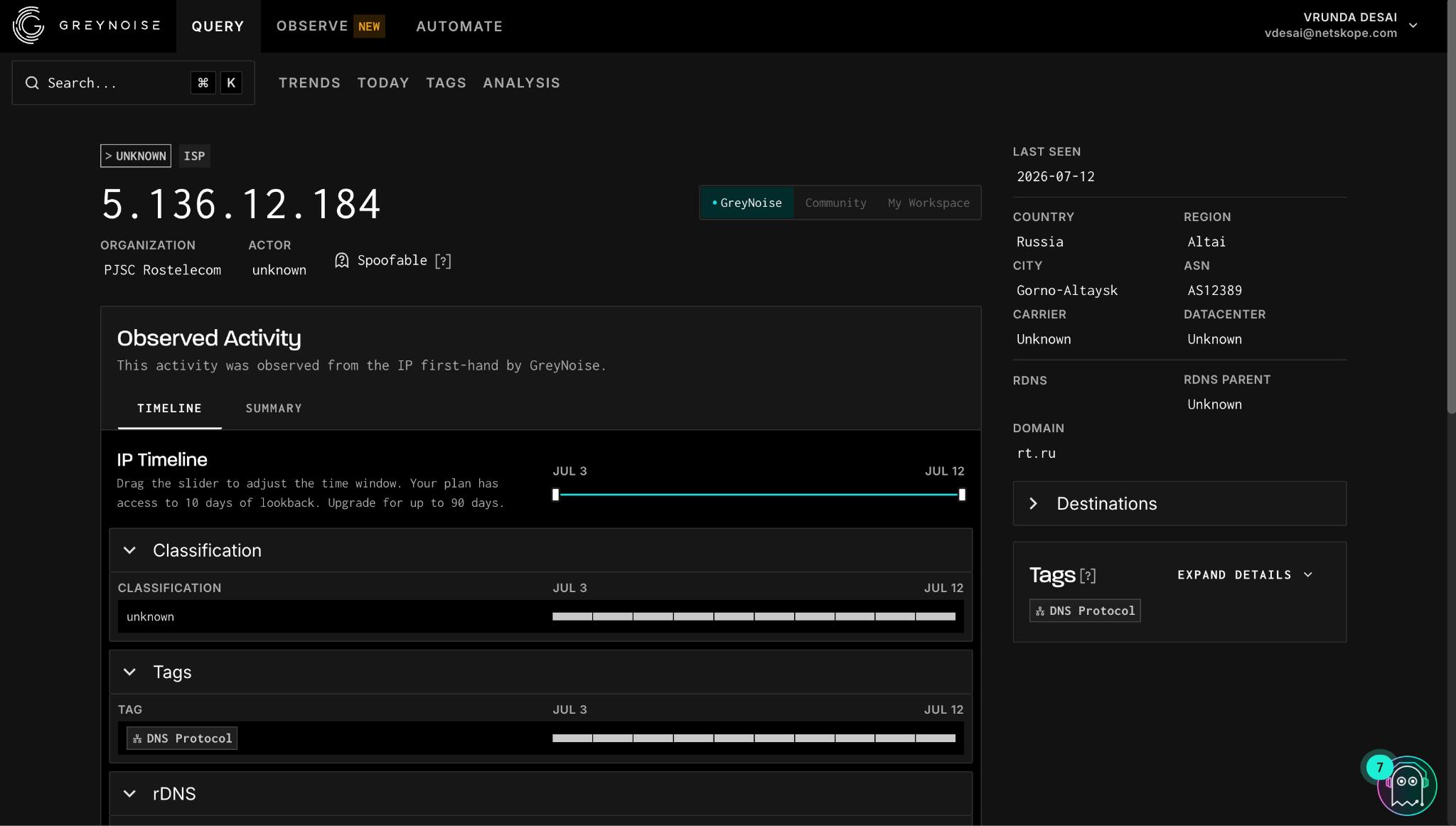
To verify the available IOCs on GreyNoise, log in to your GreyNoise instance and go to the Query page and apply the filter as per your need.
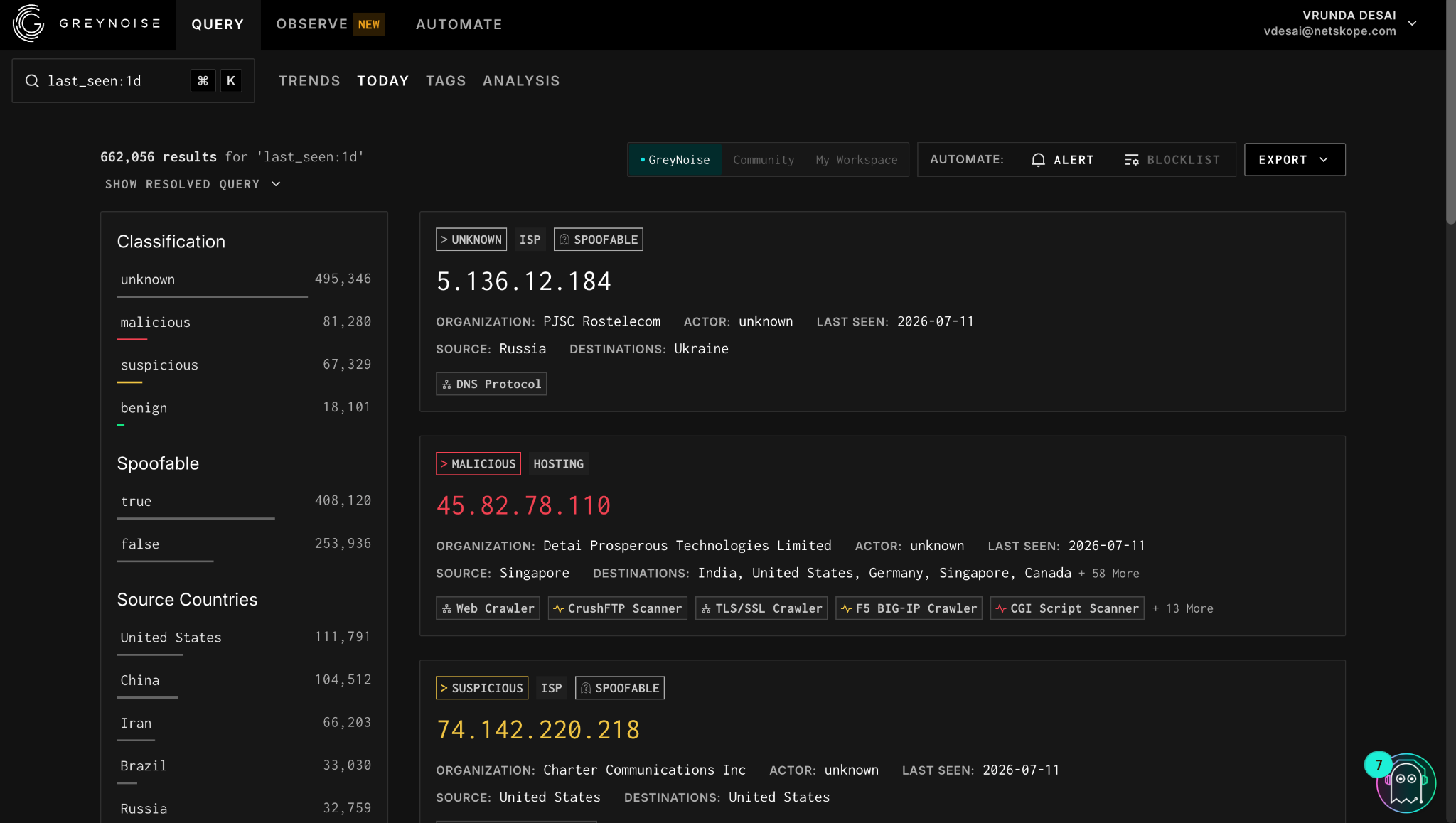
Click on any indicator to open its details.
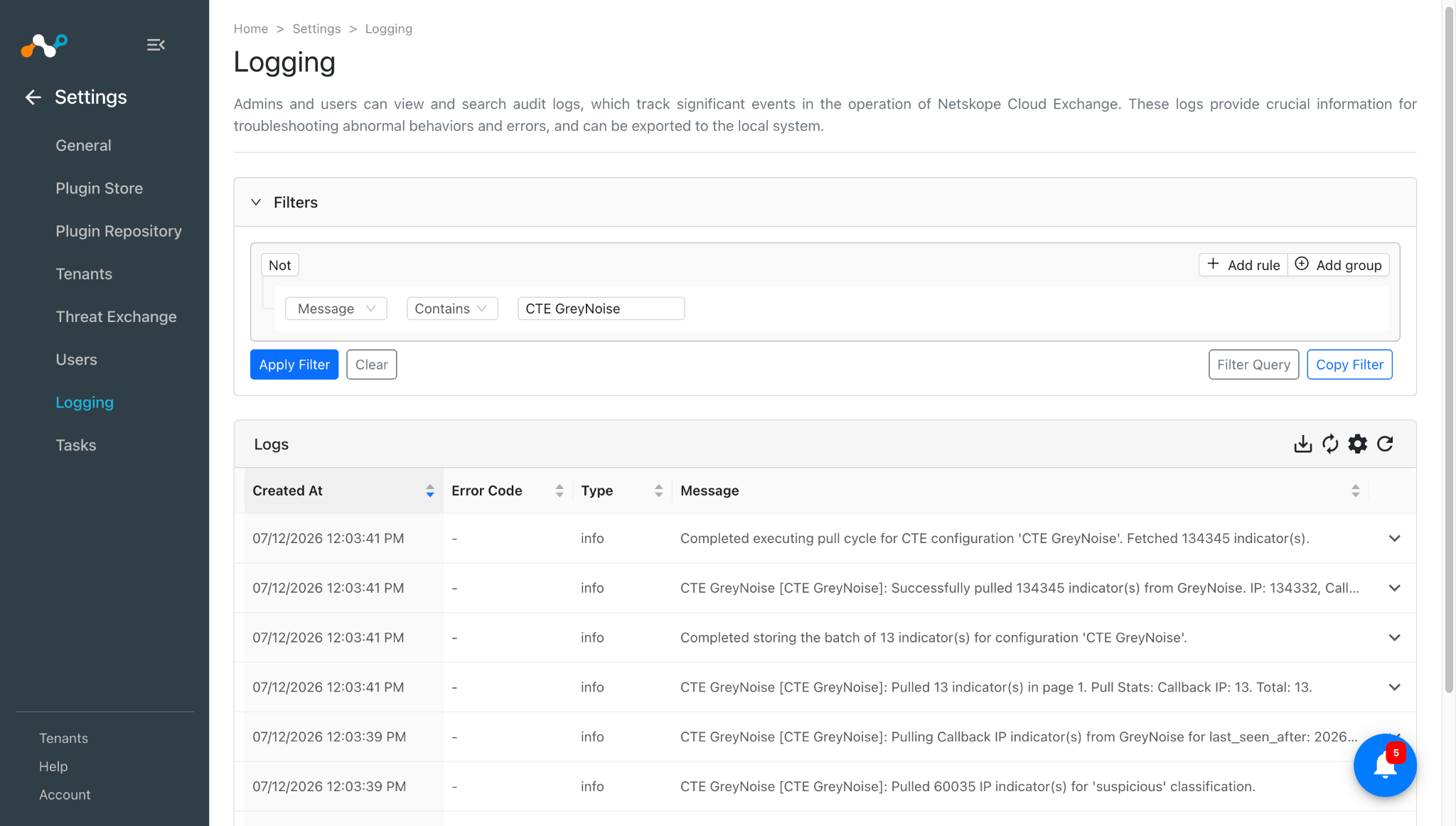
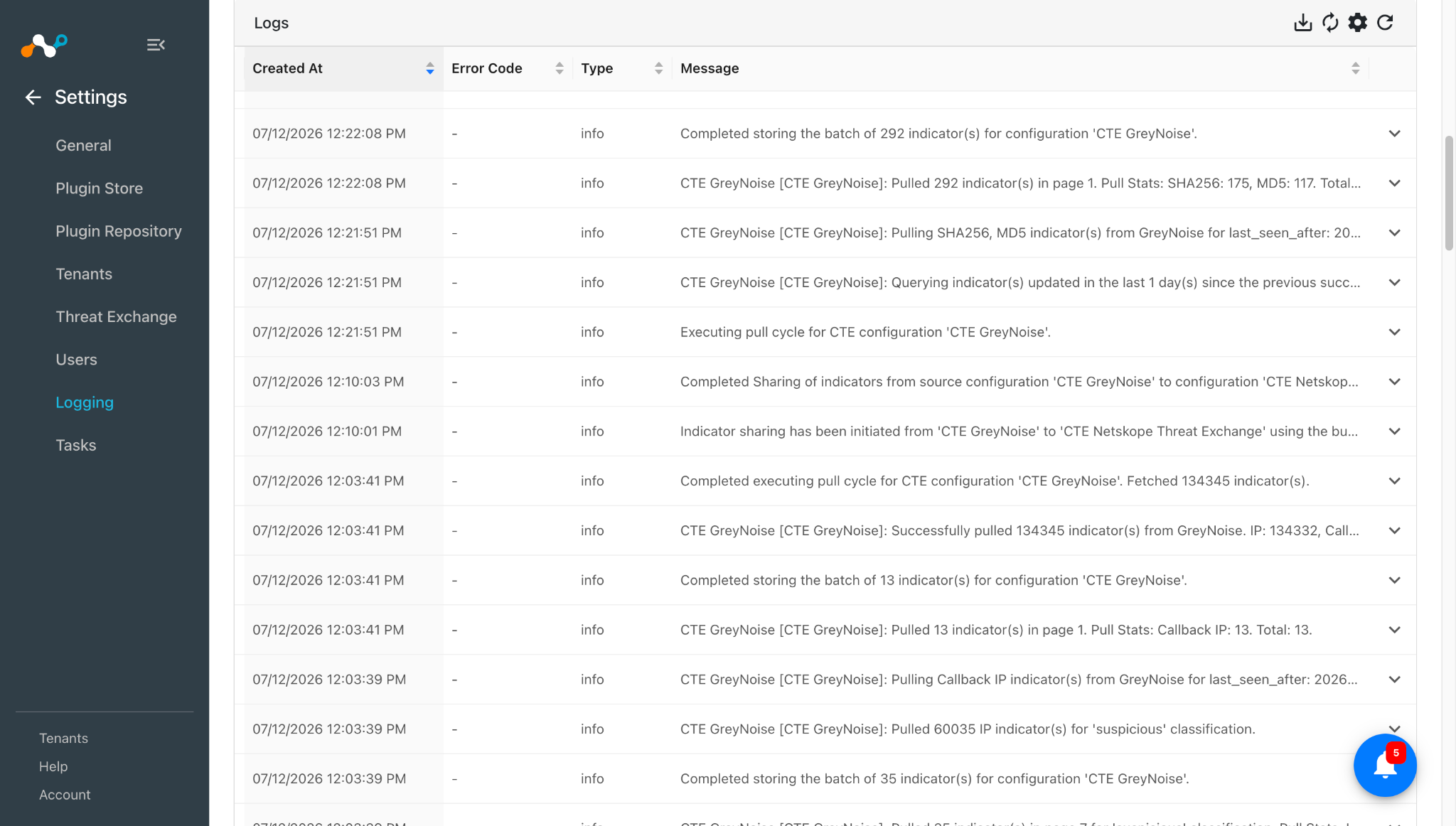
To verify the pulling of IoCs on Cloud Exchange, go to Settings > Logging and apply the filter with the plugin configuration name. Example: message Like “CTE GreyNoise”.
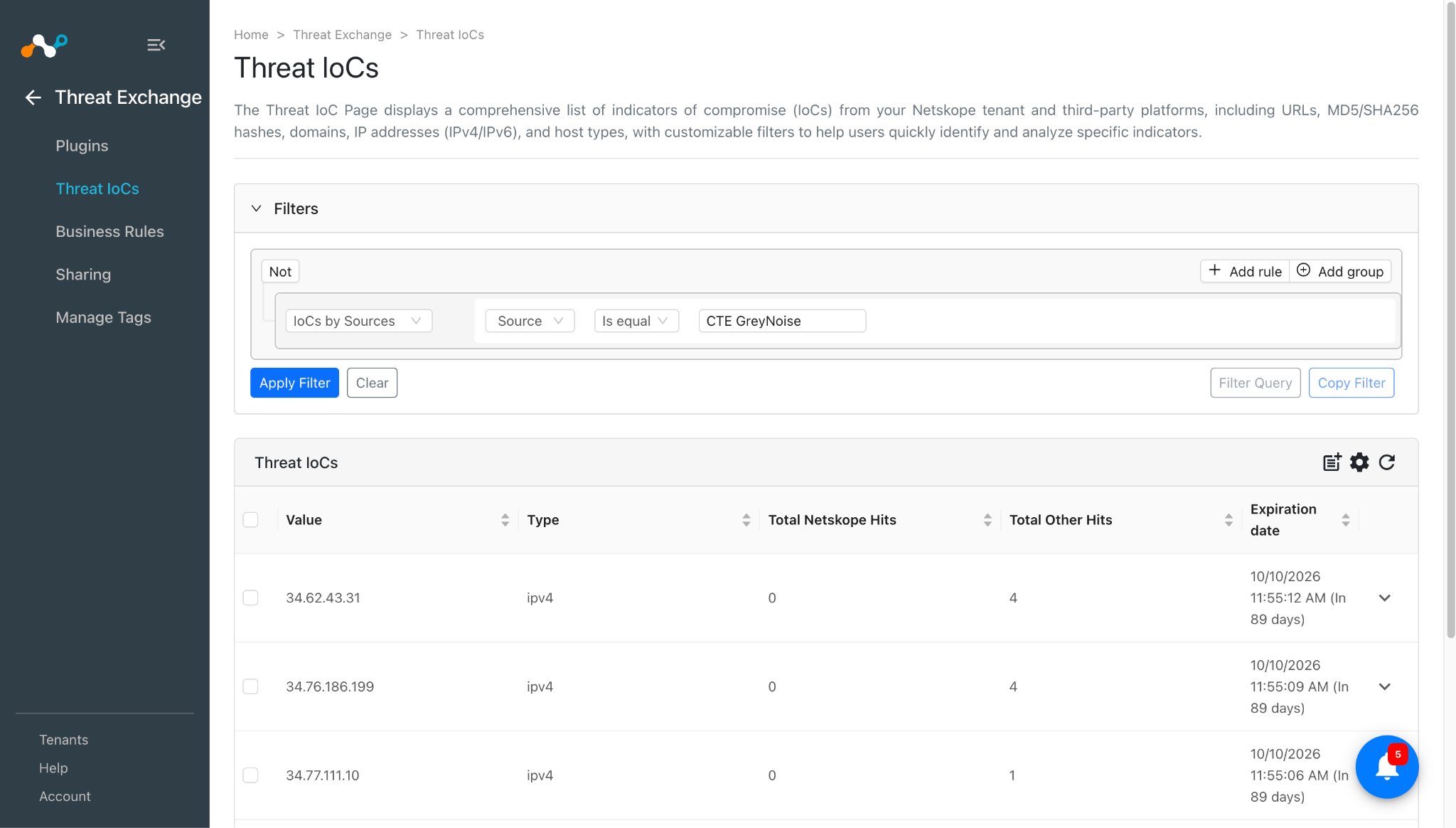
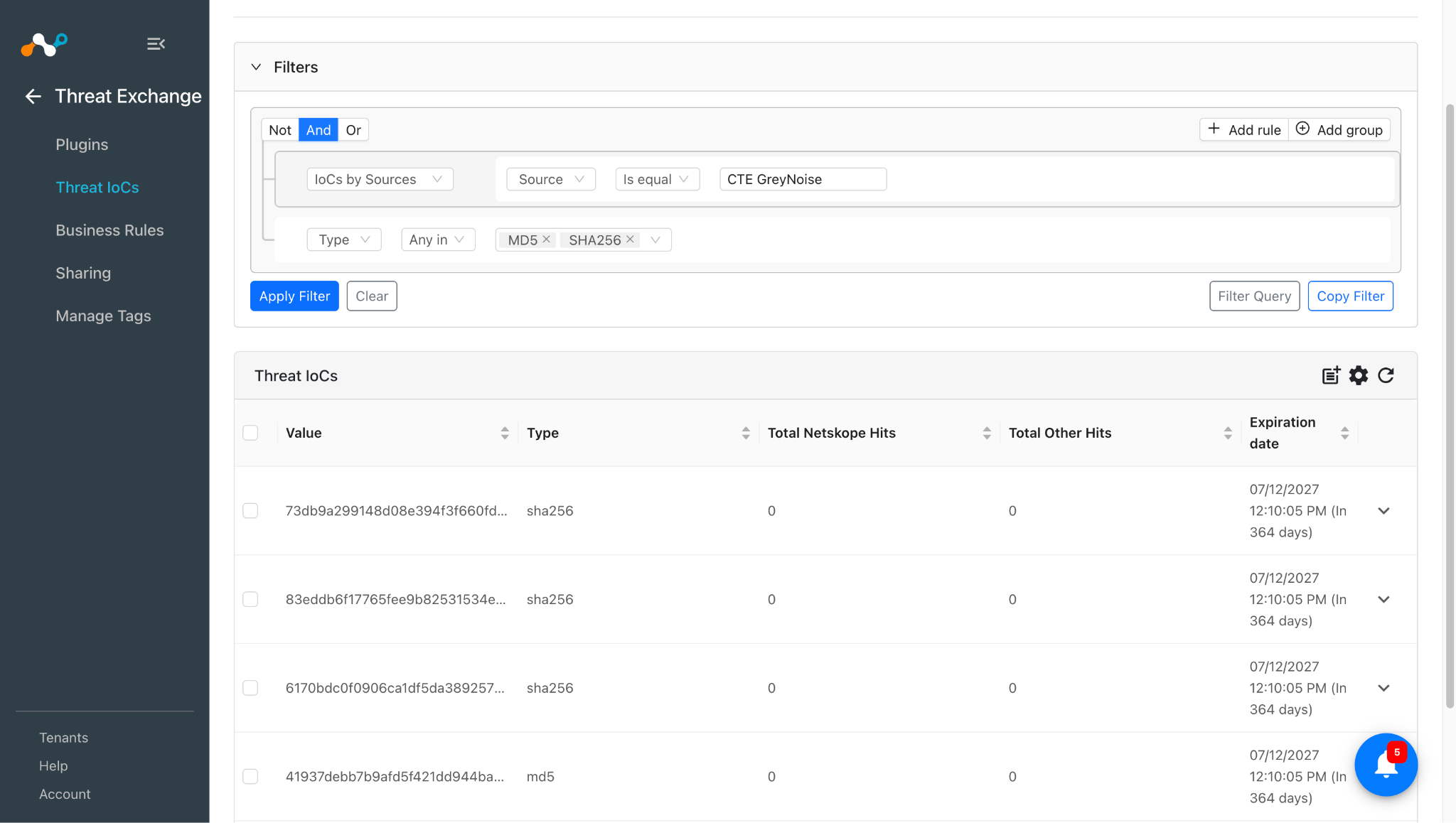
Pulled IOoCs will be visible at Threat IoCs in Cloud Exchange.
Validate the Retraction
For Pull Retraction
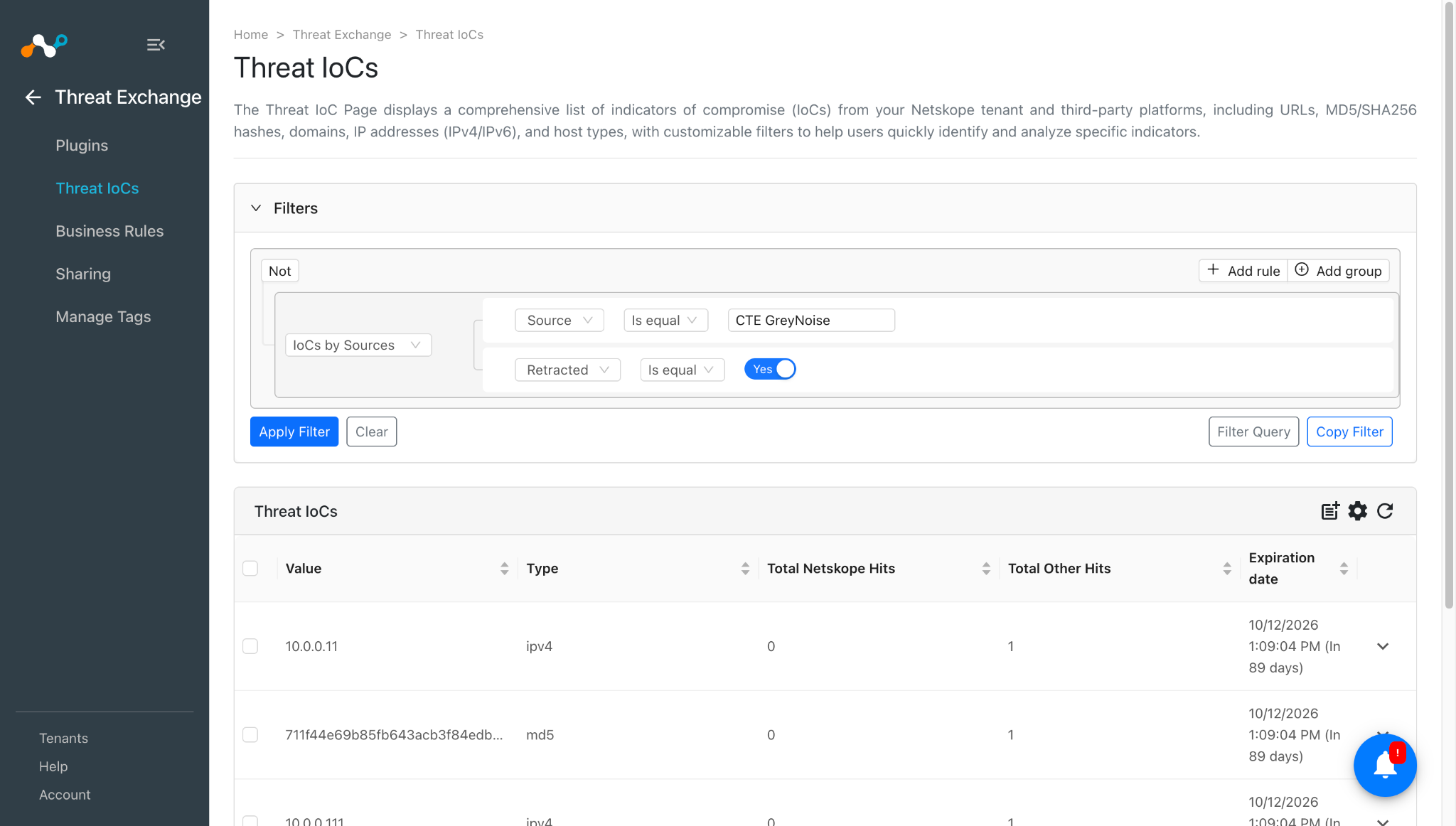
To verify the retracted IoCs, go to Threat IoCs and apply the filter as shown here:
To verify the logs related to retraction, you can go to Logging apply the filter as shown here:
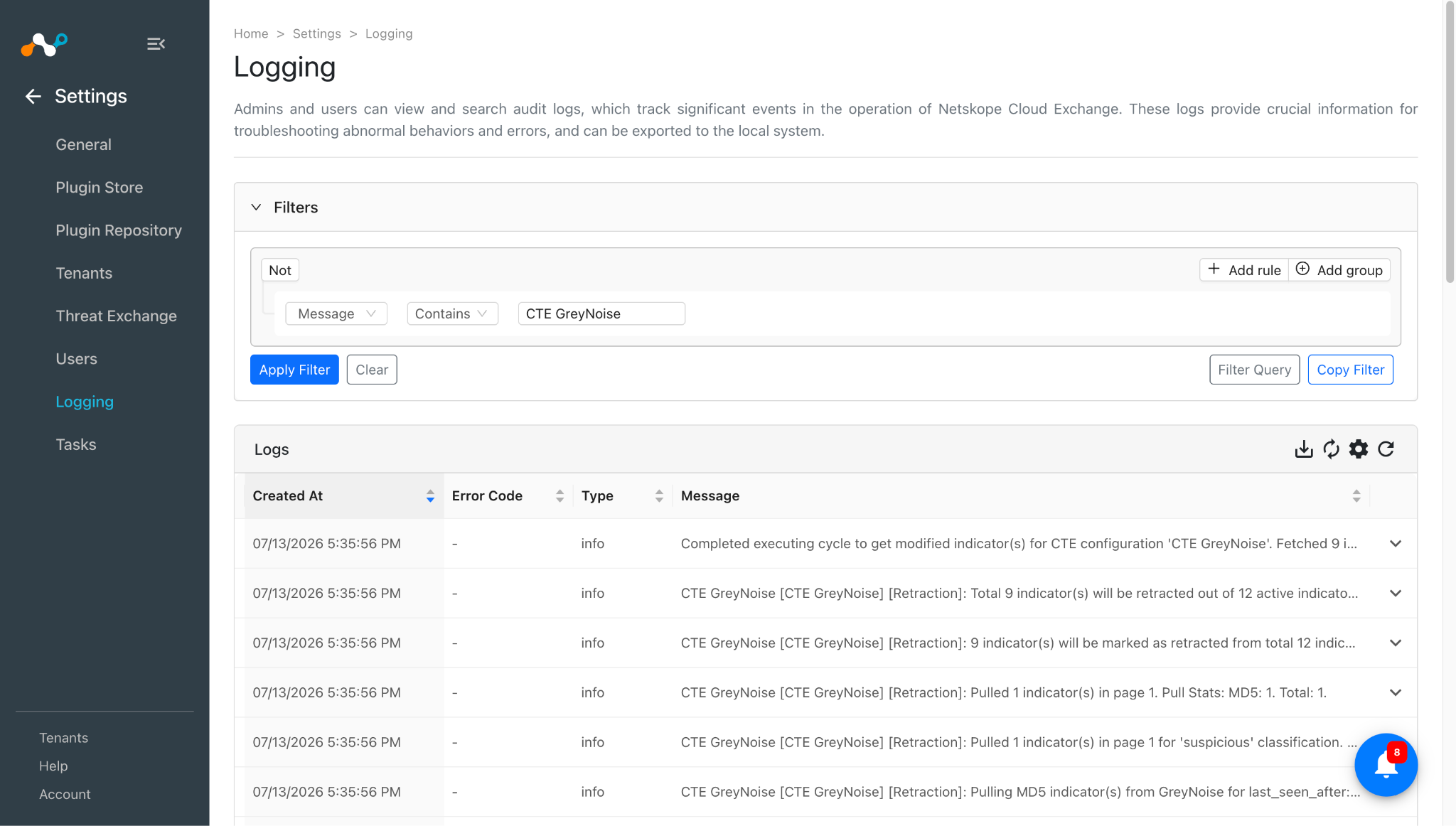
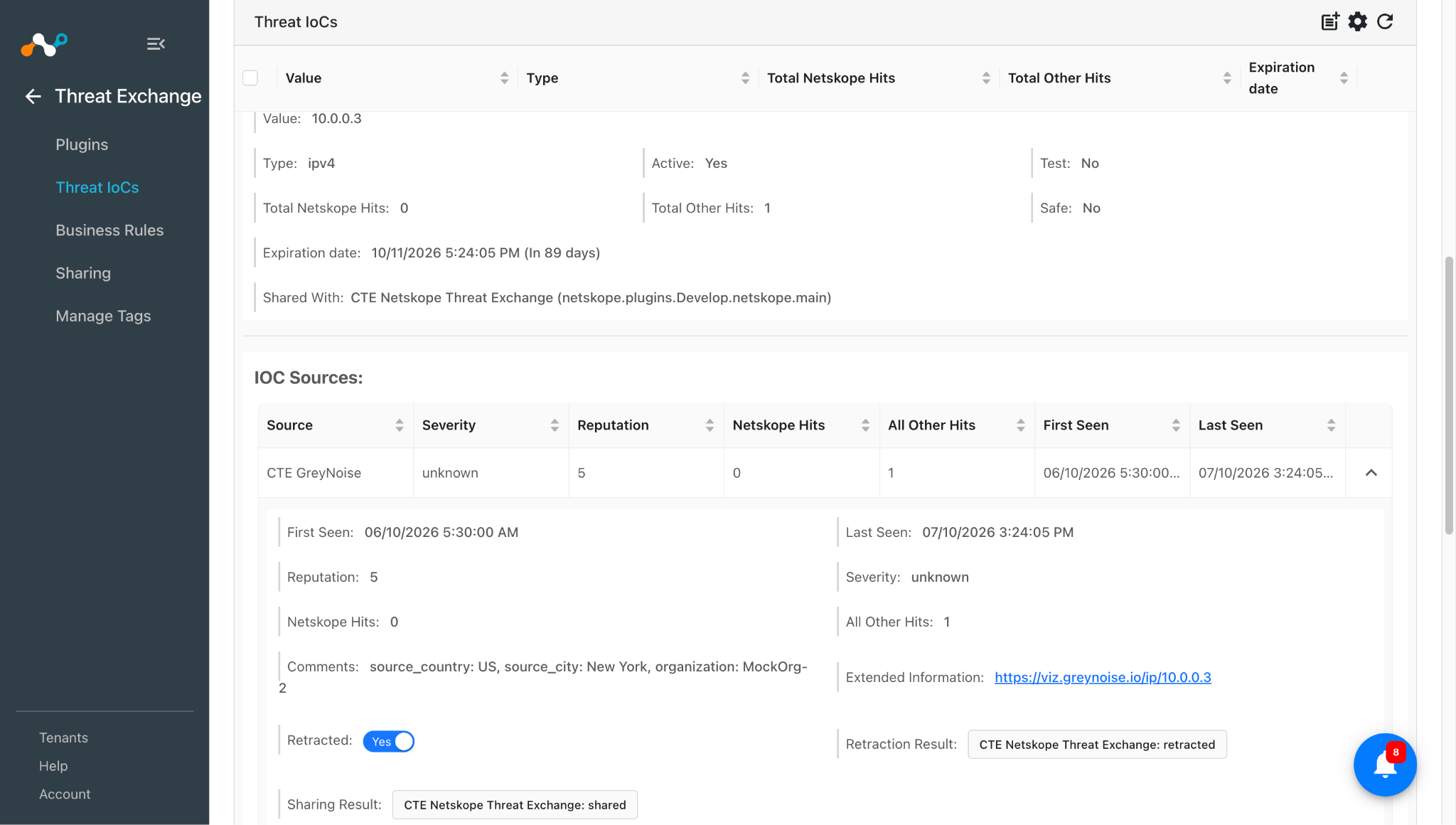
The GreyNoise plugin does not supports push retraction, but the Netskope Threat Exchange plugin supports push retraction, so the IoCs pulled from the GreyNoise plugin, and are marked as retracted, will be deleted from the Netskope Tenant. This result can be verified from retraction result field. Here the retraction result is CTE Netskope Threat Exchange: retracted, which means this IoC is deleted from the Netskope Tenant.
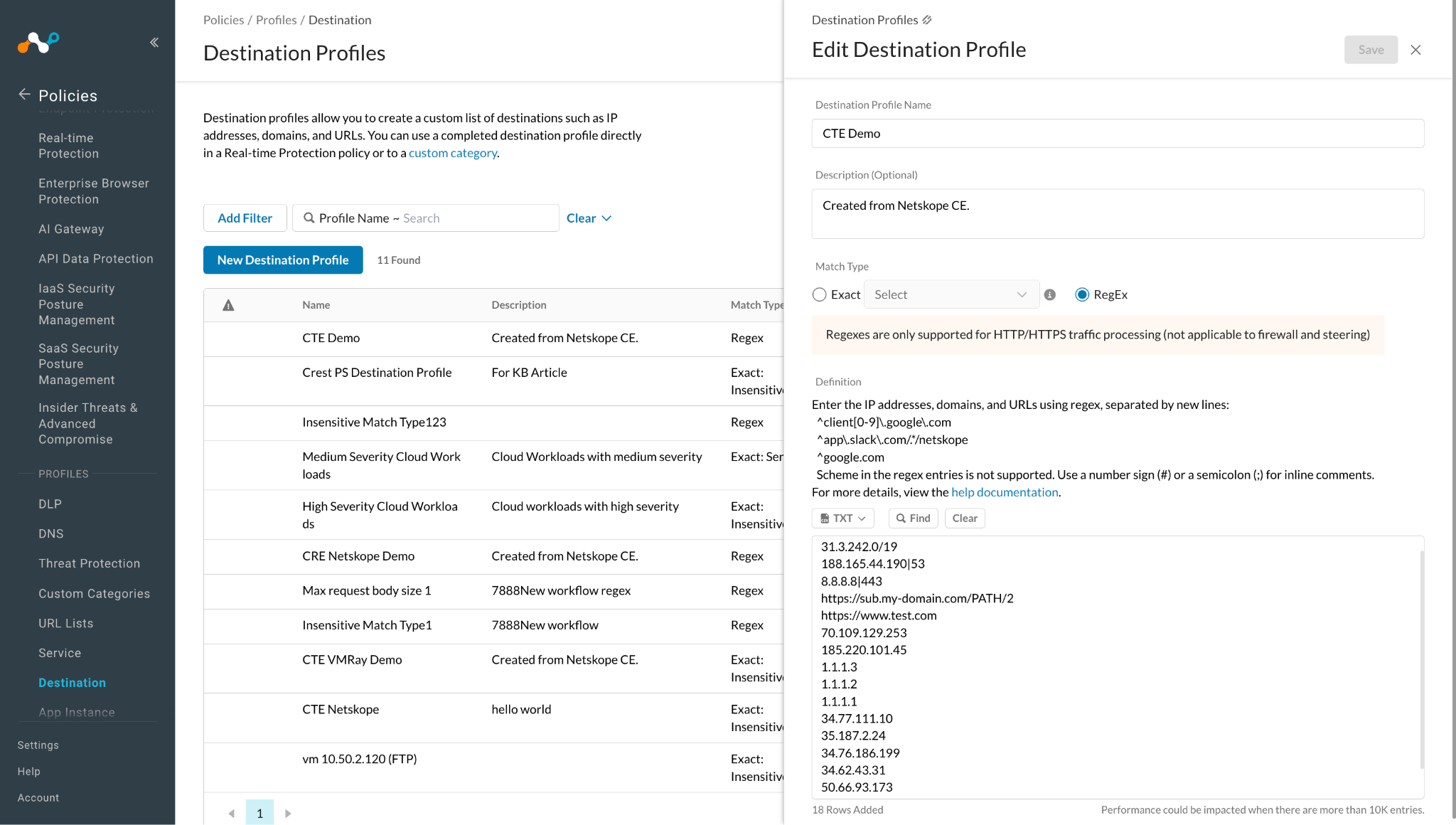
This is the Destination profile where the IoCs pulled from GreyNoise were shared.
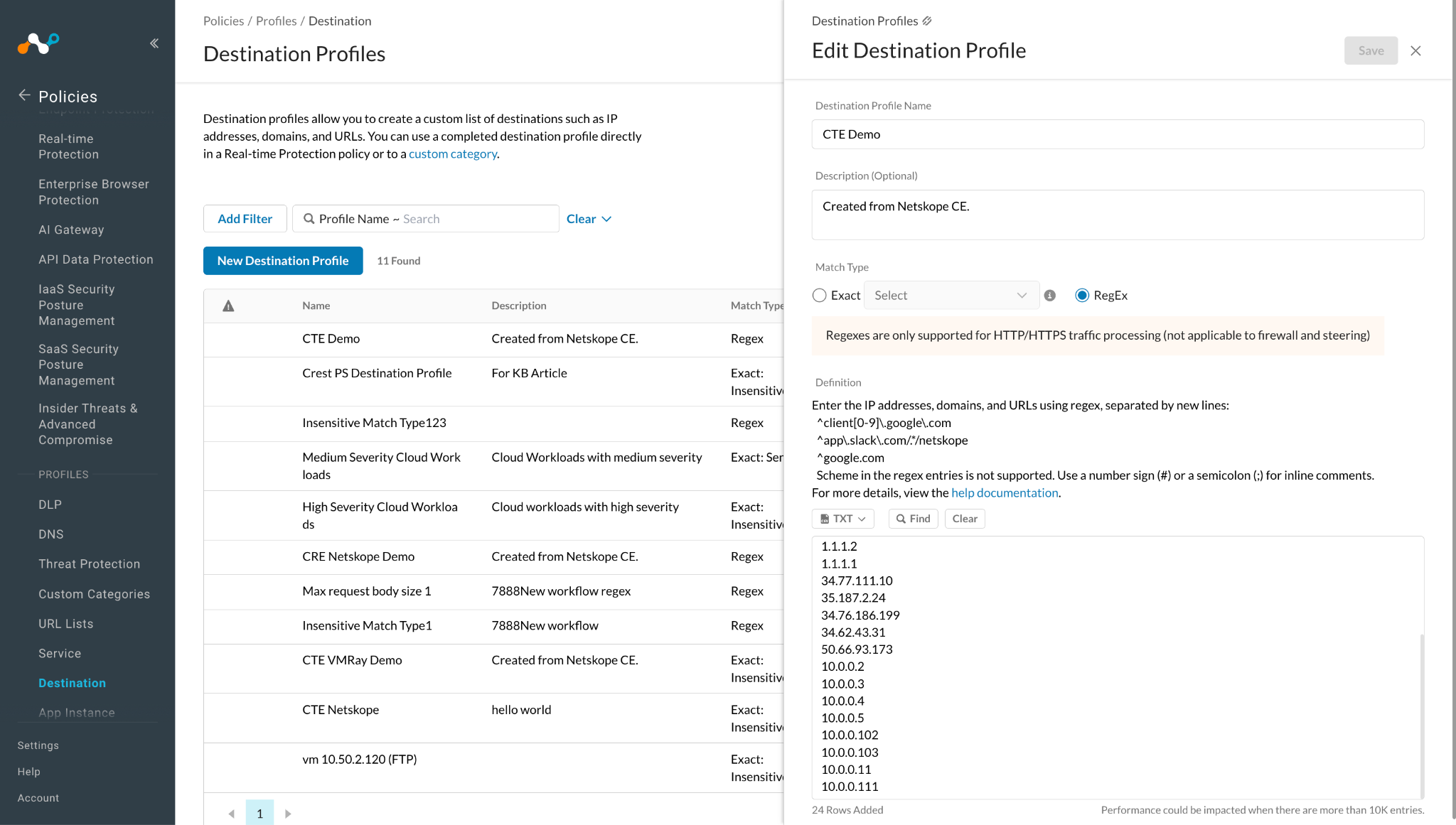
As the IoCs pulled from GreyNoise was marked as retracted = yes, and it was already shared to the destination profile on the Netskope tenant, it will get deleted from that destination profile and the status for it can be verified from retraction result. In this case, the retraction result is CTE Netskope Threat Exchange: retracted, which means it was deleted from the destination profile.
Here you can see the retracted IoCs were deleted from this destination profile.
Troubleshooting the GreyNoise Plugin
Receiving an invalid Base URL or invalid API Key error while creating the plugin configuration.
This error might occur if the provided URL or API Key in the plugin configuration is invalid.
What to do: Make sure to give the correct URL and API Key. Refer to the Configuration on GreyNoise section.
Unable to pull IoCs from GreyNoise
If you are not able to pull IoCs from GreyNoise then this may be due to no IoCs present on the GreyNoise platform under the same interval used as the initial range in the plugin configuration or your configuration has Stage 1 and Stage 2 set to Yes, and there are no IoCs that are under intersection of Stage 1 true/yes and Stage 2 true/yes.
What to do: Make sure the IoCs are present on the GreyNoise platform and the credentials used in the plugin configuration are correct. Refer to the Validate the Pull section and Known Behaviors.
Known Behaviors
- Stage 1 + Stage 2 filtering uses AND (intersection), not OR (union). When both Stage 1 and Stage 2 are set to Yes, the GreyNoise callback API applies an exact match on both flags — it returns only IPs that are simultaneously tagged as both a Stage 1 and a Stage 2 event. IPs that belong to only one stage are excluded. To pull Stage 1-only or Stage 2-only IPs alongside the combined set, run separate plugin configurations with each stage enabled independently.
- Subsequent pulls always overlap the previous window by ~1 day. The plugin rounds elapsed time up to whole days (ceiling), so a pull that runs exactly 4 days after the last one queries last_seen:5d. This means the final ~1 day of the previous pull’s window is always re-queried.