

This document explains how to configure the HPE Aruba Networking Central v1.0.0 plugin with the Risk Exchange module of the Netskope Cloud Exchange platform. This plugin is used to fetch Wired and Wireless clients data from Aruba Networking Central of HPE Greenlake. It retrieves the clients from the Aruba Networking Central > Clients page. This plugin also supports performing Add client to blacklist, Remove client from blacklist, and Disconnect client from networking device actions on Aruba Networking Central.
Prerequisites
To complete this integration, you need:
- A Netskope tenant (or multiple, for example, production and development/test instances).
- A Netskope Cloud Exchange tenant with the Tenant plugin and Risk Exchange plugin already configured.
- Connectivity to the HPE GreenLake platform.
- A subscription for HPE Aruba Networking Central service.
- Access to generate Client ID, Client Secret, and pull wired/wireless clients.
- Connectivity to the following host: https://*.central.arubanetworks.com.
HPE Aruba Networking Central Plugin Support
This plugin is used to fetch Wired and Wireless clients data from Aruba Networking Central of HPE Greenlake. It retrieves the clients from the Aruba Networking Central > Clients page. This plugin also supports performing Add client to blacklist, Remove client from blacklist, and Disconnect client from networking device actions on Aruba Networking Central.
| Type of Data Pulled | Actions Supported |
|---|---|
|
|
Mappings
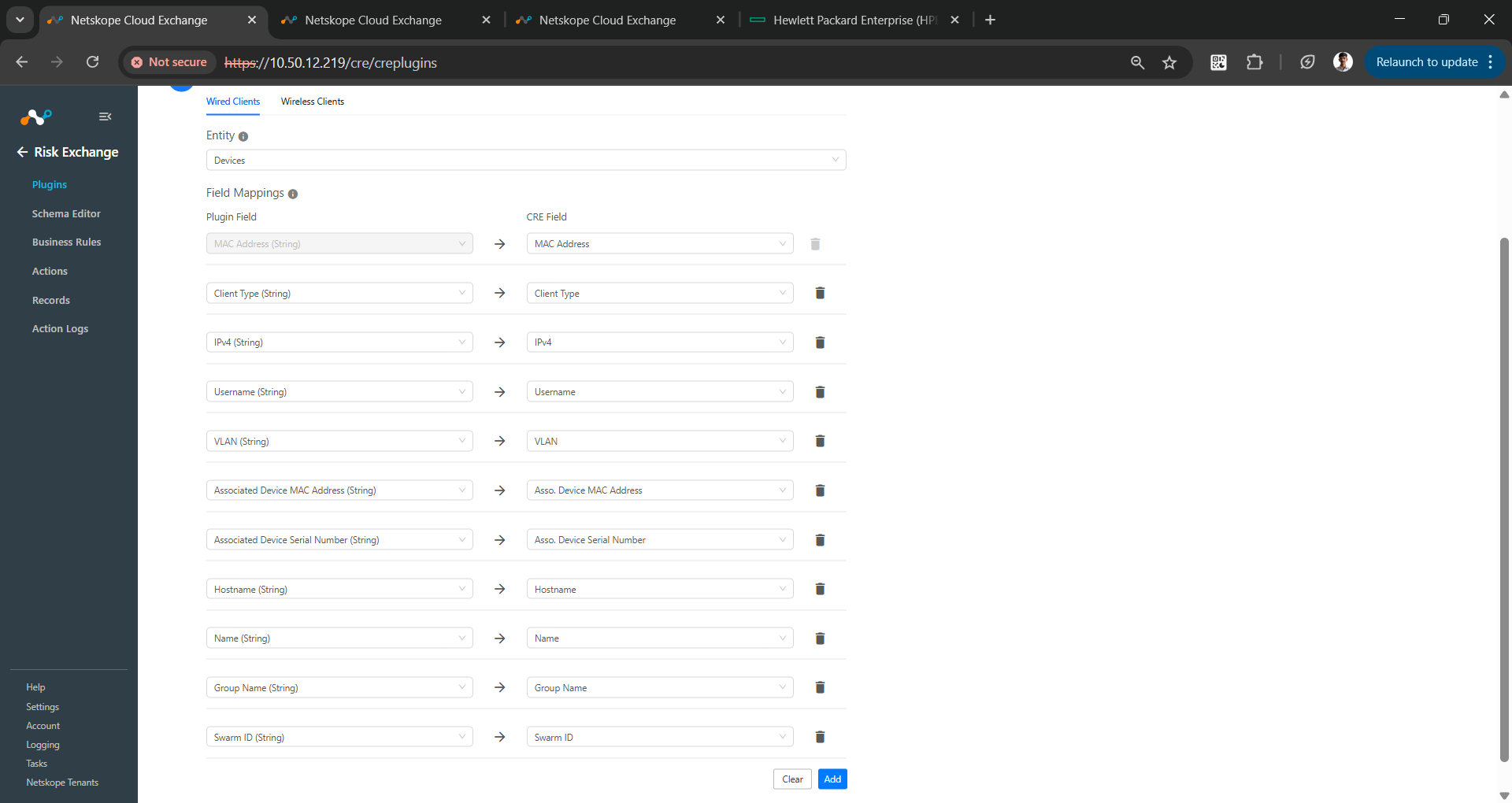
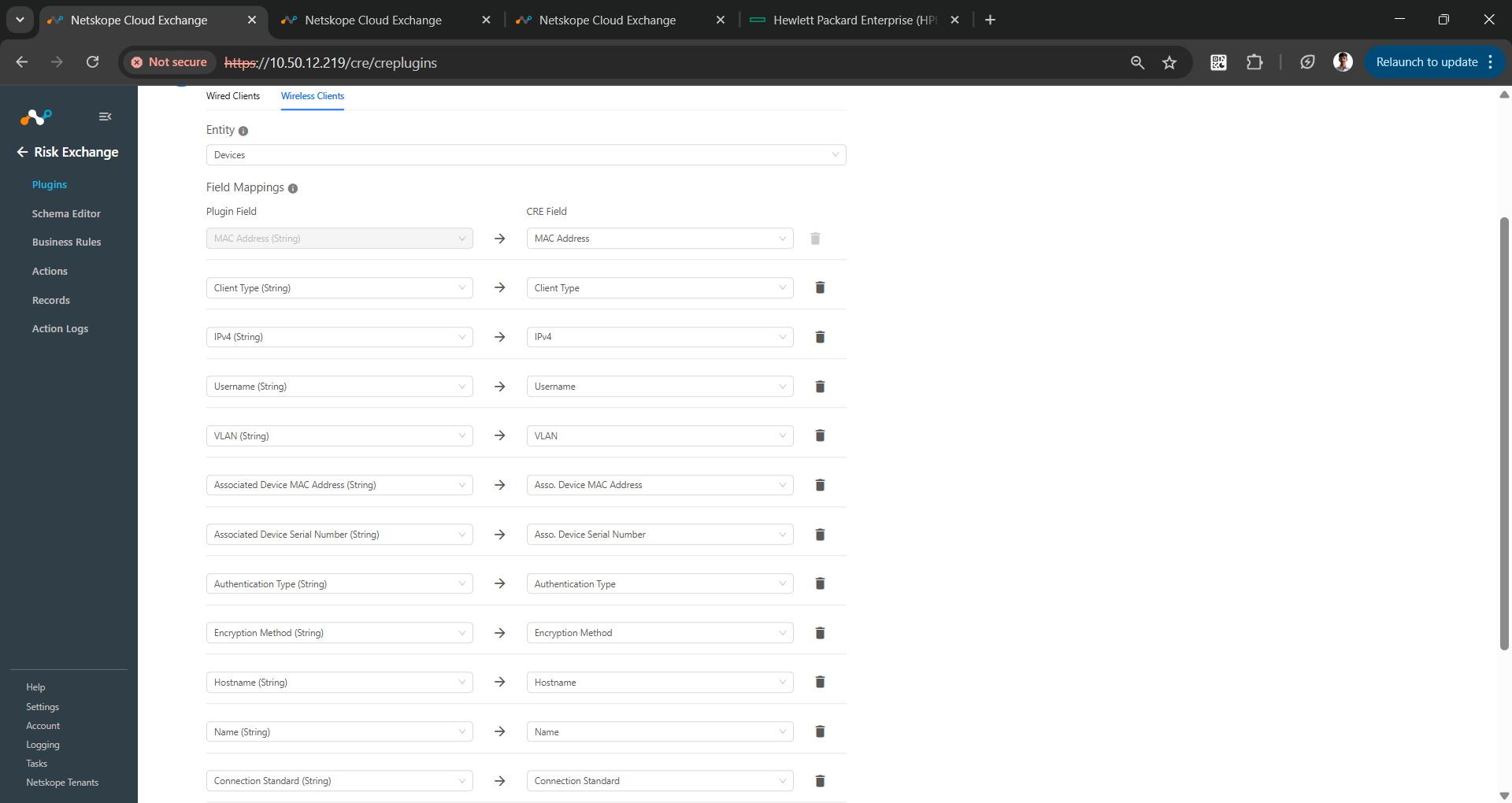
Mappings are used to view the pulled wired and wireless clients and their respective details. Fields mapped during plugin configuration will be visible on the Records page after the data is pulled. Here are the suggested mappings to use while configuring the plugin.
Pull Mappings
| Plugin Field | Expected Datatype | Suggested Field Name | Suggested Field Aggregate Strategy |
|---|---|---|---|
| MAC Address | String | MAC Address | Unique |
| Client Type | String | Client Type | Overwrite |
| IPv4 | String | IPv4 | Overwrite |
| Username | String | Username | Overwrite |
| VLAN | String | VLAN | Overwrite |
| Associated Device MAC Address | String | Associated Device MAC Address | Overwrite |
| Associated Device Serial Number | String | Associated Device Serial Number | Overwrite |
| Hostname | String | Hostname | Overwrite |
| Name | String | Name | Overwrite |
| Group Name | String | Group Name | Overwrite |
| Swarm ID | String | Swarm ID | Overwrite |
| Authentication Type | String | Authentication Type | Overwrite |
| Encryption Method | String | Encryption Method | Overwrite |
| Connection Standard | String | Connection Standard | Overwrite |
| Operating System Type | String | Operating System Type | Overwrite |
Permissions
For fetching clients and performing actions using the plugin, you will need these roles:
- HPE Greenlake Platform > Workspace Observer
- HPE Aruba Networking Central > Aruba Central view edit role
API Details
List of APIs Used
List of APIs Used
| API Endpoint | Method | Use Case |
|---|---|---|
| /oauth2/authorize/central/api/login | POST | Generate Access token step 1: Login and obtain Session and CSRF token |
| /oauth2/authorize/central/api | POST | Generate Access token step 2: Obtain authorization code |
| /oauth2/token | POST | Generate Access token step 3: Obtain Access and refresh token |
| /oauth2/token | POST | Regenerate access and refresh token |
| /monitoring/v1/clients/wireless | GET | Pull wireless clients |
| /monitoring/v1/clients/wired | GET | Pull wired clients |
| /configuration/v1/swarm/<device_id>/blacklisting | POST | Add client to blacklist |
| /configuration/v1/swarm/<device_id>/blacklisting | DELETE | Remove client from blacklist |
| /device_management/v1/device/<device_serial>/action/disconnect_user | POST | Disconnect client from networking device |
Authorization
Generate access token Step 1
API Endpoint: /oauth2/authorize/central/api/login
Method: POST
Headers:
| Key | Value |
|---|---|
| User-Agent | netskope-ce-5.1.1-cre-hpe-aruba-networking-central-v1.0.0 |
Body:
| Key | Value |
|---|---|
| username | abc.xyz@pqr.com |
| password | abc123xyz |
Parameters:
| Key | Value | Description |
|---|---|---|
| client_id | 6xioIybft2hW5s8keMQPSxAc4XJGfLf8 | Aruba networking central client ID |
Sample API Response
Response body:
{"status":true}
Response Headers:
{
    "Server": "openresty/1.13.6.2",
    "Date": "Wed, 16 Apr 2025 09:36:57 GMT",
    "Content-Type": "application/json",
    "Content-Length": "16",
    "Connection": "keep-alive",
    "X-RateLimit-Limit-Second": "3",
    "X-RateLimit-Remaining-Second": "0",
    "Cache-Control": "no-cache, no-store, must-revalidate, private",
    "Pragma": "no-cache",
    "Set-Cookie": "csrftoken=IjdkMGABRFVkYTA23ftqN2M3ialjMDBiNjUyYTIzYzZiO83F2BViZDQi.Z_96OQ.6qxNHAMZKZOGqSHgPSYiy77Rg38; Secure; Path=/, session=e8067gfte772a53b_67ff7a39.OO4EUpf-lqpXP5QTvCD64flNbJy0; Secure; HttpOnly; Path=/"
}
Generate access token Step 2
API Endpoint: /oauth2/authorize/central/api
Method: POST
Headers
| Key | Value | Description |
|---|---|---|
| Cookie | e8067gfte772a53b_67ff7a39.OO4EUpf-lqpXP5QTvCD64flNbJy0 | Session token (Cookie) obtained from generate access token step 1 |
| X-CSRF-TOKEN | IjdkMGABRFVkYTA23ftqN2M3ialjMDBiNjUyYTIzYzZiO83F2BViZDQi.Z_96OQ.6qxNHAMZKZOGqSHgPSYiy77Rg38 | CSRF Token obtained from generate access token step 1 |
| User-Agent | netskope-ce-5.1.1-cre-hpe-aruba-networking-central-v1.0.0 | User agent |
Parameters
| Key | Value |
|---|---|
| client_id | 6xioIybft2hW5s8keMQPSxAc4XJGfLf8 |
| response_type | code |
| scope | all |
Body
| Key | Value | Description |
|---|---|---|
| customer_id | z04d7db8e34al3x9aed754ebb74bce52 | Aruba Networking Central Customer ID. |
Sample API Response
{
   "auth_code": "dfmyIjq3cZ5G1ofsxS4Dgl122q0vQyE"
}
Generate access token step 3
API Endpoint: /oauth2/token
Method: POST
Headers:
| Key | Value |
|---|---|
| User-Agent | netskope-ce-5.1.1-cre-hpe-aruba-networking-central-v1.0.0 |
Body:
| Key | Value | Description |
|---|---|---|
| client_id | 6xioIybft2hW5s8keMQPSxAc4XJGfLf8 | Aruba Networking central client ID |
| client_secret | ivlV40m8SDM3Sgck4ClqdrskkSRya9fB2 | Aruba Networking central client secret |
| grant_type | authorization_code | Token grant type |
| code | dfmyIjq3cZ5G1ofsxS4Dgl122q0vQyE | Auth_code obtained from generate access token step 2 |
Sample API Response
{
    "refresh_token": "knsdFAjnfEFks34adf76WDKW62jad",
    "token_type": "bearer",
    "access_token": "Nfjad8449NFf7asd0ea3wj3FFmwlald",
    "expires_in": 7200
}
Regenerate access and refresh token
API Endpoint: /oauth2/token
Method: POST
Headers:
| Key | Value |
|---|---|
| Authorization | Bearer <Token> |
| User-Agent | netskope-ce-5.1.1-cre-hpe-aruba-networking-central-v1.0.0 |
Parameters:
| Key | Value | Description |
|---|---|---|
| client_id | 6xioIybft2hW5s8keMQPSxAc4XJGfLf8 | Aruba Networking central client ID |
| client_secret | ivlV40m8SDM3Sgck4ClqdrskkSRya9fB2 | Aruba Networking central client secret |
| grant_type | refresh_token | Token grant type |
| refresh_token | knsdFAjnfEFks34adf76WDKW62jad | Refresh token obtained from generate access token step 3 |
Sample API Response
{
    "refresh_token": "5nadsiuef7F7aFJ02pdam",
    "token_type": "bearer",
    "access_token": "naknfde7faoijfdioREMD9e3s",
    "expires_in": 7200
}
Pull Wireless Clients
API Endpoint: /monitoring/v1/clients/wireless
Method: GET
Headers:
| Key | Value |
|---|---|
| Authorization | Bearer <Token> |
| User-Agent | netskope-ce-5.1.1-cre-hpe-aruba-networking-central-v1.0.0 |
Parameters:
| Key | Value | Description |
|---|---|---|
| limit | 1000 | Pagination limit |
| offset | 0 | Pagination offset |
Sample API Response:
{
    "clients": [
        {
            "associated_device": "Network device 0",
            "associated_device_mac": "23:7f:de:3f:61:27",
            "associated_device_name": "23:7f:de:3f:61:27",
            "authentication_type": "",
            "band": 5,
            "channel": "100 (80 MHz)",
            "client_category": "Home Audio/Video Equipment",
            "client_type": "WIRELESS",
            "connected_device_type": "AP",
            "connection": "802.11ac",
            "encryption_method": "WPA2_PSK",
            "failure_stage": "",
            "group_id": 0,
            "group_name": "default",
            "health": 92,
            "hostname": "Google-Home",
            "ht_type": 5,
            "ip_address": "32.127.208.96",
            "label_id": [],
            "labels": [],
            "last_connection_time": 1742203795505,
            "macaddr": "27:88:56:2a:ac:c8",
            "manufacturer": "Google, Inc.",
            "maxspeed": 433,
            "name": "WirelessClient0",
            "network": "netskope",
            "os_type": "Chromecast Media Player",
            "phy_type": 1,
            "radio_mac": "23:7f:de:3f:61:27",
            "radio_number": 0,
            "signal_db": -64,
            "signal_strength": 4,
            "snr": 28,
            "speed": 325,
            "swarm_id": "1jLK1NxqiVhglBXXN2qA5BYiWuFCUejF2Fz8Yx5kRYORIiByix",
            "user_role": "netskope",
            "username": "user.name@domain.com",
            "vlan": 244
        }
    ],
    "count": 1
}
Pull Wired Clients
API Endpoint: /monitoring/v1/clients/wired
Method: GET
Headers:
| Key | Value |
|---|---|
| Authorization | Bearer <Token> |
| User-Agent | netskope-ce-5.1.1-cre-hpe-aruba-networking-central-v1.0.0 |
Parameters:
| Key | Value | Description |
|---|---|---|
| limit | 1000 | Pagination limit |
| offset | 0 | Pagination offset |
Sample API Response
{
    "clients": [
        {
            "macaddr": "74:84:b4:11:af:b3",
            "name": "WiredClient0",
            "ip_address": "137.115.81.35",
            "username": "User.name@domain.com",
            "associated_device": "Network device 0",
            "group_name": "default",
            "interface_mac": "dd:e2:cb:7d:5c:fa",
            "interface_port": 63526,
            "vlan": 456,
            "associated_device_name": "dd:e2:cb:7d:5c:fa",
        }
    ],
    "count": 1
}
Add Clients to a Blacklist
API Endpoint: /configuration/v1/swarm/<device_id>/blacklisting
Method: POST
Headers:
| Key | Value |
|---|---|
| Authorization | Bearer <Token> |
| User-Agent | netskope-ce-5.1.1-cre-hpe-aruba-networking-central-v1.0.0 |
Parameter:
| Key | Value | Description |
|---|---|---|
| device_id | 14b3743c01f8080bfa07ca053ef1e895df9c0680fe5a17bfd5 | Swarm ID/Device id of virtual controller or C2C access point from where client will be blacklisted. |
Body:
| Key | Value | Description |
| blacklist | List of <client_mac_address> | List of client Mac addresses to be blacklisted |
Remove Clients from a Blacklist
API Endpoint: /configuration/v1/swarm/<device_id>/blacklisting
Method: DELETE
Headers:
| Key | Value |
|---|---|
| Authorization | Bearer <Token> |
| User-Agent | netskope-ce-5.1.1-cre-hpe-aruba-networking-central-v1.0.0 |
Parameter:
| Key | Value | Description |
|---|---|---|
| device_id | 14b3743c01f8080bfa07ca053ef1e895df9c0680fe5a17bfd5 | Swarm ID/Device id of virtual controller or C2C access point from where client will be blacklisted. |
Body:
| Key | Value | Description |
|---|---|---|
| blacklist | List of <client_mac_address> | List of client Mac addresses to be un-blacklisted |
Disconnect a Client from a Networking Device
API Endpoint: /configuration/v1/swarm/<device_id>/blacklisting
Method: DELETE
Headers:
| Key | Value |
|---|---|
| Authorization | Bearer <Token> |
| User-Agent | netskope-ce-5.1.1-cre-hpe-aruba-networking-central-v1.0.0 |
Parameter:
| Key | Value | Description |
|---|---|---|
| device_serial | FT592BGL | Serial number of networking device from where client will be disconnected |
Body:
| Key | Value | Description |
|---|---|---|
| disconnect_user_mac | <client_mac_address> | Mac address of device to be disconnected from networking device |
Sample API response
{
    "serial": "FT592BGL",
    "state": "QUEUED",
    "task_id": 17447940919521
}
Performance Matrix
These performance readings are conducted on a Large CE Stack with these VM specifications by pulling 500K wired clients and wireless clients from the HPE Aruba Networking Central plugin.
| Description | Specification |
|---|---|
| Stack details | Size: Large RAM: 32 GB CPU: 16 Cores |
| Wired clients fetched from the HPE Aruba Networking Central | ~26.2k per minute |
| Wireless clients fetched from the HPE Aruba Networking Central | ~23.6k per minute |
User Agent
netskope-ce-5.1.1-cre-hpe-aruba-networking-central-v1.0.0
Workflow
- Get your API Base URL, Client ID, Client Secret and Customer ID from HPE GreenLake platform.
- Configure the HPE Aruba Networking Central plugin.
- Add a Business Rule.
- Add Actions.
- Validate the HPE Aruba Networking Central plugin.
Click play to watch a video.
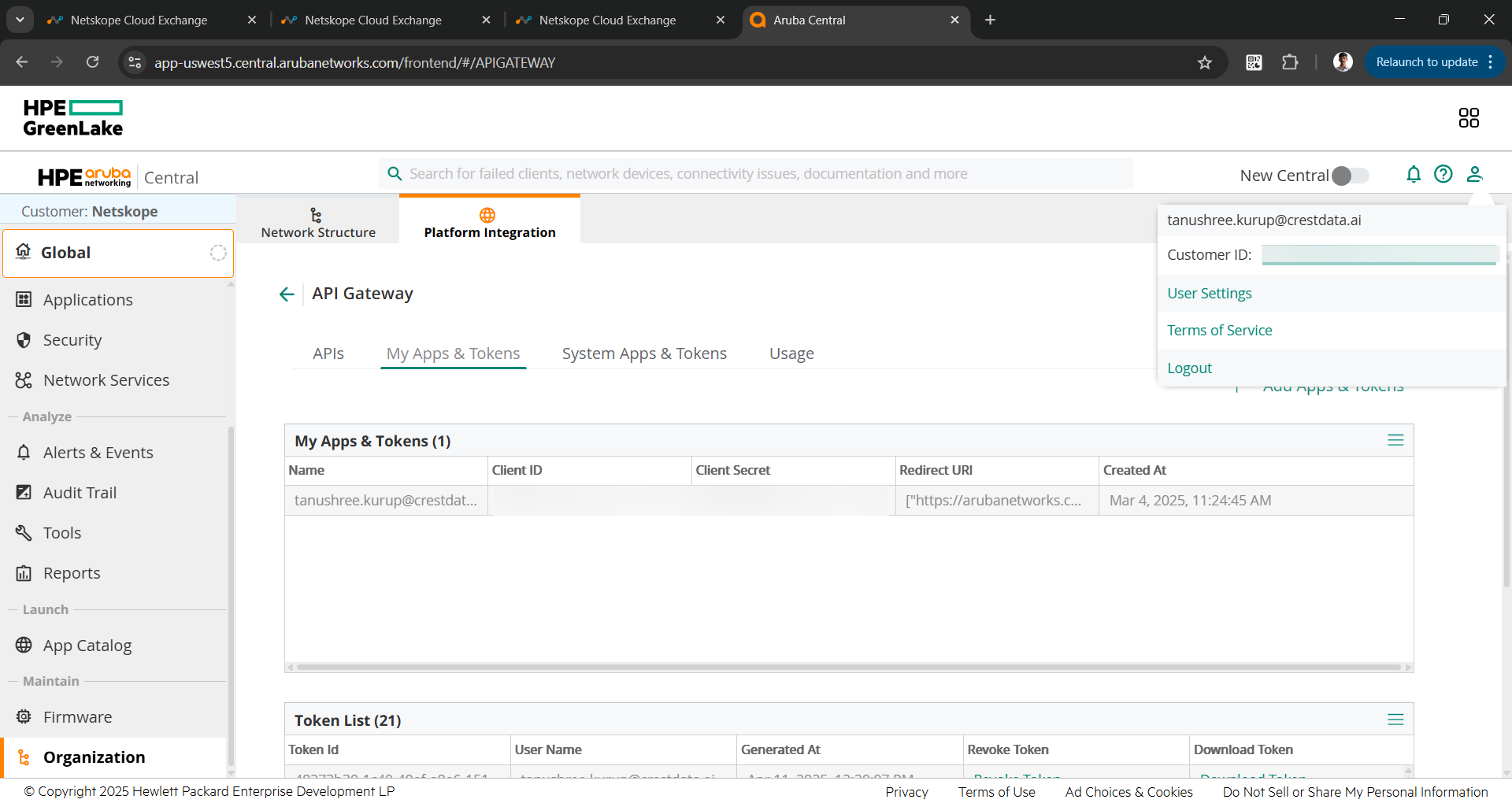
Get your API Base URL, Client ID, Client Secret and Customer ID from HPE GreenLake
To get your API Base URL, Client ID, and Client Secret:
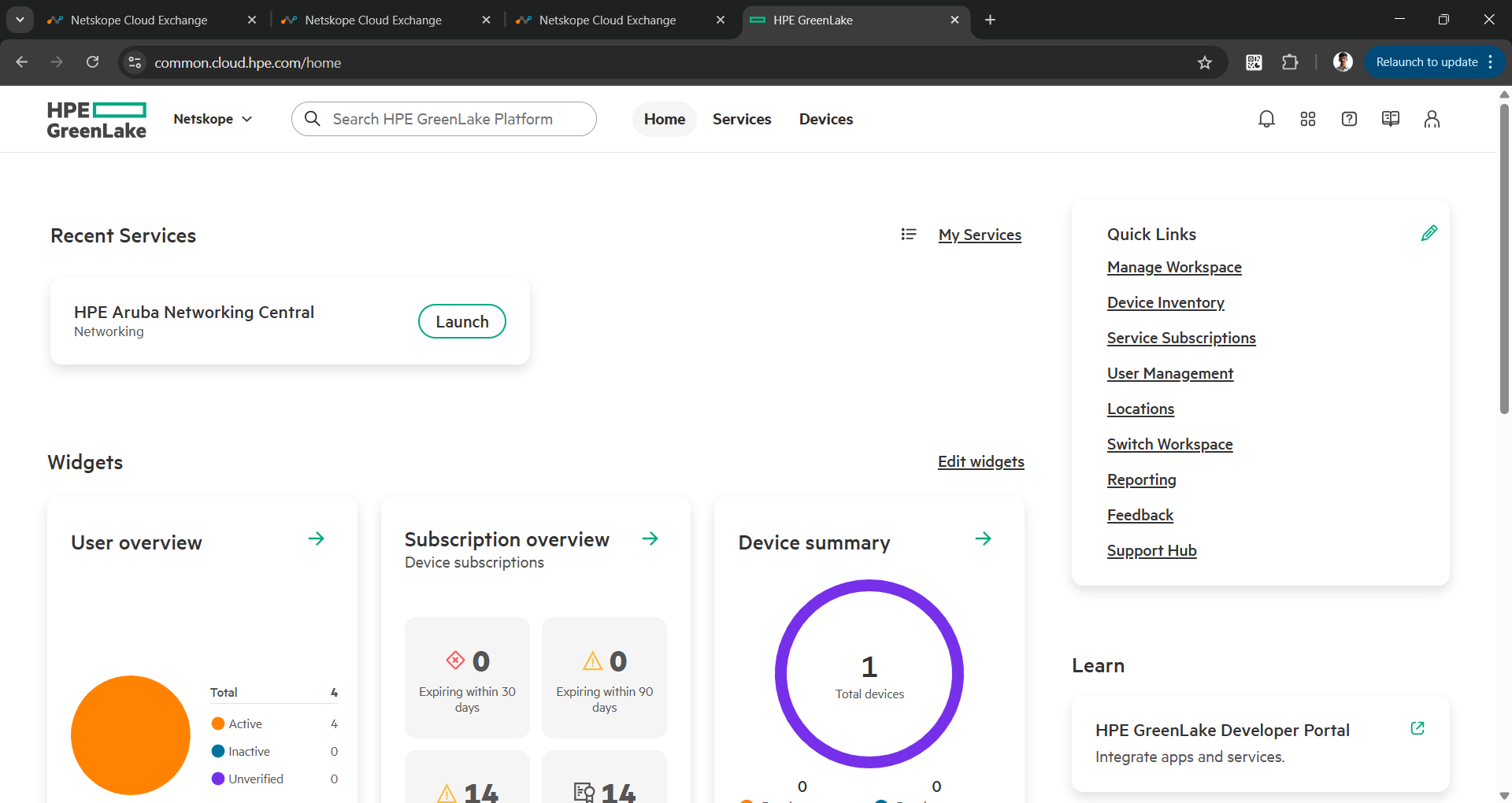
- Log in to your HPE GreenLake account, and go to your workspace.
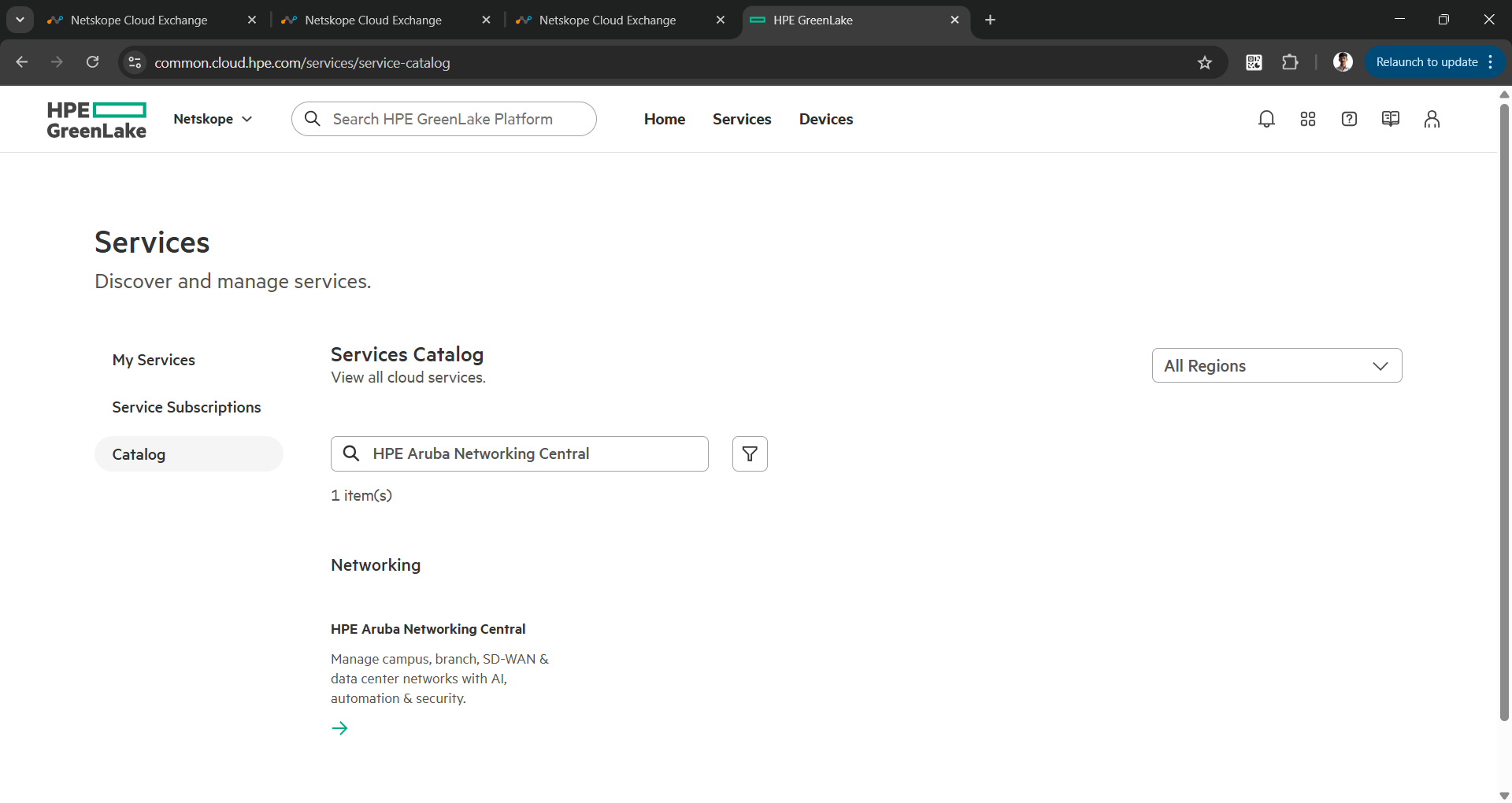
- Go to Services > Catalog and search for HPE Aruba Networking Central.
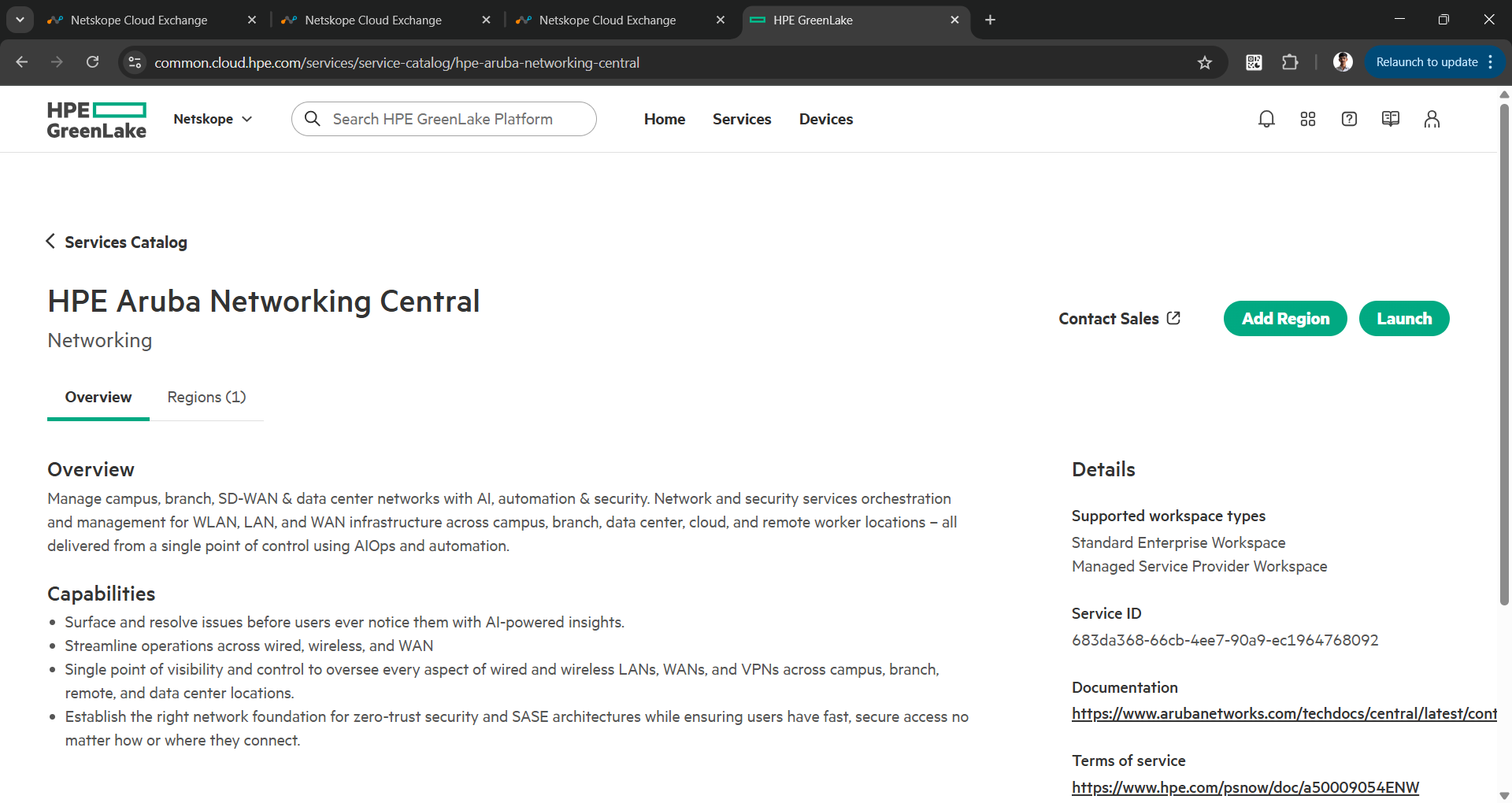
- Click on the service and click Add Region to deploy a service.
- After successful deployment of the service, click Launch to start the service.
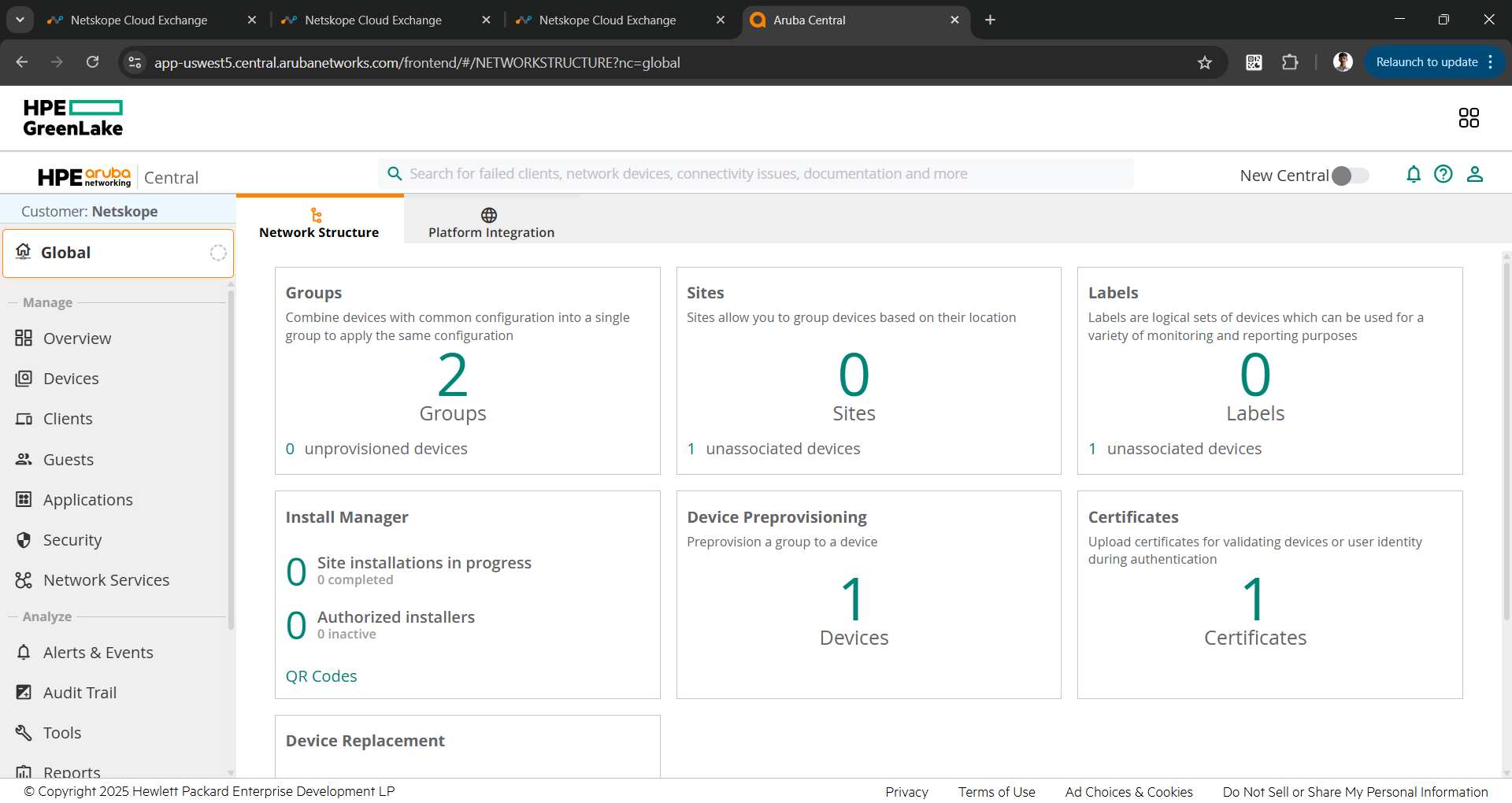
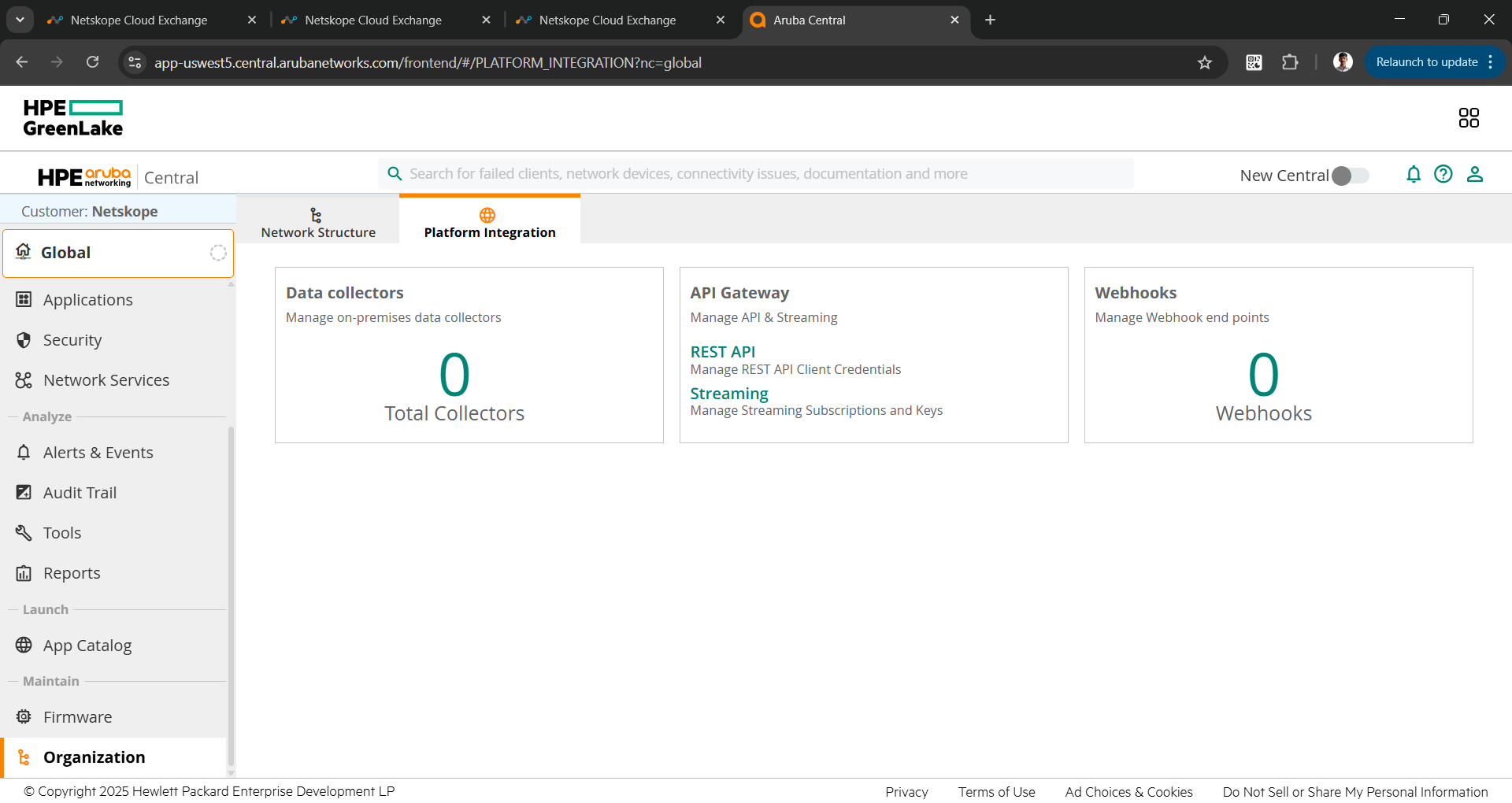
- Go to Organization > Platform Integration and click REST API under the API Gateway section.
- Under APIs you can find the API Base URL. You only need to copy the Base URL without the path to configure the plugin.
For example: https://apigw-uswest5.central.arubanetworks.com.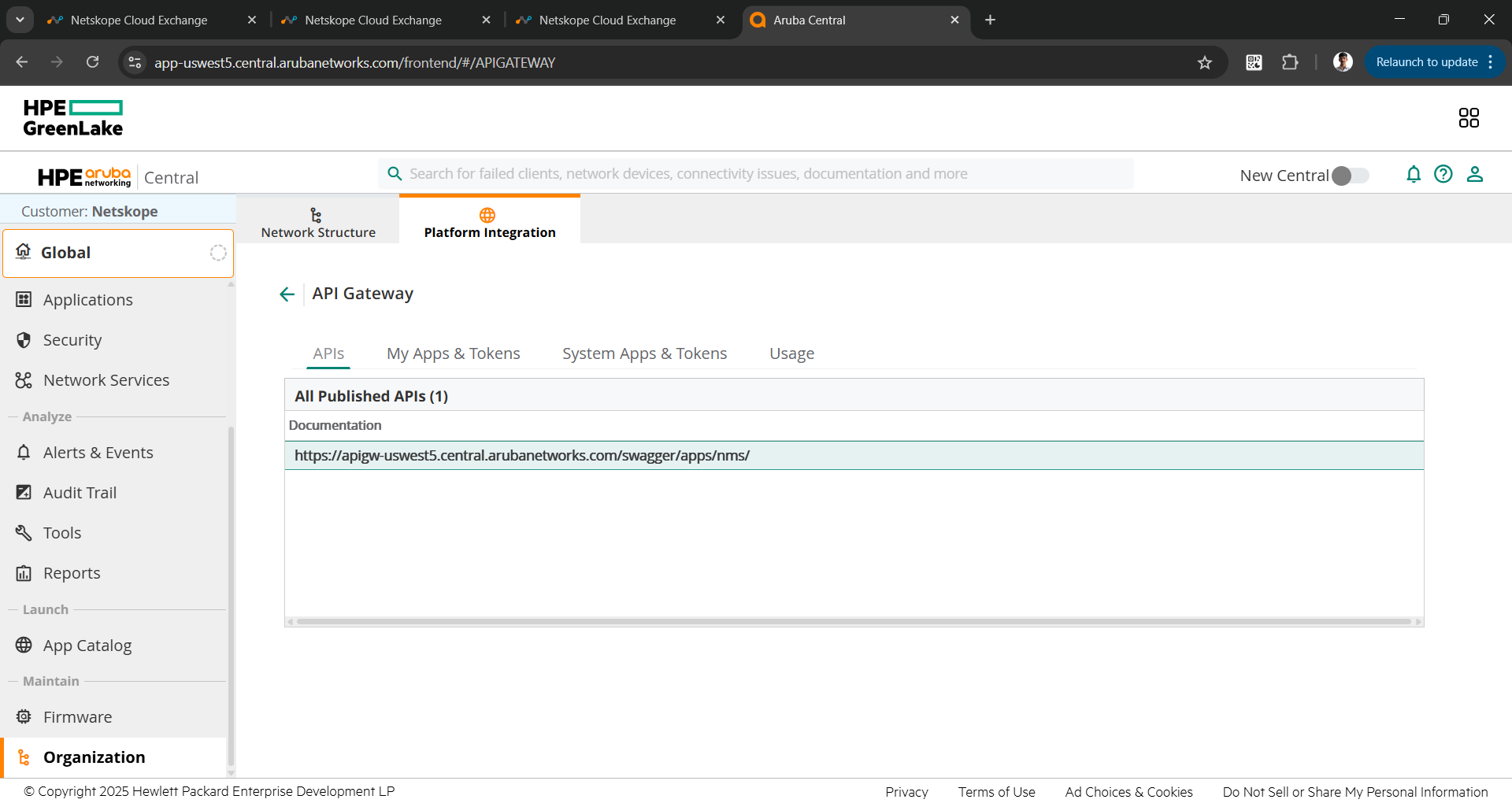
- To get the Client ID and Client Secret, go to My Apps & Tokens.
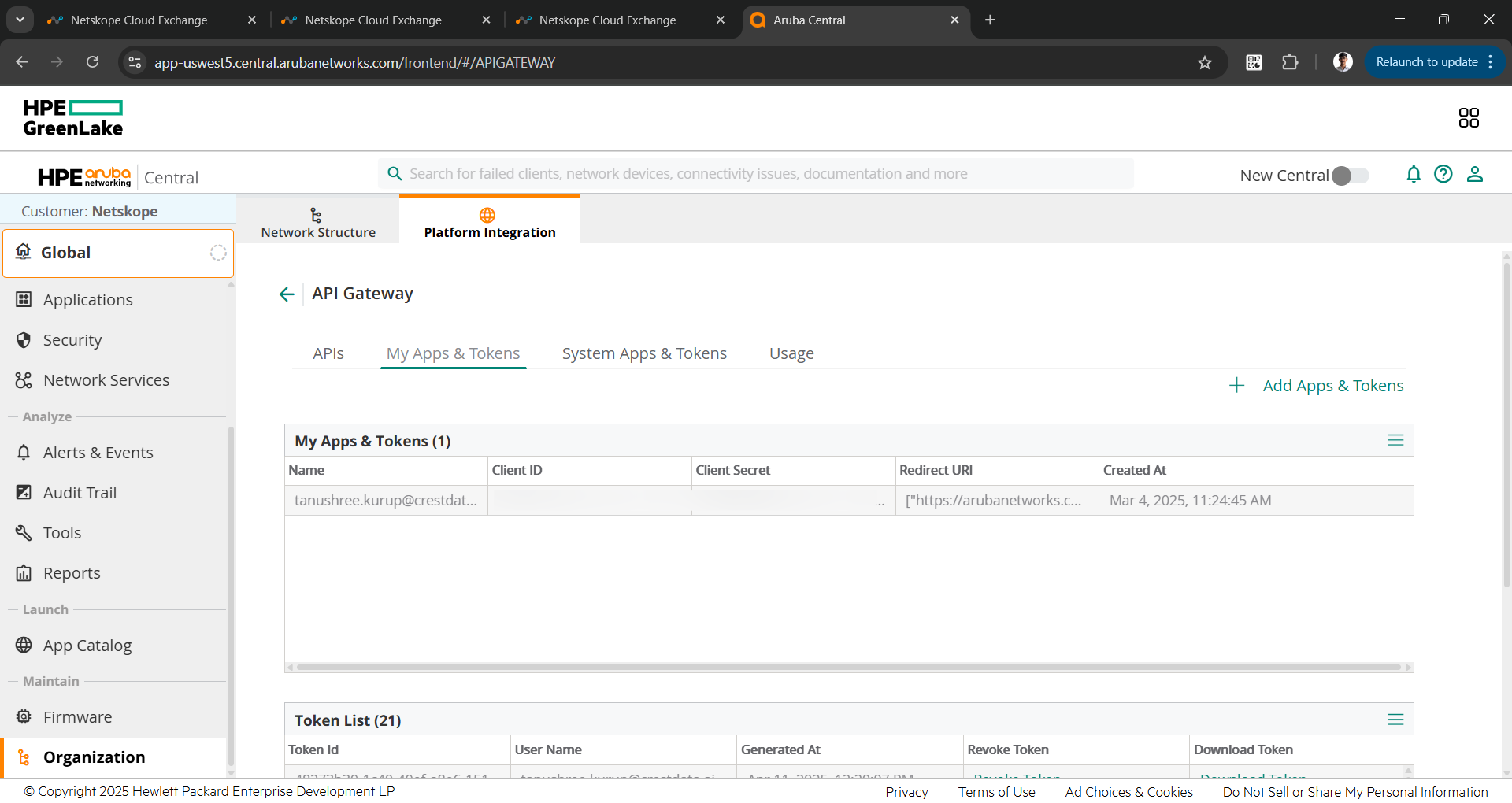
- Click Add Apps & Tokens, and click Generate to generate the Client ID and Client Secret.
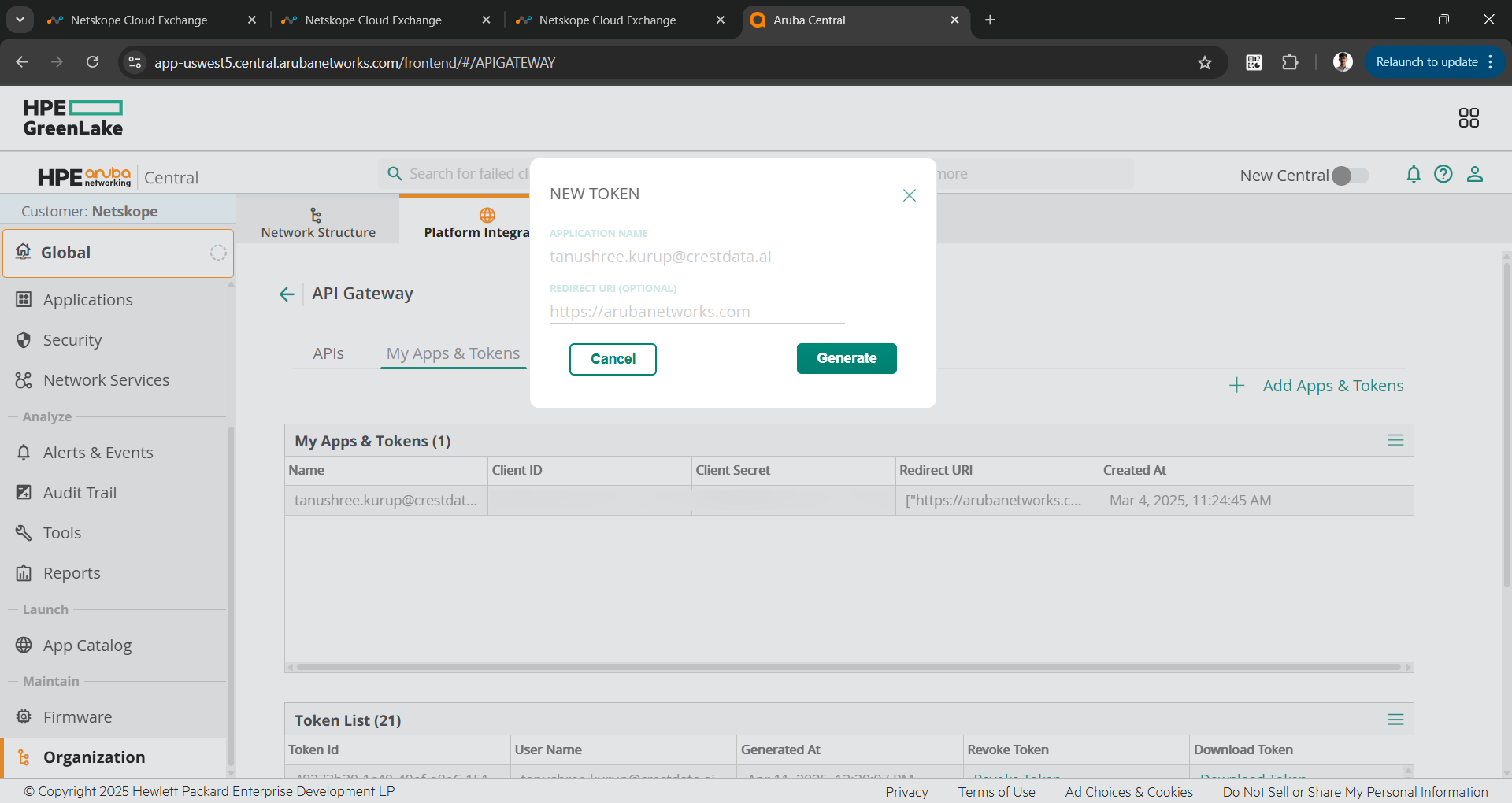
- Save these to use while configuring the plugin.
- For Customer ID, you click the Profile icon and copy the Customer ID.
Configure the HPE Aruba Networking Central Plugin
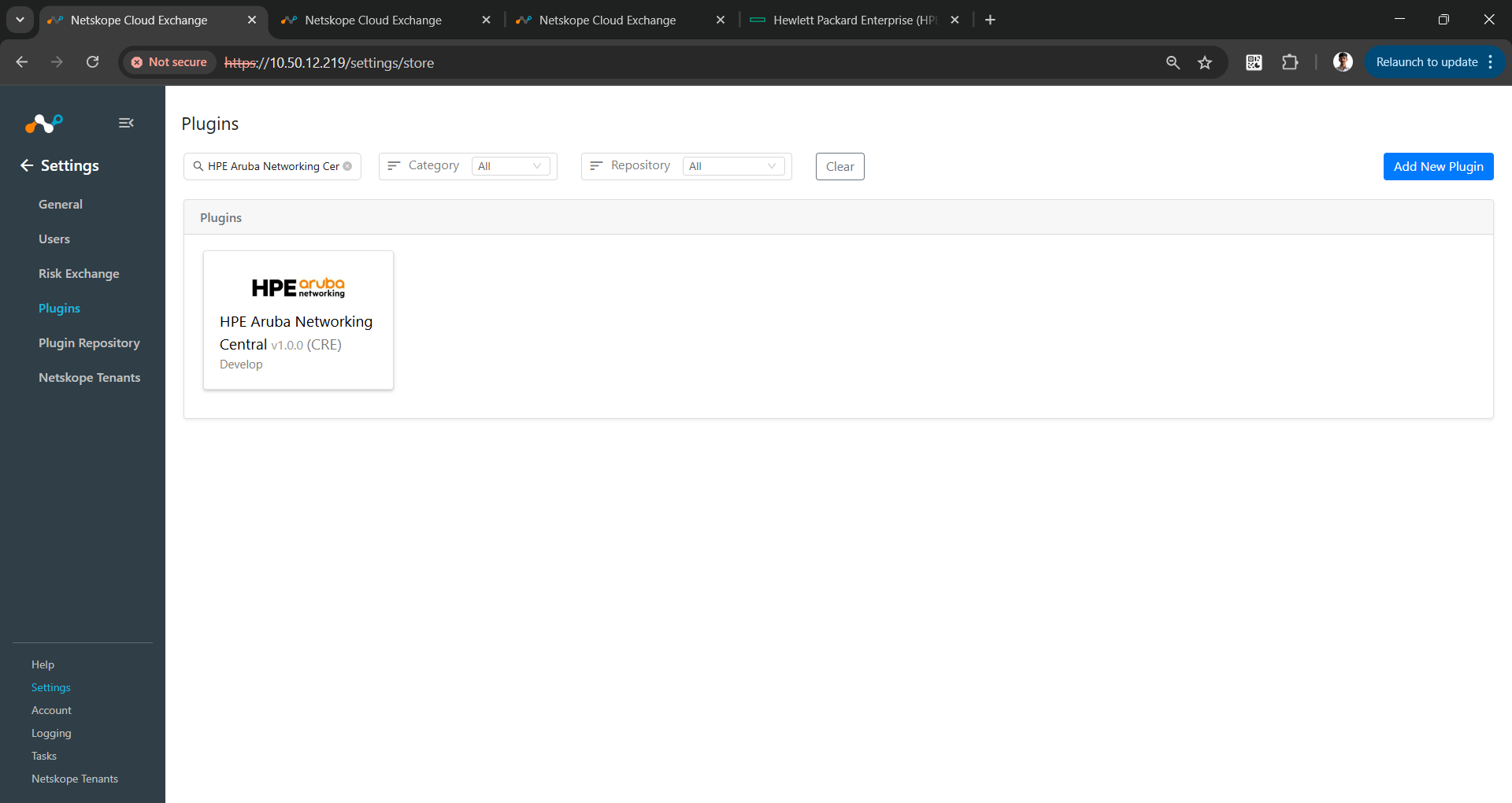
- Log in to Cloud Exchange and go to Settings > Plugins. Search for and select the HPE Aruba Networking Central v1.0.o (CRE) plugin box.
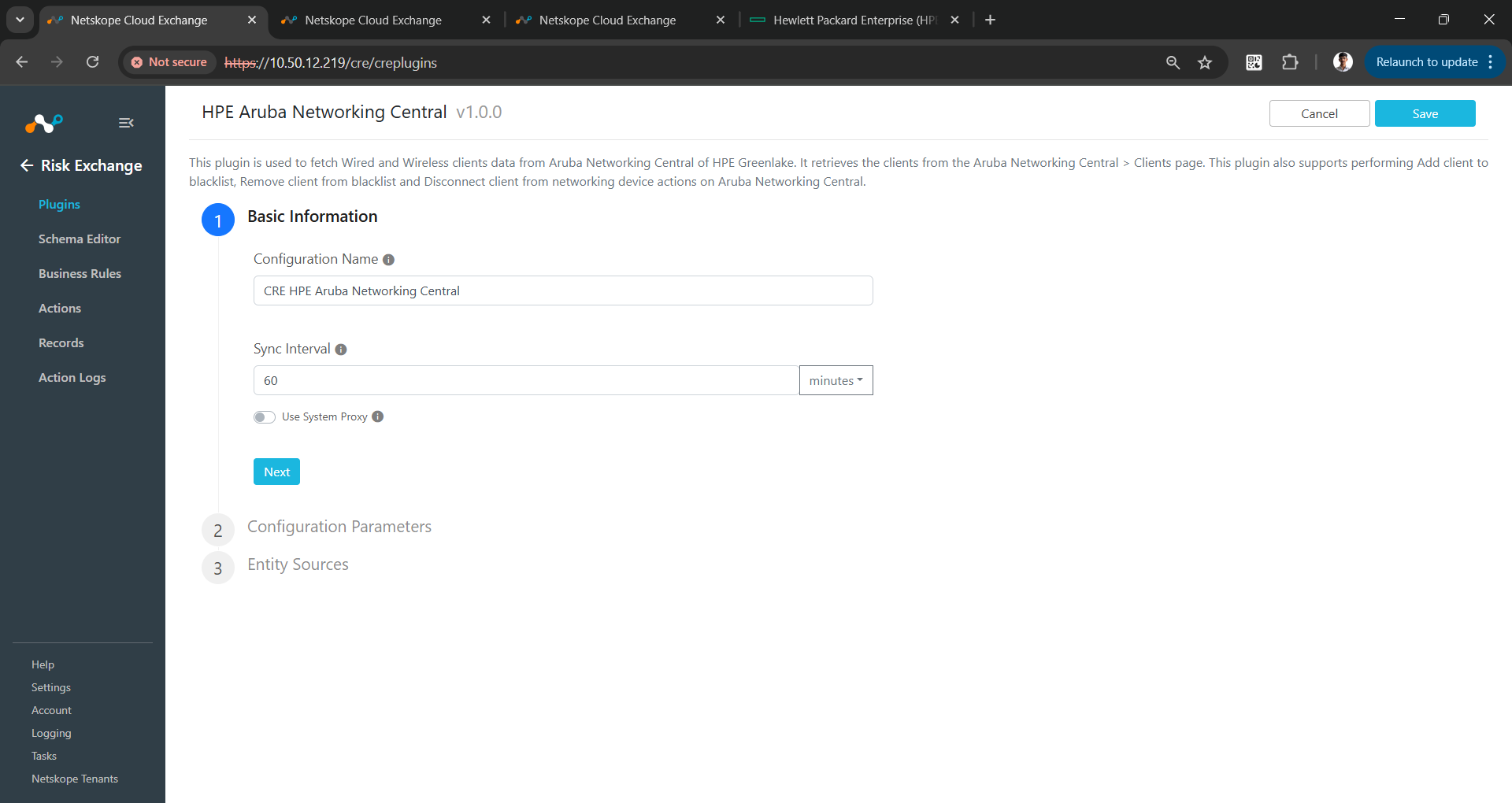
- Enter a plugin configuration name, and change the sync interval if needed.
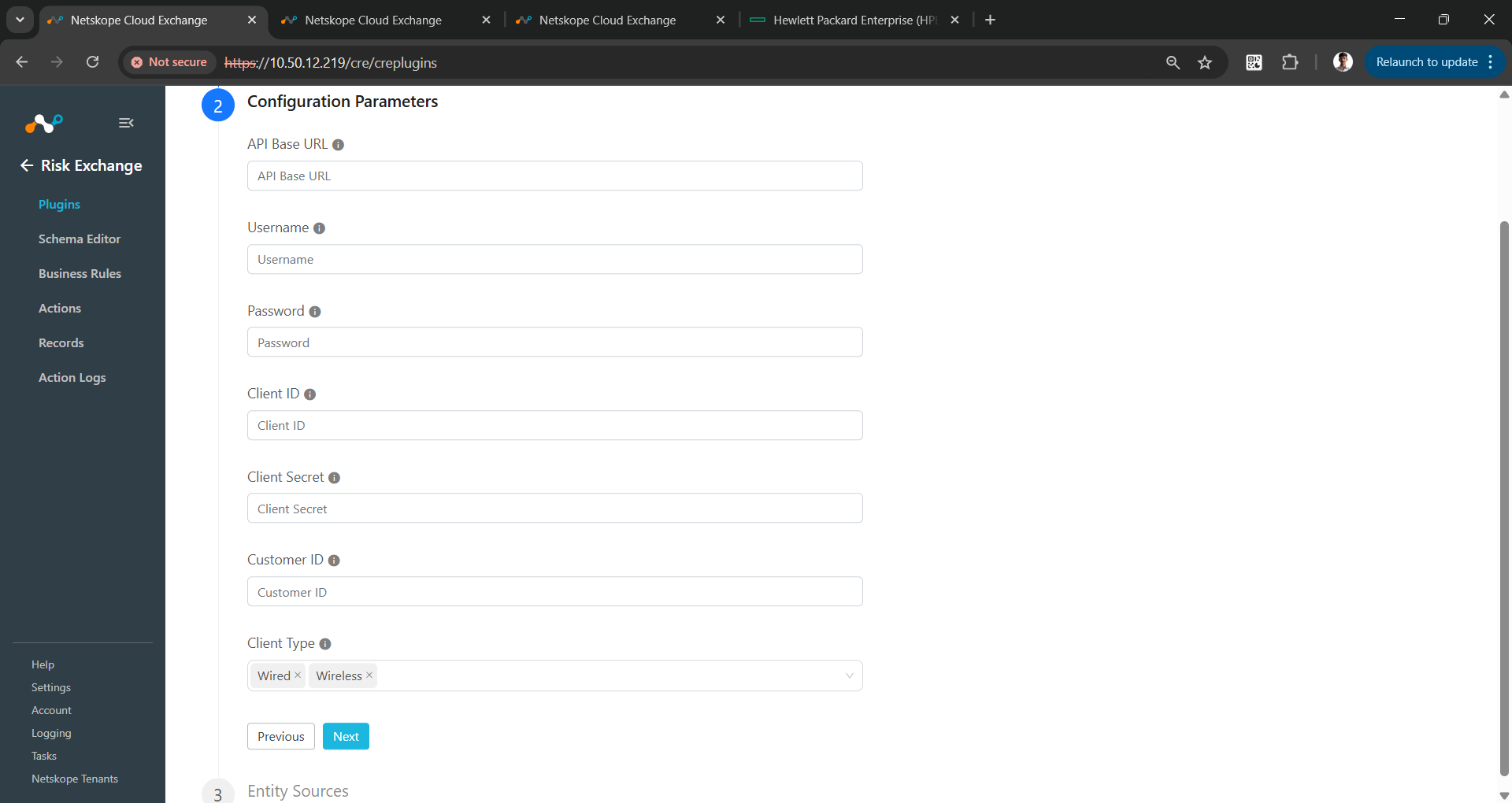
- Click Next and enter the configuration parameters:
- API Base URL: Your API Base URL for Aruba Networking Central instance.
- Username: Your HPE Greenlake account username.
- Password: Your HPE Greenlake account password.
- Client ID: Your Aruba Networking Central Client ID.
- Client Secret: Your Aruba Networking Central Client Secret.
- Customer ID: Your Aruba Networking Central Customer ID.
- Client Type: The Client Type to be fetched from Aruba Networking Central. Select at least one of the client types.
- Click Next. Select the Entity from the Entity dropdown. The Entity fields can be created on the Schema Editor page, or using the + Add Field option from the field dropdown. Provide the field mappings. For the suggested mapping please, refer to the Mappings section.
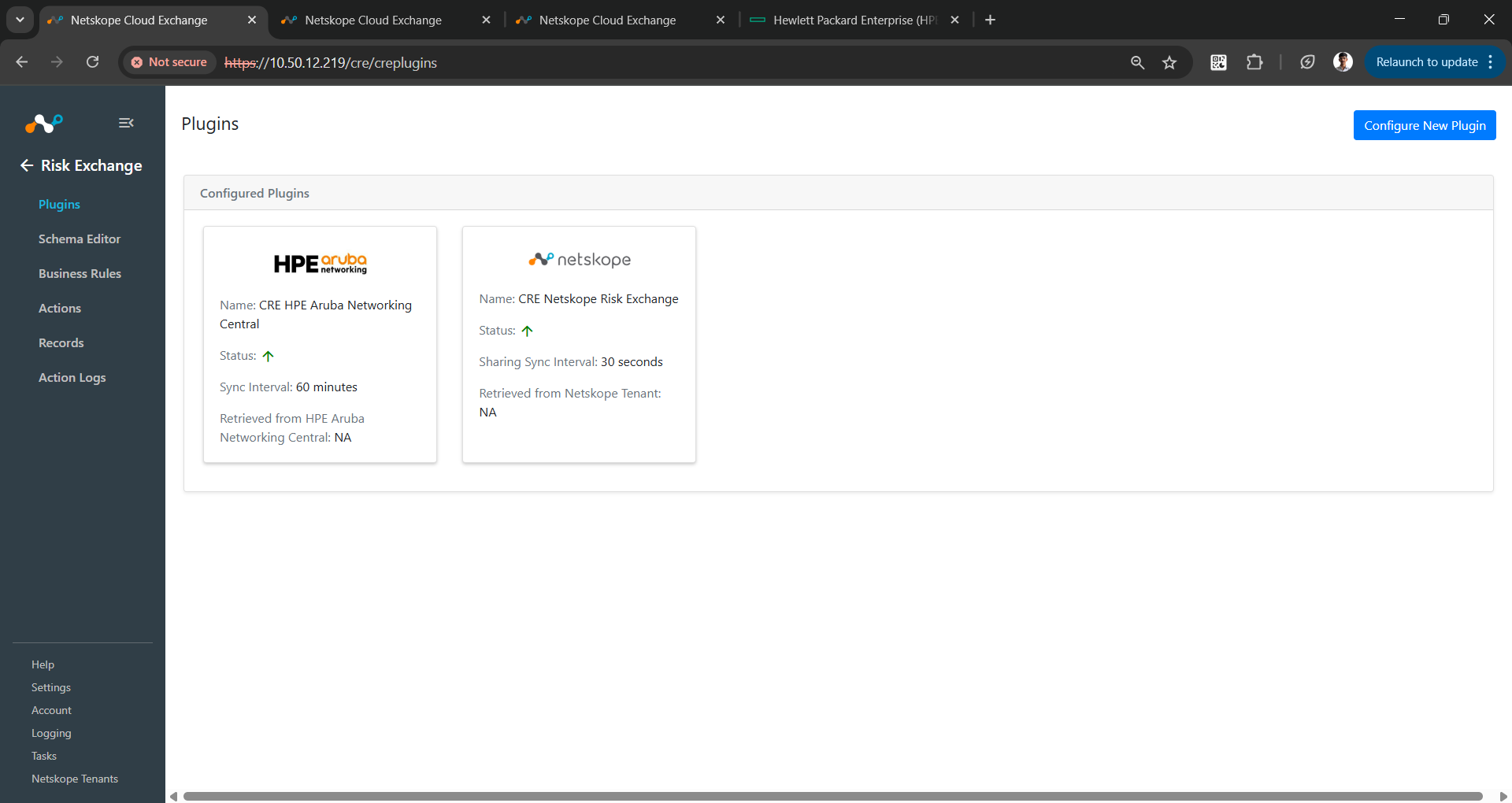
- Click Save.
Add a Risk Exchange Business Rule for HPE Aruba Networking Central
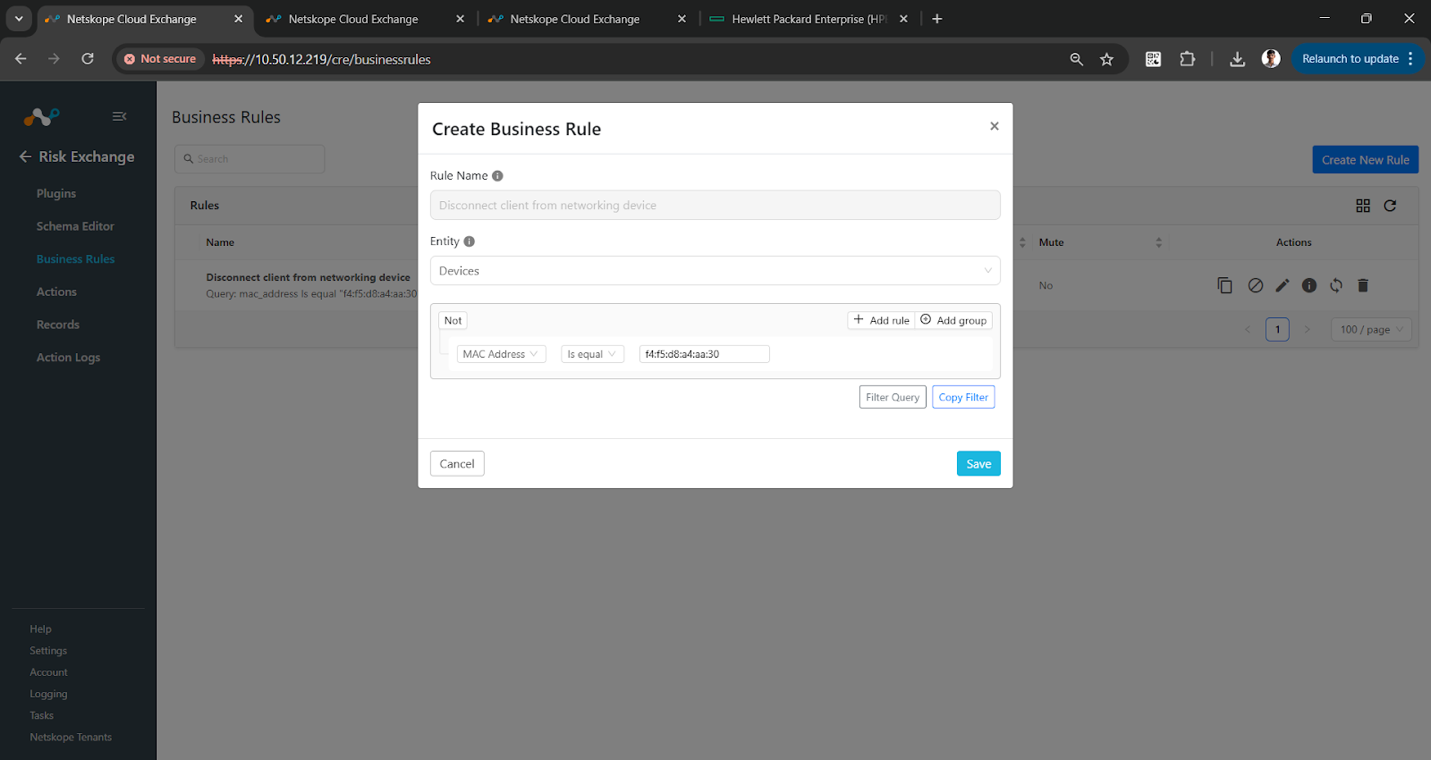
- In Risk Exchange, go to Business Rules and click Create New Rule in the top right corner.
- Enter the Rule Name. Select the Entity for the Fields that were configured for the HPE Aruba Networking Central plugin, and configure the query based on your requirements.
- Click Save.
Add Risk Exchange Actions for HPE Aruba Networking Central
The HPE Aruba Networking Central plugin supports the following action types:
Add a Client to a Blacklist
This action will add clients to the blacklist on HPE Aruba Networking Central.
Remove a Client from a Blacklist
This action will remove clients from the blacklist on HPE Aruba Networking Central.
Disconnect a Client from a Networking Device
This action will disconnect the client from an existing networking device.
No Action
No action will be performed for this action. You can generate UBA alerts in Ticket Orchestrator by using this action and enabling the Generate Alerts toggle.
You can perform the Netskope related actions on the clients pulled from HPE Aruba Networking Central. For more information about actions and their validations, refer to the Risk Exchange guide.
Configure an Action
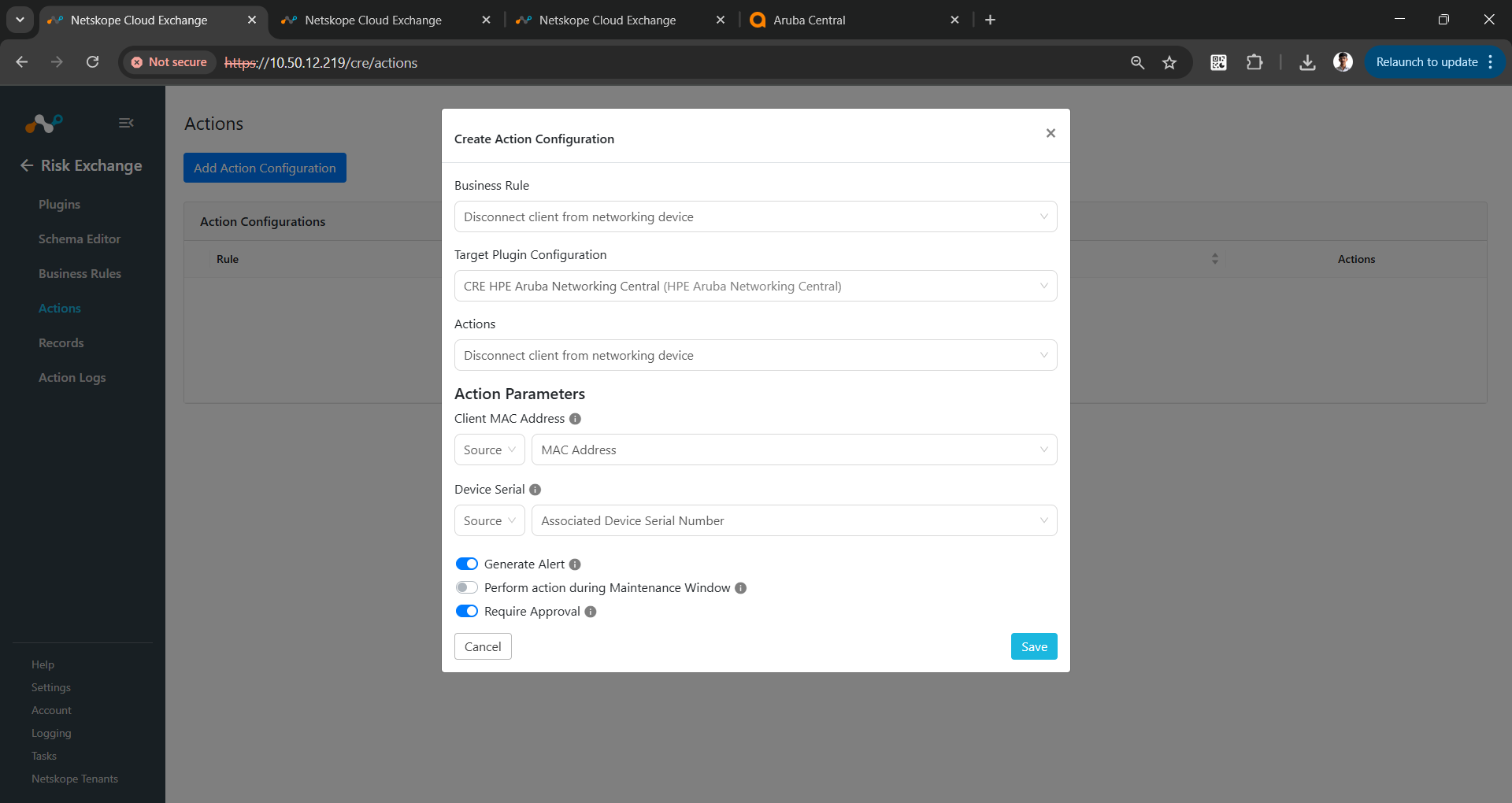
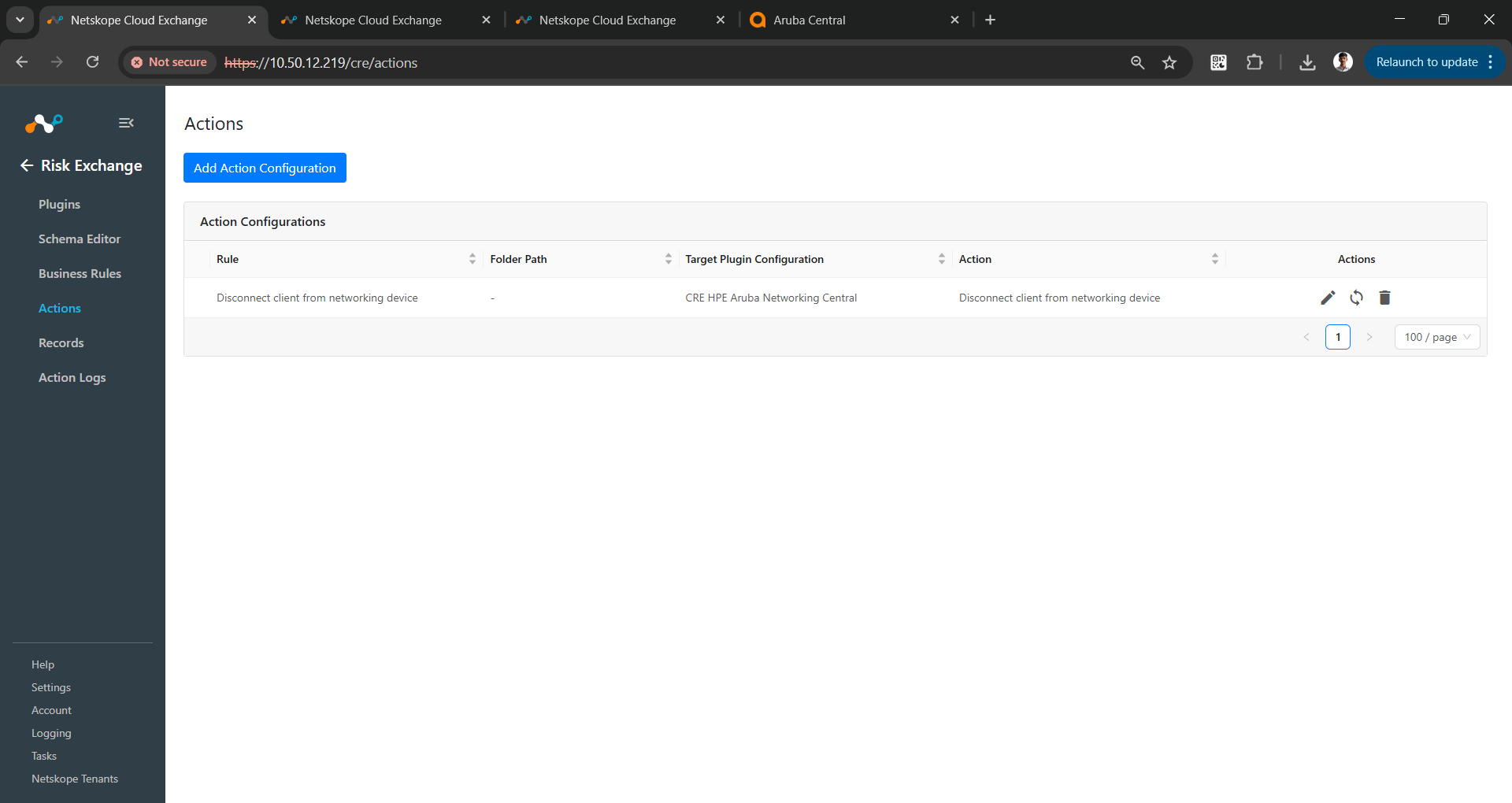
- Go to Risk Exchange > Actions and click Add Action Configuration.
- Select a Business Rule, a Configuration, and an Action from their respective dropdowns.
- For the Disconnect a client from a networking device action, select the field that has the MAC Address, and select the field that has the Device Serial mapped.
- Enable the Require Approval toggle if Approval is needed before performing action.
- If Require Approval is enabled, then to approve the action, go to Risk Exchange > Action Logs, select the action to be approved, and click Approve.
 For the Add a client to a blacklist and Remove a client from a blacklist actions, you will have to provide the Client MAC Address and Swarm ID in the Action Parameters.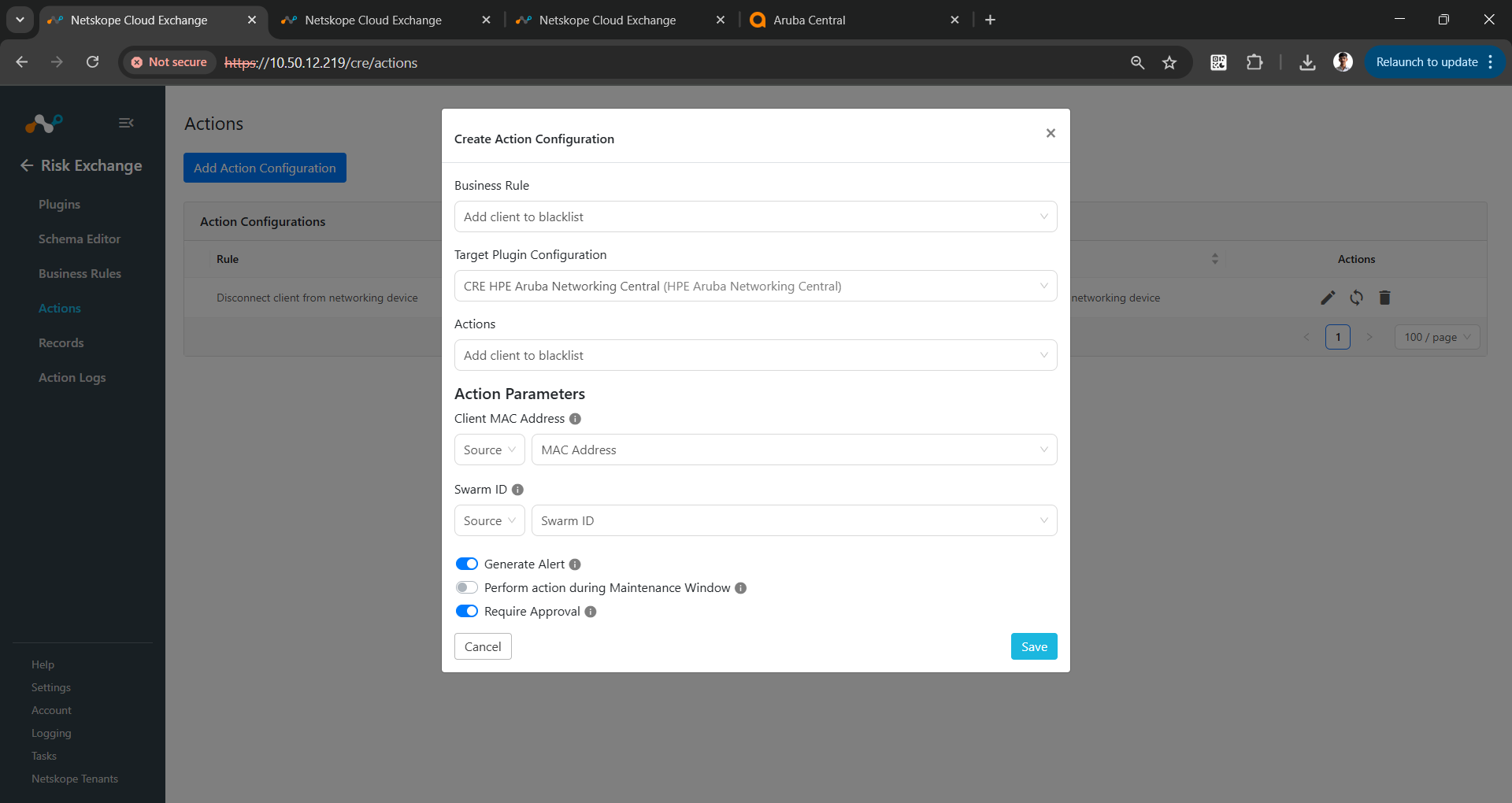
- Click Save.
Validate the HPE Aruba Networking Central Plugin
Validate in Cloud Exchange
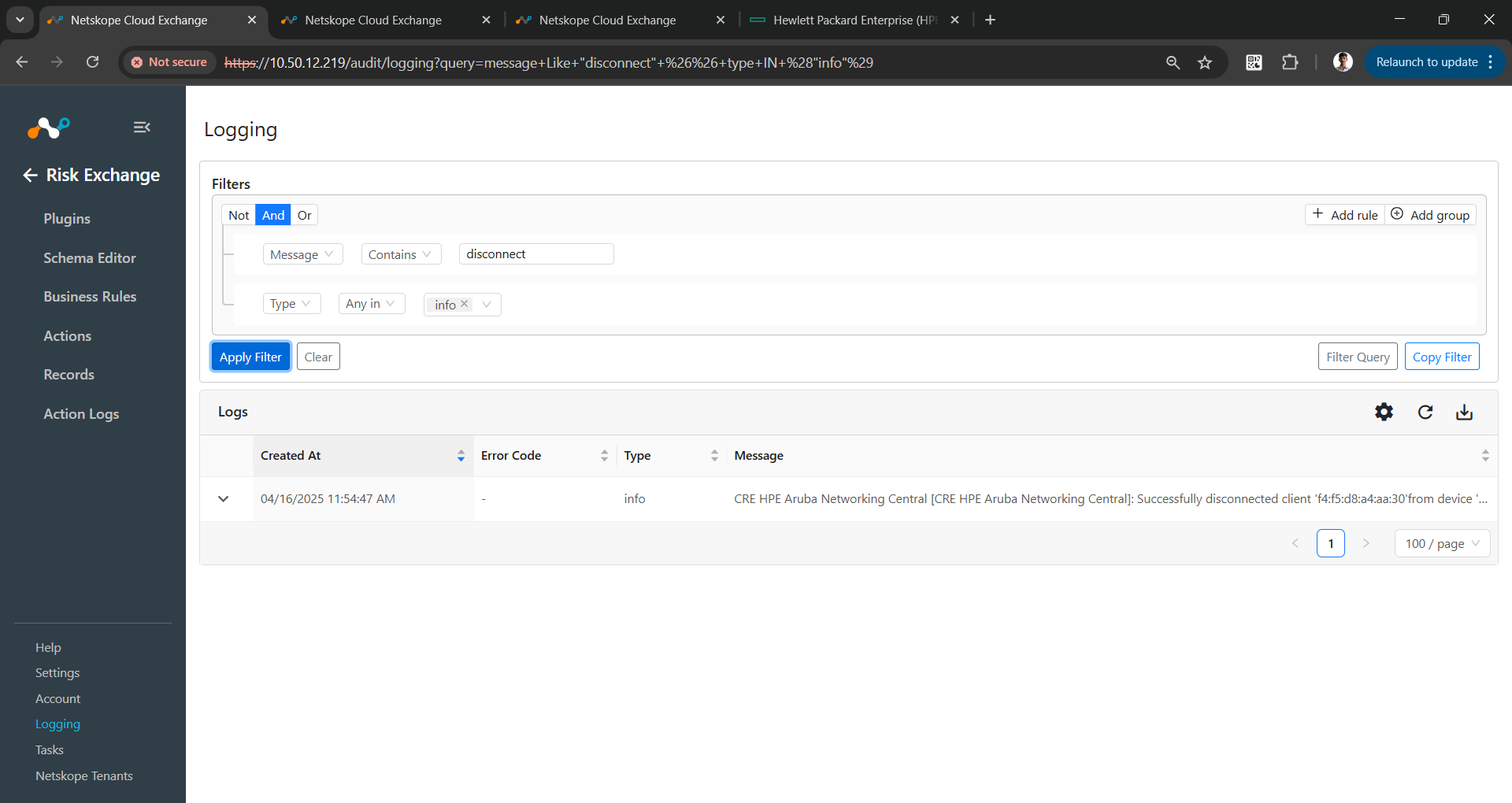
To verify the clients pulled from HPE Aruba Networking Central, go to Logging and search for the logs from CRE HPE Aruba Networking Central plugin.
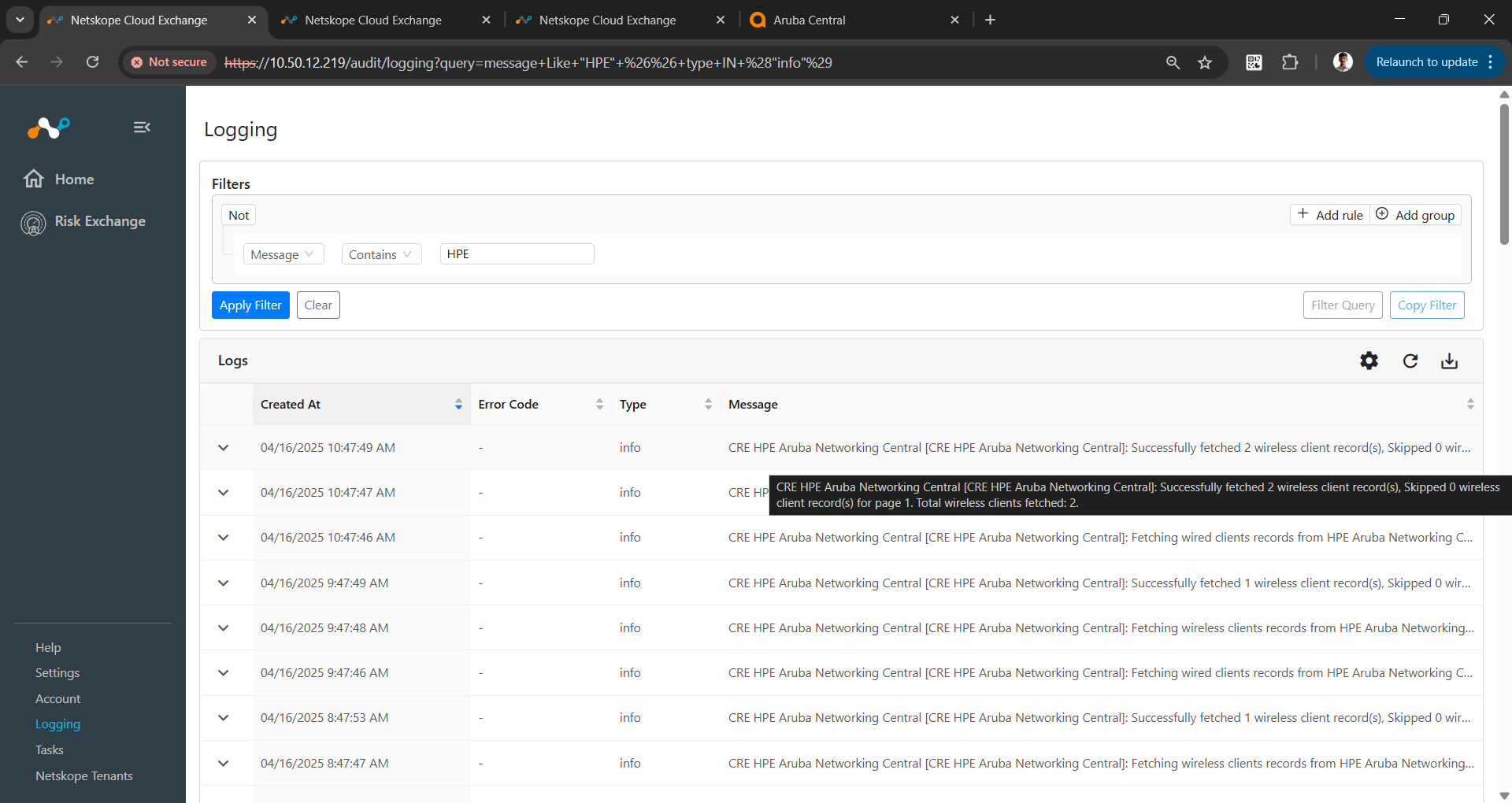
To check the Disconnect client from the networking device, check the logs.
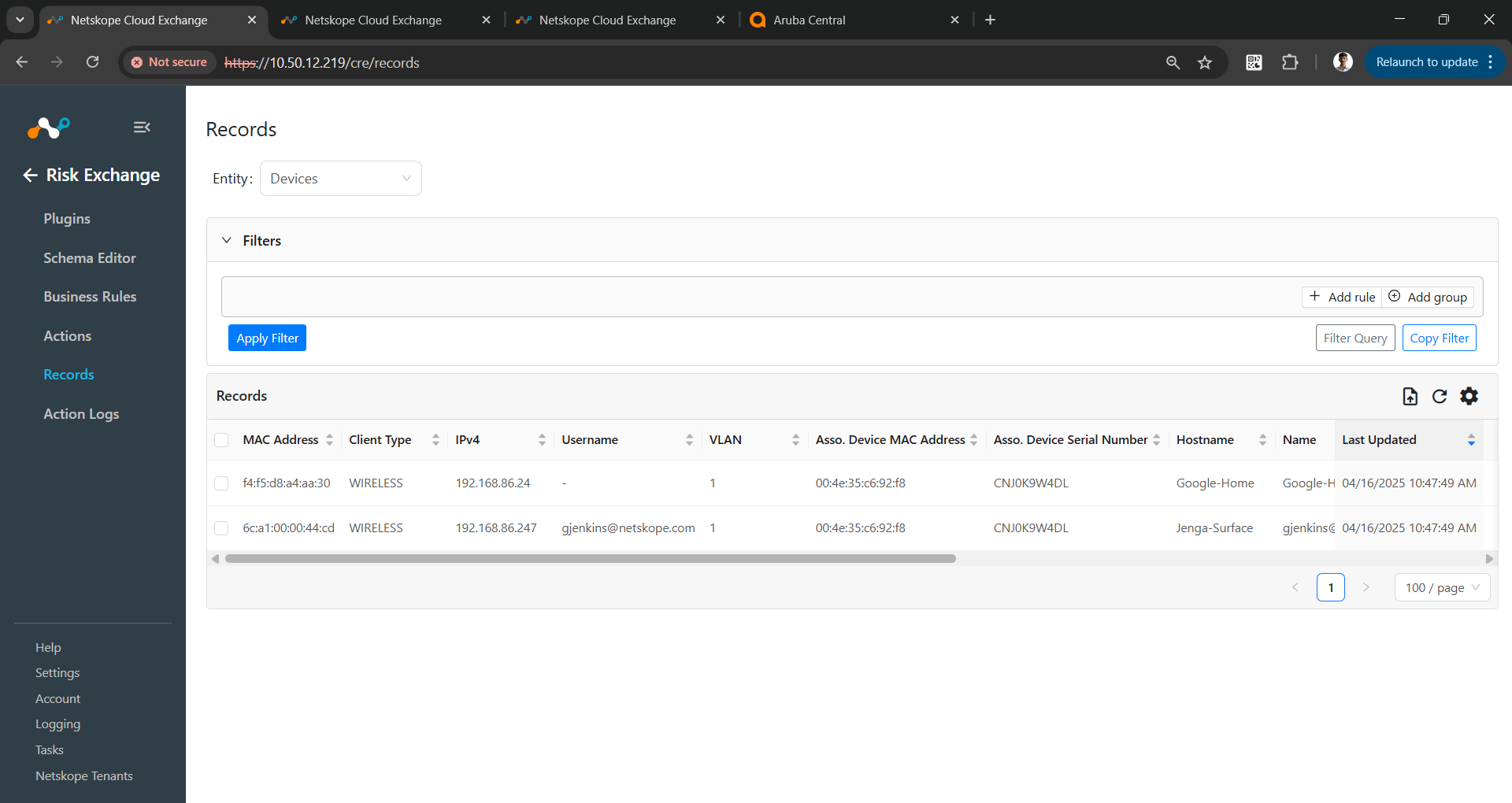
To check the records pulled and stored in Cloud Exchange, go to Records in Risk Exchange. Select the entity that you used while adding the mapping in the plugin configuration.
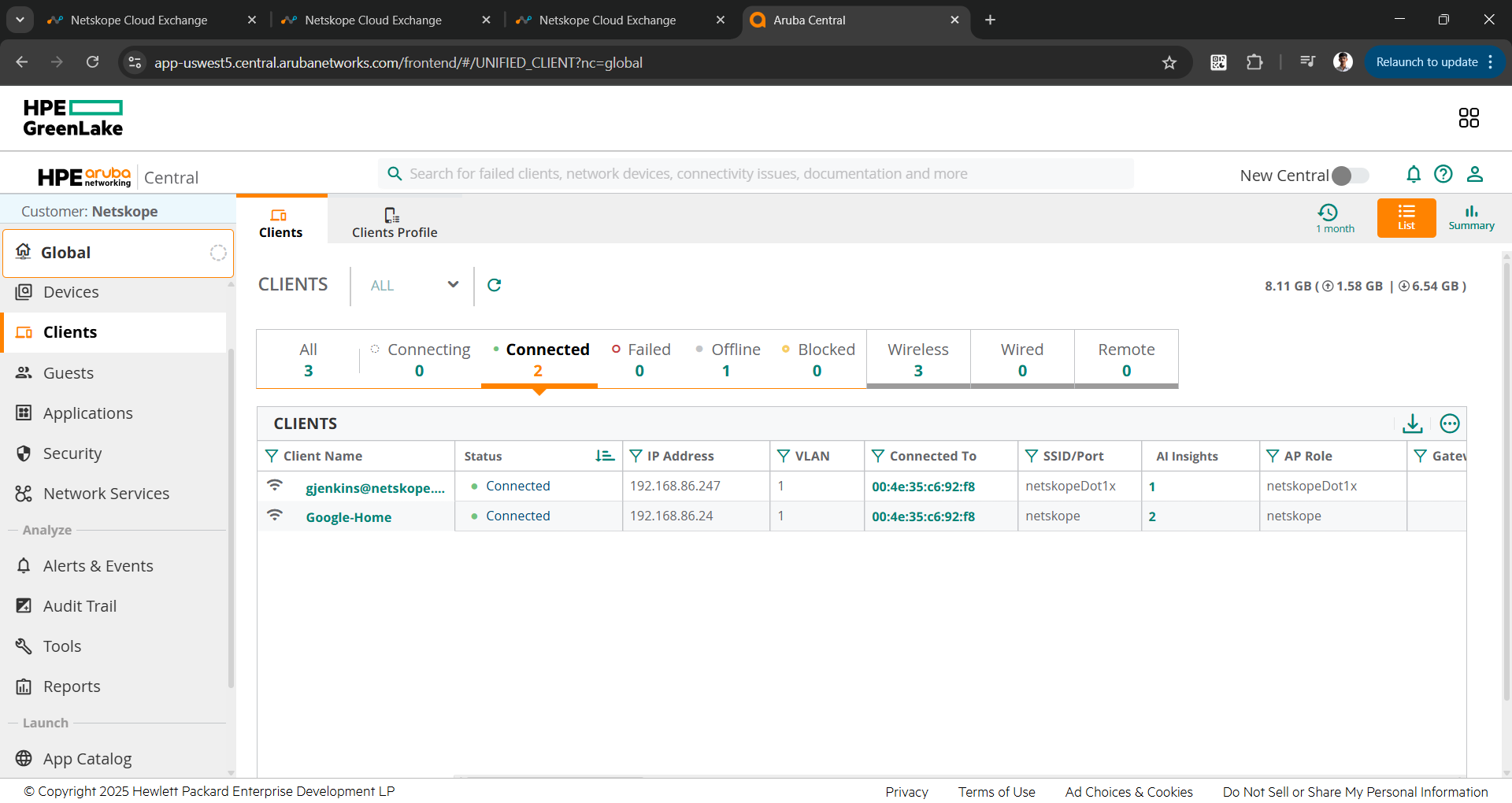
Validate in HPE Aruba Networking Central
The plugin pulls Wired and Wireless clients from HPE Aruba Networking Central. The clients are pulled from the Aruba Networking Central > Clients > Connected page.
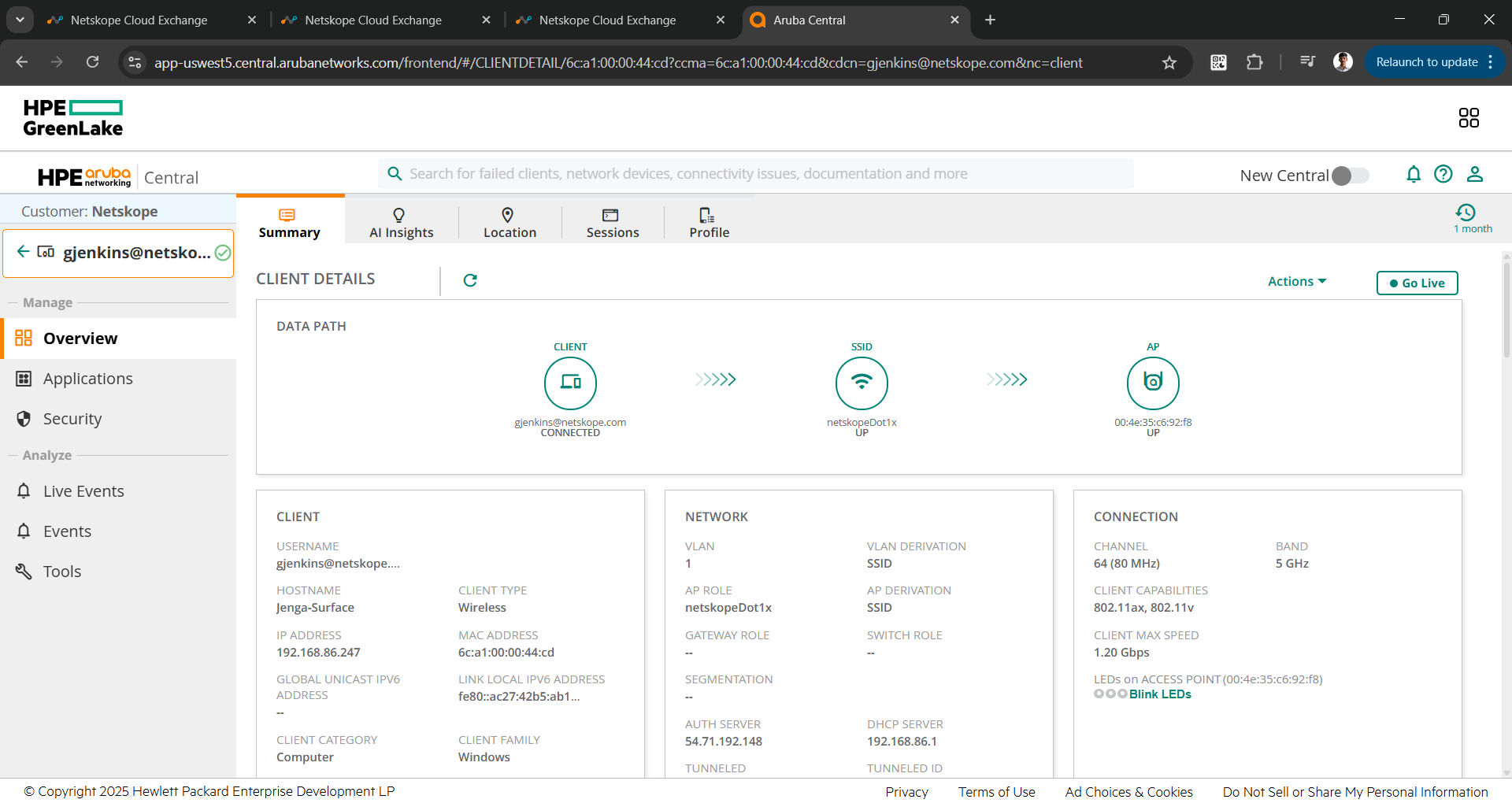
To check the details of the client, click on any of the clients.
Troubleshooting HPE Aruba Networking Plugin
Receiving error in the plugin workflow
CRE HPE Aruba Networking Central [configuration_name]: Validation error occurred, Received exit code 401, Unauthorized, Verify Username, Password, Client ID, Client Secret and Customer ID provided in the configuration parameters.
What to do: Verify the Client ID and Secret for HPE Aruba Networking Central. Refer to the Get your API Base URL, Client ID, Client Secret and Customer ID from HPE GreenLake section.
Clients are not pulled from HPE Aruba Networking Central
If no data for the Clients are pulled, it might be due to one of these reasons:
- No client is available on the platform to pull
- Mapping is not added in the plugin
What to do:
- Go to HPE Aruba Networking Central and check if the clients are available to pull from the Clients > Connected page.
- Edit the plugin configuration, and check the Entity Source page. There should be some fields mapped in order to pull the clients.
Unable to perform action on HPE Aruba Networking Central
If any client failed while performing Disconnect client from networking device action, it might be due to one of these reasons:
- The client does not exist on HPE Aruba Networking Central.
- The client is offline at the point of time.
What to do:
To check the connected clients, refer to Validate in HPE Aruba Networking Central section.