

Release Notes
1.0.0 (Requires minimum Cloud Exchange version 7.0.0)
Added
- Initial release.
- Entity: Devices
- Actions: Add/Remove Label, Add/Update NAC Devices, Delete NAC Devices
This document explains how to configure the HPE Mist Access Assurance v1.0.0 plugin with the Risk Exchange module of the Netskope Cloud Exchange platform. This plugin fetches Device (Access Point) records from the Access Points page of the HPE Mist platform. It supports the Add/Remove Label, Add/Update NAC Devices, and Delete NAC Devices actions on HPE Mist.
Prerequisites
To complete this configuration, you need:
- A Netskope tenant (or multiple, for example, production and development/test instances).
- A Netskope Cloud Exchange tenant with the Tenant plugin and Risk Exchange plugin already configured.
- An HPE Mist instance with an account.
- Connectivity to the following hosts: https://api.mist.com and the configured NAC API Base URL.
- For Secret Manager configuration, refer to this documentation. To set up Azure Key Vault Secrets Manager, refer to this documentation.
HPE Mist Access Assurance Plugin Support
This plugin fetches Device (Access Point) records from the Access Points page of the HPE Mist platform. It supports the Add/Remove Label, Add/Update NAC Devices, and Delete NAC Devices actions on HPE Mist.
| Types of Data Pulled | Actions Supported |
|---|---|
| Devices | Add/Remove Label, Add/Update NAC Devices, Delete NAC Devices |
Mappings
Mappings are used to view the pulled Devices details. Fields mapped during plugin configuration will be visible on the Records page after the data is pulled. Here are the suggested mappings to use while configuring the plugin.
Pull Mappings for Devices
| Plugin Field Label | Expected Data Type | Suggested Field Label | Aggregate Strategy | Example |
|---|---|---|---|---|
| Unique ID | String | HpeMistAccessAssurance_Unique_ID | Unique | “5c5b35*******” |
| Name | String | HpeMistAccessAssurance_Hostname | Overwrite | “AP-Floor2-East” |
| MAC Address | String | HpeMistAccessAssurance_MAC_Address | Overwrite | “5c5b3510****” |
| Serial Number | String | HpeMistAccessAssurance_Serial_Number | Overwrite | “A1234567890” |
| Model | String | HpeMistAccessAssurance_Device_Model | Overwrite | “AP43” |
| Hardware Revision | String | HpeMistAccessAssurance_Hardware_Revision | Overwrite | “1.0” |
| Device Type | String | HpeMistAccessAssurance_Device_Type | Overwrite | “ap” |
| Adopted | Boolean | HpeMistAccessAssurance_Adopted | Overwrite | true |
| Notes | String | HpeMistAccessAssurance_Notes | Overwrite | “Lobby AP” |
| Radio Config | String | HpeMistAccessAssurance_Radio_Config | Overwrite | “{\”band_24\”: {…}}” |
| Locating | Boolean | HpeMistAccessAssurance_Locating | Overwrite | false |
| Tags | List | HpeMistAccessAssurance_Tags | Append | [“floor2”, “east-wing”] |
| Site ID | String | HpeMistAccessAssurance_Site_ID | Overwrite | “441a1214-****” |
| Organization ID | String | HpeMistAccessAssurance_Organization_ID | Overwrite | “9b5c1a2e-****” |
| Created Time | DateTime | HpeMistAccessAssurance_Created_Time | Overwrite | 2024-01-15T10:30:00Z |
| Modified Time | DateTime | HpeMistAccessAssurance_Modified_Time | Overwrite | 2026-03-02T08:15:00Z |
| Map ID | String | HpeMistAccessAssurance_Map_ID | Overwrite | “3fae21**” |
| Tag UUID | String | HpeMistAccessAssurance_Tag_UUID | Overwrite | “a1b2c3**” |
| Tag ID | Number | HpeMistAccessAssurance_Tag_ID | Overwrite | 1024 |
| EVPN Scope | String | HpeMistAccessAssurance_EVPN_Scope | Overwrite | “access” |
| EVPN Topology ID | String | HpeMistAccessAssurance_EVPN_Topology_ID | Overwrite | “evpn-1” |
| Static IP Base | String | HpeMistAccessAssurance_Static_IP_Base | Overwrite | “10.0.0.0” |
| Device Profile ID | String | HpeMistAccessAssurance_Device_Profile_ID | Overwrite | “5e6f7a**” |
| Bundled MAC | String | HpeMistAccessAssurance_Bundled_MAC | Overwrite | “5c5b3511****” |
| Mist Configured | Boolean | HpeMistAccessAssurance_Mist_Configured | Overwrite | true |
| Labels | List | HpeMistAccessAssurance_Labels | Append | [“vip-devices”] |
| Status | String | HpeMistAccessAssurance_Status | Overwrite | “connected” |
Permissions
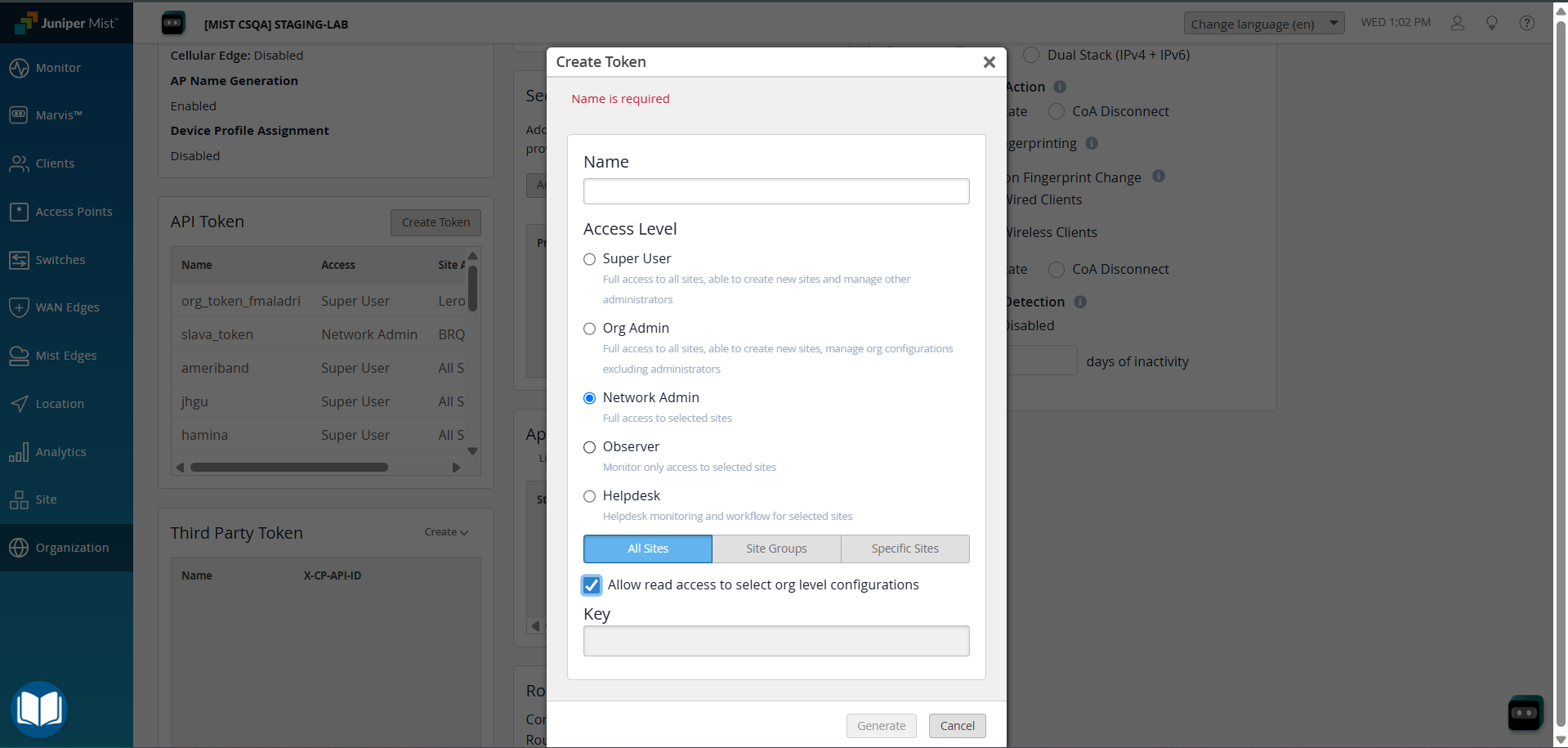
This permission is needed for the plugin configuration: Token generated with Network Admin Access Level.
API Details
List of APIs Used
| API Endpoint | Method | Use Case |
|---|---|---|
| /api/v1/self | GET | Connectivity check — validates credentials and Organization access |
| /api/v1/orgs/{org_id}/sites | GET | Resolve Sites under the configured Organization |
| /api/v1/orgs/{org_id}/inventory/search | GET | Build MAC address to connectivity status map |
| /api/v1/sites/{site_id}/devices | GET | Fetch Device (Access Point) records for each Site |
| /api/v1/sites/{site_id}/wxtags | GET | List WX Tags for a Site (label enrichment and Add/Remove Label action) |
| /api/v1/sites/{site_id}/wxtags | POST | Create a new WX Tag (Add Label action — tag does not exist) |
| /api/v1/sites/{site_id}/wxtags/{wxtag_id} | PUT | Update WX Tag device membership (Add or Remove Label action) |
| {NAC API Base URL}/v1/{MIST Org ID}/{Netskope Account ID}/netskope/edr/token | POST | Obtain NAC / EDR API access token |
| {NAC API Base URL}/v1/{MIST Org ID}/{Netskope Account ID}/netskope/edr/devices | POST | Add or update Device records in the Juniper NAC / EDR API |
| {NAC API Base URL}/v1/{MIST Org ID}/{Netskope Account ID}/netskope/edr/devices/{uuid} | DELETE | Delete a Device from the Juniper NAC / EDR API by Netskope Device UUID |
Validate Credentials
Endpoint: GET /api/v1/self
Request Headers (Basic Authentication):
| Key | Value |
|---|---|
| Authorization | Basic {base64(username:password)} |
Request Headers (Token Authentication):
| Key | Value |
|---|---|
| Authorization | Token {api_key} |
Request Headers (OAuth 2.0):
| Key | Value |
|---|---|
| Authorization | Bearer {access_token} |
List Sites
Endpoint: GET /api/v1/orgs/{org_id}/sites
Query Parameters:
| Parameter | Description |
|---|---|
| page | Page number, starting at 1 |
| limit | Number of records per page (100) |
Fetch Device Inventory Status
Endpoint: GET /api/v1/orgs/{org_id}/inventory/search
Query Parameters:
| Parameter | Description |
|---|---|
| page | Page number, starting at 1 |
| limit | Number of records per page (100) |
Fetch Devices
Endpoint: GET /api/v1/sites/{site_id}/devices
Query Parameters:
| Parameter | Description |
|---|---|
| page | Page number, starting at 1 |
| limit | Number of records per page (100) |
Fetch WX Tags
Endpoint: GET /api/v1/sites/{site_id}/wxtags
Query Parameters:
| Parameter | Description |
|---|---|
| page | Page number, starting at 1 |
| limit | Number of records per page (100) |
Create WX Tag
Endpoint: POST /api/v1/sites/{site_id}/wxtags
Request Headers:
| Key | Value |
|---|---|
| Authorization | Basic {base64(username:password)} / Token {api_key} / Bearer {access_token} |
Update WX Tag Membership
Endpoint: PUT /api/v1/sites/{site_id}/wxtags/{wxtag_id}
Request Headers:
| Key | Value |
|---|---|
| Authorization | Basic {base64(username:password)} / Token {api_key} / Bearer {access_token} |
Get NAC Access Token
Endpoint: POST {NAC API Base URL}/v1/{MIST Org ID}/{Netskope Account ID}/netskope/edr/token
Request Body:
{
  "grant_type": "client_credentials",
  "client_id": "<Client ID>",
  "client_secret": "<Client Secret>"
}
Add or Update NAC Devices
Endpoint: POST {NAC API Base URL}/v1/{MIST Org ID}/{Netskope Account ID}/netskope/edr/devices
Request Headers:
| Key | Value |
|---|---|
| Authorization | Bearer {access_token} |
Delete NAC Device
Endpoint: DELETE {NAC API Base URL}/v1/{MIST Org ID}/{Netskope Account ID}/netskope/edr/devices/{uuid}
Request Headers:
| Key | Value |
|---|---|
| Authorization | Bearer {access_token} |
Performance Matrix
Here is the performance matrix conducted on a Large Cloud Exchange Stack with these specifications while pulling 500k devices.
| Description | Specification |
|---|---|
| Stack Size | Size: Large, RAM: 32 GB, Core: 16 |
| Time taken to store the pulled device records | ~ 15 minutes |
User Agent
netskope-ce-7.0.0-cre-hpe-mist-access-assurance-v1.0.0
Workflow
- Get your HPE Mist API token.
- Configure HPE Mist Access Assurance plugin.
- Configure a Business Rule for HPE Mist Access Assurance.
- Configure Risk Exchange Actions for HPE Mist Access Assurance.
- Validate HPE Mist Access Assurance plugin.
Watch a Video
Click play to watch a video.
Get your HPE Mist API token
-
Log in to the HPE Mist platform.
-
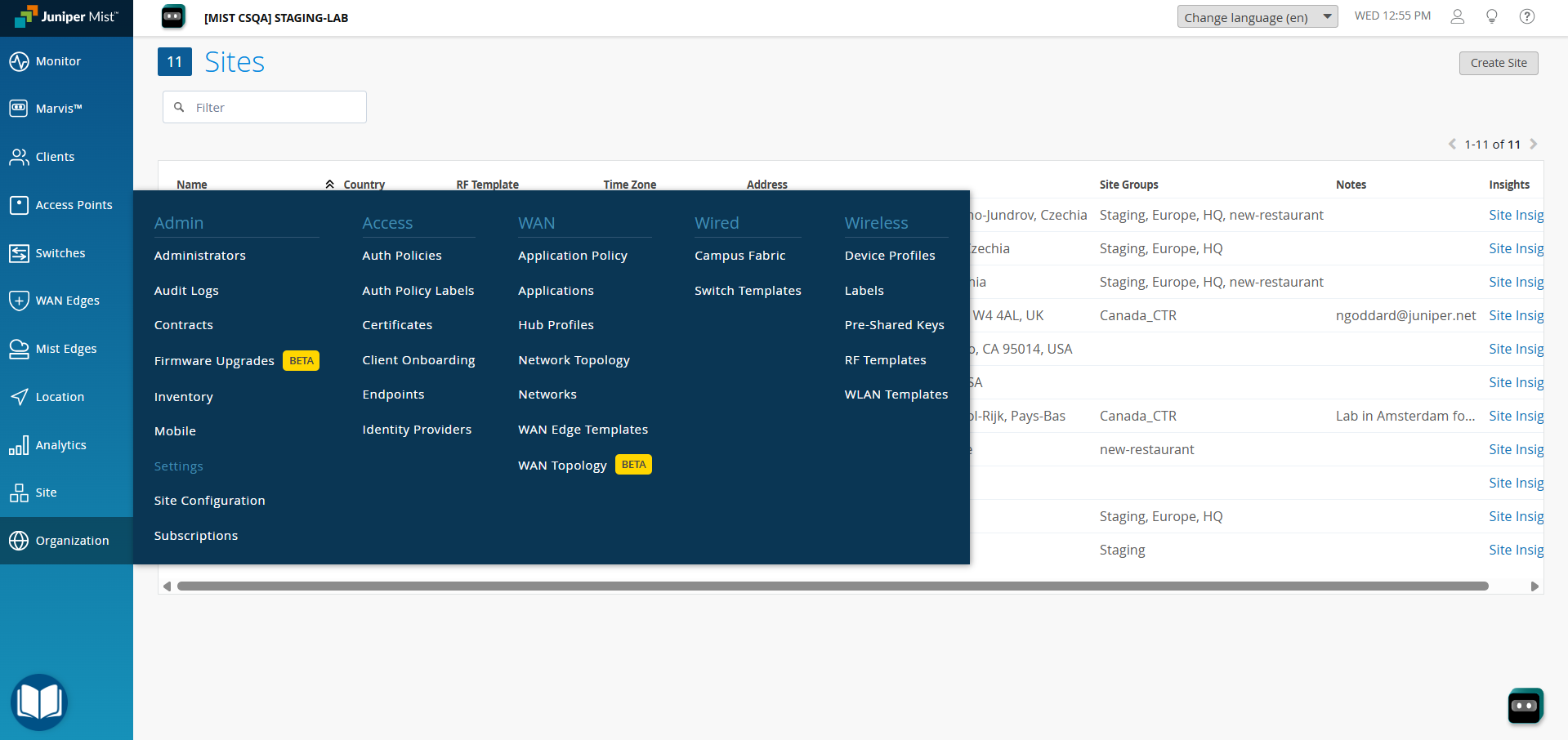
To generate an API Token, go to Organization > Settings.
-
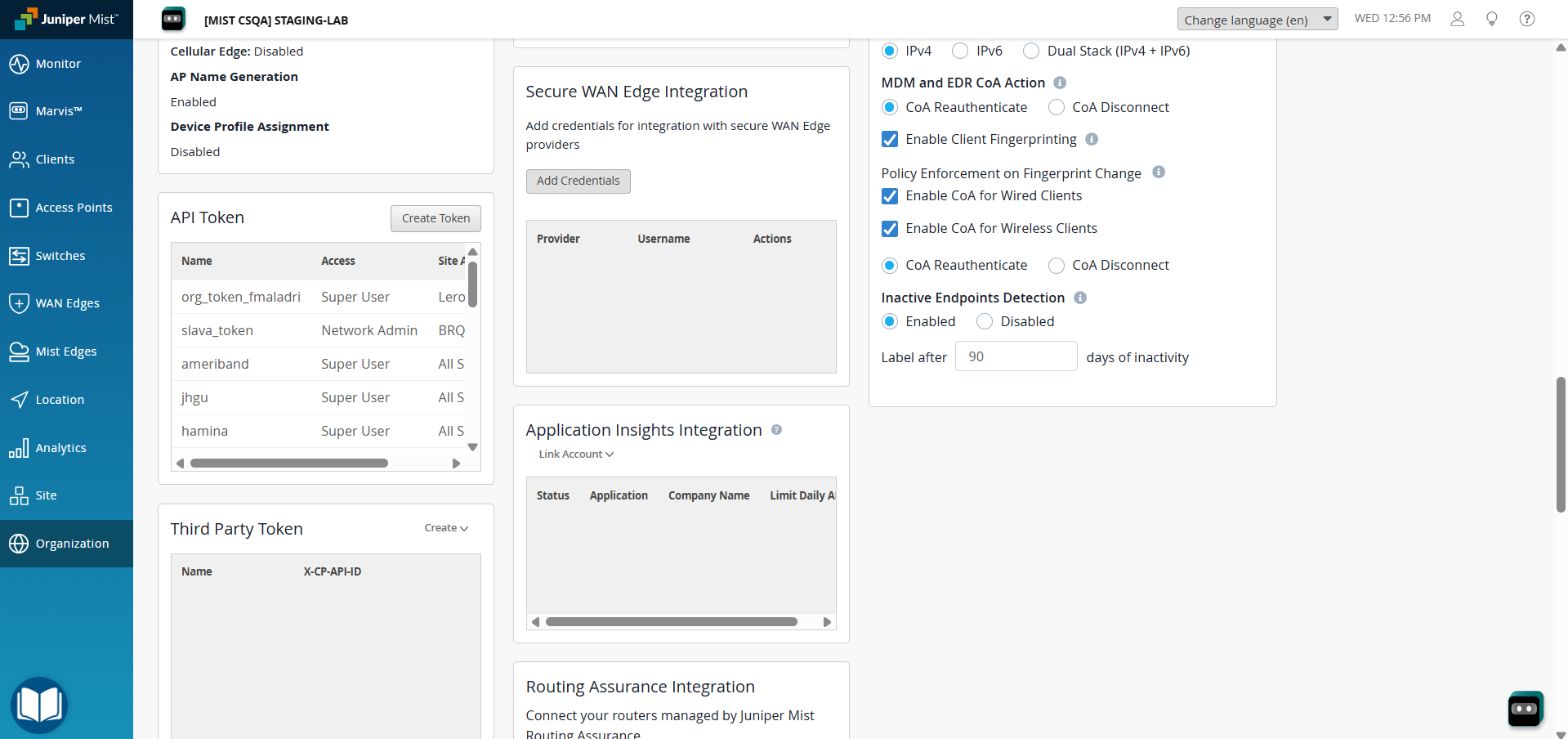
Go to API Token and click on Create Token.
-
Enter a Name, select an Access Level for the token, and click Generate.
-
To obtain Site Names, go to Organization > Site Configuration and note the names of the Sites you want to pull Devices from. Leave blank to pull from all Sites under the Organization.
Configure the HPE Mist Access Assurance Plugin
-
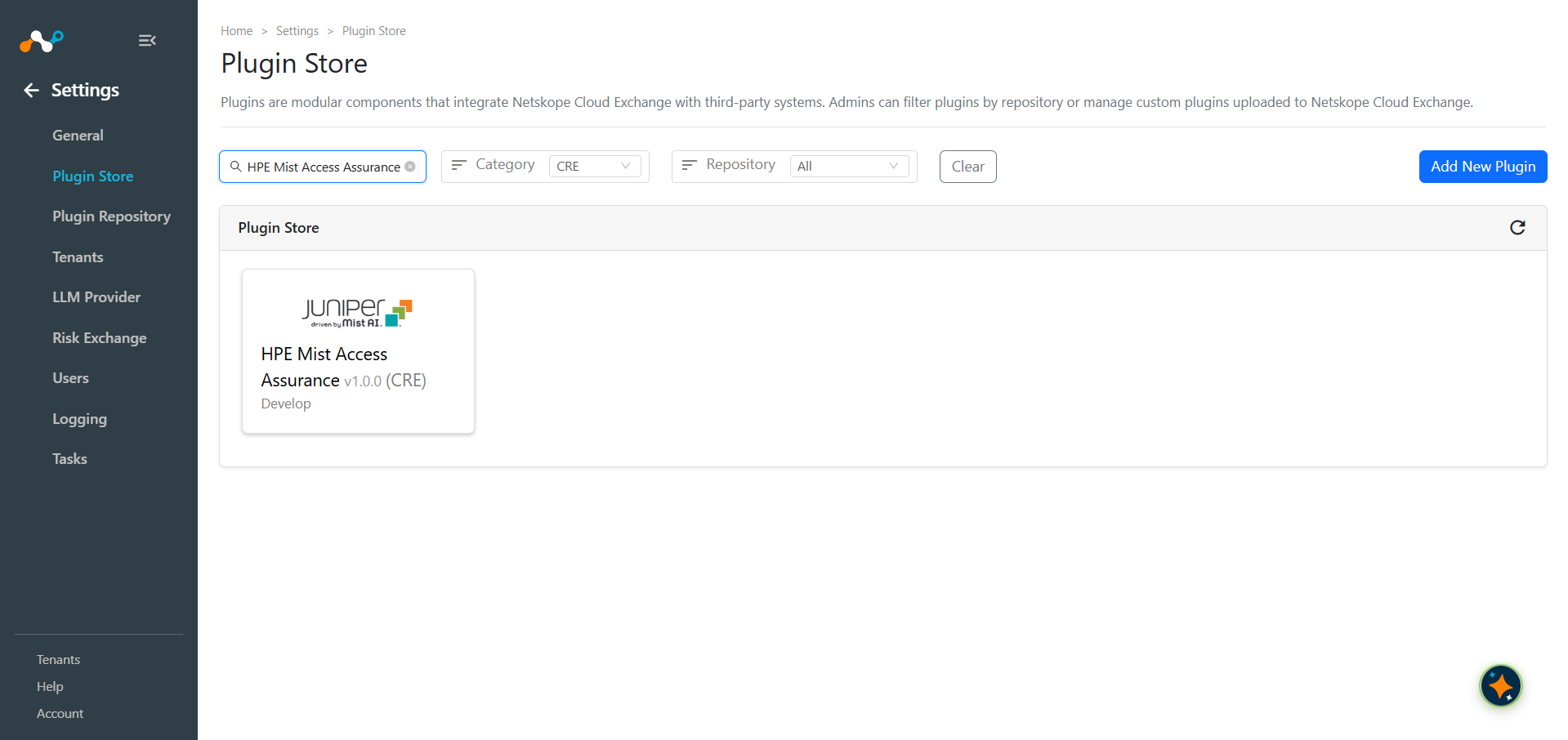
In Cloud Exchange, go to Settings > Plugin Store. Search for and select the HPE Mist Access Assurance v1.0.0 (CRE) plugin.
-
Enter a Configuration Name and change the Sync Interval if needed.
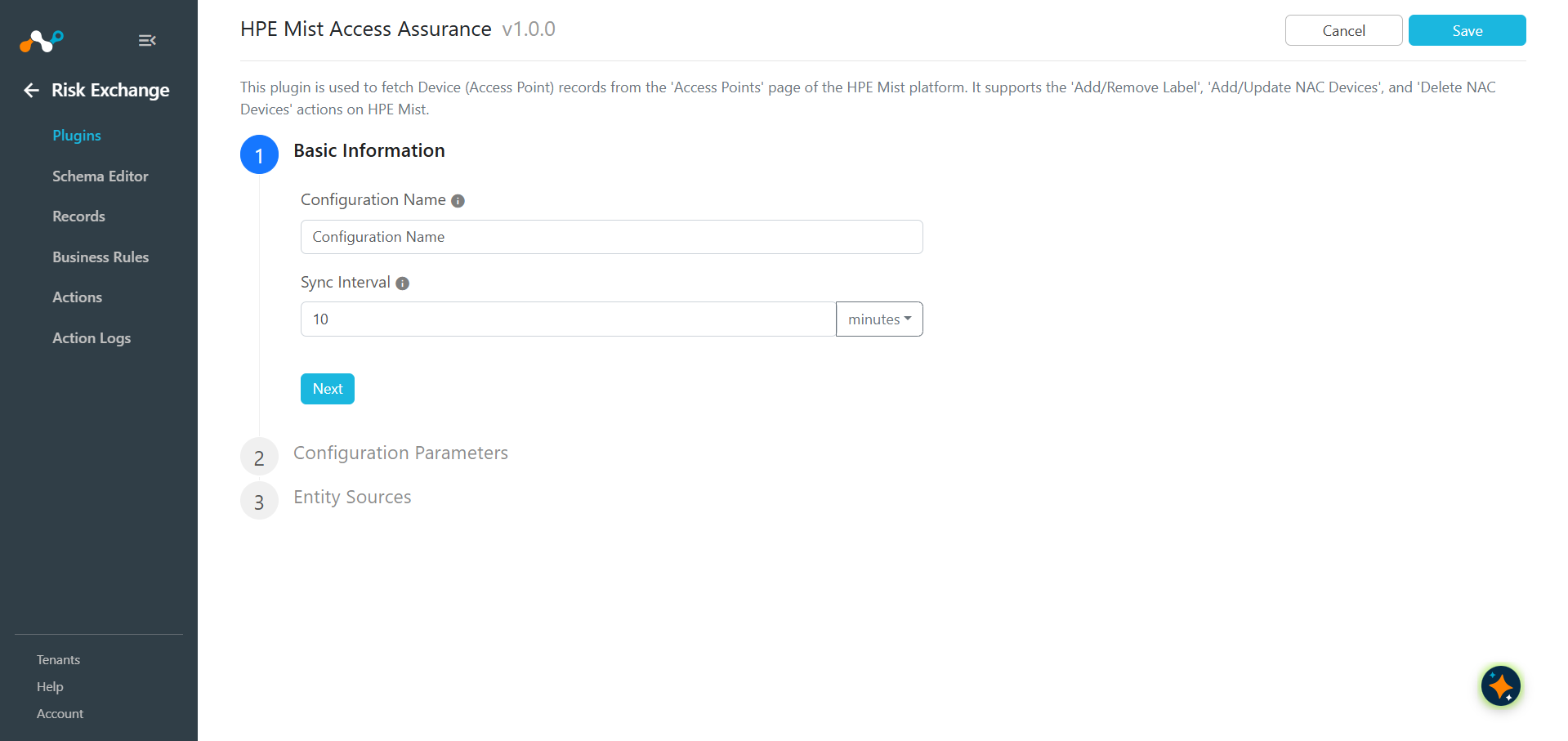
-
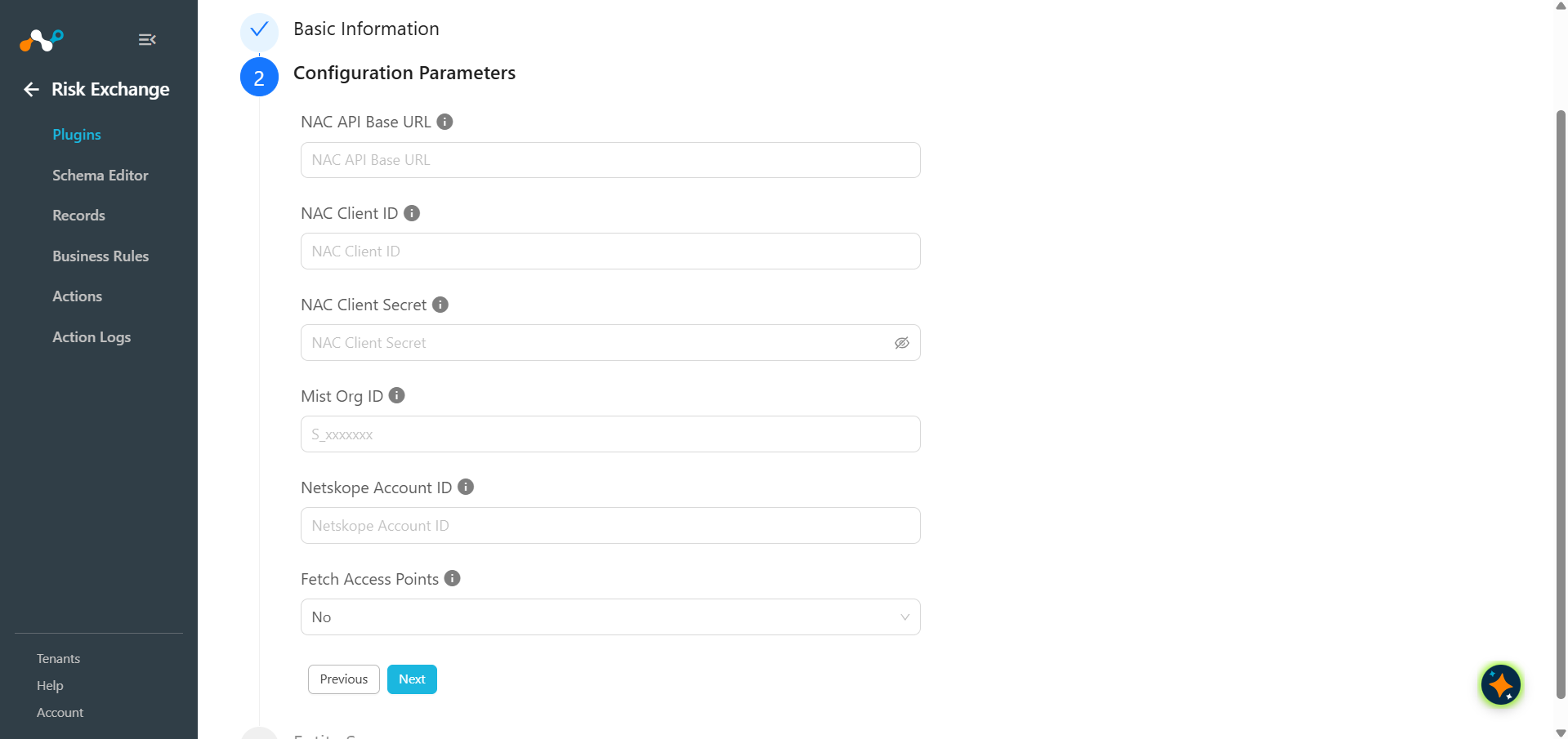
Click Next and enter the Configuration Parameters:
- NAC API Base URL: Base URL of the Juniper NAC API. Do not add
/v1at the end. Mandatory when Fetch Access Points is set to No. Required to perform the Add/Update NAC Devices or Delete NAC Devices action. - NAC Client ID: Client ID of the Juniper NAC API. Mandatory when Fetch Access Points is set to No. Required to perform the Add/Update NAC Devices or Delete NAC Devices action.
- NAC Client Secret: Client Secret of the Juniper NAC API. Mandatory when Fetch Access Points is set to No. Required to perform the Add/Update NAC Devices or Delete NAC Devices action.
- MIST Org ID: Mist org ID with environment prefix. Example S_xxxxxxx. Mandatory when Fetch Access Points is set to No. Required to perform the Add/Update NAC Devices or Delete NAC Devices action.
- Netskope Account ID: Netskope Account ID. Contact your Netskope support to obtain this value. Mandatory when Fetch Access Points is set to No. Required to perform the Add/Update NAC Devices or Delete NAC Devices action.
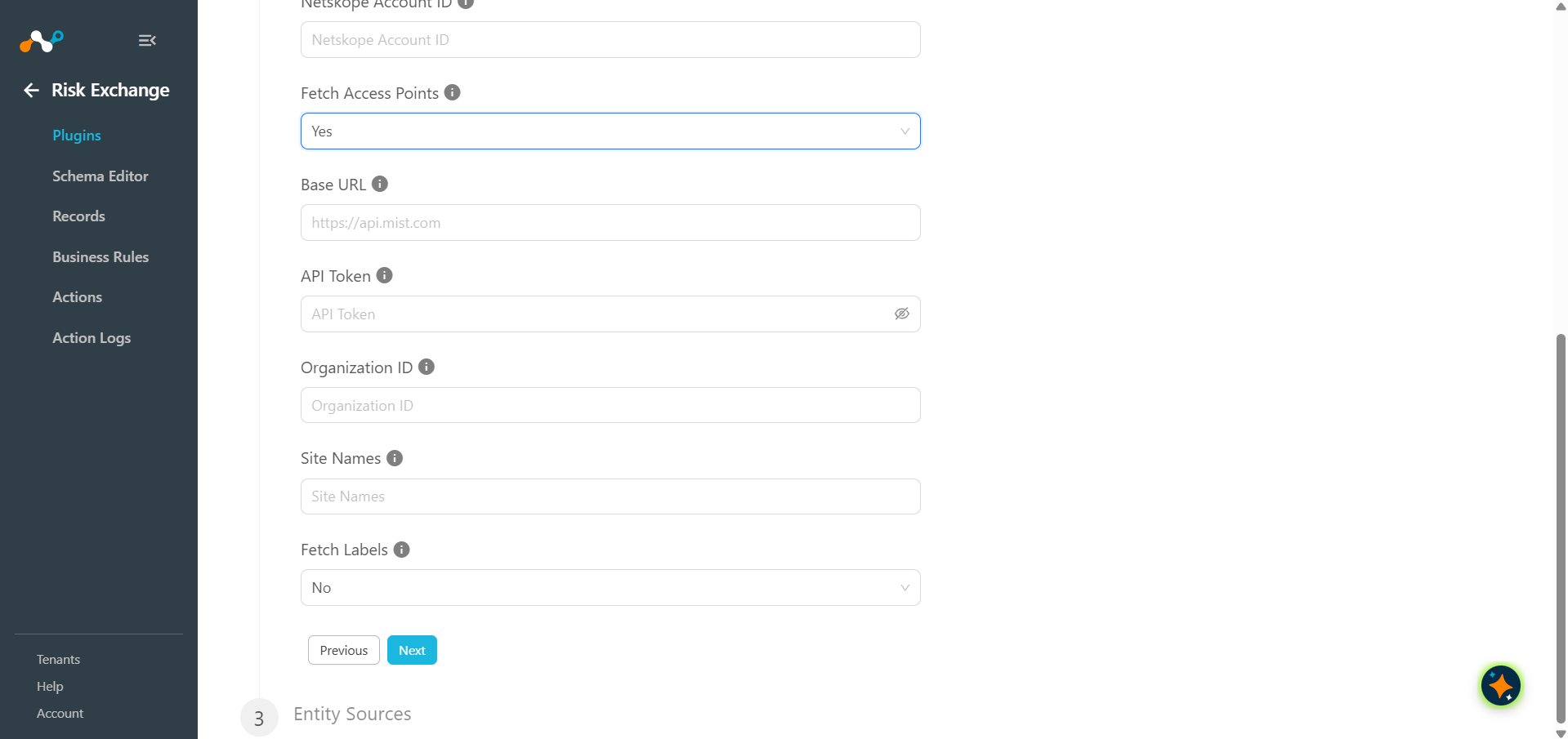
- Fetch Access Points: Select Yes to pull Device (Access Point) records from the HPE Mist API using Token Authentication; this reveals the credential fields it requires. Select No to skip the Device (Access Point) pull entirely and use only the NAC workflow, in which case no devices are fetched and the NAC Configuration fields become mandatory instead.
- Base URL: Base URL of your HPE Mist API endpoint, like
https://api.mist.com. - API Token: API token generated from the HPE Mist dashboard previously.
- Organization ID: HPE Mist Organization ID to pull Devices from. Go to Organizations > Settings to obtain the Organization ID for your Mist Instance.
- Site Names: Comma-separated list of HPE Mist Site Names to fetch Devices from. Leave blank to fetch Devices from all the Site under the configured Organization ID. Go to Organization > Site Configuration to obtain the Site Names.
- Fetch Labels: Select Yes to update each Device record with its WX Tag labels. Select No to skip pulling labels.
- NAC API Base URL: Base URL of the Juniper NAC API. Do not add
-
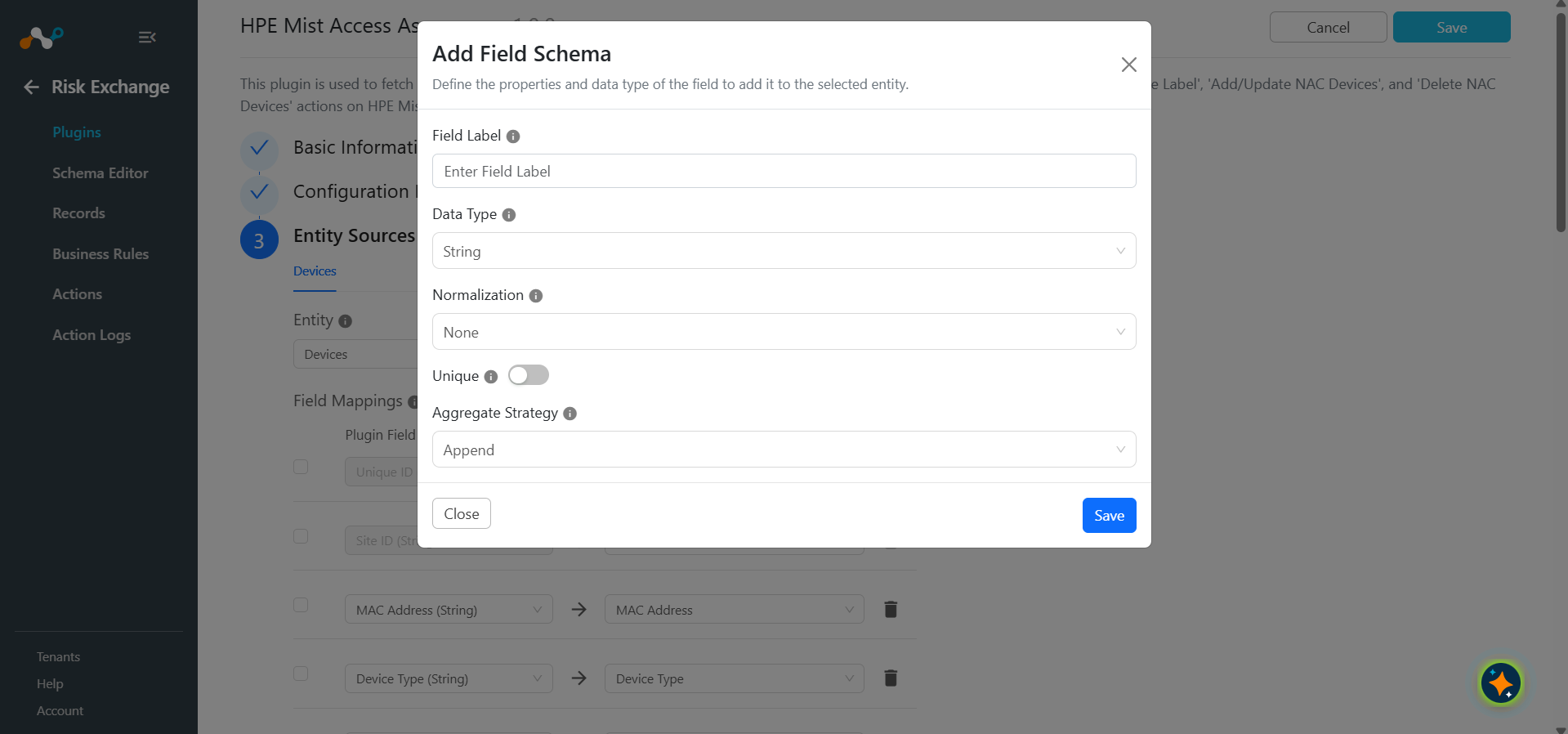
Click Next and select the required Entity from the Entity dropdown. Provide the field mappings per your needs. You can create a new Entity by clicking Add New Entity.
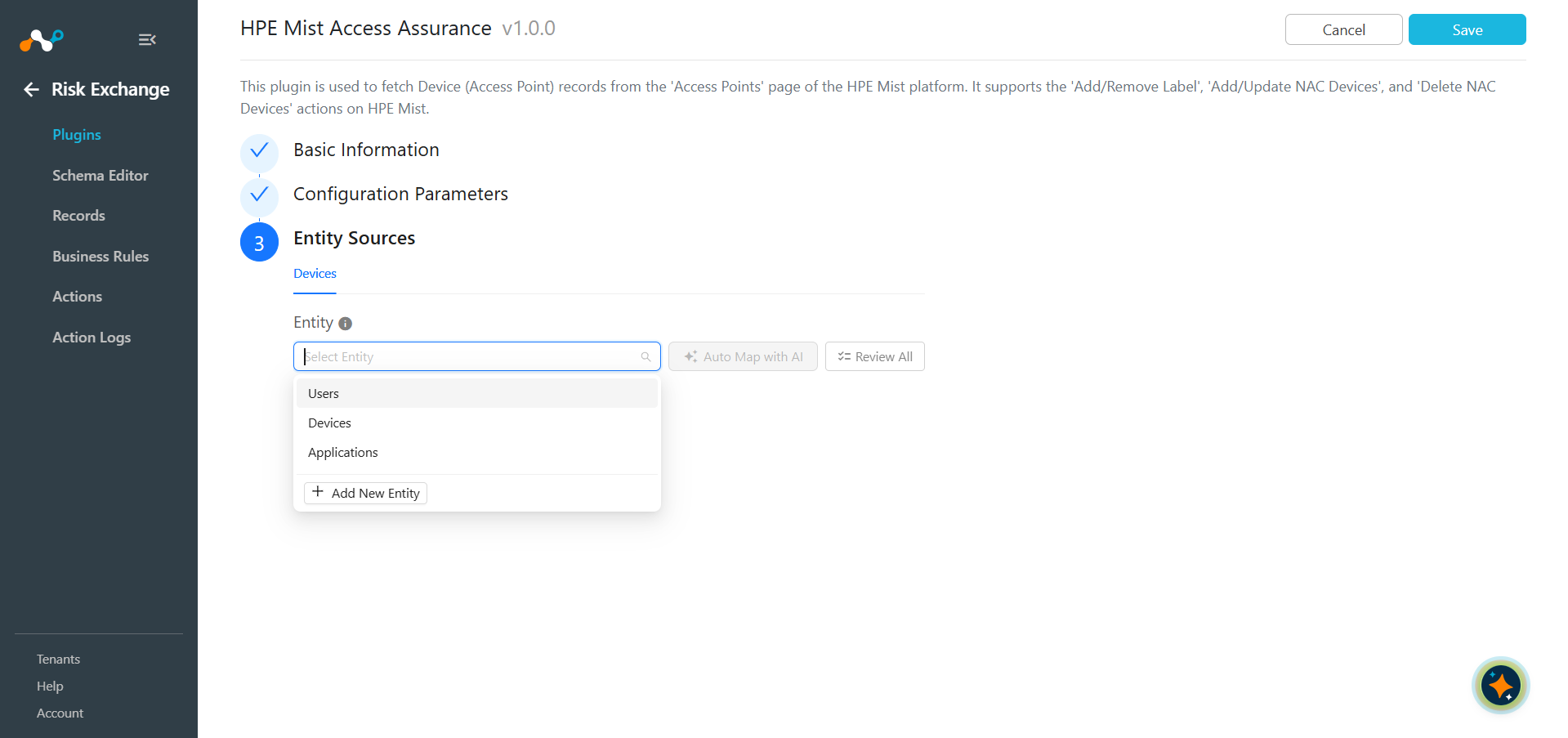
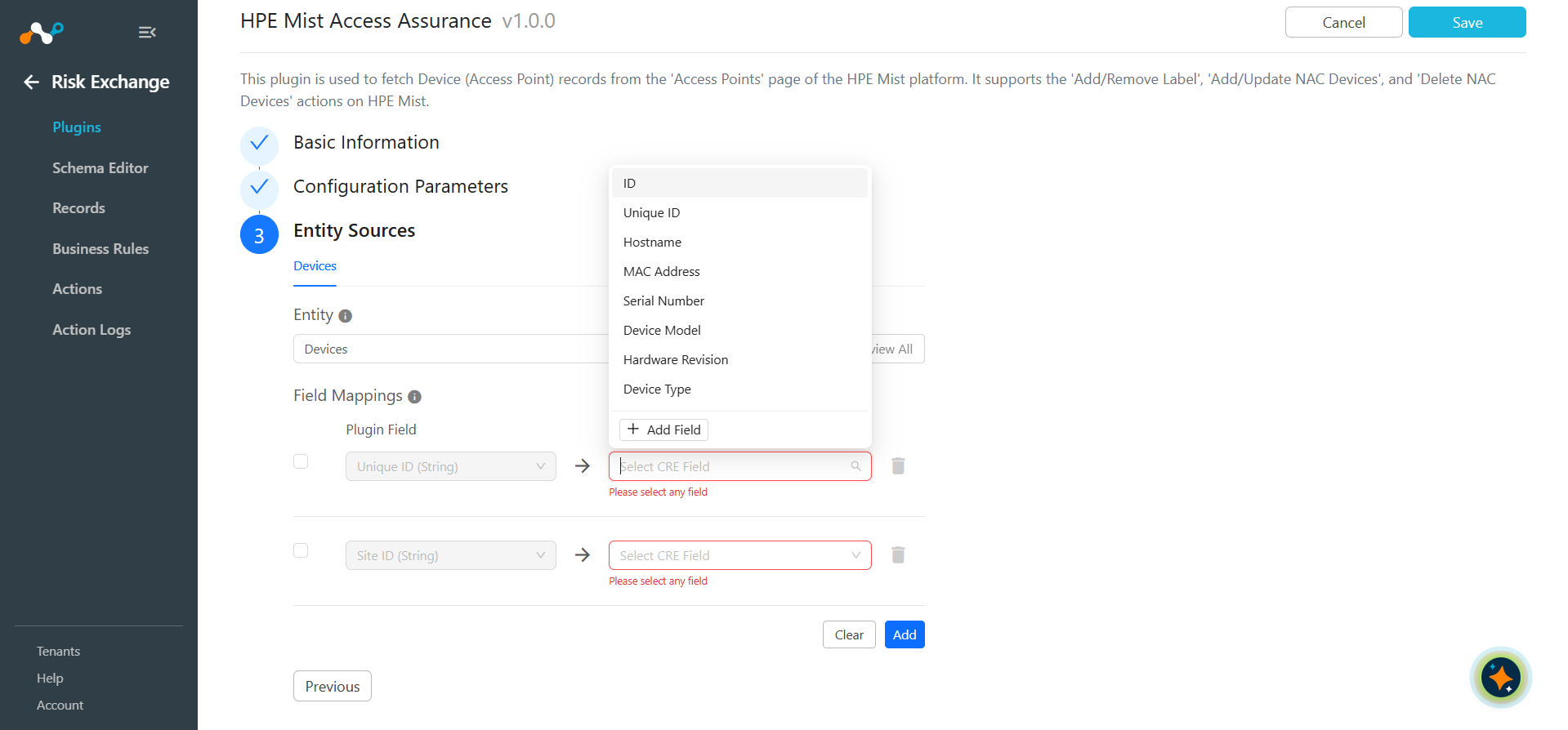
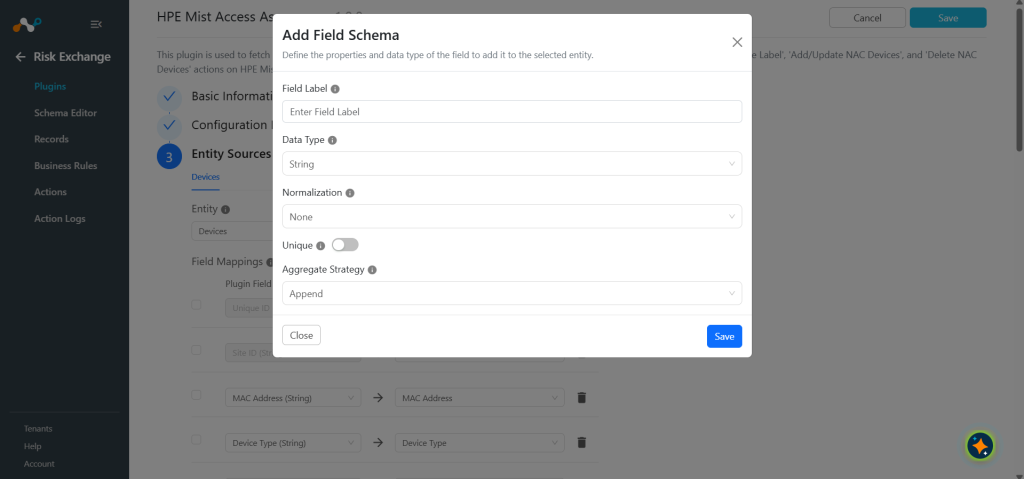
Provide the Field Label, Data Type, Normalization and Aggregate Strategy per your needs, and then click Save.
Provide the field mappings for these fields:
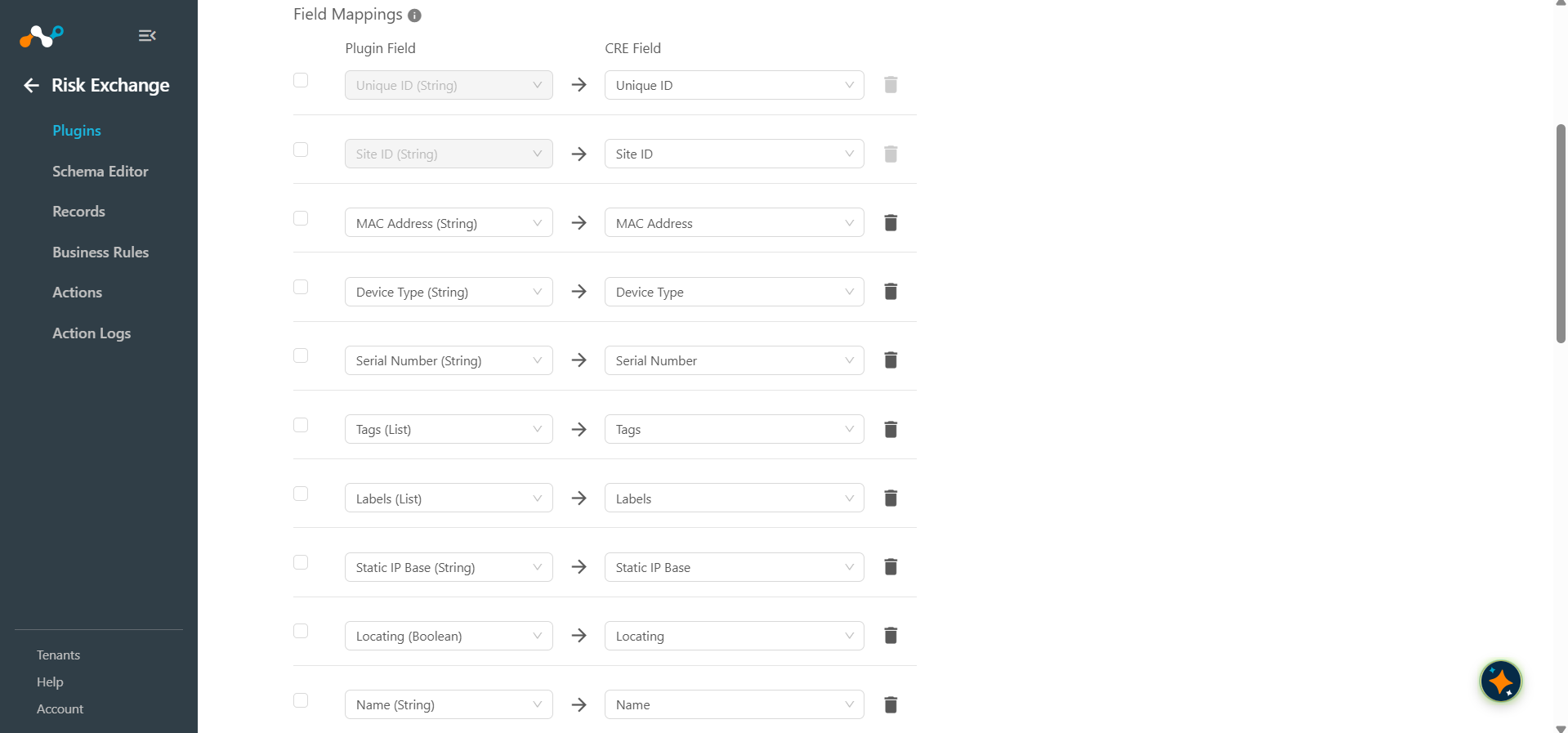
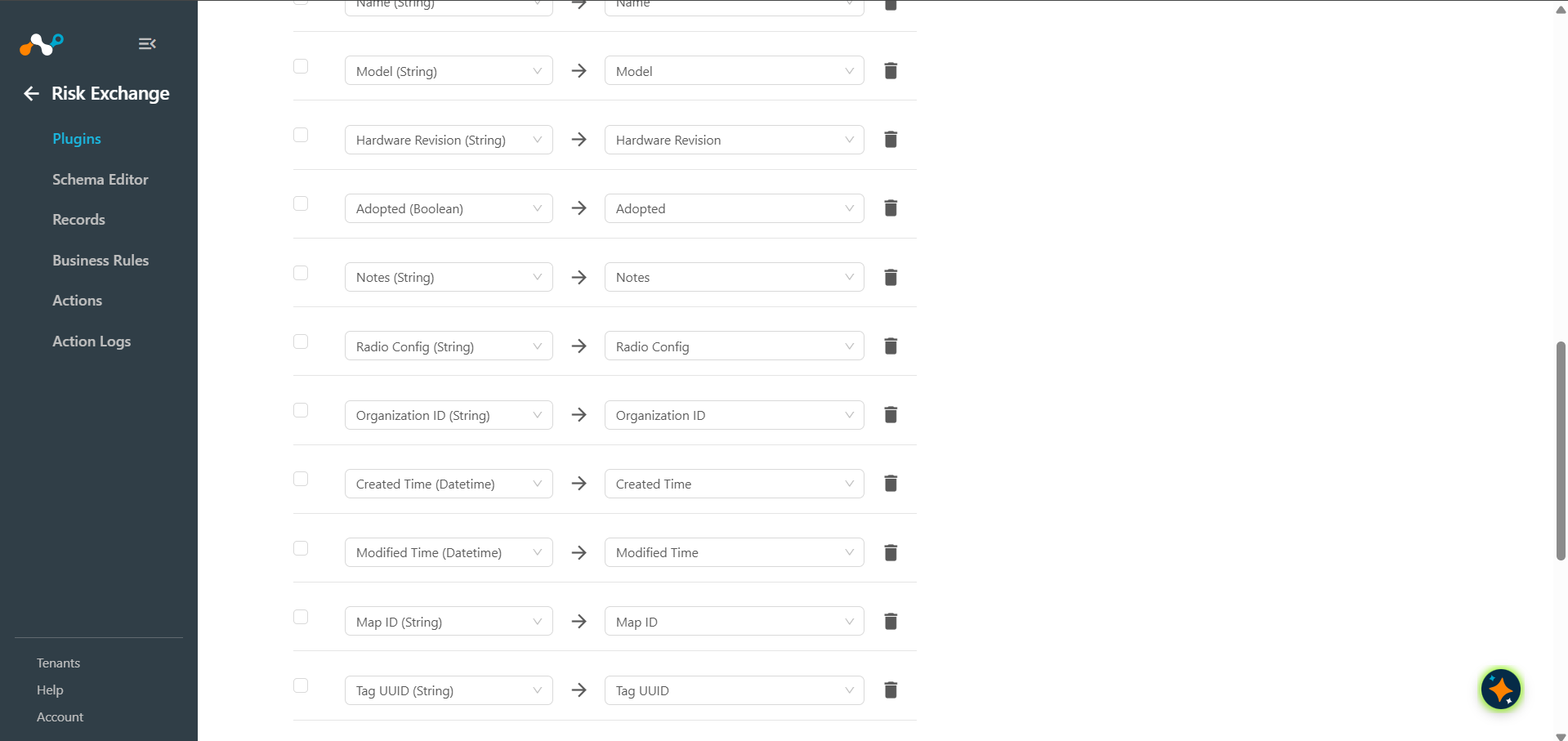
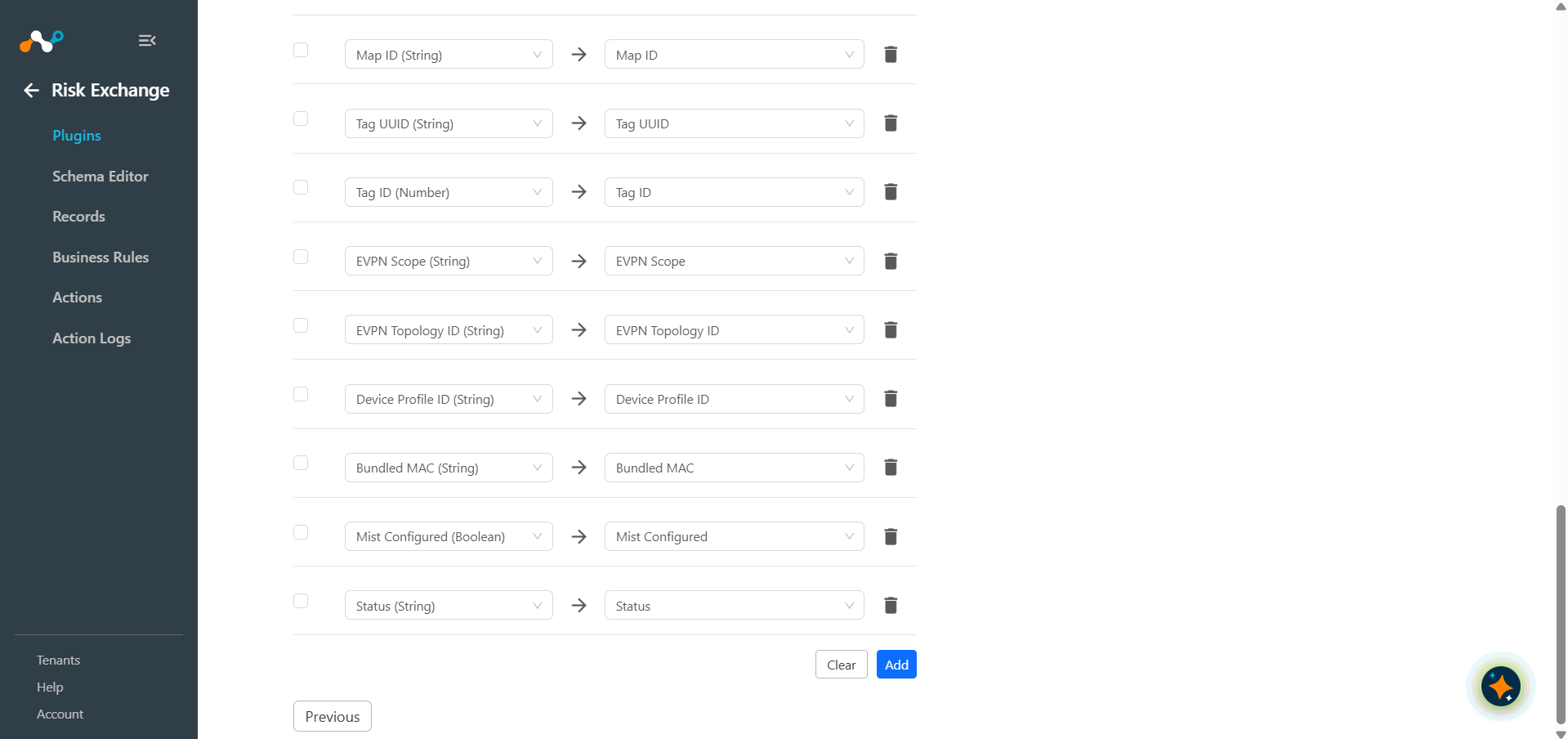 For the suggested mappings, refer to the Mappings section.
 -
Click Save.
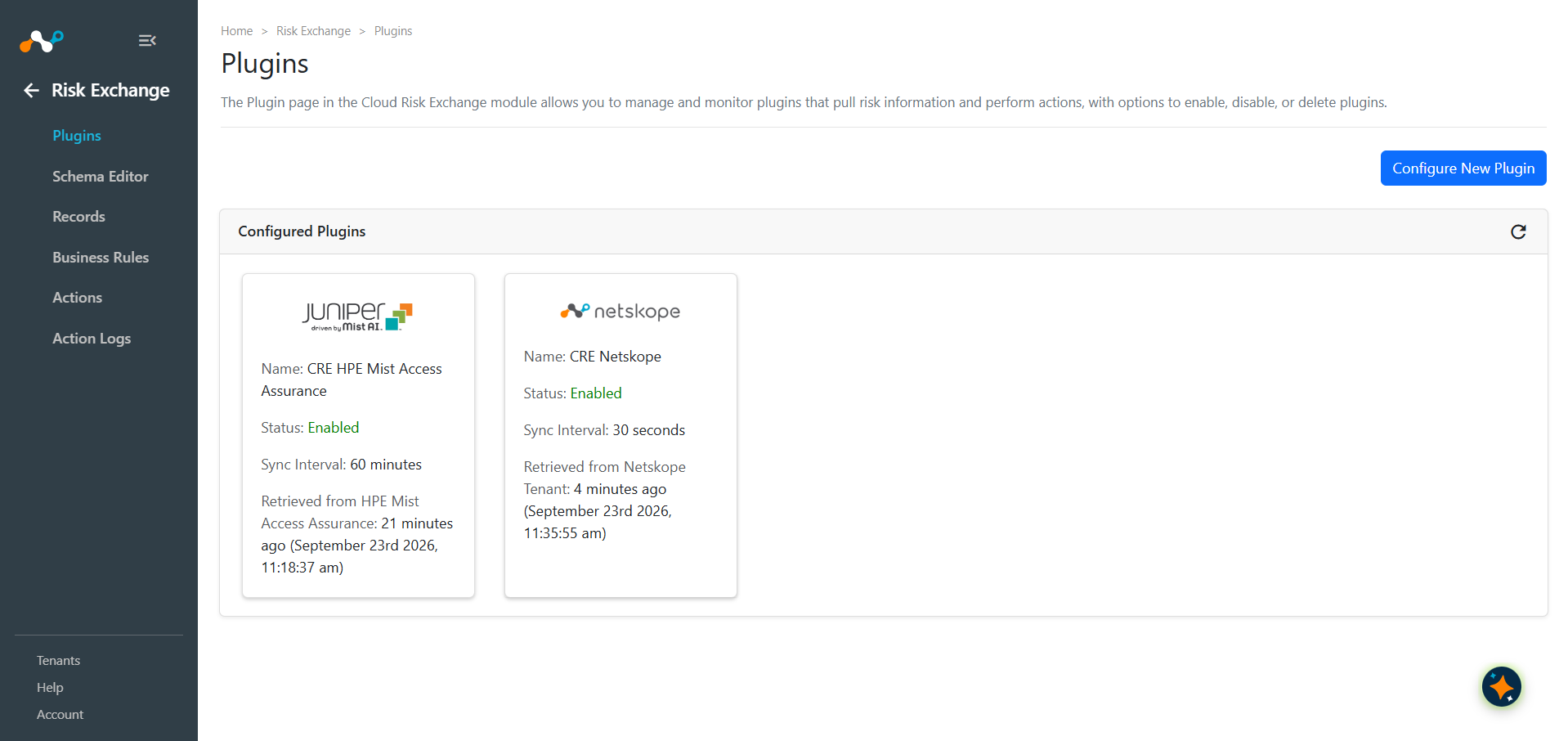
Configure a Risk Exchange Business Rule for HPE Mist Access Assurance
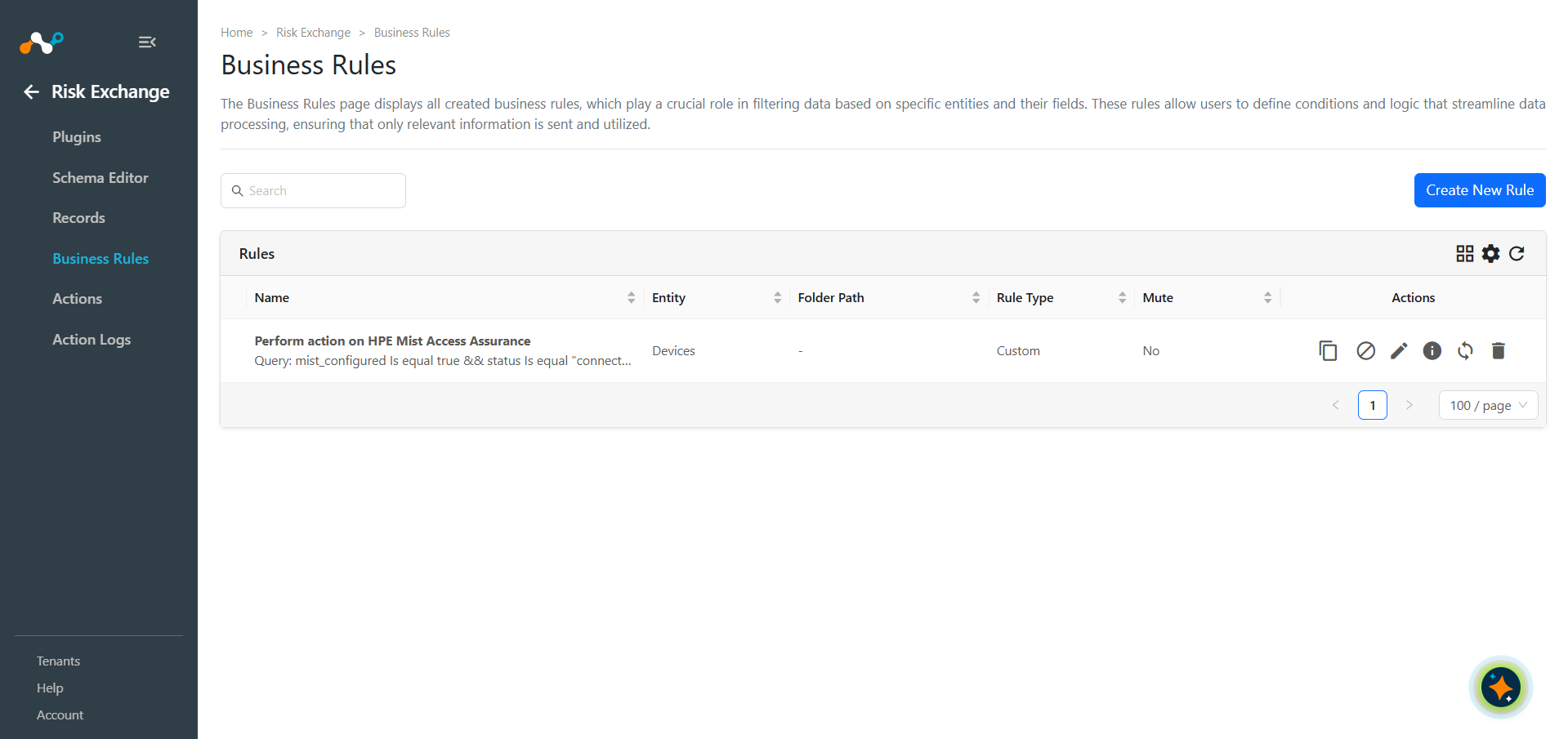
- In Risk Exchange, go to Business Rules and click Add Business Rule.
- Configure the source and filter conditions.
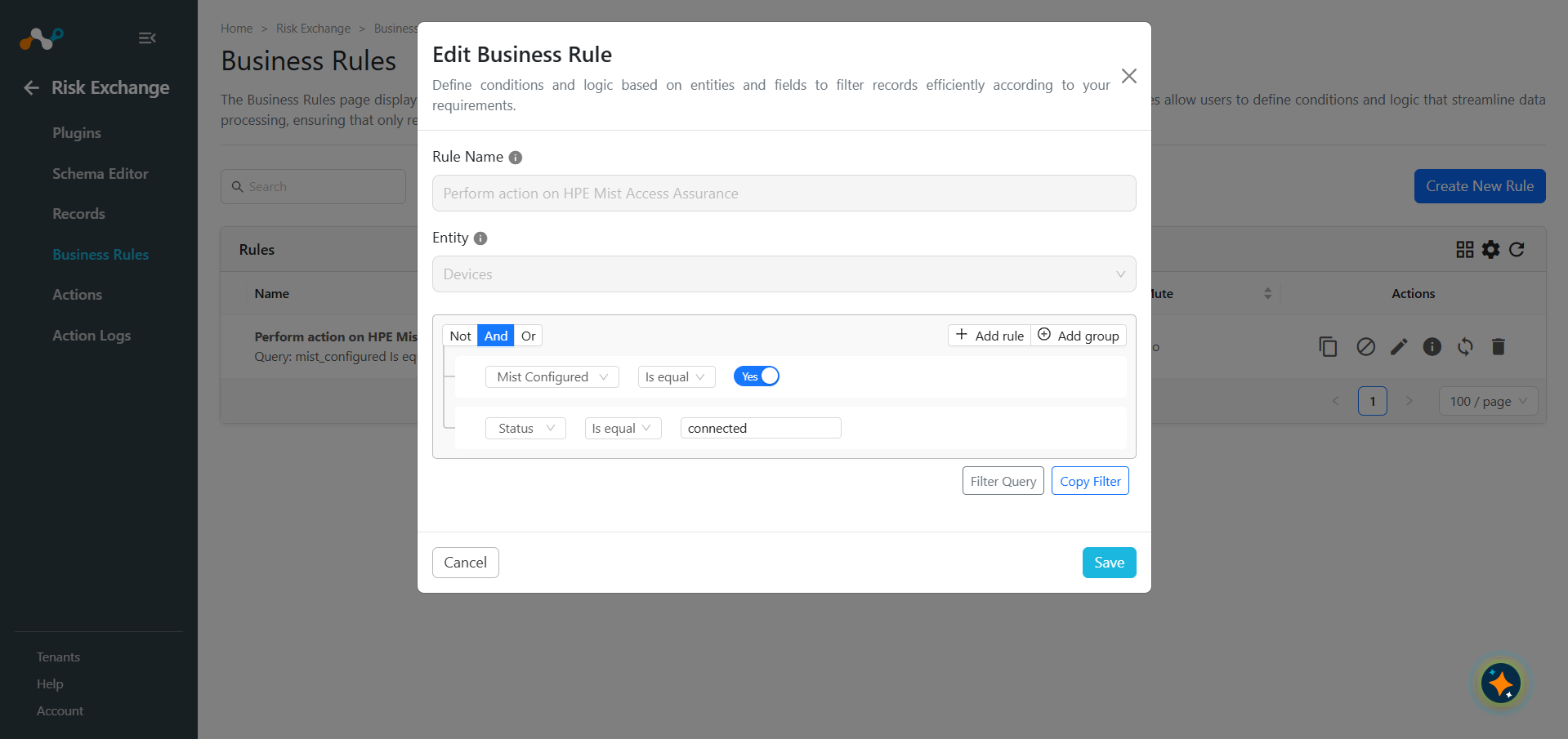
- Click Save.
Configure Risk Exchange Actions for HPE Mist Access Assurance
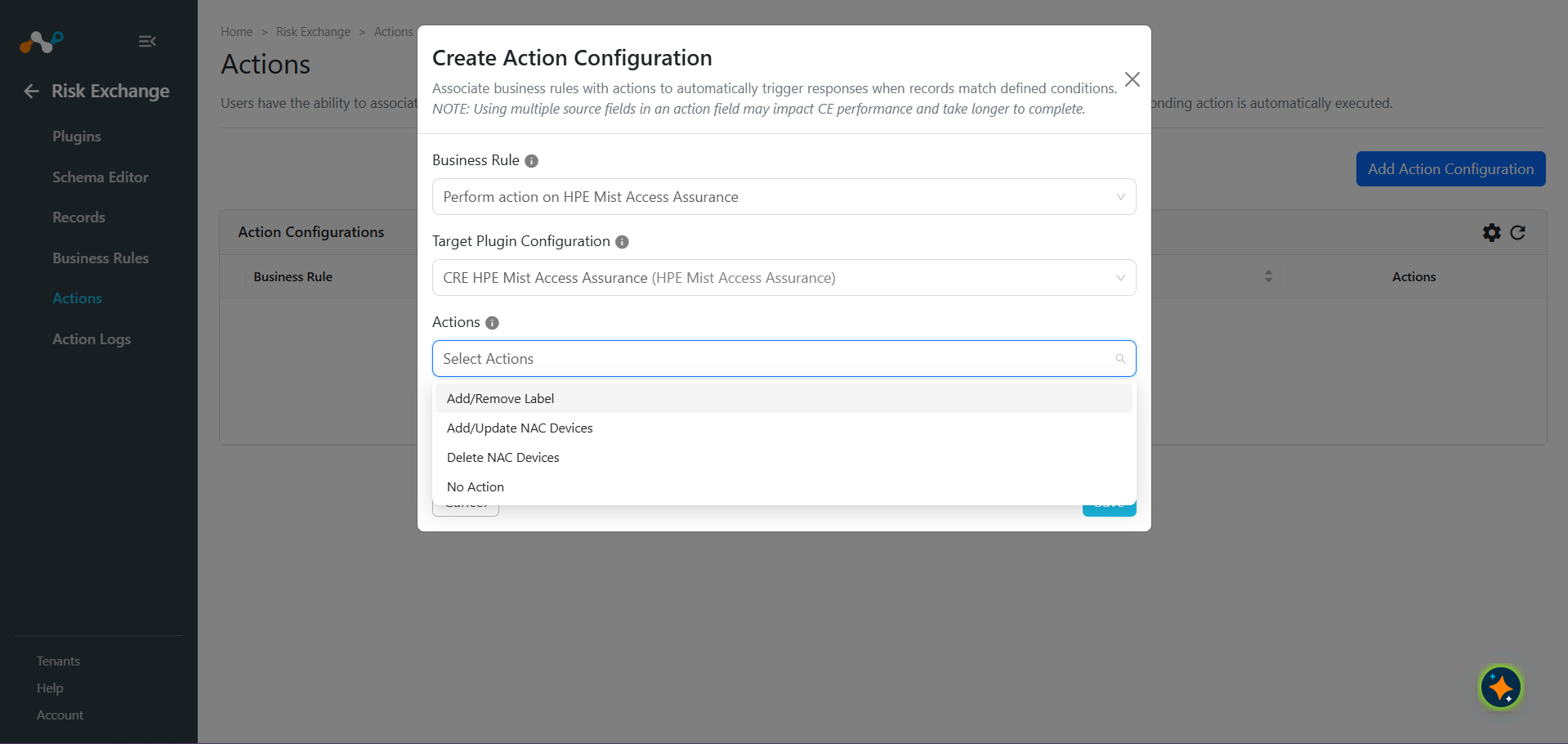
CRE HPE Mist Access Assurance supports the following action type:
- Add/Remove Label: This action can be used to add or remove labels from Devices pulled from HPE Mist Access Assurance Instance.
- Add/Update NAC Devices: This action can be used to Add or Update NAC Devices on HPE Mist Access Assurance platform.
- Delete NAC Devices: This action can be used to Delete NAC Devices on HPE Mist Access Assurance platform.
- No Action: No action will be performed for this action. Users can generate UBA alerts in Ticket Orchestrator by using this action, and enabling the Generate Alerts toggle.
Add/Remove a Label
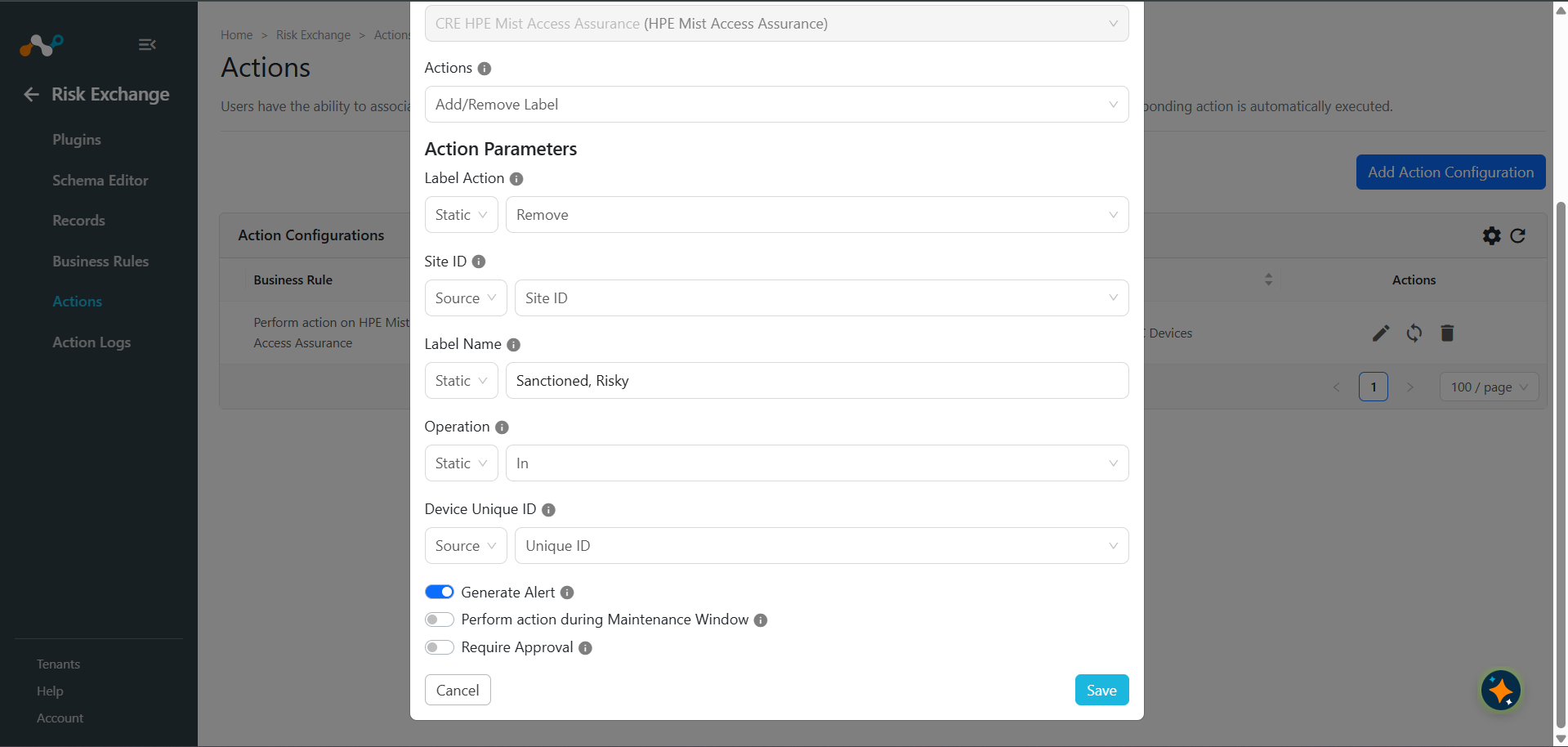
- In Risk Exchange, go to Actions and click Add Action Configuration.
- Select the required Business Rule, Plugin Configuration from their respective dropdown. For Actions, select Add/Remove Label, and enter these parameters:
- Label Action: Whether to add the device to a label or remove it from one. Select Label Action from the Static Field dropdown.
- Site ID: Mist Site ID the label belongs to. Select Site ID from the Source Field dropdown.
- Label Name: Name of the label to add the device to (created automatically if it doesn’t already exist under the given Site ID, Operation) or to remove the device from. Select one or more Label Name source fields, or provide a comma-separated static list to add/remove the device to/from more than one label at once. Each label name must be 64 characters or less – HPE Mist trims anything beyond that.
- Operation: Match operation of the label. Must match an existing label’s own Operation exactly to locate it. A same-named label with a different Operation is left untouched and the action fails instead of modifying it or creating a duplicate. Used as-is when a new label is created. Select Operation from the Static Field dropdown.
- Device Unique ID: Unique id of the device to add to or remove the label from. Select from the static or source field dropdown.
- Enable the Require Approval toggle if Approval is needed before performing action on the pulled records.
- Click Save.
Add/Update NAC Devices
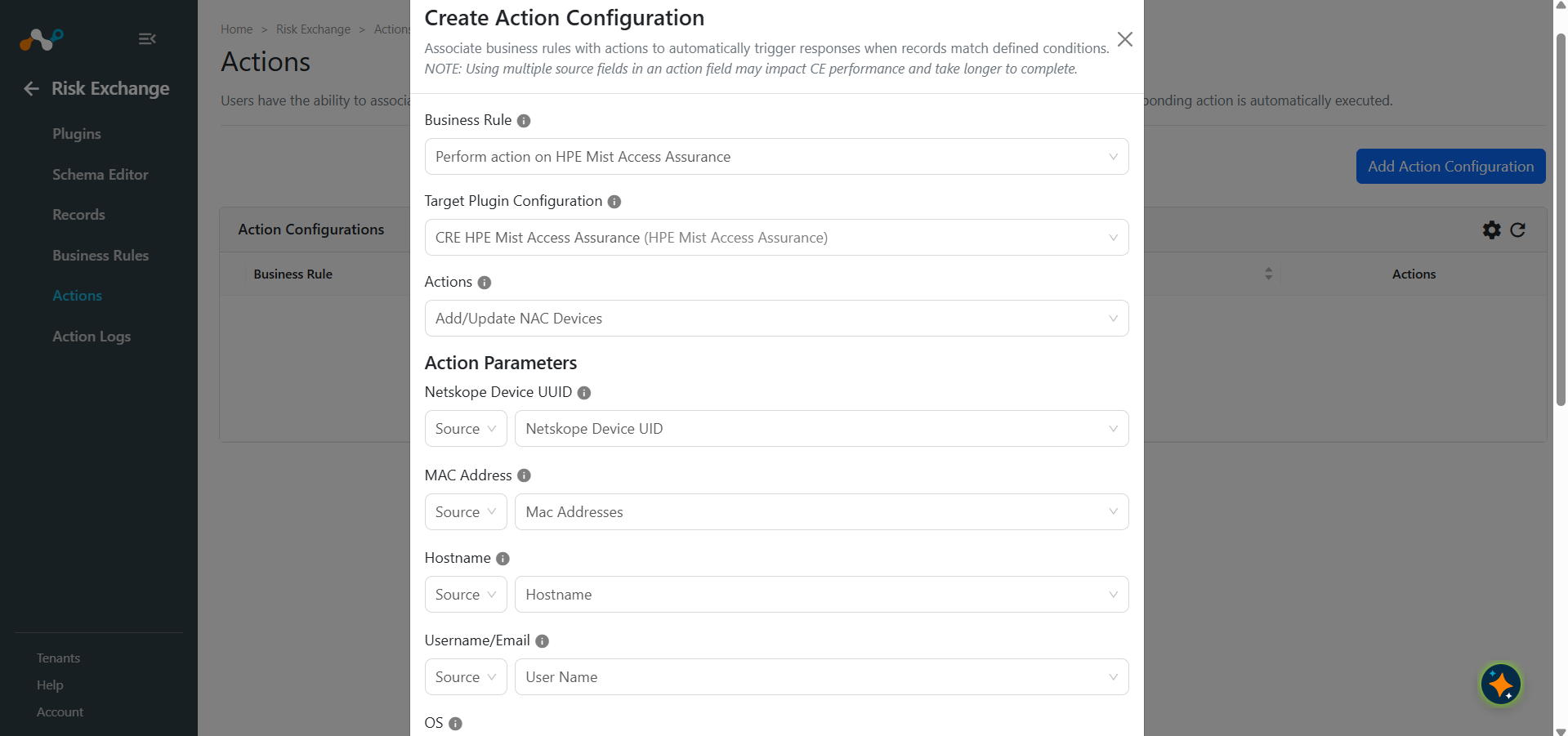
- In Risk Exchange, go to Actions and click Add Action Configuration.
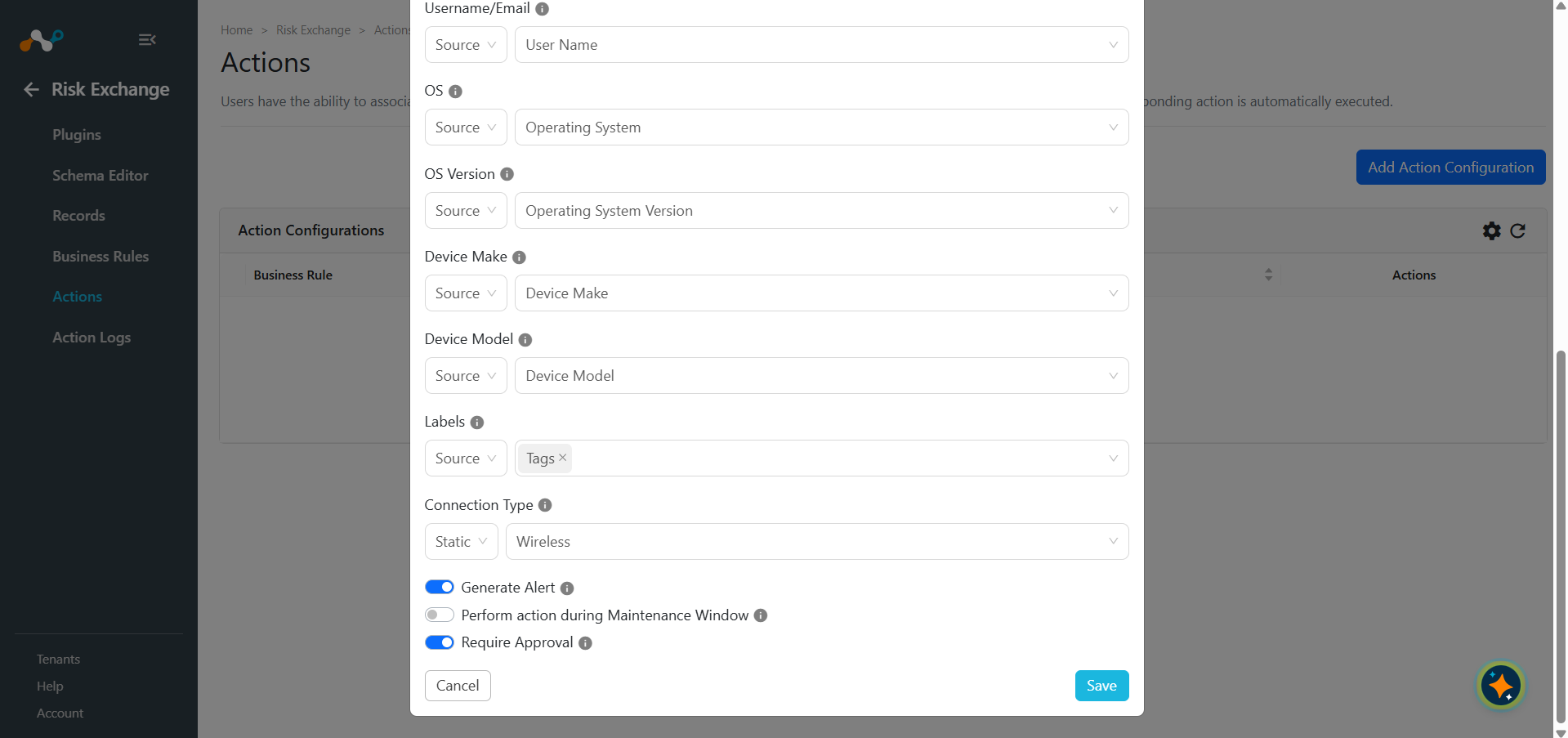
- Select the required Business Rule, Plugin Configuration from their respective dropdown. For Actions, select Add/Update NAC Devices, and enter these parameters:
- Netskope Device UUID: Netskope device UUID to send to NAC. Select Netskope Device UUID from the Source Field dropdown only.
- MAC Address: MAC Address(es) of the device to add or update in NAC. Select a MAC Address source field, or provide comma-separated MAC Addresses. Required: a record with no MAC Address is marked as failed.
- Hostname: Hostname of the device. Select a Hostname source field, or provide a static value.
- Username/Email: Username or email of the device user. Select a Username/Email source field, or provide a static value.
- OS: Operating system of the device. Select an OS source field, or provide a static value.
- OS Version: Operating system version of the device. Select an OS Version source field, or provide a static value.
- Device Make: Make of the device. Select a Device Make source field or provide a static value.
- Device Model: Model of the device. Select Device Model source field, or provide a static value.
- Labels: Labels to send with the device. Select one or more Label source fields, or provide a comma-separated list of static Labels.
- Connection Type: Connection type of the device, sent to NAC as
ether_type. Select Wired or Wireless from the Static or Source Field dropdown, or leave it blank to let NAC default it to wireless.
- Enable the Require Approval toggle if Approval is needed before performing action on the pulled records.
- Click Save.
Delete NAC Devices
- In Risk Exchange, go to Actions and click Add Action Configuration.
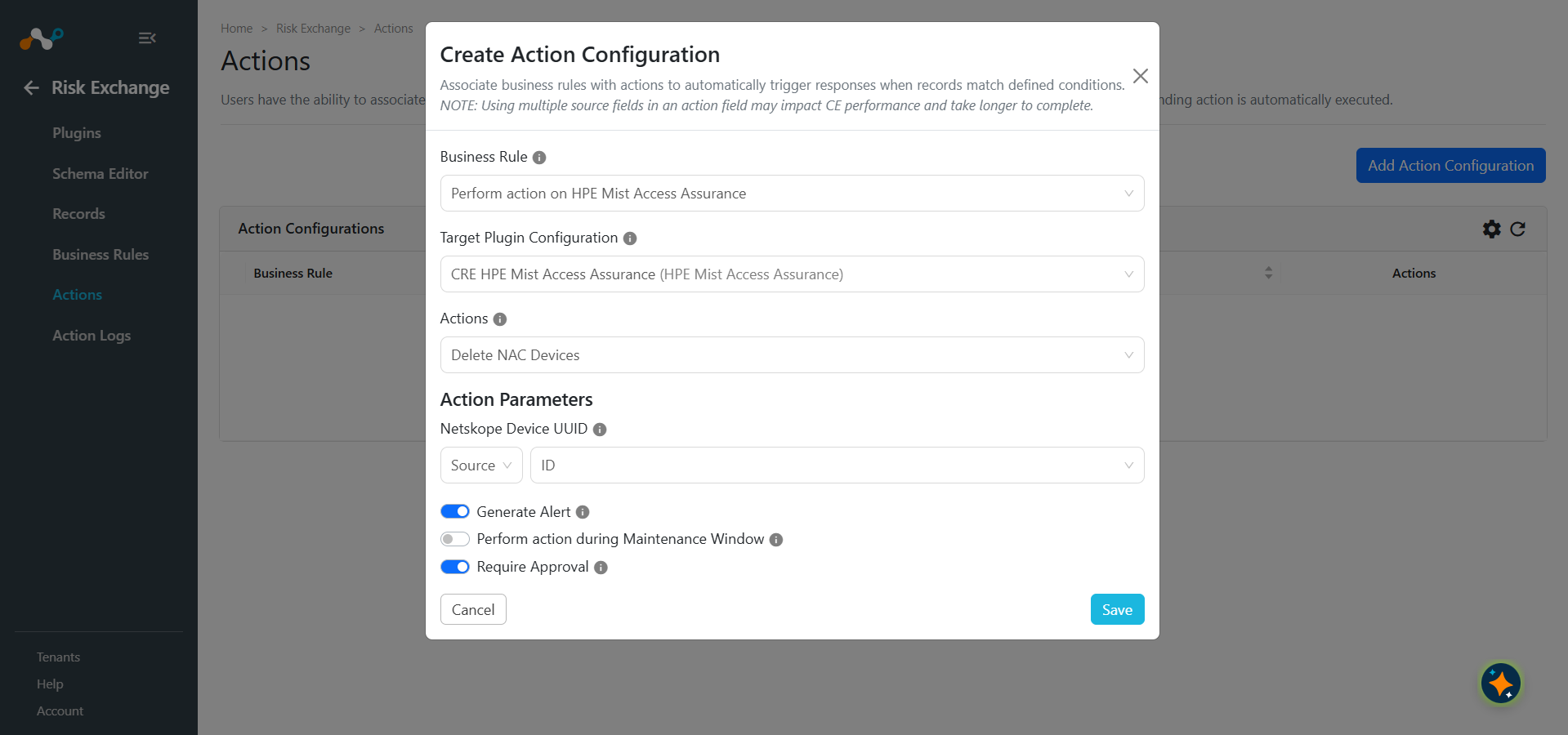
- Select the required Business Rule, Plugin Configuration from their respective dropdown. For Actions, select Delete NAC Devices, and enter this parameter:
Netskope Device UUID: Netskope device UUID to delete from NAC. Select from the Static or Source Field dropdown. - Enable the Require Approval toggle if Approval is needed before performing action on the pulled records.
- Click Save.
No Action
- In Risk Exchange, go to Actions and click Add Action Configuration.
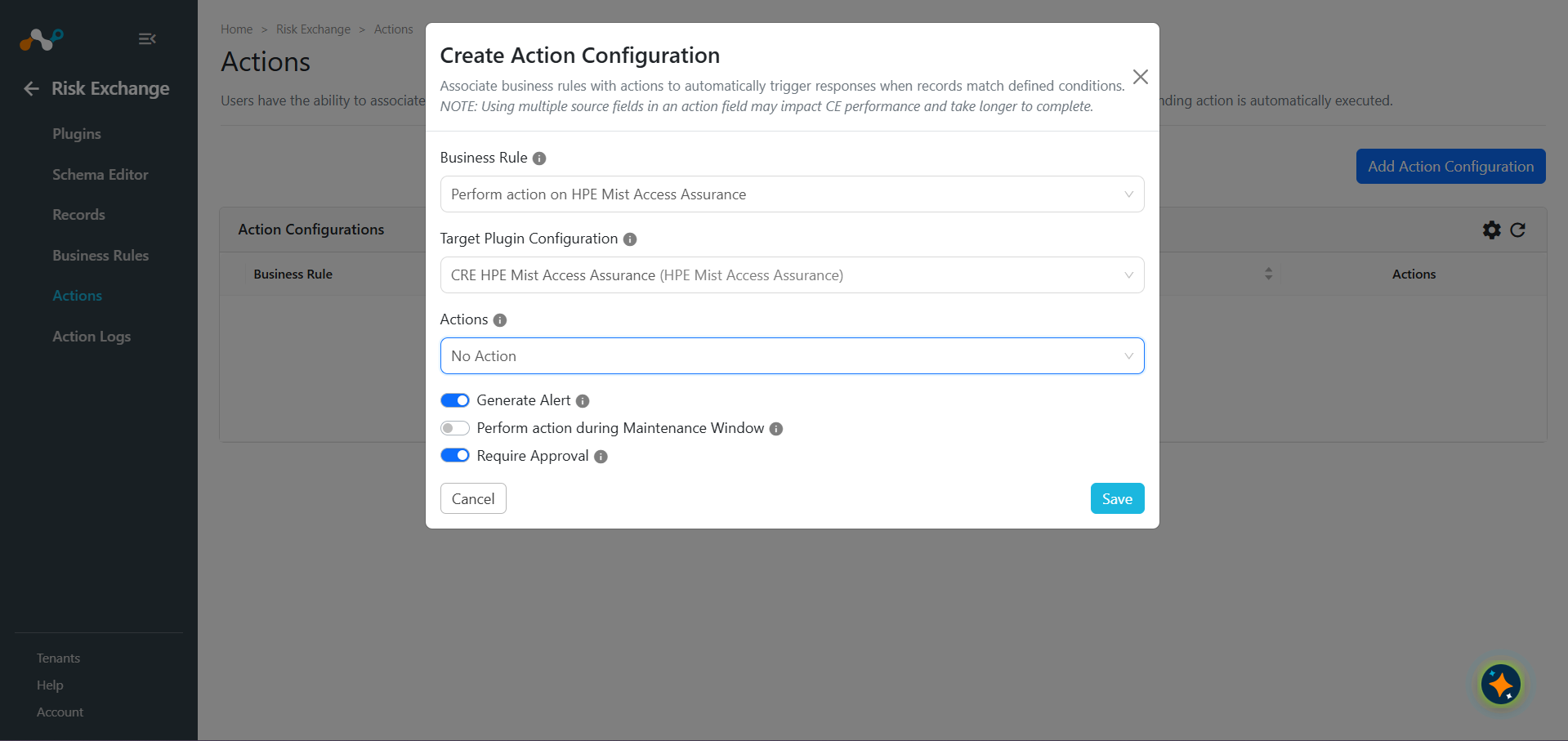
- Select the required Business Rule, Configuration from their respective dropdowns. and for Actions, select No Action.
- Enable the Require Approval toggle if Approval is needed before performing action on the pulled records.
- Click Save.
Validate the HPE Mist Access Assurance Plugin
Validate in Cloud Exchange
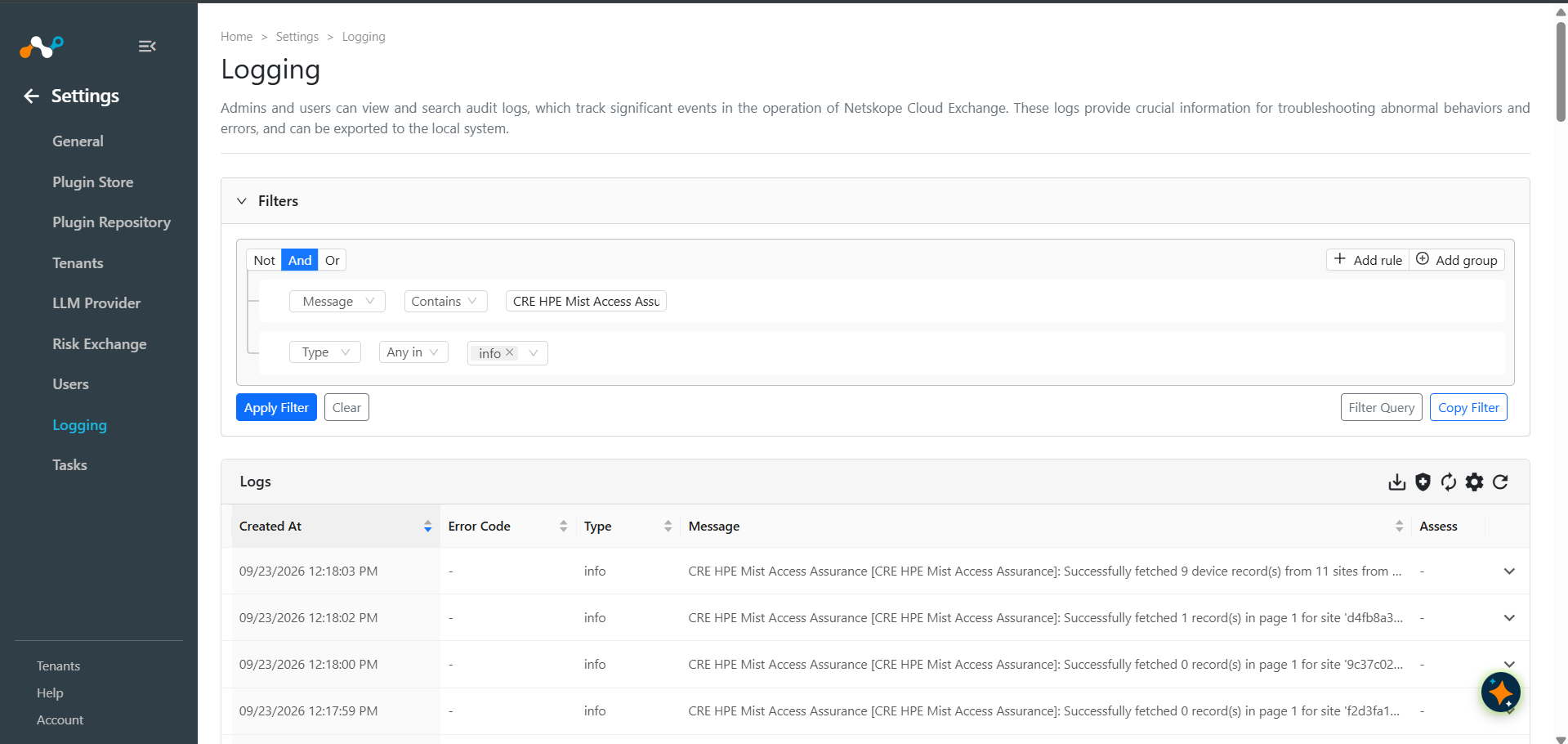
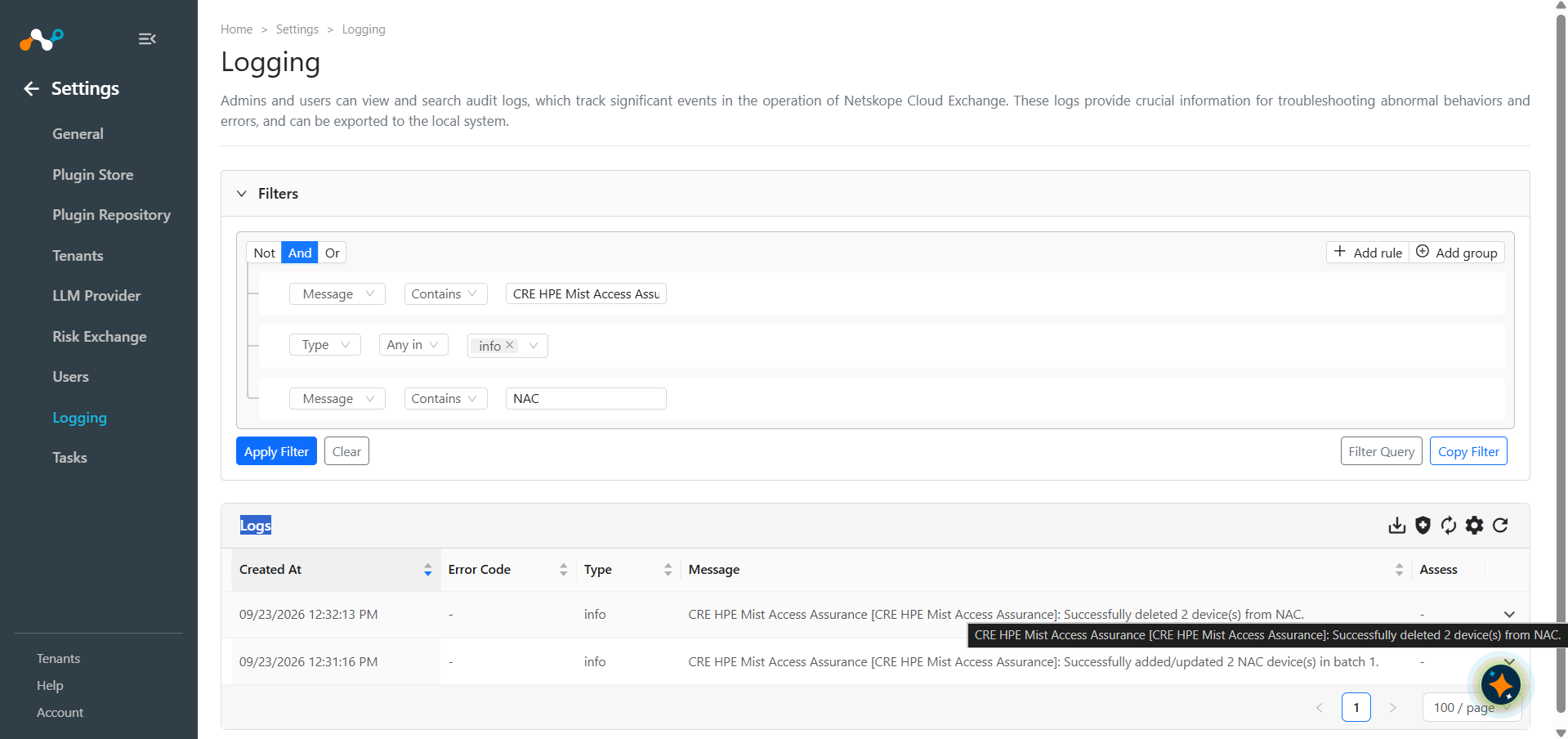
To verify the devices pulled from HPE Mist, go to Logging and search for the logs from the CRE HPE Mist Access Assurance plugin.
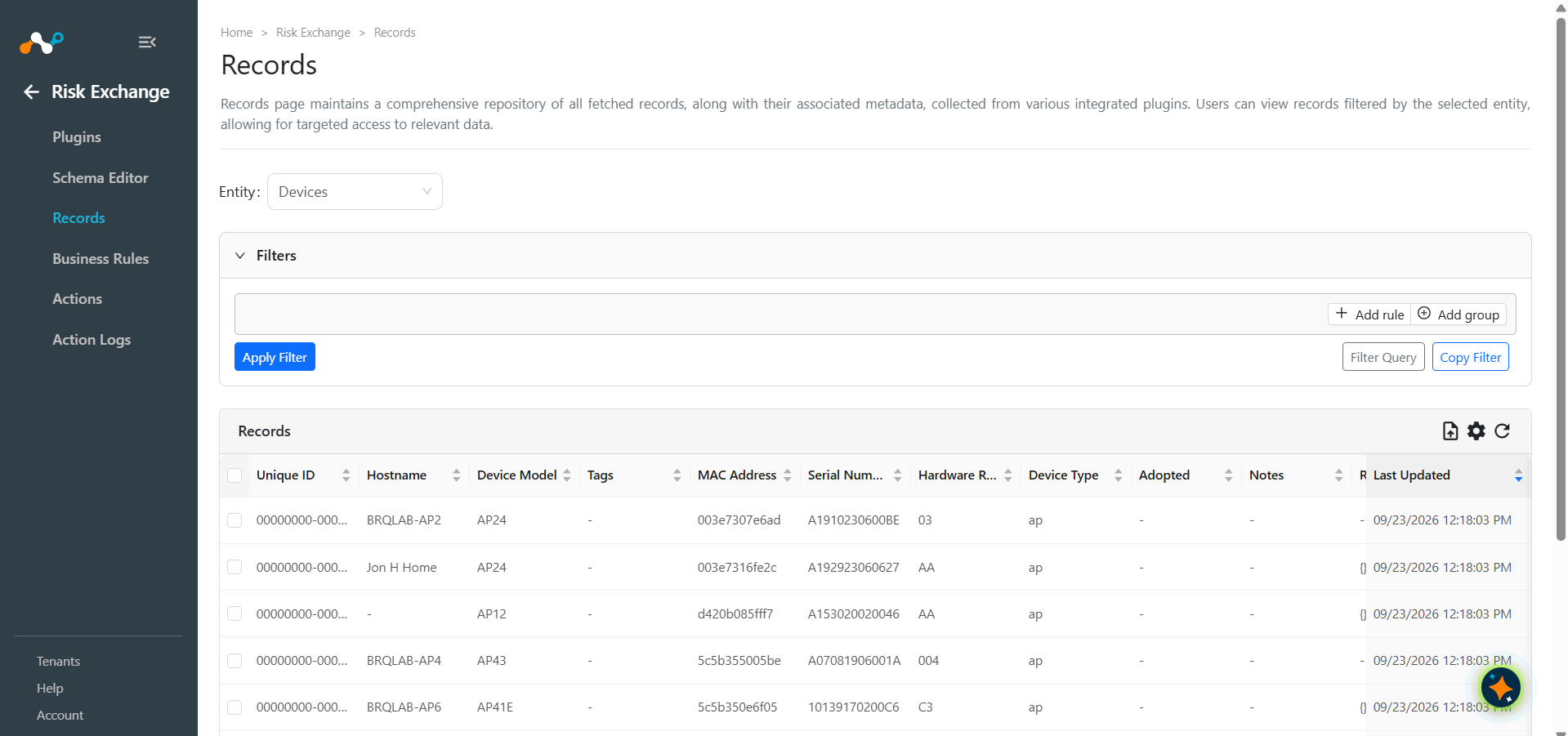
To check the records pulled and stored in Cloud Exchange, go to Records in Risk Exchange. Select the entity type used while adding the mapping in the plugin configuration.
Action Validation
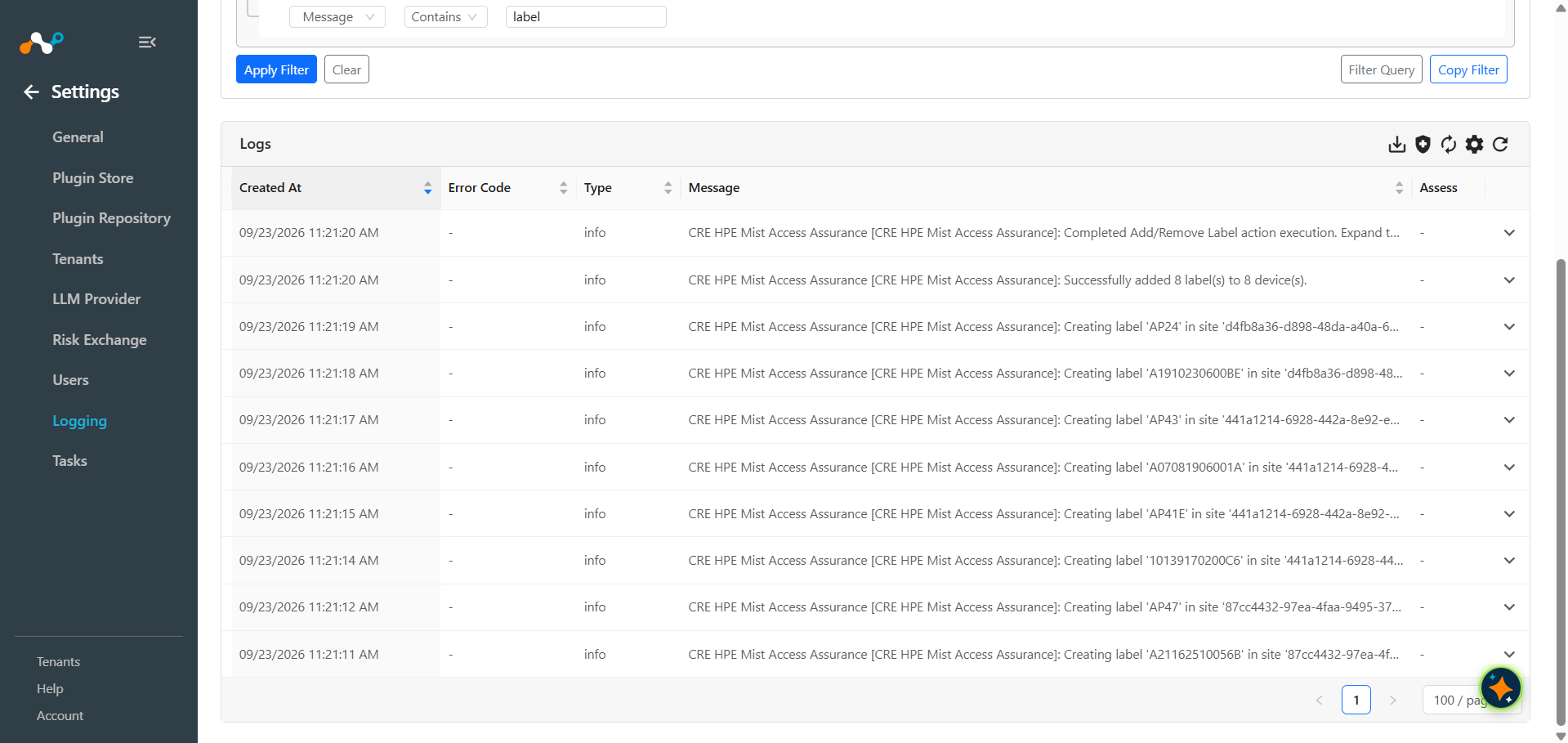
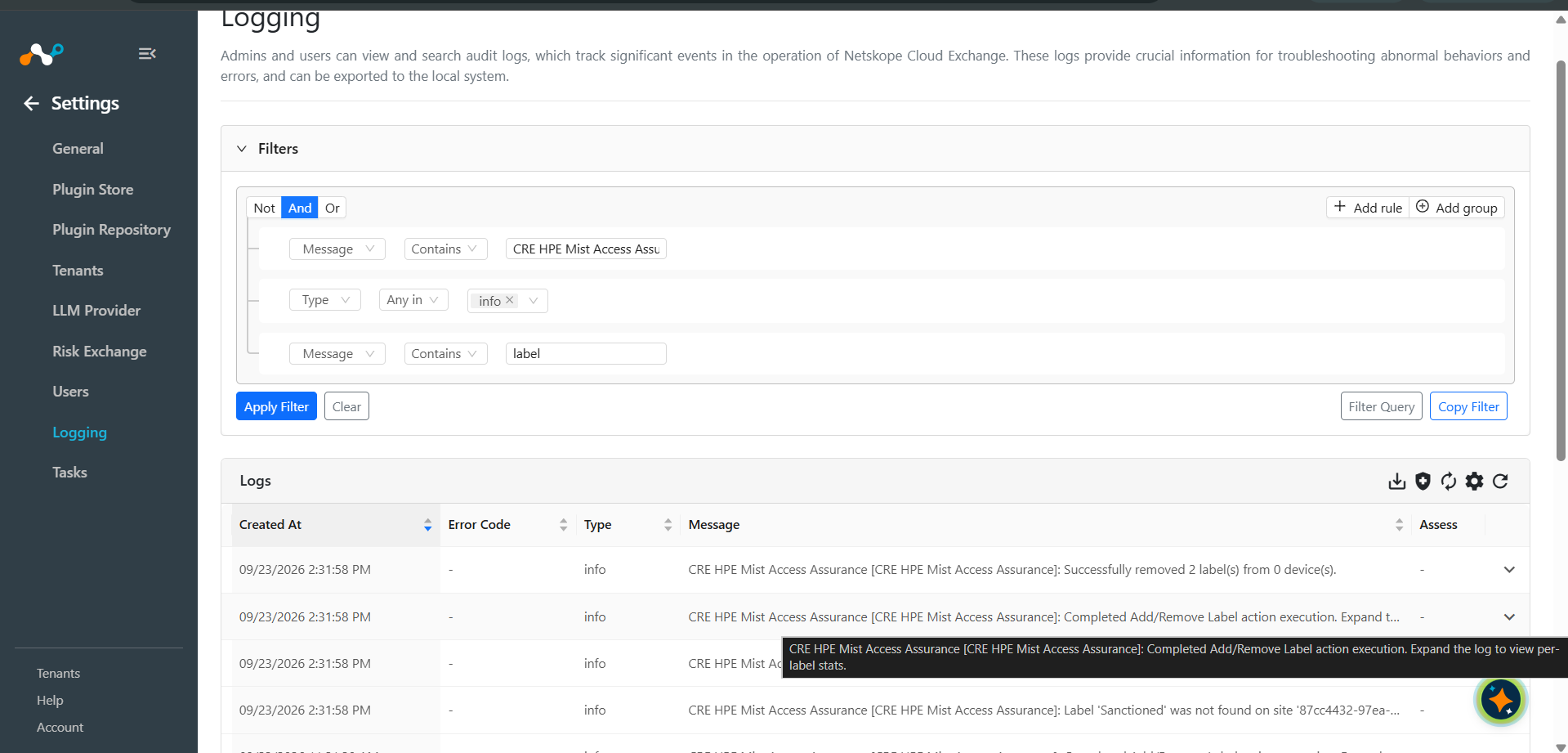
Logs for performed Add/Remove Label action:
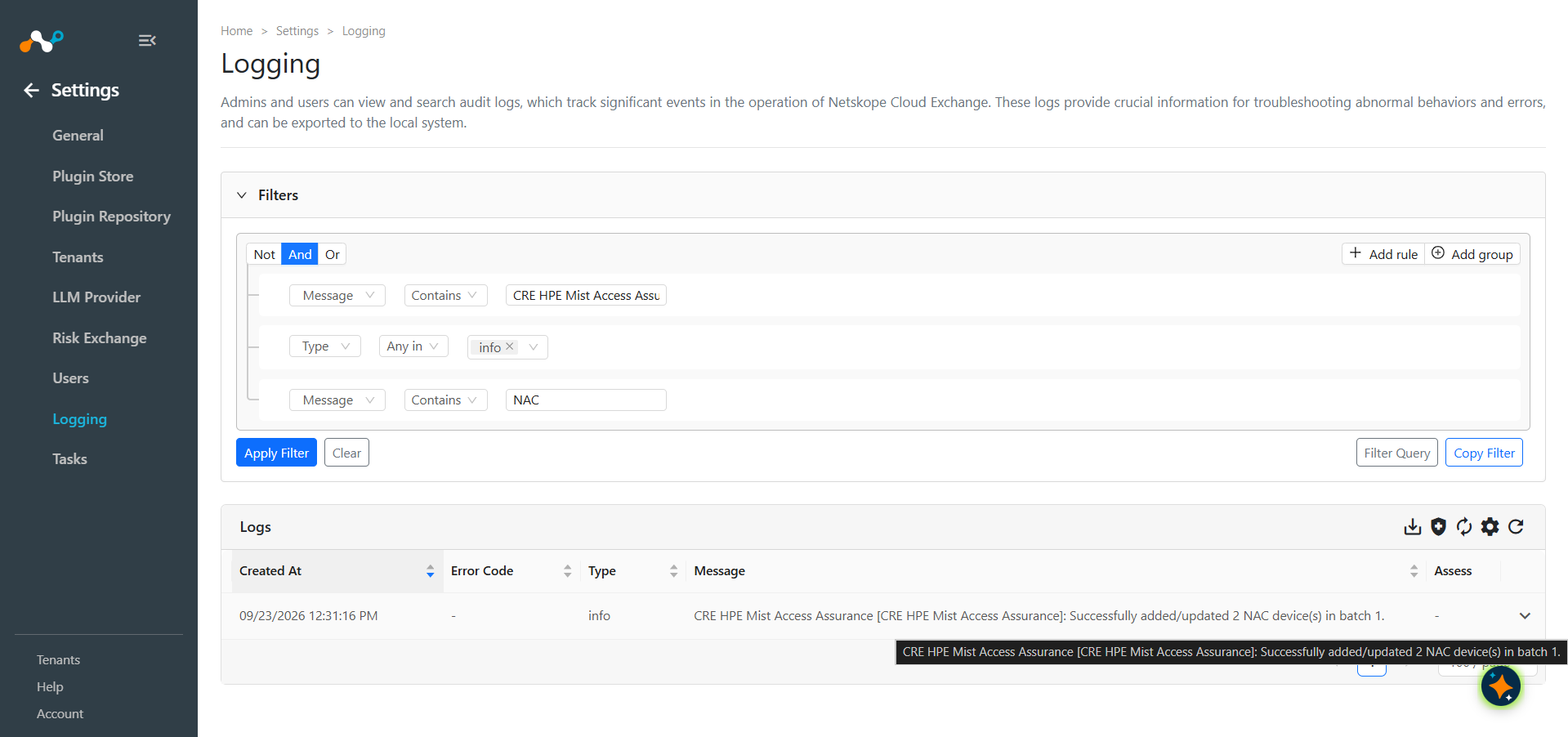
Logs for performed Add/Update NAC Devices action:
Logs for performed Delete NAC Devices action:
Validate in HPE Mist
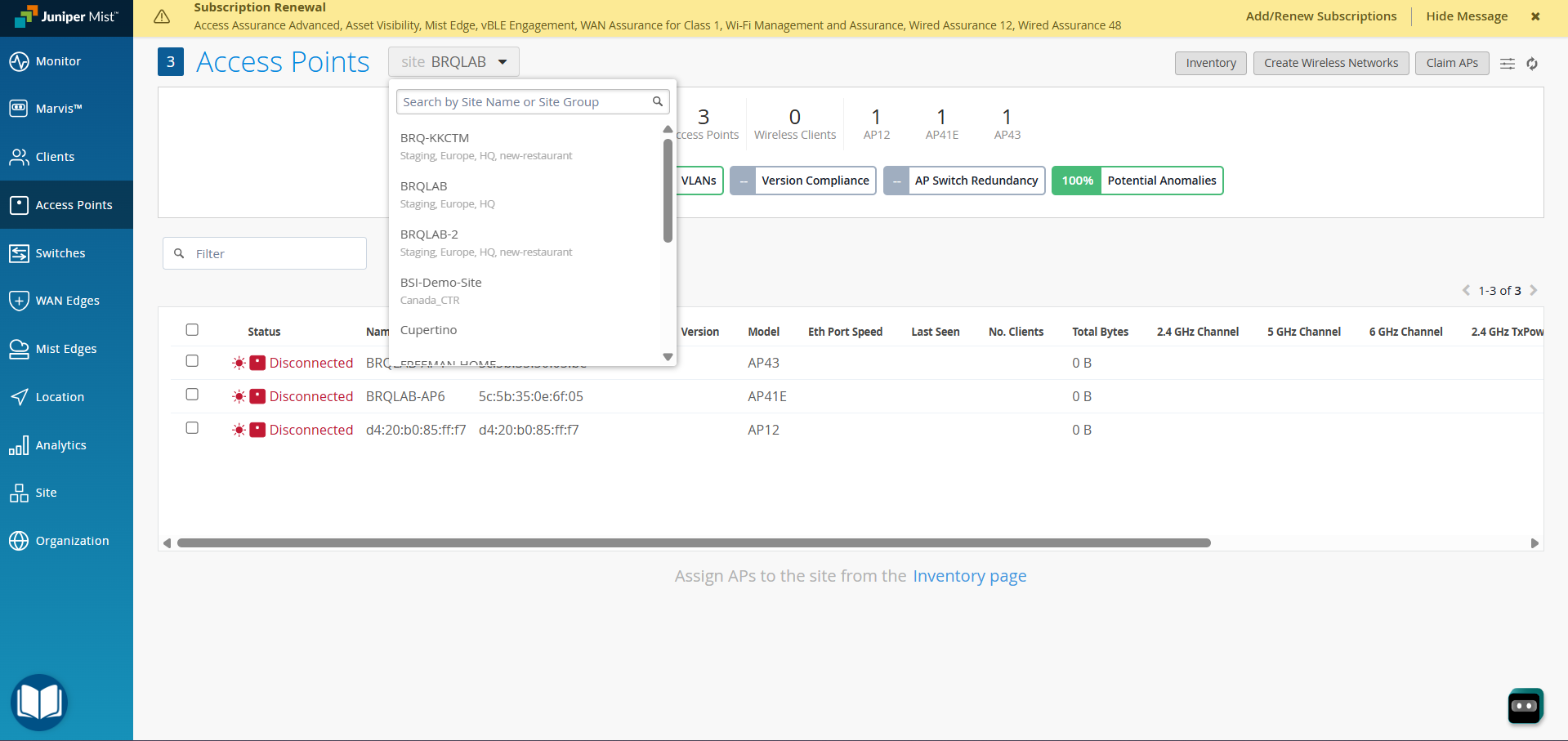
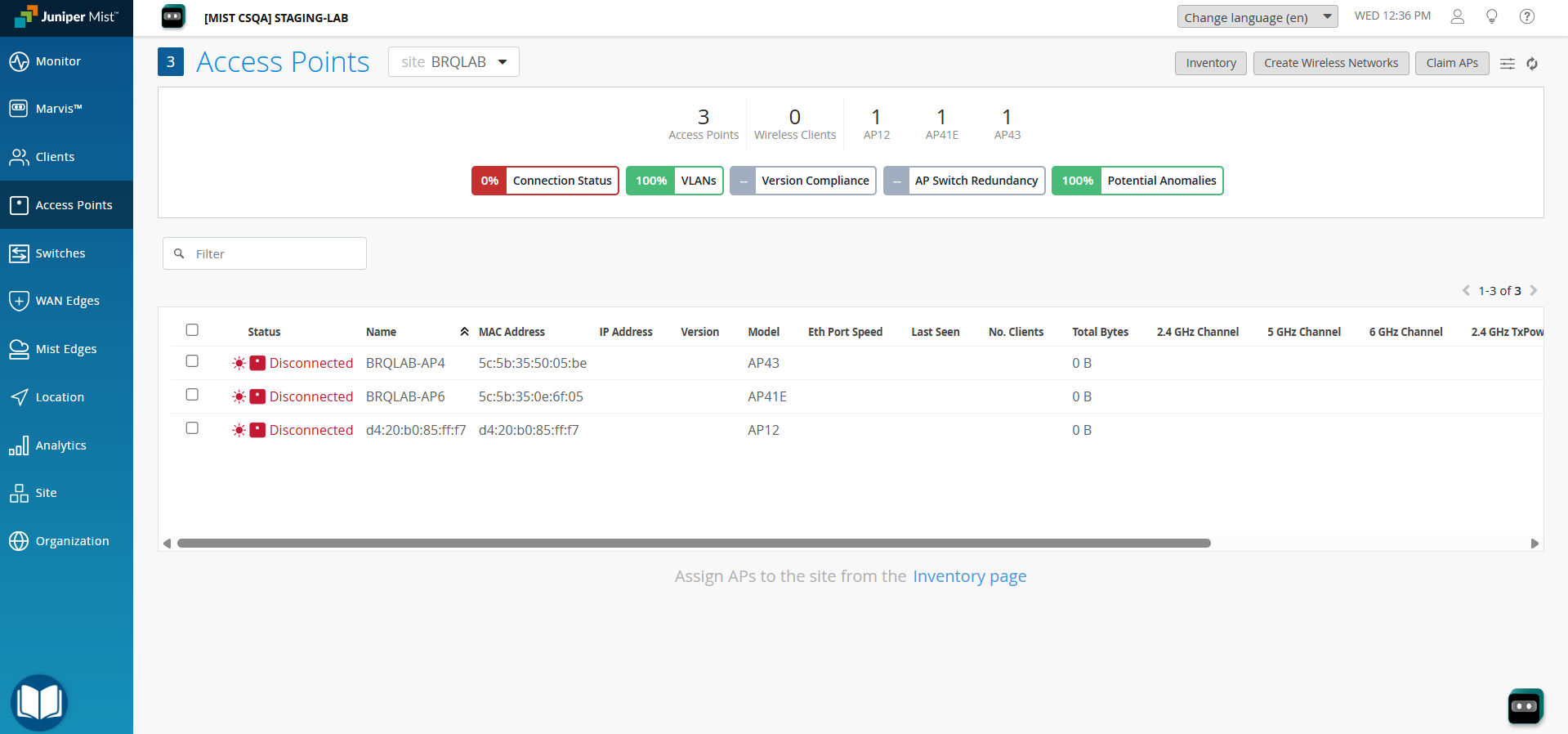
Log in to the HPE Mist dashboard and navigate to the Access Points page. And select the site from where you have pulled the Devices.
Verify that the Device records visible in HPE Mist match the records pulled into Cloud Exchange.
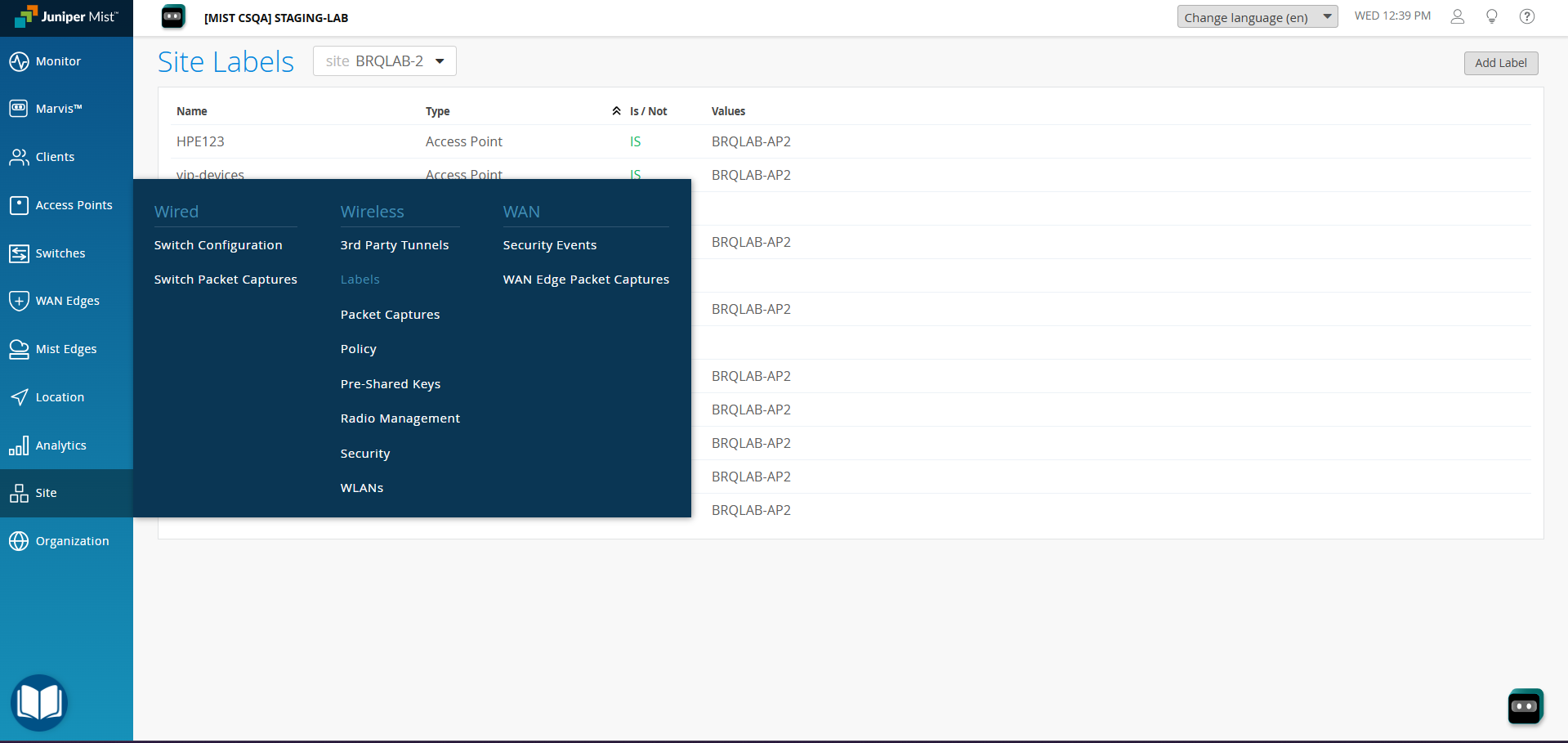
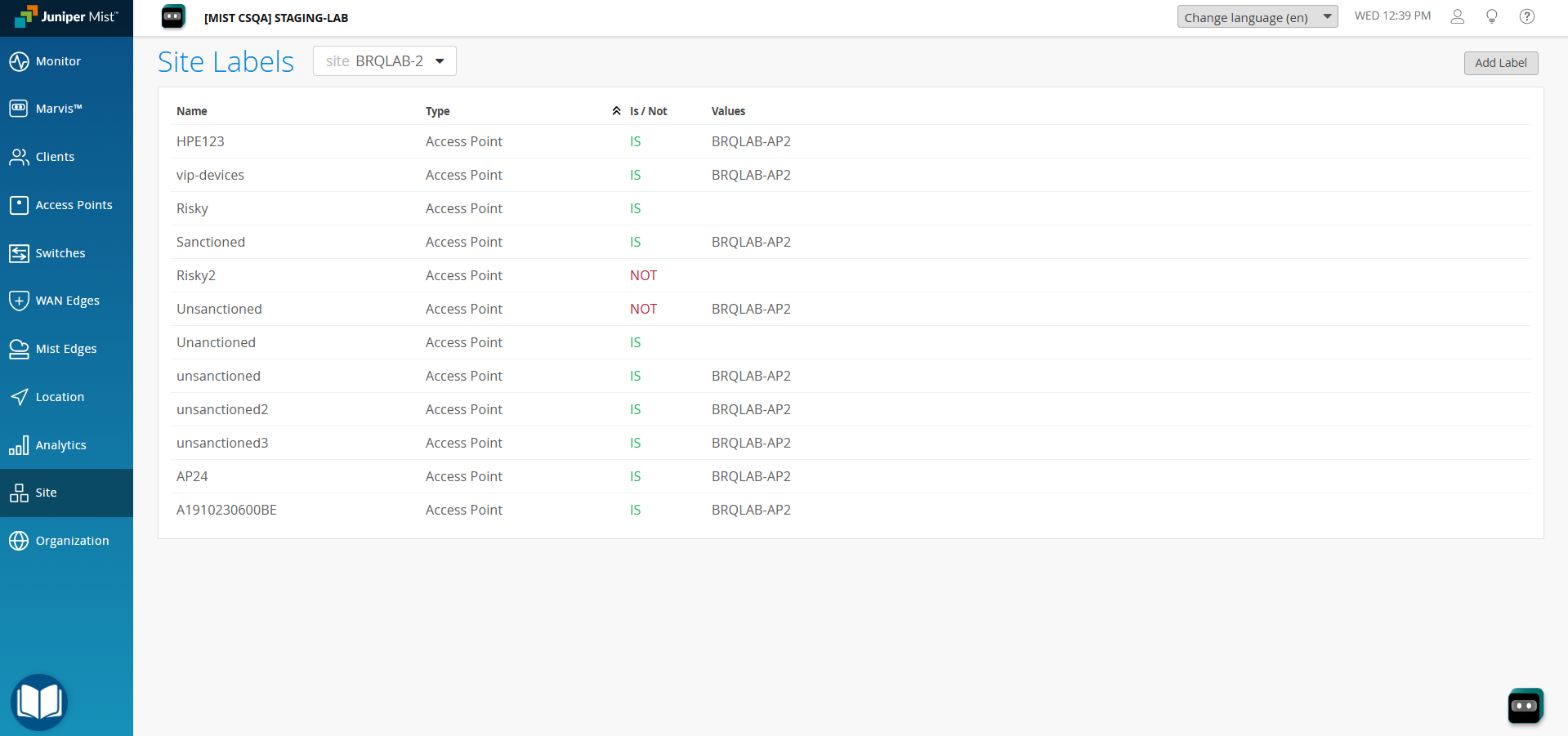
To validate the Add/Remove Label action, navigate to the Site > Wireless > Labels page and select the site where you have added or updated the Label.
Troubleshooting the HPE Mist Access Assurance Plugin
Unable to configure the CRE HPE Mist Access Assurance Plugin
Authentication Failure (401 Unauthorized)
If the plugin reports a 401 Unauthorized error during validation or plugin execution, it could be due to one of these reasons:
- The configured credentials (API key) are incorrect or have expired.
- The NAC Client ID or Client Secret is incorrect.
What to do:
- Re-check the relevant credential fields in the plugin configuration: API Key for Token Authentication
- Re-check the NAC Client ID and Client Secret if the error occurs during an Add/Update NAC Devices or Delete NAC Devices action.
- Regenerate the API token from the HPE Mist dashboard or Juniper NAC console if needed, and update the plugin configuration.
- Refer to Configuration on HPE Mist for token generation.
Resource Not Found (404 Not Found)
If the plugin reports a 404 Not Found error, it could be due to one of these reasons:
- The Base URL configured for the HPE Mist API is incorrect.
- The Organization ID does not exist or is not accessible with the configured credentials.
- A configured Site Name does not resolve to a Site under the configured Organization.
What to do:
- Verify the Base URL in the plugin configuration. Ensure it matches your HPE Mist API endpoint (like https://api.mist.com).
- Verify the Organization ID by checking Organizations > Settings in the HPE Mist dashboard.
- Verify the Site Names by checking Organization > Site Configuration in the HPE Mist dashboard. Ensure each configured name exactly matches a Site under the configured Organization.
Unable to pull Device details in CE
- If you are unable to view Device details on the record table, it could be due to one of the below-mentioned reasons.
- No Devices present on HPE Mist platform.
- Mapping for all the HPE Mist fields is not provided while configuring the CRE HPE Mist Access Assurance plugin.
- Plugin has encountered an error during the plugin lifecycle.
- To resolve the above mentioned issues, follow the steps mentioned below.
- Make sure Devices are present on HPE Mist platform.
- Make sure to provide the needed mapping while configuring the plugin.
- Make sure that the fields created in an entity are according to the Mapping.
- Check the logs from the plugin in the Logging page and see if there are any errors.
Known Behavior
If an invalid Device Unique ID is provided while adding a label, the label will be created successfully, but will not be assigned to any device. No error or warning will be displayed, and the logs will show a success message.