

AI Gateway deployment is governed by your total license count. Each license grants the right to spin up one gateway instance, with a standard monthly limit of 10,000 API calls per gateway. For environments requiring higher throughput, capacity can be expanded by applying add-on SKUs to the relevant gateway instances, allowing for flexible scaling based on specific application needs.
To view the usage and to apply additional SKUs, perform the following steps:
-
Log in to the Netskope tenant UI and go to Settings > Security Cloud Platform > AI Gateway > Gateway Setup.
-
In the AI Gateway window, select an AI virtual machine and view API calls usage.
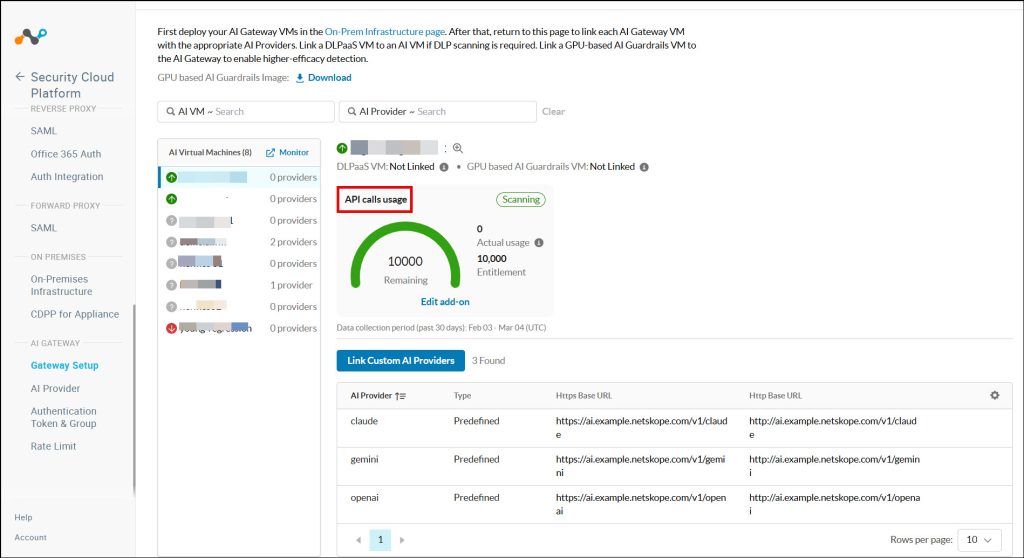
Netskope has introduced detailed usage monitoring for the AI Gateway, providing real-time visibility into your consumption metrics. You can now track the following data points for both API Calls:
-
Entitlement: The total number of calls or log volume permitted under your current license.
-
Actual Usage: A real-time count of how much has been consumed during the current period.
-
Remaining Balance: The exact amount of entitlement left before reaching your limit.
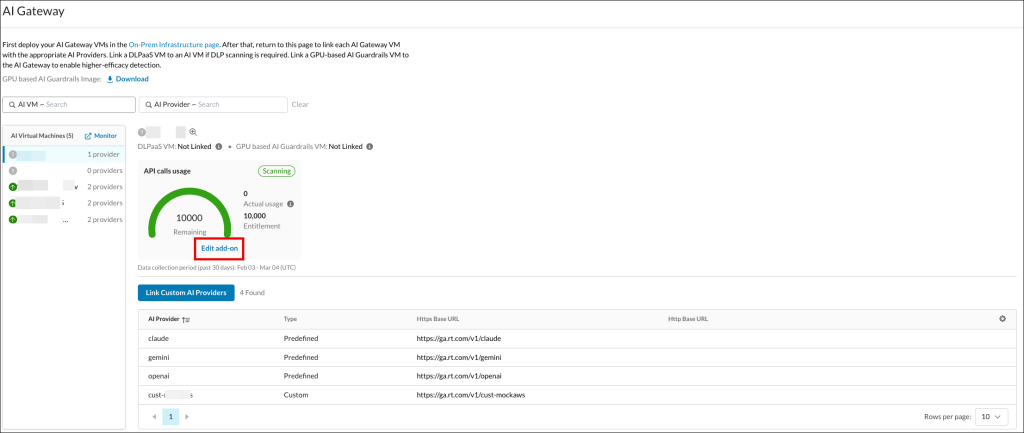
To add additional API calls usage or verbose logs usage, click Edit add-on. This enables you to purchase additional SKUs for your use.
-


