

This document explains how to configure the Maltiverse 1.0.0 plugin with the Threat Exchange module of the Netskope Cloud Exchange platform. This plugin is used to fetch indicators of type SHA256, IP Addresses (IPv4 and IPv6), URLs and Hostnames from Intelligence > Feeds in the Maltiverse platform. This plugin does not support pushing indicators to Maltiverse.
Prerequisites
To complete the plugin configuration, you need:
- A Netskope tenant (or multiple, for example, production and development/test instances).
- A Netskope Cloud Exchange tenant with the Tenant plugin and Threat Exchange plugin already configured.
- A Secure Web Gateway subscription for URL sharing. Refer to URL Lists for more information.
- Connectivity to the Maltiverse platform: https://maltiverse.com.
Maltiverse Plugin Support
This plugin is used to fetch indicators of type SHA256, IP Addresses (IPv4 and IPv6), URLs and Hostnames from Intelligence > Feeds in the Maltiverse platform. This plugin does not support pushing indicators to Maltiverse.
| Fetched indicator types | URL, Hostname, IPv4, IPv6, SHA256 |
| Shared indicator types | Not Supported |
Mappings
Pull Mapping
| Cloud Exchange Fields | Maltiverse Field |
|---|---|
| type | type |
| value | sha256, ip_addr, url, hostname |
| severity | classification |
| firstSeen | creation_time |
| lastSeen | modification_time |
| tags | tag |
Severity Mapping
| Cloud Exchange Severity | Maltiverse Classification |
|---|---|
| Critical | malicious |
| Medium | suspicious |
| Low | neutral |
Push Mapping
| IoC Type in Cloud Exchange | IoC Type in Maltiverse |
|---|---|
| SHA256 | sample |
| IPv4 | ip |
| IPv6 | ipv6 |
| URL | url |
| Hostname | hostname |
Permissions
Make sure the Maltiverse account has access to generate the API Key.
API Details
List of APIs used
| API Endpoint | Method | Use Case |
|---|---|---|
| /feed/<FEED_ID> | GET | Check the existence of Feed |
| /feed/<FEED_ID>/download | GET | Pull Data |
Check the Existence of a Feed
API Endpoint: https://api.maltiverse.com/feed/<FEED_ID>
Method: GET
Parameters: NA
Sample API Response
{
    "access": "public",
    "author": "agomez",
    "count_hostname": 153701,
    "count_ip": 0,
    "count_ipv4": 24,
    "count_sample": 0,
    "count_url": 71355,
    "creation_time": "2020-03-15 21:17:20",
    "description": "Contains Phishing URLs that an adversary uses normally via email or other communication channels to trick a victim into providing sensitive information like passwords or to infect a host.",
    "downloads": 1700044,
    "from": 0,
    "like": [
        {
            "md5_email": "eb54f8ac8dc669de1a276cc3c616068e",
            "username": "vxtxz"
        },
        {
            "md5_email": "2a700a5b7ad7f624c484669181e45f24",
            "username": "christy7669"
        },
    ],
    "md5_email": "4d210379b8e664f2597a15706a5061f8",
    "modification_time": "2024-04-09 17:03:29",
    "name": "T1566 - Phishing",
    "percolator_id": "D4AO4HAB8jmkCY9e73qB",
    "query": "blacklist.external_references.external_id:T1566 AND classification:malicious",
    "range": "now-30d",
    "range_field": "modification_time",
    "size": 50,
    "sort": "creation_time_desc",
    "subscription": [],
    "tag": [
        "feed",
        "preventable",
        "package:mitre",
        "package:siem"
    ],
    "team_id": 77,
    "team_md5_email": "30b1655da1a0601665c813a67609445a",
    "team_name": "Maltiverse Research Team"
}
Pull Data
API Endpoint: https://api.maltiverse.com/feed/<Feed_ID>/download
Method: GET
Parameters: NA
Headers
| Accept | application/json |
| Authorization | Bearer <API KEY> |
Sample API Response
[
    {
        "blacklist": [
            {
                "count": 1,
                "description": "GuLoader",
                "external_references": [
                    {
                        "description": "GuLoader",
                        "external_id": "S0561",
                        "source_name": "mitre-attack",
                        "url": "https://attack.mitre.org/software/S0561/"
                    }
                ],
                "first_seen": "2024-08-27 15:17:59",
                "labels": [
                    "malicious-activity"
                ],
                "last_seen": "2024-08-27 15:17:59",
                "ref": [
                    1
                ],
                "source": "MalwareBazaar Abuse.ch"
            }
        ],
        "classification": "malicious",
        "creation_time": "2024-08-27 16:19:09",
        "filename": [
            "Factura_032293167_315806916060401554308_36060114_88716814753733436980_20088269.exe"
        ],
        "filetype": "application/x-dosexec",
        "is_iot_threat": false,
        "md5": "439042b61eb166d9a2a8c7c7e681c360",
        "modification_time": "2024-08-27 16:19:09",
        "sha1": "ba2552ec452cbfe940d69927b543da613c979d66",
        "sha256": "ad3465fcc39bd03915f9d11f3f8150acefe2f8ae3039ee9a4e6a75dbf660b3e3",
        "type": "sample"
    }
]
Performance Matrix
This performance has been conducted on a large CE instance with below-mentioned specifications by pulling 100K IOCs. It takes around 7 minutes to pull and store 100K IOCs.
| Stack details | Size: Large RAM: 32 GB CPU: 16 Cores |
| Indicators fetched from Maltiverse | ~14K per minute |
| Indicators shared with Maltiverse | Not Supported |
User Agent
netskope-ce-5.0.1-cte-maltiverse-v1.0.0
Workflow
- Get your Maltiverse API Key.
- Configure the Maltiverse plugin.
- Add a Business Rule.
- Validate the Maltiverse plugin.
Click play to watch a video.
Get your Maltiverse API Key
- Log in to Maltiverse and go to Profile > Users.

- Scroll down to Plan and click View API Key. Copy the API Key; this is used to configure the Maltiverse plugin.

Configure the Maltiverse Plugin
- Log in to Cloud Exchange and go to Settings > Plugins. Search for and select the Maltiverse v1.0.0 (CTE) plugin.

- Add a configuration name, and change the sync interval if you want to.
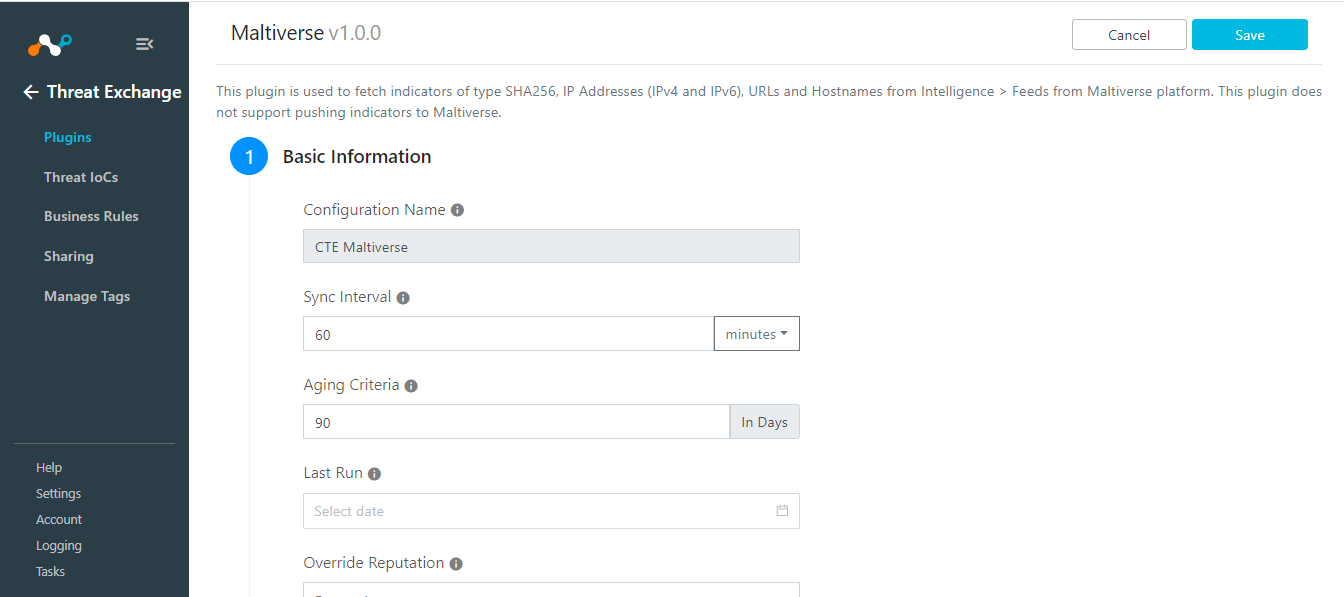
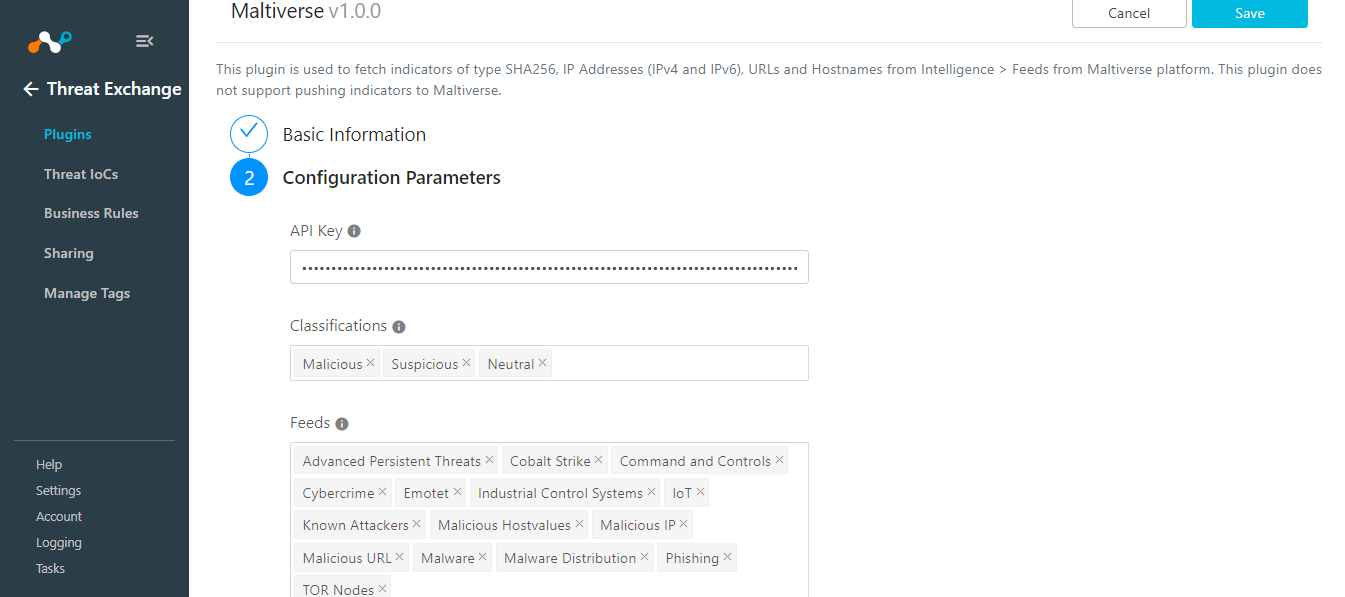
- Click Next, and add the configuration parameters:
- API Key: Your Maltiverse API Key.
- Classifications: Indicators from the selected Classifications will be fetched. Leave blank to fetched indicators from all Classifications.
- Feeds: Indicators from the selected Feeds will be fetched.
- Other Feeds: Comma-separated list of Other Feed IDs to import.
- Enable Tagging: Enable/Disable tagging functionality.
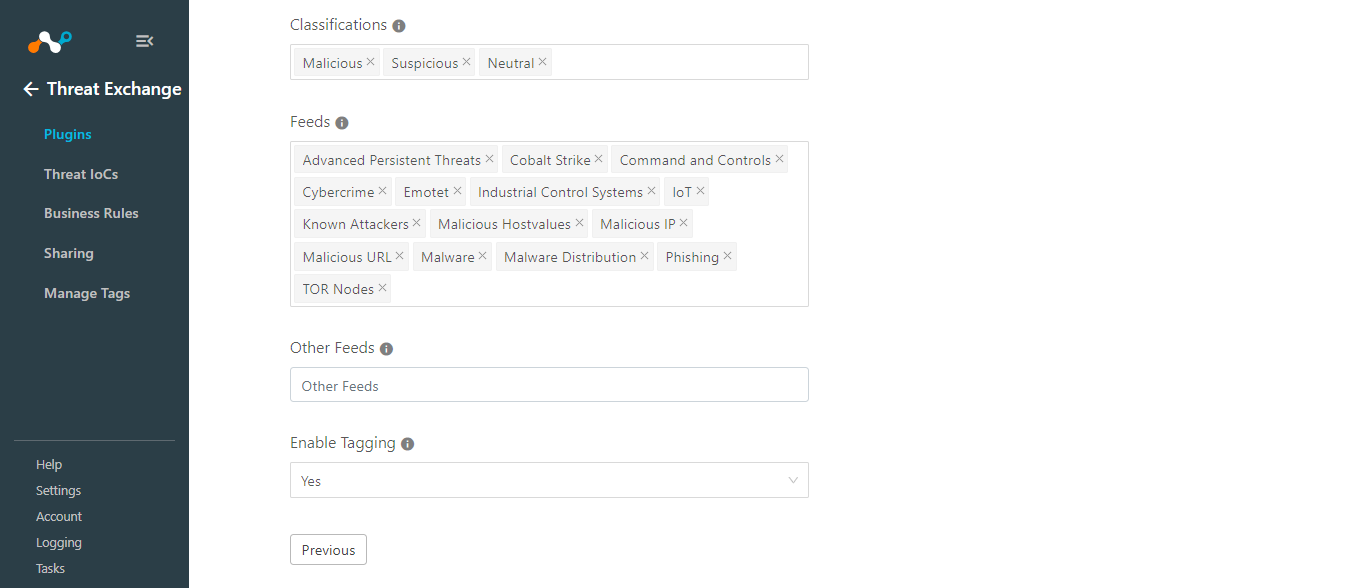
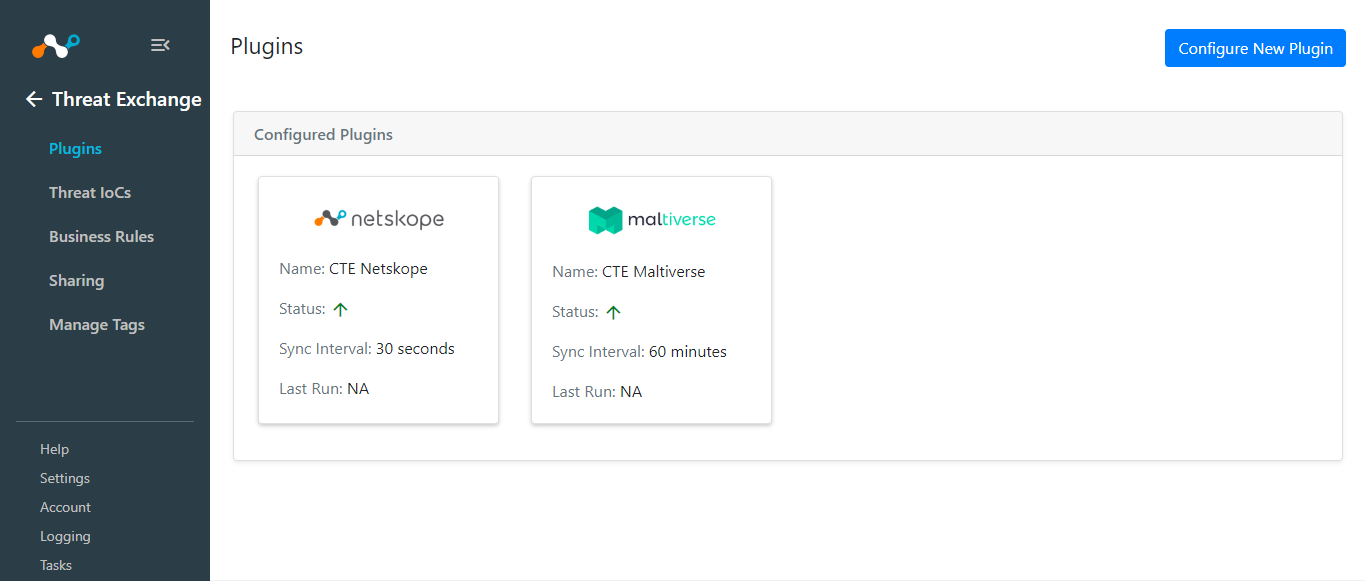
- Click Save.
Add a Threat Exchange Business Rule for Maltiverse
You can create a Business Rule to share the IoCs pulled from Maltiverse to Netskope or other Threat Exchange 3rd-party plugins.
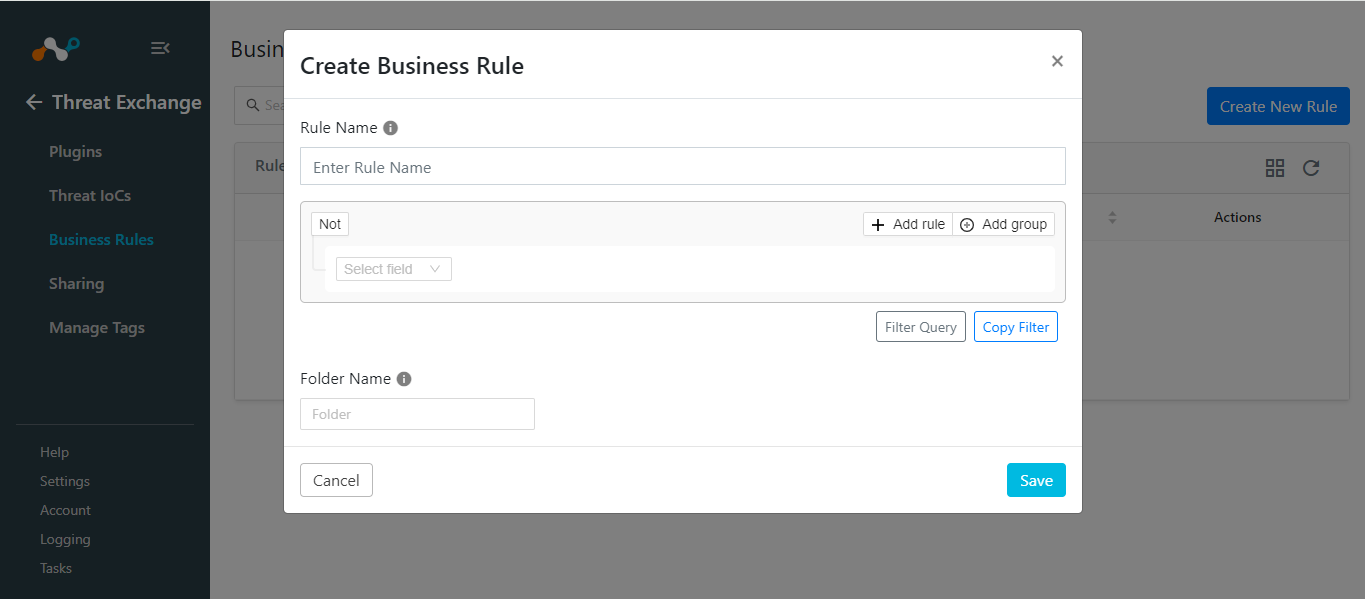
- Go to Threat Exchange > Business Rule > Create New Rule.
- Add your required filter(s) for the IoCs you want to share, and then click Save.
Sharing with Maltiverse
This plugin does not support sharing indicators with Maltiverse.
Validate the Maltiverse Plugin
Validate the Pull
To check the IoCs pulled from Maltiverse, go to the Logging and check the logs from Maltiverse.
Example: message Like “CTE Maltiverse” && type IN (“info”)

To verify the IoCs stored in Cloud Exchange, go to Threat Exchange > Threat IOCs and search for IoCs pulled from source Maltiverse, or the plugin configuration name that you used for the plugin.
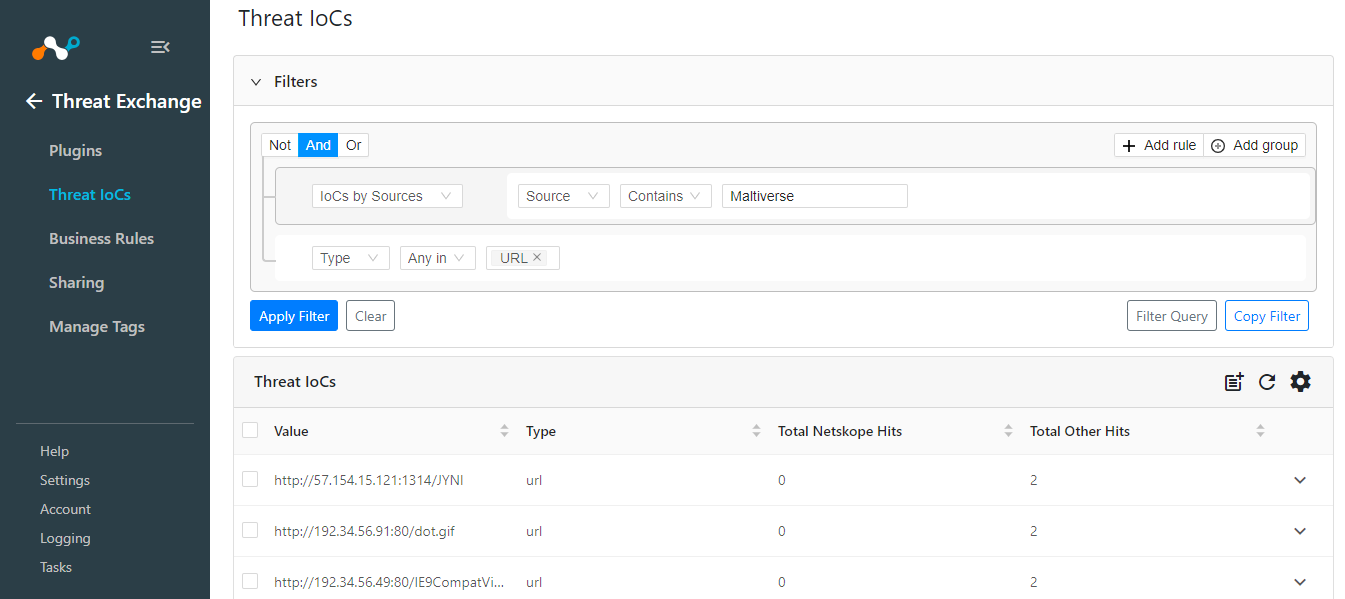
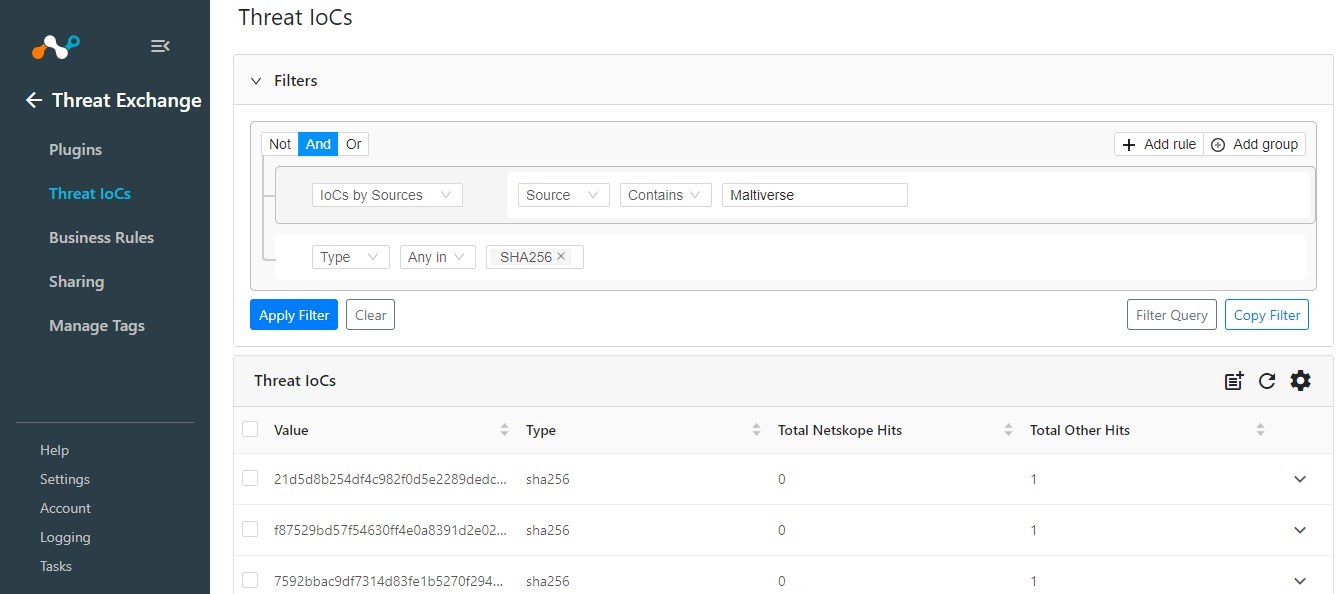
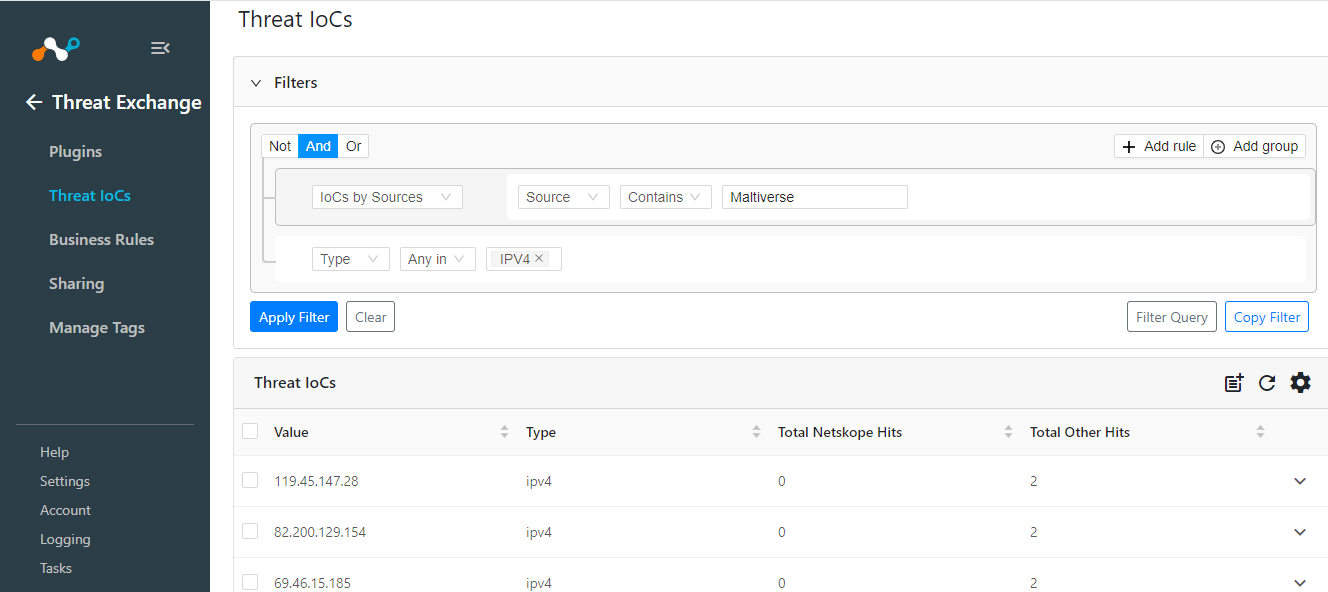
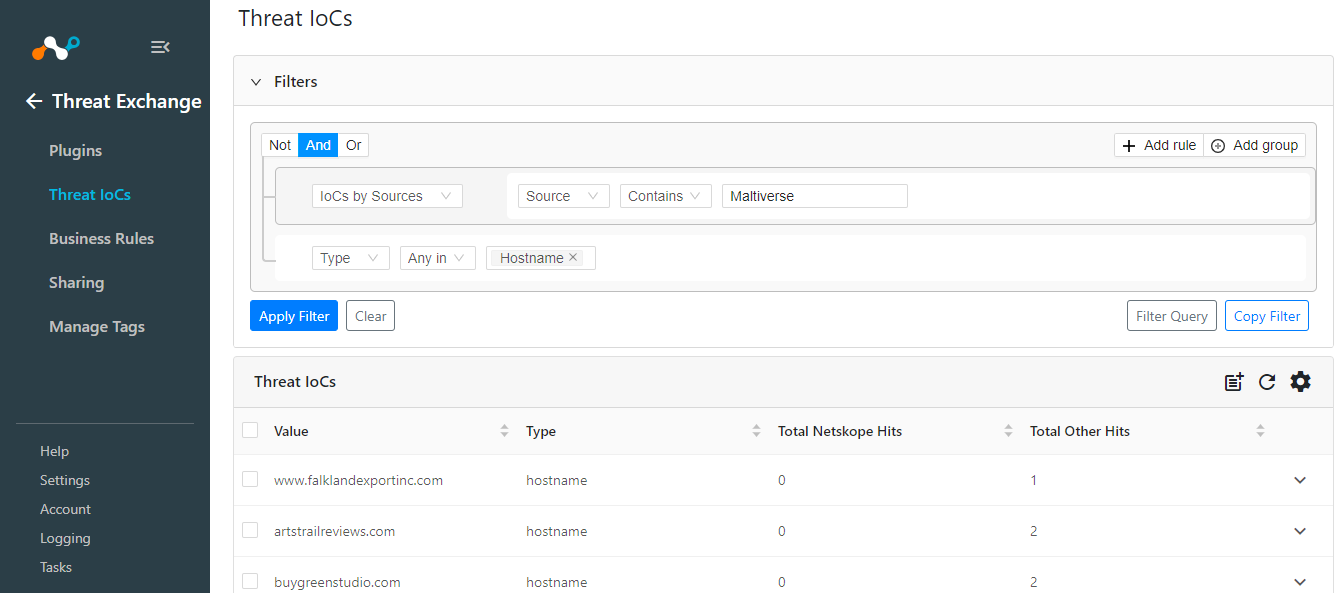
On Maltiverse, the indicators are pull from the Feeds available under the Intelligence.
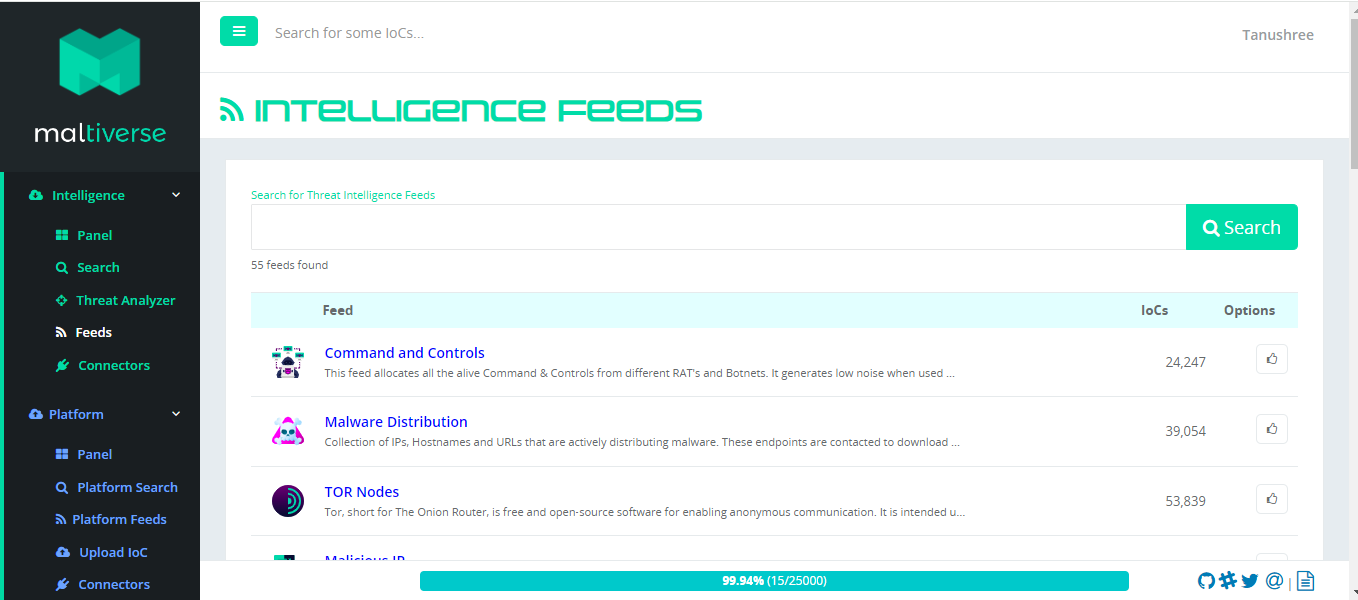
Validate the Push
Not Supported.
Troubleshooting the Maltiverse Plugin
Unable to pull data from Maltiverse
If you are not able to pull data from the Maltiverse, it might be due to one of these reasons:
- No data is available in the Feeds to pull
- Available data in the feed are of unsupported type
- Selected Classification and feeds combination does not have data
- The plugin has encountered any error
What to do: Check these points and resume the pull accordingly.
You can check the data available in the Feeds by going to Intelligence > Feeds. All the Feeds will be listed on the page with the IoC count present on each field.
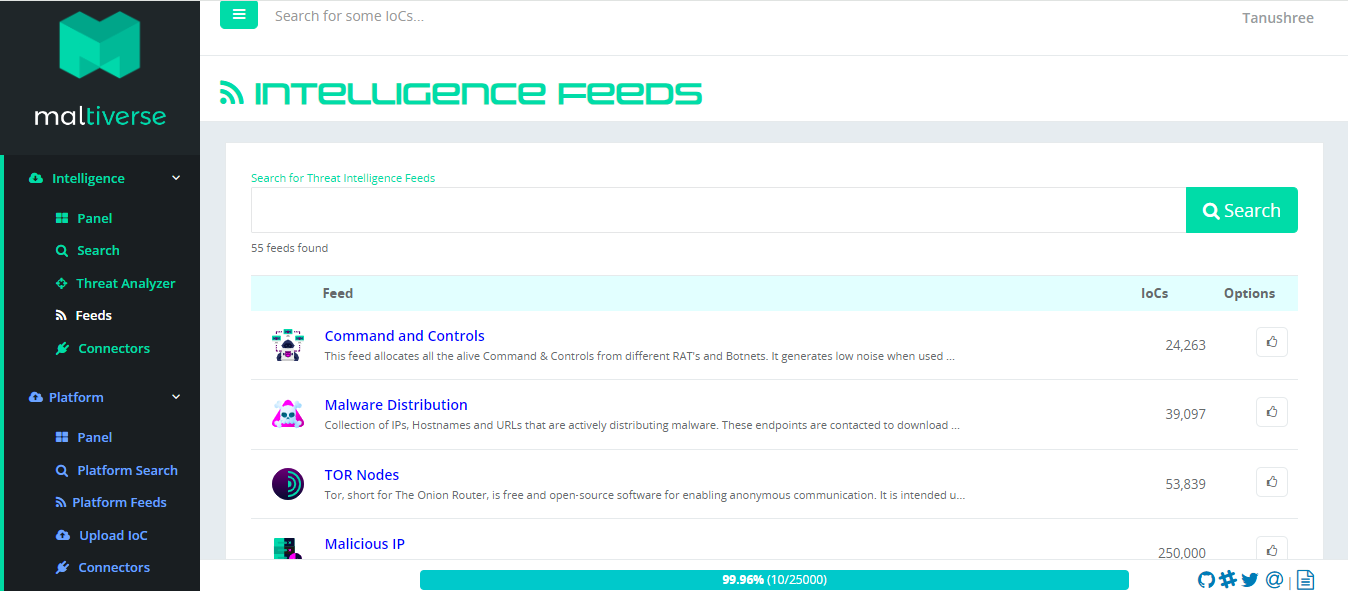
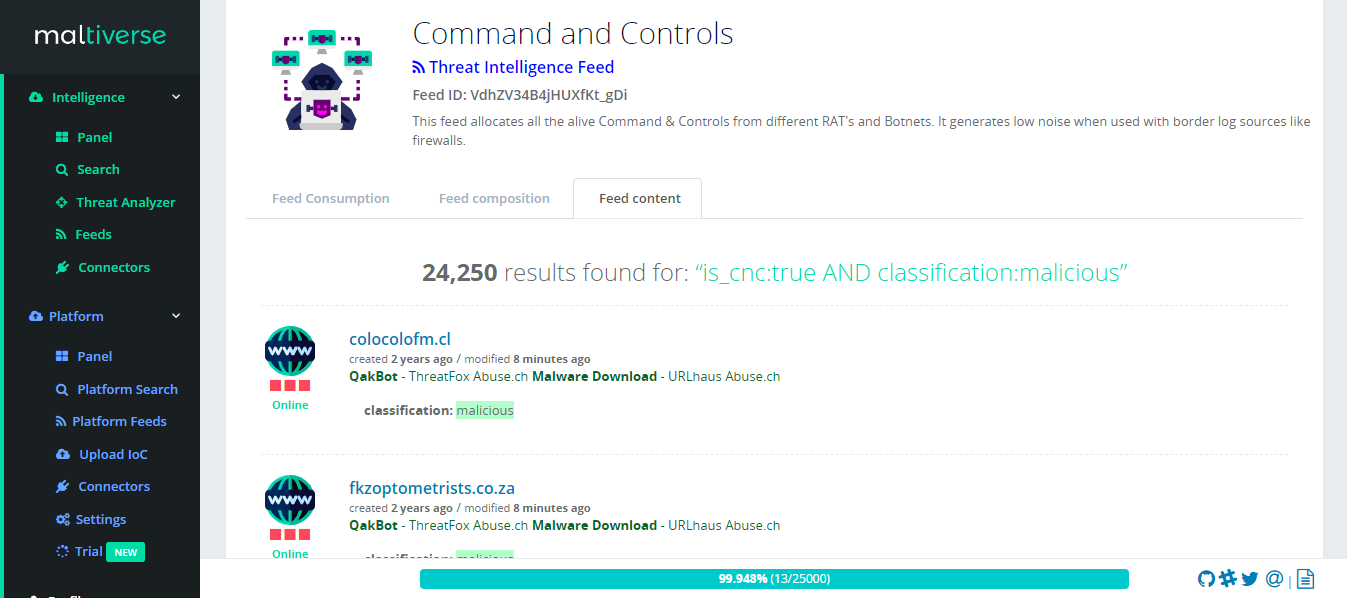
Check the Classification and Feeds selected in the plugin configuration, and check the same Feeds on Maltiverse. If the data is available in the Feeds, check the Classification type for the feed by clicking on the feed on the Feed Content tab.
If you have encountered any error in the plugins, the logs for the same will be available in Logging. You can search the plugin logs using filter: message Like “CTE Maltiverse” && type IN (“error”).