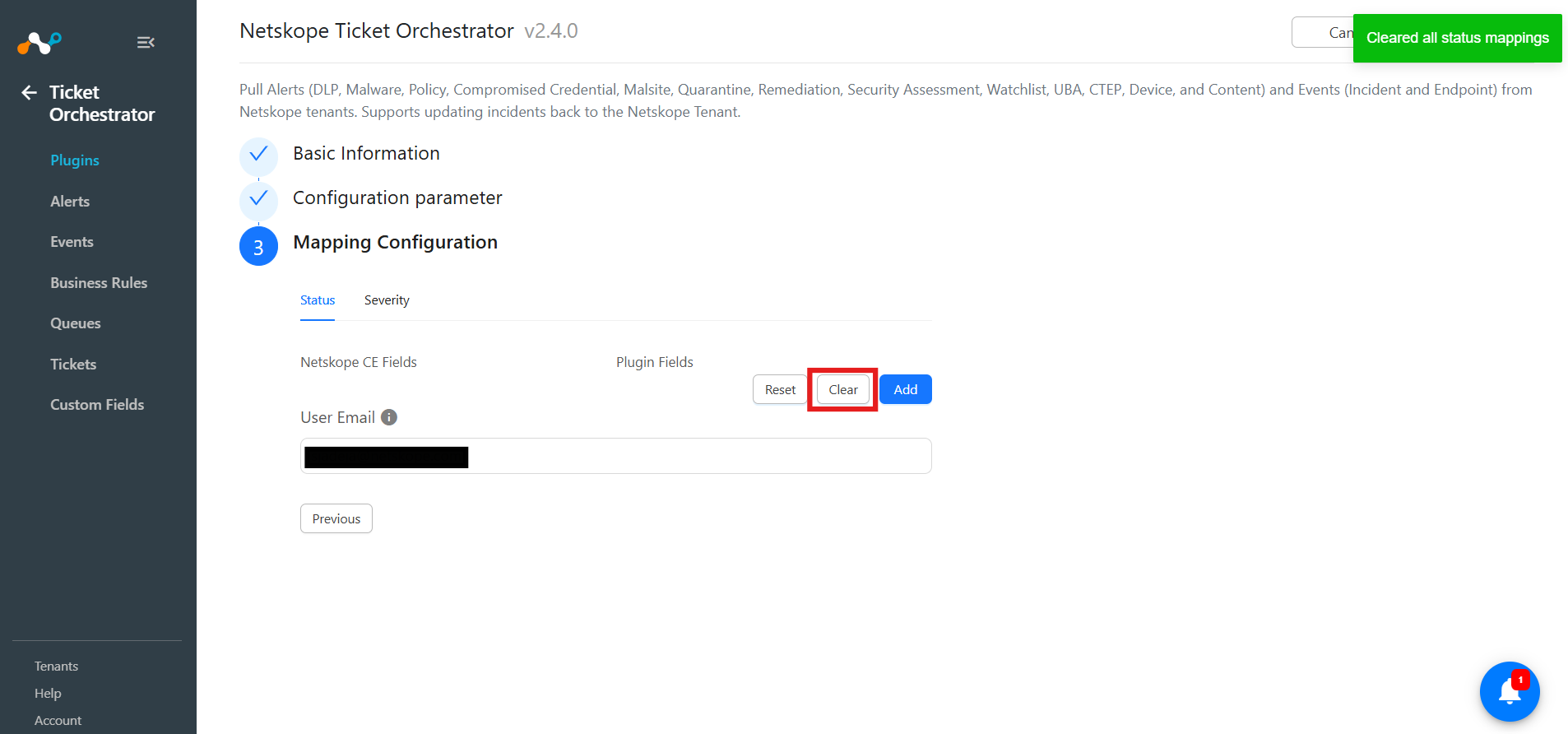
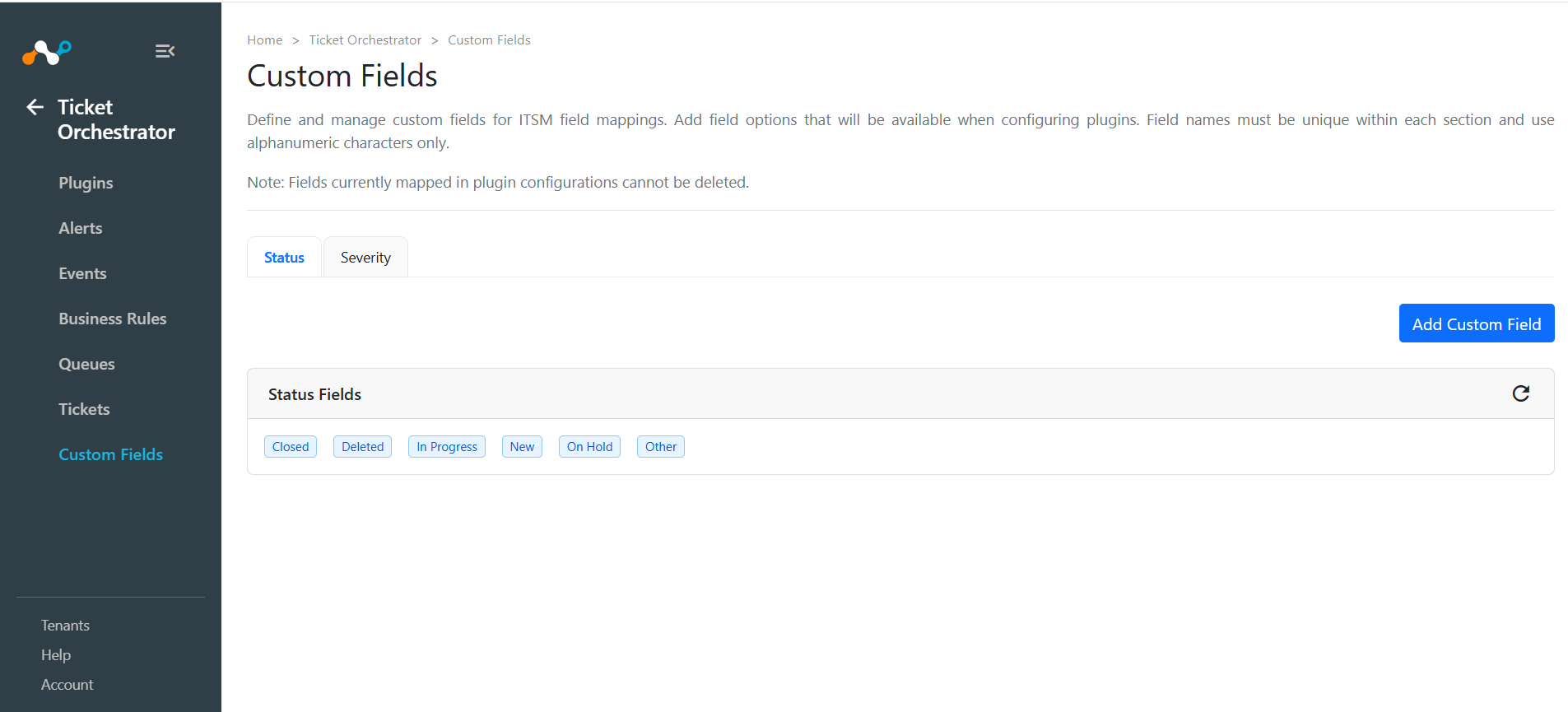
The Custom Fields in the Ticket Orchestrator module displays sections as tabs, allowing you to add and manage fields. Default fields cannot be deleted, and fields in use show a message with their mappings instead of being removed.
- Go to Ticket Orchestrator.
- Click Custom Fields and then click Add Custom Field
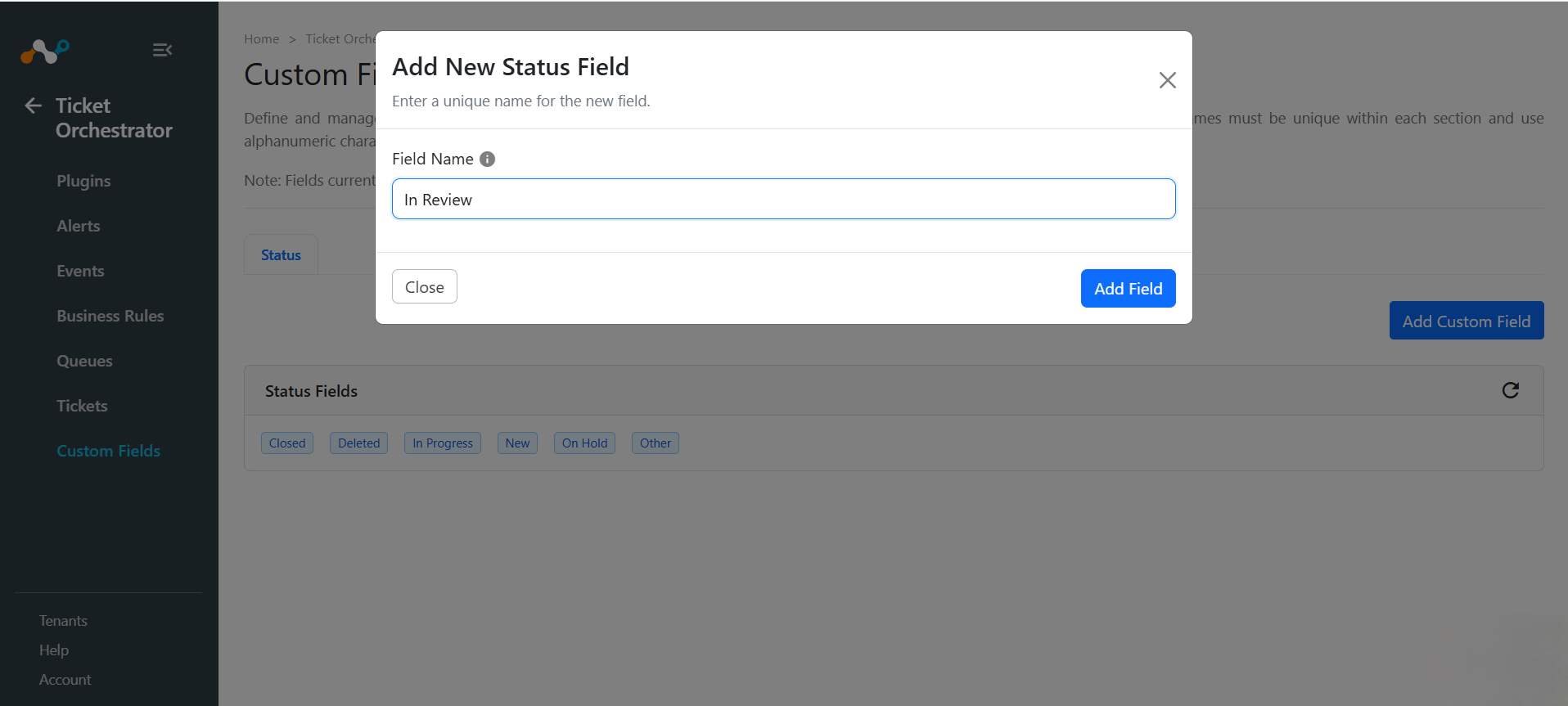
- Click Add Field. You can see the fields added in the Status Fields section.
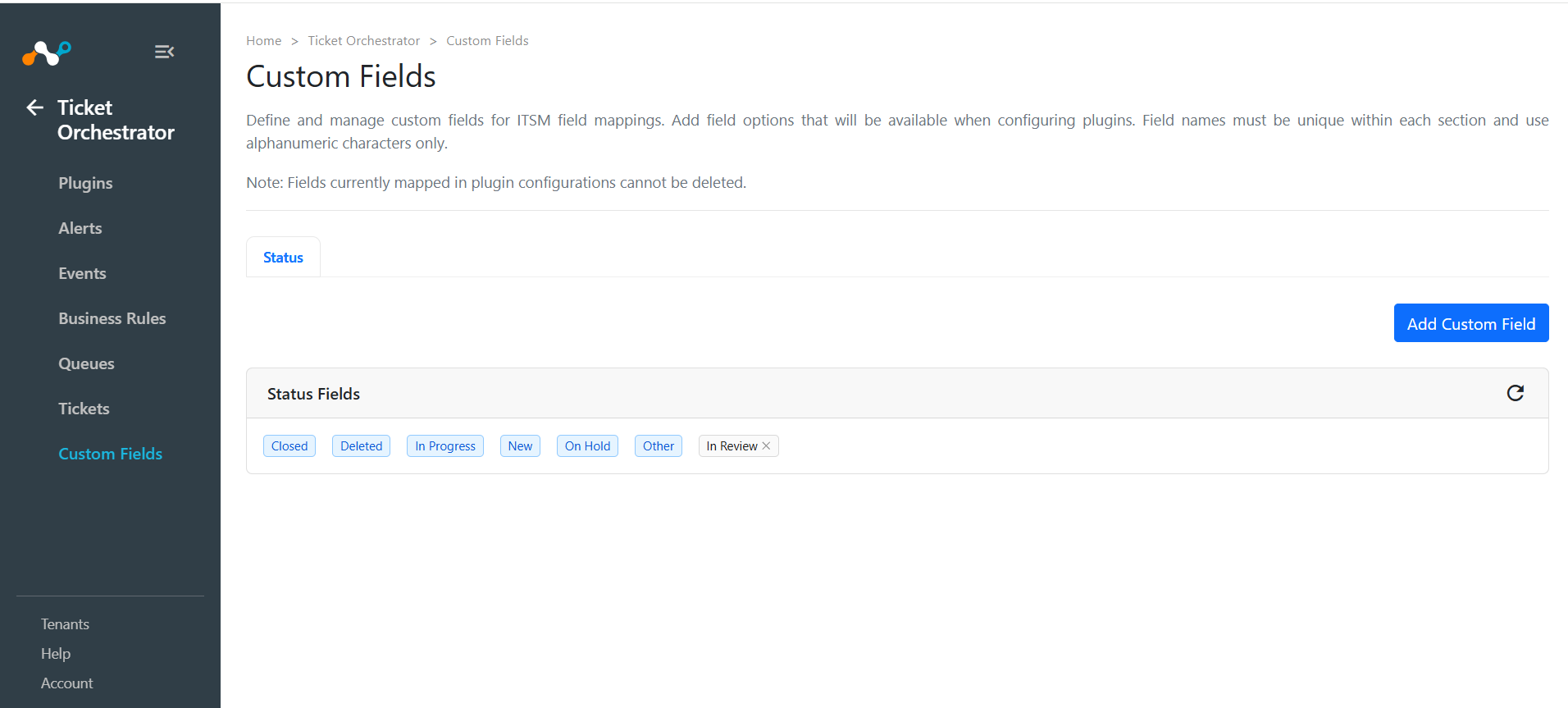
- You can also view the newly added Status Fields under the Status section in the plugin’s Mapping Configuration. Also, you can add Custom Fields by clicking Add New, and any field created here will appear in the Custom Fields section.
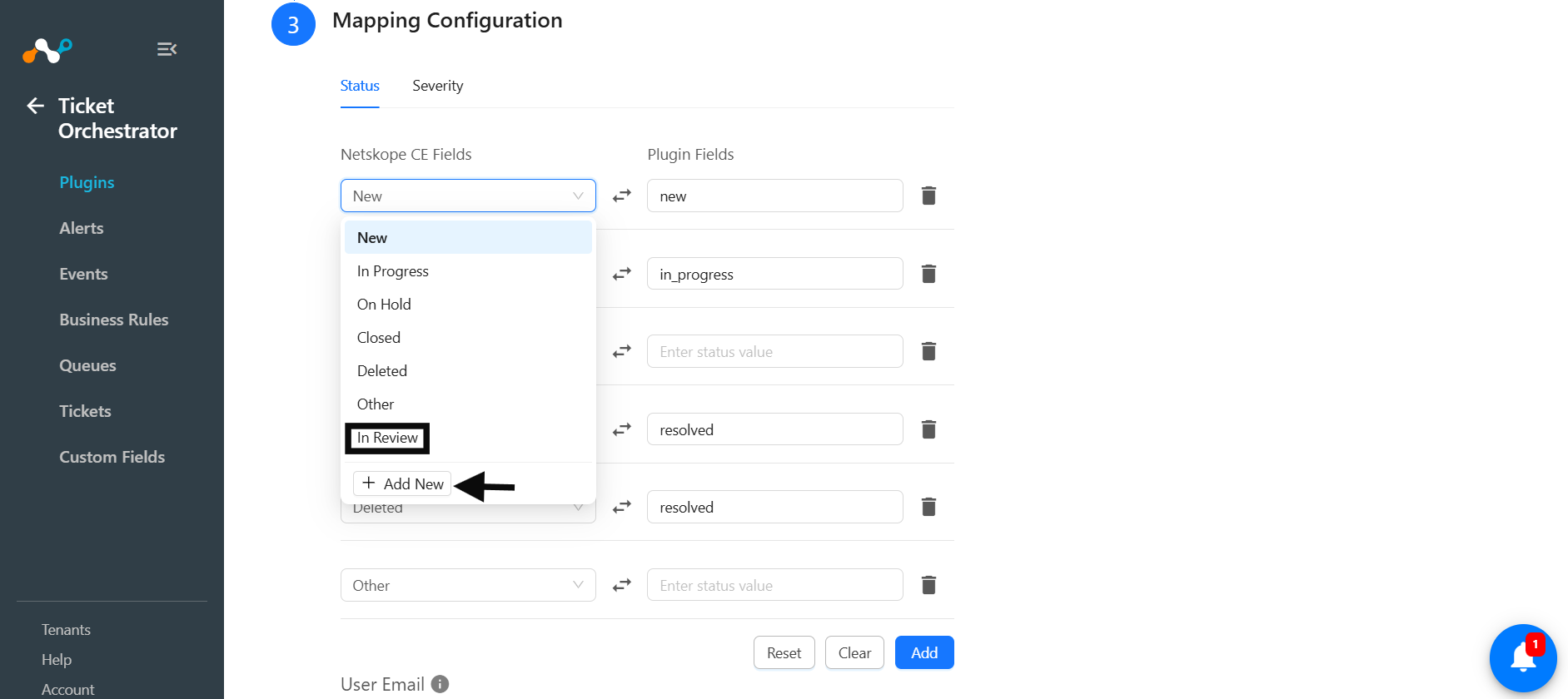
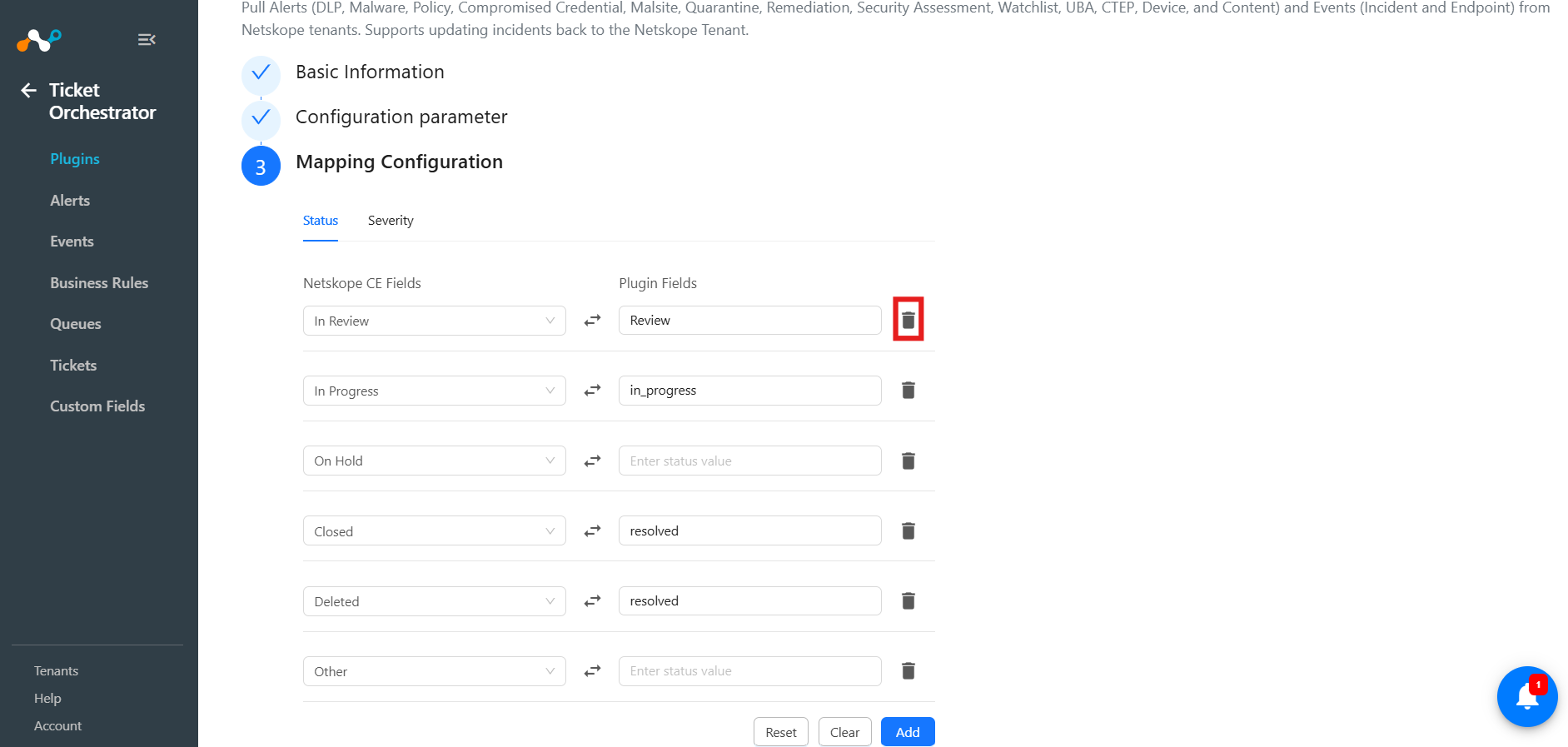
- You can also delete the mapping fields by clicking the Delete icon.
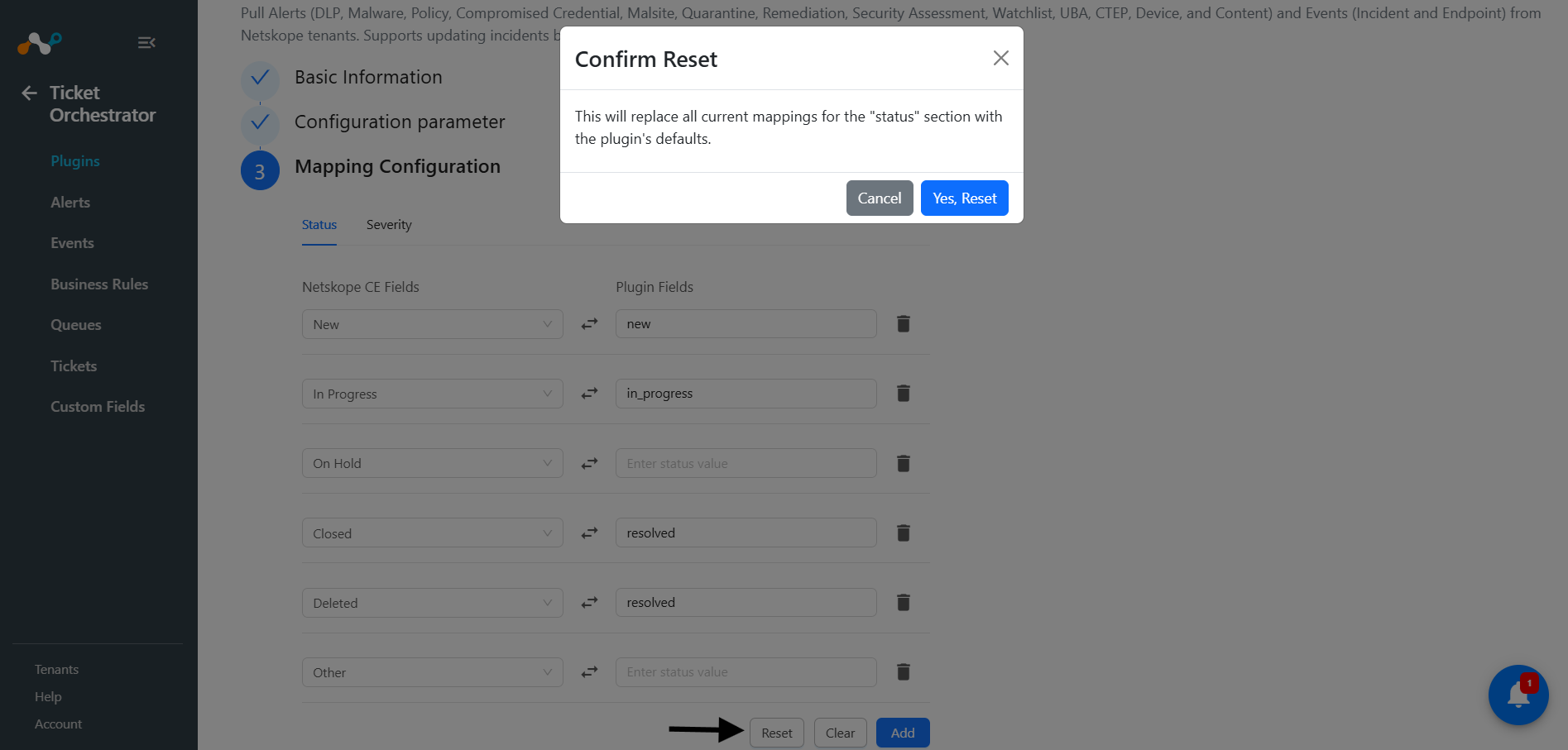
- Clicking Yes, Reset will replace all current mappings for the Status section with the plugin’s defaults.
- Clicking Clear will remove all status mappings.