

A write-access user can manage Risk Exchange Business Rules.
View Risk Exchange Business Rules
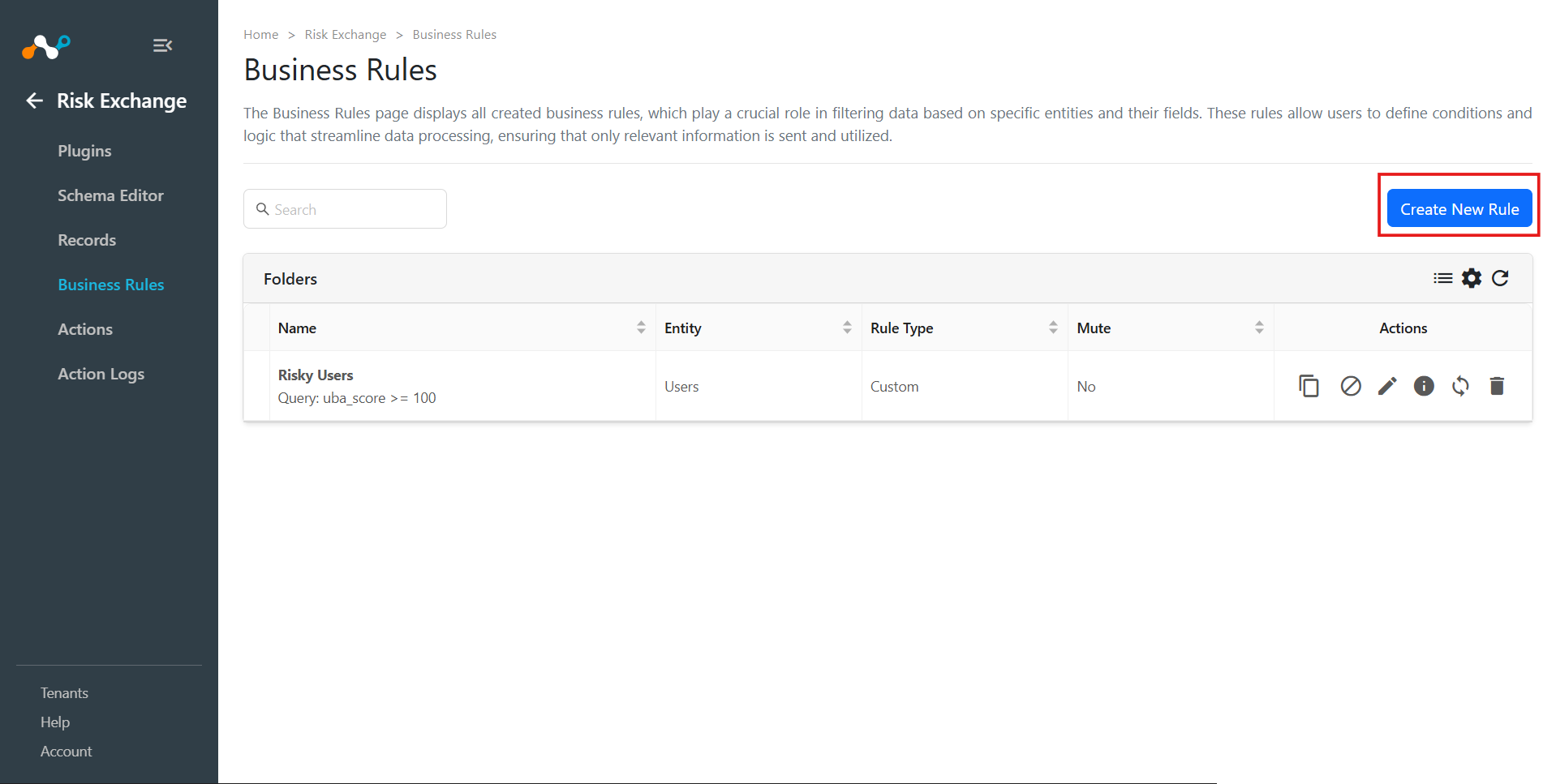
View business rules in either list view or grid view. Toggle between the grid and list views using the button beside the Refresh button.

You can expand each folder to see the business rules in that folder, and also delete a whole folder of business rules.

Create Risk Exchange Business Rules
A write-access user can configure Risk Exchange queries towards users, allowing them to specify which users to take actions upon.
- Go to Risk Exchange > Business Rules.
- Click Create New Rule.
- Enter a rule name.
- Select the entity you want to apply the filter on.
- Select or enter a query in the record filter. At least one filter must be selected.
- Enter the folder name that you want to add it to, or you can select the existing folders. At max we can go up to 3 levels of hierarchy.
- Click Save.
Perform an Action on Risk Exchange Business Rules
You can manage all the business rules from a single place on the platform at the Business Rules page. A write-access user can mute one or multiple business rules, edit the query for business rules, or delete the business rules or test the Business Rule from this page.

Clone a Risk Exchange Business Rule
You can clone any of the existing business rules.

Mute a Risk Exchange Business Rule
Muting can be used to temporarily ignore any changes to users or hosts scores that would normally trigger the action workflow.

Delete Risk Exchange Business Rules
To delete a business rule, select the Trash icon on the rule and confirm the action.

View Matching Records of Risk Exchange Business Rules
View Matching records action can be used to view all the records that match the created business rules.
