

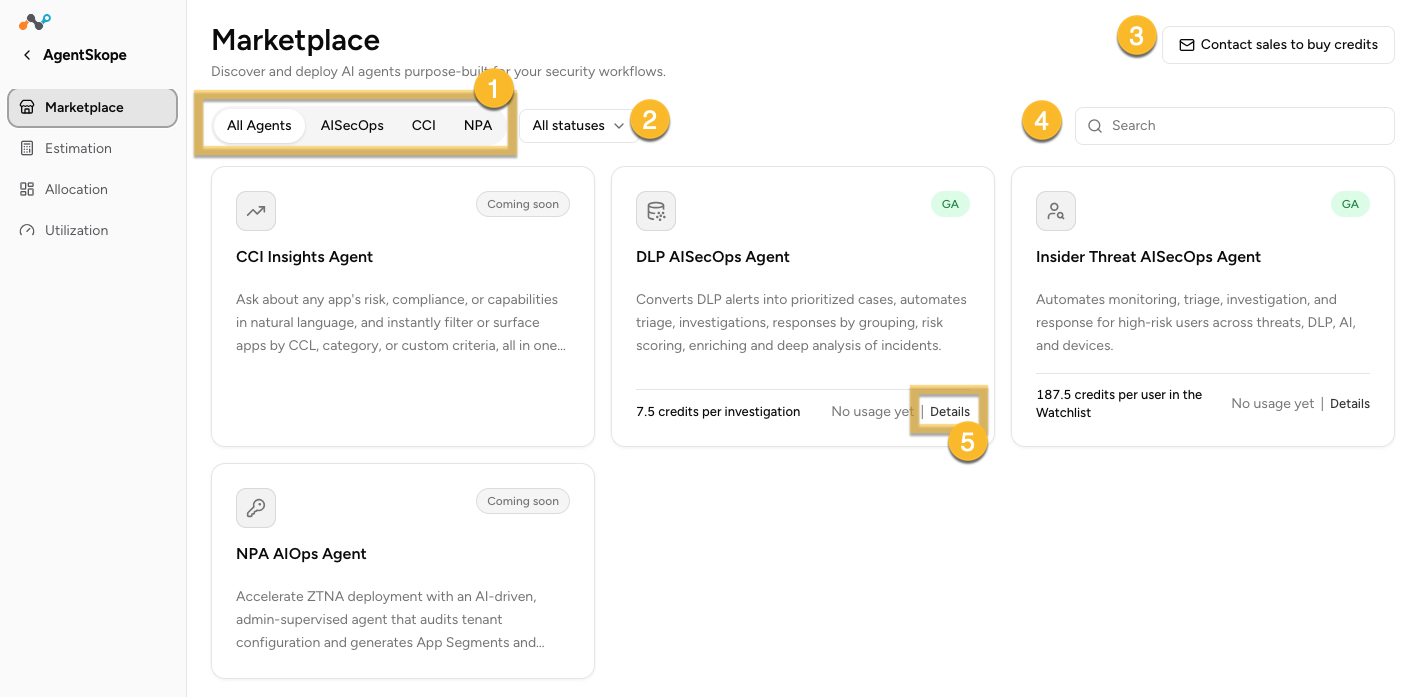
This overview provides visibility into AI agents used within your organization and the ability to discover and deploy AI agents purpose-built for your security workflows.
-
Click the AI Agents listed at the top of the page to view detailed information. There’s a card for every agent available in your tenant.
-
All Statuses – sort the AI Agents by Active or Inactive status
-
Email – click to email sales to buy credits
-
Search – type a name to search for a specific AI agent, regardless of status
-
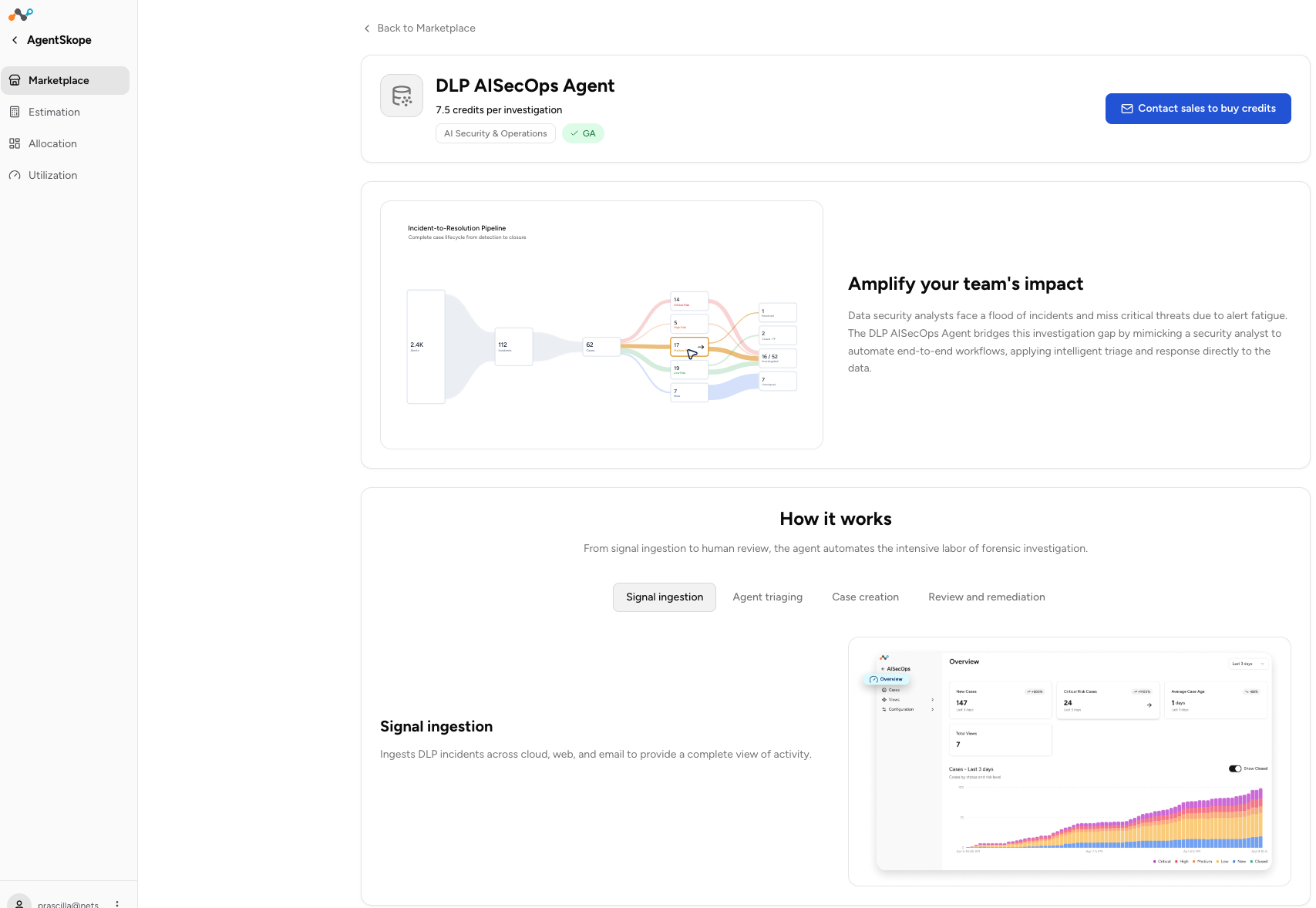
Details – click a listed agent to view detailed information about the agent resources, sales contact info, demos, etc.
Summary
What you see. Every agent available to your tenant, one card each: what the agent does, its category, and — for agents you are already running — the capacity allocated to it and how much of that has been used this month. A usage bar gives you the state at a glance.
What you can do. Search for an agent by name, or narrow the catalog by category or by status. From a card you can open Details to read the agent’s full description, jump to View utilization to see how it is tracking, or Activate an agent you have capacity for but are not yet running.
Where you go next. If you are still deciding what you need, go to Estimation. If you already hold capacity and want to put an agent to work, go to Allocation. If you need assistance with estimation, work with your account team.
To learn more: For current agent details, credit specifics for your tenant, and anything not covered here, see the Netskope support knowledge base or contact Netskope Support. For questions about capacity you hold or want to add, contact your Netskope account team.