

Release Notes
1.0.0
Added
- Initial release.
- Log Types: Alerts, Events, WebTx
- Transformation: CEF (only supported in Single Table mode) and JSON
This document explains how to configure the Microsoft Azure Log Analytics v1.0.0 plugin with the Log Shipper module of the Netskope Cloud Exchange platform. The plugin pushes Netskope Alerts, Events, and WebTx records from Cloud Exchange (CE) into one or more Microsoft Azure Log Analytics Custom Log Tables via a Data Collection Rule (DCR).
Prerequisites
To complete this configuration, you need:
- A Netskope tenant (or multiple, for example, production and development/test instances).
- A Netskope Cloud Exchange tenant with the Tenant plugin and Log Shipper plugin already configured.
- A Microsoft Azure subscription with a Log Analytics workspace.
- A Microsoft Entra ID application (client) with a client secret.
- A Data Collection Rule (DCR) and a Data Collection Endpoint (DCE) configured in Azure.
- The Monitoring Metrics Publisher role assigned to the Entra ID application on the DCR.
- Connectivity to the following host: https://portal.azure.com/.
Microsoft Azure Log Analytics Plugin Support
The plugin pushes Netskope Alerts, Events, and WebTx records from Cloud Exchange (CE) into one or more Microsoft Azure Log Analytics Custom Log Tables via a Data Collection Rule (DCR).
| Data Type | Support |
|---|---|
| Events | Yes |
| Alerts | Yes |
| WebTx | Yes |
| Cloud Exchange Logs | No |
Permissions
This permission is needed for the plugin configuration:
Monitoring Metrics Publisher role on the Data Collection Rule (DCR)
API Details
List of APIs Used
| API Endpoint | Method | Use Case |
|---|---|---|
| login.microsoftonline.com/{tenant_id}/oauth2/v2.0/token | POST | Obtain OAuth 2.0 access token from Microsoft Entra ID |
| {dce_uri}/dataCollectionRules/{dcr_immutable_id}/streams/Custom-{table}?api-version=2023-01-01 | POST | Ingest log records into Azure Log Analytics Custom Log Table |
Get OAuth 2.0 Access Token
Endpoint: POST login.microsoftonline.com/{tenant_id}/oauth2/v2.0/token
Request Headers:
| Key | Value |
|---|---|
| Content-Type | application/x-www-form-urlencoded |
Request Body:
{
  "grant_type": "client_credentials",
  "client_id": "{app_id}",
  "client_secret": "{app_secret}",
  "scope": "https://monitor.azure.com/.default"
}
Sample Response:
{
  "token_type": "Bearer",
  "expires_in": 3600,
  "access_token": "<token>"
}
Ingest Log Records
Endpoint: POST {dce_uri}/dataCollectionRules/{dcr_immutable_id}/streams/Custom-{table}?api-version=2023-01-01
Request Header:
| Key | Value |
|---|---|
| Authorization | Bearer {access_token} |
| Content-Type | application/json |
Request Body:
[
  {
    "TimeGenerated": "2024-01-01T00:00:00Z",
    "Application": "Netskope CE",
    "DataType": "alerts",
    "SubType": "policy",
    "RawData": "<record or CEF string>"
  }
]
Performance Matrix
These readings were collected on a Large CE Stack with these specifications by running the plugin for a few hours in order to push log records.
| Description | Specification |
|---|---|
| Stack Details | Size: Large RAM: 32 GB CPU: 16 Cores |
| Alerts+Events Pushed Per Minute | ~119k EPM (for Single Table) ~128k EPM (Per Data Type Table) |
| WebTx Pushed Per Minute | ~140k EPM (for Single Table) ~130k EPM (Per Data Type Table) |
User Agent
netskope-ce-6.1.0-cls-microsoft-azure-log-analytics-v1.0.0
Workflow
- Configure a Log Analytics Workspace.
- Create a Data Collection Endpoint (DCE) in Azure.
- Create a Data Collection Rule (DCR) and Custom Log Tables in Azure.
- Assign the Monitoring Metrics Publisher role to the Entra ID application on the DCR.
- Register a Microsoft Entra ID application and generate a client secret.
- Configure the Microsoft Azure Log Analytics plugin.
- Configure a Log Shipper Business Rule.
- Configure Log Shipper Log Delivery.
- Validate the Microsoft Azure Log Analytics plugin.
Watch a Video
Click play to watch a video.
Configure a Log Analytics Workspace
-
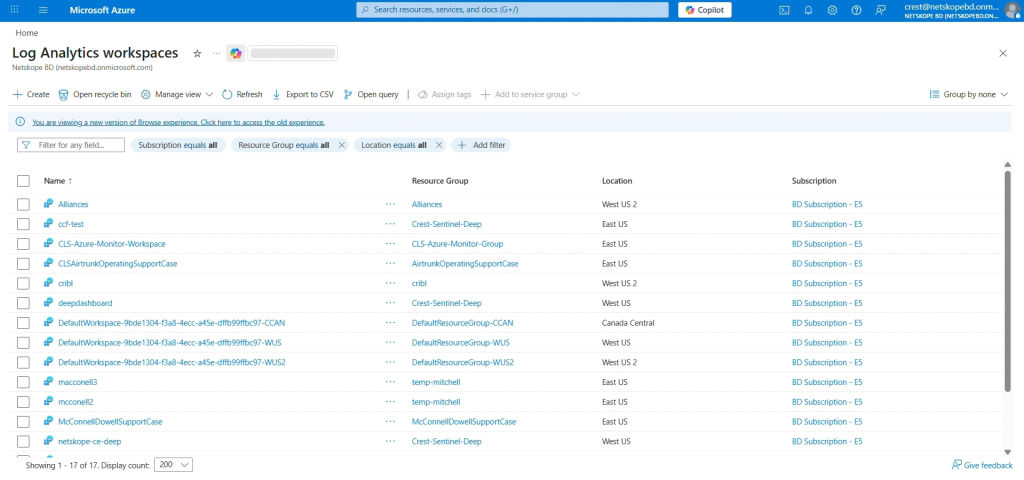
Log in to Azure and select Log Analytics Workspace.
-
Click Create Tab.
-
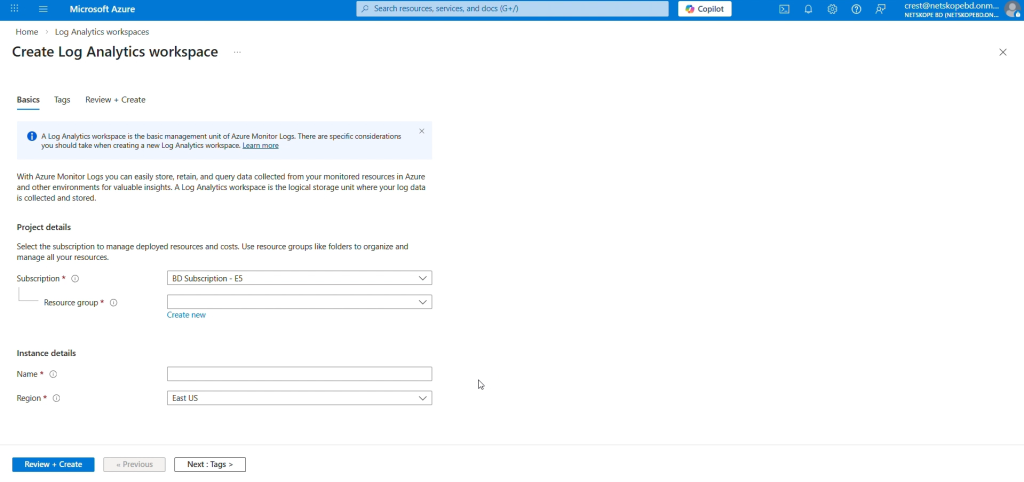
Click Subscription, and then select an existing Resource Group (or create a new one).
-
Enter a name for your Log Analytics Workspace, select a region, and then click Next > Next > Create.


Configure an Application and get your Tenant ID, Application ID, and Client Secret
-
Log in to Azure with an account that has a Global Administrator role.
-
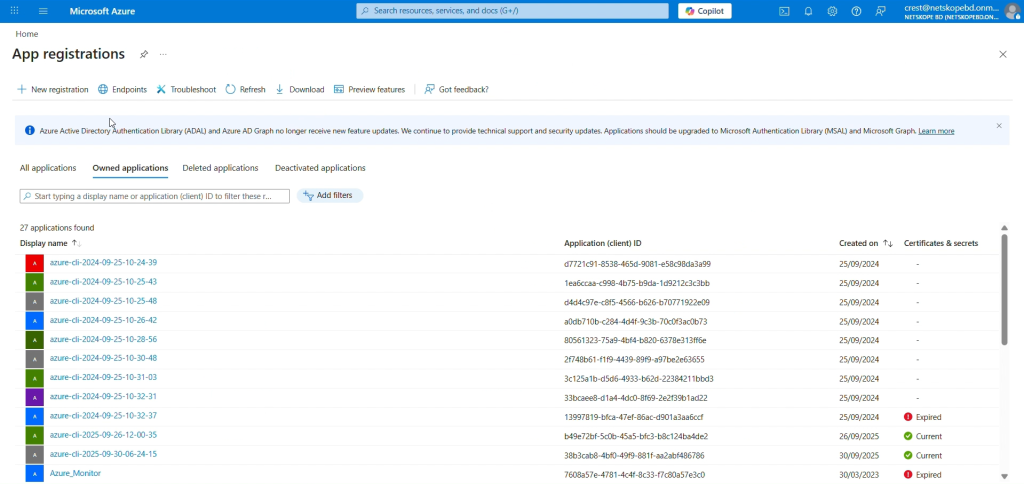
Go to Azure App Registration > New Registration.
-
In the registration form, enter a name for your application, and then click Register.
-
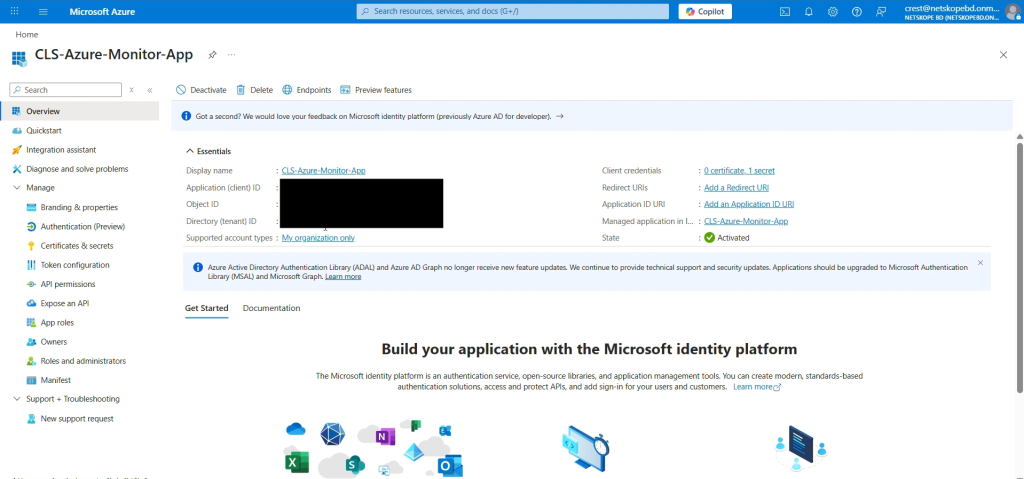
Make a copy of the Tenant ID and Application (Client) ID on the application page.
-
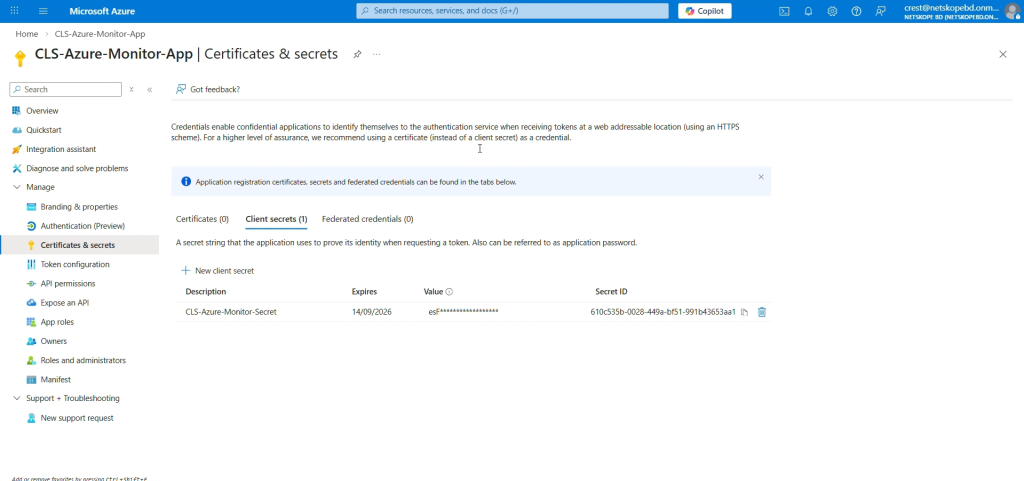
Click Add a Certificate or Secret, and then click New client secret to generate a Client secret. Add a description and Expire time, and then click Add.
-
Copy the value of Secret ID, as it will only be displayed once.


Configure a Data Collection Endpoint and get your DCE URI
-
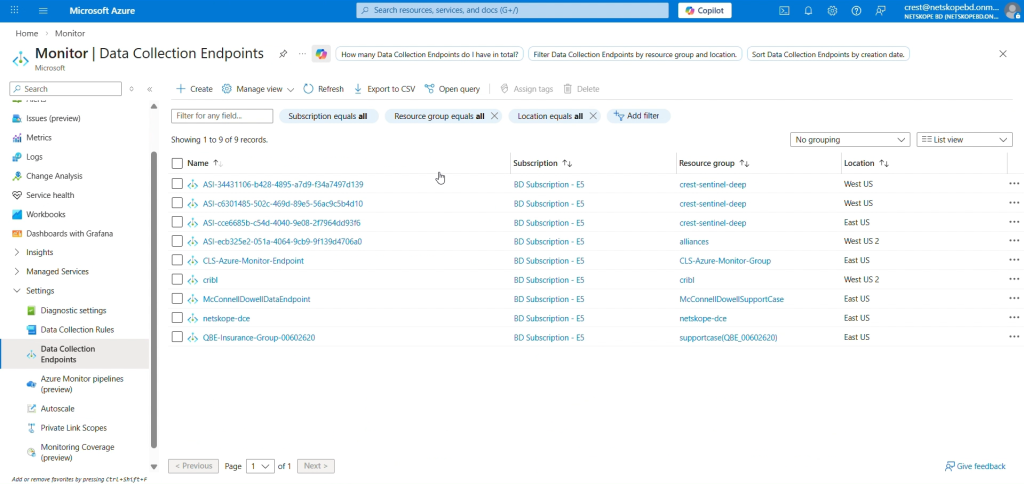
Go to Azure Home and select Monitor from the Azure services.
-
Select Data Collection Endpoints on the left panel, and then click Create.
-
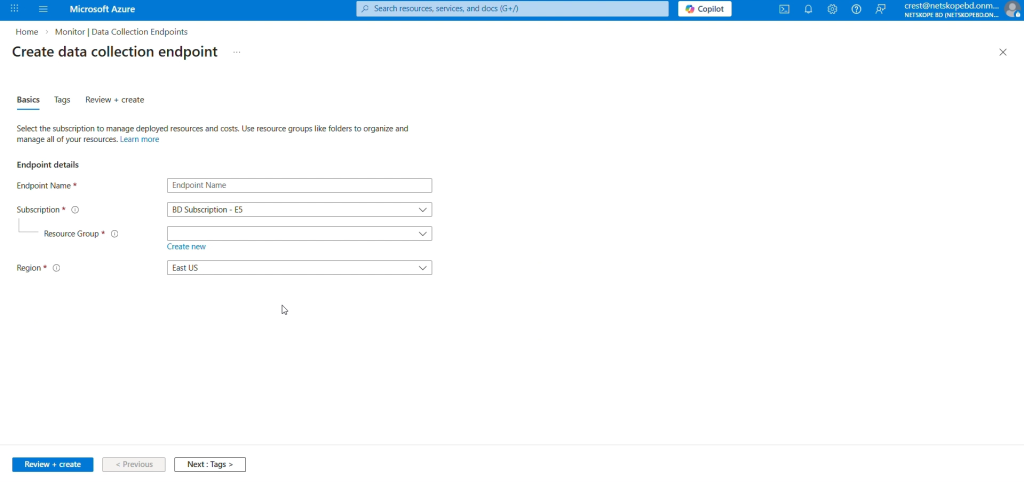
Enter a name for the Data collection Endpoint, select a Subscription and Resource Group, select a region (make sure that this region is the region of your Log Analytics Workspace), and then click Review + create.
-
From the Overview tab, copy the Logs Ingestion that will be your Data Collection Endpoint DCE URI.


Configure a Basic Table in Log Analytics Workspace and get your Data Collection Rule Immutable ID
-
A Custom Log Analytics Table requires sample data to be uploaded in order to create a JSON file on your system with the following content:
For Single table:
[
    {
        "RawData": {},
        "Application":  "",
        "DataType": "",
        "SubType": "",
        "TimeGenerated": "2022-11-01 12:00:00.576165"
    }
]
For Per Data Type Tables:
Alerts:
{
  "Application": "",
  "DataType": "",
  "SubType": "",
  "TimeGenerated": "2022-11-01 12:00:00.576165",
  "id": "",
  "access_key_id": "",
  "access_method": "",
  "account_id": "",
  "account_name": "",
  "AccountType": "",
  "acked": "",
  "act_user": "",
  "action": "",
  "actions_taken": "",
  "activity": "",
  "activity_status": "",
  "activity_type": "",
  "aggregated_user": "",
  "alert": "",
  "alert_detection_stage": "",
  "alert_id": "",
  "alert_name": "",
  "alert_source": "",
  "alert_type": "",
  "all_policy_matches": "",
  "anomaly_type": "",
  "anomalyData": "",
  "app": "",
  "app_activity": "",
  "app_category": "",
  "app_cci_apphosting_provider": "",
  "app_gdpr_level": "",
  "app_name": "",
  "app_scopes": "",
  "app_session_id": "",
  "appact": "",
  "appcategory": "",
  "appsuite": "",
  "archive_subfiles": "",
  "asset_id": "",
  "asset_object_id": "",
  "audit_category": "",
  "audit_type": "",
  "bcc": "",
  "bin_timestamp": "",
  "block_reason": "",
  "breach_date": "",
  "breach_description": "",
  "breach_id": "",
  "breach_media_references": "",
  "breach_score": "",
  "breach_target_references": "",
  "browser": "",
  "browser_session_id": "",
  "browser_version": "",
  "bypass_traffic": "",
  "category": "",
  "cc": "",
  "cci": "",
  "ccl": "",
  "channel": "",
  "classification_name": "",
  "client_bytes": "",
  "client_packets": "",
  "cloud_provider": "",
  "co": "",
  "collaborated": "",
  "company": "",
  "compliance_standards": "",
  "computer_name": "",
  "conn_duration": "",
  "conn_endtime": "",
  "conn_starttime": "",
  "connection_id": "",
  "connection_type": "",
  "CononicalName": "",
  "count": "",
  "created_date": "",
  "createdTime": "",
  "custom_attr": "",
  "custom_connector": "",
  "data_type": "",
  "department": "",
  "departmentNumber": "",
  "destination_file_directory": "",
  "destination_file_name": "",
  "destination_file_path": "",
  "detection_engine": "",
  "detection_type": "",
  "device": "",
  "device_classification": "",
  "deviceClassification": "",
  "dinsid": "",
  "displayName": "",
  "distinguishedName": "",
  "division": "",
  "dlp_fail_reason": "",
  "dlp_file": "",
  "dlp_fingerprint_classification": "",
  "dlp_fingerprint_match": "",
  "dlp_fingerprint_score": "",
  "dlp_incident_id": "",
  "dlp_is_unique_count": "",
  "dlp_mail_parent_id": "",
  "dlp_parent_id": "",
  "dlp_profile": "",
  "dlp_rule": "",
  "dlp_rule_count": "",
  "dlp_rule_score": "",
  "dlp_rule_severity": "",
  "dlp_scan_failed": "",
  "dlp_unique_count": "",
  "dns_profile": "",
  "domain": "",
  "domain_ip": "",
  "download_app": "",
  "driver": "",
  "dst_country": "",
  "dst_geoip_src": "",
  "dst_latitude": "",
  "dst_location": "",
  "dst_longitude": "",
  "dst_region": "",
  "dst_timezone": "",
  "dst_zipcode": "",
  "dsthost": "",
  "dstip": "",
  "dstport": "",
  "dynamic_classification": "",
  "edr_app": "",
  "eeml": "",
  "email_from_user": "",
  "email_modified": "",
  "email_source": "",
  "email_title": "",
  "email_user": "",
  "employeeType": "",
  "encrypt_failure": "",
  "encryption_status": "",
  "end_time": "",
  "endpoint_count": "",
  "endpoints": "",
  "enterprise": "",
  "enterprise_id": "",
  "event_type": "",
  "event_uuid": "",
  "evt_src_chnl": "",
  "exposure": "",
  "ext_labels": "",
  "external_collaborator_count": "",
  "external_email": "",
  "fastscan_results": "",
  "file_category": "",
  "file_cls_encrypted": "",
  "file_exposure": "",
  "file_id": "",
  "file_lang": "",
  "file_md5": "",
  "file_name": "",
  "file_owner": "",
  "file_password_protected": "",
  "file_path": "",
  "file_size": "",
  "file_type": "",
  "filename": "",
  "filepath": "",
  "fllg": "",
  "flpp": "",
  "forward_to_proxy_xau": "",
  "from_object": "",
  "from_storage": "",
  "from_user": "",
  "from_user_category": "",
  "fromlogs": "",
  "gateway": "",
  "gid": "",
  "group": "",
  "home_pop": "",
  "hostname": "",
  "http_method": "",
  "http_port": "",
  "http_status": "",
  "http_transaction_count": "",
  "iaas_asset_tags": "",
  "iaas_remediated": "",
  "iaas_remediated_by": "",
  "iaas_remediated_on": "",
  "iaas_remediation_action": "",
  "incident_id": "",
  "instance": "",
  "instance_id": "",
  "instance_name": "",
  "internal_collaborator_count": "",
  "ip_protocol": "",
  "ja3": "",
  "ja3s": "",
  "justification_reason": "",
  "justification_type": "",
  "last_app": "",
  "last_country": "",
  "last_device": "",
  "last_location": "",
  "last_name": "",
  "last_region": "",
  "last_timestamp": "",
  "legal_hold_profile_name": "",
  "lh_custodian_email": "",
  "lh_custodian_name": "",
  "lh_dest_app": "",
  "lh_dest_instance": "",
  "lh_fileid": "",
  "lh_filename": "",
  "lh_filepath": "",
  "lh_original_filename": "",
  "lh_shared": "",
  "lh_shared_with": "",
  "lh_version": "",
  "loc": "",
  "local_md5": "",
  "local_sha1": "",
  "local_sha256": "",
  "local_source_time": "",
  "location": "",
  "log_file_name": "",
  "logintype": "",
  "loginurl": "",
  "mail": "",
  "mal_id": "",
  "mal_sev": "",
  "mal_type": "",
  "malicious": "",
  "malsite_active": "",
  "malsite_category": "",
  "malsite_confidence": "",
  "malsite_consecutive": "",
  "malsite_country": "",
  "malsite_first_seen": "",
  "malsite_hostility": "",
  "malsite_id": "",
  "malsite_ip_host": "",
  "malsite_last_seen": "",
  "malsite_latitude": "",
  "malsite_longitude": "",
  "malsite_region": "",
  "malsite_reputation": "",
  "malware_id": "",
  "malware_name": "",
  "malware_profile": "",
  "malware_severity": "",
  "malware_type": "",
  "managed_app": "",
  "managementID": "",
  "manager": "",
  "matched_username": "",
  "md5": "",
  "memberOf": "",
  "message_id": "",
  "message_size": "",
  "metadata": "",
  "mime_type": "",
  "ml_detection": "",
  "modified": "",
  "modified_date": "",
  "netskope_activity": "",
  "netskope_pop": "",
  "network": "",
  "network_session_id": "",
  "notify_template": "",
  "ns_activity": "",
  "nsdeviceuid": "",
  "num_sessions": "",
  "num_users": "",
  "numbytes": "",
  "object": "",
  "object_count": "",
  "object_id": "",
  "object_type": "",
  "org": "",
  "organization_unit": "",
  "orig_ty": "",
  "orignal_file_path": "",
  "os": "",
  "os_details": "",
  "os_family": "",
  "os_user_name": "",
  "os_version": "",
  "other_categories": "",
  "outer_doc_type": "",
  "owner": "",
  "owner_pdl": "",
  "page": "",
  "page_site": "",
  "parent_id": "",
  "password_type": "",
  "pid": "",
  "policy": "",
  "policy_action": "",
  "policy_actions": "",
  "policy_id": "",
  "policy_name": "",
  "policy_name_enforced": "",
  "pop_id": "",
  "process_cert_subject": "",
  "process_name": "",
  "process_path": "",
  "profile_emails": "",
  "profile_hits": "",
  "profile_id": "",
  "protocol": "",
  "protocol_port": "",
  "publisher_cn": "",
  "publisher_name": "",
  "q_admin": "",
  "q_app": "",
  "q_instance": "",
  "q_original_filename": "",
  "q_original_filepath": "",
  "q_original_shared": "",
  "q_original_version": "",
  "q_shared_with": "",
  "qdomain": "",
  "qtype": "",
  "quarantine_action_reason": "",
  "quarantine_file_id": "",
  "quarantine_file_name": "",
  "quarantine_profile": "",
  "quarantine_profile_id": "",
  "record_type": "",
  "redirect_url": "",
  "referer": "",
  "region_id": "",
  "region_name": "",
  "related_malware": "",
  "remediation_profile": "",
  "req": "",
  "req_cnt": "",
  "request_id": "",
  "request_type": "",
  "resource_category": "",
  "resource_group": "",
  "resp": "",
  "resp_cnt": "",
  "retro_scan_name": "",
  "risk_level": "",
  "risk_level_id": "",
  "risk_score": "",
  "sa_profile_id": "",
  "sa_profile_name": "",
  "sa_rule_compliance": "",
  "sa_rule_id": "",
  "sa_rule_name": "",
  "sa_rule_severity": "",
  "sAMAccountName": "",
  "sAMAccountType": "",
  "sanctioned_instance": "",
  "scan_time": "",
  "scan_type": "",
  "scanner_result": "",
  "scopes": "",
  "score": "",
  "sender": "",
  "serial": "",
  "server_bytes": "",
  "server_packets": "",
  "serverity": "",
  "session_duration": "",
  "session_number_unique": "",
  "sessionid": "",
  "severity": "",
  "severity_id": "",
  "severity_level": "",
  "severity_level_id": "",
  "sfwder": "",
  "sha1": "",
  "sha256": "",
  "shared_credential_user": "",
  "shared_domains": "",
  "shared_type": "",
  "shared_with": "",
  "sharedType": "",
  "signature": "",
  "signature_id": "",
  "site": "",
  "smtp_client_domain": "",
  "smtp_status": "",
  "smtp_to": "",
  "spet": "",
  "spst": "",
  "src_country": "",
  "src_geoip_src": "",
  "src_latitude": "",
  "src_location": "",
  "src_longitude": "",
  "src_network": "",
  "src_region": "",
  "src_time": "",
  "src_timezone": "",
  "src_zipcode": "",
  "srcip": "",
  "srcport": "",
  "start_time": "",
  "sub_type": "",
  "subject": "",
  "subtype_field": "",
  "suppression_count": "",
  "suppression_end_time": "",
  "suppression_key": "",
  "suppression_start_time": "",
  "surhn": "",
  "tags": "",
  "telemetry_app": "",
  "thr": "",
  "threat_match_field": "",
  "threat_match_value": "",
  "threat_source_id": "",
  "threat_type": "",
  "threshold": "",
  "threshold_time": "",
  "timestamp": "",
  "TitleField": "",
  "title_field": "",
  "to_object": "",
  "to_storage": "",
  "to_user": "",
  "to_user_category": "",
  "total_collaborator_count": "",
  "total_packets": "",
  "traffic_type": "",
  "transaction_id": "",
  "true_filetype": "",
  "true_obj_category": "",
  "true_obj_type": "",
  "true_type_id": "",
  "trust_computer_checked": "",
  "tss_fail_reason": "",
  "tss_license": "",
  "tss_mode": "",
  "TSS_scan": "",
  "tss_scan_failed": "",
  "tunnel_id": "",
  "tunnel_type": "",
  "tunnel_up_time": "",
  "tur": "",
  "two_factor_auth": "",
  "type_field": "",
  "uba_ap1": "",
  "uba_ap2": "",
  "uba_inst1": "",
  "uba_inst2": "",
  "universal_connector": "",
  "ur_normalized": "",
  "url": "",
  "usb_device_id": "",
  "usb_device_name": "",
  "usb_device_sn": "",
  "usb_device_type": "",
  "usb_is_encrypted": "",
  "usb_product_id": "",
  "usb_vendor_id": "",
  "user": "",
  "user_category": "",
  "user_confidence_index": "",
  "user_confidence_level": "",
  "user_generated": "",
  "user_id": "",
  "user_name": "",
  "user_role": "",
  "User_SPACE_Id": "",
  "User_SPACE_Name": "",
  "user_tmp": "",
  "useragent": "",
  "userCountry": "",
  "usergroup": "",
  "userip": "",
  "userkey": "",
  "userPrincipalName": "",
  "usr_display_name": "",
  "usr_status": "",
  "usr_title": "",
  "usr_udf_businesssegmentlevel1": "",
  "usr_udf_businesssegmentlevel2": "",
  "usr_udf_businesssegmentlevel3": "",
  "usr_udf_businesssegmentlevel4": "",
  "usr_udf_companyname": "",
  "usr_udf_employeeid": "",
  "usr_udf_primarydomain": "",
  "usr_udf_supervisorid": "",
  "usr_udf_supervisorname": "",
  "violating_user": "",
  "violating_user_type": "",
  "watchlist_name": "",
  "web_universal_connector": "",
  "web_url": "",
  "windowId": "",
  "workspace": "",
  "workspace_id": "",
  "zip_password": ""
}
Events:
{
  "Application": "",
  "DataType": "",
  "SubType": "",
  "TimeGenerated": "2022-11-01 12:00:00.576165",
  "id": "",
  "access_method": "",
  "acting_user": "",
  "action": "",
  "activity": "",
  "activity_type": "",
  "alert": "",
  "alert_detection_stage": "",
  "alert_generated": "",
  "alert_name": "",
  "alert_type": "",
  "app": "",
  "app_activity": "",
  "app_cci_apphosting_provider": "",
  "app_gdpr_level": "",
  "app_session_id": "",
  "appact": "",
  "appcategory": "",
  "appsuite": "",
  "event_as": "",
  "asn": "",
  "assignee": "",
  "audit_category": "",
  "audit_log_event": "",
  "audit_type": "",
  "bcc": "",
  "boolean_metric_value": "",
  "browser": "",
  "browser_session_id": "",
  "browser_version": "",
  "bypass_reason": "",
  "bypass_traffic": "",
  "category": "",
  "cc": "",
  "cci": "",
  "ccl": "",
  "channel": "",
  "channel_id": "",
  "city": "",
  "classification": "",
  "client_bytes": "",
  "client_install_time": "",
  "client_packets": "",
  "client_version": "",
  "cloud_provider": "",
  "computer_name": "",
  "conn_duration": "",
  "conn_endtime": "",
  "conn_starttime": "",
  "connection_id": "",
  "connection_type": "",
  "CononicalName": "",
  "continent": "",
  "count": "",
  "count_metric_value": "",
  "country": "",
  "custom_attr": "",
  "custom_connector": "",
  "data_center": "",
  "data_type": "",
  "destination_app": "",
  "destination_file_directory": "",
  "destination_file_name": "",
  "destination_file_path": "",
  "destination_instance_id": "",
  "destination_site": "",
  "details": "",
  "device": "",
  "device_classification": "",
  "device_hash": "",
  "device_id": "",
  "device_name": "",
  "device_sn": "",
  "device_type": "",
  "dinsid": "",
  "dlp_fail_reason": "",
  "dlp_file": "",
  "dlp_incident_id": "",
  "dlp_is_unique_count": "",
  "dlp_mail_parent_id": "",
  "dlp_match_info": "",
  "dlp_parent_id": "",
  "dlp_profile": "",
  "dlp_profile_name": "",
  "dlp_rule": "",
  "dlp_rule_count": "",
  "dlp_rule_severity": "",
  "dlp_scan_failed": "",
  "dlp_unique_count": "",
  "dns_profile": "",
  "dom": "",
  "domain": "",
  "domain_ip": "",
  "driver": "",
  "dst_country": "",
  "dst_geoip_src": "",
  "dst_latitude": "",
  "dst_location": "",
  "dst_longitude": "",
  "dst_region": "",
  "dst_timezone": "",
  "dst_zipcode": "",
  "dsthost": "",
  "dstip": "",
  "dstport": "",
  "dynamic_classification": "",
  "eeml": "",
  "email_from_user": "",
  "email_modified": "",
  "email_user": "",
  "encryption_status": "",
  "end_time": "",
  "endpoint_policy_match_desired_action": "",
  "enriched": "",
  "event_recovered": "",
  "executable_hash": "",
  "executable_signed": "",
  "exposure": "",
  "ext_labels": "",
  "file_lang": "",
  "file_md5": "",
  "file_origin": "",
  "file_owner": "",
  "file_path": "",
  "file_size": "",
  "file_type": "",
  "filepath": "",
  "fllg": "",
  "flow_status": "",
  "flpp": "",
  "forward_to_proxy_profile": "",
  "forward_to_proxy_xau": "",
  "from_user": "",
  "from_user_category": "",
  "fromlogs": "",
  "guid": "",
  "heart_beat": "",
  "host_info_client_version": "",
  "host_info_device_make": "",
  "host_info_device_model": "",
  "host_info_hostname": "",
  "host_info_last_update_timestamp": "",
  "host_info_mac_addresses": "",
  "host_info_managementID": "",
  "host_info_nsdeviceuid": "",
  "host_info_old_nsdeviceuid": "",
  "host_info_os": "",
  "host_info_os_version": "",
  "host_info_serial_number": "",
  "host_info_steering_config": "",
  "hostname": "",
  "http_transaction_count": "",
  "incident_id": "",
  "inline_dlp_match_info": "",
  "instance": "",
  "instance_id": "",
  "internal_collaborator_count": "",
  "ip_protocol": "",
  "isp": "",
  "ja3": "",
  "ja3s": "",
  "justification": "",
  "justification_reason": "",
  "justification_type": "",
  "last_connected_from_private_ip": "",
  "last_connected_from_public_ip": "",
  "last_event_timestamp": "",
  "last_seen_device_event_actor": "",
  "last_seen_device_event_event": "",
  "last_seen_device_event_event_details": "",
  "last_seen_device_event_npa_status": "",
  "last_seen_device_event_service_name": "",
  "last_seen_device_event_status": "",
  "last_seen_device_event_status_v2": "",
  "last_seen_device_event_timestamp": "",
  "latest_incident_id": "",
  "latitude": "",
  "legal_hold_profile_name": "",
  "lh_custodian_email": "",
  "lh_custodian_name": "",
  "lh_dest_app": "",
  "lh_dest_instance": "",
  "lh_fileid": "",
  "lh_filename": "",
  "lh_filepath": "",
  "lh_original_filename": "",
  "lh_shared": "",
  "lh_shared_with": "",
  "lh_version": "",
  "local_source_time": "",
  "location": "",
  "log_file_name": "",
  "logintype": "",
  "loginurl": "",
  "longitude": "",
  "mal_sev": "",
  "managed_app": "",
  "managementID": "",
  "md5": "",
  "metric_name": "",
  "metric_true_count": "",
  "metric_type": "",
  "metric_value": "",
  "mime_type": "",
  "modified": "",
  "netskope_activity": "",
  "netskope_pop": "",
  "network": "",
  "network_session_id": "",
  "notify_template": "",
  "ns_activity": "",
  "nsdeviceuid": "",
  "num_sessions": "",
  "num_users": "",
  "numbytes": "",
  "oauth": "",
  "object": "",
  "object_id": "",
  "object_type": "",
  "org": "",
  "organization": "",
  "organization_unit": "",
  "original_file_snapshot_id": "",
  "orignal_file_path": "",
  "os": "",
  "os_details": "",
  "os_family": "",
  "os_user_name": "",
  "os_version": "",
  "other_categories": "",
  "owner": "",
  "owner_pdl": "",
  "package_version": "",
  "page": "",
  "page_site": "",
  "parent_id": "",
  "pid": "",
  "policy": "",
  "policy_action": "",
  "policy_action_enforced": "",
  "policy_id": "",
  "policy_name": "",
  "policy_name_enforced": "",
  "policy_version": "",
  "pop_name": "",
  "pop_pinned": "",
  "port": "",
  "postal_code": "",
  "printer_identifier": "",
  "process_cert_subject": "",
  "process_name": "",
  "process_path": "",
  "product_id": "",
  "protocol": "",
  "protocol_port": "",
  "publisher_cn": "",
  "publisher_ip": "",
  "publisher_name": "",
  "publisher_pop": "",
  "publisher_port": "",
  "q_shared_with": "",
  "qdomain": "",
  "qtype": "",
  "rbi_template_id": "",
  "rbi_template_name": "",
  "record_type": "",
  "referer": "",
  "region": "",
  "req": "",
  "req_cnt": "",
  "request_id": "",
  "resp": "",
  "resp_cnt": "",
  "resp_content_len": "",
  "resp_content_type": "",
  "response_time": "",
  "retro_scan_name": "",
  "risk_score": "",
  "sa_rule_compliance": "",
  "sAMAccountName": "",
  "sampled_text_size": "",
  "sanctioned_instance": "",
  "scan_type": "",
  "serial": "",
  "server_bytes": "",
  "server_packets": "",
  "serverity": "",
  "session_duration": "",
  "session_number_unique": "",
  "sessionid": "",
  "severity": "",
  "severity_level": "",
  "sha256": "",
  "shared_with": "",
  "site": "",
  "smtp_block_reason": "",
  "smtp_client_domain": "",
  "smtp_to": "",
  "source_file_directory": "",
  "source_file_name": "",
  "source_file_path": "",
  "spet": "",
  "spst": "",
  "src_country": "",
  "src_geoip_src": "",
  "src_latitude": "",
  "src_location": "",
  "src_longitude": "",
  "src_network": "",
  "src_region": "",
  "src_time": "",
  "src_timezone": "",
  "src_zipcode": "",
  "srcip": "",
  "srcport": "",
  "ssl_decrypt_policy": "",
  "start_time": "",
  "status": "",
  "sub_type": "",
  "subtype_field": "",
  "supporting_data": "",
  "suppression_end_time": "",
  "suppression_key": "",
  "suppression_start_time": "",
  "tags": "",
  "telemetry_app": "",
  "thr": "",
  "threat_type": "",
  "timestamp": "",
  "title_field": "",
  "to_user": "",
  "total_collaborator_count": "",
  "total_packets": "",
  "traffic_type": "",
  "transaction_id": "",
  "true_obj_category": "",
  "true_obj_type": "",
  "tss_fail_reason": "",
  "tss_mode": "",
  "tss_scan_failed": "",
  "tunnel_id": "",
  "tunnel_type": "",
  "tunnel_up_time": "",
  "tur": "",
  "type_field": "",
  "unc_path": "",
  "universal_connector": "",
  "ur_normalized": "",
  "url": "",
  "usb_device": "",
  "user": "",
  "user_category": "",
  "user_confidence_index": "",
  "user_confidence_level": "",
  "user_generated": "",
  "user_id": "",
  "user_info_device_classification_status": "",
  "user_info_orgkey": "",
  "user_info_userkey": "",
  "user_info_username": "",
  "useragent": "",
  "userip": "",
  "userkey": "",
  "userPrincipalName": "",
  "vendor_id": "",
  "violation": "",
  "web_universal_connector": "",
  "workspace": "",
  "workspace_id": "",
  "zip_file_id": "",
  "zip_password": "",
  "zipcode": ""
}
WebTx:
{ "Application": "", "DataType": "", "SubType": "", "TimeGenerated": "2022-11-01 12:00:00.576165", "bytes": "", "c_ip": "", "cs_bytes": "", "cs_content_type": "", "cs_dns": "", "cs_host": "", "cs_method": "", "cs_referer": "", "cs_uri": "", "cs_uri_port": "", "cs_uri_query": "", "cs_uri_scheme": "", "cs_user_agent": "", "cs_username": "", "date_field": "", "rs_bytes": "", "rs_status": "", "s_ip": "", "sc_bytes": "", "sc_content_type": "", "sc_status": "", "sr_bytes": "", "time_field": "", "time_taken": "", "x_action": "", "x_action_reason": "", "x_c_authn_source": "", "x_c_authn_surrogate": "", "x_c_authn_surrogate_status": "", "x_c_authn_user": "", "x_c_authz_groups": "", "x_c_authz_ou": "", "x_c_authz_source": "", "x_c_browser": "", "x_c_browser_version": "", "x_c_country": "", "x_c_device": "", "x_c_device_classification": "", "x_c_device_uid": "", "x_c_hostname": "", "x_c_latitude": "", "x_c_local_time": "", "x_c_local_timestamp": "", "x_c_location": "", "x_c_longitude": "", "x_c_nsclient_client_profile": "", "x_c_nsclient_steering_profile": "", "x_c_nsclient_version": "", "x_c_os": "", "x_c_os_family": "", "x_c_os_version": "", "x_c_region": "", "x_c_timezone": "", "x_c_user_confidence_index": "", "x_c_zipcode": "", "x_category": "", "x_category_id": "", "x_client_ssl_err": "", "x_cs_access_method": "", "x_cs_access_proxy": "", "x_cs_app": "", "x_cs_app_activity": "", "x_cs_app_category": "", "x_cs_app_cci": "", "x_cs_app_ccl": "", "x_cs_app_from_user": "", "x_cs_app_instance_id": "", "x_cs_app_instance_name": "", "x_cs_app_instance_tag": "", "x_cs_app_instance_tags": "", "x_cs_app_object_id": "", "x_cs_app_object_name": "", "x_cs_app_object_type": "", "x_cs_app_suite": "", "x_cs_app_tags": "", "x_cs_app_to_user": "", "x_cs_connect_host": "", "x_cs_connect_port": "", "x_cs_connect_user_agent": "", "x_cs_connect_xau": "", "x_cs_domain_fronted_sni": "", "x_cs_dst_ip": "", "x_cs_dst_port": "", "x_cs_http_version": "", "x_cs_ip_connect_xff": "", "x_cs_ip_xff": "", "x_cs_nsclient_tunnel_type": "", "x_cs_page_id": "", "x_cs_parent_process": "", "x_cs_pid": "", "x_cs_ppid": "", "x_cs_process": "", "x_cs_session_id": "", "x_cs_site": "", "x_cs_sni": "", "x_cs_src_ip": "", "x_cs_src_ip_egress": "", "x_cs_src_port": "", "x_cs_ssl_cipher": "", "x_cs_ssl_engine_action": "", "x_cs_ssl_engine_action_reason": "", "x_cs_ssl_fronting_error": "", "x_cs_ssl_handshake_error": "", "x_cs_ssl_ja3": "", "x_cs_ssl_malformed_ssl": "", "x_cs_ssl_version": "", "x_cs_timestamp": "", "x_cs_traffic_type": "", "x_cs_tunnel_id": "", "x_cs_uri_path": "", "x_cs_url": "", "x_cs_userip": "", "x_cs_xau": "", "x_eip_policy_footprint": "", "x_eip_policy_name": "", "x_error": "", "x_other_category": "", "x_other_category_id": "", "x_policy_action": "", "x_policy_categories": "", "x_policy_dst_host": "", "x_policy_dst_host_source": "", "x_policy_dst_ip": "", "x_policy_justification_reason": "", "x_policy_justification_type": "", "x_policy_name": "", "x_policy_src_ip": "", "x_r_cert_end": "", "x_r_cert_enddate": "", "x_r_cert_expired": "", "x_r_cert_incomplete_chain": "", "x_r_cert_issuer_cn": "", "x_r_cert_mismatch": "", "x_r_cert_revocation_check": "", "x_r_cert_revoked": "", "x_r_cert_self_signed": "", "x_r_cert_start": "", "x_r_cert_startdate": "", "x_r_cert_subject_cn": "", "x_r_cert_untrusted_root": "", "x_r_cert_valid": "", "x_r_country": "", "x_r_latitude": "", "x_r_location": "", "x_r_longitude": "", "x_r_region": "", "x_r_zipcode": "", "x_request_id": "", "x_rs_file_category": "", "x_rs_file_language": "", "x_rs_file_md5": "", "x_rs_file_sha256": "", "x_rs_file_size": "", "x_rs_file_type": "", "x_s_country": "", "x_s_custom_signing_ca_error": "", "x_s_dp_name": "", "x_s_latitude": "", "x_s_location": "", "x_s_longitude": "", "x_s_region": "", "x_s_zipcode": "", "x_sc_notification_name": "", "x_server_ssl_err": "", "x_sr_dst_ip": "", "x_sr_dst_port": "", "x_sr_forward_dest": "", "x_sr_headers_name": "", "x_sr_headers_value": "", "x_sr_src_ip": "", "x_sr_src_port": "", "x_sr_ssl_cipher": "", "x_sr_ssl_client_certificate_error": "", "x_sr_ssl_engine_action": "", "x_sr_ssl_engine_action_reason": "", "x_sr_ssl_handshake_error": "", "x_sr_ssl_ja3s": "", "x_sr_ssl_malformed_ssl": "", "x_sr_ssl_version": "", "x_ssl_bypass": "", "x_ssl_bypass_reason": "", "x_ssl_policy_action": "", "x_ssl_policy_categories": "", "x_ssl_policy_dst_host": "", "x_ssl_policy_dst_host_source": "", "x_ssl_policy_dst_ip": "", "x_ssl_policy_issuer": "", "x_ssl_policy_name": "", "x_ssl_policy_src_ip": "", "x_support": "", "x_tenant_id": "", "x_tp_engine": "", "x_tp_malware_name": "", "x_tp_result": "", "x_tp_severity": "", "x_transaction_id": "", "x_type": "" } -
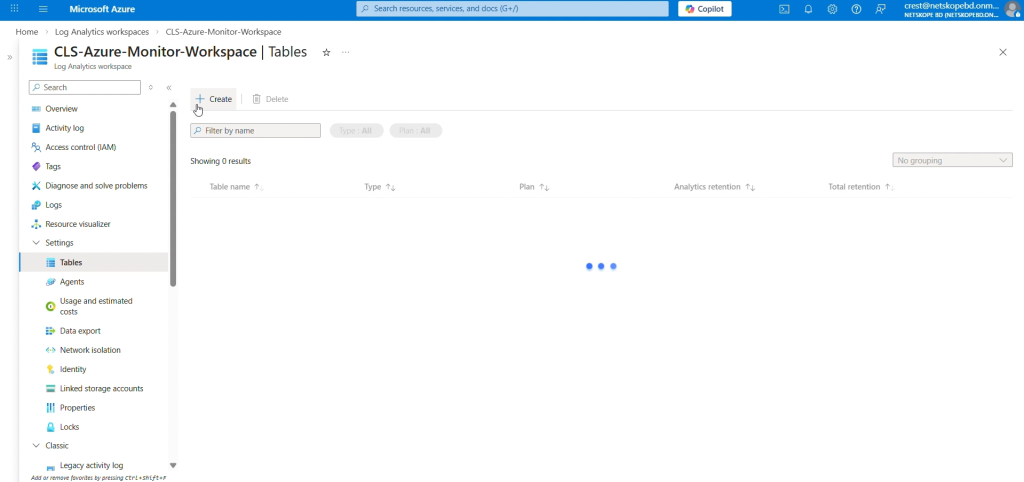
On the Azure home tab, go to Log Analytics Workspace, select the workspace created previously, and select Tables. Click Create and select New Custom log (DCR based).
-
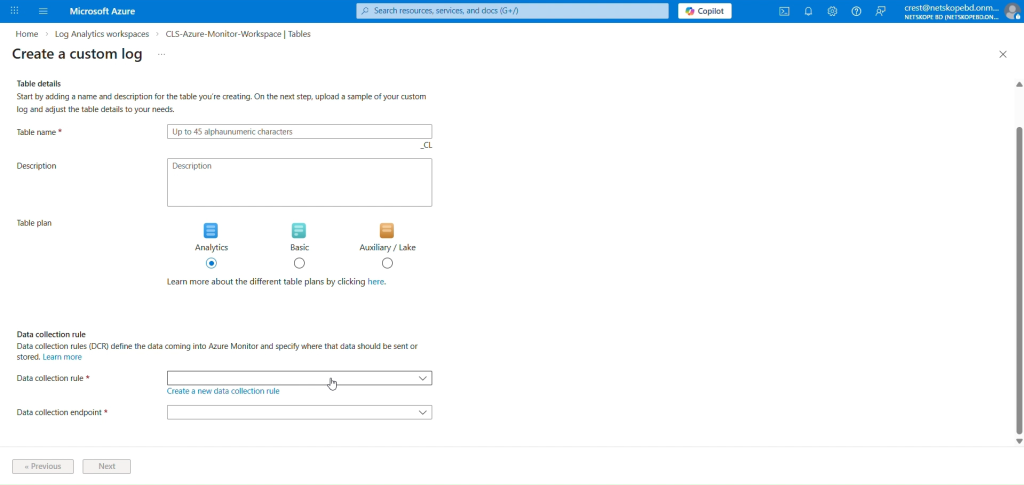
Enter a name for the table.
-
For the Data Collection Rule, click Create a new data collection rule and select a Subscription and Resource Group from the dropdown lists. Enter the region for your Log Analytics Workspace, and then click Done. Make sure to keep Table plan as Basic.
-
The new Data Collection Rule will be selected in the Data collection rule field. Click Next.
-
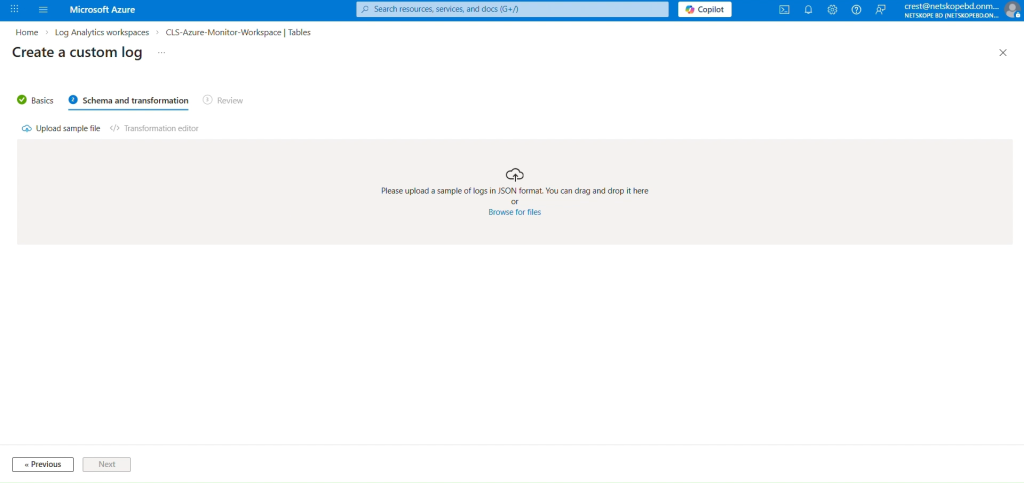
On the Schema and Transformation tab, click Browse for files and select the sample data JSON file you created previously.
-
Click Next and then click Create.
-
A Custom Log Table will be created with the suffix _CL.
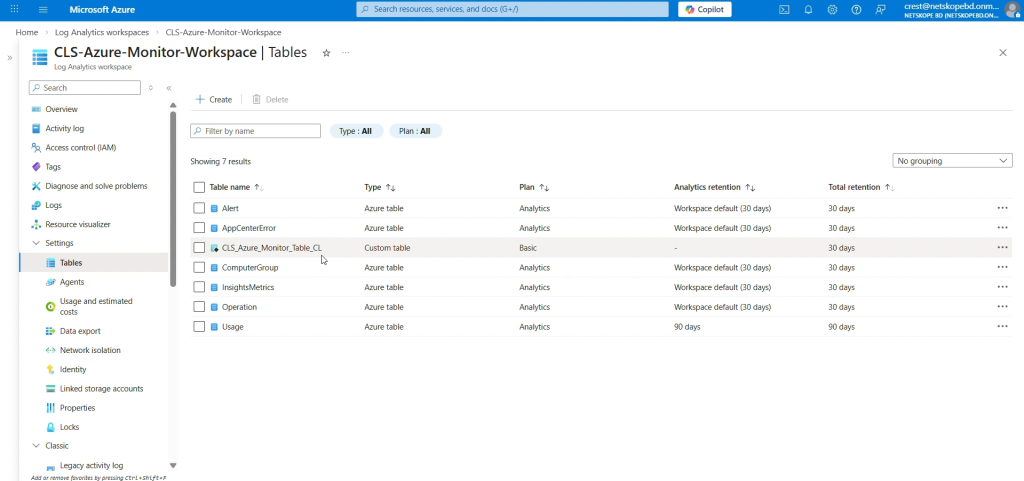 Here you are changing the Table Plan from Analytics to Basic because the Basic log data plan lets you save on the cost of ingesting, and storing high-volume verbose logs in your Log Analytics workspace for debugging, troubleshooting, and auditing. If the Table Plan is not changed and kept as Analytics, the Logs will still be ingested in the Table without any issue. The Analytics table has a configurable retention period from 30 days to 730 days. The Basic table has Retention fixed at eight days. Basic Logs tables retain data for eight days. When you change an existing table’s plan to Basic Logs, Azure archives data that’s more than eight days old, but still within the table’s original retention period.
 -
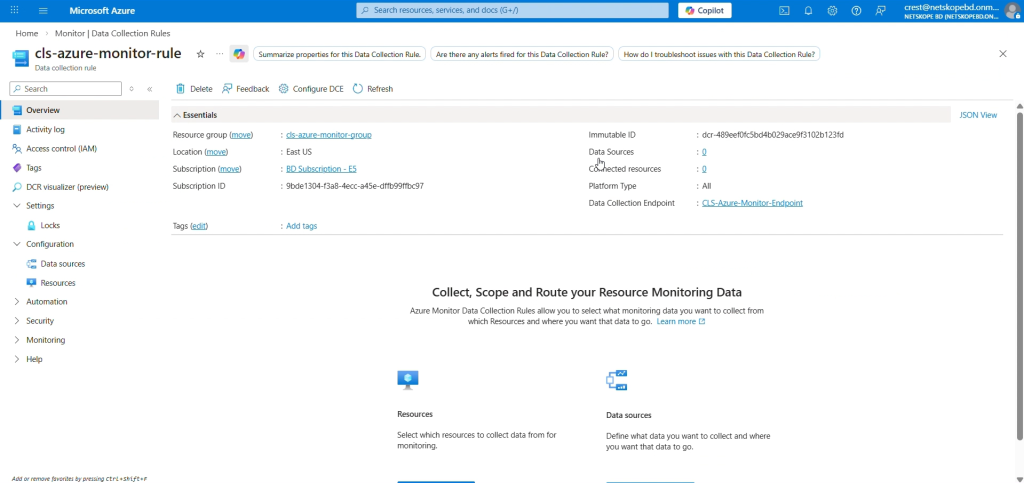
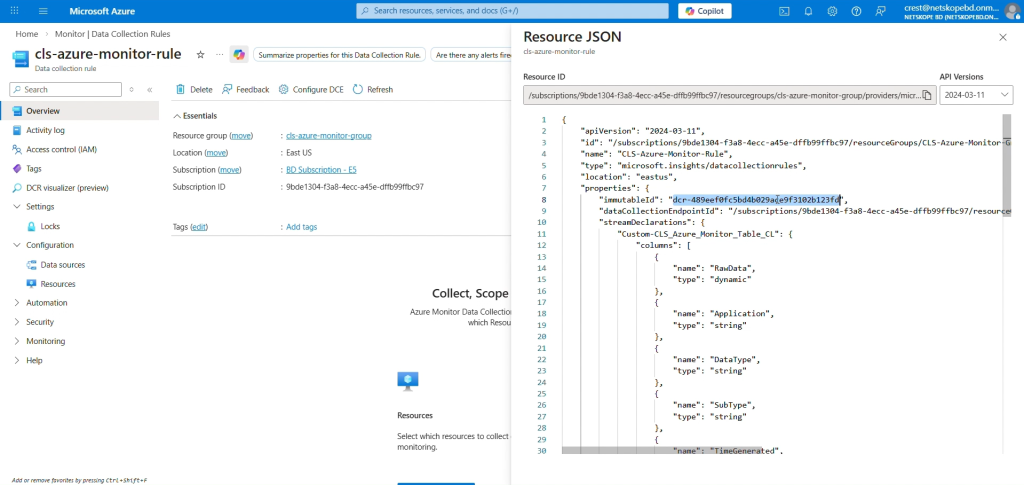
To get the Data Collection Immutable ID, go to Home, select Monitor from the Azure Services > Data Collection Rules, and then select the DCR created by you while creating the Custom Table.
-
In the Overview tab, click JSON View from the top right corner, and copy the immutableId.


Assign a Permission to DCR and DCE
-
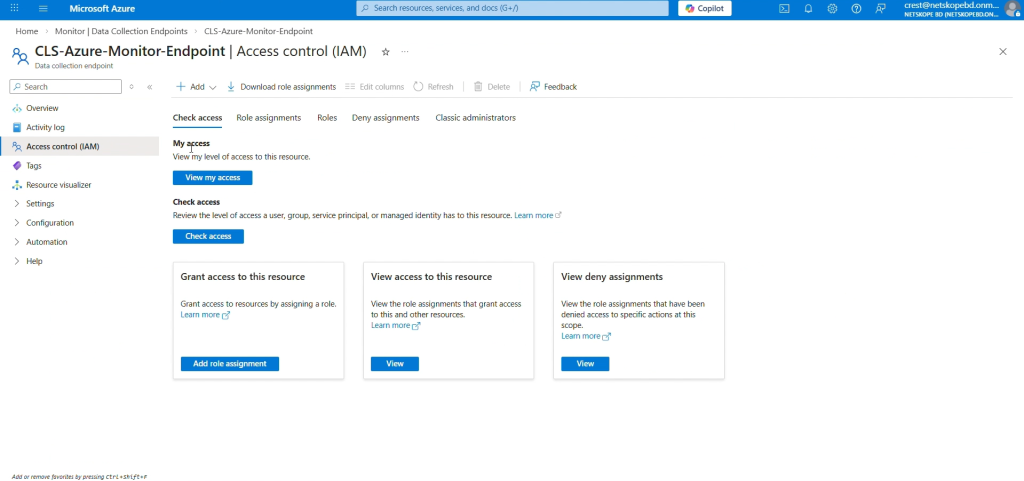
On the Azure Home page, go to Monitor > Data Collection Endpoint and select the Endpoint created previously.
-
Select Access control (IAM) and click Add role assignment.
-
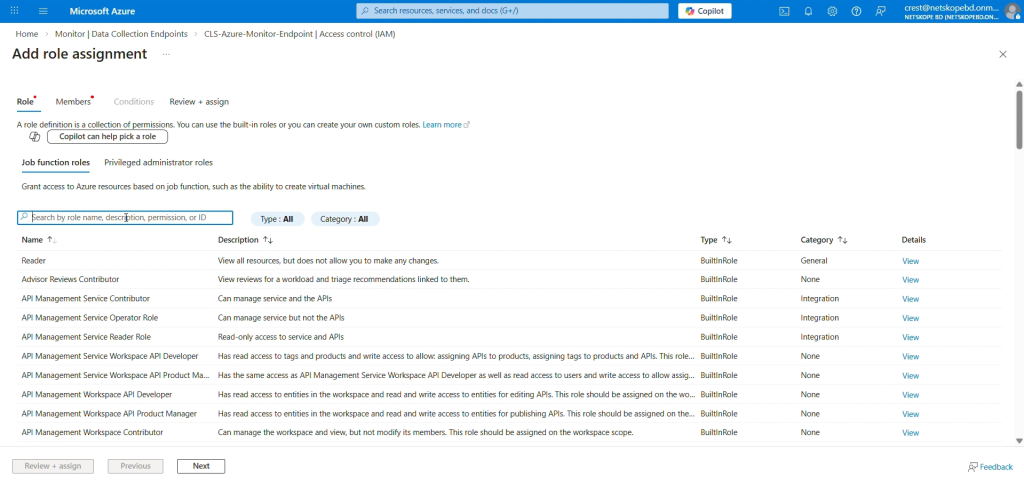
From the list of roles, select Monitoring Metrics Publisher and click Next.
-
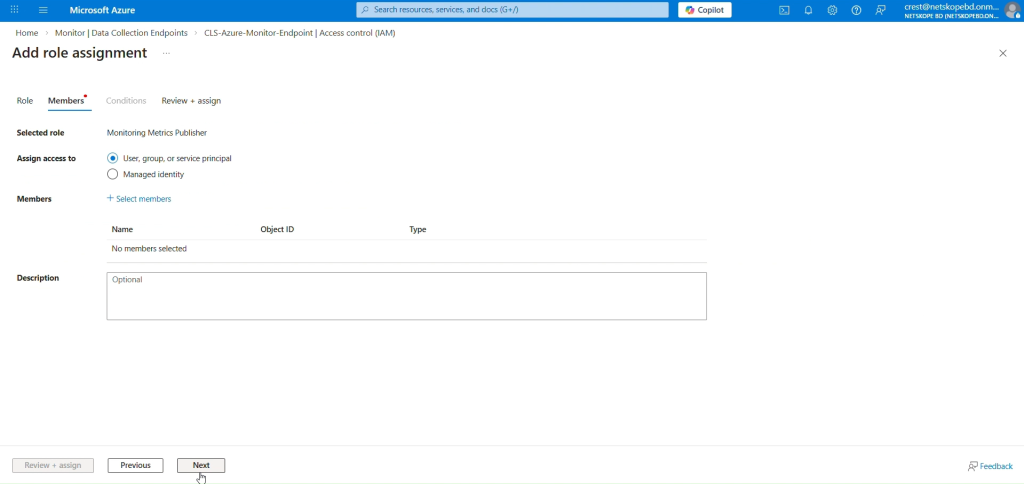
Select a user, group, or service principal for which to assign access.
-
Click Select Members and search for the Application you created in the search box, and then select it.
-
Click Review + assign.
-
Repeat these same steps to assign permissions to the DCR (Data Collection Rule).


Configure the Microsoft Azure Log Analytics Plugin
-
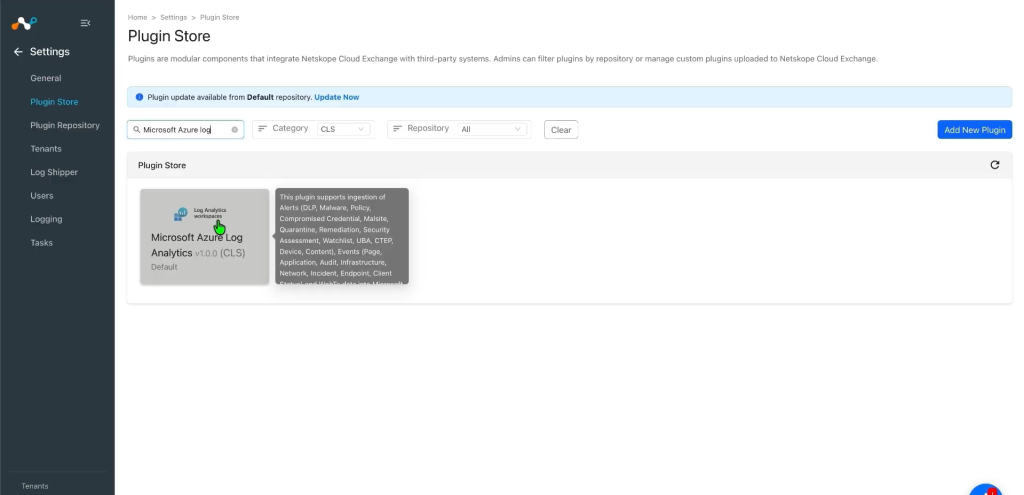
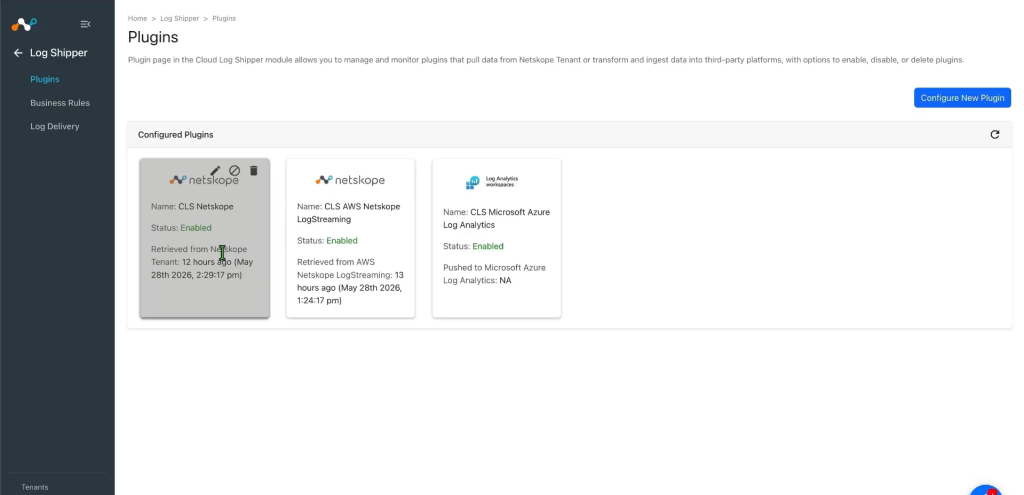
In Cloud Exchange, go to Settings > Plugin Store. Search for and select the Microsoft Azure Log Analytics v1.0.0 (CLS) plugin.
-
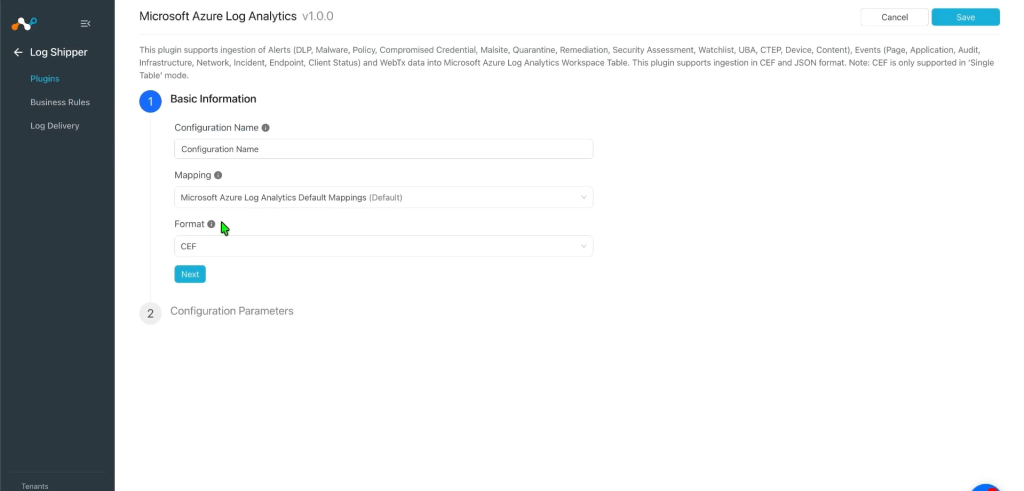
Provide the Configuration Name and change the Sync Interval per your requirement.
-
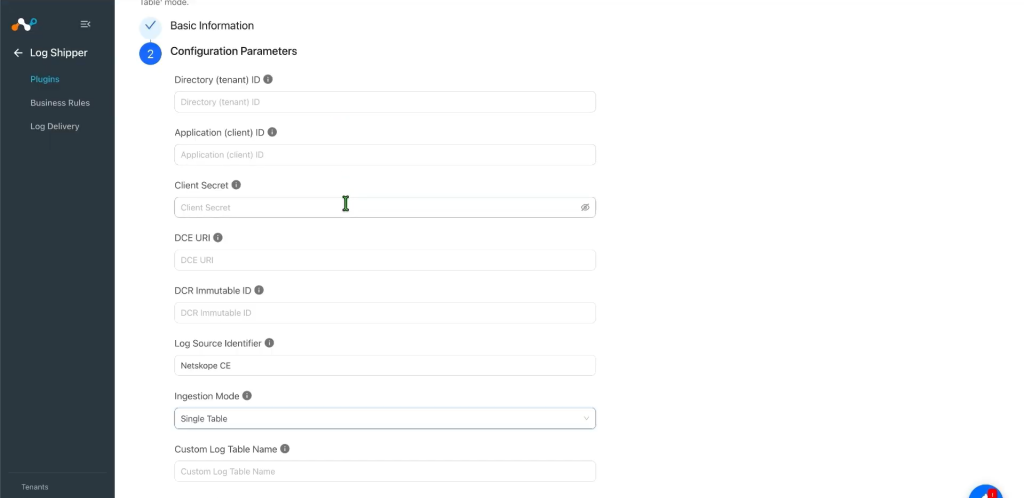
Click Next and enter the Configuration Parameters:
- Tenant ID: Microsoft Entra ID Directory (tenant) ID.
- Application ID: Application (client) ID of the Entra ID app.
- Application Secret: Client secret ID of the Entra ID app.
- Data Collection Endpoint URI: Base URI of the Data Collection Endpoint.
- DCR Immutable ID: Immutable ID of the Data Collection Rule.
- Log Source Identifier: Value written into the Application column on every row. Default: Netskope CE.
- Ingestion Mode: Select Single Table to send all data to one table, or Per Data Type to route each data type to a separate table.
- Custom Log Table Name (Single Table mode): Destination table name that receives all records.
- Data Types to Ingest (Per Data Type mode): Select one or more of Alerts, Events, WebTx.
- Alerts Custom Log Table Name (Per Data Type mode): Destination table for Alerts data.
- Events Custom Log Table Name (Per Data Type mode): Destination table for Events data.
- WebTx Custom Log Table Name (Per Data Type mode): Destination table for WebTx data.
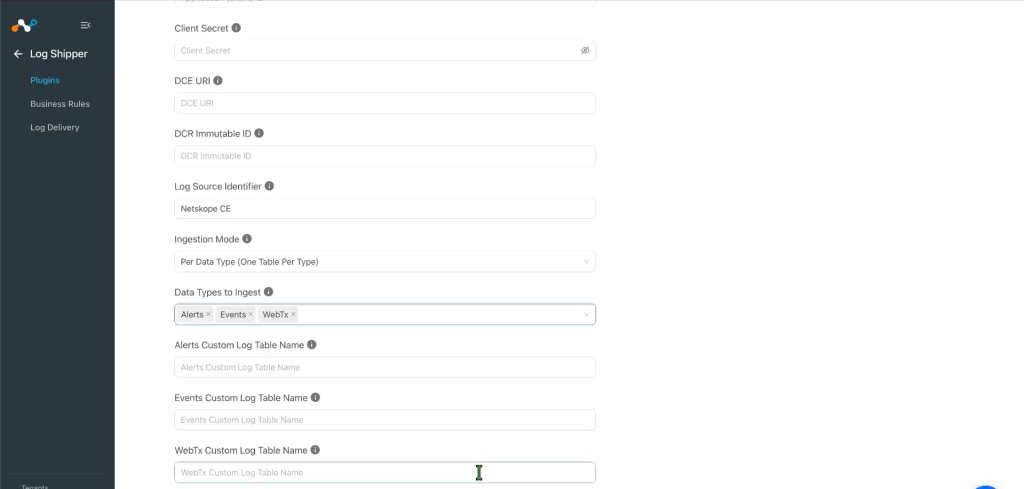 The plugin will not be configured with ‘CEF’ and ‘Per Data Type’ Ingestion mode together.
 -
Click Save.


Configure a Log Shipper Business Rule for Microsoft Azure Log Analytics
-
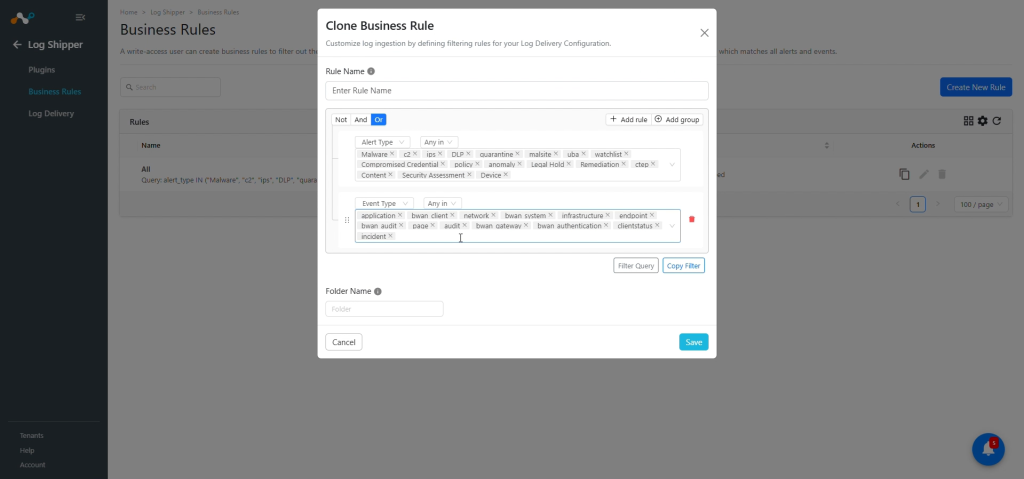
In Log Shipper, go to Business Rules and click Add Business Rule.
-
By default, there’s a business rule that filters all alerts and events. If you want to filter out any specific type of alert or event, click Create New Rule and configure a new business rule by adding the rule name and filter(s).
-
Click Save.

Configure Log Shipper Log Delivery for the Microsoft Azure Log Analytics Plugin
-
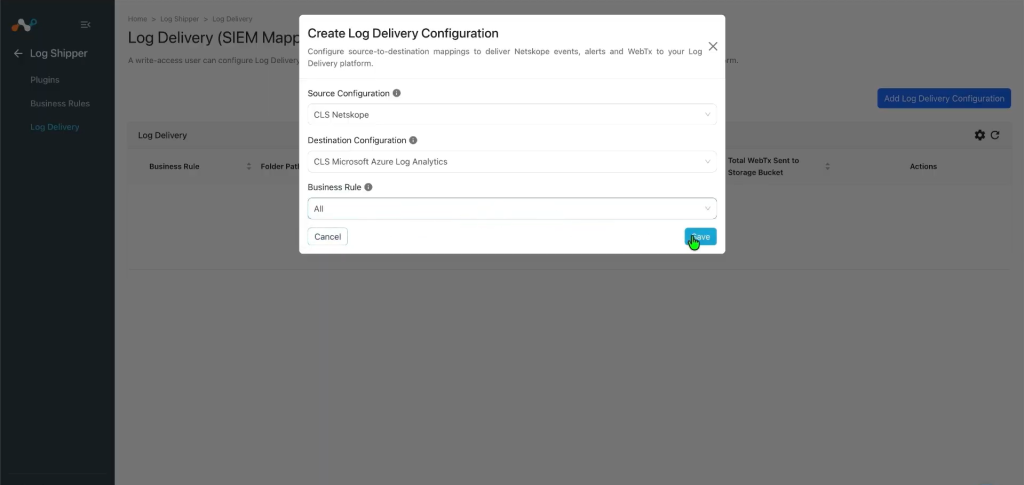
In Log Shipper, go to Log Delivery and click Add Log Delivery Configuration.
-
Select a Source Configuration, Destination Configuration, and Business Rule.
-
Click Save.
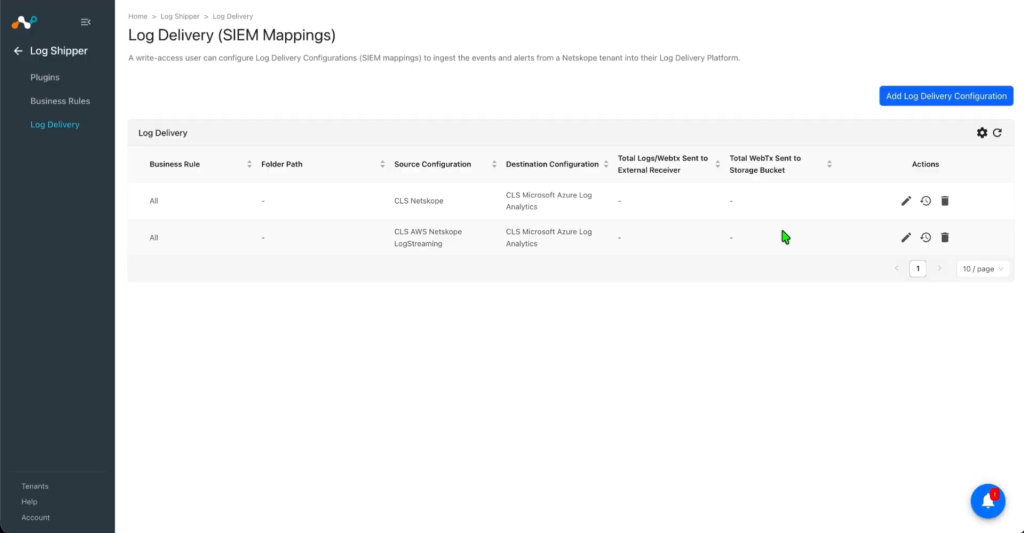
After the Log Delivery is added, the data will start to be pulled from the Netskope tenant and ingested into the Azure Monitor platform.


Validate the Microsoft Azure Log Analytics Plugin
Validate the Pull
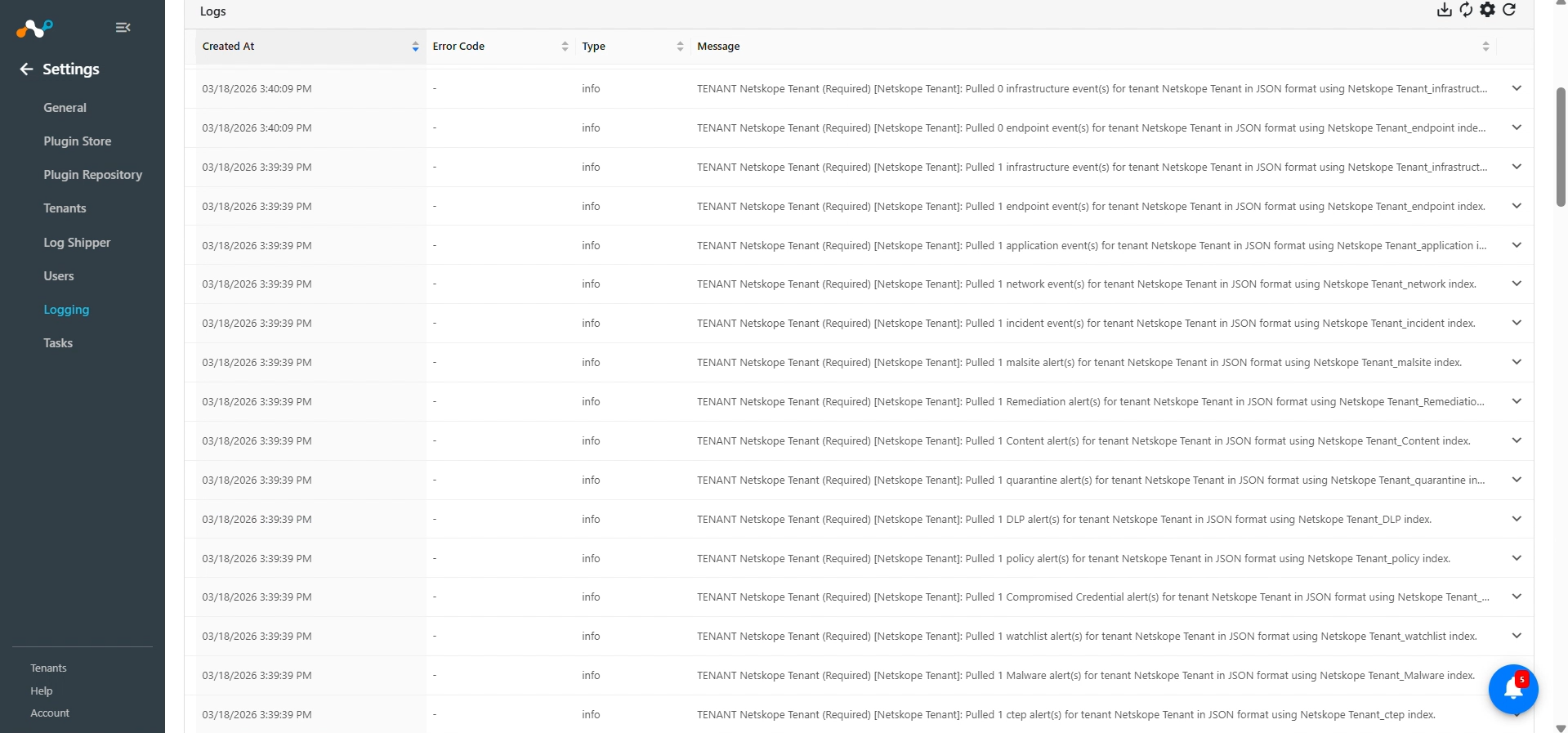
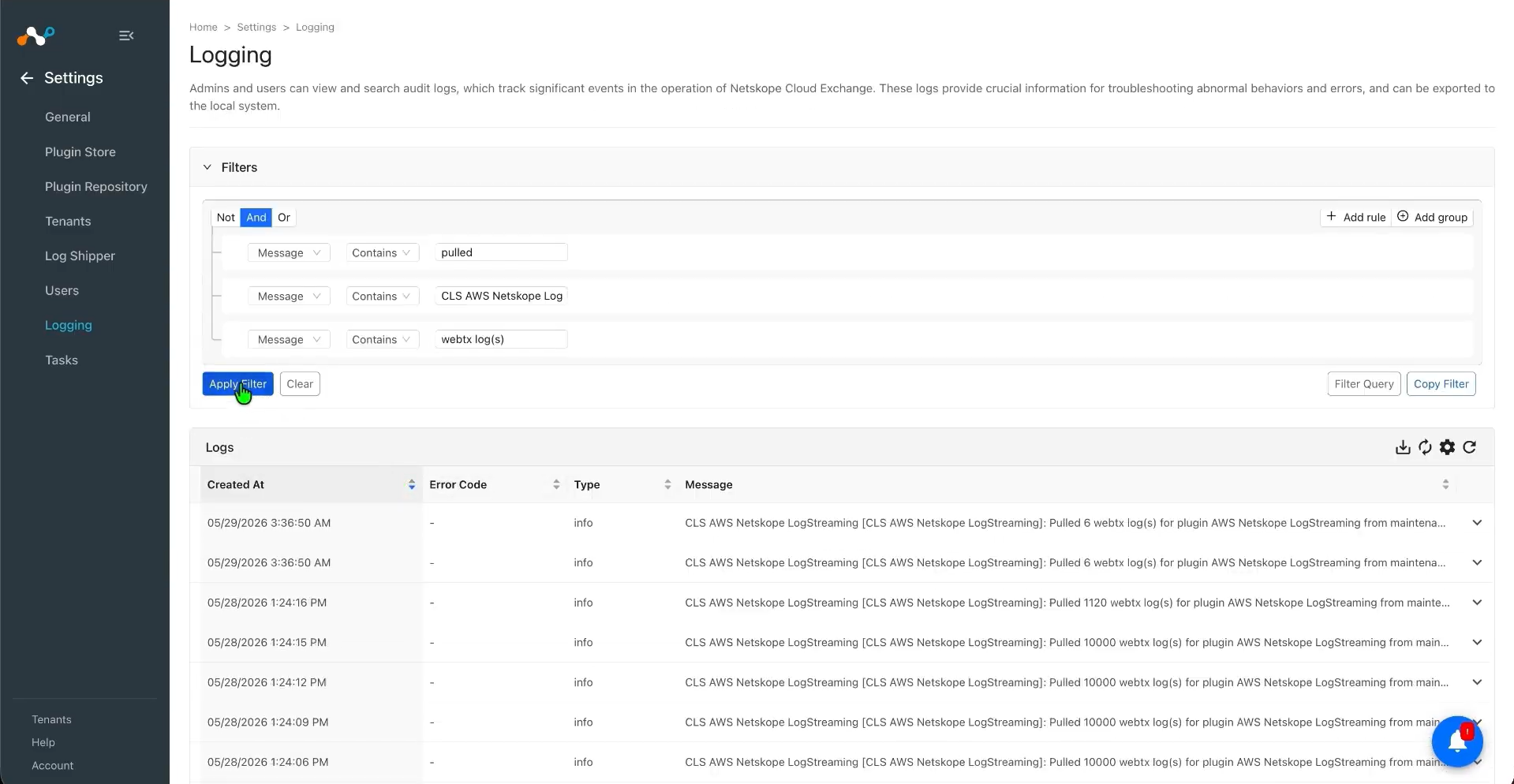
To validate the pulling of indicators from the Netskope tenant.
In Cloud Exchange, go to Logging and search for the pulled logs.
Validate the Push
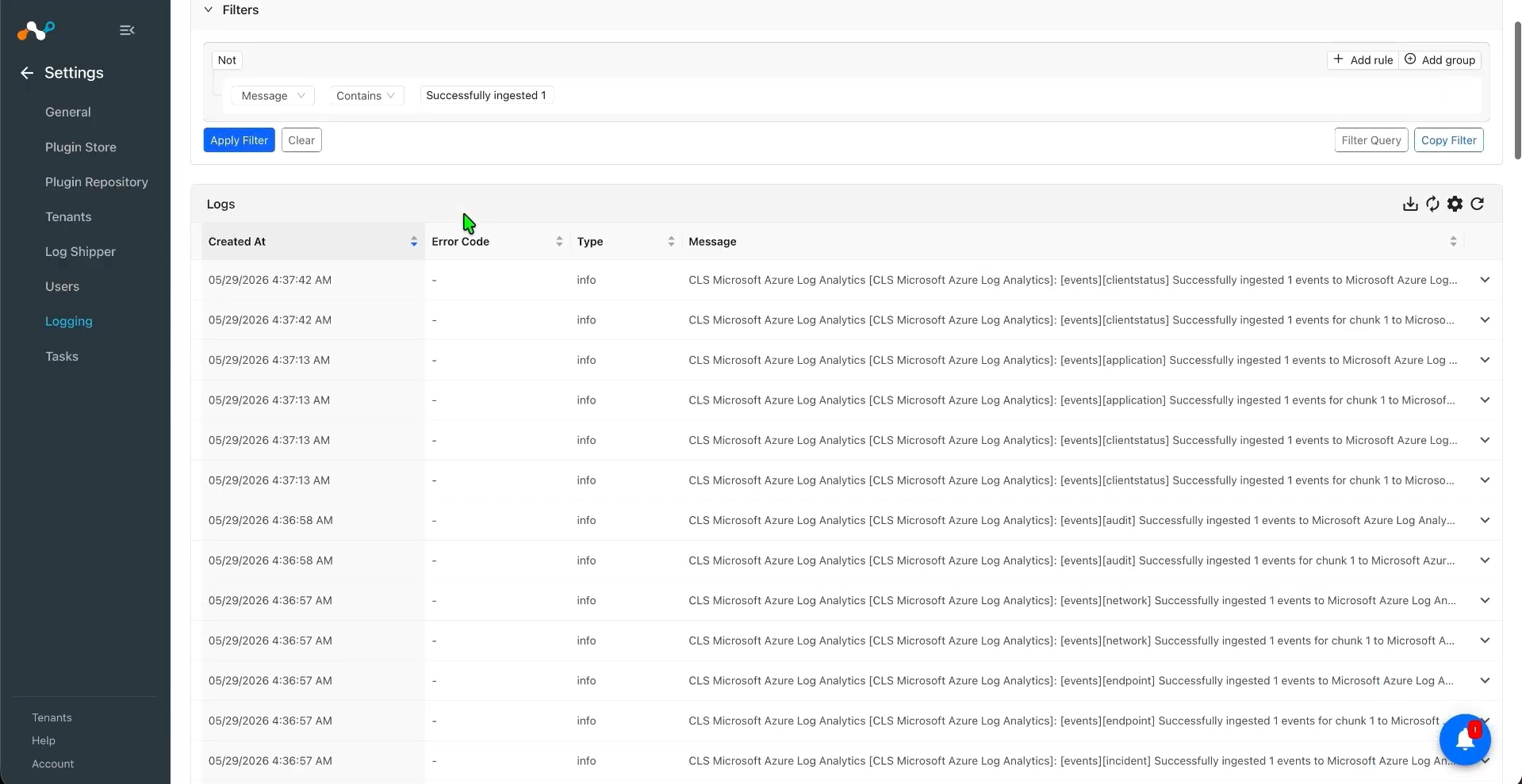
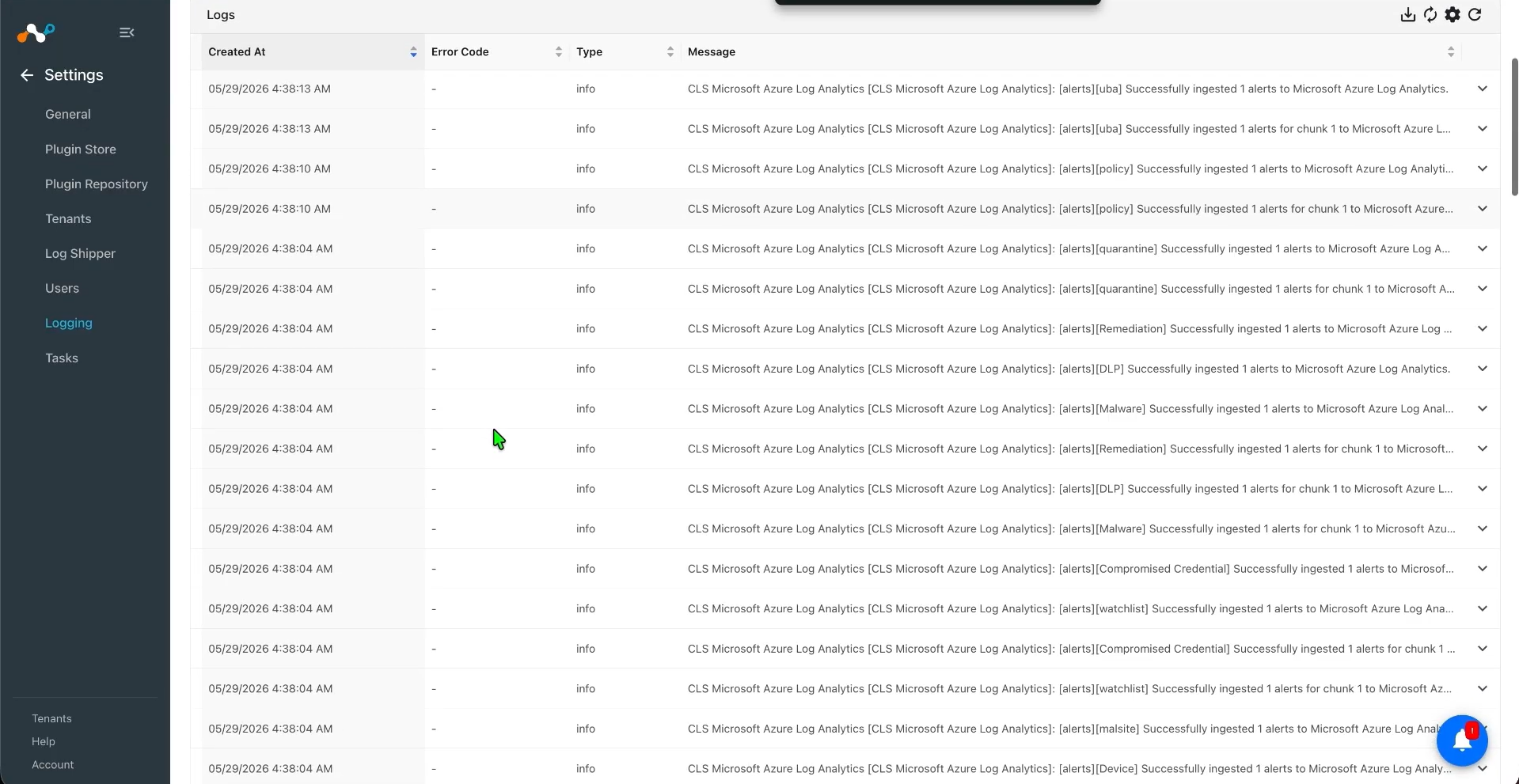
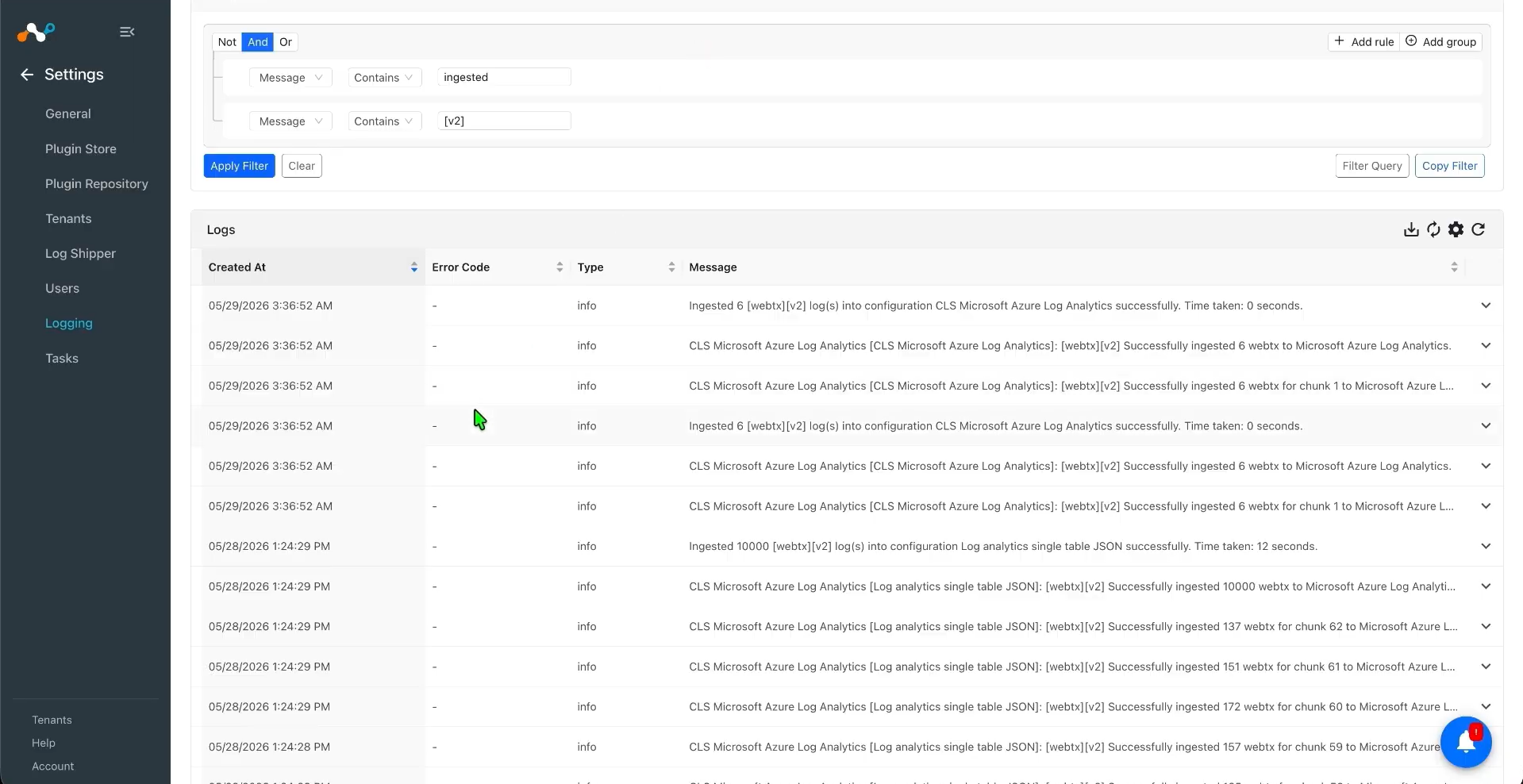
To validate the plugin workflow in Cloud Exchange, go to Logging and search for ingested Events and Alerts with the filter: message contains “ingested”.
To validate the push on Microsoft Azure Log Analytics:
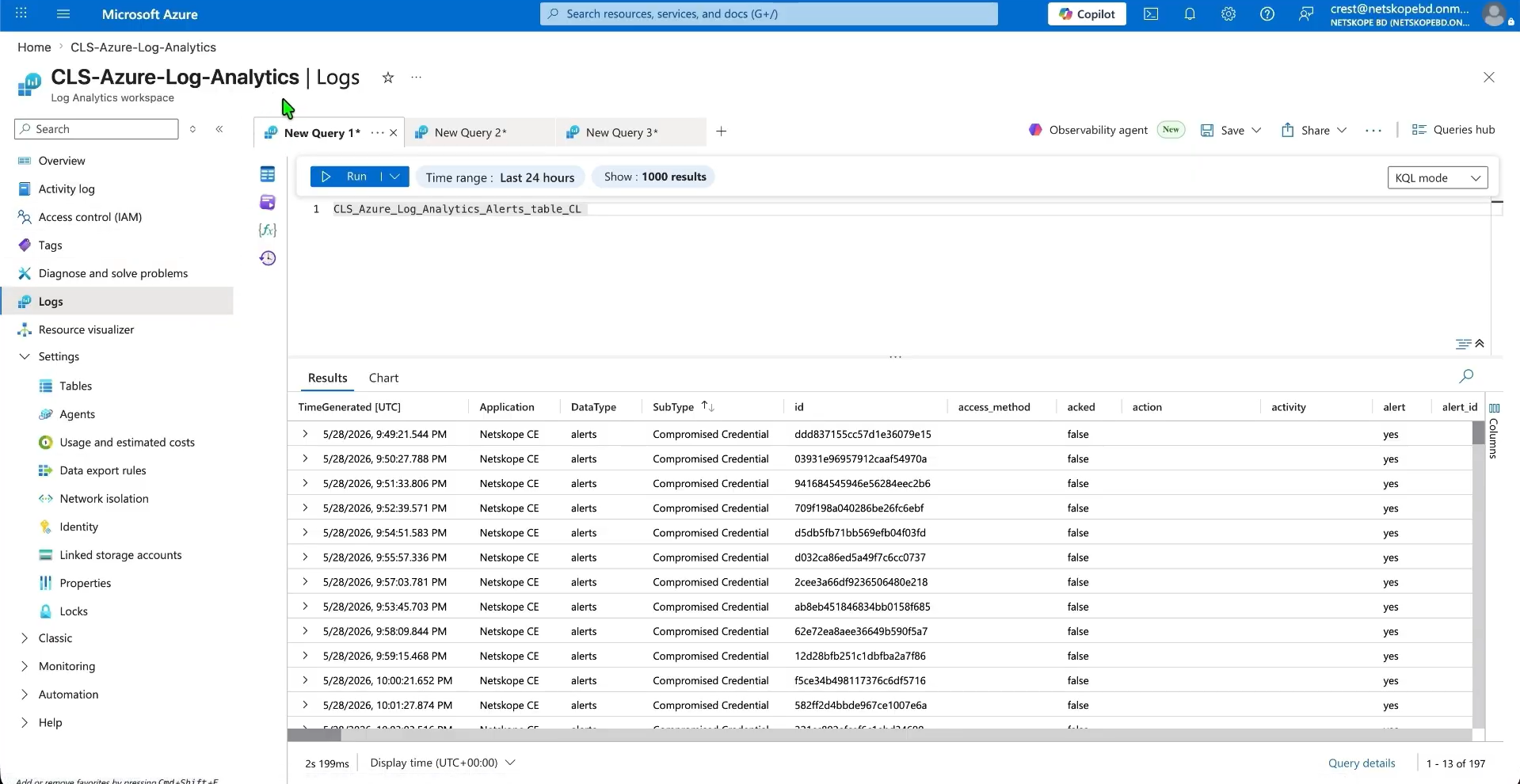
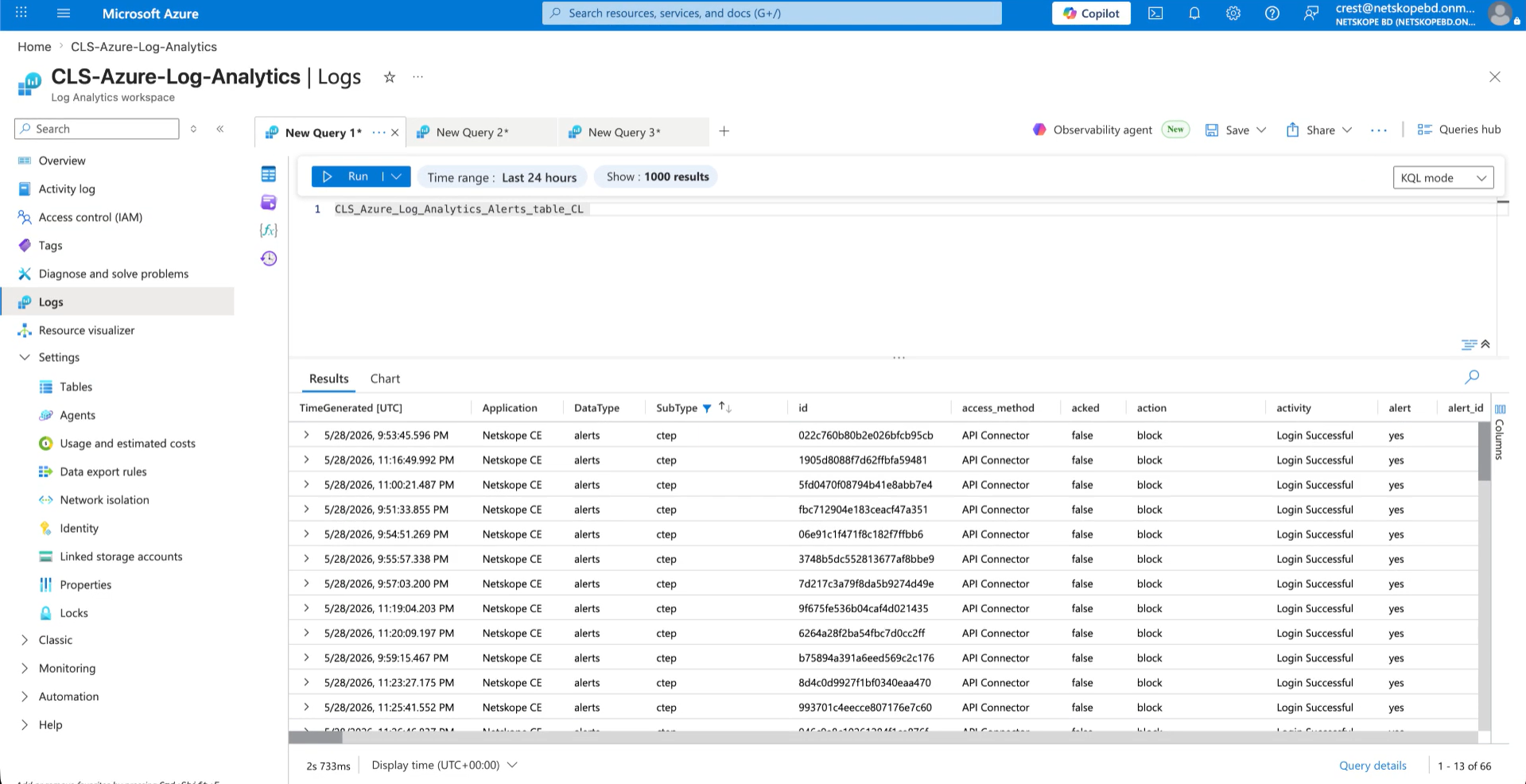
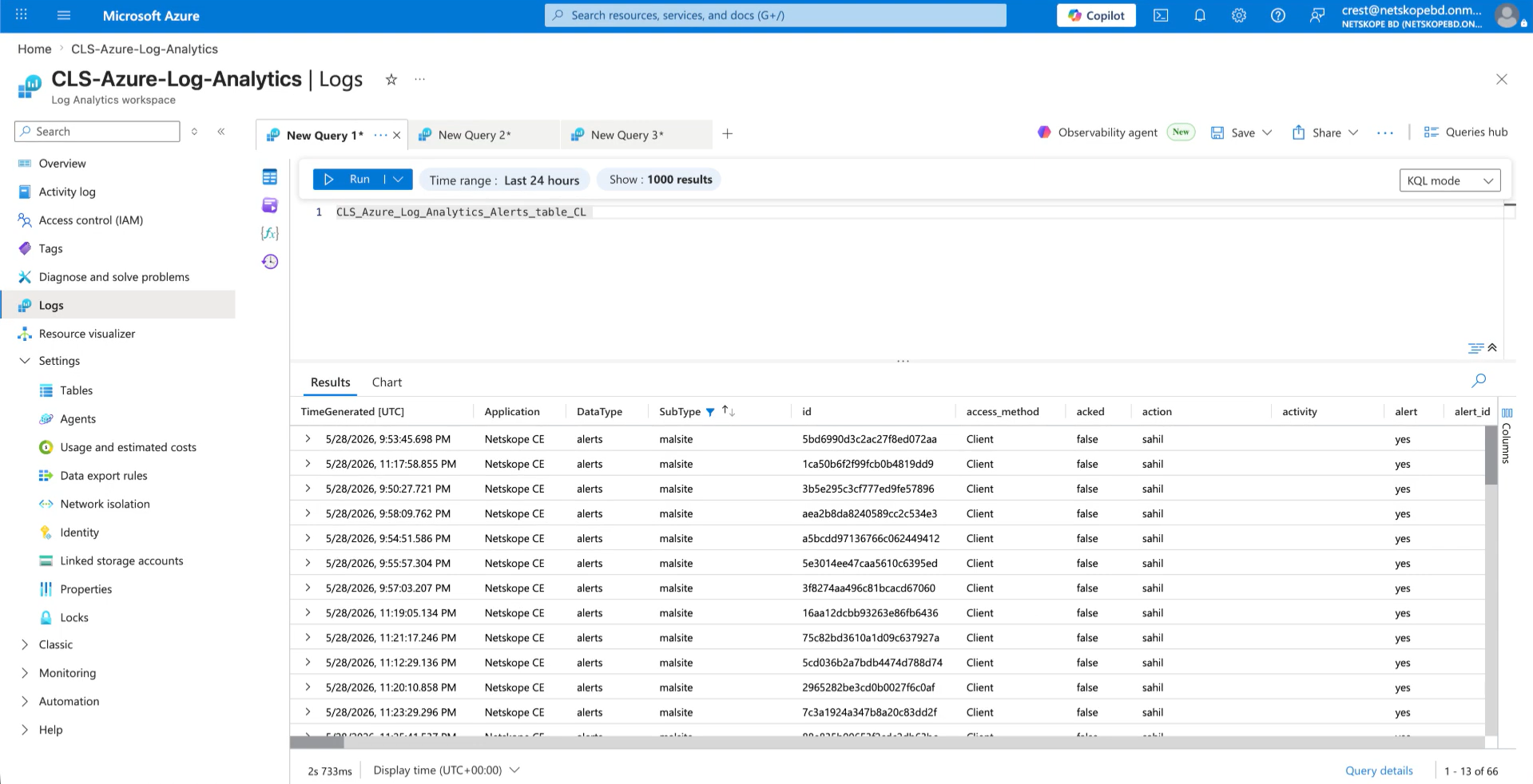
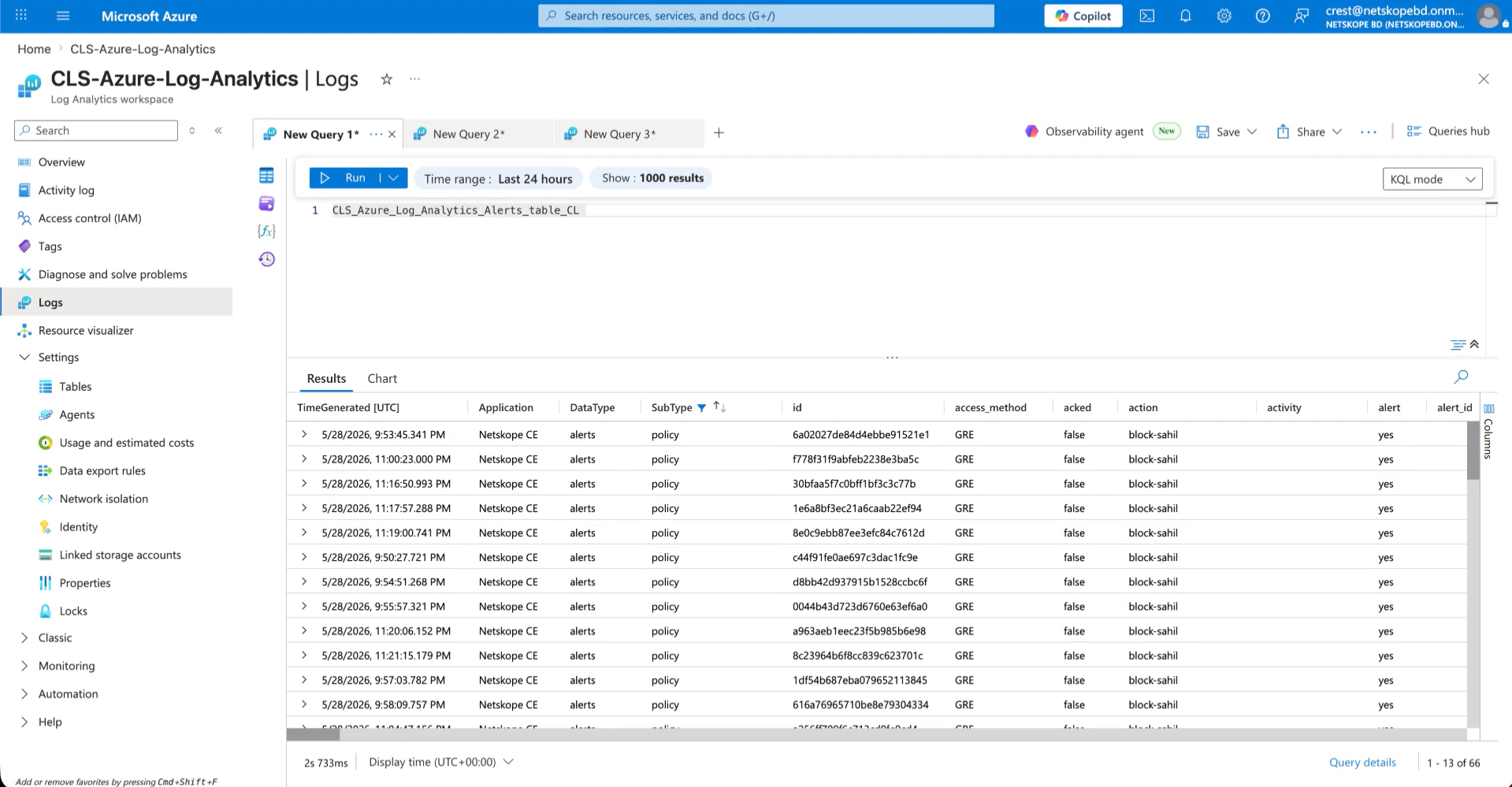
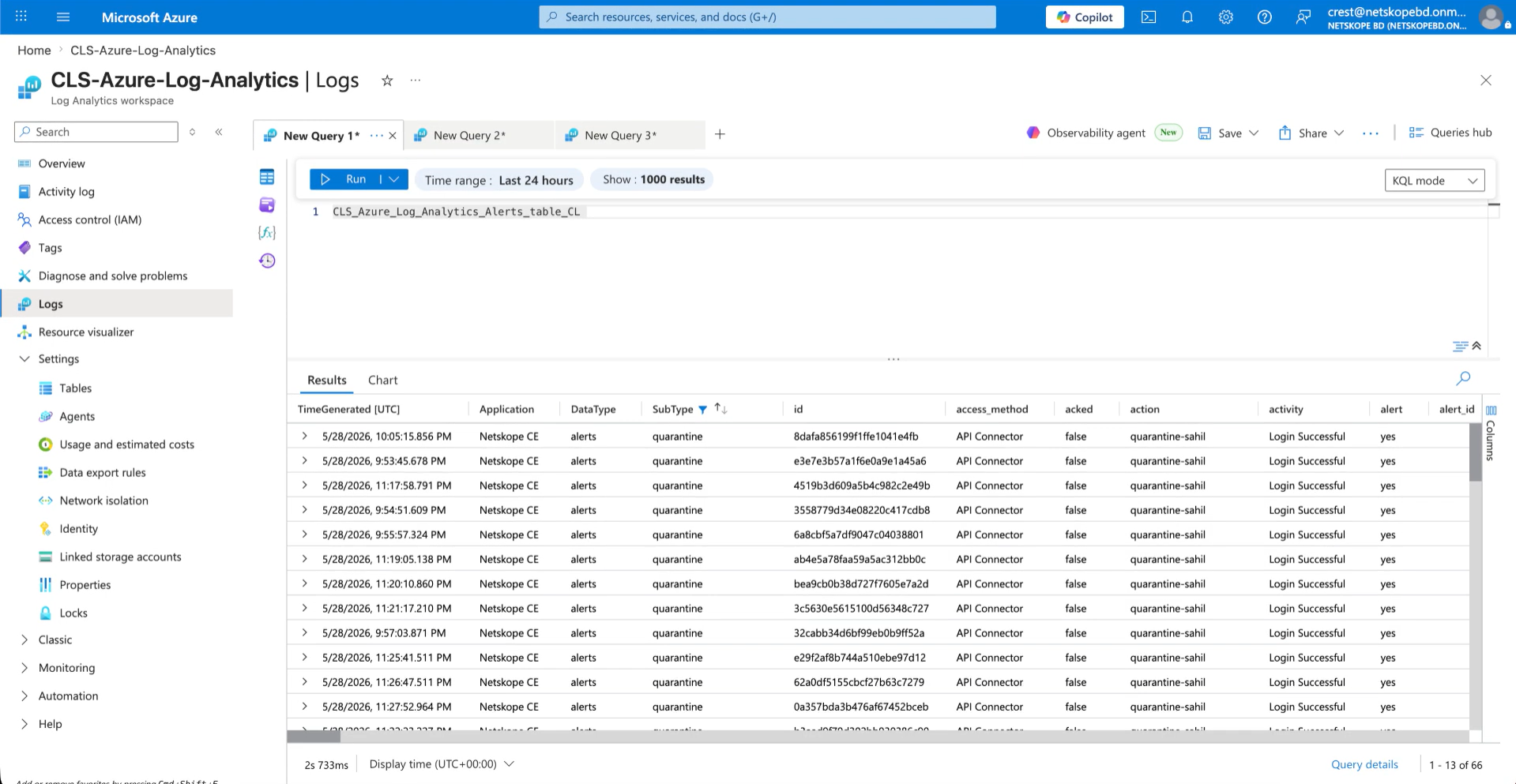
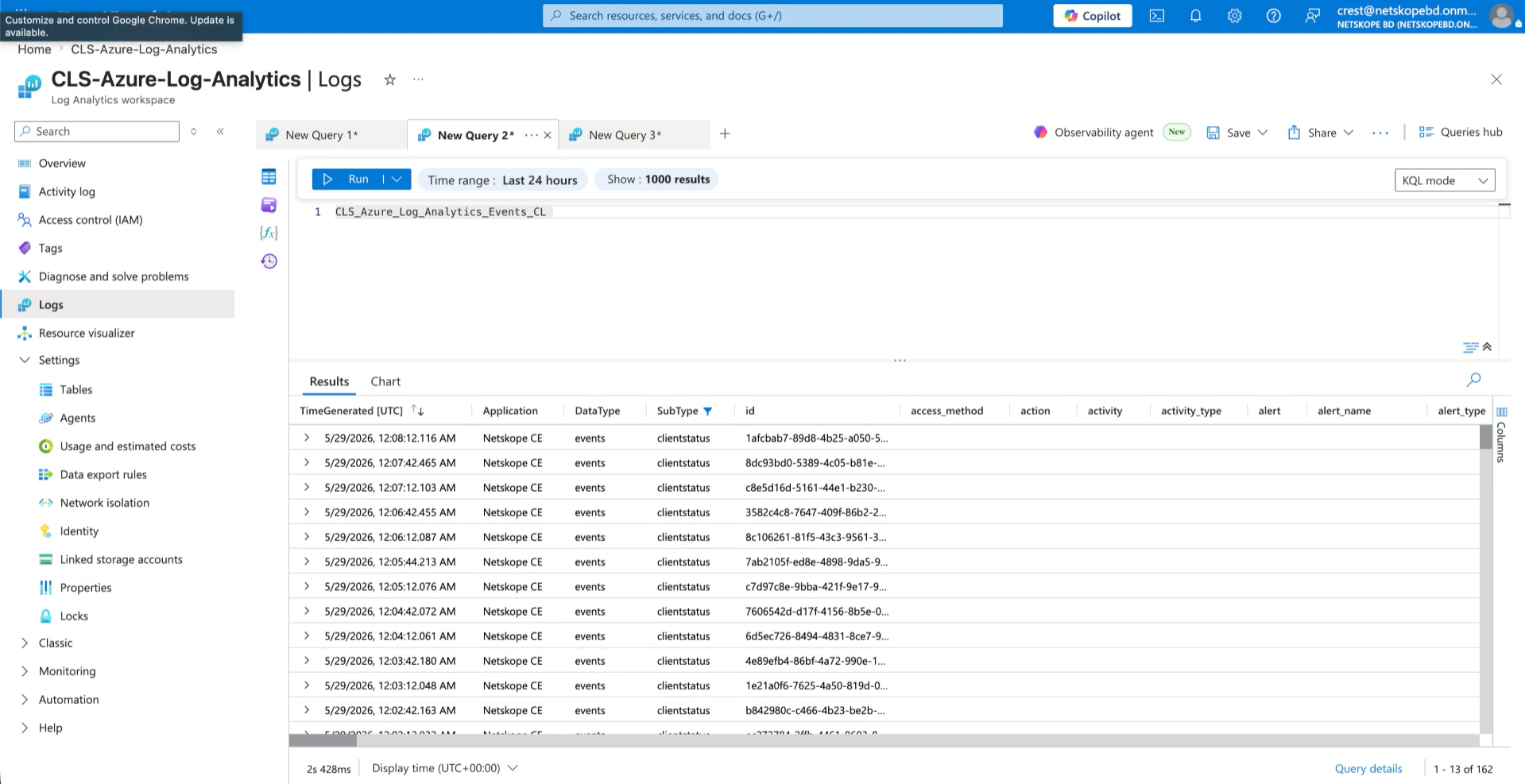
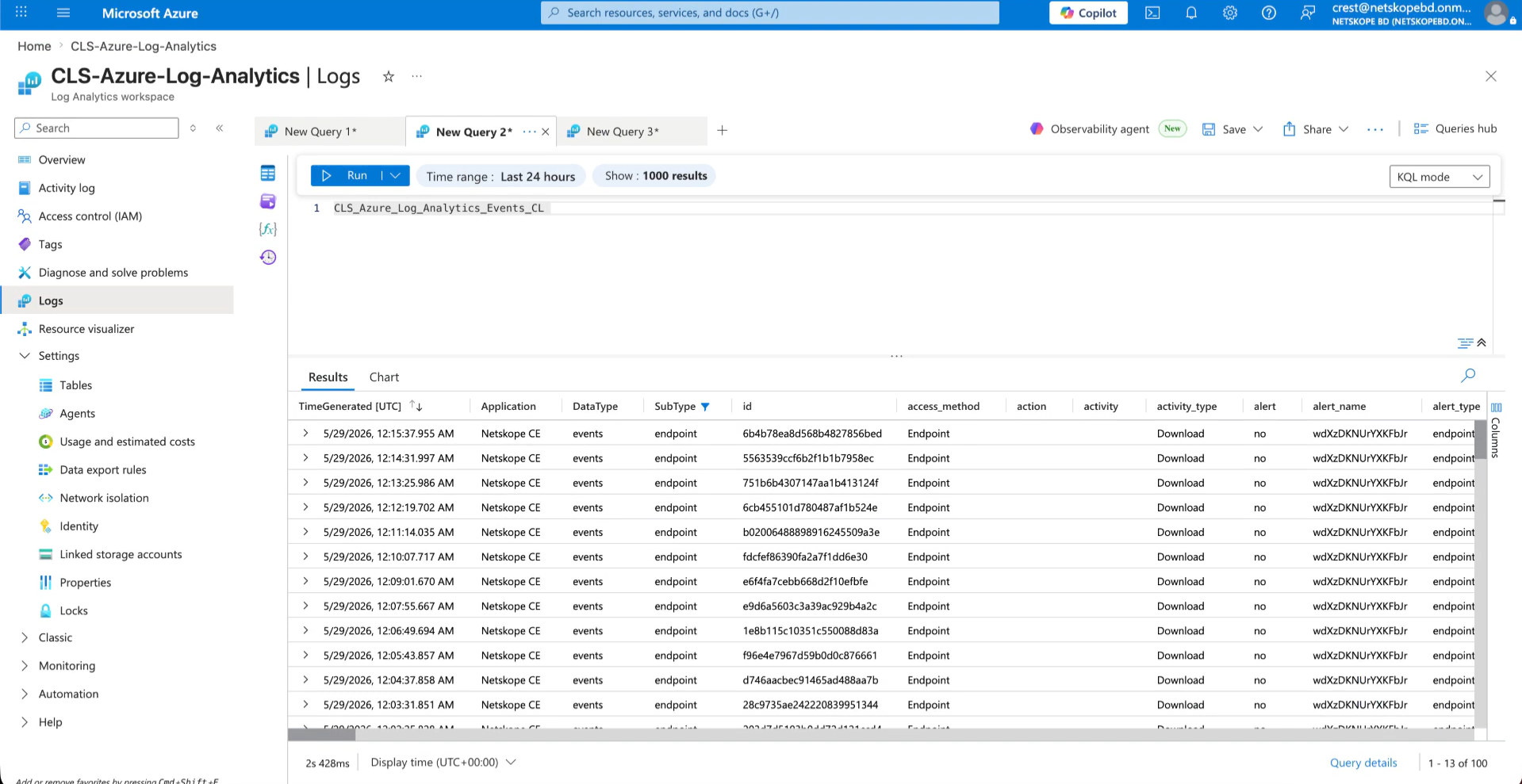
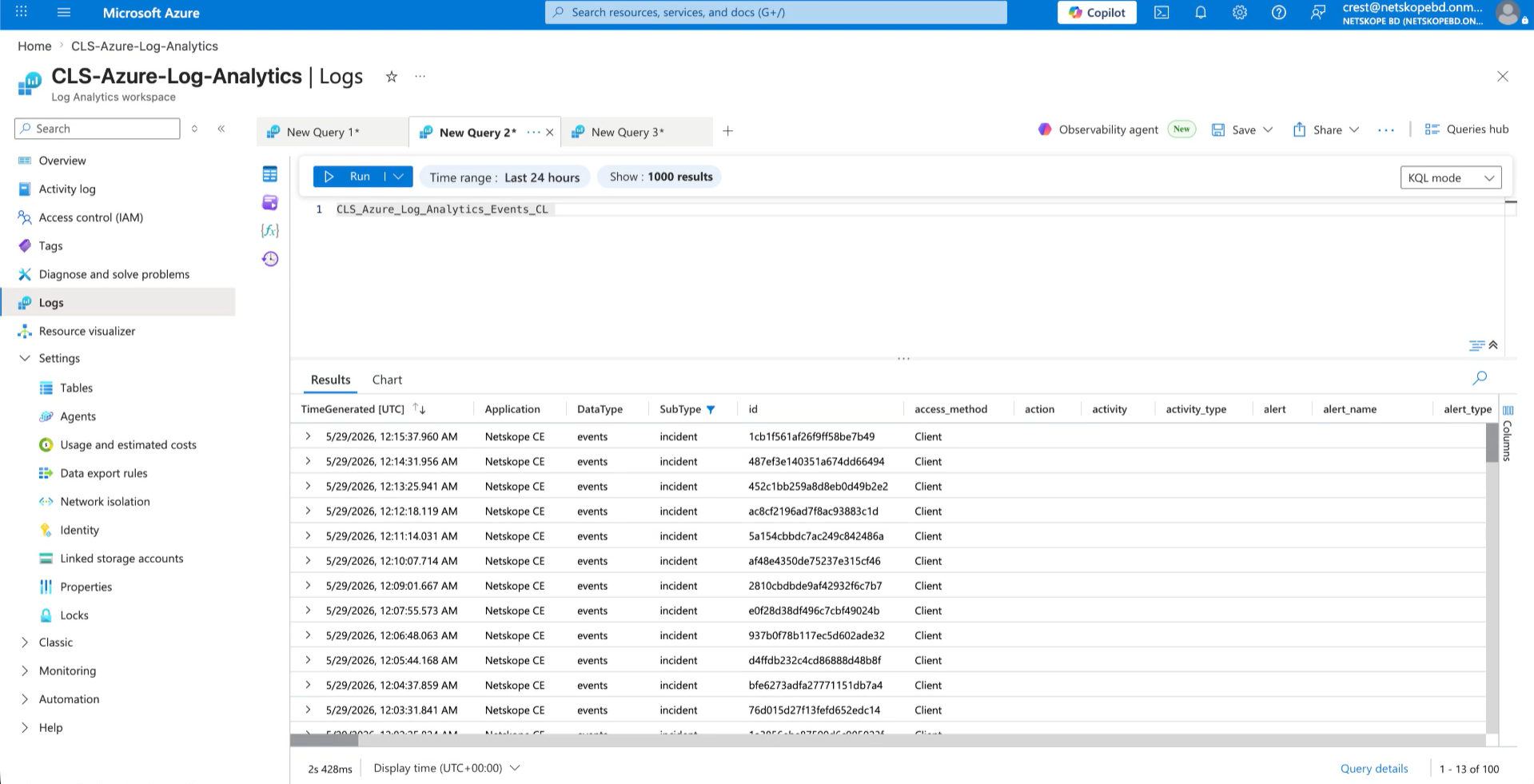
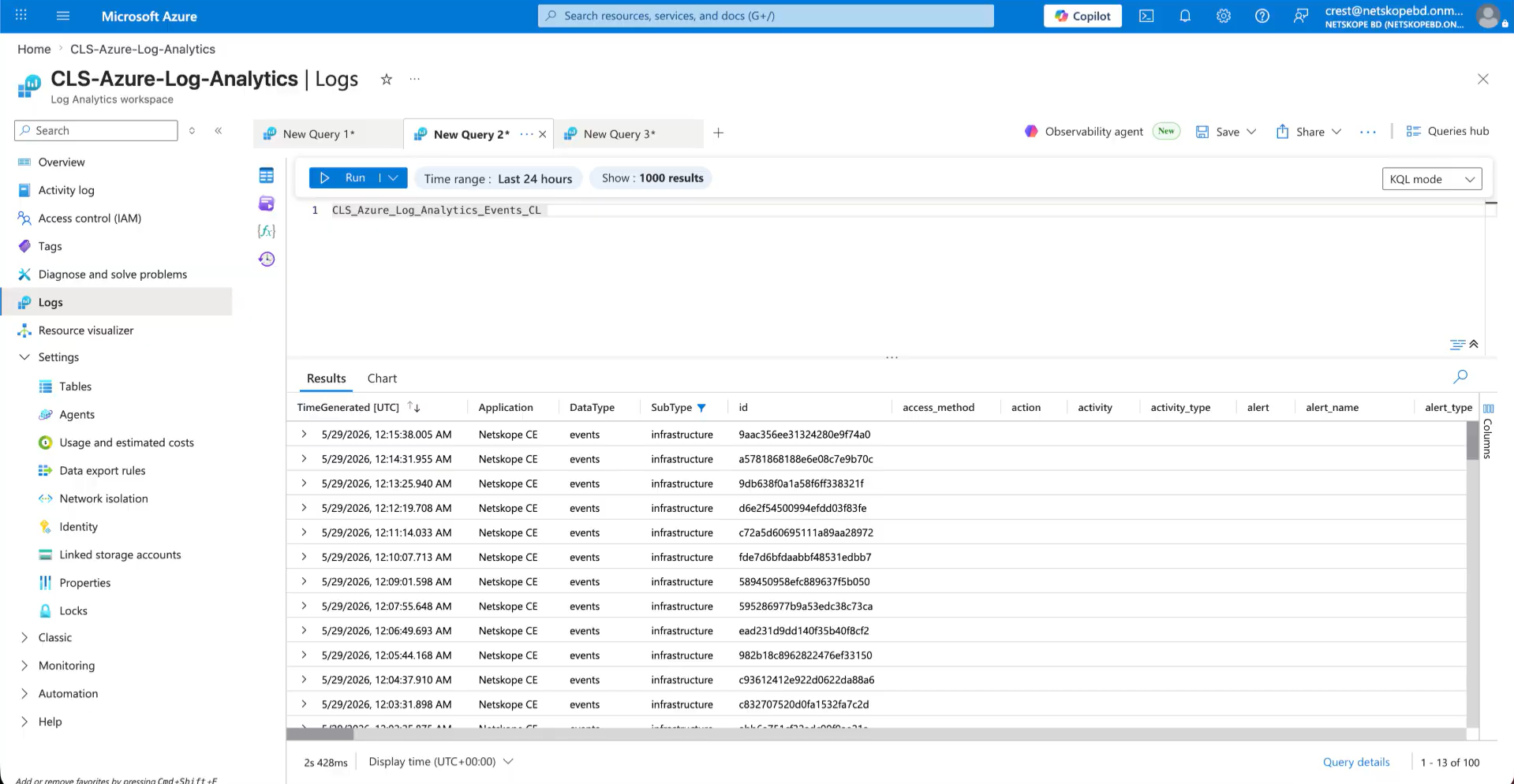
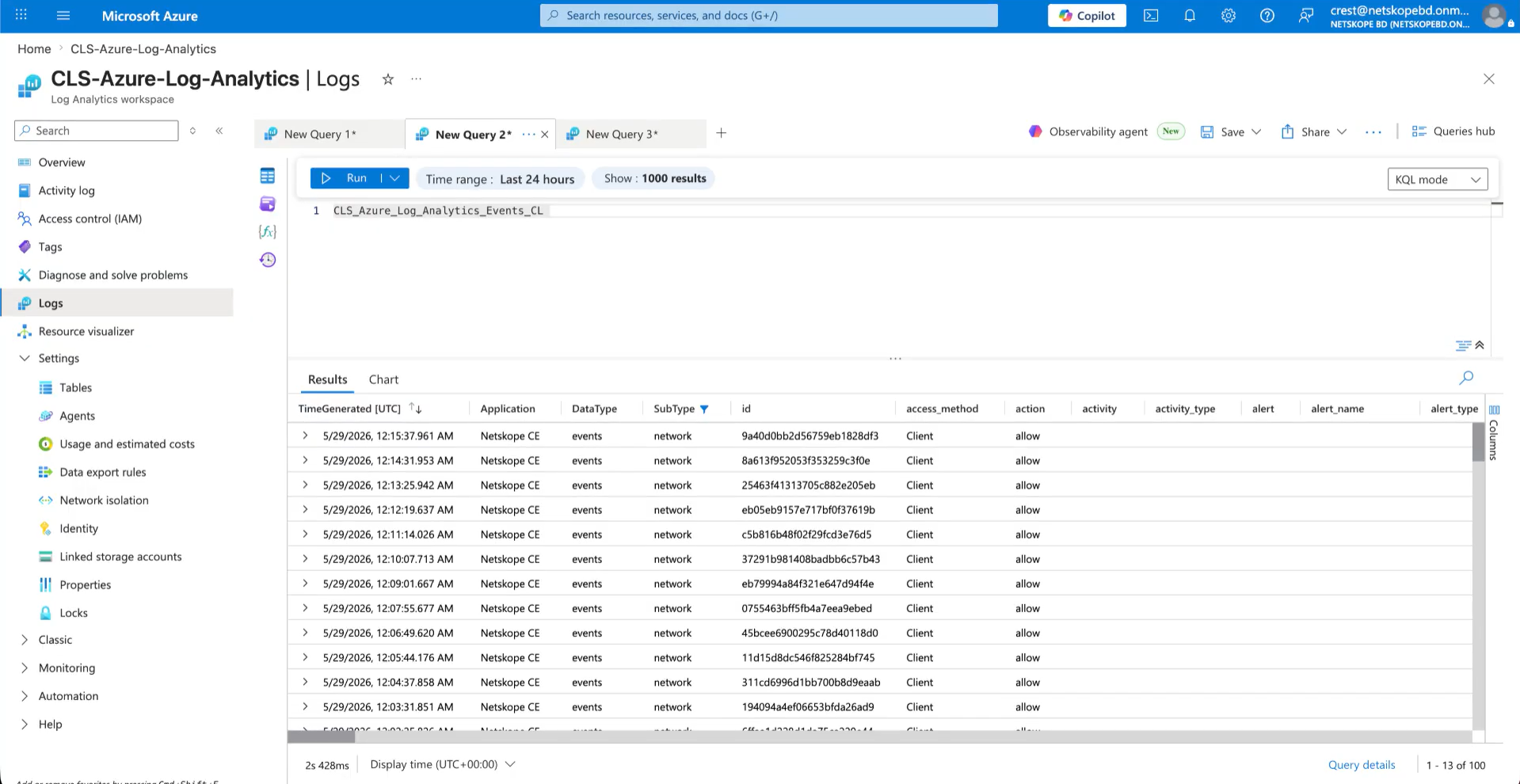
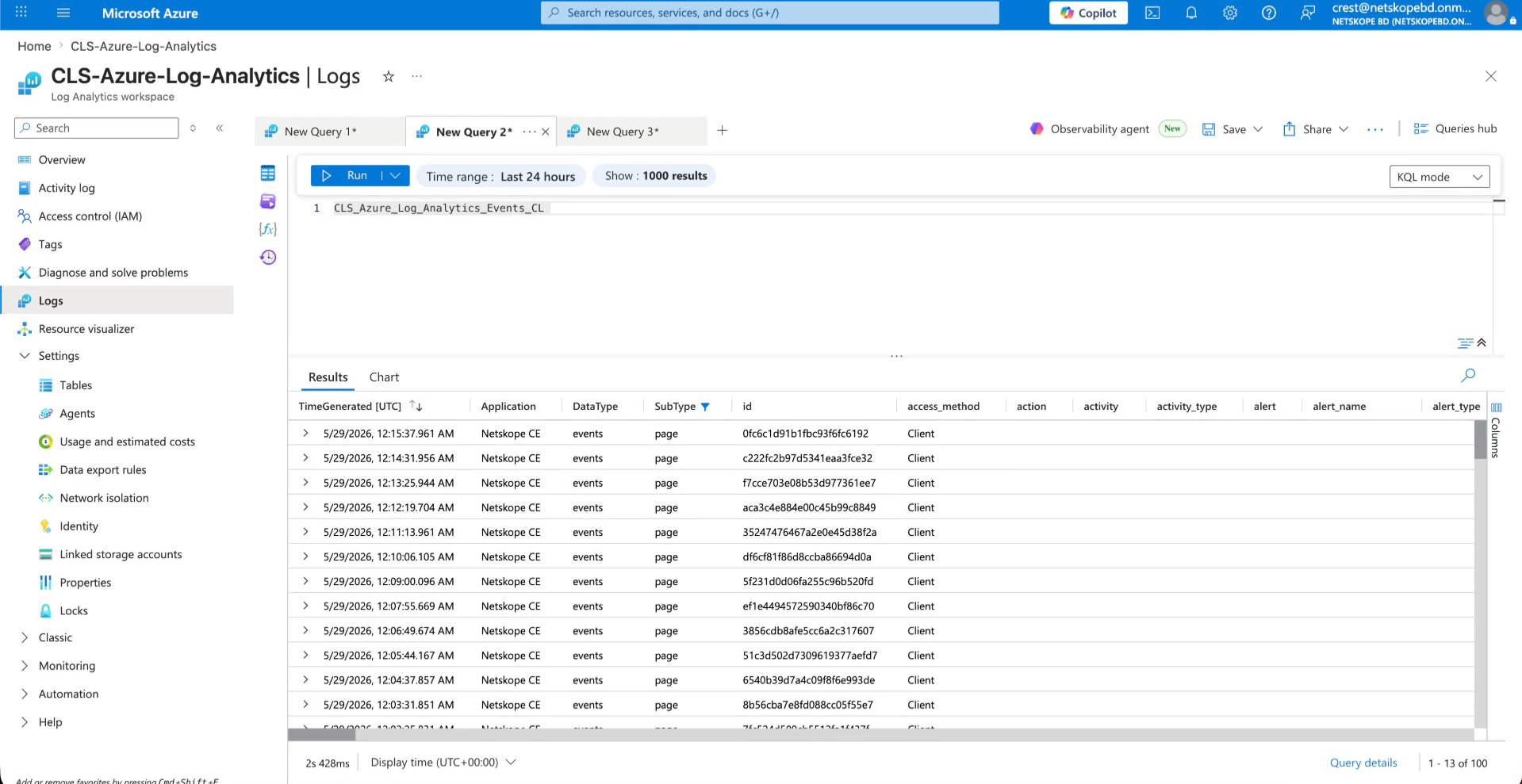
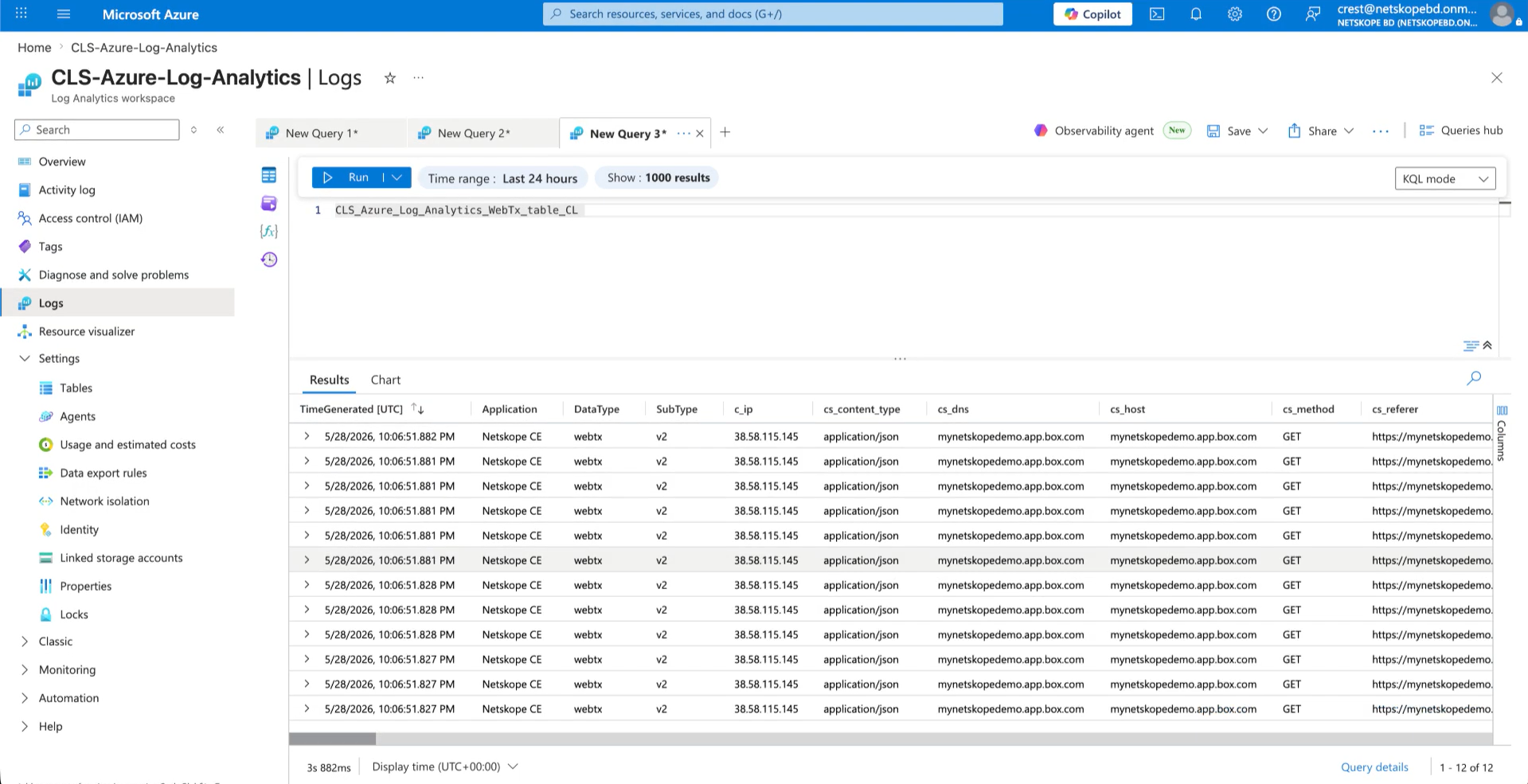
- In Azure Portal, go to your Log Analytics workspace and open Logs.
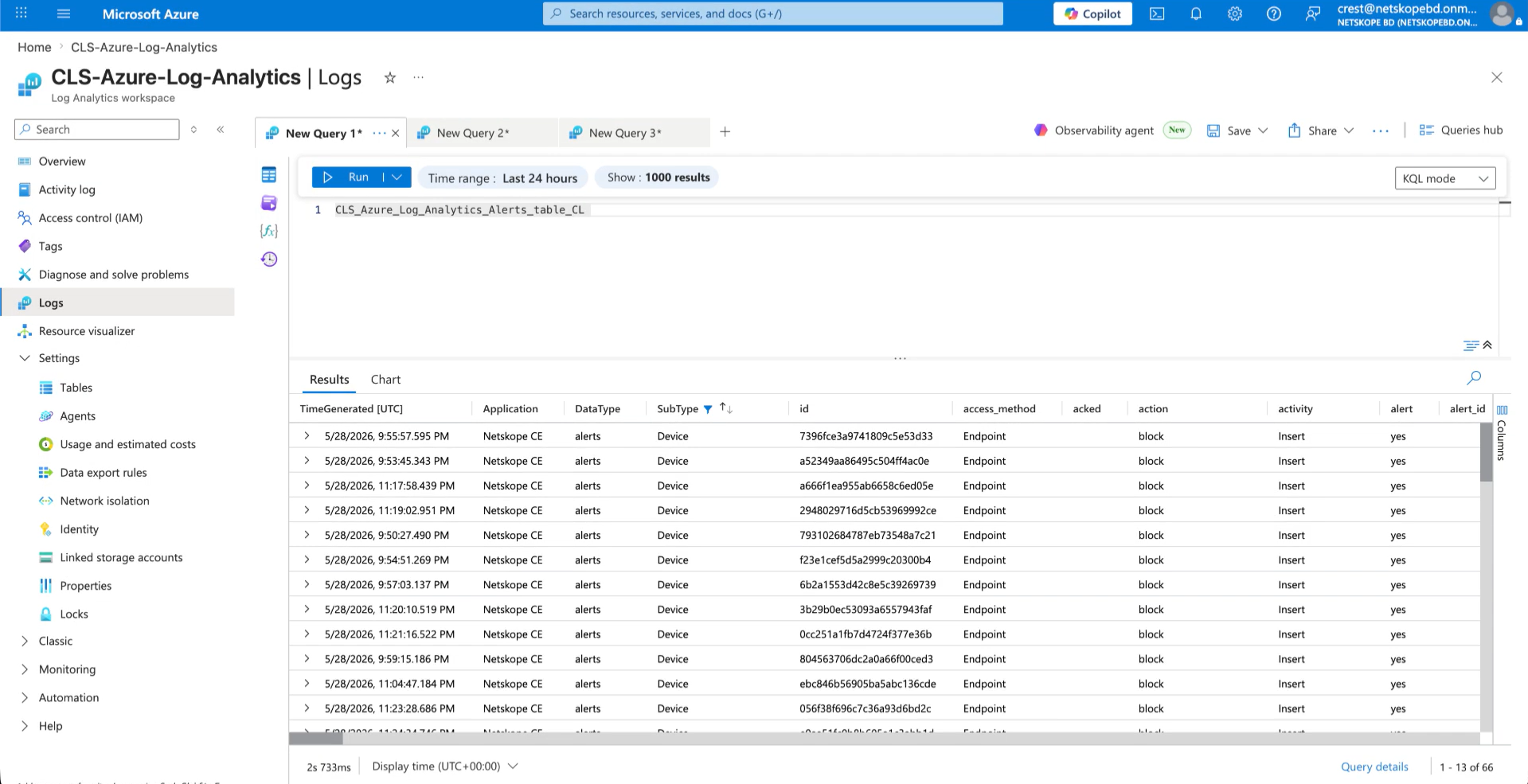
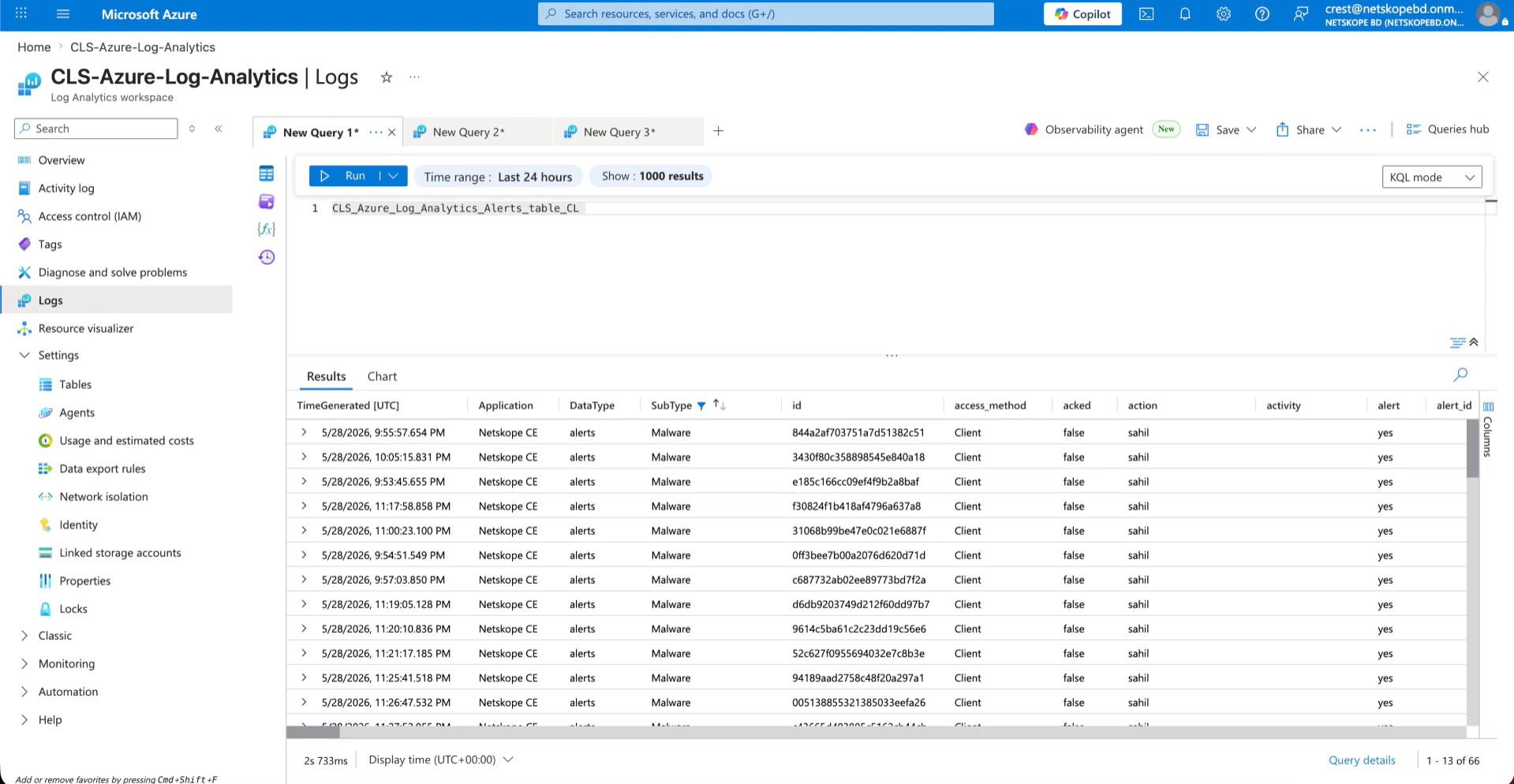
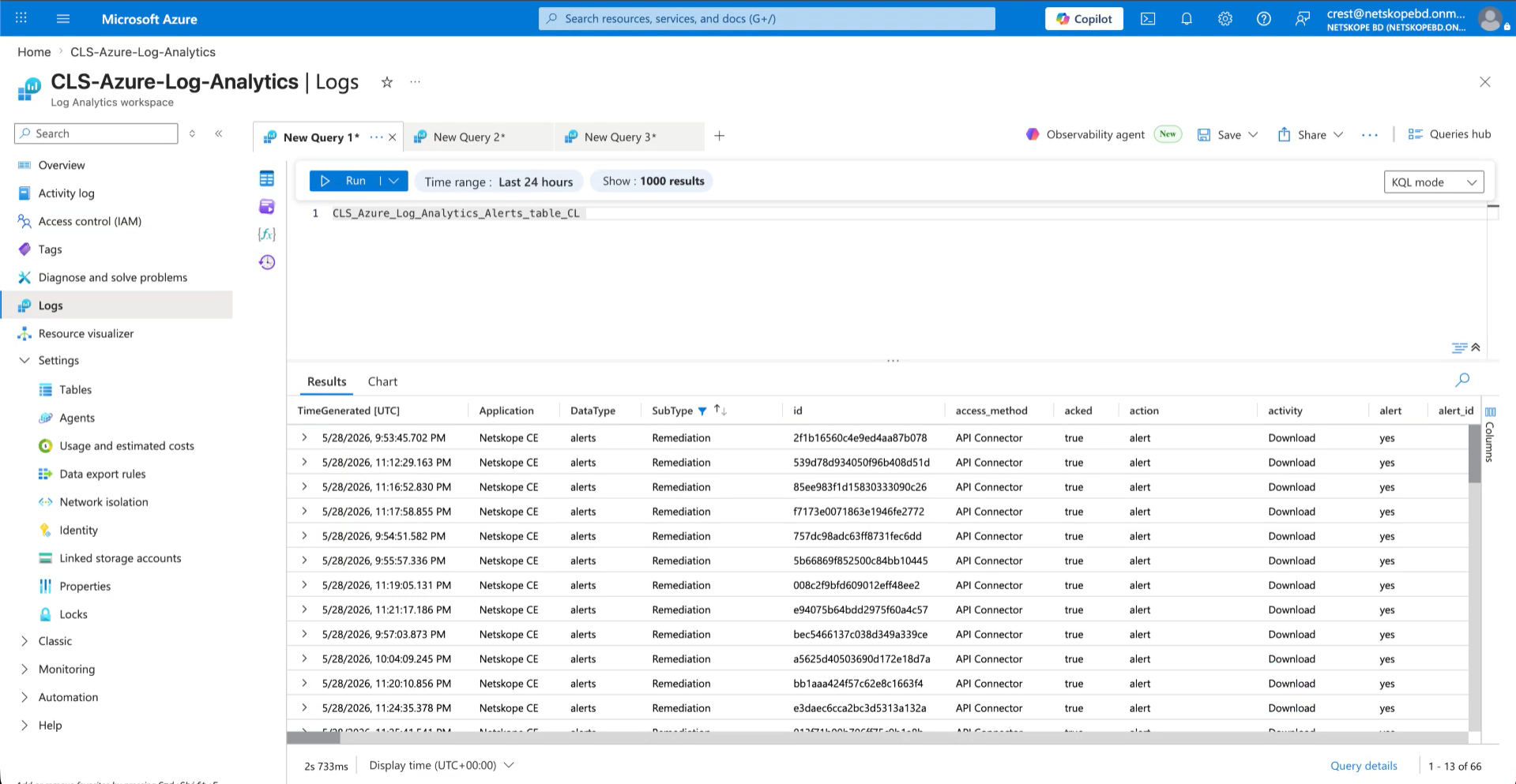
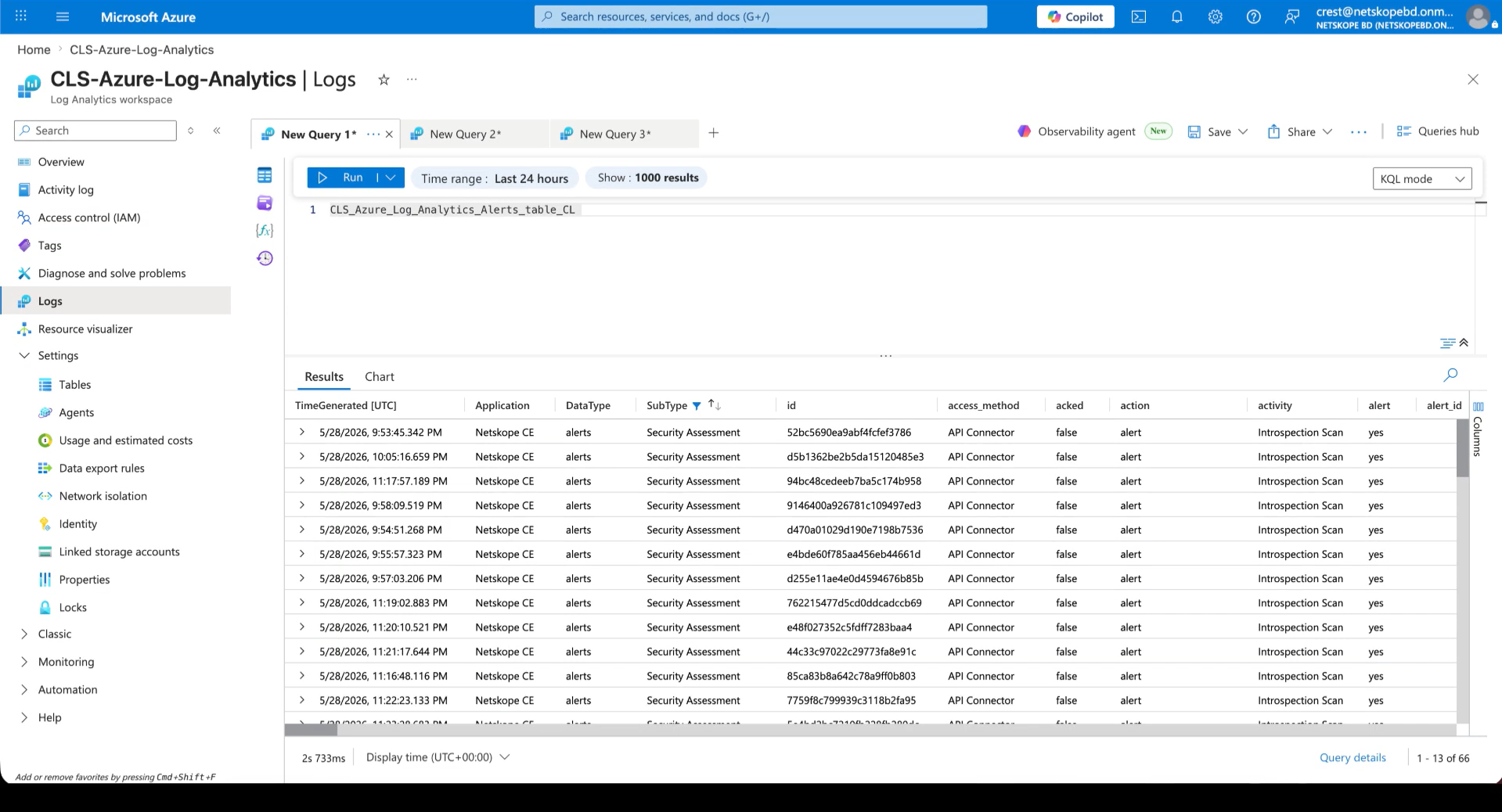
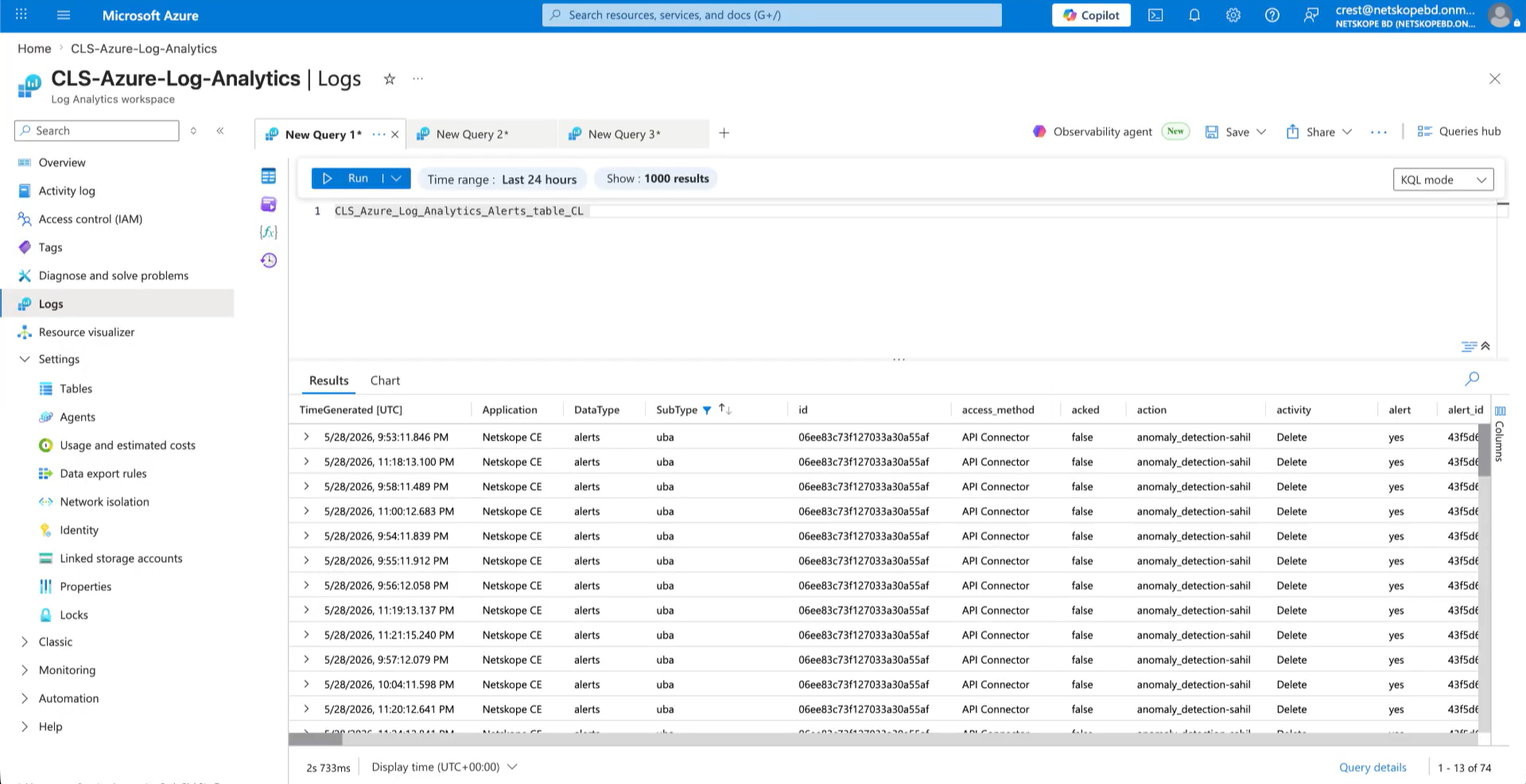
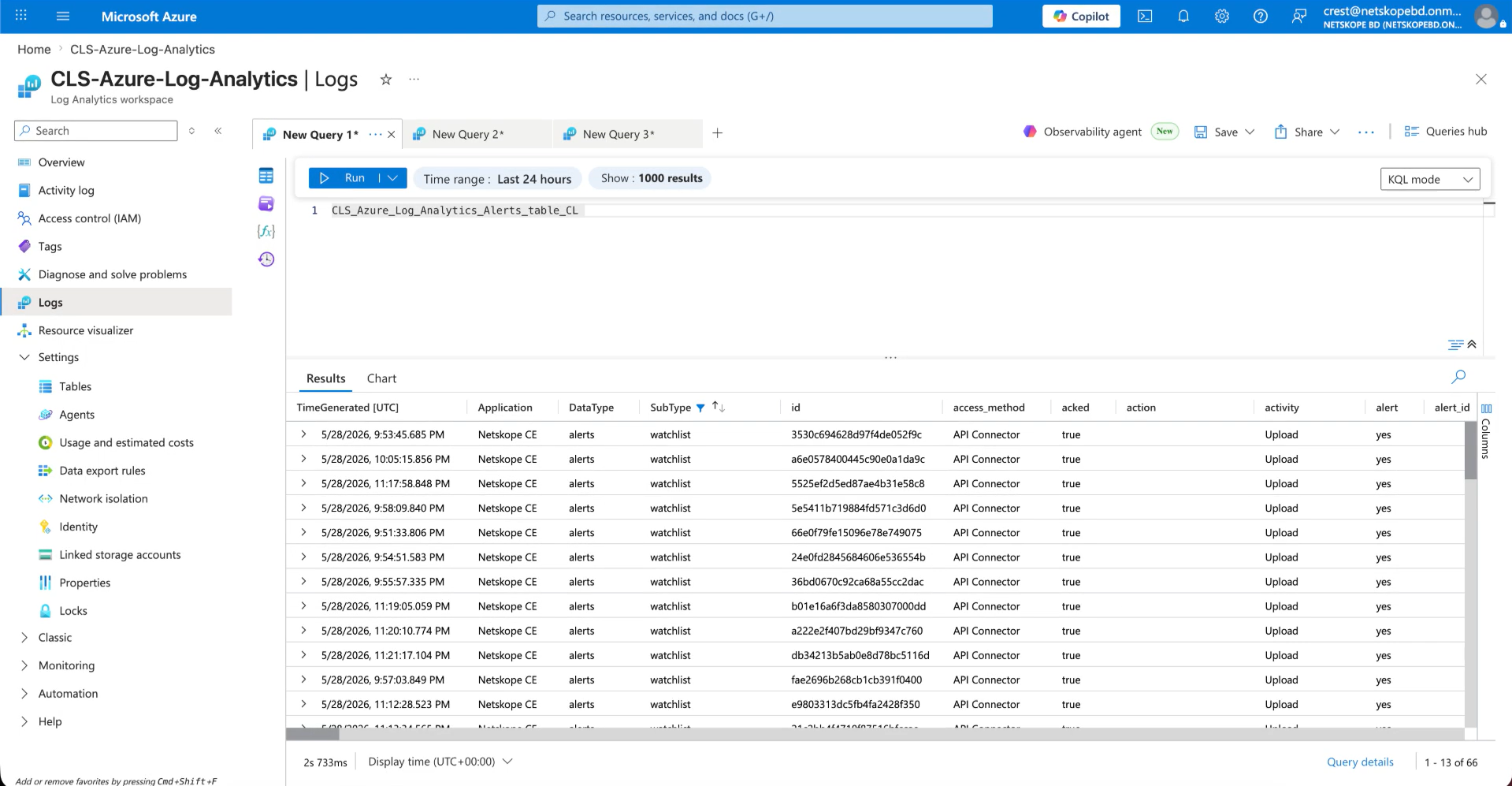
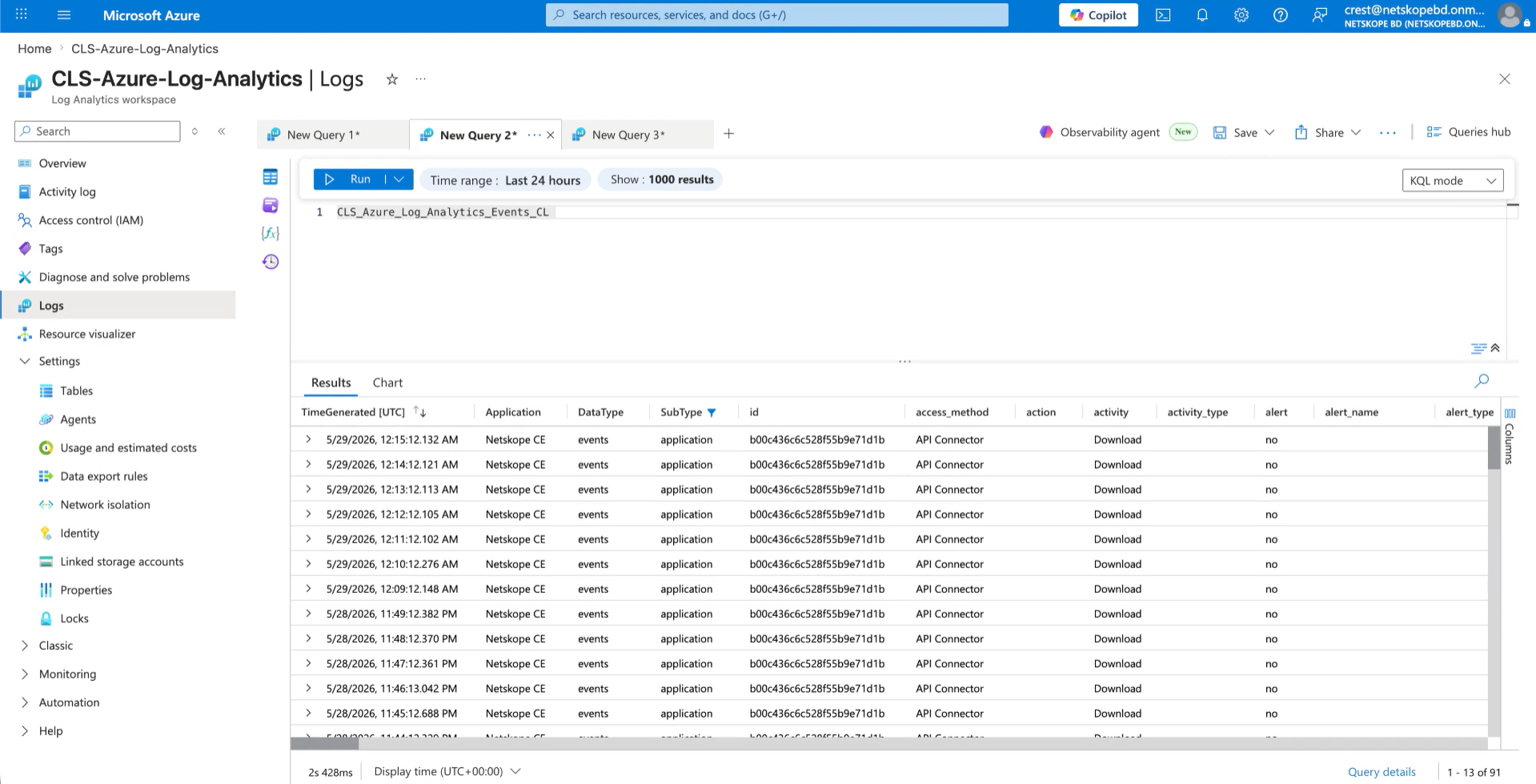
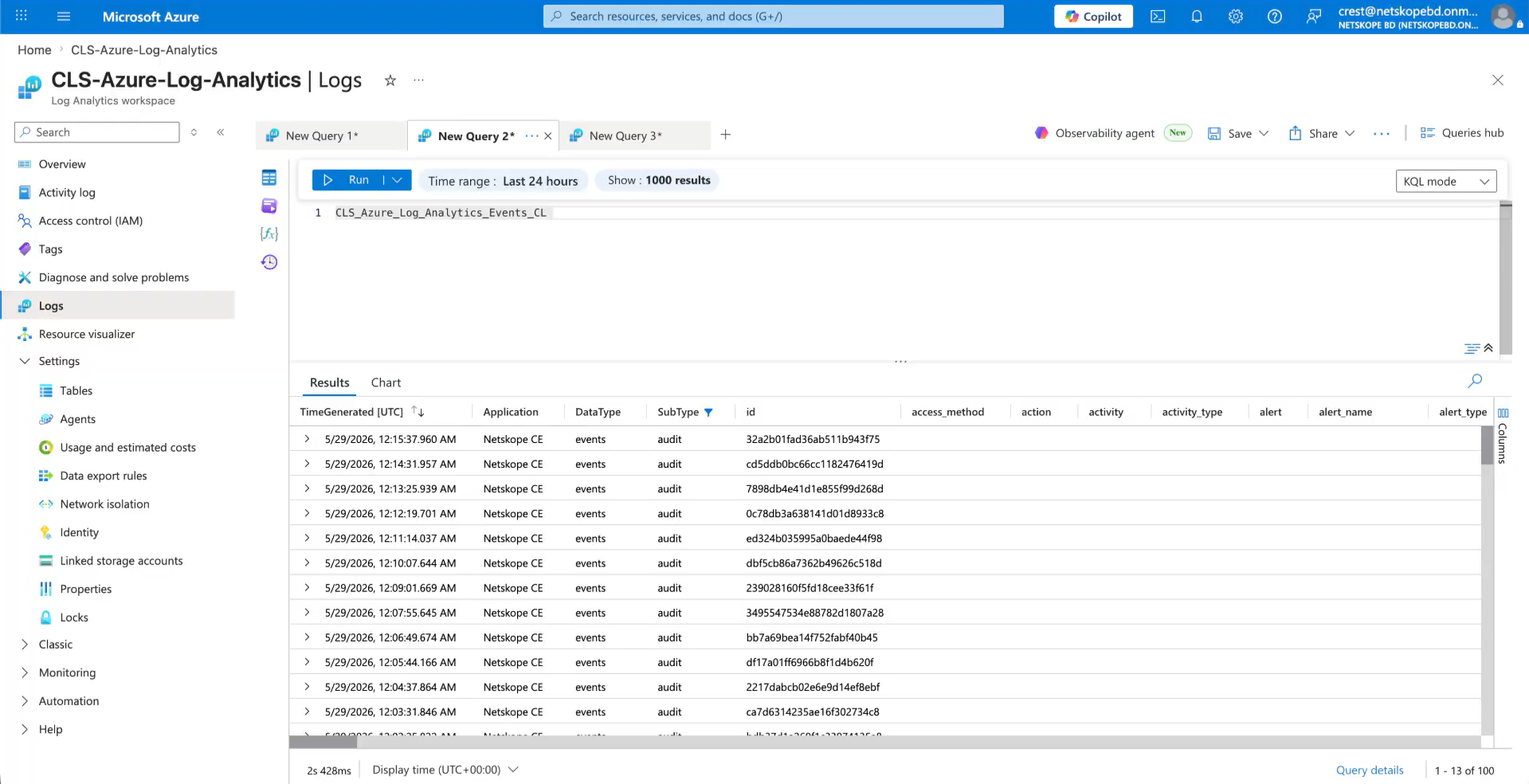
- Query the Custom Log table (like YourTableName_CL | take 10) to verify that records have been ingested.
- For example, below are the alerts ingested in Alerts table.
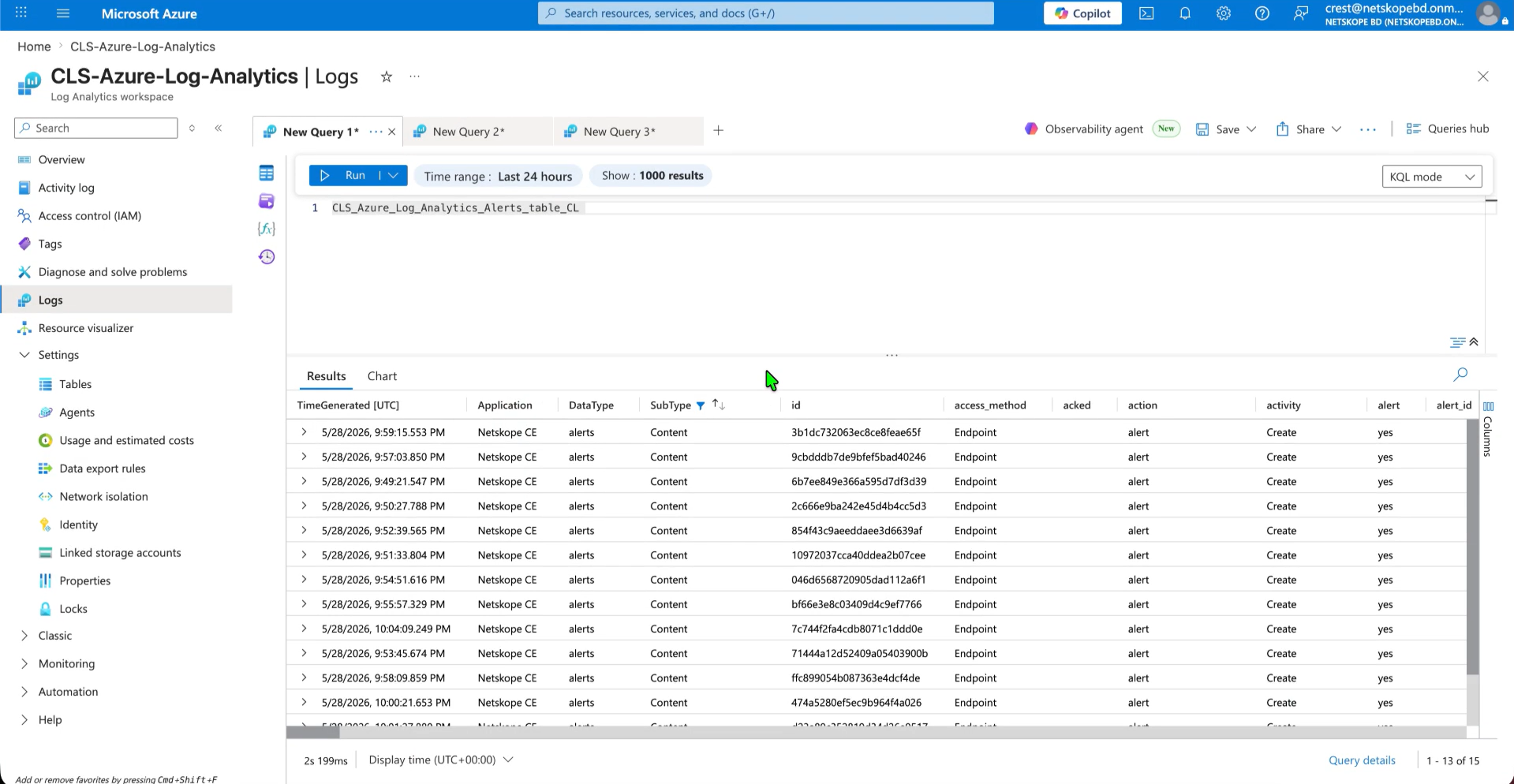
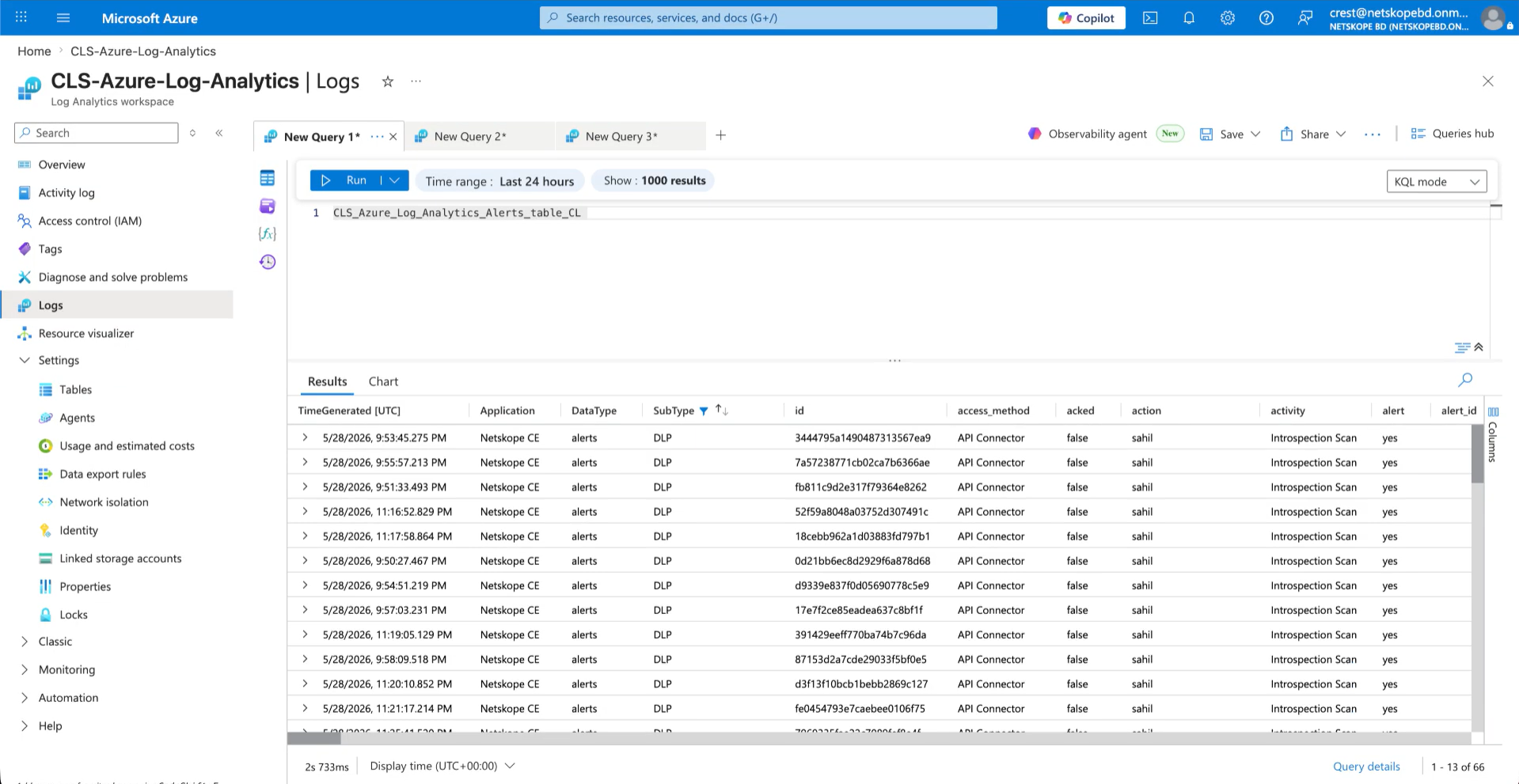
- Here are the events ingested in Events table.
- Here are the WebTx ingested in WebTx table.
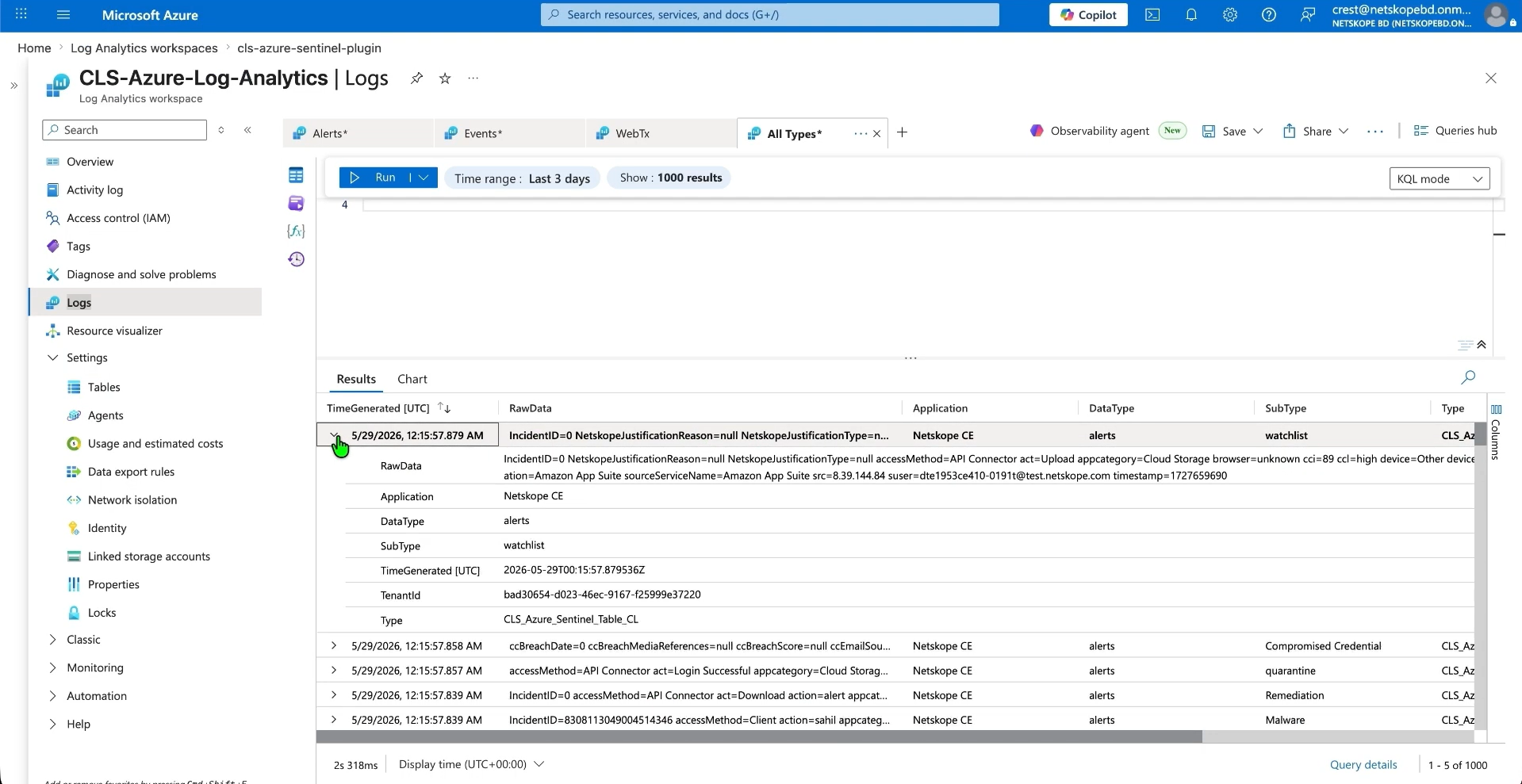
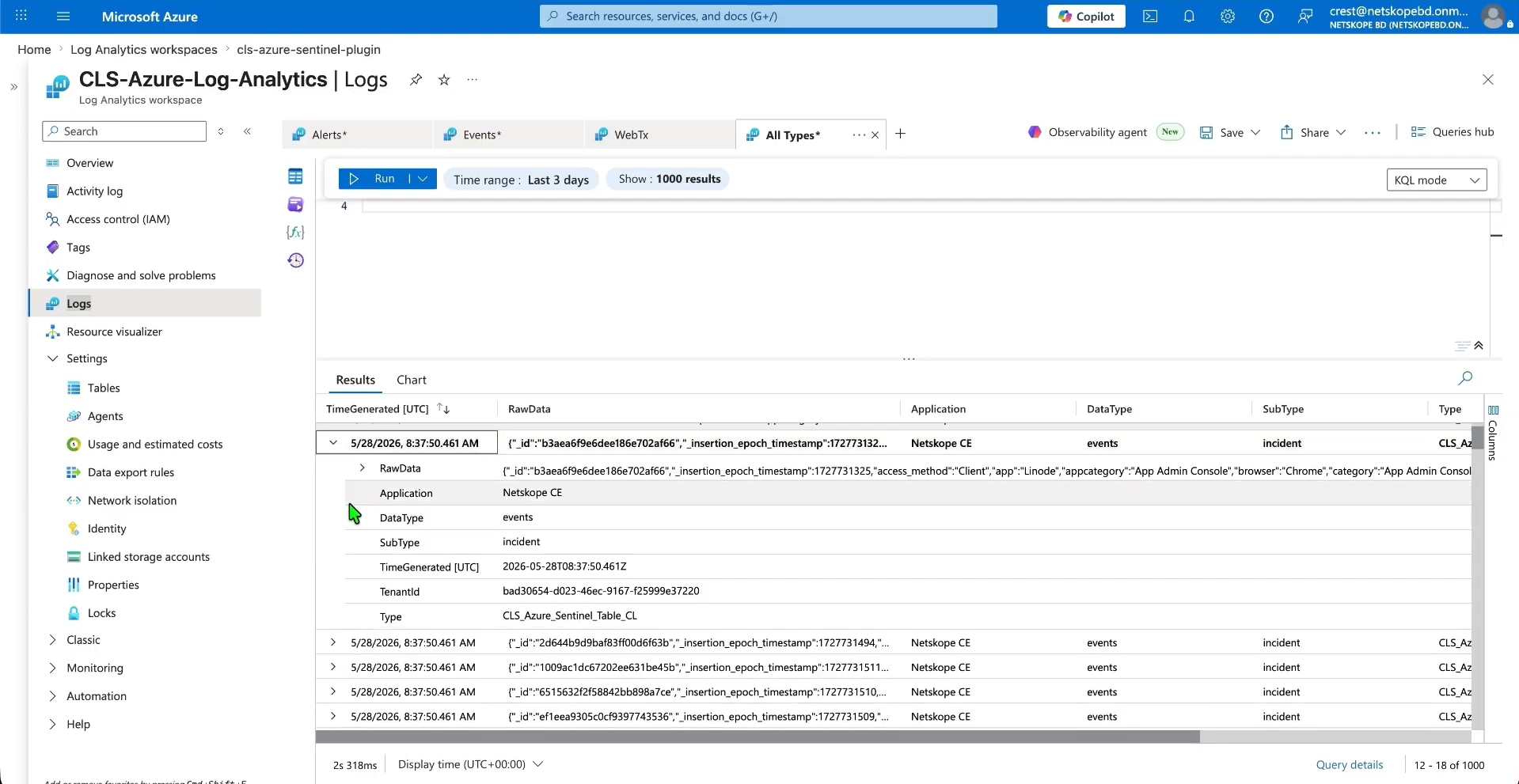
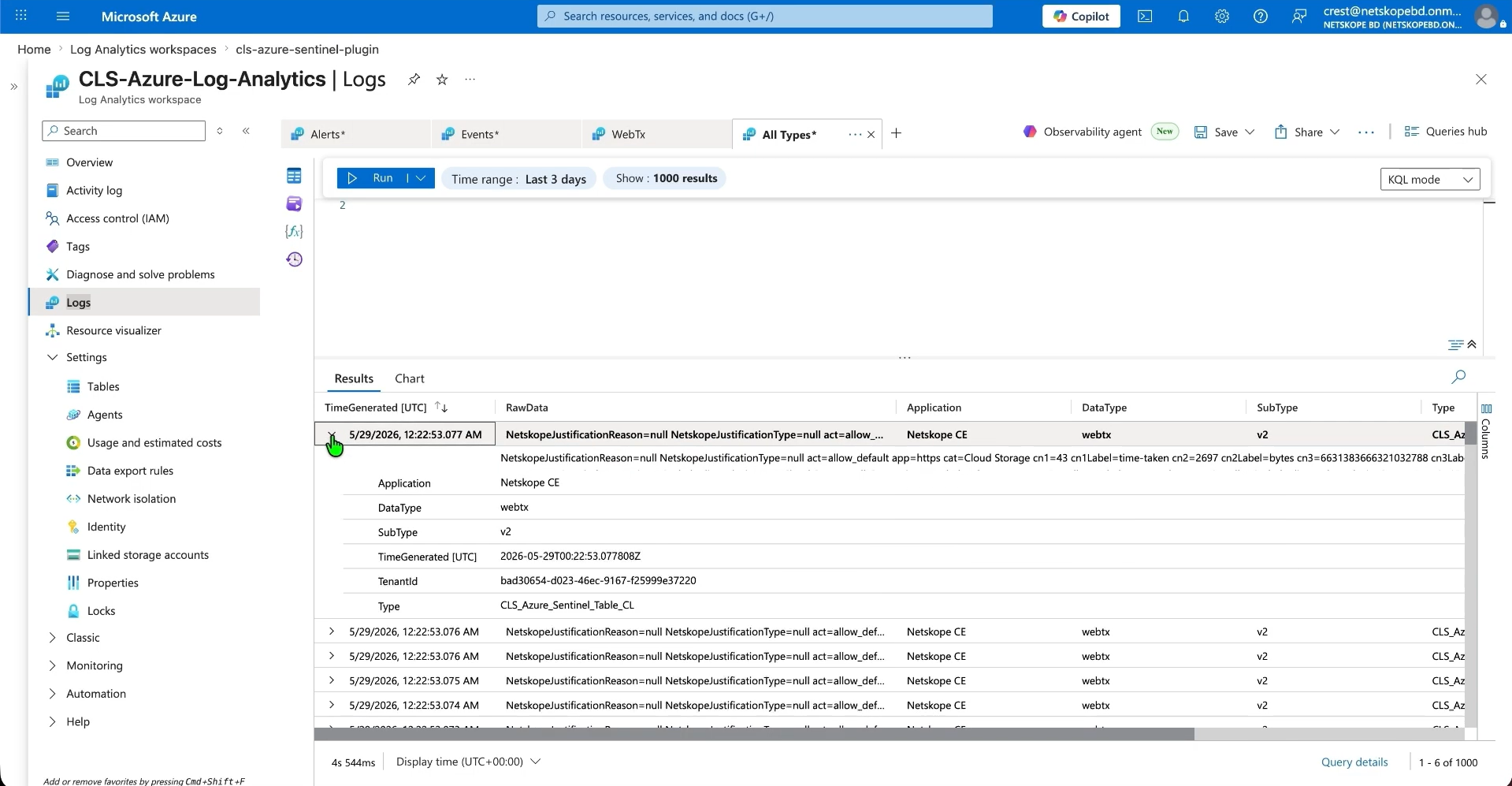
- If you have selected Single Table mode, then the plugin will ingest all alerts, events, and WebTx in a single table in CEF or JSON format.
- Here are the examples of alerts, events and WebTx ingested in CEF and JSON format:
Troubleshooting the Microsoft Azure Log Analytics Plugin
Receiving an error code 403 while configuring the plugin in toast and log message
Ensure that you have the correct permissions for your application to the DCR. Check if you have assigned permissions to the correct Data Collection endpoint as described above. It may take up to 30 minutes to reflect the assigned permissions.
Having difficulties in saving the Microsoft Azure Monitor plugin
Despite entering all parameters and clicking the Save button, an error may occur, possibly due to:
- Configuration differs from the specified settings.
- Getting the below error:

What to do:
- It could be because of incorrect configuration parameters, just follow the steps in the Configure a Log Analytics Workspace.
- It could be due to the table recently created and used in the plugin, it takes time to reflect the table on Azure.
Unable to see the events on the Microsoft Azure Monitor
Even after successful ingestion of the events, not able to see the events ingested from the plugin. This could be due to one these reasons:
- Incorrect query provided in Log searching.
- No events are ingested in the platform.
- Or the data you are looking for is outside of the searching Time Range.
What to do:
- Check if you have provided the correct query in Log searching.
- Check for the logs on the Cloud Exchange for the ingested events.
- Check events are ingested in a longer time range.
CEF Formatting Cannot Be Used with Per Data Type Ingestion Mode
If you see CEF formatting cannot be used with ‘Per Data Type’ Ingestion Mode during plugin configuration, it could be due to the plugin configuration being set to CEF while the Ingestion Mode is set to Per Data Type, which is an unsupported combination.
What to do: In the plugin configuration, switch from CEF to JSON, or change the Ingestion Mode to Single Table in the plugin configuration.
Known Behavior
- These fields from the above mapping will appear with the suffix ‘_field’ in the Log Analytics table. This behavior is due to the Azure Log Analytics platform, where certain field names are reserved keywords and cannot be used directly in mappings. To avoid conflicts, the ‘_field’ suffix has been added to these fields:
- type
- title
- subtype
- date
- time
- TimeGenerated
- Application
- DataType
- SubType
- Additionally, if you encounter any errors while uploading a custom mapping to the Azure Log Analytics workspace table, it may be because one or more fields in the mapping are reserved keywords.