

Release Notes
2.0.0 (Requires minimum Cloud Exchange version 7.0.0 and minimum Netskope BWAN Tenant version 1.2.0)
Added
- Added support for pulling Client and Gateway records from Netskope BWAN platform.
- Added support for performing Add to Custom App action.
1.0.0 (Requires minimum Cloud Exchange version 6.1.0)
Added
- Initial release.
- Actions: Add to Address Group, Remove from Address Group, No Action
- Added revert support for the “Add to Address Group” and “Remove from Address Group” actions.
- This is an action-only plugin that does not pull any records from Netskope Borderless WAN.
This document explains how to configure the Netskope Borderless WAN v2.0.0 plugin with the Risk Exchange module of the Netskope Cloud Exchange platform. This plugin fetches Clients and Gateways from the Netskope Borderless WAN (BWAN) platform. It supports the Add to Custom App, Add to Address Group and Remove from Address Group actions on the Netskope Borderless WAN platform.
The Netskope Borderless WAN platform exposes no risk score on Clients or Gateways, hence the plugin does not set the Netskope Normalized Score.
Prerequisites
To complete the configuration, you need:
- A Netskope tenant (or multiple, for example, production and development/test instances).
- A Netskope Cloud Exchange tenant with the Tenant plugin, Risk Exchange plugin, Netskope Borderless WAN Tenant plugin, and a 3rd-party plugin, like Cisco ISE, already configured.
- A Netskope Borderless WAN instance with a user account and permission to generate API token.
- Connectivity to the following hosts:
- Netskope Borderless WAN Tenant
Example:https://<instance>.api.stage1.infiot.net
- Netskope Borderless WAN Tenant
- For the Secret Manager configuration, refer to this documentation ,and to set up Azure Key Vault Secrets Manager, refer to this documentation.
- Netskope CE v7.0.0 or above.
Netskope Borderless WAN Plugin Support
This plugin fetches Clients and Gateways from the Netskope Borderless WAN (BWAN) platform. It supports the Add to Custom App, Add to Address Group, and Remove from Address Group actions on the Netskope Borderless WAN platform.
| Type of Data Pulled | Actions |
|---|---|
| Client Gateway | Add to Custom App Add to Address Group Remove from Address Group No Action |
Mappings
Pull Mappings for Clients
| Plugin Field Label | Expected Data Type | Suggested Field Label | Aggregate Strategy | Example |
|---|---|---|---|---|
| Client ID | String | NetskopeBWAN_Client_ID | Unique | 69df5707462857e5bbcbbab6 |
| Serial Number | String | NetskopeBWAN_Serial_Number | Unique | 4CE0460D0G |
| Name | String | NetskopeBWAN_Name | Overwrite | DESKTOP-PERF4C |
| User Email | String | NetskopeBWAN_User_Email | Overwrite | asha@example.com |
| Created At | DateTime | NetskopeBWAN_Created_At | Overwrite | 2024-09-02T14:50:53Z |
| Modified At | DateTime | NetskopeBWAN_Modified_At | Overwrite | 2026-07-15T07:07:58Z |
| Template ID | String | NetskopeBWAN_Template_ID | Overwrite | 680b641358f13236ddca9bf0 |
| Labels | List | NetskopeBWAN_Labels | Overwrite | [“quarantine”] |
| Overlay IPv4 Address | String | NetskopeBWAN_Overlay_IPv4_Address | Overwrite | 169.254.0.15 |
| IOT Security | Boolean | NetskopeBWAN_IOT_Security | Overwrite | false |
| City | String | NetskopeBWAN_City | Overwrite | Boydton |
| Country | String | NetskopeBWAN_Country | Overwrite | United States |
Pull Mappings for Gateways
| Plugin Field Label | Expected Data Type | Suggested Field Label | Aggregate Strategy | Example |
|---|---|---|---|---|
| Gateway ID | String | NetskopeBWAN_Gateway_ID | Unique | 6728b4725c474be290cc3df4 |
| Serial Number | String | NetskopeBWAN_Gateway_Serial_Number | Unique | 4CE0460D0G |
| Name | String | NetskopeBWAN_Name | Overwrite | testgwm120 |
| User Email | String | NetskopeBWAN_User_Email | Overwrite | asha@example.com |
| Created At | DateTime | NetskopeBWAN_Created_At | Overwrite | 2024-11-04T11:48:02Z |
| Modified At | DateTime | NetskopeBWAN_Modified_At | Overwrite | 2026-07-06T16:48:32Z |
| Labels | List | NetskopeBWAN_Labels | Overwrite | [“ntsk”, “rr”] |
| Tags | List | NetskopeBWAN_Tags | Overwrite | [“branch-office”, “emea”] |
| Overlay ID | Number | NetskopeBWAN_Overlay_ID | Overwrite | 33 |
| Is Activated | Boolean | NetskopeBWAN_Is_Activated | Overwrite | false |
| Managed | Boolean | NetskopeBWAN_Managed | Overwrite | false |
| Config Updates Enabled | Boolean | NetskopeBWAN_Config_Updates_Enabled | Overwrite | true |
| Overlay IPv4 Address | String | NetskopeBWAN_Overlay_IPv4_Address | Overwrite | 169.254.0.33 |
| Role | String | NetskopeBWAN_Role | Overwrite | spoke |
| Hardware Model | String | NetskopeBWAN_Hardware_Model | Overwrite | v600 |
| Model Display Name | String | NetskopeBWAN_Model_Display_Name | Overwrite | iX100W |
| Software Version | String | NetskopeBWAN_Software_Version | Overwrite | R6.3.149 |
| City | String | NetskopeBWAN_City | Overwrite | Chennai |
| Country | String | NetskopeBWAN_Country | Overwrite | India |
| IOT Security | Boolean | NetskopeBWAN_IOT_Security | Overwrite | false |
- If you have the same records across multiple plugins, make sure to map the same fields in the plugins.
- The Netskope Borderless WAN platform exposes no risk score, so the plugin does not set the Netskope Normalized Score. You can build business rules on the mapped attributes instead, such as Is Activated, Config Updates Enabled, Software Version, Role, Tags and Labels for Gateways.
- The Serial Number field of Gateways is populated on only some records and does not contain real serial numbers (observed values are MAC-formatted strings), so it must not be used as an identity key.
- Overlay IPv4 Address is stored as a string field, but only a single valid IPv4 host address is ever stored. It is a suitable source for the Add to Address Group and Add to Custom App actions.
- User Email is best-effort. If the token cannot read users on the Netskope Borderless WAN platform, the entities are still pulled and the records are stored without the User Email value.
Permissions
The API token should have below listed permissions:
[
  {
    "rap_resource": "",
    "rap_privs": [
      "privAddressGroupCreate",
      "privAddressGroupRead",
      "privAddressGroupWrite",
      "privAddressObjectCreate",
      "privAddressObjectDelete",
      "privAddressObjectRead",
      "privCustomAppCreate",
      "privCustomAppDelete",
      "privCustomAppRead",
      "privCustomAppWrite",
      "privManagedDeviceRead",
      "privPolicyRead",
      "privSiteRead",
      "privUserRead"
    ]
  }
]
API Details
List of APIs Used
| API Endpoint | Method | Use Case |
|---|---|---|
| /v2/clients | GET | Validate the connection and pull Clients |
| /v2/gateways | GET | Pull Gateways |
| /v2/users | GET | Resolve the User Email field of Clients and Gateways |
| /v2/custom-apps | GET | List Custom Applications, resolve a name to an identifier and enumerate a roll-over group |
| /v2/custom-apps | POST | Create a Custom Application or a roll-over sibling |
| /v2/custom-apps/{id} | GET | Read the traffic definitions of a Custom Application |
| /v2/custom-apps/{id} | PATCH | Write the traffic definitions of a Custom Application |
| /v2/custom-apps/{id} | DELETE | Delete a Custom Application left holding no hosts |
| /v2/app-categories | GET | List categories for the Category dropdown |
| /v2/address-groups | GET | List Address Groups and resolve a name to an identifier |
| /v2/address-groups | POST | Create an Address Group |
| /v2/address-groups/{group-id}/address-objects | GET | List the Address Objects of a group |
| /v2/address-groups/{group-id}/address-objects | POST | Add an Address Object to a group |
| /v2/address-groups/{group-id}/address-objects/{id} | DELETE | Remove an Address Object from a group |
Clients
Endpoint: GET /v2/clients
Request Headers
| Key | Value |
|---|---|
| Authorization | Bearer {api_token} |
| Accept | application/json |
| Content-Type | application/json |
Query Parameters
| Parameter | Description |
|---|---|
| first | Page size. Maximum 100 |
| sort | modified_at |
| filter | modified_at>='<checkpoint>’ AND modified_at<‘<pull_window_end>’. Omitted on the first run |
| after | Cursor from the previous response. Omitted on the first page |
Sample Response
{
  "page_info": {
    "end_cursor": "WyI2NmQ1ZDBjZGNlM2E1NzExZmE2NGQ3YzUiXQ",
    "has_next": true,
    "total_count": 815
  },
  "data": [
    {
      "created_at": "2024-09-02T14:50:53Z",
      "modified_at": "2026-10-27T09:01:18Z",
      "id": "66d5d0cdce3a5711fa64d7c5",
      "name": "DESKTOP-PERF4C",
      "device_config_raw": {
        "dcfg_1_to_1_nat_rules": [],
        "dcfg_1_to_1_nat_rules_enabled": false,
        "dcfg_auth_binding": {
          "dcfga_auth_enabled": true,
          "dcfga_auth_params": []
        },
        "dcfg_bgp": [],
        "dcfg_bgp2ospf_redis": {
          "bgp2ospf_redis_attrs": {
            "ospf_neighbour_ebgp": false,
            "ospf_neighbour_overlay": false,
            "ospf_redis_metric_ebgp": 100,
            "ospf_redis_metric_overlay": 100,
            "ospf_redis_routemap": "",
            "ospf_redis_type_ebgp": "ospf_redis_type_oe2",
            "ospf_redis_type_overlay": "ospf_redis_type_oe2"
          },
          "bgp2ospf_redis_enabled": false
        },
        "dcfg_bgp_ecmp_enable": false,
        "dcfg_ca_store": {
          "castr_cert_type": "URI",
          "castr_certs": [],
          "castr_device_location": "/etc/ca-certificates"
        },
        "dcfg_client_config": {
          "always_on": false,
          "block_unmanaged": false,
          "disable_dtls": false,
          "disable_sbl": false,
          "disable_vif": true,
          "dns_suffixes": [],
          "dtls_mtu": 1300,
          "ipv4_alloc_method": "template_ipv4_pool",
          "ipv4_dns_servers": [],
          "ipv4_pool_range": [
            {
              "intf_name_id": "hicti-1724854626029",
              "ipv4_pool_end": "10.95.56.220",
              "ipv4_pool_start": "10.95.56.20"
            }
          ],
          "mtu_vif": 0,
          "multilink_support": "",
          "onprem_config": {
            "enabled": false,
            "onprem_detection": {
              "auto": true,
              "dns_config": {
                "check_all": false,
                "enabled": true,
                "hosts": [
                  {
                    "hostipv4": "0.0.0.0",
                    "hostname": ""
                  }
                ]
              },
              "http_config": {
                "check_all": false,
                "enabled": false,
                "http_endpoints": [
                  {
                    "cert_sha1_fingerprint": "",
                    "cert_sha256_fingerprint": "",
                    "check_fingerprint": false,
                    "timeout": 10,
                    "url": ""
                  }
                ]
              }
            }
          },
          "tls_enable": false,
          "user_authentication": {
            "enabled": false,
            "force_auth_onlogin": false,
            "token_expiry": 86400,
            "token_expiry_grace_period": 60
          },
          "vnet_id": 0
        },
        "dcfg_cloud": {
          "account_id": "",
          "cidr": "",
          "keyname": "",
          "pubkey": "",
          "region": "",
          "vmSize": ""
        },
        "dcfg_config_version": "",
        "dcfg_dc_edge": false,
        "dcfg_dns_search": [],
        "dcfg_general": {
          "dcfg_description": "infiot gateway",
          "dcfg_domain": "netskope.com",
          "dcfg_hostname": "netskope.com",
          "dcfg_localadmin_vlan_id": 4094,
          "dcfg_localadmin_wifi_net": "192.168.50.1/24",
          "dcfg_localadmin_wifi_psk": "",
          "dcfg_localadmin_wifi_ssid": "",
          "dcfg_localui_custom_port": 443,
          "dcfg_localui_password": "",
          "dcfg_location": {
            "dloc_address": "",
            "dloc_city": "",
            "dloc_country": "",
            "dloc_hash": "f1f17934834ae2613699701054ef9684",
            "dloc_ip_location": true,
            "dloc_lat": 0,
            "dloc_lng": 0,
            "dloc_state": "",
            "dloc_zip": ""
          },
          "dcfg_maintainer": "infiot",
          "dcfg_ssh_password": "",
          "dcfg_sw_manifest_url": "",
          "dcfg_sw_version": "6.3.250",
          "dcfg_timezone": "US/Pacific",
          "dcfg_ula_prefix": "",
          "dcfg_user": "660104954ce5132d1b51a5aa"
        },
        "dcfg_hardware": {
          "hw_cpu": "arm64",
          "hw_manufacturer": "infiot",
          "hw_model": "v5000",
          "hw_model_display_name": "Client",
          "hw_version": "1.0",
          "hw_version_display_name": ""
        },
        "dcfg_interfaces": [
          {
            "intf_8021x_mab": false,
            "intf_addresses": [
              {
                "intf_address": "0.0.0.0",
                "intf_advertise": false,
                "intf_dns": {
                  "dns_custom": [],
                  "dns_name": "google",
                  "dns_primary": "8.8.8.8",
                  "dns_secondary": "8.8.4.4"
                },
                "intf_family": "ipv4",
                "intf_gateway": "0.0.0.0",
                "intf_mask": "0.0.0.0",
                "intf_name_id": "qzof7-1724854569323",
                "intf_proto": "dhcp",
                "intf_zone": "trusted"
              }
            ],
            "intf_advertise": false,
            "intf_alerts": false,
            "intf_allow_mgmt_services": false,
            "intf_allowed_vlans": [],
            "intf_authentication": "None",
            "intf_autonegotiation": true,
            "intf_autostart": true,
            "intf_bandwidth_rx_kbps": 100000,
            "intf_bandwidth_tx_kbps": 100000,
            "intf_disabled": false,
            "intf_duplex": "full",
            "intf_mac": "00:00:00:00:00:00",
            "intf_mode": "routed",
            "intf_mtu": 1500,
            "intf_mtu_discovery": "auto",
            "intf_name": "WAN",
            "intf_nat": false,
            "intf_ospf_inline": {
              "intf_ospf_area_attrs_ref": "",
              "intf_ospf_dead_timer_interval_secs": 40,
              "intf_ospf_hello_interval_secs": 10,
              "intf_ospf_md5_attrs": {
                "intf_ospf_md5_keyid": ""
              },
              "intf_ospf_md5_auth_enable": false,
              "intf_ospf_network_type": "ospf_nw_type_broadcast"
            },
            "intf_proxyarp": [],
            "intf_routable_addresses": [],
            "intf_segment": 0,
            "intf_segment_id": 0,
            "intf_speed_mbps": 1000,
            "intf_switch_type": "access",
            "intf_txqueuelen": 1000,
            "intf_type": "ethernet",
            "intf_virtual_network": 0,
            "intf_vlan": 1,
            "intf_zone": "trusted"
          },
          {
            "intf_8021x_mab": false,
            "intf_addresses": [
              {
                "intf_address": "0.0.0.0",
                "intf_advertise": false,
                "intf_dns": {
                  "dns_custom": [],
                  "dns_name": "google",
                  "dns_primary": "8.8.8.8",
                  "dns_secondary": "8.8.4.4"
                },
                "intf_family": "ipv4",
                "intf_gateway": "0.0.0.0",
                "intf_mask": "0.0.0.0",
                "intf_name_id": "v2xkd-1724854569325",
                "intf_proto": "dhcp",
                "intf_zone": "trusted"
              }
            ],
            "intf_advertise": false,
            "intf_alerts": false,
            "intf_allow_mgmt_services": false,
            "intf_allowed_vlans": [],
            "intf_authentication": "None",
            "intf_autonegotiation": true,
            "intf_autostart": true,
            "intf_bandwidth_rx_kbps": 100000,
            "intf_bandwidth_tx_kbps": 100000,
            "intf_disabled": false,
            "intf_duplex": "full",
            "intf_mac": "00:00:00:00:00:00",
            "intf_mode": "routed",
            "intf_mtu": 1500,
            "intf_mtu_discovery": "auto",
            "intf_name": "LAN",
            "intf_nat": false,
            "intf_ospf_inline": {
              "intf_ospf_area_attrs_ref": "",
              "intf_ospf_dead_timer_interval_secs": 40,
              "intf_ospf_hello_interval_secs": 10,
              "intf_ospf_md5_attrs": {
                "intf_ospf_md5_keyid": ""
              },
              "intf_ospf_md5_auth_enable": false,
              "intf_ospf_network_type": "ospf_nw_type_broadcast"
            },
            "intf_proxyarp": [],
            "intf_routable_addresses": [],
            "intf_segment": 0,
            "intf_segment_id": 0,
            "intf_speed_mbps": 1000,
            "intf_switch_type": "access",
            "intf_txqueuelen": 1000,
            "intf_type": "ethernet",
            "intf_virtual_network": 0,
            "intf_vlan": 1,
            "intf_zone": "trusted"
          }
        ],
        "dcfg_iotsecurity": {
          "dcfg_iotsec_enabled": false,
          "dcfg_iotsec_logging": "none",
          "dcfg_iotsec_tenant_url": ""
        },
        "dcfg_ipsec": [],
        "dcfg_k3s": {
          "k3s_ipv4": "0.0.0.0",
          "k3s_mode": "server",
          "node_name": "infmaster"
        },
        "dcfg_multi_tenant": {
          "ike_port": -1
        },
        "dcfg_name": "DESKTOP-PERF4C",
        "dcfg_netflow_collector": {
          "nflw_collector_ip": "0.0.0.0",
          "nflw_collector_port": 2055,
          "nflw_incoming_filter": {
            "ifltr_iplist": [],
            "ifltr_portlist": [],
            "ifltr_protocol": "tcp"
          },
          "nflw_name": ""
        },
        "dcfg_operating_system": {
          "os_description": "",
          "os_kernel": "4.16",
          "os_os_name": "infiot",
          "os_version": "18.04",
          "os_version_display_string": ""
        },
        "dcfg_ospf": [],
        "dcfg_ospf2bgp_redis": {
          "ospf2bgp_redis_attrs": {
            "bgp_redis_routemap": ""
          },
          "ospf2bgp_redis_enable": false
        },
        "dcfg_overlay": {
          "ovlay_auth": {
            "ovlay_auth_psk": "",
            "ovlay_auth_pubkey": ""
          },
          "ovlay_ipv4": "169.254.0.15",
          "ovlay_netmask": "255.255.255.0",
          "ovlay_netmask_extended": "255.255.0.0"
        },
        "dcfg_pbr_rules": {
          "pbr_rules": []
        },
        "dcfg_port_forwarding_rules": [],
        "dcfg_port_forwarding_rules_enabled": false,
        "dcfg_radios": [],
        "dcfg_radius": [],
        "dcfg_role": "spoke",
        "dcfg_routemap": [],
        "dcfg_schemaver": 10,
        "dcfg_schemaver_minor": 44,
        "dcfg_serial": "",
        "dcfg_sig_gre": [],
        "dcfg_sig_ipsec": [],
        "dcfg_static_routes": [],
        "dcfg_type": "DeviceConfiguration",
        "dcfg_virtual_networks": [
          {
            "client_ip_pool": {
              "ipv4_pool_range": []
            },
            "vnet_bgp": [],
            "vnet_bgp2ospf_redis": {
              "bgp2ospf_redis_attrs": {
                "ospf_neighbour_ebgp": false,
                "ospf_neighbour_overlay": false,
                "ospf_redis_metric_ebgp": 100,
                "ospf_redis_metric_overlay": 100,
                "ospf_redis_routemap": "",
                "ospf_redis_type_ebgp": "ospf_redis_type_oe2",
                "ospf_redis_type_overlay": "ospf_redis_type_oe2"
              },
              "bgp2ospf_redis_enabled": false
            },
            "vnet_bgp_ecmp_enable": false,
            "vnet_bwan_sse": [],
            "vnet_icmp_probes": {
              "icmp_client_tunnel_disable": false,
              "icmp_probes": []
            },
            "vnet_icmp_responders": {
              "icmp_responders": []
            },
            "vnet_id": 0,
            "vnet_ipsec": [],
            "vnet_min_gu_bandwidth": 100,
            "vnet_name": "GLOBAL",
            "vnet_ospf": [],
            "vnet_ospf2bgp_redis": {
              "ospf2bgp_redis_attrs": {
                "bgp_redis_routemap": ""
              },
              "ospf2bgp_redis_enable": false
            },
            "vnet_pbr_rules": {
              "pbr_rules": []
            },
            "vnet_policy": {
              "vpol_id": "66cf30ea8aacce889f86adfe",
              "vpol_local": true,
              "vpol_name": "bwan_client_policy"
            },
            "vnet_routing": [],
            "vnet_sig_gre": [],
            "vnet_sig_ipsec": [],
            "vnet_static_routes": [],
            "vnet_vpnnat_enabled": false,
            "vnet_vpnnat_rules": []
          }
        ],
        "dcfg_vpnnat_enabled": false,
        "dcfg_vpnnat_rules": []
      },
      "template_id": "680b641358f13236ddca9bf0",
      "labels": [
        "bwan1"
      ]
    }
  ]
}
Gateways
Endpoint: GET /v2/gateways
Request Headers
| Key | Value |
|---|---|
| Authorization | Bearer {api_token} |
| Accept | application/json |
| Content-Type | application/json |
Query Parameters
| Parameter | Description |
|---|---|
| first | Page size. Maximum 100 |
| sort | modified_at |
| filter | modified_at>='<checkpoint>’ AND modified_at<‘<pull_window_end>’. Omitted on the first run |
| after | Cursor from the previous response. Omitted on the first page |
Sample Response
{
"page_info": {
"end_cursor": "WyI2NzljODE3ZjU0ZjMxODNlNmM3M2Y4ZjciXQ",
"has_next": true,
"total_count": 253
},
"data": [
{
"created_at": "2025-01-31T07:53:35Z",
"modified_at": "2026-10-22T07:45:21Z",
"id": "679c817f54f3183e6c73f8f7",
"name": "001-terraform11",
"config_updates_enabled": true,
"device_config_raw": {
"dcfg_1_to_1_nat_rules": [
{
"inat_bidirectional": true,
"inat_incoming_filter": {
"ifltr_iplist": [],
"ifltr_portlist": [],
"ifltr_protocol": "tcp"
},
"inat_lan_ip": "192.168.1.10",
"inat_lan_port": 0,
"inat_name": "test",
"inat_public_ip": "1.1.1.1",
"inat_public_port": 0,
"inat_uplink_interface": "GE1",
"inat_virtual_network": 0
}
],
"dcfg_1_to_1_nat_rules_enabled": true,
"dcfg_auth_binding": {
"dcfga_auth_enabled": true,
"dcfga_auth_params": []
},
"dcfg_bgp": [
{
"bfd_interval_ms": 0,
"bfd_multiplier": 0,
"bfd_recv_interval_ms": 0,
"bgp_allow_as_in": false,
"bgp_bfd": false,
"bgp_default_originate": false,
"bgp_default_originate_routemap": "",
"bgp_inbound_routemap": "",
"bgp_name": "tgwpeer-2",
"bgp_outbound_routemap": "",
"bgp_redis_underlay_overlay": false,
"bgp_shutdown": false,
"bgp_vnet": 0,
"local_as": 400,
"neighbor": "169.254.1.2",
"remote_as": 64512,
"router_id": ""
}
],
"dcfg_bgp2ospf_redis": {
"bgp2ospf_redis_attrs": {
"ospf_neighbour_ebgp": false,
"ospf_neighbour_overlay": false,
"ospf_redis_type_ebgp": "ospf_redis_type_oe2",
"ospf_redis_type_overlay": "ospf_redis_type_oe2"
},
"bgp2ospf_redis_enabled": false
},
"dcfg_bgp_ecmp_enable": false,
"dcfg_ca_store": {
"castr_certs": []
},
"dcfg_client_config": {
"always_on": false,
"block_unmanaged": false,
"disable_dtls": false,
"disable_sbl": false,
"disable_vif": true,
"dns_suffixes": [],
"ipv4_alloc_method": "template_ipv4_pool",
"ipv4_dns_servers": [],
"ipv4_pool_range": [],
"mtu_vif": 0,
"multilink_support": "",
"onprem_config": {
"enabled": false,
"onprem_detection": {
"auto": true,
"dns_config": {
"check_all": false,
"enabled": true,
"hosts": [
{}
]
},
"http_config": {
"check_all": false,
"enabled": false,
"http_endpoints": [
{}
]
}
}
},
"user_authentication": {
"enabled": false,
"force_auth_onlogin": false,
"token_expiry": 86400,
"token_expiry_grace_period": 3600
},
"vnet_id": 0
},
"dcfg_cloud": {
"account_id": "",
"cidr": "",
"keyname": "",
"pubkey": "",
"region": "",
"vmSize": ""
},
"dcfg_dc_edge": false,
"dcfg_dns_search": [],
"dcfg_frr_cli_configuration": {
"cmd_sets": [],
"enabled": false
},
"dcfg_general": {
"dcfg_description": "",
"dcfg_domain": "netskope.com",
"dcfg_high_availability": {
"dha_sync_enabled": false,
"dha_wan_intf_tracking_enabled": true
},
"dcfg_hostname": "netskope.com",
"dcfg_localui_password": "<redacted>",
"dcfg_location": {
"dloc_address": "",
"dloc_city": "",
"dloc_country": "",
"dloc_ip_location": true,
"dloc_lat": 0,
"dloc_lng": 0,
"dloc_state": "",
"dloc_zip": ""
},
"dcfg_maintainer": "infiot",
"dcfg_ntp_servers": {},
"dcfg_ssh_password": "<redacted>",
"dcfg_sw_manifest_url": "https://swrepo.netskope.com/R6.2.1010-PRIV/swmanifest.json",
"dcfg_sw_version": "6.3.250",
"dcfg_timezone": "US/Pacific",
"dcfg_ula_prefix": "",
"dcfg_user": ""
},
"dcfg_hardware": {
"hw_cpu": "arm64",
"hw_manufacturer": "infiot",
"hw_model": "v500",
"hw_model_display_name": "iXVirtual",
"hw_version": "1.0",
"hw_version_display_name": ""
},
"dcfg_ignore_legacy_cli": true,
"dcfg_interfaces": [
{
"intf_8021x_mab": false,
"intf_addresses": [
{
"intf_dhcp": {
"dhcs_address": "0.0.0.0",
"dhcs_custom_options": [],
"dhcs_dns": {
"dns_custom": [],
"dns_name": "google",
"dns_primary": "8.8.8.8",
"dns_secondary": "8.8.4.4"
},
"dhcs_lease_time_seconds": 86400,
"dhcs_network": "255.255.255.255/32",
"dhcs_ranges": [],
"dhcs_static_binding": []
},
"intf_dns": {
"dns_custom": [
"10.20.12.1",
"25.1.2.1"
],
"dns_name": "custom",
"dns_primary": "8.8.8.8",
"dns_secondary": "8.8.4.4"
},
"intf_dns_proxy": {
"intf_forward_dns": [],
"intf_reverse_dns": []
},
"intf_family": "ipv4",
"intf_name_id": "ef43m-1740032179934",
"intf_proto": "dhcp",
"intf_relay": {
"rel_server_ip": "0.0.0.0",
"rel_server_ip_list": [
"0.0.0.0"
]
}
}
],
"intf_allow_mgmt_services": false,
"intf_allowed_vlans": [],
"intf_authentication": "",
"intf_autonegotiation": true,
"intf_autostart": true,
"intf_bandwidth_rx_kbps": 100000,
"intf_bandwidth_tx_kbps": 100000,
"intf_dedicated_to_ha_sync": false,
"intf_description": "",
"intf_disabled": false,
"intf_duplex": "full",
"intf_enable_high_perf_mode": false,
"intf_mac": "00:00:00:00:00:00",
"intf_mode": "routed",
"intf_mtu_discovery": "auto",
"intf_name": "GE1",
"intf_nat": true,
"intf_ospf_inline": {
"intf_ospf_area_attrs_ref": "",
"intf_ospf_dead_timer_interval_secs": 40,
"intf_ospf_hello_interval_secs": 10,
"intf_ospf_md5_attrs": {
"intf_ospf_md5_keyid": ""
},
"intf_ospf_md5_auth_enable": false,
"intf_ospf_network_type": "ospf_nw_type_broadcast"
},
"intf_overlay": {
"ovly_backuptype": "hotstandby",
"ovly_bw_measurement_mode": "manual",
"ovly_copy_tos": false,
"ovly_isbackup": false,
"ovly_ismetered": false,
"ovly_preferred_encap_type": "ipsec",
"ovly_rx_bw_kbps": 10000000,
"ovly_tag": "wired",
"ovly_tag_link_id": "67e23e3256d902fbce36eb10",
"ovly_tag_net_id": "67e23e3256d902fbce36eb14",
"ovly_tx_bw_kbps": 10000000
},
"intf_proxyarp": [],
"intf_routable_addresses": [],
"intf_segment": 0,
"intf_segment_id": 0,
"intf_speed_mbps": 1000,
"intf_switch_type": "access",
"intf_txqueuelen": 1000,
"intf_type": "ethernet",
"intf_vlan": 0,
"intf_zone": "trusted"
},
{
"intf_8021x_mab": false,
"intf_addresses": [
{
"intf_advertise": false,
"intf_dhcp": {
"dhcs_address": "0.0.0.0",
"dhcs_custom_options": [],
"dhcs_dns": {
"dns_custom": [],
"dns_name": "google",
"dns_primary": "8.8.8.8",
"dns_secondary": "8.8.4.4"
},
"dhcs_lease_time_seconds": 86400,
"dhcs_network": "255.255.255.255/32",
"dhcs_ranges": [],
"dhcs_static_binding": []
},
"intf_dns": {
"dns_custom": [
"8.8.8.8",
"8.8.4.4"
],
"dns_name": "custom",
"dns_primary": "8.8.8.8",
"dns_secondary": "8.8.4.4"
},
"intf_dns_proxy": {
"intf_forward_dns": [],
"intf_reverse_dns": []
},
"intf_family": "ipv4",
"intf_name_id": "pxipt-1740032179942",
"intf_proto": "dhcp",
"intf_relay": {
"rel_server_ip": "0.0.0.0",
"rel_server_ip_list": [
"0.0.0.0"
]
}
}
],
"intf_advertise": false,
"intf_allow_mgmt_services": false,
"intf_allowed_vlans": [],
"intf_authentication": "None",
"intf_autonegotiation": true,
"intf_autostart": true,
"intf_bandwidth_rx_kbps": 1000000,
"intf_bandwidth_tx_kbps": 1000000,
"intf_dedicated_to_ha_sync": false,
"intf_description": "",
"intf_disabled": false,
"intf_duplex": "full",
"intf_enable_high_perf_mode": false,
"intf_mac": "00:00:00:00:00:00",
"intf_mode": "routed",
"intf_mtu_discovery": "auto",
"intf_name": "GE2",
"intf_nat": false,
"intf_ospf_inline": {
"intf_ospf_area_attrs_ref": "",
"intf_ospf_dead_timer_interval_secs": 40,
"intf_ospf_hello_interval_secs": 10,
"intf_ospf_md5_attrs": {
"intf_ospf_md5_keyid": ""
},
"intf_ospf_md5_auth_enable": false,
"intf_ospf_neighbor_ipv4": "",
"intf_ospf_network_type": "ospf_nw_type_broadcast"
},
"intf_proxyarp": [],
"intf_routable_addresses": [],
"intf_segment": 0,
"intf_segment_id": 0,
"intf_speed_mbps": 1000000,
"intf_switch_type": "access",
"intf_txqueuelen": 1000000,
"intf_type": "ethernet",
"intf_virtual_network": 0,
"intf_vlan": 0,
"intf_vrrp": {
"is_preemptive": true,
"preempt_delay": 60,
"vrrp_advert_int_millisec": 4000,
"vrrp_advert_int_sec": 4,
"vrrp_priority": 100,
"vrrp_state": "master",
"vrrp_virtual_ip": "1.1.1.1",
"vrrp_virtual_router_id": 10,
"vrrp_vmac_enable": false
},
"intf_zone": "trusted"
},
{
"intf_8021x_mab": false,
"intf_addresses": [
{
"intf_advertise": false,
"intf_dhcp": {
"dhcs_address": "0.0.0.0",
"dhcs_custom_options": [],
"dhcs_dns": {
"dns_custom": [],
"dns_name": "google",
"dns_primary": "8.8.8.8",
"dns_secondary": "8.8.4.4"
},
"dhcs_lease_time_seconds": 86400,
"dhcs_network": "255.255.255.255/32",
"dhcs_ranges": [],
"dhcs_static_binding": []
},
"intf_dns": {
"dns_custom": [
"8.8.8.8",
"8.8.4.4"
],
"dns_name": "custom",
"dns_primary": "8.8.8.8",
"dns_secondary": "8.8.4.4"
},
"intf_dns_proxy": {
"intf_forward_dns": [],
"intf_reverse_dns": []
},
"intf_family": "ipv4",
"intf_name_id": "7nd5uh-1740032179952",
"intf_proto": "dhcp",
"intf_relay": {
"rel_server_ip": "0.0.0.0",
"rel_server_ip_list": [
"0.0.0.0"
]
}
}
],
"intf_advertise": false,
"intf_allow_mgmt_services": false,
"intf_allowed_vlans": [],
"intf_authentication": "None",
"intf_autonegotiation": true,
"intf_autostart": true,
"intf_bandwidth_rx_kbps": 1000000,
"intf_bandwidth_tx_kbps": 1000000,
"intf_dedicated_to_ha_sync": false,
"intf_description": "",
"intf_disabled": false,
"intf_duplex": "full",
"intf_enable_high_perf_mode": false,
"intf_mac": "00:00:00:00:00:00",
"intf_mode": "routed",
"intf_mtu_discovery": "auto",
"intf_name": "GE3",
"intf_nat": false,
"intf_ospf_inline": {
"intf_ospf_area_attrs_ref": "",
"intf_ospf_dead_timer_interval_secs": 40,
"intf_ospf_hello_interval_secs": 10,
"intf_ospf_md5_attrs": {
"intf_ospf_md5_keyid": ""
},
"intf_ospf_md5_auth_enable": false,
"intf_ospf_network_type": "ospf_nw_type_broadcast"
},
"intf_proxyarp": [],
"intf_routable_addresses": [],
"intf_segment": 0,
"intf_segment_id": 0,
"intf_speed_mbps": 1000000,
"intf_switch_type": "access",
"intf_txqueuelen": 1000000,
"intf_type": "ethernet",
"intf_virtual_network": 0,
"intf_vlan": 0,
"intf_zone": "trusted"
},
{
"intf_8021x_mab": false,
"intf_addresses": [
{
"intf_advertise": false,
"intf_dhcp": {
"dhcs_address": "0.0.0.0",
"dhcs_custom_options": [],
"dhcs_dns": {
"dns_custom": [],
"dns_name": "google",
"dns_primary": "8.8.8.8",
"dns_secondary": "8.8.4.4"
},
"dhcs_lease_time_seconds": 86400,
"dhcs_network": "255.255.255.255/32",
"dhcs_ranges": [],
"dhcs_static_binding": []
},
"intf_dns": {
"dns_custom": [],
"dns_name": "google",
"dns_primary": "8.8.8.8",
"dns_secondary": "8.8.4.4"
},
"intf_dns_proxy": {
"intf_forward_dns": [],
"intf_reverse_dns": []
},
"intf_family": "ipv4",
"intf_name_id": "ivan3-1740032179957",
"intf_proto": "dhcp",
"intf_relay": {
"rel_server_ip": "0.0.0.0",
"rel_server_ip_list": [
"0.0.0.0"
]
}
}
],
"intf_advertise": false,
"intf_allow_mgmt_services": false,
"intf_allowed_vlans": [],
"intf_authentication": "",
"intf_autonegotiation": true,
"intf_autostart": true,
"intf_bandwidth_rx_kbps": 100000,
"intf_bandwidth_tx_kbps": 100000,
"intf_dedicated_to_ha_sync": false,
"intf_description": "",
"intf_disabled": false,
"intf_duplex": "full",
"intf_enable_high_perf_mode": false,
"intf_mac": "00:00:00:00:00:00",
"intf_mode": "routed",
"intf_mtu_discovery": "auto",
"intf_name": "GE4",
"intf_nat": false,
"intf_ospf_inline": {
"intf_ospf_area_attrs_ref": "",
"intf_ospf_dead_timer_interval_secs": 40,
"intf_ospf_hello_interval_secs": 10,
"intf_ospf_md5_attrs": {
"intf_ospf_md5_keyid": ""
},
"intf_ospf_md5_auth_enable": false,
"intf_ospf_neighbor_ipv4": "",
"intf_ospf_network_type": "ospf_nw_type_broadcast"
},
"intf_proxyarp": [],
"intf_routable_addresses": [],
"intf_segment": 0,
"intf_segment_id": 0,
"intf_speed_mbps": 1000,
"intf_switch_type": "access",
"intf_txqueuelen": 1000,
"intf_type": "ethernet",
"intf_virtual_network": 0,
"intf_vlan": 0,
"intf_zone": "trusted"
},
{
"intf_8021x_mab": false,
"intf_addresses": [
{
"intf_advertise": false,
"intf_dhcp": {
"dhcs_address": "0.0.0.0",
"dhcs_custom_options": [],
"dhcs_dns": {
"dns_custom": [],
"dns_name": "google",
"dns_primary": "8.8.8.8",
"dns_secondary": "8.8.4.4"
},
"dhcs_lease_time_seconds": 86400,
"dhcs_network": "255.255.255.255/32",
"dhcs_ranges": [],
"dhcs_static_binding": []
},
"intf_dns": {
"dns_custom": [],
"dns_name": "google",
"dns_primary": "8.8.8.8",
"dns_secondary": "8.8.4.4"
},
"intf_dns_proxy": {
"intf_forward_dns": [],
"intf_reverse_dns": []
},
"intf_family": "ipv4",
"intf_name_id": "ky59m-1740032179962",
"intf_proto": "dhcp",
"intf_relay": {
"rel_server_ip": "0.0.0.0",
"rel_server_ip_list": [
"0.0.0.0"
]
}
}
],
"intf_advertise": false,
"intf_allow_mgmt_services": false,
"intf_allowed_vlans": [],
"intf_authentication": "",
"intf_autonegotiation": true,
"intf_autostart": true,
"intf_bandwidth_rx_kbps": 100000,
"intf_bandwidth_tx_kbps": 100000,
"intf_dedicated_to_ha_sync": false,
"intf_description": "",
"intf_disabled": true,
"intf_duplex": "full",
"intf_enable_high_perf_mode": false,
"intf_mac": "00:00:00:00:00:00",
"intf_mode": "routed",
"intf_mtu_discovery": "auto",
"intf_name": "GE5",
"intf_nat": false,
"intf_ospf_inline": {
"intf_ospf_area_attrs_ref": "",
"intf_ospf_dead_timer_interval_secs": 40,
"intf_ospf_hello_interval_secs": 10,
"intf_ospf_md5_attrs": {
"intf_ospf_md5_keyid": ""
},
"intf_ospf_md5_auth_enable": false,
"intf_ospf_network_type": "ospf_nw_type_broadcast"
},
"intf_proxyarp": [],
"intf_routable_addresses": [],
"intf_segment": 0,
"intf_segment_id": 0,
"intf_speed_mbps": 1000,
"intf_switch_type": "access",
"intf_txqueuelen": 1000,
"intf_type": "ethernet",
"intf_virtual_network": 0,
"intf_vlan": 0,
"intf_zone": "trusted"
},
{
"intf_8021x_mab": false,
"intf_addresses": [
{
"intf_advertise": false,
"intf_dhcp": {
"dhcs_address": "0.0.0.0",
"dhcs_custom_options": [],
"dhcs_dns": {
"dns_custom": [],
"dns_name": "google",
"dns_primary": "8.8.8.8",
"dns_secondary": "8.8.4.4"
},
"dhcs_lease_time_seconds": 86400,
"dhcs_network": "255.255.255.255/32",
"dhcs_ranges": [],
"dhcs_static_binding": []
},
"intf_dns": {
"dns_custom": [],
"dns_name": "google",
"dns_primary": "8.8.8.8",
"dns_secondary": "8.8.4.4"
},
"intf_dns_proxy": {
"intf_forward_dns": [],
"intf_reverse_dns": []
},
"intf_family": "ipv4",
"intf_name_id": "0e7bd-1740032179966",
"intf_proto": "dhcp",
"intf_relay": {
"rel_server_ip": "0.0.0.0",
"rel_server_ip_list": [
"0.0.0.0"
]
}
}
],
"intf_advertise": false,
"intf_allow_mgmt_services": false,
"intf_allowed_vlans": [],
"intf_authentication": "",
"intf_autonegotiation": true,
"intf_autostart": true,
"intf_bandwidth_rx_kbps": 100000,
"intf_bandwidth_tx_kbps": 100000,
"intf_dedicated_to_ha_sync": false,
"intf_description": "",
"intf_disabled": true,
"intf_duplex": "full",
"intf_enable_high_perf_mode": false,
"intf_mac": "00:00:00:00:00:00",
"intf_mode": "routed",
"intf_mtu_discovery": "auto",
"intf_name": "GE6",
"intf_nat": false,
"intf_ospf_inline": {
"intf_ospf_area_attrs_ref": "",
"intf_ospf_dead_timer_interval_secs": 40,
"intf_ospf_hello_interval_secs": 10,
"intf_ospf_md5_attrs": {
"intf_ospf_md5_keyid": ""
},
"intf_ospf_md5_auth_enable": false,
"intf_ospf_network_type": "ospf_nw_type_broadcast"
},
"intf_proxyarp": [],
"intf_routable_addresses": [],
"intf_segment": 0,
"intf_segment_id": 0,
"intf_speed_mbps": 1000,
"intf_switch_type": "access",
"intf_txqueuelen": 1000,
"intf_type": "ethernet",
"intf_virtual_network": 0,
"intf_vlan": 0,
"intf_zone": "trusted"
},
{
"intf_8021x_mab": false,
"intf_addresses": [
{
"intf_advertise": false,
"intf_dhcp": {
"dhcs_address": "0.0.0.0",
"dhcs_custom_options": [],
"dhcs_dns": {
"dns_custom": [],
"dns_name": "google",
"dns_primary": "8.8.8.8",
"dns_secondary": "8.8.4.4"
},
"dhcs_lease_time_seconds": 86400,
"dhcs_network": "255.255.255.255/32",
"dhcs_ranges": [],
"dhcs_static_binding": []
},
"intf_dns": {
"dns_custom": [],
"dns_name": "google",
"dns_primary": "8.8.8.8",
"dns_secondary": "8.8.4.4"
},
"intf_dns_proxy": {
"intf_forward_dns": [],
"intf_reverse_dns": []
},
"intf_family": "ipv4",
"intf_name_id": "nwofq-1740032179968",
"intf_proto": "dhcp",
"intf_relay": {
"rel_server_ip": "0.0.0.0",
"rel_server_ip_list": [
"0.0.0.0"
]
}
}
],
"intf_advertise": false,
"intf_allow_mgmt_services": false,
"intf_allowed_vlans": [],
"intf_authentication": "",
"intf_autonegotiation": true,
"intf_autostart": true,
"intf_bandwidth_rx_kbps": 100000,
"intf_bandwidth_tx_kbps": 100000,
"intf_dedicated_to_ha_sync": false,
"intf_description": "",
"intf_disabled": true,
"intf_duplex": "full",
"intf_enable_high_perf_mode": false,
"intf_mac": "00:00:00:00:00:00",
"intf_mode": "routed",
"intf_mtu_discovery": "auto",
"intf_name": "GE7",
"intf_nat": false,
"intf_ospf_inline": {
"intf_ospf_area_attrs_ref": "",
"intf_ospf_dead_timer_interval_secs": 40,
"intf_ospf_hello_interval_secs": 10,
"intf_ospf_md5_attrs": {
"intf_ospf_md5_keyid": ""
},
"intf_ospf_md5_auth_enable": false,
"intf_ospf_network_type": "ospf_nw_type_broadcast"
},
"intf_proxyarp": [],
"intf_routable_addresses": [],
"intf_segment": 0,
"intf_segment_id": 0,
"intf_speed_mbps": 1000,
"intf_switch_type": "access",
"intf_txqueuelen": 1000,
"intf_type": "ethernet",
"intf_virtual_network": 0,
"intf_vlan": 0,
"intf_zone": "trusted"
},
{
"intf_8021x_mab": false,
"intf_addresses": [
{
"intf_advertise": false,
"intf_dhcp": {
"dhcs_address": "0.0.0.0",
"dhcs_custom_options": [],
"dhcs_dns": {
"dns_custom": [],
"dns_name": "google",
"dns_primary": "8.8.8.8",
"dns_secondary": "8.8.4.4"
},
"dhcs_lease_time_seconds": 86400,
"dhcs_network": "255.255.255.255/32",
"dhcs_ranges": [],
"dhcs_static_binding": []
},
"intf_dns": {
"dns_custom": [],
"dns_name": "google",
"dns_primary": "8.8.8.8",
"dns_secondary": "8.8.4.4"
},
"intf_dns_proxy": {
"intf_forward_dns": [],
"intf_reverse_dns": []
},
"intf_family": "ipv4",
"intf_name_id": "7c5sa-1740032179970",
"intf_proto": "dhcp",
"intf_relay": {
"rel_server_ip": "0.0.0.0",
"rel_server_ip_list": [
"0.0.0.0"
]
}
}
],
"intf_advertise": false,
"intf_allow_mgmt_services": false,
"intf_allowed_vlans": [],
"intf_authentication": "",
"intf_autonegotiation": true,
"intf_autostart": true,
"intf_bandwidth_rx_kbps": 100000,
"intf_bandwidth_tx_kbps": 100000,
"intf_dedicated_to_ha_sync": false,
"intf_description": "",
"intf_disabled": true,
"intf_duplex": "full",
"intf_enable_high_perf_mode": false,
"intf_mac": "00:00:00:00:00:00",
"intf_mode": "routed",
"intf_mtu_discovery": "auto",
"intf_name": "GE8",
"intf_nat": false,
"intf_ospf_inline": {
"intf_ospf_area_attrs_ref": "",
"intf_ospf_dead_timer_interval_secs": 40,
"intf_ospf_hello_interval_secs": 10,
"intf_ospf_md5_attrs": {
"intf_ospf_md5_keyid": ""
},
"intf_ospf_md5_auth_enable": false,
"intf_ospf_network_type": "ospf_nw_type_broadcast"
},
"intf_proxyarp": [],
"intf_routable_addresses": [],
"intf_segment": 0,
"intf_segment_id": 0,
"intf_speed_mbps": 1000,
"intf_switch_type": "access",
"intf_txqueuelen": 1000,
"intf_type": "ethernet",
"intf_virtual_network": 0,
"intf_vlan": 0,
"intf_zone": "trusted"
}
],
"dcfg_iotsecurity": {
"dcfg_iotsec_enabled": false,
"dcfg_iotsec_logging": "none"
},
"dcfg_ipsec": [],
"dcfg_name": "001-terraform11",
"dcfg_netflow_collector": {
"nflw_collector_ip": "0.0.0.0",
"nflw_collector_port": 2055,
"nflw_incoming_filter": {
"ifltr_iplist": [],
"ifltr_portlist": [],
"ifltr_protocol": "tcp"
},
"nflw_name": ""
},
"dcfg_operating_system": {
"os_version": "18.04"
},
"dcfg_ospf": [],
"dcfg_ospf2bgp_redis": {
"ospf2bgp_redis_attrs": {},
"ospf2bgp_redis_enable": false
},
"dcfg_overlay": {
"ovlay_auth": {
"ovlay_auth_psk": "<redacted>",
"ovlay_auth_pubkey": "<redacted>"
},
"ovlay_ipv4": "169.254.0.86",
"ovlay_myroutable_addrs": [],
"ovlay_netmask": "255.255.255.0",
"ovlay_netmask_extended": "255.255.0.0"
},
"dcfg_pbr_rules": {
"pbr_rules": []
},
"dcfg_port_forwarding_rules": [
{
"inat_bidirectional": true,
"inat_incoming_filter": {
"ifltr_iplist": [],
"ifltr_portlist": [],
"ifltr_protocol": "tcp"
},
"inat_lan_ip": "192.168.1.10",
"inat_lan_port": 9000,
"inat_name": "test",
"inat_public_ip": "1.1.1.1",
"inat_public_port": 80,
"inat_uplink_interface": "GE1",
"inat_virtual_network": 0
}
],
"dcfg_port_forwarding_rules_enabled": true,
"dcfg_radios": [],
"dcfg_radius": [],
"dcfg_role": "hub",
"dcfg_routemap": [],
"dcfg_schemaver": 10,
"dcfg_schemaver_minor": 50,
"dcfg_serial": "string",
"dcfg_sig_gre": [],
"dcfg_sig_ipsec": [],
"dcfg_static_routes": [],
"dcfg_tags": [
{
"inftag_name": "topology.netskope.com",
"inftag_values": [
{
"inftag_id": "6a4e8c6e711f6f454e1542b2",
"inftag_value": "api-client-GW"
},
{
"inftag_id": "69f9d3ed8ddf3dbbd3fa96e7",
"inftag_value": "test"
},
{
"inftag_id": "69d5fdec45a6f4774fb005da",
"inftag_value": "testtag"
}
]
}
],
"dcfg_type": "DeviceConfiguration",
"dcfg_virtual_networks": [
{
"client_ip_pool": {
"ipv4_dhcp_relay": {
"idr_dhcp_network_scope": "",
"idr_dhcp_servers": [
"",
""
],
"idr_dhcp_subnets": [],
"idr_enabled": false
},
"ipv4_domain_list": [],
"ipv4_name_servers": [],
"ipv4_pool_range": []
},
"vnet_bgp": [
{
"bfd_interval_ms": 0,
"bfd_multiplier": 0,
"bfd_recv_interval_ms": 0,
"bgp_allow_as_in": false,
"bgp_bfd": false,
"bgp_default_originate": false,
"bgp_default_originate_routemap": "",
"bgp_inbound_routemap": "",
"bgp_name": "tgwpeer-2",
"bgp_outbound_routemap": "",
"bgp_redis_underlay_overlay": false,
"bgp_shutdown": false,
"bgp_vnet": 0,
"local_as": 400,
"neighbor": "169.254.1.2",
"remote_as": 64512,
"router_id": ""
}
],
"vnet_bgp2ospf_redis": {
"bgp2ospf_redis_attrs": {
"ospf_neighbour_ebgp": false,
"ospf_neighbour_overlay": false,
"ospf_redis_type_ebgp": "ospf_redis_type_oe2",
"ospf_redis_type_overlay": "ospf_redis_type_oe2"
},
"bgp2ospf_redis_enabled": false
},
"vnet_bgp_aggregate_routes": [],
"vnet_bgp_ecmp_enable": false,
"vnet_bgp_transit_community": "",
"vnet_bwan_sse": [],
"vnet_icmp_probes": {
"icmp_probes": []
},
"vnet_icmp_responders": {
"icmp_responders": []
},
"vnet_id": 0,
"vnet_ipsec": [],
"vnet_ipsec_tunnels": [],
"vnet_min_gu_bandwidth": 100,
"vnet_name": "GLOBAL",
"vnet_ospf": [],
"vnet_ospf2bgp_redis": {
"ospf2bgp_redis_attrs": {},
"ospf2bgp_redis_enable": false
},
"vnet_pbr_rules": {
"pbr_rules": []
},
"vnet_policy": {
"vpol_id": "",
"vpol_local": true,
"vpol_name": ""
},
"vnet_routing": [],
"vnet_sig_gre": [],
"vnet_sig_ipsec": [],
"vnet_static_routes": [],
"vnet_vpnnat_enabled": false,
"vnet_vpnnat_rules": []
}
],
"dcfg_vpnnat_enabled": false,
"dcfg_vpnnat_rules": [],
"template_user_groups": []
},
"labels": [],
"managed": false,
"is_activated": true,
"overlay_id": 86
}
]
}
Users
Endpoint: GET /v2/users
Request Headers
| Key | Value |
|---|---|
| Authorization | Bearer {api_token} |
| Accept | application/json |
| Content-Type | application/json |
Sample Response
{
  "page_info": {
    "end_cursor": "WyI2NjAyYjY5NjQzODk4MGVjNDgyZjdiNjEiXQ",
    "has_next": true,
    "total_count": 112
  },
  "data": [
    {
      "created_at": "2024-03-26T11:50:46Z",
      "modified_at": "2024-03-26T11:50:46Z",
      "created_by": {
        "nrn": "nrn:bwan:authn:ap:643f8d461db9576d498576a9:user:6441733e9c0fcdaf178d0063",
        "id": "6441733e9c0fcdaf178d0063"
      },
      "modified_by": {
        "nrn": "nrn:bwan:authn:ap:643f8d461db9576d498576a9:user:6441733e9c0fcdaf178d0063",
        "id": "6441733e9c0fcdaf178d0063"
      },
      "id": "6602b696438980ec482f7b61",
      "name": "jordan.avery",
      "email": "jordan.avery@netskope.com",
      "raw_role": "infrSystemAdmin",
      "enabled": true,
      "controlled": "sso"
    }
  ]
}
Custom Applications
Endpoint: GET /v2/custom-apps, POST /v2/custom-apps, GET /v2/custom-apps/{id}, PATCH /v2/custom-apps/{id}, DELETE /v2/custom-apps/{id}
Request Headers
| Key | Value |
|---|---|
| Authorization | Bearer {api_token} |
| Accept | application/json |
| Content-Type | application/json |
Query Parameters: (GET /v2/custom-apps)
| Parameter | Description |
|---|---|
| first | Page size. Maximum 100 |
| after | Cursor from the previous response. Omitted on the first page |
Request Body: (POST)
{
  "name": "CE_API_Doc_Test_App",
  "category_id": 24,
  "definitions_v2": [
    {
      "protocol": "tcp",
      "web_access": true,
      "port_range": [ { "start": 443, "end": 443 } ],
      "hosts": [ "198.51.100.25" ]
    }
  ]
}
Request Body: (PATCH)
{
  "category_id": 24,
  "definitions_v2": [
    {
      "protocol": "tcp",
      "web_access": true,
      "port_range": [ { "start": 443, "end": 443 } ],
      "hosts": [ "198.51.100.25", "198.51.100.26" ]
    }
  ]
}
Sample Response: (GET)
{
  "page_info": {
    "end_cursor": "WyI2NzJlMzgxZmVjYTBmNGVjZDM2M2Q4NWYiXQ",
    "has_next": true,
    "total_count": 515
  },
  "data": [
    {
      "created_at": "2024-11-08T16:11:11Z",
      "modified_at": "2024-12-28T11:51:52Z",
      "created_by": {
        "nrn": "nrn:bwan:authn:ap:643f8d461db9576d498576a9:user:6729ead0cb8cbc88ce68b2d3",
        "id": "6729ead0cb8cbc88ce68b2d3"
      },
      "modified_by": {
        "nrn": "nrn:bwan:authn:ap:643f8d461db9576d498576a9:user:65ffabac4ce5132d1b11f65b",
        "id": "65ffabac4ce5132d1b11f65b"
      },
      "id": "672e381feca0f4ecd363d85f",
      "name": "custom_rr2",
      "type": "Instant Messaging",
      "native": false,
      "enabled": true,
      "description": "custom_rr",
      "definitions": [
        {
          "web_access": false,
          "host": "abc.def.ghi.jkl",
          "protocol": "ipv4"
        },
        {
          "web_access": false,
          "host": "hhh.wew.wer.ttt",
          "protocol": "ipv4"
        },
        {
          "web_access": false,
          "host": "1.2.2.2/24",
          "protocol": "ipv4"
        }
      ],
      "definitions_v2": [
        {
          "web_access": false,
          "hosts": [
            "abc.def.ghi.jkl",
            "hhh.wew.wer.ttt",
            "1.2.2.2/24"
          ],
          "protocol": "ipv4"
        }
      ],
      "vid": -4,
      "type_id": 14
    }
  ]
}
Sample Response: (POST)
{
  "created_at": "2026-10-31T07:50:08Z",
  "modified_at": "2026-10-31T07:50:08Z",
  "created_by": {
    "nrn": "nrn:bwan:authn:ap:643f8d461db9576d498576a9:token:6ac888d694a9a8b7bd27958c",
    "id": "6ac888d694a9a8b7bd27958c"
  },
  "modified_by": {
    "nrn": "nrn:bwan:authn:ap:643f8d461db9576d498576a9:token:6ac888d694a9a8b7bd27958c",
    "id": "6ac888d694a9a8b7bd27958c"
  },
  "id": "6ae59db0f53ba0968dbd8cfd",
  "name": "CE_API_Doc_Test_App",
  "native": false,
  "enabled": true,
  "definitions": [
    {
      "web_access": true,
      "host": "198.51.100.25",
      "port_range": "443",
      "protocol": "tcp"
    }
  ],
  "definitions_v2": [
    {
      "web_access": true,
      "hosts": [
        "198.51.100.25"
      ],
      "port_range": [
        {
          "start": 443,
          "end": 443
        }
      ],
      "protocol": "tcp"
    }
  ],
  "vid": -4510,
  "category_id": 24
}
Sample Response: (PATCH)
{
  "created_at": "2026-10-31T07:50:08Z",
  "modified_at": "2026-10-31T07:50:08Z",
  "created_by": {
    "nrn": "nrn:bwan:authn:ap:643f8d461db9576d498576a9:token:6ac888d694a9a8b7bd27958c",
    "id": "6ac888d694a9a8b7bd27958c"
  },
  "modified_by": {
    "nrn": "nrn:bwan:authn:ap:643f8d461db9576d498576a9:token:6ac888d694a9a8b7bd27958c",
    "id": "6ac888d694a9a8b7bd27958c"
  },
  "id": "6ae59db0f53ba0968dbd8cfd",
  "name": "CE_API_Doc_Test_App",
  "native": false,
  "enabled": true,
  "definitions": [
    {
      "web_access": true,
      "host": "198.51.100.25",
      "port_range": "443",
      "protocol": "tcp"
    },
    {
      "web_access": true,
      "host": "198.51.100.26",
      "port_range": "443",
      "protocol": "tcp"
    }
  ],
  "definitions_v2": [
    {
      "web_access": true,
      "hosts": [
        "198.51.100.25",
        "198.51.100.26"
      ],
      "port_range": [
        {
          "start": 443,
          "end": 443
        }
      ],
      "protocol": "tcp"
    }
  ],
  "vid": -4510,
  "category_id": 24
}
Sample Response: (DELETE) (Status Code: 200 Empty Response)
Application Categories
Endpoint: GET /v2/app-categories
Request Headers:
| Key | Value |
|---|---|
| Authorization | Bearer {api_token} |
| Accept | application/json |
| Content-Type | application/json |
Sample Response:
{
  "name": "CE_API_Doc_Test_App",
  "category_id": 24,
  "definitions_v2": [
    {
      "protocol": "tcp",
      "web_access": true,
      "port_range": [ { "start": 443, "end": 443 } ],
      "hosts": [ "198.51.100.25" ]
    }
  ]
}
Address Groups
Endpoint: GET /v2/address-groups, POST /v2/address-groups
Request Headers
| Key | Value |
|---|---|
| Authorization | Bearer {api_token} |
| Accept | application/json |
| Content-Type | application/json |
Request Body: (POST)
{
  "name": "CE_API_Doc_Test_Group",
  "description": "Temporary group for API response capture"
}
Sample Response: (GET)
{
  "page_info": {
    "end_cursor": "WyI2ODI4YWFkZDI0MGU1ODY4NzY5YjZiYjkiXQ",
    "has_next": true,
    "total_count": 22
  },
  "data": [
    {
      "created_at": "2025-05-17T15:27:25Z",
      "modified_at": "2026-07-06T05:15:09Z",
      "id": "6828aadd240e5868769b6bb9",
      "name": "AddrGrp1",
      "description": "AddrGrp1asf",
      "usage_type": "static",
      "metadata_tags": [
        "st1",
        "ag1"
      ]
    }
  ]
}
Sample Response: (POST)
{
  "created_at": "2026-10-31T07:49:56Z",
  "modified_at": "2026-10-31T07:49:56Z",
  "id": "6ae59da4f53ba0968dbd8cd8",
  "name": "CE_API_Doc_Test_Group",
  "description": "Temporary group for API response capture",
  "usage_type": "static"
}
Address Objects
Endpoint: GET /v2/address-groups/{group-id}/address-objects, POST /v2/address-groups/{group-id}/address-objects, DELETE /v2/address-groups/{group-id}/address-objects/{id}
Request Headers
| Key | Value |
|---|---|
| Authorization | Bearer {api_token} |
| Accept | application/json |
| Content-Type | application/json |
Query Parameters: (GET)
| Parameter | Description |
|---|---|
| first | Page size. Maximum 100 |
| after | Cursor from the previous response. Omitted on the first page |
Request Body: (POST)
{
  "name": "198.51.100.25",
  "address": "198.51.100.25",
  "type": "ipv4"
}
Sample Response: (GET)
{
  "page_info": {
    "end_cursor": "eyJjIjpbeyIkb2lkIjoiNmFlNTlkYTVmNTNiYTA5NjhkYmQ4Y2RhIn1dfQ",
    "has_next": false,
    "total_count": 1
  },
  "data": [
    {
      "created_at": "2026-10-31T07:49:57Z",
      "modified_at": "2026-10-31T07:49:57Z",
      "created_by": {
        "nrn": "nrn:bwan:authn:ap:643f8d461db9576d498576a9:token:6ac888d694a9a8b7bd27958c",
        "id": "6ac888d694a9a8b7bd27958c"
      },
      "modified_by": {
        "nrn": "nrn:bwan:authn:ap:643f8d461db9576d498576a9:token:6ac888d694a9a8b7bd27958c",
        "id": "6ac888d694a9a8b7bd27958c"
      },
      "id": "6ae59da5f53ba0968dbd8cda",
      "name": "198.51.100.25",
      "address": "198.51.100.25",
      "group_ids": [
        "6ae59da4f53ba0968dbd8cd8"
      ],
      "type": "ipv4"
    }
  ]
}
Sample Response: (POST)
{
  "created_at": "2026-10-31T07:49:57Z",
  "modified_at": "2026-10-31T07:49:57Z",
  "created_by": {
    "nrn": "nrn:bwan:authn:ap:643f8d461db9576d498576a9:token:6ac888d694a9a8b7bd27958c",
    "id": "6ac888d694a9a8b7bd27958c"
  },
  "modified_by": {
    "nrn": "nrn:bwan:authn:ap:643f8d461db9576d498576a9:token:6ac888d694a9a8b7bd27958c",
    "id": "6ac888d694a9a8b7bd27958c"
  },
  "id": "6ae59da5f53ba0968dbd8cda",
  "name": "198.51.100.25",
  "address": "198.51.100.25",
  "group_ids": [
    "6ae59da4f53ba0968dbd8cd8"
  ],
  "type": "ipv4"
}
Sample Response: (DELETE) (Status code: 200 Empty Response)
Performance Matrix
Here is the performance matrix conducted on a Large CE Stack with these specifications by sharing/removing 1k IPs from the Address Group, pulling 500k clients and gateways and sharing 20k IPs to Custom App.
| Description | Specifications |
|---|---|
| Stack details | Size: Large RAM: 32 GB CPU: 16 Cores |
| Time taken to pull and store clients records | ~ 20 minutes |
| Time taken to pull and store Gateway records | ~ 25 minutes |
| Time taken to share Host/IPs to Custom App | ~ 5 minutes |
| Time taken to share IPs to the Address Group | ~ 20 minutes |
| Time taken to remove IPs from the Address Group | ~ 20 minutes |
User Agent
netskope-ce-7.0.0-cre-netskope-borderless-wan-v2.0.0
Workflow
- Get your API Token.
- Configure the Netskope Borderless WAN plugin.
- Configure a Business Rule.
- Configure Risk Exchange Actions.
- Validate the plugin.
Watch a Video
Click play to watch a video.
Generate a Netskope Borderless WAN API Token
-
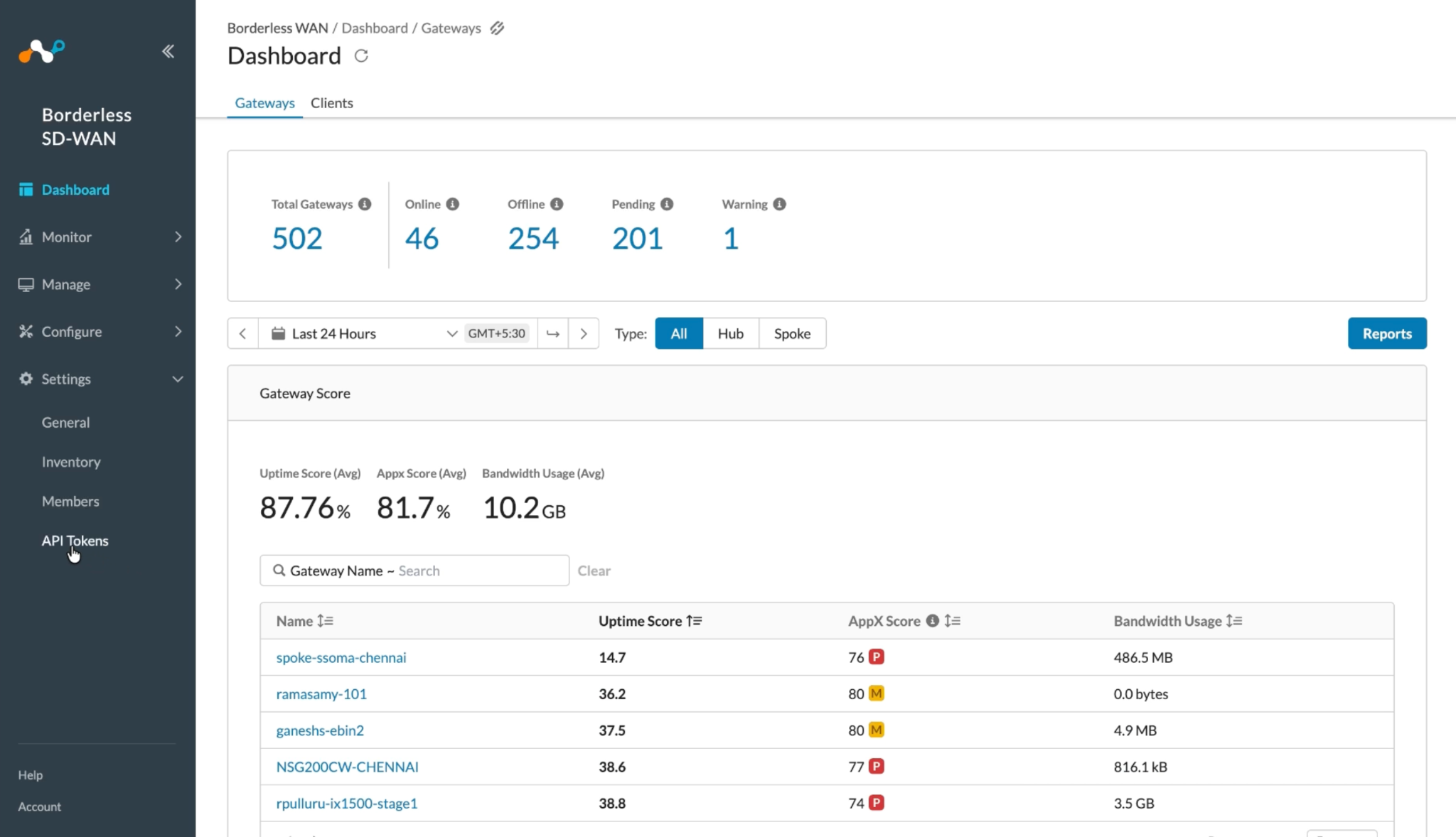
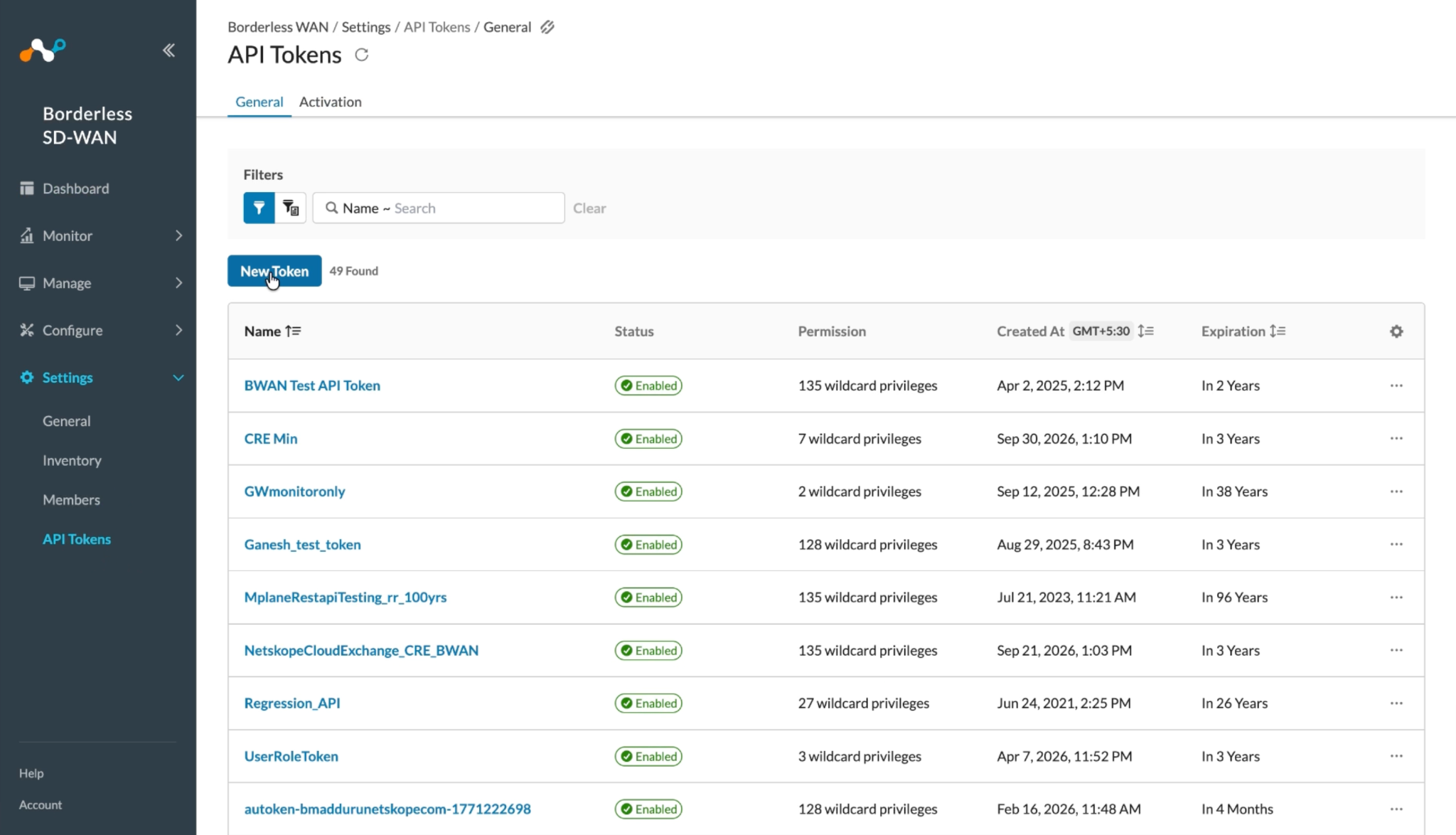
Log in to your Netskope Borderless WAN instance and go to Settings > API Tokens.
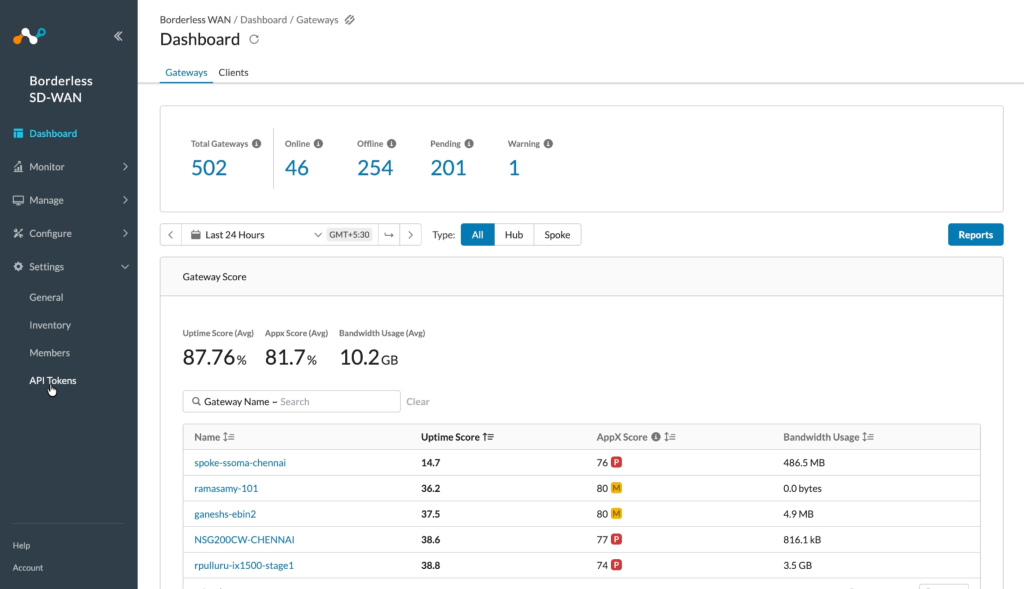
-
Click New Token.
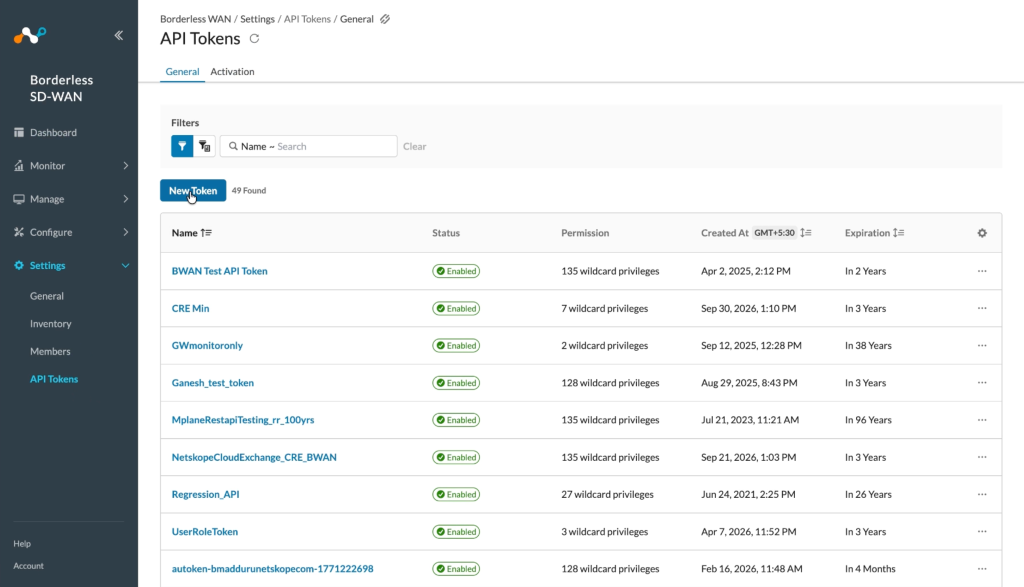
-
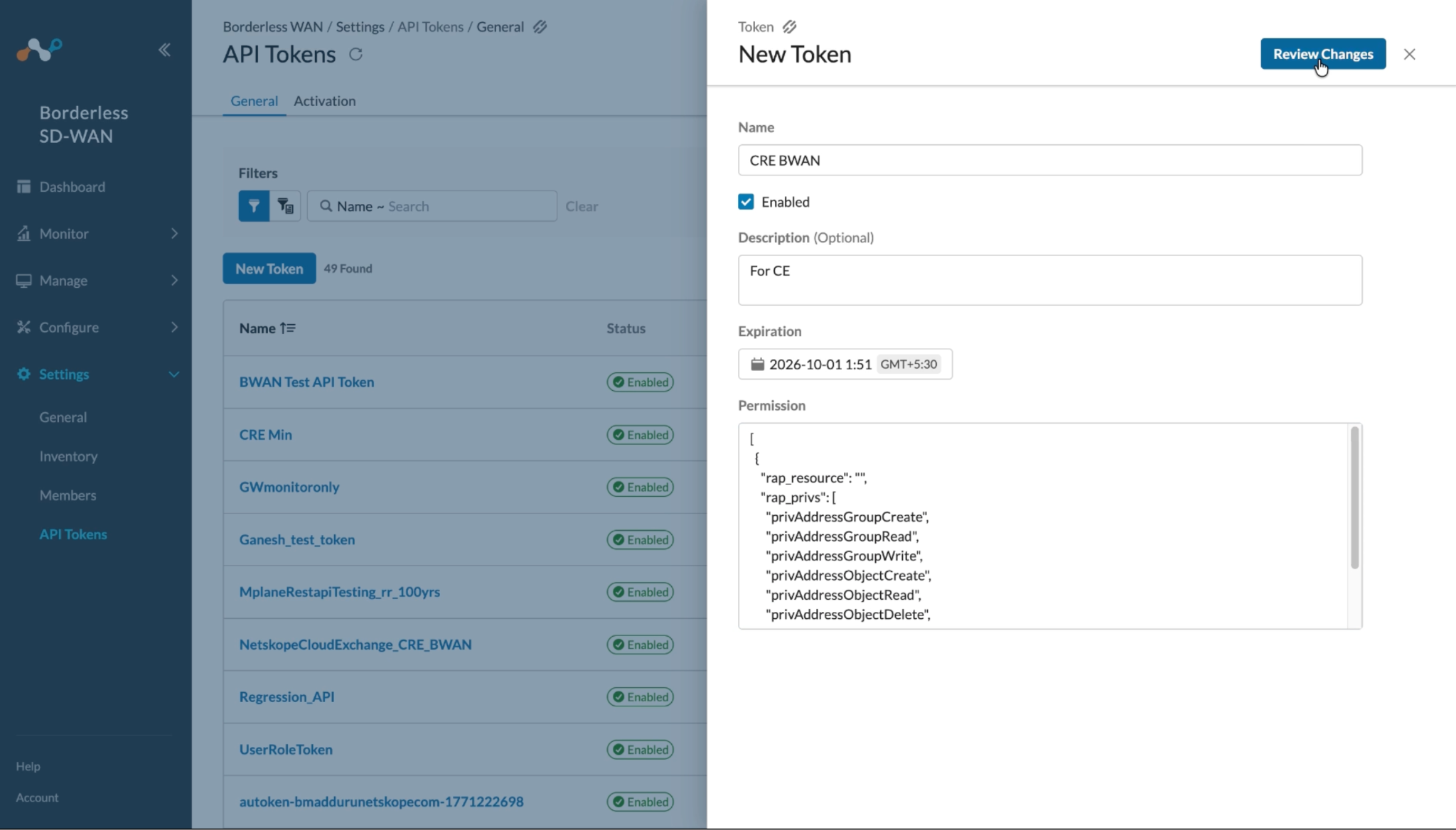
Provide a Name, Description, and Expiration as per your requirement. Add the permissions listed in the Permissions section.
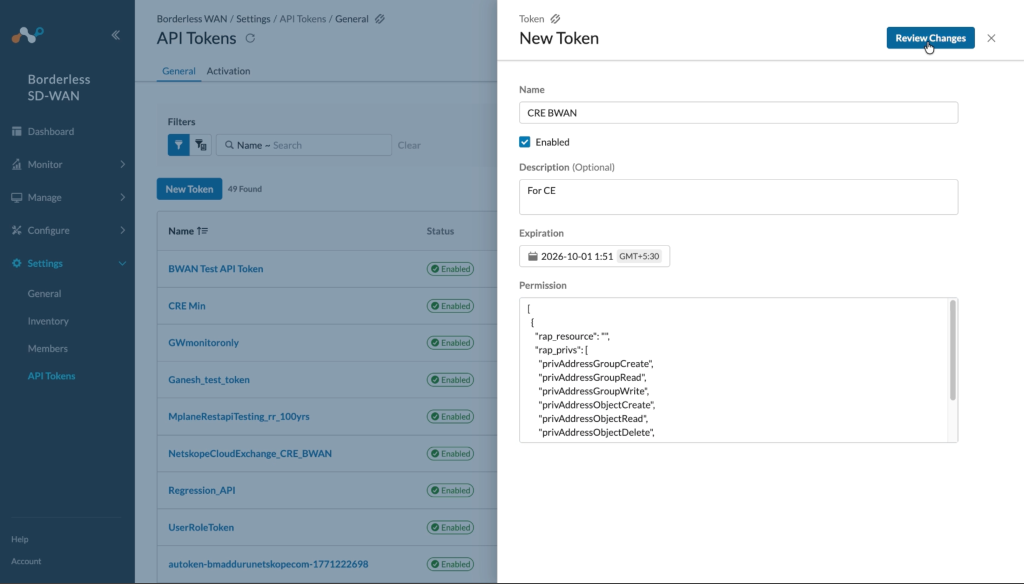
-
Click Review Changes, verify the permissions, and then click Save.
-
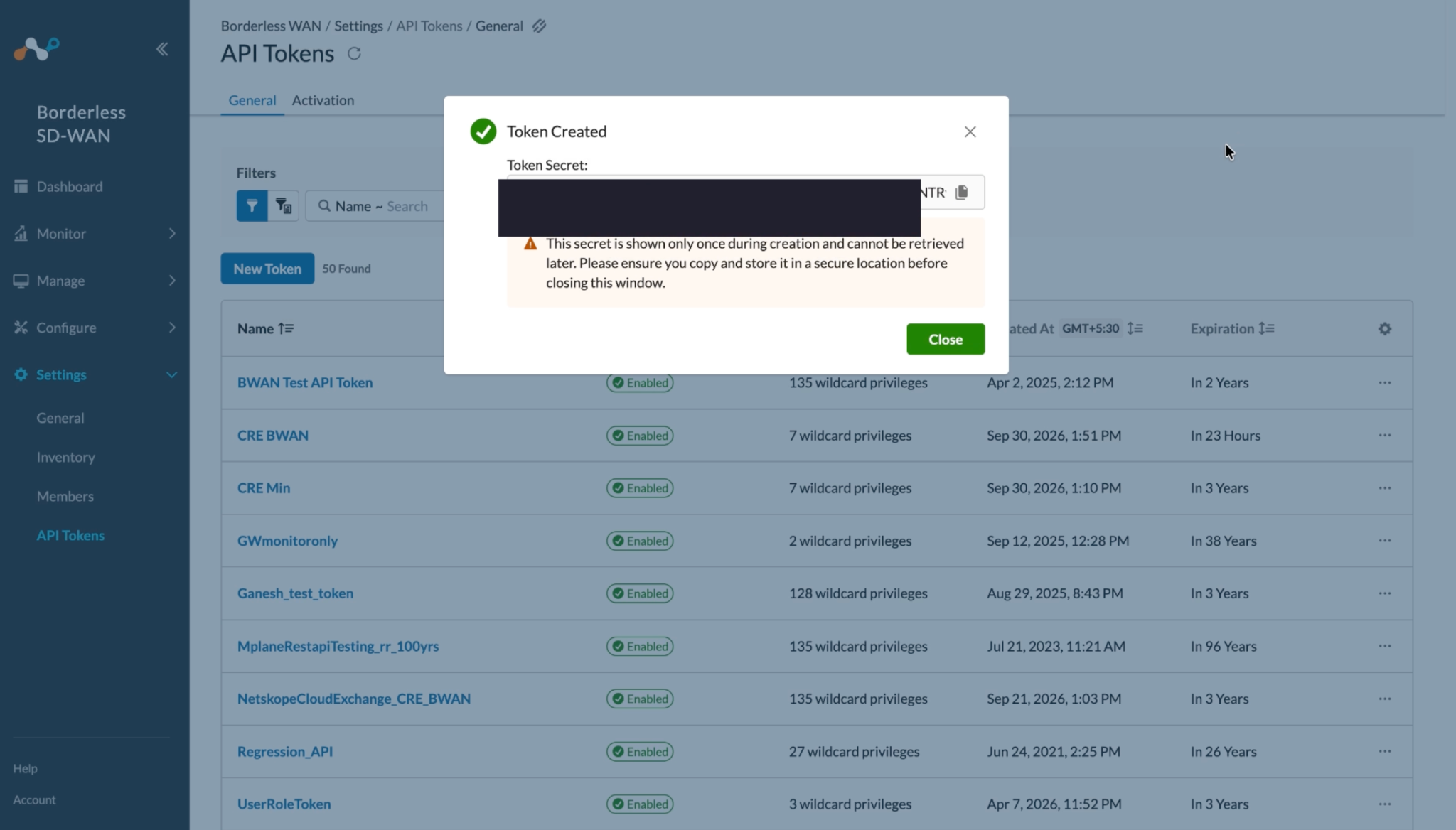
Copy the Generated token. This is need to configure the plugin.
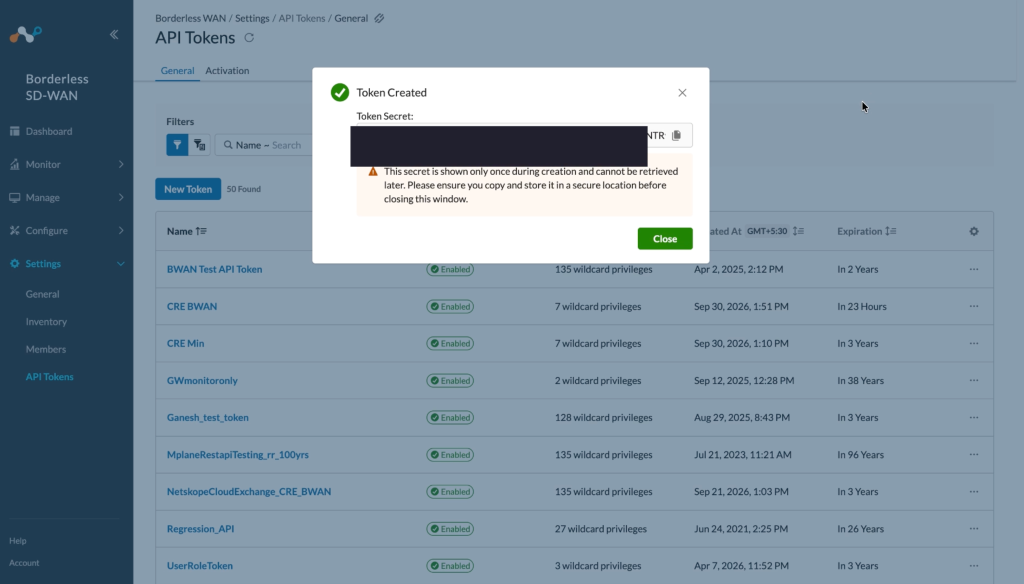
Configure the Netskope Borderless WAN Plugin
-
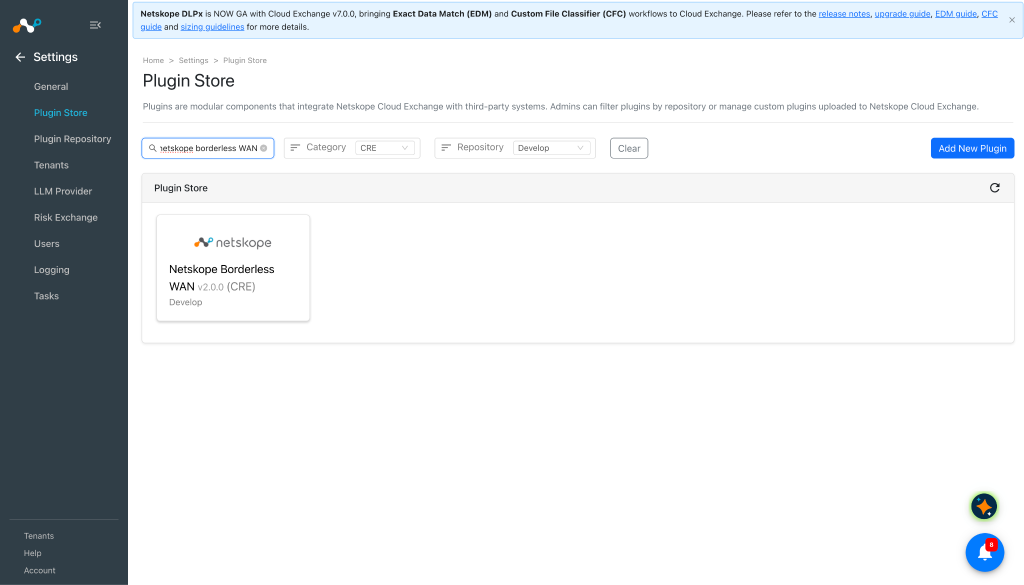
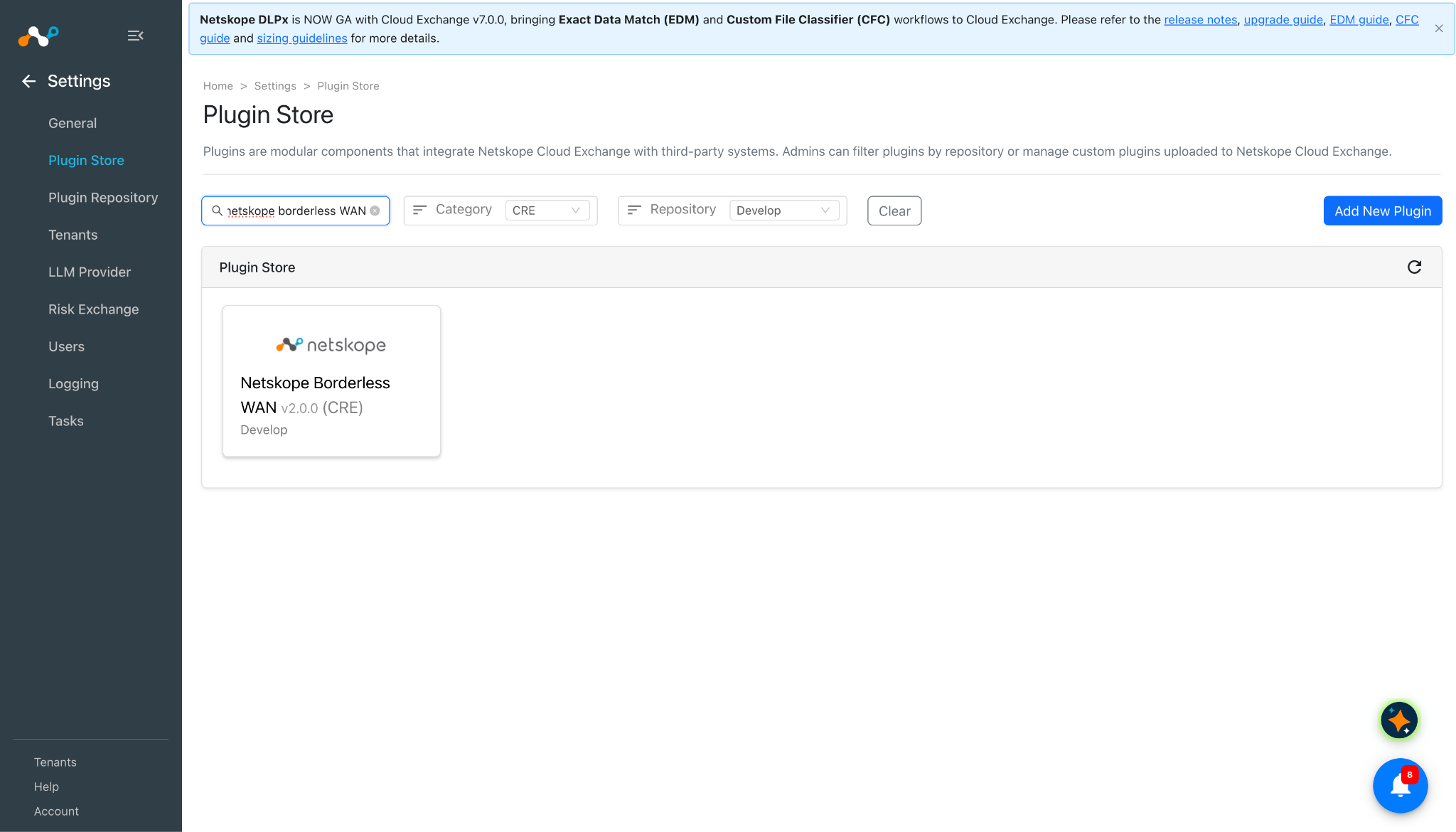
In Cloud Exchange, go to Settings > Plugin Store. Search for and select the Netskope Borderless WAN v2.0.0 (CRE) plugin.
-
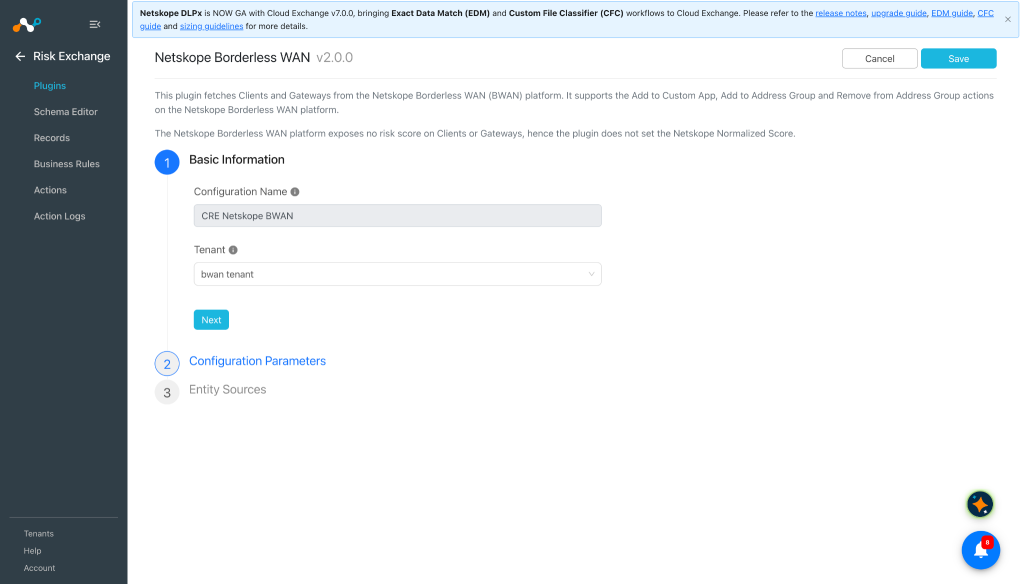
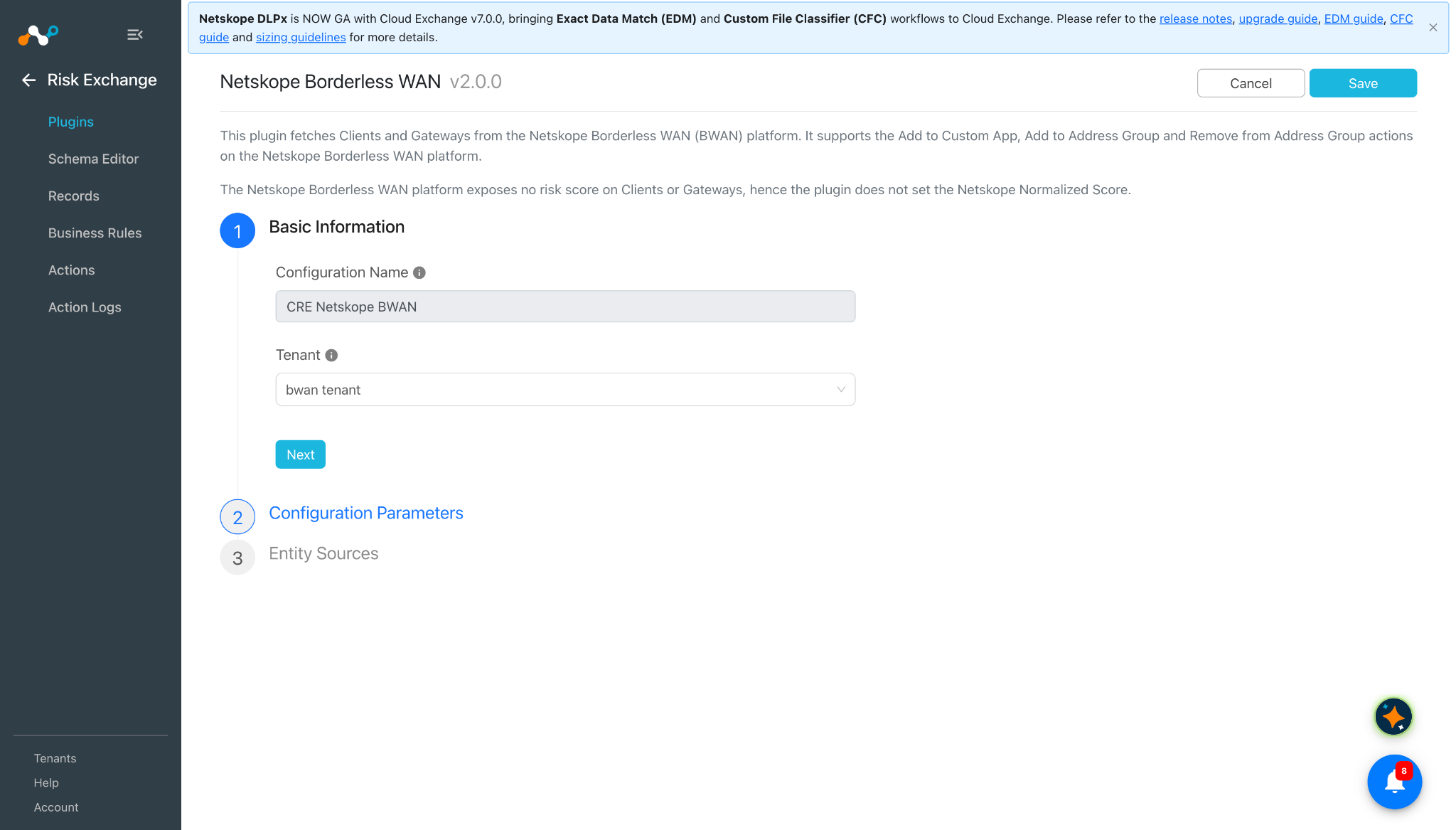
Add a plugin configuration name and select the BWAN tenant.
-
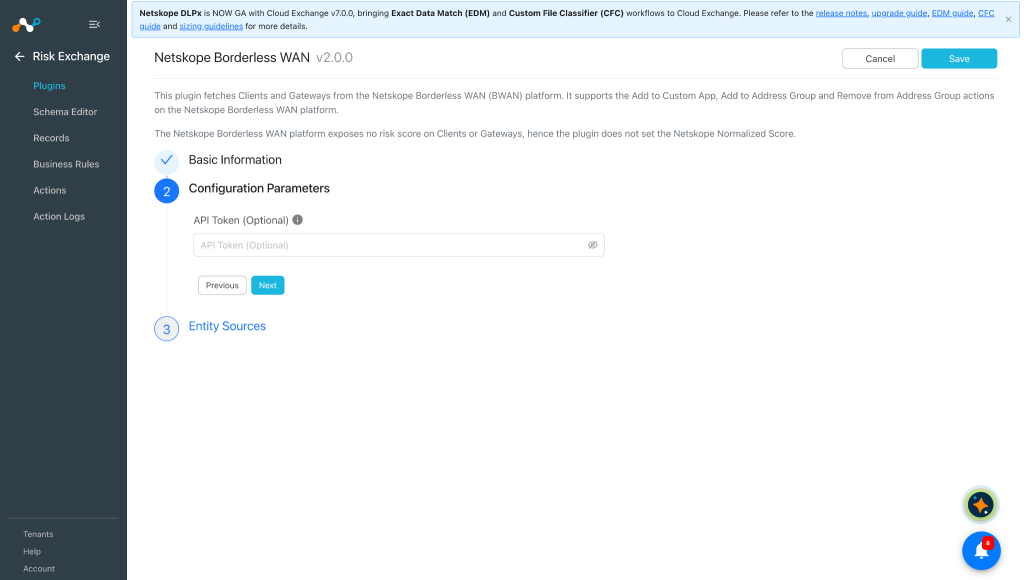
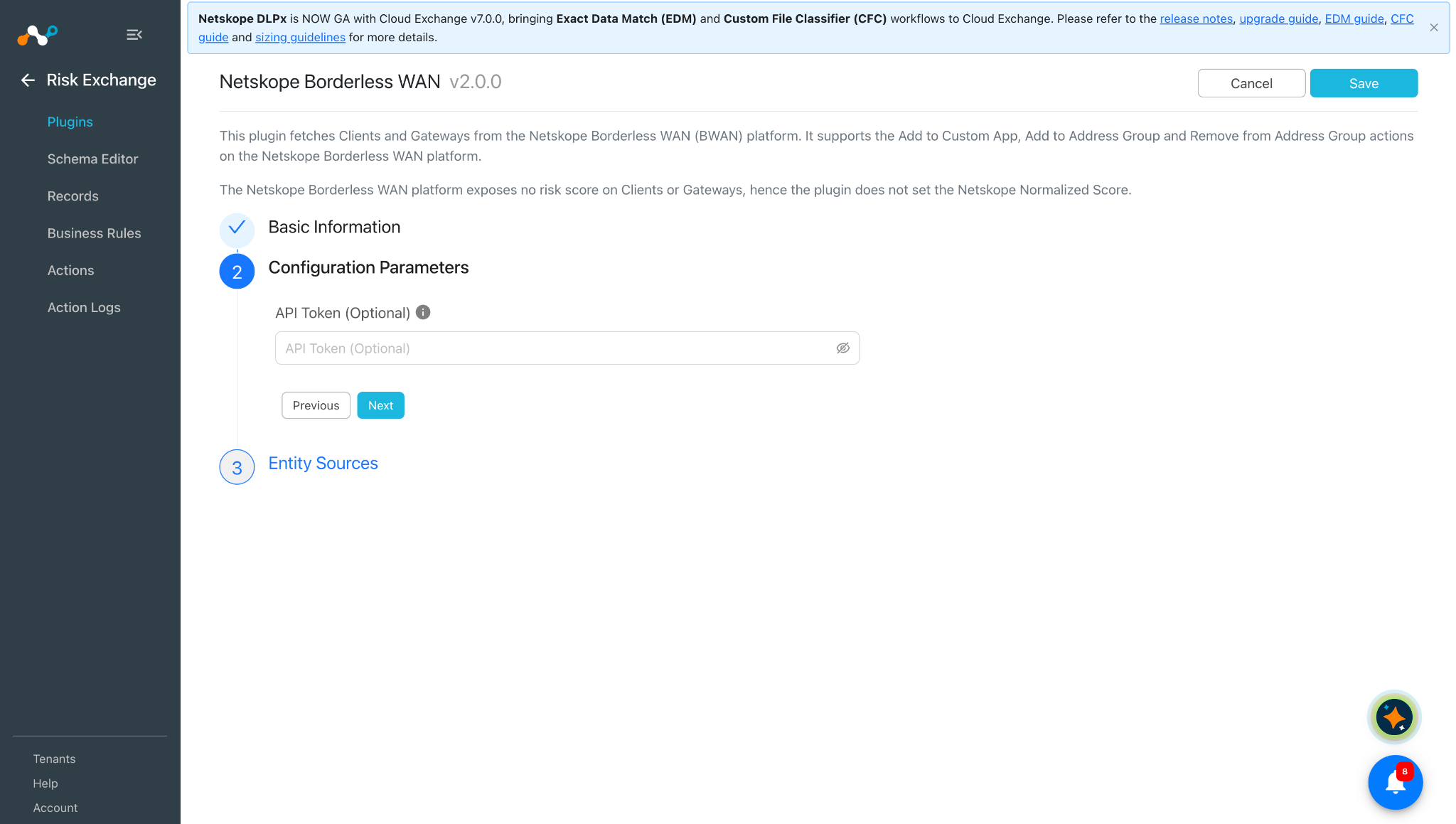
Click Next and enter the Configuration Parameters:
API Token (Optional): Optional API Token of the Netskope Borderless WAN platform. If provided, it is used for all the API calls instead of the Auth Token of the selected Netskope Borderless WAN Tenant. If not provided, the Auth Token of the Tenant is used. The API Token can be generated from the Settings > API Tokens page of the Netskope Borderless WAN tenant.
-
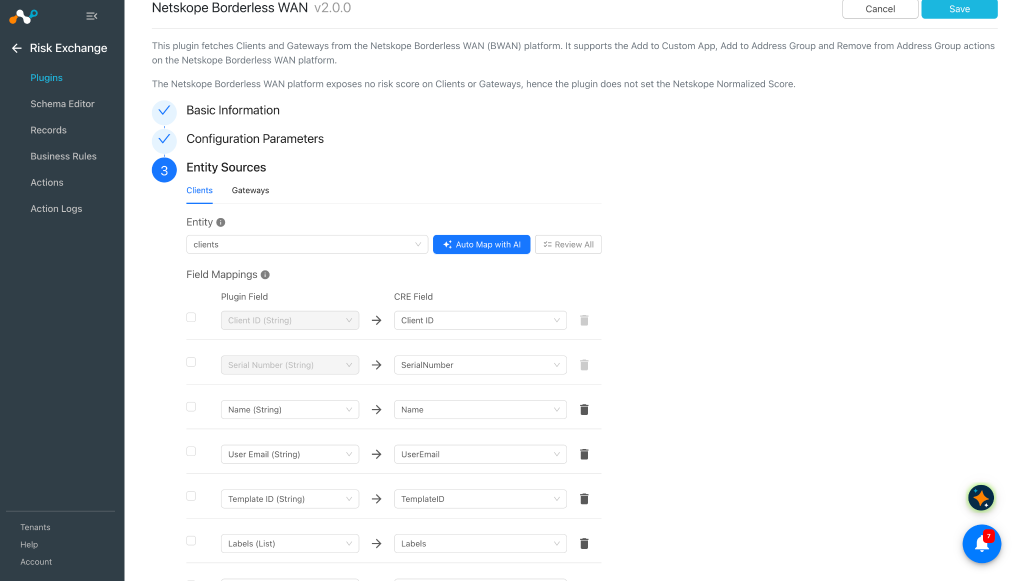
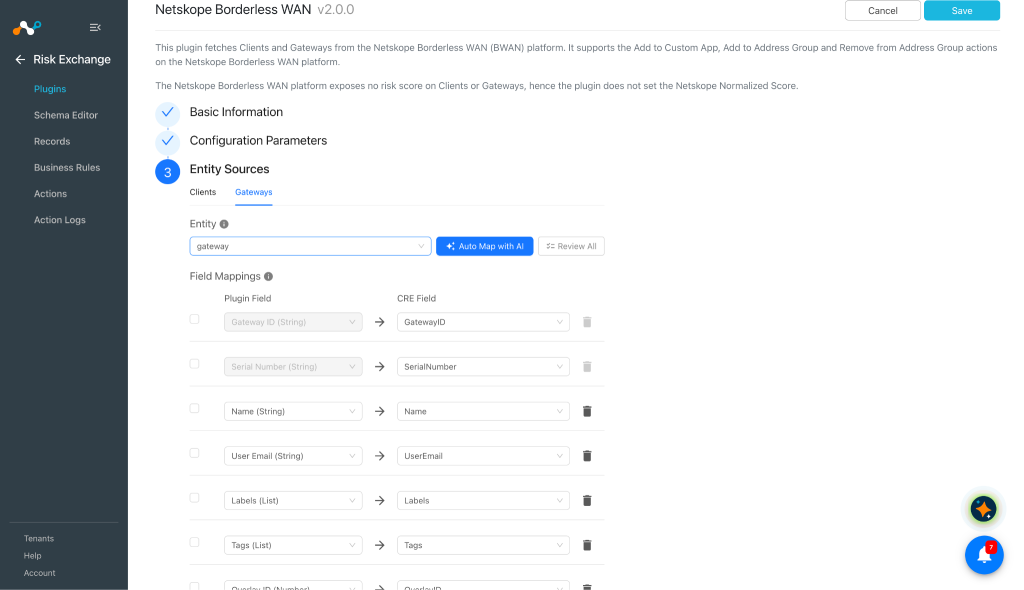
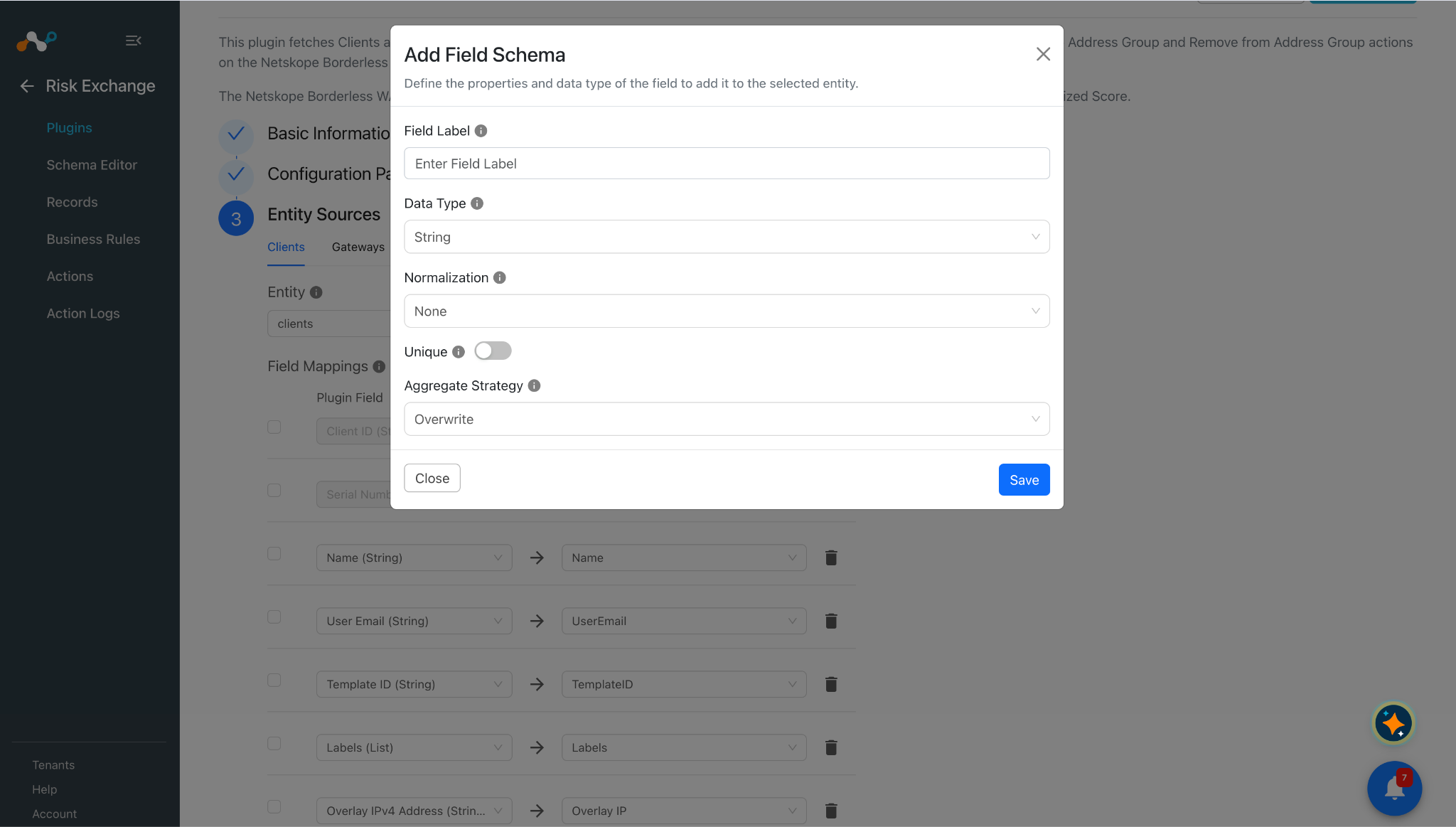
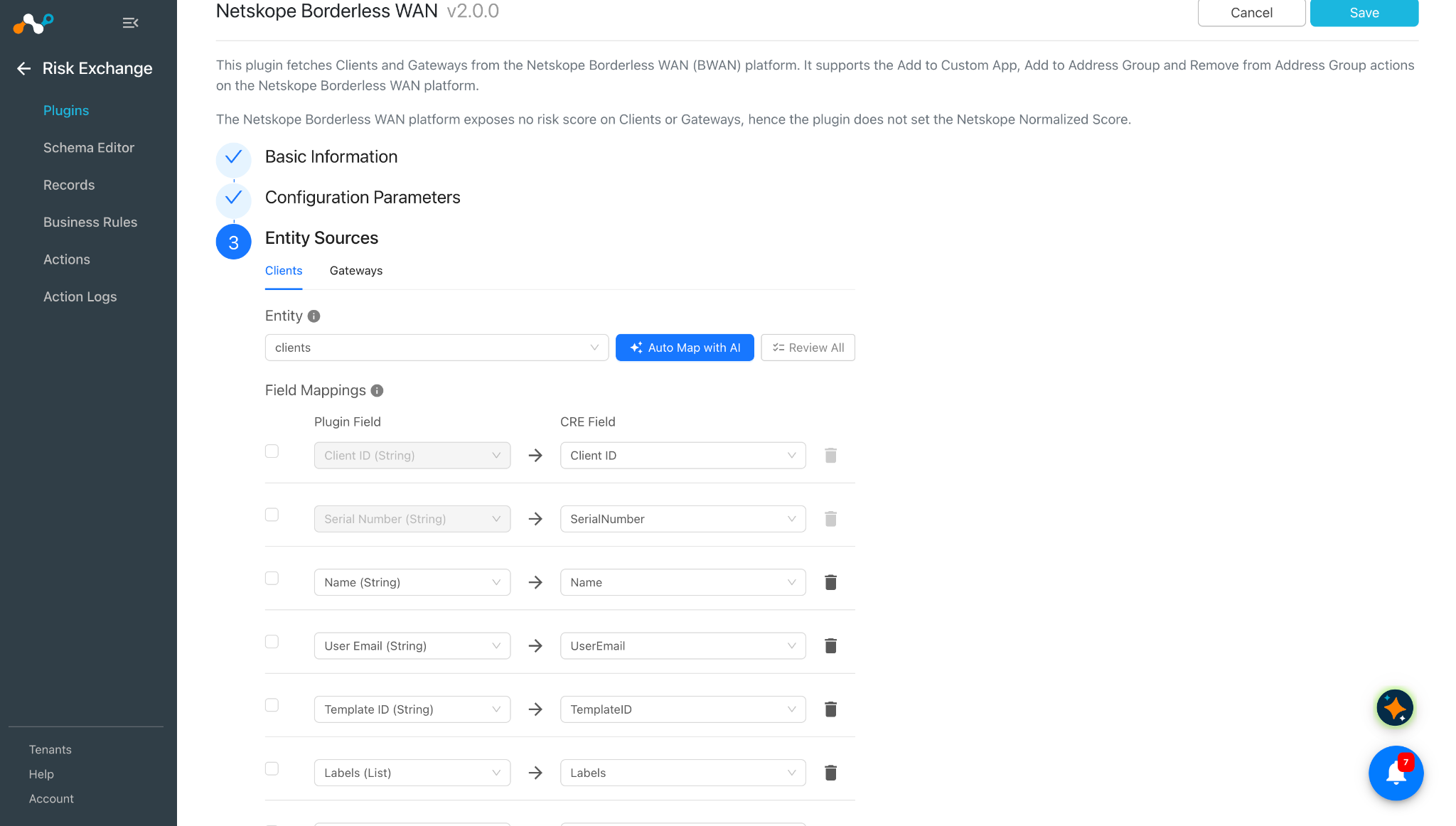
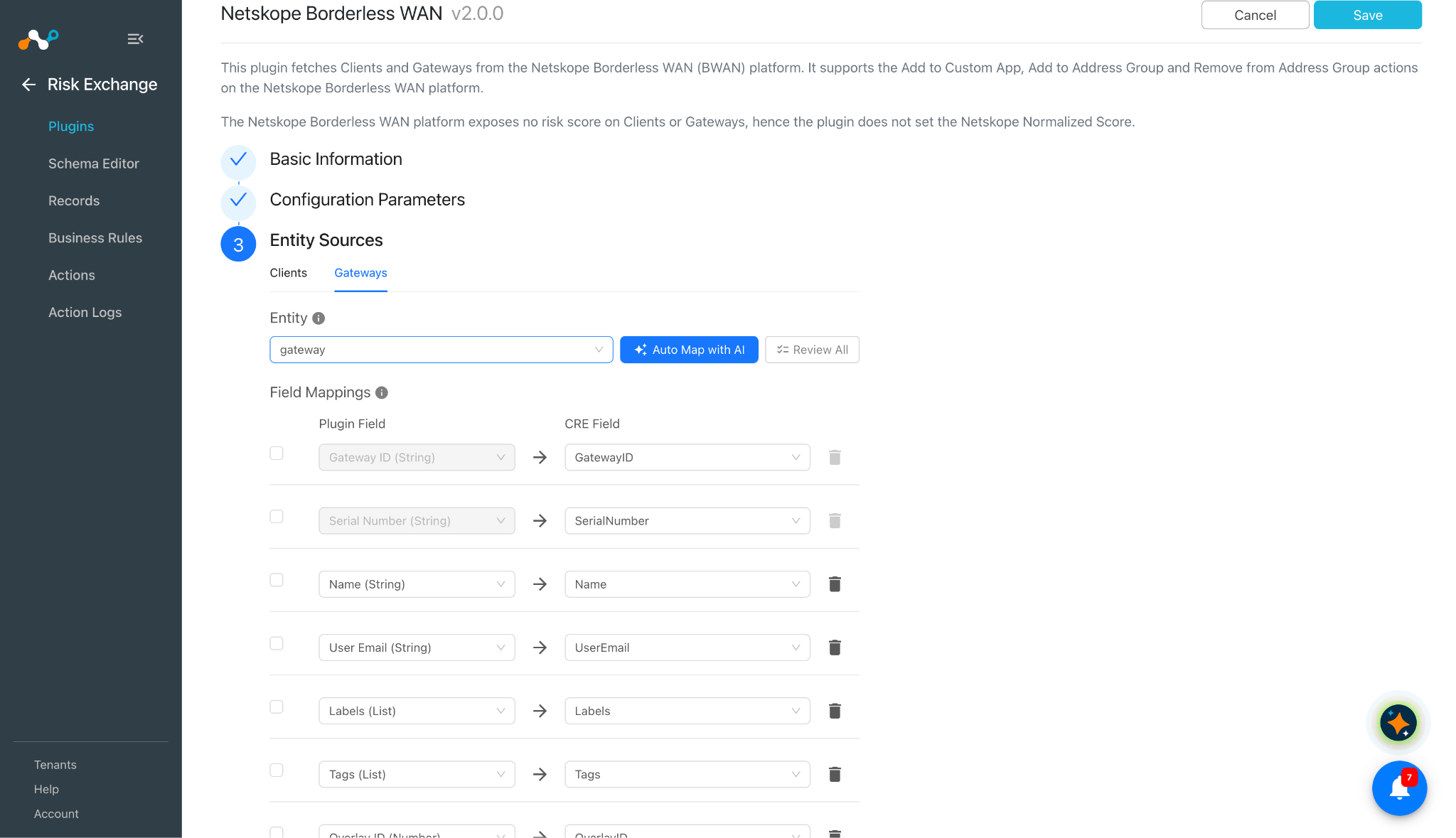
Click Next and select an Entity from the Entity dropdown. Provide the field mapping per your needs. To create a new field, under any entity, click Add Field.
Provide a Field Label, Data Type, Normalization, Unique, and Aggregate Strategy.
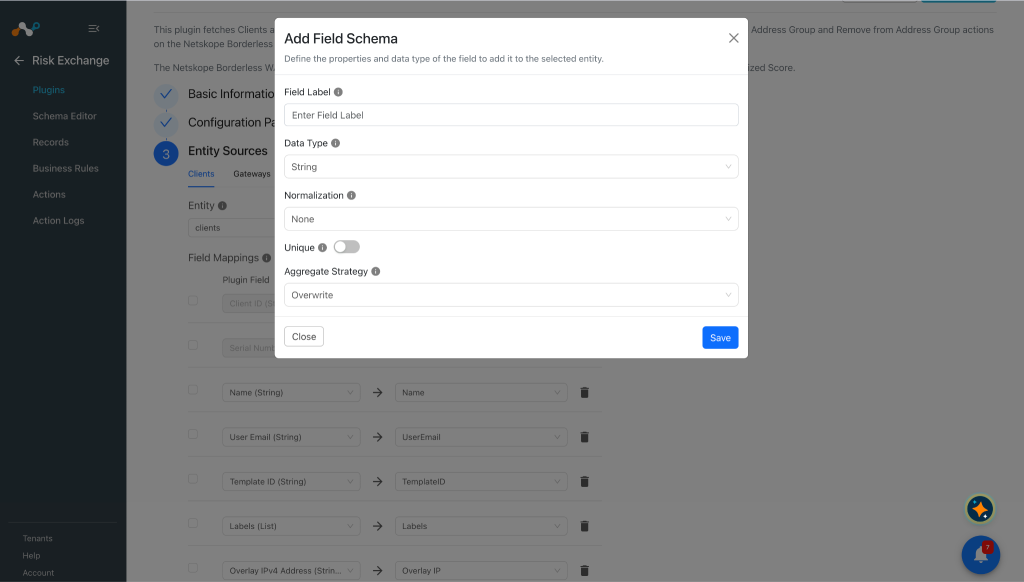 Client ID and Serial Number field will be required to pull the Clients details. Similarly for Gateways entity, Gateway ID and Serial Number is required to pull the Gateways details.
-
Click Save.
Configure a Risk Exchange Business Rule for the Netskope Borderless WAN Plugin
-
Go to Risk Exchange > Business Rules.
-
Click Create New Rule in the top right corner.
-
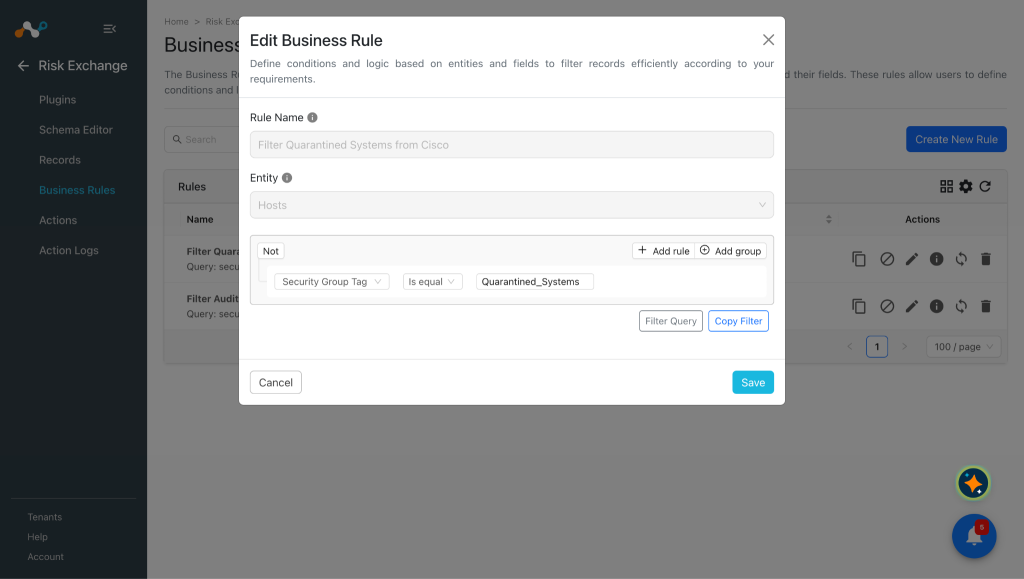
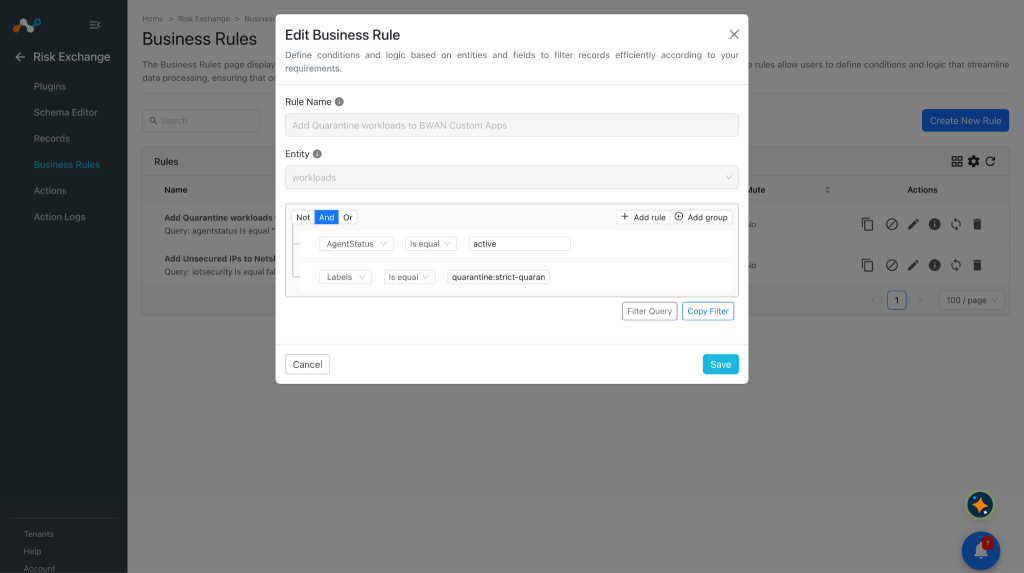
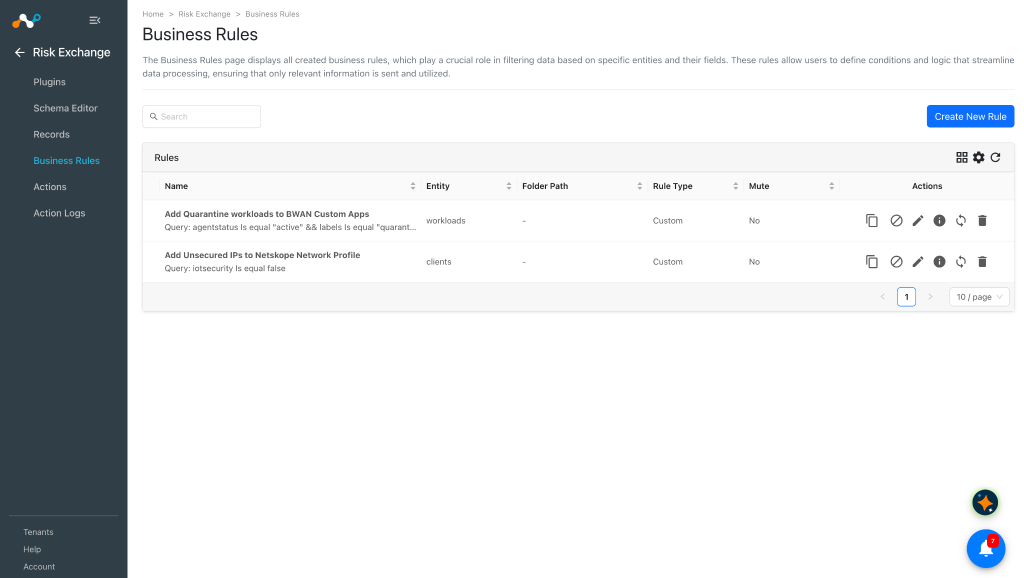
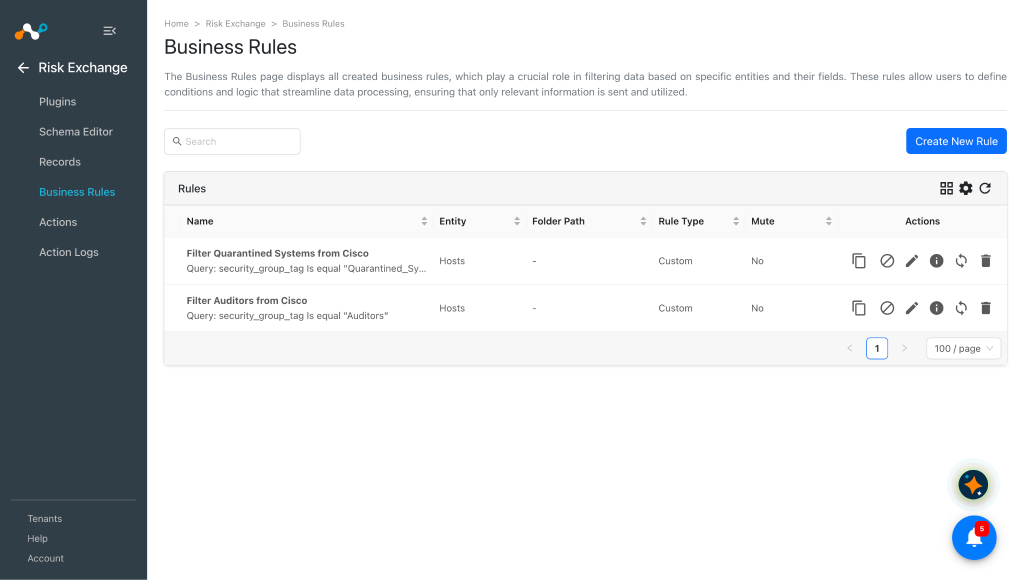
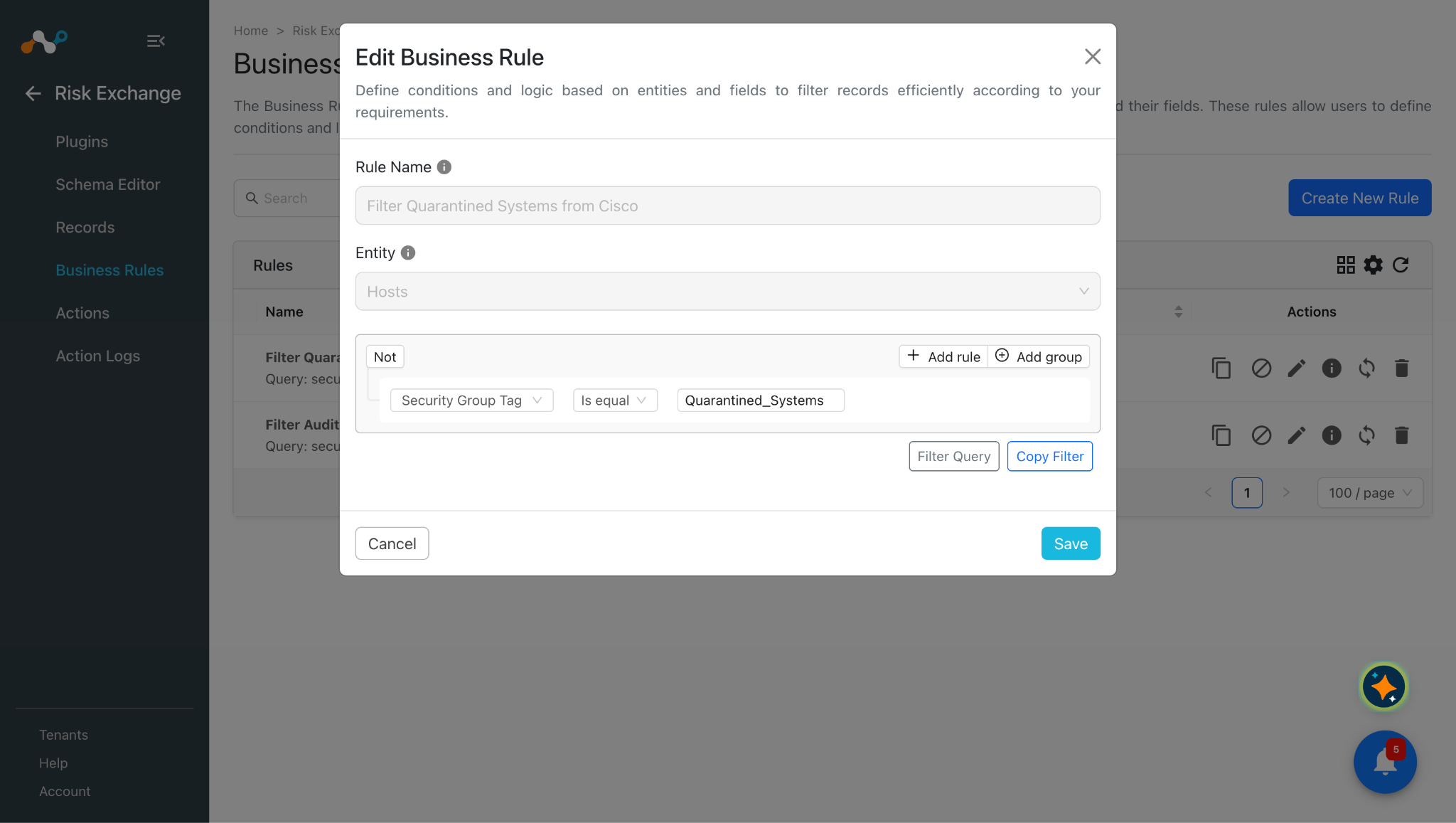
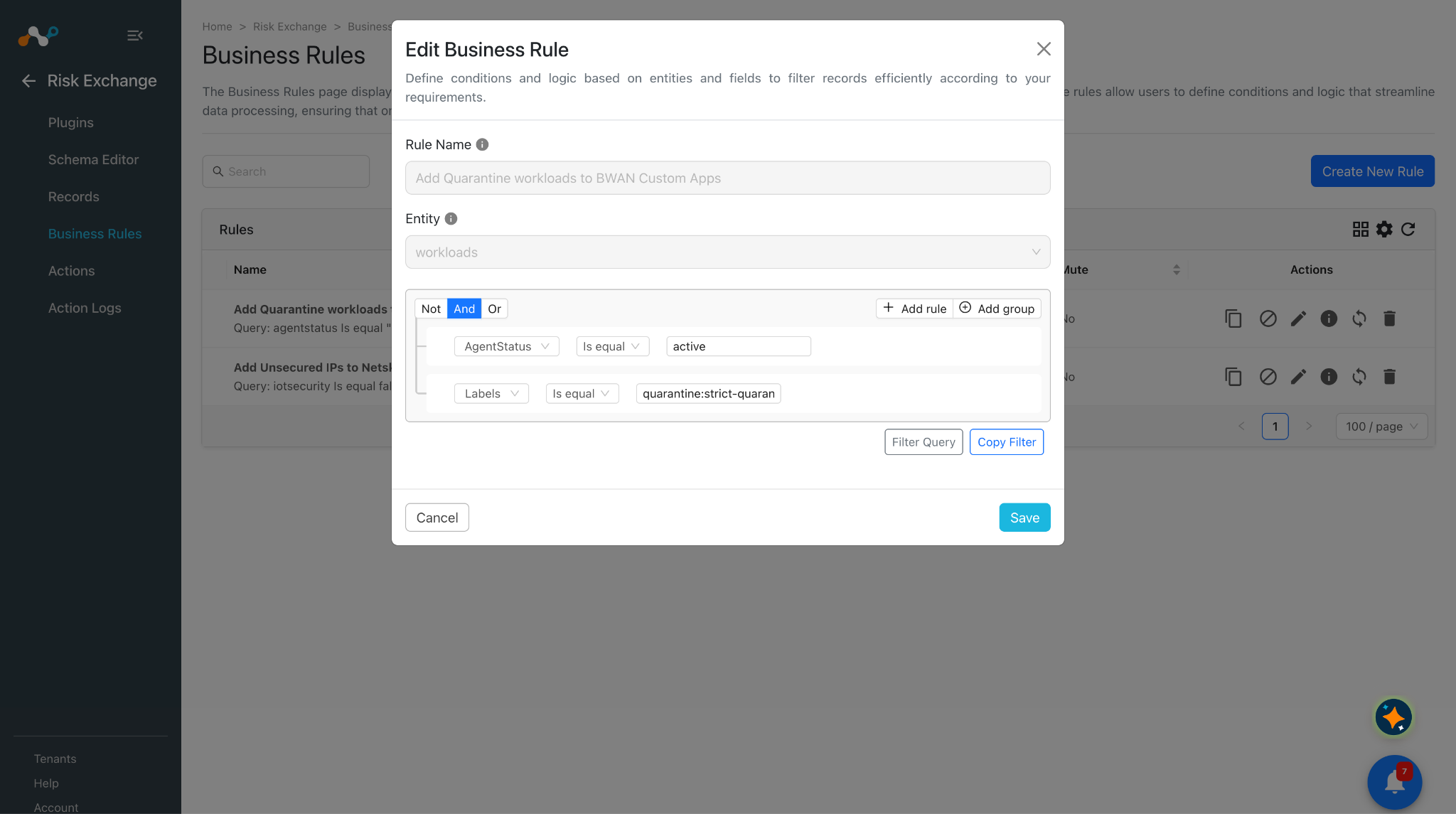
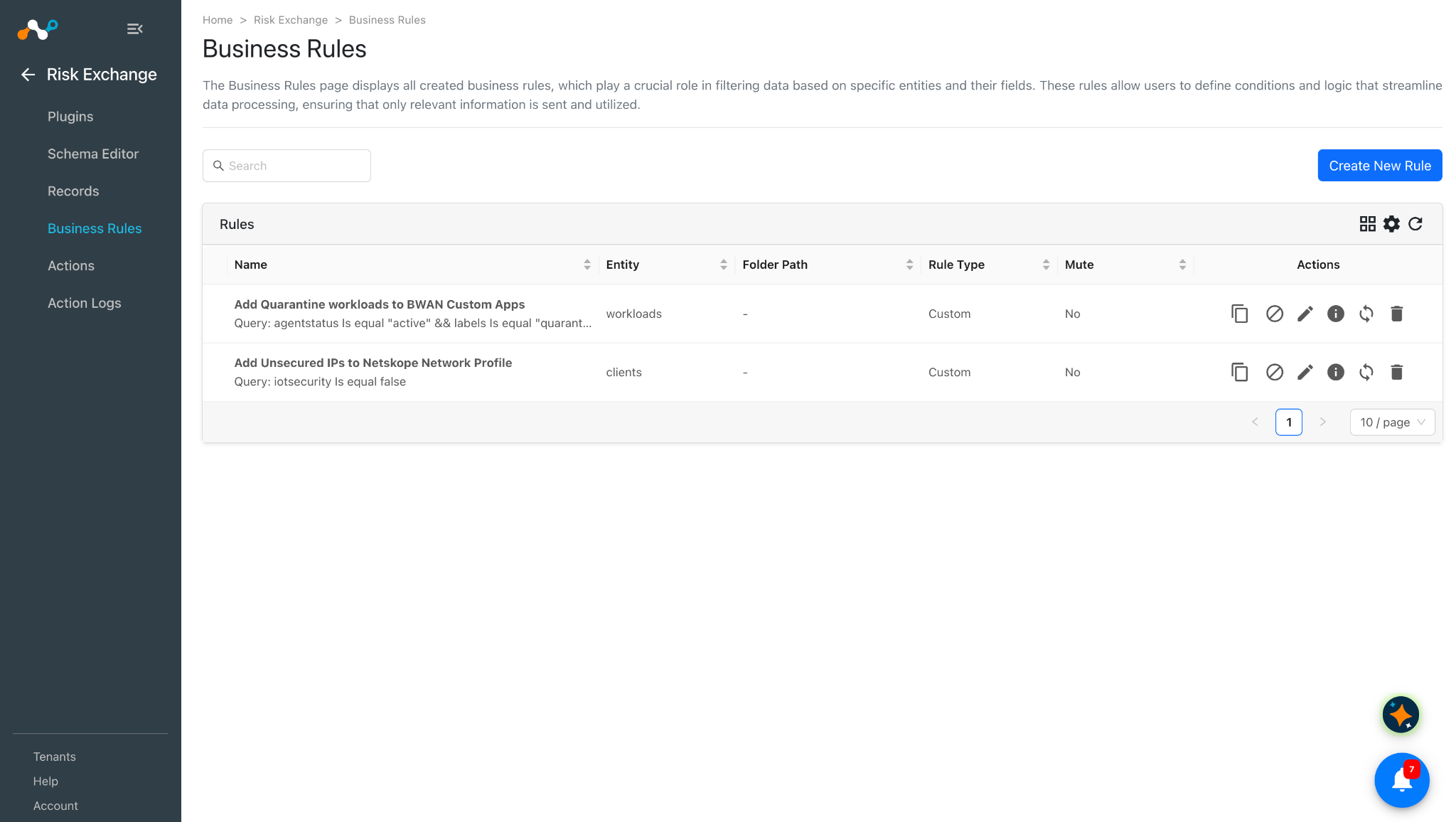
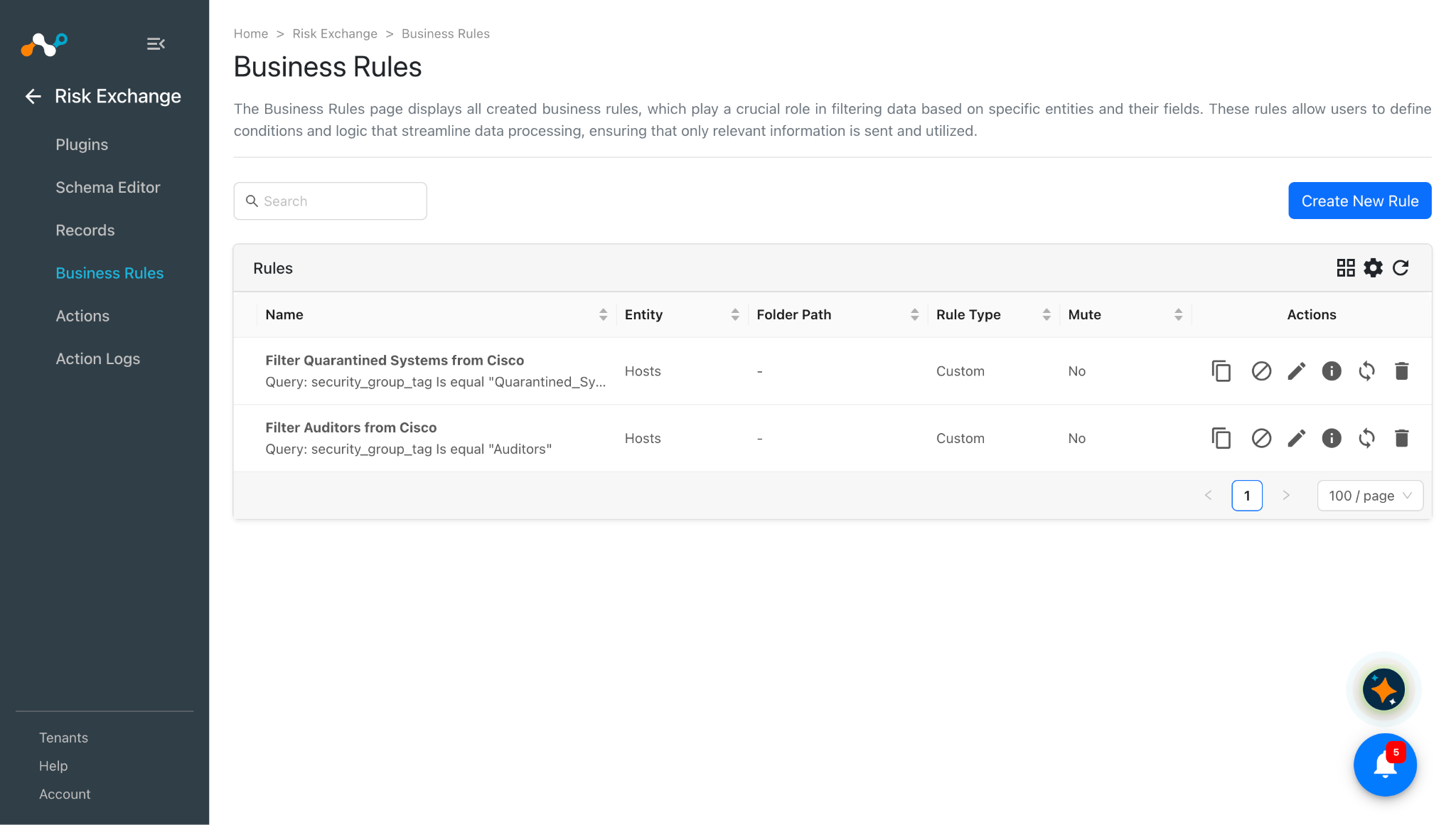
Enter a Rule Name. Select the Entity for which Fields have been configured, and configure the query based on your requirements. Here are examples that filter the data fetched from the Cisco ISE plugin.
-
Click Save.
Configure Risk Exchange Actions for the Netskope Borderless WAN Plugin
The Netskope Borderless WAN plugin supports the following action types:
- Add to Custom App: This action allows users to add IP addresses/Hostnames or domains to the Custom Apps on the Netskope Borderless WAN tenant.
- Add to Address Group: This action allows users to add IP addresses to the Address Group on the Netskope Borderless WAN tenant.
- Remove from Address Group: This action allows users to remove IP addresses from the Address Group on the Netskope Borderless WAN tenant.
- No Action: No action will be performed for this action. You can generate UBA alerts in Ticket Orchestrator by using this action, and enabling the Generate Alerts toggle.
Add to a Custom App
-
In Risk Exchange, go to Actions and click Add Action Configuration.
-
Select the required Business Rule, Configuration, and Add to Custom App Action from their respective dropdowns.
-
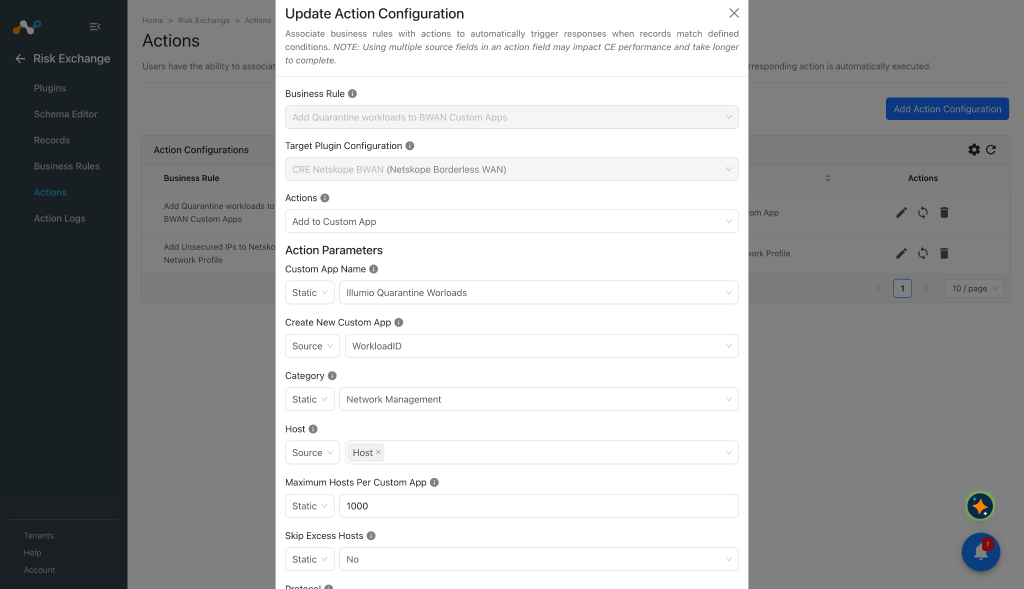
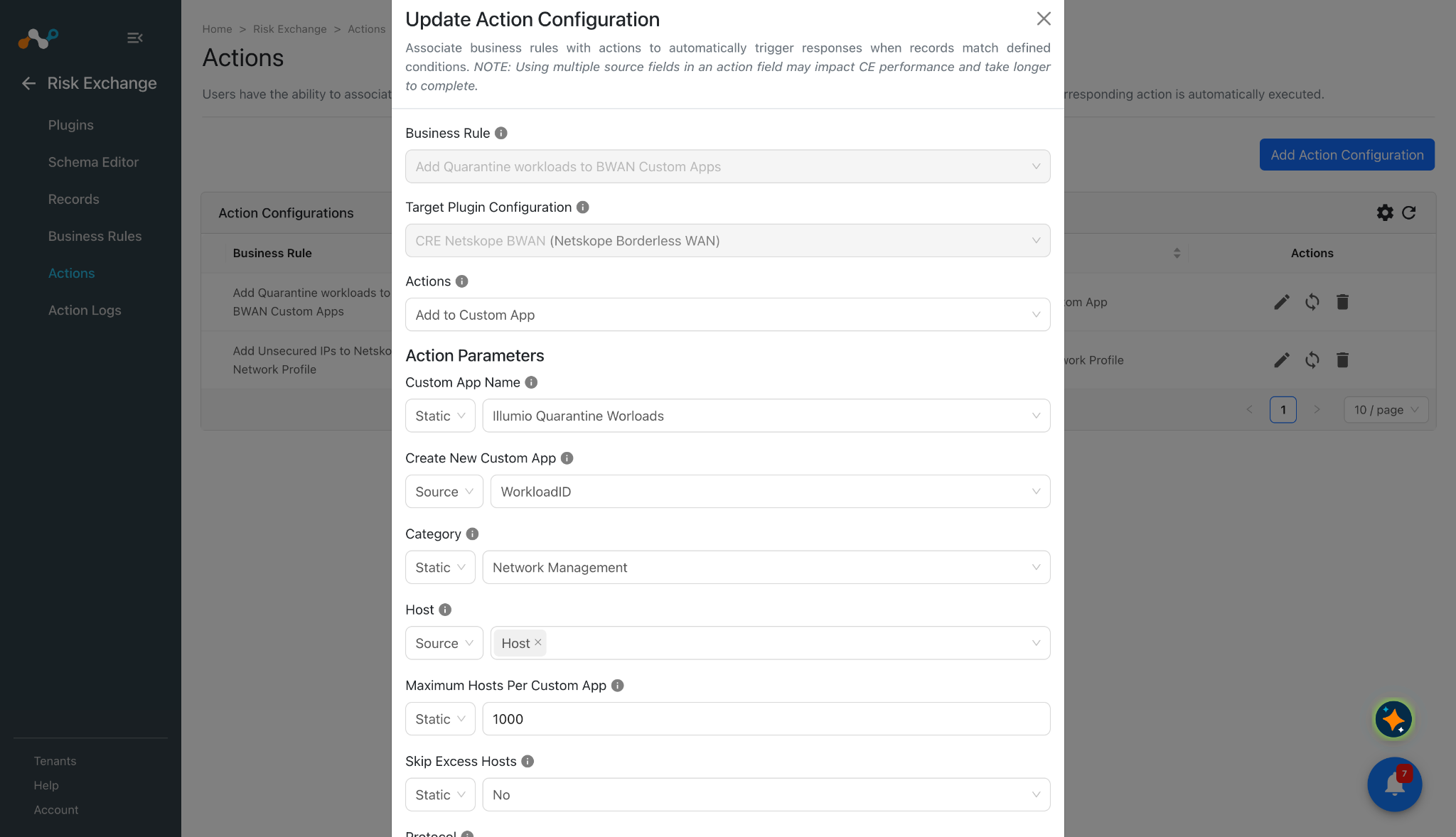
Enter the Action Parameters:
- Custom App Name: Select an existing Custom Application from the dropdown, or select Create New custom App to create one. Static field only.
- Create New Custom App: Name of the Custom Application to create. Required only when Create New Custom App is selected in Custom App Name. Must be at least 6 characters. If a Custom Application with this name already exists, it is used instead. Static field only.
- Category: Category the Custom Application is reported under. It is applied to every Custom Application the action writes, including an existing one. Static field only.
- Host: Host address to append to the Custom Application. Each value must be an IPv4 address, an IPv4 CIDR range, or a domain name/domain of at least two labels, up to 100 characters total and 63 characters per label, optionally with a leftmost wildcard such as *.example.com. One or more Source fields can be selected, and multiple comma-separated values are supported. Source or static field.
- Maximum Hosts Per Custom App: Maximum number of host slots one Custom Application may hold before the action rolls over into a sibling or skips the remainder, as decided by Skip Excess Hosts. A host counts once per selected protocol. The value must be at least 1. Default: 1000. Static field only.
- Skip Excess Hosts: Select No to create roll-over sibling Custom Applications until all the hosts are accommodated. Select Yes to create no siblings and skip the hosts beyond the existing capacity. Default: No. Static field only.
- Protocol: IP protocols the traffic definition matches. One traffic definition is written per selected protocol. Available options are ICMP, TCP, UDP and IPv4. Default: all four. Static field only.
- TCP Ports: Comma-separated ports or port ranges for the TCP protocol, for example 443, 8080-8090. Enter a value only when TCP is selected in Protocol. When left empty, the definition matches the protocol without a port constraint. Static field only.
- UDP Ports: Comma-separated ports or port ranges for the UDP protocol, for example 53, 5000-5010. Enter a value only when UDP is selected in Protocol. When left empty, the definition matches the protocol without a port constraint. Static field only.
- Web Access: Whether the traffic definition matches web traffic. Available options are Yes and No. Default: No. Static field only.
-
Enable the Require Approval toggle if Approval is needed before performing action on the pulled records.
-
Click Save.
Add to an Address Group
-
In Risk Exchange, go to Actions and click Add Action Configuration.
-
Select the required Business Rule, Configuration, and Add to Address Group Action from their respective dropdowns.
-
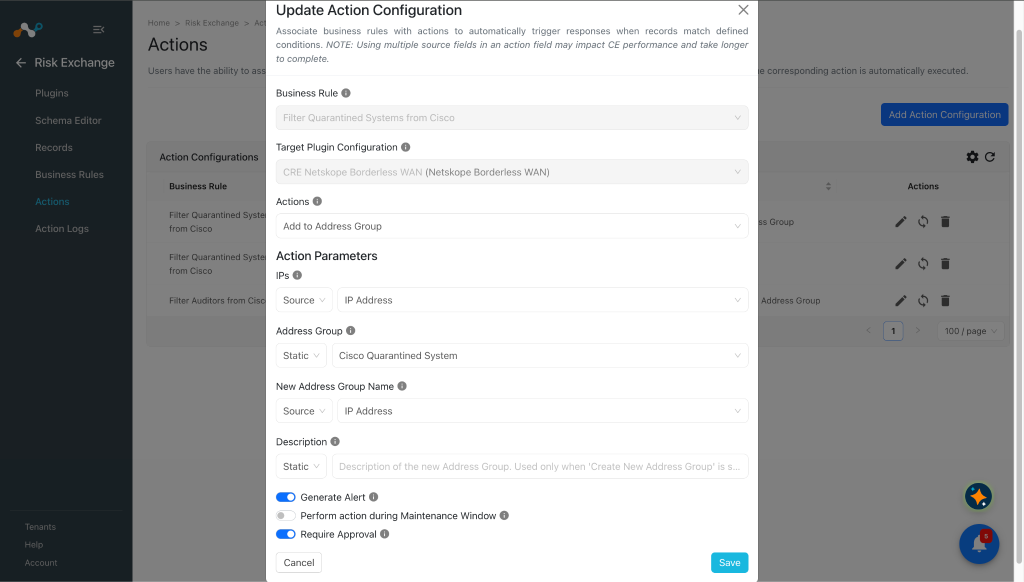
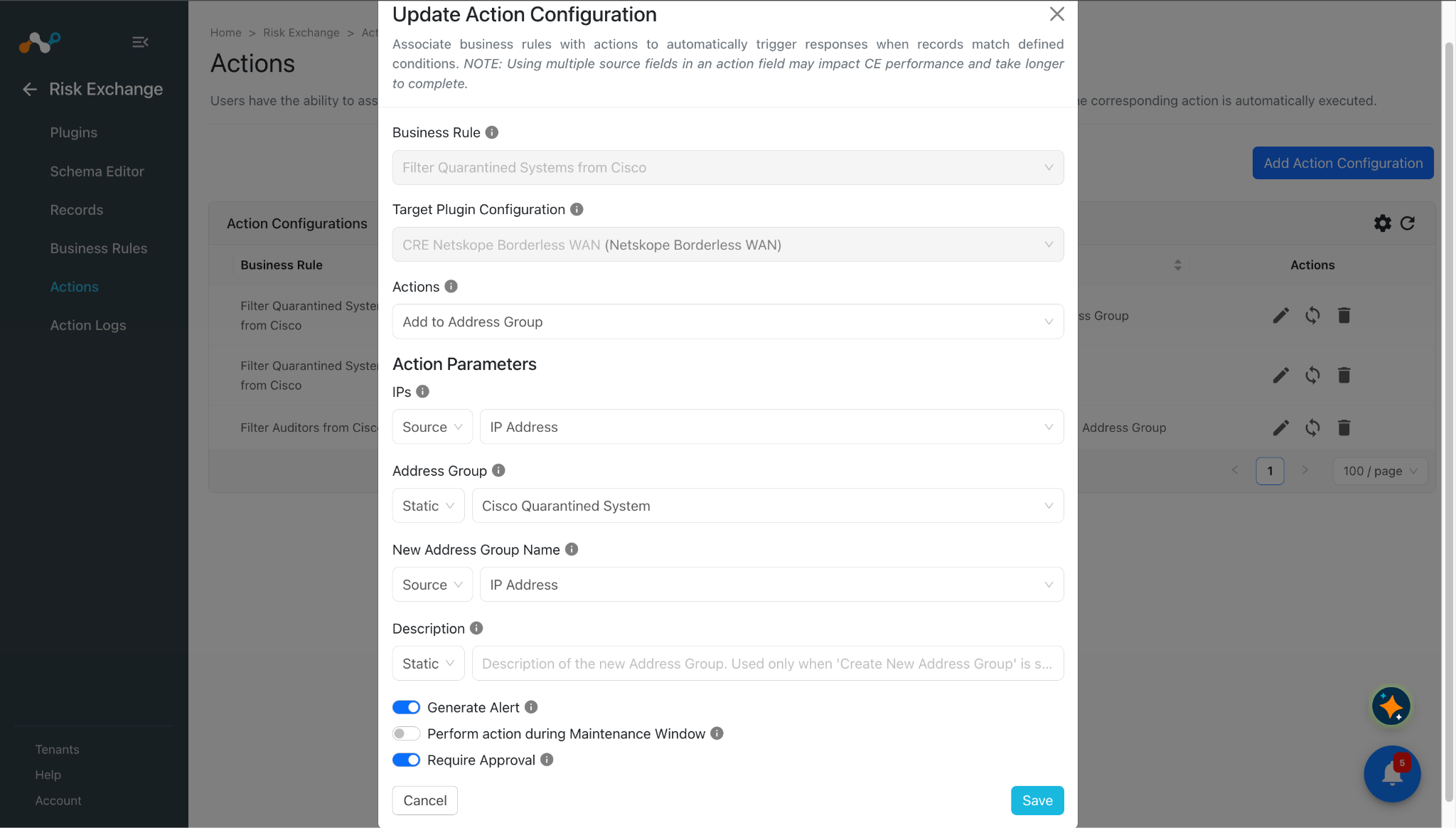
Enter the Action Parameters:
- IPs: Select the Source field containing IPv4 addresses or IPv4 CIDR ranges, or provide Static comma-separated values to add to the Address Group. IPv6 values are skipped. CIDR ranges are used exactly as provided.
- Address Group: Select an Address Group from the available options, or select ‘Create New Address Group’ to create a new Address Group and add the IPs to it. Select the Address Group from the Static Field dropdown only.
- New Address Group Name: Name of the Address Group to create. Required only when ‘Create New Address Group’ is selected in Address Group. If an Address Group with this name already exists, it is used instead. Provide it in the Static Field.
- Description: Description of the new Address Group. Used only when ‘Create New Address Group’ is selected in Address Group. Ignored if the Address Group already exists. Provide it in the Static Field.
-
Enable the Require Approval toggle if Approval is needed before performing action on the pulled records.
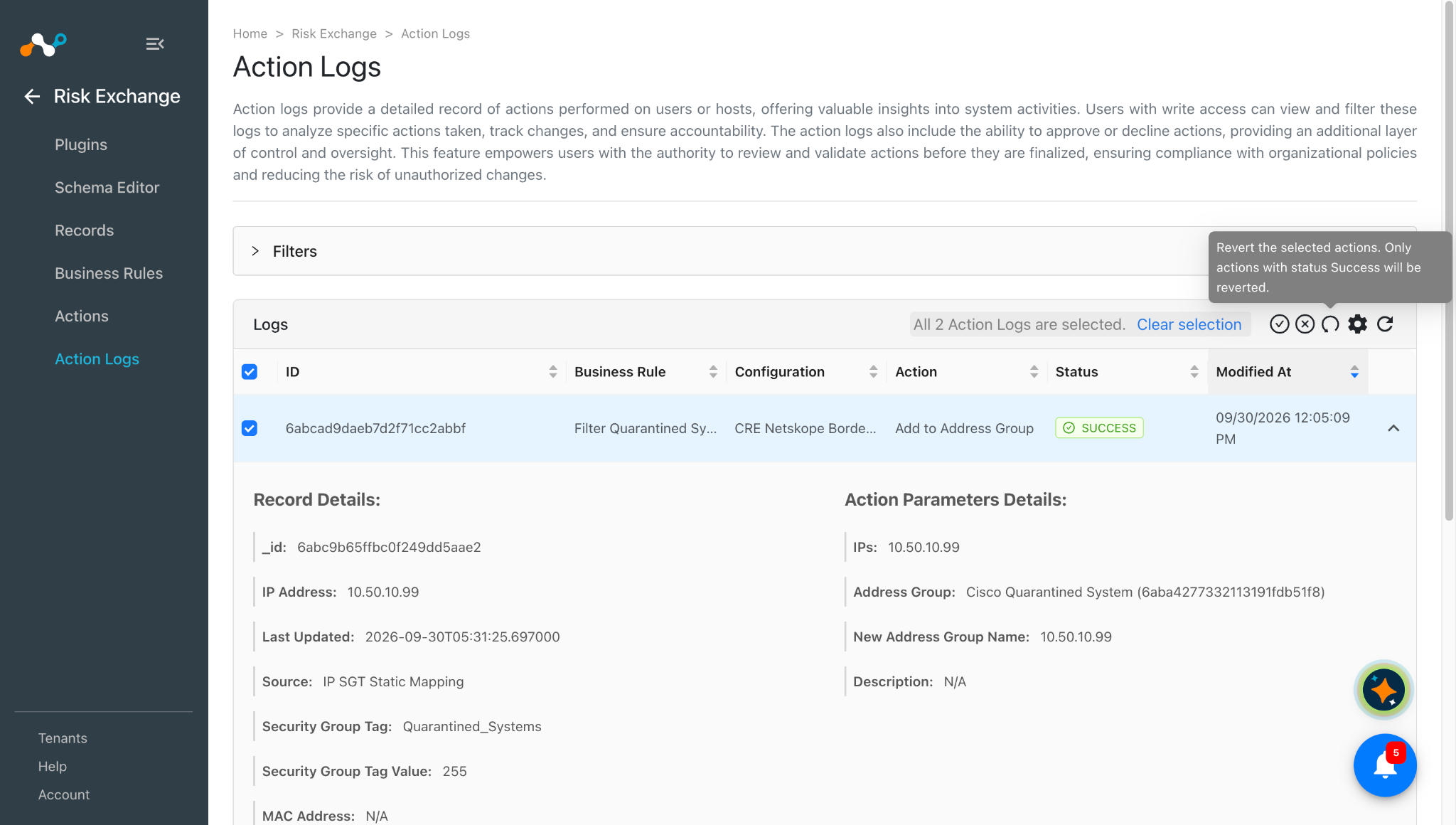
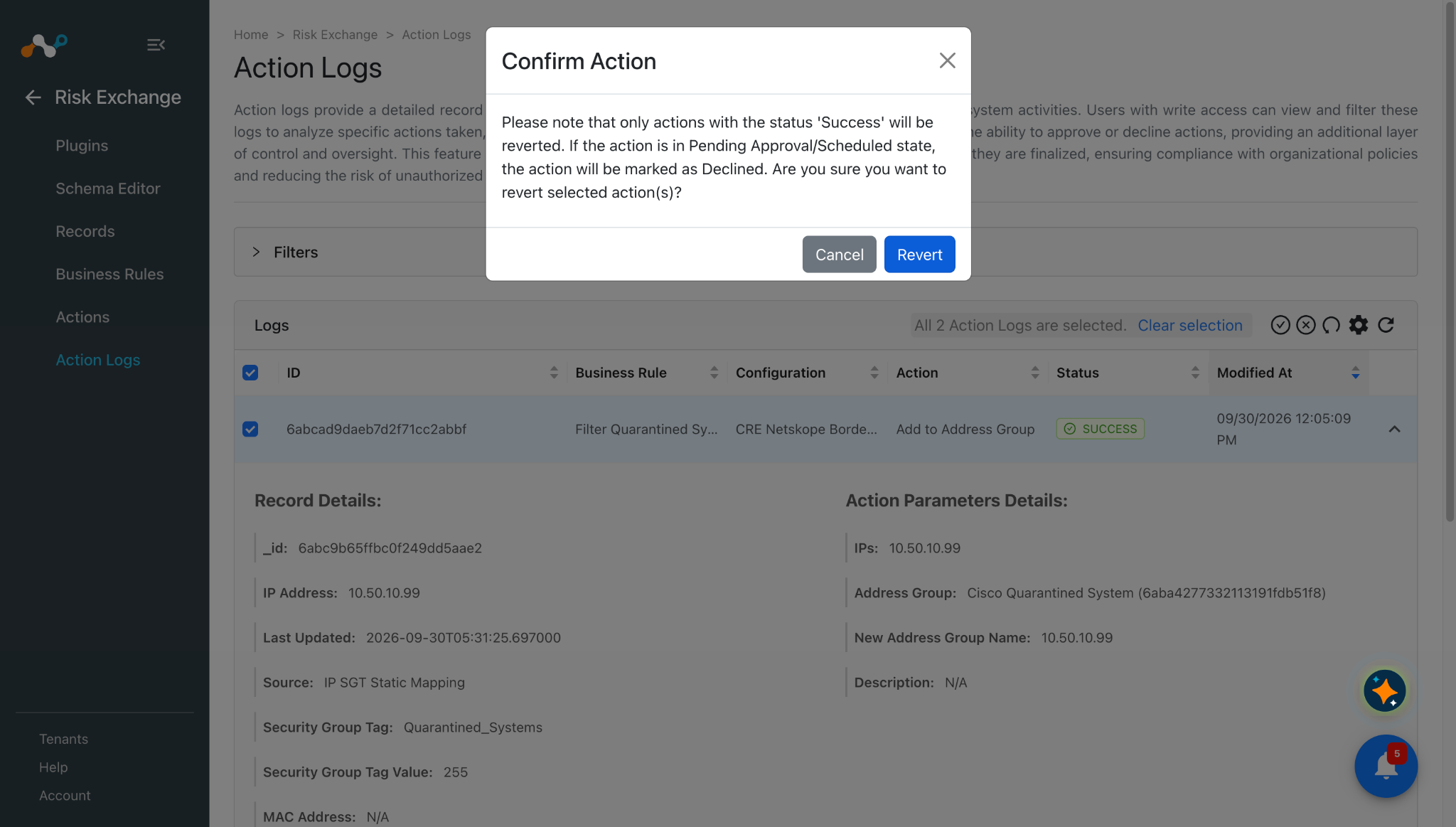
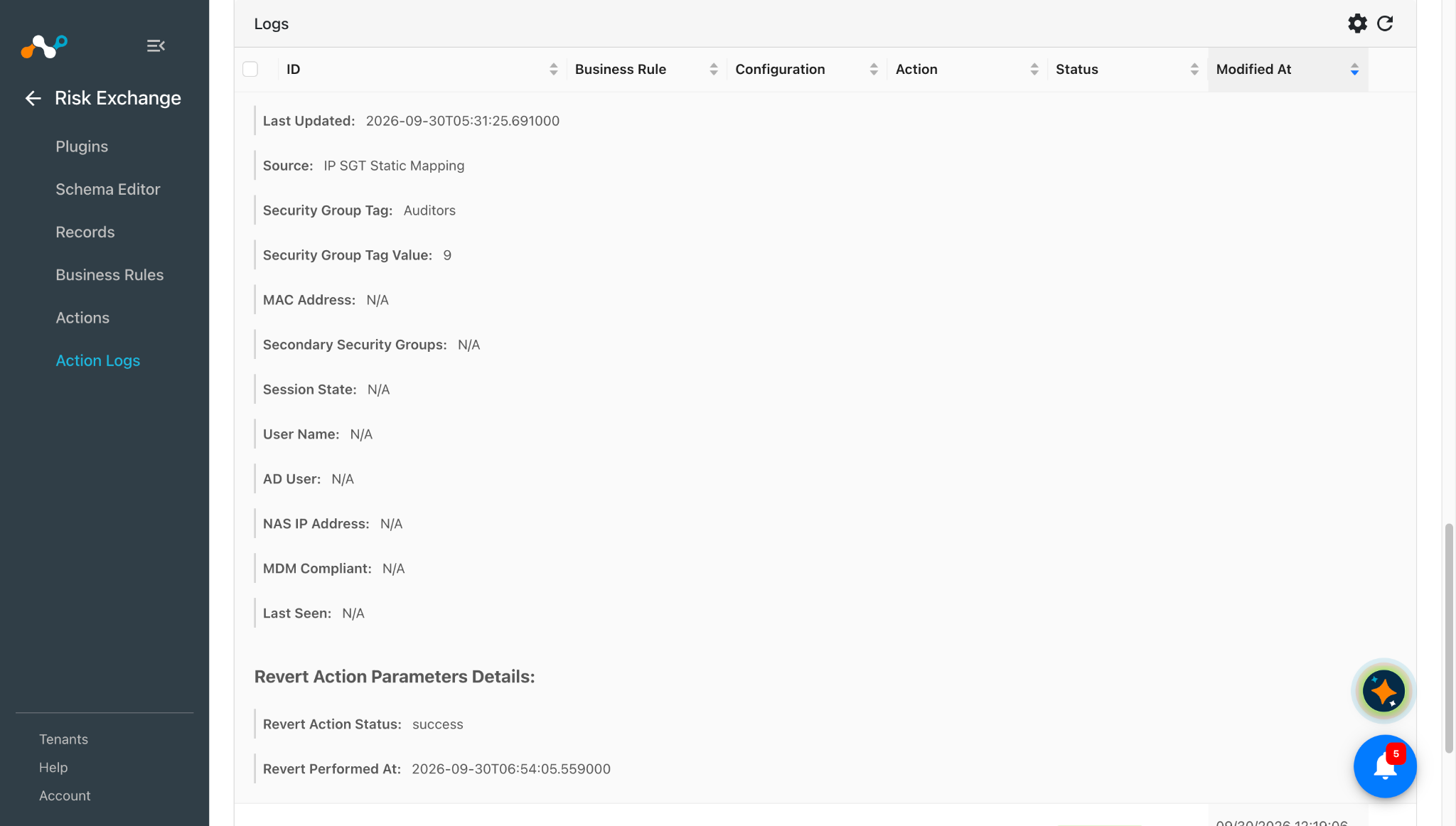
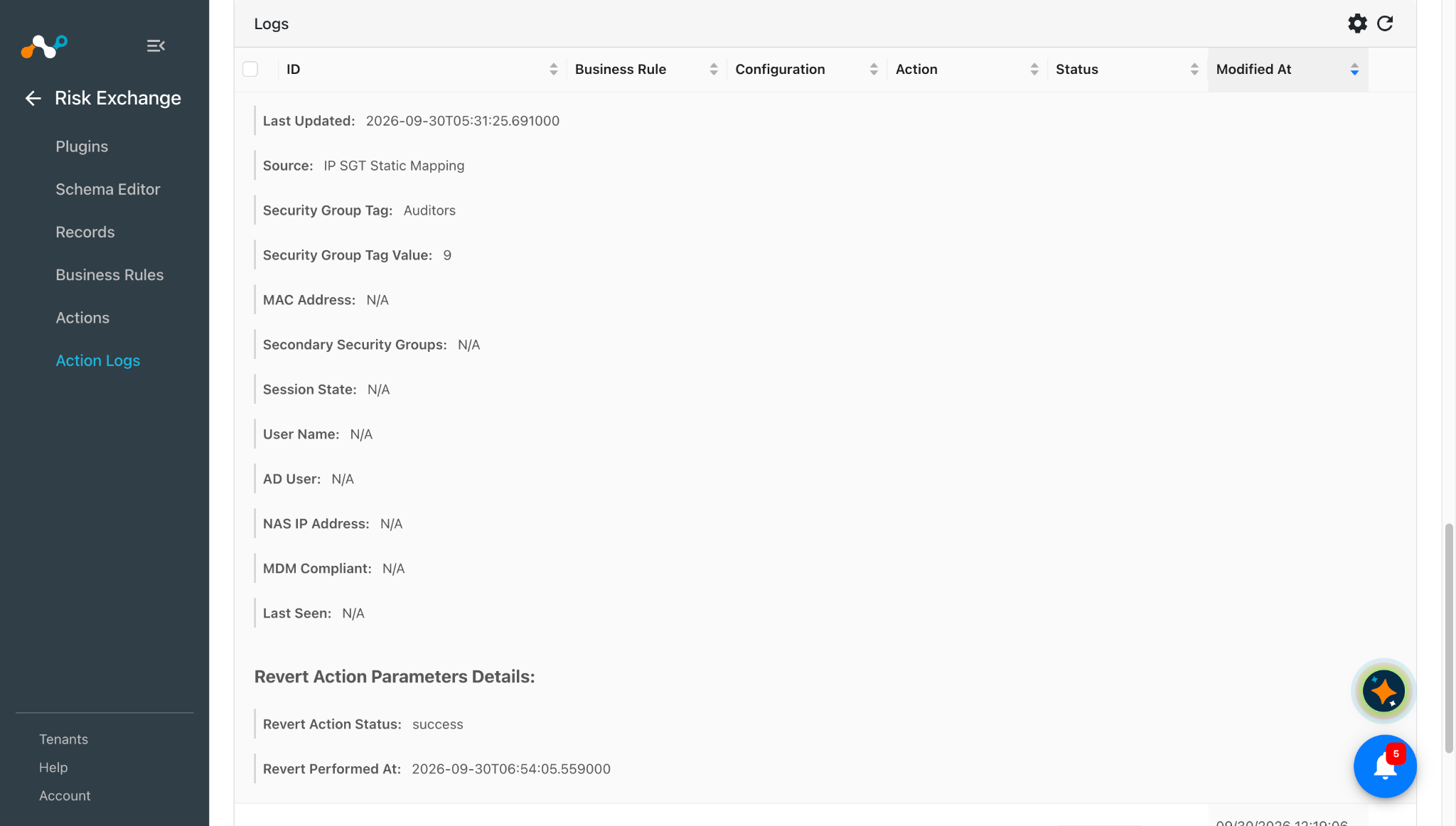
After the action is reverted successfully, its status will be available under the Revert Action Parameters Details section for that particular action log.
Remove from Address Group
-
In Risk Exchange, go to Actions and click Add Action Configuration.
-
Select the required Business Rule, Configuration, and the Remove from Address Group Action from their respective dropdowns.
-
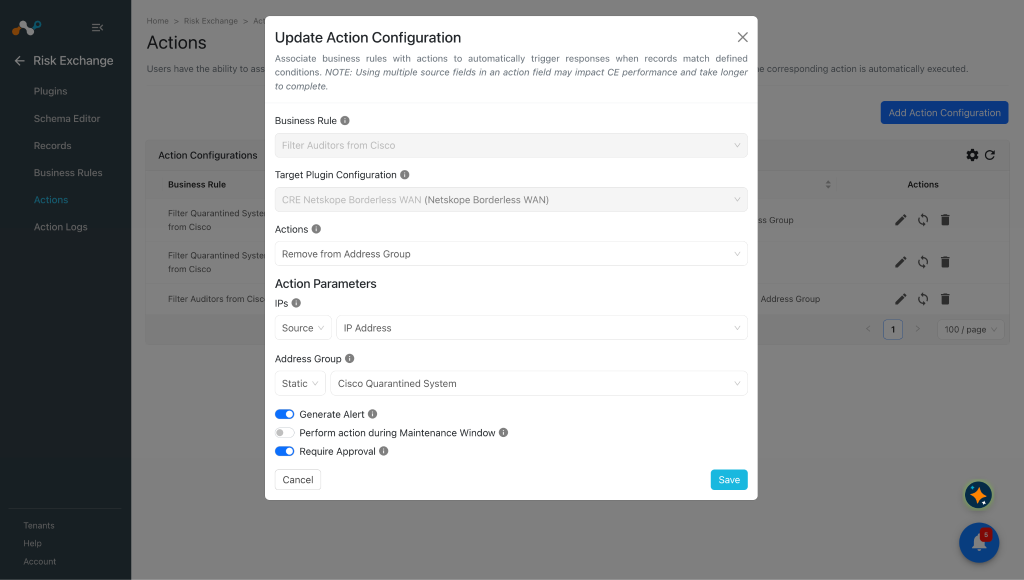
Enter these Action Parameters:
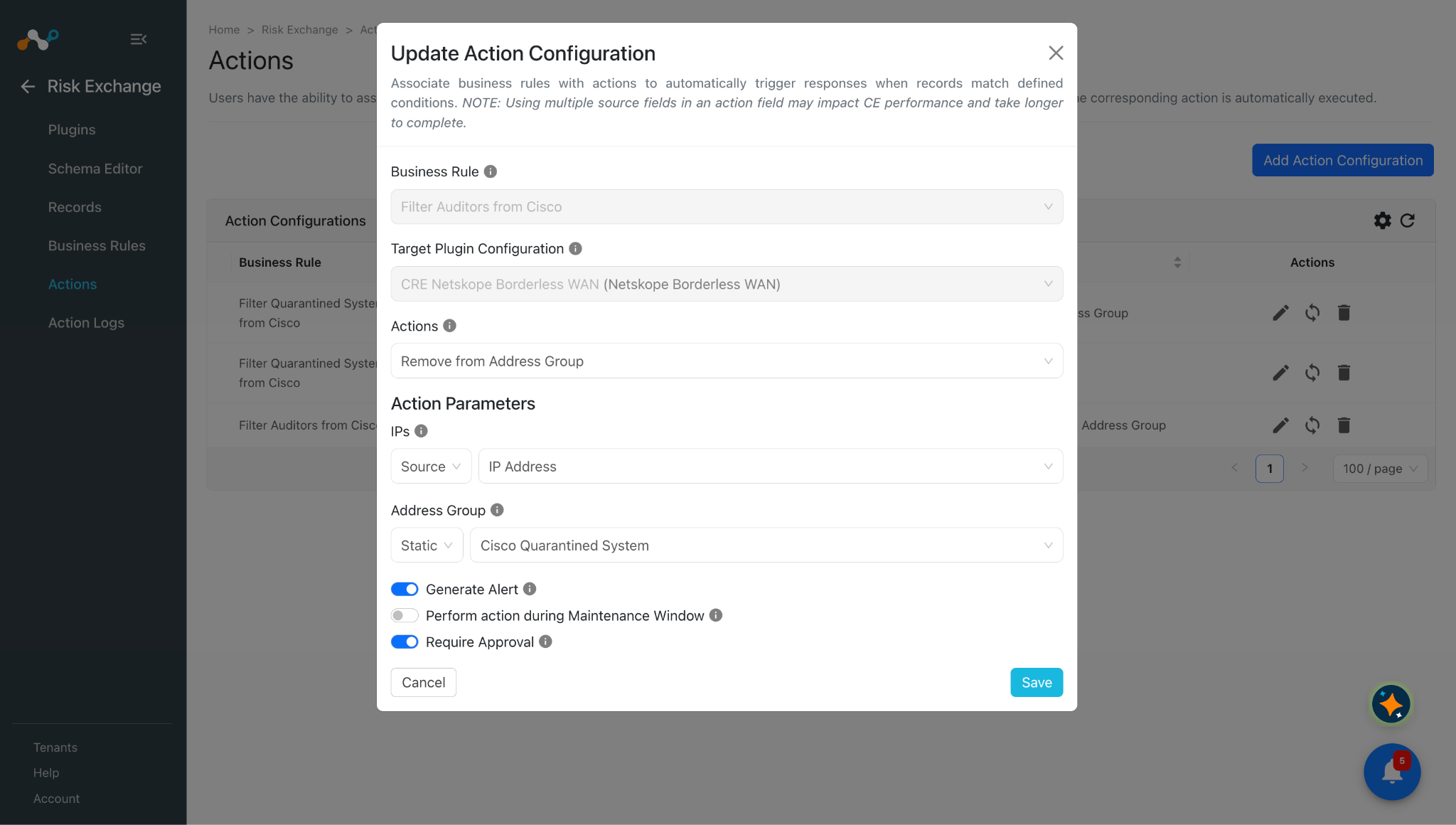
- IPs: Select the Source field containing IPv4 addresses or IPv4 CIDR ranges, or provide Static comma-separated values to remove from the Address Group. IPv6 values are skipped. CIDR ranges are used exactly as provided. Values are matched exactly, e.g. removing 10.0.0.7 does not remove 10.0.0.0/24.
- Address Group: Select the Address Group to remove the IPs from. Select the Address Group from the Static Field dropdown only.
-
Enable the Require Approval toggle if Approval is needed before performing action on the pulled records.
-
Click Save.
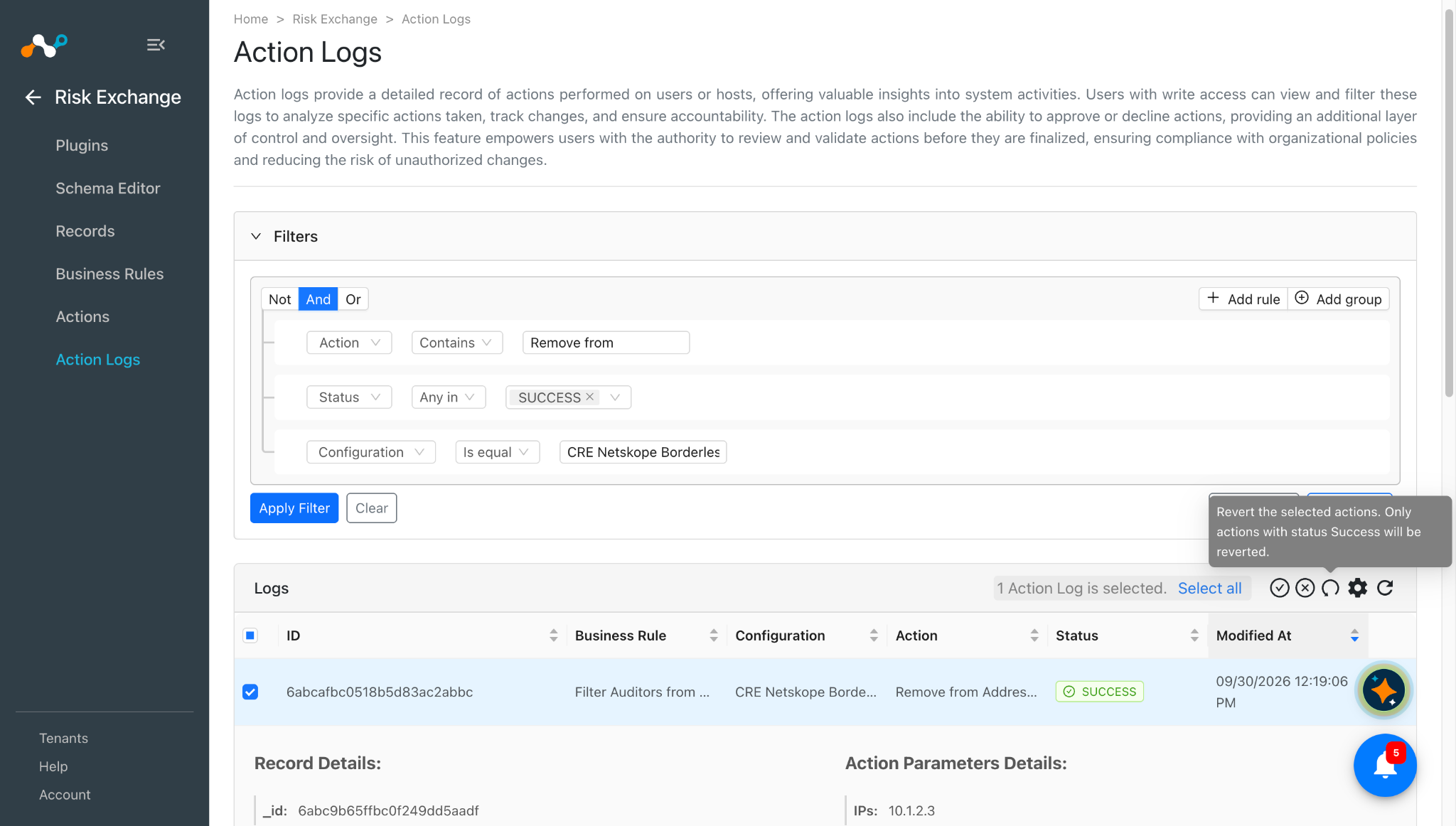
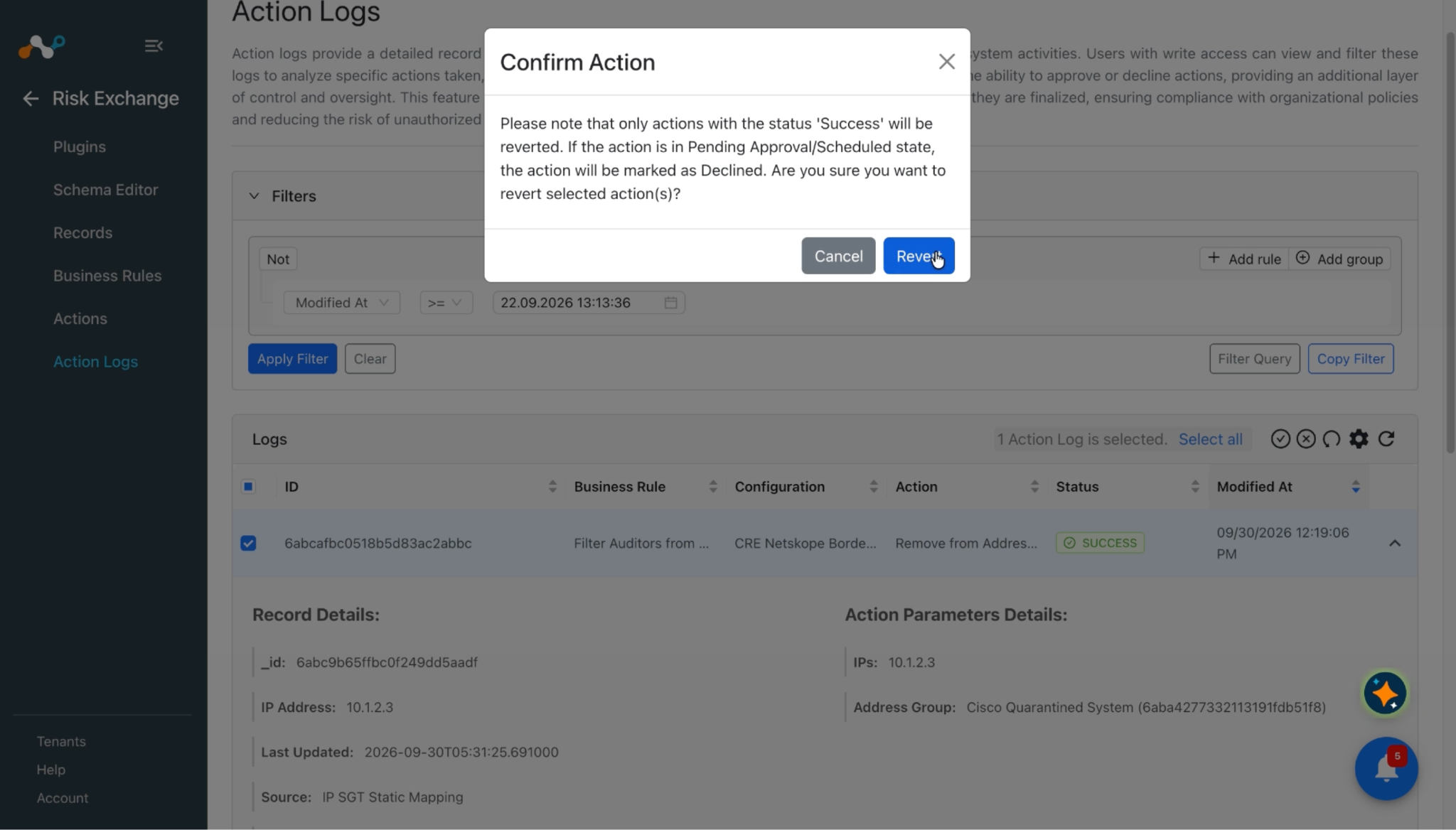
After the action is reverted successfully, its status will be available under the Revert Action Parameters Details section for that particular action log.
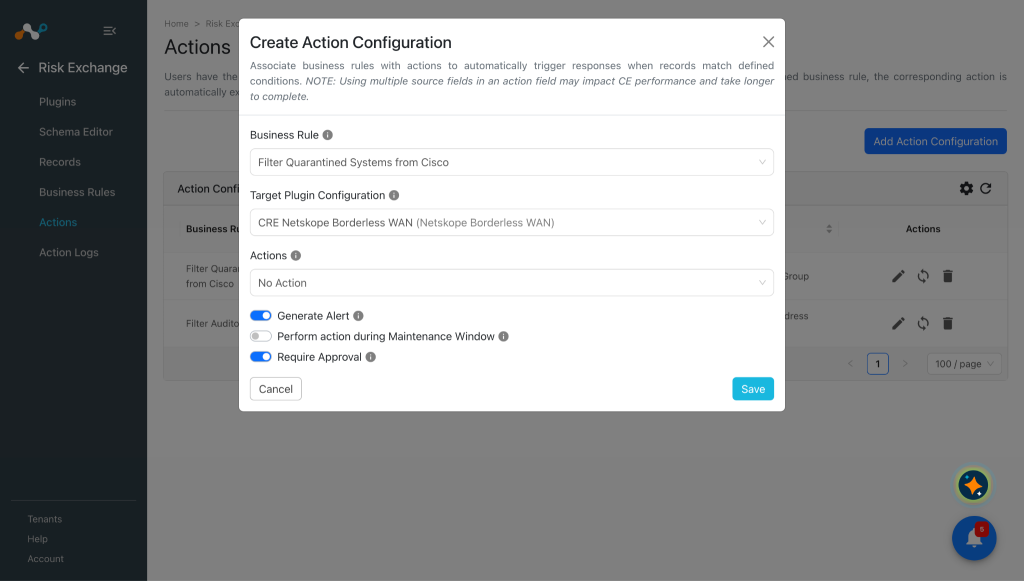
No Action
-
In Risk Exchange, go to Actions and click Add Action Configuration.
-
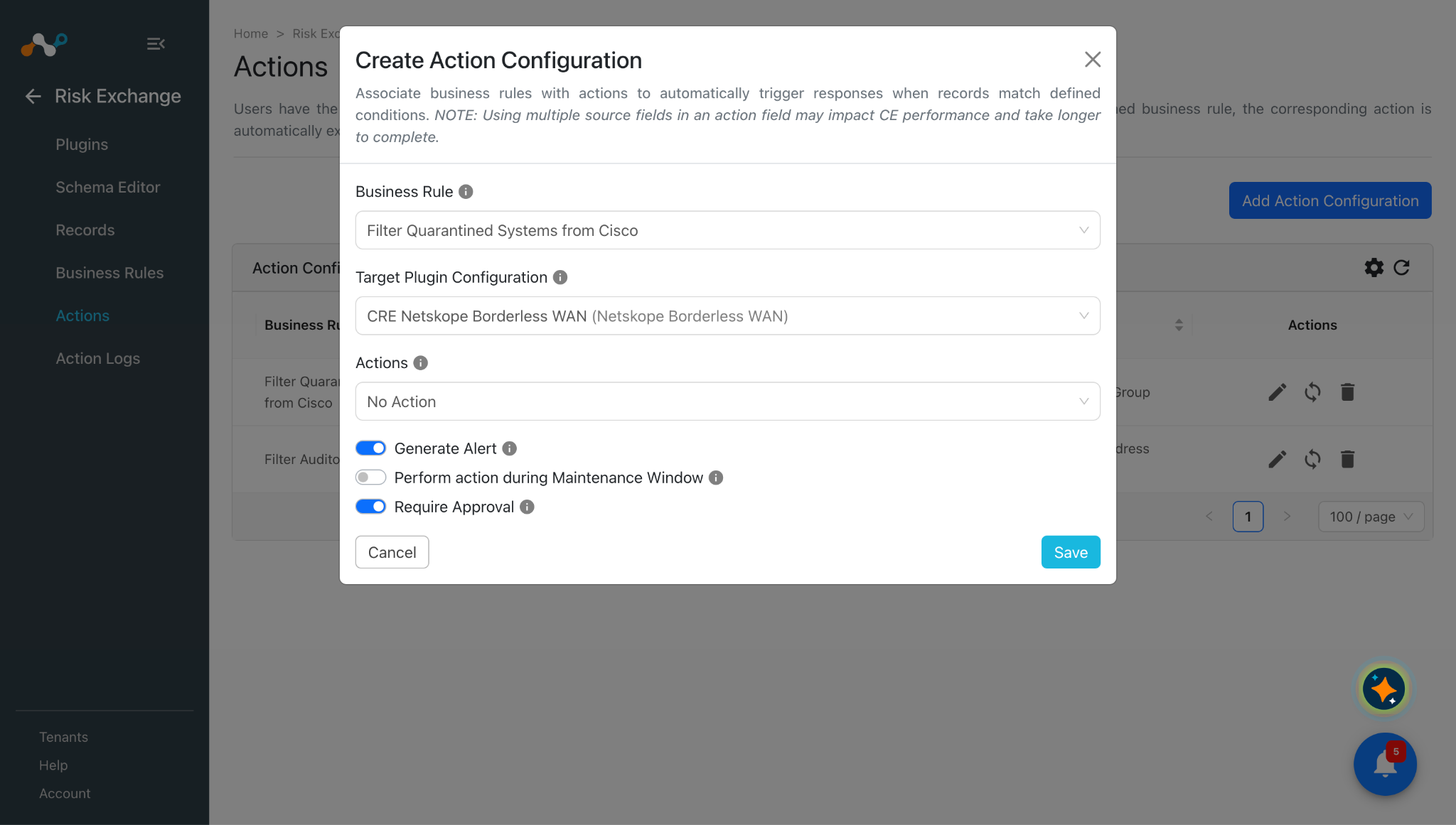
Select the required Business Rule, Configuration, and the No Action Action from their respective dropdowns.
-
Enable the Require Approval toggle if Approval is needed before performing action on the pulled records.
-
Click Save.
Validate the Netskope Borderless WAN Plugin
Validate in Cloud Exchange
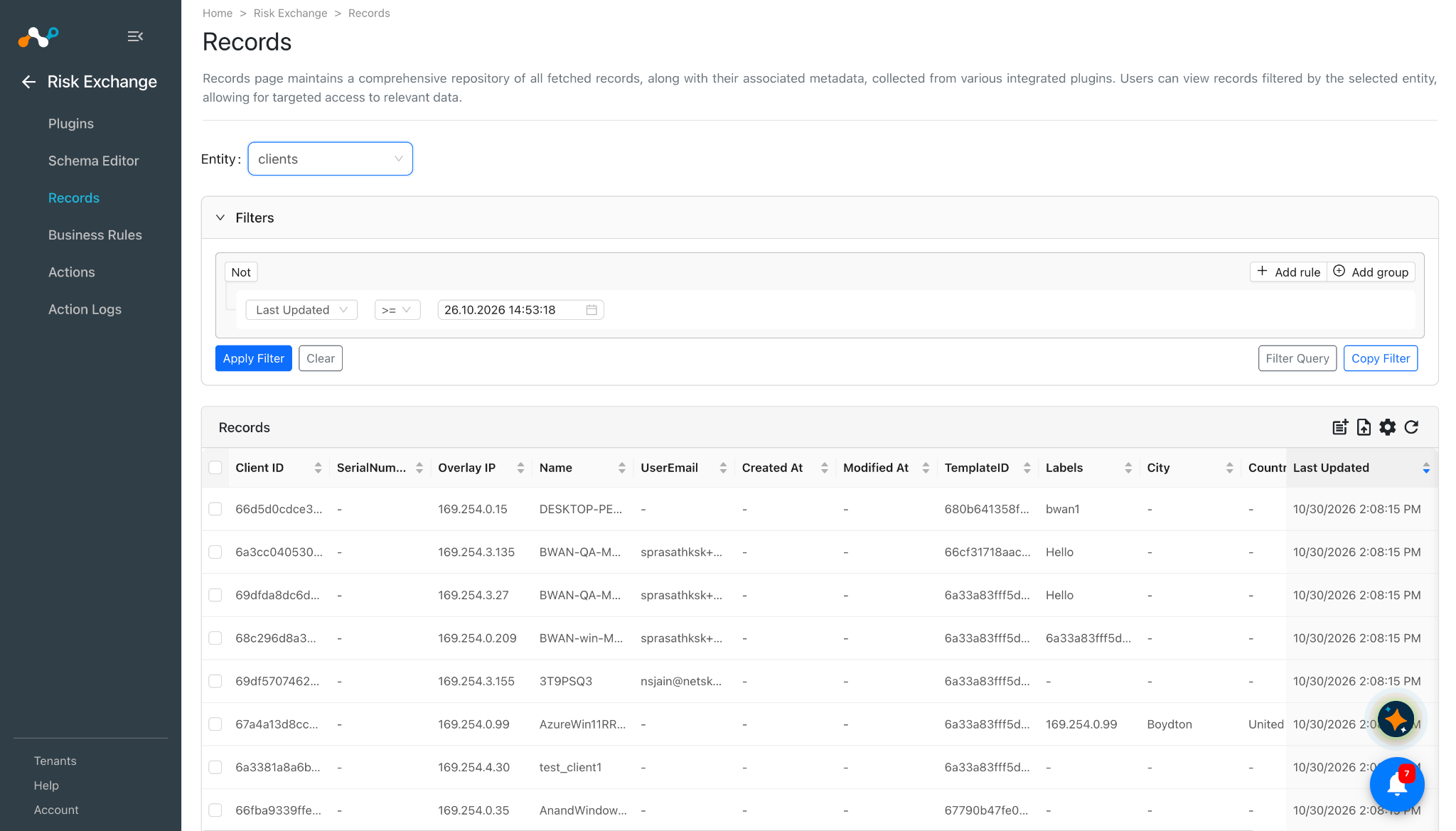
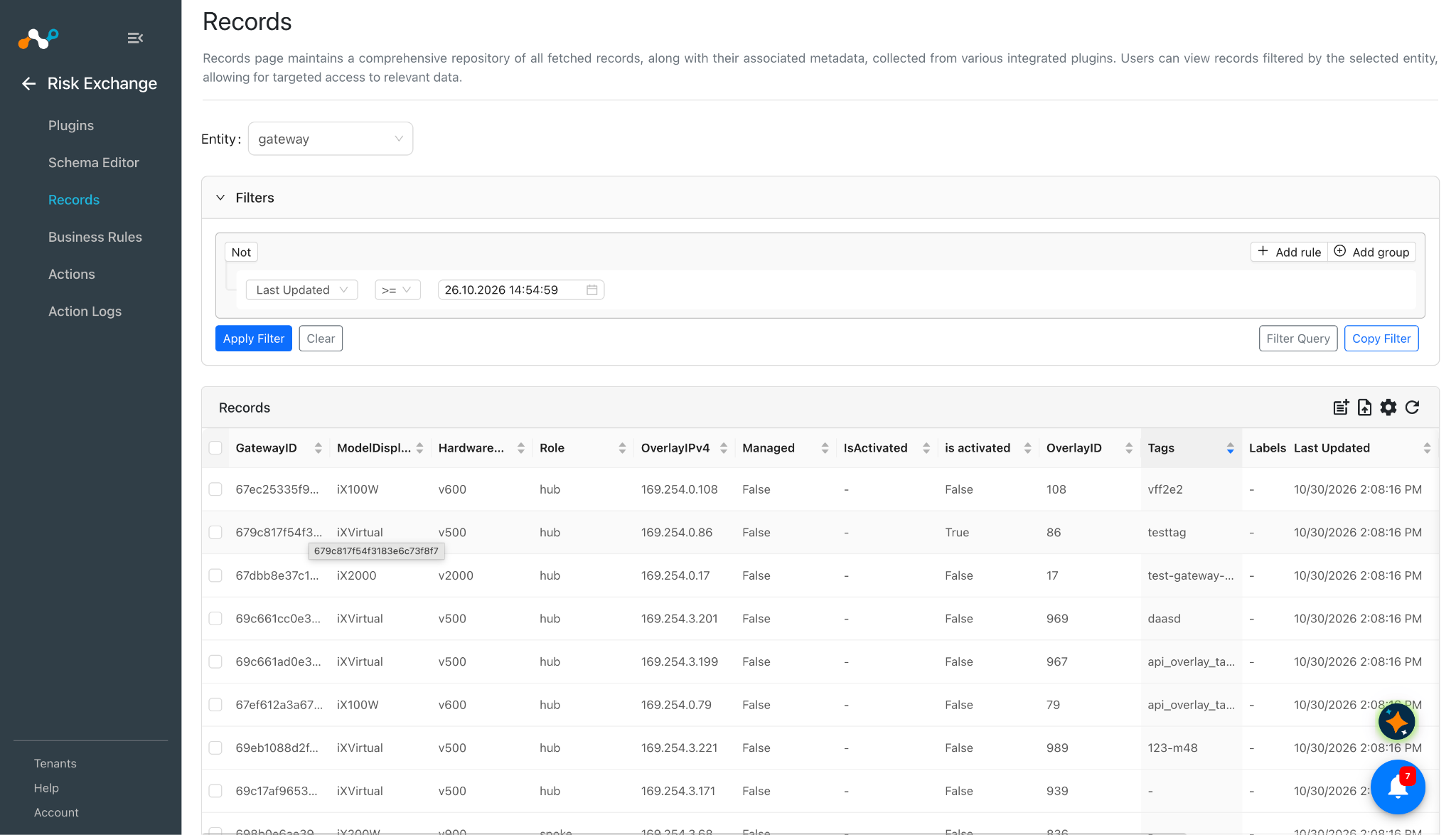
To validate the pulled records, go to Risk Exchange > Records. Select the entity where the records are to be stored.
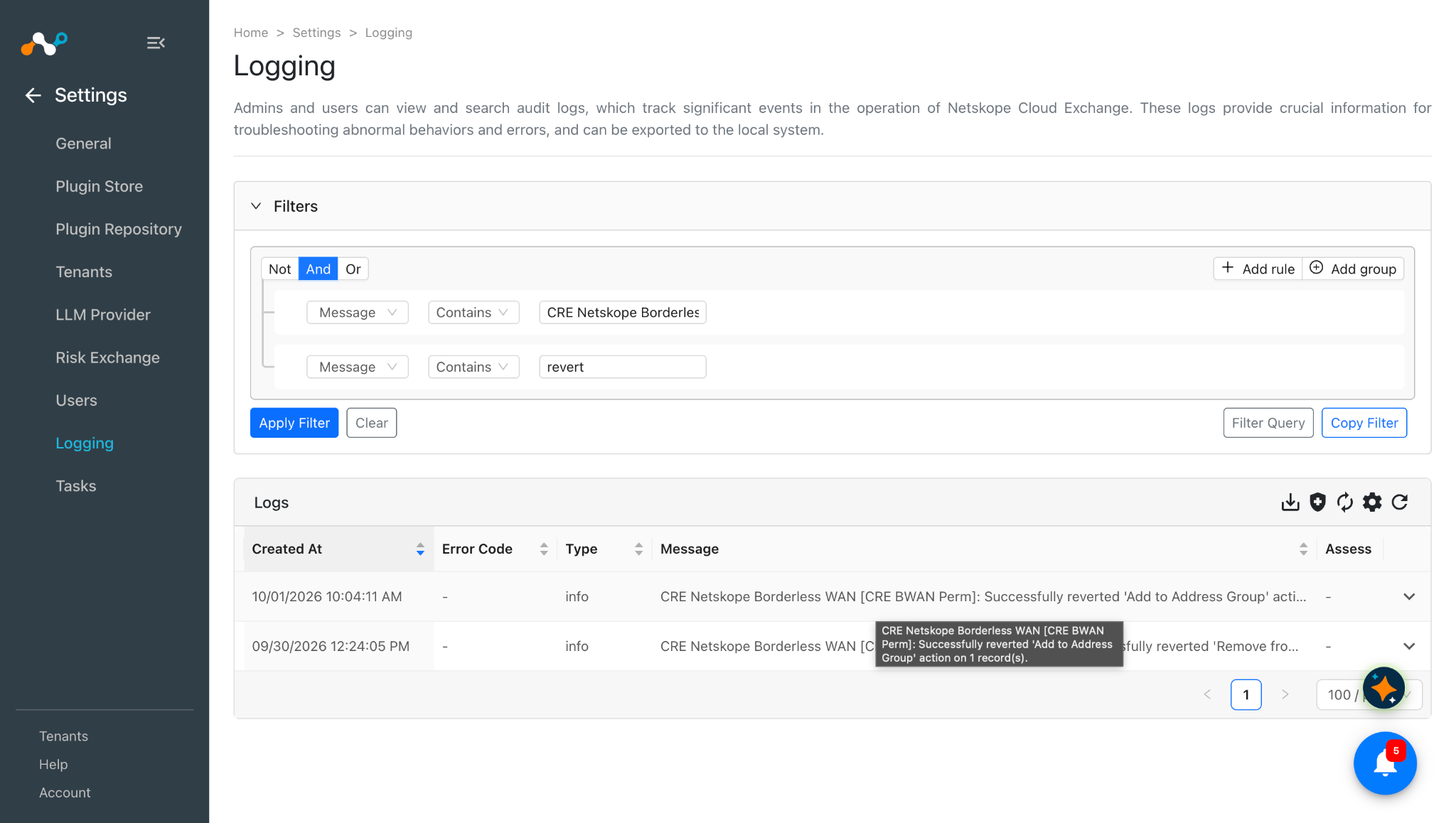
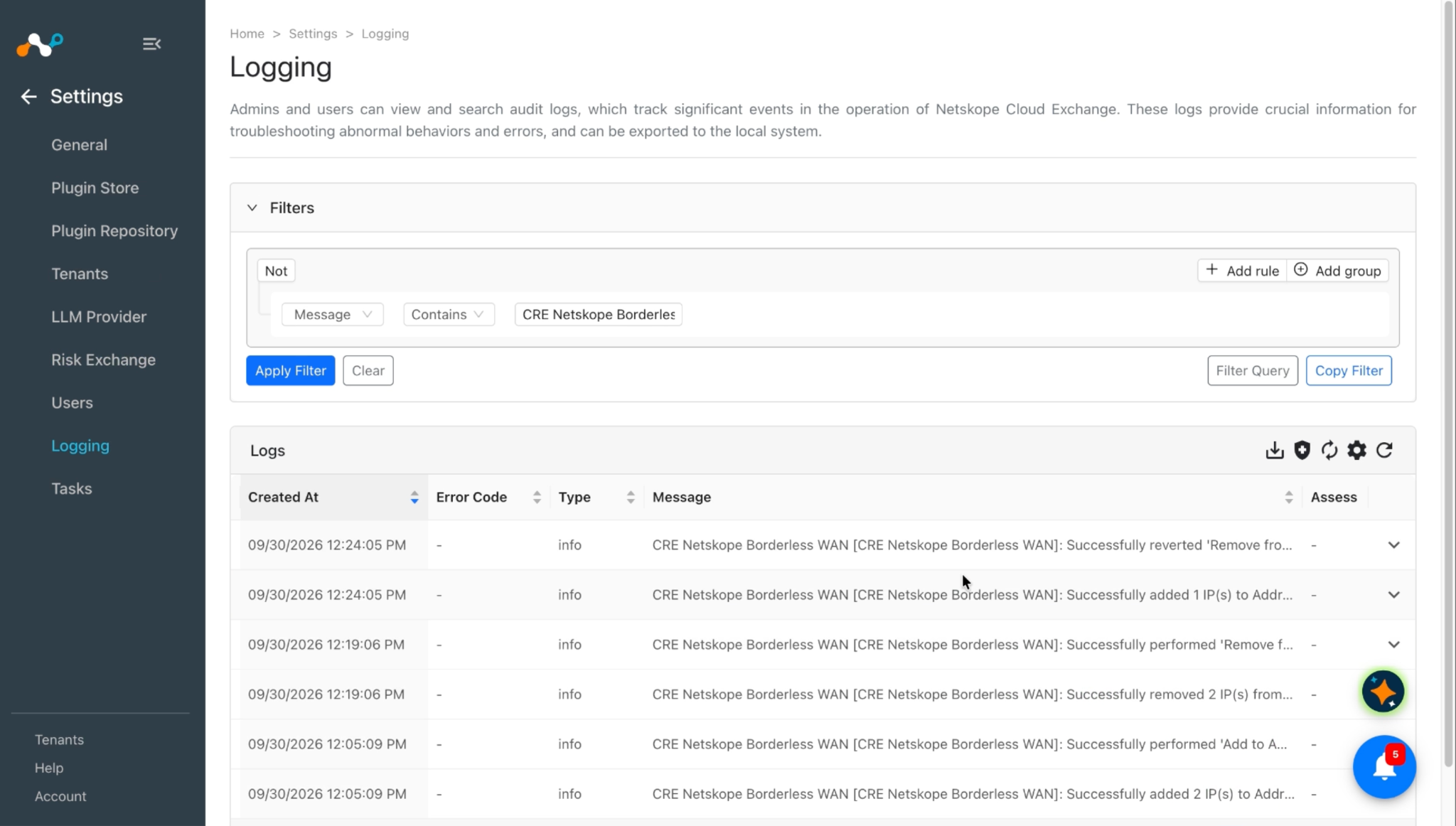
To verify the logs related to the plugin workflows, go to the Settings > Logging page and apply the filter with plugin name or plugin configuration name.
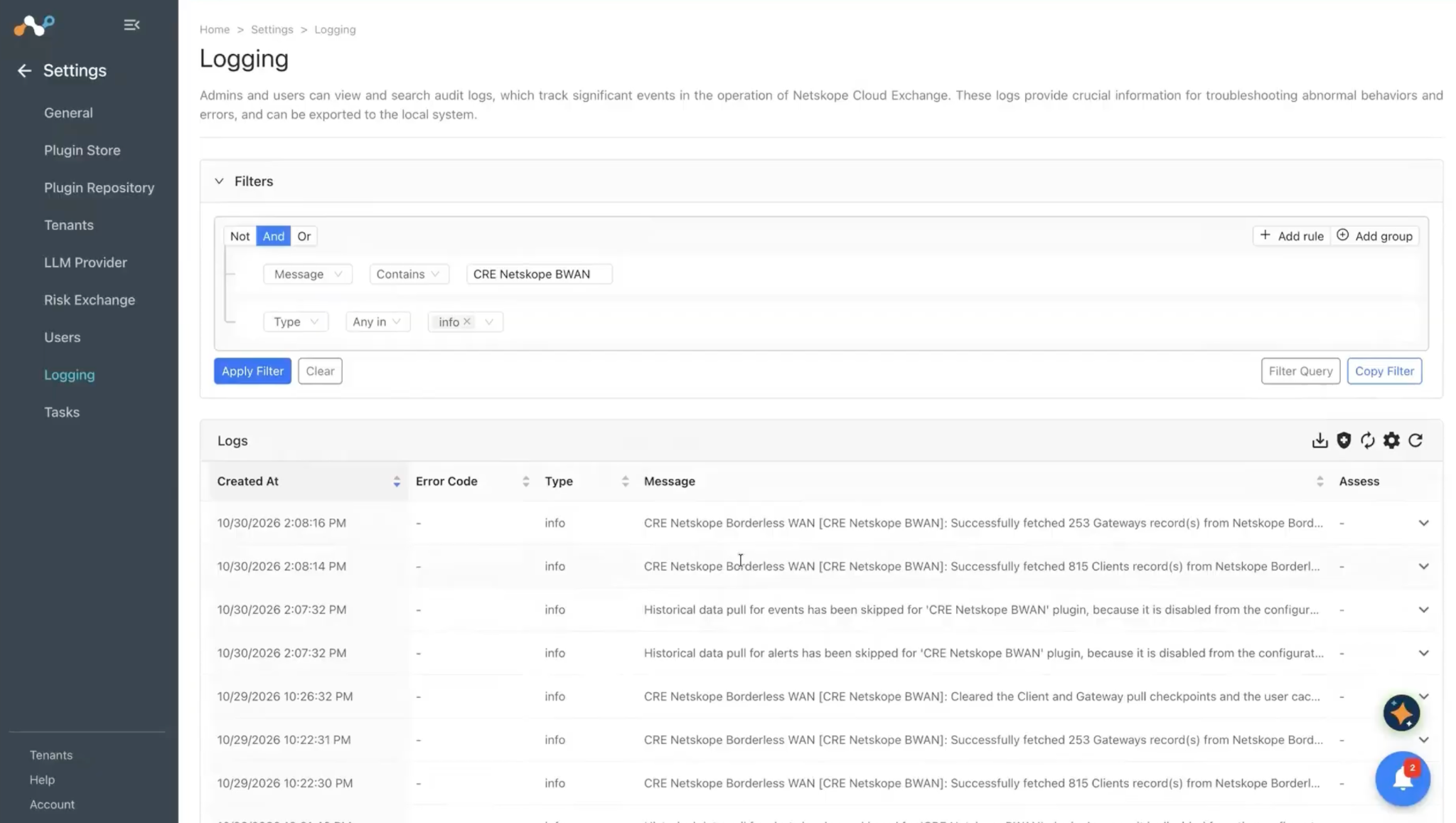
Logs for validating the pull for Clients and Gateway entity:
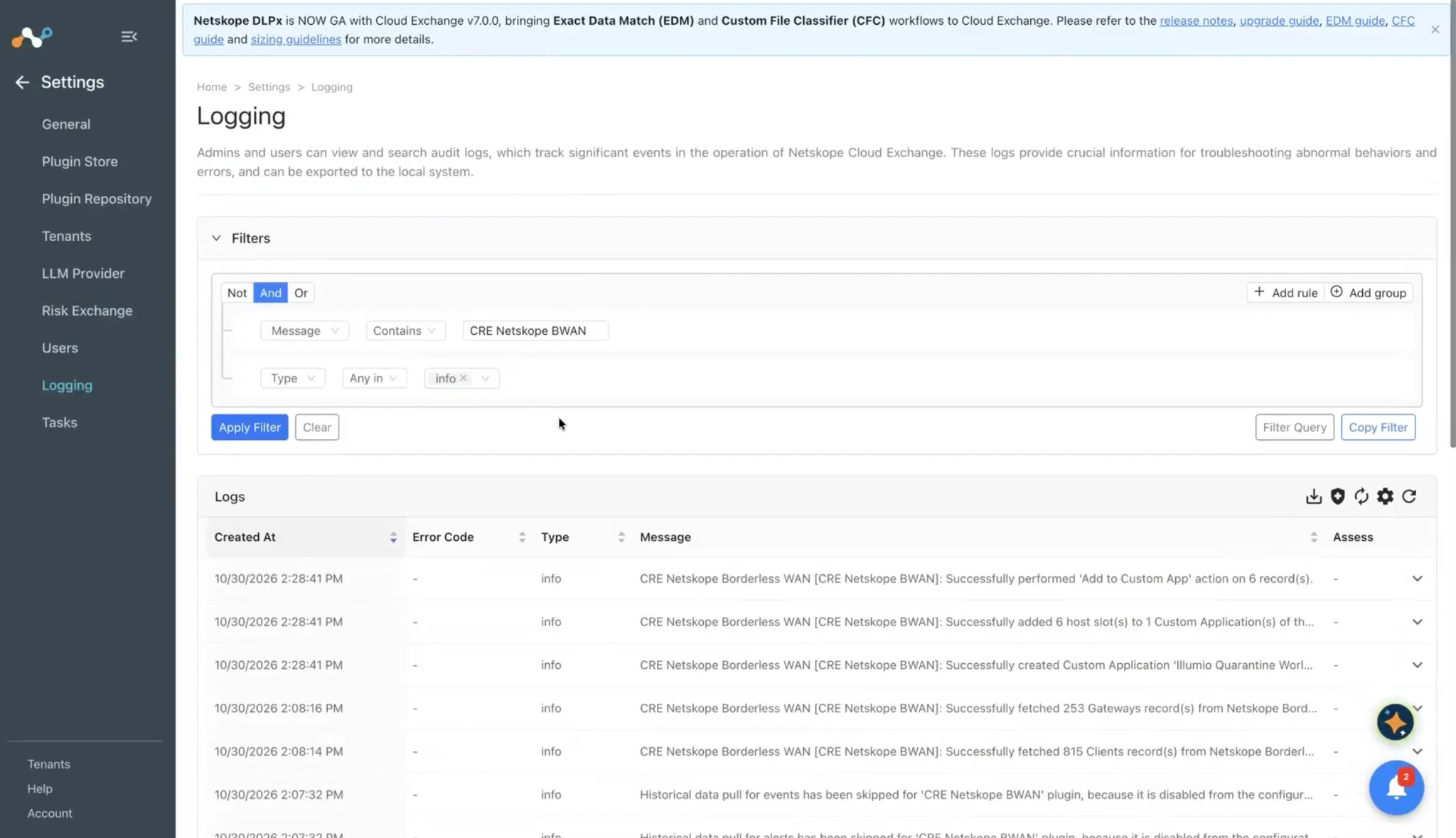
Logs for Add to Custom App action:
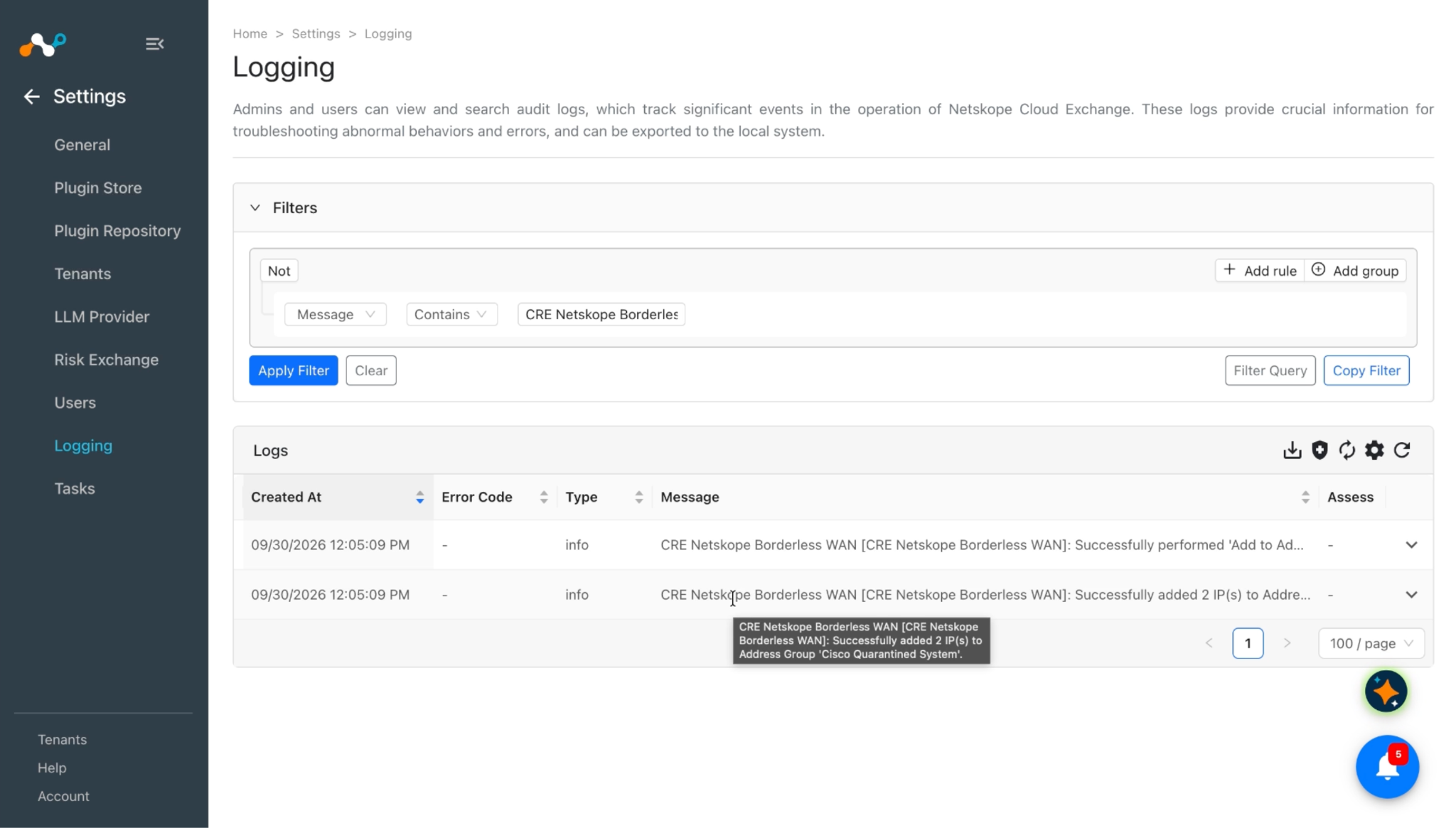
Logs for performed Add to Address Group action:
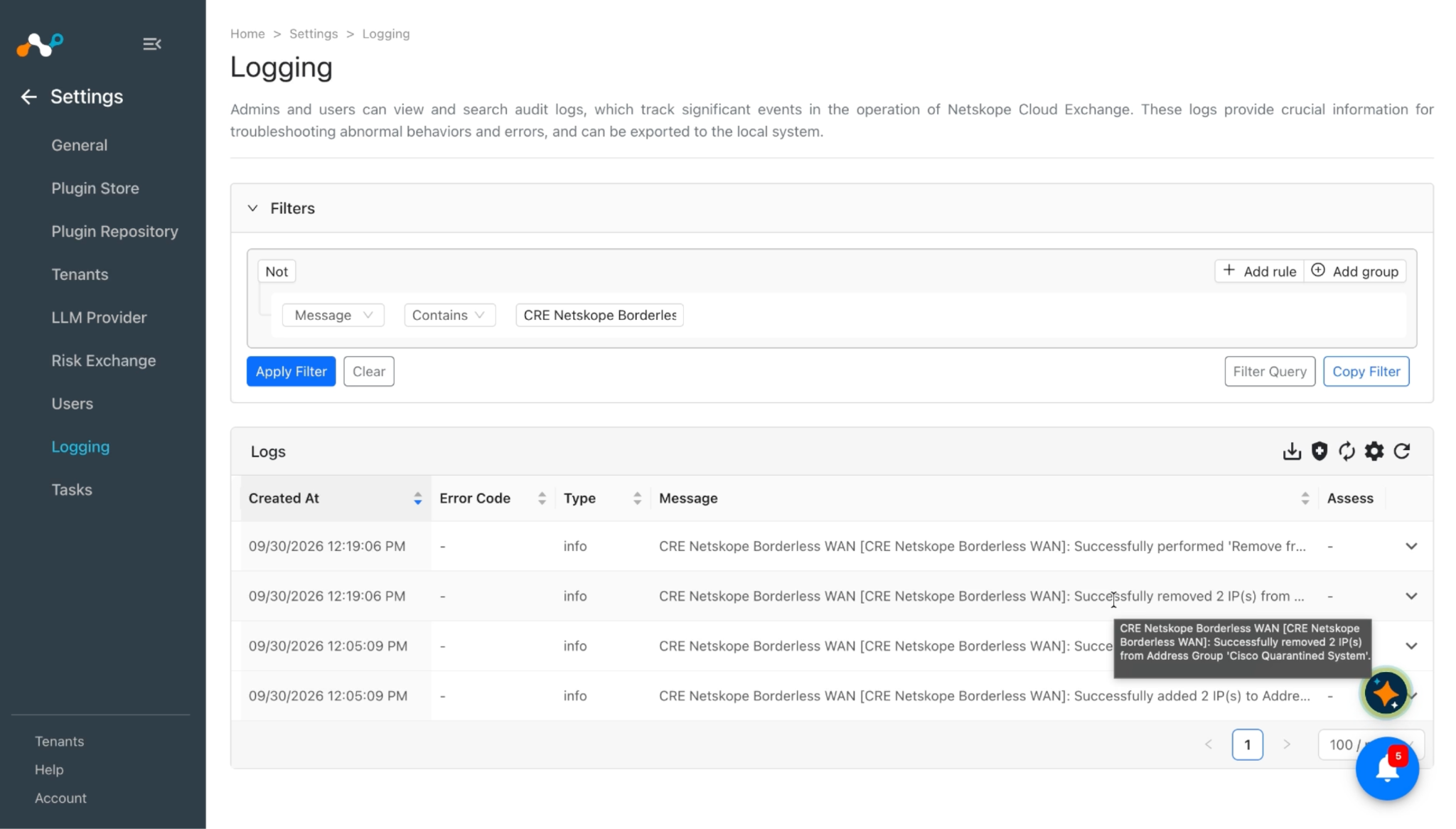
Logs for performed Remove from Address Group action:
Logs for performed No action:
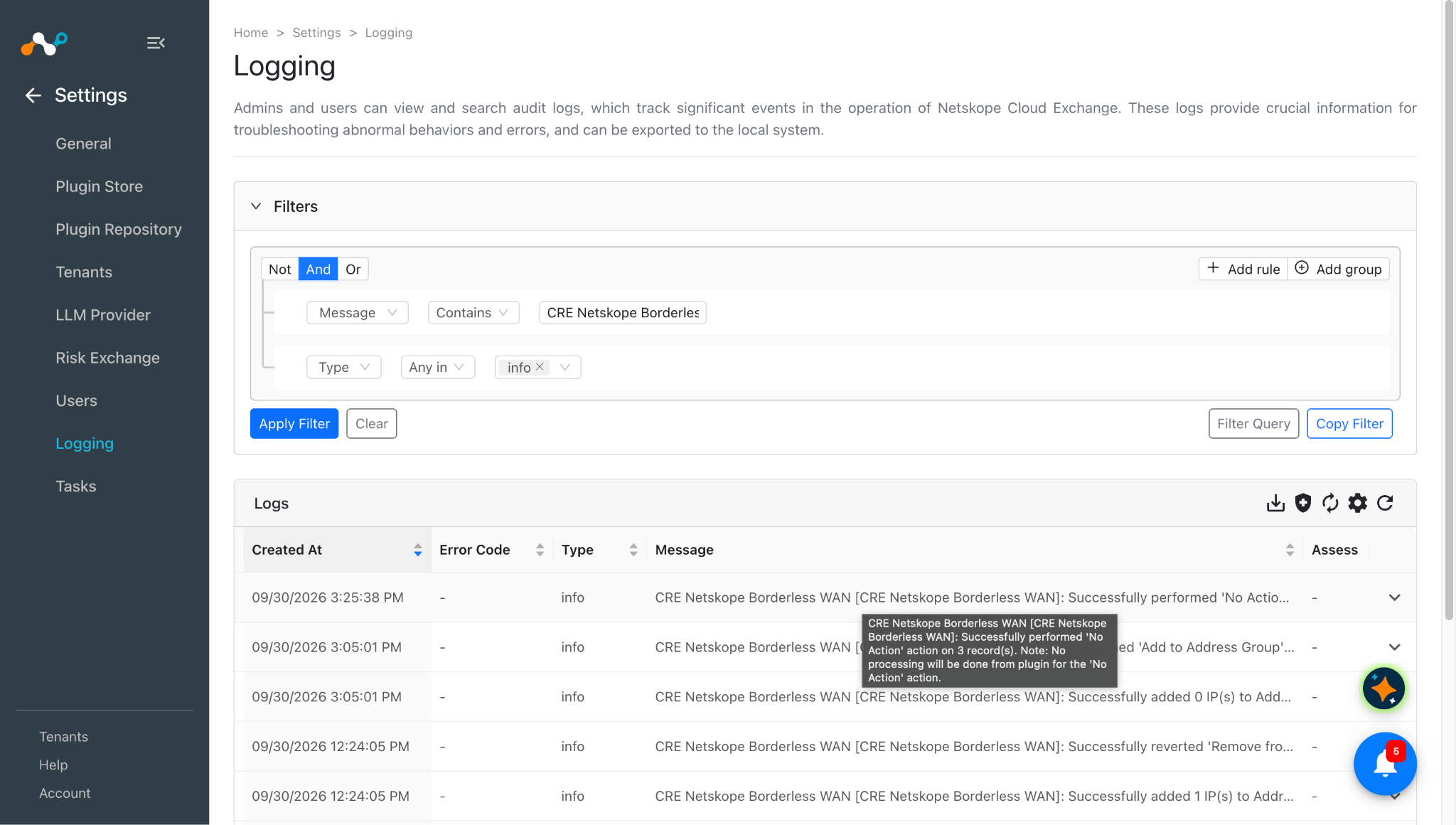
Logs for performed revert action:
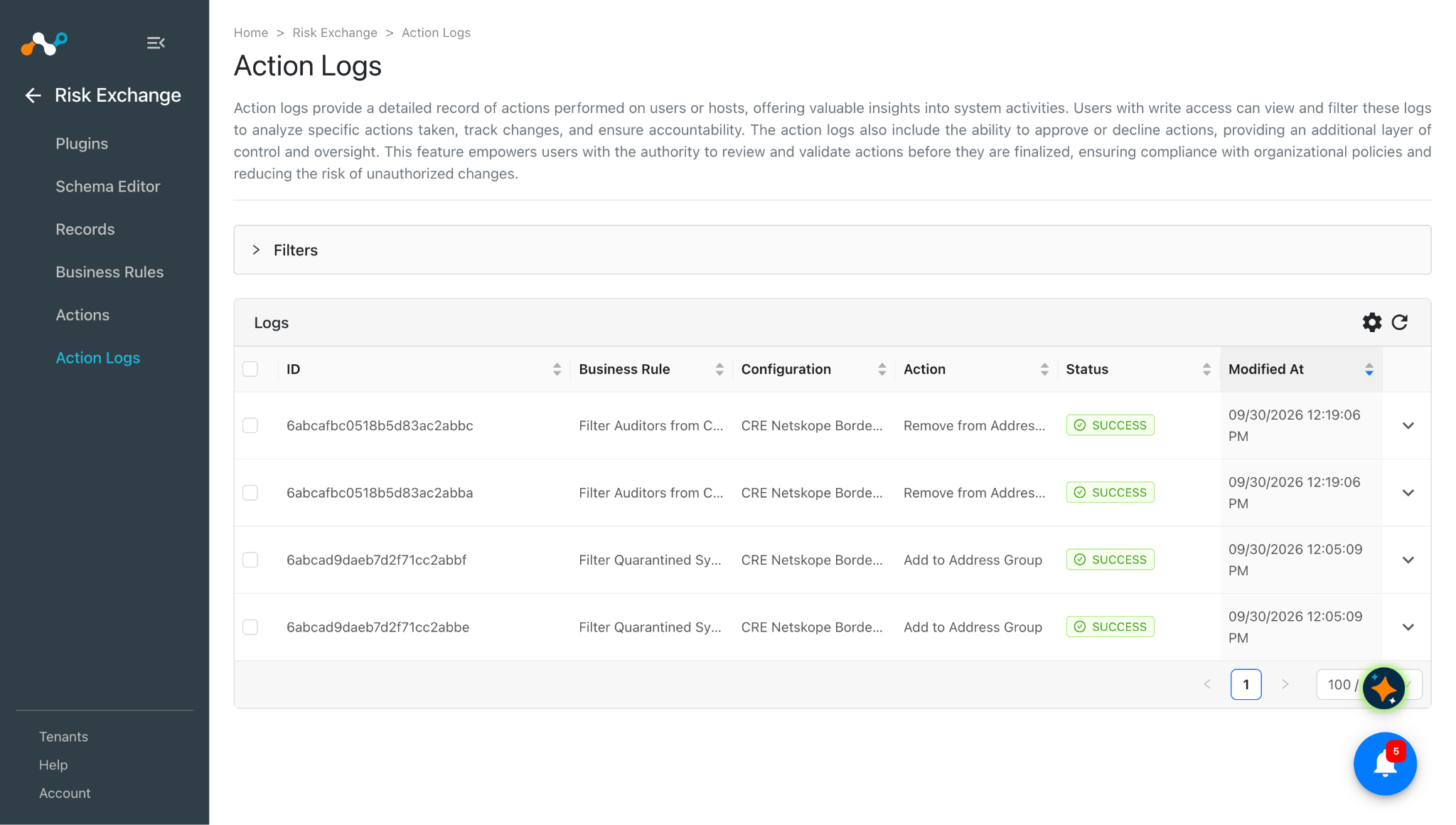
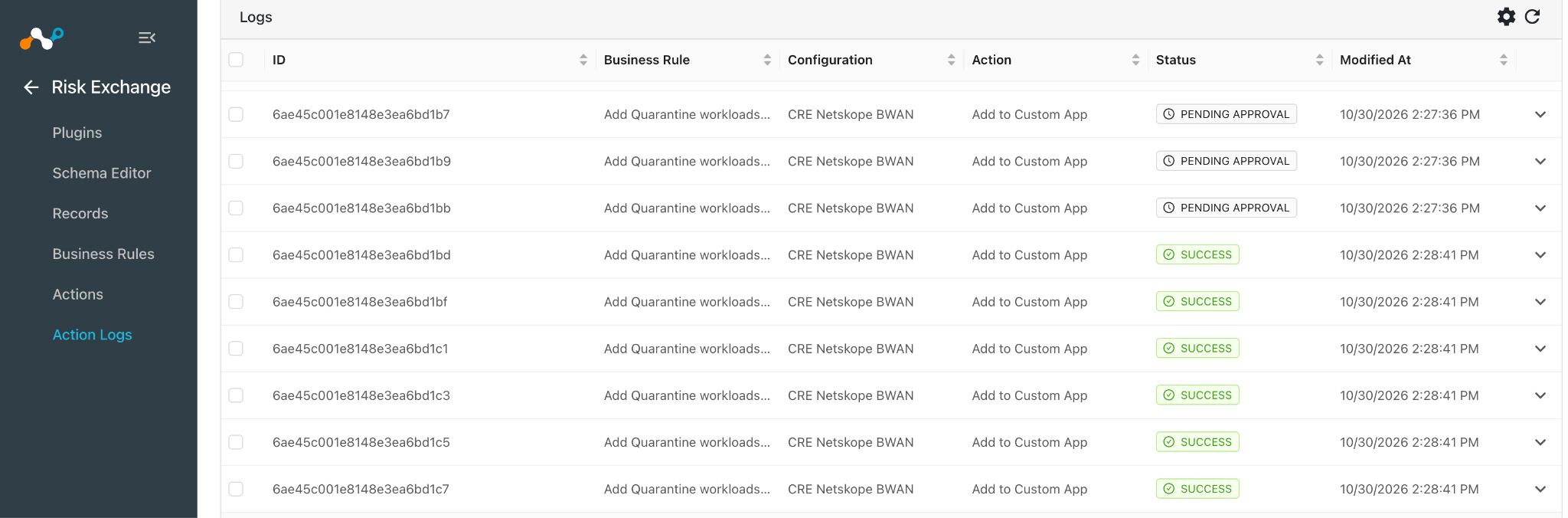
When a pulled record matches one of the configured business rules, the configured action will be performed on the record. This can be seen in the Risk Exchange > Action Logs.
Validate in your Netskope Borderless WAN Instance
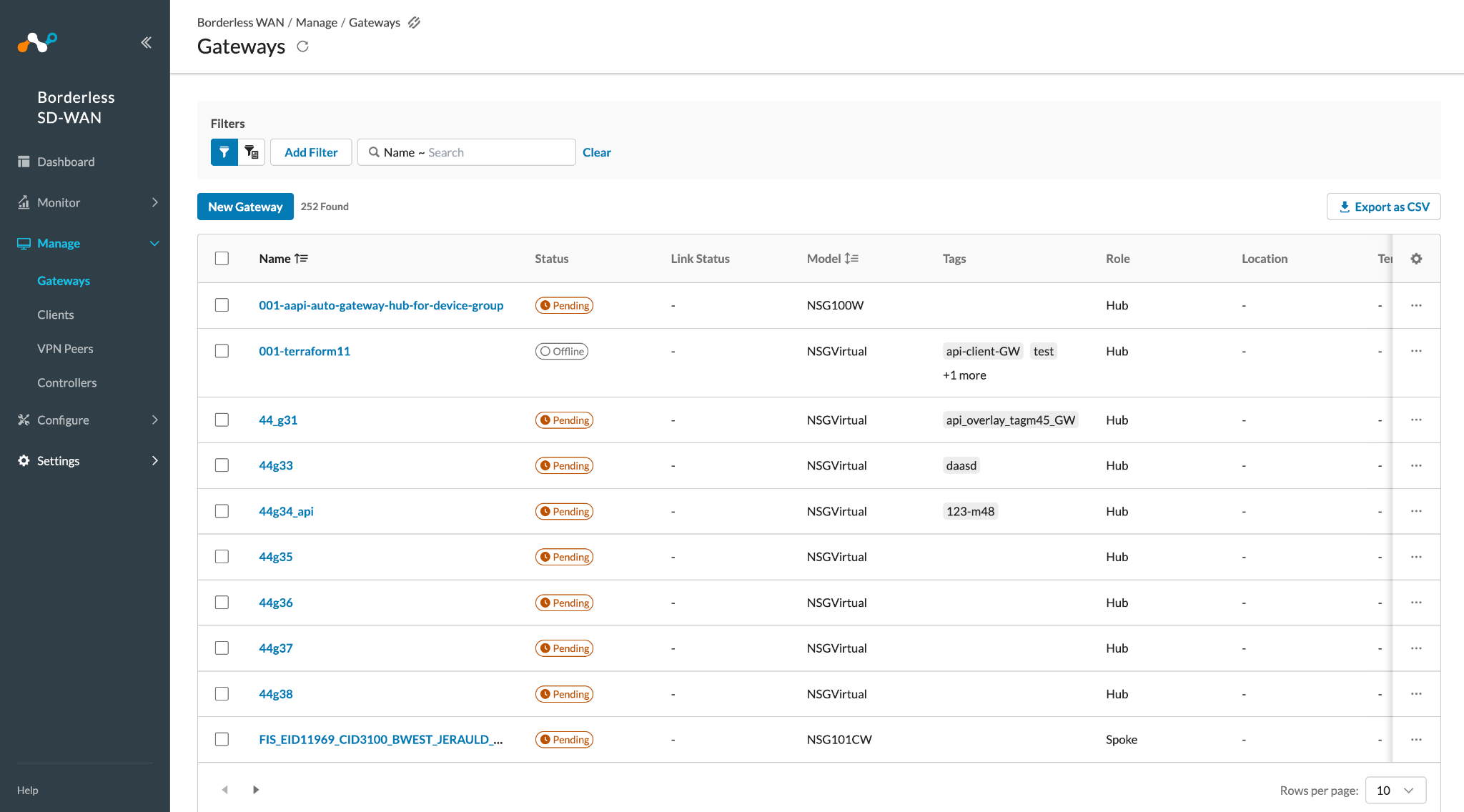
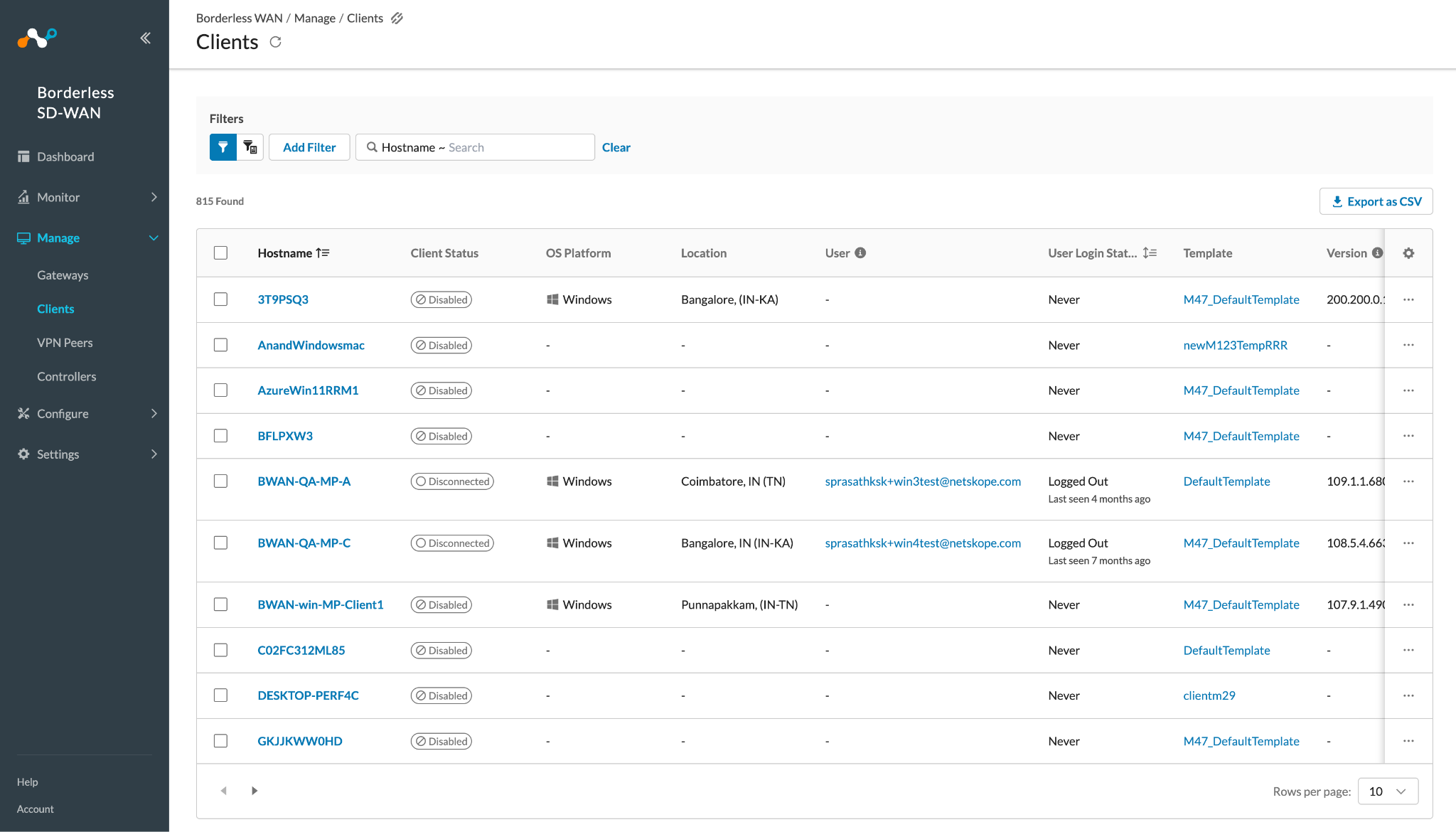
The plugin pull Clients and Gateway details from Manage > Clients, and Manage > Gateways pages in the BWAN tenant.
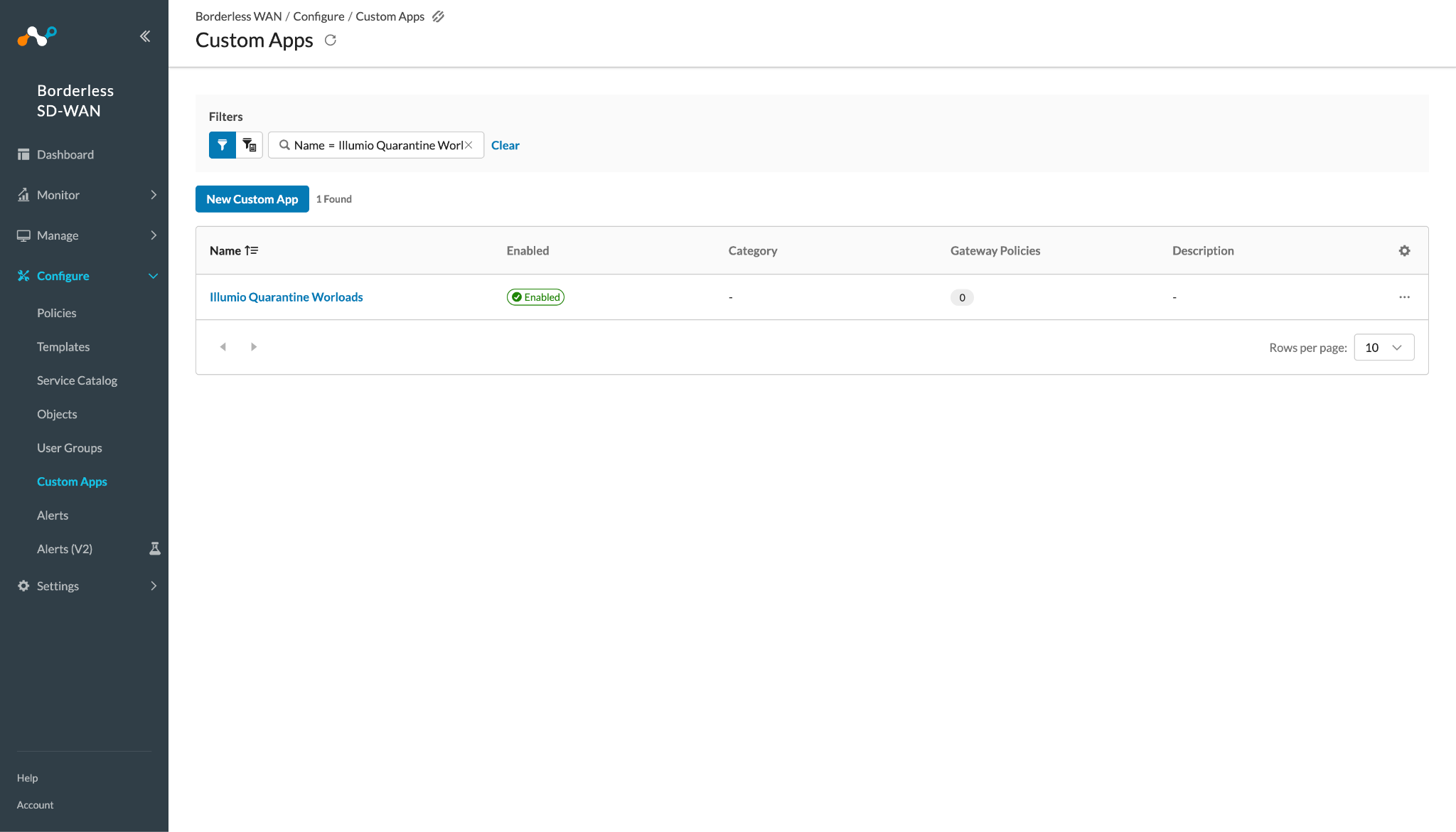
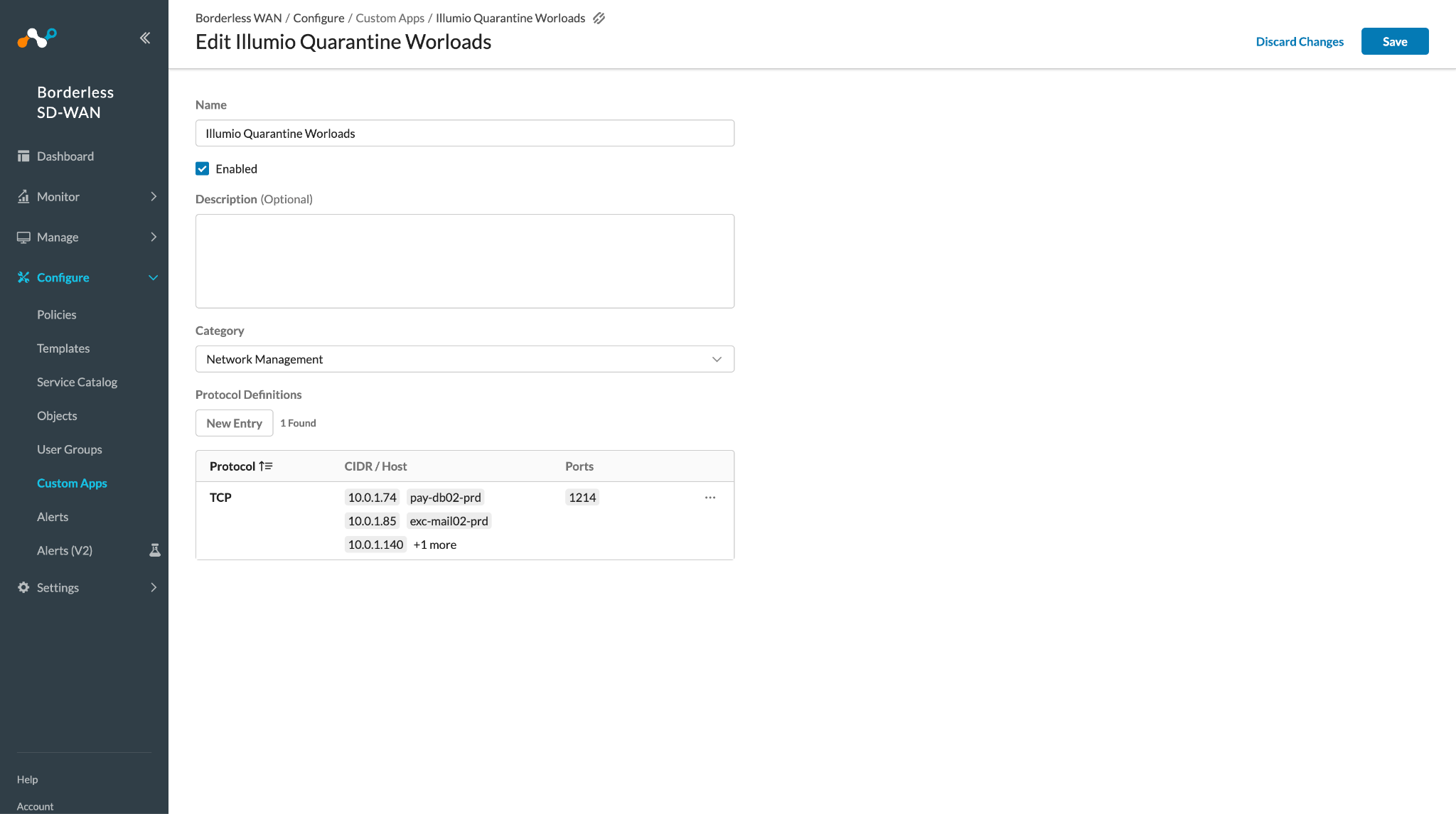
To validate the Add to Custom App action, go to Configure > Custom Apps on the BWAN tenant. Search for and select the Custom App you used for adding the IPs/Host.
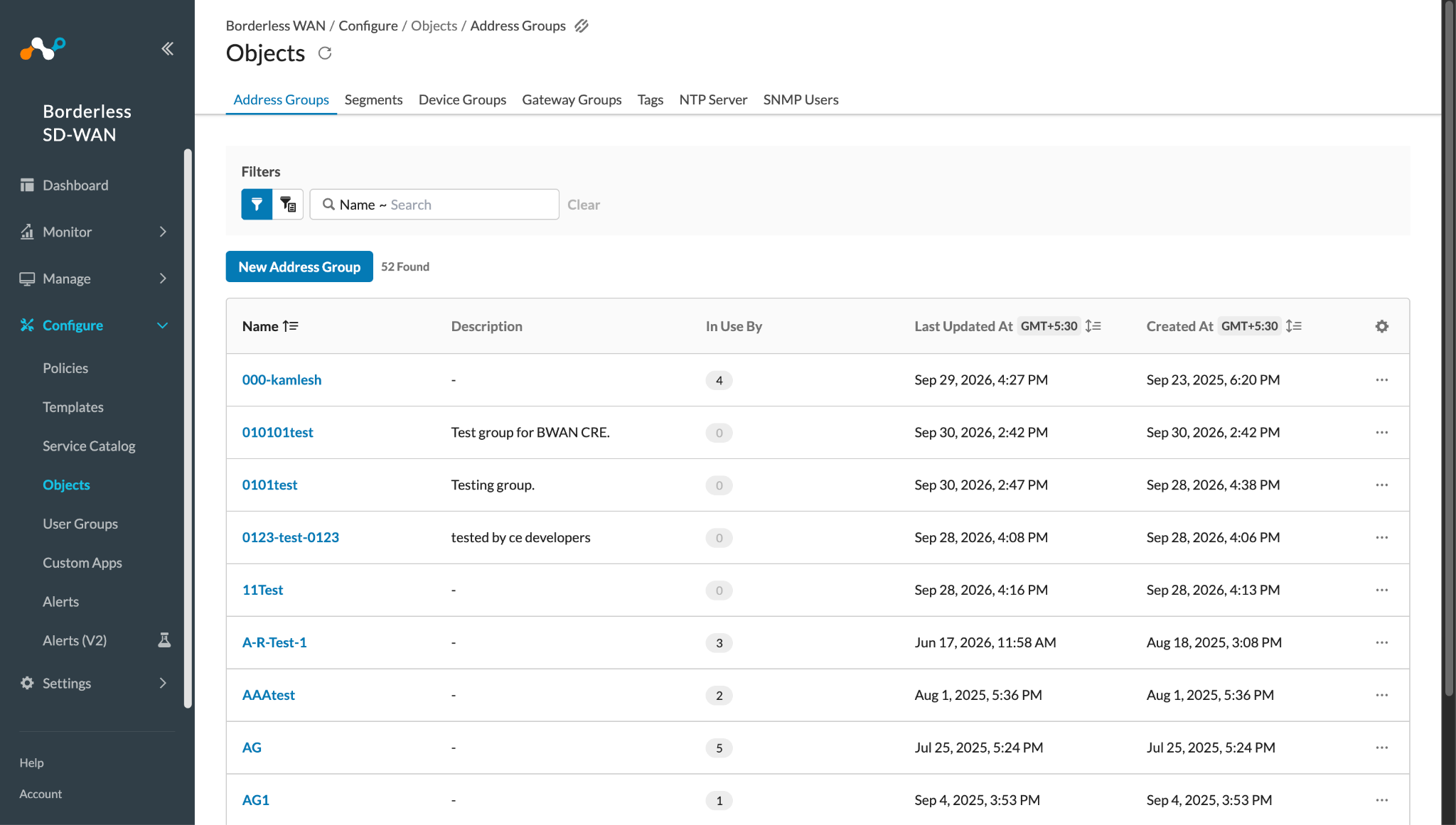
To view the Address Groups on Netskope Borderless WAN instance, go to Configure > Objects > Address Groups.
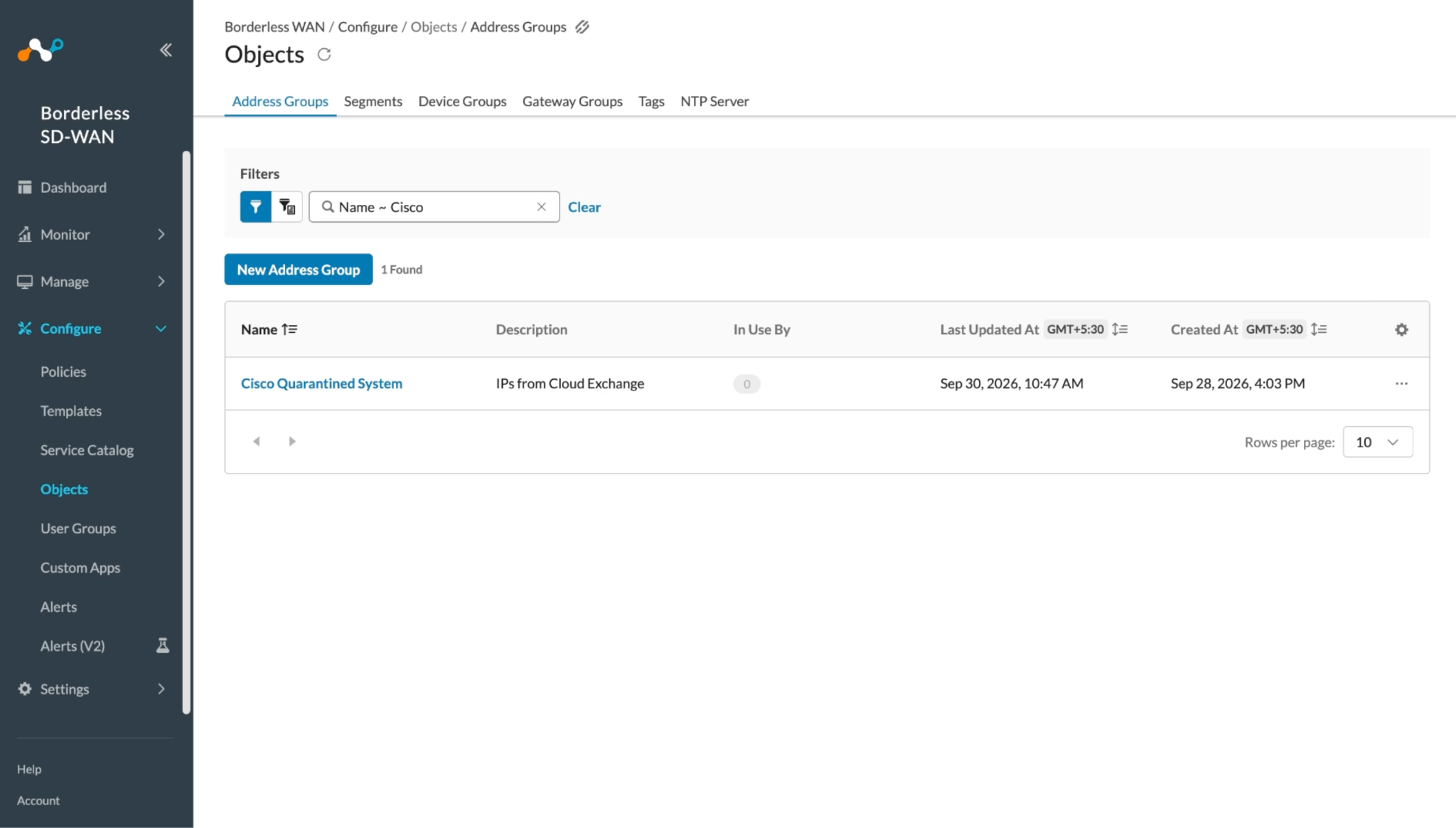
Search for the Address Group used in the Action configuration and click on it to open the Address Group.
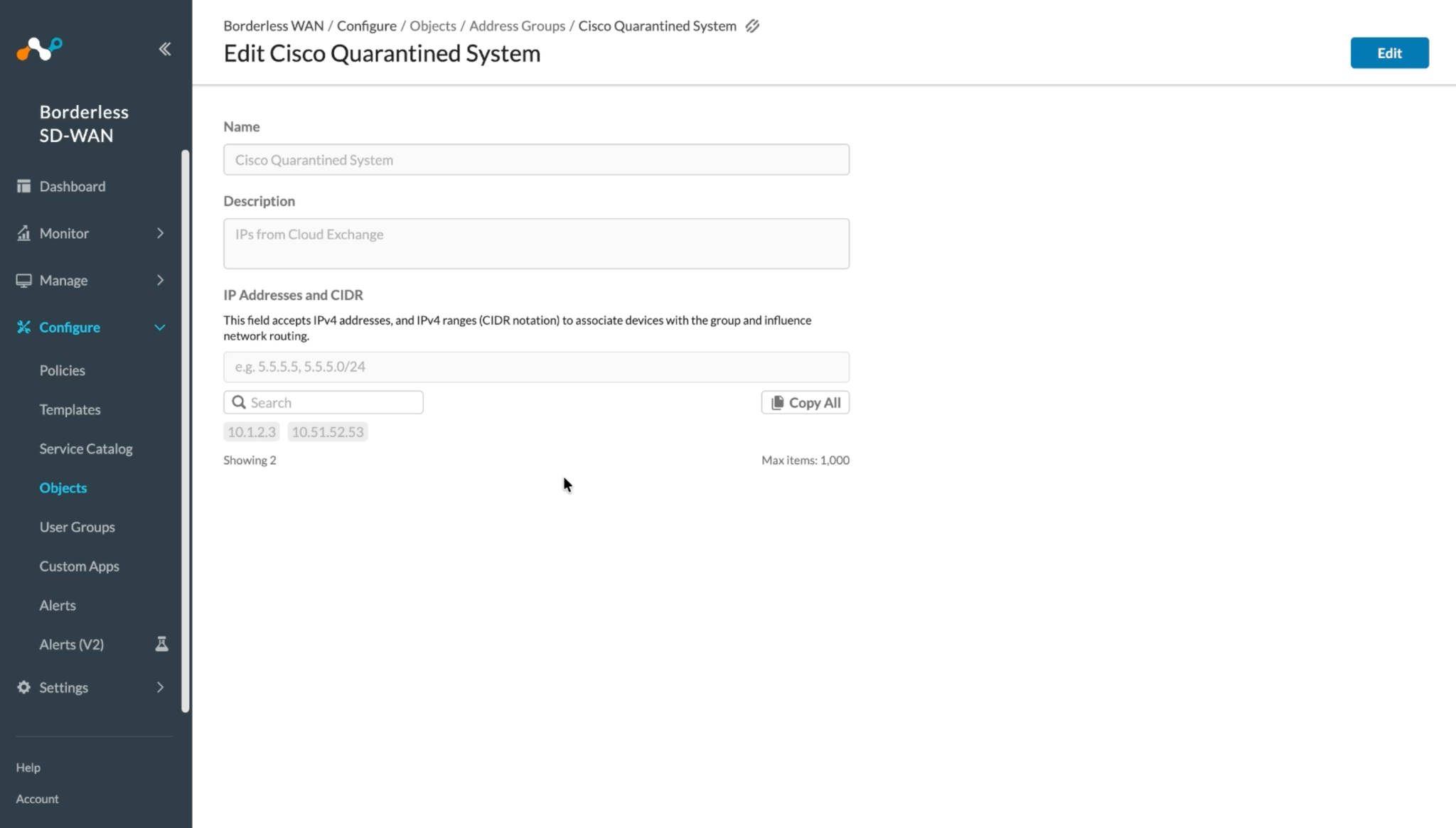
Address Group after performing Add to Address Group action:
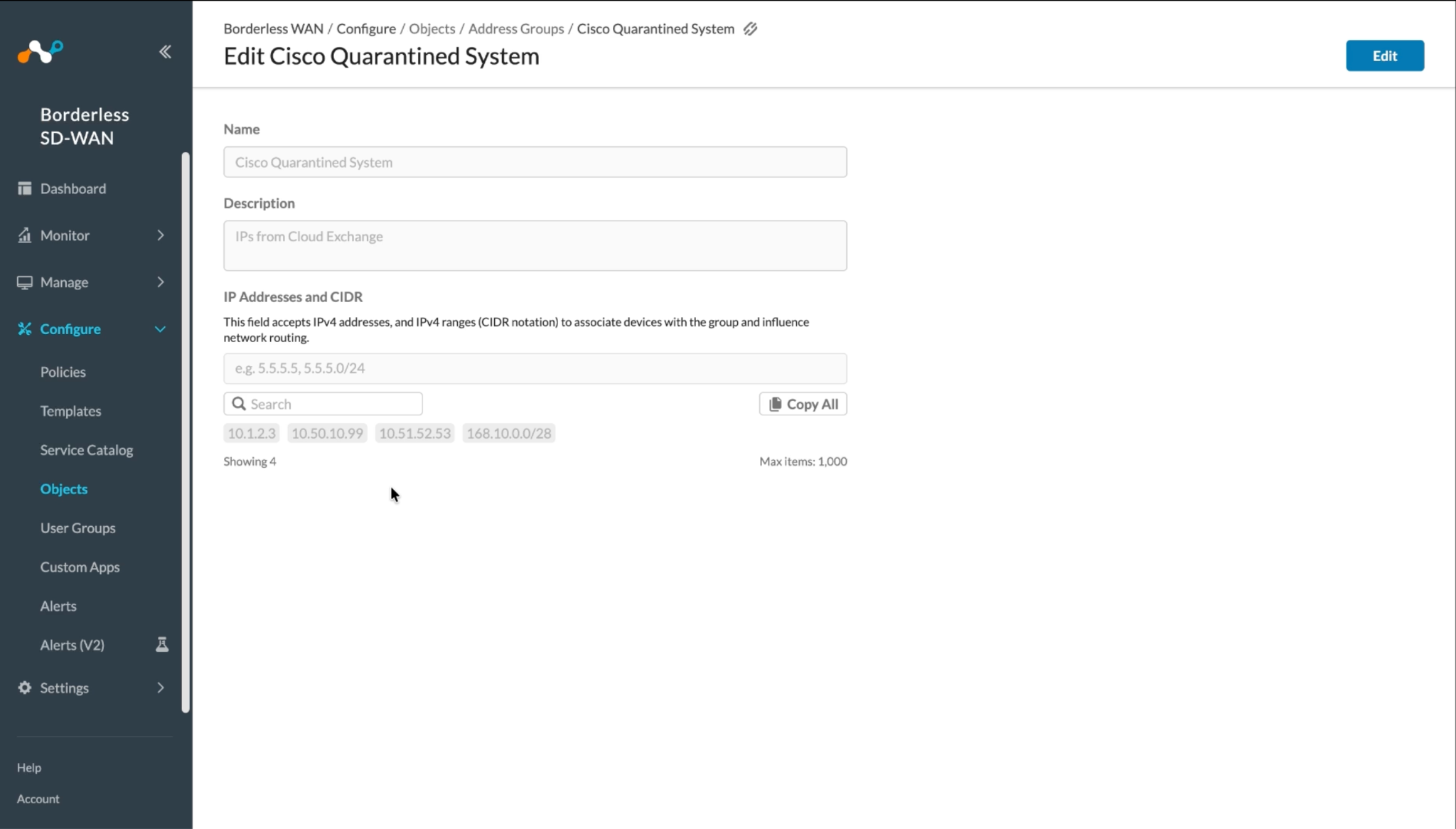
Address Group after performing Remove from Address Group action:
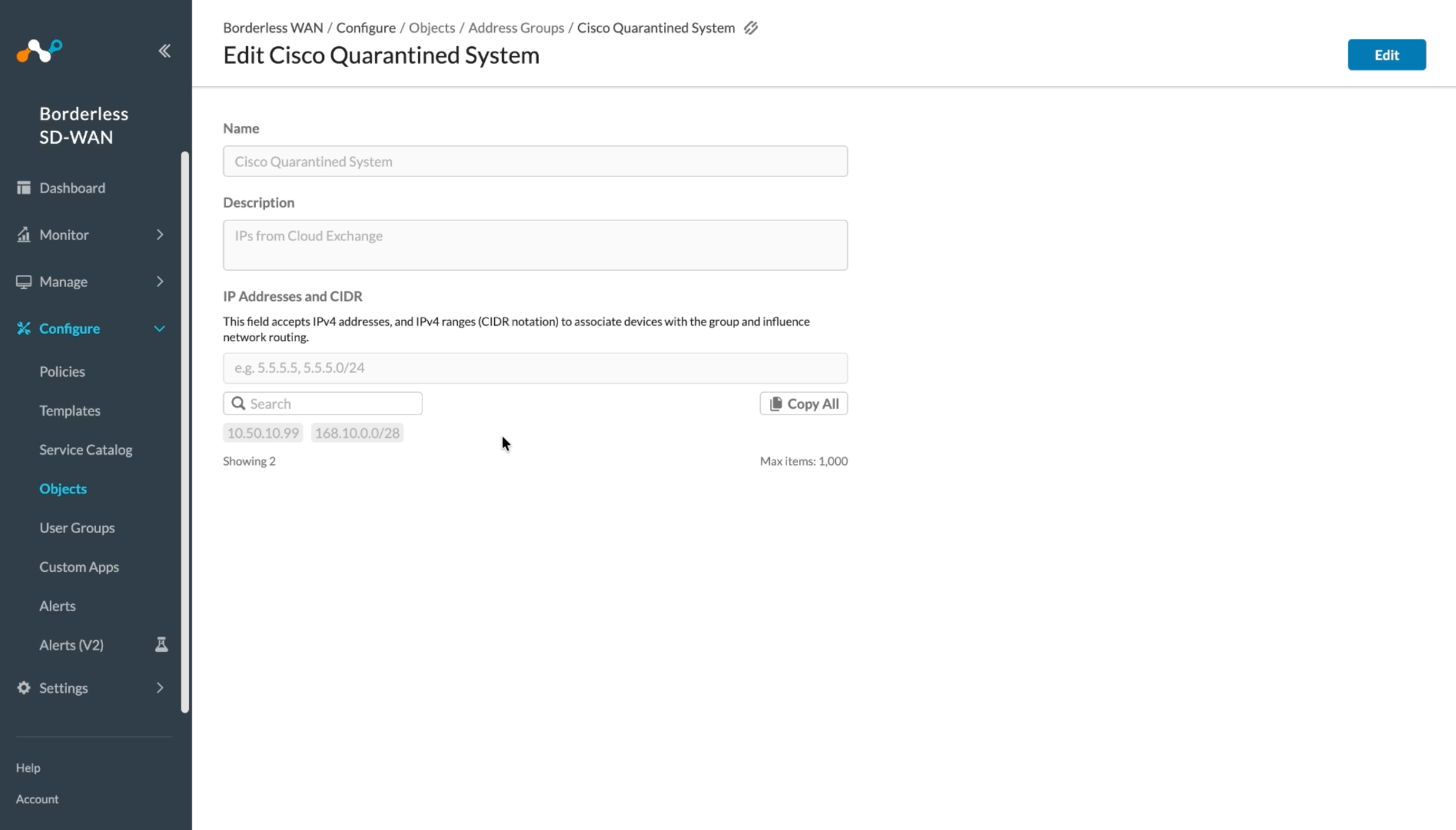
Troubleshooting the Netskope Borderless WAN Plugin
Unable to configure the plugin
If you are unable to configure the plugin, it could be due to one of these reasons:
- Incorrect Netskope Borderless WAN tenant URL
- BWAN Tenant does not have necessary permissions to configure the CRE Netskope Borderless WAN plugin.
- The token provided in the plugin configuration does not have required permissions.
What to do:
- Verify the Netskope Borderless WAN tenant URL in the BWAN Tenant plugin.
- Verify the API token used by the BWAN Tenant plugin or the CRE Netskope Borderless WAN has required permissions. Refer to the Permissions section.
Unable to pull Client or Gateway records from BWAN
If you are not able to pull the data, it might be because of one of these reasons:
- Field mapping is not added for the entity.
- No data is available for pulling
- Plugin has error in the pull cycle.
What to do:
- Edit the plugin, see if any field is mapped for the entity that you want to pull data, if not map the fields. For more details on mapping refer to Mappings.
- See if there is any data available on the BWAN tenant for pulling. Refer to validation for the same.
- Go to Logging and search for the plugin logs, check if there are any error logs available. If so, expand the same and look for resolution.
IP Already Exists as Address Object
If an action log entry shows Failed for a specific IP during Add to Address Group, it could be due to one of the following reasons:
The IP already exists as an Address Object elsewhere on the Netskope Borderless WAN tenant and cannot be added to another Address Group.
What to do:
- Log in to your Netskope Borderless WAN instance and verify that the IP does not already exist as an Address Object on the tenant.
- Remove the duplicate Address Object from the Netskope Borderless WAN console before retrying the action.
Known Behavior
The Netskope BWAN API accepts a wider range of values than the BWAN tenant UI. For example, the API accepts malformed or unsupported entries such as out-of-range CIDR prefixes (like 1.1.1.1/34), wildcard-only domains (like *.com), IPv6 addresses (like 2001:db8::1), and invalid FQDNs (like example..com), whereas the UI rejects them. The plugin is designed to stay in sync with the UI behavior, so it validates values against the UI rules and only accepts values that the BWAN tenant UI would accept. Values that the UI does not accept will be skipped by the plugin, even though the API would have allowed them.