

Major New Features
DSPM integration with DLP
DSPM has switched to fully utilize DLP as its classification engine, leading to several customer benefits:
- All Netskope data inspection and classification is now performed using the same industry-leading DLP solution, whether it’s inline, data-at-rest, endpoint, etc.
- DLP functionality is extended to previously-inaccessible areas, allowing customers to protect data-at-rest and classify structured data stores thru the addition of the new Column Classification rule type.
- Instead of maintaining a separate list of Sensitive Data Type identifiers, customers can now reuse existing DLP Profile & Rule definitions to scan & classify data within DSPM
- DLP dramatically expands the number of file types supported for inspection, from three dozen to over 2000, and data types from 5 dozen to nearly 4000
Exposure and Access Analysis for SaaS Data Stores
Netskope One DSPM now offers Sensitive Data Exposure and Access Analysis for SaaS applications. This new capability provides deep visibility into the security posture of your SaaS data stores, identifying over-shared sensitive files and tracking external user access, including those from personal email domains. To help administrators prioritize efforts, DSPM computes granular risk ratings for each data store, factoring in data exposure and external access risks. The enhanced User Assessment view consolidates a user’s access to sensitive files across all SaaS apps into a single pane, significantly improving the ability to manage data sharing practices and reduce the risk of data breaches.
Support for NetApp ONTAP
Netskope One DSPM now supports classifying data within NetApp ONTAP databases. This includes both AWS FSx for NetApp ONTAP and on-prem NetApp ONTAP. Expanded coverage provides enhanced visibility into all sensitive data across your on-prem and cloud environments.
Improvements and Updates
Deprecation of Azure MariaDB
Microsoft deprecated support for Azure Database for MariaDB last September. As a result, support for creating its data store connections has been removed from DSPM.
Proxy Support Added for DSPM Sidecar
DSPM sidecars can now be configured for explicit HTTPS proxy connections. New sidecars can be configured using an optional deployment parameter, while existing sidecars will require an upgrade to take advantage of this new functionality. For details on how to setup proxy, visit the Deploying DSPM Sidecars category and access the article specific to your sidecar deployment method.
Revamped File Details Drawer
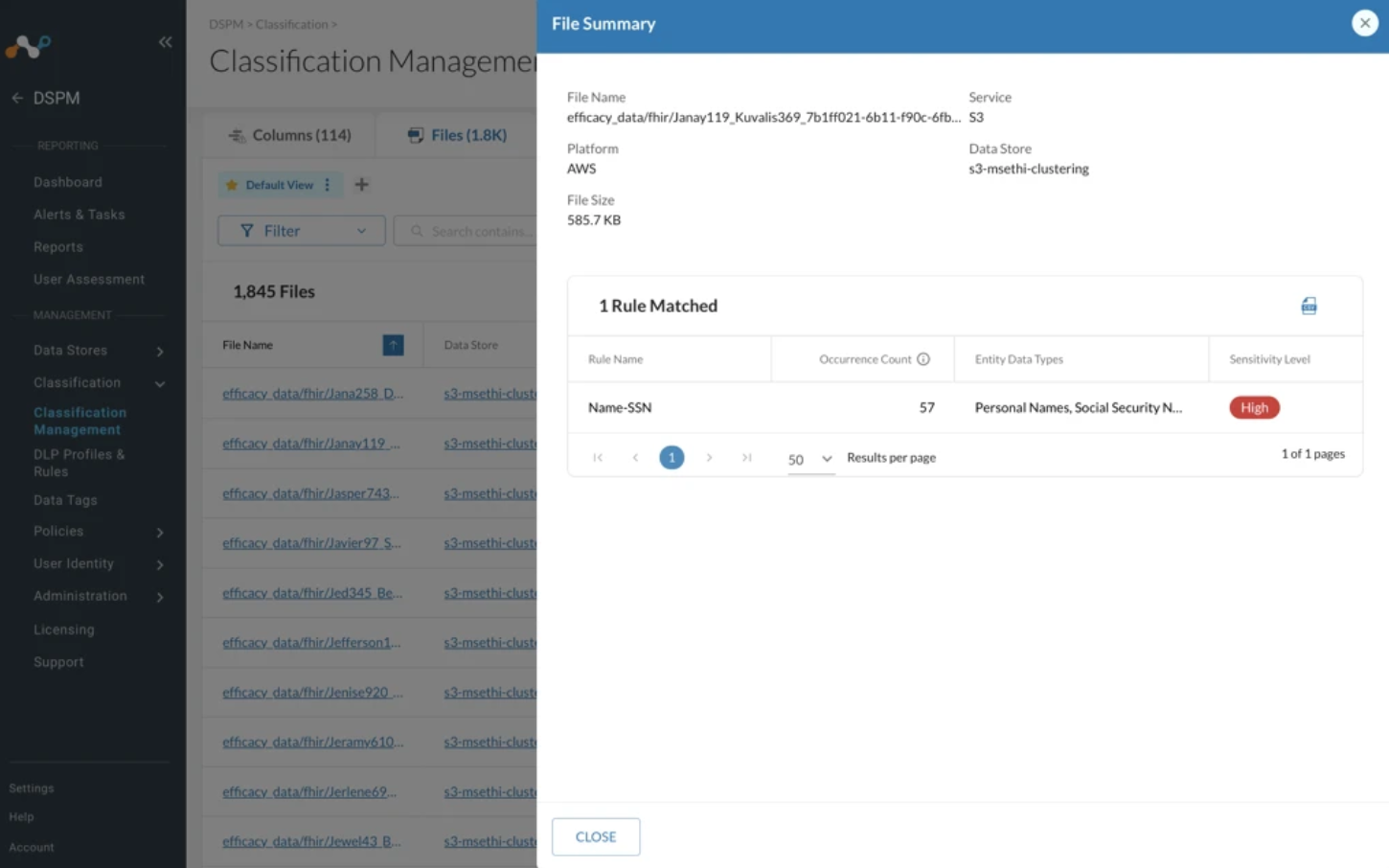
The Classification Management Files tab has been revamped to make it easier to manage multiple files at once. Files are now presented in a compact list, allowing for more files to be presented on the screen at once. The most-important information is immediately-displayed, while richer detail such as rule & entity data type matches, file size, and more is available in a new slide-out drawer.
Onboarding Enhancements for GCP and Azure
As was previously-done for AWS, within the application itself, changes were made to the Add Infrastructure Connection UI for GCP and Azure:
- Clear explanations are now available on the Capabilities tab, so you understand what each toggle does. Where supporting documentation is available, links are now shown to relevant articles on docs.netskope.com.
- When you finalize & submit your Infrastructure Connection request, the UI will check your service account’s health and provide feedback if any expected permissions are missing
Support for connecting multiple mount points per SMB endpoint
When configuring a SMB data store connection, DSPM now supports creating multiple connections for the same endpoint using different mount points. For example, you could create one data store connection for the endpoint 1.2.3.4 and mount share, then another for endpoint 1.2.3.4 and mount backup.