

AI Usage Dashboard
The following enhancements are included with this release:
- The Dashboard filter Category previously used the Other Category field as the underlying filtering field, but now uses the Category field instead.
- To include any applications with custom categories applied, add them from the drop-down selection for the dashboard filter ‘Category’. Apply custom categories for widgets ‘Percentage of Users Accessing AI Apps’ and ‘Percentage of Users Querying AI Apps’ by adding these filter values and editing each widget individually from the custom dimension ‘AI Users’.
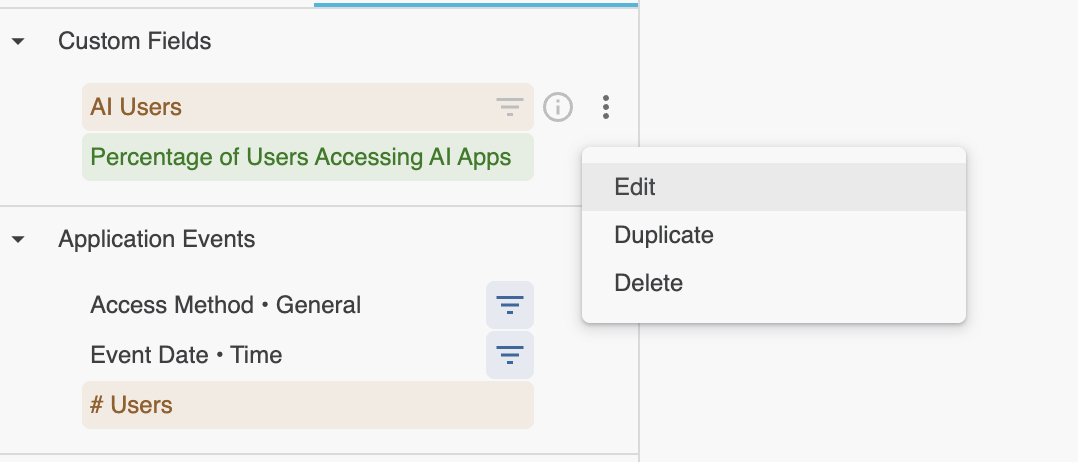
- The Dashboard filter Category will no longer apply to the widget Top 20 User Groups with High AI Usage, this widget now conforms to widget-level custom filters.
This change is currently rolled out for all commercial customers.
Private Applications Overview Dashboard from the Shared Library
The following three widgets are removed from the dashboard:
- Filtered Users
- Filtered Applications
- Filtered Publishers
View the filtered values in the dashboard level filters.
This change is currently rolled out for all commercial customers.