

Once you have successfully integrated the SaaS app instance with Netskope, you should start receiving audit events on Skope IT.
Application Events Page
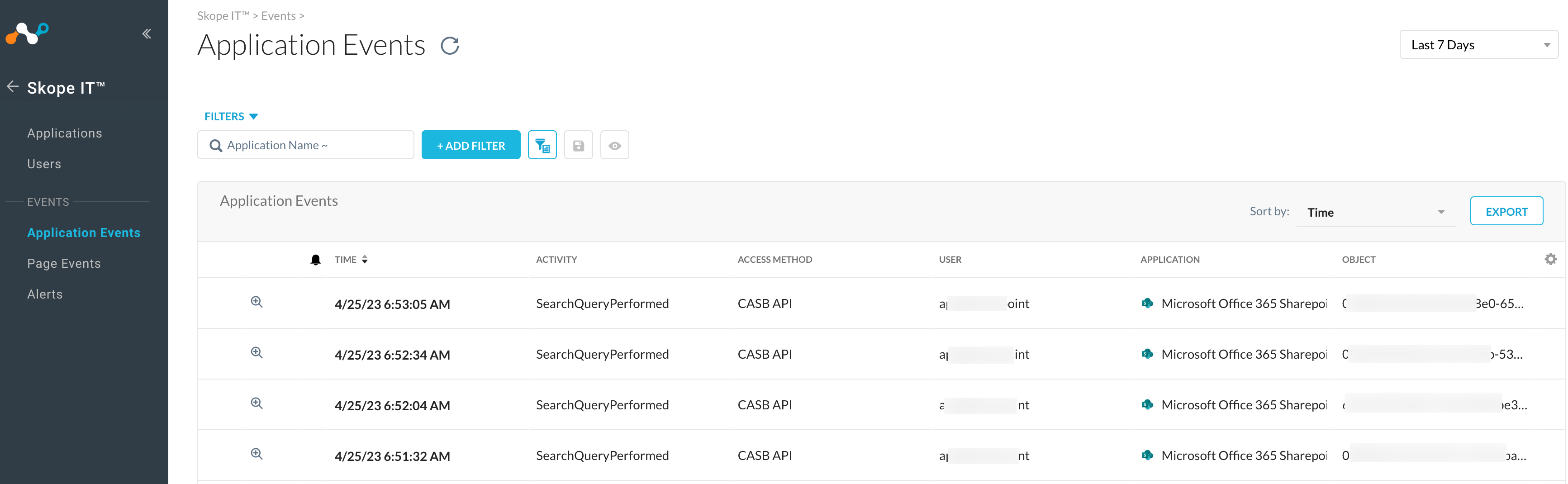
To view audit events, navigate to Skope IT > EVENTS & ALERTS > Application Events. You can filter the events by application name, access method – API Connector or CASB API. Here is a sample audit events page:
Netskope Activity Field in Application Events
The Netskope Activity field is now available in Next Generation API Data Protection under Skope IT > Events & Alerts > Application Events. This enhancement brings feature parity with Classic API Data Protection.
This field identifies whether a recorded activity on a SaaS application was performed by a real user or triggered by Netskope (e.g., as part of automated policy enforcement).
-
Netskope Activity = True
The activity was performed by Netskope (via the management plane). -
Netskope Activity = False
The activity was performed by a real user.

This distinction is particularly useful when auditing events like file downloads, allowing admins to differentiate between user behavior and automated actions performed by Netskope.
Backward Compatibility
Events generated before this enhancement will not display the Netskope Activity field.
Supported SaaS Apps
Box, Dropbox, Egnyte, Google Calendar, Google Drive, Microsoft 365 OneDrive, Microsoft 365 Outlook, Microsoft 365 SharePoint, Microsoft 365 Teams, Microsoft 365 Yammer, Okta, Salesforce, ShareFile, Slack Enterprise, Workday, and Zendesk.
Unsupported SaaS Apps
Atlassian Confluence, Atlassian Jira, ChatGPT Enterprise, Cisco Webex, GitHub, Google Mail, ServiceNow, Zoom.
Alerts Page
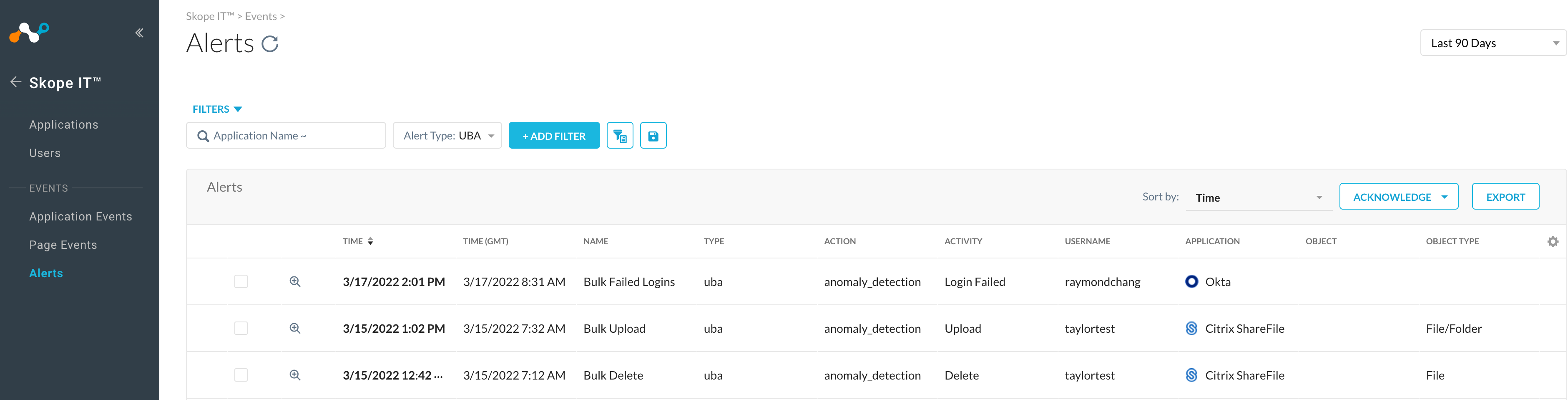
To view standard user behavior analytic alerts, navigate to Skope IT > EVENTS & ALERTS > Alerts, filter alert type by UBA. Here is a sample alerts page:
It is important to note that the Alert Type value (under Skope IT > EVENTS & ALERTS > Alerts) for quarantine action in Next Generation API Data Protection is different than in Classic API Data Protection. If you have any forward integration like log ingestor, etc where these values are ingested, you should update these values. Refer the table below:
| Product | Alert Type | Action |
|---|---|---|
| Classic API Data Protection | quarantine | quarantine |
| Next Generation API Data Protection | policy | quarantine |
Examples:
-
Classic API Data Protection

-
Next Generation API Data Protection



It is important to note that the Alert Type value (under Skope IT > EVENTS & ALERTS > Alerts) for legal hold action in Next Generation API Data Protection is different than in Classic API Data Protection. If you have any forward integration like log ingestor, etc where these values are ingested, you should update these values. Refer the table below:
| Product | Alert Type | Action |
|---|---|---|
| Classic API Data Protection | Legal Hold | Copy |
| Next Generation API Data Protection | policy | Legal Hold |
Examples:
-
Classic API Data Protection

-
Next Generation API Data Protection


