

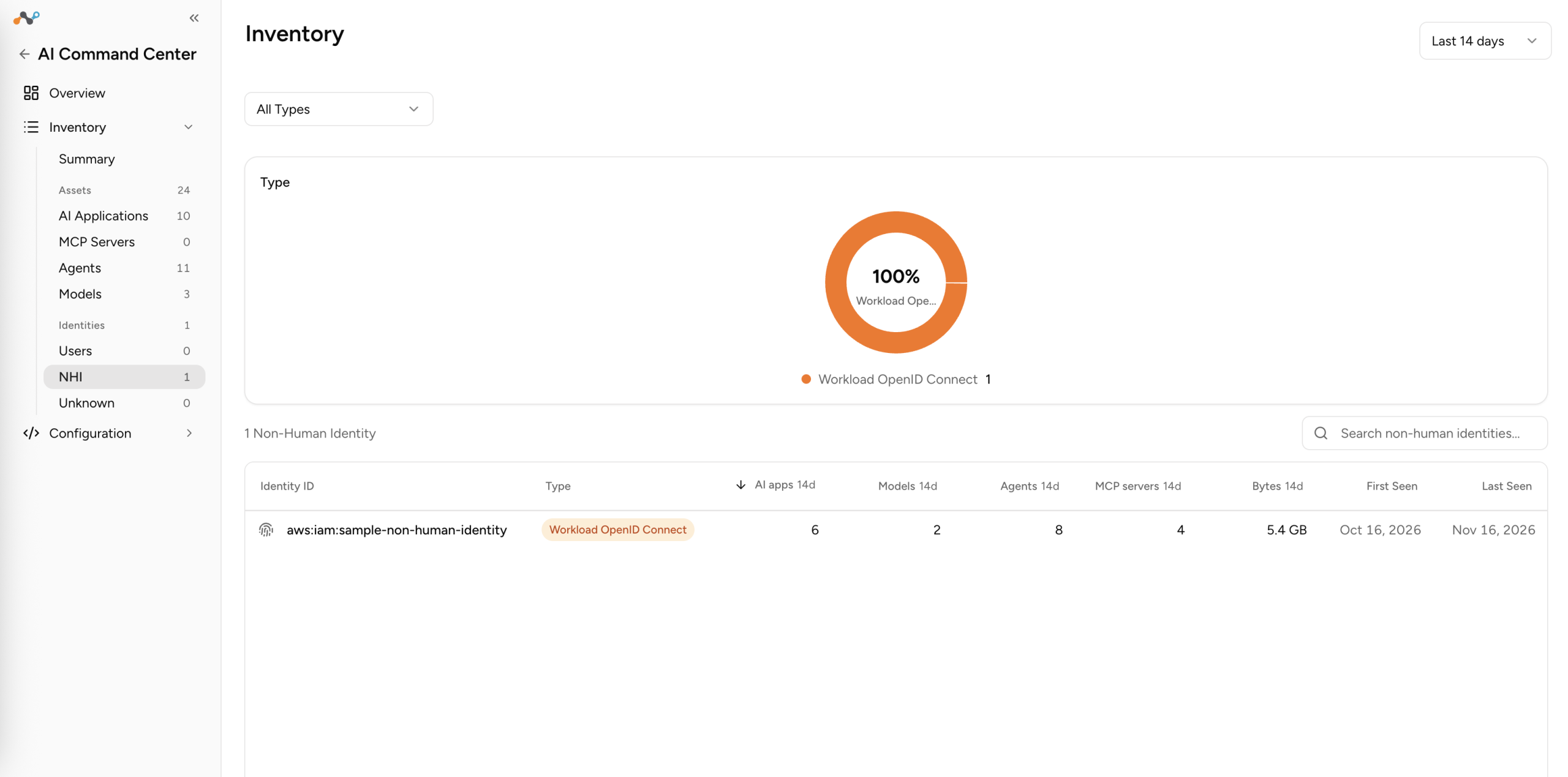
The Non-Human Identities section, under Identities, provides visibility into machine identities that interact with AI applications, MCP servers, agents, and models in your organization. Non-human identities include Kubernetes service accounts, CI/CD pipeline identities, API keys, and workload OIDC identities.
Source: Workload Sensers (eBPF)
Type – Shows the distribution of non-human identities by type, displayed as a donut chart. Identity types include:
- k8s_sa – Kubernetes service account.
- ci_cd – CI/CD pipeline identity.
- api_key – API key-based identity.
- workload_oidc – Workload identity authenticated using OpenID Connect (OIDC).
Click a segment in the chart to filter the table by identity type. A dropdown above the chart lets you switch the chart view, for example, from Count to another metric.
The table displays a list of non-human identities discovered in your environment with following details:
- Identity ID: Name or identifier of the non-human identity, for example, sa-vertex-training, ci-nightly-benchmark.
- Type: The non-human identity type: k8s_sa, ci_cd, api_key, or workload_oidc.
- AI apps #d: Number of AI applications this identity interarted with for selected time range.
- Models #d: Number of AI models this identity interacted with for the selected time range.
- Agents #d: Number of agents this identity interacted with for the selected time range.
- MCP Servers #d: Number of MCP servers this identity interacted with for the selected time range.
- Bytes #d: Amount of bytes tranvalled.
- First Seen: Timestamp when the identity was first detected.
- Last Seen: Timestamp of the most recent activity for the identity.
Click any row to open the non-human identity detail panel.