Every create, edit, or delete you make in Internet Access Policies stays as a pending change until you explicitly apply it — nothing affects live traffic immediately. Screenshots captured live, 2026-07-02.
Pending changes banner
After saving any change, a banner appears at the top of the list page.
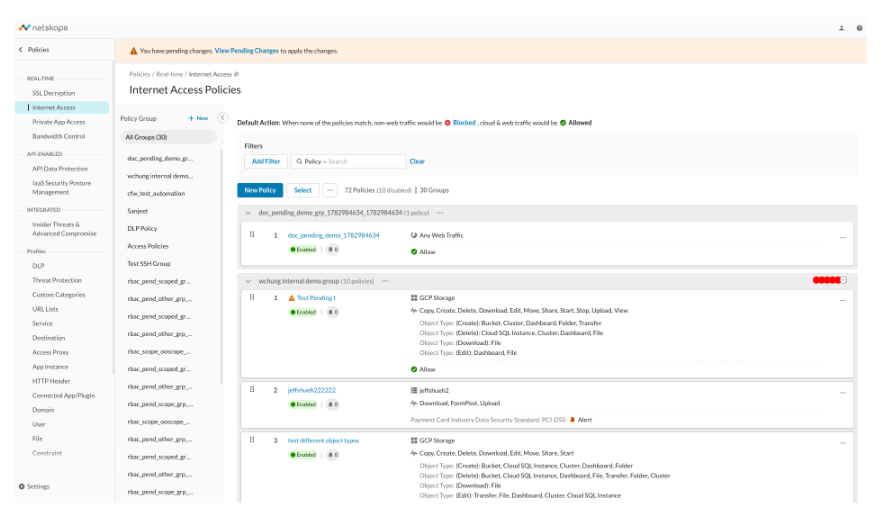
This banner stays visible for as long as any change on the tenant is unapplied — including changes made by other admins, not just your own.
Reviewing pending changes
Click View Pending Changes to open a panel listing every uncommitted change across the tenant, grouped by policy group.
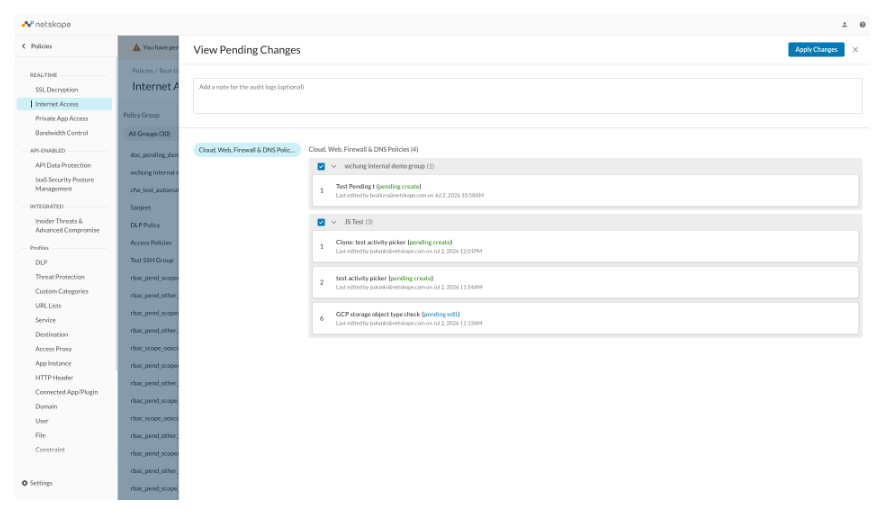
For each pending item you’ll see:
- Its name and a colored status tag — (pending create), (pending edit), (pending reorder), or (pending delete)
- Who last edited it and when
- A checkbox next to each policy group, letting you choose exactly which groups’ changes to include when you apply
There’s also a free-text field at the top to add a note for the audit logs — use it to record why you’re making this change, since it will show up in audit history alongside the change itself.
Viewing the diff for a pending change
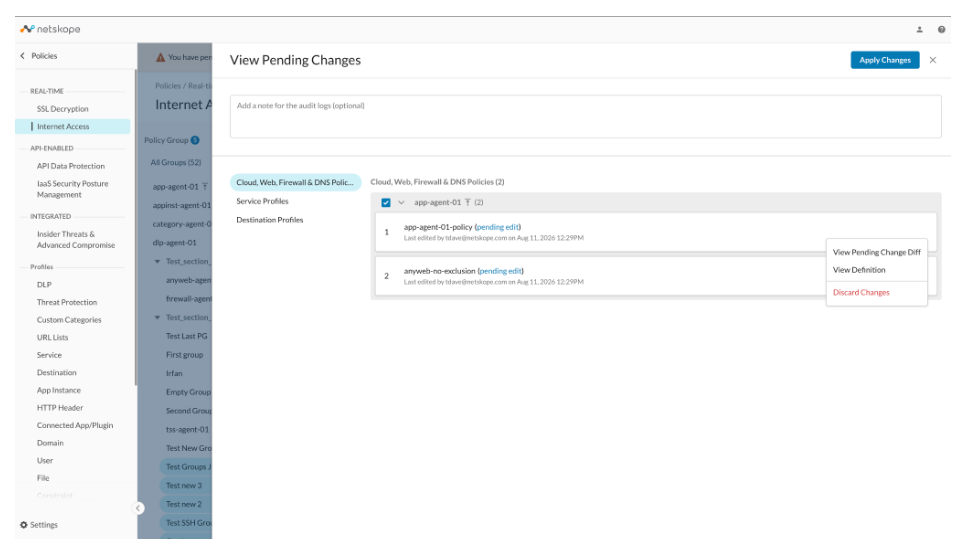
Click the status tag (e.g. (pending edit)) on any pending item, or use its ⋮ menu and choose View Pending Change Diff, to see exactly what changed.
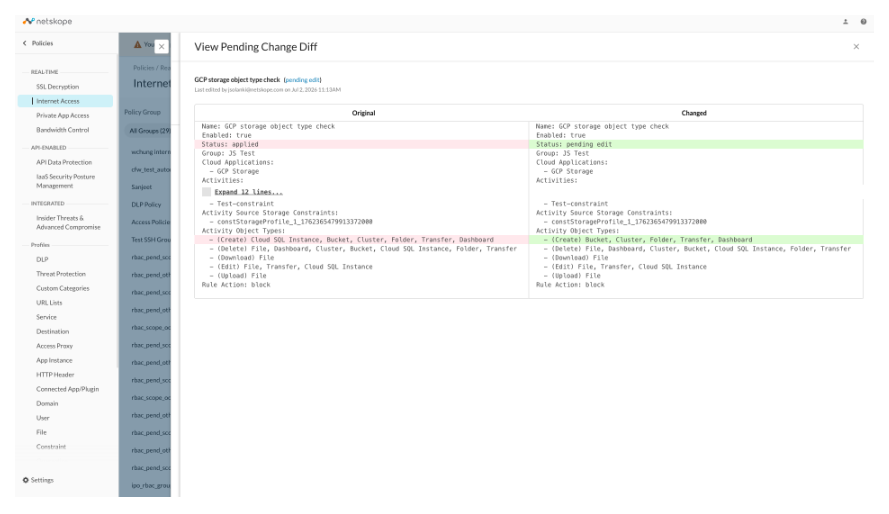
This opens a side-by-side comparison — Original on the left, Changed on the right — with modified lines highlighted (removed values in red/pink, added values in green). This is invaluable for reviewing an edit before you apply it, especially on rules with many criteria, since it’s easy to miss which activity or object type actually changed just by re-reading the full rule definition.
Applying or discarding
Once you’re satisfied with the review, click Apply Changes in the top-right of the panel to deploy everything you’ve checked. If you change your mind about a specific item, use its ⋮ menu and choose Discard Changes instead — this cancels just that one pending item without affecting anything else queued up.
Until you click Apply, none of your pending changes affect live traffic — you can safely review, edit, or discard them at any point.