

Overview
DLP On Demand — Public Cloud gives you cloud-hosted scalable multi-tenant DLP inspection as a REST API, with nothing to deploy or maintain on your side.
Region Availability
Your tenant is provisioned against a single, specific AWS region. Your API endpoint and all traffic must target that assigned region — requests sent to a different region’s endpoint don’t work.
If you’re unsure which region your tenant is assigned to, contact your Netskope representative. See Public Cloud Region Mapping for how your home MP (Management Plane) maps to an AWS region.
Prerequisites
Before you begin, confirm the following:
- Your organization holds the required license for the DLP On Demand — Public Cloud entitlement.
- DLP On Demand — Public Cloud has been enabled for your tenant. Netskope enables this as part of provisioning — if you’re not sure whether it’s enabled, contact your Netskope representative.
- You know your tenant’s assigned AWS region and hostname (see Region Availability above).
- You have an account with administrator privileges in your Netskope tenant, sufficient to create roles, service accounts, and API keys.
Getting Your API Key
You authenticate to DLP On Demand — Public Cloud with an API key that you generate yourself from the Netskope WebUI. There’s no separate token-exchange step — the key you generate is used directly as the bearer token on every API call.
Step 1: Create a Role or Use a Predefined Role
- Skip this step if you prefer to use a predefined role.
- To create a custom role, navigate to Settings > Administration > Administrators & Roles > Roles.
- Create a new custom role.
- Grant the DLP On Demand permission to the role.
Step 2: Create a Service Account
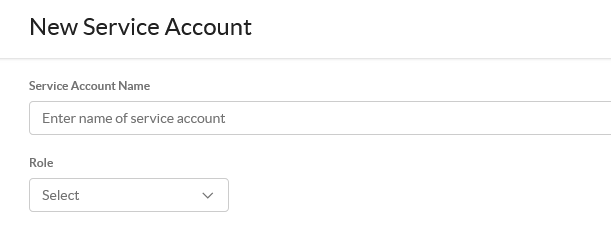
- Navigate to Settings > Administration > Administrators & Roles > Administrators.
- Click Service Account.
- Assign it the role you created in Step 1, or use the predefined role DLPoD Admin.
Step 3: Generate the API Key
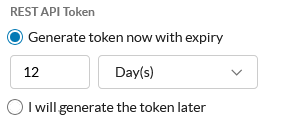
- While still on the Service Account dialog, choose Generate token now with expiry.
- Click Create. Copy and store the key securely — treat it like a password. You can’t view it again after leaving this page.
API Reference
Find the DLPoD Public API swagger documentation in the WebUI at Settings > Tools > DLPoD REST API v1. The full API reference — endpoints, request/response schemas, and examples — lives directly in the Netskope WebUI and isn’t duplicated here. Generate your client using any programming language you choose.
API Usage
- Base URL:
https://.aws- .dlp.goskope.com - The shortname is your tenant name — for example, if your tenant is
acme.goskope.com, your shortname isacme. - The AWS region code comes from the mapping of your home MP, see Public Cloud Region Mapping.
- The shortname is your tenant name — for example, if your tenant is
- Send the API key as a bearer token:
Authorization: Bearer <API_KEY> - To test a valid token or connectivity in general, make a GET call to
/inspections/jobs/pending.
Example:
curl https://acme.aws-usw2.dlp.goskope.com/inspections/jobs/pending
A valid response returns a 200 with any jobs still pending.