Overview
Netskope DSPM supports sending JSON notifications via Google Pub/Sub to topics within the same Google Cloud Platform (GCP) project or across different projects.
To enable this, you must grant the Netskope DSPM service account specific permissions in the GCP console.
Prerequisite: These instructions assume you have already created the Netskope DSPM-specific service account. For details, see Onboard Google Cloud Platform (GCP).
Message Packaging Behavior
When configuring external workflows to publish DSPM alerts to Google Pub/Sub, the system packages messages differently based on the data store type:
- Structured Data Stores: The workflow publishes a single Pub/Sub message per data store when policy conditions are met.
- Unstructured Data Stores: The workflow publishes multiple Pub/Sub messages per data store when policy conditions are met, each containing information on individual files/objects that violated the policy
This behavior applies regardless of whether the Pub/Sub topic resides in the same GCP project or a different one.
Configure the Google Service Account
Use these steps to grant the service account permission to manage and publish to topics within the same project where the account resides.
-
Log in to the GCP IAM & Admin Console.
-
Ensure you are in the context of the GCP Project you wish to use for publishing messages.
-
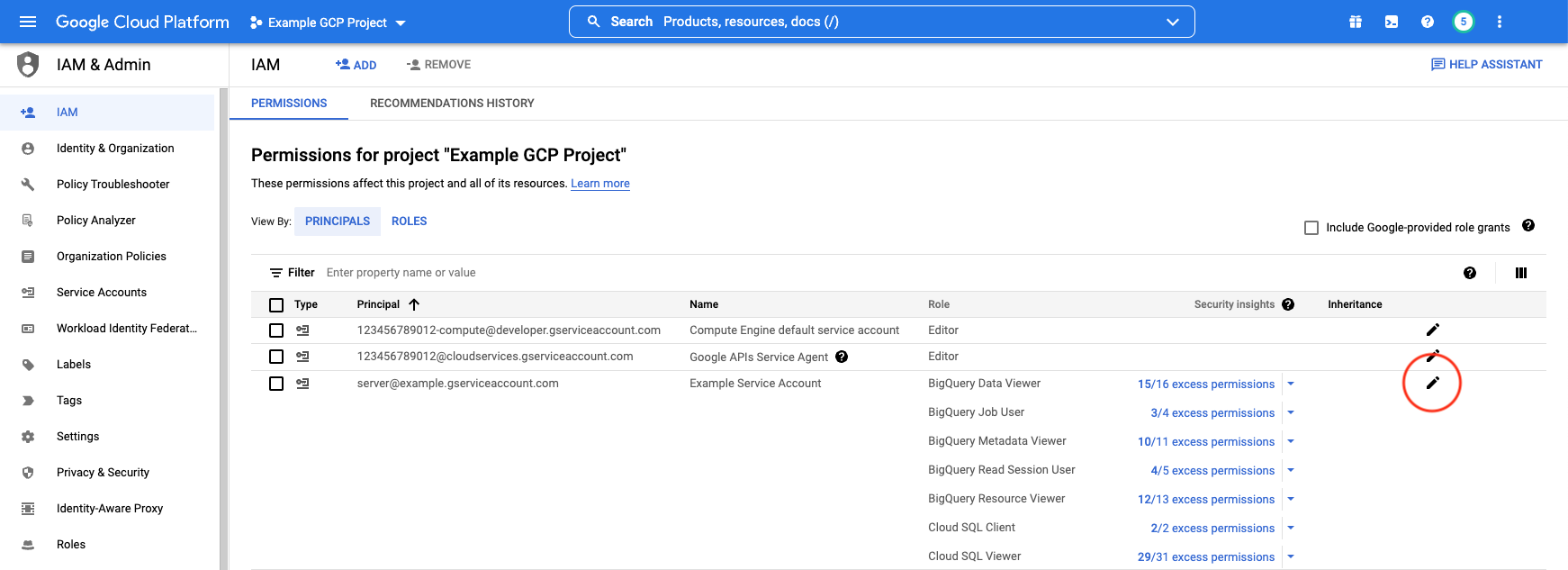
Click the Permissions tab.
-
Locate the Netskope DSPM-specific service account in the principals list.
-
Click the edit icon (pencil) corresponding to that account.
-
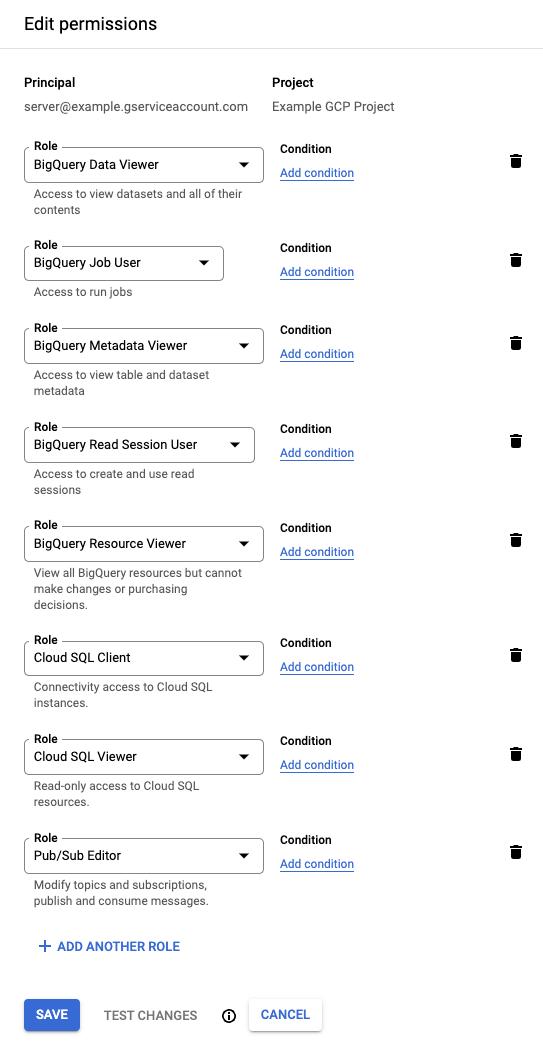
In the configuration panel, add the following role:
- Role:
Pub/Sub Editor - Reference: GCP Pub/Sub Access Control
- Role:
-
Click Save.
Publishing to Different Projects
If the target Pub/Sub Topic resides in a different GCP project than your Netskope DSPM instance, follow these additional steps to authorize cross-project publishing.
Step 1: Retrieve Principal Identifier
First, get the identity of your Netskope DSPM service account.
- Log in to the GCP IAM & Admin Console of the source project (where Netskope DSPM is connected).
- Click the Permissions tab.
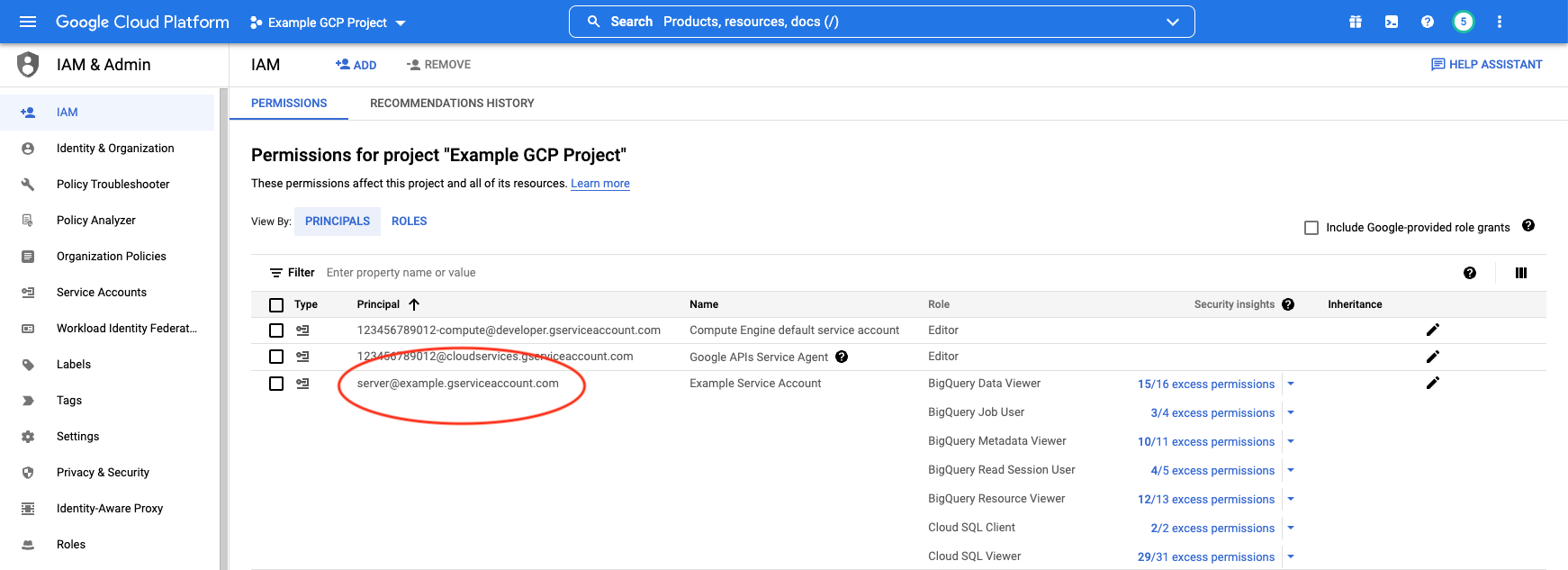
- Locate the Netskope DSPM-specific service account.
- Copy the Principal value (email address) to your clipboard.
Step 2: Configure Destination Project Topics
Next, authorize that principal in the destination project.
- Log in to the GCP Pub/Sub Console.
- Switch to the destination GCP Project (where the Topic resides).
- Locate the specific Topic(s) you want to use for notifications.
- Select the checkbox next to the Topic name(s).
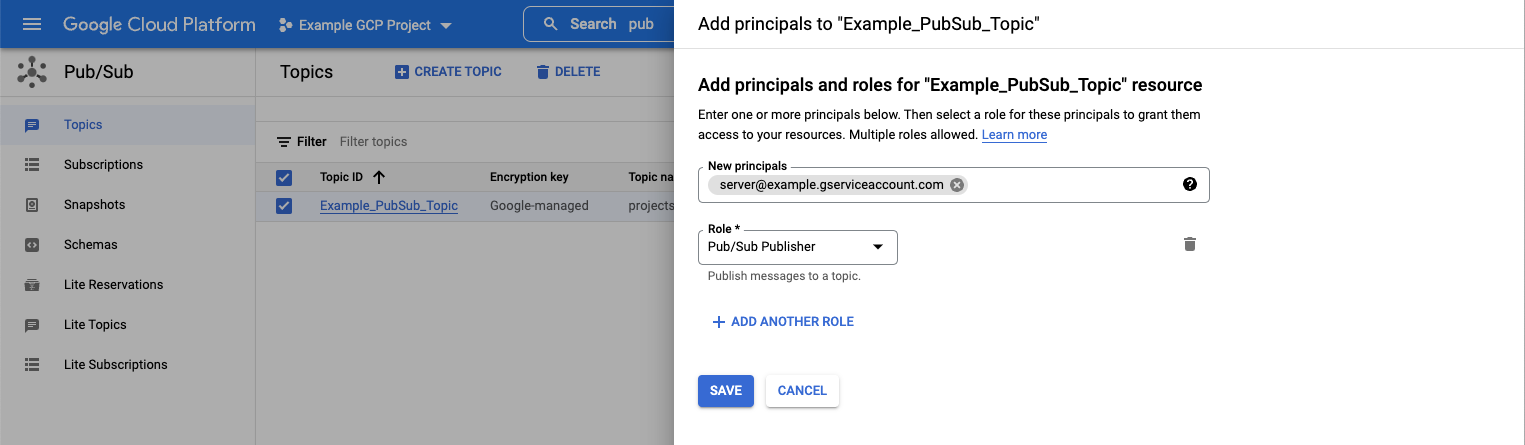
- In the Permissions side panel, click Add Principal.
- Configure the access:
- New principals: Paste the value copied in Step 1.
- Role:
Pub/Sub Publisher
- Click Save.