Release Notes
1.0.0
Added
- Initial Release.
- This plugin is used to pull indicators of type URL, Domain, IP Addresses (IPv4, IPv6) and Hash (MD5 and SHA256) from the risk list of Recorded Future platform. This plugin does not support sharing of indicators to Recorded Future.
This document explains how to configure the Recorded Future v1.0.0 plugin for the Threat Exchange module of the Netskope Cloud Exchange platform. This plugin is used to pull indicators of type URL, Domain, IP Addresses (IPv4, IPv6) and Hash (MD5 and SHA256) from the risk list of Recorded Future platform. This plugin does not support sharing of indicators to Recorded Future.
Prerequisites
To complete this configuration, you need:
- A Netskope Tenant (or multiple, for example, production and development/test instances).
- A Netskope Cloud Exchange tenant with the Tenant plugin and Threat Exchange plugin already configured.
- Your Recorded Future API Key.
- Connectivity to a Recorded Future instance.
Recorded Future Plugin Support
This plugin is used to pull indicators of type URL, Domain, IP Addresses (IPv4, IPv6) and Hash (MD5 and SHA256) from the risk list of Recorded Future platform. This plugin does not support sharing of indicators to Recorded Future.
| Fetched Indicator Types | Shared Indicator Types |
|---|---|
| URL, Domain, IP Addresses (IPv4, IPv6) and Hash (MD5 and SHA256) | Not Supported |
Mappings
Pull Mapping
| Cloud Exchange Fields | Recorded Future Fields |
|---|---|
| value | Name |
| severity | Risk |
| comments | EvidenceDetails |
Severity Mapping
| Cloud Exchange Severity | Recorded Future Severity |
|---|---|
| Unknown | 0 |
| Low | 1-39 |
| Medium | 40-69 |
| High | 70-89 |
| Critical | >=90 |
API Details
List of APIs used
| API Endpoint | Method | Use case |
|---|---|---|
| /v2/{<IOC_TYPE>}/risklist | GET | Fetch Indicators |
Fetch Indicators
Endpoint: /v2/{<IOC_TYPE>}/risklist
Method: GET
Headers
| Key | Value |
|---|---|
| User-Agent | netskope-ce-5.0.1-cte-recorded-future-v1.0.0 |
| X-RFToken | API Key |
| Accept | application/json |
| Content-Type | application/json |
Sample API Response
{"Name","Risk","RiskString","EvidenceDetails"
"176.111.174.140","99","13/79","{""EvidenceDetails"": [{""Name"": ""linkedIntrusion"", ""EvidenceString"": ""1 sighting on 1 source: Twitter. 2 related intrusion methods: AsyncRAT, Remote Access Trojan. Most recent link (Jul 28, 2024): https://twitter.com/drb_ra/statuses/1817451627755839630"", ""CriticalityLabel"": ""Unusual"", ""MitigationString"": """", ""Rule"": ""Historically Linked to Intrusion Method"", ""SourcesCount"": 1.0, ""Sources"": [""source:BV5""], ""Timestamp"": ""2024-07-28T06:46:49.000Z"", ""SightingsCount"": 1.0, ""Criticality"": 1.0}, {""Name"": ""defanged"", ""EvidenceString"": ""3 sightings on 2 sources: Mastodon, Twitter. Most recent link (Jul 29, 2024): https://ioc.exchange/@SarlackLab/112867604780656776"", ""CriticalityLabel"": ""Unusual"", ""MitigationString"": """", ""Rule"": ""Historically Reported as a Defanged IP"", ""SourcesCount"": 2.0, ""Sources"": [""source:pupSAn"", ""source:BV5""], ""Timestamp"": ""2024-07-29T03:16:13.000Z"", ""SightingsCount"": 3.0, ""Criticality"": 1.0}, {""Name"": ""botnet"", ""EvidenceString"": ""3 sightings on 1 source: External Sensor Data Analysis. 176.111.174.140 was identified as botnets in External Sensor data. Reported to Recorded Future on Aug 23, 2024."", ""CriticalityLabel"": ""Unusual"", ""MitigationString"": """", ""Rule"": ""Historical Botnet Traffic"", ""SourcesCount"": 1.0, ""Sources"": [""source:kBB1fk""], ""Timestamp"": ""2024-08-23T22:00:19.772Z"", ""SightingsCount"": 3.0, ""Criticality"": 1.0}, {""Name"": ""reportedCnc"", ""EvidenceString"": ""969 sightings on 3 sources: Polyswarm Sandbox Analysis - Malware C2 Extractions, Recorded Future Triage Malware Analysis - Malware C2 Extractions, Recorded Future Sandbox - Malware C2 Extractions. Malware sandbox analysis identified 176.111.174.140:6606 as possible TA0011 (Command and Control) for AsyncRAT using configuration extraction on sample 25bd8d029f3ef404bb2153867d366571b26e2fcfbb4819175dc8c490e8252c74."", ""CriticalityLabel"": ""Suspicious"", ""MitigationString"": """", ""Rule"": ""Historically Reported C&C Server"", ""SourcesCount"": 3.0, ""Sources"": [""source:hyihHO"", ""source:nTcIsu"", ""source:oWAG20""], ""Timestamp"": ""2024-08-16T00:30:01.000Z"", ""SightingsCount"": 969.0, ""Criticality"": 2.0}, {""Name"": ""recentLinkedIntrusion"", ""EvidenceString"": ""1 sighting on 1 source: Twitter. 1 related intrusion method: Botnet. Most recent link (Aug 29, 2024): https://twitter.com/ShanHolo/statuses/1829217577702150517"", ""CriticalityLabel"": ""Suspicious"", ""MitigationString"": """", ""Rule"": ""Recently Linked to Intrusion Method"", ""SourcesCount"": 1.0, ""Sources"": [""source:BV5""], ""Timestamp"": ""2024-08-29T18:00:30.000Z"", ""SightingsCount"": 1.0, ""Criticality"": 2.0}, {""Name"": ""intermediateActiveCnc"", ""EvidenceString"": ""4 sightings on 1 source: Recorded Future Network Intelligence. Multiple communications observed between 104.237.6.220 on port 50420 and 176.111.174.140 (validated AsyncRAT C2 Server) on port 6606 on 2024-08-27 at 09:28 UTC.  "", ""CriticalityLabel"": ""Suspicious"", ""MitigationString"": """", ""Rule"": ""Recently Communicating Validated C&C Server"", ""SourcesCount"": 1.0, ""Sources"": [""source:gs6Zfb""], ""Timestamp"": ""2024-08-27T00:00:00.000Z"", ""SightingsCount"": 4.0, ""Criticality"": 2.0}, {""Name"": ""validatedCnc"", ""EvidenceString"": ""159 sightings on 1 source: Recorded Future Command & Control Validation. Recorded Future analysis validated 176.111.174.140:7707 as a command and control server for AsyncRAT on Aug 28, 2024"", ""CriticalityLabel"": ""Suspicious"", ""MitigationString"": """", ""Rule"": ""Previously Validated C&C Server"", ""SourcesCount"": 1.0, ""Sources"": [""source:qGriFQ""], ""Timestamp"": ""2024-08-28T05:24:09.000Z"", ""SightingsCount"": 159.0, ""Criticality"": 2.0}, {""Name"": ""recentMalwareDelivery"", ""EvidenceString"": ""48 sightings on 1 source: URLHaus Infrastructure Analysis. http://176.111.174.140/event.php delivered a payload, a38e3e82e522f7ecedfc51da3b44b9013bde09383f565a79a31b36e2e313c60c, which was assessed as an unidentified malware on 2024-08-28 17:00:42. When reported, this URL resolved to 176.111.174.140. Most recent link (Aug 28, 2024): https://urlhaus.abuse.ch/url/3076639"", ""CriticalityLabel"": ""Suspicious"", ""MitigationString"": """", ""Rule"": ""Recent Malware Delivery"", ""SourcesCount"": 1.0, ""Sources"": [""source:mbf07-""], ""Timestamp"": ""2024-08-28T17:00:42.000Z"", ""SightingsCount"": 48.0, ""Criticality"": 2.0}, {""Name"": ""recentPhishingHost"", ""EvidenceString"": ""48 sightings on 1 source: URLHaus Infrastructure Analysis. http://176.111.174.140/event.php delivered a payload, a38e3e82e522f7ecedfc51da3b44b9013bde09383f565a79a31b36e2e313c60c, which was assessed as an unidentified malware on 2024-08-28 17:00:42. When reported, this URL resolved to 176.111.174.140. Most recent link (Aug 28, 2024): https://urlhaus.abuse.ch/url/3076639"", ""CriticalityLabel"": ""Suspicious"", ""MitigationString"": """", ""Rule"": ""Recent Phishing Host"", ""SourcesCount"": 1.0, ""Sources"}
User Agent
netskope-ce-5.0.1-cte-recorded-future-v1.0.0
Workflow
- Configure the Recorded Future plugin .
- Configure a Business Rule.
- Configure Sharing.
- Validate the plugin.
Configure the Recorded Future Plugin
-
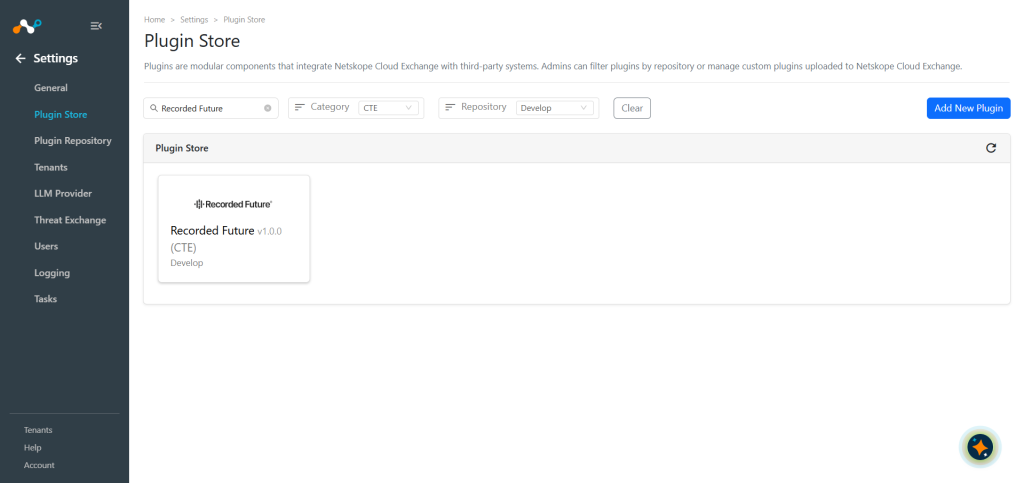
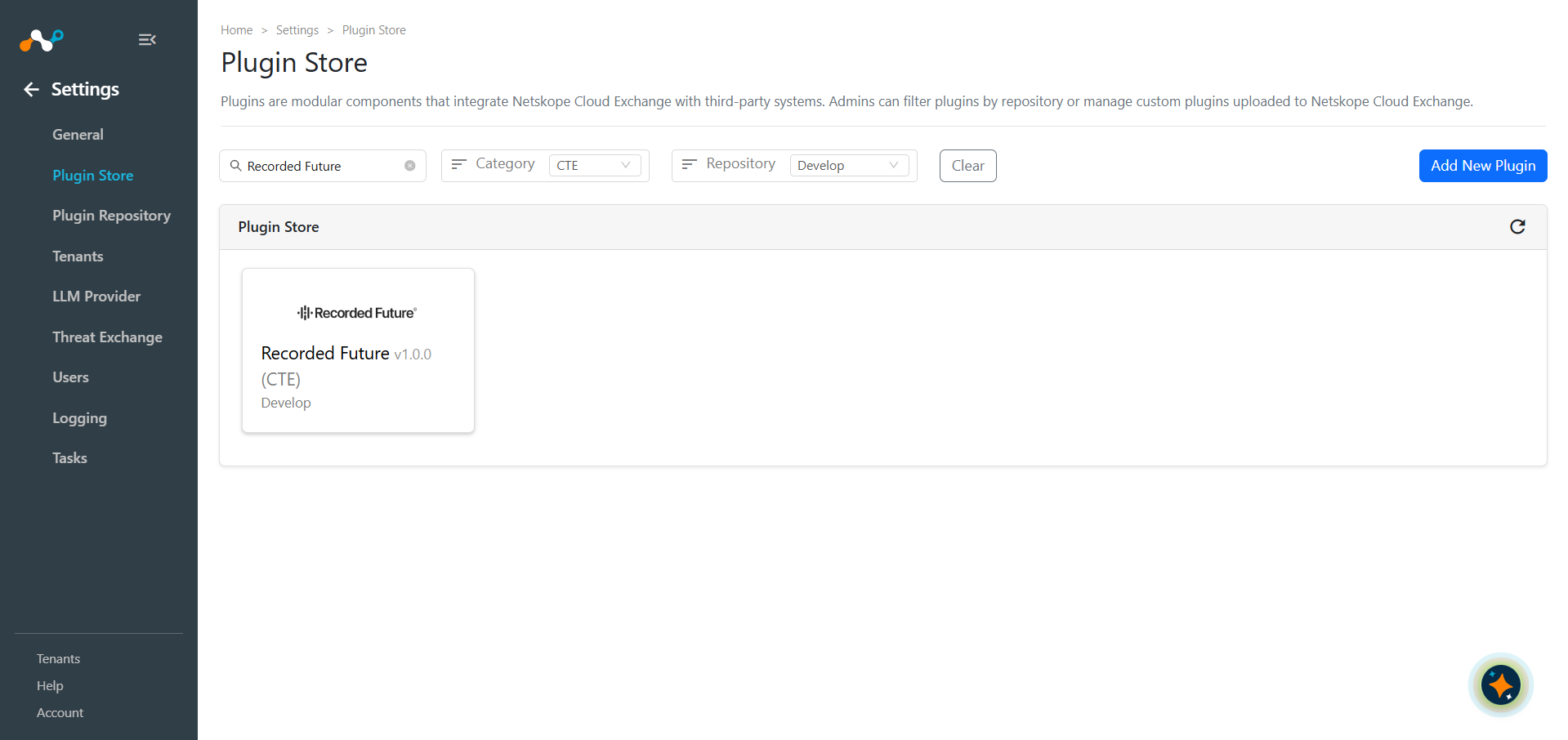
In Cloud Exchange, go to Settings > Plugin Store. Search for and select the Recorded Future v1.0.0 (CTE) plugin and click on the plugin box to configure the plugin.
-
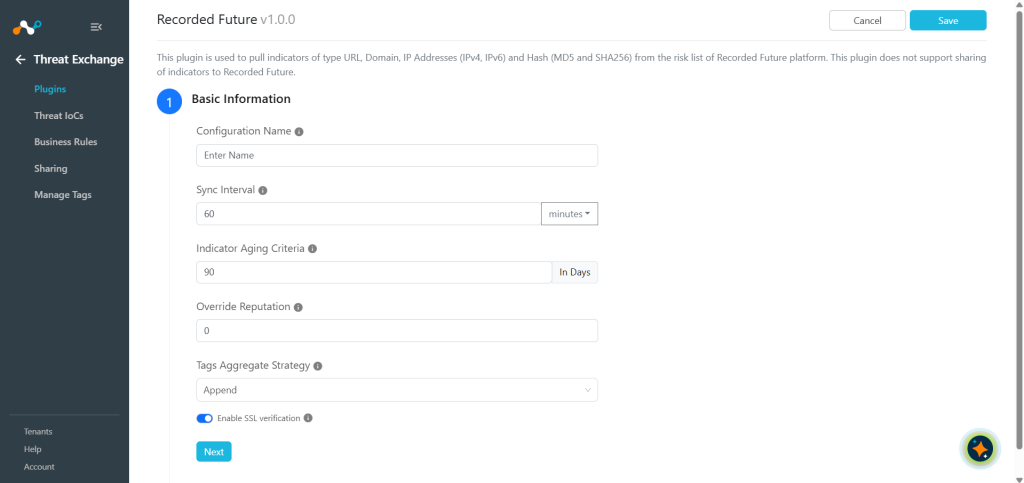
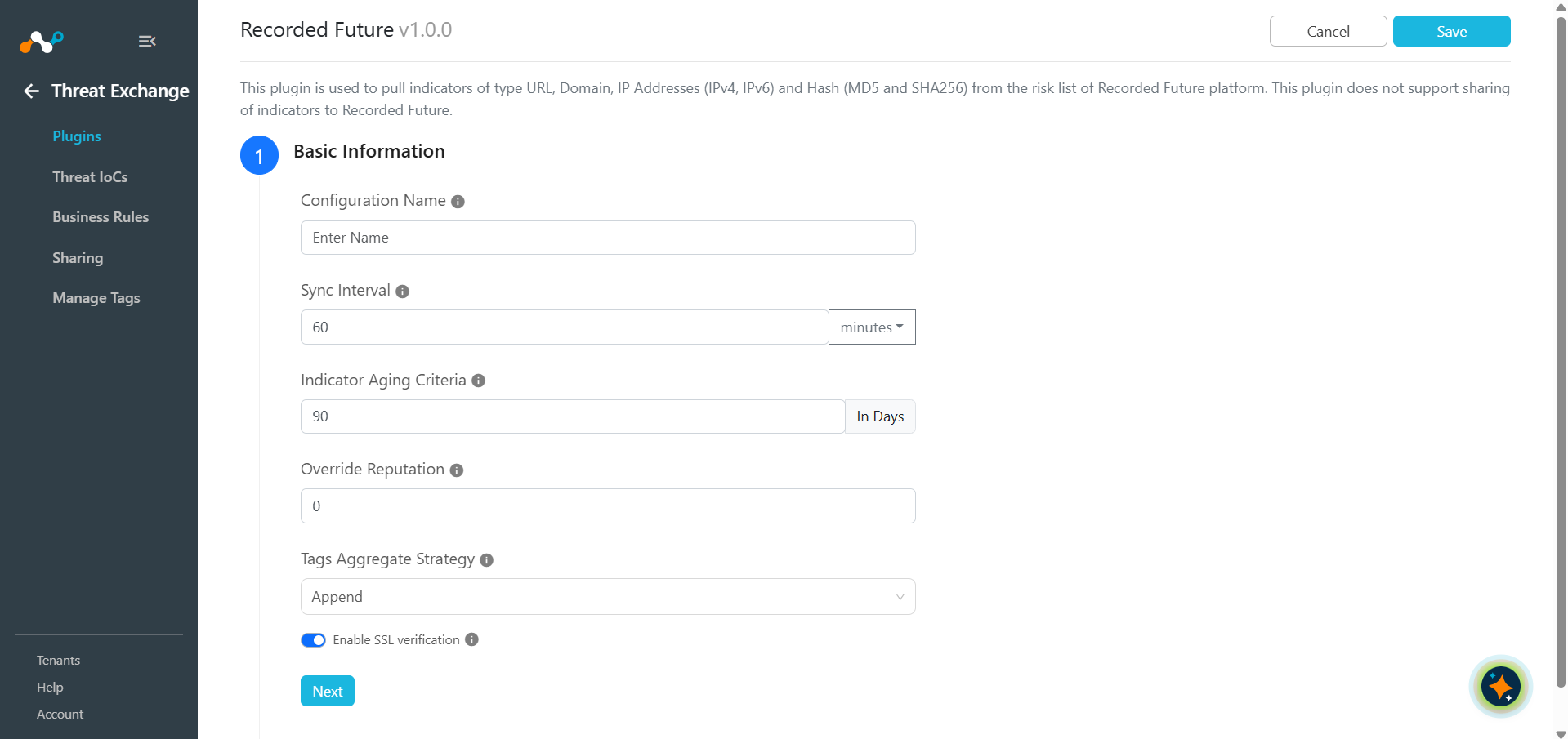
Enter the Basic Information:
- Configuration Name: Unique name for the configuration.
- Sync Interval: Leave the default.
- Aging Criteria: Expiry time of the plugin in days (Default: 90).
- Override Reputation: Set a value to override the reputation of indicators received from this configuration.
- Enable SSL Validation: Enable SSL Certificate validation if required.
- Use System Proxy: Enable if the proxy is required for communication.
-
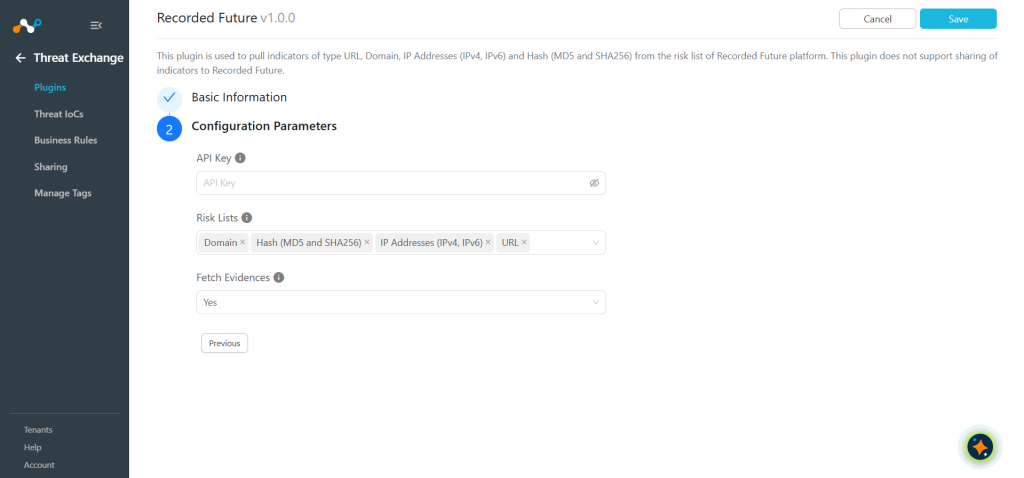
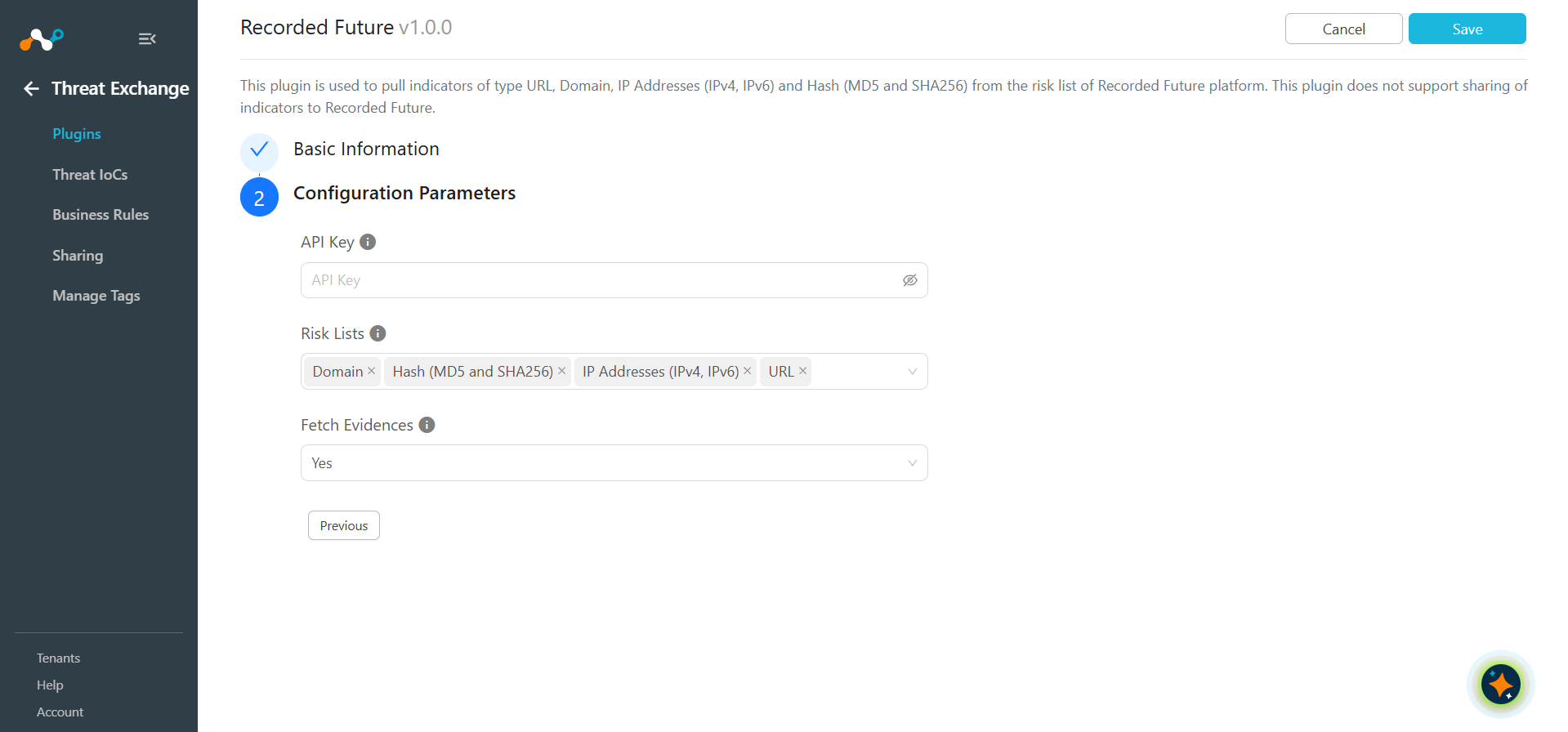
Click Next and enter the Configuration Parameters.
- API Key: Your API Key for the Recorded Future platform.
- Risk Lists: Type of threat indicator you want to pull based on the risk lists available.
- Fetch Evidences: Allow to import all IoC evidence into the comments field.
-
Click Save.
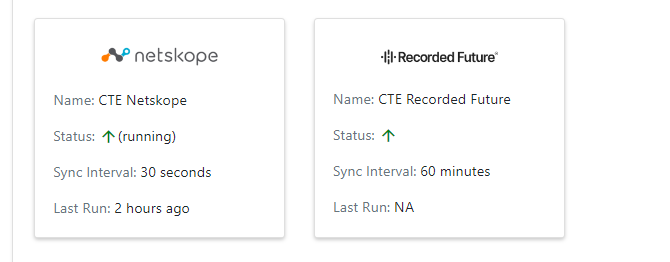
Configure a Threat Exchange Business Rule for Recorded Future
To share indicators fetched from the Recorded Future to the Netskope, you will need to have a business rule that will filter out the indicators that you want to share. To configure a business rule:
- In Threat Exchange, go to Business Rules and click Create New Rule.
- Add the filter(s) according to your requirements in the rule. When finished, click Save.
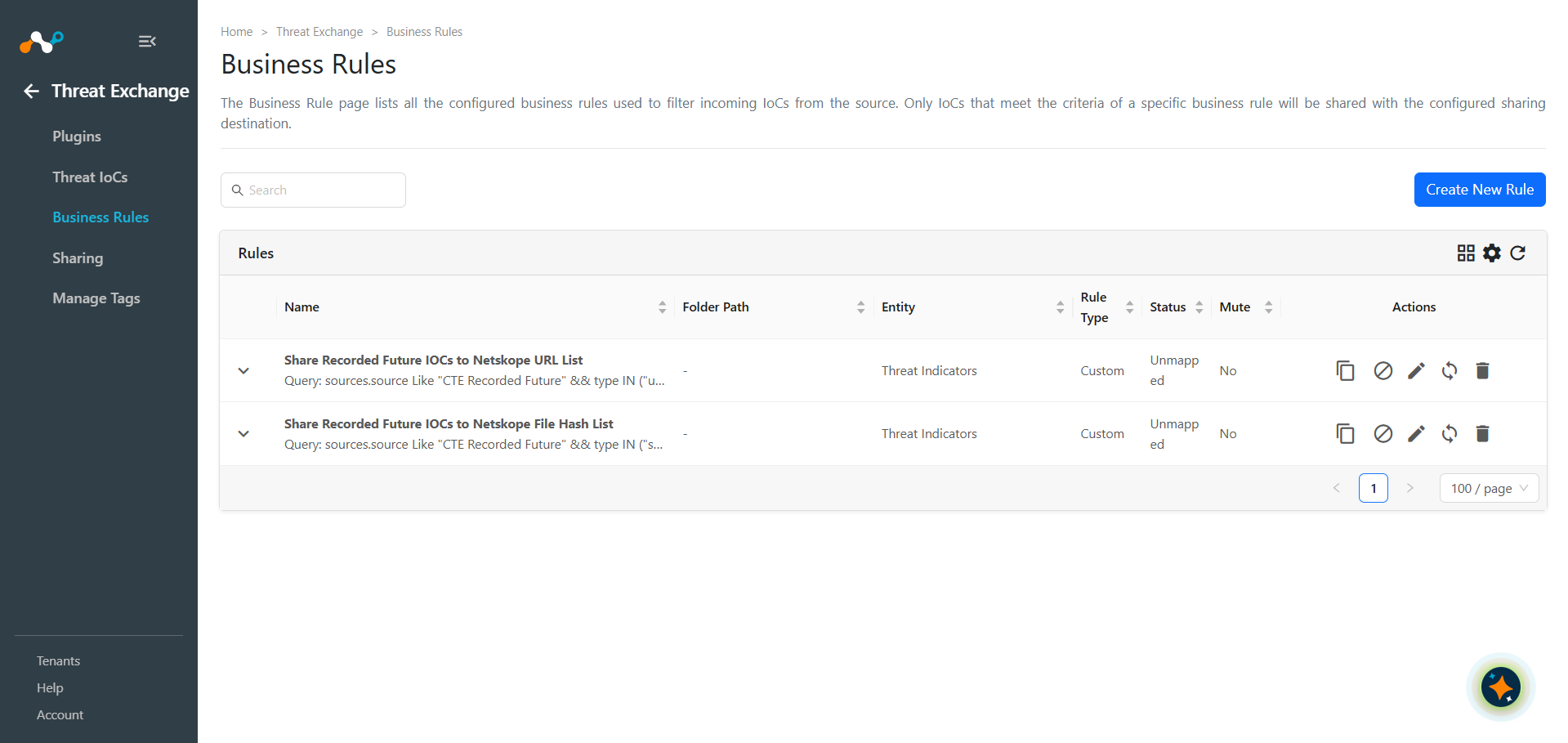
Configure Threat Exchange Sharing for Recorded Future
To share IoCs from the Recorded Future to the Netskope:
- In Threat Exchange, go to Sharing and click Add Sharing Configuration.
- Select your Source Configuration (CTE Recorded Future), Business Rule, Destination Configuration (CTE Netskope), and Target based on your requirements. When finished, click Save.
Validate the Recorded Future Plugin
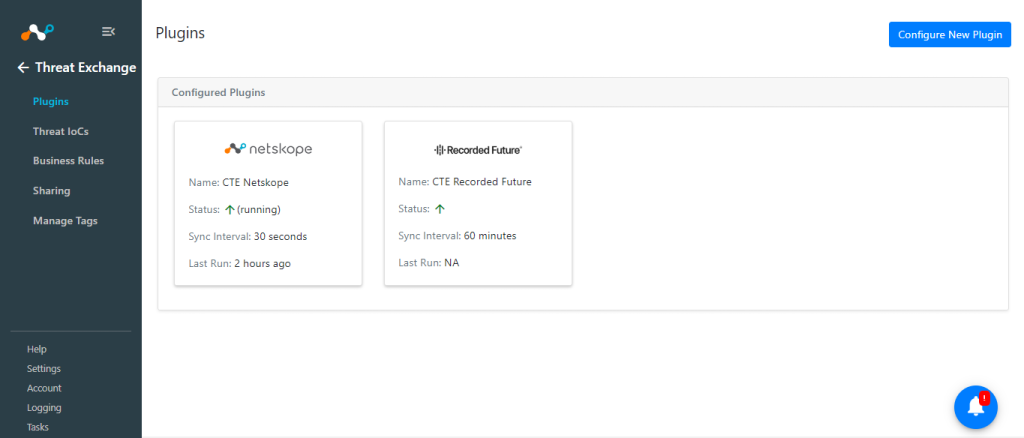
To validate the data pulled from the plugin in Cloud Exchange, go to Logging and search for the logs from CTE Recorded Future.
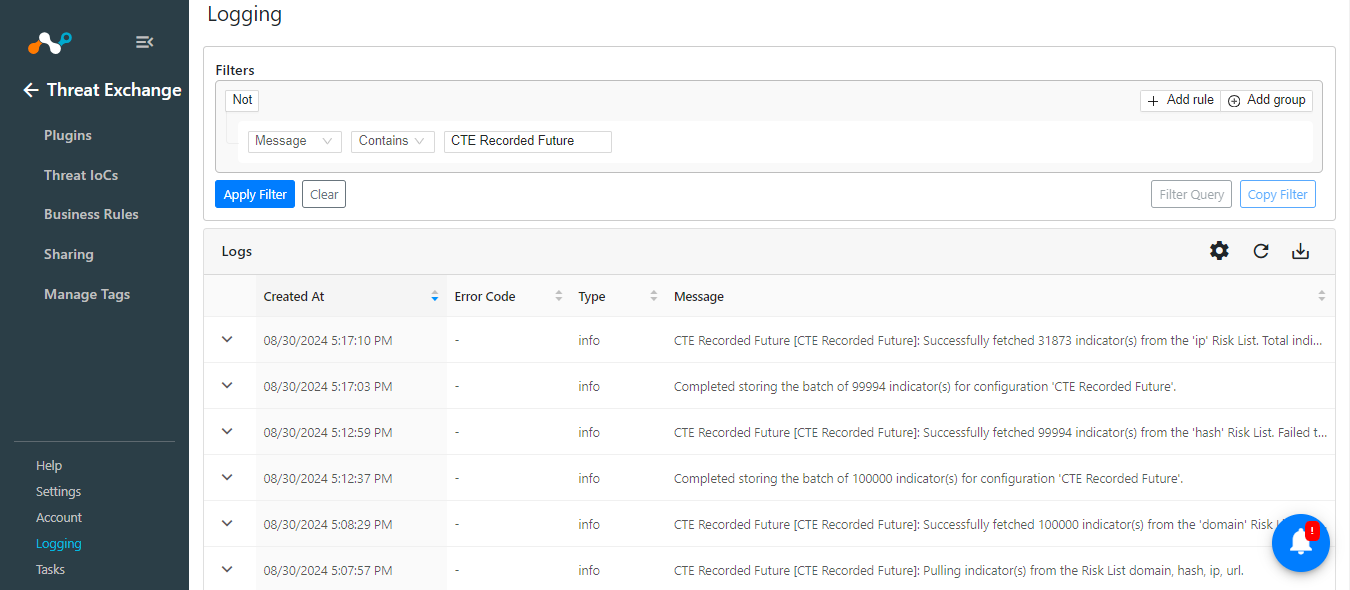
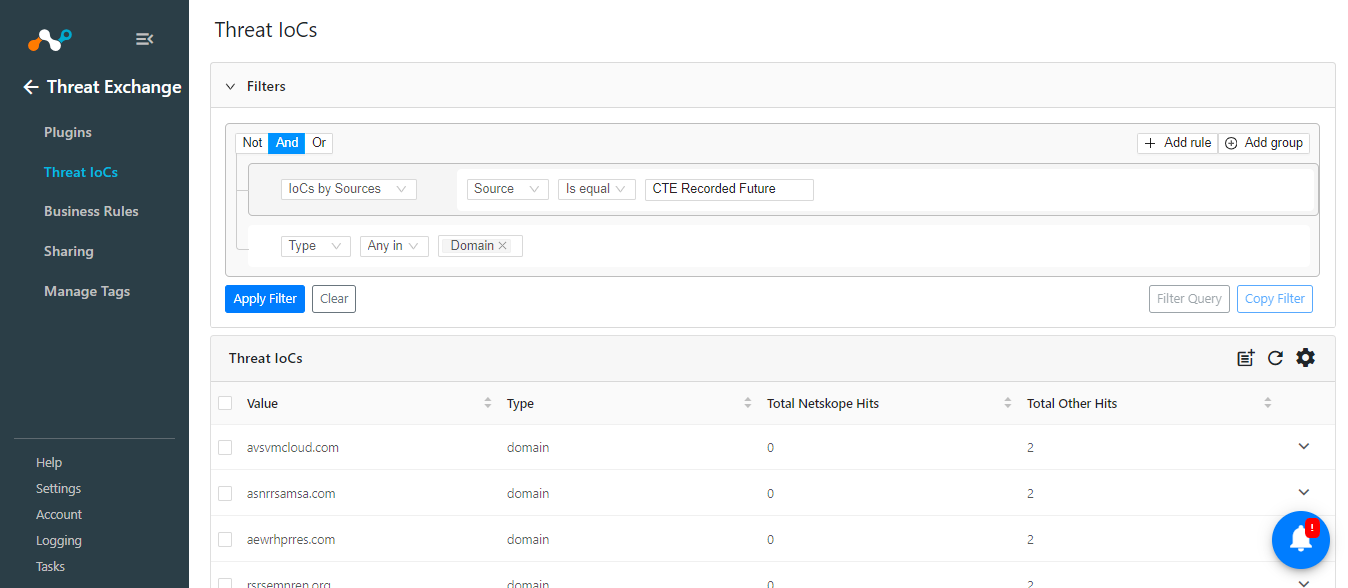
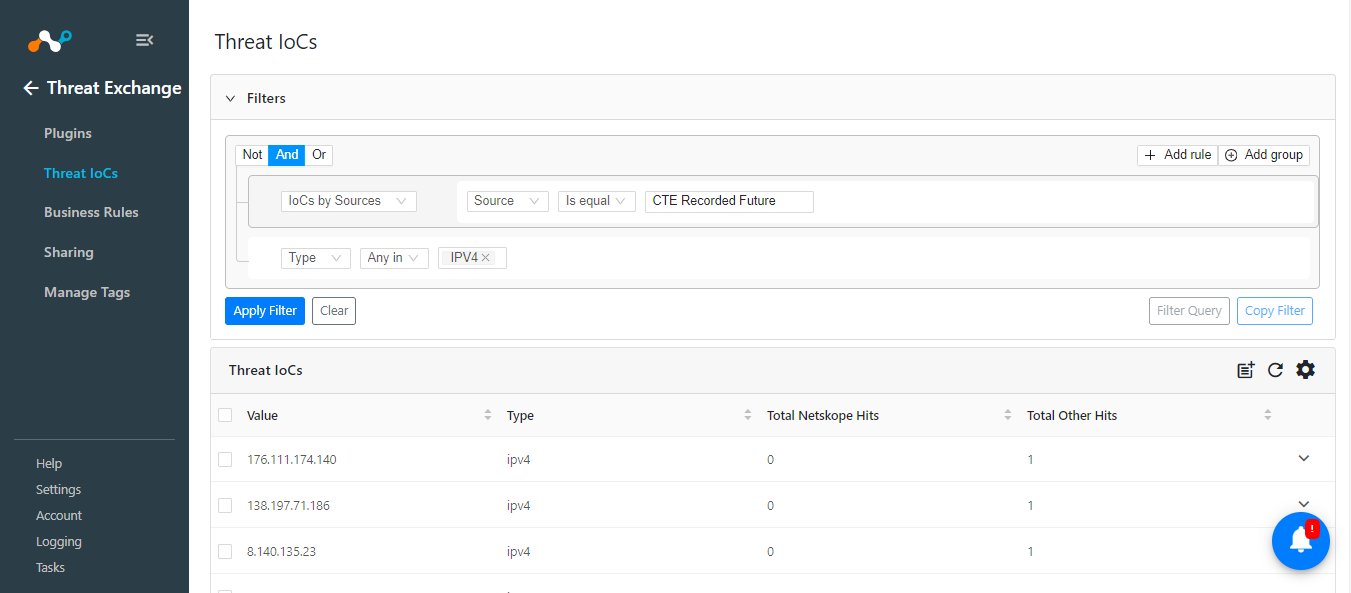
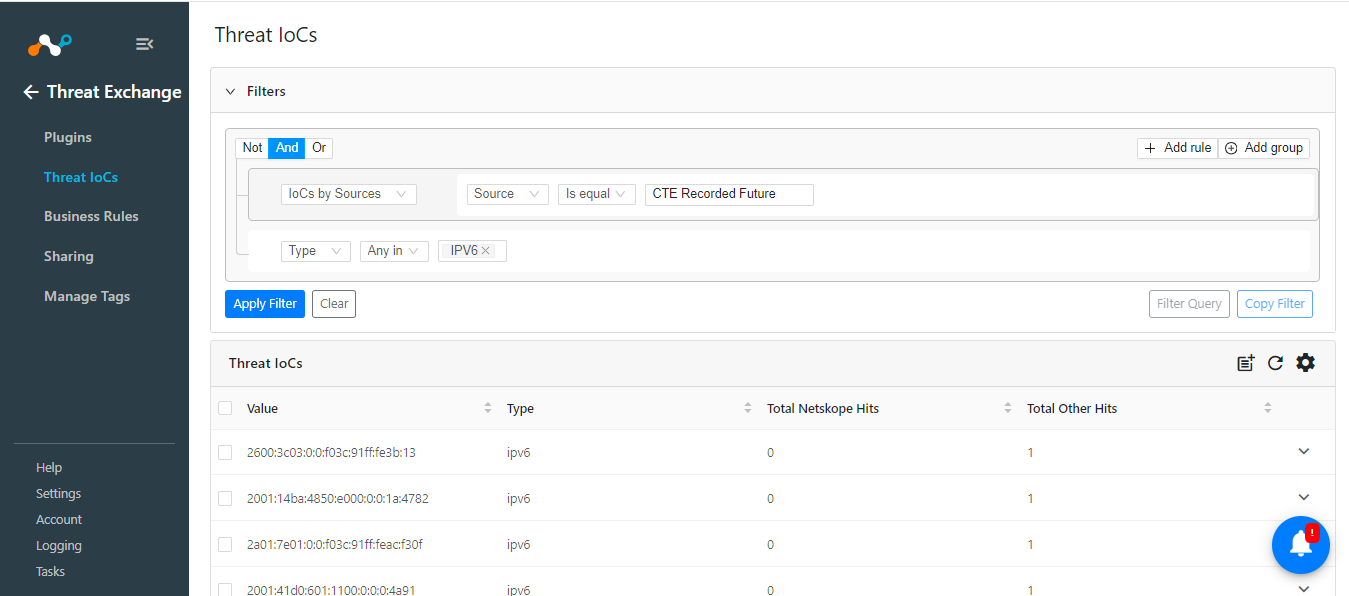
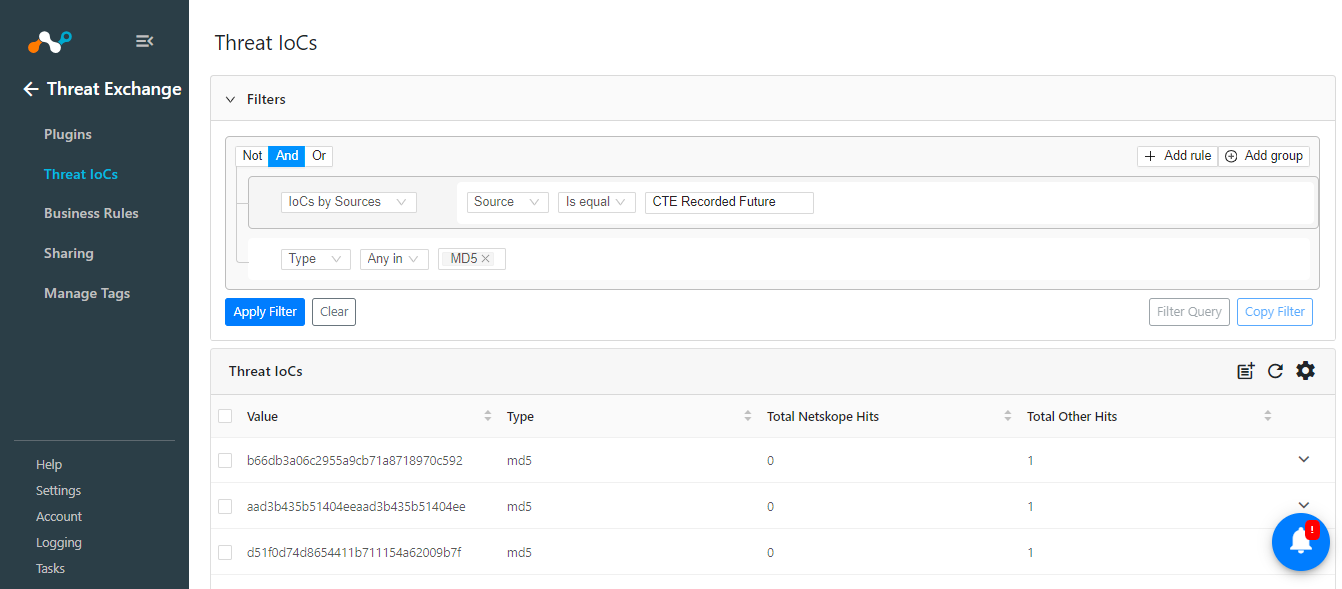
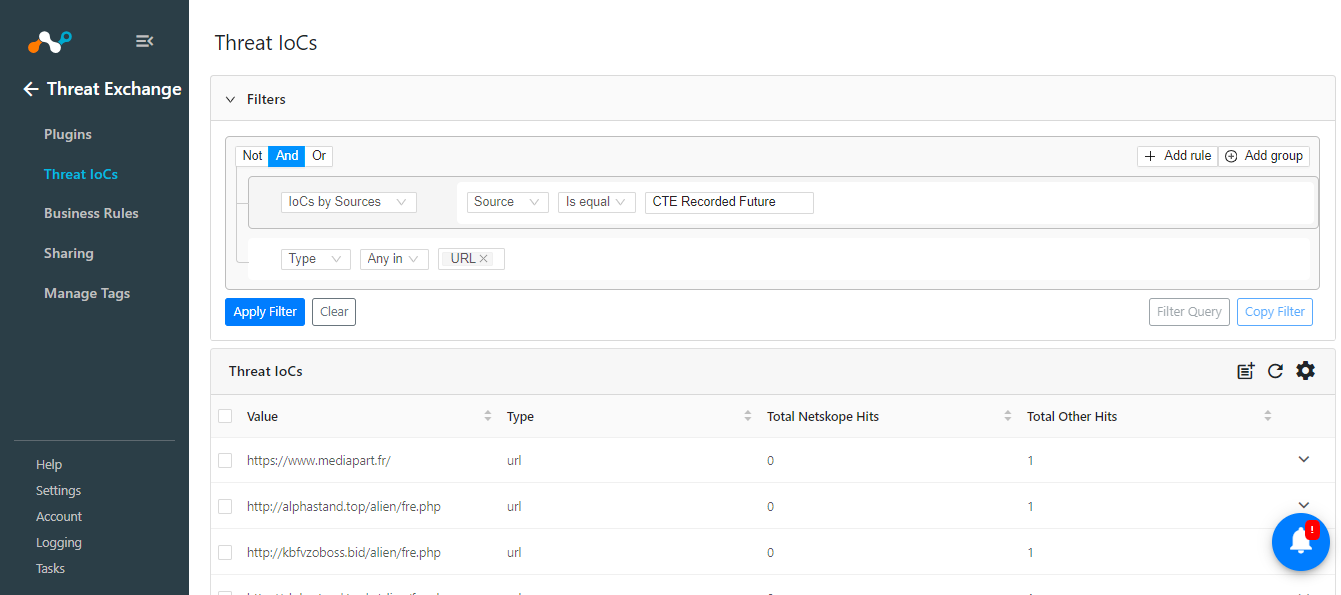
To check the data stored in Cloud Exchange, go to Threat IoCs and search for IoCs pulled from the Recorded Future plugin.
Example: sources.source Is equal “CTE Recorded Future”