

You can report false positives for AI Guardrails incidents to Netskope Support where you can track the progress as the team analyzes the file.
You can’t submit false positives for keywords or custom topics.
To report a false positive AI Guardrails incident:
-
Go to Incidents > AI Guardrails Incidents.
-
Click
 for the incident you want to report.
 -
Click Report False Positive.
-
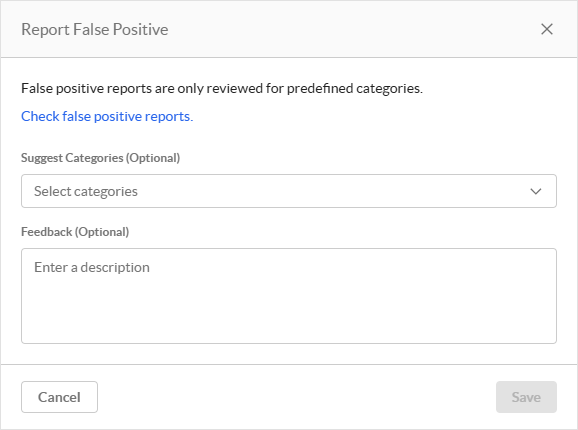
In the Report False Positive window:
-
Suggest Categories: (Optional) If you believe the incident was mislabeled, select the Netskope predefined categories you think it should be labeled as.
-
Feedback: (Optional) Enter your reason and any additional information regarding why this incident was falsely reported.
-
-
Click Save.
You can track the status of your case in False Positive Reports.