

A write-access user can revert successful actions.
- Go to Risk Exchange > Action Logs.
- Action logs with status Success indicate that the action has been completed successfully and can be reverted if needed.
- Select one or more successful action logs that you want to revert.

- A confirmation dialog will appear. Click Revert to confirm the reversion.
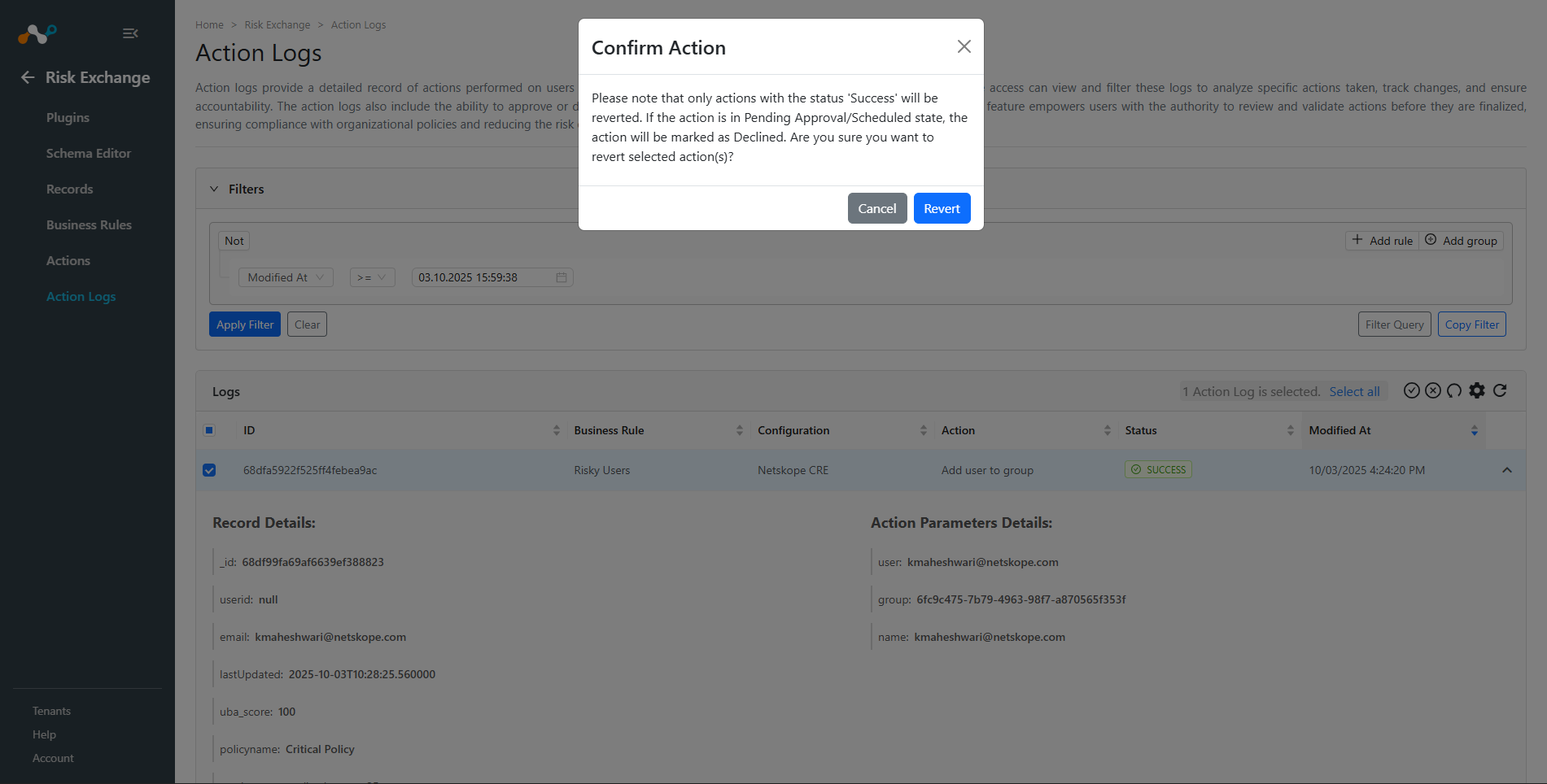
- The selected actions will be queued for reversion. The system will attempt to undo the effects of the original actions.
- Once the reversion is processed, the action logs will be updated with reversion status and timestamp information.
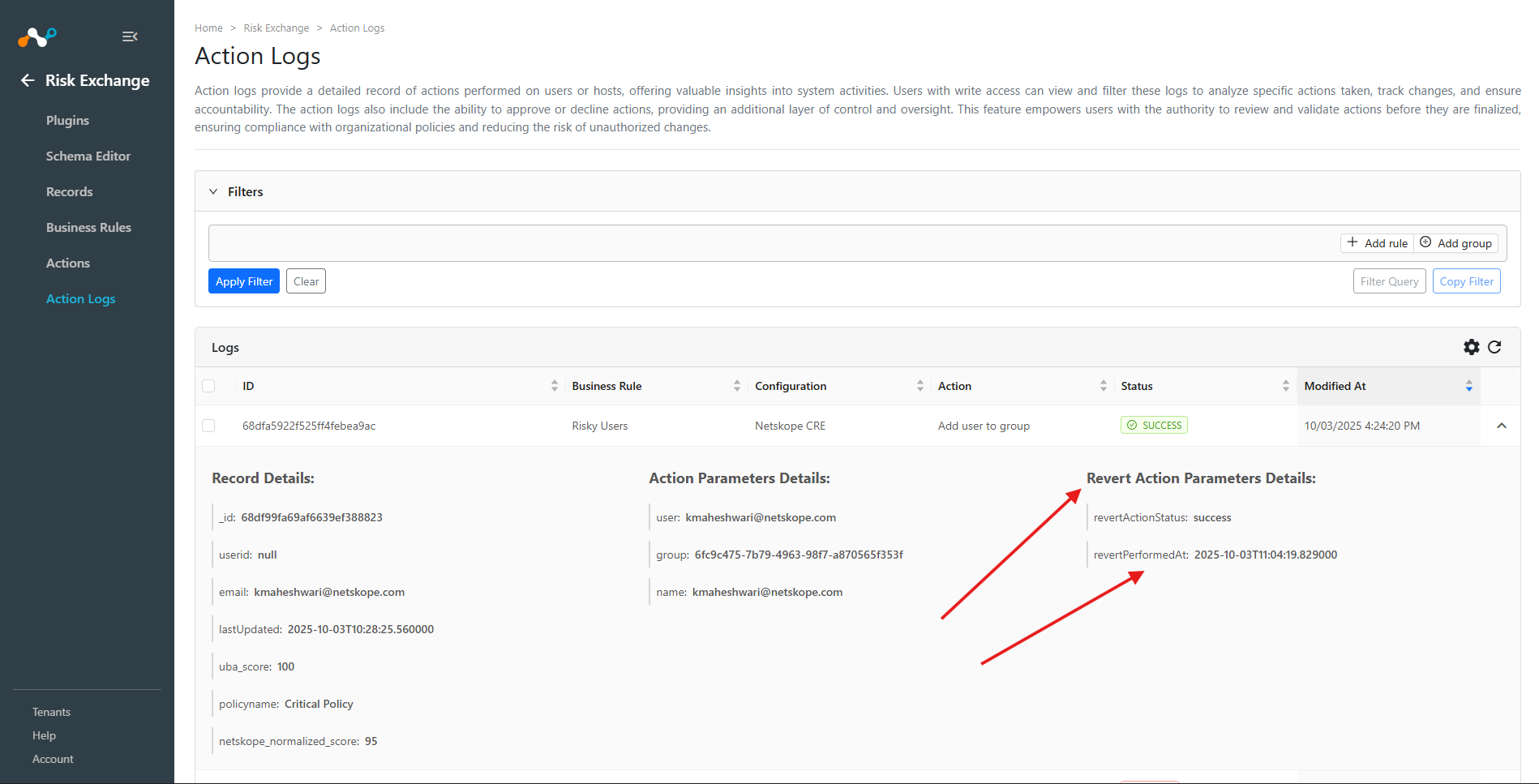
Note: Not all actions can be reverted. The ability to revert depends on whether the plugin supports the revert functionality for that specific action type.