

Release Notes
2.0.0 (Requires minimum Cloud Exchange version 6.1.0)
Added
- Added fetching of Users, Devices, and Applications entities from ServiceNow.
- Added the following actions: Add/Remove User from Group, Add/Remove User from Role, Update User Delegation, Manage Device Tags, Manage Application Tags, and Share Application Data (To either the Core Company or Business Application table).
1.0.0
Added
- Initial Release.
This document explains how to configure the Servicenow v2.0.0 plugin with the Risk Exchange module of the Netskope Cloud Exchange platform. This plugin fetches Users from the sys_user table (System Security > Users and Groups > Users), Devices from the cmdb_ci_computer table (Configuration > Base Item > Computers), and Applications from the cmdb_ci_business_app table (Organization > Business Applications) of the ServiceNow platform. It supports the Add/Remove User from Group, Add/Remove User from Role, Update User Delegation, Manage Device Tags, Manage Application Tags, and Share Application Data actions.
Prerequisites
To complete this integration, you need:
- A Netskope tenant (or multiple, for example, production and development/test instances).
- A Netskope Cloud Exchange tenant with the Tenant plugin and Risk Exchange plugin already configured.
- Connectivity to a ServiceNow instance:
https://<instanceid>.service-now.com/
ServiceNow Plugin Support
This plugin fetches Users from the sys_user table (System Security > Users and Groups > Users), Devices from the cmdb_ci_computer table (Configuration > Base Item > Computers), and Applications from the cmdb_ci_business_app table (Organization > Business Applications) of the ServiceNow platform. It supports the Add/Remove User from Group, Add/Remove User from Role, Update User Delegation, Manage Device Tags, Manage Application Tags, and Share Application Data actions.
| Type of Data Pulled | Actions Supported |
|---|---|
| Users, Devices, Applications | Add/Remove User from Group Add/Remove User from Role Update User Delegation Manage Device Tags Manage Application Tags Share Application Data No Action |
Mappings
Pull Mappings for Users
| Plugin Field Label | Expected Data Type | Suggested Field Label | Aggregate Strategy | Example |
|---|---|---|---|---|
| User ID | String | ServiceNow_user_id | Overwrite | 005d500b536073005e0addeeff7b12f4 |
| String | Unique | survey.user@email.com | ||
| User Name | String | ServiceNow_user_name | Overwrite | survey.user |
| Name | String | ServiceNow_name | Overwrite | survey user |
| Failed Login Attempts | Integer | ServiceNow_failed_attempts | Overwrite | 0 |
| Password Needs Reset | Boolean | ServiceNow_password_needs_reset | Overwrite | false |
| Is Active | Boolean | ServiceNow_active | Overwrite | true |
| Last Login Time | Datetime | ServiceNow_last_login_time | Overwrite | 2019-04-05 15:16:30 |
| User Roles | List | ServiceNow_user_roles | Overwrite | role_delegator |
| User Groups | List | ServiceNow_user_groups | Overwrite | Analytics Settings Managers |
| User Delegation | List | ServiceNow_user_delegation | Overwrite | user1@example.com, user2@example.com |
| VIP | Boolean | ServiceNow_vip | Overwrite | false |
| Business Impact | Integer | ServiceNow_business_criticality | Overwrite | 3 |
| Internal Integration User | Boolean | ServiceNow_internal_integration_user | Overwrite | false |
| Web Service Access Only | Boolean | ServiceNow_web_service_access_only | Overwrite | false |
| Identity Type | String | ServiceNow_identity_type | Overwrite | unclassified |
| Federated ID | String | ServiceNow_federated_id | Overwrite | UU/OJDA/H2viaQb8VqlJIYSYKwmbkOCLoFDQkTPv7XM= |
| Manager | String | ServiceNow_manager | Overwrite | jane.doe@example.com |
| Company | String | ServiceNow_company | Overwrite | GenuineIntel |
| Department | String | ServiceNow_department | Overwrite | IT |
| Source | String | ServiceNow_source | Overwrite | LDAP |
Pull Mappings for Applications
| Plugin Field Label | Expected Data Type | Suggested Field Label | Aggregate Strategy | Example |
|---|---|---|---|---|
| Application ID | String | ServiceNow_application_id | Unique (Keep this Overwrite if you want to merge records with Netskope Tenant) | 5d935f86835e8b104f7556a6feaad35b |
| Application Name | String | Application Name | Overwrite (Keep this unique if you want to merge records with Netskope Tenant) | CrowdStrike |
| Asset Tag | String | ServiceNow_asset_tag | Overwrite | APP-00231 |
| Description | String | ServiceNow_short_description | Overwrite | Endpoint detection and response platform |
| Notes | String | ServiceNow_comments | Overwrite | [Netskope CE] Last shared at: 2026-07-27 07:22:09Z\nApplication Name: CrowdStrike, Cloud Confidence Index: 1, CCL: low, Category Name: NetskopeAPP, Deep Link: netskope.com |
| Application URL | String | ServiceNow_url | Overwrite | https://app.netskope.example/app/CrowdStrike |
| IP Address | String | ServiceNowip_address | Overwrite | 10.50.1.3 |
| Tags | List | ServiceNoe_tags | Overwrite | Tag1, tag2 |
| Vendor | String | ServiceNow_vendor | Overwrite | CrowdStrike Inc. |
| Manufacturer | String | ServiceNow_manufacturer | Overwrite | CrowdStrike Inc. |
| Category | String | ServiceNow_category | Overwrite | XDR |
| Subcategory | String | ServiceNow_subcategory | Overwrite | Endpoint Security |
| Business Criticality | String | ServiceNow_business_criticality | Overwrite | 3 – Non-critical |
| Data Classification | String | ServiceNow_data_classification | Overwrite | Internal |
| Operational Status | Integer | ServiceNow_operational_status | Overwrite | 1 |
| Install Status | Integer | ServiceNow_install_status | Overwrite | 1 |
| Life Cycle Stage | String | ServiceNow_life_cycle_stage | Overwrite | Operate |
| Life Cycle Stage Status | String | ServiceNow_life_cycle_stage_status | Overwrite | In Use |
| Product Support Status | String | ServiceNow_product_support_status | Overwrite | Full Support |
| Certified | Boolean | ServiceNow_certified | Overwrite | false |
| Attested | Boolean | ServiceNow_attested | Overwrite | false |
| Attestation Status | String | ServiceNow_attestation_status | Overwrite | Not Yet Reviewed |
| Attestation Score | Integer | ServiceNow_attestation_score | Overwrite | 85 |
| Environment | String | ServiceNow_environment | Overwrite | Production |
| Application Type | String | ServiceNow_application_type | Overwrite | SaaS |
| Next Assessment Date | Date | ServiceNow_next_assessment_date | Overwrite | 2026-12-31 |
| Active | Boolean | ServiceNow_active | Overwrite | true |
| Owned By | String | ServiceNow_owned_by | Overwrite | jane.doe@example.com |
| Managed By | String | ServiceNow_managed_by | Overwrite | john.smith@example.com |
| IT Application Owner | String | ServiceNow_it_application_owner | Overwrite | alex.jones@example.com |
| Application Portfolio Manager | String | ServiceNow_application_manager | Overwrite | morgan.lee@example.com |
| Support Group | String | ServiceNow_support_group | Overwrite | IT Application Support |
| Company | String | ServiceNow_company | Overwrite | GenuineIntel |
| User Base | String | ServiceNow_user_base | Overwrite | Enterprise |
| Active User Count | Integer | ServiceNow_active_user_count | Overwrite | 1250 |
| Discovery Source | String | ServiceNow_discovery_source | Overwrite | NetskopeCloudExchange |
| Last Updated | Datetime | ServiceNow_sys_updated_on | Overwrite | 2026-07-28 01:49:06 |
Pull Mappings for Devices
| Plugin Field Label | Expected Data Type | Suggested Field Label | Aggregate Strategy | Example |
|---|---|---|---|---|
| Device ID | String | ServiceNow_device_id | Overwrite | 00a96c0d3790200044e0bfc8bcbe5db4 |
| Device Name | String | ServiceNow_device_name | Overwrite | MacBook Pro 15″ |
| Serial Number | String | Device Serial Number | Unique | ABE-486-V17263-DO |
| IP Address | String | ServiceNow_ip_address | Overwrite | 10.0.12.44 |
| MAC Address | String | ServiceNow_mac_address | Overwrite | 00:1B:44:11:3A:B7 |
| FQDN | String | ServiceNow_fqdn | Overwrite | macbook-15.corp.example.com |
| DNS Domain | String | ServiceNow_dns_domain | Overwrite | corp.example.com |
| Tags | List | ServiceNow_tags | Overwrite | Tag1, tag2 |
| Life Cycle Stage | String | ServiceNow_life_cycle_stage | Overwrite | Operate |
| Life Cycle Stage Status | String | ServiceNow_life_cycle_stage_status | Overwrite | In Use |
| Warranty Expiration | Date | ServiceNow_warranty_expiration | Overwrite | 2027-01-15 |
| Attested | Boolean | ServiceNow_attested | Overwrite | false |
| Attestation Status | String | ServiceNow_attestation_status | Overwrite | Not Yet Reviewed |
| Attestation Score | String | ServiceNow_attestation_score | Overwrite | 90 |
| Requires Verification | Boolean | ServiceNow_unverified | Overwrite | false |
| Is Virtual | Boolean | ServiceNow_virtual | Overwrite | false |
| Fault Count | Integer | ServiceNow_fault_count | Overwrite | 0 |
| Environment | String | ServiceNow_environment | Overwrite | Production |
| Discovery Source | String | ServiceNow_discovery_source | Overwrite | Discovery |
| Device Asset Tag | String | ServiceNow_asset_tag | Overwrite | P1000503 |
| Assigned To | String | ServiceNow_assigned_to | Overwrite | eduardo.bellendir@example.com |
| Managed By | String | ServiceNow_managed_by | Overwrite | john.smith@example.com |
| Most Frequent Login User | String | ServiceNow_most_frequent_user | Overwrite | maria.garcia@example.com |
| Owned By | String | ServiceNow_owned_by | Overwrite | jane.doe@example.com |
Push Mapping
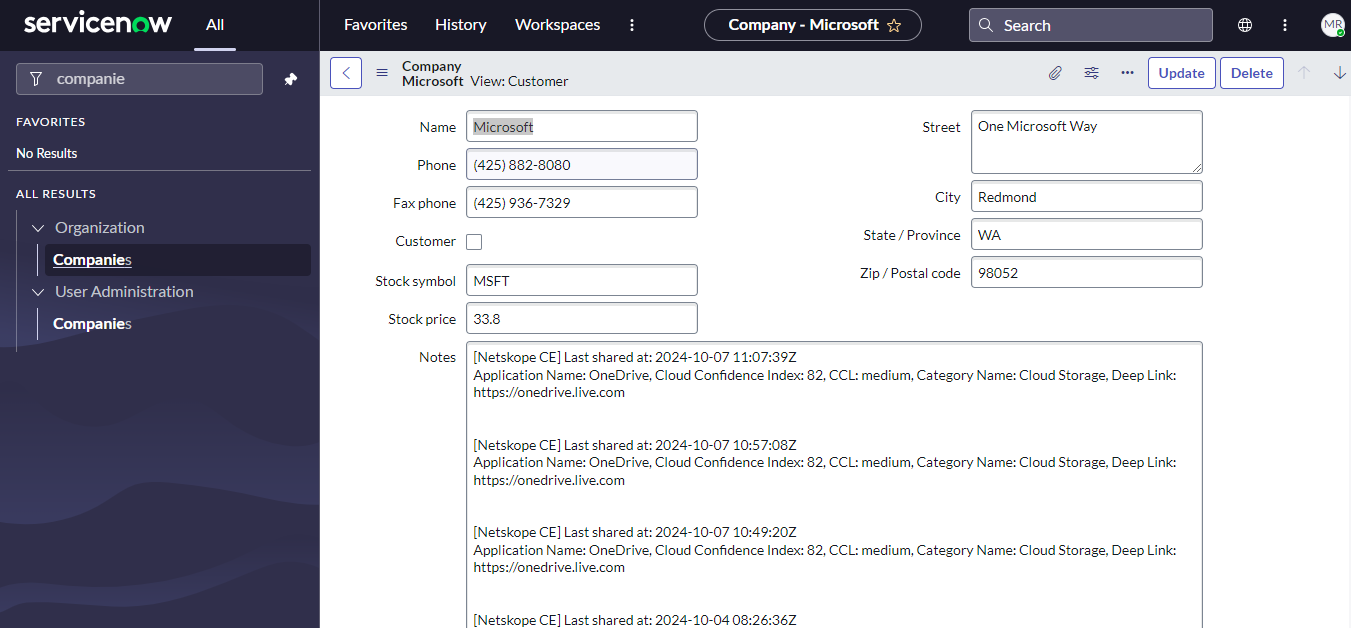
The following message will be added to the ‘notes’ field of the ‘core_company’ table on the ServiceNow platform.
[Netskope CE] Last shared at: <sharing_time>Application Name: <application_name>, Cloud Confidence Index: <cci>, CCL: <ccl>, Category Name: <category_name>, Deep Link: <deep_link>
The following Application Fields are shared:
| Applications Fields |
|---|
| Application Name |
| CCI |
| CCL |
| Category Name |
| Deep Link |
Permissions
Below is the list of required ACLs to use the ServiceNow plugin:
| Table | Read | Create | Write (update) | Delete |
|---|---|---|---|---|
| cmdb_ci | Yes | – | – | – |
| sys_user | Yes | – | – | – |
| cmdb_ci_computer | Yes | – | – | – |
| cmdb_ci_business_app | Yes | Yes | Yes | – |
| sys_user_role | Yes | – | – | – |
| sys_user_has_role | Yes | Yes | – | Yes |
| sys_user_grmember | Yes | Yes | – | Yes |
| sys_user_delegate | Yes | Yes | Yes | Yes |
| cmdb_key_value | Yes | Yes | – | Yes |
| sys_user_group | Yes | Yes | – | – |
| core_company | Yes | – | Yes | – |
Required Roles:
- cmdb_read
- snc_internal
- sn_cmdb_editor
- user_admin
- custom role with above listed ACL permissions
API Details
List of APIs used
| API Endpoint | Method | Use Case |
|---|---|---|
| /api/now/table/sys_user | GET | Pull user details |
| /api/now/table/cmdb_ci_computer | GET | Pull device details |
| /api/now/table/cmdb_ci_business_app | GET | Pull application details |
| /api/now/table/sys_user_group | GET | Pull user group details |
| /api/now/table/sys_user_role | GET | Pull user role details |
| /api/now/table/sys_user | GET | Resolve email/username to sys_id |
| /api/now/table/sys_user_group | GET | Check if user group exists |
| /api/now/table/sys_user_group | POST | Create user group |
| /api/now/table/sys_user_grmember | GET | Check user group membership |
| /api/now/table/sys_user_grmember | POST | Add user to group |
| /api/now/table/sys_user_grmember/{sys_id} | DELETE | Remove user from group |
| /api/now/table/sys_user_has_role | GET | Check if role is assigned to user |
| /api/now/table/sys_user_has_role | POST | Add role to user |
| /api/now/table/sys_user_has_role/{sys_id} | DELETE | Remove role from user |
| /api/now/table/sys_user_delegate | GET | Check if user delegation exists |
| /api/now/table/sys_user_delegate | POST | Create user delegation record |
| /api/now/table/sys_user_delegate/{sys_id} | PATCH | Update user delegation record |
| /api/now/table/sys_user_delegate/{sys_id} | DELETE | Delete user delegation record |
| /api/now/table/cmdb_key_value | GET | Check if device or application tag record already exists |
| /api/now/table/cmdb_key_value | POST | Tag device/application |
| /api/now/table/cmdb_key_value/{sys_id} | DELETE | Untag device/application |
| /api/now/table/cmdb_ci_business_app | GET | Search for existing application on cmdb_ci_business_app table |
| /api/now/table/cmdb_ci_business_app | POST | Create application record on cmdb_ci_business_app table |
| /api/now/table/cmdb_ci_business_app/{sys_id} | PATCH | Update application record on cmdb_ci_business_app table |
| /api/now/table/core_company | GET | Search for existing company on core_company table |
| /api/now/table/core_company/{sys_id} | PATCH | Update company record on core_company table |
| /api/now/v1/batch | POST | Bulk execute group, role, delegation, tag, and application/company share requests in a single call |
Users Pull
Endpoint: GET /api/now/table/sys_user
Request Headers:
| Key | Value |
|---|---|
| Authorization | Basic base64(username:password) |
| User-Agent | netskope-ce-6.1.0-cre-servicenow-v2.0.0 |
Query Parameters:
| Parameter | Description |
|---|---|
| sysparm_limit | 10000 |
| sysparm_offset | Pagination offset |
| sysparm_fields | Comma-separated list of fields to return |
| sysparm_exclude_reference_link | true |
| sysparm_display_value | all |
| sysparm_query | active=true — included only when Pull Inactive Users is not selected |
Sample Response:
{
  "result": [
    {
      "sys_id": {
        "display_value": "005d500b536073005e0addeeff7b12f4",
        "value": "005d500b536073005e0addeeff7b12f4"
      },
      "email": {
        "display_value": "survey.user@email.com",
        "value": "survey.user@email.com"
      },
      "user_name": {
        "display_value": "survey.user",
        "value": "survey.user"
      },
      "name": {
        "display_value": "survey user",
        "value": "survey user"
      },
      "failed_attempts": {
        "display_value": "0",
        "value": "0"
      },
      "password_needs_reset": {
        "display_value": "false",
        "value": "false"
      },
      "active": {
        "display_value": "true",
        "value": "true"
      },
      "last_login_time": {
        "display_value": "2019-04-05 15:16:30",
        "value": "2019-04-05 22:16:30"
      },
      "vip": {
        "display_value": "false",
        "value": "false"
      },
      "business_criticality": {
        "display_value": "3 - Non-critical",
        "value": "3"
      },
      "internal_integration_user": {
        "display_value": "false",
        "value": "false"
      },
      "web_service_access_only": {
        "display_value": "false",
        "value": "false"
      },
      "identity_type": {
        "display_value": "-",
        "value": "unclassified"
      },
      "federated_id": {
        "display_value": "UU/OJDA/H2viaQb8VqlJIYSYKwmbkOCLoFDQkTPv7XM=",
        "value": "UU/OJDA/H2viaQb8VqlJIYSYKwmbkOCLoFDQkTPv7XM="
      },
      "manager.email": {
        "display_value": "",
        "value": ""
      },
      "company.name": {
        "display_value": "",
        "value": ""
      },
      "department.name": {
        "display_value": "",
        "value": ""
      },
      "source": {
        "display_value": "",
        "value": ""
      }
    }
  ]
}
Devices Pull
Endpoint: GET /api/now/table/cmdb_ci_computer
Request Headers:
| Key | Value |
|---|---|
| Authorization | Basic base64(username:password) |
| User-Agent | netskope-ce-6.1.0-cre-servicenow-v2.0.0 |
Query Parameters:
| Parameter | Description |
|---|---|
| sysparm_limit | 10000 |
| sysparm_offset | Pagination offset |
| sysparm_fields | Comma-separated list of fields to return |
| sysparm_exclude_reference_link | true |
| sysparm_display_value | all |
Sample Response:
{
  "result": [
    {
      "sys_id": {
        "display_value": "00a96c0d3790200044e0bfc8bcbe5db4",
        "value": "00a96c0d3790200044e0bfc8bcbe5db4"
      },
      "name": {
        "display_value": "MacBook Pro 15\"",
        "value": "MacBook Pro 15\""
      },
      "serial_number": {
        "display_value": "ABE-486-V17263-DO",
        "value": "ABE-486-V17263-DO"
      },
      "ip_address": {
        "display_value": "",
        "value": ""
      },
      "mac_address": {
        "display_value": "",
        "value": ""
      },
      "fqdn": {
        "display_value": "",
        "value": ""
      },
      "dns_domain": {
        "display_value": "",
        "value": ""
      },
      "life_cycle_stage": {
        "display_value": "",
        "value": ""
      },
      "life_cycle_stage_status": {
        "display_value": "",
        "value": ""
      },
      "warranty_expiration": {
        "display_value": "",
        "value": ""
      },
      "attested": {
        "display_value": "false",
        "value": "false"
      },
      "attestation_status": {
        "display_value": null,
        "value": ""
      },
      "attestation_score": {
        "display_value": "",
        "value": ""
      },
      "unverified": {
        "display_value": "false",
        "value": "false"
      },
      "virtual": {
        "display_value": "false",
        "value": "false"
      },
      "fault_count": {
        "display_value": "0",
        "value": "0"
      },
      "environment": {
        "display_value": null,
        "value": ""
      },
      "discovery_source": {
        "display_value": null,
        "value": ""
      },
      "asset_tag": {
        "display_value": "P1000503",
        "value": "P1000503"
      },
      "assigned_to.email": {
        "display_value": "eduardo.bellendir@example.com",
        "value": "eduardo.bellendir@example.com"
      },
      "managed_by": {
        "display_value": "",
        "value": ""
      },
      "most_frequent_user": {
        "display_value": "",
        "value": ""
      },
      "owned_by": {
        "display_value": "",
        "value": ""
      }
    }
  ]
}
Applications Pull
Endpoint: GET /api/now/table/cmdb_ci_business_app
Request Headers:
| Key | Value |
|---|---|
| Authorization | Basic base64(username:password) |
| User-Agent | netskope-ce-6.1.0-cre-servicenow-v2.0.0 |
Query Parameters:
| Parameter | Description |
|---|---|
| sysparm_limit | 10000 |
| sysparm_offset | Pagination offset |
| sysparm_fields | Comma-separated list of fields to return (a discovery_source field is appended for client-side echo filtering) |
| sysparm_exclude_reference_link | true |
| sysparm_display_value | all |
Sample Response:
{
  "result": [
    {
      "sys_id": {
        "display_value": "5d935f86835e8b104f7556a6feaad35b",
        "value": "5d935f86835e8b104f7556a6feaad35b"
      },
      "name": {
        "display_value": "CrowdStrike",
        "value": "CrowdStrike"
      },
      "asset_tag": {
        "display_value": "",
        "value": ""
      },
      "short_description": {
        "display_value": "",
        "value": ""
      },
      "comments": {
        "display_value": "[Netskope CE] Last shared at: 2026-07-27 07:22:09Z\nApplication Name: CrowdStrike, Cloud Confidence Index: 1, CCL: low, Category Name: NetskopeAPP, Deep Link: netskope.com\n",
        "value": "[Netskope CE] Last shared at: 2026-07-27 07:22:09Z\nApplication Name: CrowdStrike, Cloud Confidence Index: 1, CCL: low, Category Name: NetskopeAPP, Deep Link: netskope.com\n"
      },
      "url": {
        "display_value": "https://app.netskope.example/app/CrowdStrike",
        "value": "https://app.netskope.example/app/CrowdStrike"
      },
      "vendor.name": {
        "display_value": "",
        "value": ""
      },
      "manufacturer.name": {
        "display_value": "",
        "value": ""
      },
      "category": {
        "display_value": "XDR",
        "value": "XDR"
      },
      "subcategory": {
        "display_value": "",
        "value": ""
      },
      "business_criticality": {
        "display_value": null,
        "value": ""
      },
      "data_classification": {
        "display_value": null,
        "value": ""
      },
      "operational_status": {
        "display_value": "Operational",
        "value": "1"
      },
      "install_status": {
        "display_value": "In Production",
        "value": "1"
      },
      "life_cycle_stage.name": {
        "display_value": null,
        "value": ""
      },
      "life_cycle_stage_status.name": {
        "display_value": null,
        "value": ""
      },
      "product_support_status": {
        "display_value": null,
        "value": ""
      },
      "certified": {
        "display_value": "false",
        "value": "false"
      },
      "attested": {
        "display_value": "false",
        "value": "false"
      },
      "attestation_status": {
        "display_value": "Not Yet Reviewed",
        "value": "Not Yet Reviewed"
      },
      "attestation_score": {
        "display_value": "",
        "value": ""
      },
      "environment": {
        "display_value": null,
        "value": ""
      },
      "application_type": {
        "display_value": null,
        "value": ""
      },
      "next_assessment_date": {
        "display_value": "",
        "value": ""
      },
      "active": {
        "display_value": "true",
        "value": "true"
      },
      "owned_by.email": {
        "display_value": "",
        "value": ""
      },
      "managed_by.email": {
        "display_value": "",
        "value": ""
      },
      "it_application_owner.email": {
        "display_value": "",
        "value": ""
      },
      "application_manager.email": {
        "display_value": "",
        "value": ""
      },
      "support_group.name": {
        "display_value": "",
        "value": ""
      },
      "company.name": {
        "display_value": "",
        "value": ""
      },
      "user_base": {
        "display_value": null,
        "value": ""
      },
      "active_user_count": {
        "display_value": "",
        "value": ""
      },
      "discovery_source": {
        "display_value": null,
        "value": ""
      },
      "sys_updated_on": {
        "display_value": "2026-07-28 01:49:06",
        "value": "2026-07-28 08:49:06"
      }
    }
  ]
}
Get Groups
Endpoint: GET /api/now/table/sys_user_group
Request Headers:
| Key | Value |
|---|---|
| Authorization | Basic base64(username:password) |
| User-Agent | netskope-ce-6.1.0-cre-servicenow-v2.0.0 |
Query Parameters:
| Parameter | Description |
|---|---|
| sysparm_fields | sys_id,name |
| sysparm_limit | 10000 |
| sysparm_offset | Pagination offset |
| sysparm_exclude_reference_link | true |
Sample Response:
{
  "result": [
    { "sys_id": "019ad92ec7230010393d265c95c260dd", "name": "Analytics Settings Managers" }
  ]
}
Get Roles
Endpoint: GET /api/now/table/sys_user_role
Request Headers:
| Key | Value |
|---|---|
| Authorization | Basic base64(username:password) |
| User-Agent | netskope-ce-6.1.0-cre-servicenow-v2.0.0 |
Query Parameters:
| Parameter | Description |
|---|---|
| sysparm_fields | sys_id,name |
| sysparm_limit | 10000 |
| sysparm_offset | Pagination offset |
| sysparm_exclude_reference_link | true |
Sample Response:
{
  "result": [
    { "sys_id": "011ba5aa0a0a0b3001a439c580549134", "name": "role_delegator" }
  ]
}
Resolve email/username Values to Sys IDs
Endpoint: GET /api/now/table/sys_user
Request Headers:
| Key | Value |
|---|---|
| Authorization | Basic base64(username:password) |
| User-Agent | netskope-ce-6.1.0-cre-servicenow-v2.0.0 |
Query Parameters:
| Parameter | Description |
|---|---|
| sysparm_query | emailIN\<v1,v2,…\>^ORuser_nameIN\<v1,v2,…\> |
| sysparm_fields | sys_id,email,user_name |
| sysparm_limit | 10000 |
Sample Response:
{
  "result": [
    {
      "sys_id": "005d500b536073005e0addeeff7b12f4",
      "user_name": "survey.user",
      "email": "survey.user@email.com"
    },
    {
      "sys_id": "02826bf03710200044e0bfc8bcbe5d55",
      "user_name": "jimmie.barninger",
      "email": "jimmie.barninger@example.com"
    }
  ]
}
User Group
Check if Group exists
Endpoint: GET /api/now/table/sys_user_group?sysparm_query=name=<group_name>
Request Headers:
| Key | Value |
|---|---|
| Authorization | Basic base64(username:password) |
| User-Agent | netskope-ce-6.1.0-cre-servicenow-v2.0.0 |
Query Parameters:
| Parameter | Description |
|---|---|
| sysparm_query | name=\<group_name\> |
| sysparm_fields | sys_id,name |
Sample Response:
{
  "result": [
    { "sys_id": "019ad92ec7230010393d265c95c260dd", "name": "Analytics Settings Managers" }
  ]
}
Create Group
Endpoint: POST /api/now/table/sys_user_group
Request Headers:
| Key | Value |
|---|---|
| Authorization | Basic base64(username:password) |
| User-Agent | netskope-ce-6.1.0-cre-servicenow-v2.0.0 |
Request Body:
{ "name": "<group name>" }
Sample Response:
{
  "result": {
    "sys_id": "0b22a56a83d28f104f7556a6feaad354",
    "name": "Netskope-CE-Doc-Test-Group-1785236837",
    "active": "true",
    "exclude_manager": "false",
    "include_members": "false"
  }
}
Check User group membership
Endpoint: GET /api/now/table/sys_user_grmember
Request Headers:
| Key | Value |
|---|---|
| Authorization | Basic base64(username:password) |
| User-Agent | netskope-ce-6.1.0-cre-servicenow-v2.0.0 |
Query Parameters:
| Parameter | Description |
|---|---|
| sysparm_query | user=\<uid\>^group=\<gid\> |
| sysparm_fields | sys_id |
| sysparm_limit | 1 — omitted on the remove-branch lookup |
Sample Response:
{
  "result": [
    { "sys_id": "2f22296a83d28f104f7556a6feaad31d" }
  ]
}
Add User to group
Endpoint: POST /api/now/table/sys_user_grmember — add
Request Headers:
| Key | Value |
|---|---|
| Authorization | Basic base64(username:password) |
| User-Agent | netskope-ce-6.1.0-cre-servicenow-v2.0.0 |
Request Body:
{ "user": "<uid>", "group": "<gid>" }
Sample Response:
{
  "result": {
    "sys_id": "2f22296a83d28f104f7556a6feaad31d",
    "user": {
      "link": "https://your-instance.service-now.com/api/now/table/sys_user/005d500b536073005e0addeeff7b12f4",
      "value": "005d500b536073005e0addeeff7b12f4"
    },
    "group": {
      "link": "https://your-instance.service-now.com/api/now/table/sys_user_group/0b22a56a83d28f104f7556a6feaad354",
      "value": "0b22a56a83d28f104f7556a6feaad354"
    }
  }
}
Remove User from Group
Endpoint: DELETE /api/now/table/sys_user_grmember/{sys_id} — remove
Request Headers:
| Key | Value |
|---|---|
| Authorization | Basic base64(username:password) |
| User-Agent | netskope-ce-6.1.0-cre-servicenow-v2.0.0 |
Sample Response:
204 No Content
User Role
Check if role is assigned to User
Endpoint: GET /api/now/table/sys_user_has_role
Request Headers:
| Key | Value |
|---|---|
| Authorization | Basic base64(username:password) |
| User-Agent | netskope-ce-6.1.0-cre-servicenow-v2.0.0 |
Query Parameters:
| Parameter | Description |
|---|---|
| sysparm_query | user=\<uid\>^role=\<rid\> |
| sysparm_fields | sys_id |
| sysparm_limit | 1 — omitted on the remove-branch lookup |
Sample Response:
{
  "result": [
    { "sys_id": "e4526d6a83d28f104f7556a6feaad3b9" }
  ]
}
Add role to User
Endpoint: POST /api/now/table/sys_user_has_role — add
Request Headers:
| Key | Value |
|---|---|
| Authorization | Basic base64(username:password) |
| User-Agent | netskope-ce-6.1.0-cre-servicenow-v2.0.0 |
Request Body:
{ "user": "<uid>", "role": "<rid>" }
Sample Response:
{
  "result": {
    "sys_id": "e4526d6a83d28f104f7556a6feaad3b9",
    "state": "active",
    "inherited": "false",
    "user": {
      "link": "https://your-instance.service-now.com/api/now/table/sys_user/005d500b536073005e0addeeff7b12f4",
      "value": "005d500b536073005e0addeeff7b12f4"
    },
    "role": {
      "link": "https://your-instance.service-now.com/api/now/table/sys_user_role/011ba5aa0a0a0b3001a439c580549134",
      "value": "011ba5aa0a0a0b3001a439c580549134"
    },
    "granted_by": {
      "link": "https://your-instance.service-now.com/api/now/table/sys_user_group/not-applicable",
      "value": "not-applicable"
    }
  }
}
Remove Role from User
Endpoint: DELETE /api/now/table/sys_user_has_role/{sys_id} — remove
Request Headers:
| Key | Value |
|---|---|
| Authorization | Basic base64(username:password) |
| User-Agent | netskope-ce-6.1.0-cre-servicenow-v2.0.0 |
Sample Response:
204 No Content
User Delegation
Check if user delegation exists
Endpoint: GET /api/now/table/sys_user_delegate
Request Headers:
| Key | Value |
|---|---|
| Authorization | Basic base64(username:password) |
| User-Agent | netskope-ce-6.1.0-cre-servicenow-v2.0.0 |
Query Parameters:
| Parameter | Description |
|---|---|
| sysparm_query | user=\<uid\>^delegate=\<did\> |
| sysparm_fields | sys_id,approvals,assignments,notifications,invitations — reduced to sys_id only on the pre-delete lookup |
| sysparm_limit | 1 |
Sample Response:
{
  "result": [
    { "sys_id": "2462a1aa83d28f104f7556a6feaad31c" }
  ]
}
Create user delegation record
Endpoint: POST /api/now/table/sys_user_delegate — create (no existing row, ≥1 setting selected)
Request Headers:
| Key | Value |
|---|---|
| Authorization | Basic base64(username:password) |
| User-Agent | netskope-ce-6.1.0-cre-servicenow-v2.0.0 |
Request Body:
{
  "user": "<uid>",
  "delegate": "<did>",
  "starts": "<start date>",
  "ends": "<end date>",
  "approvals": "true",
  "assignments": "true",
  "notifications": "true",
  "invitations": "true"
}
Sample Response:
{
  "result": {
    "sys_id": "2462a1aa83d28f104f7556a6feaad31c",
    "user": {
      "link": "https://your-instance.service-now.com/api/now/table/sys_user/005d500b536073005e0addeeff7b12f4",
      "value": "005d500b536073005e0addeeff7b12f4"
    },
    "delegate": {
      "link": "https://your-instance.service-now.com/api/now/table/sys_user/02826bf03710200044e0bfc8bcbe5d3f",
      "value": "02826bf03710200044e0bfc8bcbe5d3f"
    },
    "starts": "2026-07-28 00:00:00",
    "ends": "2026-08-27 00:00:00",
    "approvals": "true",
    "assignments": "true",
    "notifications": "true",
    "invitations": "true"
  }
}
Update User delegation record
Endpoint: PATCH /api/now/table/sys_user_delegate/{sys_id}
Request Headers:
| Key | Value |
|---|---|
| Authorization | Basic base64(username:password) |
| User-Agent | netskope-ce-6.1.0-cre-servicenow-v2.0.0 |
Request Body:
{
  "approvals": "false",
  "assignments": "true",
  "notifications": "false",
  "invitations": "true"
}
Sample Response:
{
  "result": {
    "sys_id": "85ec852f83d687504f7556a6feaad3d3",
    "user": {
      "link": "https://your-instance.service-now.com/api/now/table/sys_user/005d500b536073005e0addeeff7b12f4",
      "value": "005d500b536073005e0addeeff7b12f4"
    },
    "delegate": {
      "link": "https://your-instance.service-now.com/api/now/table/sys_user/02826bf03710200044e0bfc8bcbe5d55",
      "value": "02826bf03710200044e0bfc8bcbe5d55"
    },
    "starts": "2026-07-31 00:00:00",
    "ends": "2026-08-30 00:00:00",
    "approvals": "false",
    "assignments": "true",
    "notifications": "false",
    "invitations": "true"
  }
}
Delete User delegation record
Endpoint: DELETE /api/now/table/sys_user_delegate/{sys_id}
Request Headers:
| Key | Value |
|---|---|
| Authorization | Basic base64(username:password) |
| User-Agent | netskope-ce-6.1.0-cre-servicenow-v2.0.0 |
Sample Response:
204 No Content
Manage Device Tags
Check if device tag already exists
Endpoint: GET /api/now/table/cmdb_key_value
Request Headers:
| Key | Value |
|---|---|
| Authorization | Basic base64(username:password) |
| User-Agent | netskope-ce-6.1.0-cre-servicenow-v2.0.0 |
Query Parameters:
| Parameter | Description |
|---|---|
| sysparm_query | configuration_item=\<ci\>^key=\<key\> — a ^value=\<v\> clause is appended for the add-branch existence check |
| sysparm_fields | sys_id |
Sample Response:
{
  "result": [
    { "sys_id": "048265aa83d28f104f7556a6feaad378" }
  ]
}
Tag Device
Endpoint: POST /api/now/table/cmdb_key_value
Request Headers:
| Key | Value |
|---|---|
| Authorization | Basic base64(username:password) |
| User-Agent | netskope-ce-6.1.0-cre-servicenow-v2.0.0 |
Request Body:
{ "configuration_item": "<ci>", "key": "<key>", "value": "<value>" }
Sample Response:
{
  "result": {
    "sys_id": "048265aa83d28f104f7556a6feaad378",
    "configuration_item": {
      "link": "https://your-instance.service-now.com/api/now/table/cmdb_ci/00a96c0d3790200044e0bfc8bcbe5db4",
      "value": "00a96c0d3790200044e0bfc8bcbe5db4"
    },
    "key": "NetskopeCE",
    "value": "Doc-Test-Value"
  }
}
Untag Device
Endpoint: DELETE /api/now/table/cmdb_key_value/{sys_id}
Request Headers:
| Key | Value |
|---|---|
| Authorization | Basic base64(username:password) |
| User-Agent | netskope-ce-6.1.0-cre-servicenow-v2.0.0 |
Sample Response:
204 No Content
Manage Application Tags
Check if application tag exists
Endpoint: GET /api/now/table/cmdb_key_value
Request Headers:
| Key | Value |
|---|---|
| Authorization | Basic base64(username:password) |
| User-Agent | netskope-ce-6.1.0-cre-servicenow-v2.0.0 |
Query Parameters:
| Parameter | Description |
|---|---|
| sysparm_query | configuration_item=\<ci\>^key=\<key\>^value=\<v\> |
| sysparm_fields | sys_id |
Sample Response:
{
  "result": [
    { "sys_id": "048265aa83d28f104f7556a6feaad378" }
  ]
}
Tag Application
Endpoint: POST /api/now/table/cmdb_key_value — tag an application CI
Request Headers:
| Key | Value |
|---|---|
| Authorization | Basic base64(username:password) |
| User-Agent | netskope-ce-6.1.0-cre-servicenow-v2.0.0 |
Request Body:
{ "configuration_item": "<ci>", "key": "<key>", "value": "<value>" }
Sample Response:
{
  "result": {
    "sys_id": "cc9265aa83d28f104f7556a6feaad3e0",
    "configuration_item": {
      "link": "https://your-instance.service-now.com/api/now/table/cmdb_ci/5d935f86835e8b104f7556a6feaad35b",
      "value": "5d935f86835e8b104f7556a6feaad35b"
    },
    "key": "NetskopeCE",
    "value": "Doc-Test-Value"
  }
}
Untag Application
Endpoint: DELETE /api/now/table/cmdb_key_value/{sys_id}
Request Headers:
| Key | Value |
|---|---|
| Authorization | Basic base64(username:password) |
| User-Agent | netskope-ce-6.1.0-cre-servicenow-v2.0.0 |
Sample Response:
204 No Content
Share Application Data — CMDB CI Business App Path
Search Application by Name
Endpoint: GET /api/now/table/cmdb_ci_business_app
Request Headers:
| Key | Value |
|---|---|
| Authorization | Basic base64(username:password) |
| User-Agent | netskope-ce-6.1.0-cre-servicenow-v2.0.0 |
Query Parameters:
| Parameter | Description |
|---|---|
| sysparm_query | name=\<app\> |
| sysparm_fields | sys_id,discovery_source |
Sample Response:
{
  "result": []
}
Create Application Record
Endpoint: POST /api/now/table/cmdb_ci_business_app — create (no existing match)
Request Headers:
| Key | Value |
|---|---|
| Authorization | Basic base64(username:password) |
| User-Agent | netskope-ce-6.1.0-cre-servicenow-v2.0.0 |
Request Body:
{
  "name": "<app name>",
  "comments": "<summary block>",
  "discovery_source": "NetskopeCloudExchange"
}
Sample Response:
{
  "result": {
    "sys_id": "94a269aa83d28f104f7556a6feaad3f3",
    "name": "Netskope-CE-Doc-Test-App-1785236955",
    "discovery_source": "NetskopeCloudExchange",
    "comments": "[Netskope CE] Last shared at: 2026-07-28 11:00:00Z\nApplication Name: Netskope-CE-Doc-Test-App-1785236955, Cloud Confidence Index: 32, CCL: Poor, Category Name: Cloud Storage, Deep Link: https://example.com/app\n",
    "active": "true",
    "install_status": "1",
    "operational_status": "1"
  }
}
Update Application Record
Endpoint: PATCH /api/now/table/cmdb_ci_business_app/{sys_id} — update (existing match — replaces comments)
Request Headers:
| Key | Value |
|---|---|
| Authorization | Basic base64(username:password) |
| User-Agent | netskope-ce-6.1.0-cre-servicenow-v2.0.0 |
Request Body:
{ "comments": "<summary block>" }
Sample Response:
{
  "result": {
    "sys_id": "94a269aa83d28f104f7556a6feaad3f3",
    "name": "Netskope-CE-Doc-Test-App-1785236955",
    "discovery_source": "NetskopeCloudExchange",
    "comments": "[Netskope CE] Last shared at: 2026-07-28 12:00:00Z\nApplication Name: Netskope-CE-Doc-Test-App, Cloud Confidence Index: 45, CCL: Fair, Category Name: Cloud Storage, Deep Link: https://example.com/app\n",
    "sys_mod_count": "1"
  }
}
Share Application Data — Core Company
Fetch Company details
Endpoint: GET /api/now/table/core_company
Request Headers:
| Key | Value |
|---|---|
| Authorization | Basic base64(username:password) |
| User-Agent | netskope-ce-6.1.0-cre-servicenow-v2.0.0 |
Query Parameters:
| Parameter | Description |
|---|---|
| sysparm_query | Built from the Company / Parent Company / Operator values configured for the action |
| sysparm_fields | sys_id,name,notes |
| sysparm_limit | 10000 |
Sample Response:
{
  "result": {
    "sys_id": "0c43b088c6112275011a4bd46a4e6cc4",
    "name": "GenuineIntel",
    "notes": ""
  }
}
Update Company details
Endpoint: PATCH /api/now/table/core_company/{sys_id}
Request Headers:
| Key | Value |
|---|---|
| Authorization | Basic base64(username:password) |
| User-Agent | netskope-ce-6.1.0-cre-servicenow-v2.0.0 |
Request Body:
{ "notes": "<block(s)>\n\n<existing notes>" }
Sample Response:
{
  "result": {
    "sys_id": "0c43b088c6112275011a4bd46a4e6cc4",
    "name": "GenuineIntel",
    "notes": "[Netskope CE] Last shared at: 2026-07-28 12:00:00Z\nApplication Name: Netskope-CE-Doc-Test-App, Cloud Confidence Index: 45, CCL: Fair, Category Name: Cloud Storage, Deep Link: https://example.com/app\n"
  }
}
Batch API
Endpoint: POST /api/now/v1/batch
Request Headers:
| Key | Value |
|---|---|
| Authorization | Basic base64(username:password) |
| User-Agent | netskope-ce-6.1.0-cre-servicenow-v2.0.0 |
Request Body:
{
  "batch_request_id": "netskope-ce-<tag>-<chunk_index>",
  "rest_requests": [
    {
      "id": "1",
      "method": "GET",
      "url": "/api/now/table/sys_user_grmember?sysparm_query=user%3D...&sysparm_fields=sys_id&sysparm_limit=1",
      "exclude_response_headers": true,
      "headers": [
        { "name": "Content-Type", "value": "application/json" },
        { "name": "Accept", "value": "application/json" }
      ],
      "body": "<base64 of the JSON body>"
    }
  ]
}
Sample Response:
{
  "batch_request_id": "netskope-ce-group-add-1",
  "serviced_requests": [
    { "id": "1", "status_code": 201, "body": "<base64 of the JSON body>" }
  ],
  "unserviced_requests": ["7", "8"]
}
Example — Add Users to Groups (`sys_user_grmember`):
Request:
{
  "batch_request_id": "netskope-ce-group-add-1",
  "rest_requests": [
    {
      "id": "1",
      "method": "POST",
      "url": "/api/now/table/sys_user_grmember",
      "headers": [
        { "name": "Content-Type", "value": "application/json" },
        { "name": "Accept", "value": "application/json" }
      ],
      "body": "eyJ1c2VyIjogIjAwNWQ1MDBiNTM2MDczMDA1ZTBhZGRlZWZmN2IxMmY0IiwgImdyb3VwIjogImU1ZDI2MWVhODNkMjhmMTA0Zjc1NTZhNmZlYWFkMzc4In0="
    }
  ]
}
Sub-response body (base64-decoded):
{
“result”: {
“sys_id”: “9ed2a1ea83d28f104f7556a6feaad332”,
“user”: {
“link”: “https://your-instance.service-now.com/api/now/table/sys_user/005d500b536073005e0addeeff7b12f4”,
“value”: “005d500b536073005e0addeeff7b12f4”
},
“group”: {
“link”: “https://your-instance.service-now.com/api/now/table/sys_user_group/e5d261ea83d28f104f7556a6feaad378”,
“value”: “e5d261ea83d28f104f7556a6feaad378”
}
}
}
Example — Tag Applications/Devices (`cmdb_key_value`):
Request:
{
  "batch_request_id": "netskope-ce-tag-add-1",
  "rest_requests": [
    {
      "id": "1",
      "method": "POST",
      "url": "/api/now/table/cmdb_key_value",
      "headers": [
        { "name": "Content-Type", "value": "application/json" },
        { "name": "Accept", "value": "application/json" }
      ],
      "body": "eyJjb25maWd1cmF0aW9uX2l0ZW0iOiAiMDBhOTZjMGQzNzkwMjAwMDQ0ZTBiZmM4YmNiZTVkYjQiLCAia2V5IjogIk5ldHNrb3BlQ0UiLCAidmFsdWUiOiAiRG9jLVRlc3QtVmFsdWUifQ=="
    }
  ]
}
Sub-response body (base64-decoded):
{
  "result": {
    "sys_id": "43e2a1ea83d28f104f7556a6feaad346",
    "configuration_item": {
      "link": "https://your-instance.service-now.com/api/now/table/cmdb_ci/00a96c0d3790200044e0bfc8bcbe5db4",
      "value": "00a96c0d3790200044e0bfc8bcbe5db4"
    },
    "key": "NetskopeCE",
    "value": "Doc-Test-Value"
  }
}
Example — Share Applications (`cmdb_ci_business_app`):
Request:
{
  "batch_request_id": "netskope-ce-share-app-share-1",
  "rest_requests": [
    {
      "id": "1",
      "method": "POST",
      "url": "/api/now/table/cmdb_ci_business_app",
      "headers": [
        { "name": "Content-Type", "value": "application/json" },
        { "name": "Accept", "value": "application/json" }
      ],
      "body": "<base64 of {\"name\": \"...\", \"comments\": \"...\", \"discovery_source\": \"NetskopeCloudExchange\"}>"
    }
  ]
}
Sub-response body (base64-decoded, trimmed to non-empty fields — ServiceNow returns the full ~113-column row):
{
  "result": {
    "sys_id": "56f265ea83d28f104f7556a6feaad357",
    "name": "Netskope-CE-Doc-Test-BatchApp-1785237047",
    "discovery_source": "NetskopeCloudExchange",
    "comments": "[Netskope CE] Last shared at: 2026-07-28 11:00:00Z\nApplication Name: Netskope-CE-Doc-Test-BatchApp-1785237047, Cloud Confidence Index: 32, CCL: Poor, Category Name: Cloud Storage, Deep Link: https://example.com/app\n",
    "active": "true",
    "install_status": "1",
    "operational_status": "1"
  }
}
Example — Core Company path (`core_company`):
Request (GET lookup):
GET /api/now/table/core_company?sysparm_query=<query>&sysparm_fields=sys_id,name,notes
Response:
{
  "result": {
    "sys_id": "0c43b088c6112275011a4bd46a4e6cc4",
    "name": "GenuineIntel",
    "notes": ""
  }
}
Request (PATCH update):
{ "notes": "<block(s)>\n\n<existing notes>" }
Response:
{
  "result": {
    "sys_id": "0c43b088c6112275011a4bd46a4e6cc4",
    "name": "GenuineIntel",
    "notes": "[Netskope CE] Last shared at: 2026-07-28 12:00:00Z\nApplication Name: Netskope-CE-Doc-Test-App, Cloud Confidence Index: 45, CCL: Fair, Category Name: Cloud Storage, Deep Link: https://example.com/app\n"
  }
}
Performance Matrix
Below performance readings are conducted on a Large CE Stack with below-mentioned VM specifications:
| Description | Specifications |
|---|---|
| Stack details | Size: Large RAM: 32 GB CPU: 16 Cores |
| Users fetched and updated from Servicenow | ~26.5 minutes |
| Devices fetched and updated from Servicenow | ~26.5 minutes |
| Applications fetched and updated from Servicenow | ~26.5 minutes |
User Agent
netskope-ce-6.1.0-cre-servicenow-v2.0.0
Workflow
- Create a User and Role on the ServiceNow platform.
- Add Permissions for the created user.
- Create a Discovery Source.
- Configure the ServiceNow plugin.
- Configure a Risk Exchange Business Rule for ServiceNow.
- Configure Risk Exchange Actions for ServiceNow.
- Validate the plugin.
Watch a Video
Click play to watch a video.
Create a User on the ServiceNow Platform
-
Log in to ServiceNow.
-
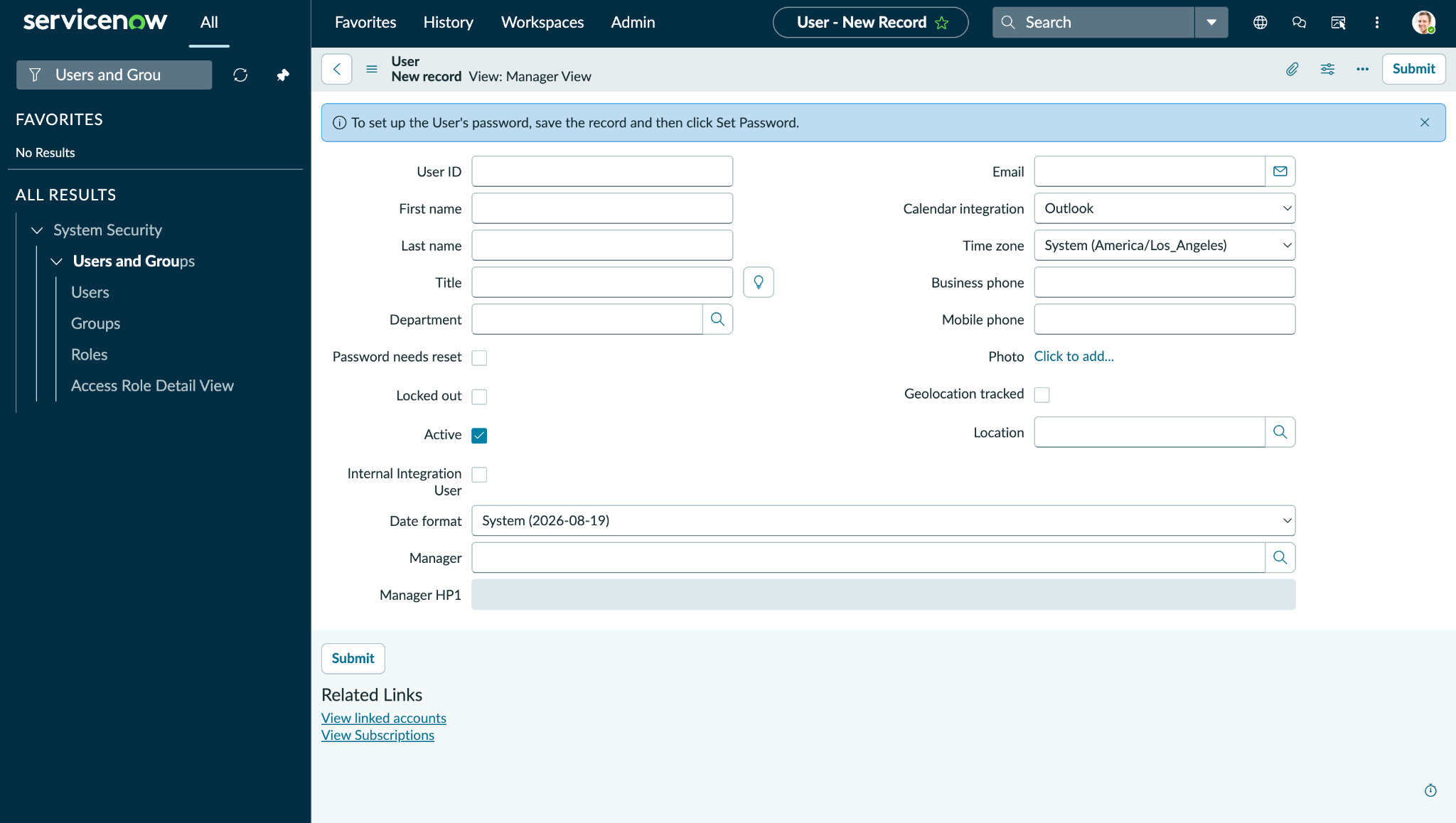
Go to System Security > Users and Groups > Users.
-
Click New.
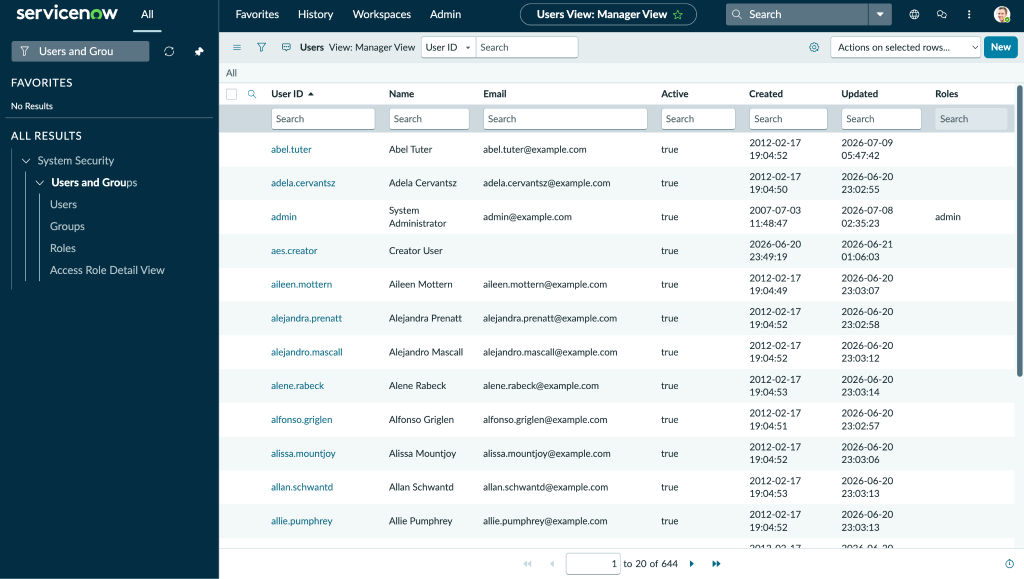
-
Enter the required information, copy the User ID, and click Submit.
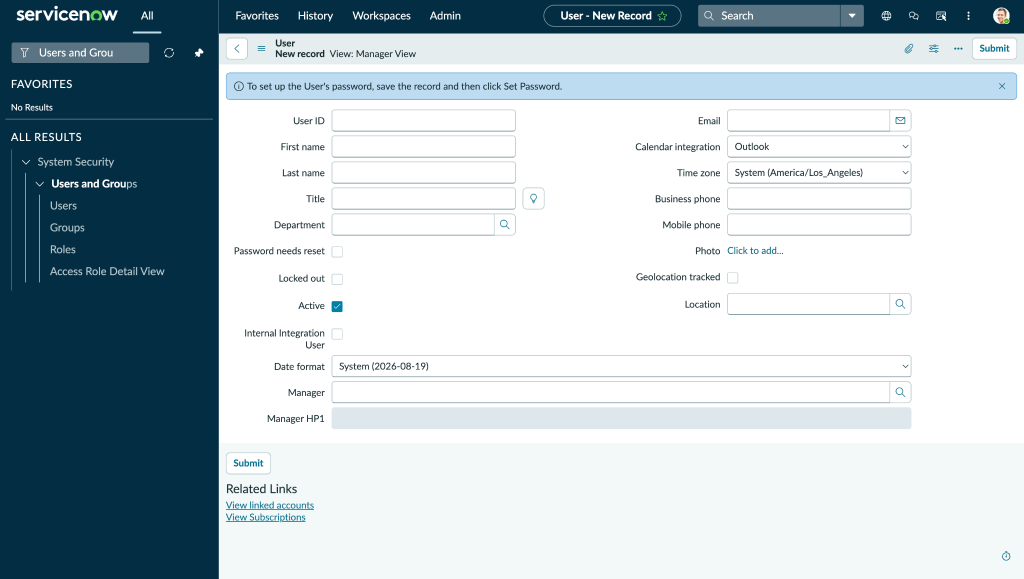
-
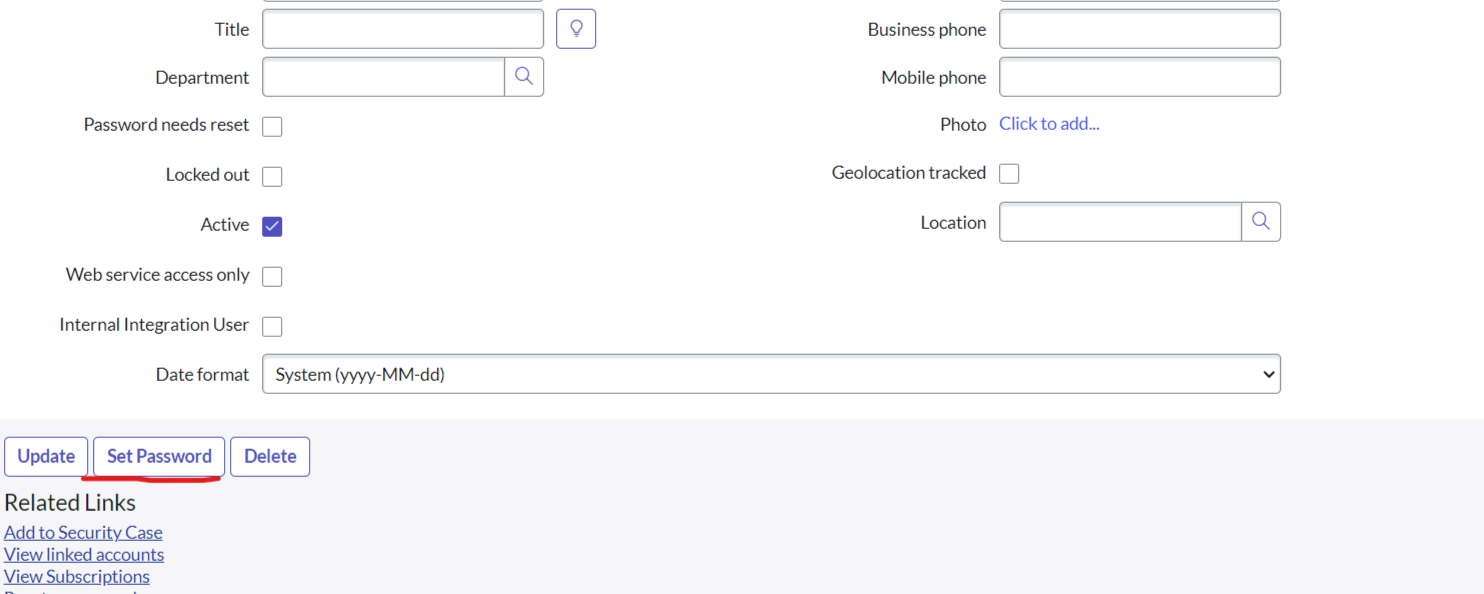
After submitting the user, open the user record to set the password and roles, and click Set Password.
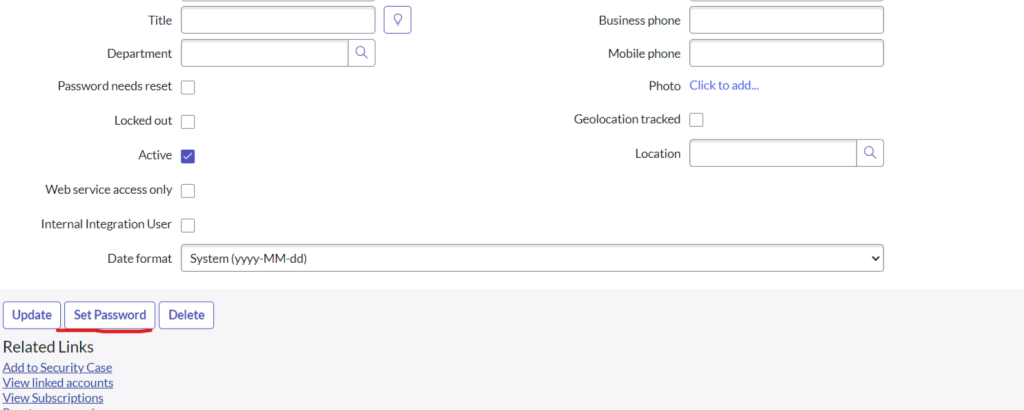
-
Click Generate to create a new password, and copy the password.
-
Click Save Password.
Create a Role on the ServiceNow Platform
-
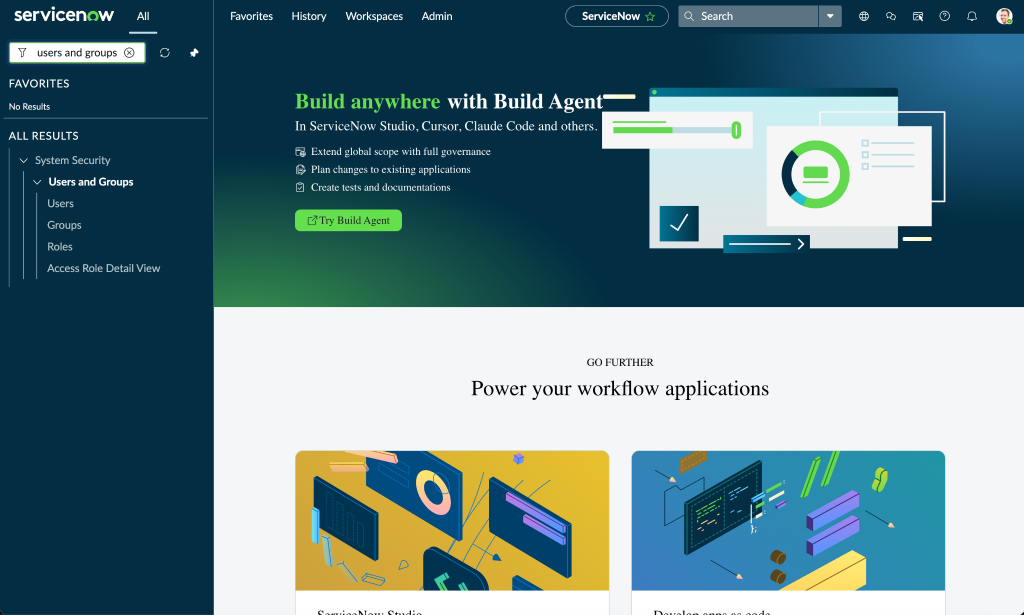
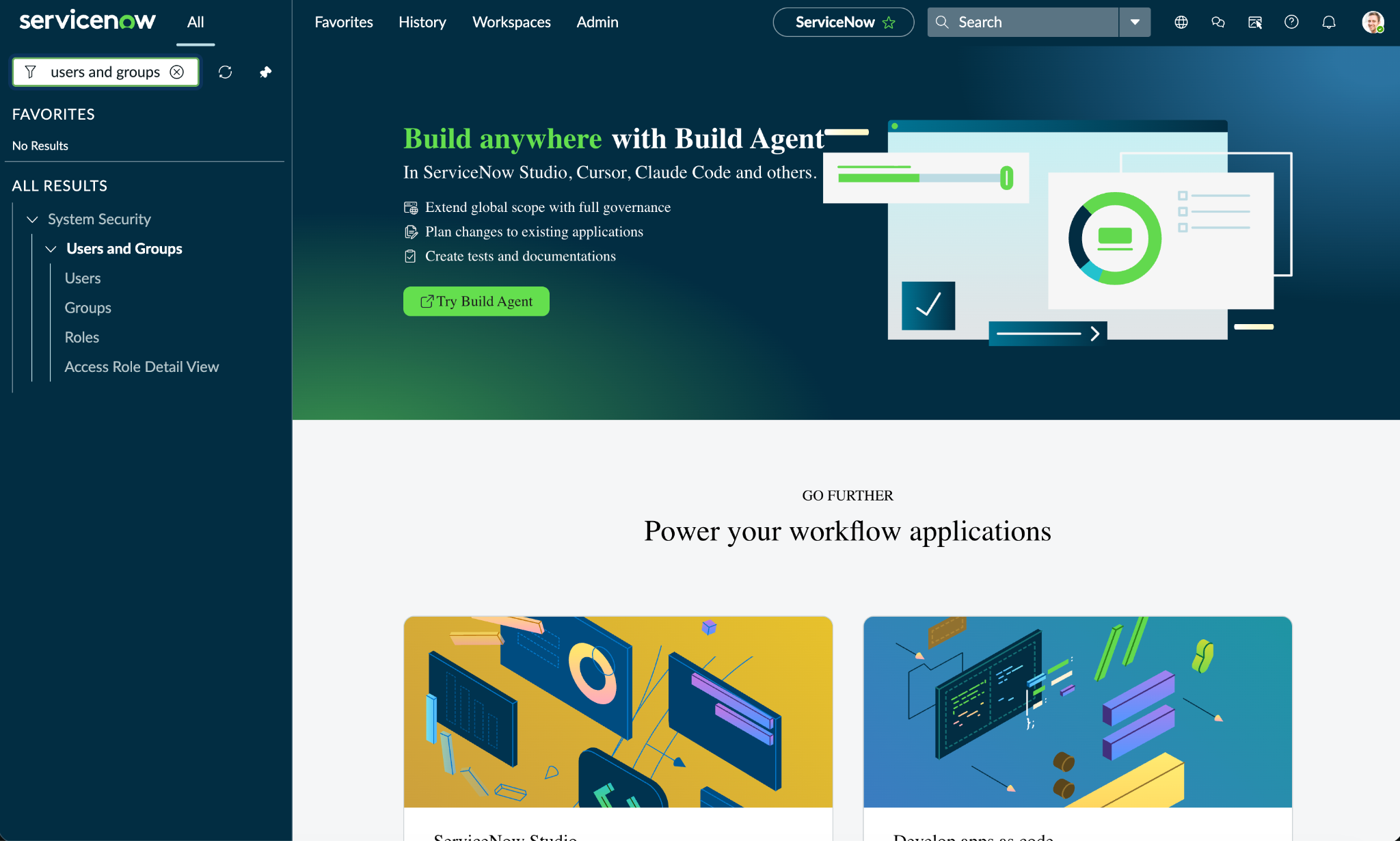
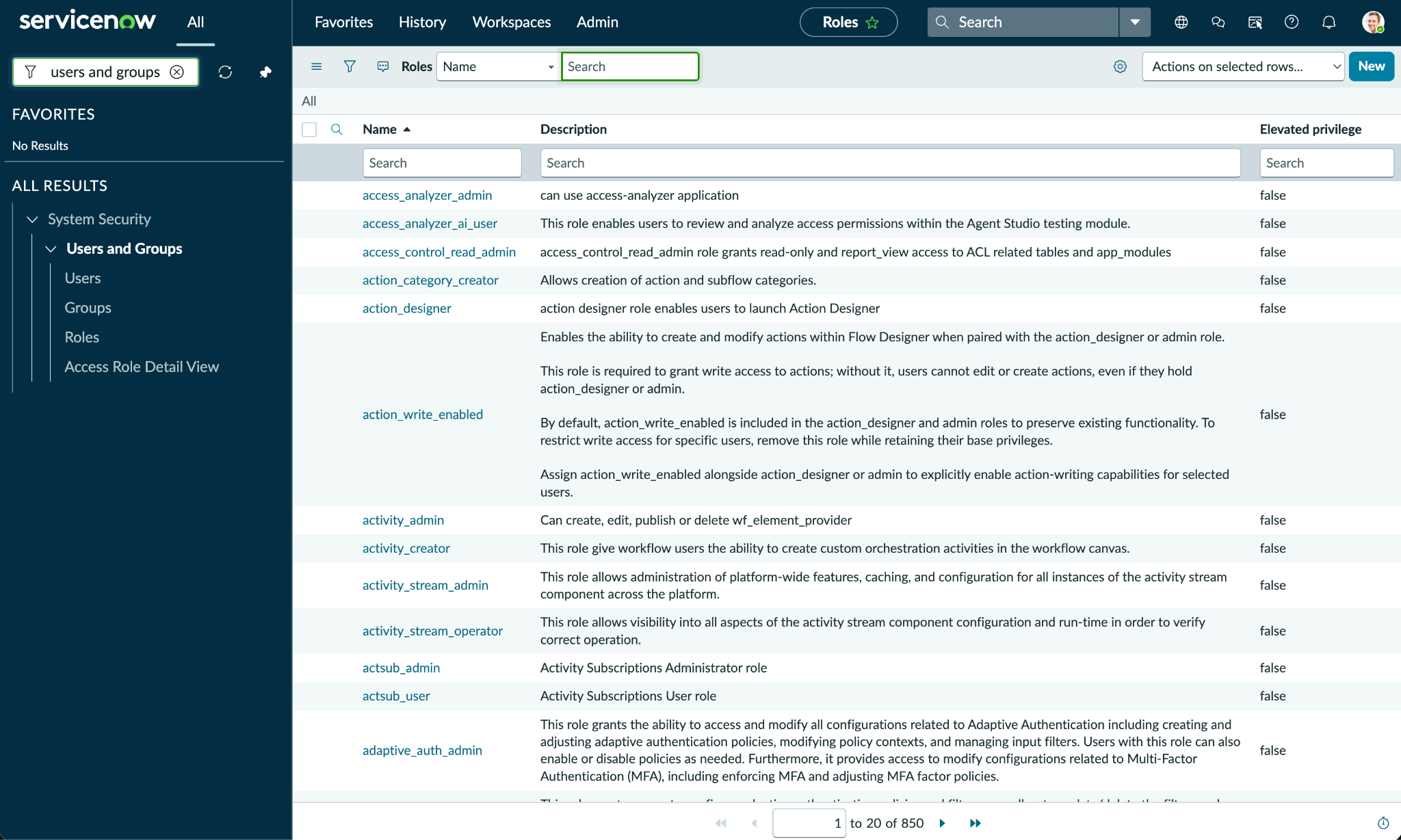
Search for Users and Groups on your ServiceNow instance and click Roles.
-
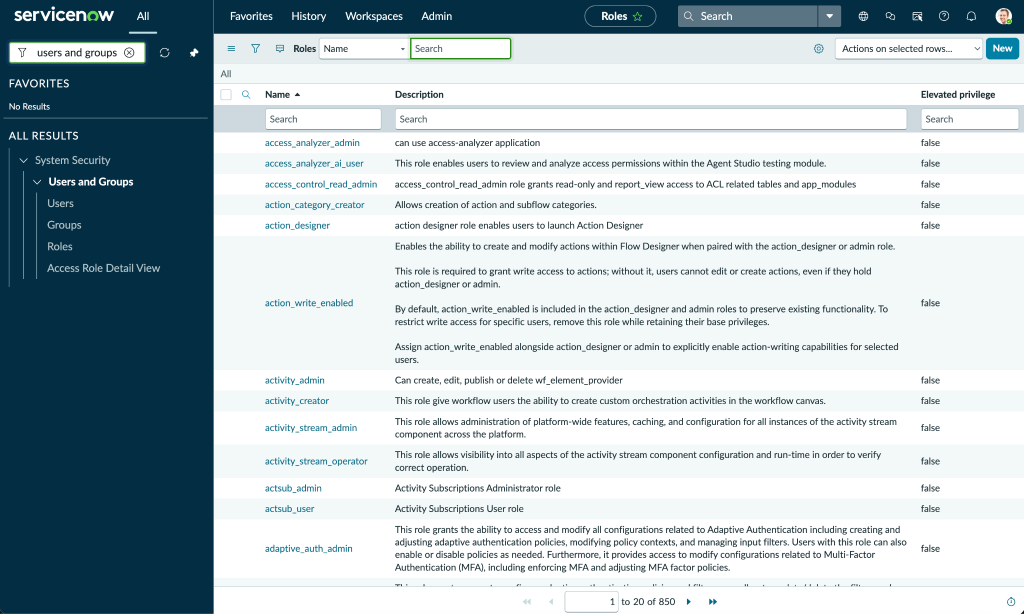
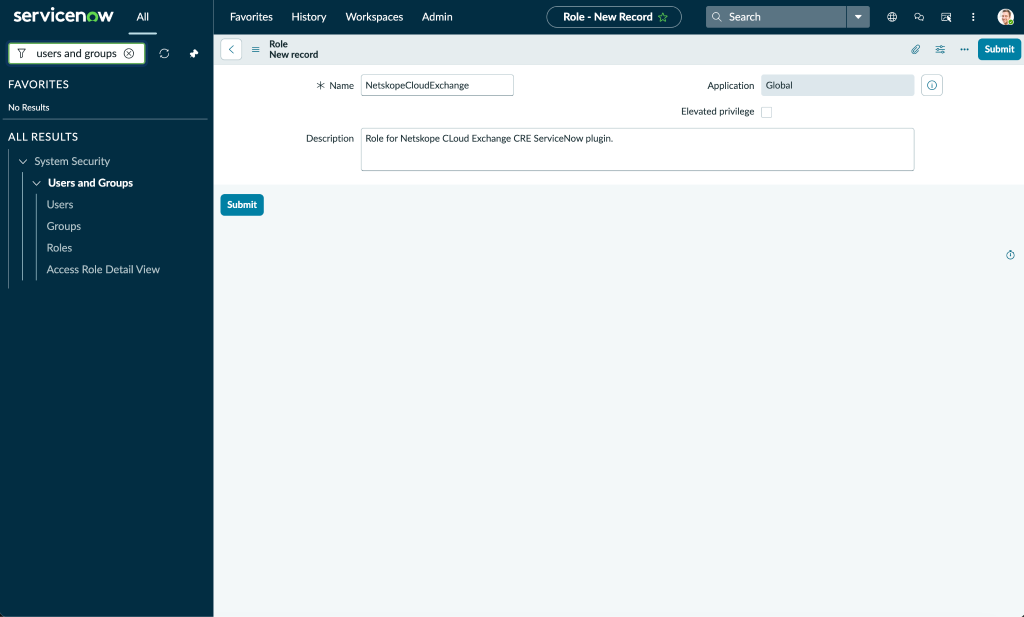
On the Roles page, click New.
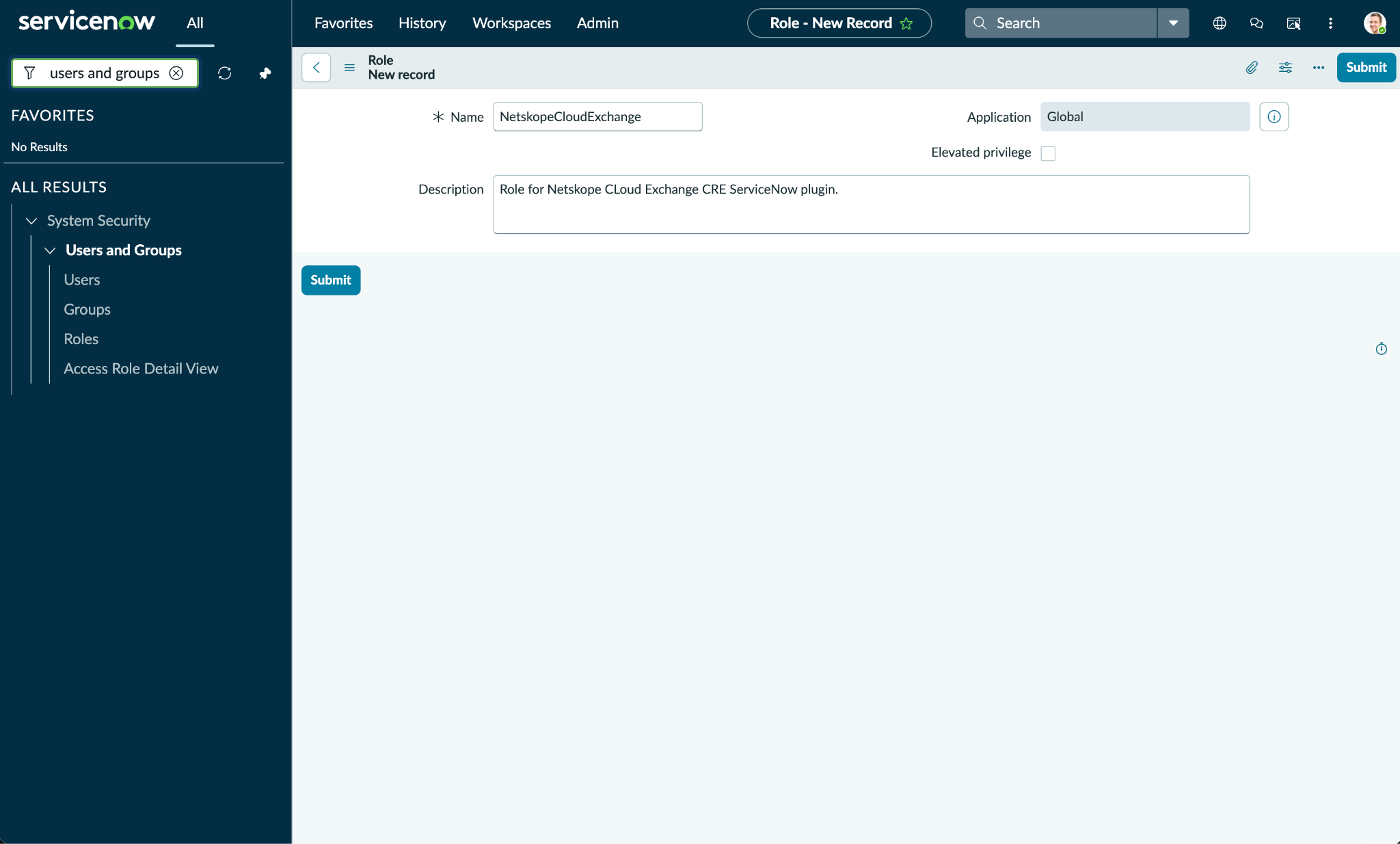
-
Enter a name and description for the role and click Submit.
-
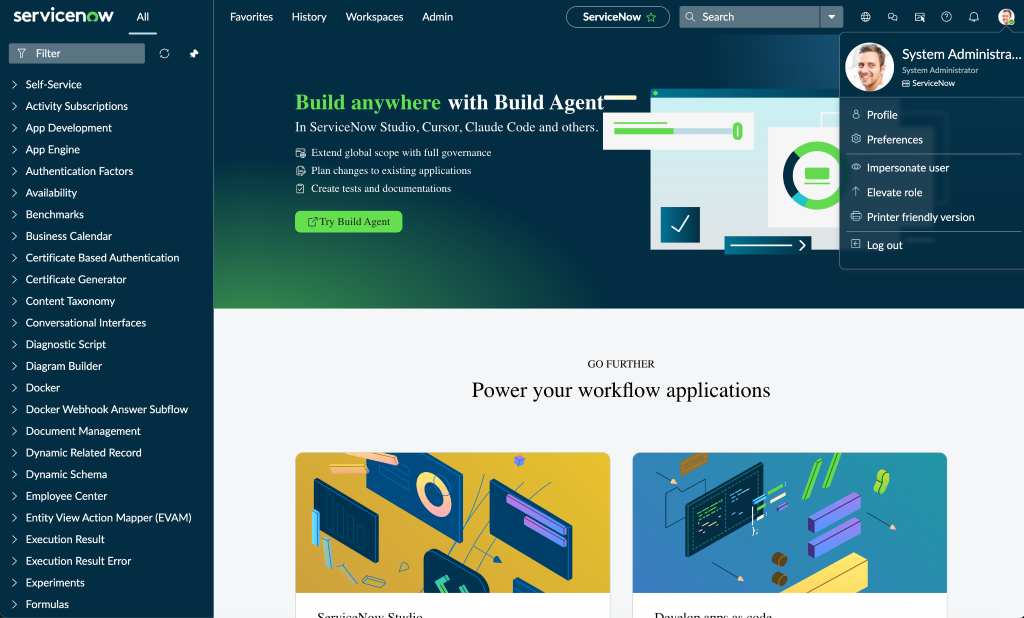
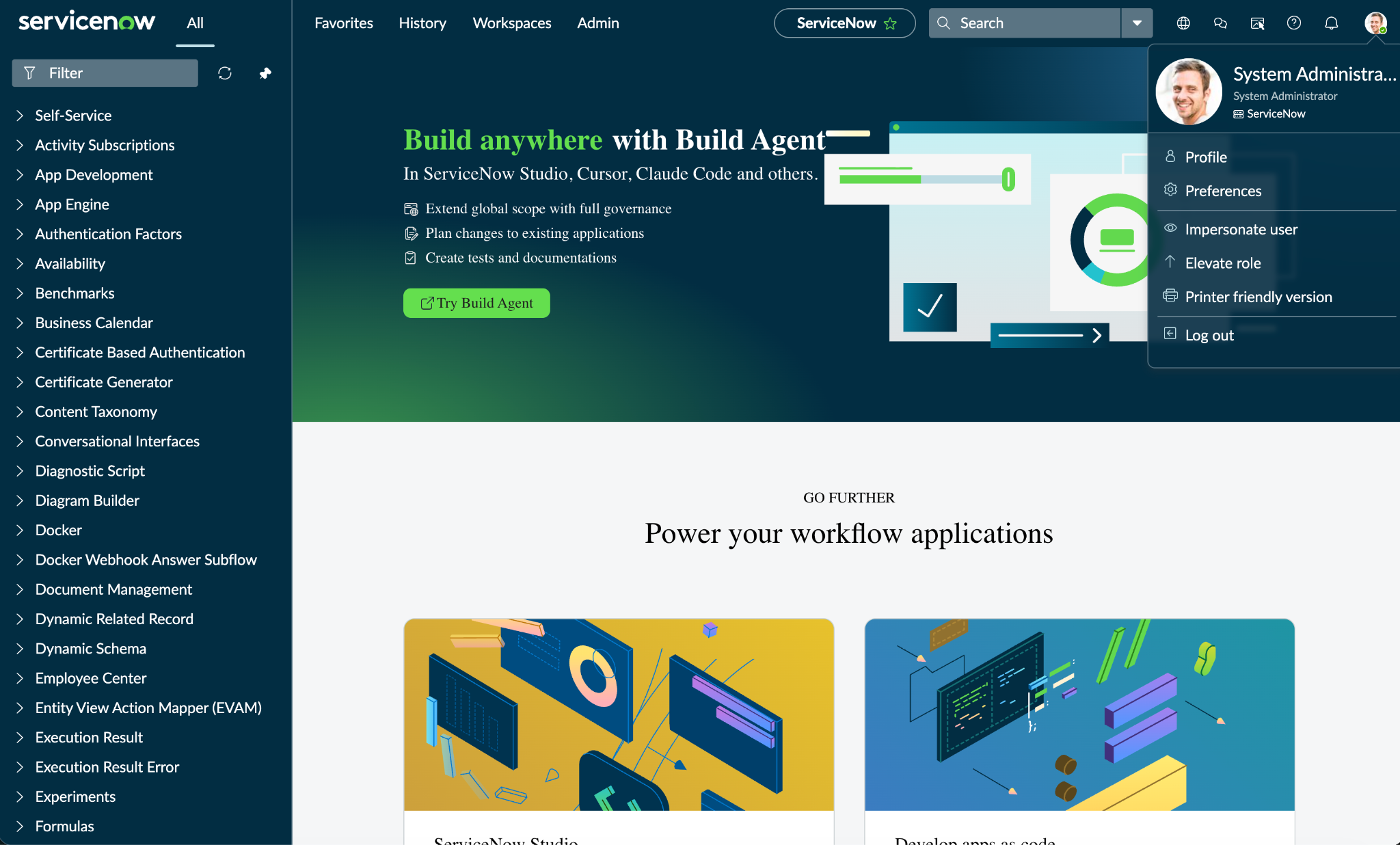
Create an ACL. Creating an ACL might require elevated roles. To enable elevated roles, click on the user icon on the top right, then click Elevate Role.
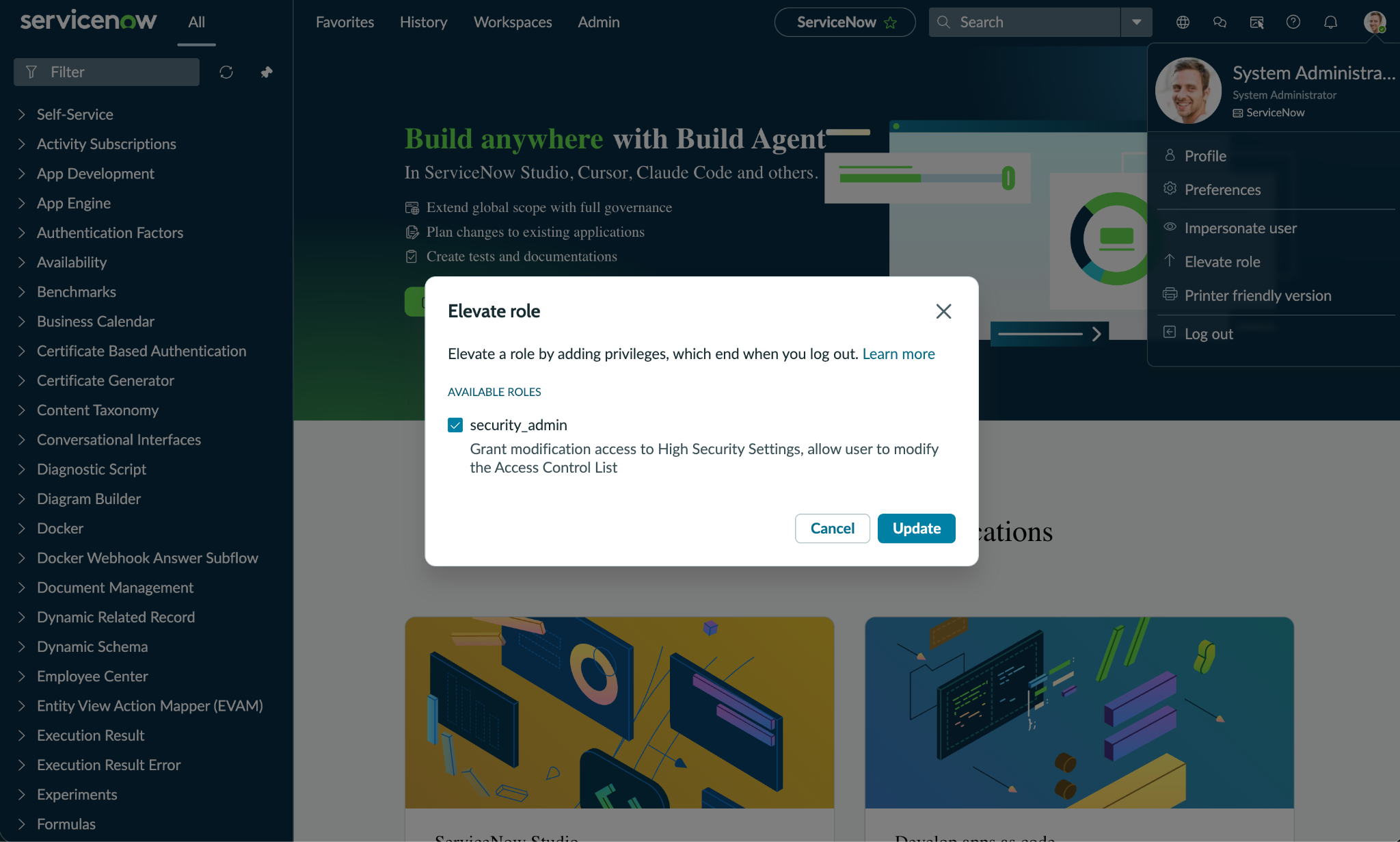
-
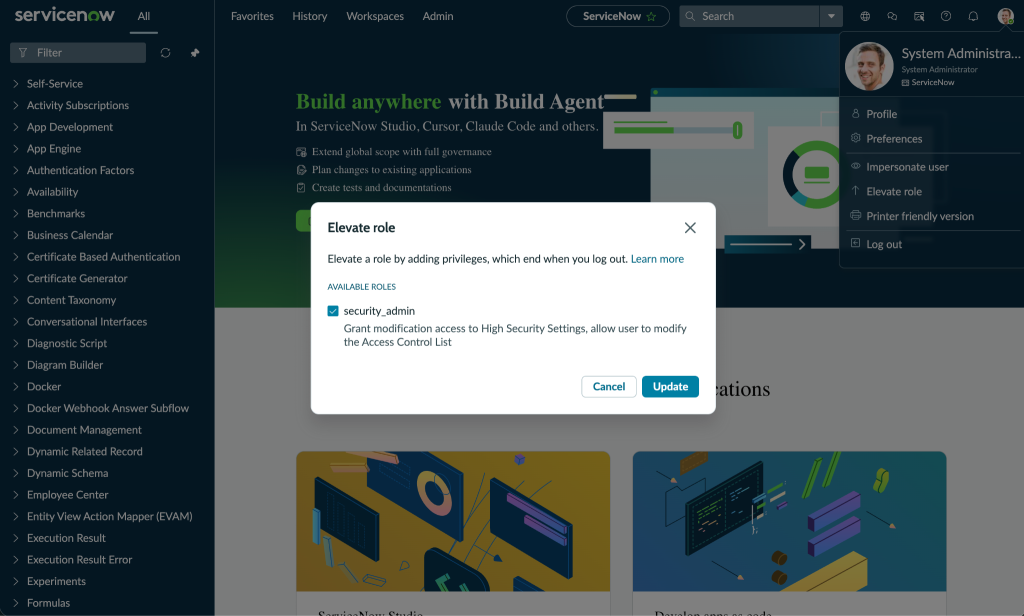
Select security_admin and click Update.
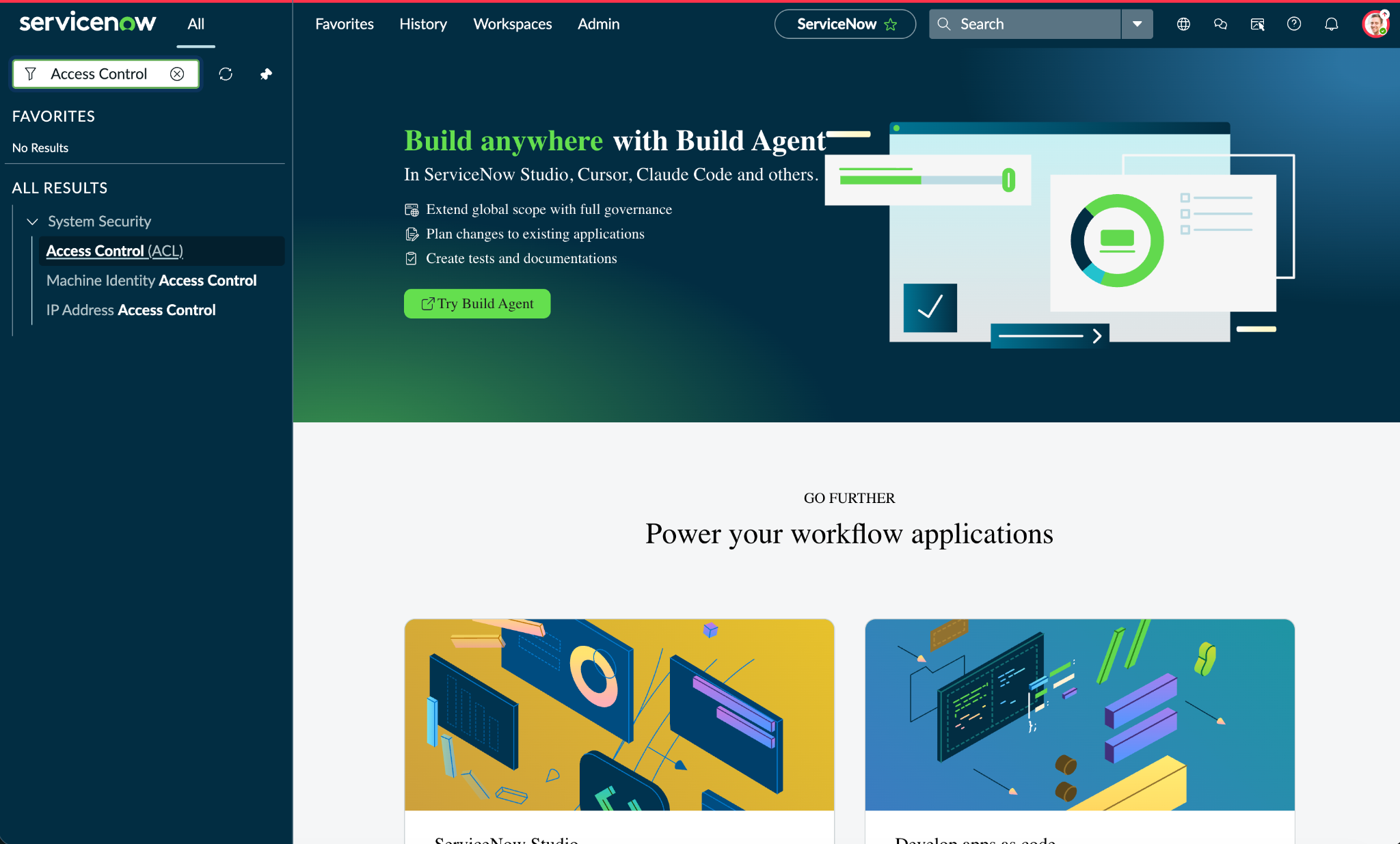
-
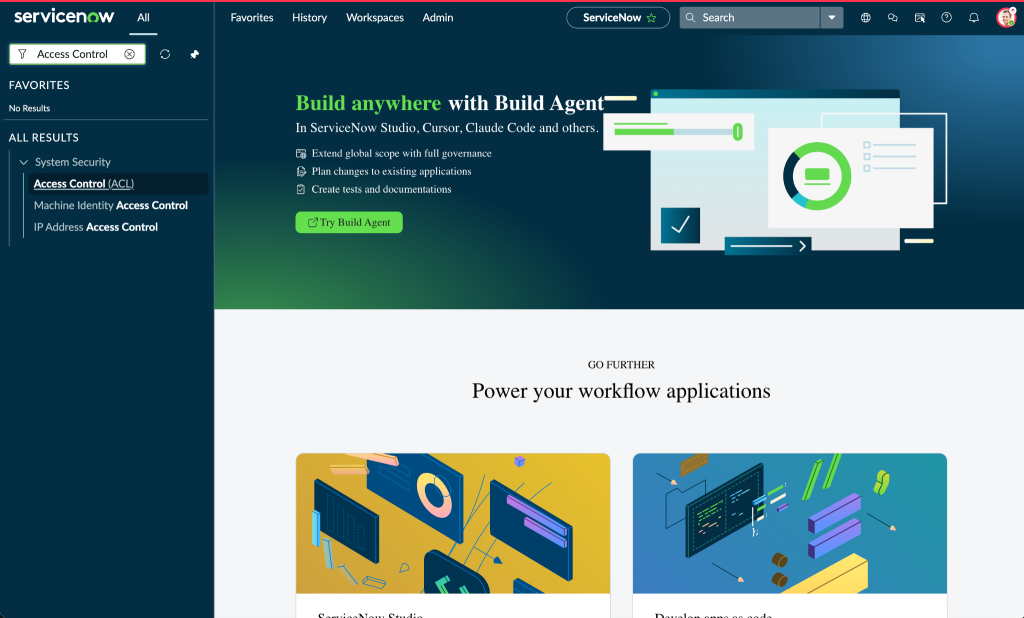
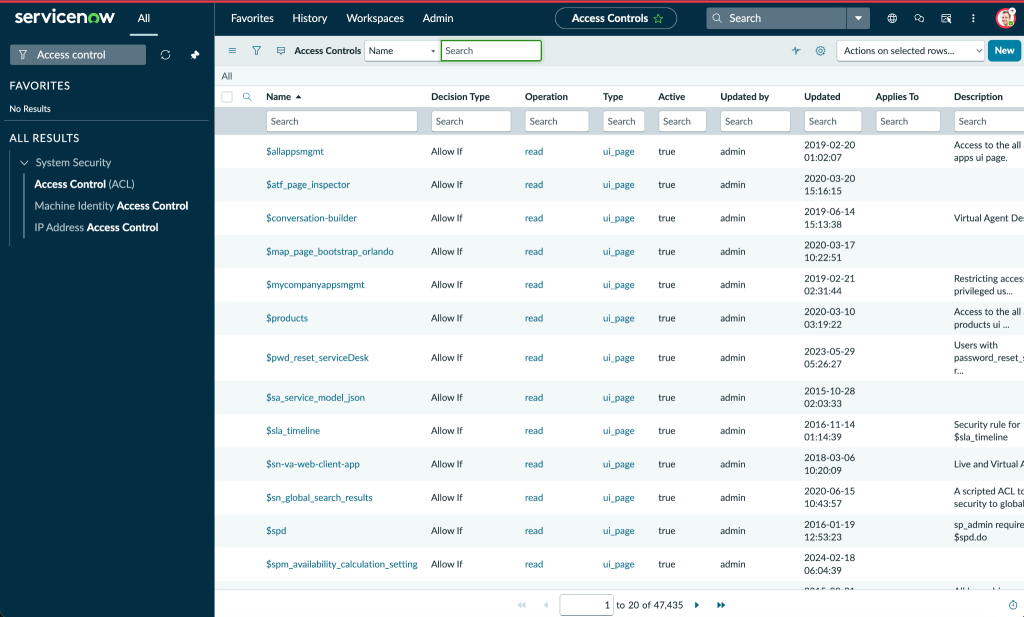
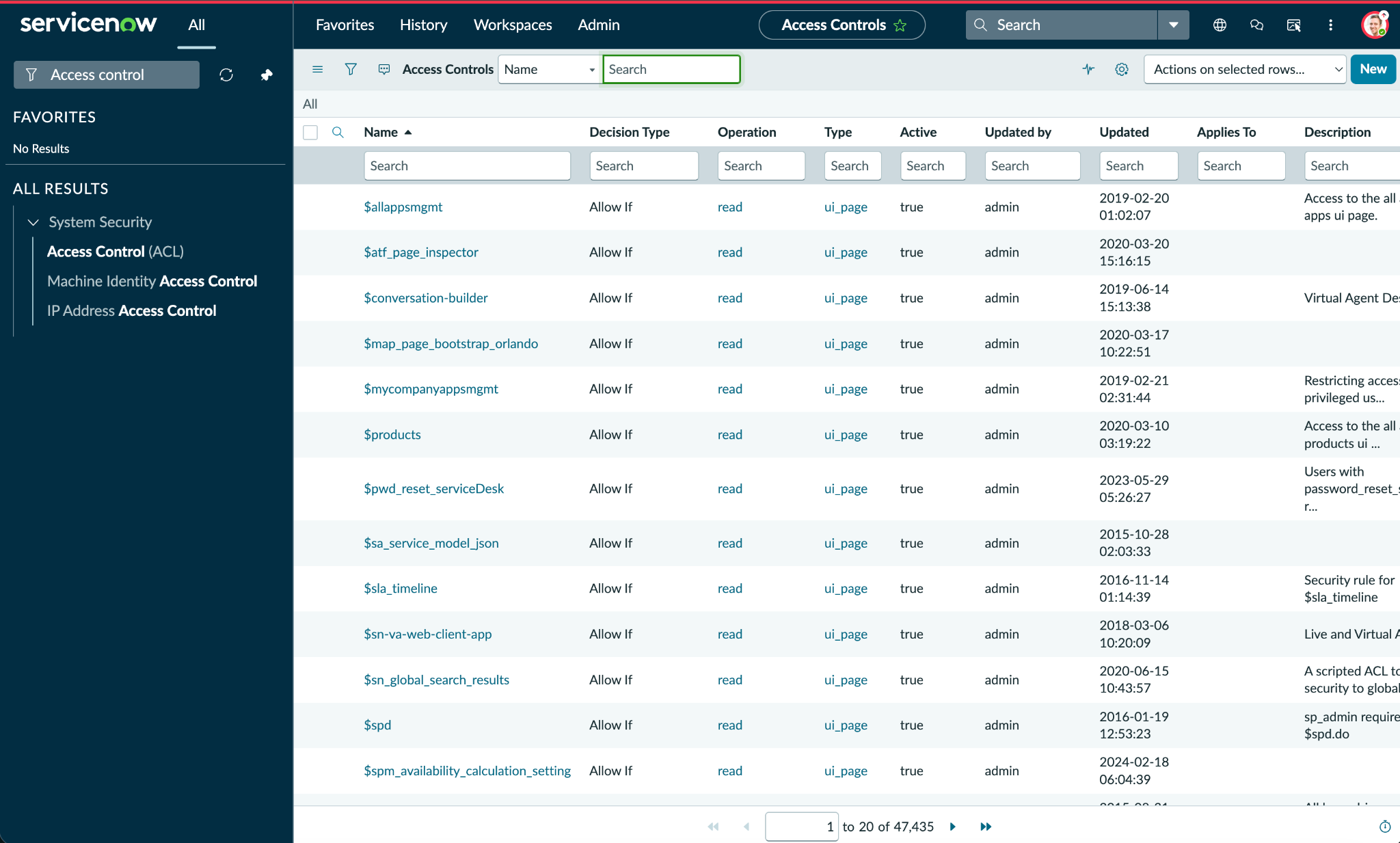
Search for Access Control (ACL).
-
Click New to create a new ACL.
-
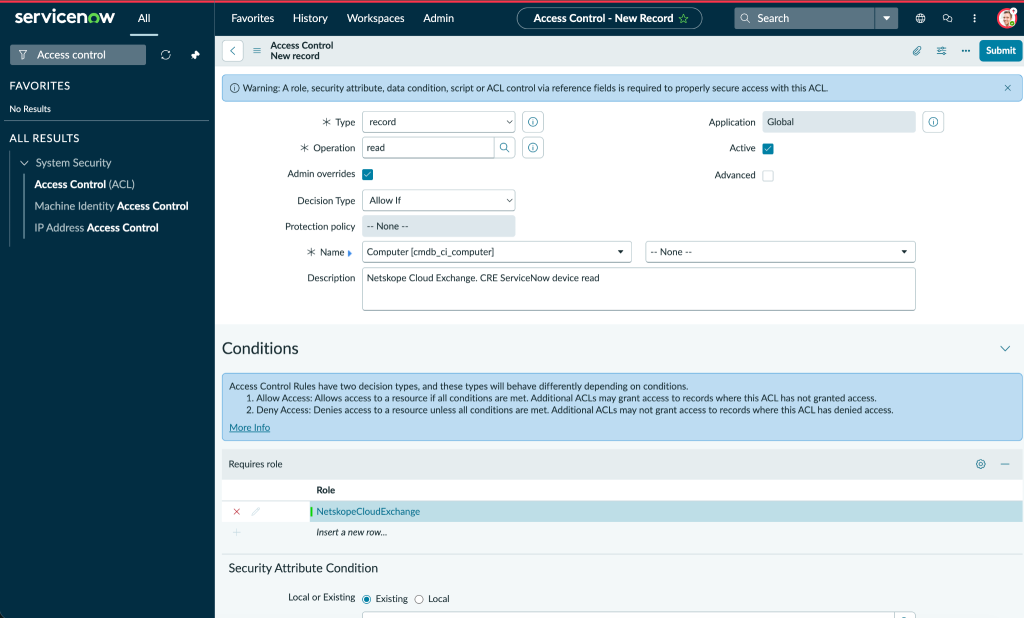
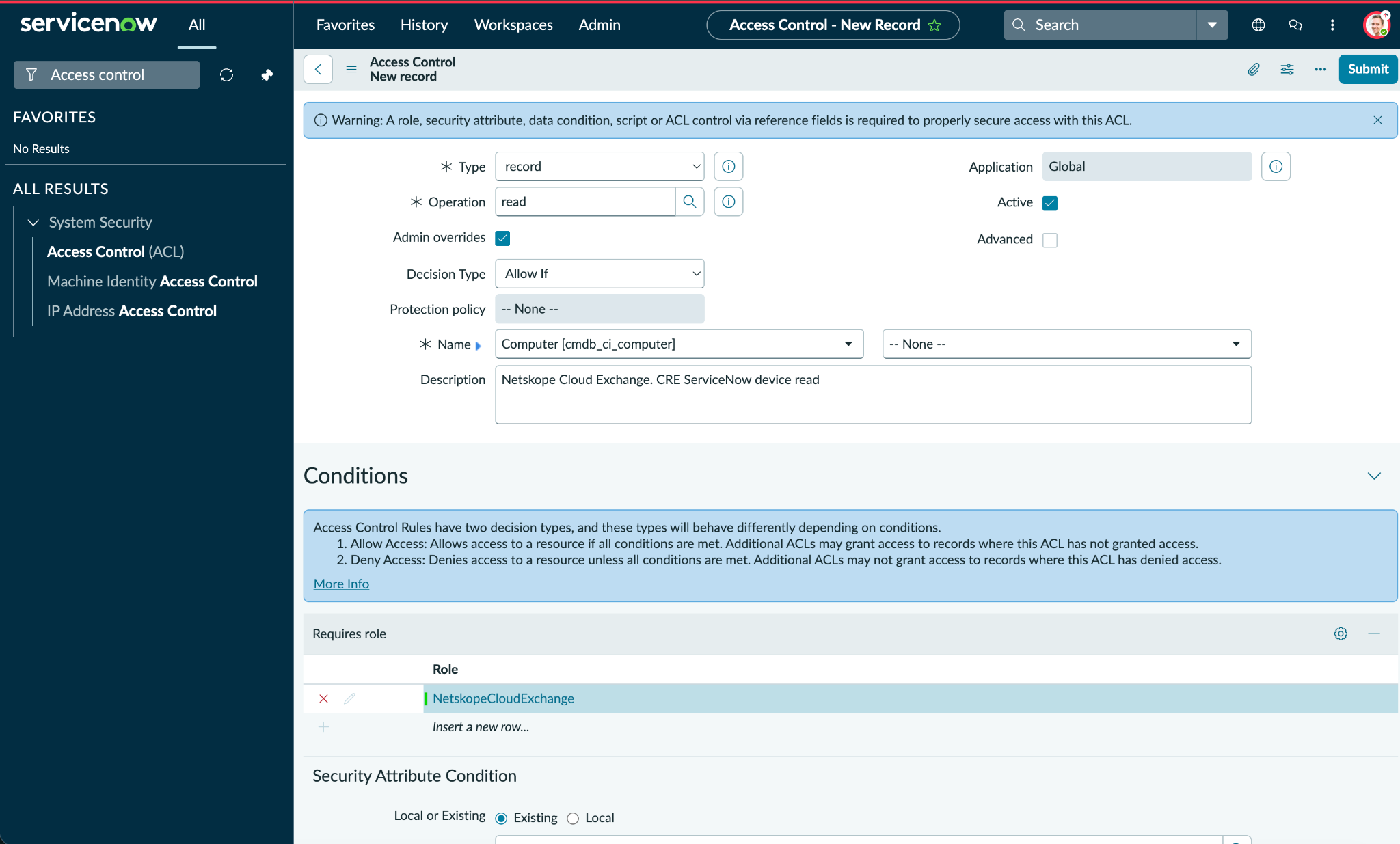
For Type, select Record, then enter the operation (like read, create, write ,or delete). For Name, add the table. Provide a description for the ACL based on your requirements. For Requires role, add the name of the role you created above. When finished, click Submit.
-
Similarly, create ACLs based on the table provided in the permissions section. Then, assign that Role to the user you want to use for the CRE ServiceNow plugin.
Add Permissions to the User
-
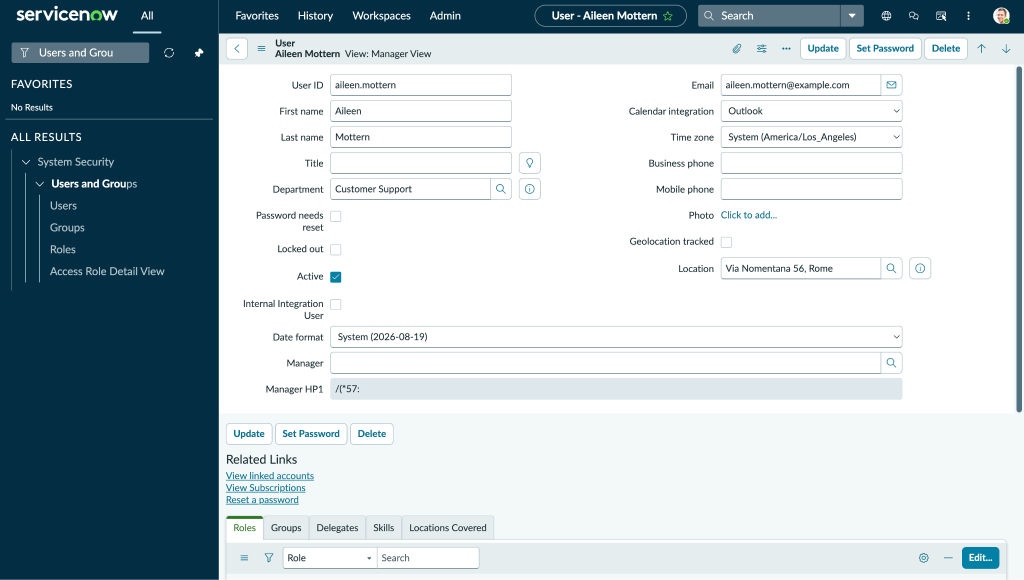
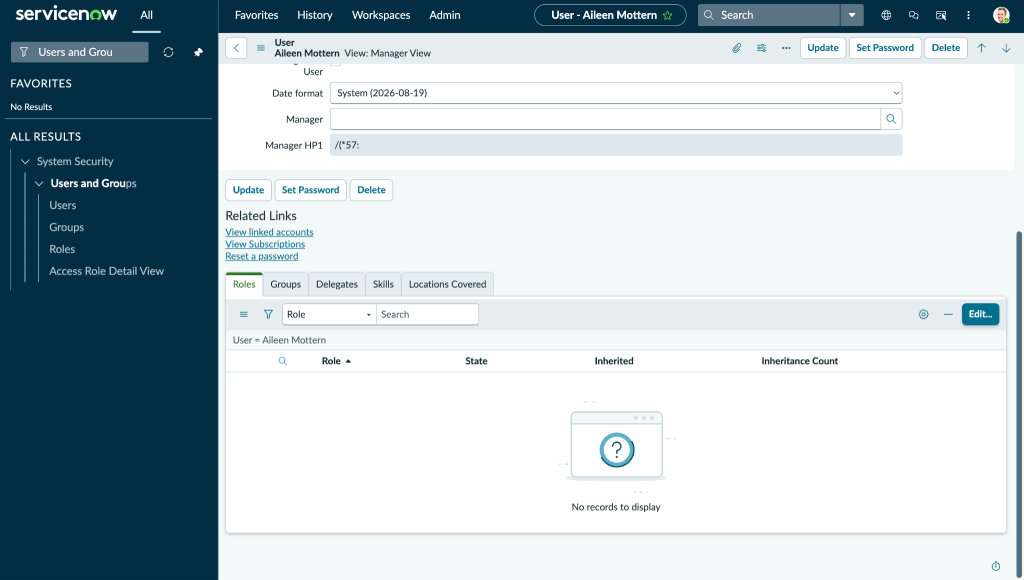
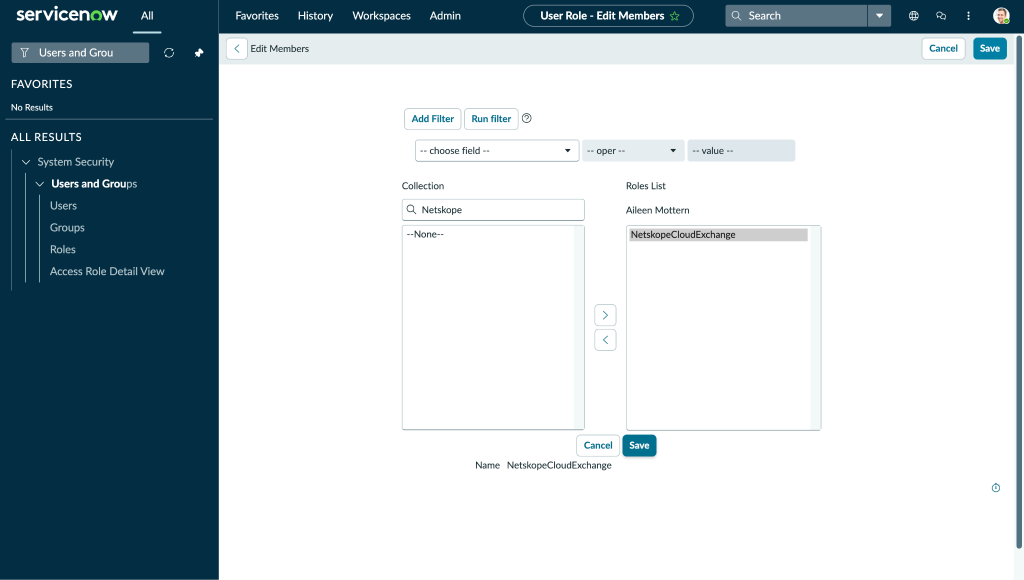
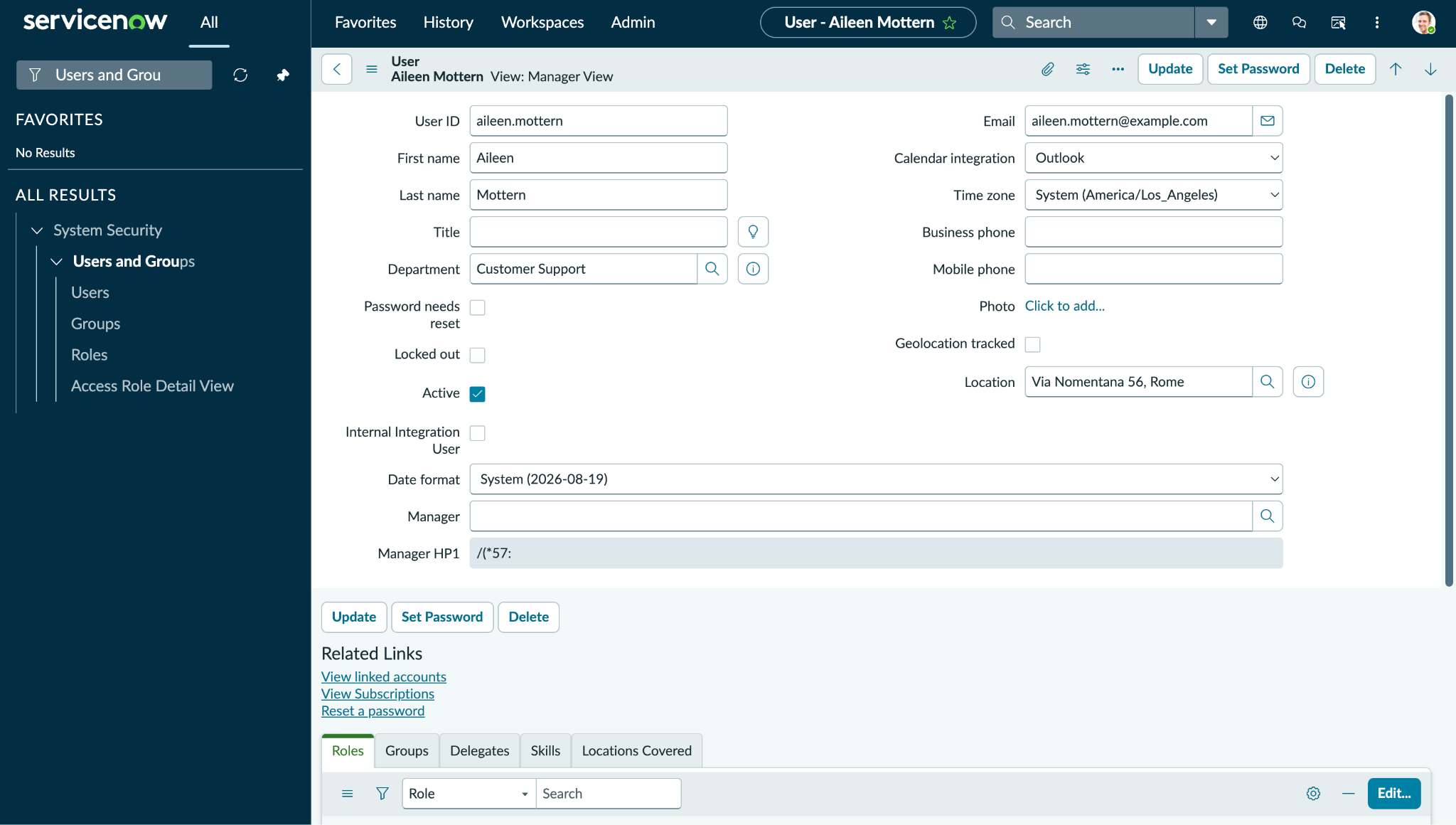
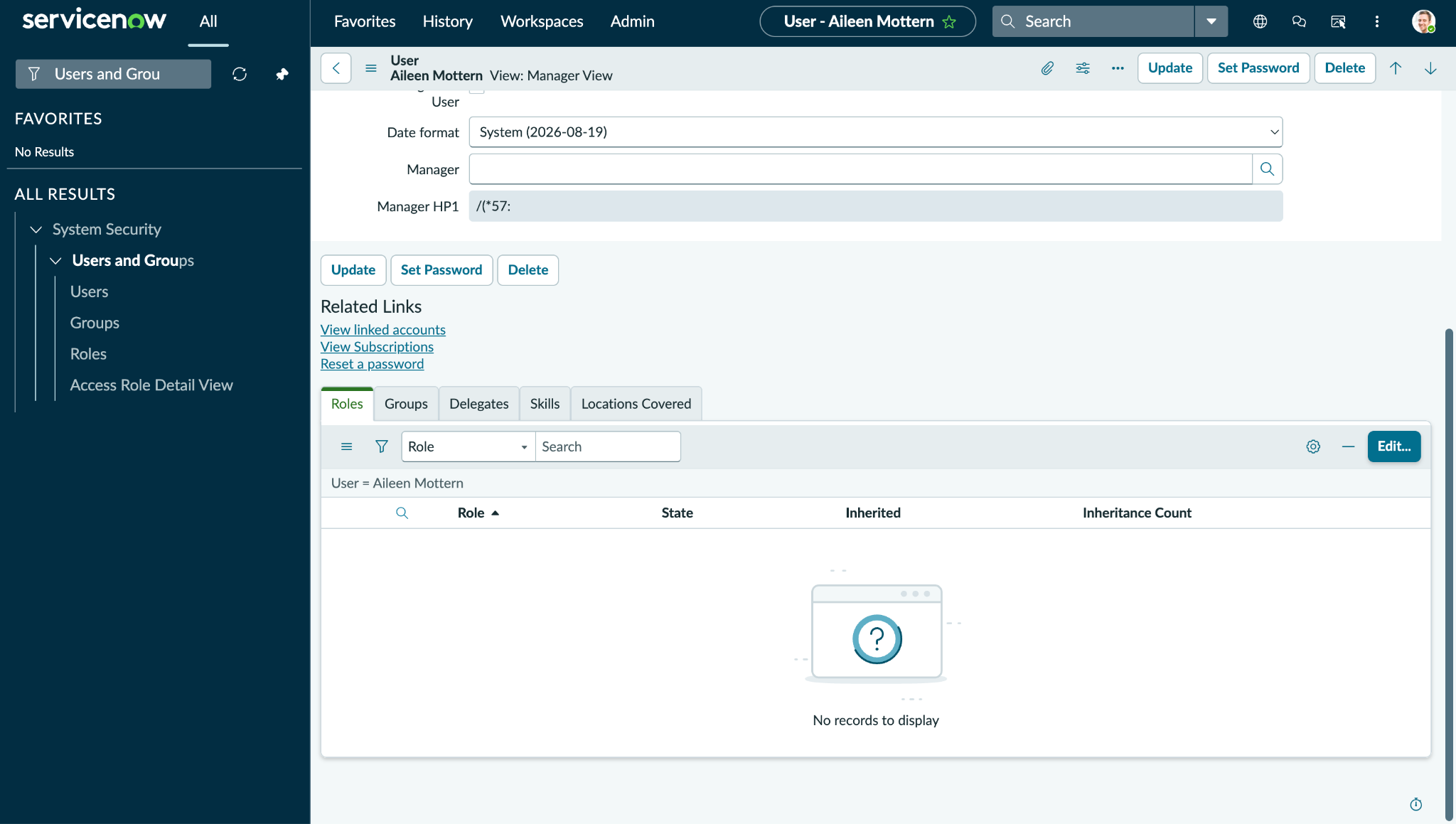
Go to Users and open the user’s details, and then on the Roles tab, click Edit.
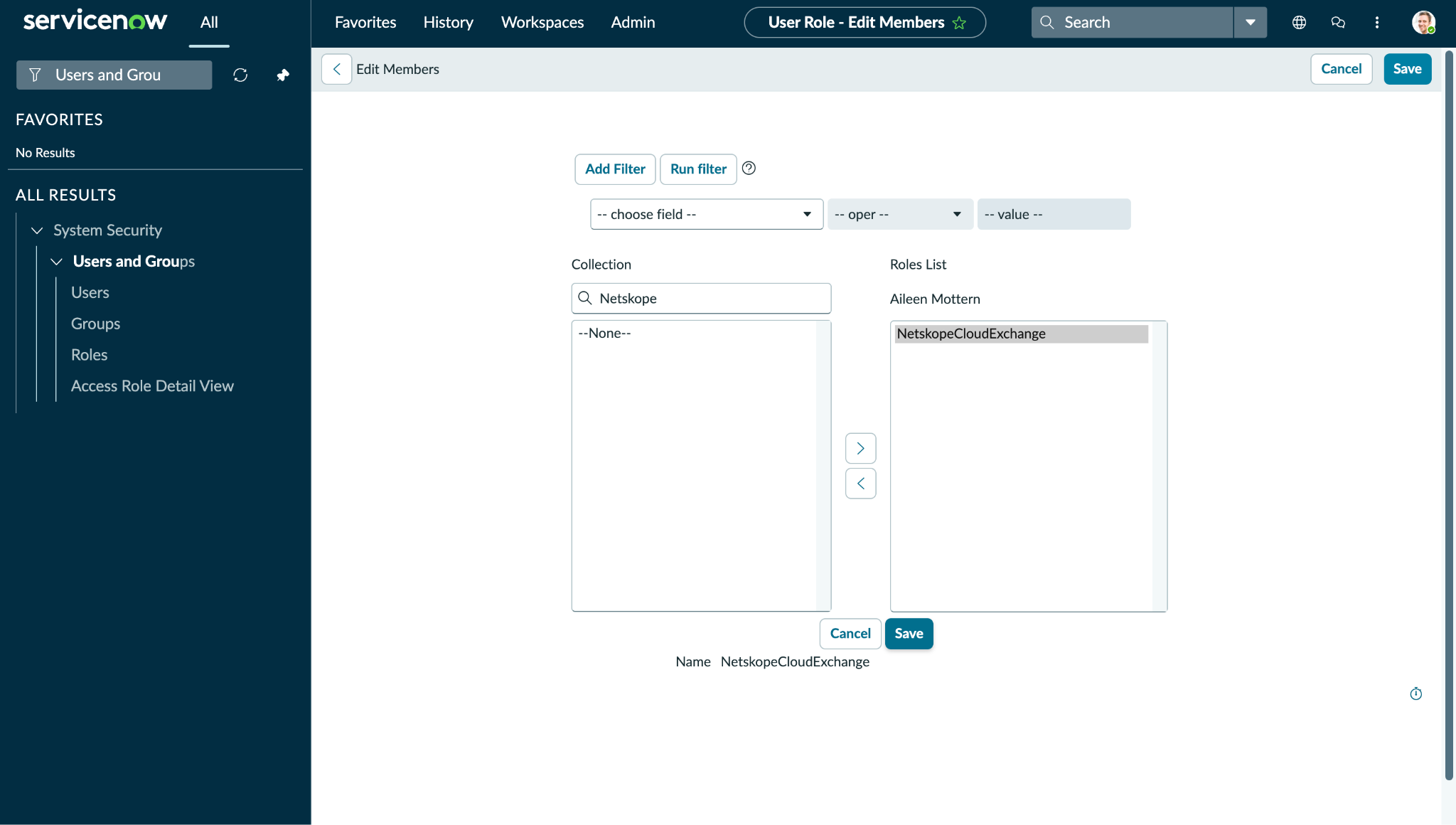
-
Add the role that you created in the Create a role on the Servicenow Platform section, and these roles (Refer to Permissions Section):
- cmdb_read
- snc_internal
- sn_cmdb_editor
- user_admin
-
Click Save.
Create a Discovery Source
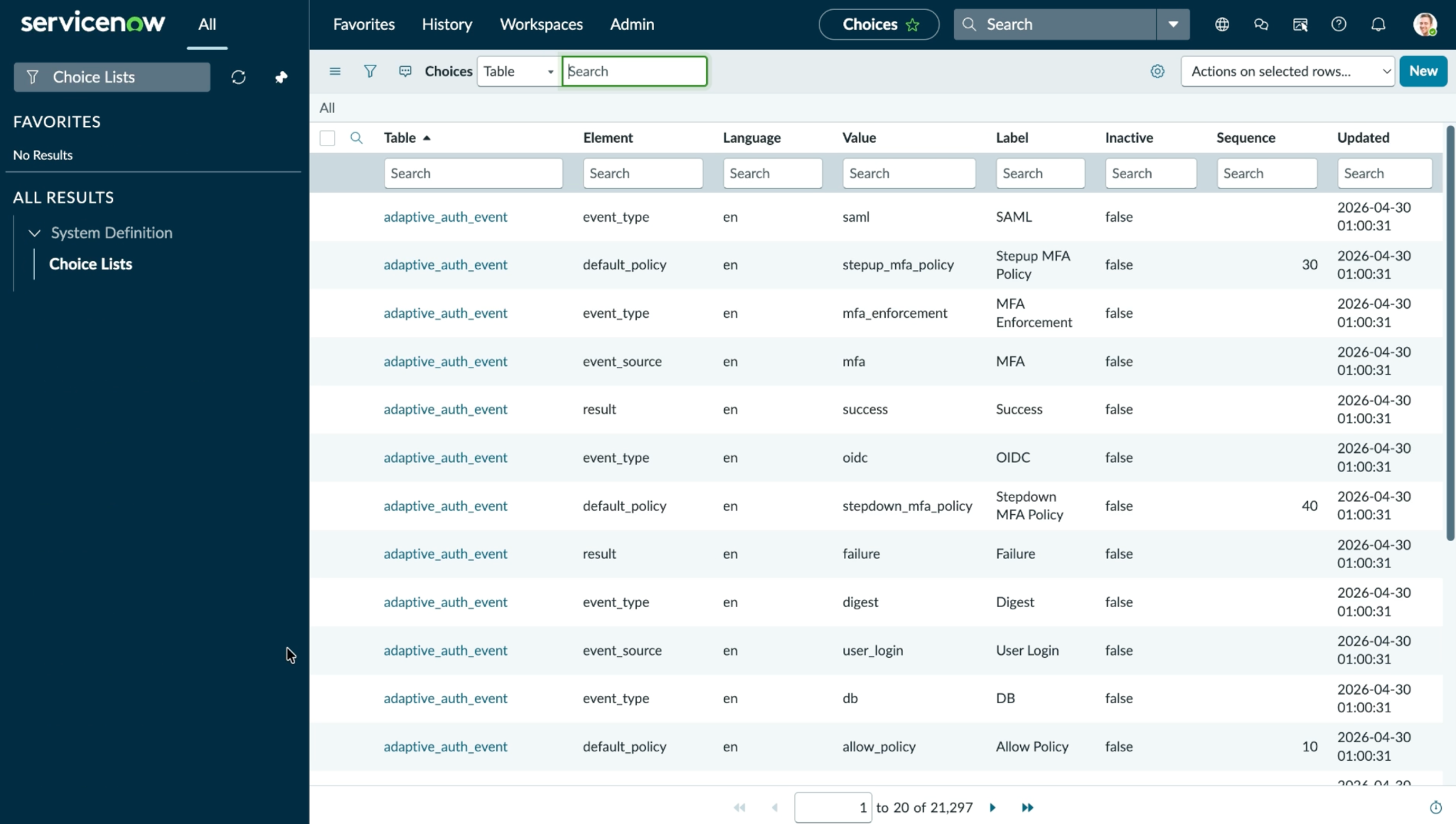
If you want to pull and share application data to the cmdb_ci_business_app table, then you will need to create a Discovery Source on your ServiceNow instance. This discovery source ensures that the application you shared from Cloud Exchange is not pulled back into Cloud Exchange. In some cases, this may cause an infinite cyclic pulling and sharing of the same application.
Search for Choice Lists, open the Choice Lists page, and click New.
To create a new discovery source, add the table cmdb_ci_business_app, then in the element add discovery_source. For Label and Value, enter NetskopeCloudExchange.
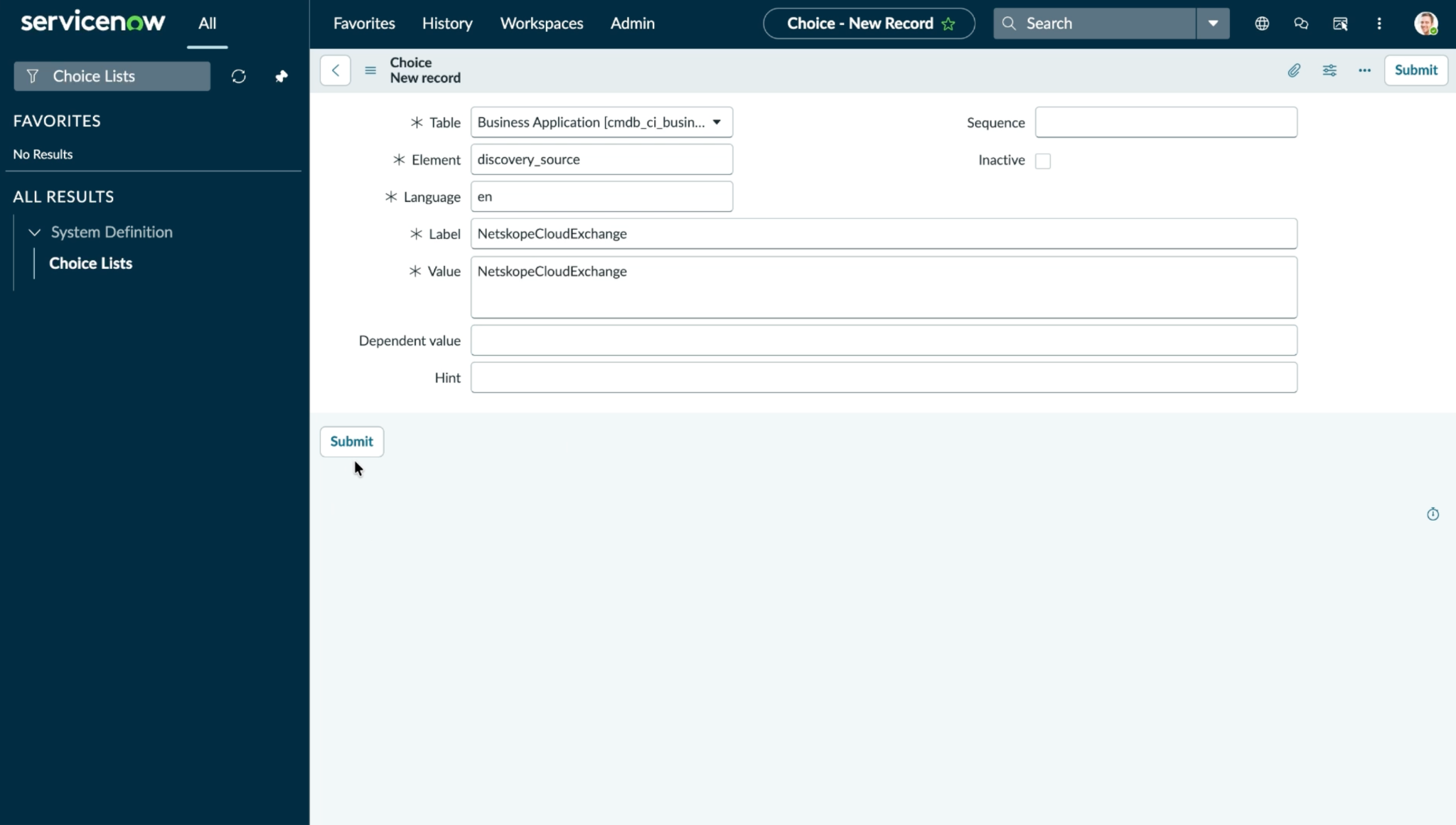
Click Submit. This discovery source field’s NetskopeCloudExchange value is used to prevent re-pulling of the applications shared from Netskope Cloud Exchange.
Configure the ServiceNow Plugin
-
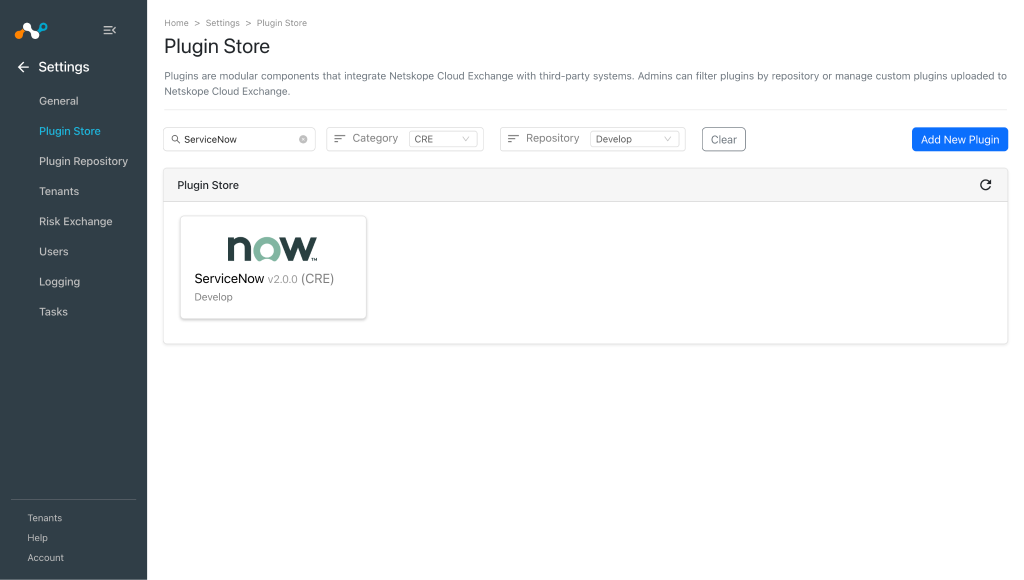
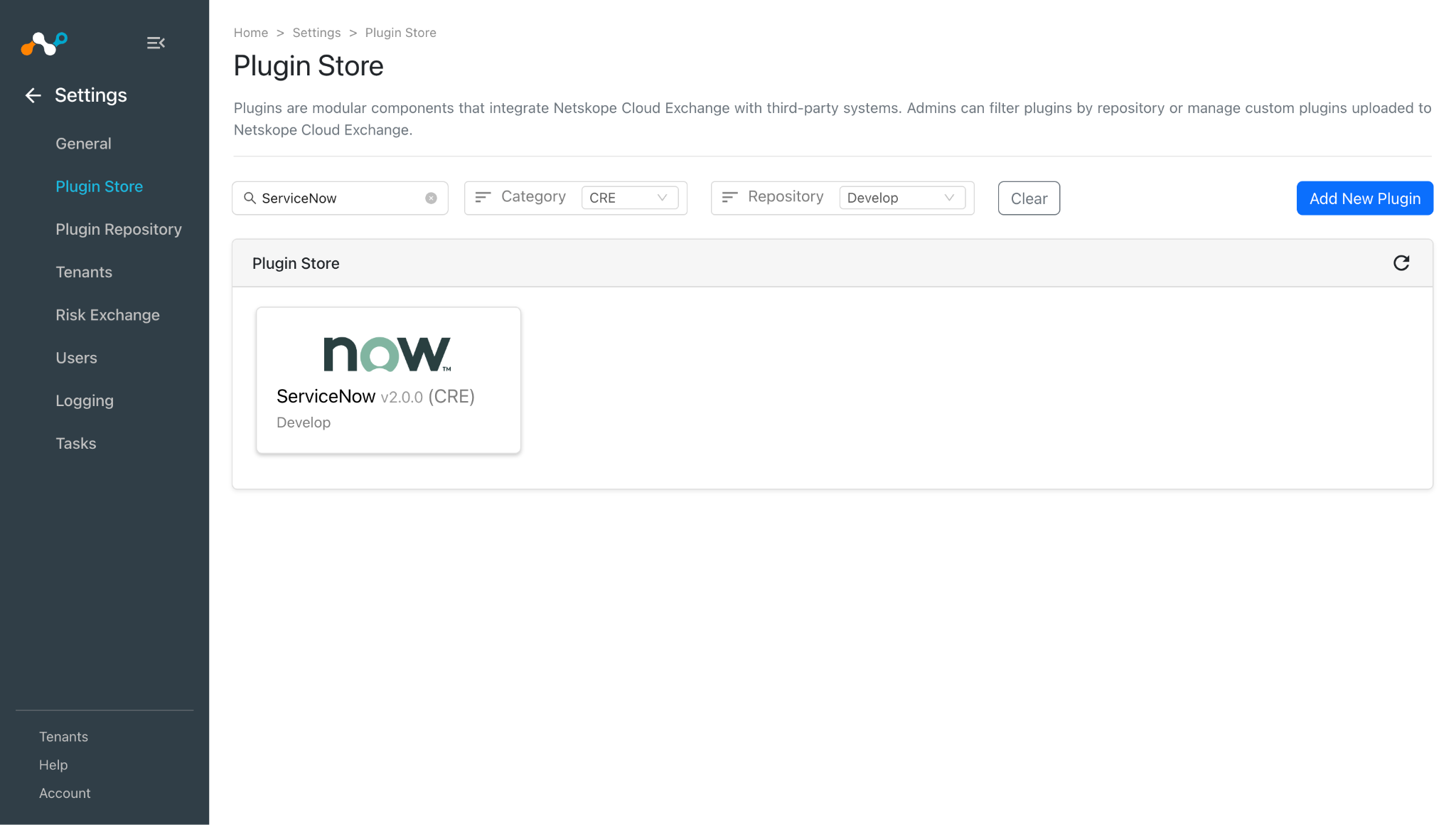
In Cloud Exchange, go to Settings > Plugin Store. Search for and select the ServiceNow v2.0.0 (CRE) plugin.
-
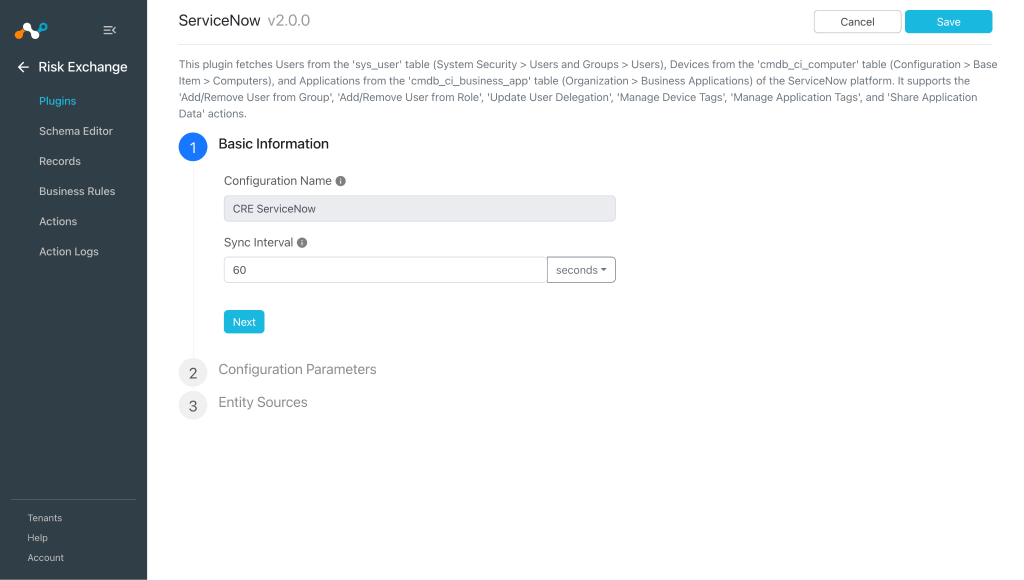
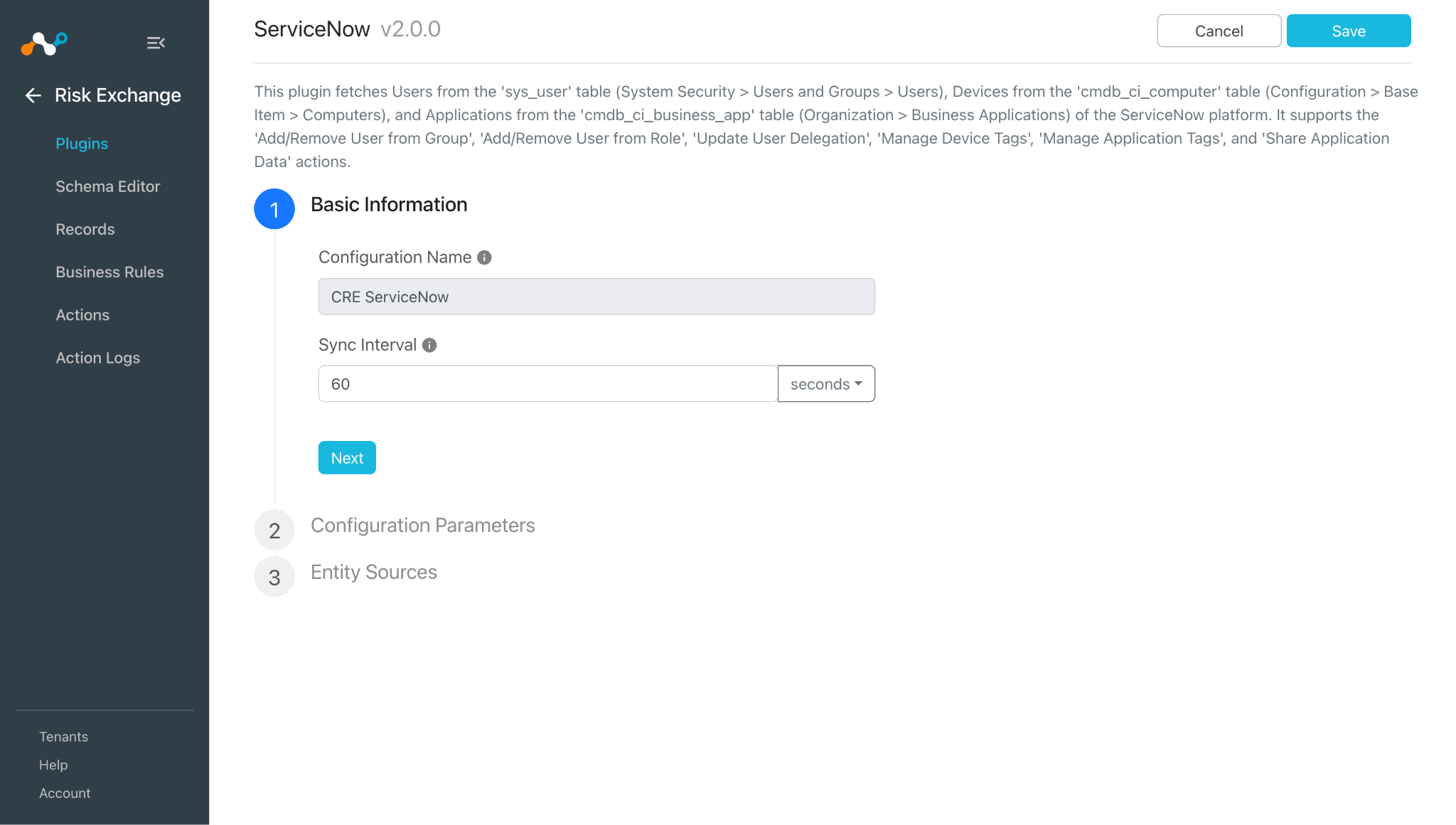
Enter a Configuration Name and select a Sync Interval.
-
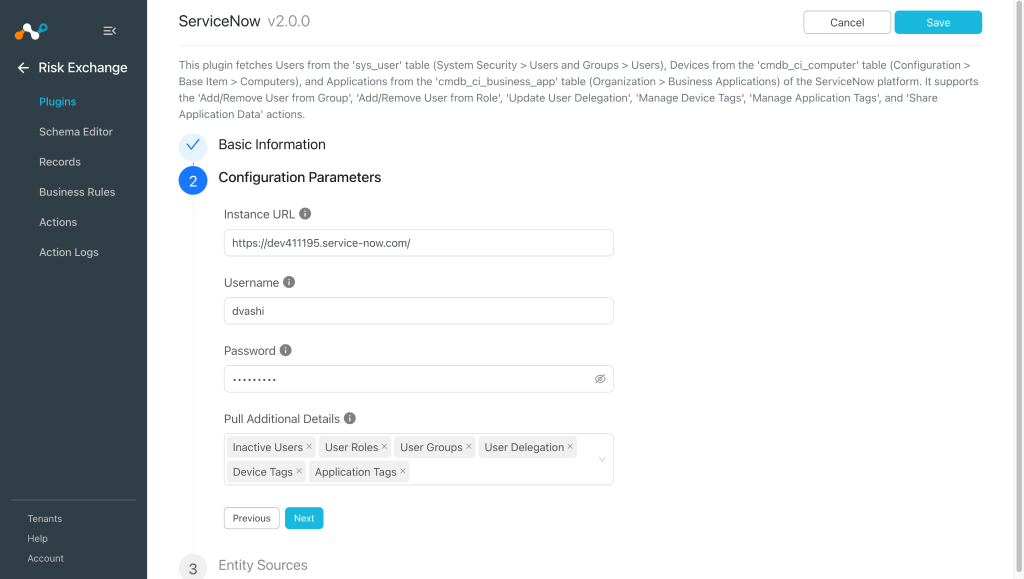
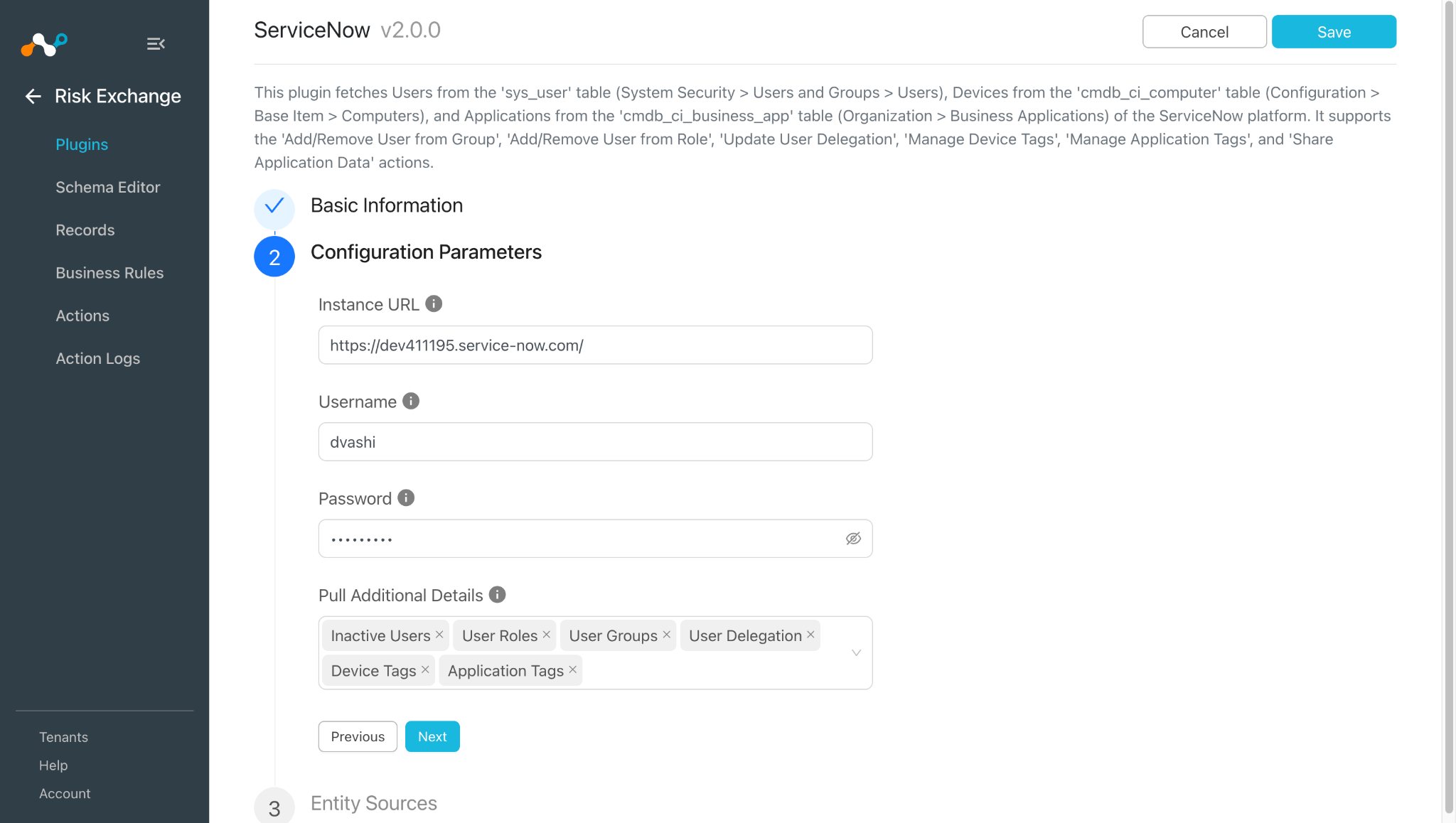
Click Next and enter the Configuration Parameters:
- Instance URL: ServiceNow instance URL (like
https://<your-instance>.service-now.com. - Username: Username of your ServiceNow instance.
- Password: Password of your ServiceNow instance.
- Pull Additional Details: Select the optional data to pull. The selected options expose additional fields. Unselected options are skipped and their fields are not exposed. Note that for all the selected options in the parameter, additional API calls are made to fetch data from ServiceNow.
- Instance URL: ServiceNow instance URL (like
-
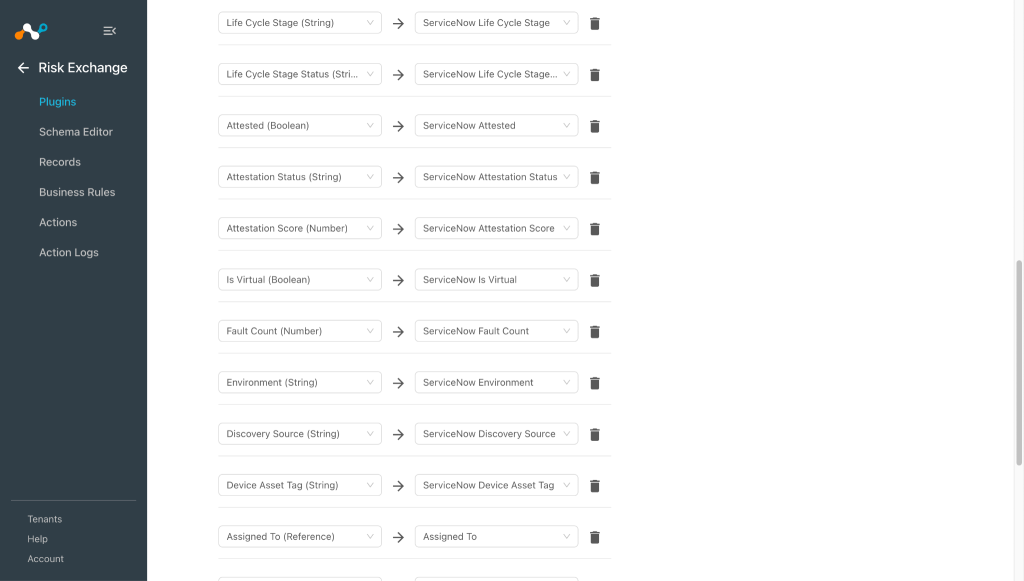
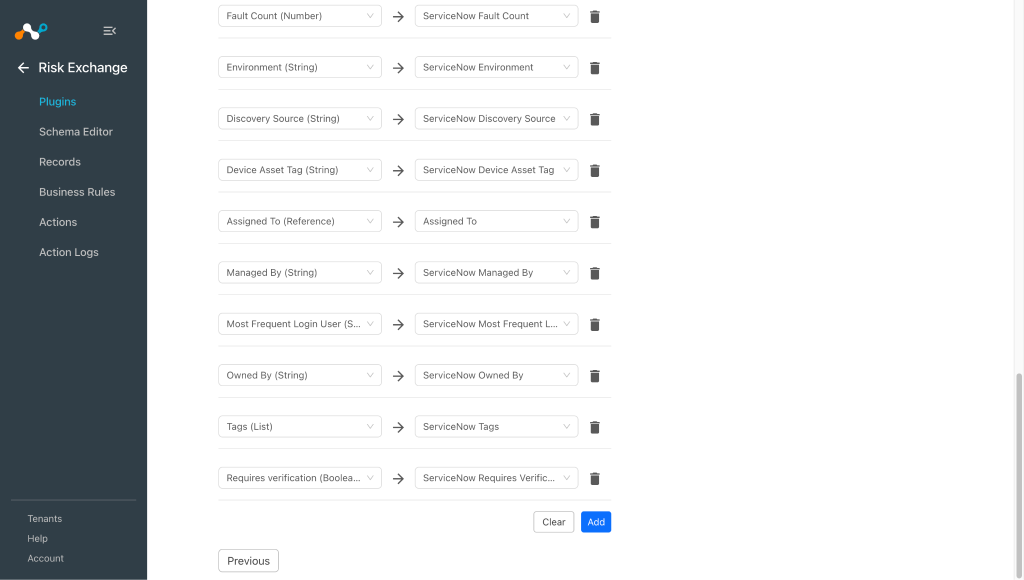
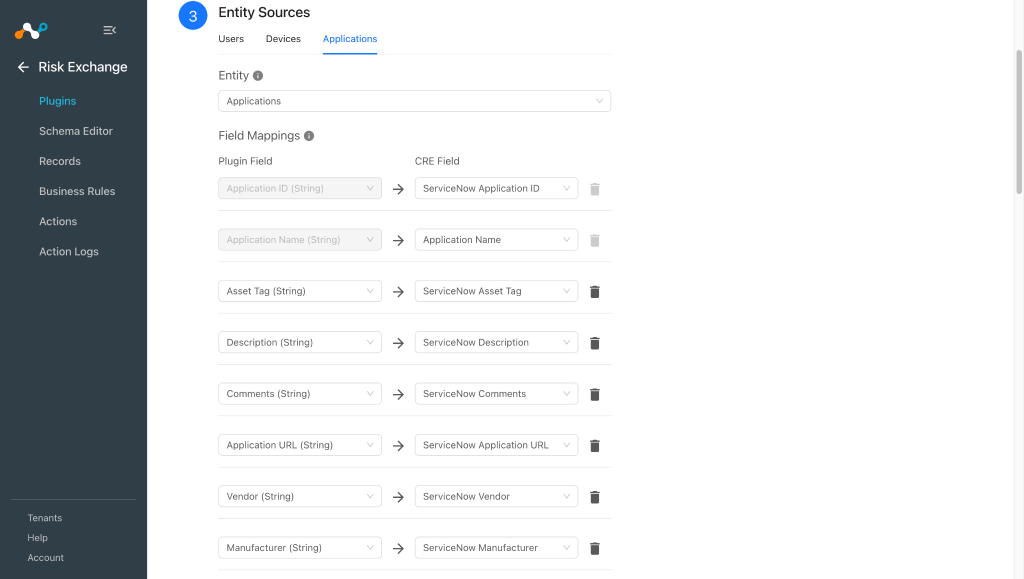
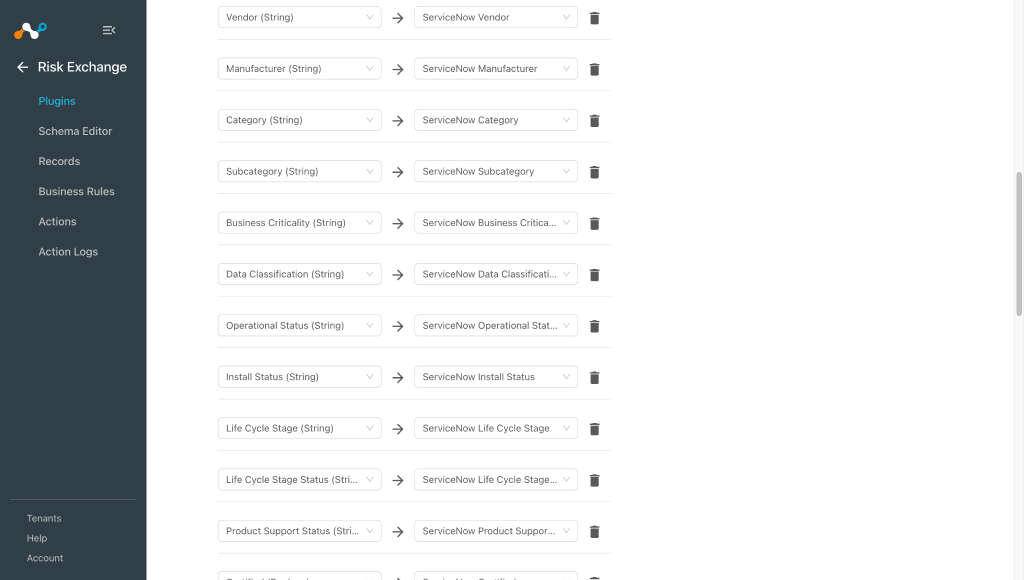
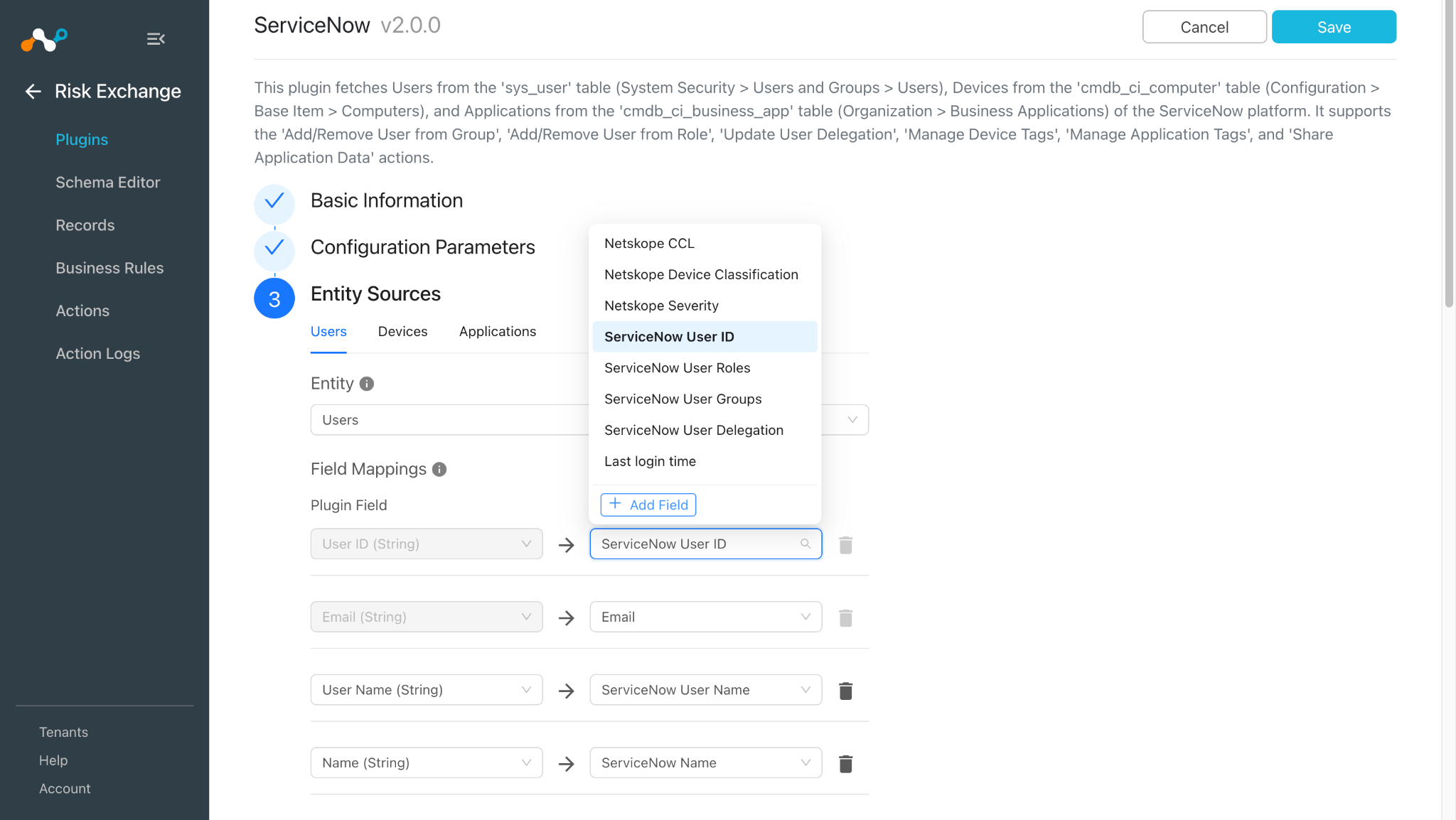
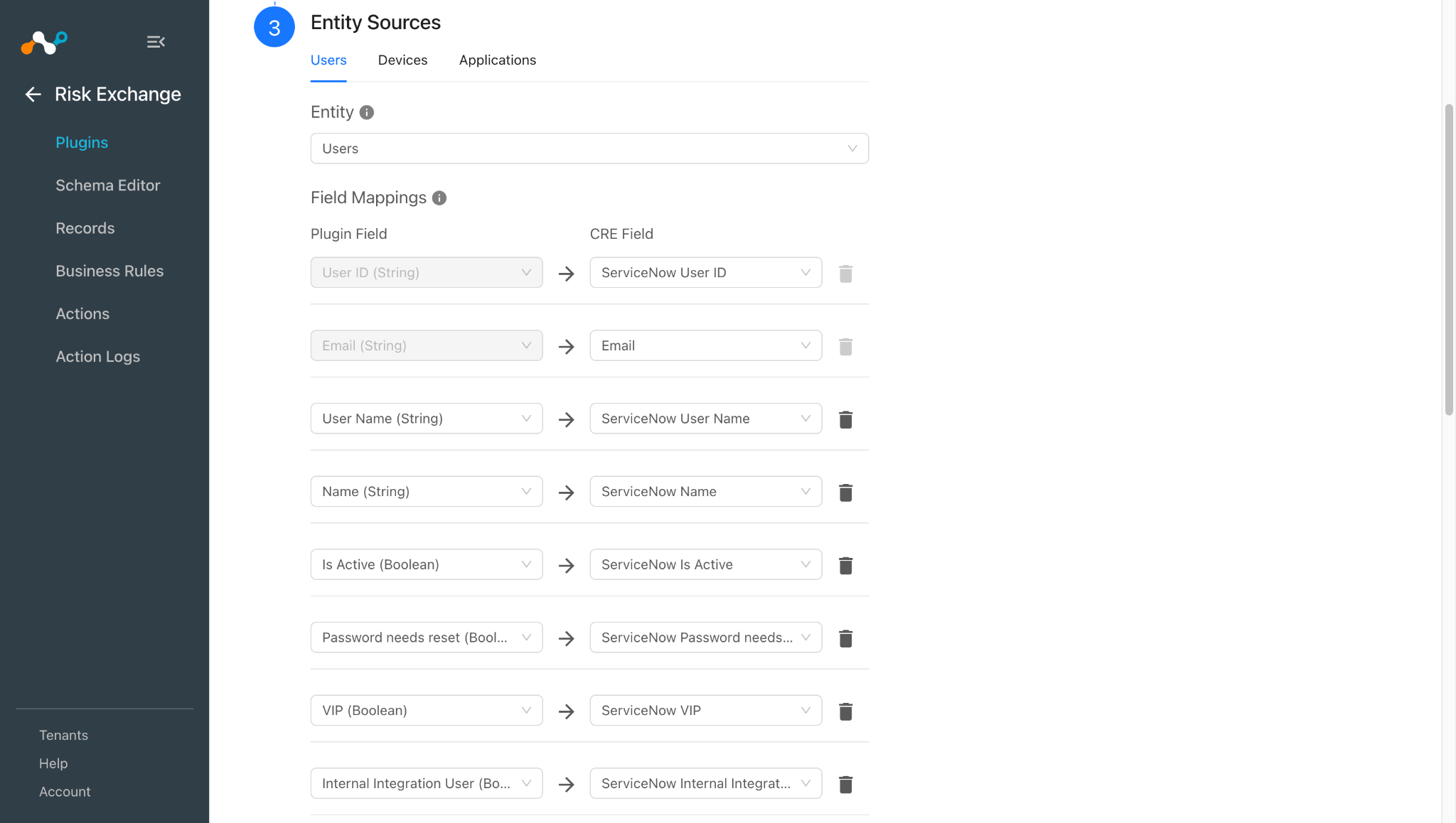
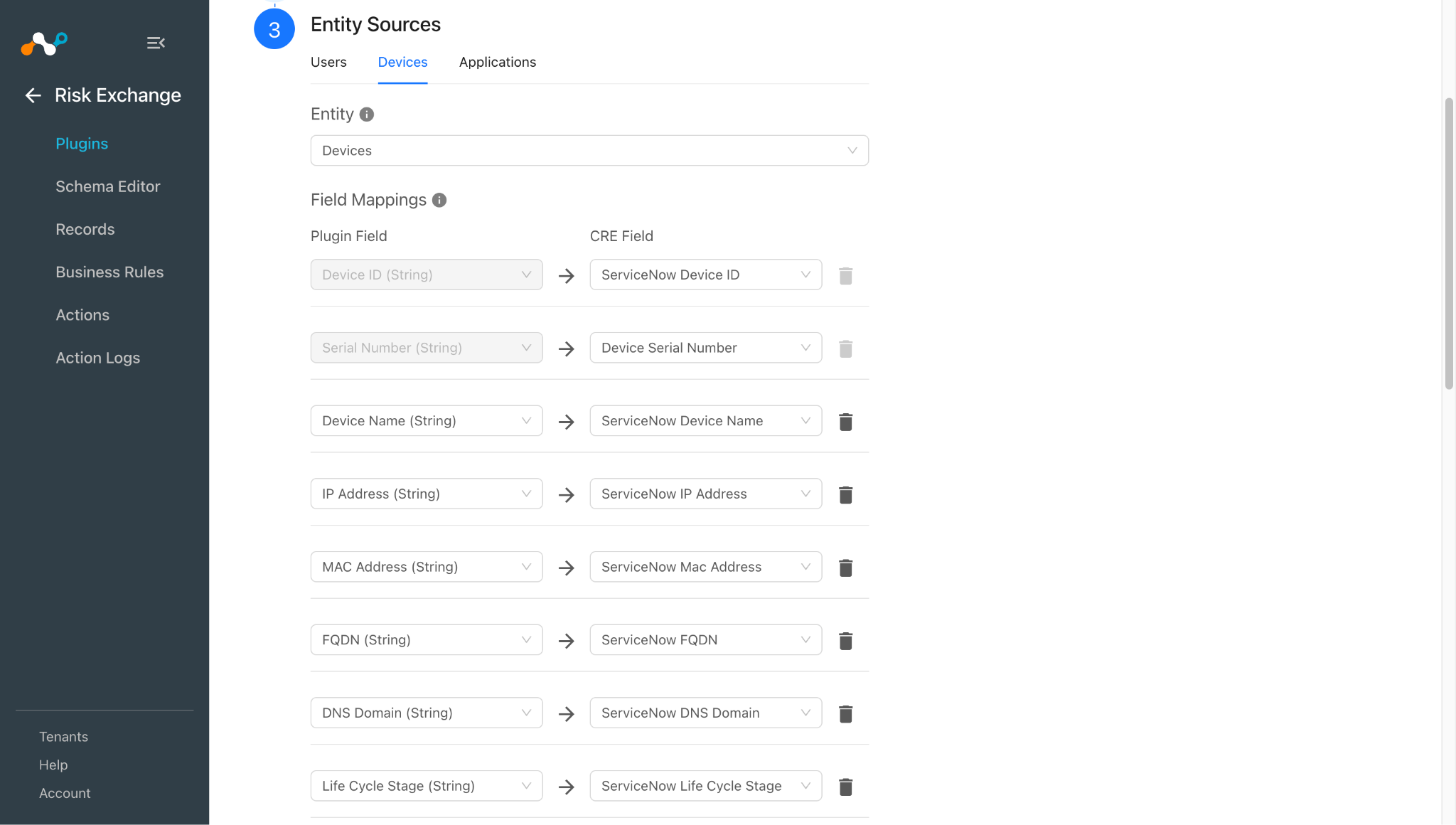
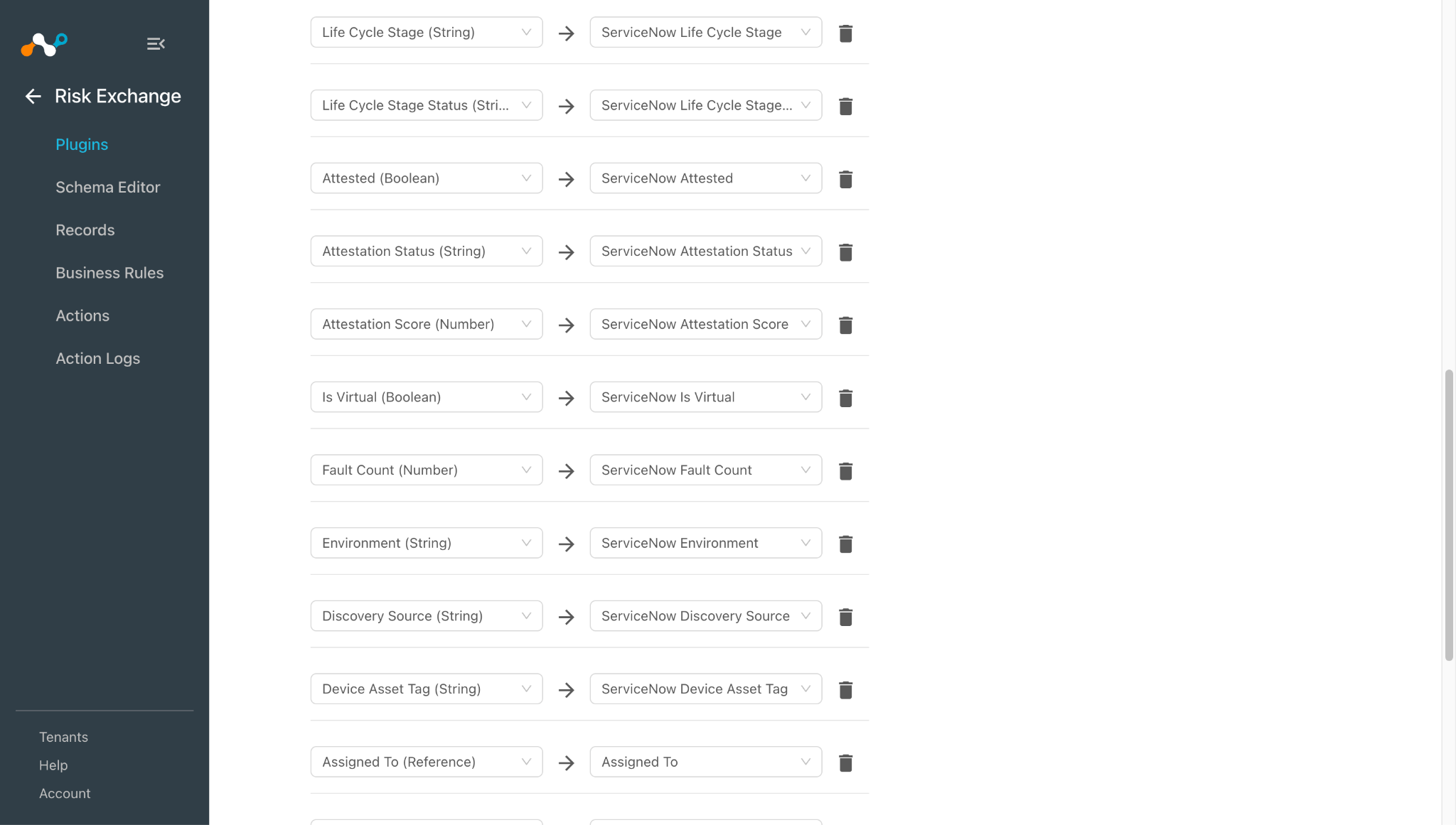
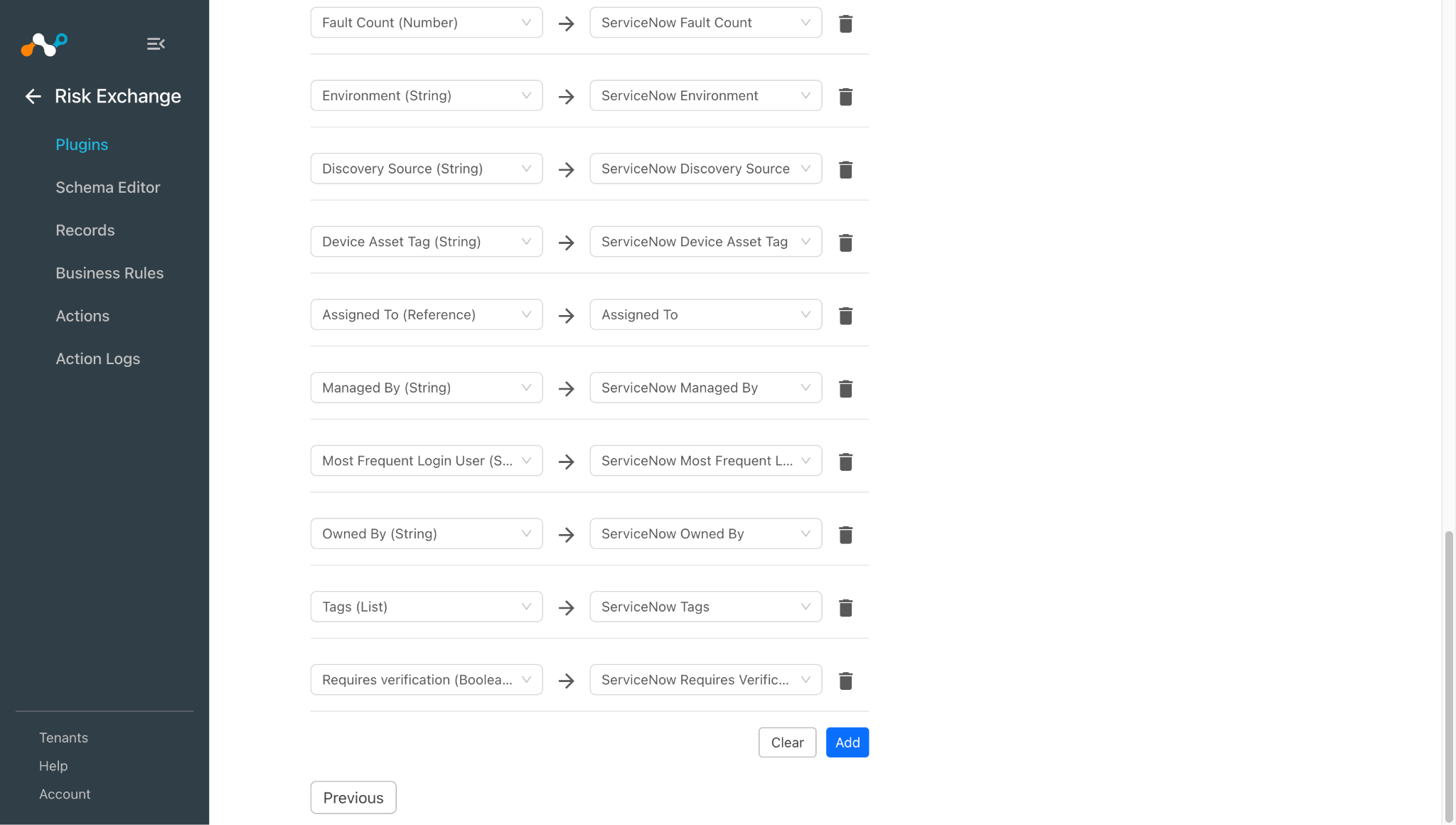
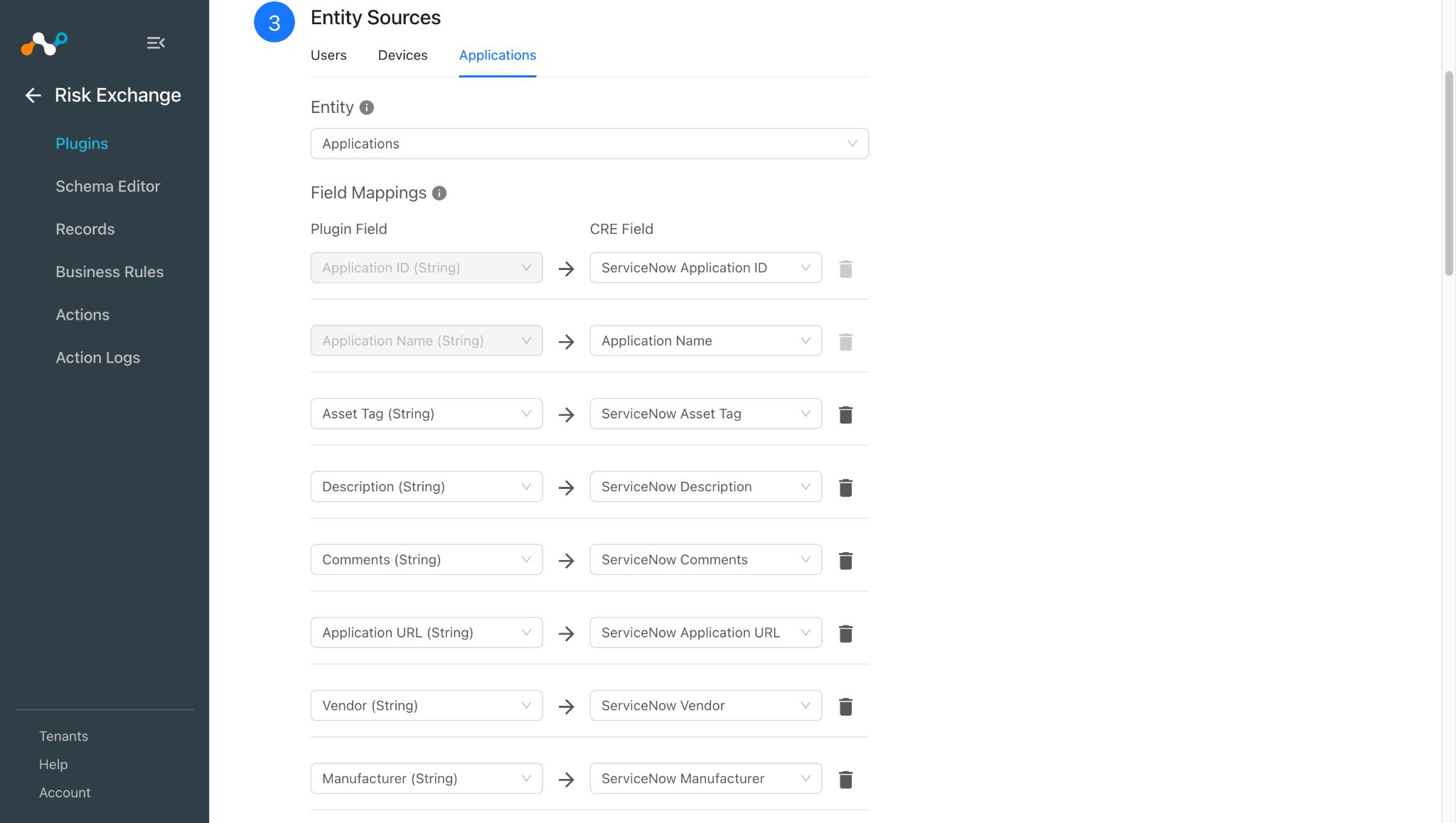
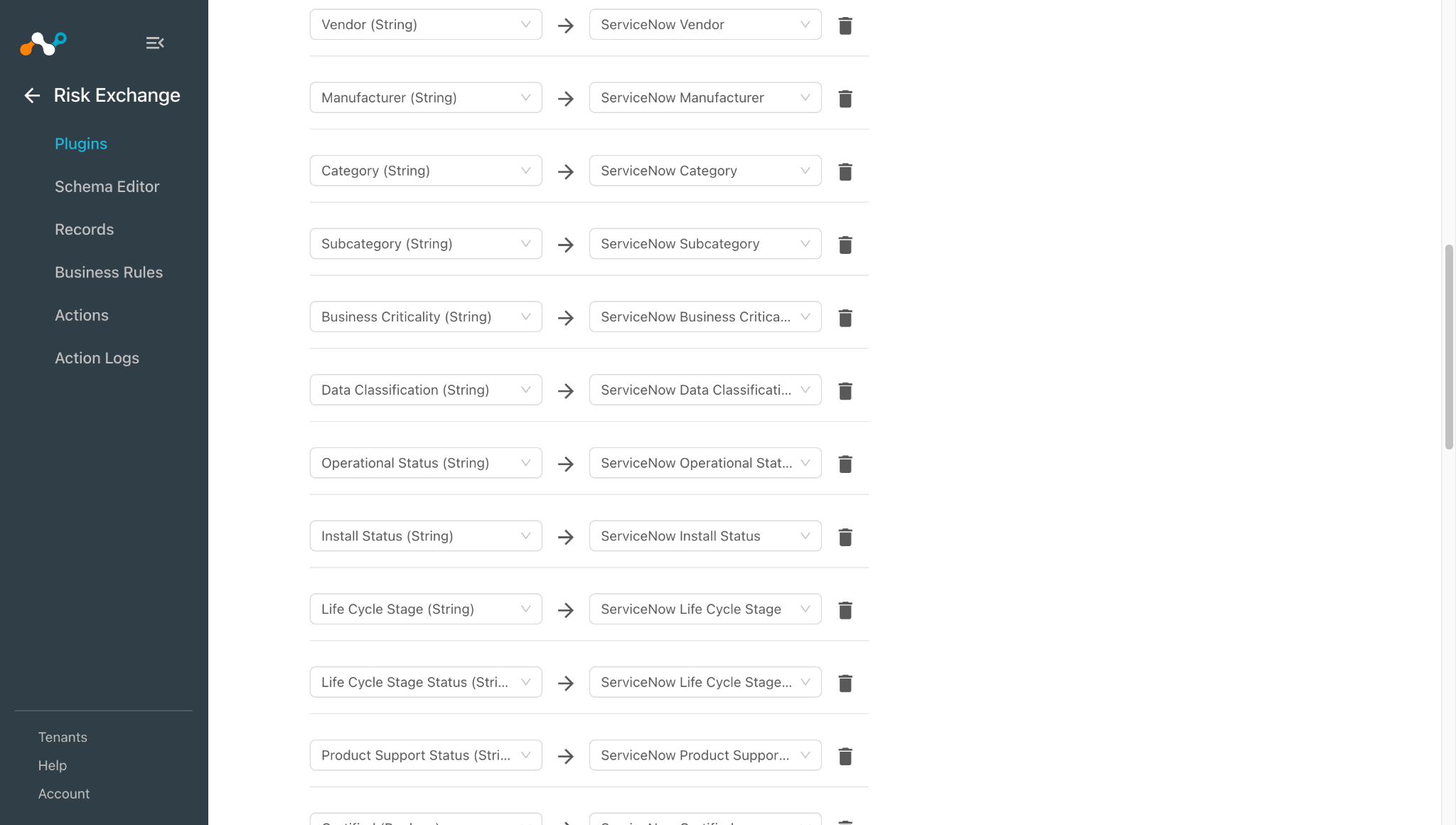
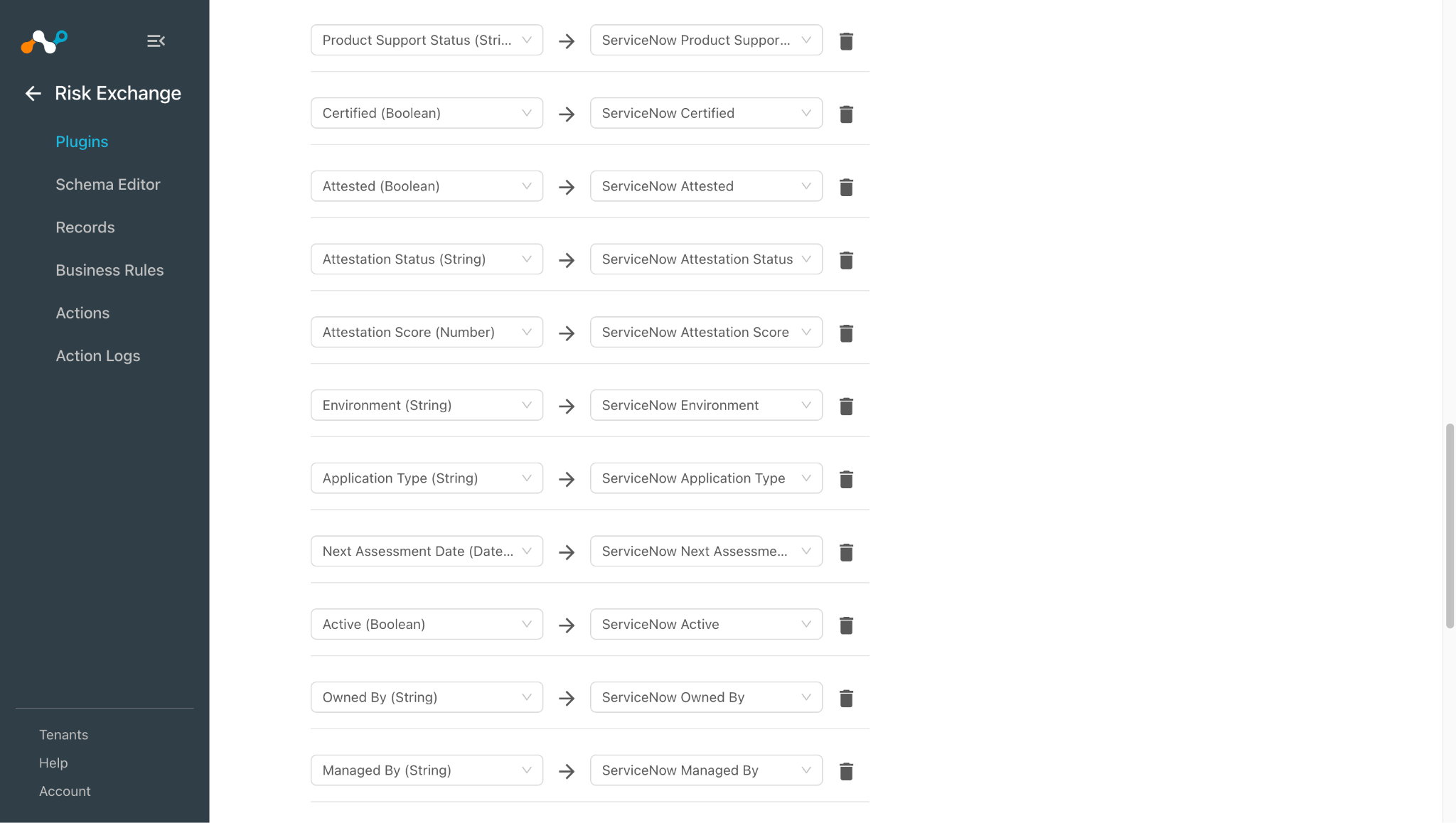
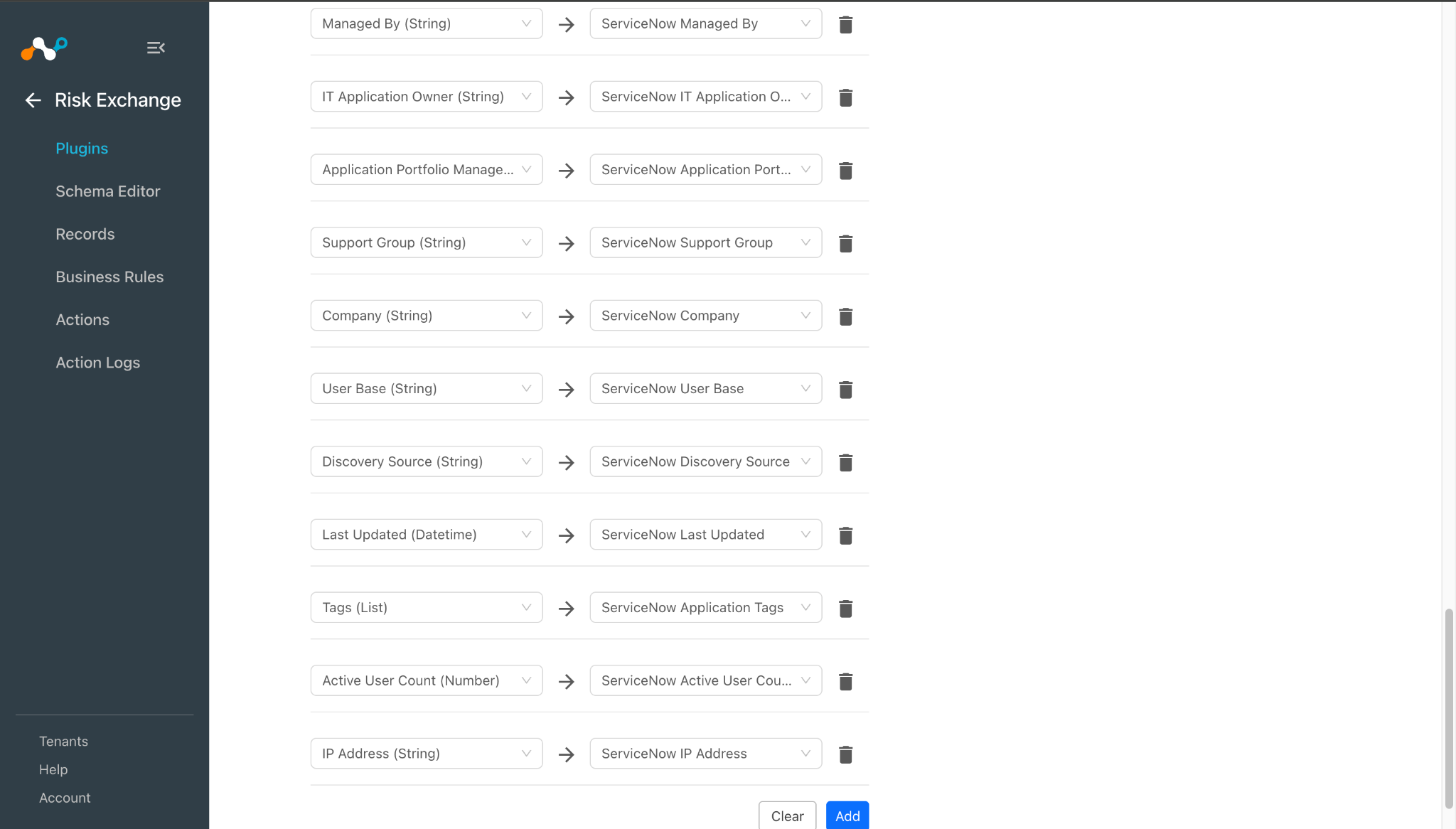
Click Next and select the required Entity from the Entity dropdown. Provide the field mapping per your requirements. You can create a new by clicking Add New Entity.
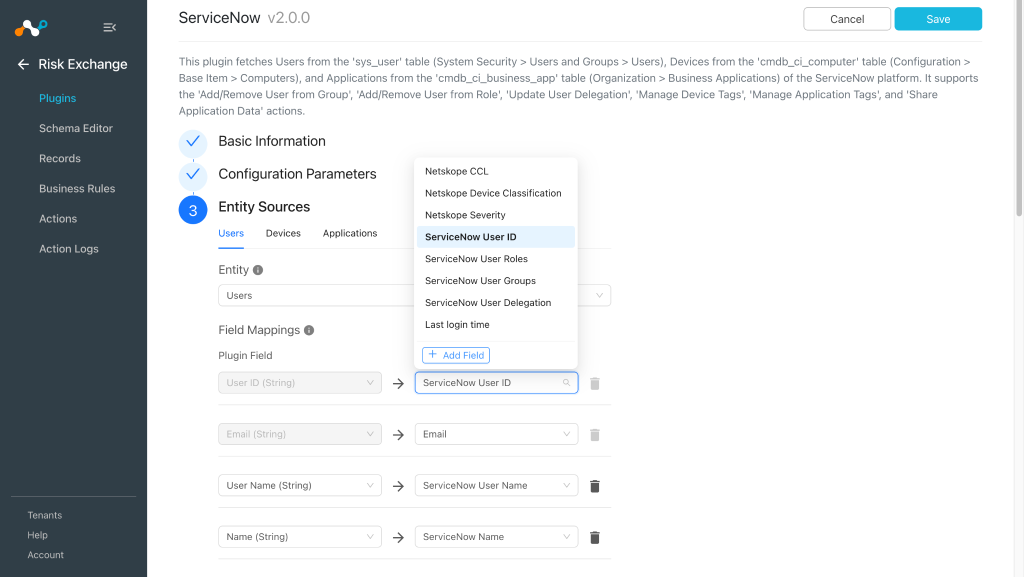
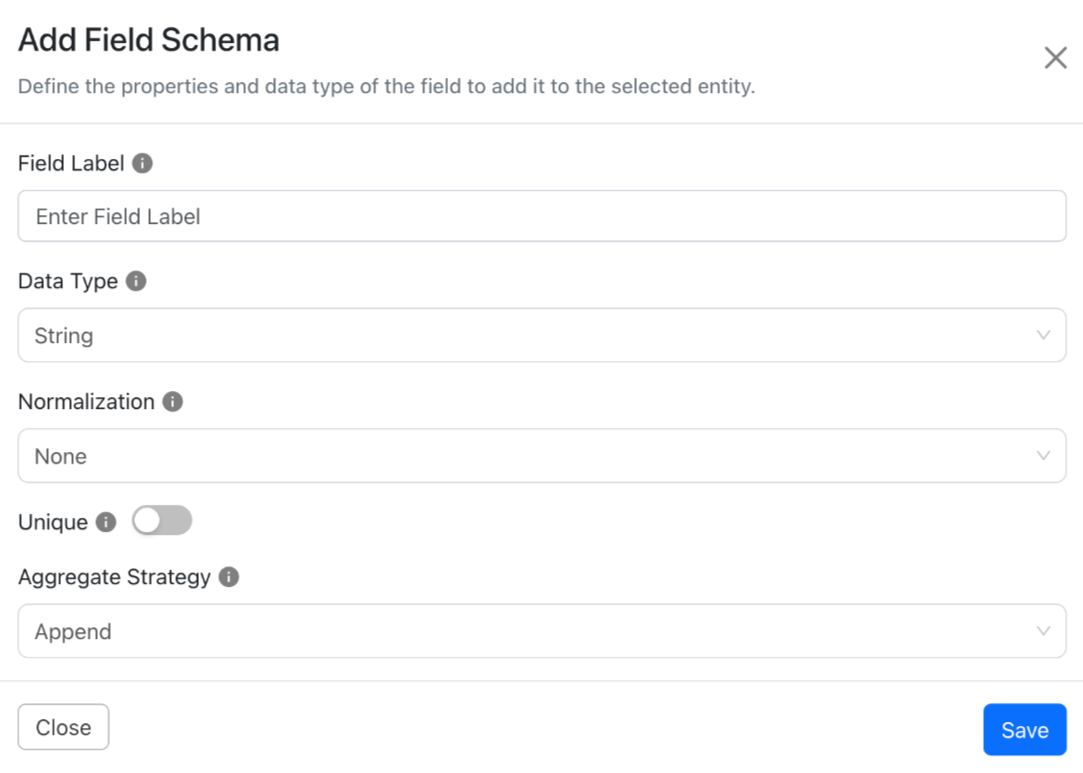
To create a new field, click Add field.
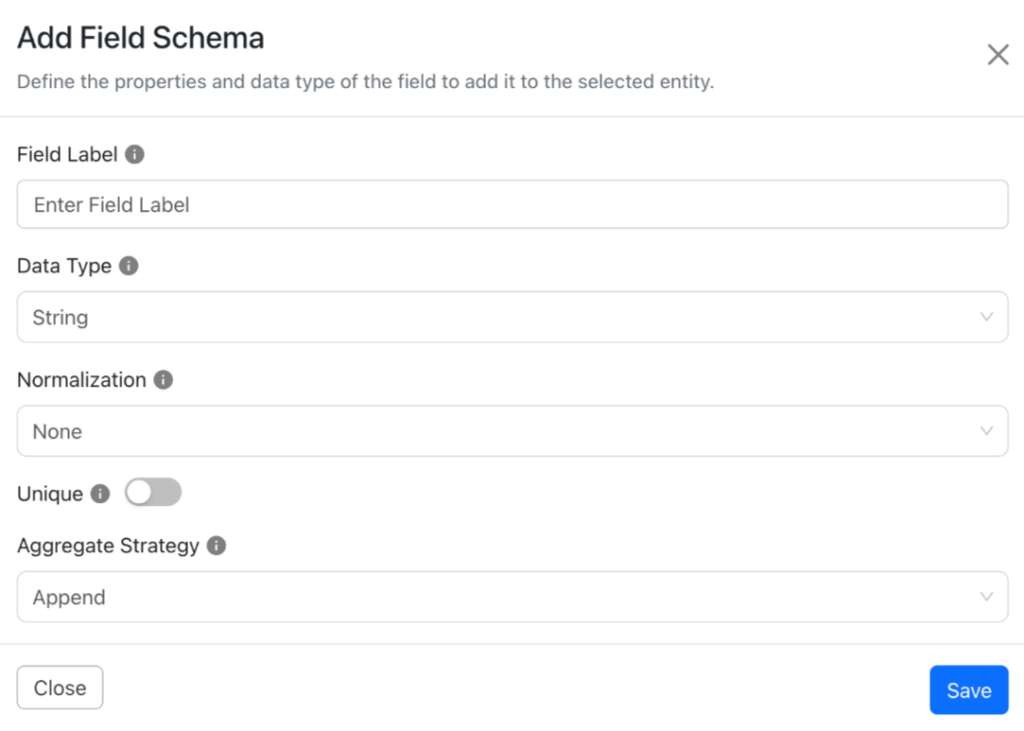
Provide the Field Label, Data Type, Normalization, and Aggregate Strategy per your requirements, and then click Save.
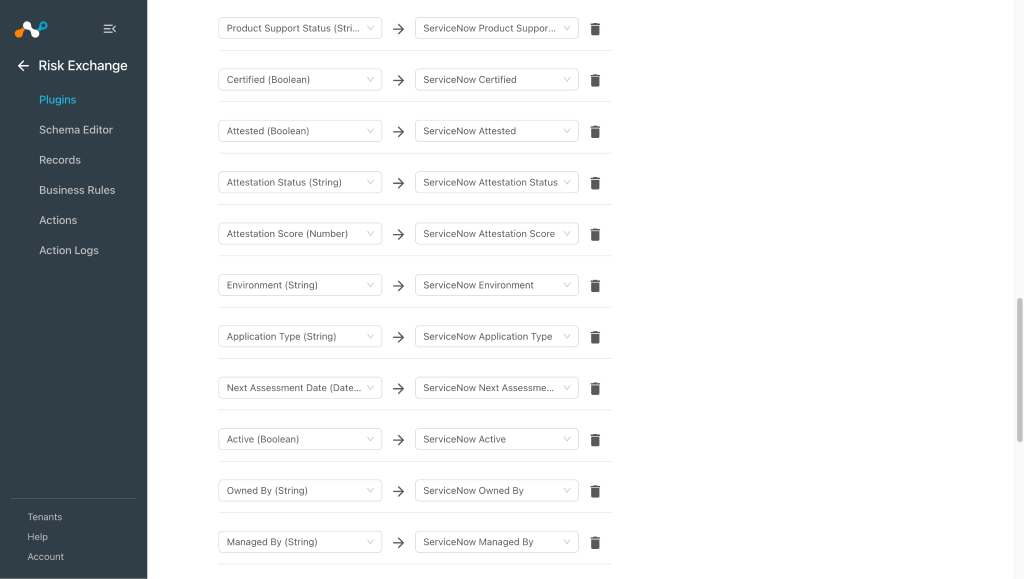
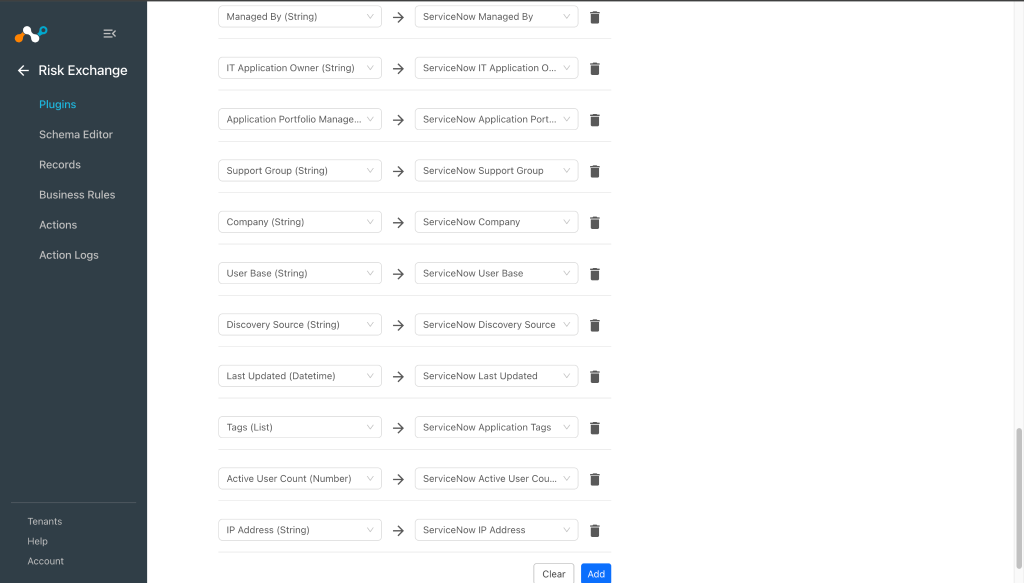
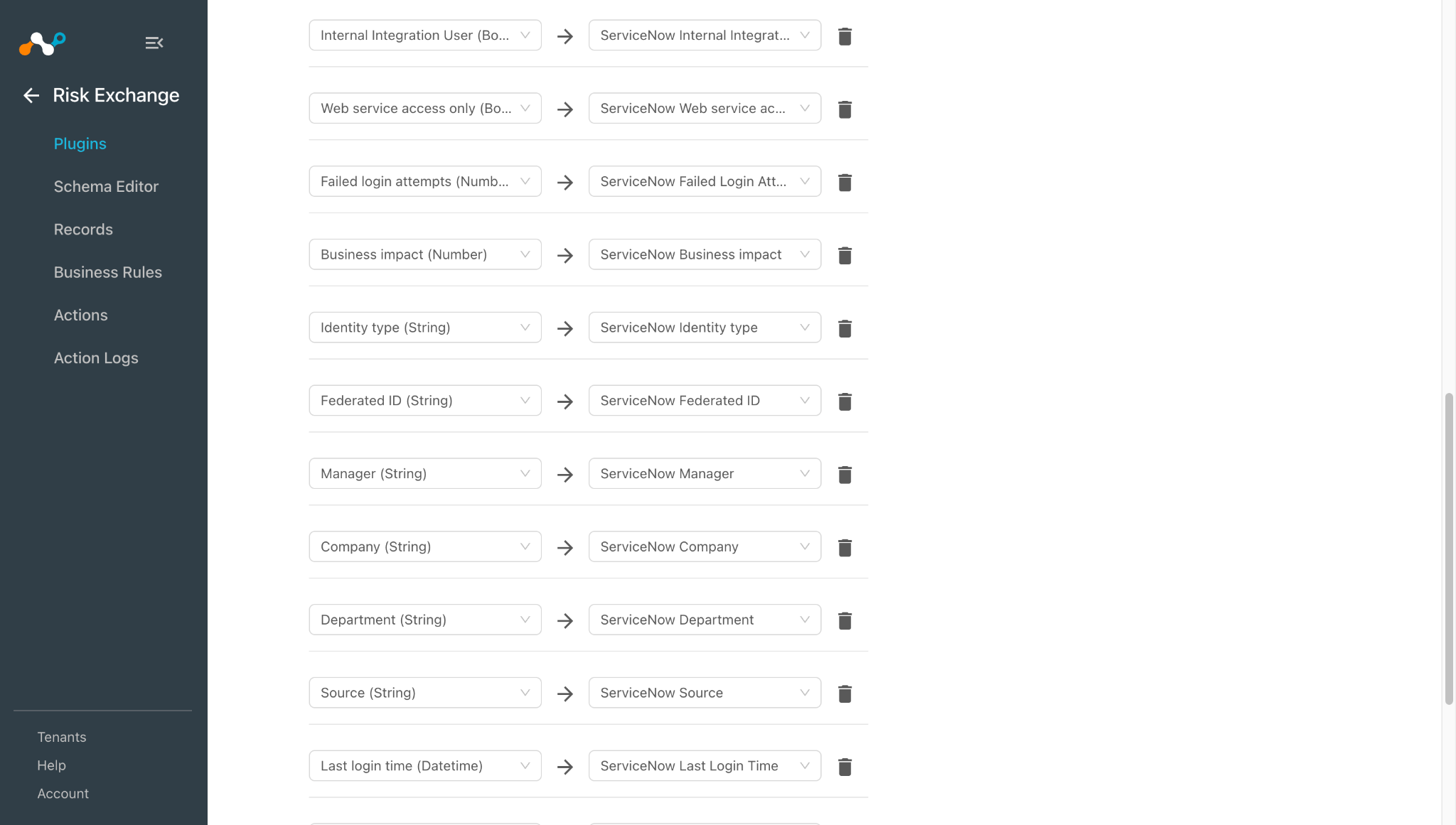
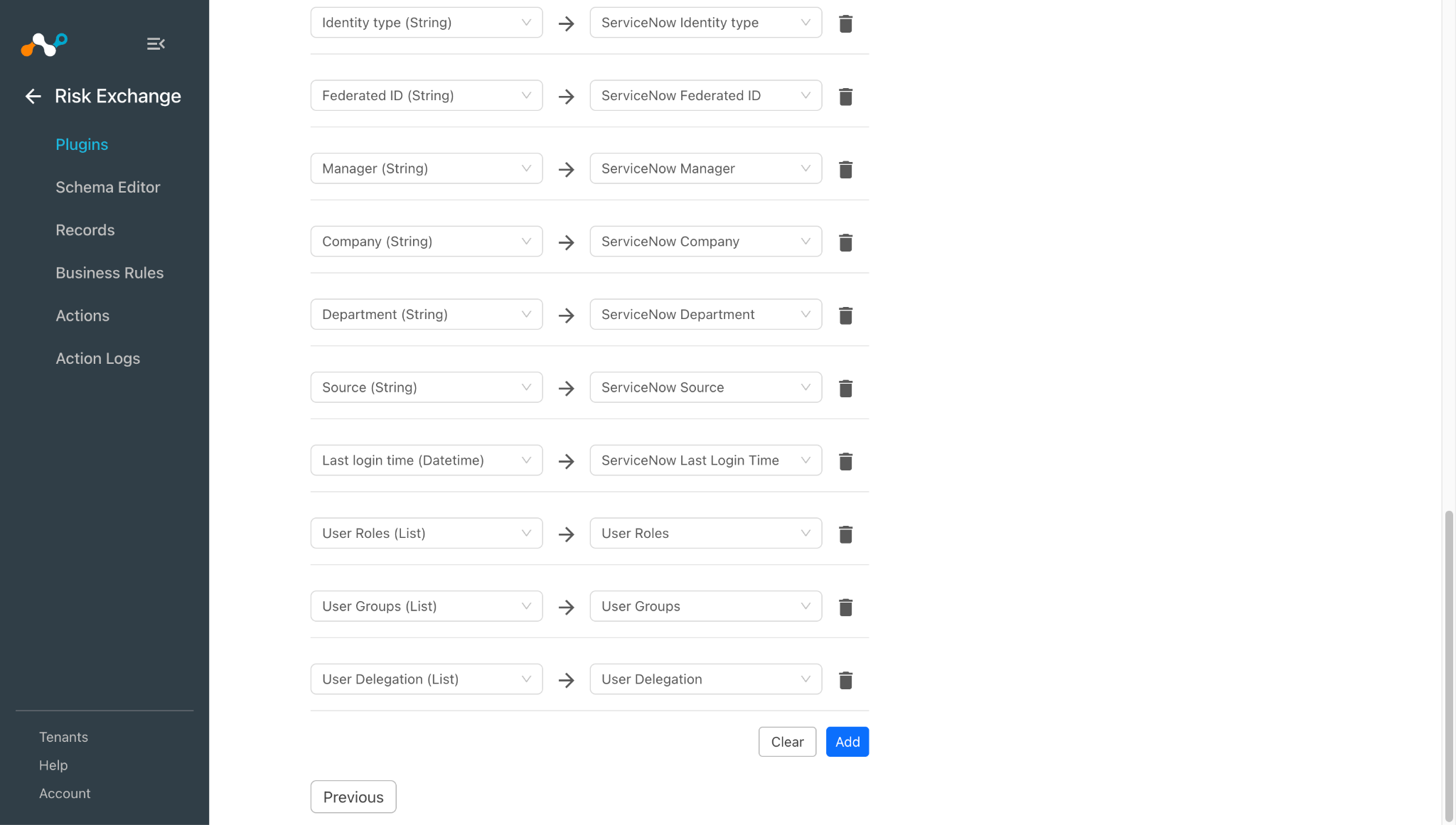
Map the created fields:
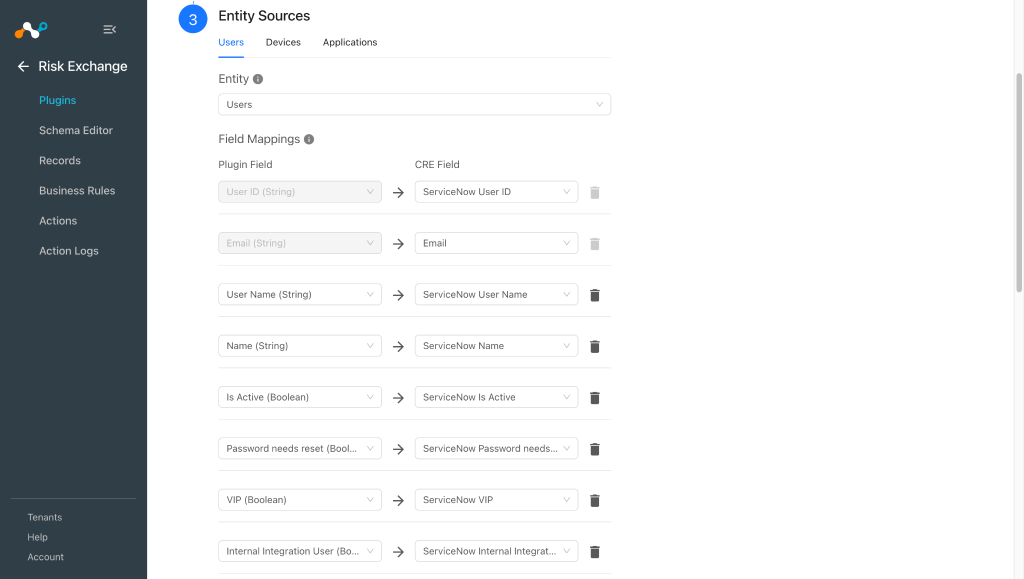
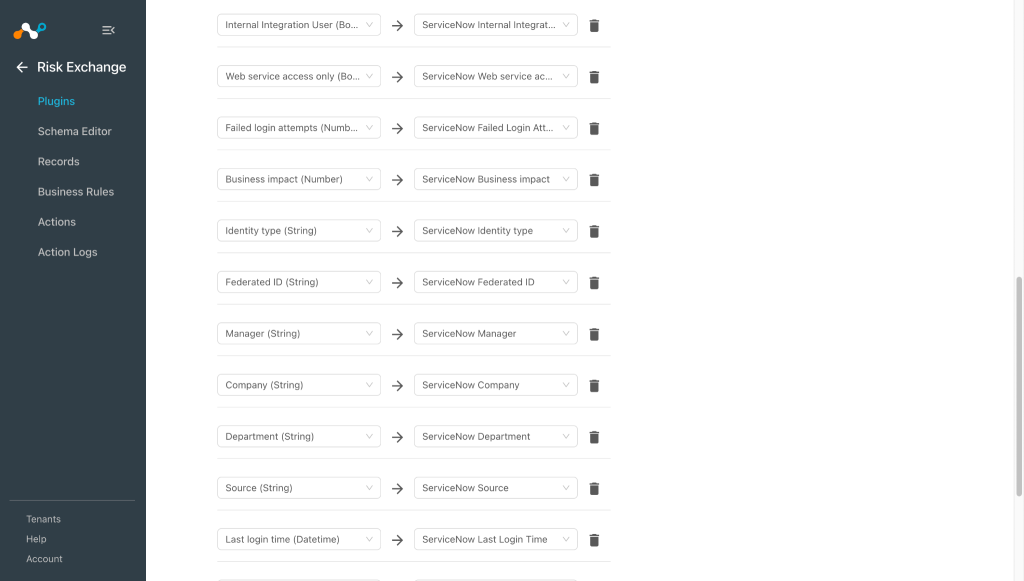
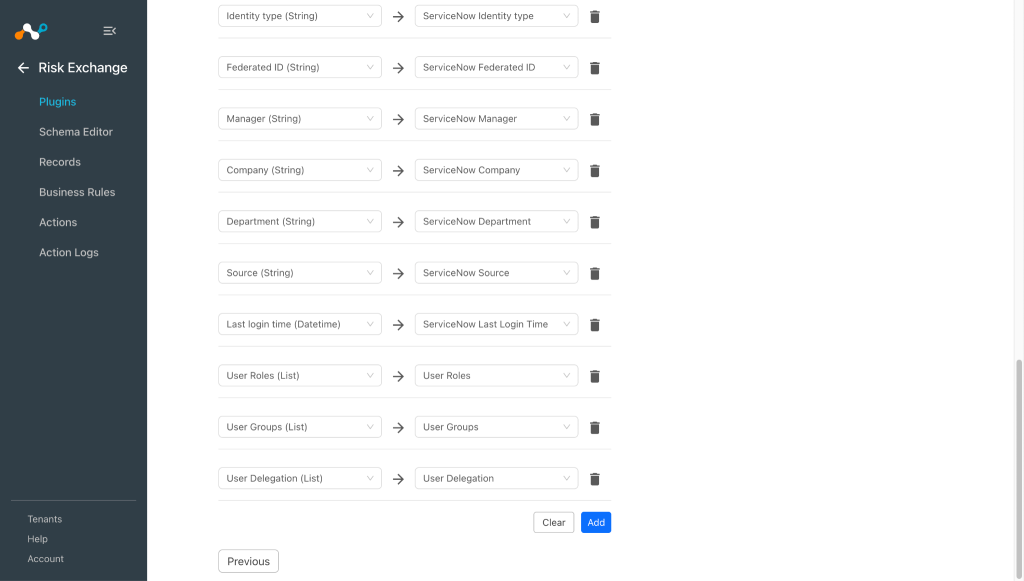
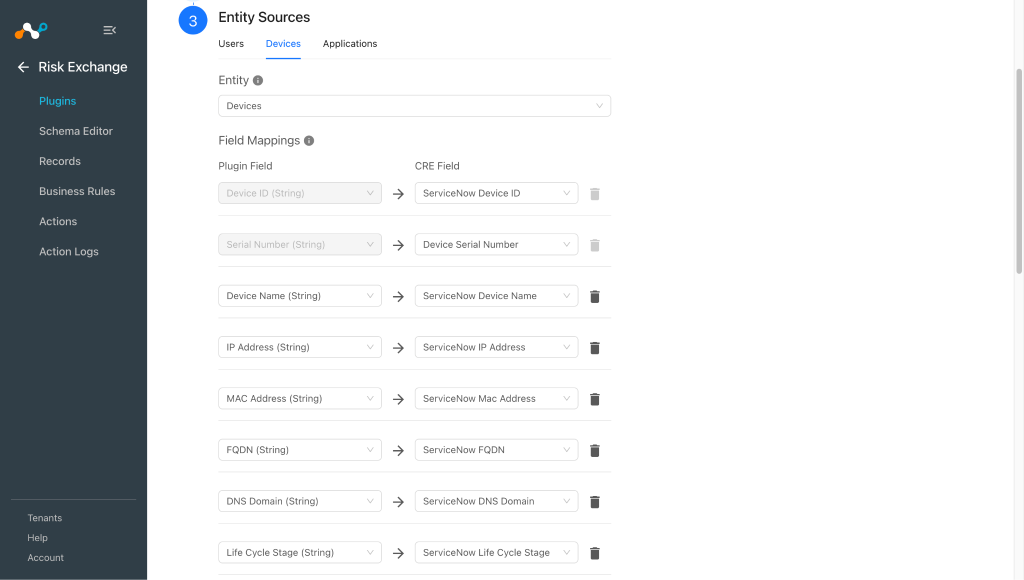
-
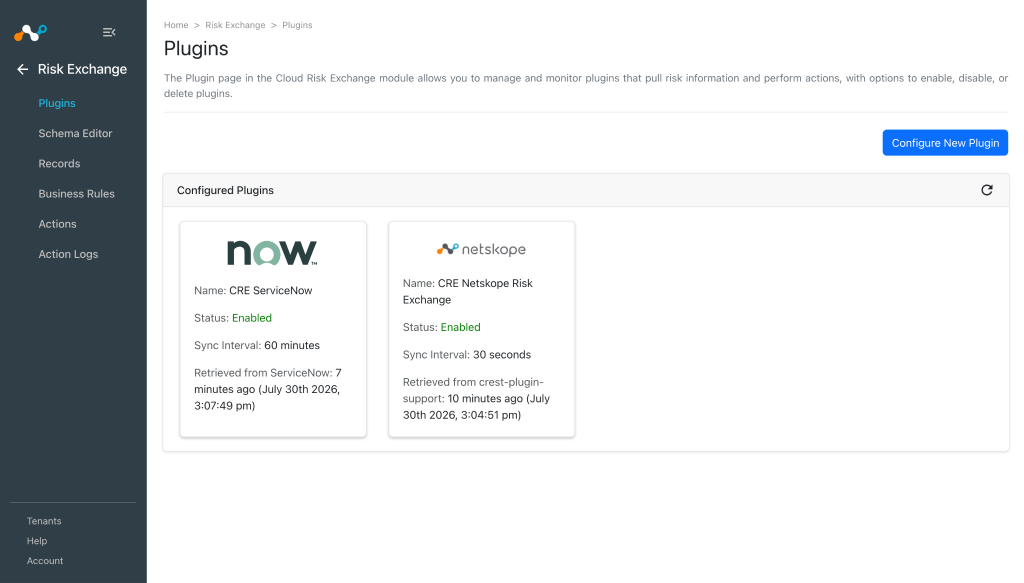
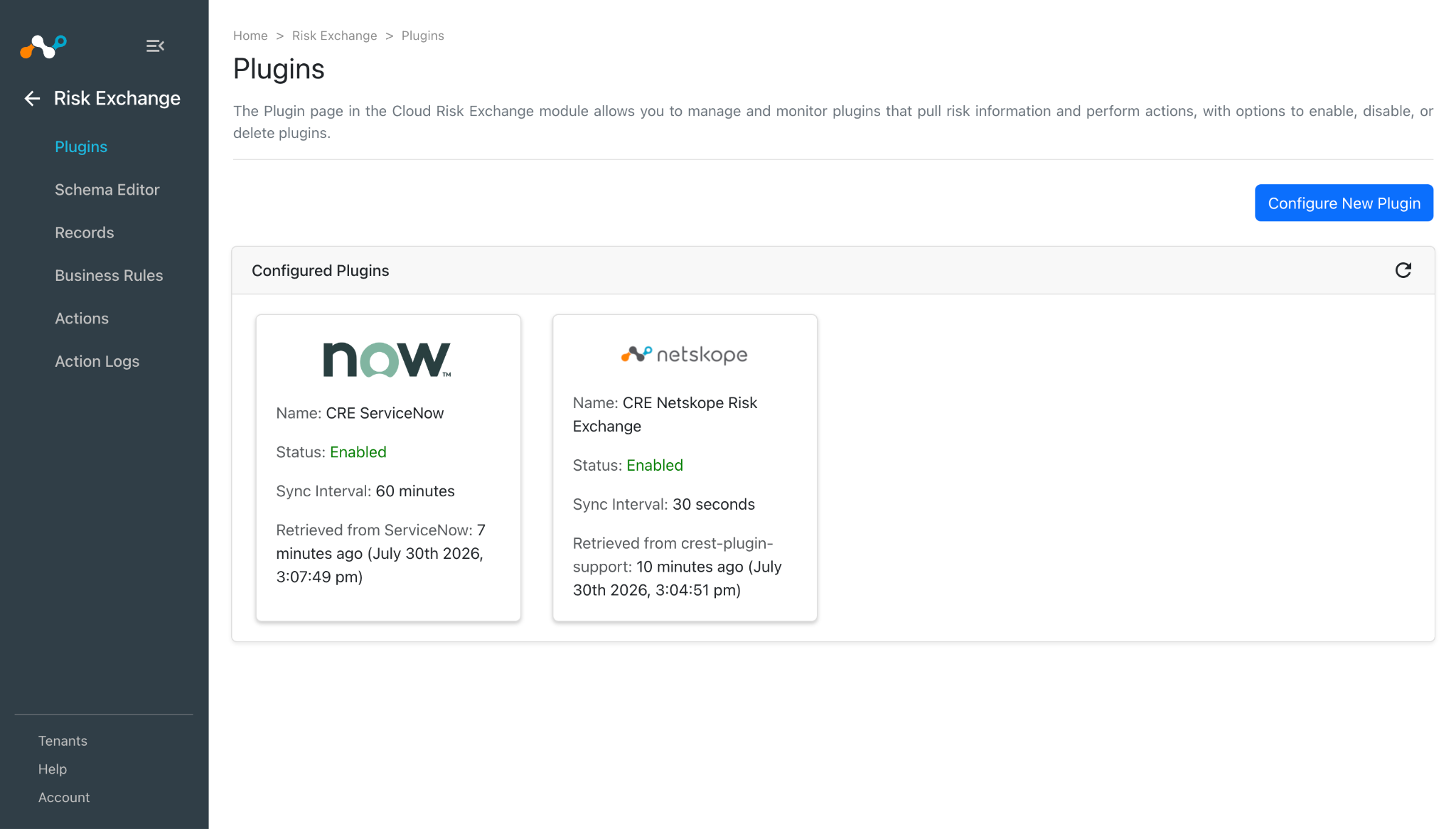
Click Save. Your new plugin configuration appears on the Plugins page.
Configure a Risk Exchange Business Rule for ServiceNow
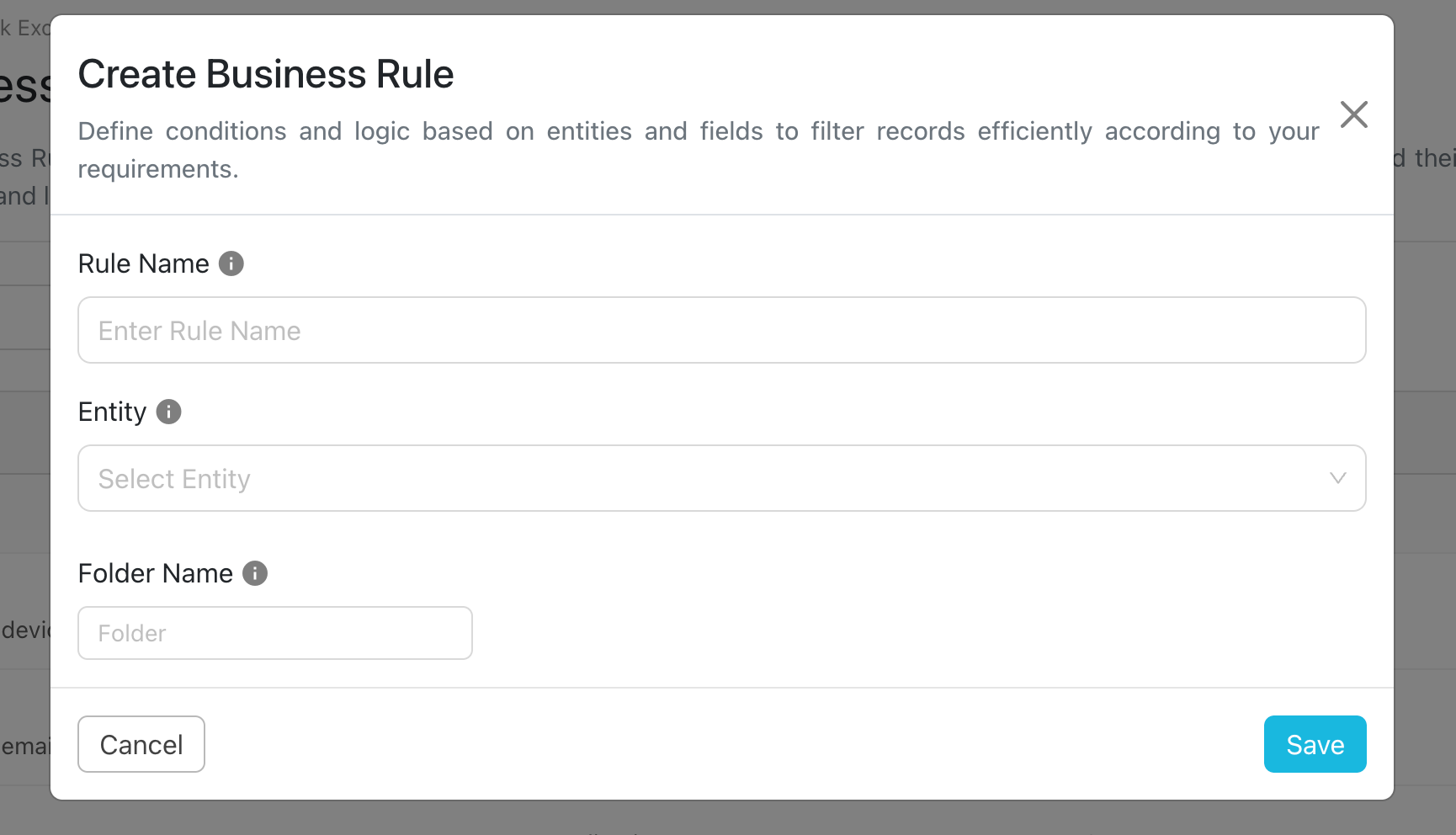
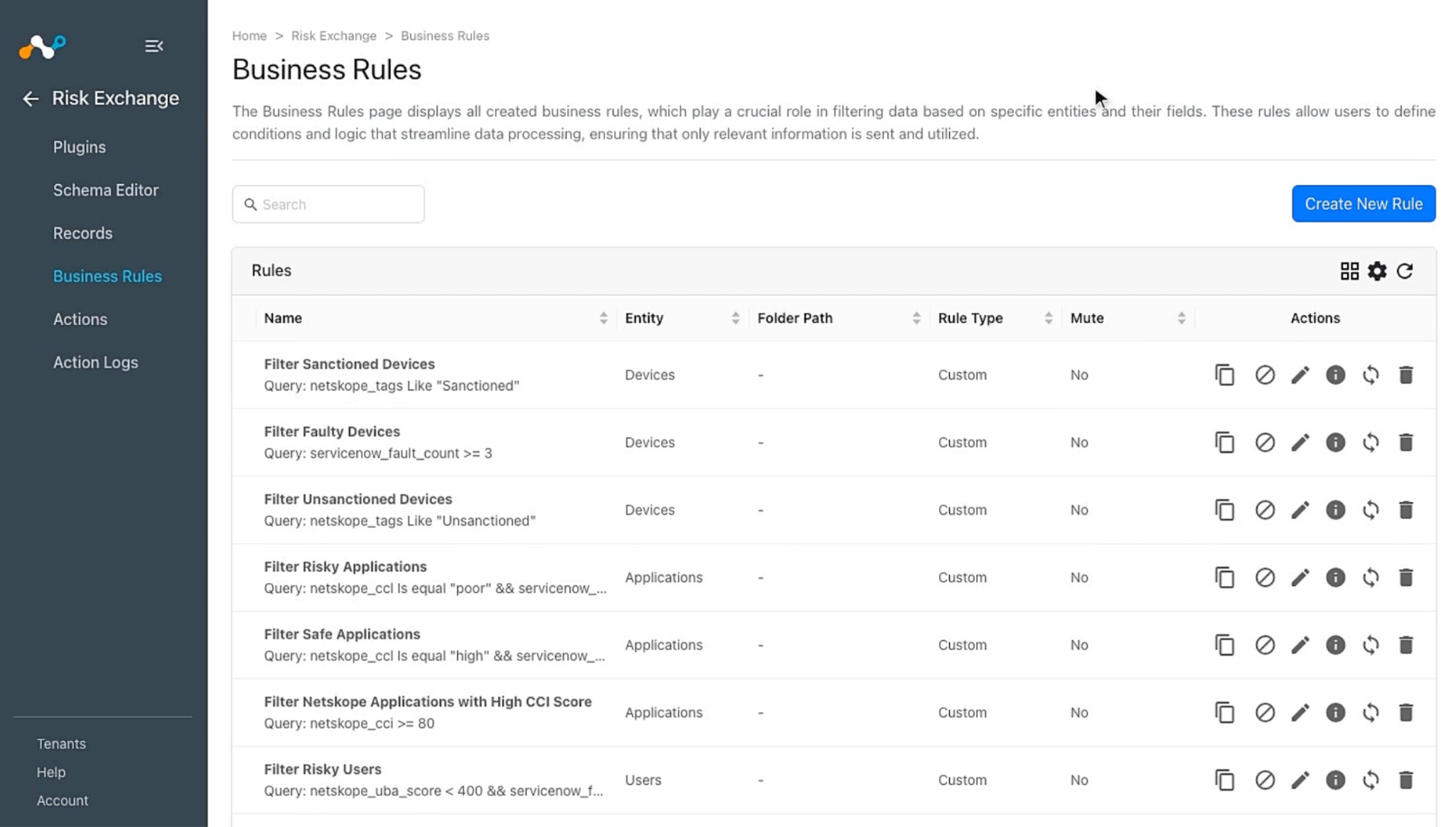
- In Risk Exchange, go to Business Rules and click Create New Rule in the top right corner.
- Enter a Rule Name. Select the Entity for the Fields configured for the Applications that you need to perform the action, and configure the query based on your requirements. Click Save.
Configure Risk Exchange Actions for ServiceNow
The ServiceNow plugin supports these actions:
- Add/Remove User from Group: This action can be used to Add or Remove Users from a group on the ServiceNow platform.
- Add/Remove User from Role: This action can be used to Add or Remove roles for a User on the ServiceNow platform.
- Update User Delegation: This action can be used to Update User Delegation on the ServiceNow platform. Note that this action does not deal with multiple Delegations.
- Manage Device Tags: This action can be used to Add or Remove Tags from a Device on the ServiceNow platform.
- Manage Application Tags: This action can be used to Add or Remove Tags from an Application on the ServiceNow platform.
- Share Application Data: This action can be used to Share Applications to the ServiceNow platform.
- No Action: No action will be performed for this action. Users can generate UBA alerts in Ticket Orchestrator by using this action and enabling the Generate Alerts toggle.
Add/Remove User from Group
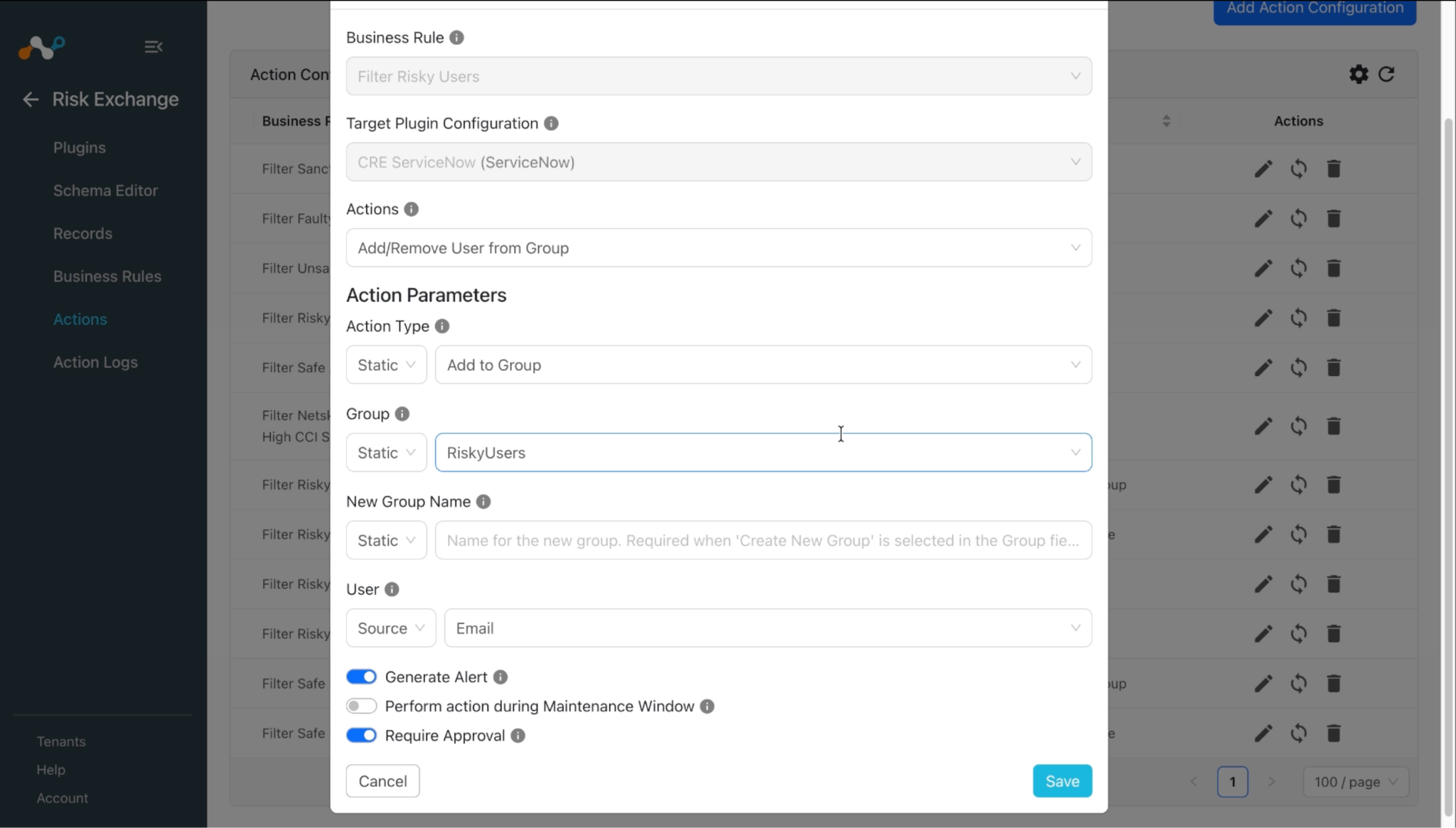
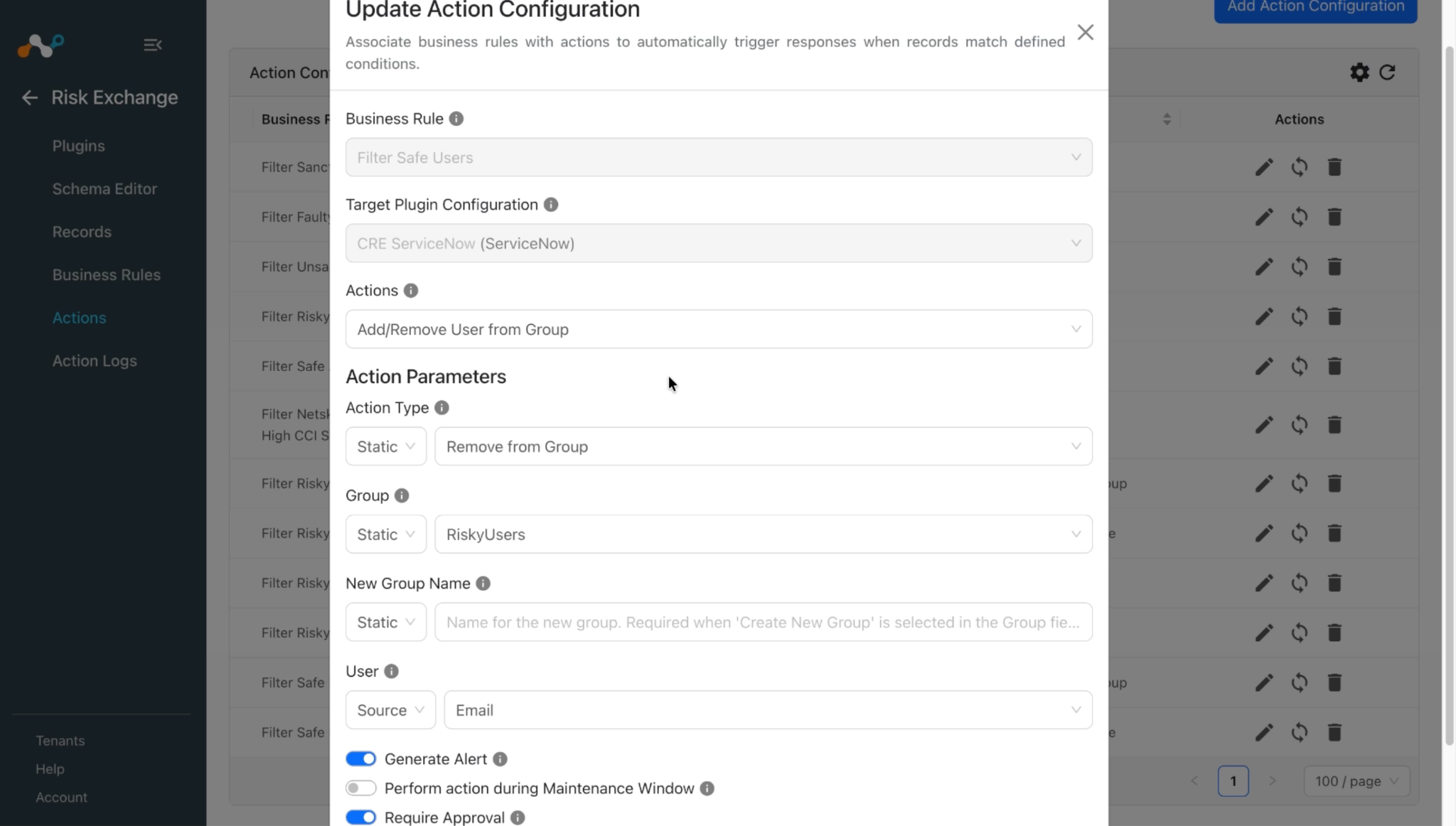
Follow these steps to configure the Add/Remove User from Group action:
- In Risk Exchange, go to Actions and click Add Action Configuration.
- Select the required Business Rule, Configuration, and Action from their respective dropdown.
- Provide the following action actions parameters:
- Action Type: Choose whether to add the user to the group or remove the user from it. Select from the Static field dropdown.
- Group: Select the ServiceNow group to add the user to or remove the user from, or click Create New Group to create one. Creating a new group is only supported when the Action Type is Add to Group.
- New Group Name: Name for the new group. Required when Create New Group is selected in the Group field; it is ignored otherwise. Provide the name in the Static field only. Source fields are not supported.
- User: Select the User ID or Email source field or provide comma separated user sys_id, email, or user name in the Static field.
- Enable the Require Approval toggle if Approval is needed before performing action on the Applications.
- Click Save.
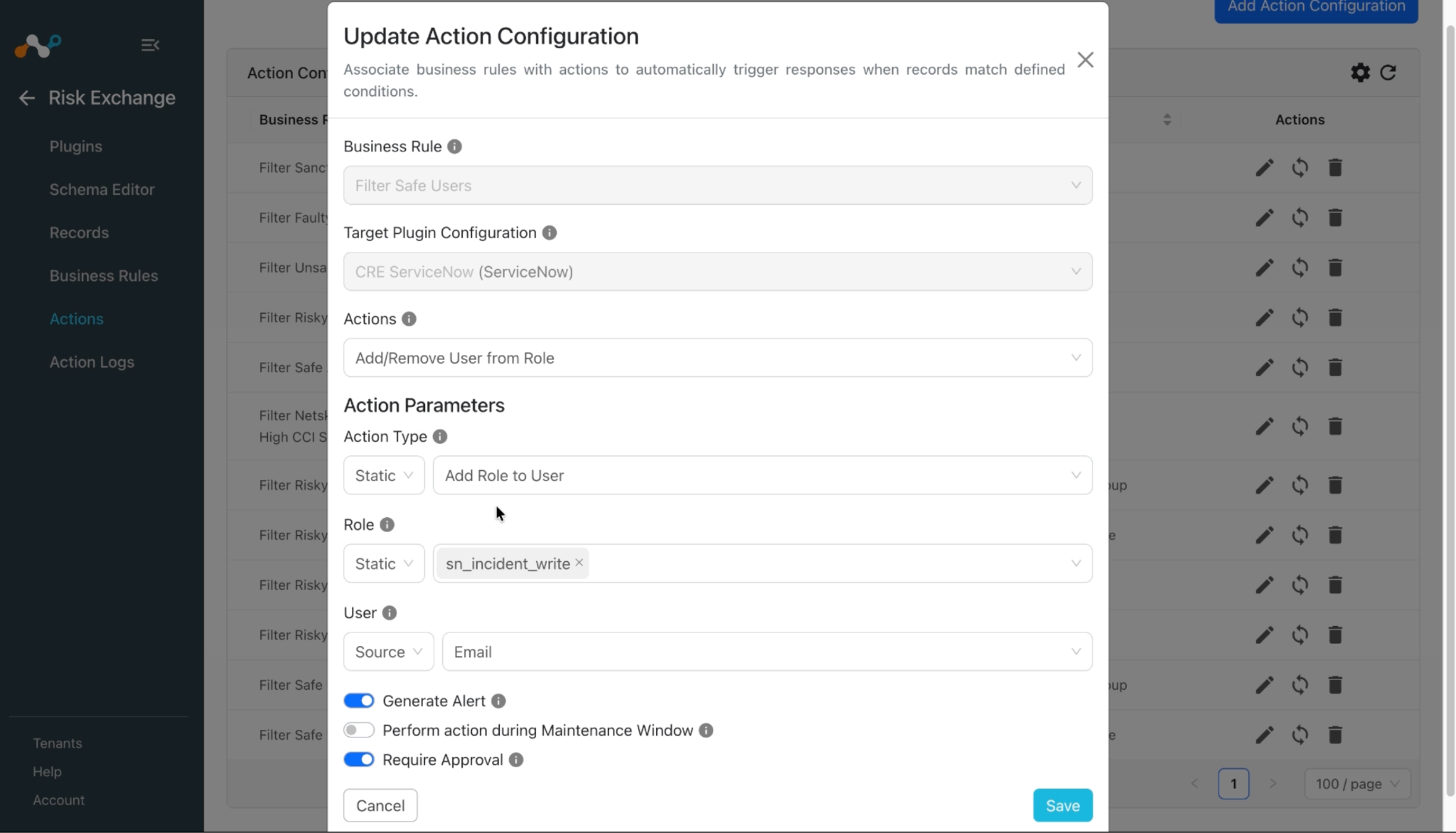
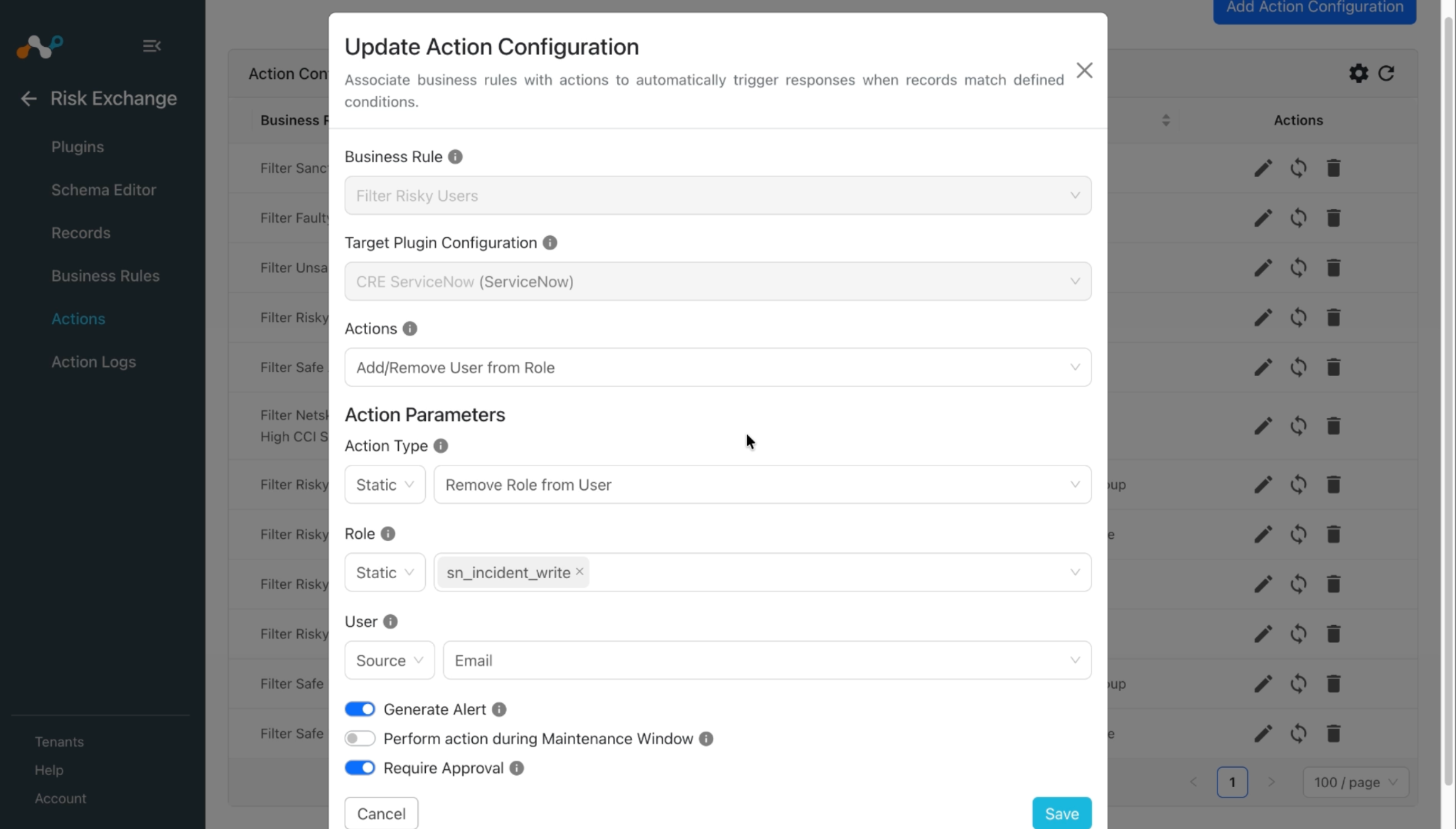
Add/Remove User from Role
Follow these steps to configure the Add/Remove User from Role action:
- In Risk Exchange, go to Actions and click Add Action Configuration.
- Select the required Business Rule, Configuration, and Action from their respective dropdowns.
- Provide the following action actions parameters:
- Action Type: Whether to add the user to the role or remove the user from it. Select from the Static field dropdown.
- Role: Select one or more ServiceNow roles to add the user to or remove the user from. Every selected role is applied to every user named by the User field. Creating a new role is not supported by this action.
- User: Select the User ID or Email source field or provide comma separated user sys_id, email or user name in the Static field.
- Enable the Require Approval toggle if Approval is needed before performing action on the Applications.
- Click Save.
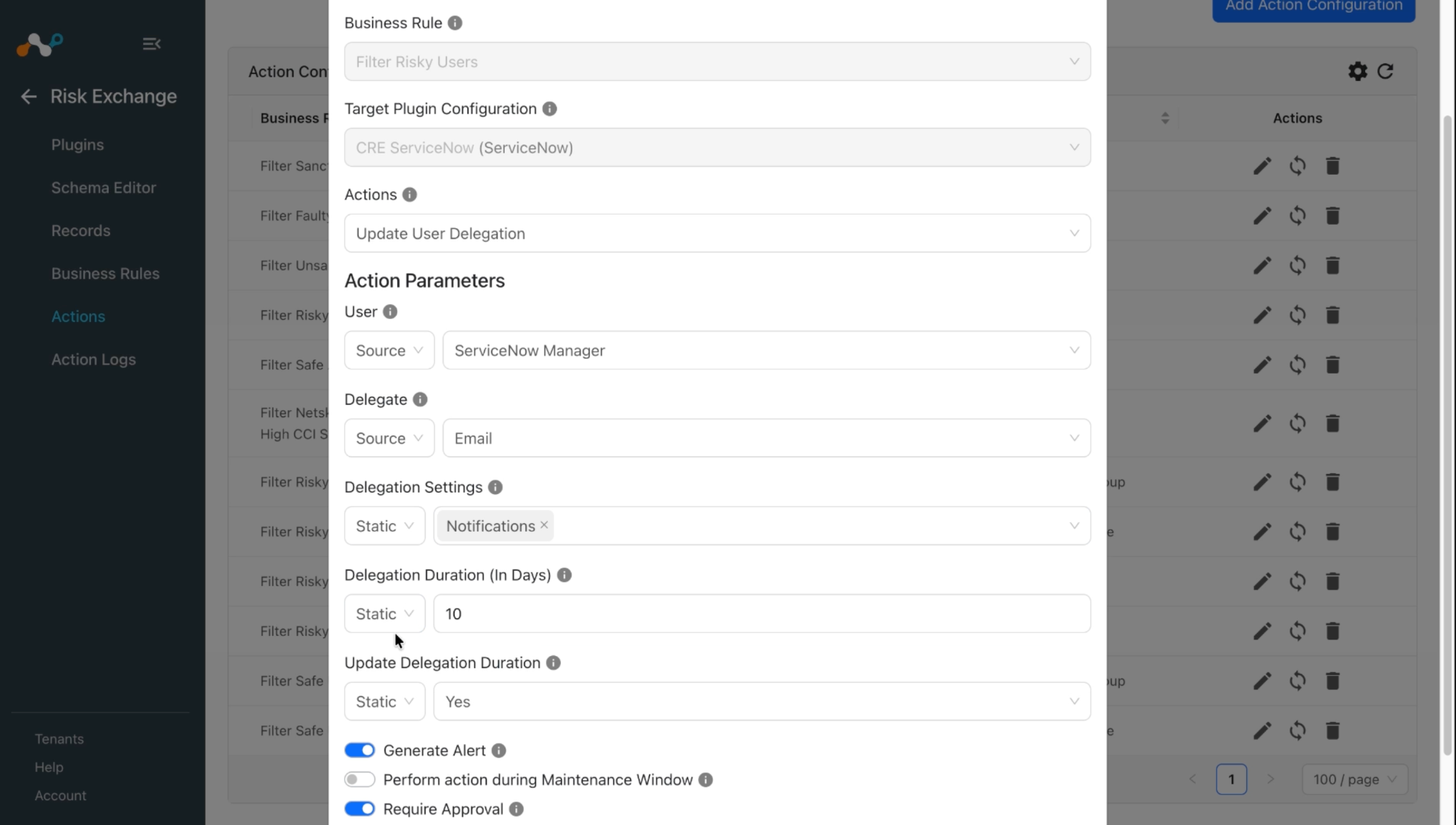
Update User Delegation
Follow these steps to configure the Update User Delegation action:
- In Risk Exchange, go to Actions and click Add Action Configuration.
- Select the required Business Rule, Configuration, and Action from their respective dropdowns.
- Provide the following action actions parameters:
- User: Delegating user. Select the User ID or Email source field or provide comma-separated user sys_id, email or user name in the Static field.
- Delegate: User who acts on the delegator’s behalf. Select a source field or provide comma separated user sys_id, email or user name in the Static field. Each user is delegated to every delegate.
- Delegation Settings: Select which settings to delegate under a static dropdown list. The delegation on ServiceNow is replaced with exactly this selection. Selected settings are delegated (true) and unselected settings are not (false). Note that leaving all settings unselected deletes the delegation. If the deletion does not exist, and the action is triggered, then it will create the delegation with this value even if Update Delegation Duration is set to No.
- Update Delegation Duration: Only applies when a delegation already exists for the user and delegate (like its settings are being replaced, not created, or deleted). Select Yes to also move the delegation’s end time to now. For Delegation Duration, its start time is left as is. Select No (default) to leave the existing delegation’s start and end time untouched.
- Enable the Require Approval toggle if Approval is needed before performing action on the Applications.
- Click Save.
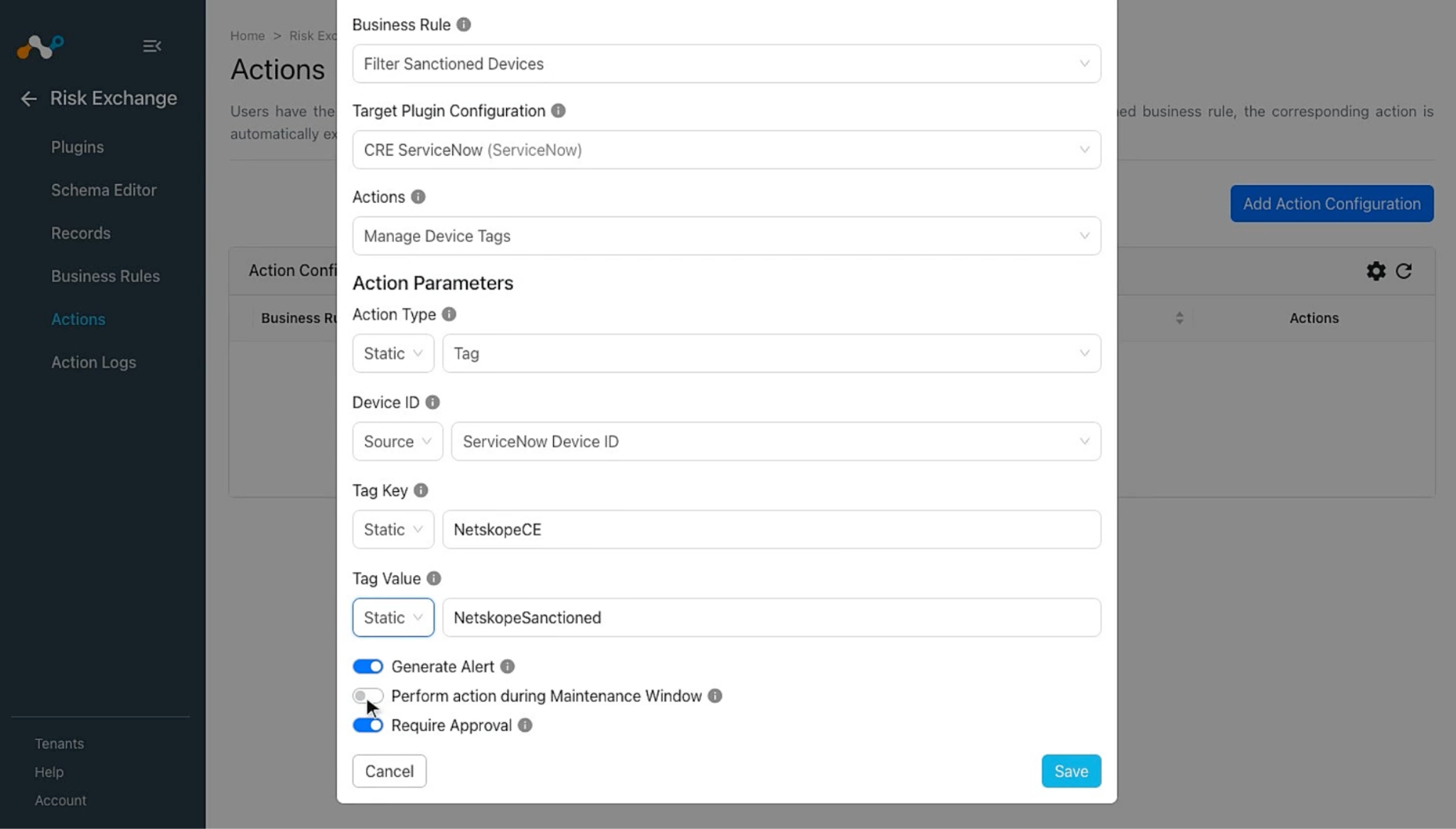
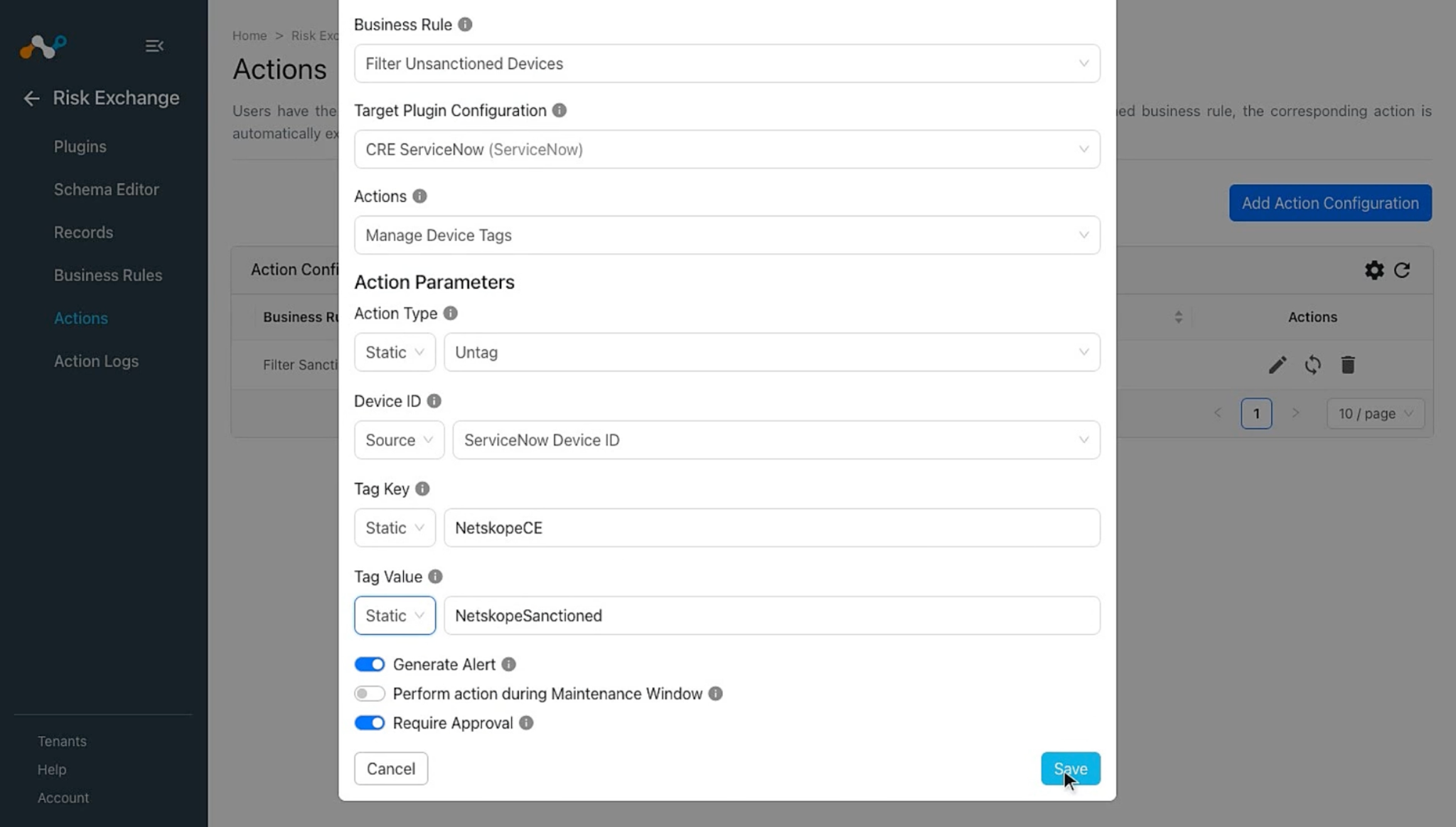
Manage Device Tags
Follow these steps to configure the Manage Device Tags action:
- In Risk Exchange, go to Actions and click Add Action Configuration.
- Select the required Business Rule, Configuration, and Action from their respective dropdowns.
- Provide the following action actions parameters:
- Action Type: Whether to add (tag) or remove (untag). Select from the Static field dropdown.
- Device ID: Select the ServiceNow Device ID source field or provide comma-separated Device ID (sys_id) in the Static field.
- Tag Key: Single tag key to add or remove, shared by every Tag Value. Provide in the Static field only, with a maximum of 254 characters.
- Tag Value: Tag value(s) for Tag Key. Provide a single value or comma-separated values in the Static field, or select a source field (a List field resolves to multiple values). Each value becomes its own tag sharing the same key. When removing, only tags whose key/value pair exists are deleted.
- Enable the Require Approval toggle if Approval is needed before performing action on the Applications.
- Click Save.
Manage Application Tags
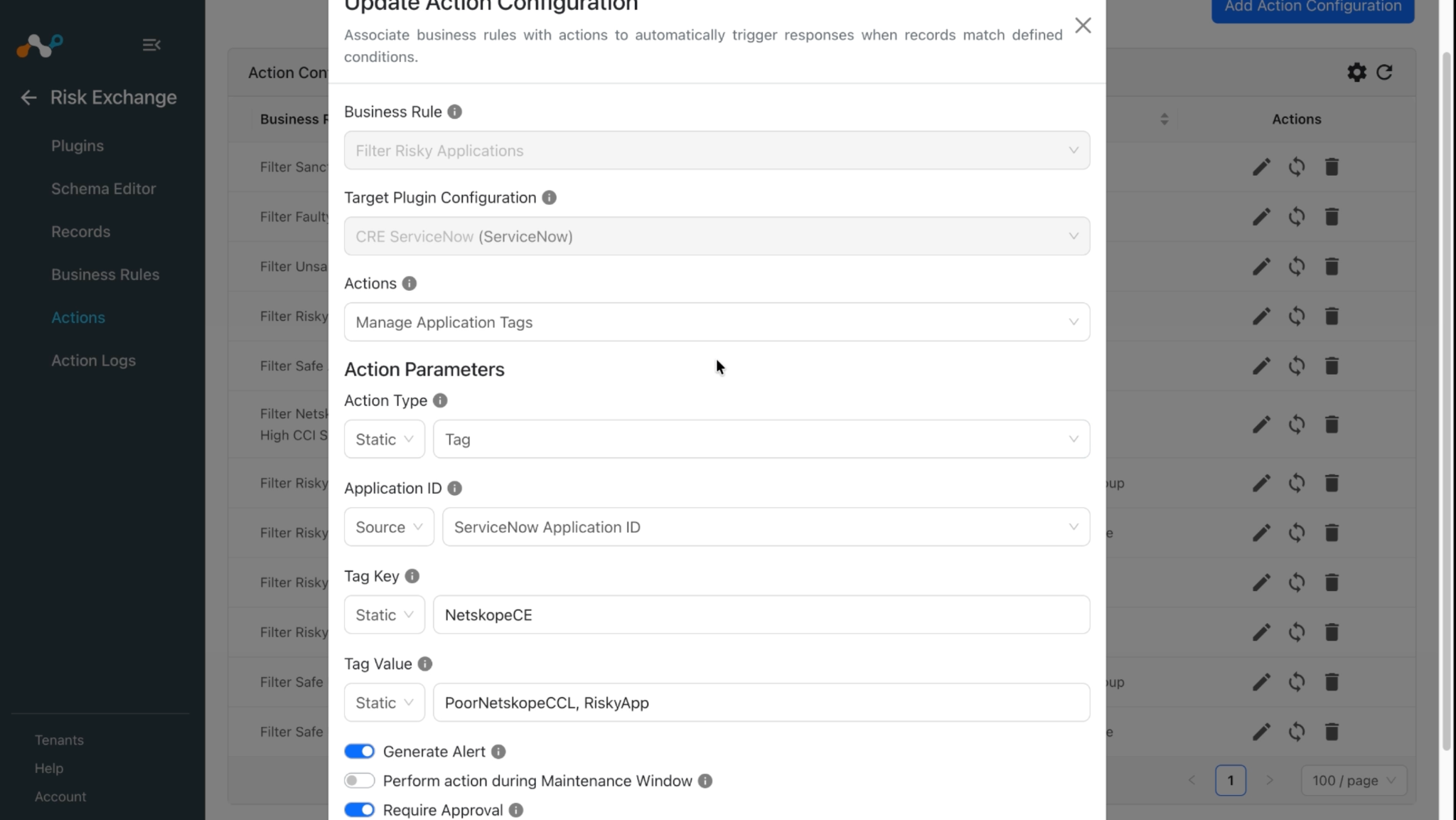
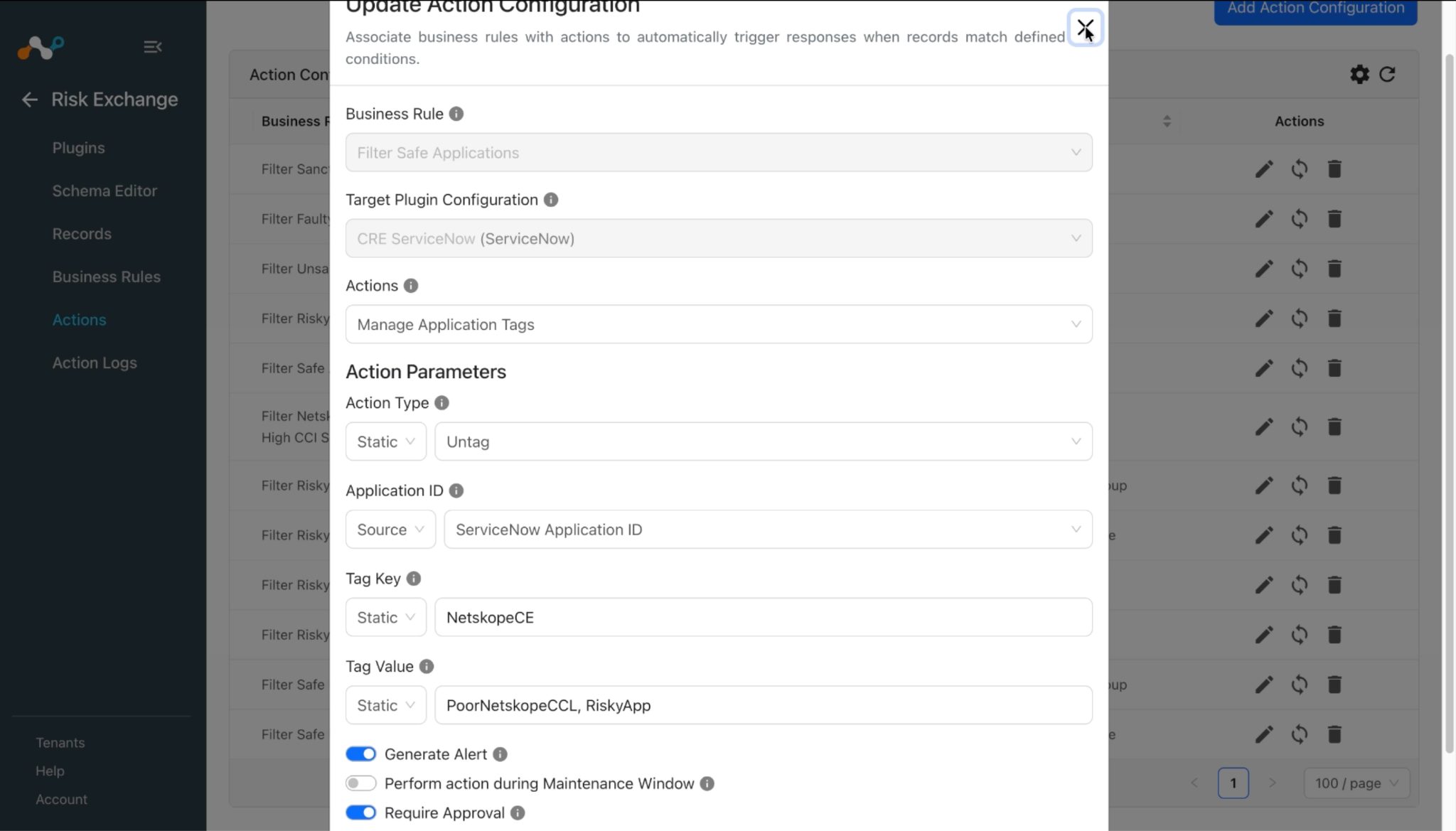
Follow these steps to configure the Manage Application Tags action:
- In Risk Exchange, go to Actions and click Add Action Configuration.
- Select the required Business Rule, Configuration, and Action from their respective dropdowns.
- Provide the following action actions parameters:
- Action Type: Whether to add (tag) or remove (untag). Select from the Static field dropdown.
- Application ID: Select the Application ID source field or provide comma-separated Application ID (sys_id) in the Static field.
- Tag Key: Single tag key to add or remove, shared by every Tag Value. Provide in the Static field only, with a maximum of 254 characters.
- Tag Value: Tag value(s) for Tag Key. Provide a single value or comma-separated values in the Static field, or select a source field (a List field resolves to multiple values). Each value becomes its own tag sharing the same key. When removing, only tags whose key/value pair exists are deleted.
- Enable the Require Approval toggle if Approval is needed before performing action on the Applications.
- Click Save.
Share Application Data
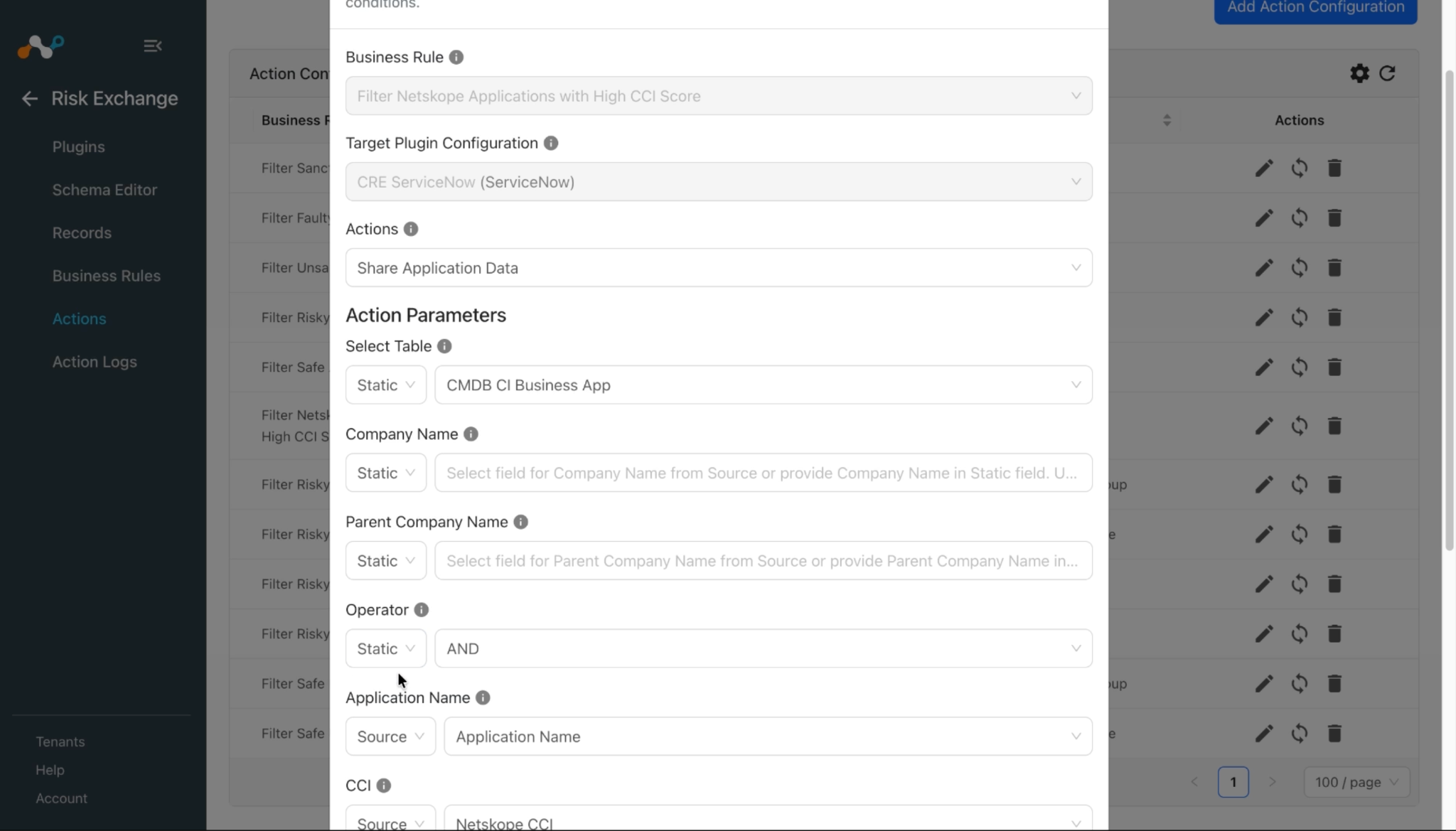
This action is used to share the application data pulled from Netskope or other third-party plugins to the ServiceNow instance.
Note
- If you want to pull and share application data to the cmdb_ci_business_app table via the ServiceNow plugin, then you will need to create a Discovery Source on your ServiceNow instance. This discovery source ensures that the application you shared from Cloud Exchange is not pulled back into Cloud Exchange. Since in some cases this can cause an infinite cyclic pulling and sharing of the same application. Refer to the Create Discovery Source section.
- Companies (Company Name) available on ServiceNow can be identified by the Vendor field pulled from Risk Exchange.
- The Parent Company Name should be mapped considering that it will match the Parent on ServiceNow.
Follow these steps to configure the Share Application Data action:
- In Risk Exchange, go to Actions and click Add Action Configuration.
- Select the required Business Rule, Configuration, and Action from their respective dropdowns.
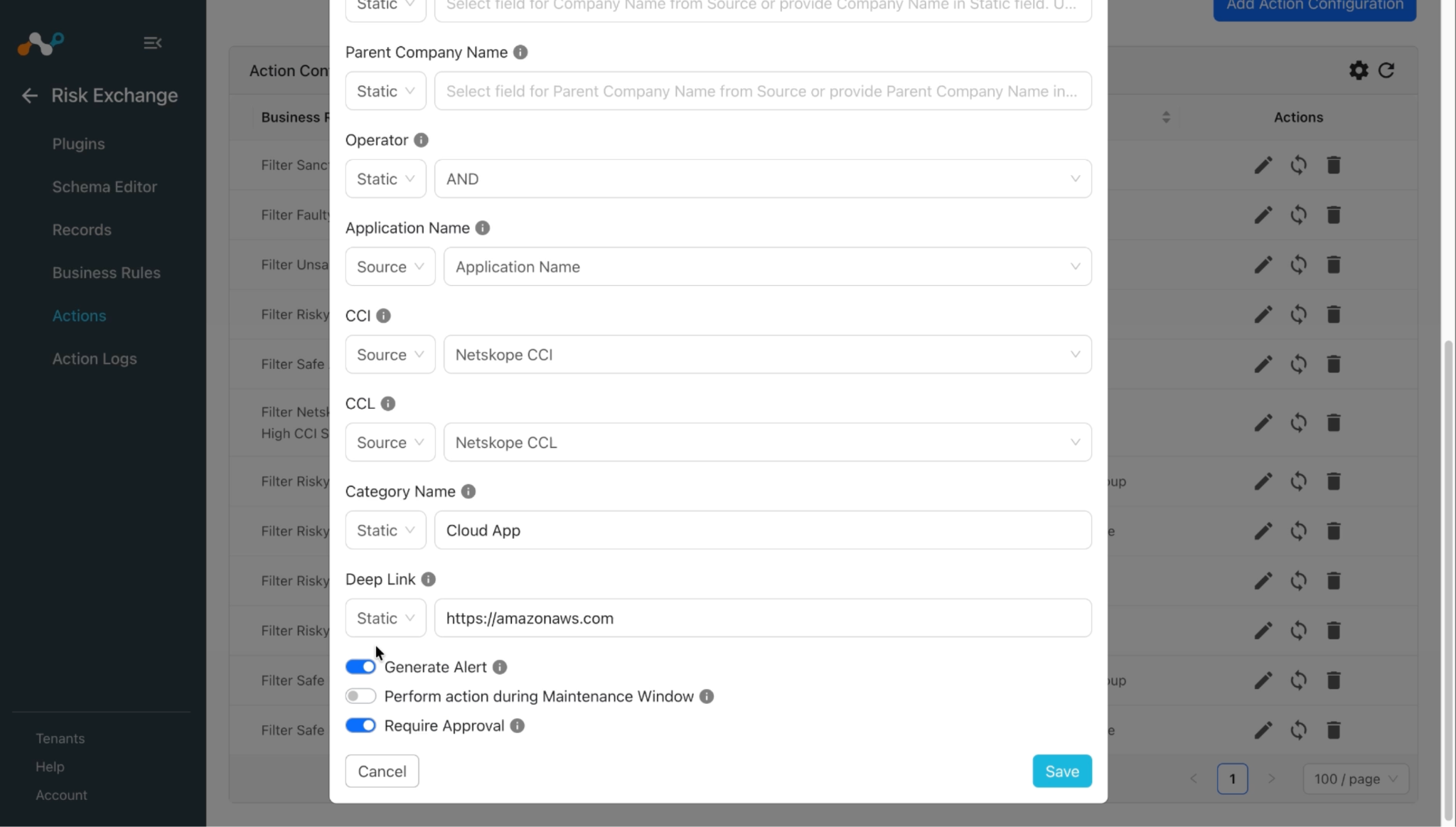
- Provide the following action actions parameters:
- Select Table: Select the ServiceNow table to share the application data to. Core Company matches Company / Parent Company records. CMDB CI Business App matches or creates a Business Application record by Application Name.
- Company Name: Select field for Company Name from Source or provide Company Name in Static field. Used only when Select Table is Core Company, for fetching Vendor details from ServiceNow platform.
- Parent Company Name: Select field for Parent Company Name from Source or provide Parent Company Name in Static field. Used only when Select Table is Core Company, for fetching Vendor details from ServiceNow platform.
- Operator: Select operator from Static field drop down to perform operation between Company Name and Parent Company Name. Used only when Select Table is Core Company, and required when both Company Name and Parent Company Name are provided, like
name=ABC^ORparent.name=XYZ.
- Enable the Require Approval toggle if Approval is needed before performing action on the Applications.
- Click Save.
No Action
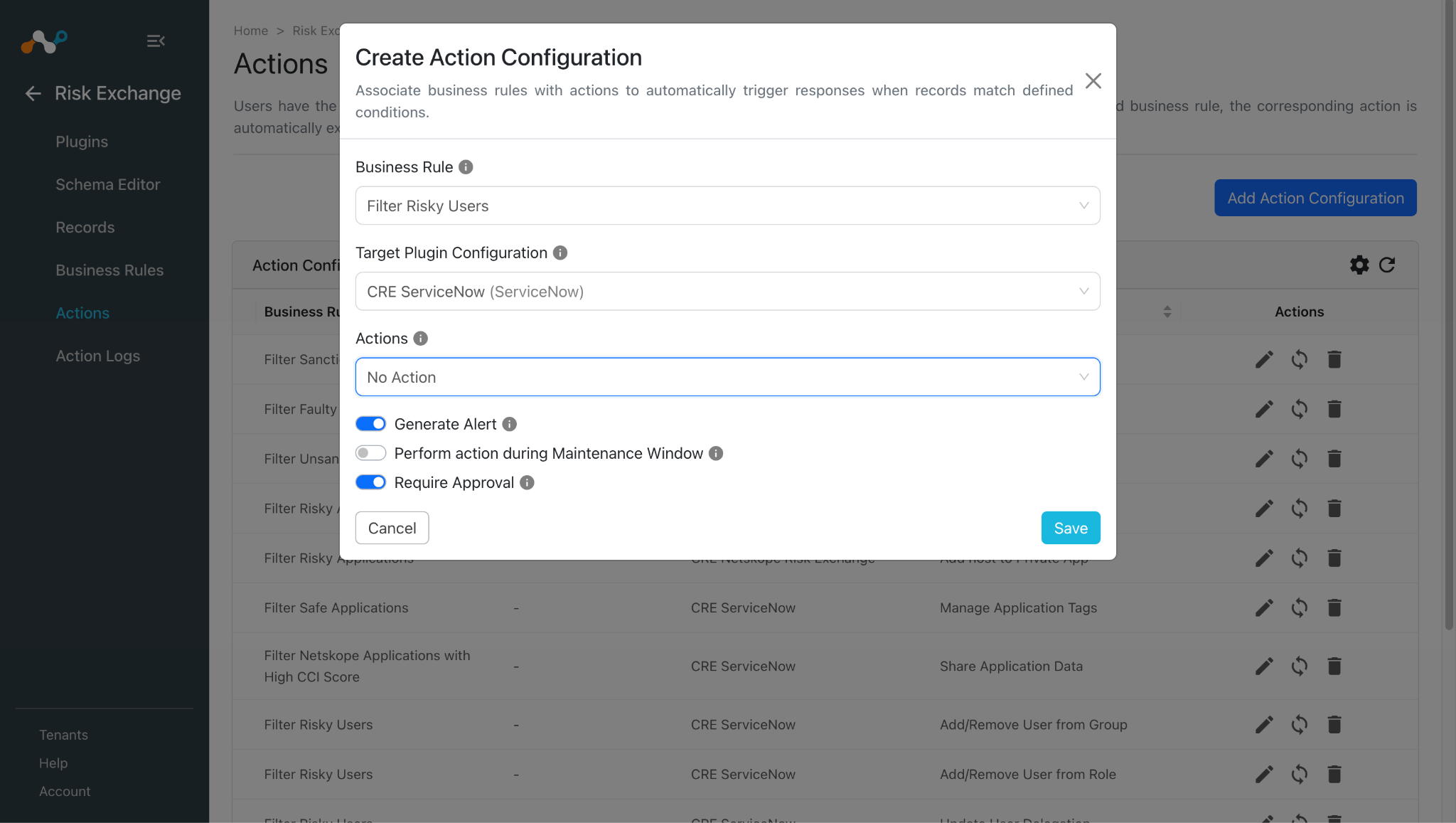
Follow these steps to configure the No Action action:
- In Risk Exchange, go to Actions and click Add Action Configuration.
- Select the required Business Rule, Configuration, and Action from their respective dropdowns.
- Enable the Require Approval toggle if Approval is needed before performing action on the Applications.
- Click Save.
Validate the ServiceNow Plugin
Validation on Cloud Exchange
Pull Validation
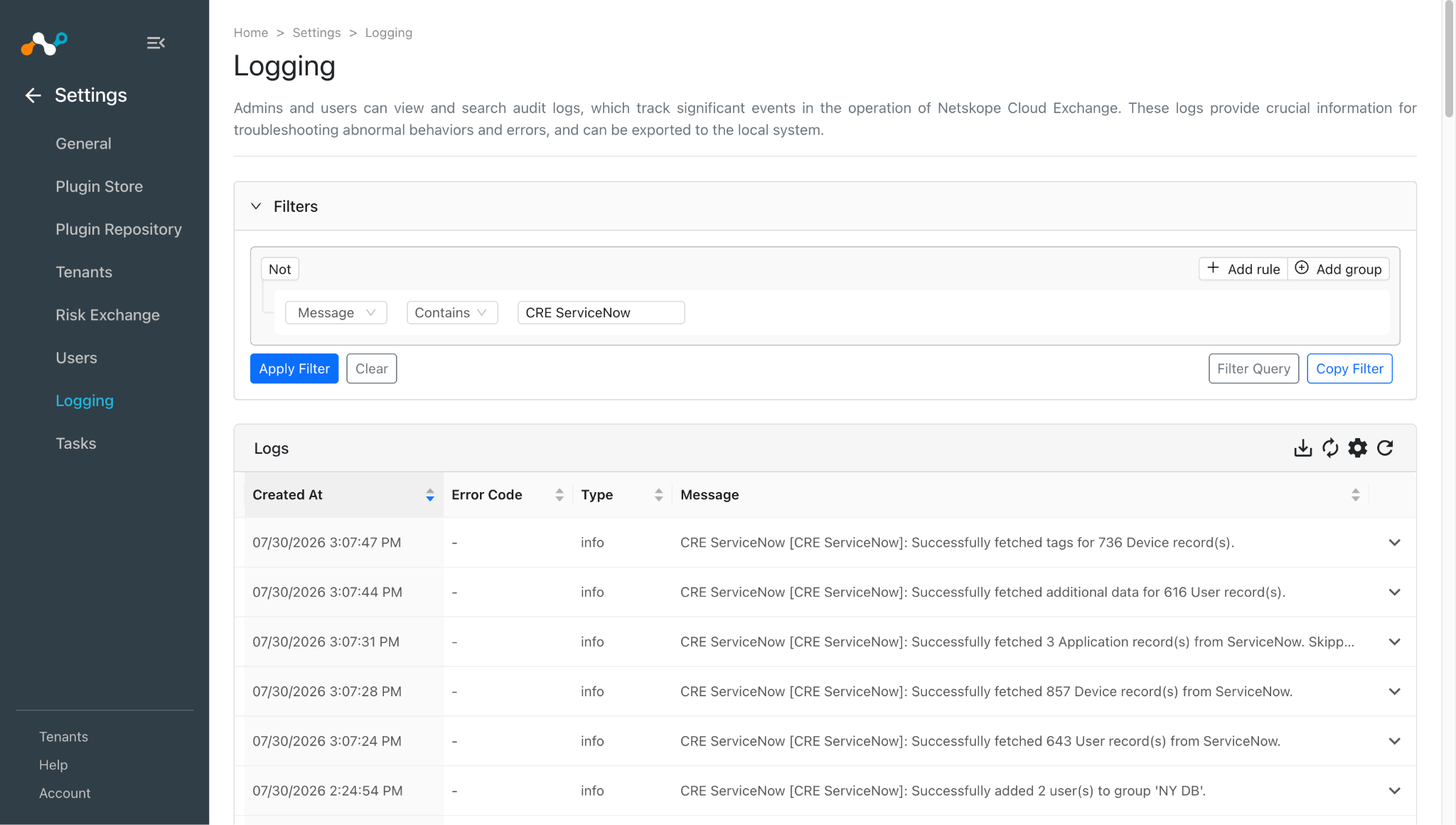
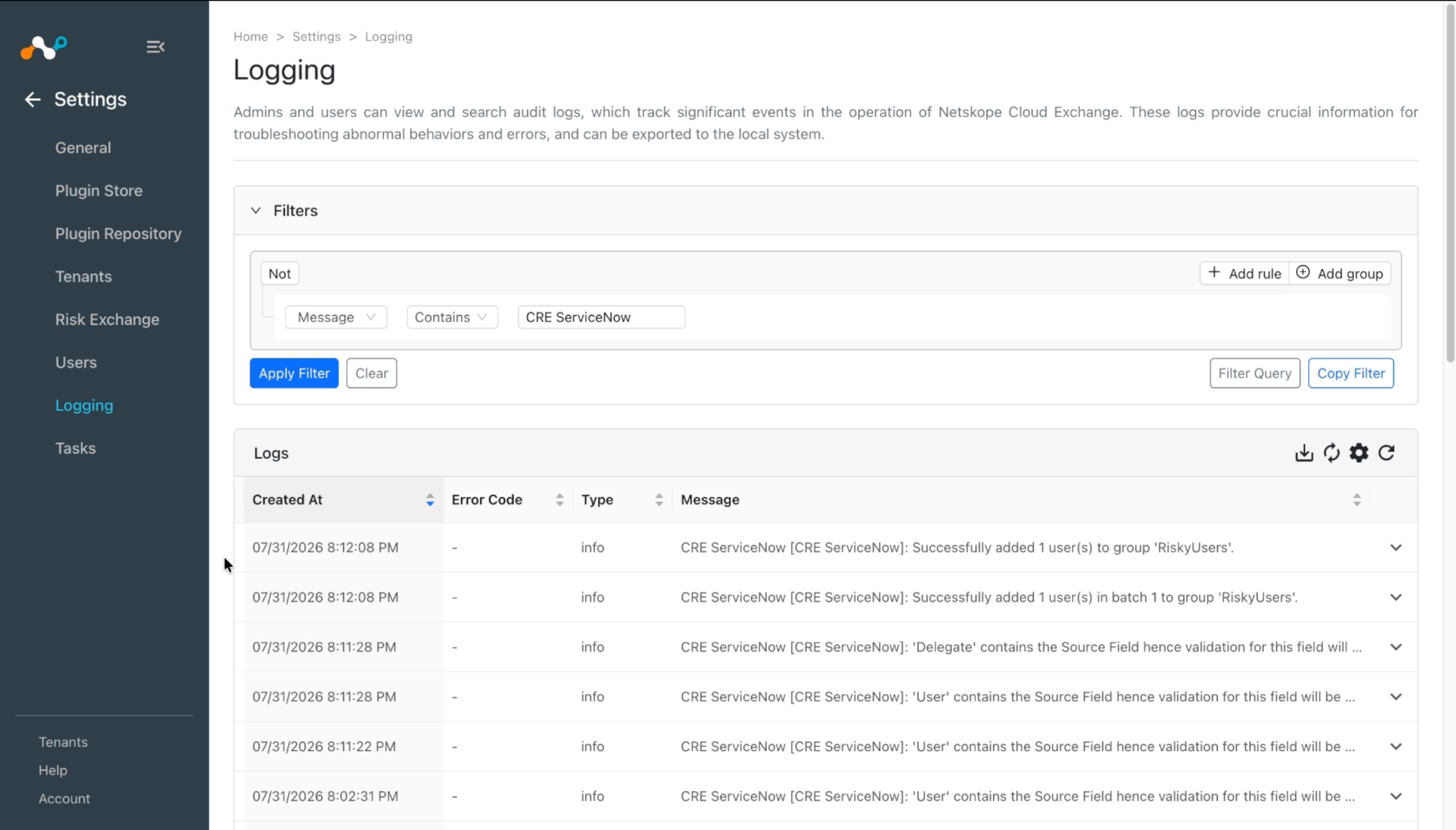
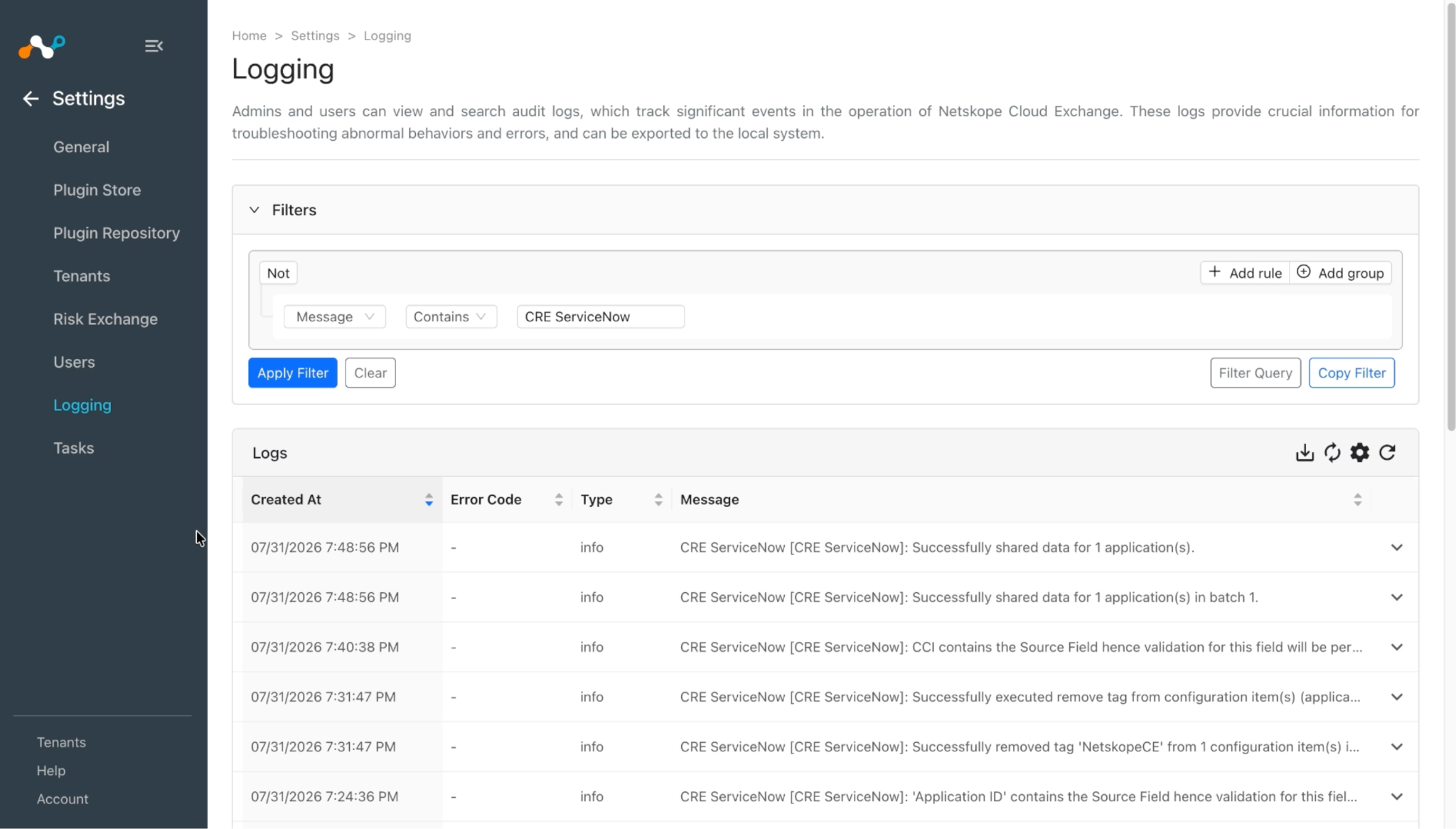
To verify the logs related to pulled records, go to the Settings > Logging and apply the filter with plugin name or plugin configuration name.
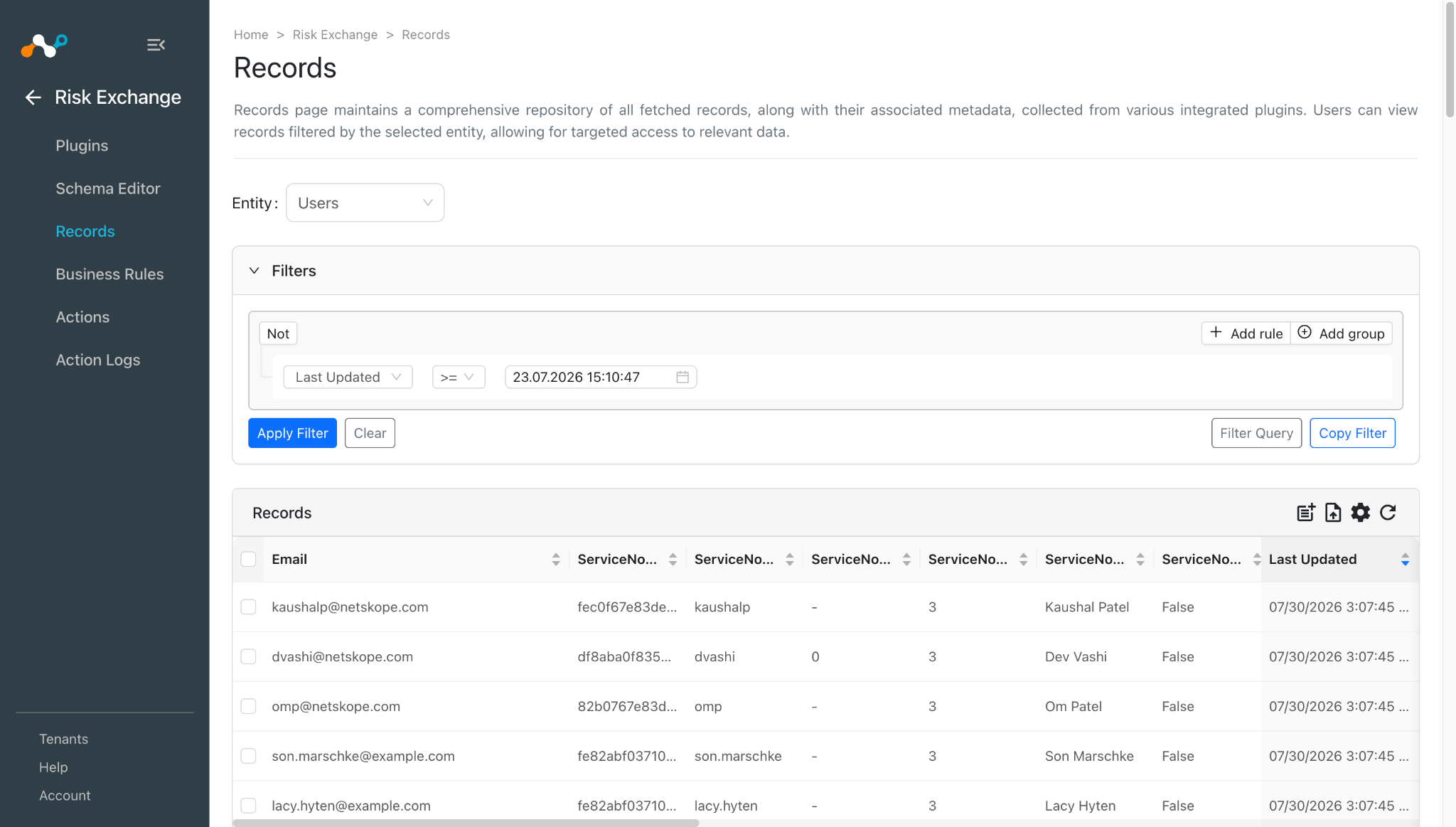
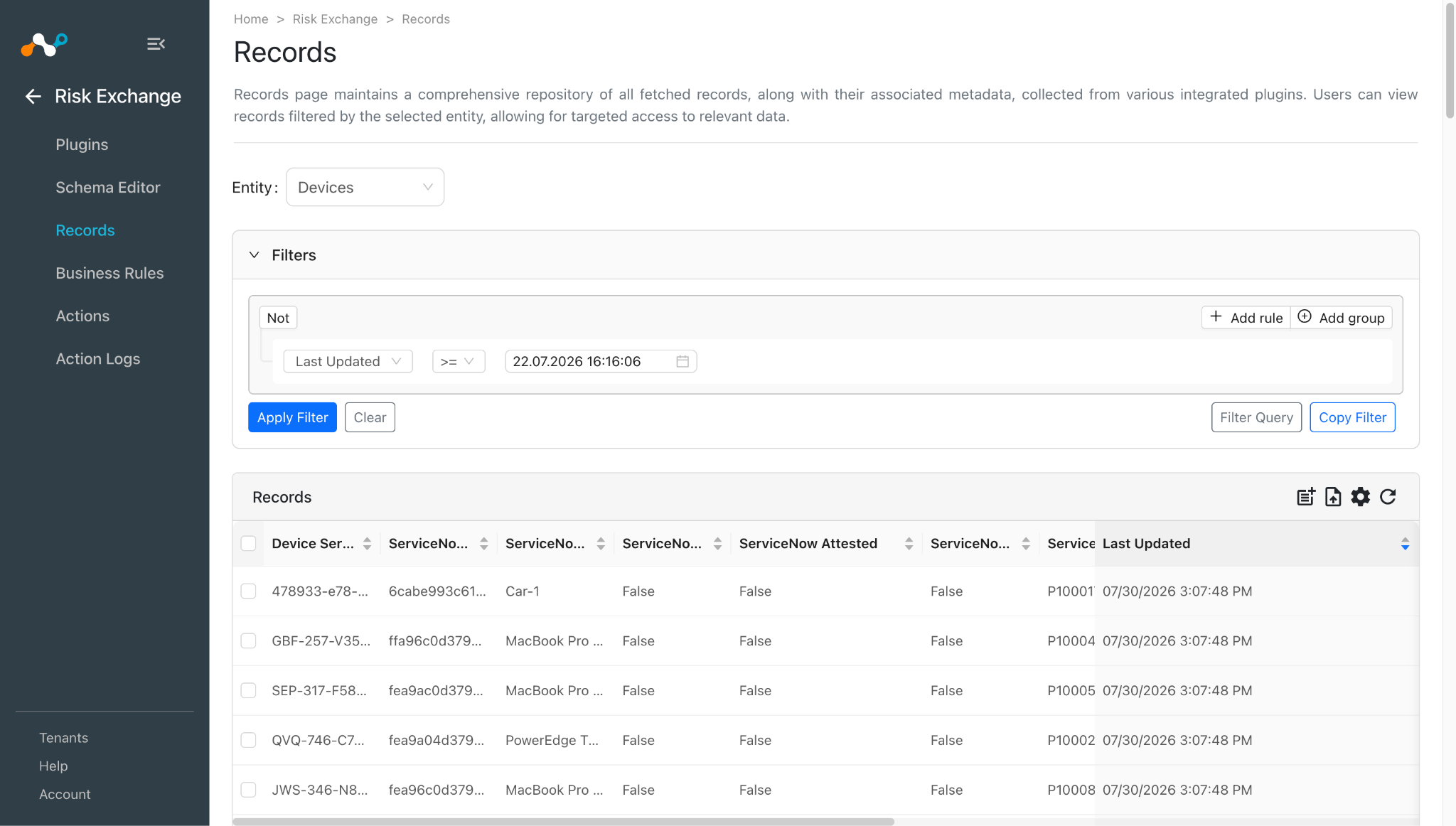
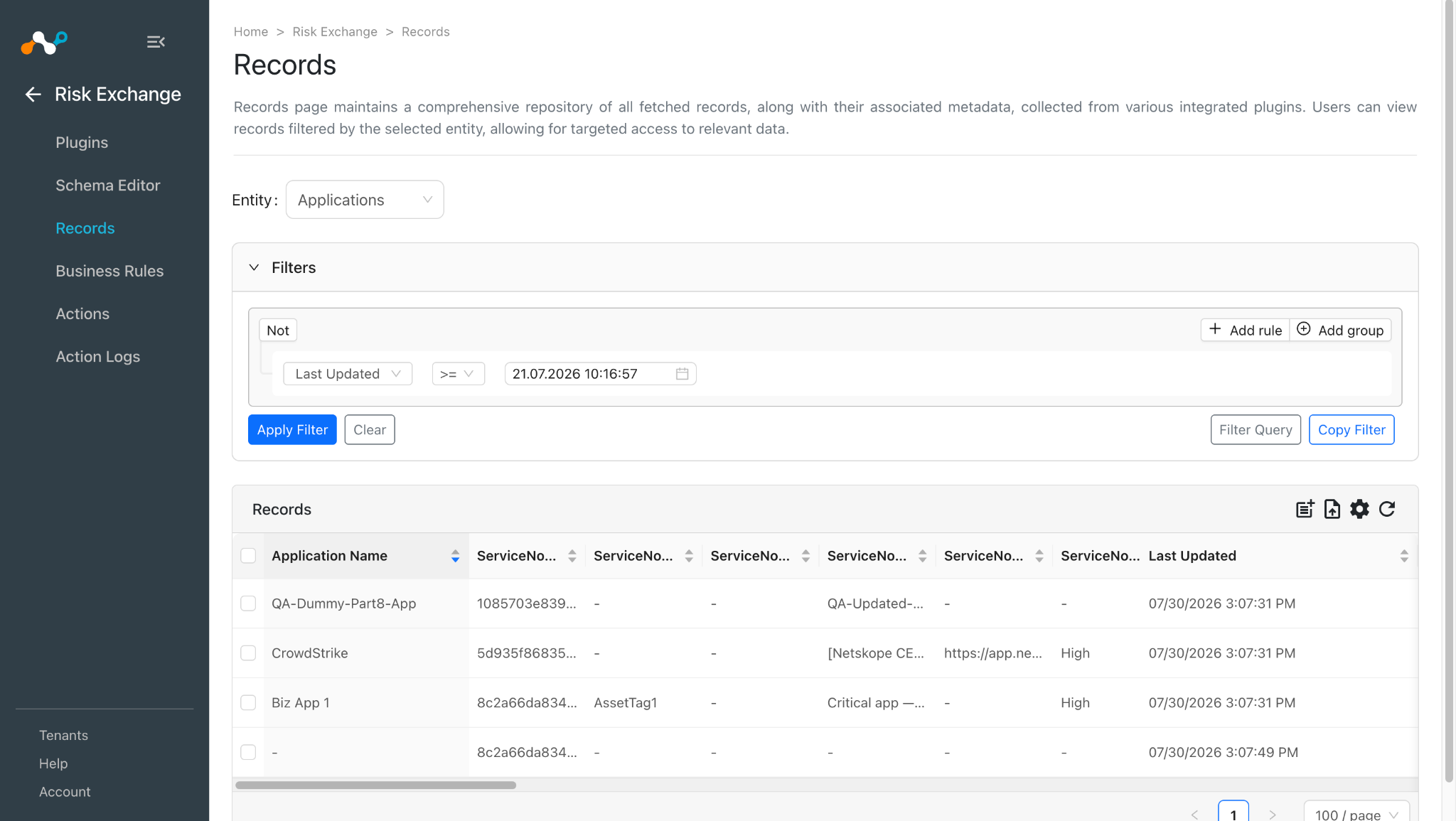
To validate the pulled records, go to Risk Exchange > Records. Select the Entity that is selected while configuring the field mapping to view the pulled records.
Action Validation
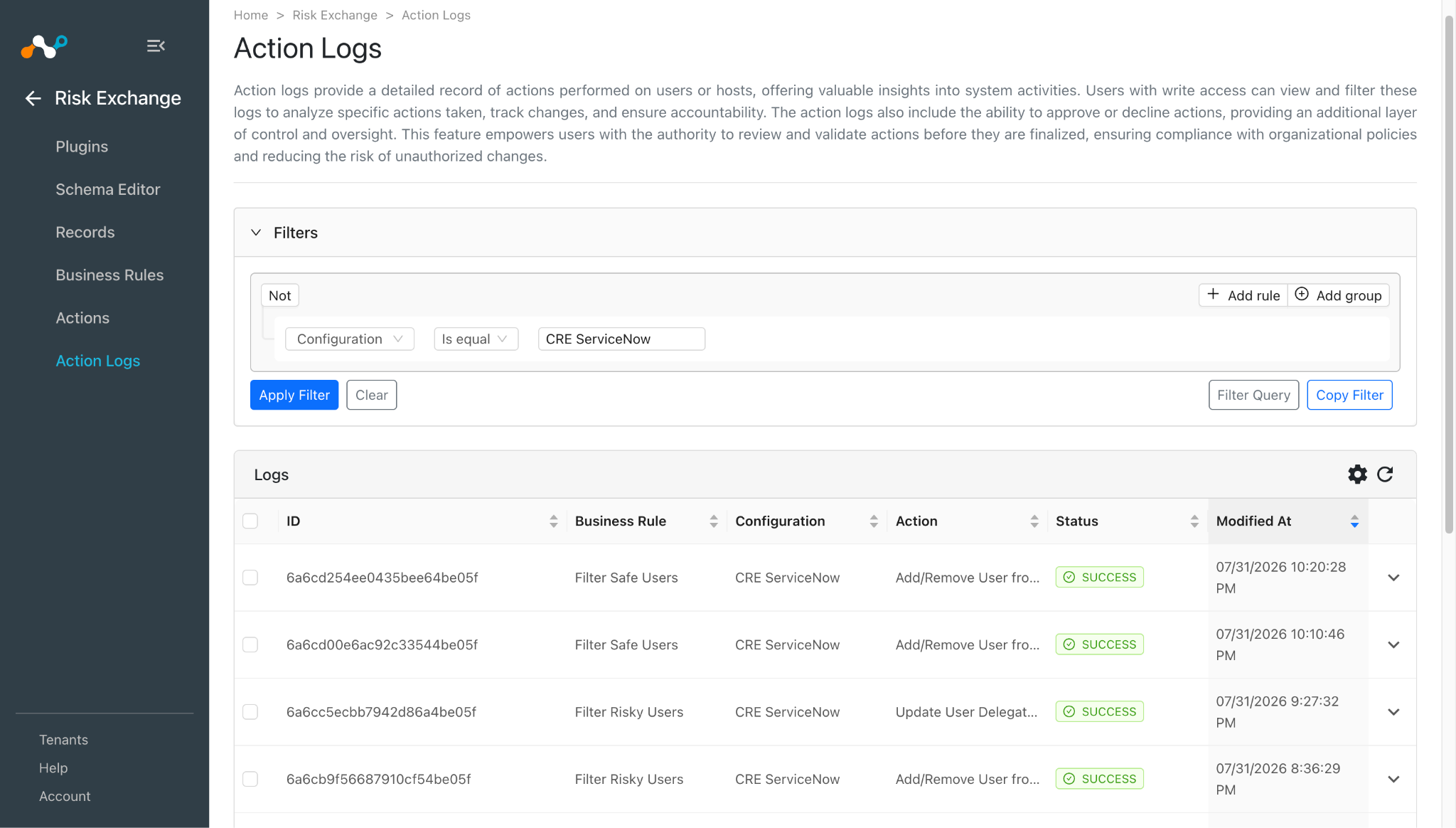
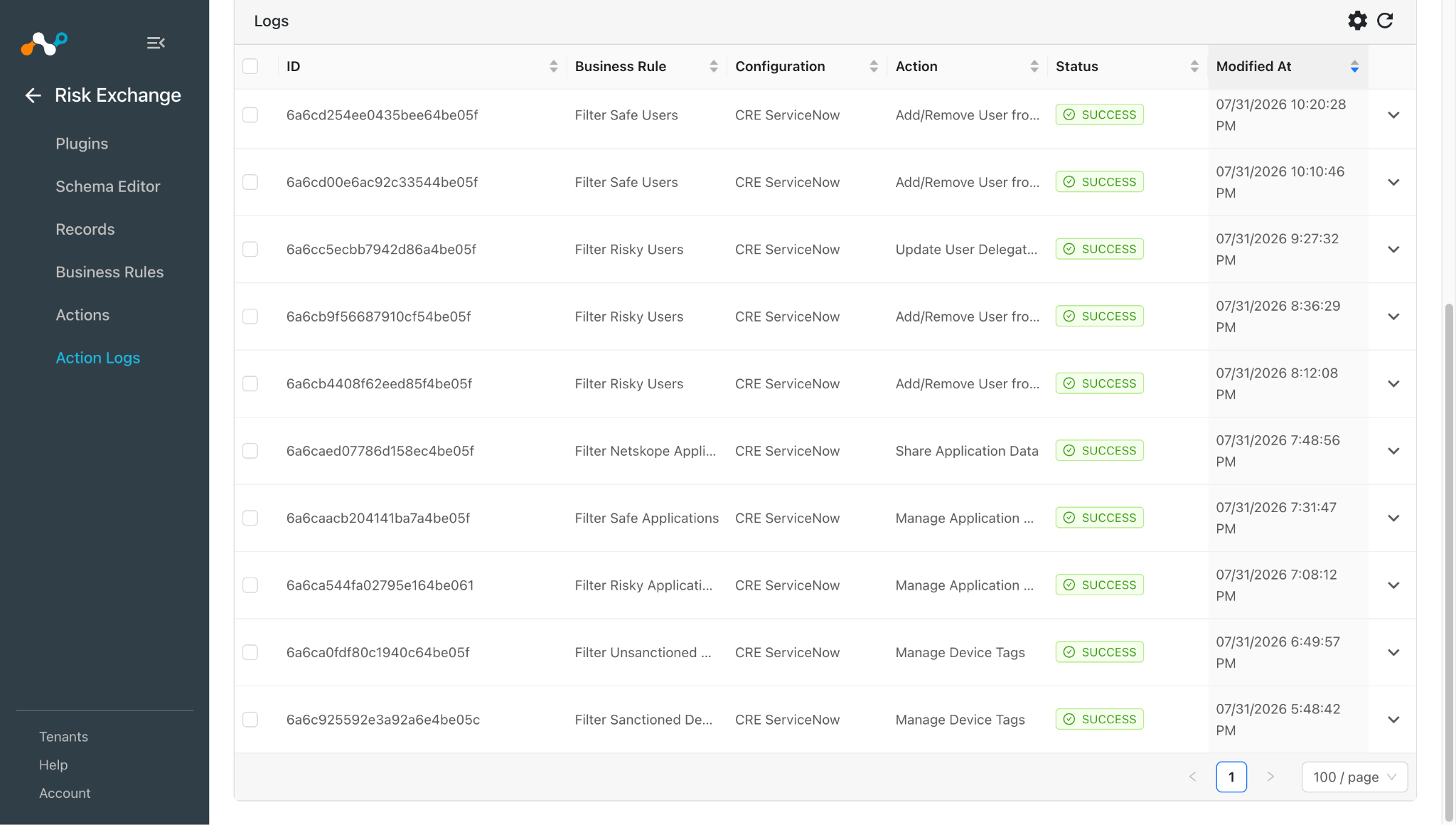
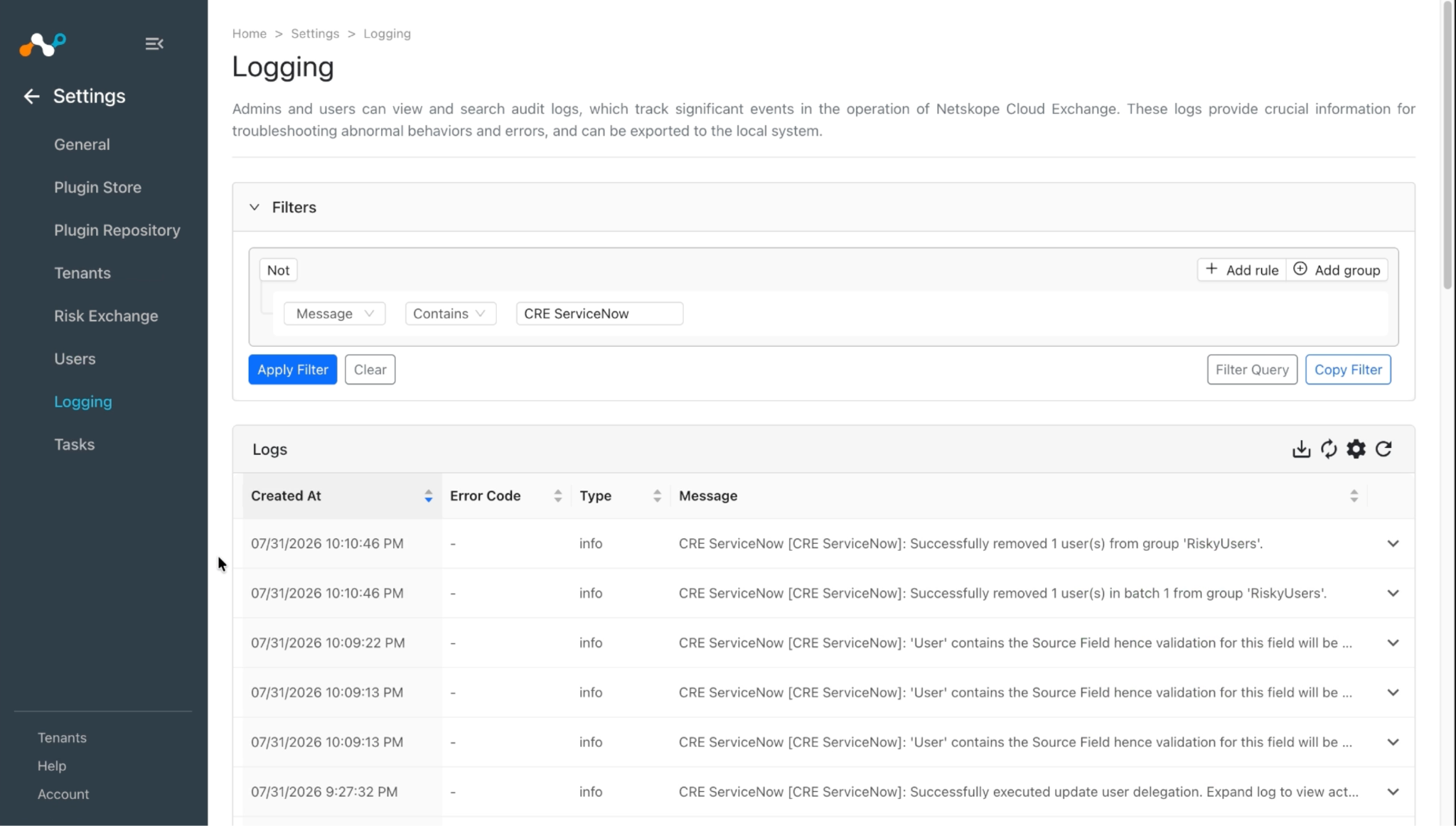
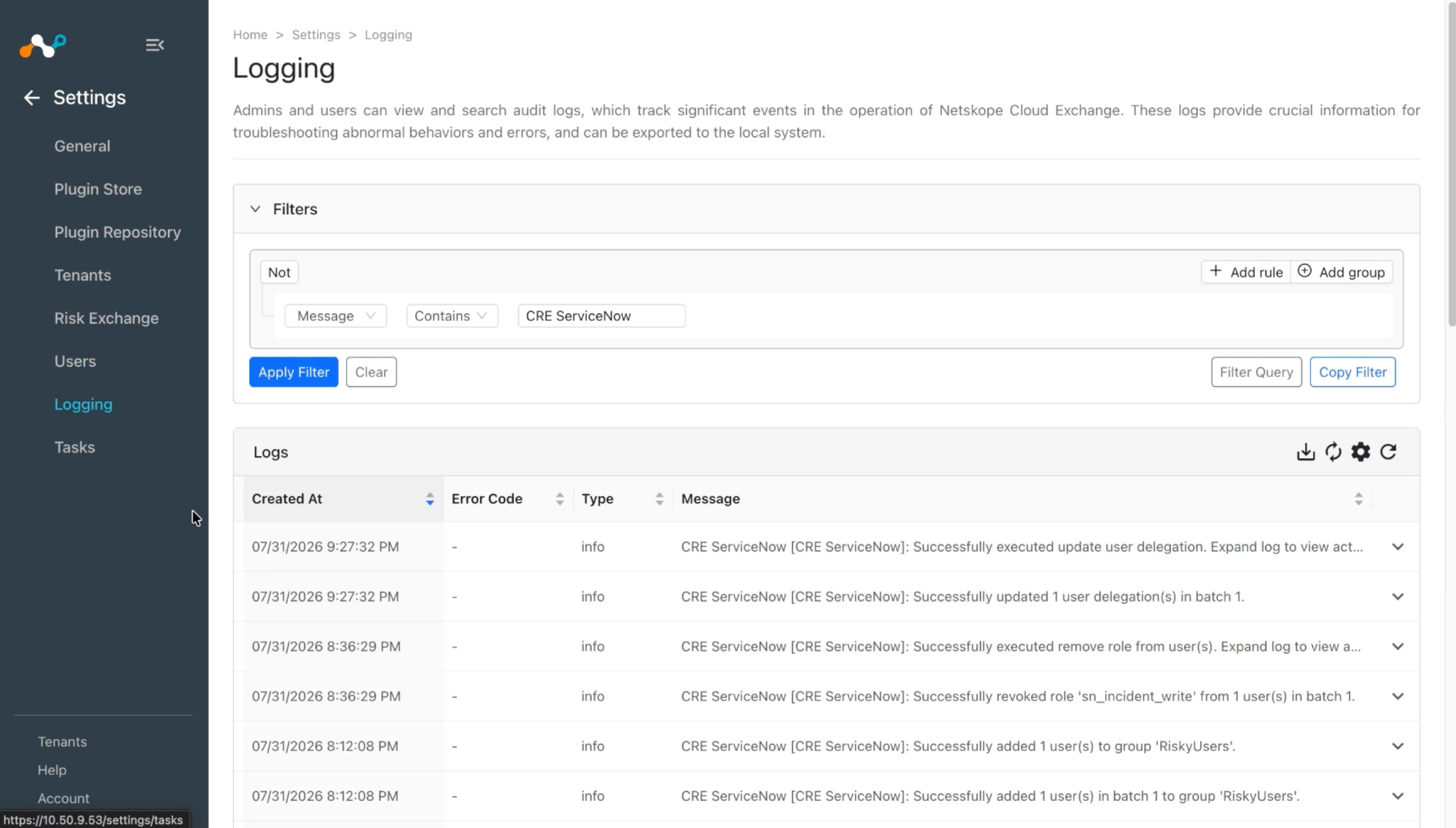
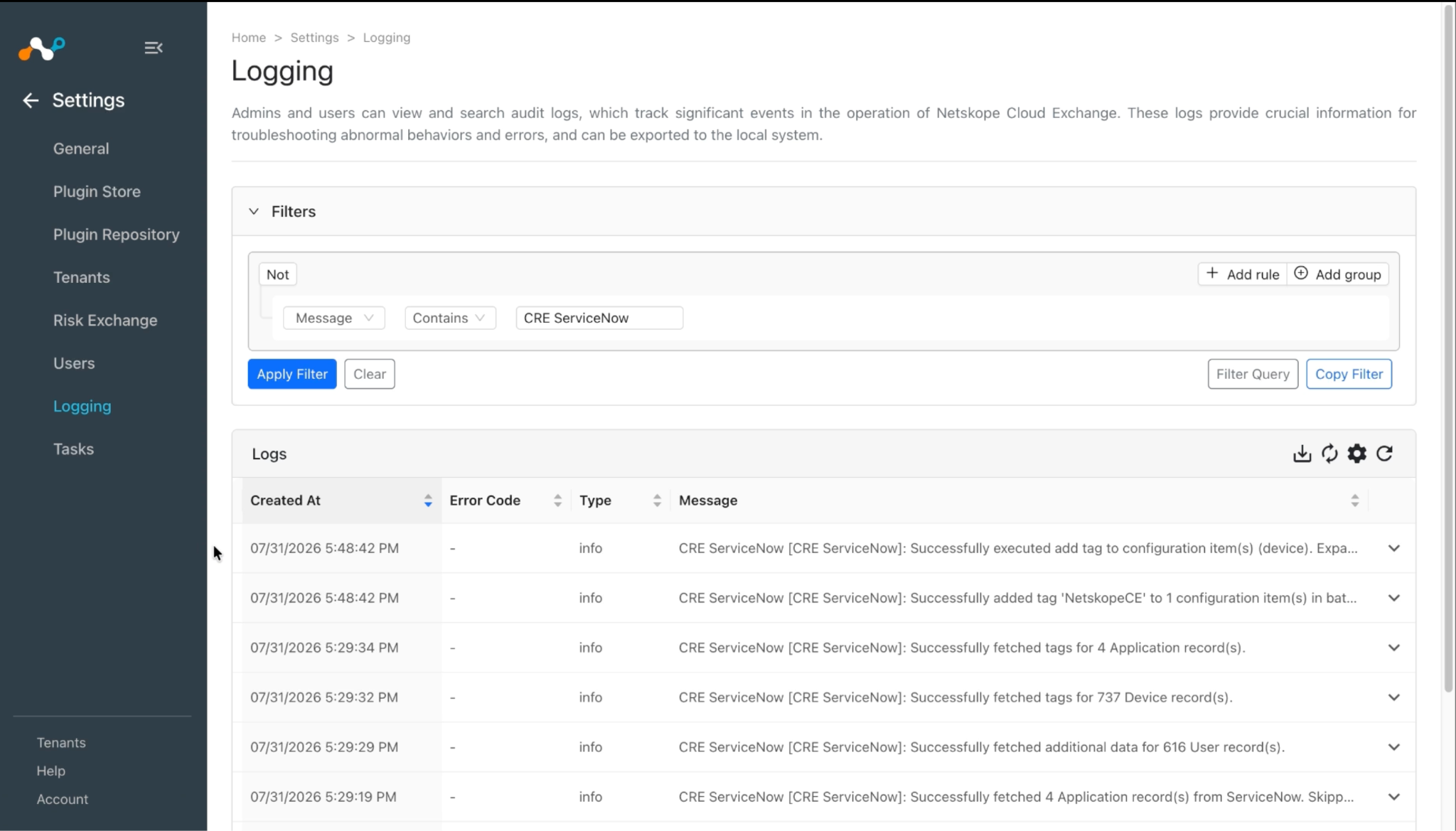
When a pulled record matches one of the configured business rules, the configured action will be performed on the record. This can be seen at Risk Exchange > Action Logs.
Logs related to the supported action for ServiceNow plugin:
Add/Remove User from Group
Update User Delegation
Manage Device Tags
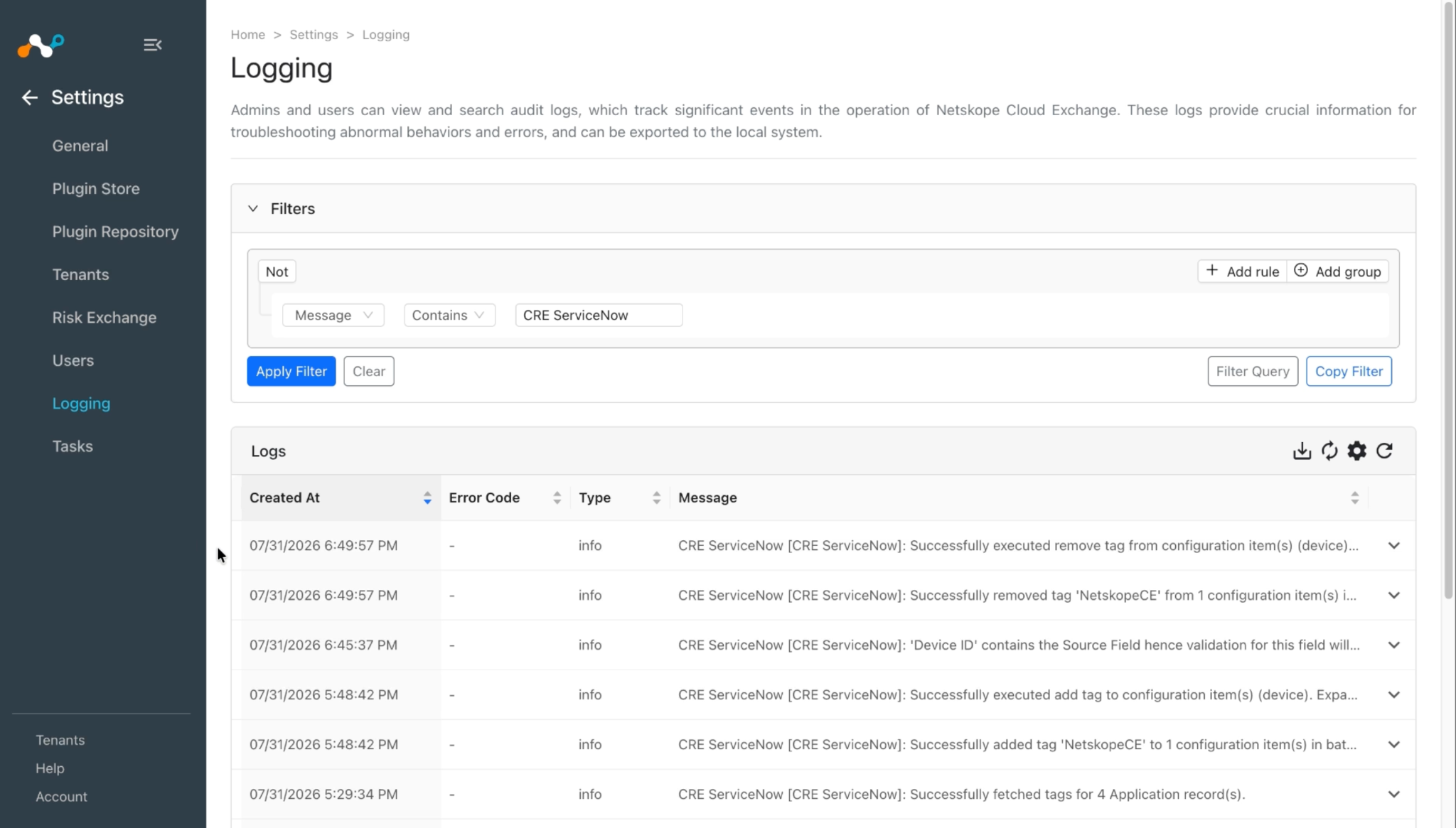
Add/Remove User from Role
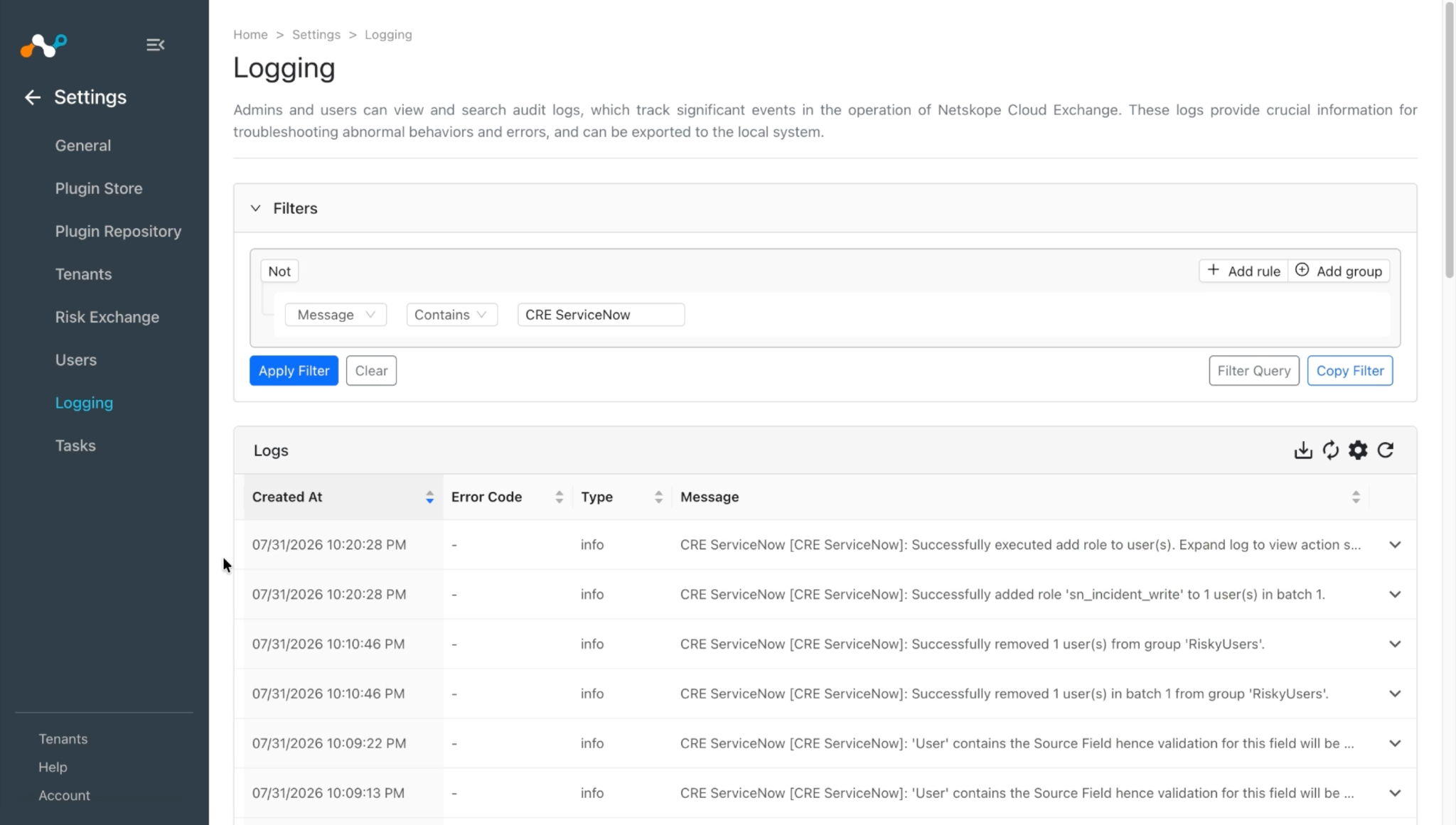
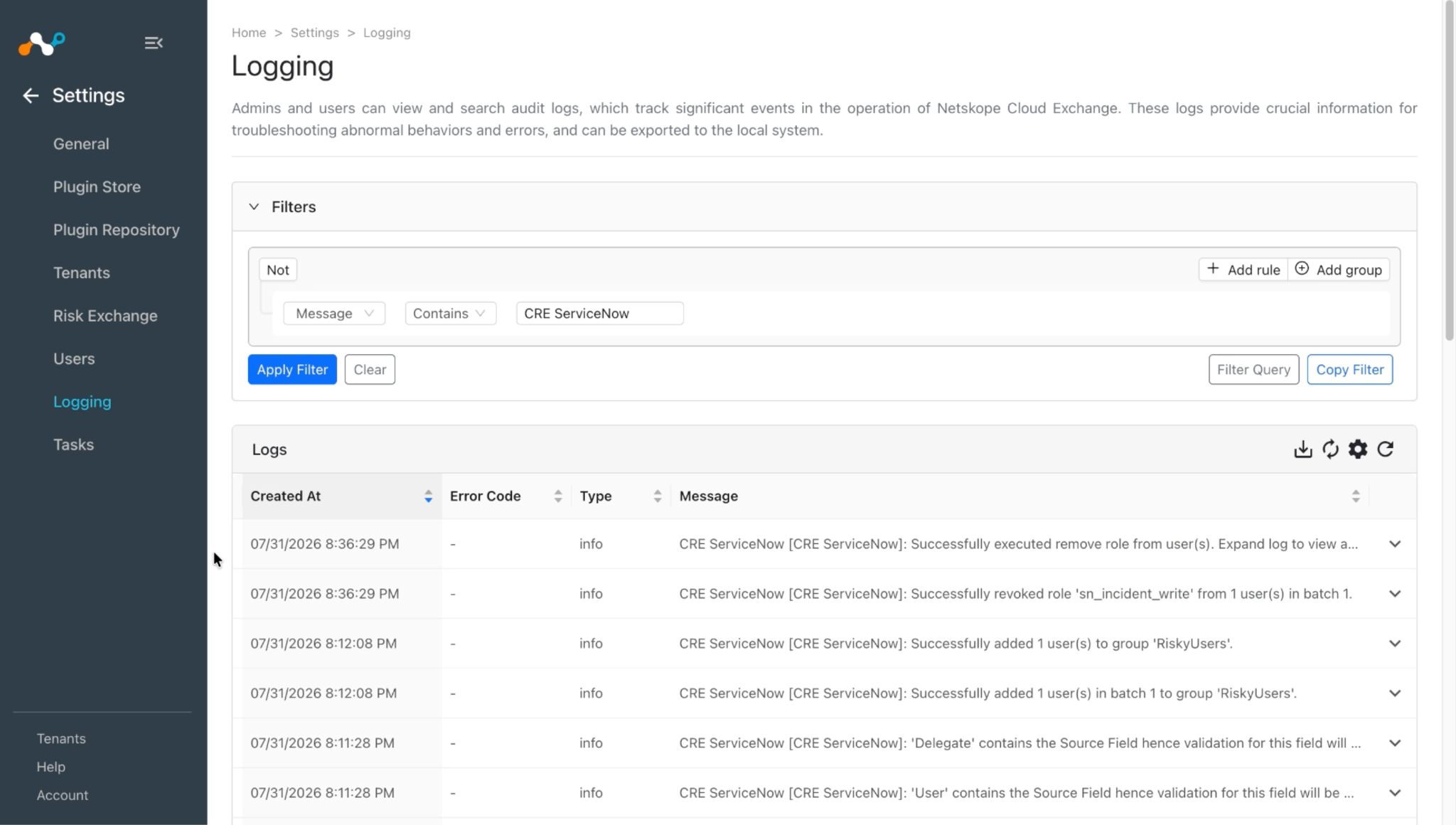
Manage Application Tags
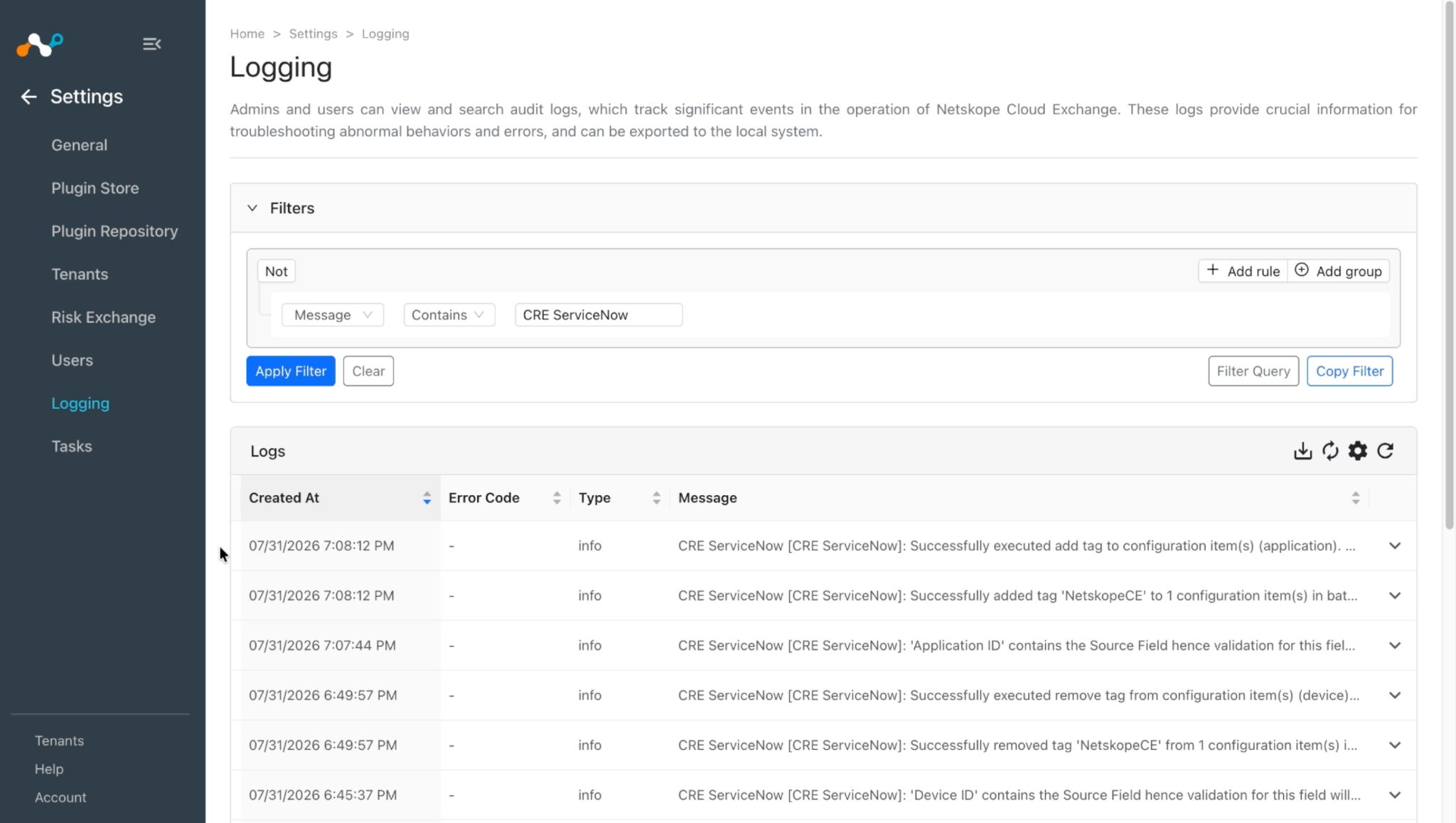
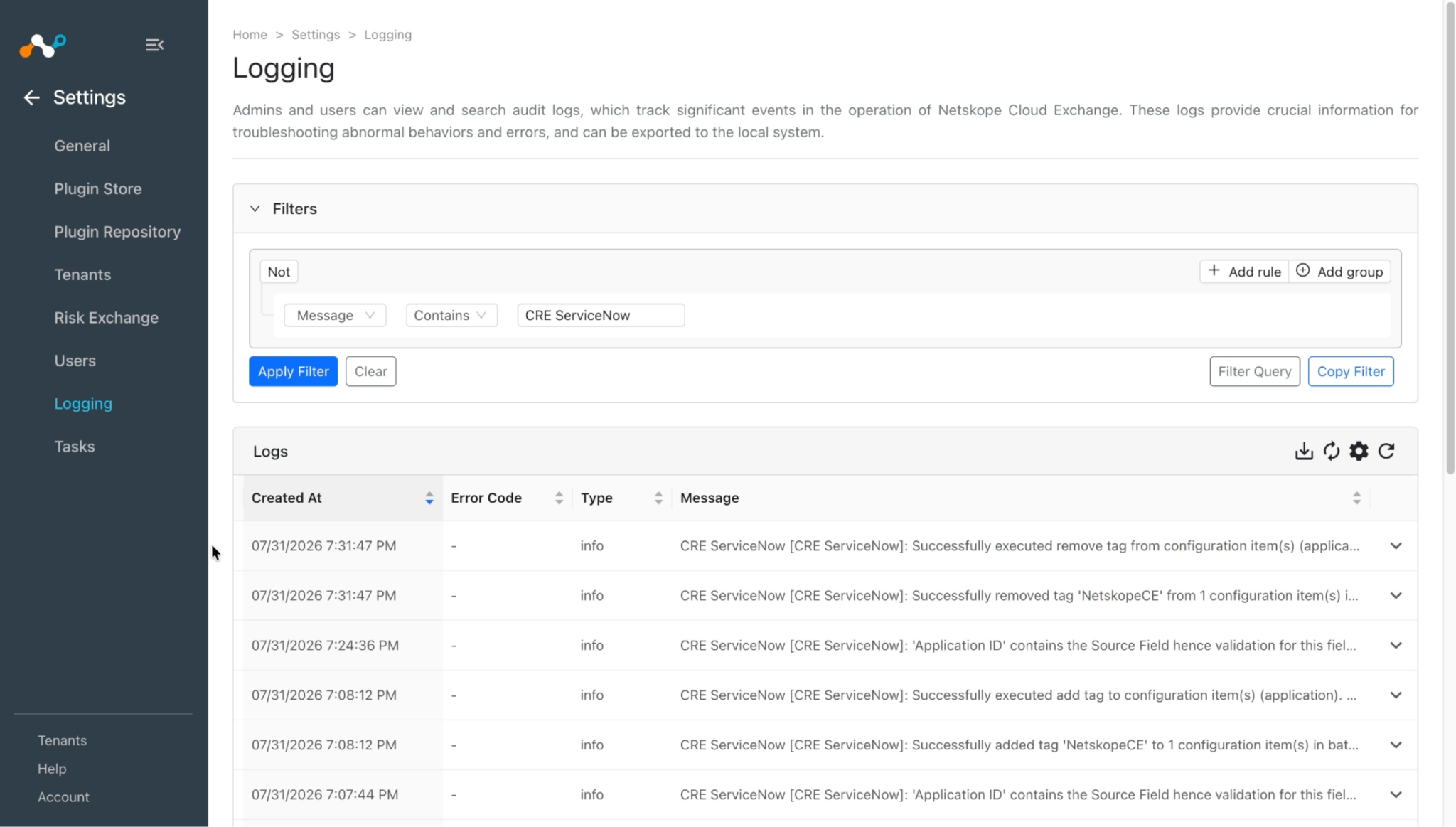
Share Application Data
Validate on ServiceNow
Pull Validation
This plugin fetches Users from the sys_user table (System Security > Users and Groups > Users), Devices from the cmdb_ci_computer table (Configuration > Base Item > Computers), and Applications from the cmdb_ci_business_app table (Organization > Business Applications).
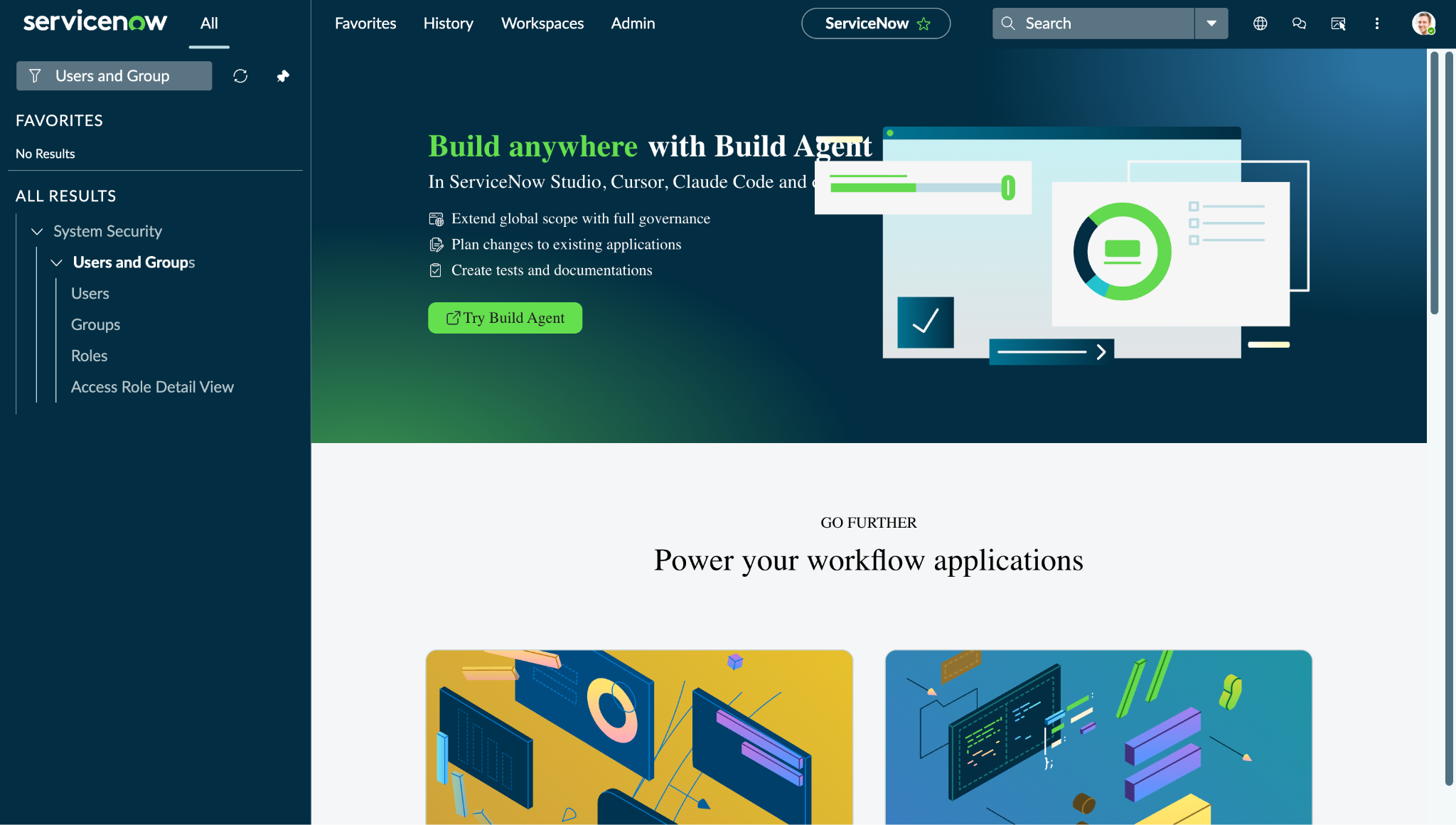
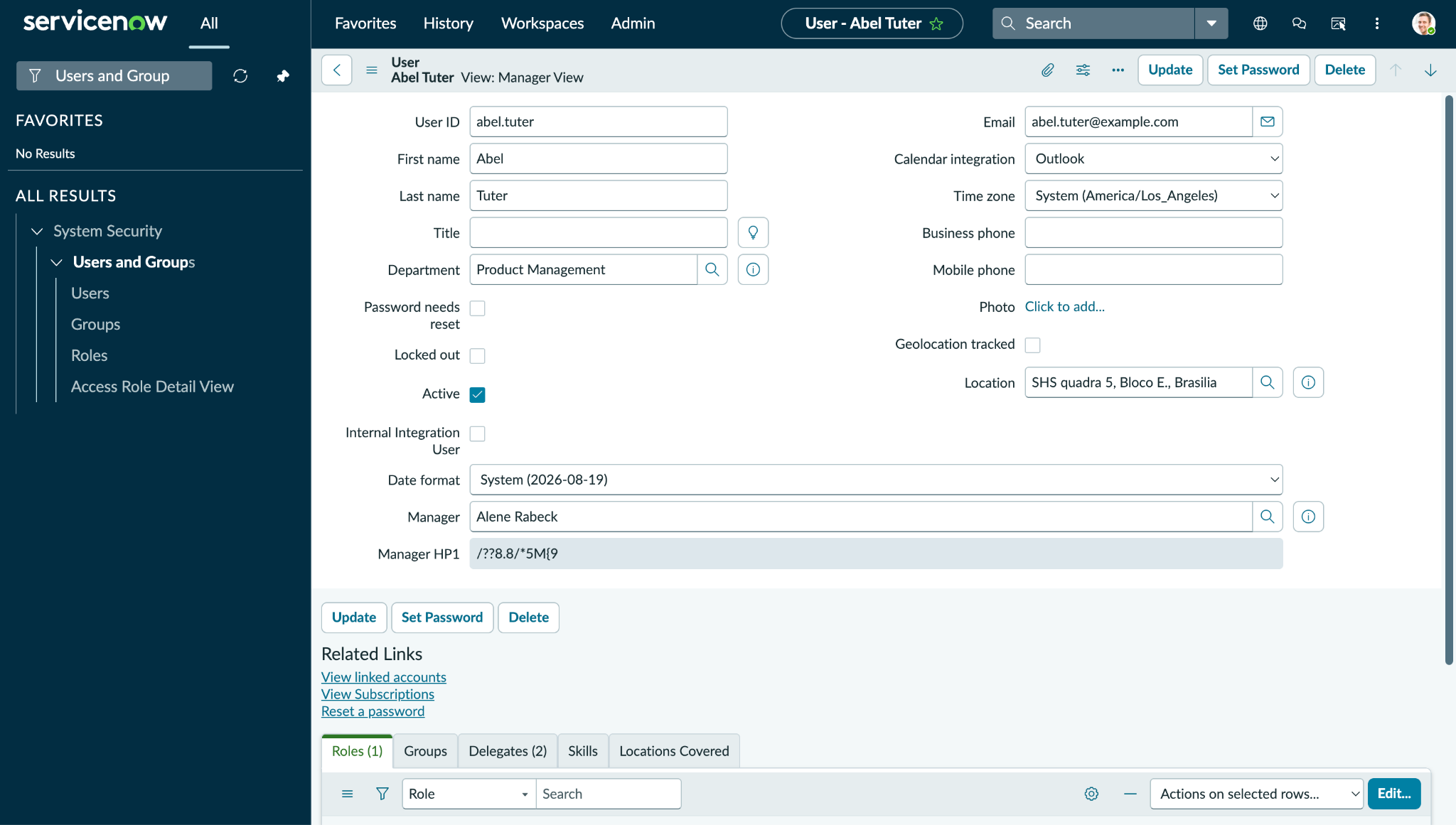
To verify the available user, log in to your ServiceNow instance and search for Users and Group.
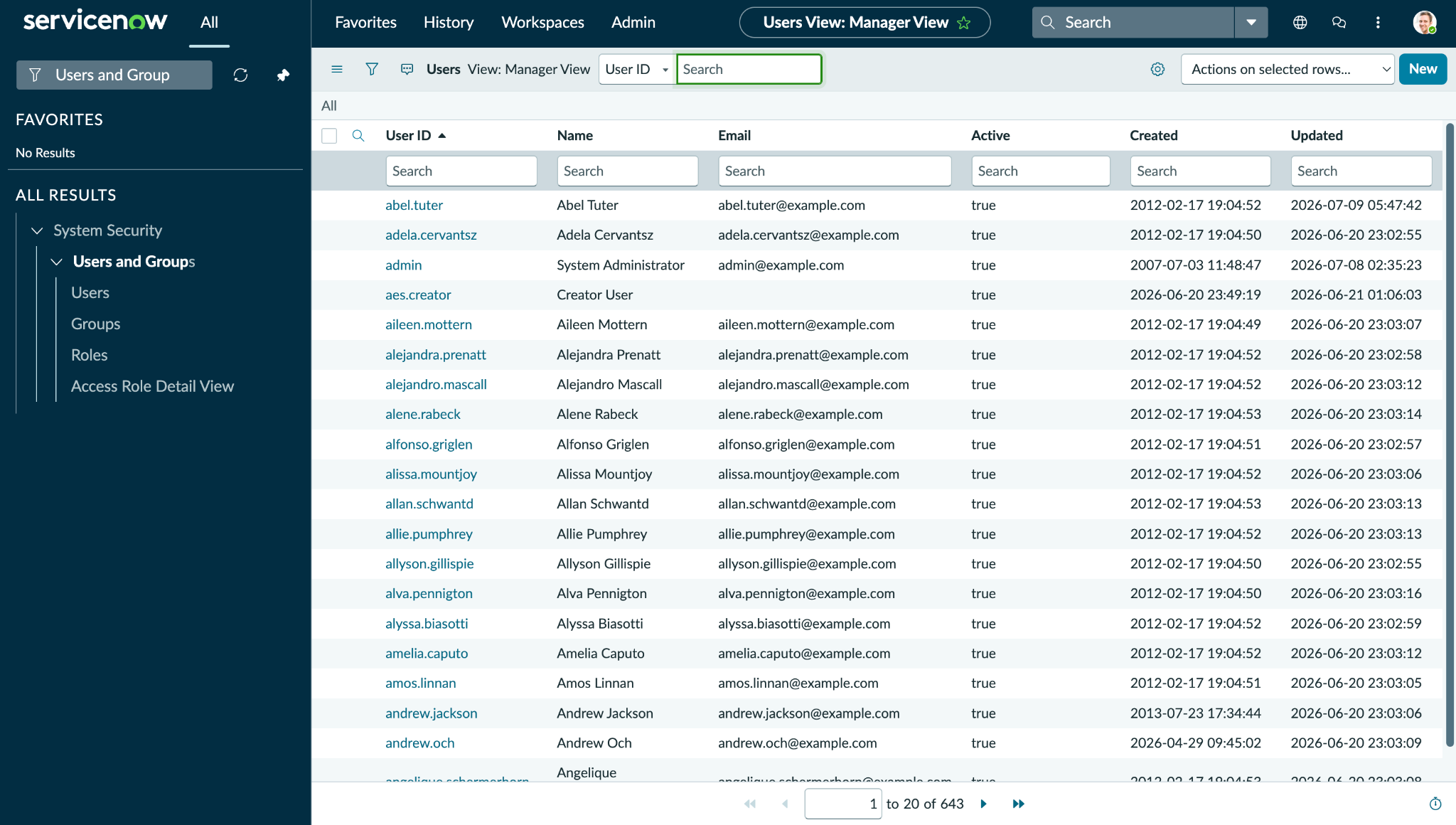
Click Users to view the available users list.
Click on any of the users to open its details.
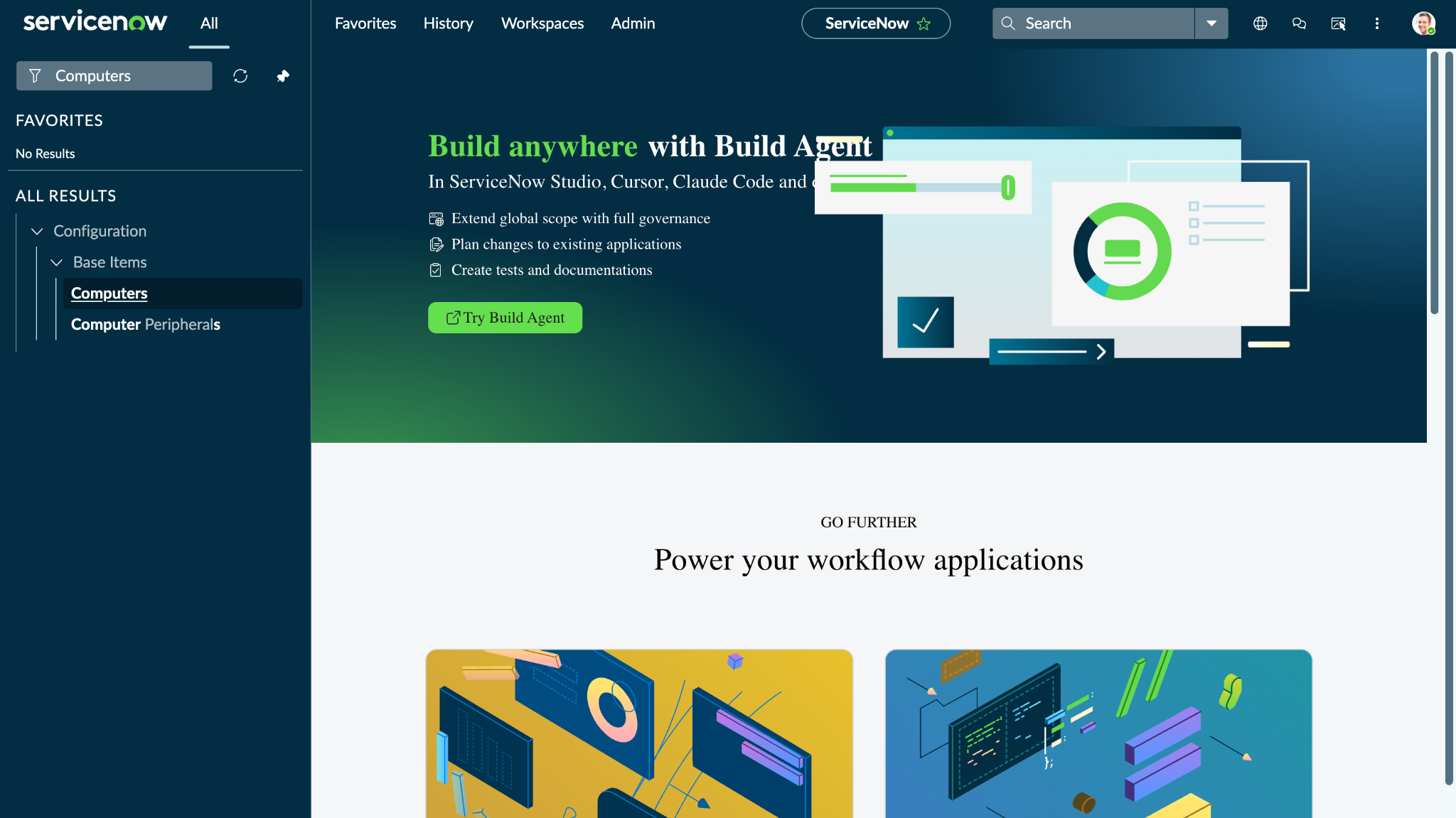
To verify the available Devices, log in to your ServiceNow instance and search for Computers.
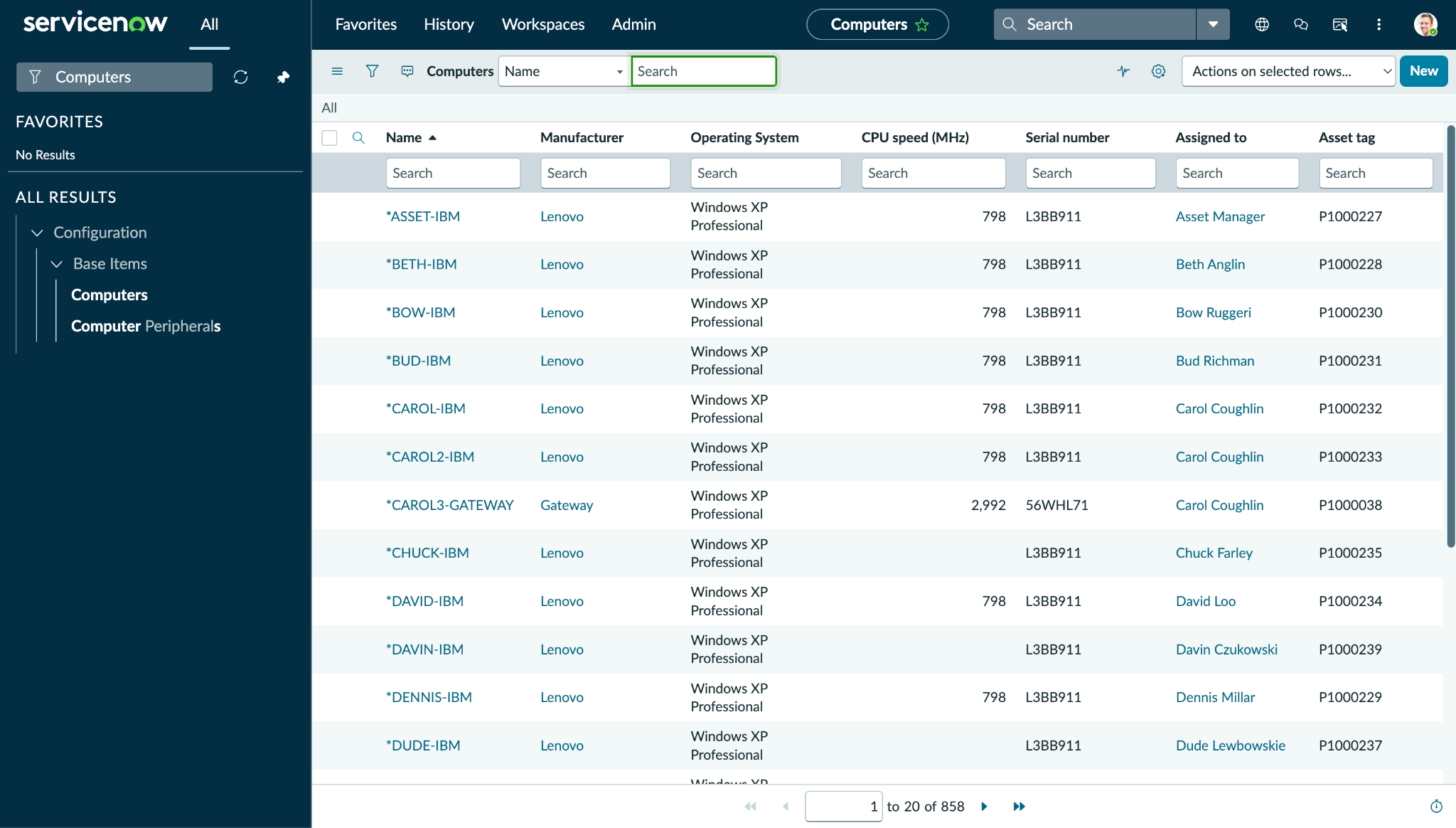
Click Computers under Configuration to view available Devices.
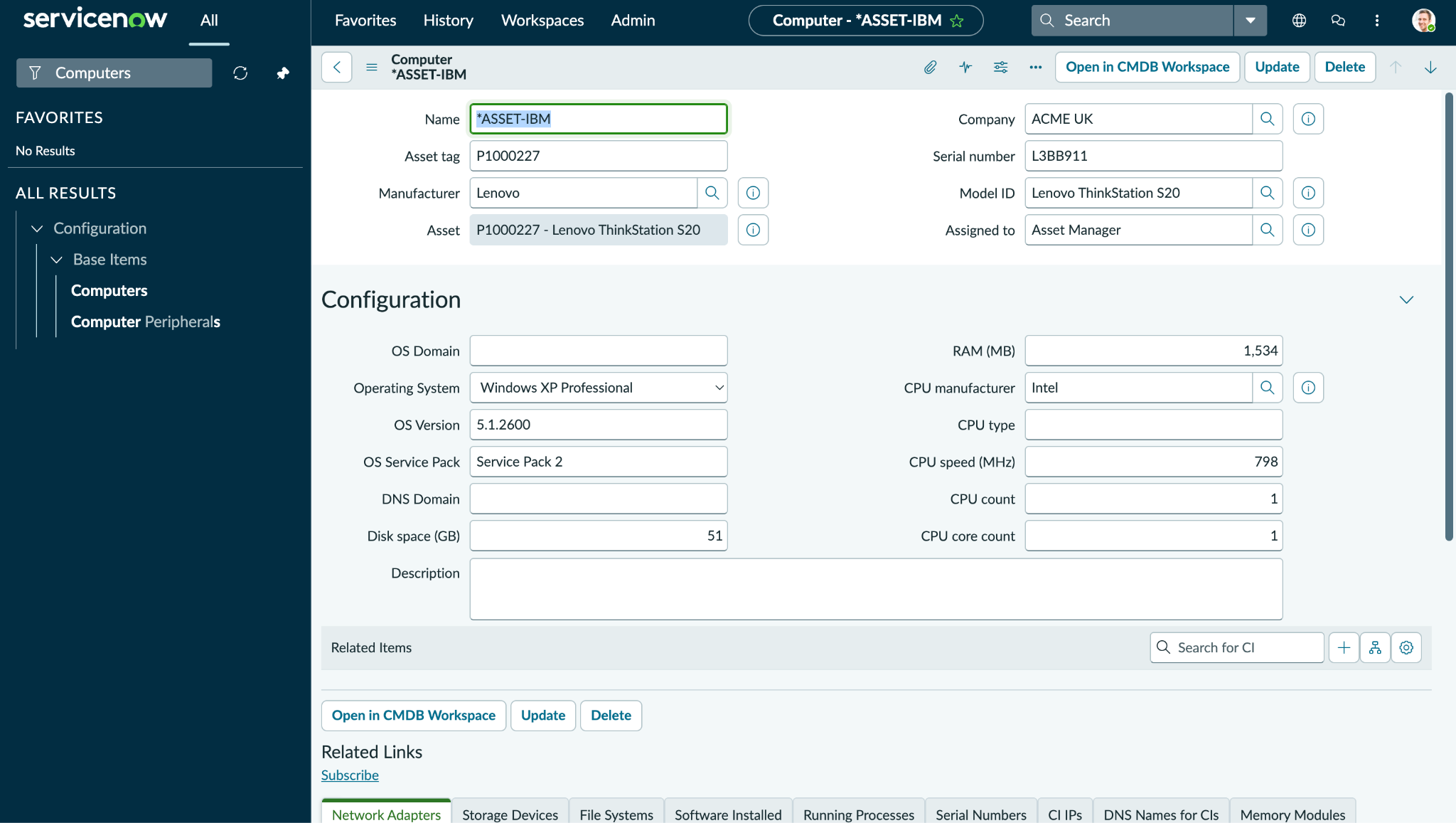
Click on any of the devices to open its details.
To verify the available Applications, log in to your ServiceNow instance and search for Business Applications.
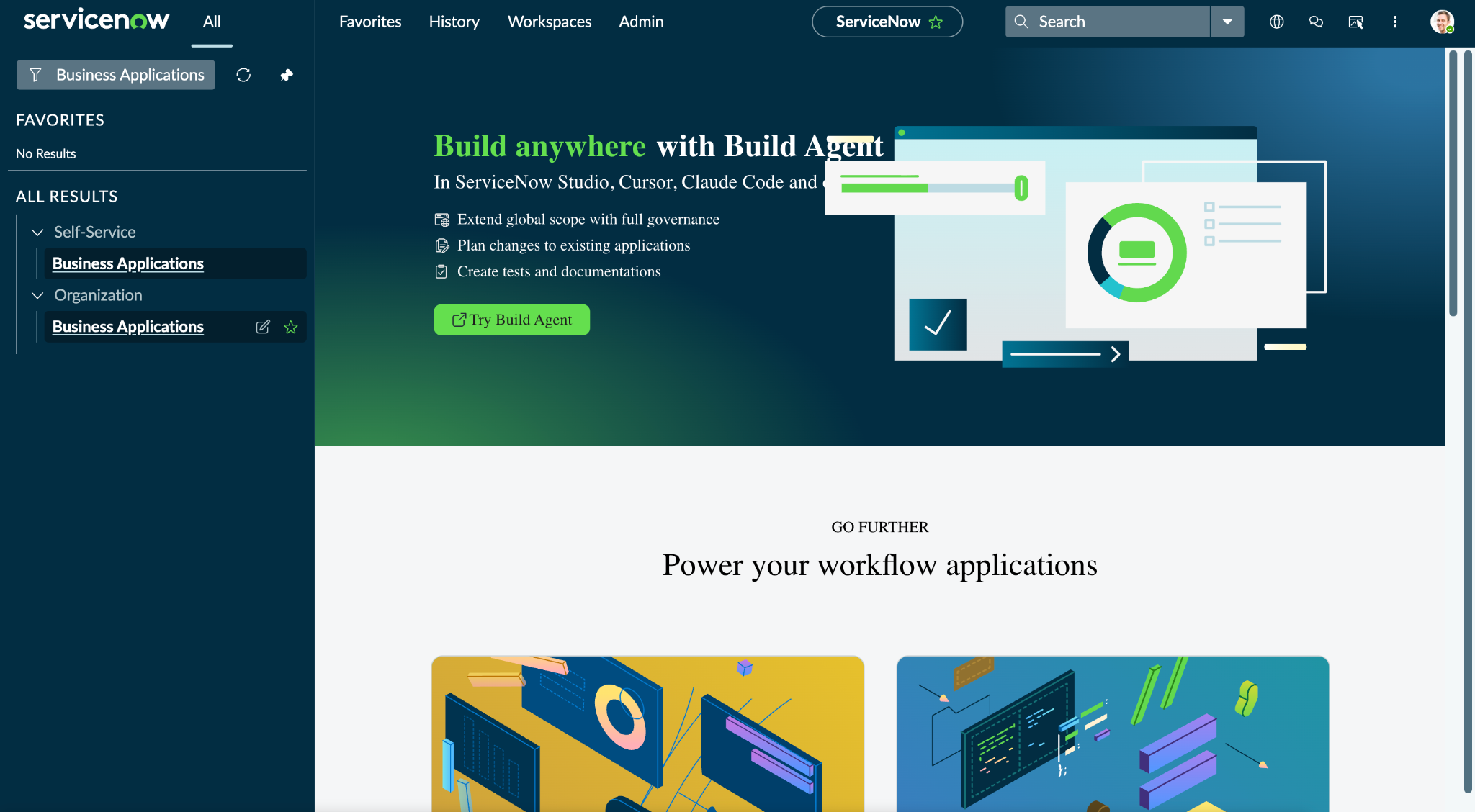
Click Business Applications under Organization to view all the available applications on ServiceNow.
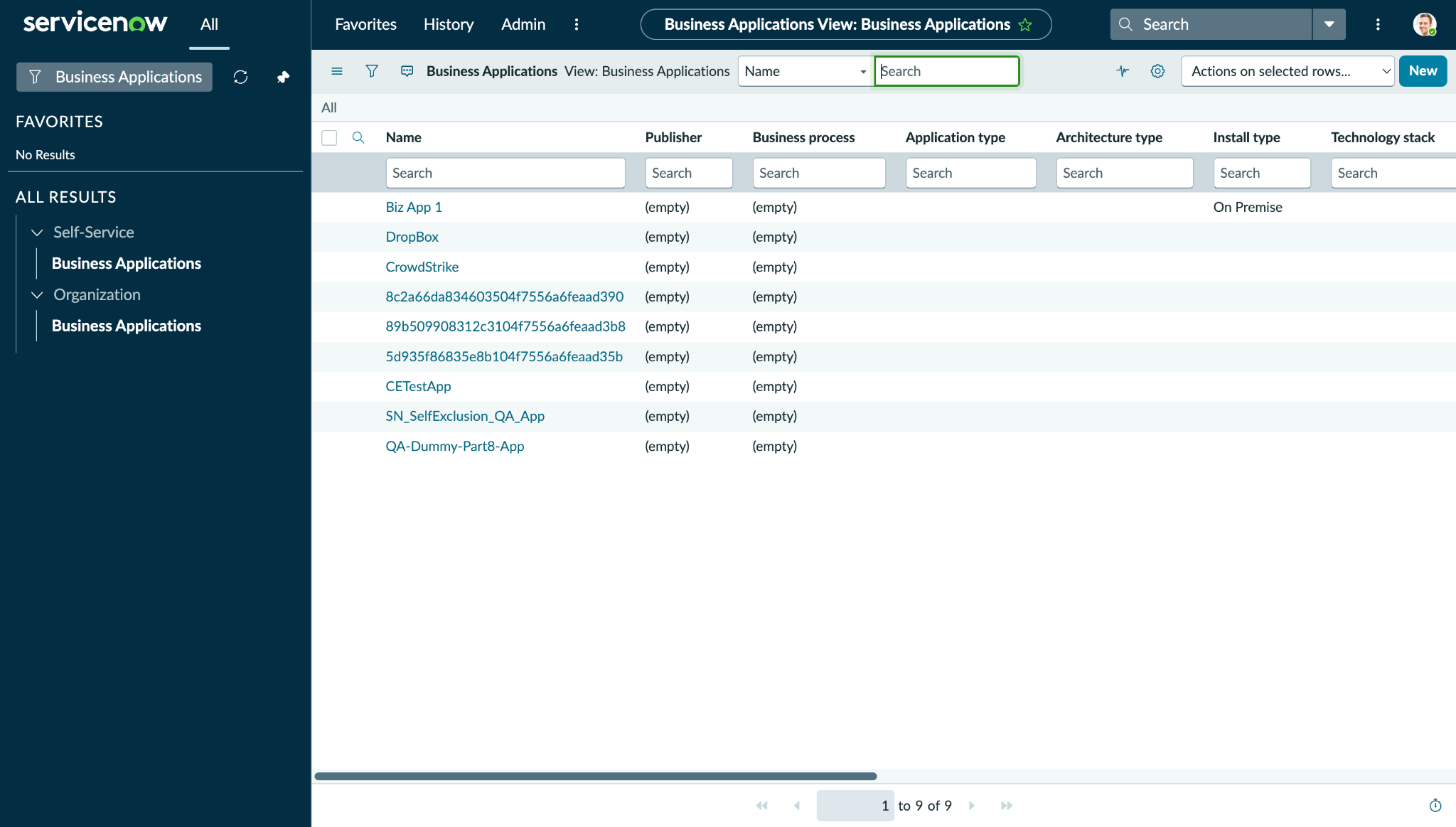
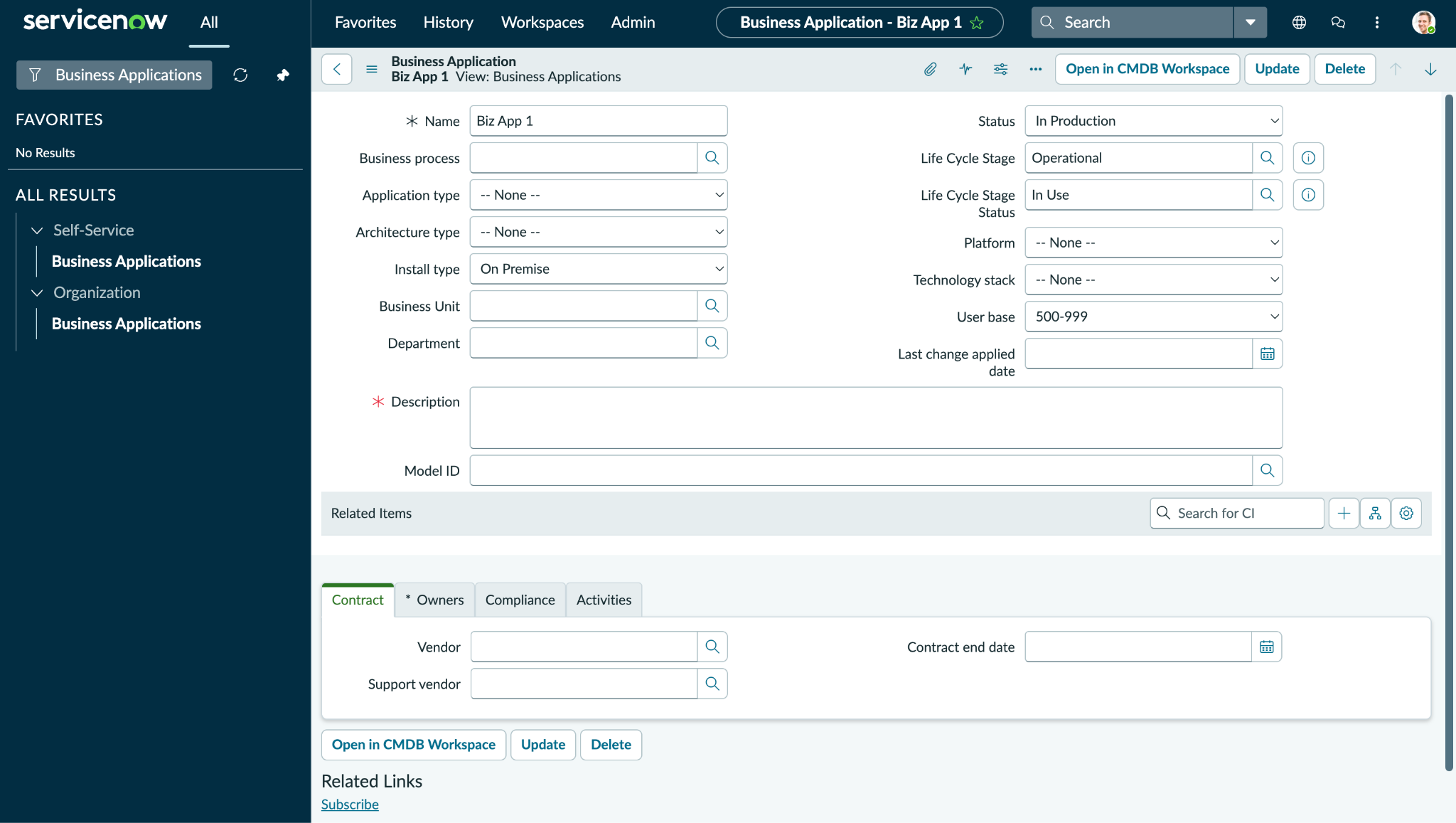
Click on any applications to open its details.
Action Validation
Validation for performed actions on ServiceNow platform:
Add/Remove User from Group
Log in to your ServiceNow instance and search for Users and Group.
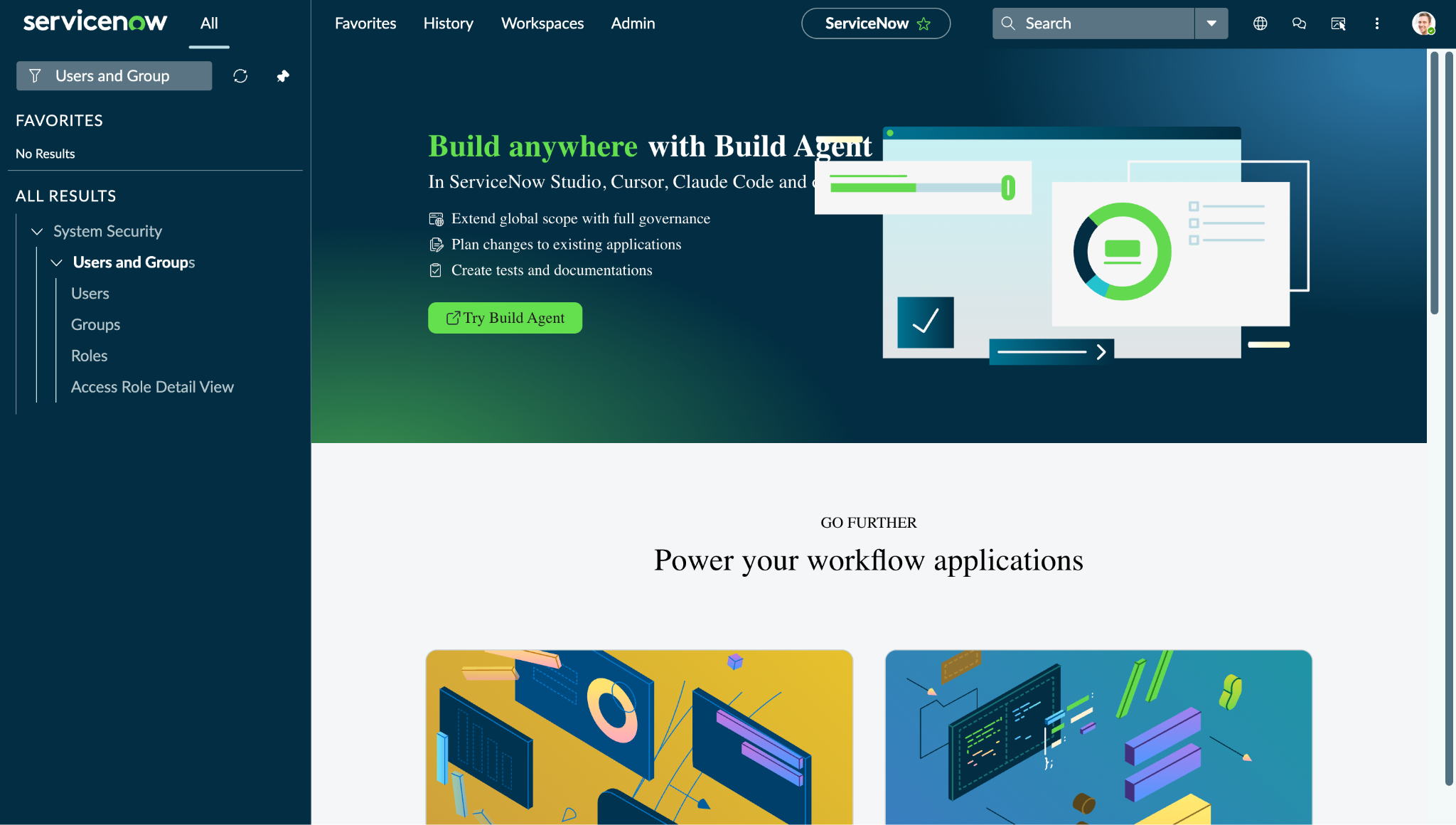
Click Users to view the available users list.
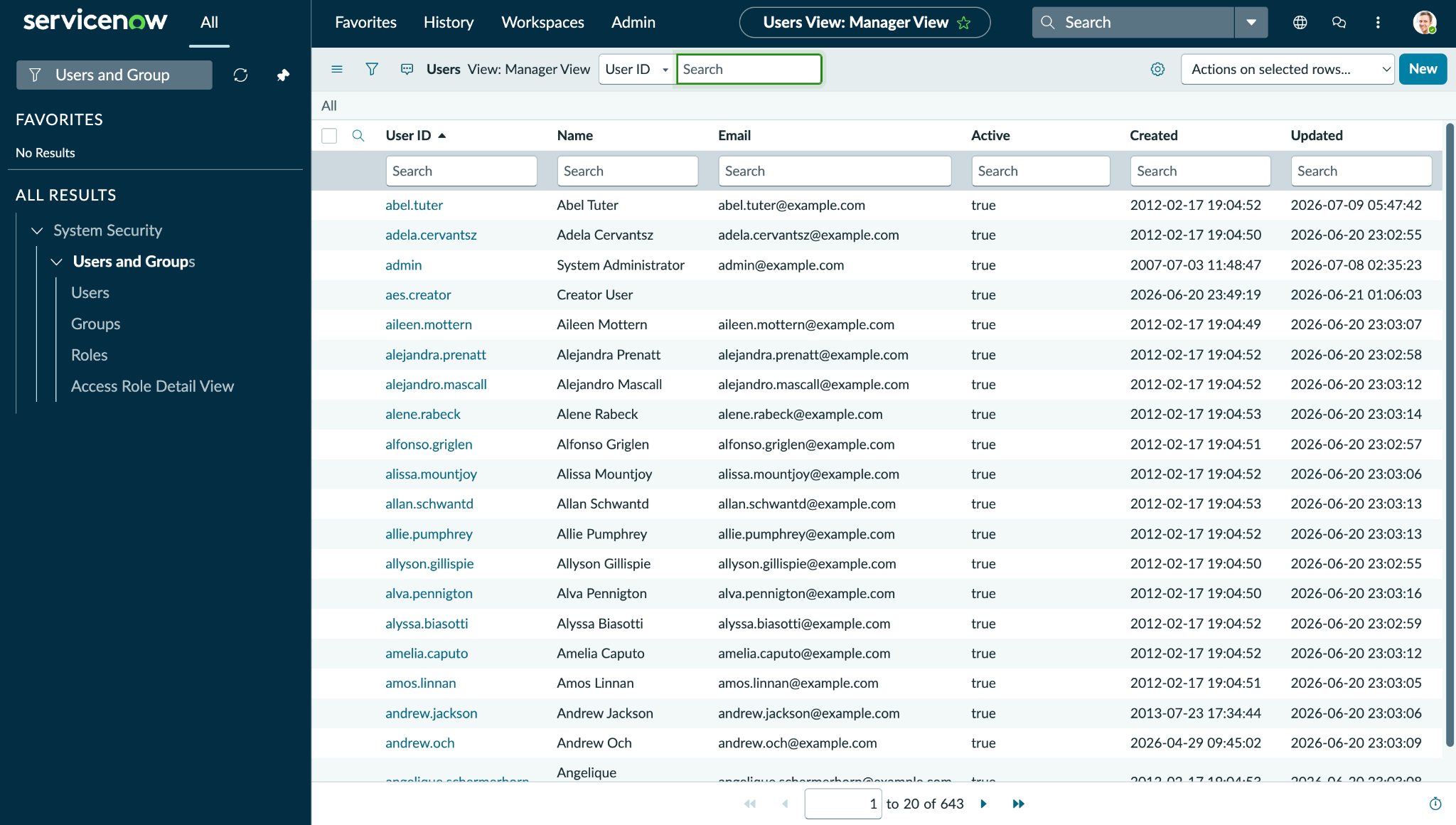
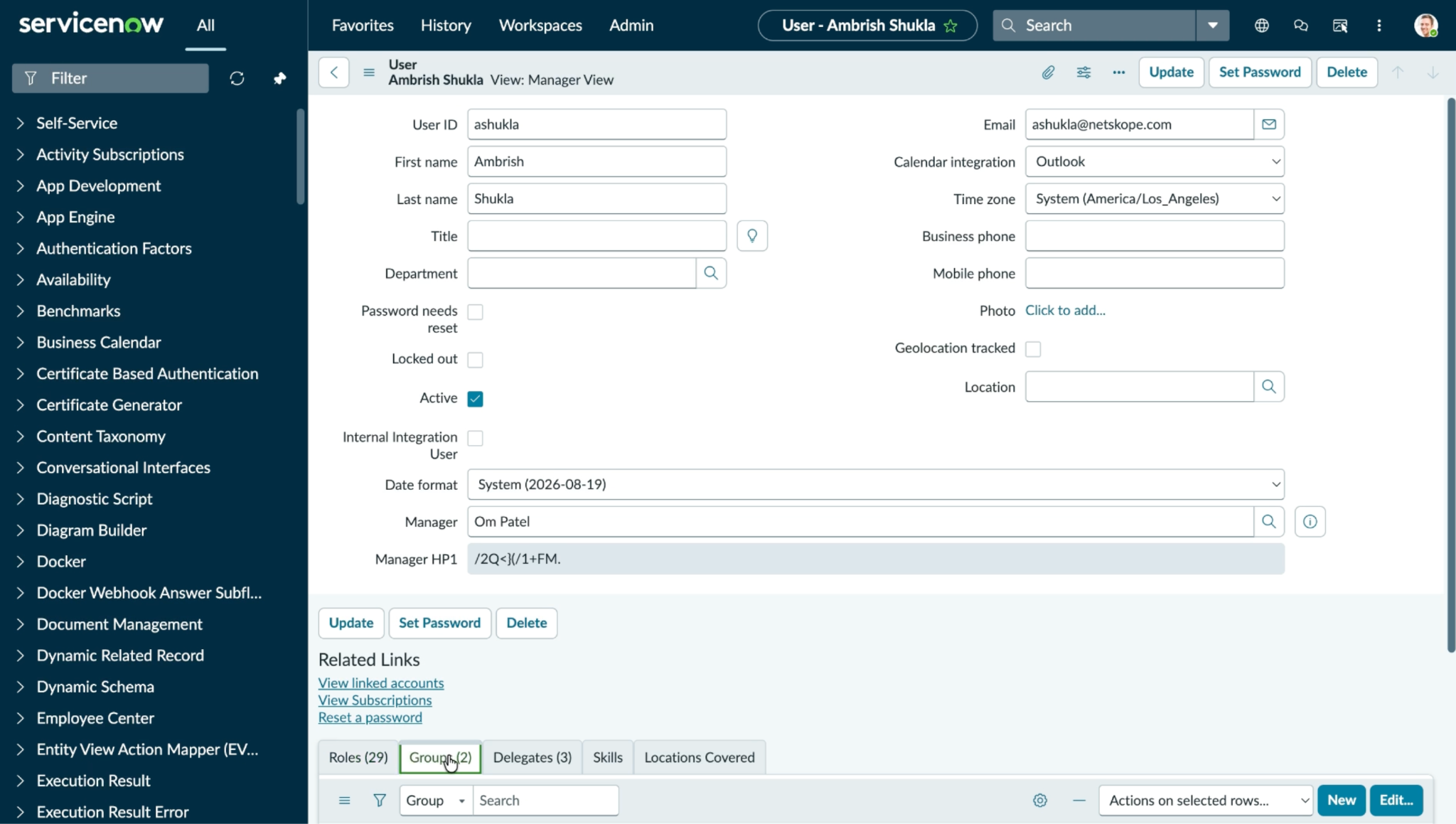
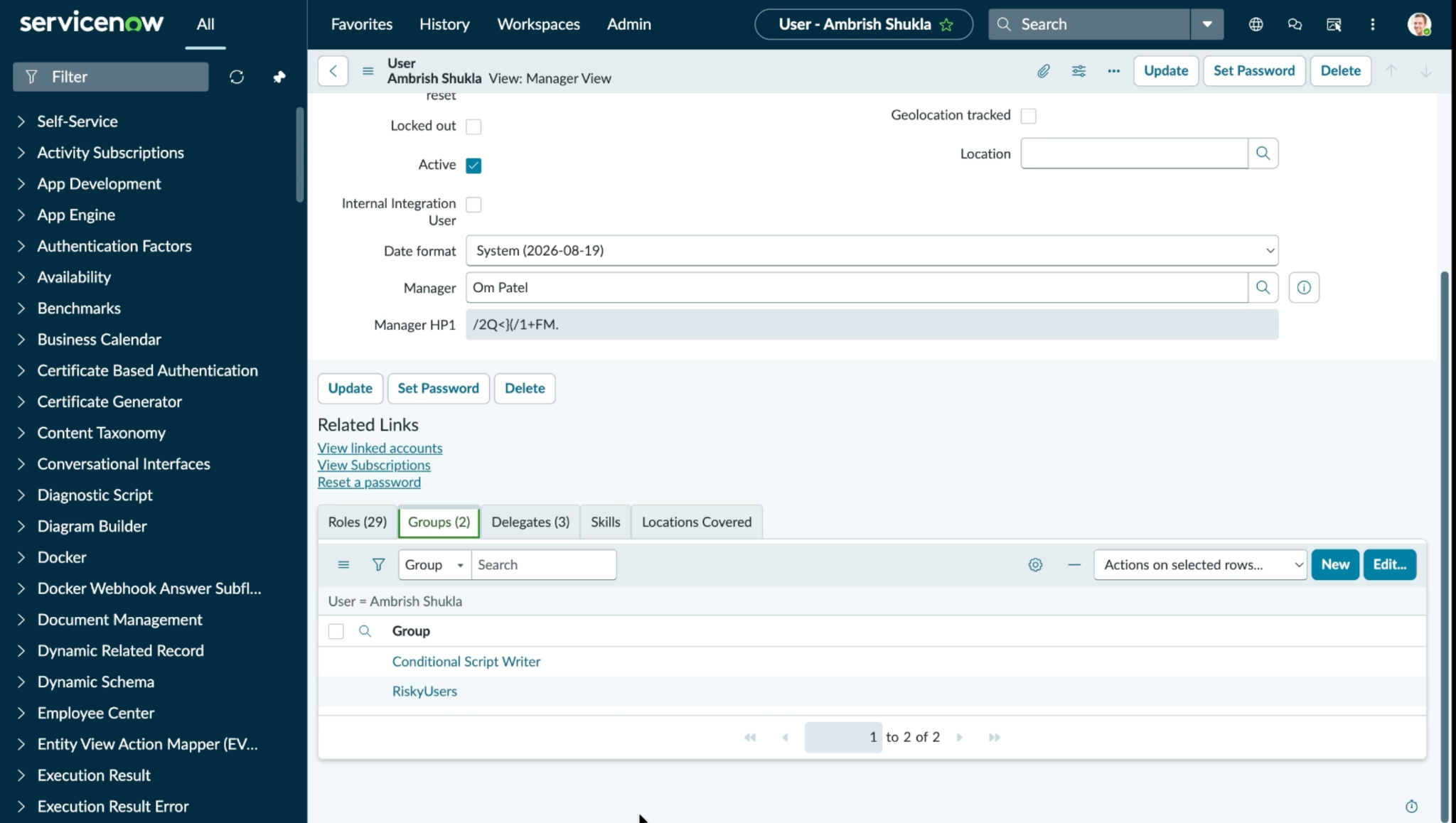
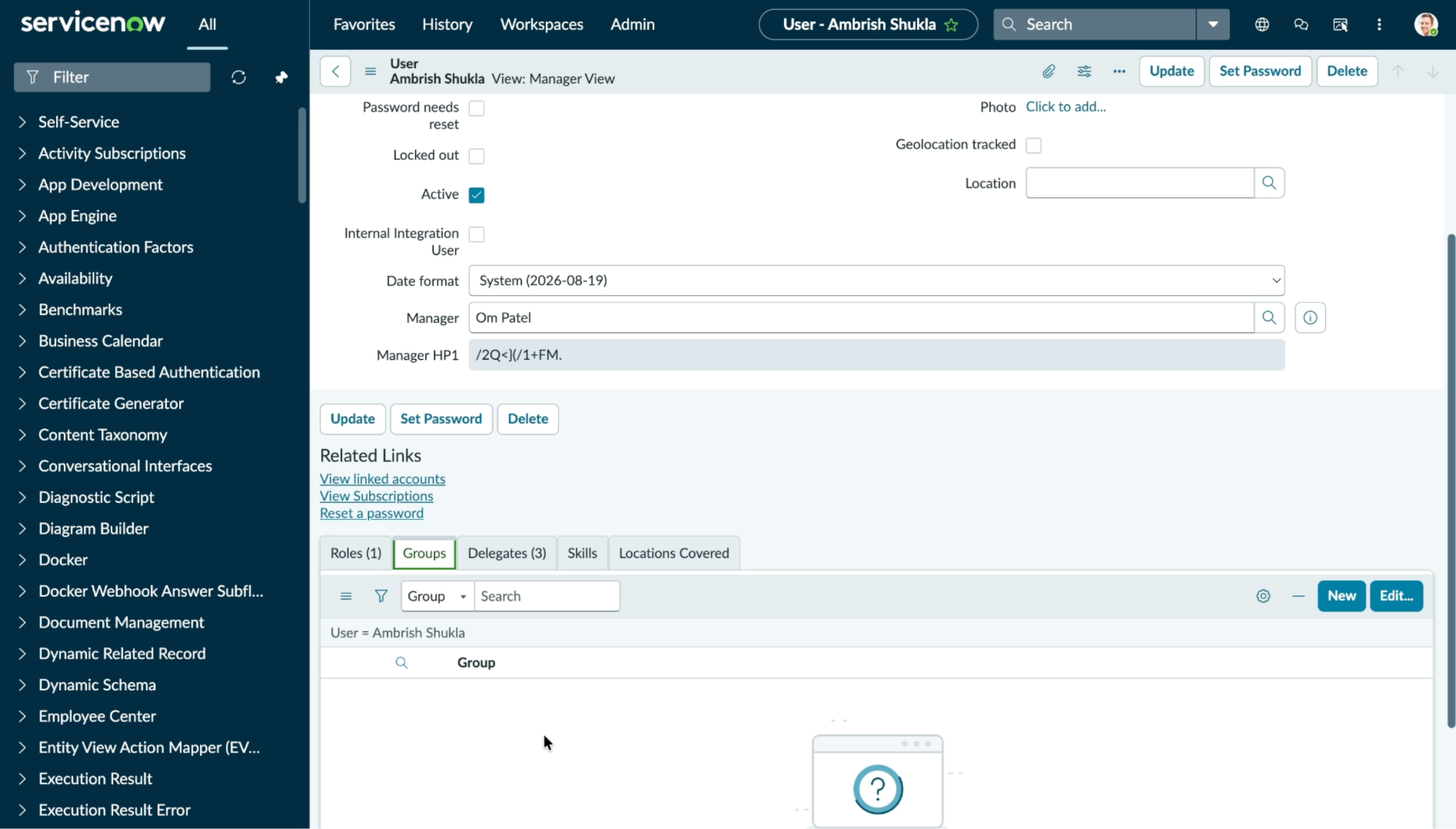
Click on any of the users to open its details and navigate to groups tab.
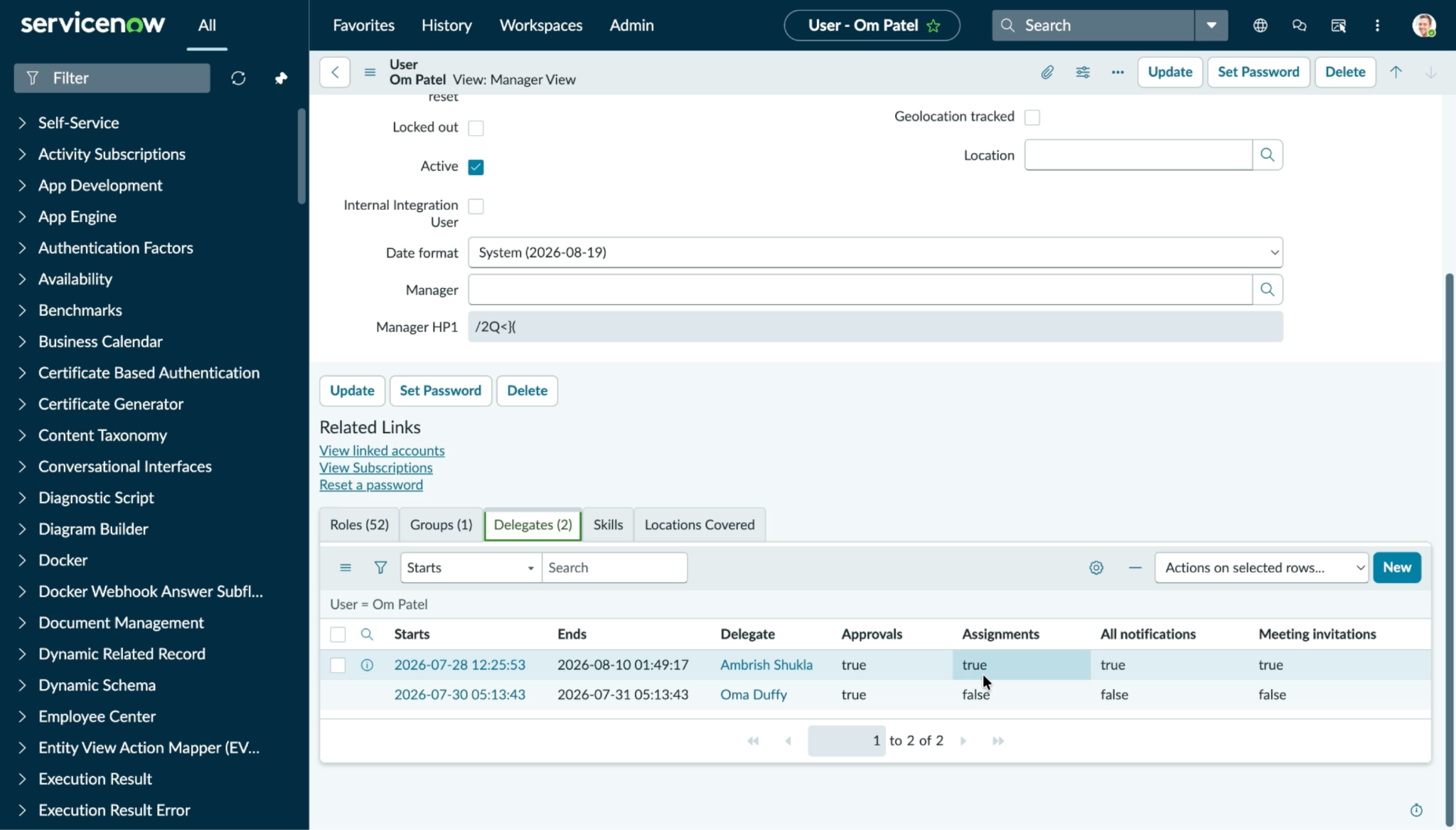
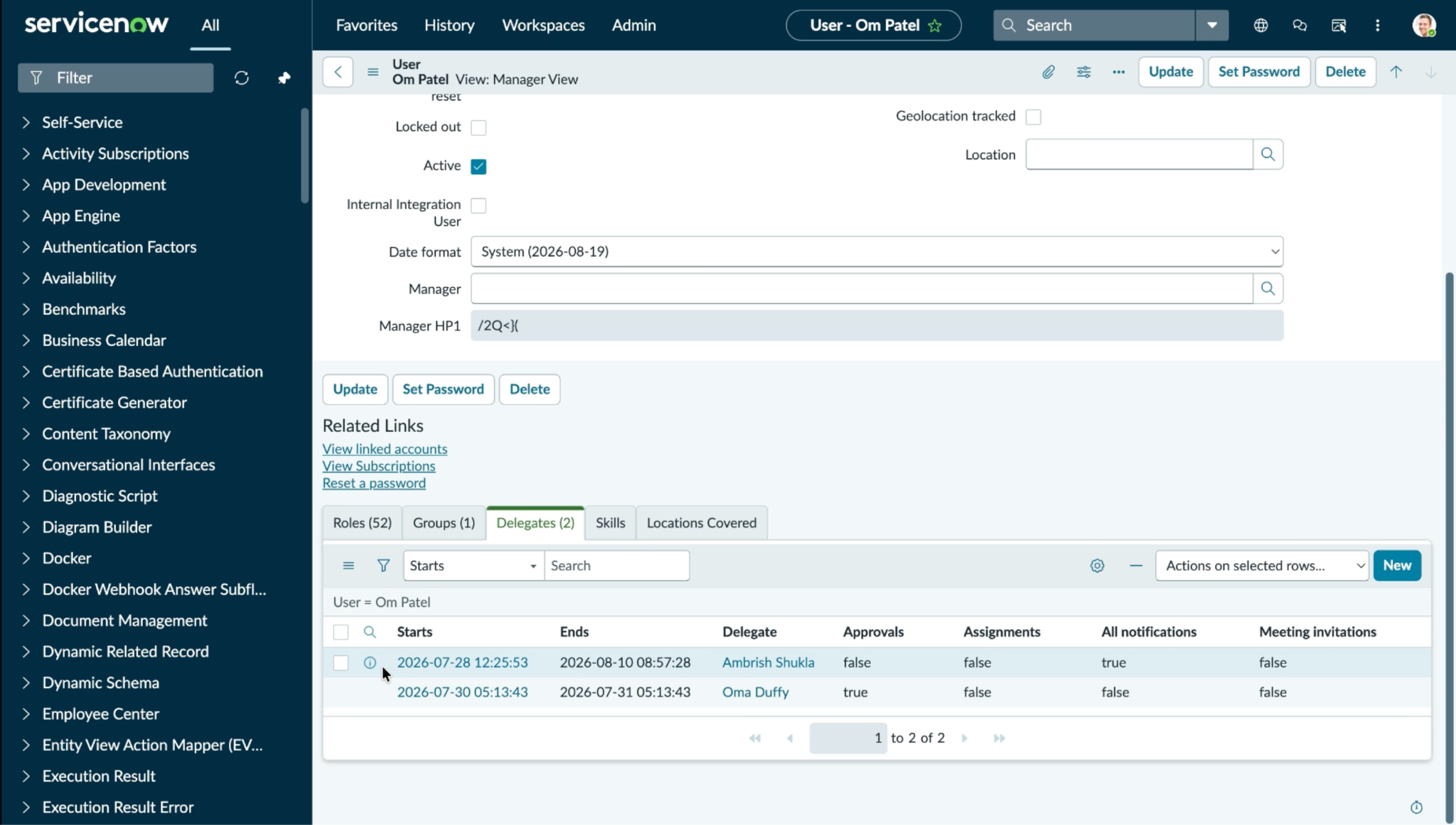
Update User Delegation
Delegation settings before update user delegation action execution:
Delegation settings after update user delegation action execution:
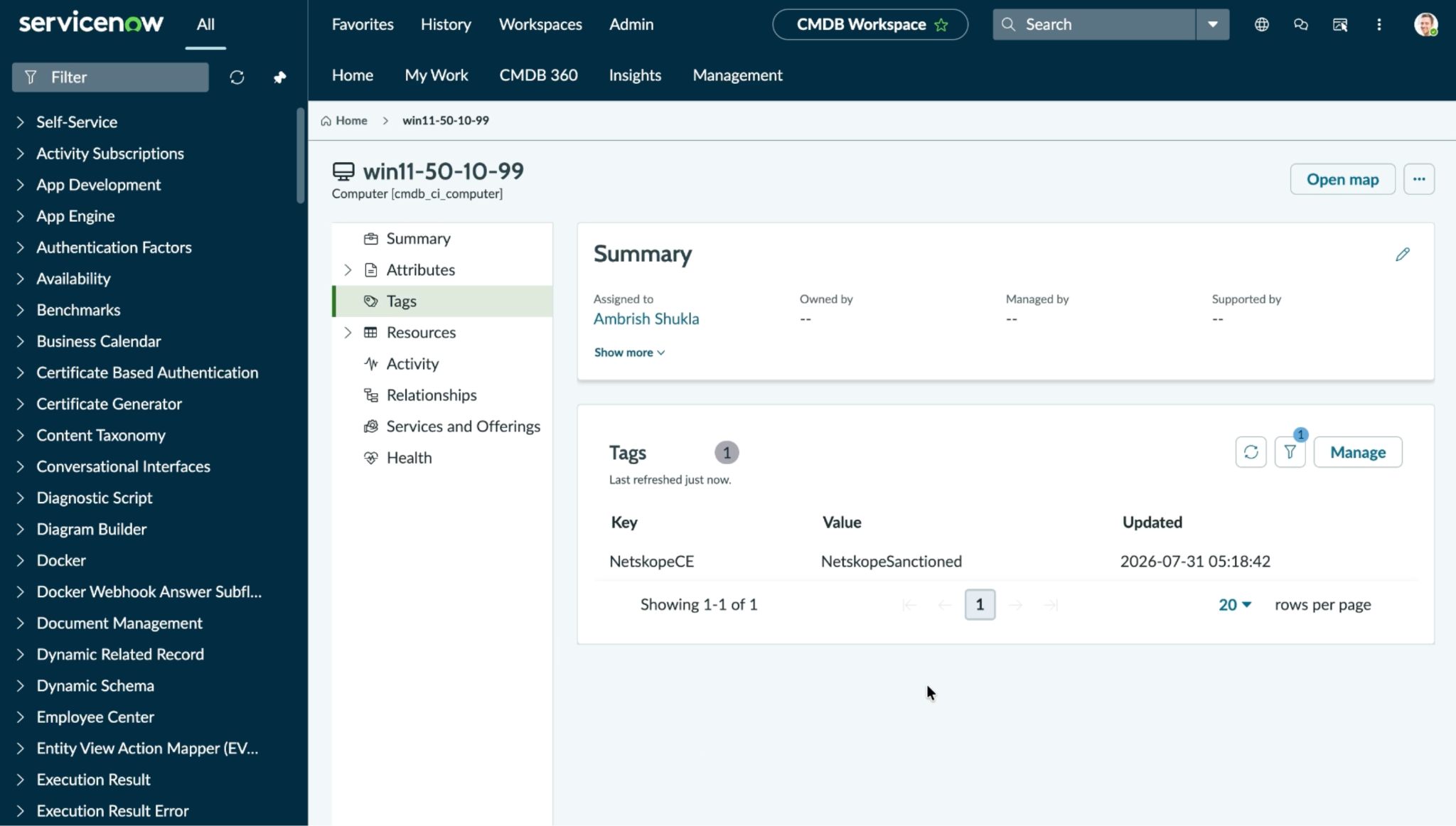
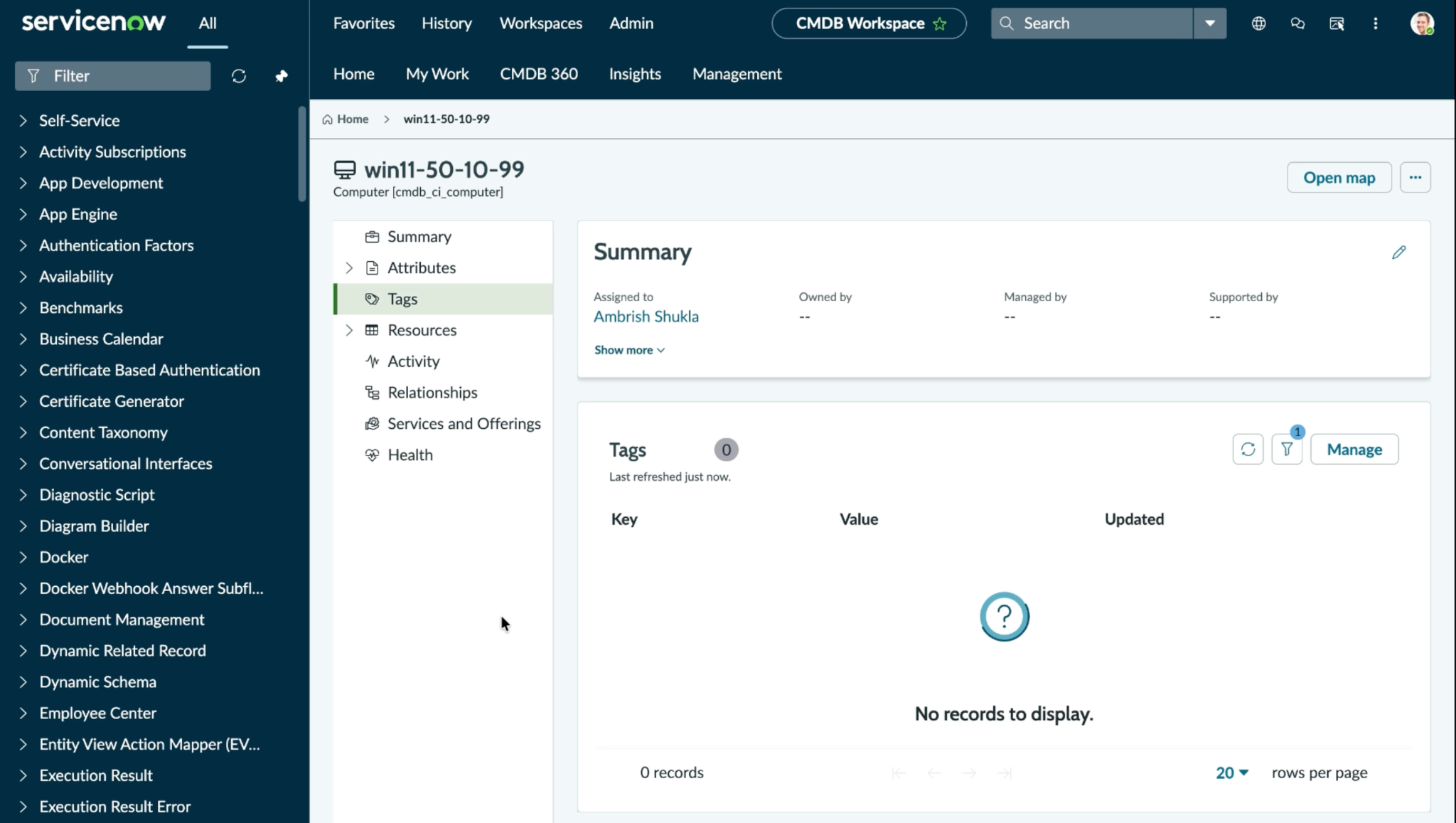
Manage Device Tags
Log in to your ServiceNow instance and search for Computers.
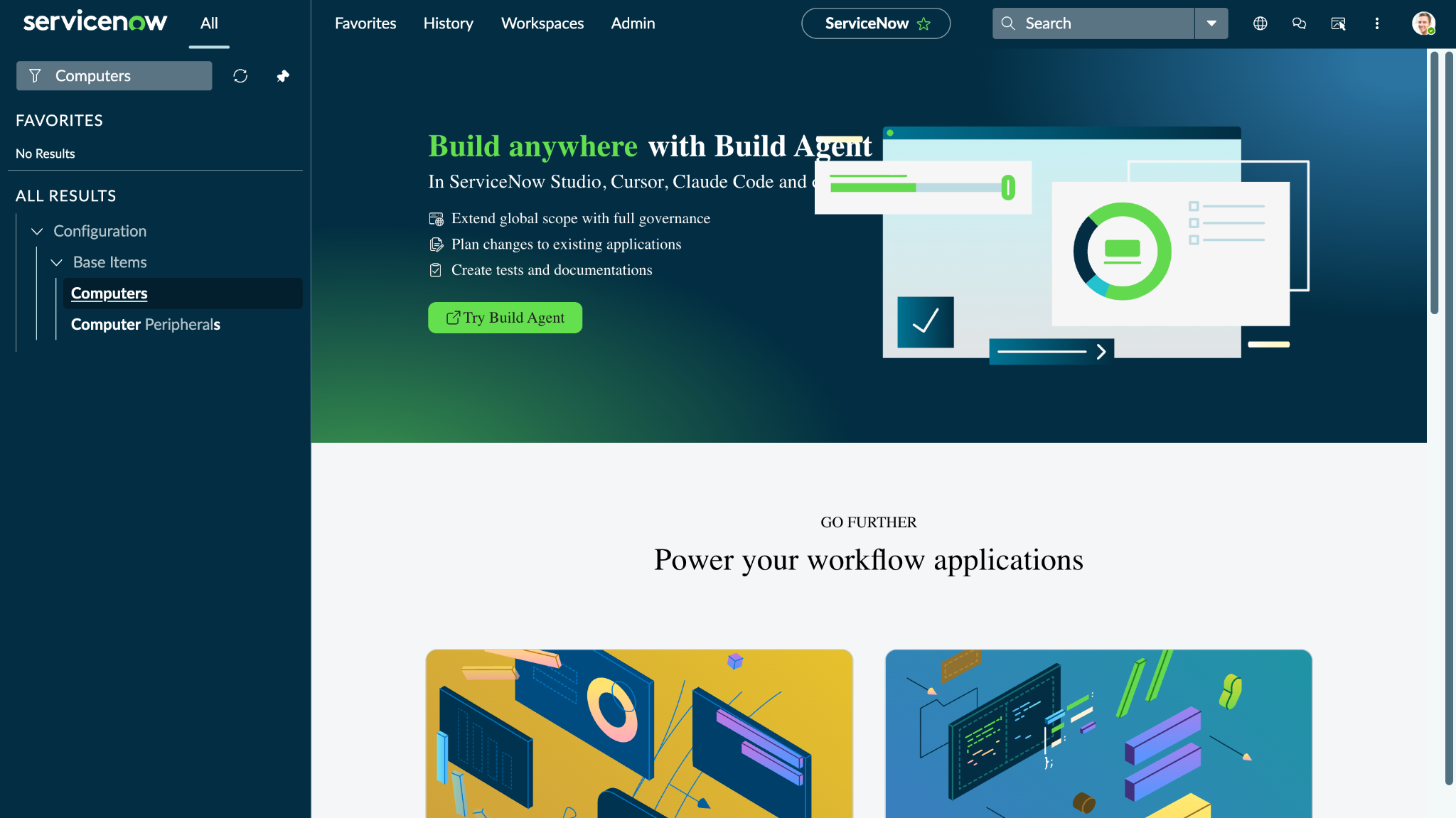
Click Computers under Configuration to view available Devices.
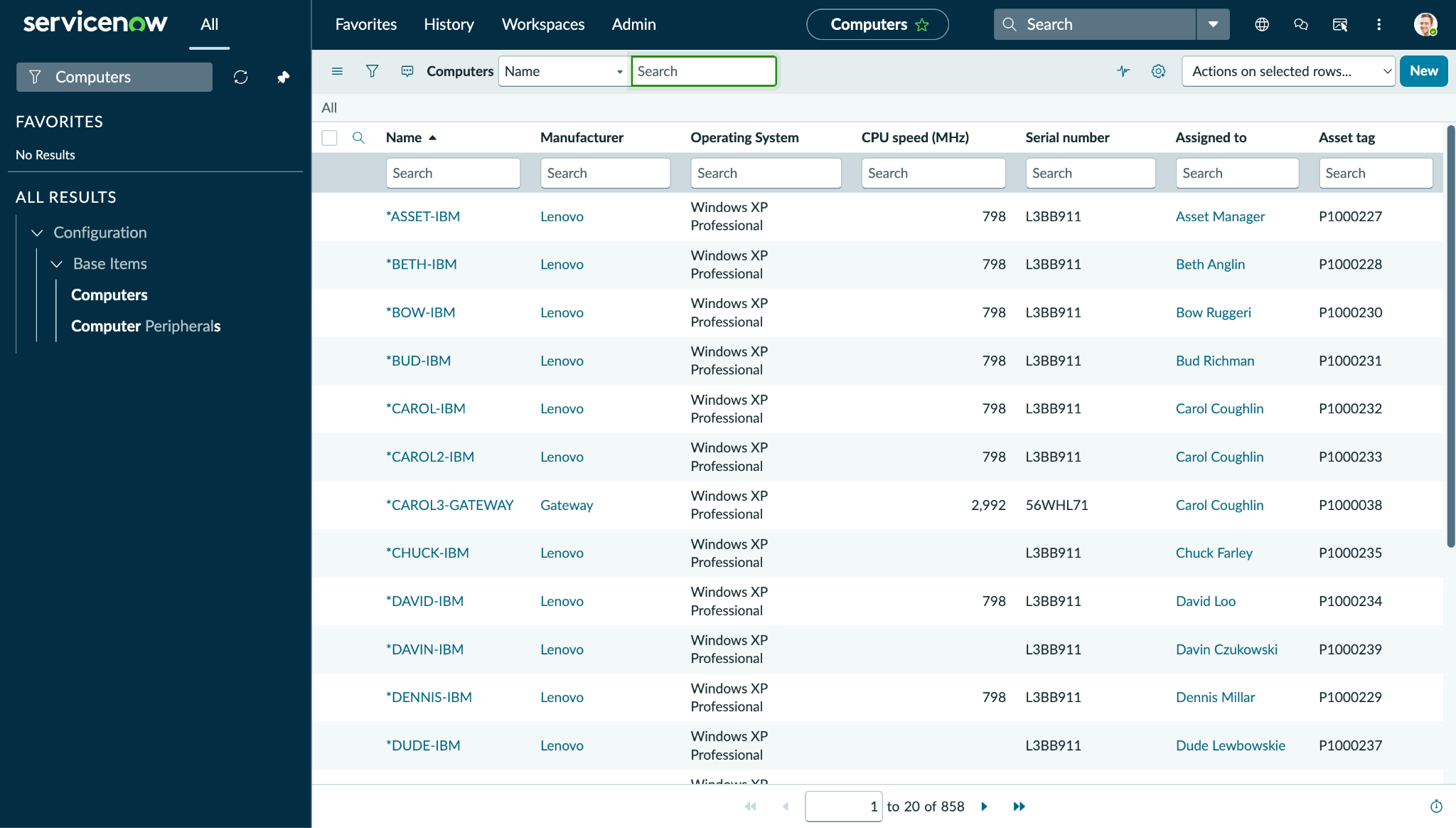
Search for the device on which action was performed and click on it to open its details.
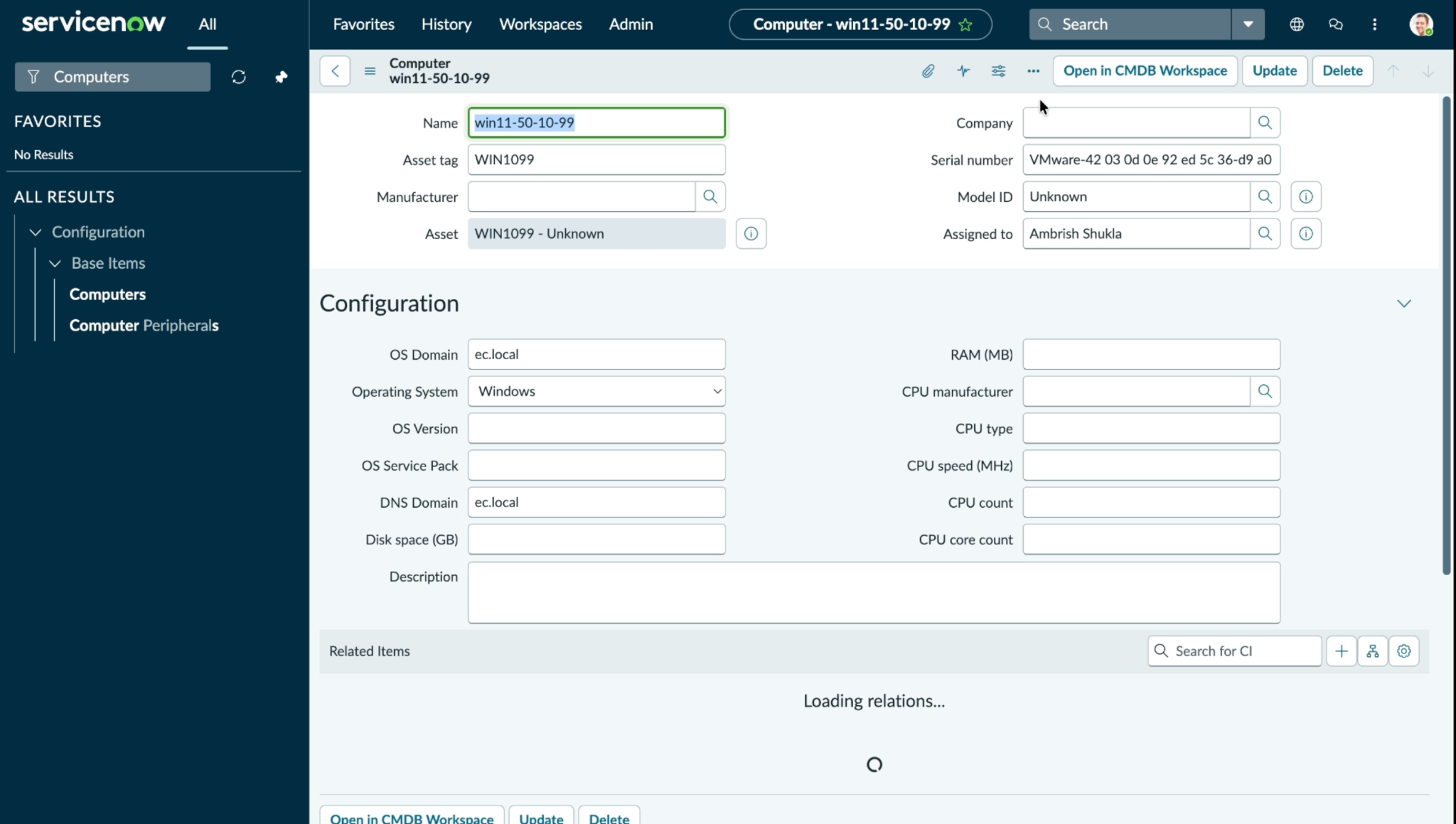
Click Open in CMDB Workspace and go to Tags.
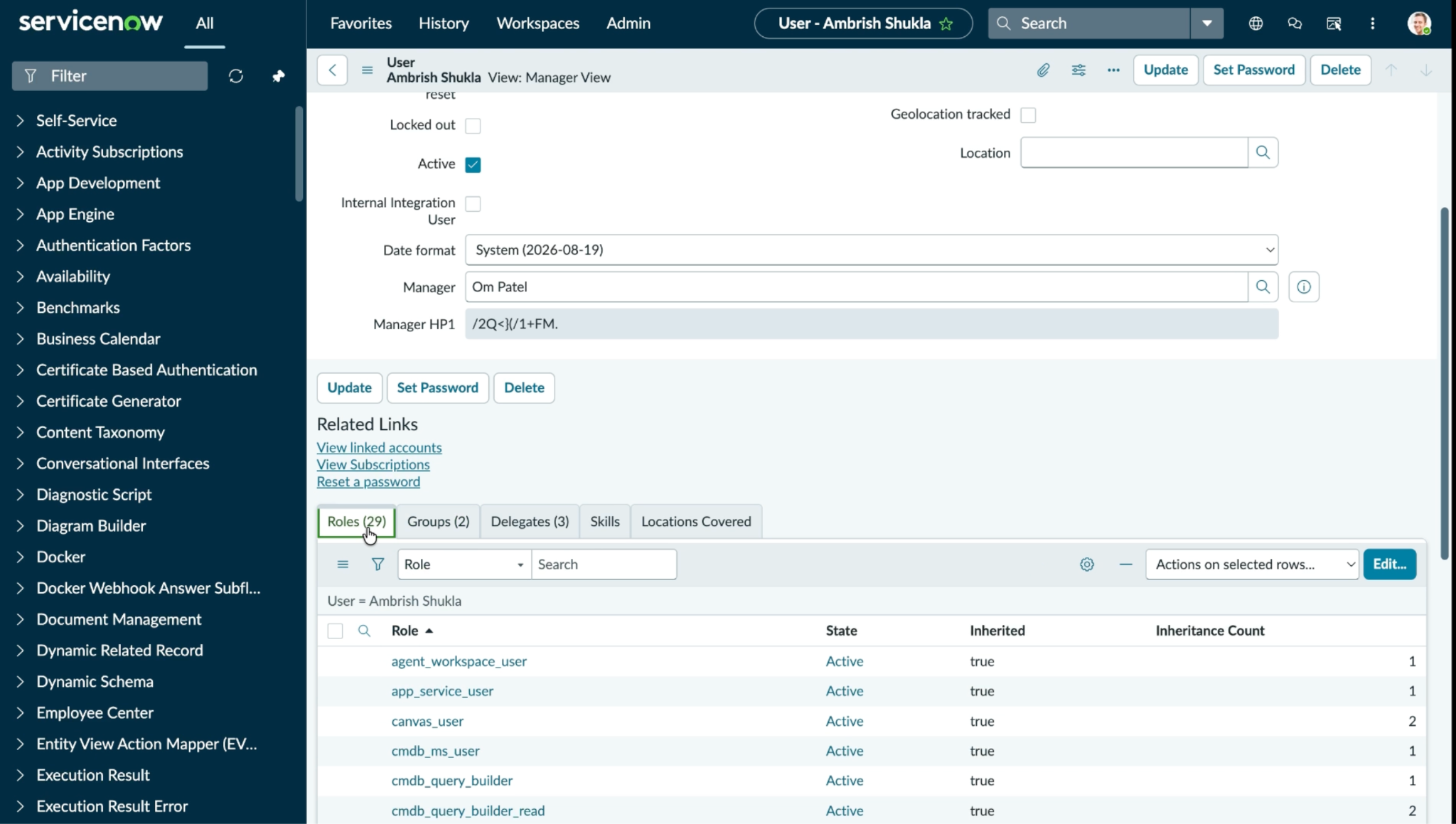
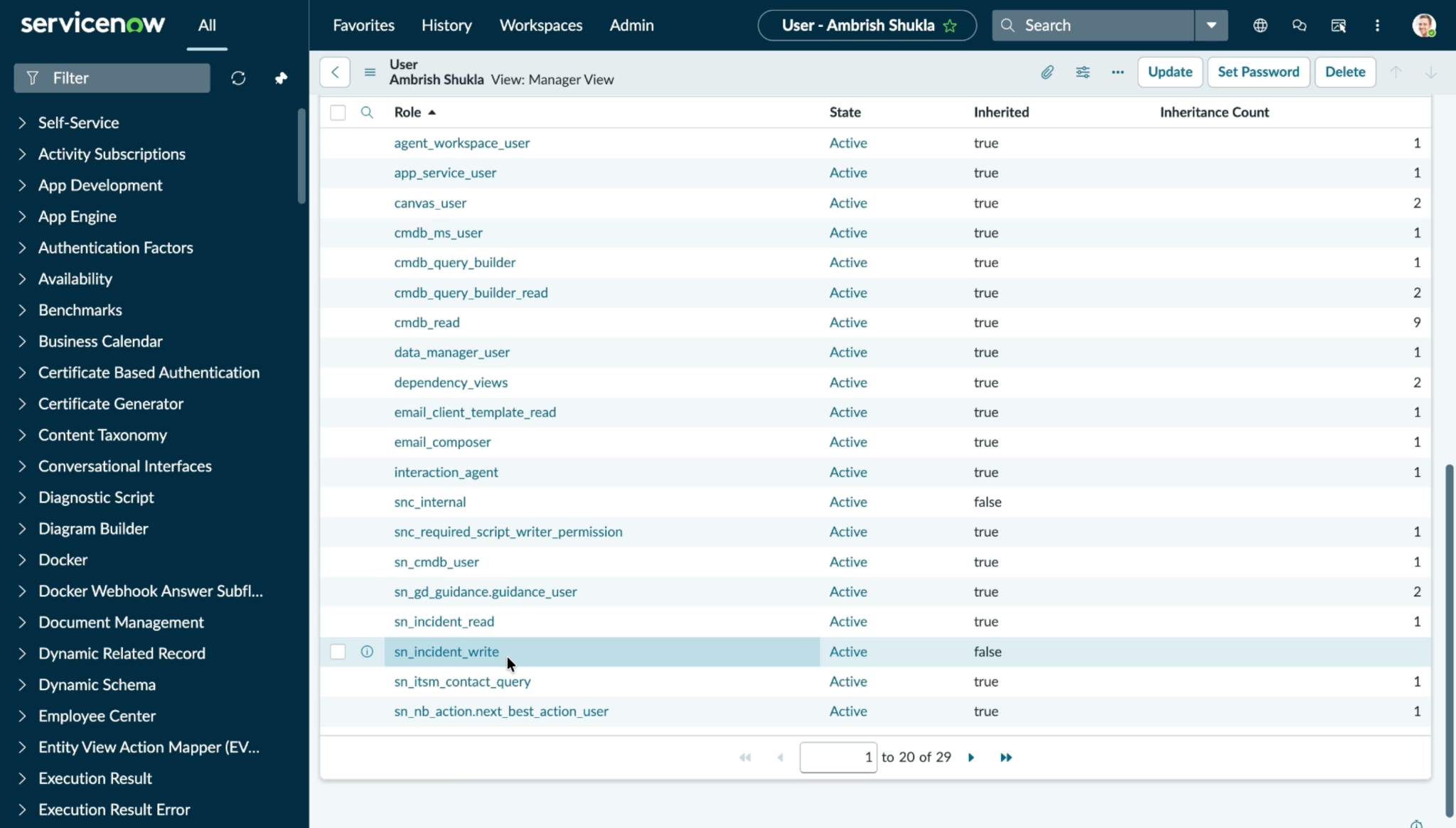
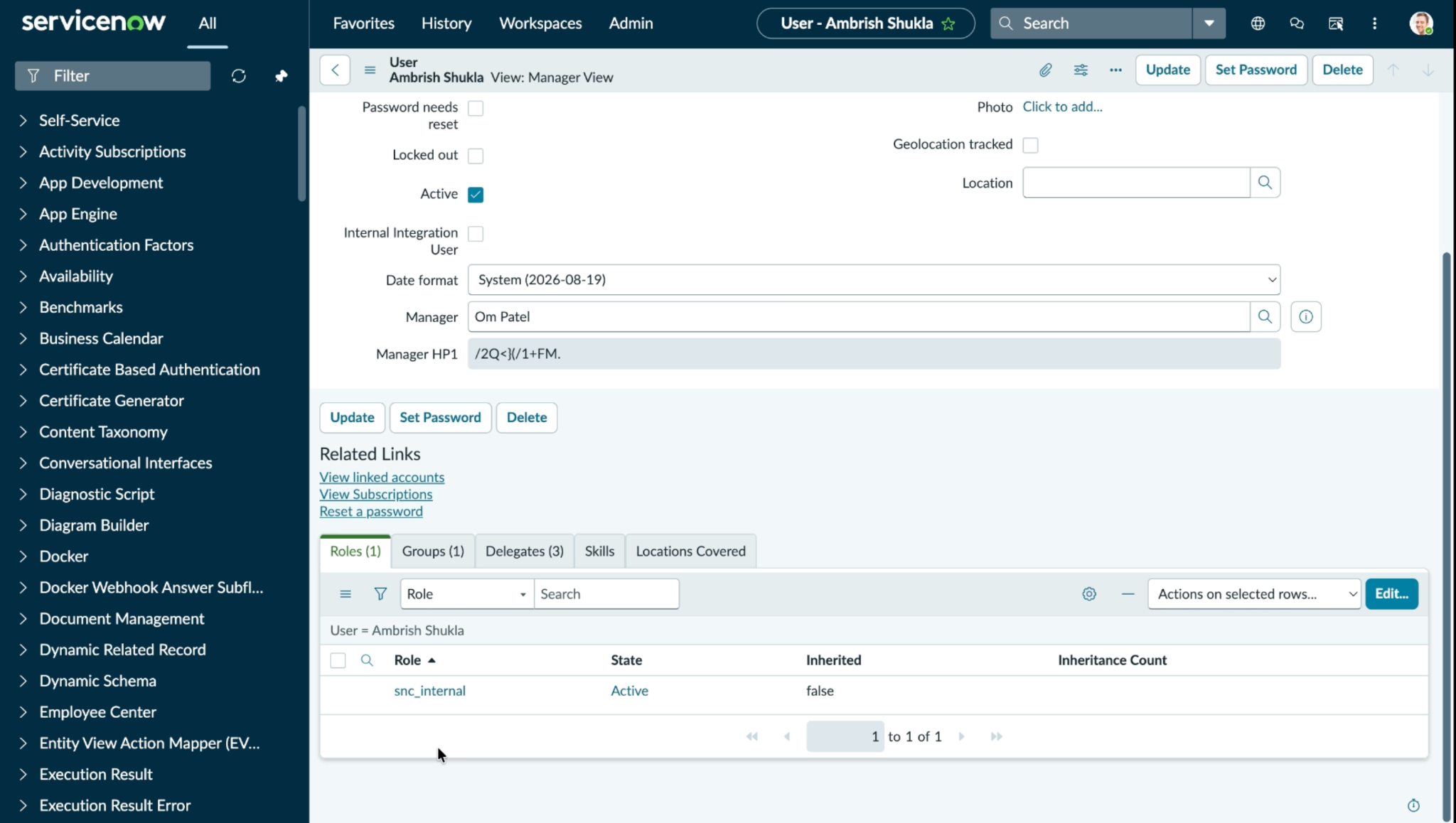
Add/Remove User from Role
Log in to your ServiceNow instance and search for Users and Group.
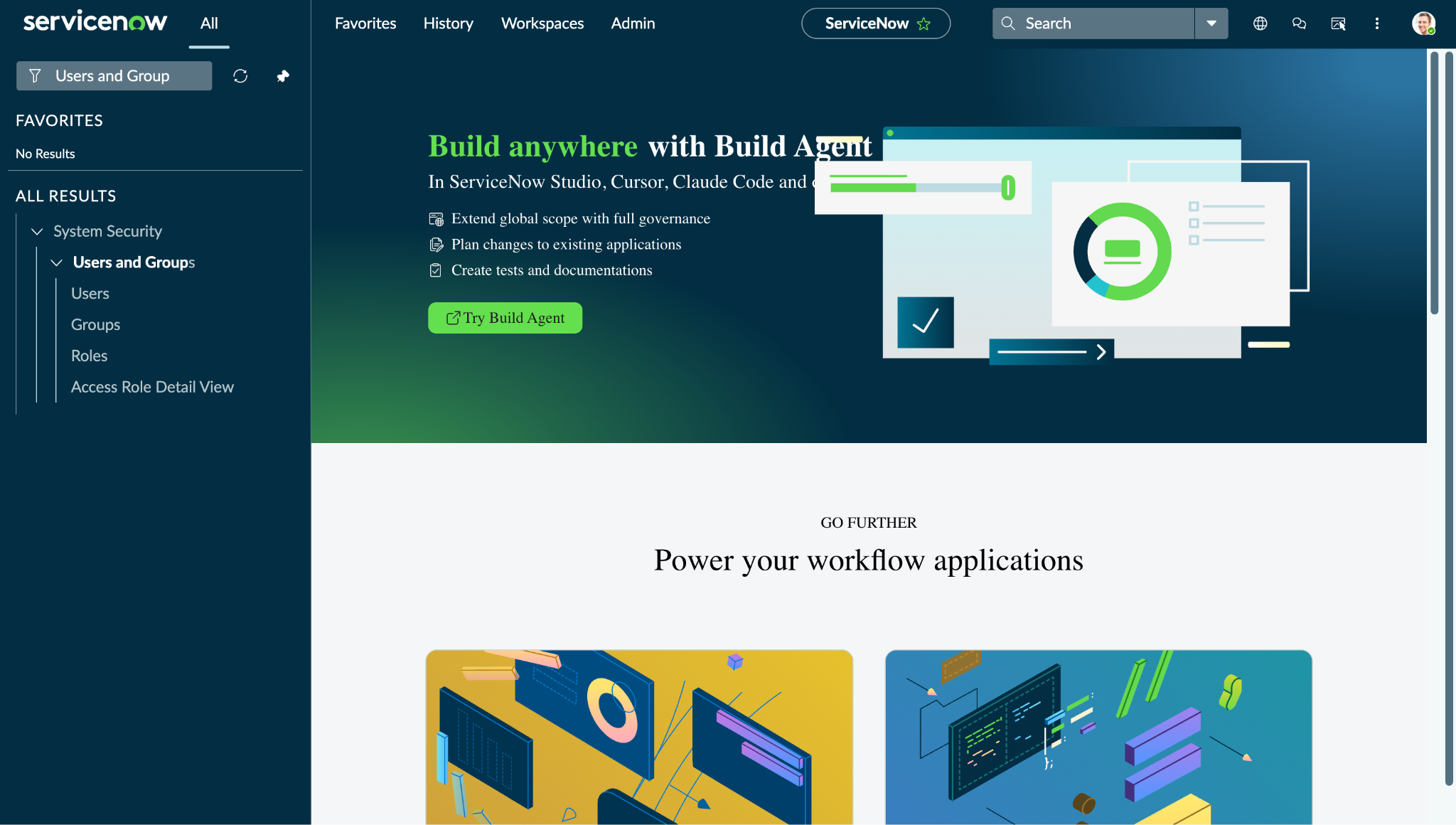
Click Users to view the available users list.
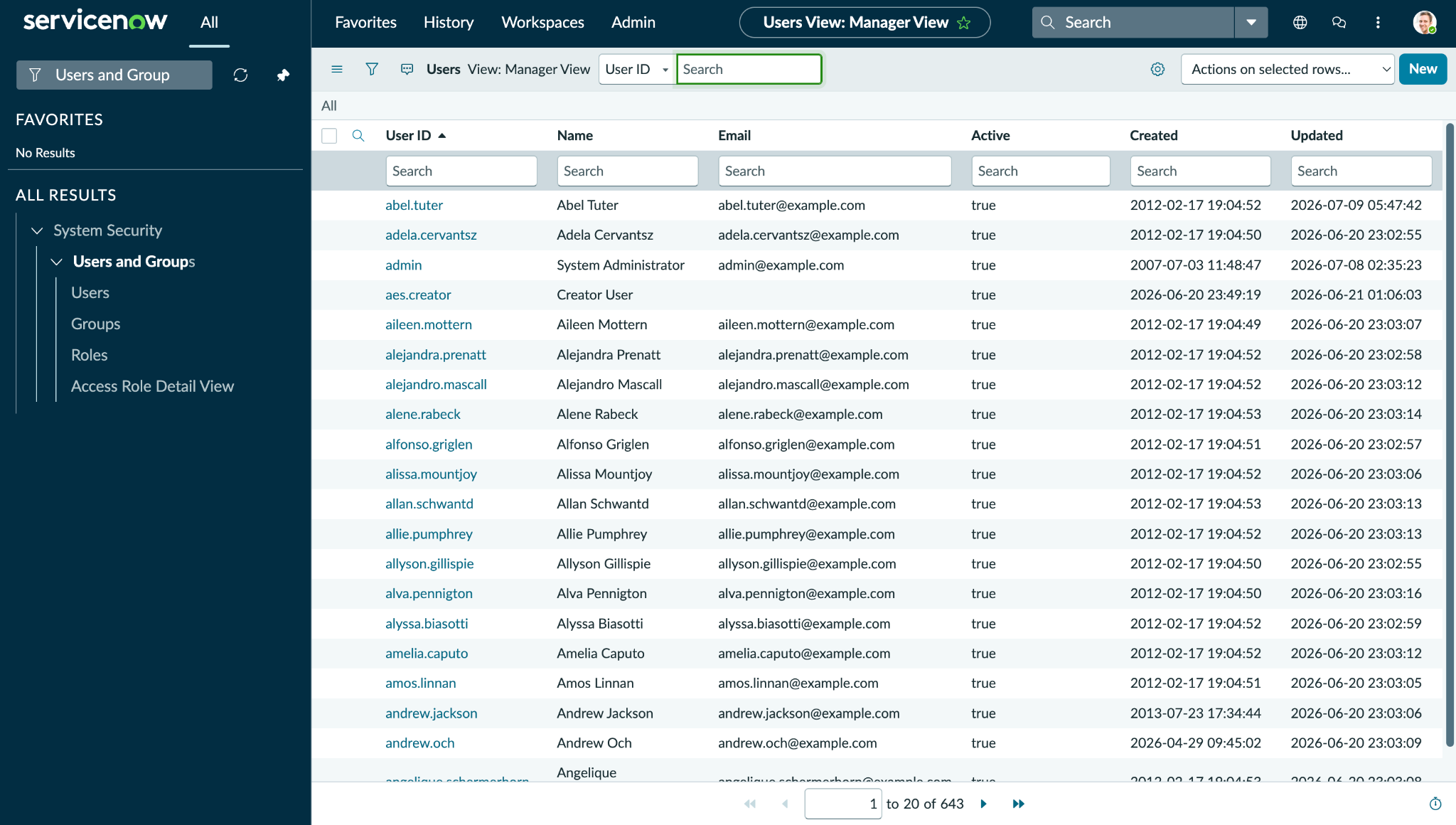
Click on any of the users to open its details and go to Roles.
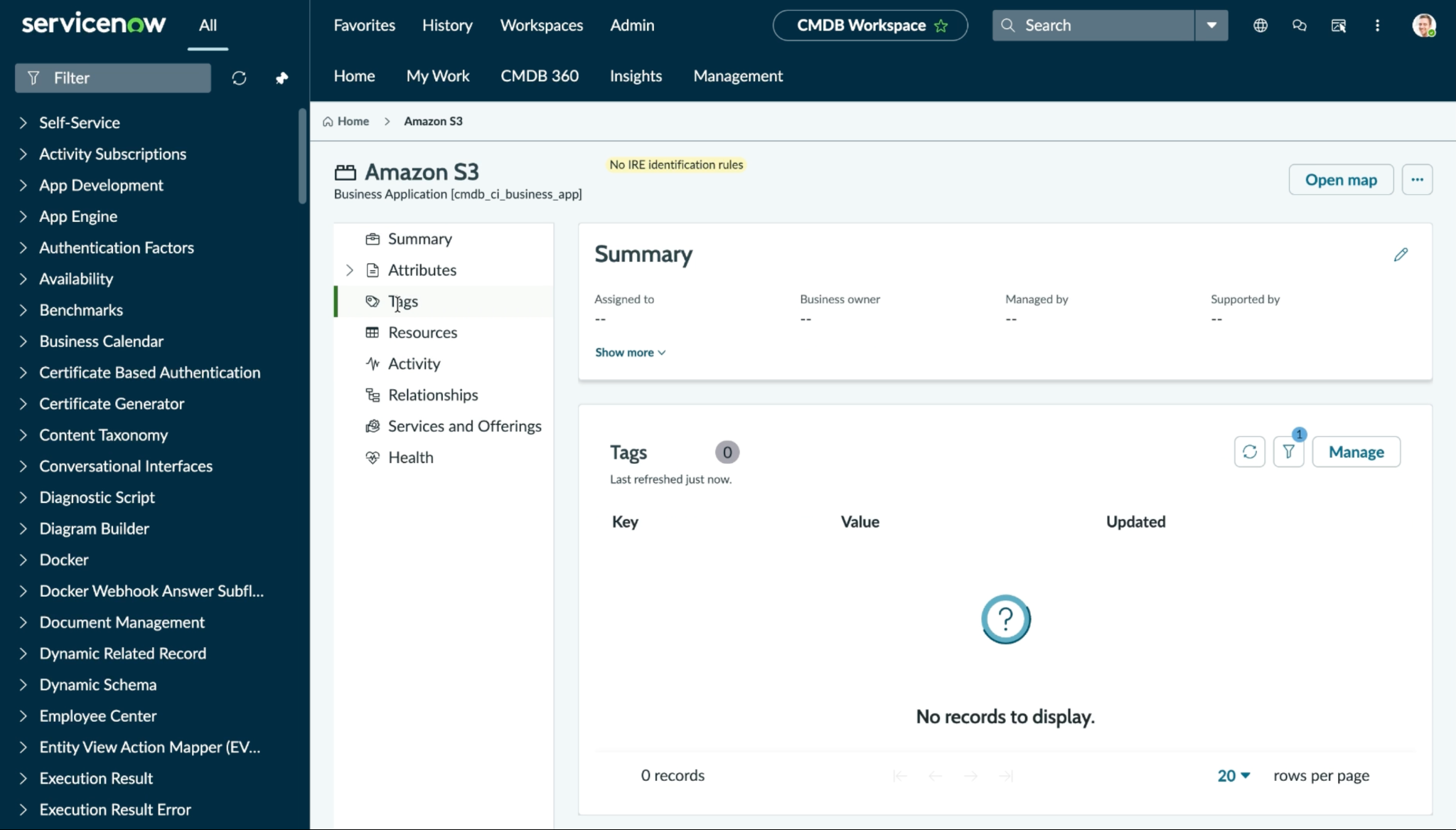
Manage Application Tags
Log in to your ServiceNow instance and search for Business Applications.
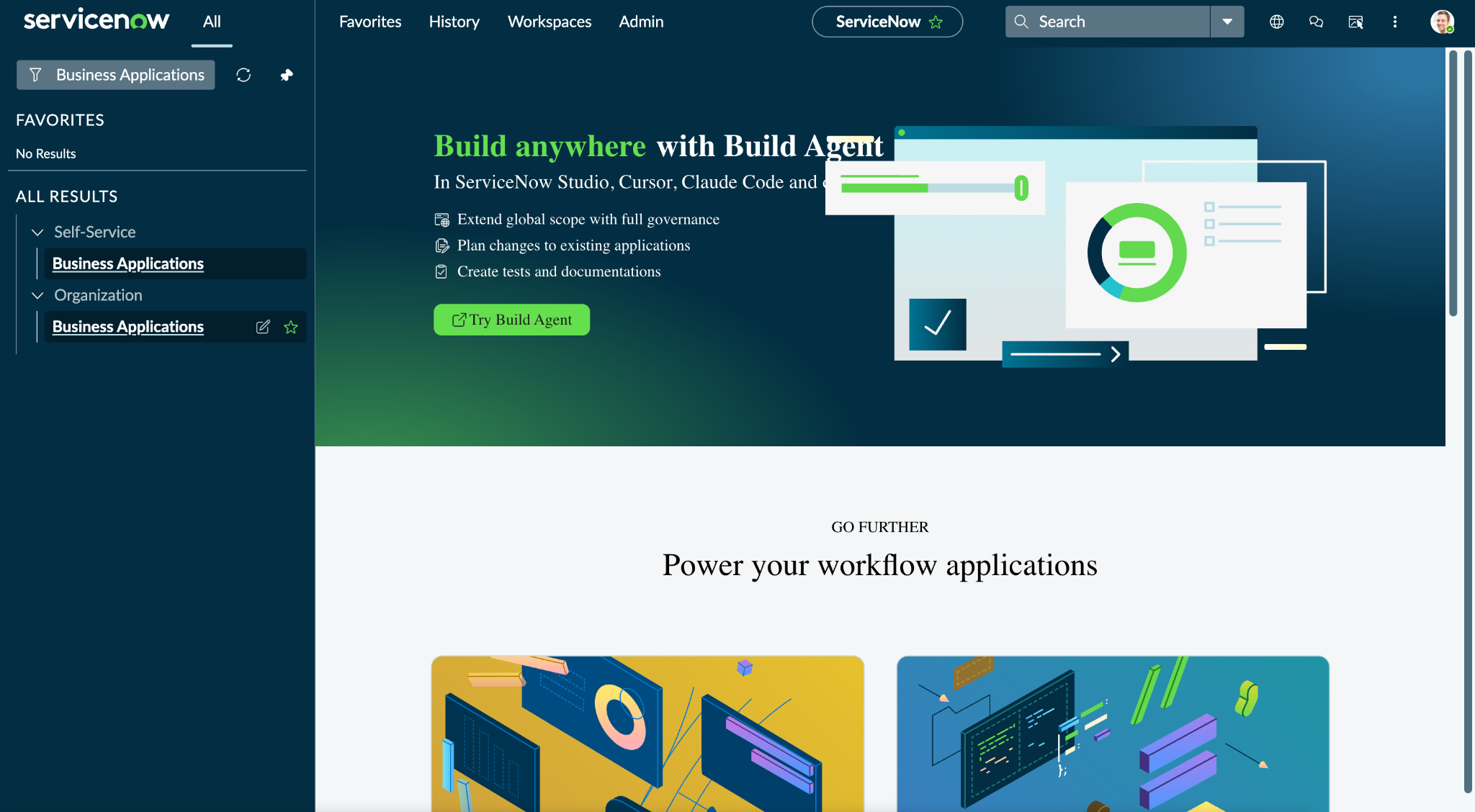
Click Business Applications under Organization to view all the available applications on ServiceNow.
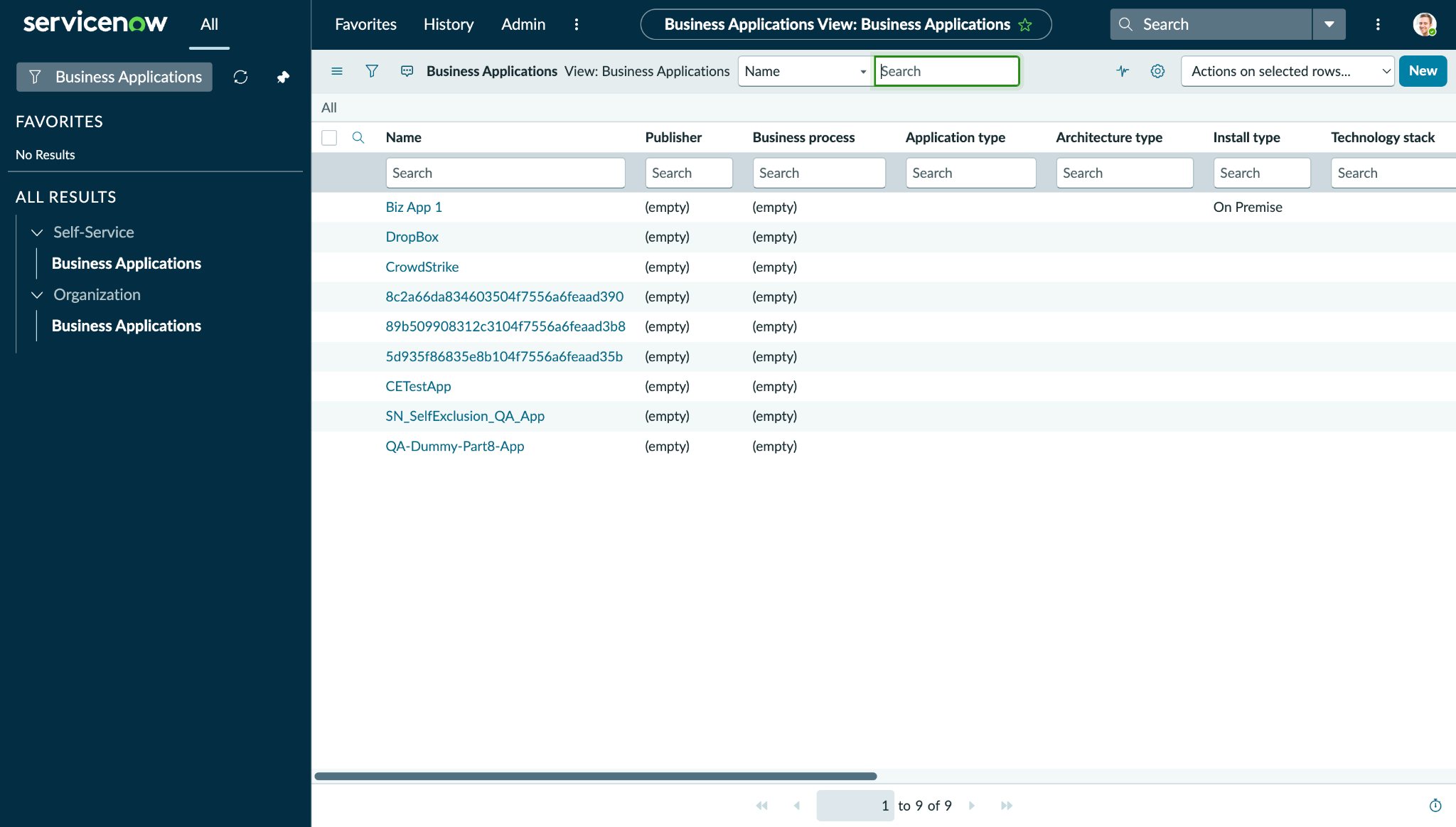
Click on any applications to open its details.
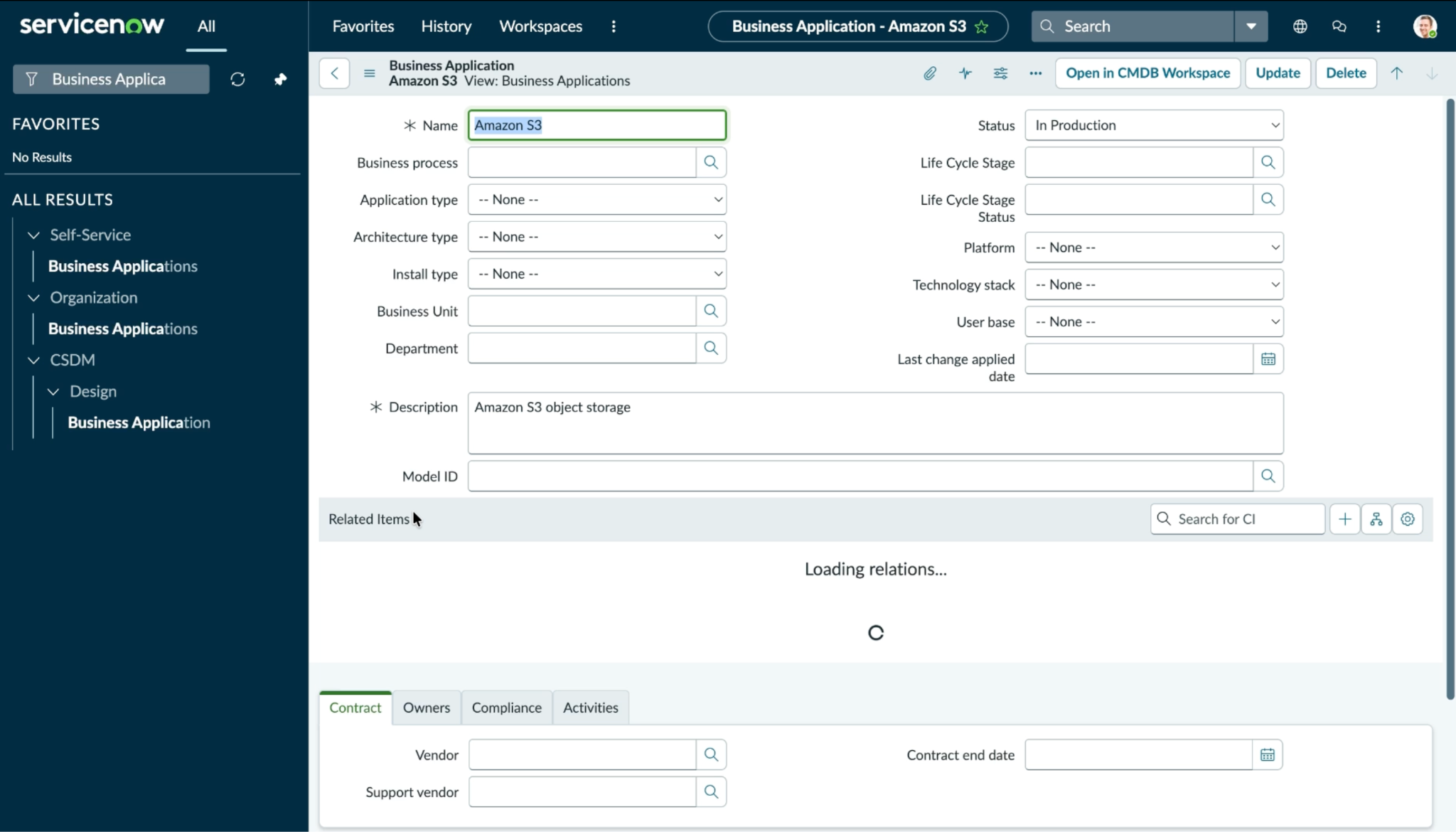
Click Open in CMDB Workspace and go to Tags.
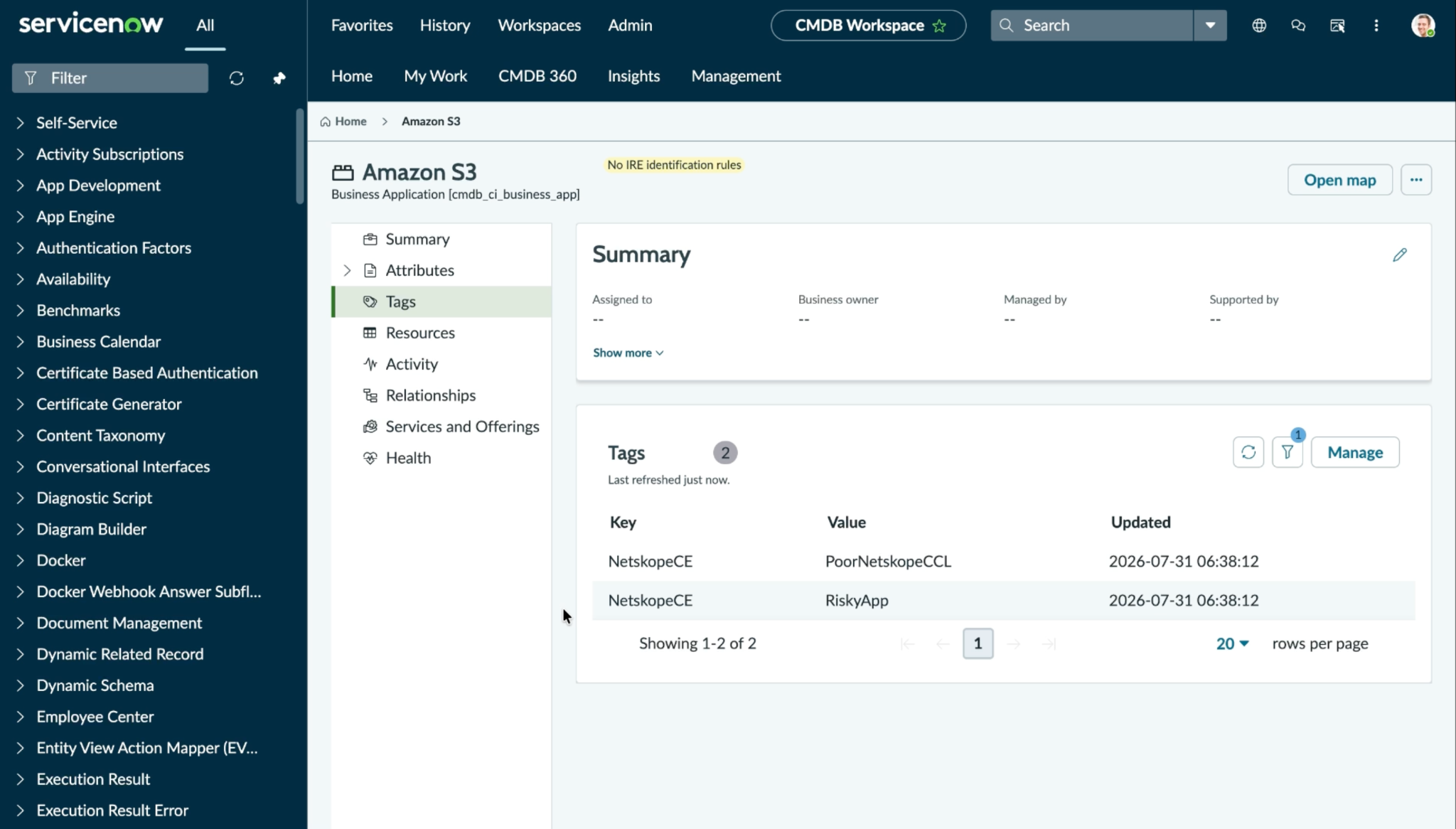
Share Application Data
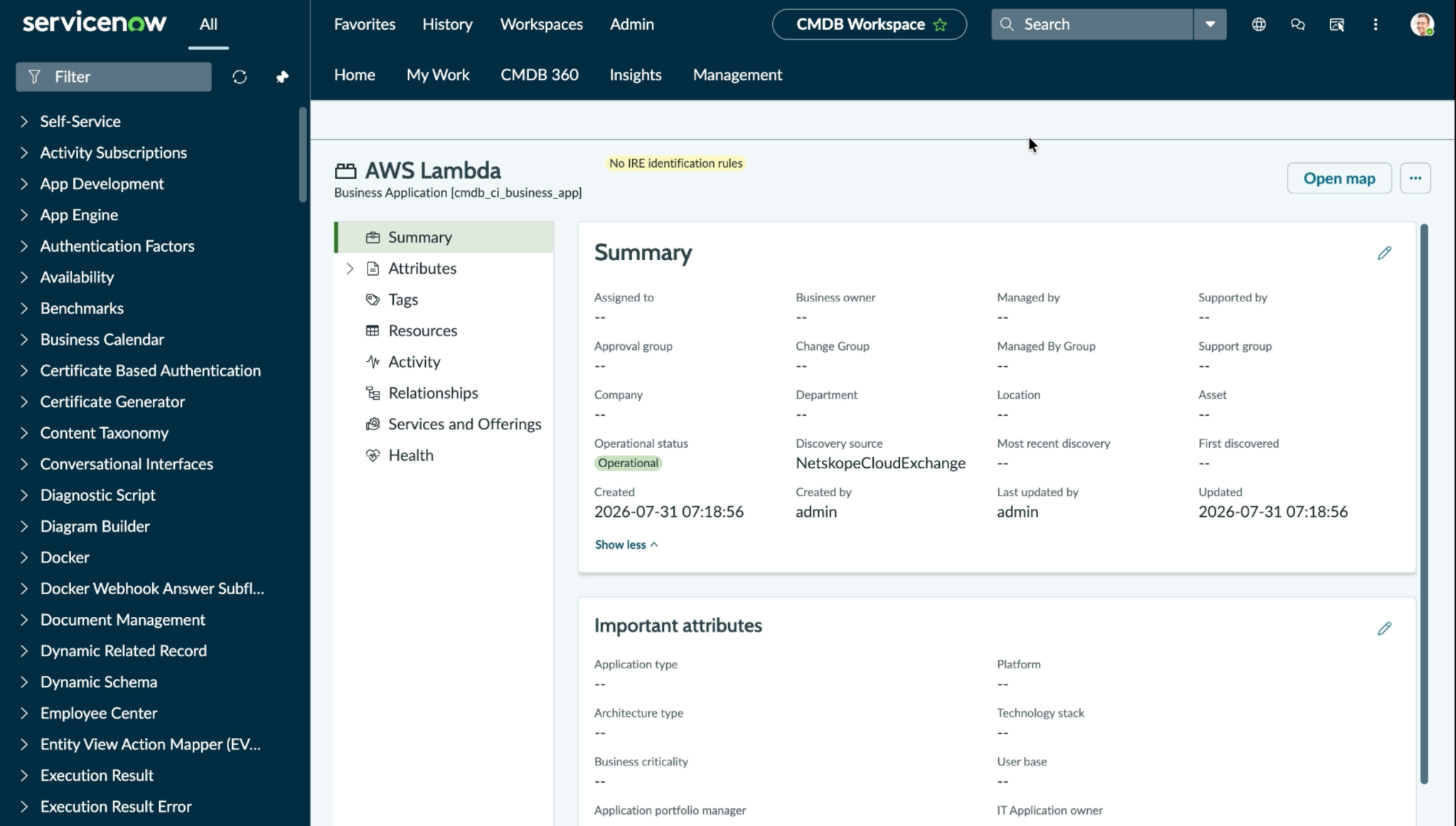
For Business Applications
Log in to your ServiceNow instance and search for Business Applications.
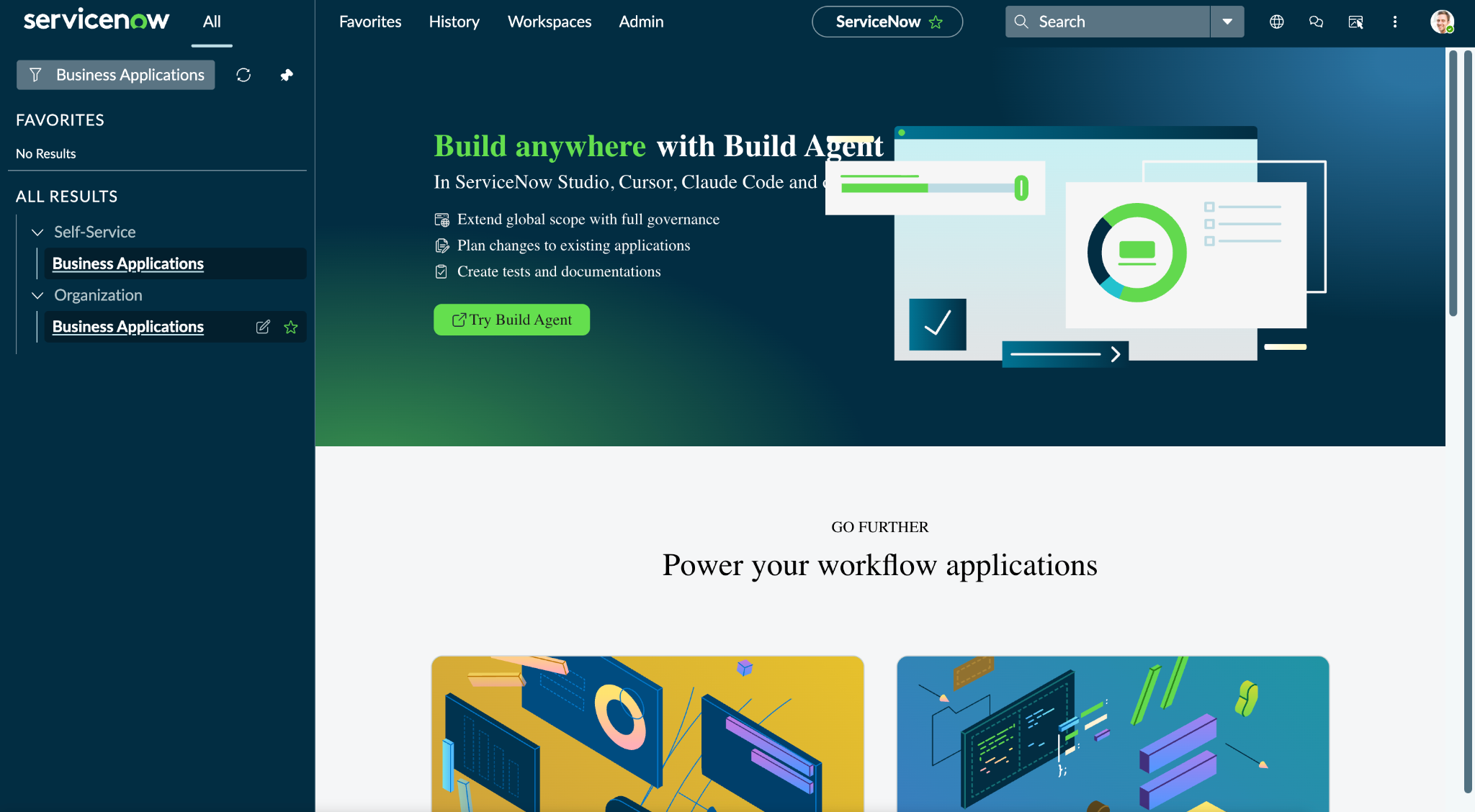
Click Business Applications under Organization to view all the available applications on ServiceNow.
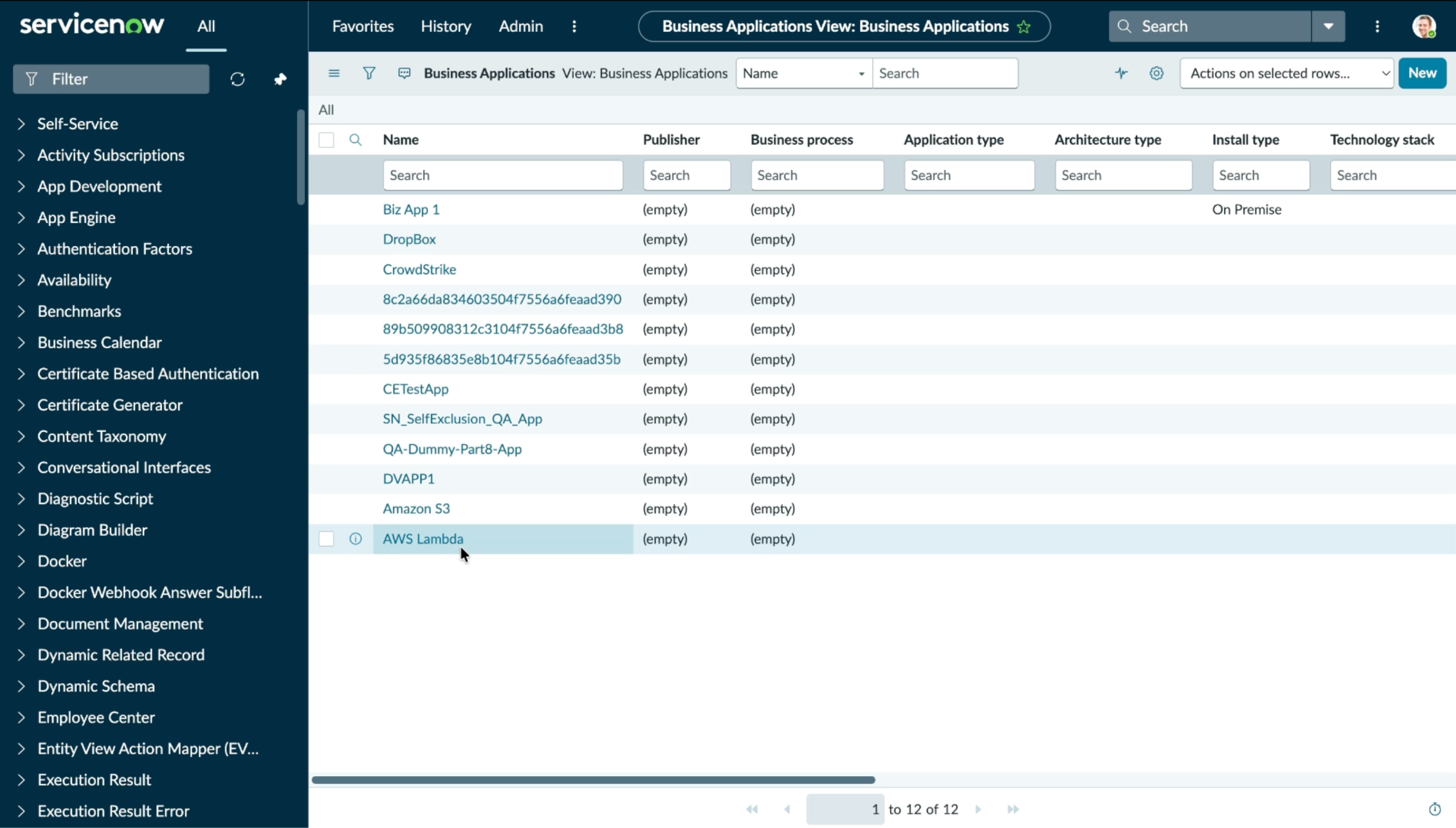
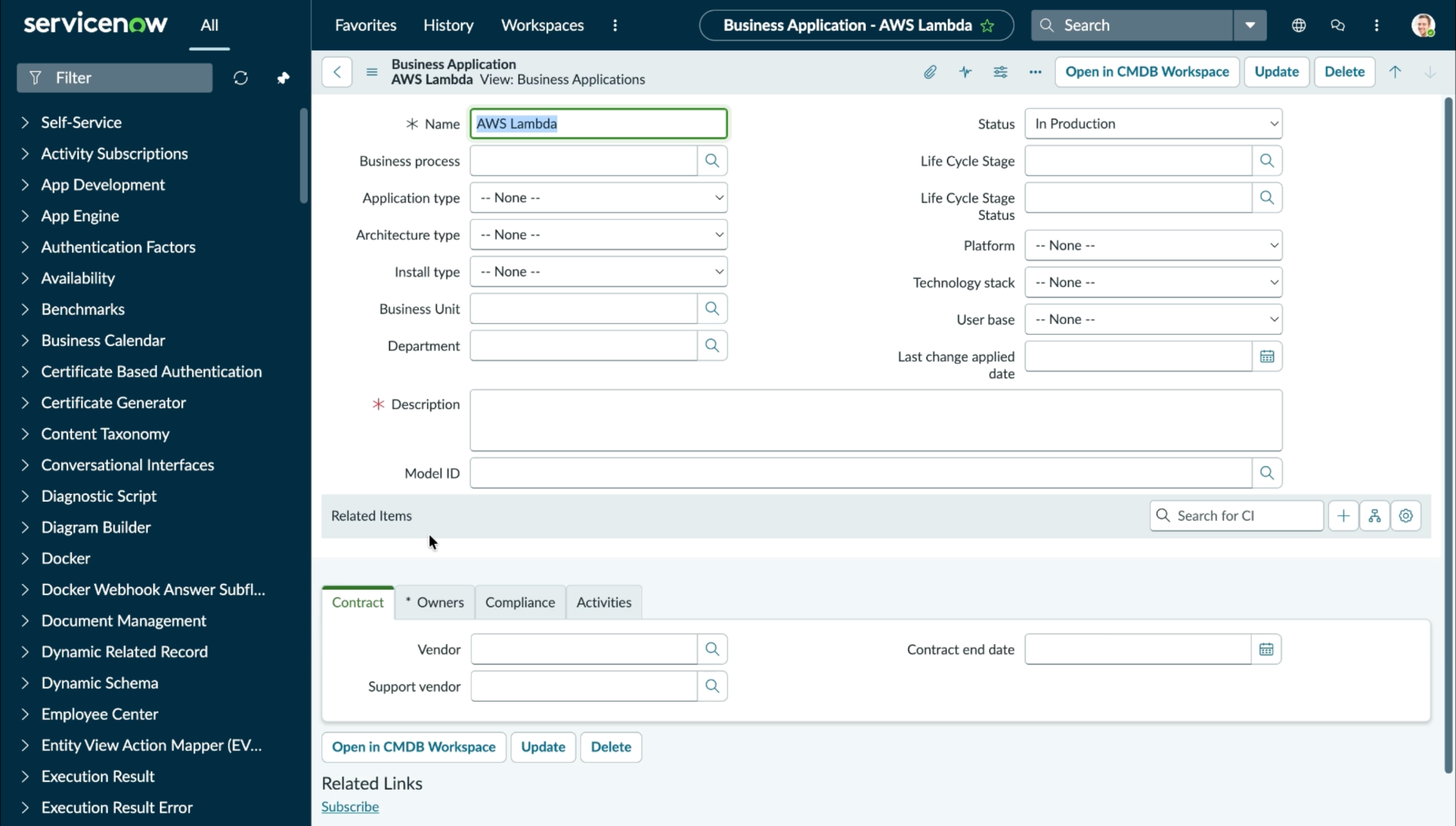
Click on the shared applications to open its details.
For Core Company
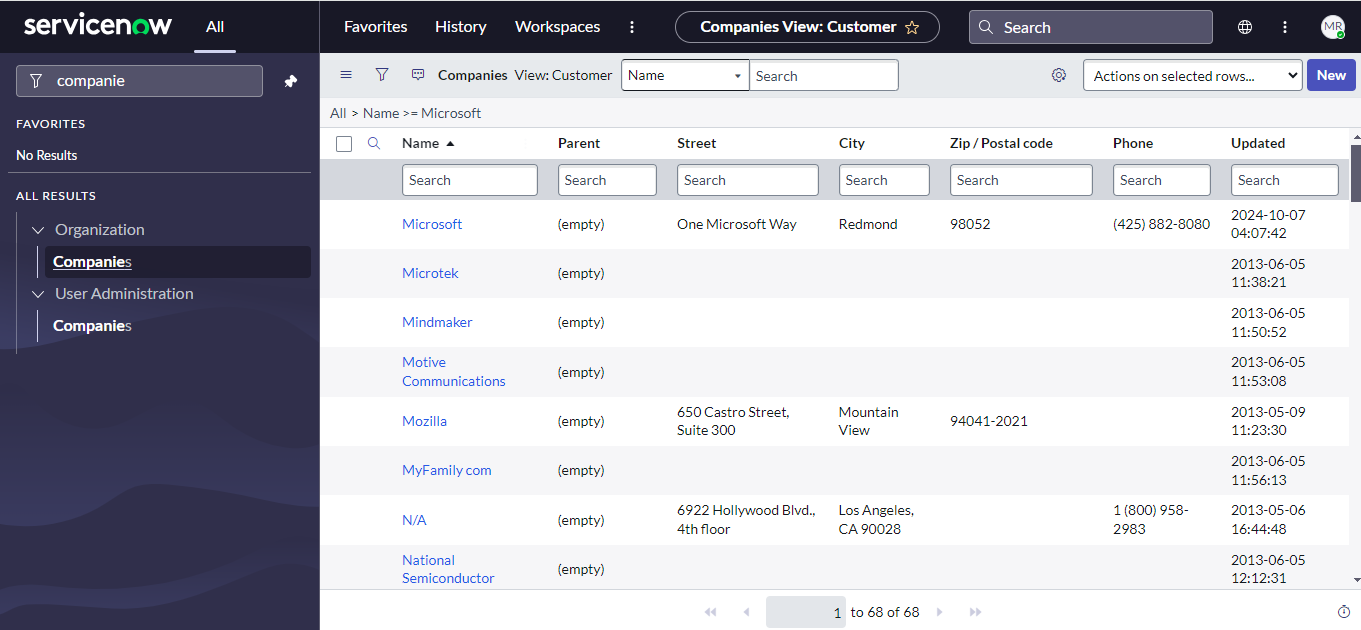
Go to User Administration > Companies. Select the Company shared from CE by searching its name and check the Notes added for the company to check the shared applications data.
Troubleshooting the ServiceNow Plugin
Unable to configure the CRE ServiceNow plugin
If user is unable to configure the CRE ServiceNow plugin, it could be due to one of the following reason:
- Incorrect credentials provided.
- The user does not have required permissions.
- Incorrect instance URL provided.
What to Do:
- Make sure to provide correct credentials. Follow these steps in the configuration on serviceNow section.
- Make sure that the user has the required permissions. Follow these steps in the configuration on serviceNow section.
- Make sure that the correct instance URL is provided.
Applications shared via ServiceNow plugin are getting pulled back to Cloud Exchange
It may be due to missing discovery source or discovery source not configured properly.
To solve the above mentioned issue, configure the discovery source properly. Refer to the Create Discovery Source section.
Unable to share application on the ServiceNow platform
If applications are not getting shared to the CRE ServiceNow plugin, it could be due to one of the following reason:
- The condition provided while configuring the action is not matching.
- User does not have required permissions.
What to Do:
- Make sure to provide the correct condition that matches on the ServiceNow platform.
- Make sure that the user has the required permissions. Follow these steps to provide a role to the user.
403 “Operation Failed” despite correct ACL configuration
All ACLs are configured correctly per the permissions matrix, but writes to a table still return HTTP 403 with a detail message like: “Operation Failed” — “Operation against file ‘table_name’ was aborted by Business Rule ‘RuleName^sys_id'”, it could be because the table has a stock ServiceNow Business Rule that gates writes by role, beyond table-level ACLs. Re-provisioning ACLs will not fix this — the Business Rule’s role check must be extended.
What to Do:
1. Open the Business Rule provided in the error message
2. Review the rule’s condition. It likely includes a role check like gs.hasRole('admin') or a similar exemption list.
3. If the custom role you created x_netskope_integration is not in that exemption list, add it.