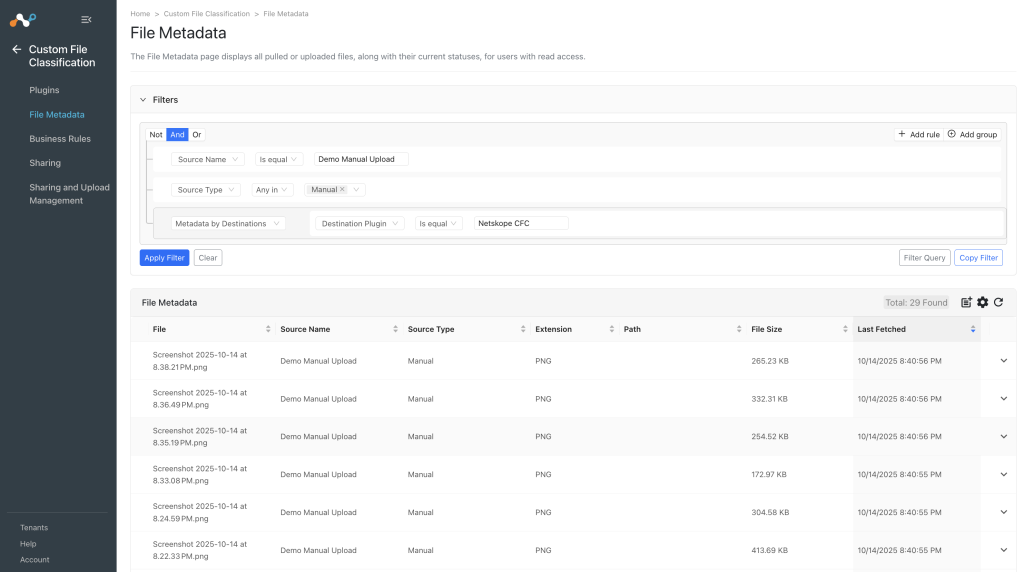
The Custom File Classification Sharing and Upload Management page shows the current sharing status of CFC hashes and provides the option to manually upload them using image data. You can see the processing status for the existing Sharing configurations, and also manually upload image data through which file hashes can be generated and sent to the Netskope Tenant.

View and Filter Sharing Status of Custom File Classification Hashes
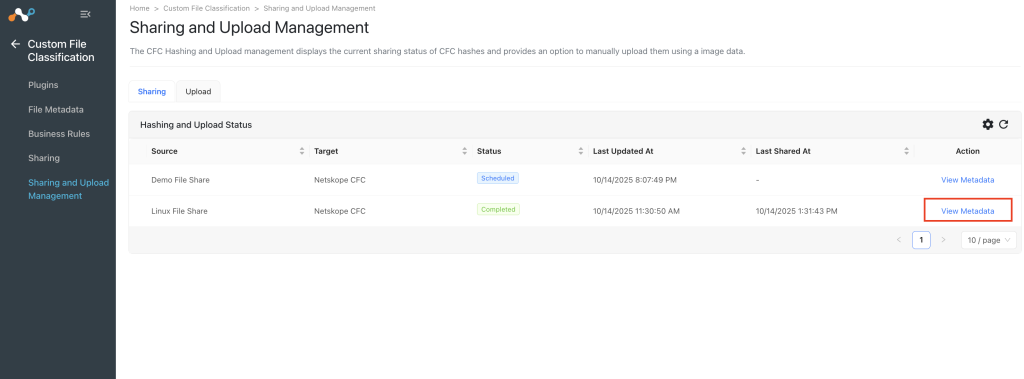
- Go to Custom File Classification and click Sharing and Upload Management.
- Click View Metadata to check the metadata of the uploaded files.

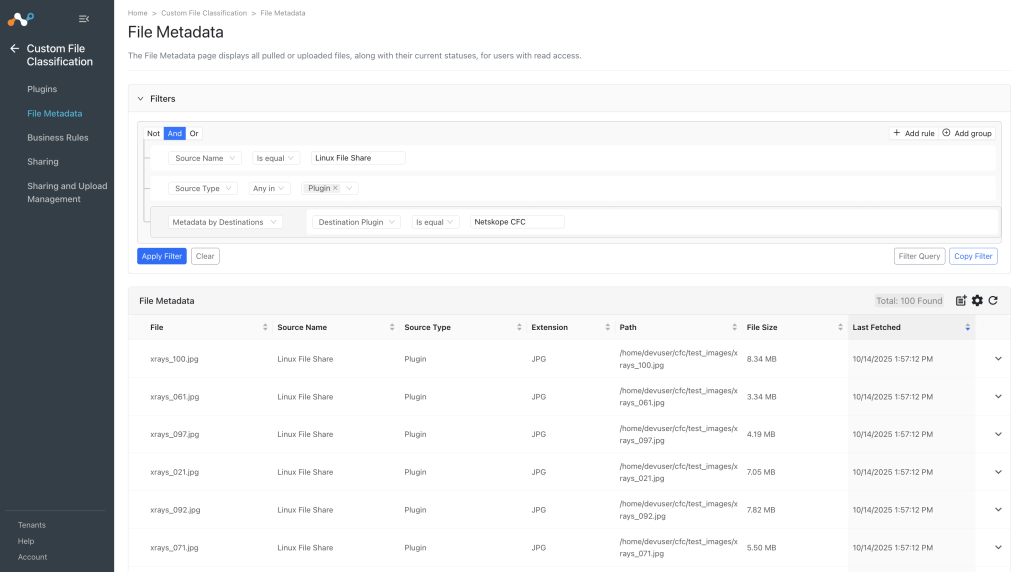
- You will be redirected to the File Metadata page with a filtered apply for the selected sharing.

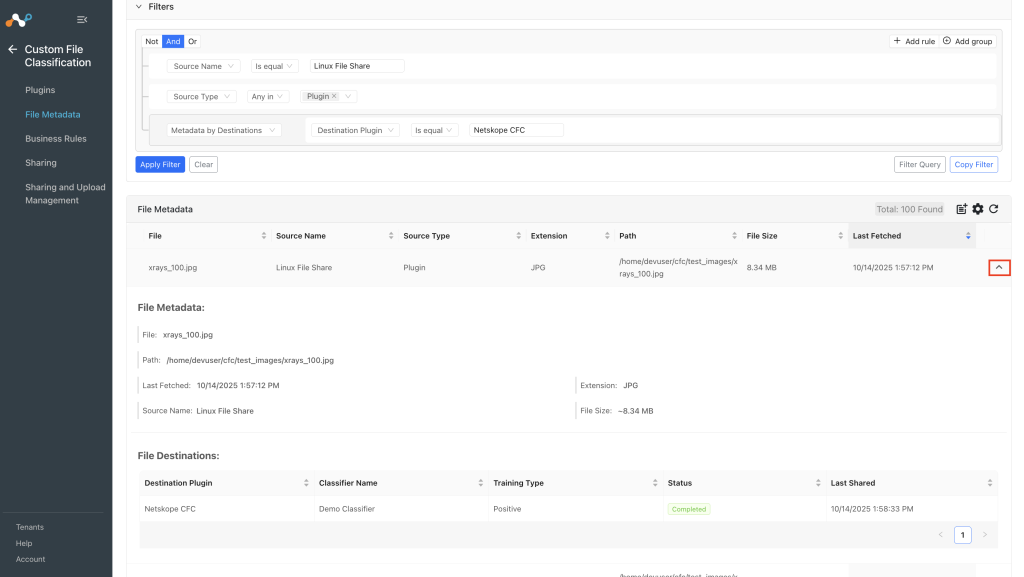
- To check the metadata of a specific file, click the Expand icon.

- More details regarding Filtering and File Metadata can be found at List File Metadata and Use Filter Options.
Manually Upload CFC Hashes using Image Data
- In Cloud Exchange, go to Custom File Classification > Sharing and Upload Management > Upload.
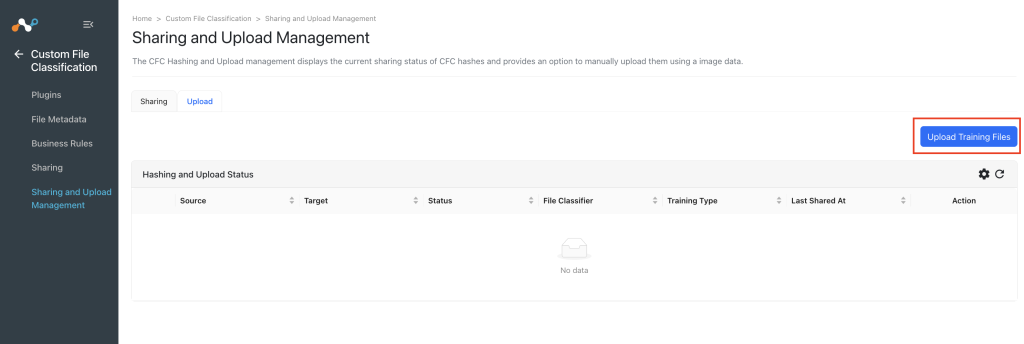
- Click Upload Training Files.

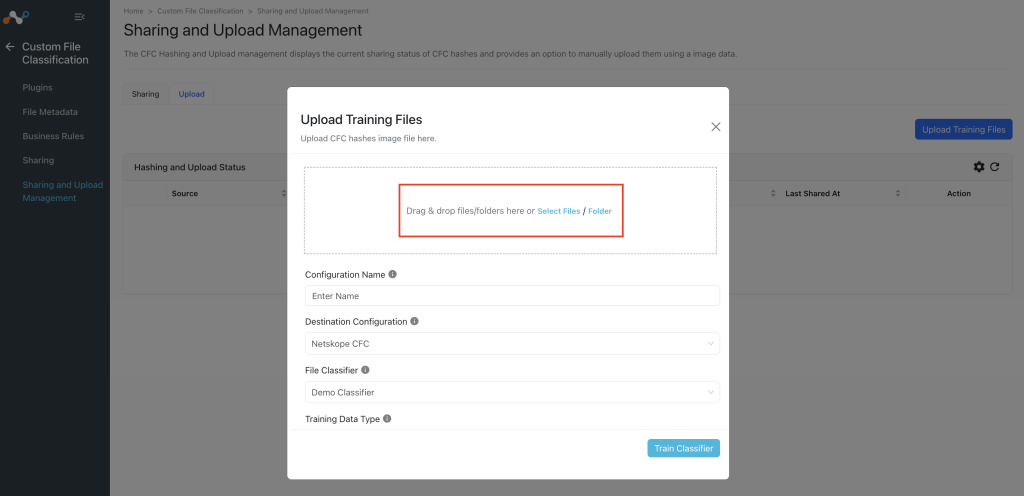
- Upload the image files you want to use to train the classifier.

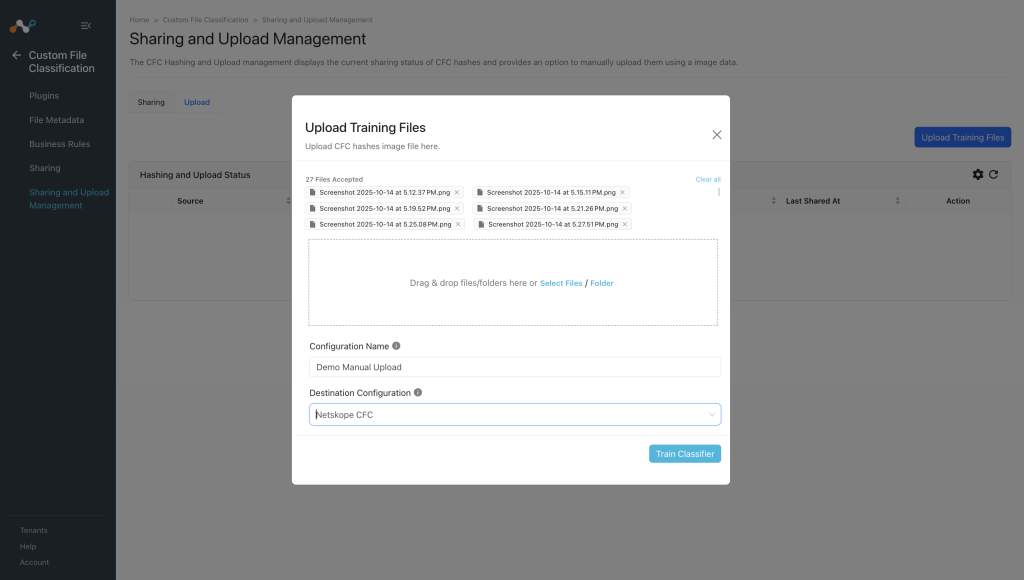
- Provide a Configuration Name and select the Destination Netskope Configuration.

- Select a File Classifier and Training Data Type.
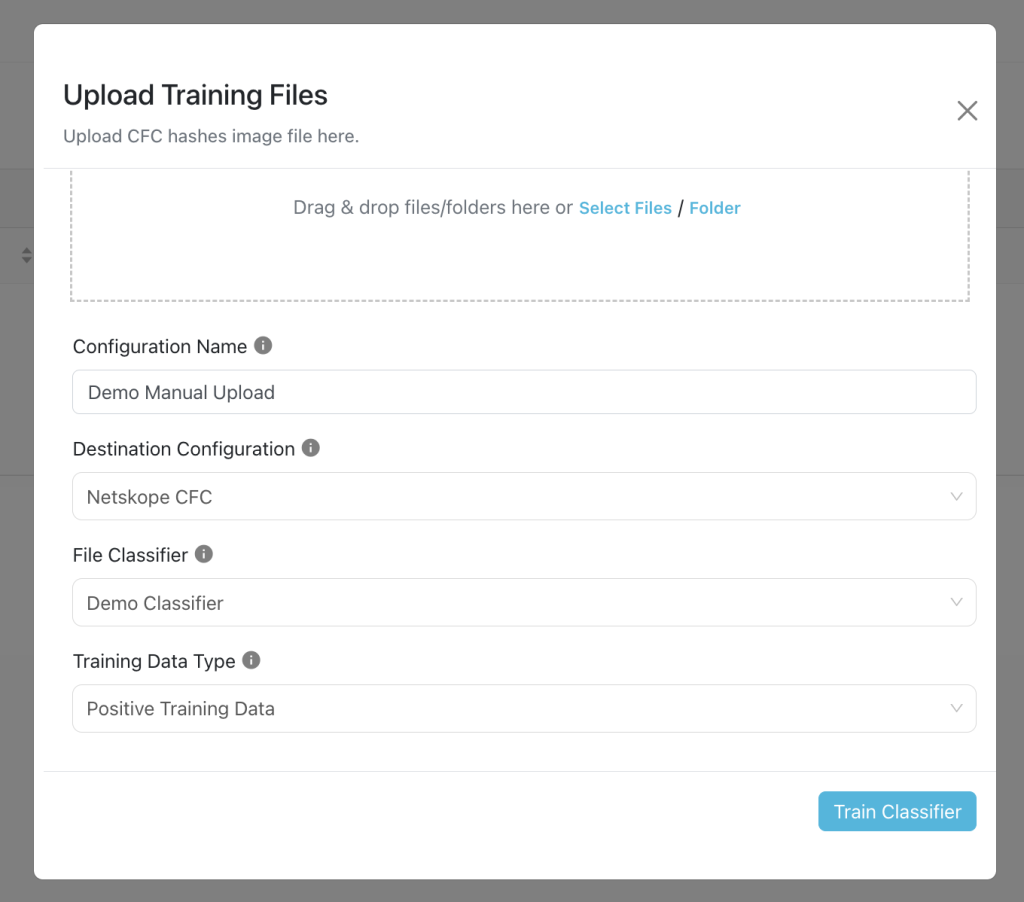

- Click Train Classifier and you will see the files being uploaded. Wait for the upload to complete.
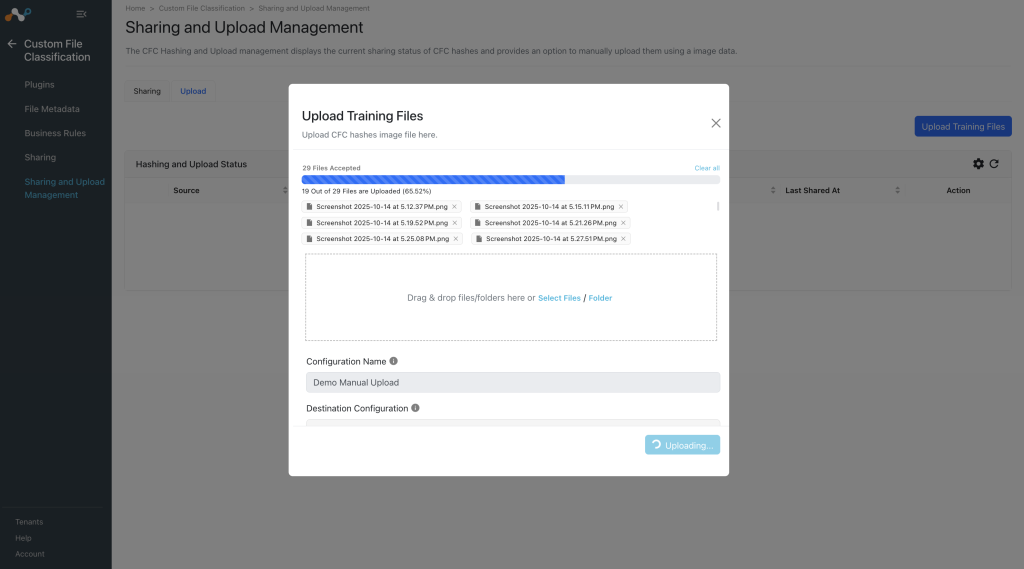

- You’ll be able to see:
- Scheduled: This represents that the sharing is configured but it is still in the queue and waiting to run for the first time.
- Generating Hash: This represents that the process of generating a hash is in progress.
- Uploading Hash: This represents that the hash is generated successfully and the process of sharing it to the configured destination is in progress.
- Completed: This represents that the generated hash is successfully shared with the destination configuration.
- Failed: This represents that the process failed in either pulling data, hashing data or uploading hash.
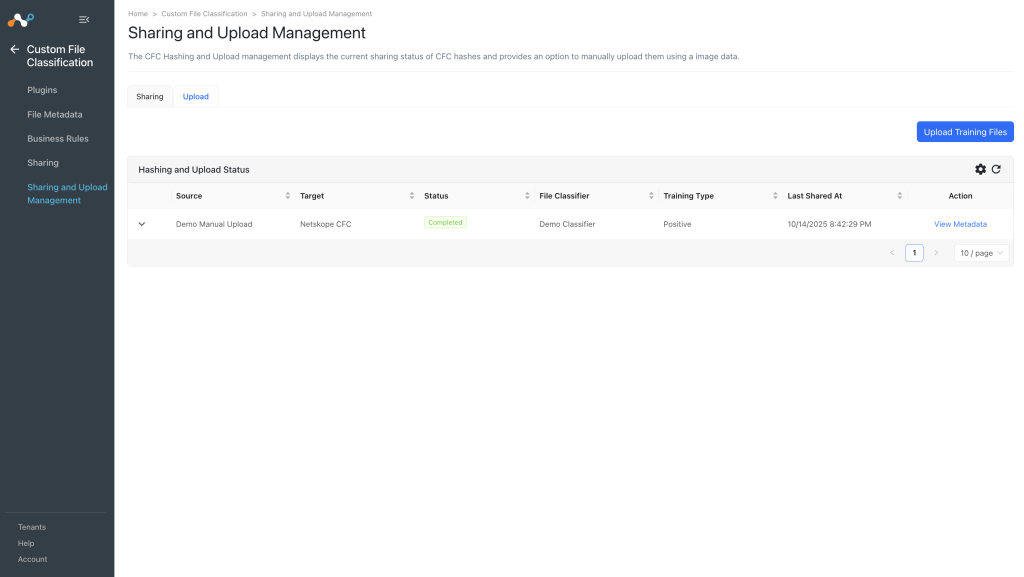

- You can click View Metadata to go to to the File Metadata page with filter applied with this configuration. Here you’ll be able to see the metadata of the uploaded files.