

This document explains how to configure the StealthMole v1.0.0 plugin with the Risk Exchange module of the Netskope Cloud Exchange platform. This plugin is used to fetch users based on searched domains available on UB under Create New Case in the StealthMole platform. This plugin does not support performing any actions on users on the StealthMole platform.
Prerequisites
To complete this integration, you need:
- A Netskope tenant (or multiple, for example, production and development/test instances).
- A Netskope Cloud Exchange tenant with the Tenant plugin and Risk Exchange plugin already configured.
- Connectivity to the Stealthmole platform.
- A subscription for StealthMole ULP Binder (UB).
- Connectivity to the following host: https://platform.stealthmole.com
StealthMole Plugin Support
This plugin is used to fetch users based on searched domains available on UB under Create New Case in the StealthMole platform. This plugin does not support performing any actions on users on the StealthMole platform.
| Type of Data Pulled | Actions Supported |
|---|---|
| Users | No Action |
Mappings
Mappings are used to view the pulled users and applications along with their respective details. The fields mapped during plugin configuration will be visible on the Records page after the data is pulled. Here are the suggested mappings to use while configuring the plugin.
Pull Mappings
| Plugin Field Label | Expected Data Type | Suggested Field Label | Suggested Field Aggregate Strategy |
|---|---|---|---|
| String | Unique | ||
| Leaked From | String | Leaked From | Unique |
| Leaked Date | Datetime | Leaked Date | Overwrite |
| Score | Number | Score | Overwrite |
API Details
List of APIs Used
API Base URL: https://api.stealthmole.com
| API Endpoint | Method | Use case |
|---|---|---|
| /v2/user/quotas | GET | Validate Credentials |
| /v2/ub/export | GET | Get Users |
Validate Credentials
Endpoint: <API Base URL>/v2/user/quotas
Method: GET
Headers
| Key | Value |
|---|---|
| User-Agent | netskope-ce-5.1.1-cre-stealthmole-v1.0.0 |
| Authorization | Bearer <JWT Token> |
Sample Response
{
    "DT": {
        "allowed": 150,
        "used": 3
    },
    "CDS": {
        "allowed": 200,
        "used": 0
    },
    "CB": {
        "allowed": 50,
        "used": 0
    },
    "CL": {
        "allowed": 50,
        "used": 0
    },
    "UB": {
        "allowed": 100,
        "used": 44
    },
    "RM": {
        "allowed": 20,
        "used": 0
    },
    "LM": {
        "allowed": 20,
        "used": 0
    },
    "GM": {
        "allowed": 20,
        "used": 0
    },
    "DA": {
        "allowed": 20,
        "used": 0
    },
    "TT": {
        "allowed": 150,
        "used": 0
    }
}
Get Users
Endpoint: <API Base URL>/v2/ub/export
Method: GET
Headers
| Key | Value |
|---|---|
| User-Agent | netskope-ce-5.1.1-cre-stealthmole-v1.0.0 |
| Authorization | Bearer <JWT Token> |
Parameters
| Key | Value |
|---|---|
| query | “email:<search_domain>“ |
| limit | 0 |
| exportType | json |
| start | <epoch time> |
Sample Response
{
    "data": [
        {
            "id": "6645a10347357c08737f89bb5e18d2f01e09e10a",
            "host": "https://mail.google.com",
            "user": "user-1@<search_domain>",
            "password": "*!B24y0aZG",
            "leaked_date": "2025-05-11 03:28:33"
        },
        …
    ]
}
Performance Matrix
Here is the performance matrix conducted on a Large CE Stack with these specifications by pulling 500K user records.
| Description | Specification |
|---|---|
| Stack details | Size: Large RAM: 32 GB CPU: 16 Cores |
| Users fetched from StealthMole | ~7 minutes |
User Agent
netskope-ce-5.1.1-cre-stealthmole-v1.0.0
Workflow
- Get your Access Key and Secret Key from the StealthMole platform.
- Configure the StealthMole Plugin.
- Add Business Rule.
- Add Actions.
- Validate the StealthMole Plugin.
Click play to watch a video.
Get your Access Key and Secret Key from the StealthMole platform
This section explains how to get your StealthMole secret and access token.
Sign-up for StealthMole license
Visit https://www.stealthmole.com/free-plan to sign up for the StealthMole License. During the sign-up process, make sure to select the correct platform for which you intend to use the API keys.
Confirmation Email
After your application has been verified, you will receive a confirmation email including the following:
- StealthMole License to access StealthMole Platform
- API Access Key
- API Secret Key
If any of the required information is missing from the email, please contact support@stealthmole.com for assistance.
Configure the StealthMole Plugin
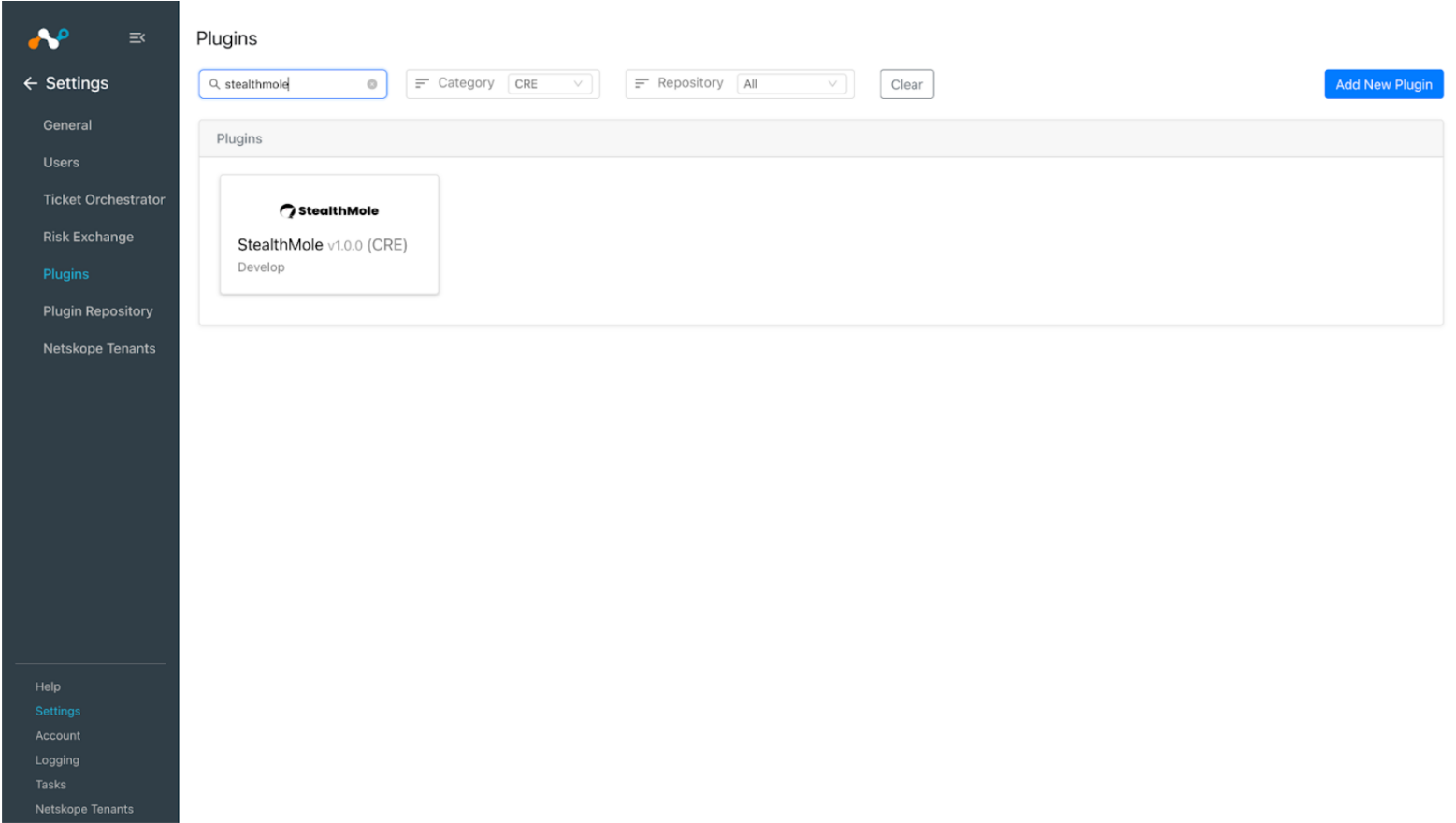
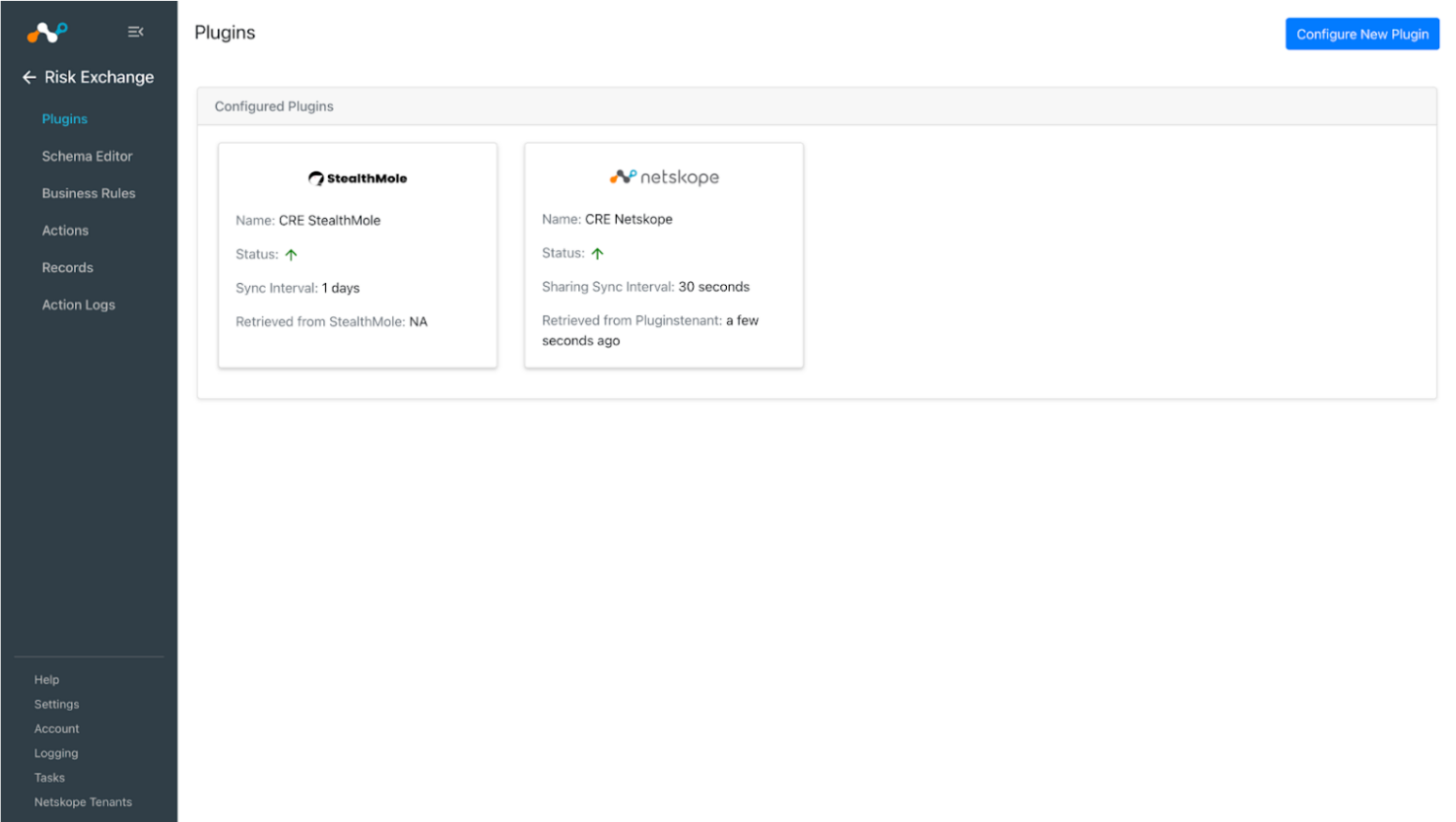
- In Cloud Exchange, go to Settings > Plugins. Search for and select the StealthMole v1.0.0 (CRE) plugin.
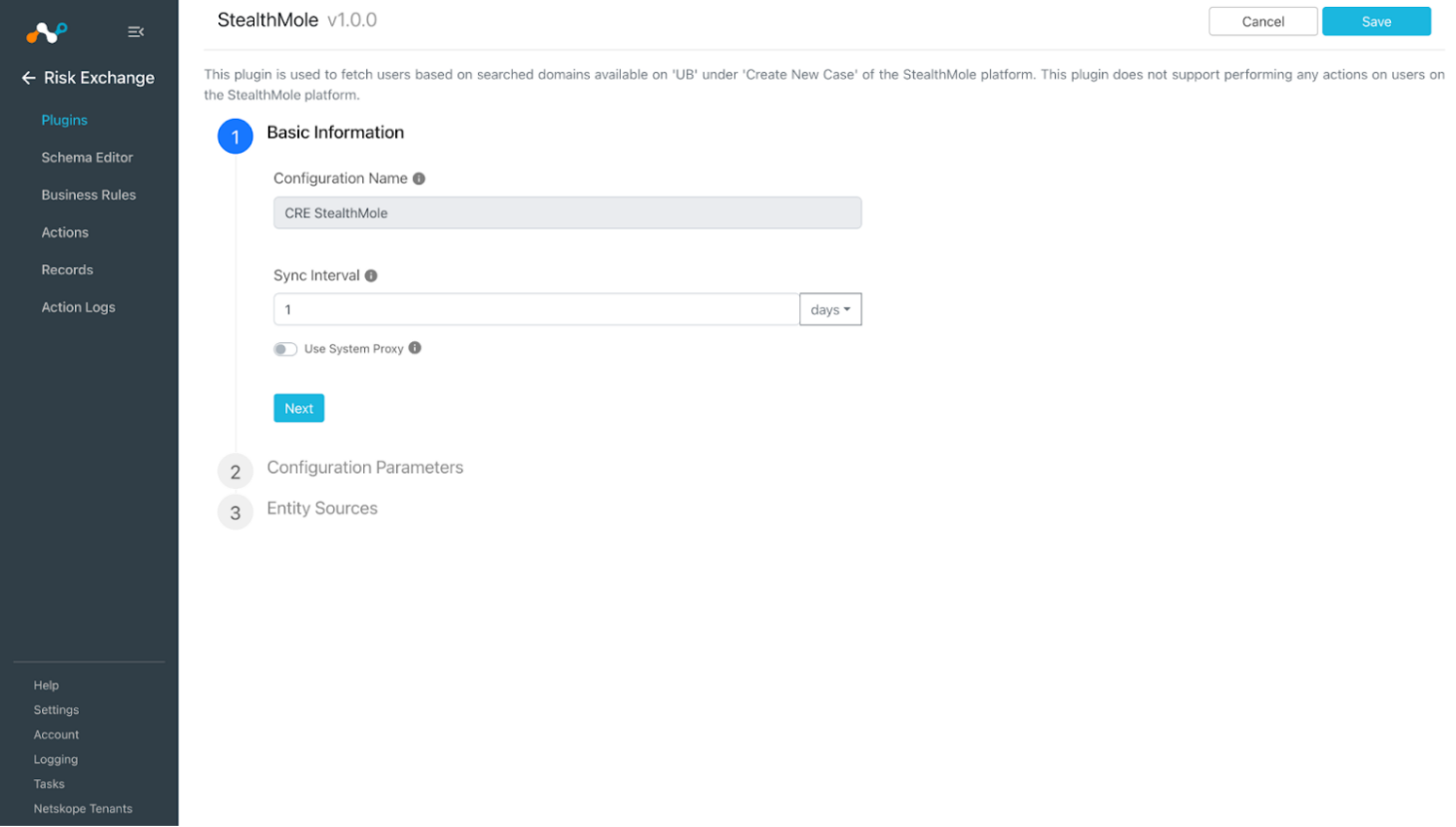
- Add a plugin configuration name and change sync interval (keep it 1 day to avoid the API limit to exceed).
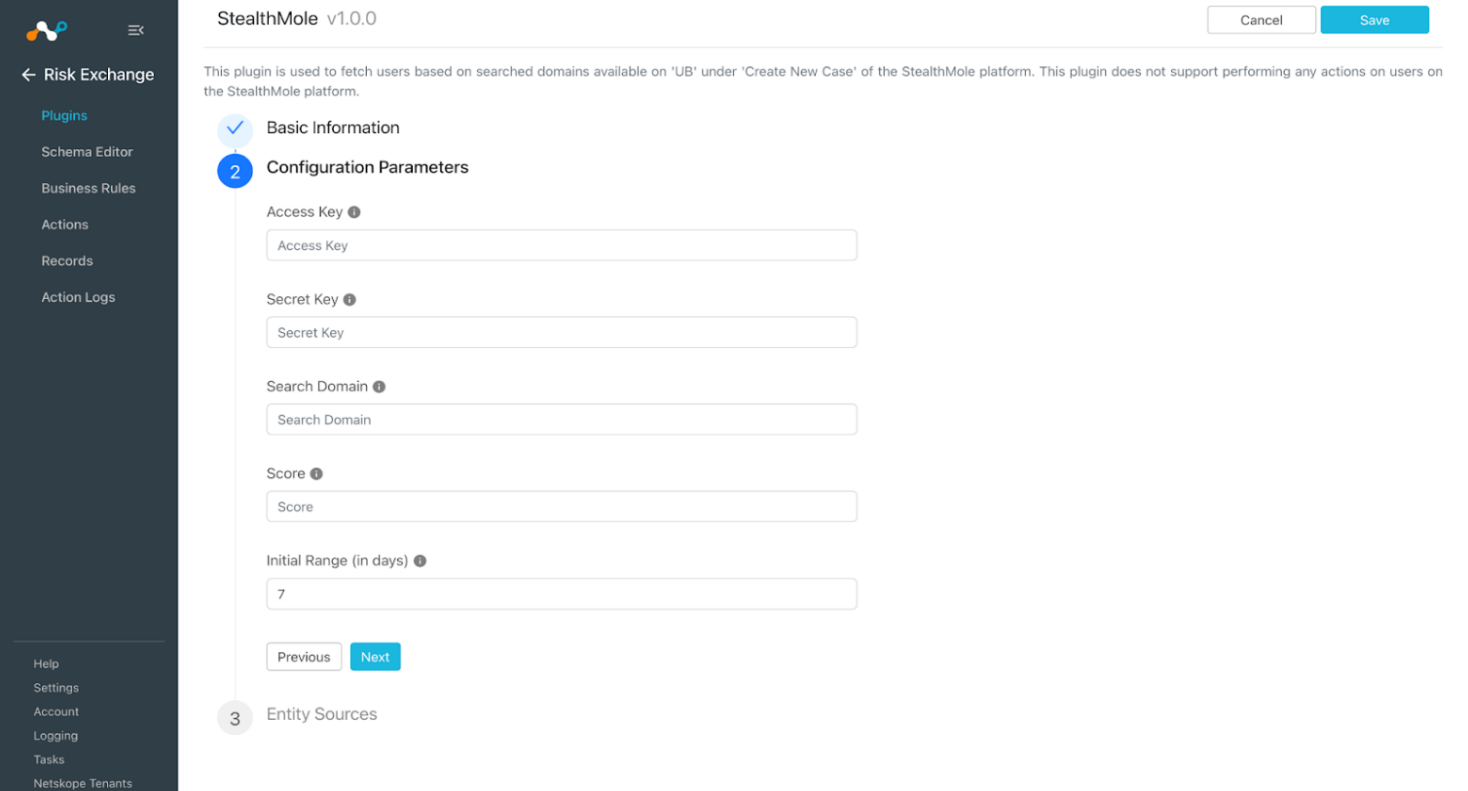
- Click Next and enter the configuration parameters:
- Access Key: Provide the Access Key from the StealthMole platform.
- Secret Key: Provide the Secret Key from the StealthMole platform.
- Search Domain: Provide a domain to search from the StealthMole database for users. e.g. gmail.com.
- Score: Score to be assigned to each user pulled from the StealthMole platform. The value should be in the range of 0 to 1000.
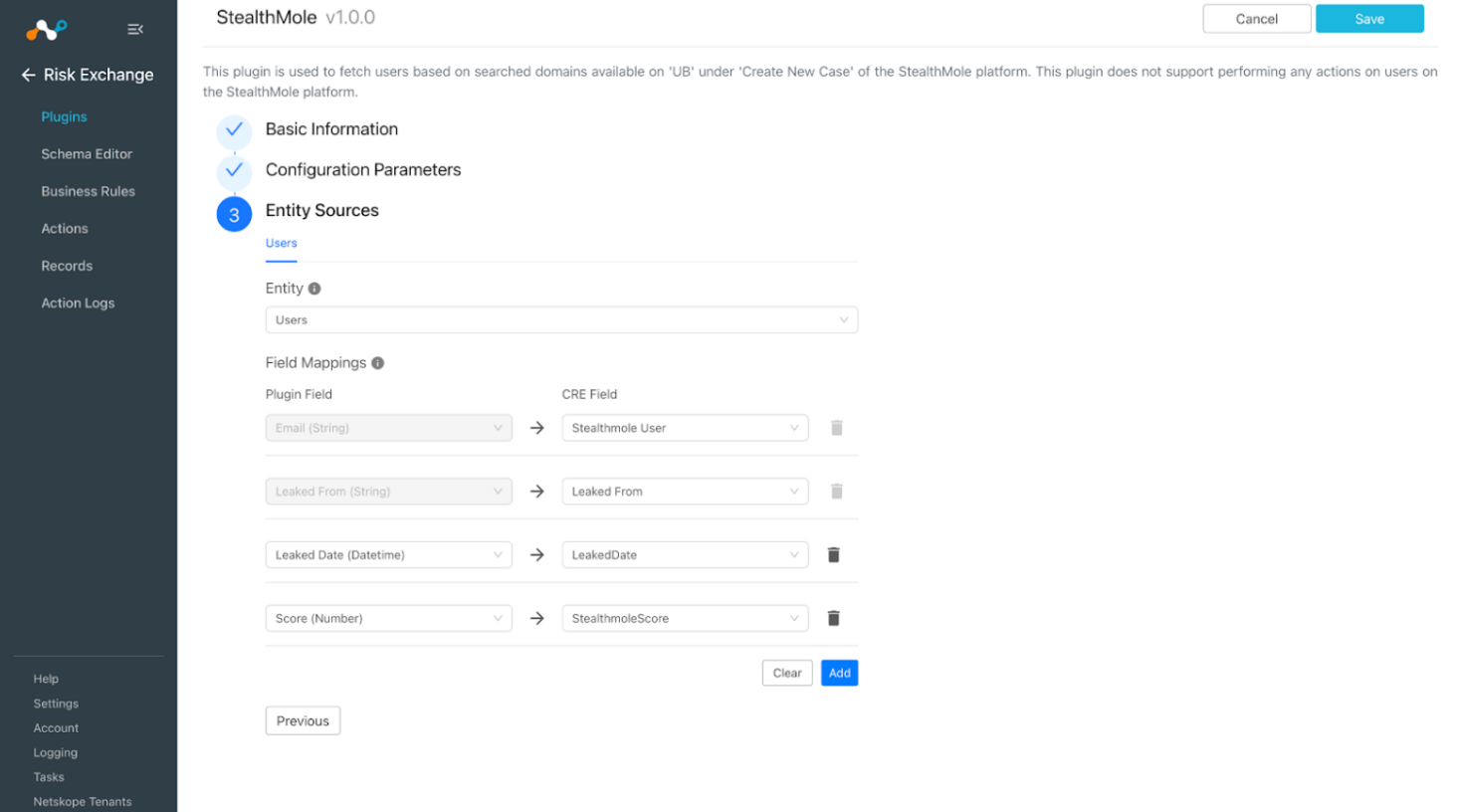
- Click Next and enter the Entity Sources information. Select the Entity from the Entity dropdown. The Entity fields can be created in the Schema Editor , or using the + Add Field option from the field dropdown. Provide the field mappings. For the suggested mappings, refer to the Mapping section.
- Click Save.
Add a Risk Exchange Business Rule for StealthMole
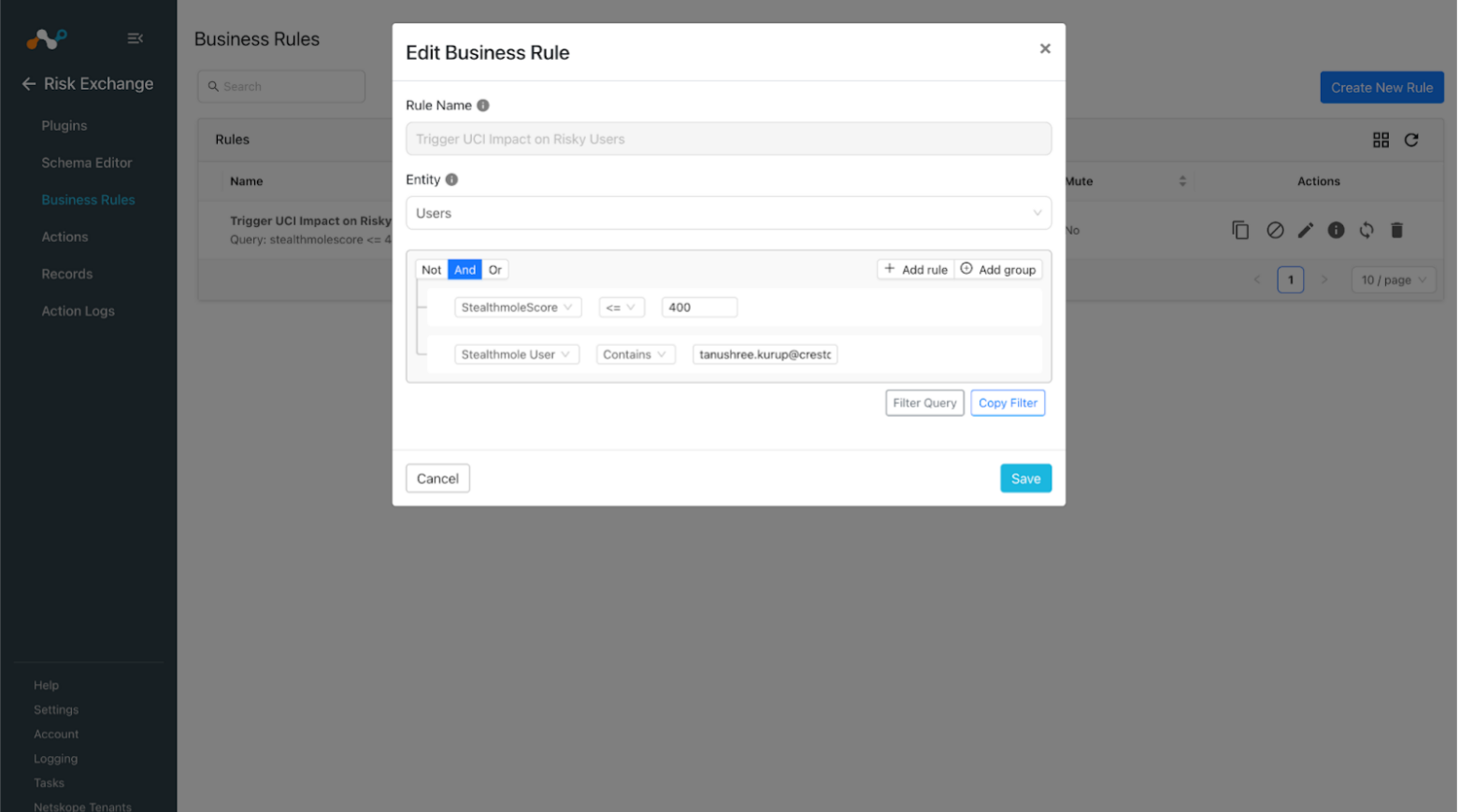
- In Risk Exchange, go to Business Rules.
- Click Create New Rule in the top right corner.
- Enter a Rule Name. Select the Entity for the Fields configured for the StealthMole plugin, and configure the query based on your requirements. When finished, click Save.
Add Risk Exchange Actions for StealthMole
The StealthMole plugin supports following actions for Users:
No Action will not perform any action on Users.
No Action
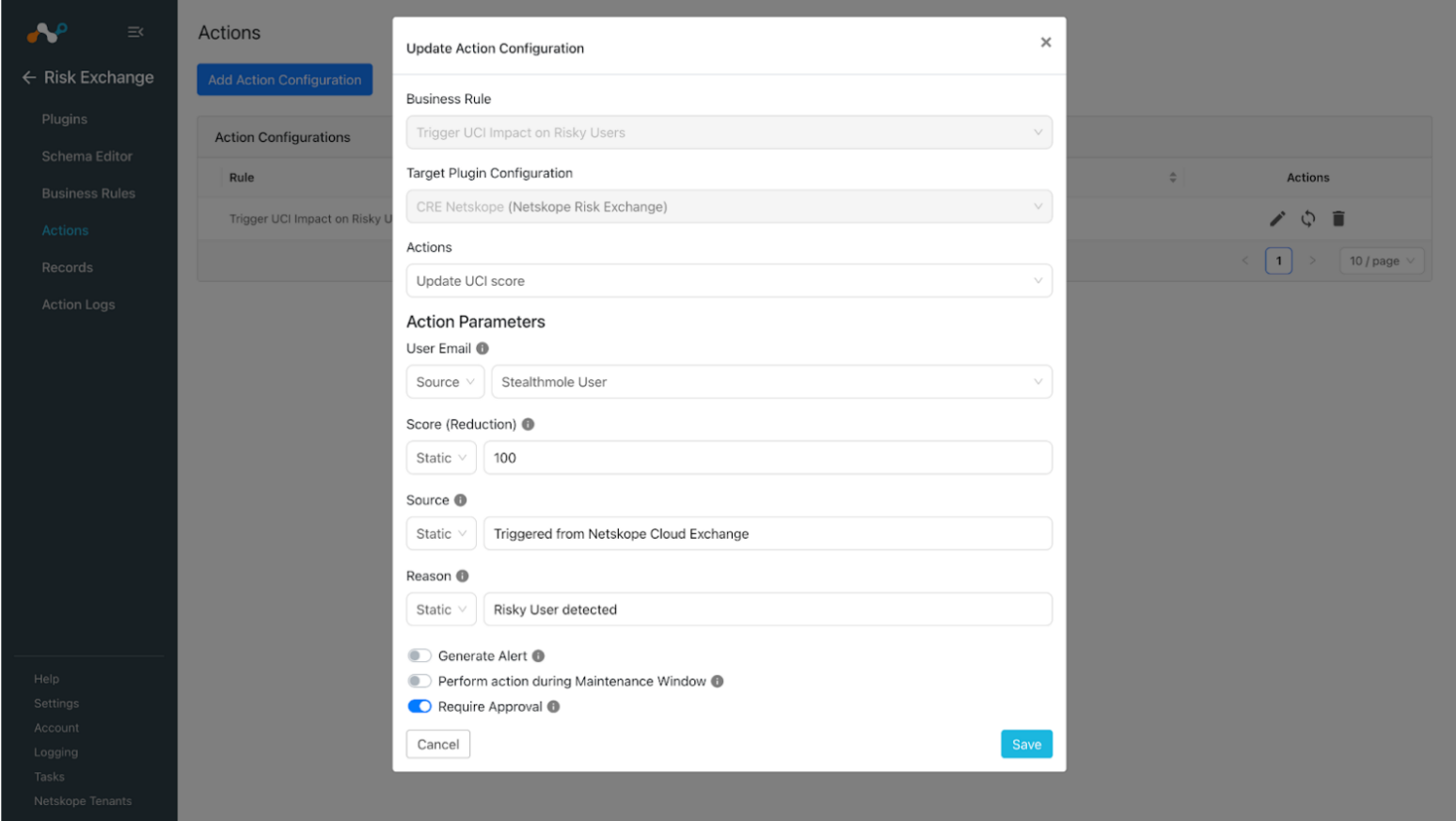
- In Risk Exchange, go to Actions and click Add Action Configuration.
- Select a Business rule, Configuration and choose the name of your configured plugin.
- Select Actions from the dropdown, or you can choose No actions, and enable the Generate Alert toggle to generate alerts in the Ticket Orchestrator module.
- Enable the Require Approval toggle if Approval is needed before performing action on the Users.
- Click Save.
Validate the StealthMole Plugin
Validate in Cloud Exchange
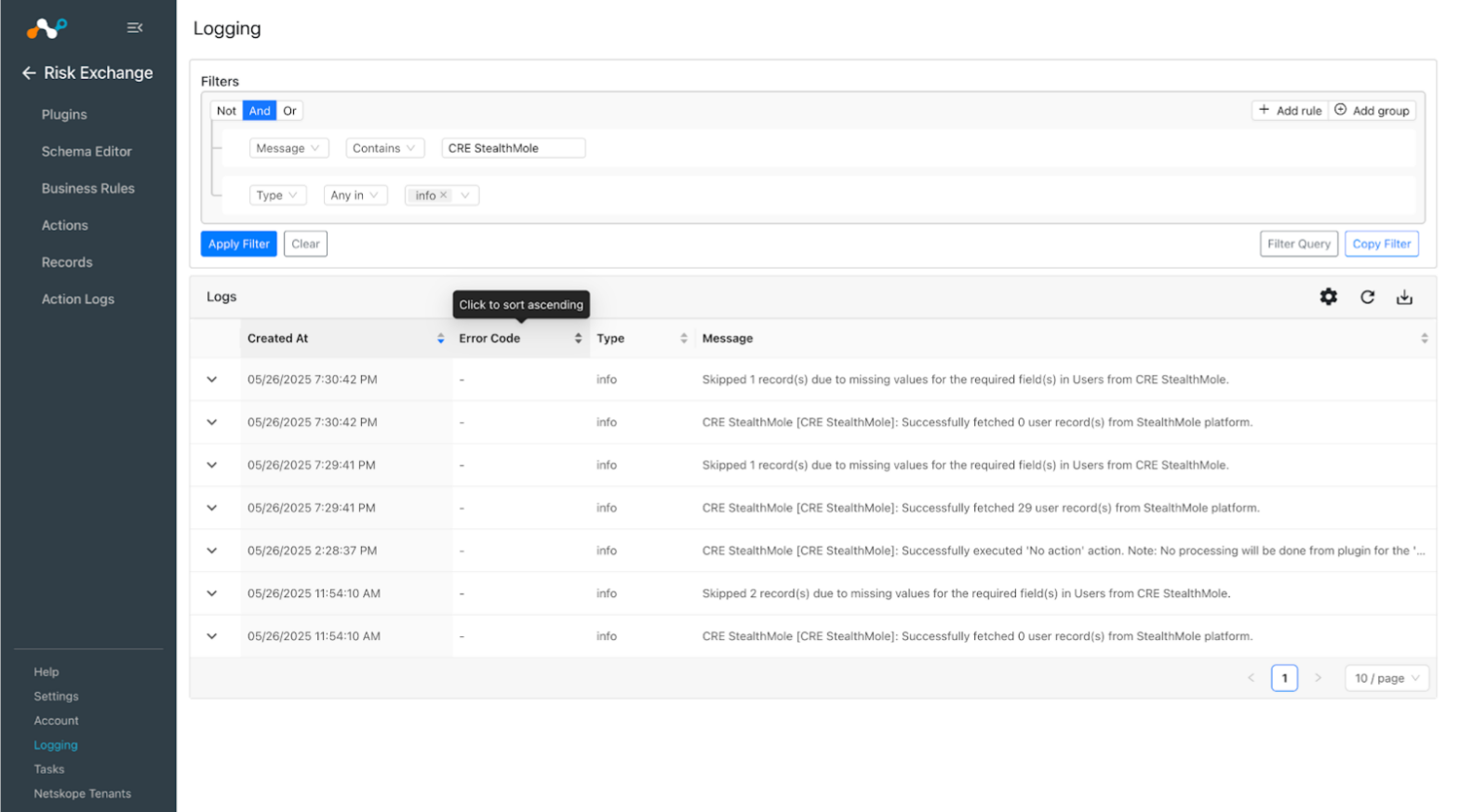
To verify the data pulled in Cloud Exchange, go to Logging and filter logs based on the configuration name.
Example: message Like “CRE StealthMole”
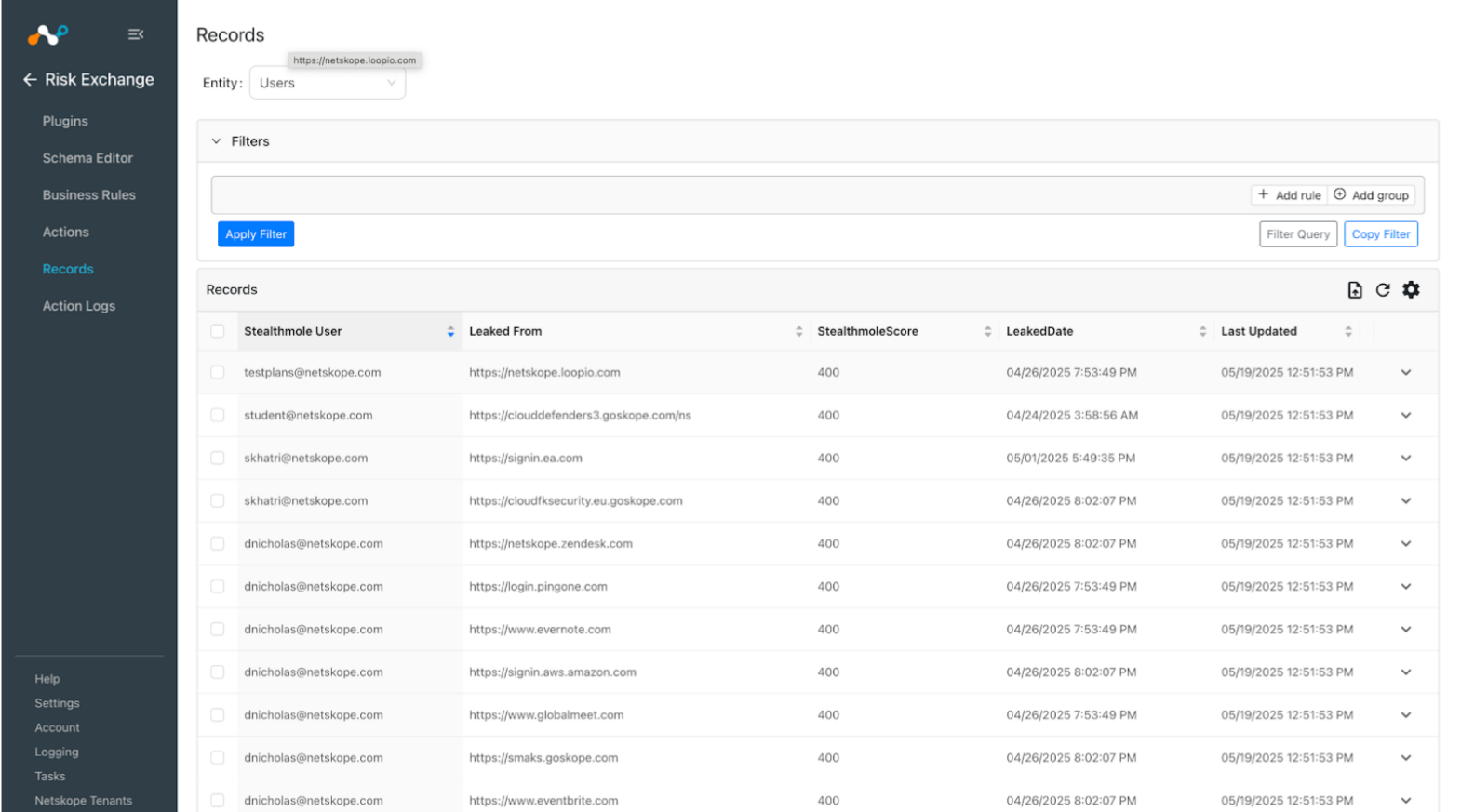
To check the data stored in Cloud Exchange, go to Records in Risk Exchange and select the entity that you used for storing the user records during the plugin configuration.
Validate in StealthMole
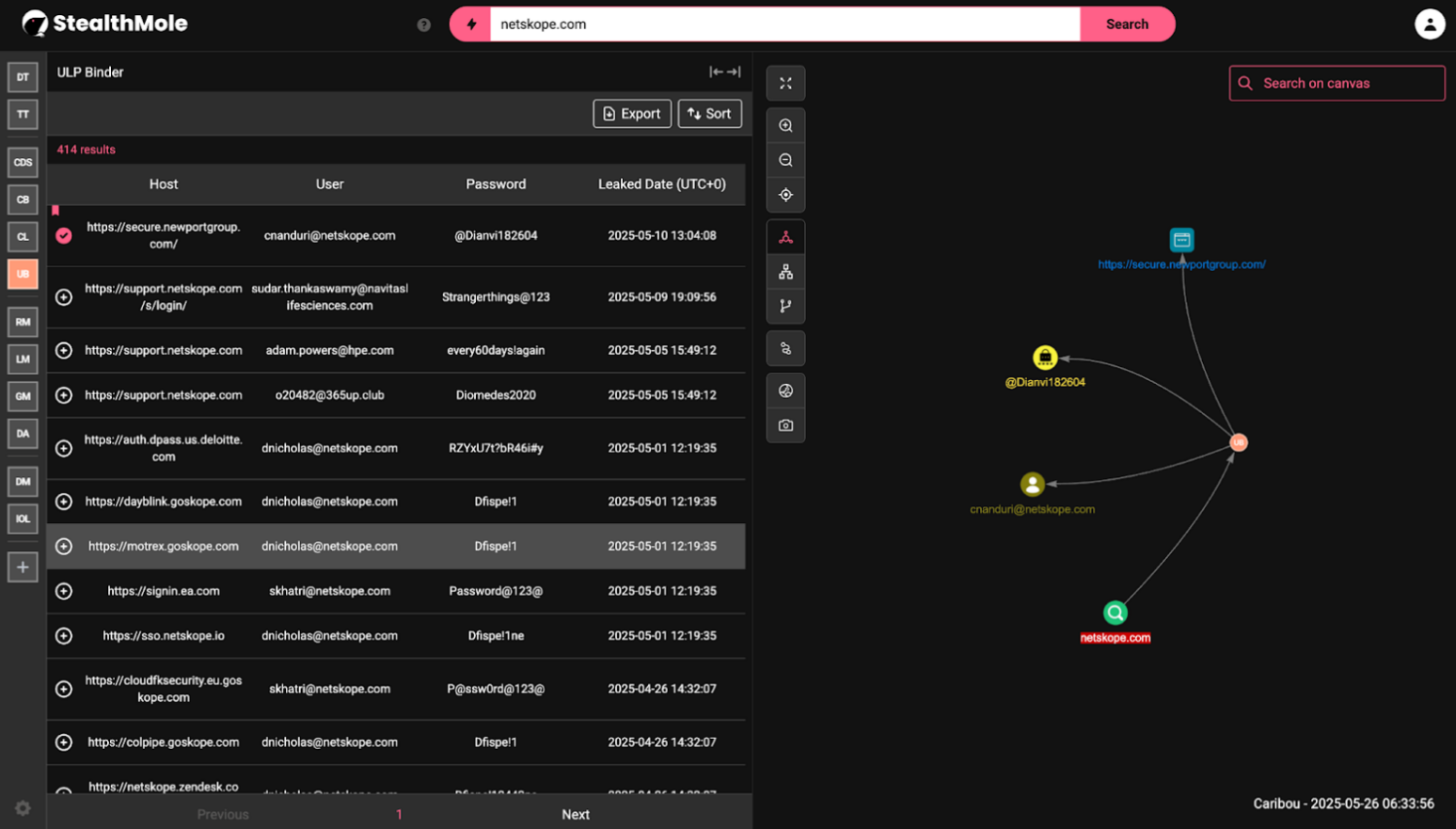
To verify the data available on StealthMole, click on the ‘Create New Case’ button on the HomePage, navigate to UB and search the type of domain using which you want to filter the details of leaked user.
Troubleshooting the StealthMole Plugin
Unable to configure the plugin or pull User records
The plugin might show error while saving or pulling records if:
- The Access Key or Secret Key is expired/invalid.
- The search domain has bulk data to pull
What to do:
Check the plugin credentials, if the provided credentials are invalid or deleted the plugin will throw an error.
Limitations
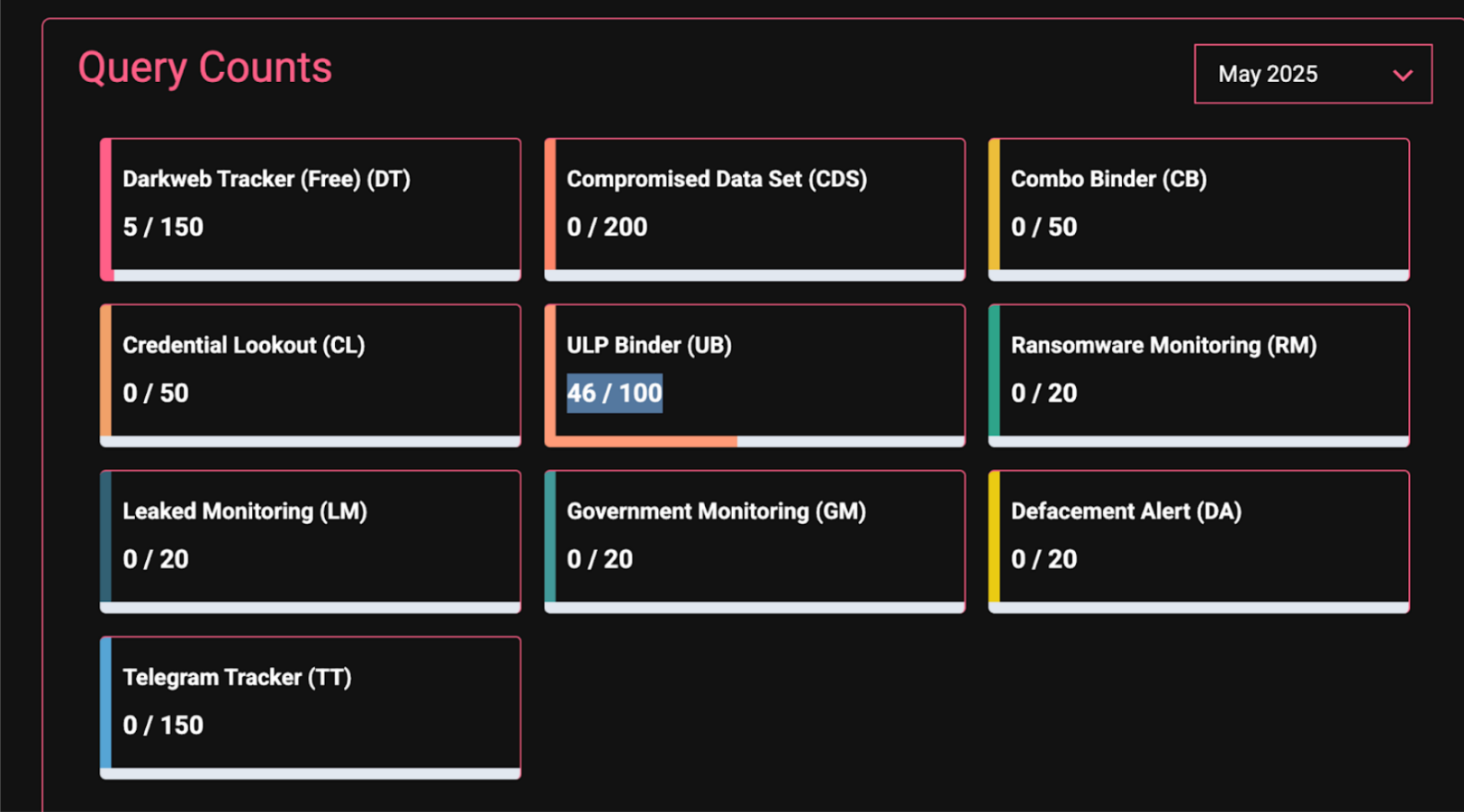
- There is a query limit available on StealthMole (based on ULP Binder subscription) which triggers every time a request for data retrieval is succeeded on StealthMole. This will trigger every time a search is done on the platform for the ULP Binder, or when the plugin syncs. If the limit is hit, you will see errors in the plugin life cycle. To avoid exceeding the limit, we suggest to keep the plugin sync interval as 1 day. And also reach out to the StealthMole support to increase the limit.
- If the domain added in the plugin has data more than 1 million to process, it will throw 422 Unprocessable errors from the API. In this case, the plugin won’t pull any data and throw this error.
