Release Notes
1.0.0
Added
- Initial Release.
- Symantec EDR plugin (On Prem) fetches IoCs of the type of URL (Domain, IPv4, IPv6), and SHA256 from the Symantec EDR Entities Endpoint. This plugin does not support sharing of indicators.
This document explains how to configure the Symantec EDR v1.0.0 plugin for the Threat Exchange module of the Netskope Cloud Exchange platform. The Symantec EDR (On-Premises) plugin fetches IoCs of the type of URL (Domain, IPv4, IPv6), and SHA256 from the Symantec EDR platform. This plugin does not support sharing of indicators.
Prerequisites
To complete this configuration, you need:
- A Netskope Tenant (or multiple, for example, production and development/test instances).
- A Netskope Cloud Exchange tenant with the Tenant plugin and Threat Exchange plugin already configured.
- Your Symantec EDR Server URL, Client ID, and Client Secret.
- Connectivity to the Symantec EDR platform.
Plugin Scope
The Symantec EDR (On-Premises) plugin fetches IoCs of the type of URL (Domain, IPv4, IPv6), and SHA256 from the Symantec EDR platform. This plugin does not support sharing of indicators.
| Fetched Indicator Types | Shared Indicator Types |
|---|---|
| URL (Domains, IPv4 and IPv6), SHA256 | Not Supported |
Mappings
Pull Mapping
| Cloud Exchange Fields | Symantec EDR Fields |
|---|---|
| value | sha2, data_source_url_domain, device_ip |
| firstSeen | first_seen |
| lastSeen | last_seen |
| severity | disposition, file_health |
Severity – Disposition Mapping
| Cloud Exchange Severity | Symantec EDR Severity |
|---|---|
| Unknown | 1 = unknown |
| Low | 0 = healthy/good |
| High | 2 = suspicious |
| Critical | 3 = bad |
Severity – file_health Mapping
| Cloud Exchange Severity | Symantec EDR Severity |
|---|---|
| Unknown | 2 = unknown |
| Low | 1 = good |
| High | 3 = suspicious |
| Critical | 4 = bad |
| Medium | 6 = leaning good |
API Details
List of APIs used
| API Endpoint | Method | Use case |
|---|---|---|
| /atpapi/oauth2/tokens | POST | To get bearer token |
| /atpapi/v2/entities | POST | Pull entities from Symantec EDR platform |
Get Bearer Token
Endpoint: /atpapi/oauth2/tokens
Method: POST
Content-Type: application/x-www-form-urlencoded
Accept: application/json
Authorization: Bearer {token}
Request Body
{
    "client_id": "5106b812*****5c1cb53b38f4862b",
    "client_secret": <CLIENT SECRET>,
    "grant_type": "client_credentials"
}
Sample Response – Status Code 200 OK
{
    "access_token":"eyJra...HakA",
    "token_type":"Bearer",
    "expires_in":3600
}
Pull Entities
Endpoint: /atpapi/v2/entities
Method: POST
Content-Type: application/json
Accept: application/json
Authorization: Bearer {token}
Request Body
{"verb":"query","limit":1}
Sample Response – Status Code 200 OK
{
    "next":"ZW50aXRpZXM7MTUyMTExMjY3NTM1MTswOkRYRjFaWEo1UVc1a1JtVjB******************TE9WRnRlV0ZSVUVjelVreEdhVmRJV0hSdFFRPT0=,
    "result": [
        {
            "file_health": 4,
            "first_seen": "2018-03-12T19:25:41.708Z",
            "is_targeted": false,
            "last_seen": "2018-03-14T10:21:09.297Z",
            "md5": "30b02b4d8e5c95aa25b864d9be46e54e",
            "name": "sample[1].exe",
            "prevalence_band": 0,
            "sandbox_verdict": "malware",
            "sha2": "4cbaa39e03c088b7e44d31722f099fb8030753bad30ba09edcb27490f7802cd9",
            "size": 33824,
            "type": "file_latest"
        }
    ]
    "total": 2
}
User Agent
netskope-ce-5.0.1-cte-symantec-edr-v1.0.0
Workflow
- Configure Symantec EDR plugin
- Add Business Rule
- Add Sharing
Configure the Symantec EDR Plugin
-
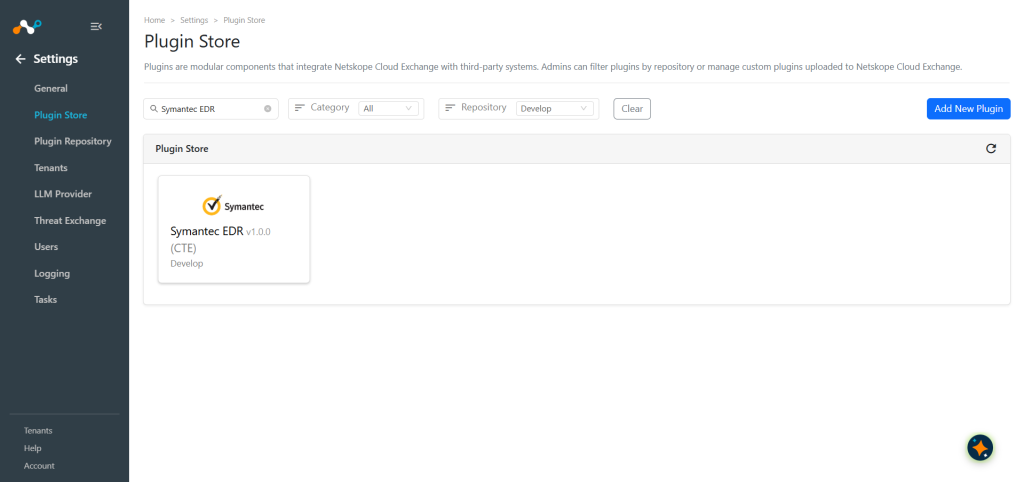
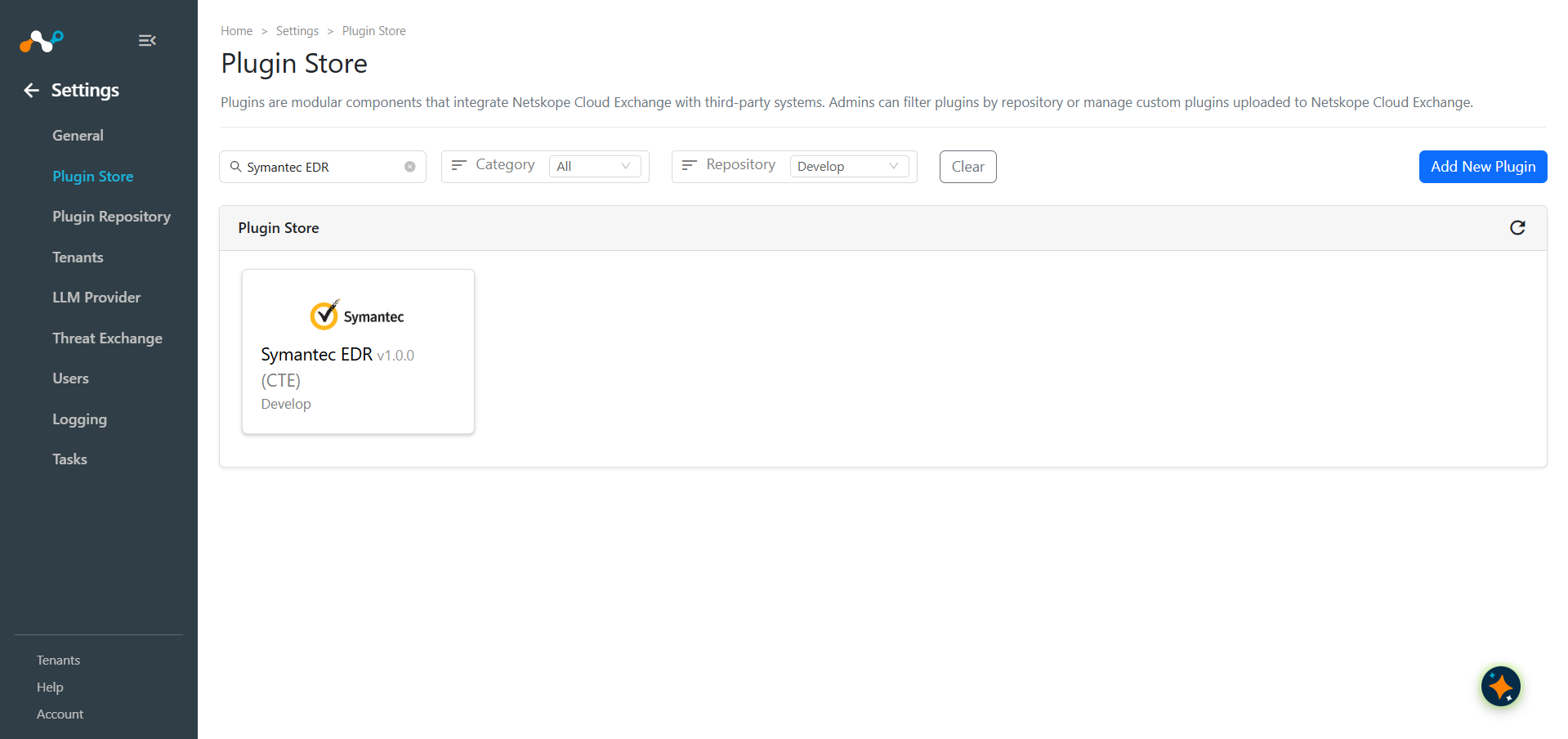
In Cloud Exchange, go to Settings > Plugin Store. Search for and select the Symantec EDR v1.0.0 (CTE) plugin.
-
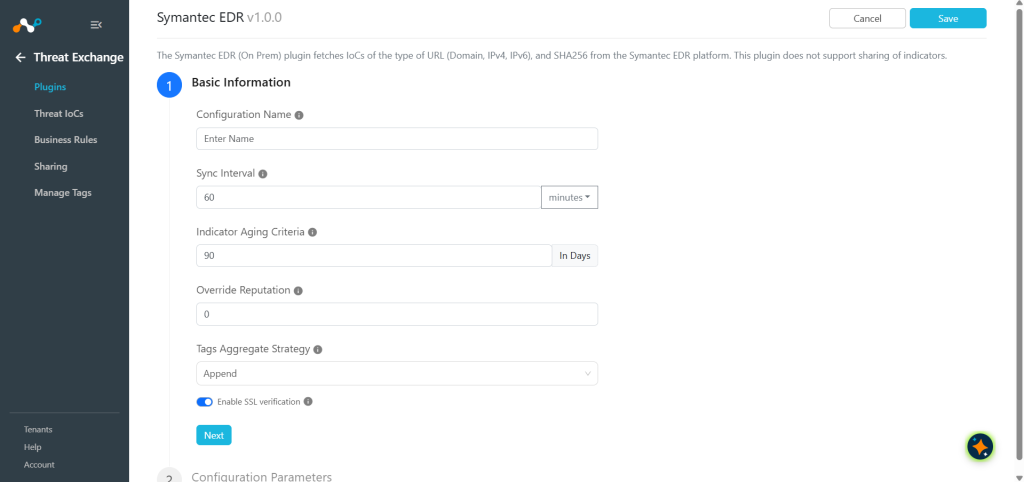
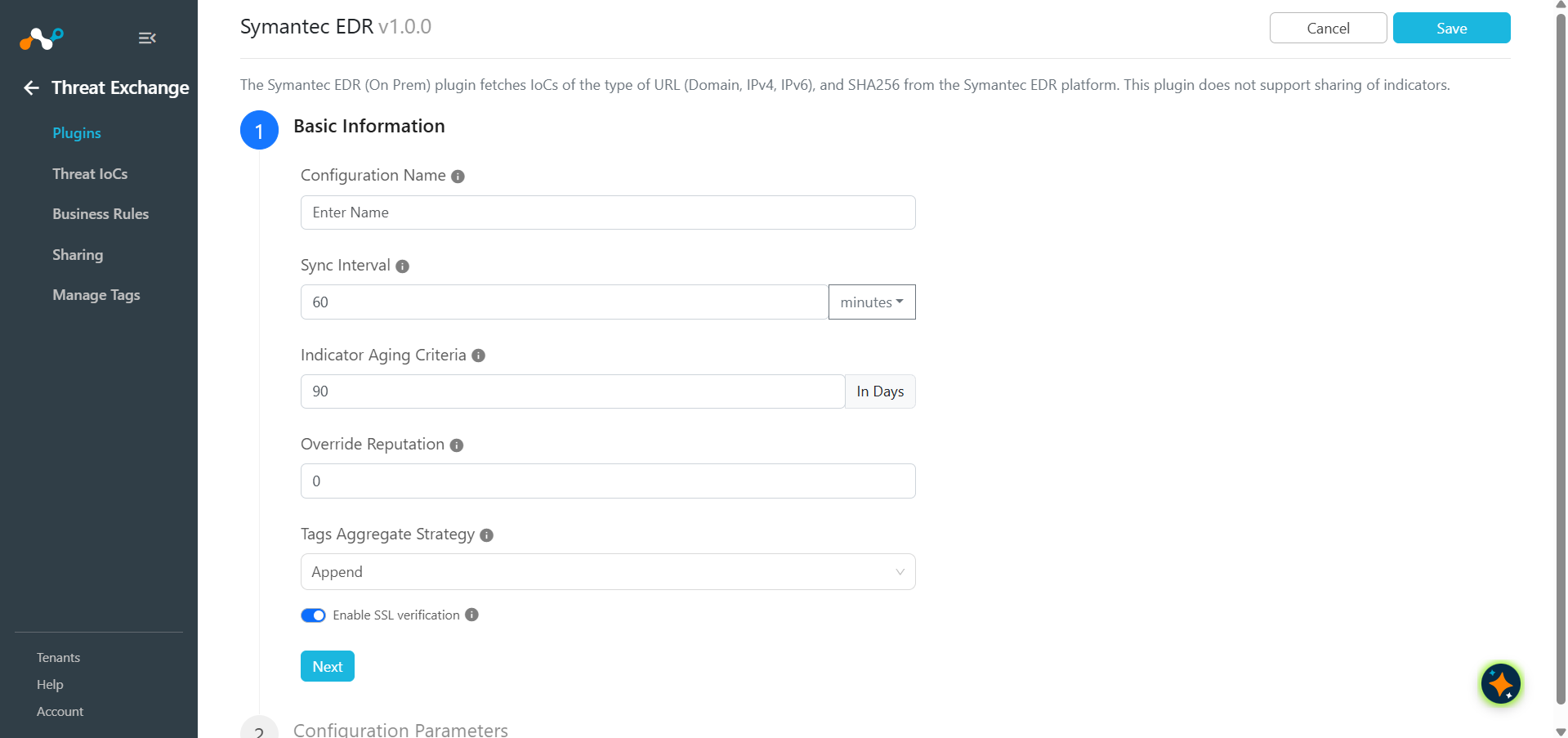
Enter the Basic Information:
- Configuration Name: Unique name for the configuration.
- Sync Interval: Leave the default.
- Aging Criteria: Expiry time of the plugin in days (Default: 90).
- Override Reputation: Set a value to override the reputation of indicators received from this configuration.
- Enable SSL Validation: Enable SSL Certificate validation if required.
- Use System Proxy: Enable if the proxy is required for communication.
-
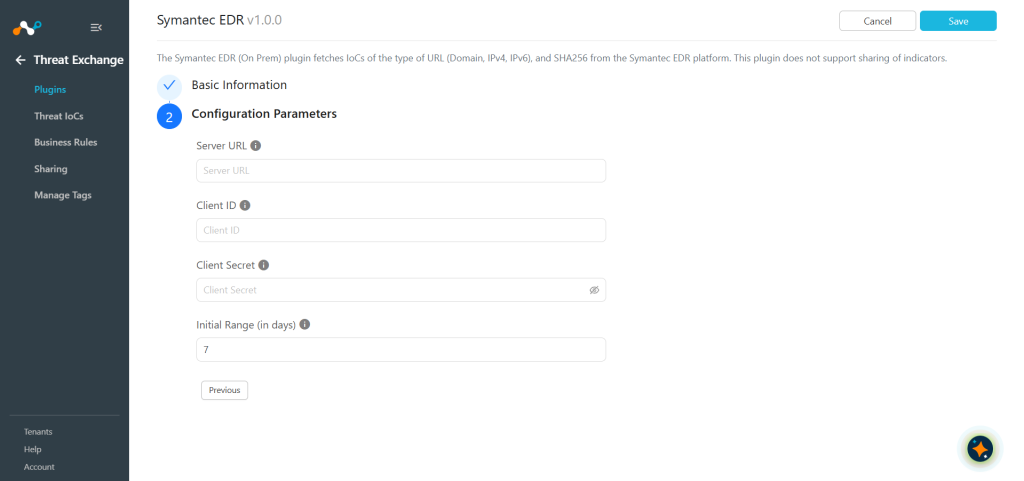
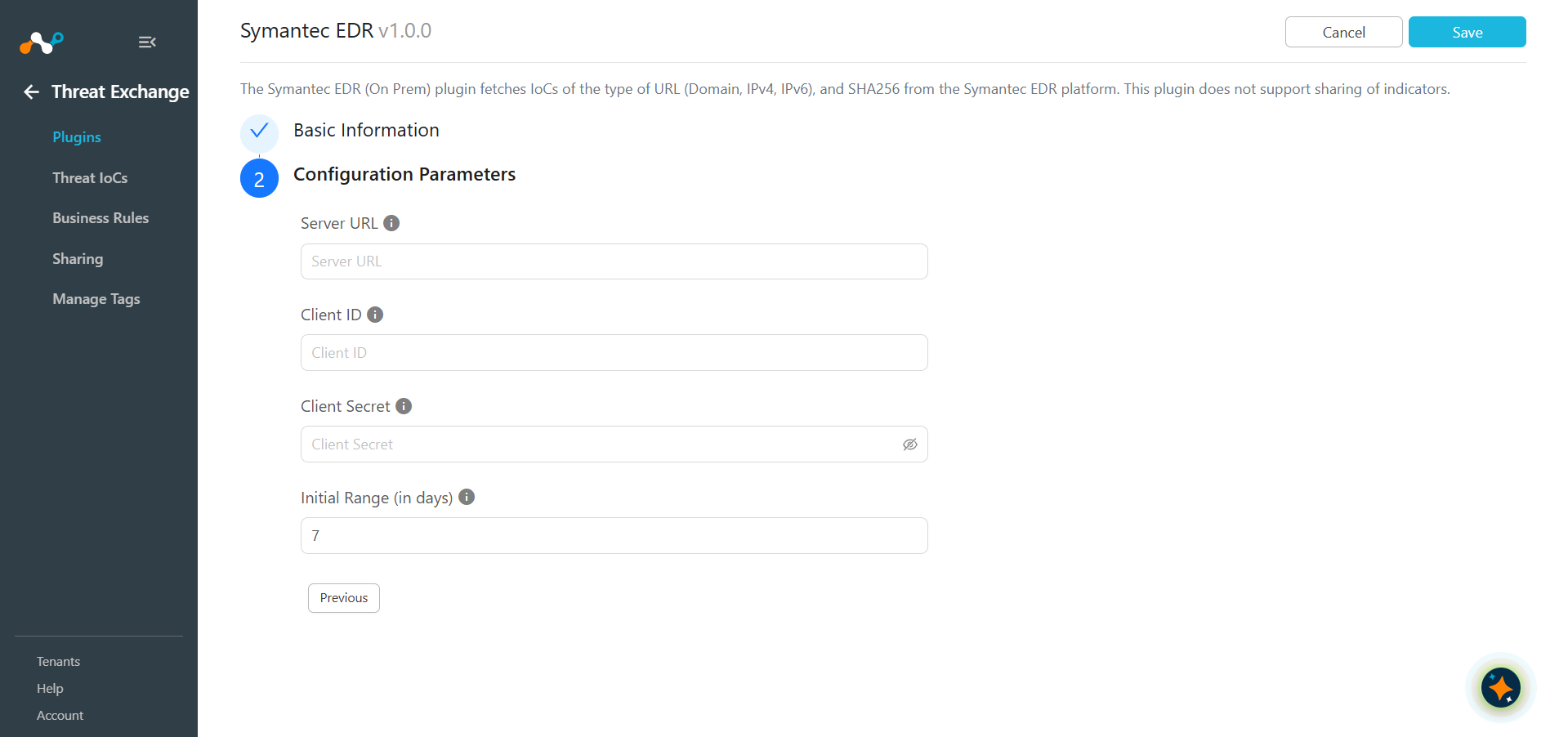
Click Next and enter the Configuration Parameters:
- Server URL: The Symantec EDR (On-Premises) Appliance URL (like https://host:port).
- Client ID: Client ID from the Symantec EDR (On-Premises) Appliance.
- Client Secret: Client Secret from the Symantec EDR (On-Premises) Appliance.
- Initial Range: Number of days to pull the data for the initial run.
-
Click Save.
Configure a Threat Exchang Business Rule for Symantec EDR
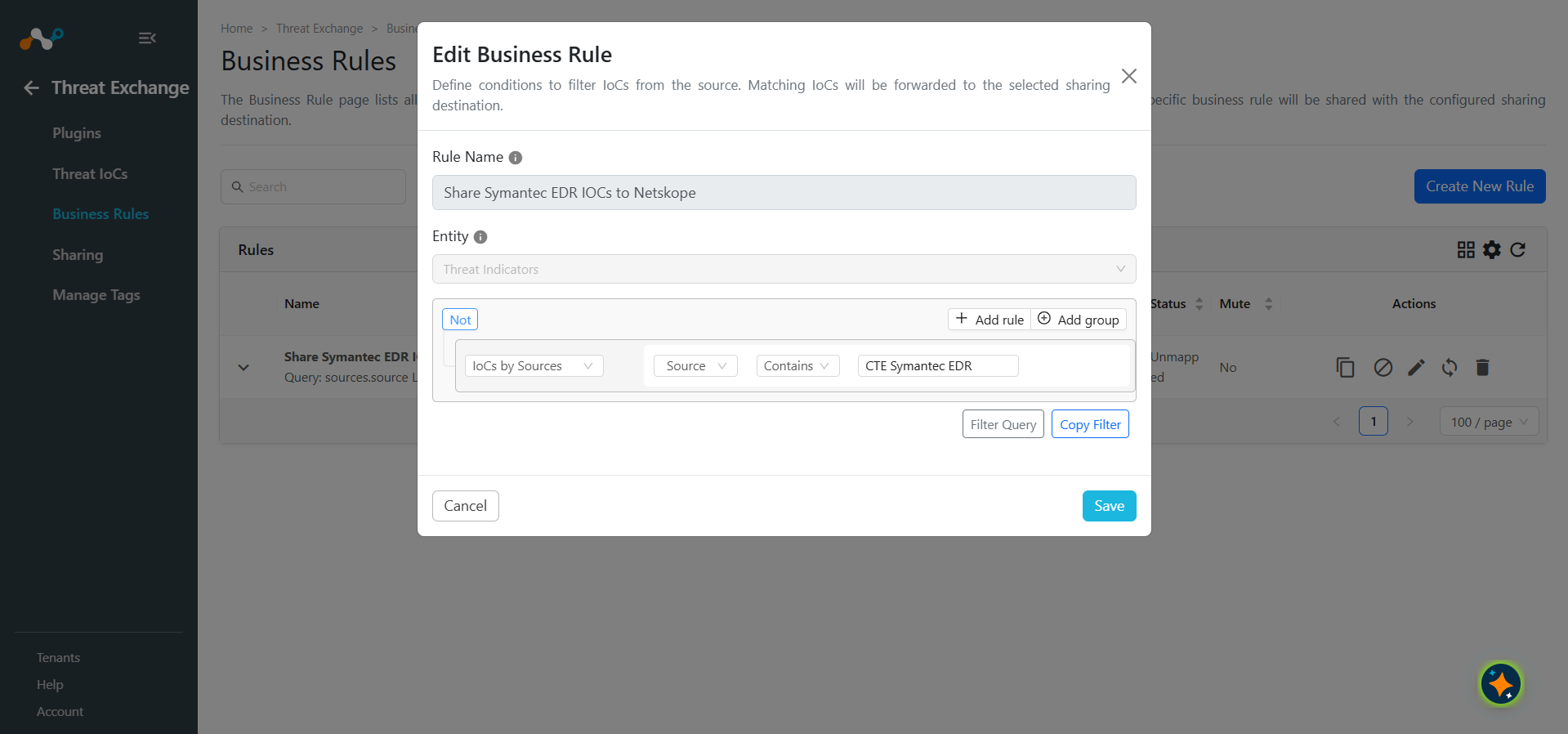
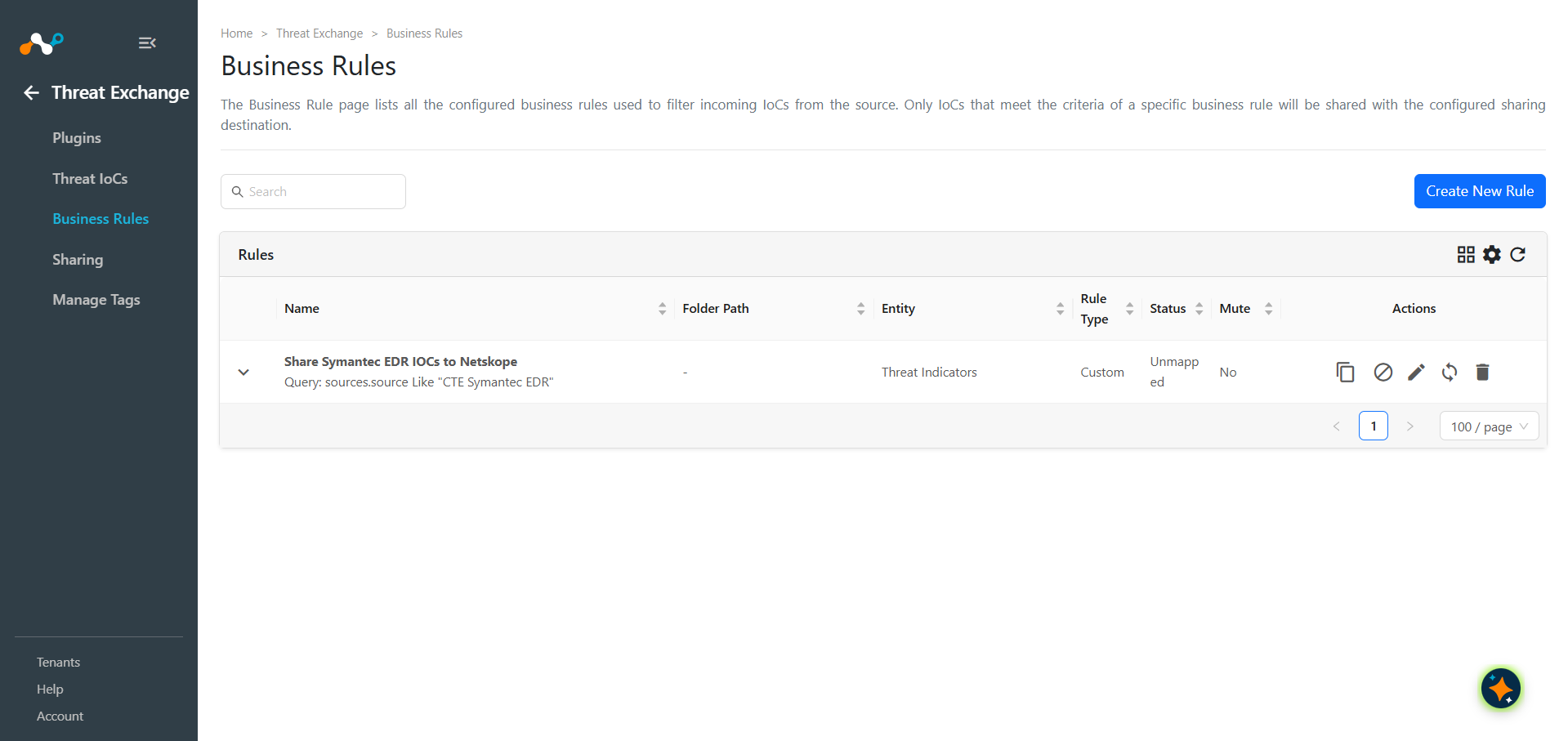
To share indicators fetched from the Symantec EDR to the Netskope, you will need to have a business rule that will filter out the indicators that you want to share. To configure a business rule, follow the below steps:
- In Threat Exchange, go to Business Rules and click Create New Rule.
- Add the filter(s) according to your requirements in the rule. When finished, click Save.