

This document will provide the technical documentation that will be required to configure the CRE Tenable v1.0.0 plugin with the Cloud Risk Exchange module of the Netskope Cloud Exchange platform. This plugin is used to fetch Assets from the Vulnerability Management > Explore > Assets page in Tenable. This plugin supports the Tag/Untag Asset actions on Assets.
Prerequisites
- A Netskope tenant (or multiple, for example, production and development/test instances).
- A Netskope Cloud Exchange tenant with the Tenant plugin and Risk Exchange plugin already configured.
- Connectivity to the following host: https://cloud.tenable.com
Tenable Plugin Support
This plugin is used to fetch Assets from the Vulnerability Management > Explore > Assets page in Tenable. This plugin supports Tag/Untag Asset actions on Assets.
| Type of Data Pulled | Actions |
|---|---|
|
Assets |
Tag/Untag Asset No Action |
Mappings
Mapping will be used to view the pulled Assets and their respective details. Mapped fields during plugin configuration will be visible on the Records page once the data is pulled. Below is the suggested mapping that should be used while configuring the plugin.
Pull Mapping for Assets
| Plugin Field | Expected Datatype | Suggested Field Name | Suggested Field Action | Sample Value |
|---|---|---|---|---|
|
Asset ID |
String |
Asset ID |
Unique (Keep this Overwrite if you want to merge records with Netskope Risk Exchange plugin) |
3dc145ce-e0e4-416e-ae1e-12f8bccf3fe1 |
|
Hostname |
String | Hostname |
Overwrite (Keep this unique if you want to merge records with Netskope Risk Exchange plugin) |
clw699 |
|
Agent UUID |
String |
Agent UUID |
Overwrite |
d41972661b494b56b56b38136385fb8a |
|
Asset Types |
List |
Asset Types |
Overwrite |
[ “host” ] |
|
Agent Names |
List |
Agent Names |
Overwrite |
[ “clw699” ] |
|
Operating Systems |
List |
Operating Systems |
Overwrite |
[ “Microsoft Windows 11 Enterprise Build 22631” ] |
|
System Types |
List |
System Types |
Overwrite |
[ “general-purpose” ] |
|
Installed Software |
List |
Installed Software |
Overwrite |
[ “cpe:/a:google:chrome:143.0.7499.170” ] |
|
Serial Number |
String |
Serial Number |
Overwrite |
– |
|
Sources Names |
List |
Sources Names |
Overwrite |
[ “NESSUS_AGENT” ] |
|
Tags |
List |
Tags |
Overwrite |
[ “OS:Windows” ] |
|
IPv4 Addresses |
List |
IPv4 Addresses |
Overwrite |
[ “10.50.7.xxx” ] |
|
IPv6 Addresses |
List |
IPv6 Addresses |
Overwrite |
[ “fdfe:9042:c53d:0:xxxx:1627:e7e4:xxxx”, “fda7:xxxx:2e09:0:809c:1627:e7e4:xxxx” ] |
|
FQDNs |
List |
FQDNs |
Overwrite |
[ “win2k16-7-148.ec.local” ] |
|
MAC Addresses |
List |
MAC Addresses |
Overwrite |
[ “70:D8:23:E2:37:B3” ] |
|
Hostnames |
List |
Hostnames |
Overwrite |
[ “clw699” ] |
|
First Seen |
Datetime |
First Seen |
Overwrite |
2026-02-02T12:39:57.832Z |
|
Last Seen |
Datetime |
Last Seen |
Overwrite |
2026-02-02T12:39:57.832Z |
|
Asset Criticality Rating |
Number |
Asset Criticality Rating |
Overwrite |
– |
|
Asset Exposure Score |
Number |
Asset Exposure Score |
Overwrite |
– |
|
Cloud Resource Tags |
List |
Cloud Resource Tags |
Overwrite |
– |
|
CVSSv3 Base Score |
Number |
CVSSv3 Base Score |
Append |
[7.8] |
|
CVSSv3 Temporal Score |
Number |
CVSSv3 Temporal Score |
Append |
[7.2] |
|
VPR Score |
Number |
VPR Score |
Append |
[4.6] |
|
EPSS Score |
Number |
EPSS Score |
Append |
[80.494] |
|
Risk Factor |
String |
Risk Factor |
Append |
[ “critical”, “high”, “medium”, “low”, “info” ] |
|
Severity |
String |
Severity |
Append |
[ “critical”, “high”, “medium”, “low”, “info” ] |
|
State |
String |
State |
Append |
[ “OPEN”, “REOPENED”, “FIXED” ] |
|
CVEs |
List |
CVEs |
Append |
[ “CVE-2013-3900”, “CVE-2016-9535” ] |
Note
- The Hostname field will be extracted from the Host names list for the Tenable plugin. We extract a single hostname from Tenable by ignoring empty values, selecting the only available hostname or the only fully qualified hostname, and skipping the asset if multiple hostnames make the choice ambiguous.
- Users can merge records between Netskope Tenant and Tenable by keeping Host Name as the common and unique field between both the plugin.
- If you have kept Host Name as the common and unique field between Netskope Risk Exchange and Tenable plugin and if host name for multiple devices are empty then Cloud Exchange will overwrite all such records in a single record.
Permissions
You should have these permissions:
- Role: Scan Manager
- Permissions:
Permissions | Objects |
|---|---|
|
CanView |
All Assets |
Note
With the above permissions, the user will only be able to use tags created by his Access Key and Secret Key. To use tags created by other users, the user needs to have an Administrator role or permissions to access all tags.
API Details
List of APIs Used
| API Endpoint | Method | Use Case |
|---|---|---|
|
/assets/v2/export |
POST |
Start Assets Export job |
|
/assets/export/{export_uuid}/status |
GET |
Fetch Assets export job status |
|
/assets/export/{export_uuid}/chunks/{chunk_id} |
GET |
Fetch each chunk for the assets export job |
|
/vulns/export |
POST |
Start Findings Export job |
|
/vulns/export/{export_uuid}/status |
GET |
Fetch Findings export job status |
|
/vulns/export/{export_uuid}/chunks/{chunk_id} |
GET |
Fetch each chunk for the finding export job |
|
/tags/categories |
GET |
List tag categories |
|
/tags/values |
GET |
List tag values |
|
/tags/values |
POST |
Create a tag value |
|
/tags/assets/assignments |
POST |
Add or remove tags from assets |
Start Assets Export job
API endpoint: https://cloud.tenable.com/assets/v2/export
Method: POST
Headers
|
Key |
Value |
|---|---|
|
accept |
application/json |
|
content-type |
application/json |
|
User-Agent |
netskope-ce-6.0.1-cre-tenable-v1.0.0 |
|
X-ApiKeys |
accessKey={access_key}; secretKey={secret_key}; |
Body
{
    "chunk_size": 1000,
    "include_resource_tags": true
}
Sample API Response
{
    "export_uuid": "ad0285de-ff53-4a90-b4ca-84a5e283a24d"
}
Fetch Assets export job status
API Endpoint: https://cloud.tenable.com/assets/export/{export_uuid}/status
Method: GET
Headers
| Key | Value |
|---|---|
| accept | application/json |
| content-type | application/json |
| User-Agent | netskope-ce-6.0.1-cre-tenable-v1.0.0 |
| X-ApiKeys | accessKey={access_key}; secretKey={secret_key}; |
Sample API Response
| { “status”: “FINISHED”, “chunks_available”: [ 1 ]} |
Fetch each chunk for the assets export job
API endpoint: https://cloud.tenable.com/assets/export/{export_uuid}/chunks/{chunk_id}
Method: GET
Headers
| Key | Value |
|---|---|
| accept | application/json |
| content-type | application/json |
| User-Agent | netskope-ce-6.0.1-cre-tenable-v1.0.0 |
| X-ApiKeys | accessKey={access_key}; secretKey={secret_key}; |
Sample API Response
[
    {
        "id": "3dc145ce-e0e4-416e-ae1e-12f8bccf3fe1",
        "has_agent": true,
        "has_plugin_results": true,
        "agent_uuid": "d41972661b494b56b56b38136385fb8a",
        "is_licensed": true,
        "types": [
            "host"
        ],
        "agent_names": [
            "clw699"
        ],
        "operating_systems": [
            "Microsoft Windows 11 Enterprise Build 22631"
        ],
        "system_types": [
            "general-purpose"
        ],
        "is_public": false,
        "sources": [
            {
                "name": "NESSUS_AGENT",
                "first_seen": "2026-02-02T12:39:57.832Z",
                "last_seen": "2026-02-03T11:50:28.434Z"
            }
        ],
        "tags": [
            {
                "uuid": "58dee729-825a-47f4-b96e-9e0e5a20376c",
                "key": "random11",
                "value": "213sa",
                "added_by": "4fac813e-a19a-4734-844d-a9adeb7aaaf0",
                "added_at": "2026-02-02T17:02:47.981Z"
            }
        ],
        "scan": {
            "first_scan_time": "2026-02-02T12:39:57.832Z",
            "last_scan_time": "2026-02-03T11:50:28.434Z",
            "last_authenticated_scan_date": "2026-02-03T04:11:41.000Z",
            "last_licensed_scan_date": "2026-02-03T04:11:41.000Z",
            "last_scan_id": "a9c18e40-92bf-6732-fb4f-ca9eff77f919",
            "last_schedule_id": "template-6074bc5e-1108-f6d2-2c56-af800a50a0b2a6138e2b1593ab04",
            "last_authentication_scan_status": "N/A"
        },
        "network": {
            "network_id": "00000000-0000-0000-0000-000000000000",
            "network_name": "Default",
            "bios_uuid": "c7e04a67-1bb0-5237-a199-c9751791dc50",
            "ipv4s": [
                "192.xxx.17.xxx"
            ],
            "mac_addresses": [
                "70:d8:xx:e2:37:xx"
            ],
            "hostnames": [
                "clw699"
            ],
            "network_interfaces": [
                {
                    "name": "Wi-Fi",
                    "mac_addresses": [
                        "70:d8:xx:e2:37:xx"
                    ],
                    "ipv4s": [
                        "192.xxx.17.xxx"
                    ]
                },
                …
            ]
        },
        "timestamps": {
            "created_at": "2026-02-02T12:39:57.832Z",
            "updated_at": "2026-02-03T11:50:28.434Z",
            "first_seen": "2026-02-02T12:39:57.832Z",
            "last_seen": "2026-02-03T11:50:28.434Z"
        }
    }
]
Start Findings Export job
API endpoint: https://cloud.tenable.com/vulns/export
Method: POST
Headers
| Key | Value |
|---|---|
| accept | application/json |
| content-type | application/json |
| User-Agent | netskope-ce-6.0.1-cre-tenable-v1.0.0 |
| X-ApiKeys | accessKey={access_key}; secretKey={secret_key}; |
Body
{
    "num_assets": 50,
    "filters": {
        "since": 1769254661
    }
}
Sample API Response
{
    "export_uuid": "ad0285de-ff53-4a90-b4ca-84a5e283a24d"
}
Fetch Findings export job status
API Endpoint: https://cloud.tenable.com/vulns/export/{export_uuid}/status
Method: GET
Headers
| Key | Value |
|---|---|
| accept | application/json |
| content-type | application/json |
| User-Agent | netskope-ce-6.0.1-cre-tenable-v1.0.0 |
| X-ApiKeys | accessKey={access_key}; secretKey={secret_key}; |
Sample API Response
{
    "uuid": "c6abfdb5-42ce-49c2-87e7-f6ebb9f3f1c3",
    "status": "FINISHED",
    "chunks_available": [
        1
    ],
    "chunks_failed": [],
    "chunks_cancelled": [],
    "total_chunks": 1,
    "chunks_available_count": 1,
    "empty_chunks_count": 0,
    "finished_chunks": 1,
    "filters": {
        "state": [
            "OPEN",
            "REOPENED"
        ],
        "since": 1769254661,
        "first_found": 0,
        "last_found": 0,
        "last_fixed": 0,
        "first_seen": 0,
        "last_seen": 0,
        "indexed_at": 0,
        "indexed_at_end_value": 0,
        "resurfaced_date": 0
    },
    "num_assets_per_chunk": 1000,
    "created": 1770196536236
}
Fetch each chunk for the finding export job
API Endpoint: https://cloud.tenable.com/vulns/export/{export_uuid}/chunks/{chunk_id}
Method: GET
Headers
| Key | Value |
|---|---|
| accept | application/json |
| content-type | application/json |
| User-Agent | netskope-ce-6.0.1-cre-tenable-v1.0.0 |
| X-ApiKeys | accessKey={access_key}; secretKey={secret_key}; |
Sample API Response
[
    {
        "asset": {
            "agent_uuid": "b7a114ab10b34a859a24f4f44d4b3b2b",
            "bios_uuid": "6fd71242-b561-e469-92eb-da7997f07f6e",
            "device_type": "general-purpose",
            "hostname": "ubuntu-165",
            "uuid": "c6e4a65b-85fb-4443-997e-c45627fc3e4a",
            "ipv4": "10.50.4.165",
            "last_authenticated_results": "2026-02-04T08:05:09.409Z",
            "mac_address": "00:50:56:92:78:64",
            "operating_system": [
                "Ubuntu Linux 22.04",
                "Linux Kernel 5.15.0-164-generic on Ubuntu 22.04"
            ],
            "network_id": "00000000-0000-0000-0000-000000000000",
            "tracked": true
        },
        "output": "\n  Path               : /usr/bin/containerd\n  Version            : 2.2.0\n  Associated Package : containerd.io 2.2.0-2\n  Managed by OS      : True\n",
        "plugin": {
            "checks_for_default_account": false,
            "checks_for_malware": false,
            "cpe": [
                "cpe:/a:linuxfoundation:containerd"
            ],
            "description": "containerd, a container runtime which can manage the complete container lifecycle of its host system is installed on the target host.",
            "exploit_available": false,
            "exploit_framework_canvas": false,
            "exploit_framework_core": false,
            "exploit_framework_d2_elliot": false,
            "exploit_framework_exploithub": false,
            "exploit_framework_metasploit": false,
            "exploited_by_malware": false,
            "exploited_by_nessus": false,
            "family": "Service detection",
            "family_id": 24,
            "has_patch": false,
            "id": 237414,
            "in_the_news": false,
            "name": "Containerd Installed (Linux)",
            "modification_date": "2026-02-03T00:00:00Z",
            "publication_date": "2025-05-28T00:00:00Z",
            "risk_factor": "info",
            "see_also": [
                "https://github.com/containerd/containerd/tree/main"
            ],
            "synopsis": "containerd was detected on the remote host.",
            "unsupported_by_vendor": false,
            "version": "1.32",
            "xrefs": [],
            "has_workaround": false,
            "type": "local"
        },
        "port": {
            "port": 0,
            "protocol": "TCP"
        },
        "scan": {
            "schedule_uuid": "template-6074bc5e-1108-f6d2-2c56-af800a50a0b2a6138e2b1593ab04",
            "started_at": "2026-02-04T06:58:37.466Z",
            "uuid": "26d44cd9-c220-4281-b7d2-802576647c2e",
            "target": "127.0.0.1"
        },
        "severity": "info",
        "severity_id": 0,
        "severity_default_id": 0,
        "severity_modification_type": "NONE",
        "first_found": "2026-02-03T11:58:39.690Z",
        "last_found": "2026-02-04T08:05:09.409Z",
        "state": "OPEN",
        "indexed": "2026-02-04T08:05:19.375557Z",
        "source": "AGENT",
        "finding_id": "007286e4-4768-5175-8c51-0960fe73b025"
    }
]
List tag categories
API Endpoint: https://cloud.tenable.com/tags/categories
Method: GET
Headers
| Key | Value |
|---|---|
| accept | application/json |
| content-type | application/json |
| User-Agent | netskope-ce-6.0.1-cre-tenable-v1.0.0 |
| X-ApiKeys | accessKey={access_key}; secretKey={secret_key}; |
Sample API Response
{
    "categories": [
        {
            "uuid": "09d80eff-8101-4186-8bcd-caa4d12fbe0a",
            "created_at": "2025-12-16T10:29:53.093Z",
            "created_by": "kaushalp@netskope.com",
            "updated_at": "2025-12-30T06:53:29.120Z",
            "updated_by": "kaushalp@netskope.com",
            "product": "IO",
            "name": "Asset Risk",
            "reserved": false,
            "value_count": 3
        },
        {
            "uuid": "3806fbf2-41f8-4fb6-acef-c4ea8ea88fc1",
            "created_at": "2025-12-16T10:12:20.193Z",
            "created_by": "vdesai@netskope.com",
            "updated_at": "2026-01-31T12:59:52.615Z",
            "updated_by": "kaushalp@netskope.com",
            "product": "IO",
            "name": "Location",
            "description": "The geographic location of the asset.",
            "reserved": false,
            "value_count": 4
        },
       ….
    ],
    "pagination": {
        "offset": 0,
        "limit": 5000,
        "total": 10
    }
}
List tag values
API Endpoint: https://cloud.tenable.com/tags/values
Method: GET
Headers
| Key | Value |
|---|---|
| accept | application/json |
| content-type | application/json |
| User-Agent | netskope-ce-6.0.1-cre-tenable-v1.0.0 |
| X-ApiKeys | accessKey={access_key}; secretKey={secret_key}; |
Parameters
| Key | Value |
|---|---|
| limit | 5000 |
| offset | 0 |
Sample API Response
{
    "values": [
        {
            "uuid": "003b6072-d580-47f4-ac2a-fb663d787b1d",
            "created_at": "2026-01-19T07:07:16.921Z",
            "created_by": "kaushalp@netskope.com",
            "updated_at": "2026-01-19T07:07:16.921Z",
            "updated_by": "kaushalp@netskope.com",
            "category_uuid": "848b55a3-0d41-490d-8e9a-98484d8de244",
            "value": "ubuntu agent name",
            "type": "static",
            "product": "IO",
            "category_name": "FQDNs",
            "access_control": {
                "current_user_permissions": [
                    "ALL",
                    "CAN_EDIT",
                    "CAN_SET_PERMISSIONS",
                    "CAN_USE"
                ]
            },
            "saved_search": false,
            "reporting_allowed": false,
            "consecutive_error_count": 0
        },
        …
    ],
    "pagination": {
        "offset": 0,
        "limit": 5000,
        "total": 136
    }
}
Create a tag value
API Endpoint: https://cloud.tenable.com/tags/values
Method: POST
Headers
| Key | Value |
|---|---|
| accept | application/json |
| content-type | application/json |
| User-Agent | netskope-ce-6.0.1-cre-tenable-v1.0.0 |
| X-ApiKeys | accessKey={access_key}; secretKey={secret_key}; |
Body:
| { “category_name”: “OS”, “value”: “Windows”} |
Sample API Response
{
    "uuid": "c08f9a13-9965-4d26-8f14-165fe19994a0",
    "created_at": "2026-02-04T09:26:51.192Z",
    "created_by": "kaushalp@netskope.com",
    "updated_at": "2026-02-04T09:26:51.193Z",
    "updated_by": "kaushalp@netskope.com",
    "category_uuid": "1f6b30a9-6e8a-4f77-b52c-dd1e354055e6",
    "value": "Windows",
    "type": "static",
    "product": "IO",
    "category_name": "OS",
    "assignment_count": 0,
    "access_control": {
        "current_user_permissions": [
            "ALL",
            "CAN_EDIT",
            "CAN_SET_PERMISSIONS",
            "CAN_USE"
        ],
        "defined_domain_permissions": [
            "ALL",
            "CAN_EDIT",
            "CAN_SET_PERMISSIONS",
            "CAN_USE"
        ],
        "all_users_permissions": [],
        "current_domain_permissions": [
            {
                "id": "4fac813e-a19a-4734-844d-a9adeb7aaaf0",
                "name": "kaushalp@netskope.com",
                "type": "USER",
                "permissions": [
                    "CAN_USE",
                    "CAN_EDIT"
                ]
            }
        ],
        "version": 0
    },
    "saved_search": false,
    "reporting_allowed": false,
    "consecutive_error_count": 0
}
Add or remove tags from assets
API Endpoint: https://cloud.tenable.com/tags/assets/assignments
Method: POST
Headers
| Key | Value |
|---|---|
| accept | application/json |
| content-type | application/json |
| User-Agent | netskope-ce-6.0.1-cre-tenable-v1.0.0 |
| X-ApiKeys | accessKey={access_key}; secretKey={secret_key}; |
Body
{
  "action": "add or remove",
  "assets": [
    "b73283b4-ce20-4ca6-82ca-caabec2d1133",
    "b73283b4-ce20-4ca6-82ca-caabec2d1133"
  ],
  "tags": [
    "f4d0db60-54a0-46c2-9ab7-67ee345e35e7"
  ]
}
Sample API Response
| { “job_uuid”: “2687e4678dca8d13cafbdf77e516ba0a:8ac90db7bd392f3bbc4b” } |
Performance Matrix
Here are the performance readings conducted on a Large Cloud Exchange Stack with these VM specifications by pulling 500k Assets record each from the Tenable plugin.
| Description | Specification |
|---|---|
|
Stack details |
Size: Large RAM: 32 GB CPU: 16 Cores |
|
Time taken to store the pulled Assets records |
~ 30 minutes |
User Agent
netskope-ce-6.0.1-cre-tenable-v1.0.0
Workflow
- Create a Custom Permission and assign it to a user.
- Assign a Role to a User
- Generate your Access Key and Secret Key.
- Configure the Tenable plugin.
- Add a Business Rule.
- Add Actions.
- Validate the plugin.
Watch a Video
Click play to watch a video.
Create a Custom Permission and Assign it to the User
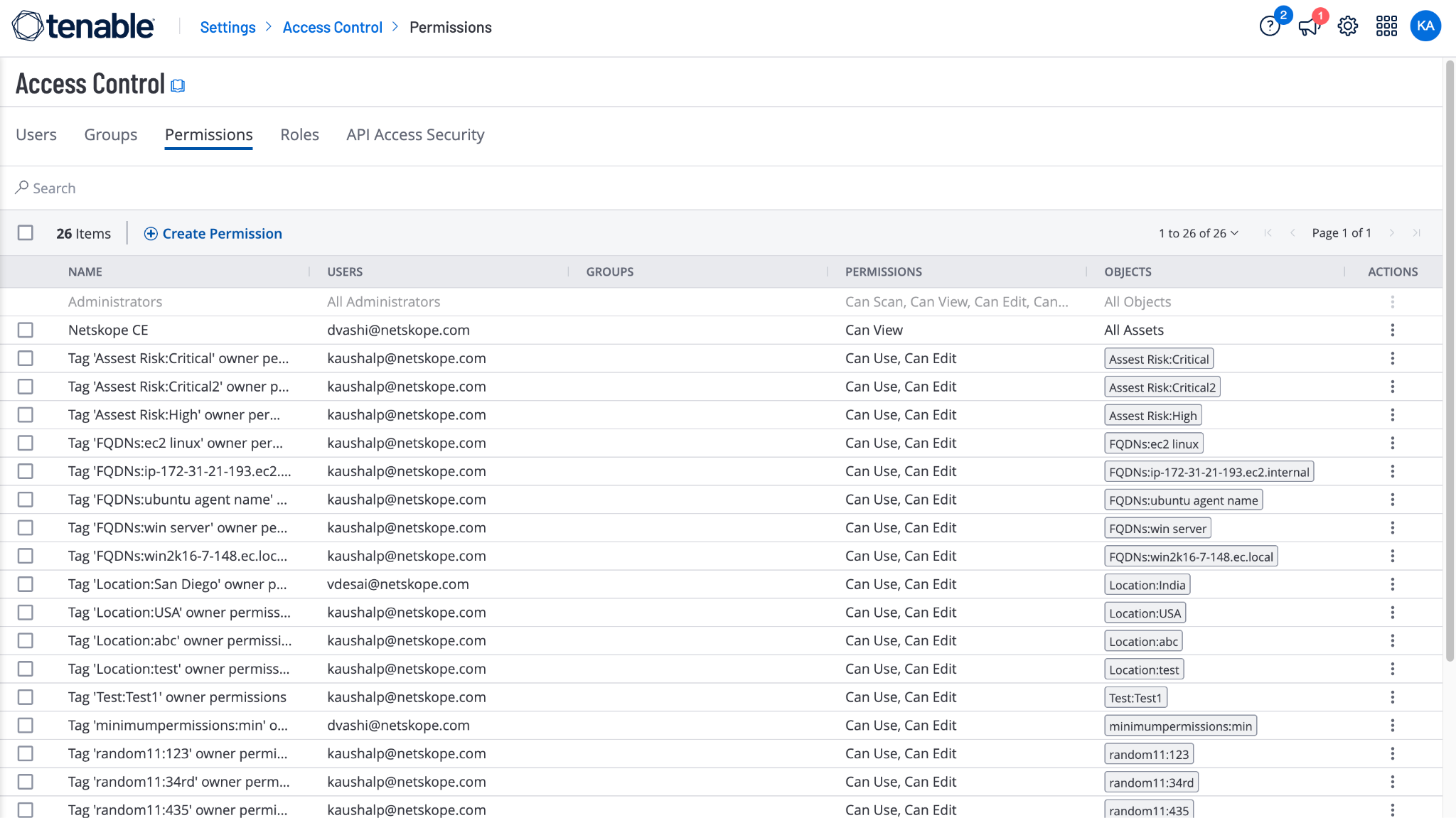
- In Tenable, go to Settings > Access Control > Permissions and click Create Permission.
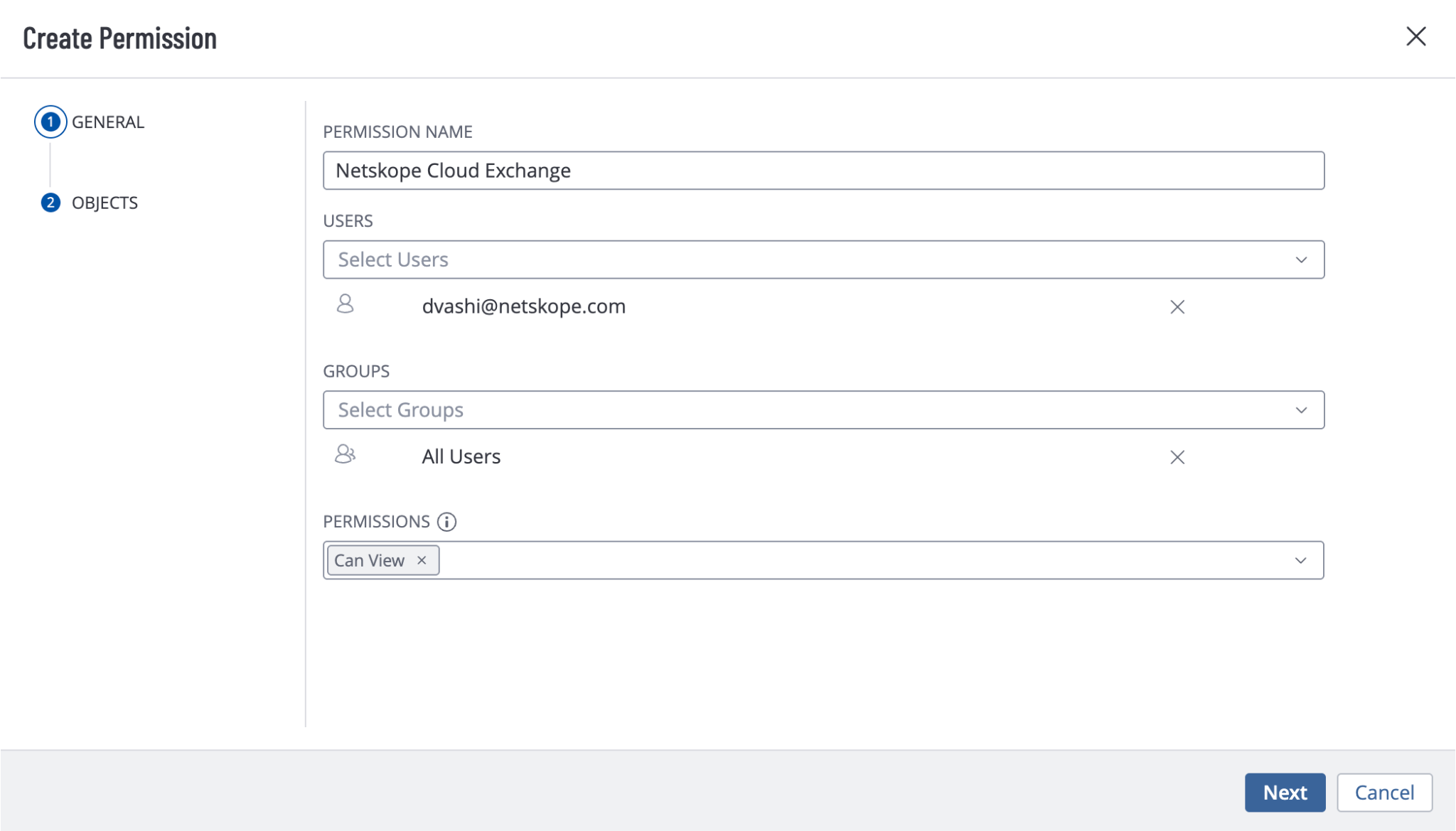
- Enter a permission name, and select the user that you will be using to generate the credentials for configuring the Tenable plugin. Select All Users for Groups and Can View for Permissions.
- Click Next and select All Assets in the Objects section.
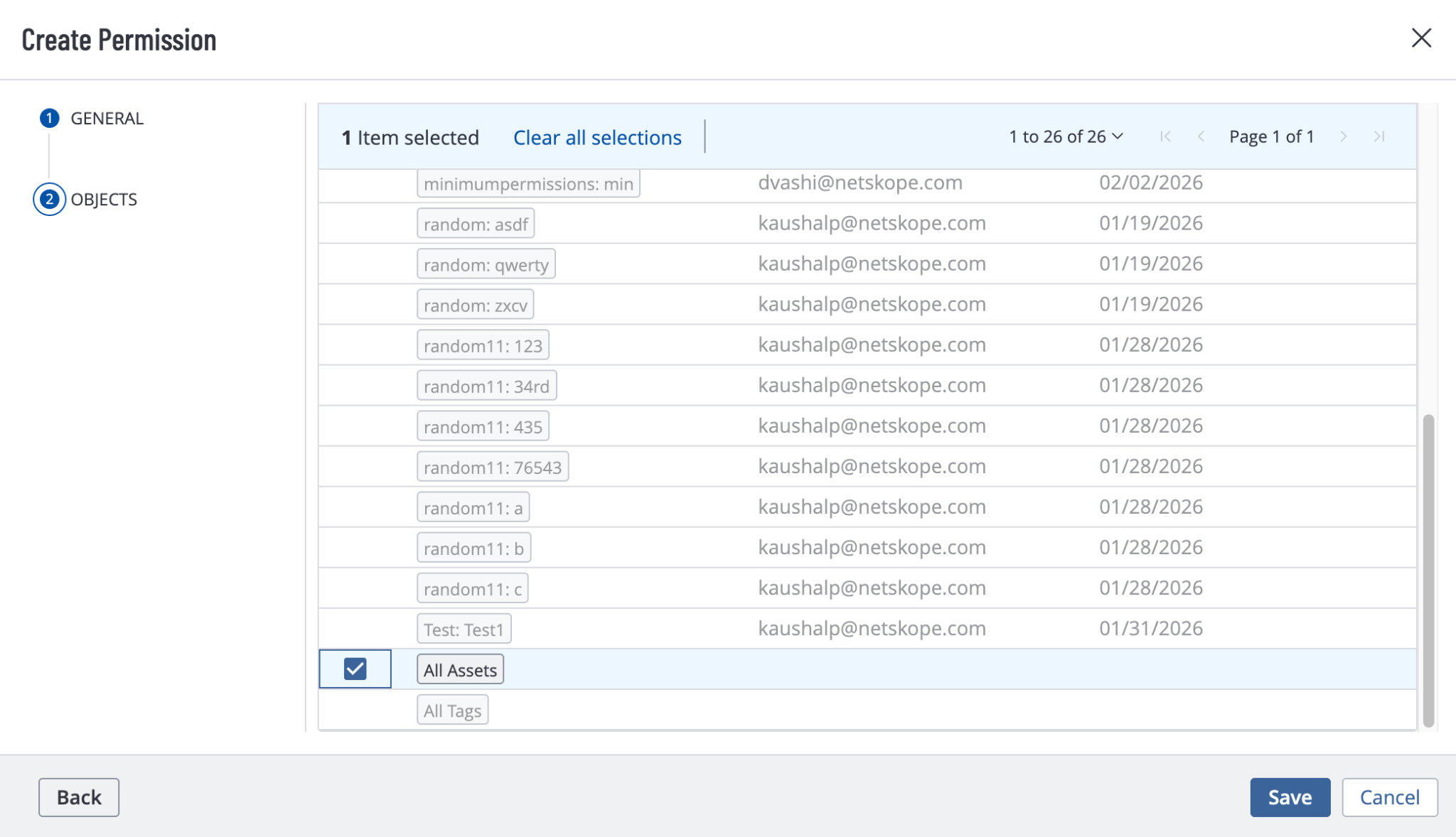
- Click Save.
Assign a Role to the User
- Go to the Settings > Access Control > Users and edit the user that you will be using to generate the credentials for configuring the Tenable plugin on Cloud Exchange.
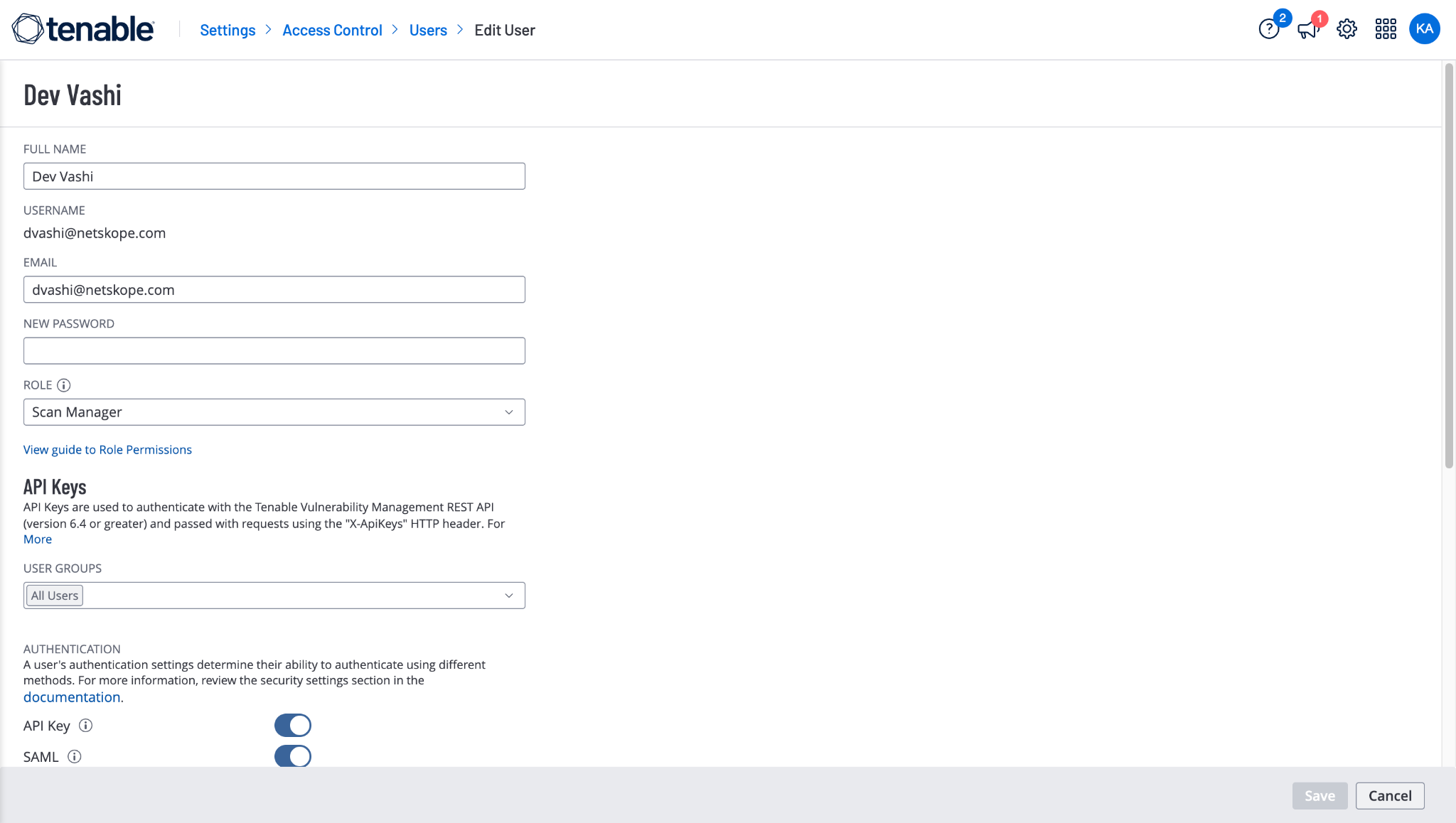
- Select Scan Manager for Role and click Save.
Generate the Access Key and Secret Key
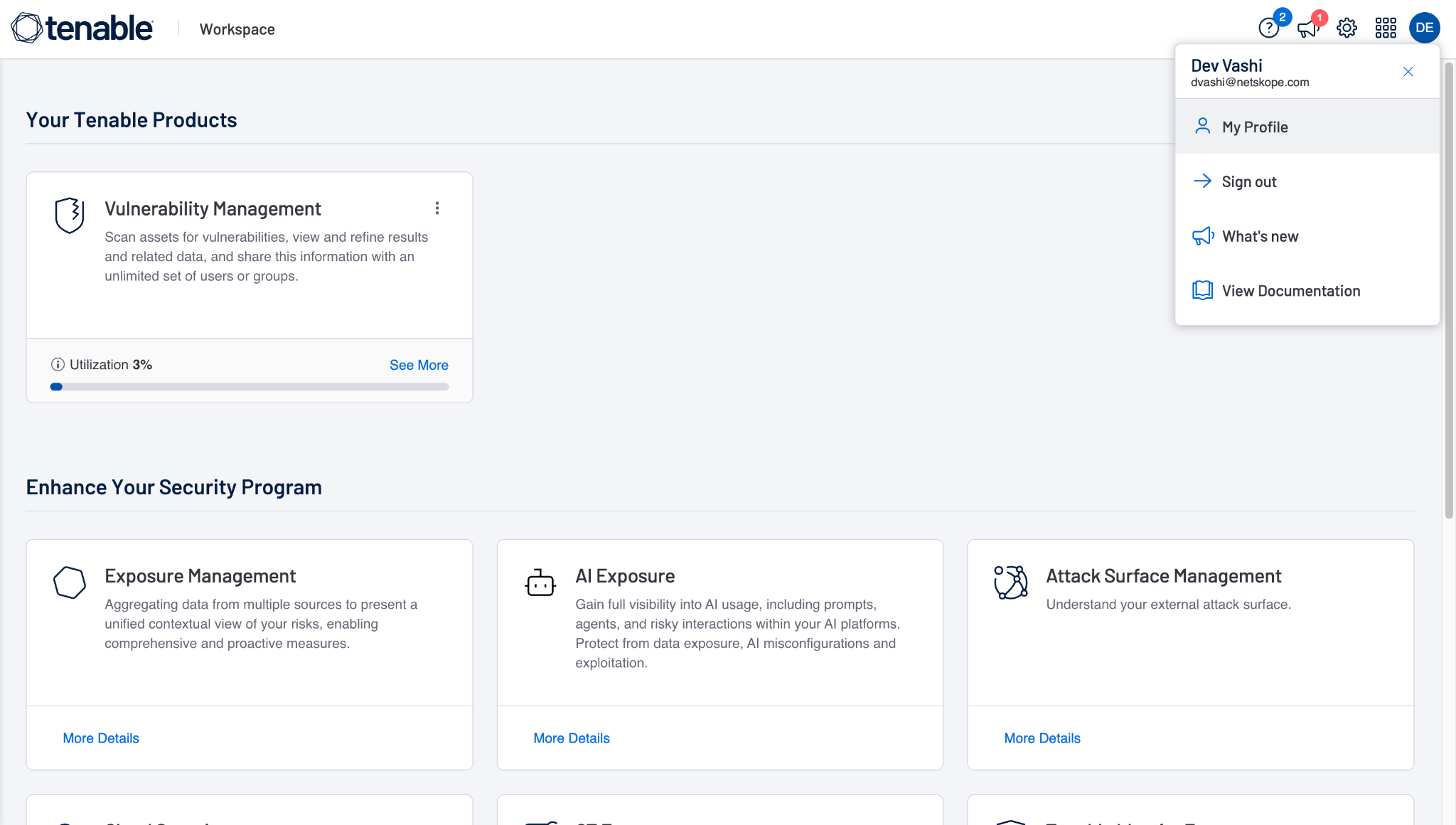
- Log in to your Tenable instance with the user having these permissions, and then go to My Profile.
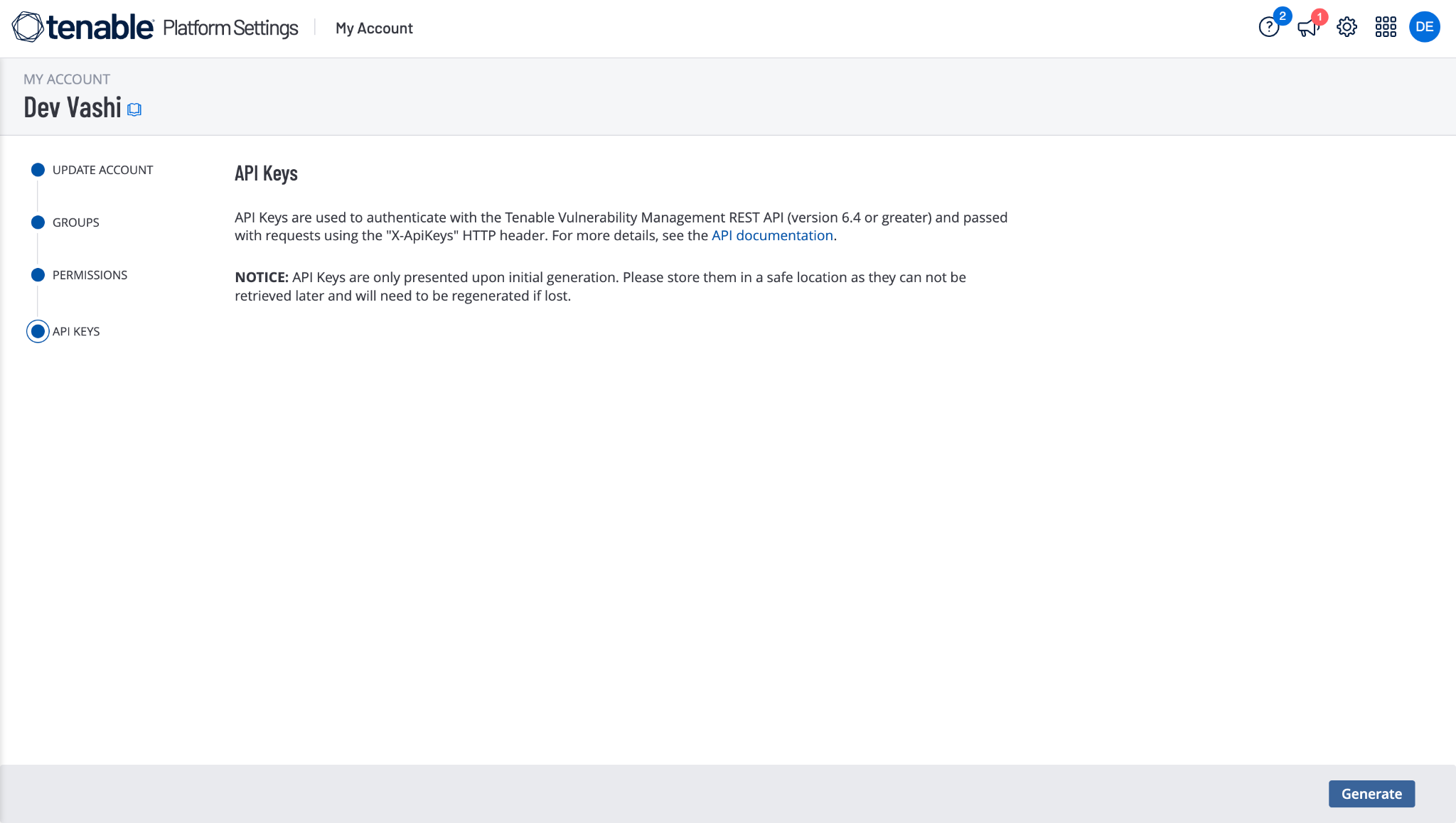
- Go to the API Keys page and click Generate.
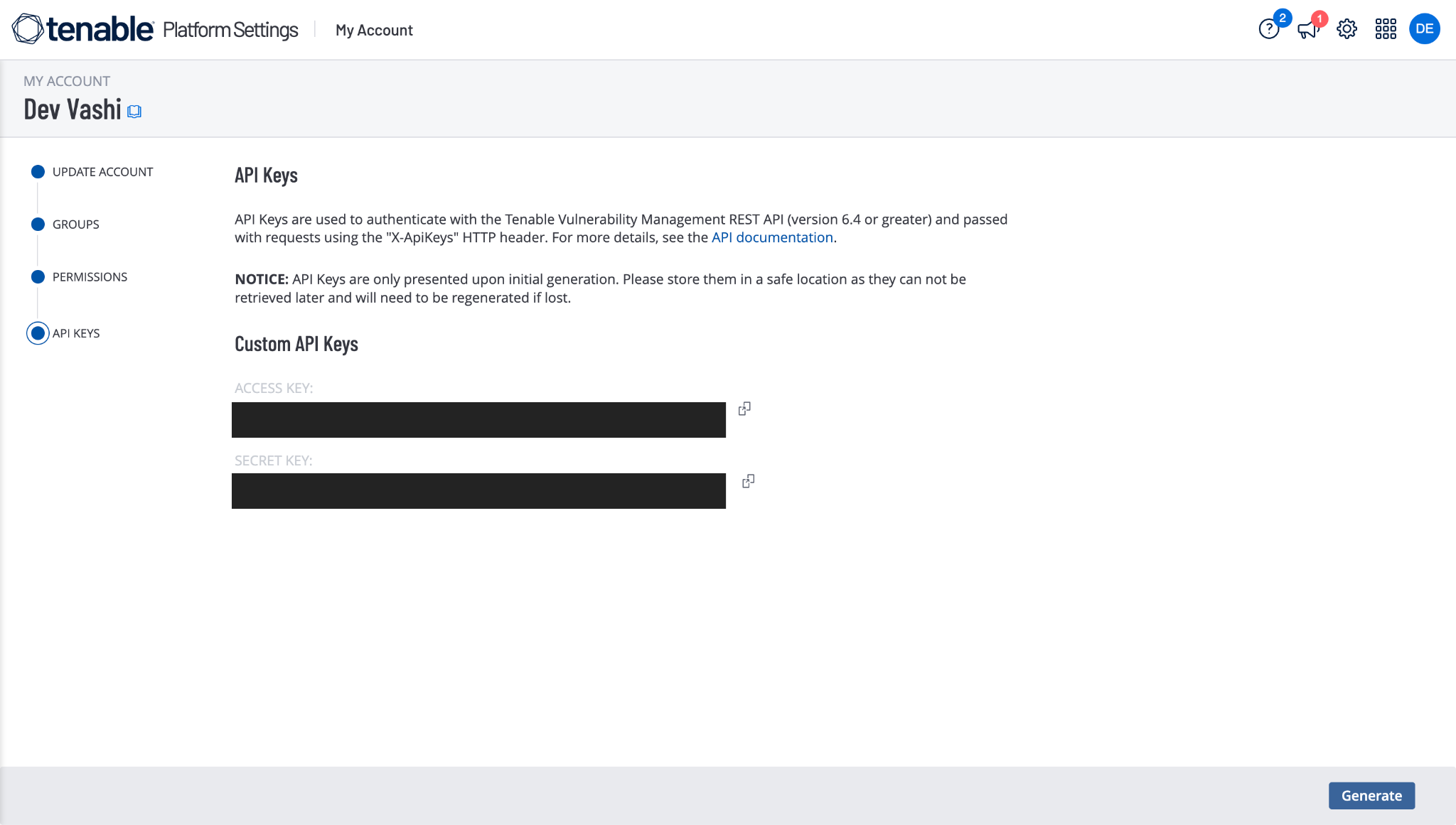
- Copy the generated Access Key and Secret Key. You need these to configure the Tenable plugin.
Configure the Tenable Plugin
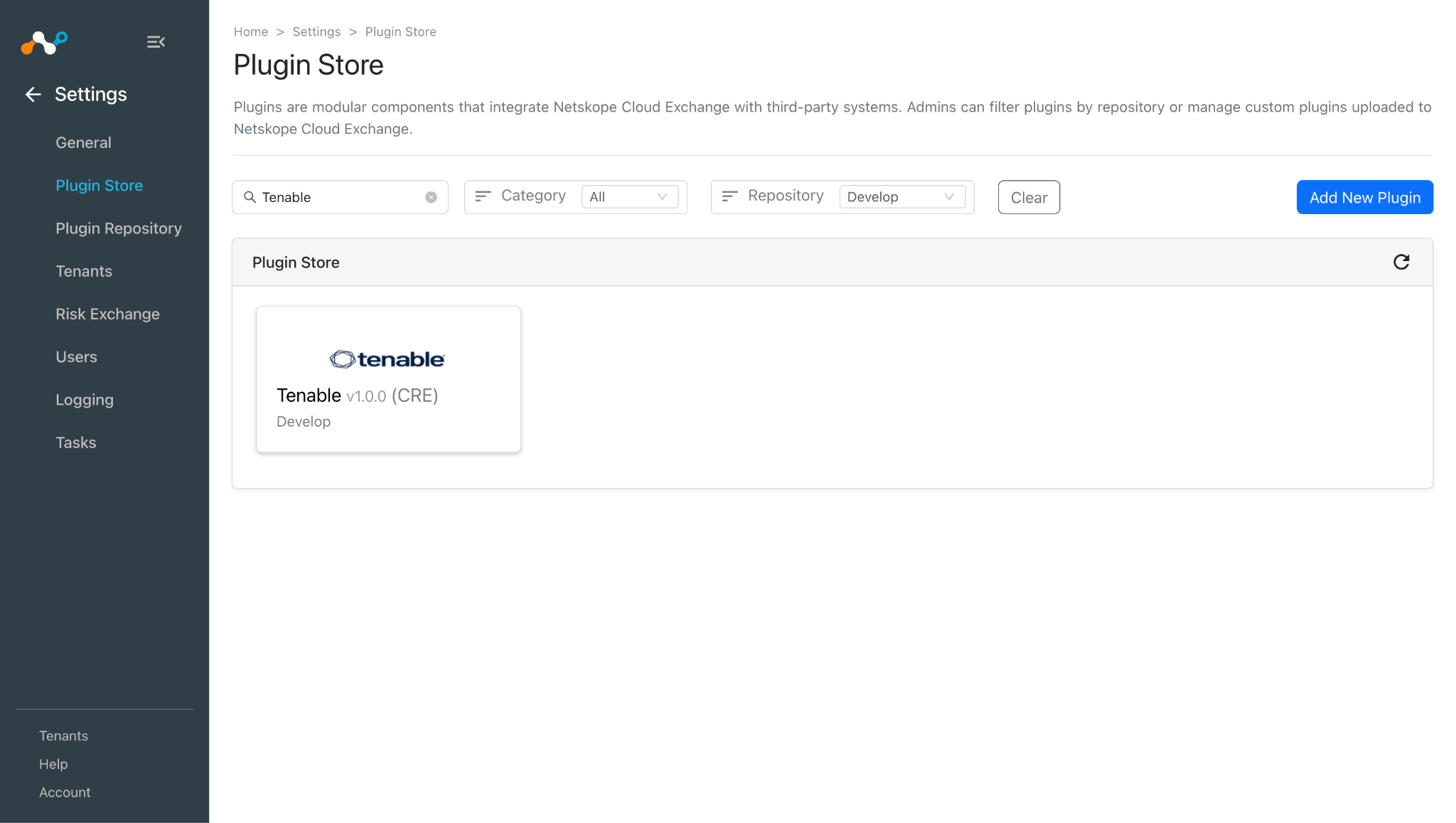
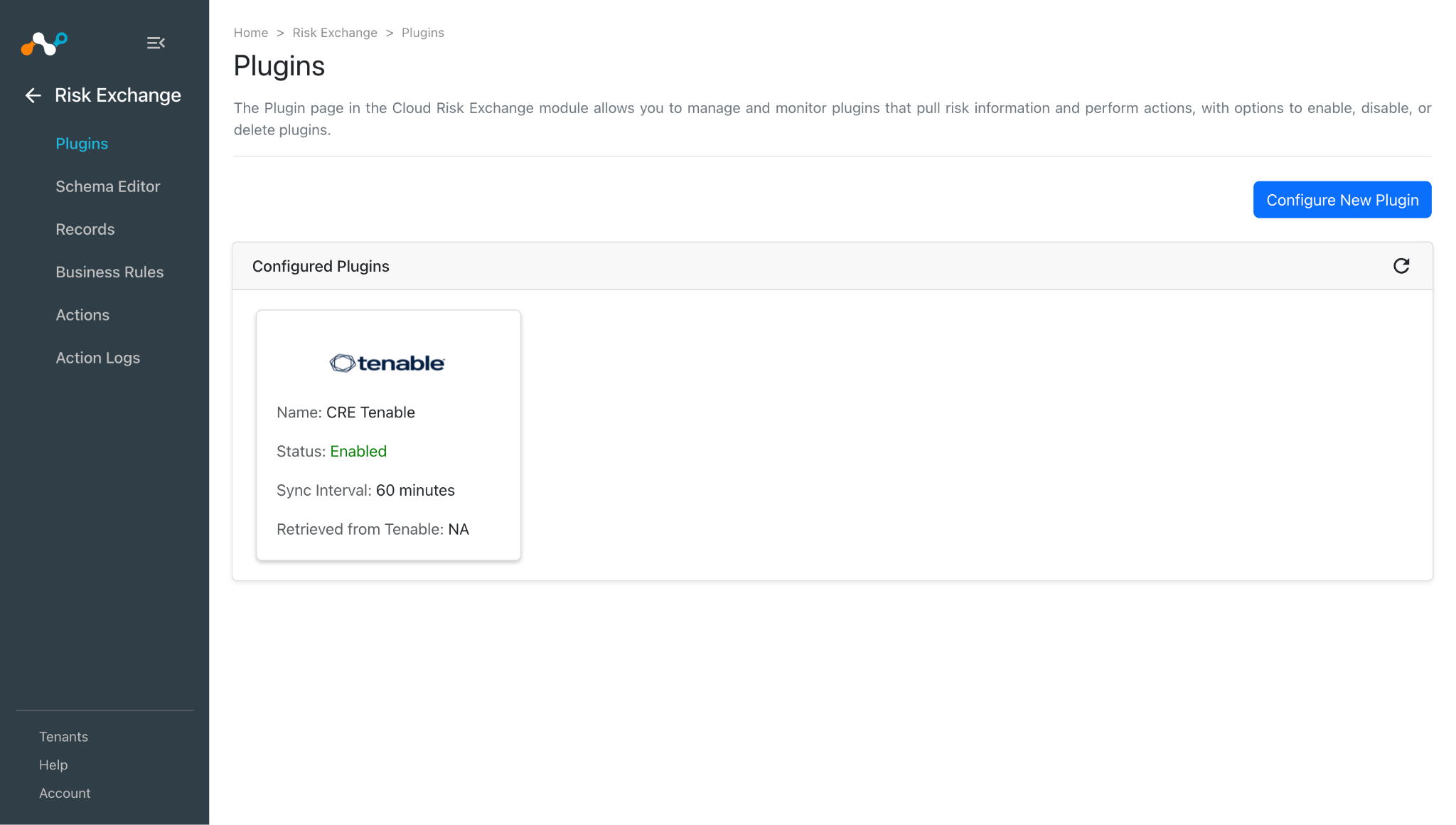
- In Cloud Exchange, go to Settings > Plugins. Search for and select the Tenable v1.0.0 (CRE) plugin box.
- Enter a plugin configuration name and change the sync interval if needed.
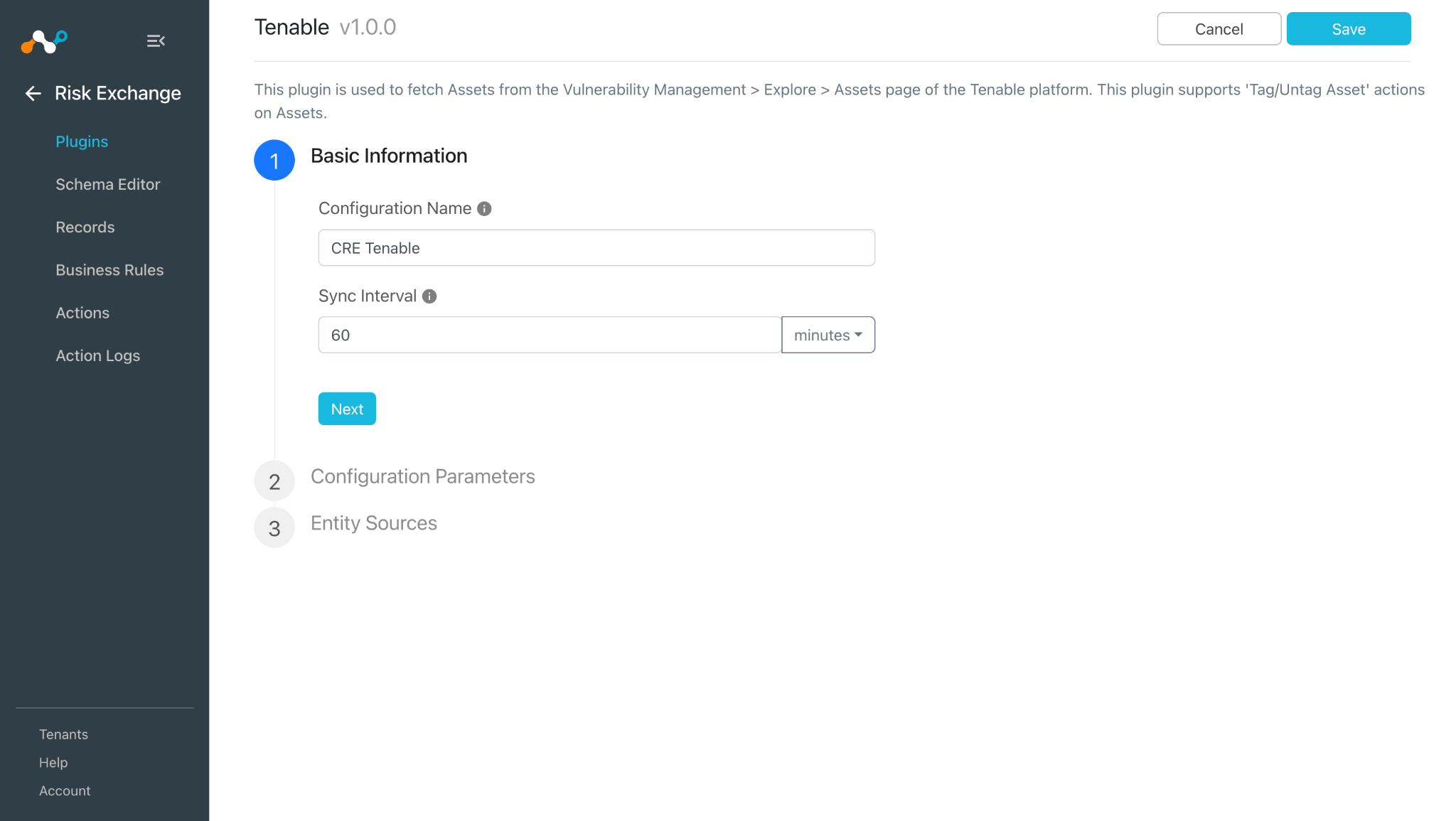
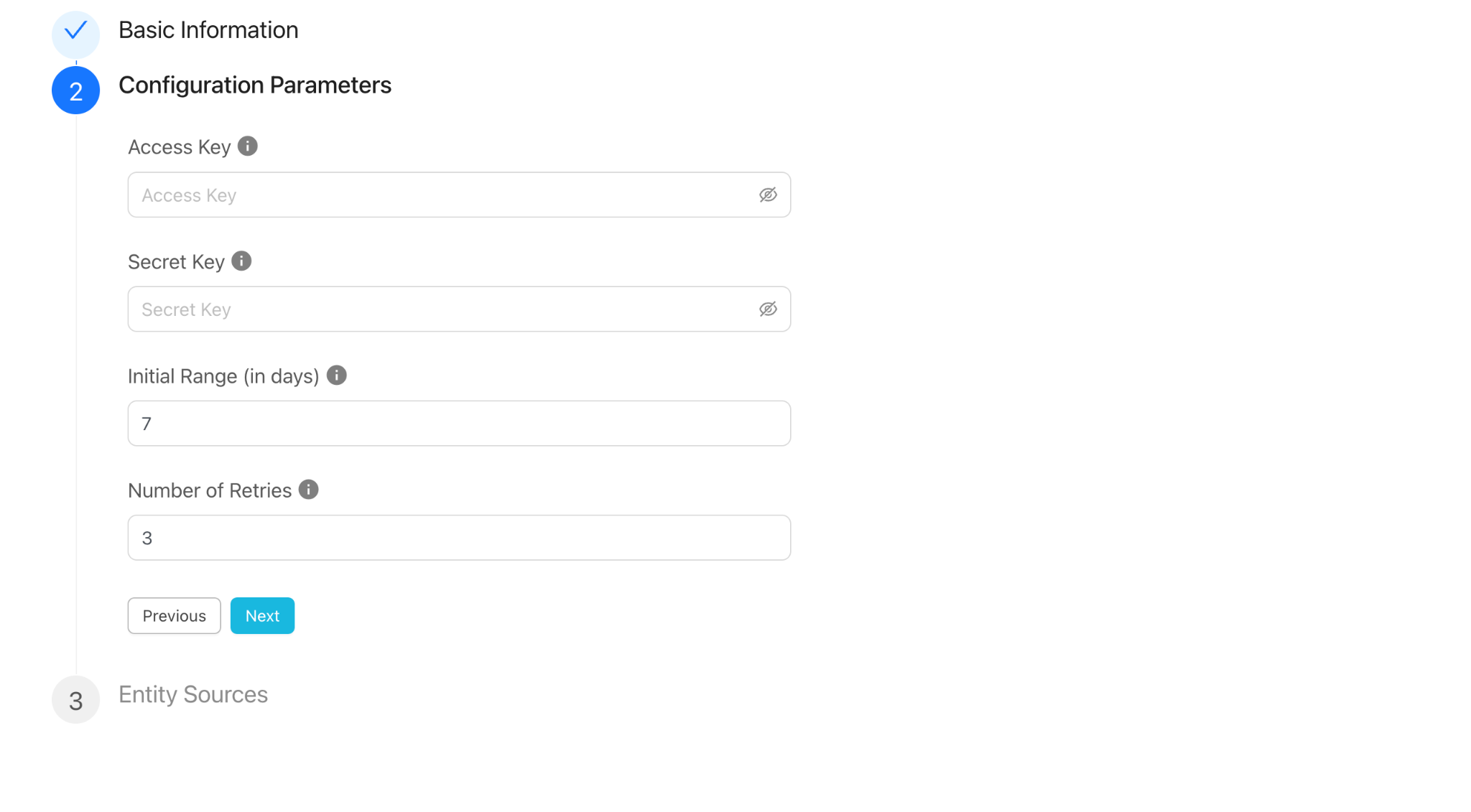
- Click Next and enter the Configuration Parameters:
- Access Key: Access Key generated from the Tenable platform.
- Secret Key: Secret Key generated from the Tenable platform.
- Initial Range (in days): Number of days to pull the Vulnerability Finding data for the initial run. Value must be from 0 to 2^62.
- Number of Retries: Number of retries of 60 seconds for the Export status check. Value must be from 0 to 2^62.
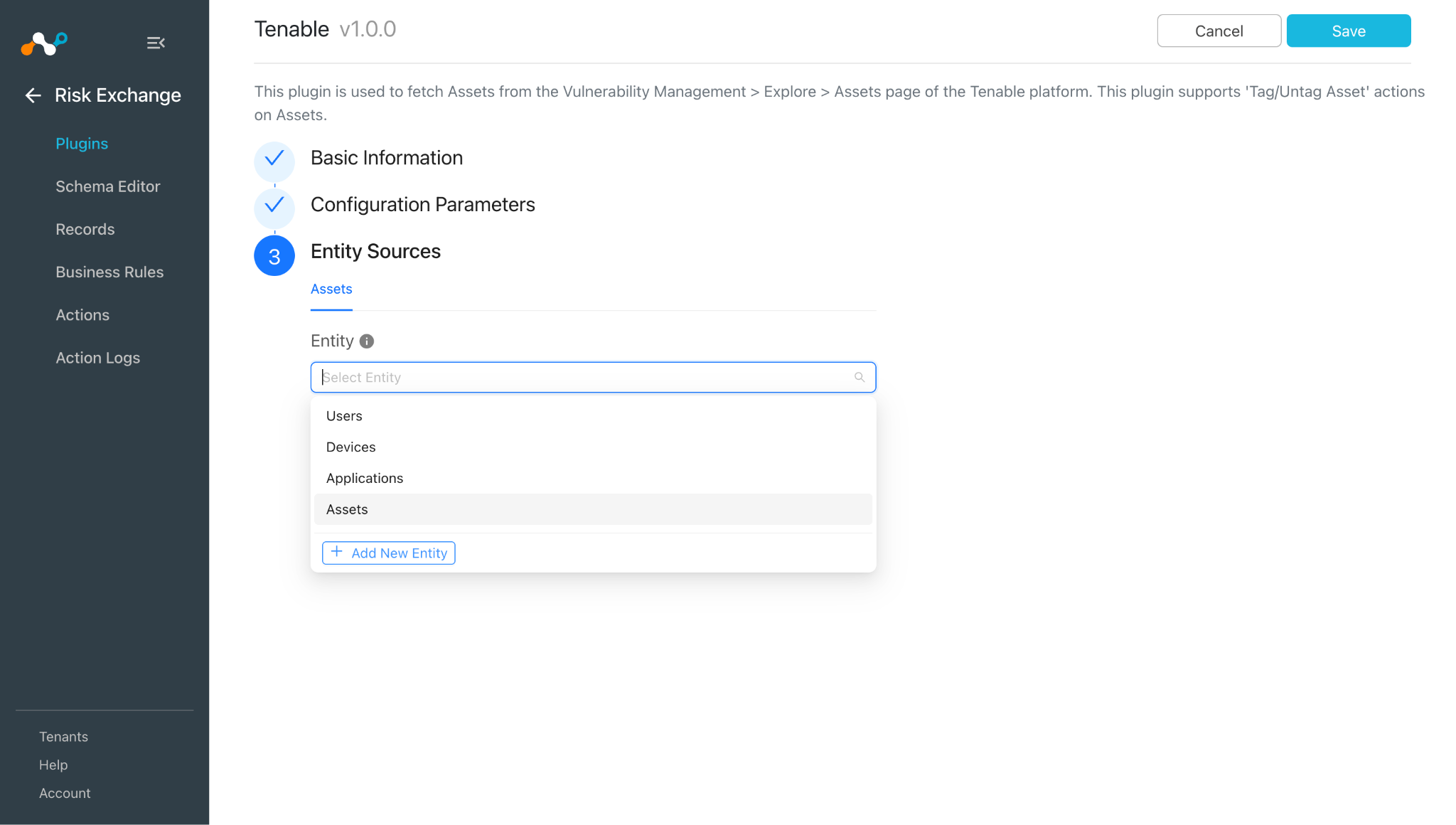
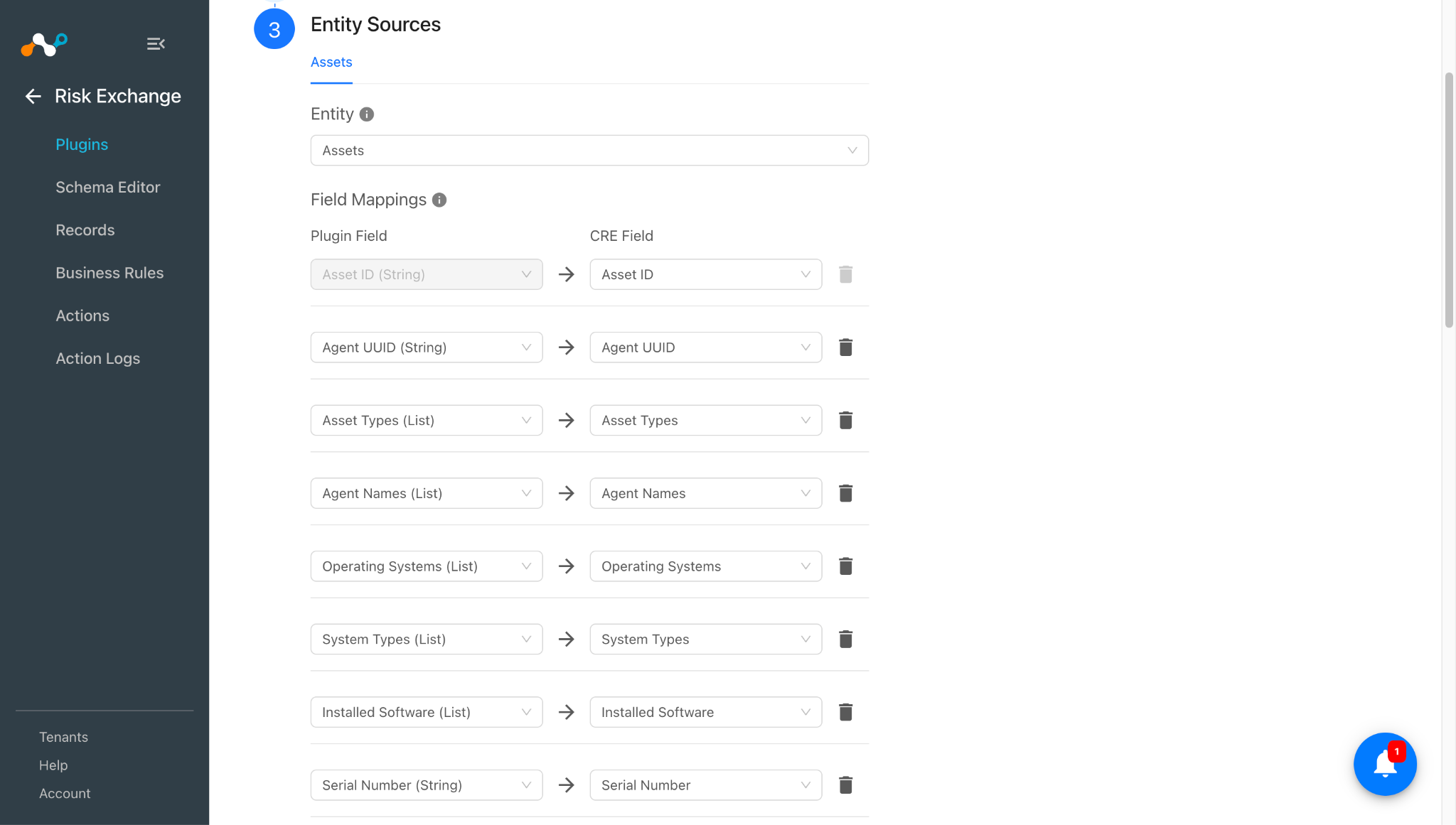
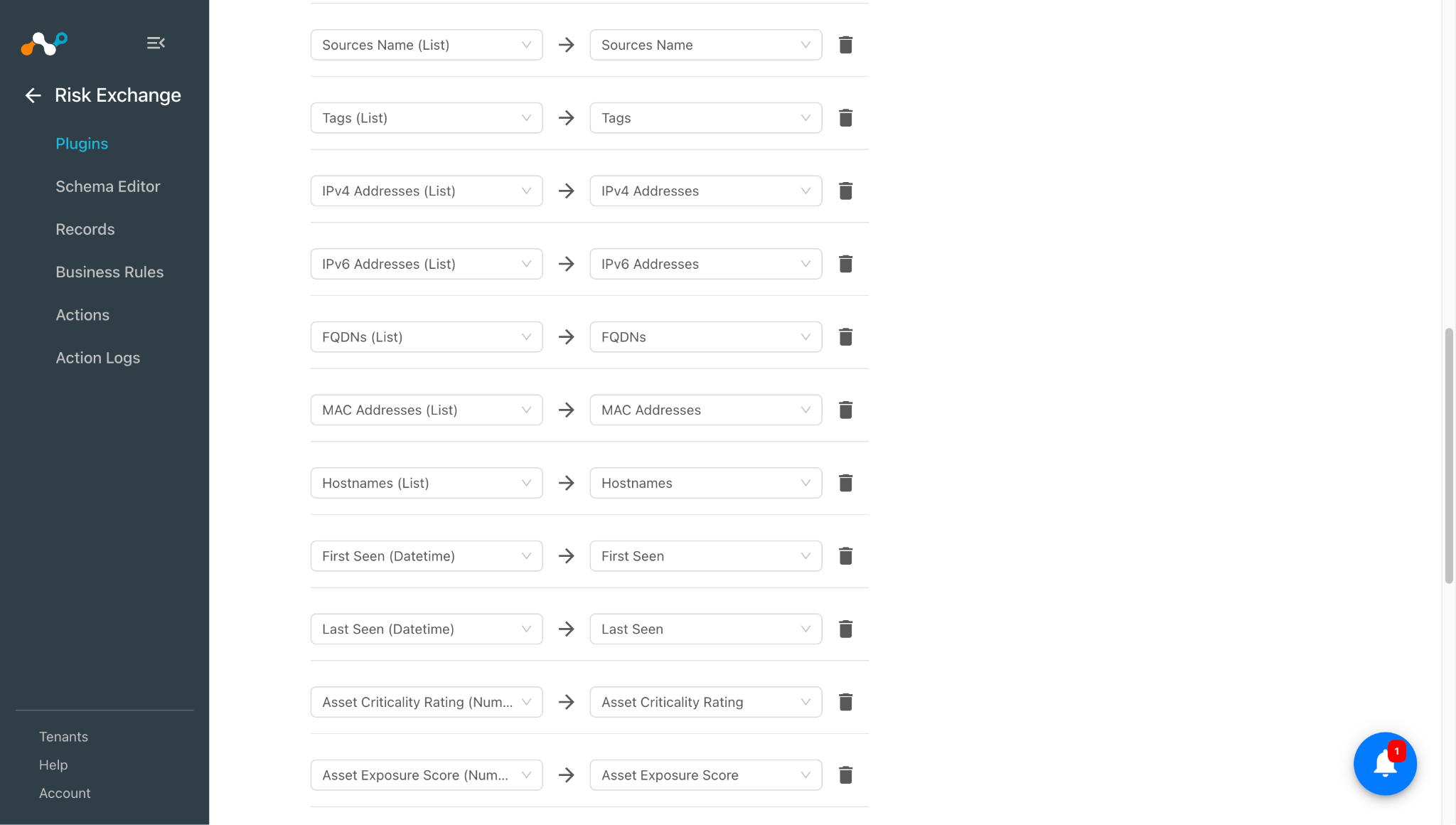
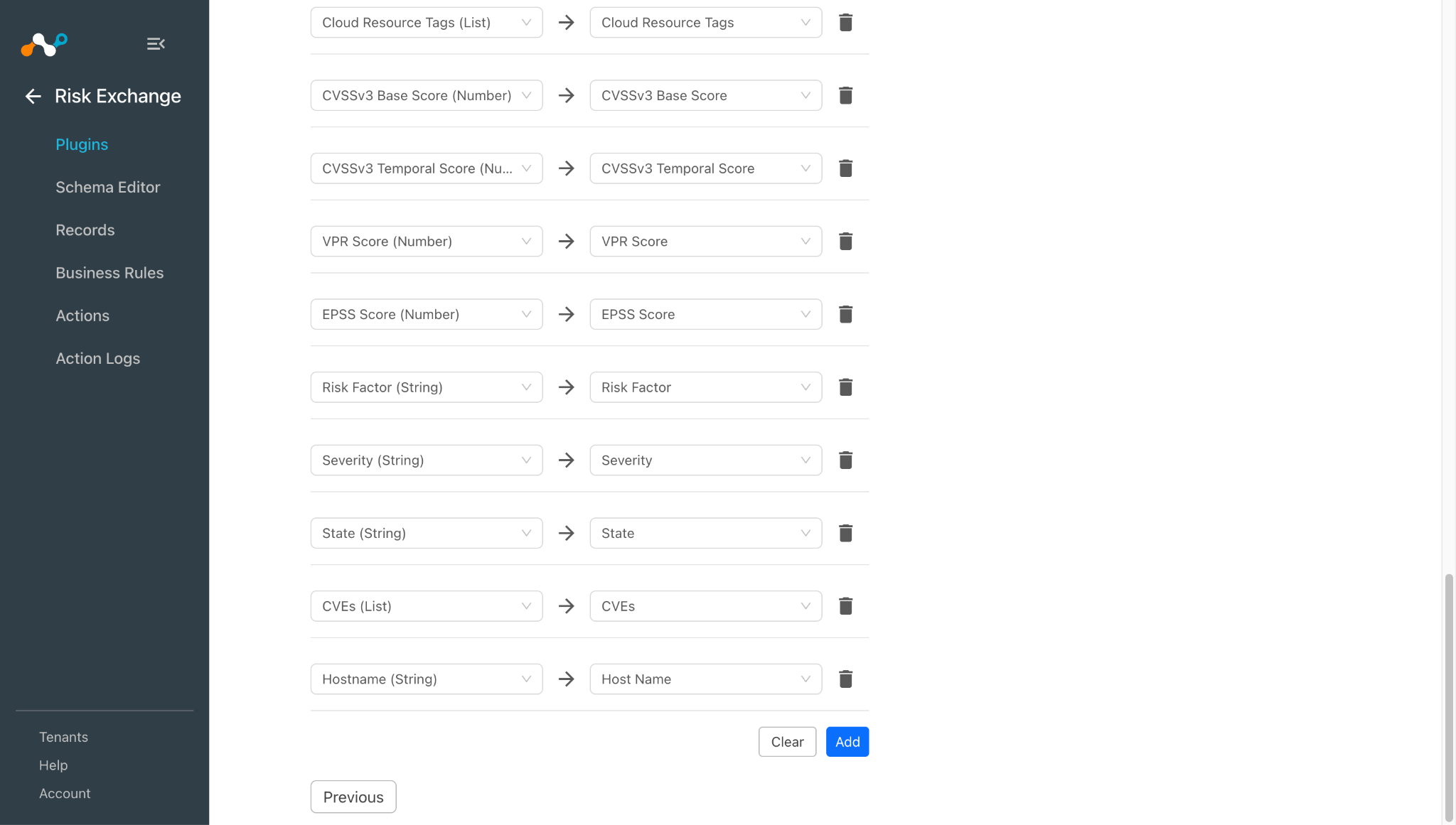
- Click Next and select the required Entity from the Entity dropdown. Select the field mapping as per the need. You can create a new Entity by clicking + Add New Entity.
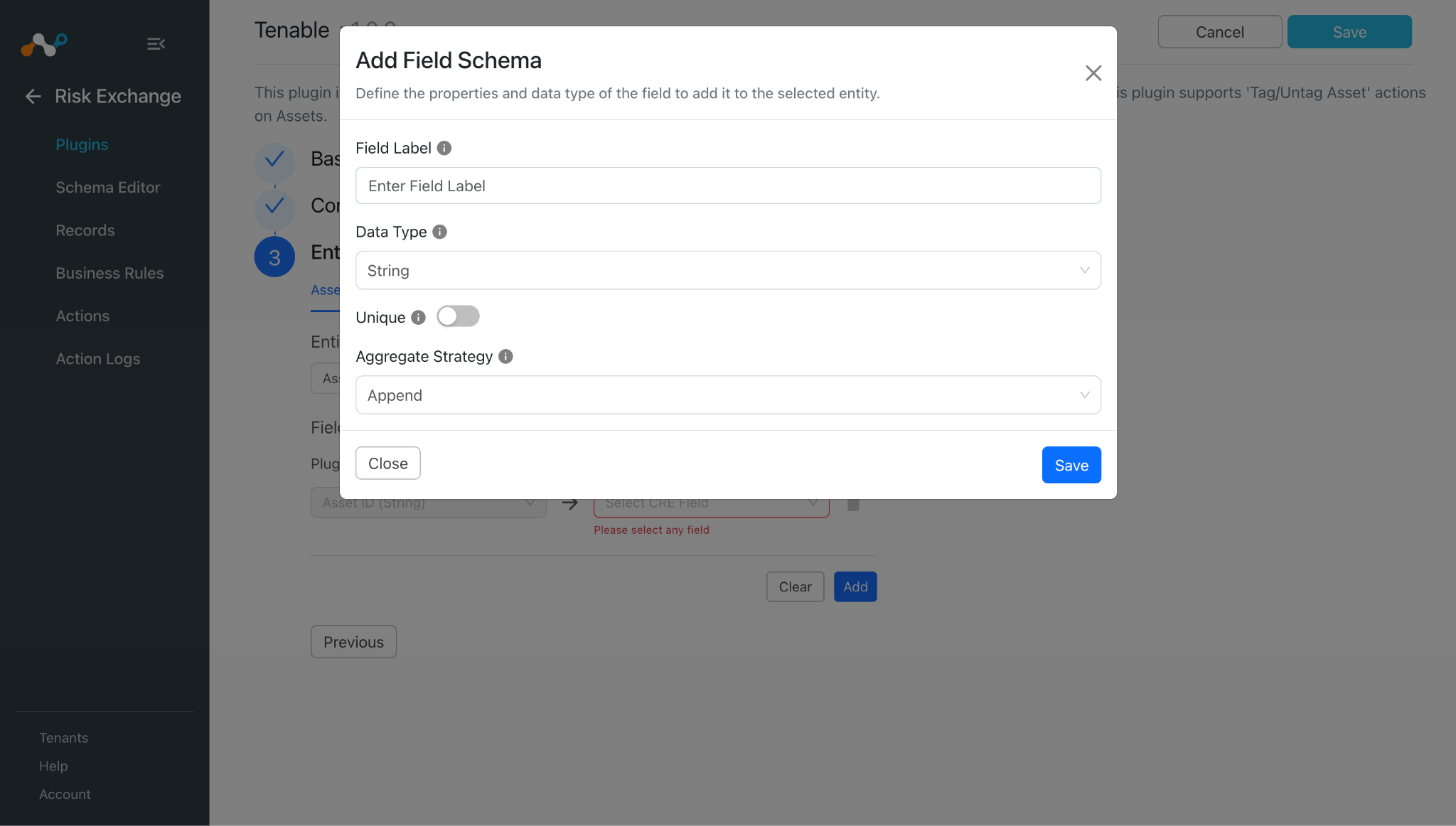
To create a new field, click + Add Field.
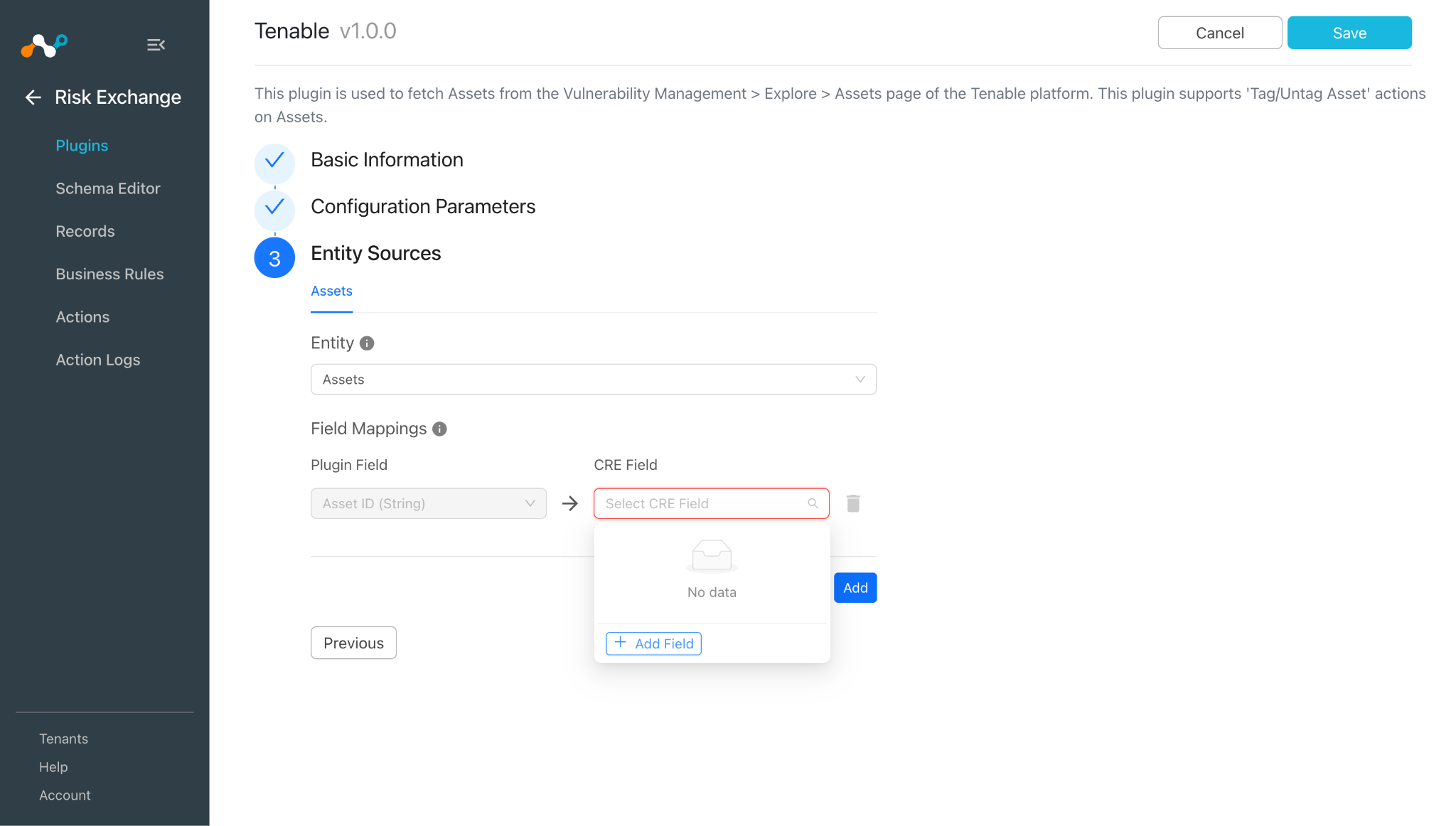
Enter a Field Label, Data Type, and Aggregate Strategy per your requirements, and then click Save.
Note
- Asset ID field will be required to pull the records.
- Refer to the Mappings section before configuring the plugin.
- Scroll up and Click on Save to configure the plugin.
- Click Save.
Add a Risk Exchange Business Rule for Tenable
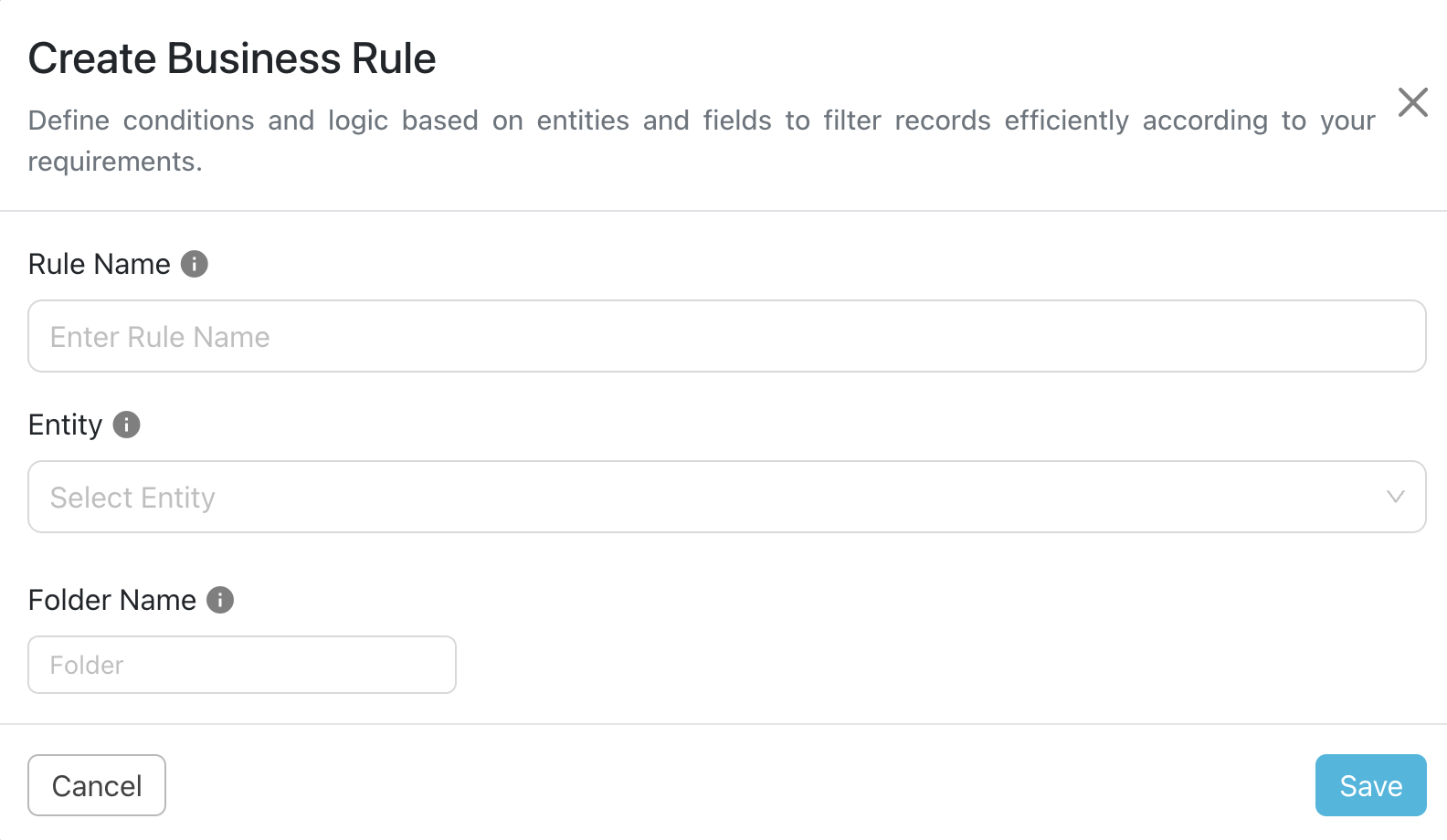
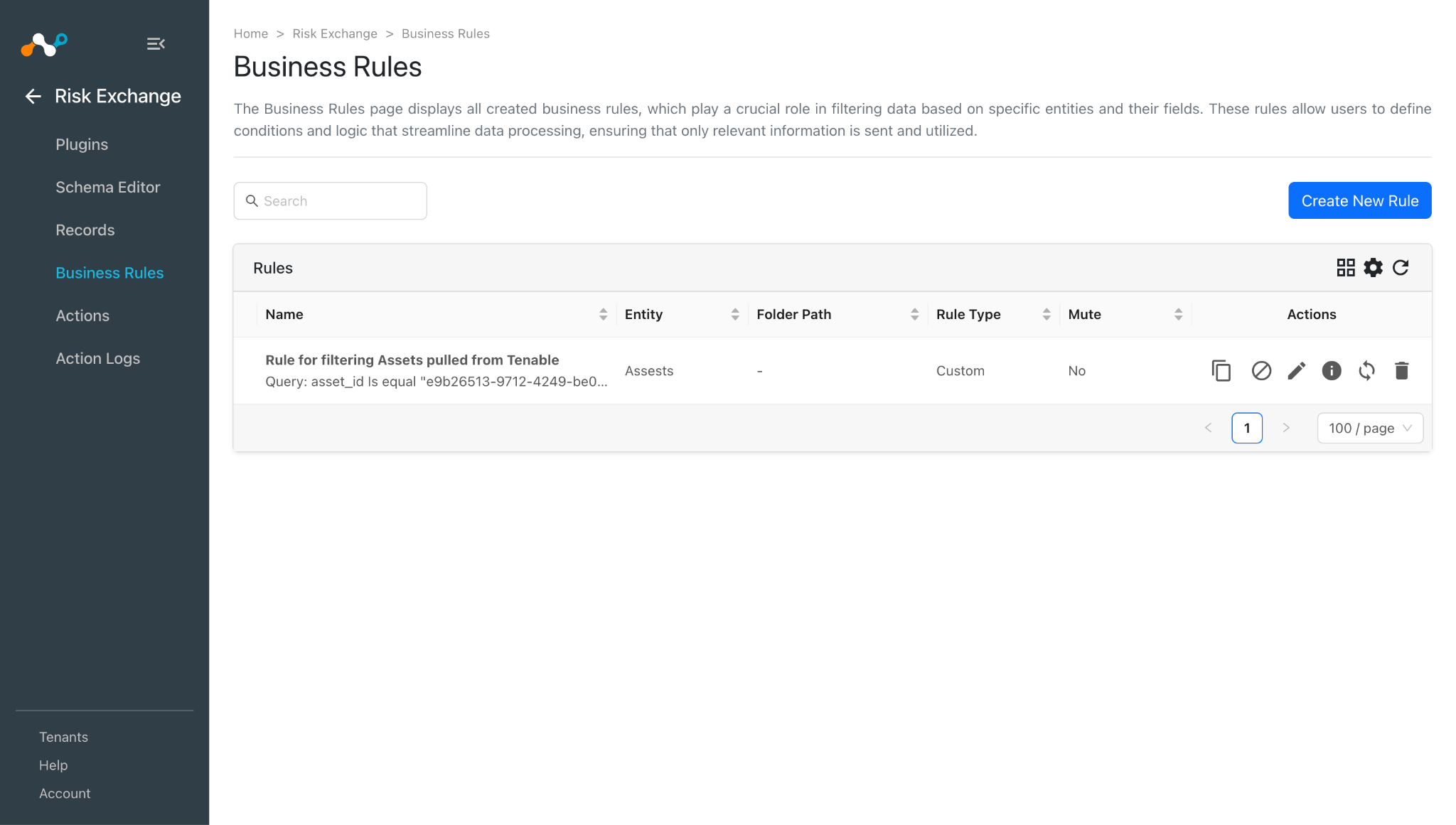
- In Risk Exchange, go to Business Rules and click Create New Rule.
- Enter a Rule Name. Select the Entity for the Fields configured for the Tenable plugin, and configure the query based on your requirements.
- Click Save.
Add a Risk Exchange Action for Tenable
The Tenable supports the following action types:
Tag/Untag Asset
The Tag/Untag Asset action can be used to attach/unattach tags from Asset.
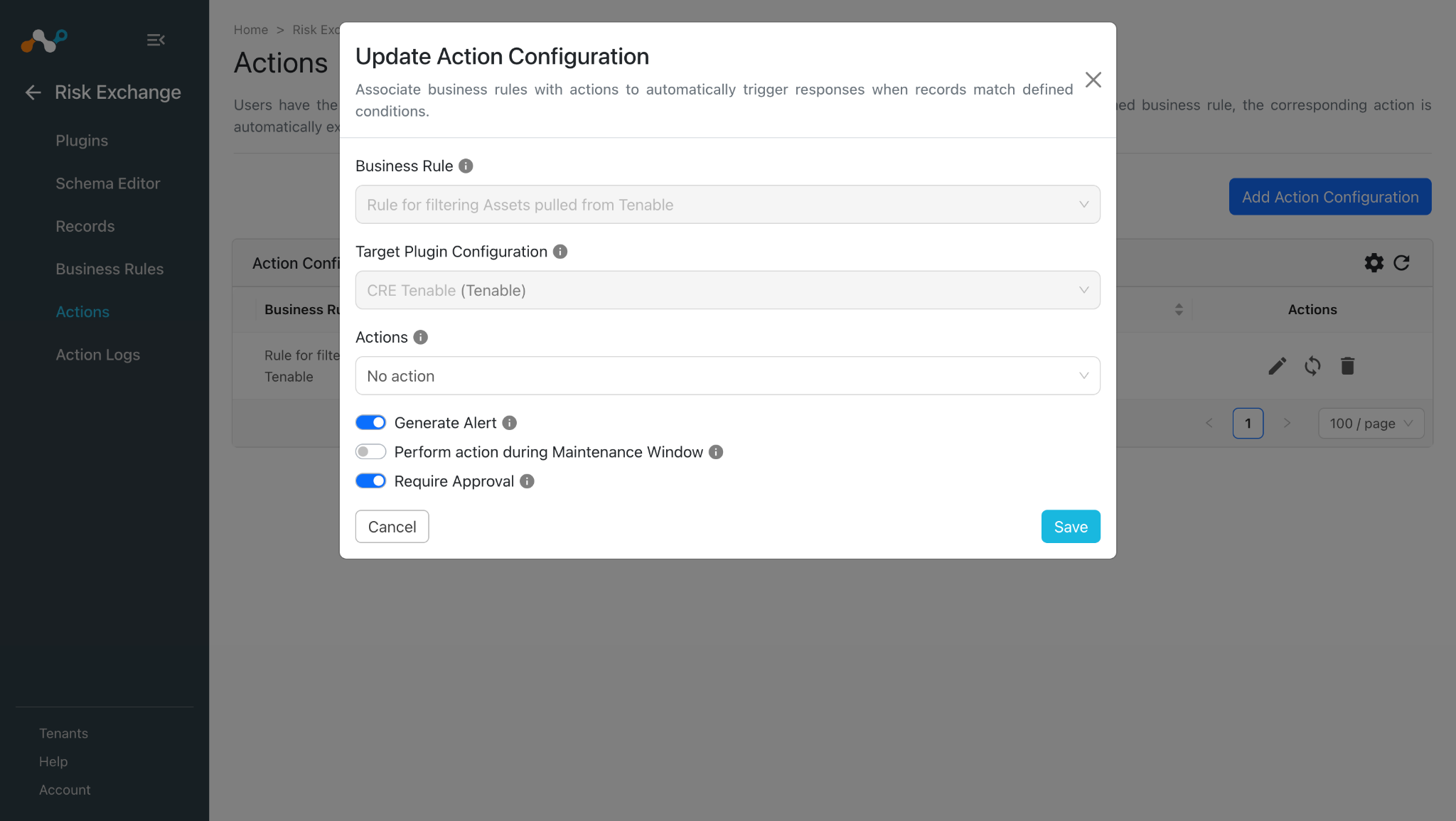
No Action
No action will be performed for this action. Users can generate UBA alerts in Ticket Orchestrator by using this action, and enabling the Generate Alerts toggle.
Note
You can perform multiple actions on the pulled records from Tenable on the Netskope Tenant, for performing the related actions on Netskope refer to the Netskope Risk Exchange plugin guide.
Tag/Untag Asset
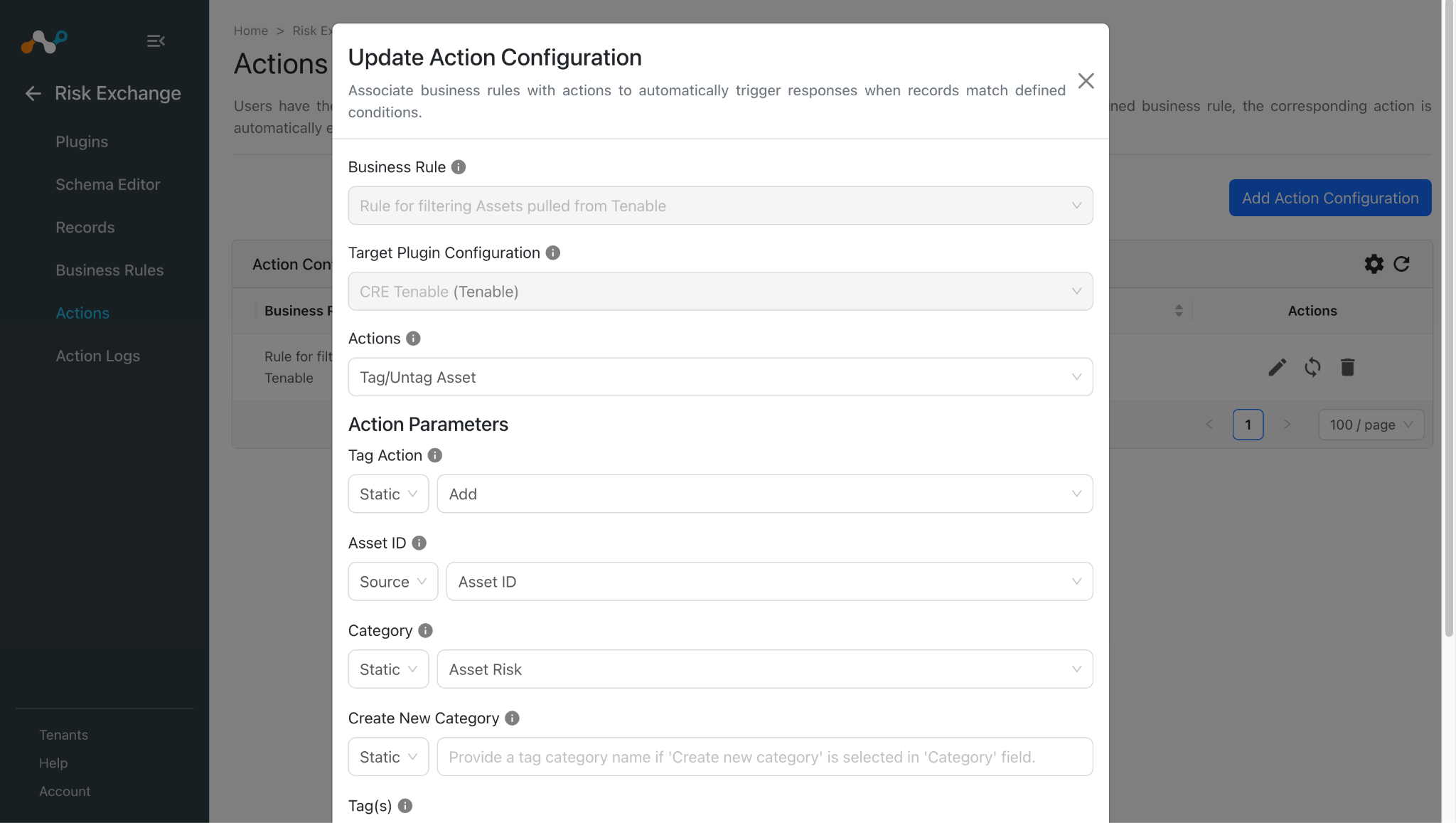
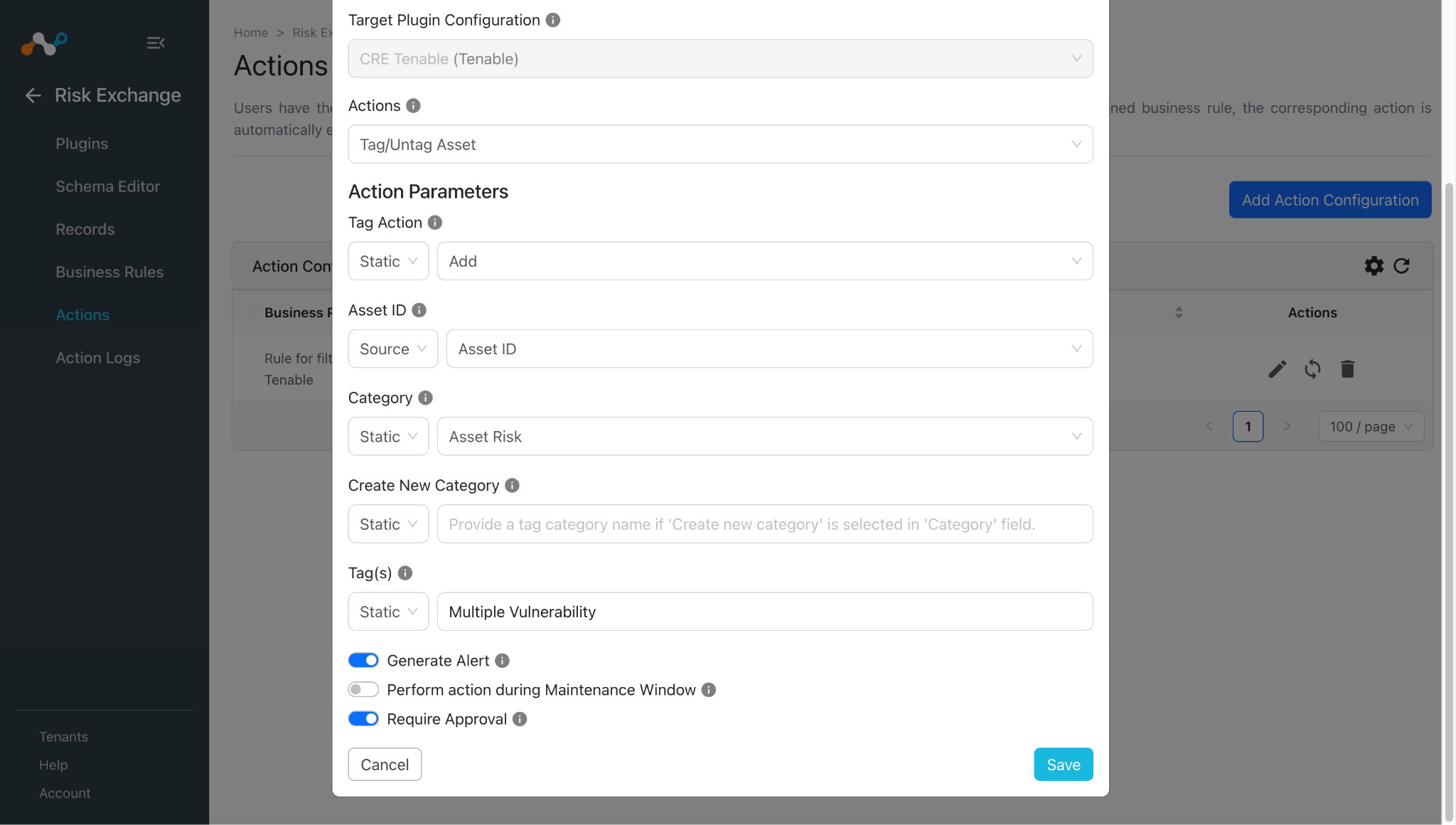
- In Risk Exchange, go to Actions and click Add Action Configuration.
- Select the required Business Rule, Configuration, and Action from their respective dropdowns.
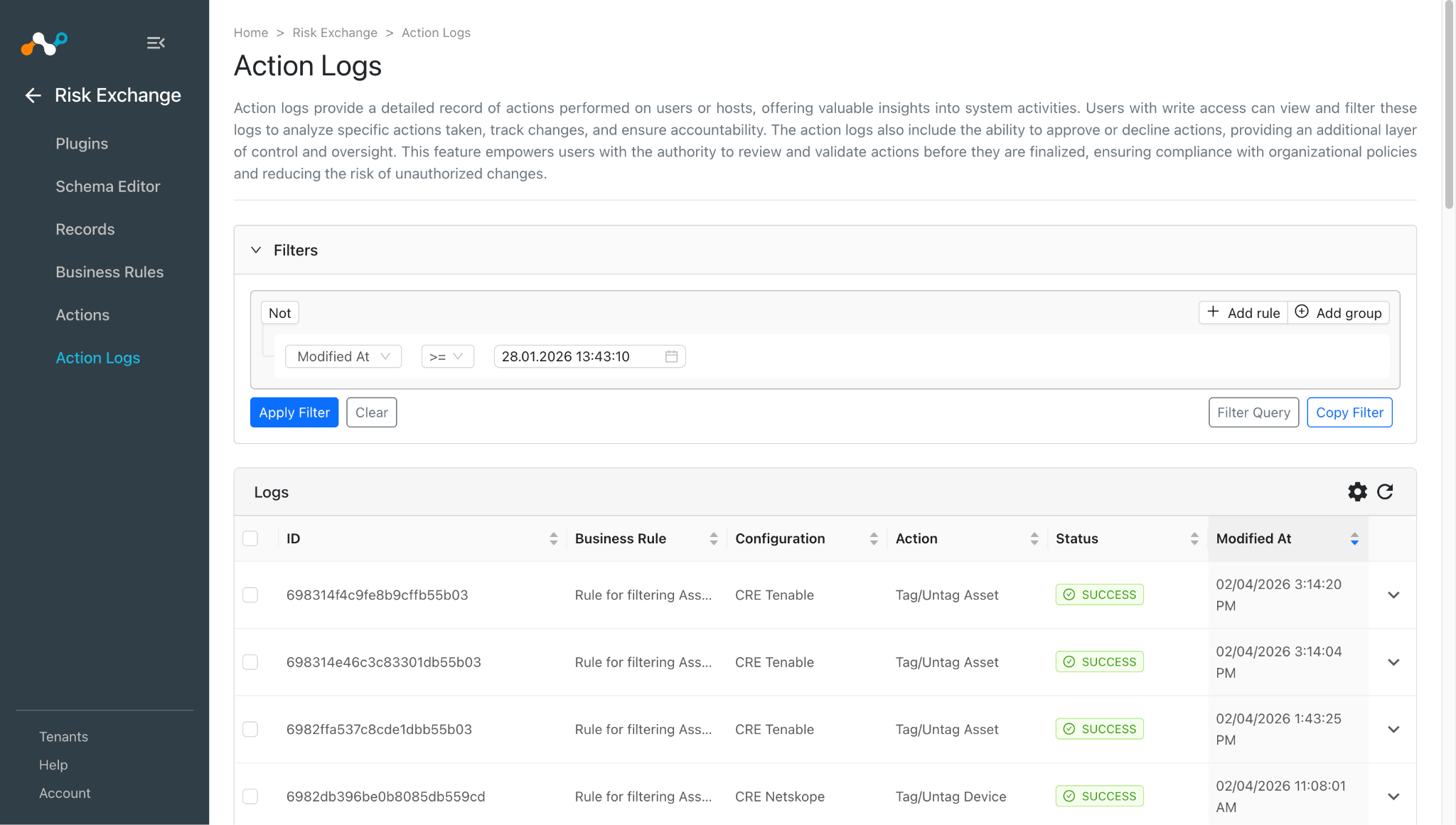
- Enable the Require Approval toggle if Approval is needed before performing action on the pulled records. Note that if the Require Approval toggle is enabled, then you need to manually approve the execution of each action from the Risk Exchange > Action Logs page in Cloud Exchange.
- Enter the Action Parameters:
- Tag Action: Select Add to tag the asset, or Remove to untag the asset, from the Static field dropdown.
- Asset ID: Select Asset ID field from the Source field dropdown, or provide static multiple comma-separated Asset IDs.
- Category: Select an existing category, or create a new category, from the Static field dropdown. The Create new category option cannot be used for a Tag Action with Remove selected.
- Create New Category: Provide a tag category name if Create new category is selected in the Category field.
- Tag(s): Select a Source field for the tags, or provide static multiple comma-separated tags. Tag value(s) should be less than or equal to 50 characters.
- Click Save.
No Action
- In Risk Exchange, go to Actions and click Add Action Configuration.
- Select the required Business Rule, Configuration, and Action from their respective dropdowns.
- Enable the Require Approval toggle if Approval is needed before performing an action on the pulled records.
- Click Save.
Validate the Tenable Plugin
Validate in Cloud Exchange
To validate the pulling in Cloud Exchange:
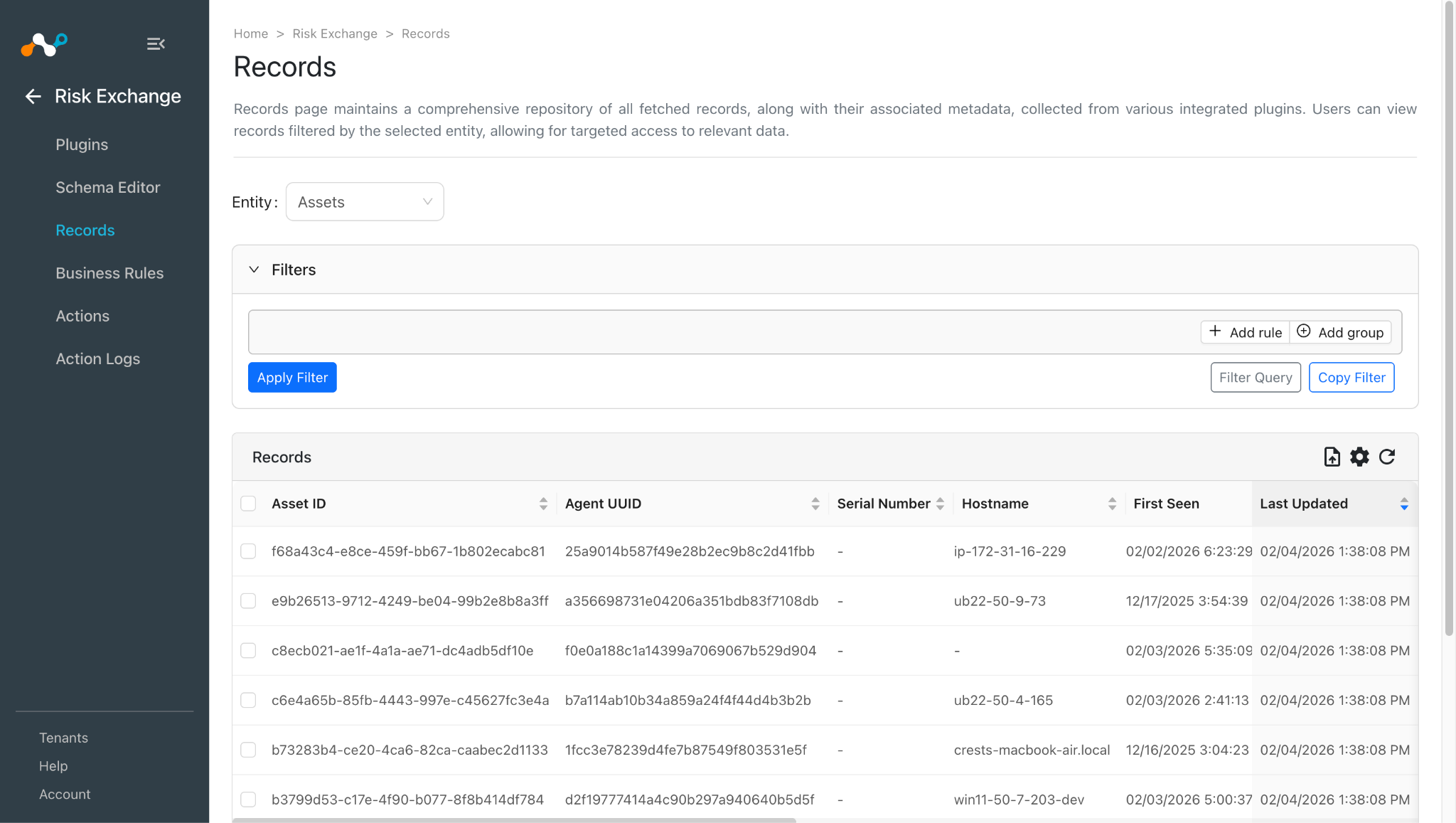
- In Risk Exchange, go to Records. Select the Entity that is selected while configuring the field mapping to view the pulled records.
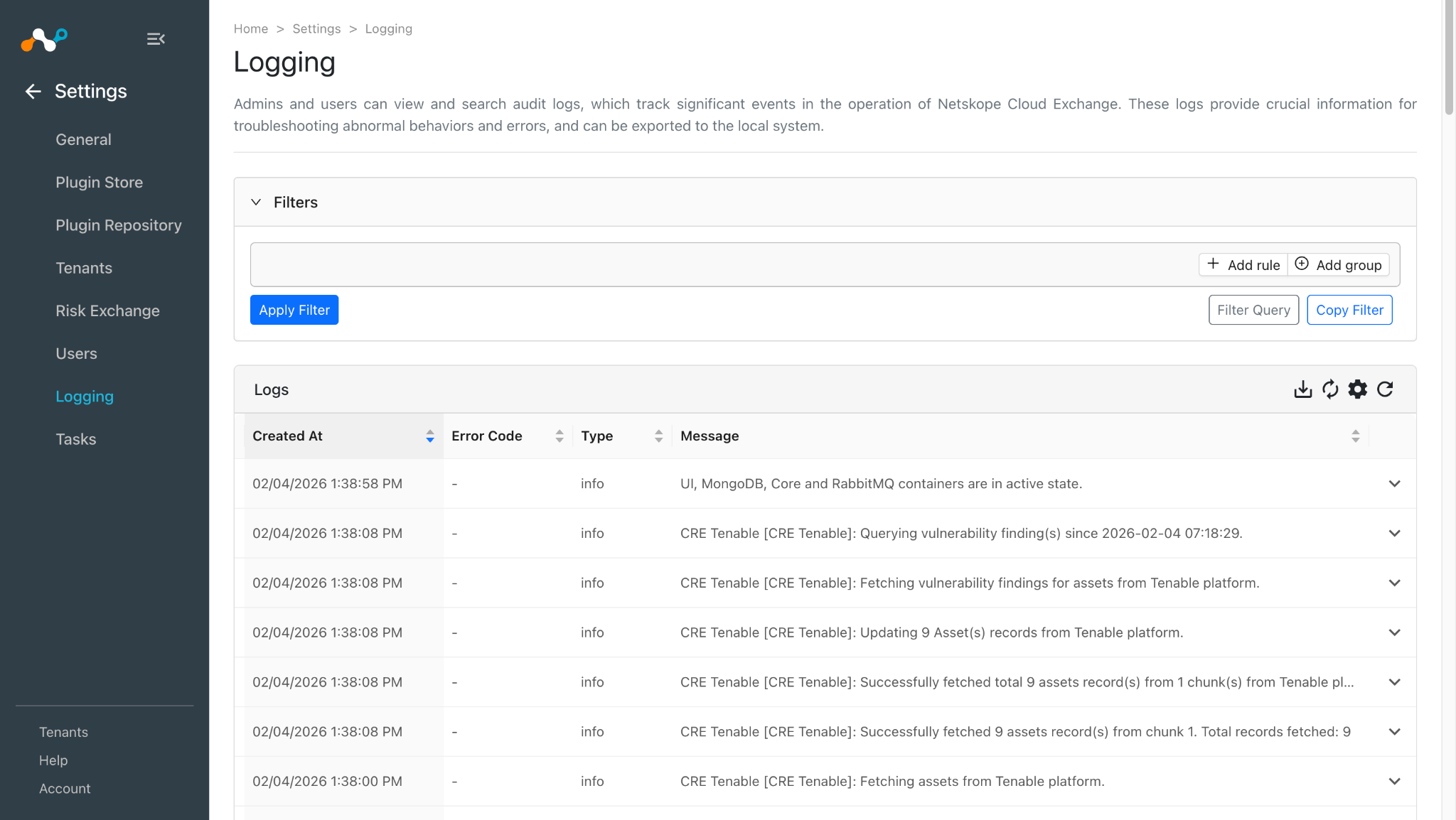
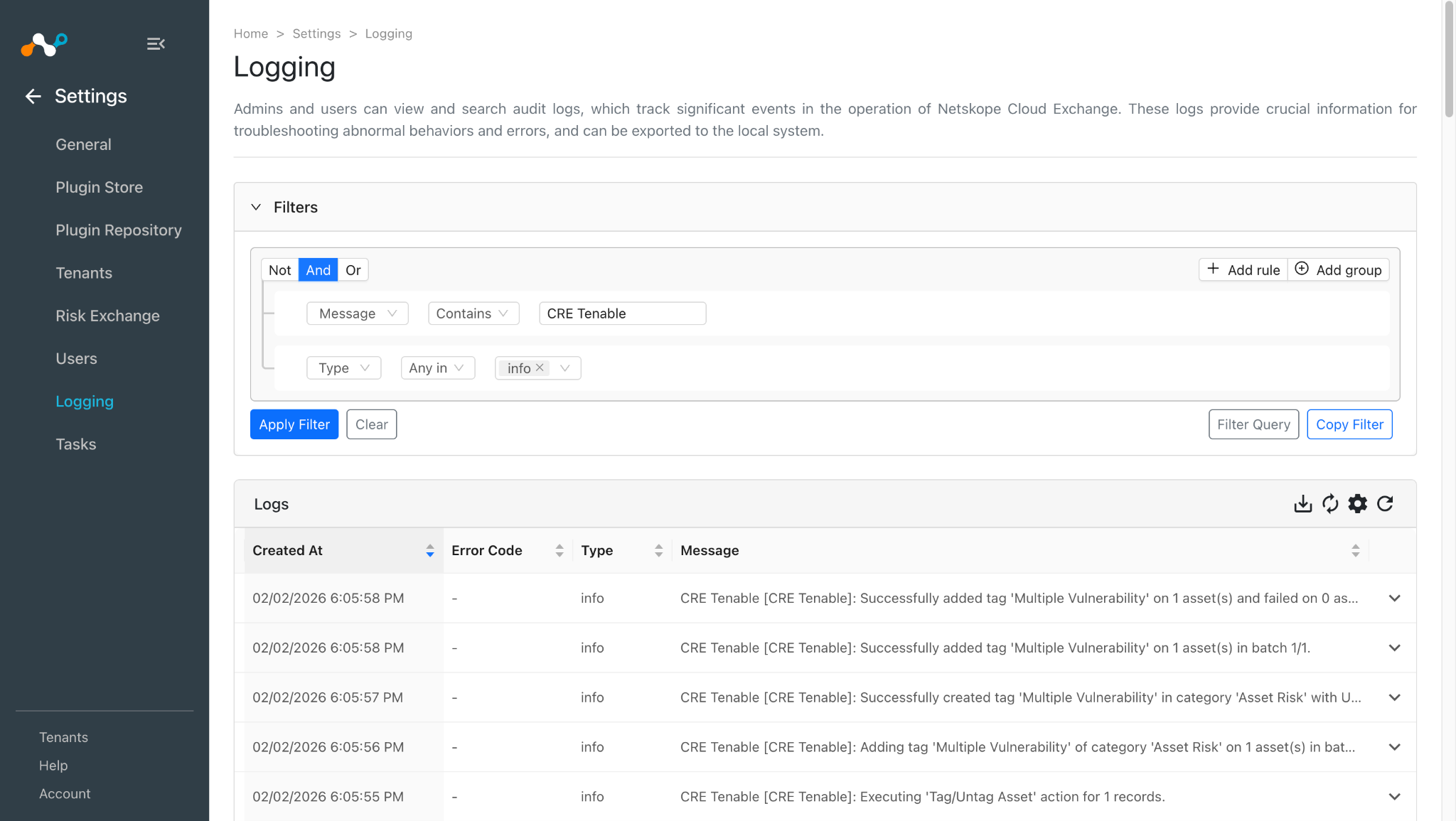
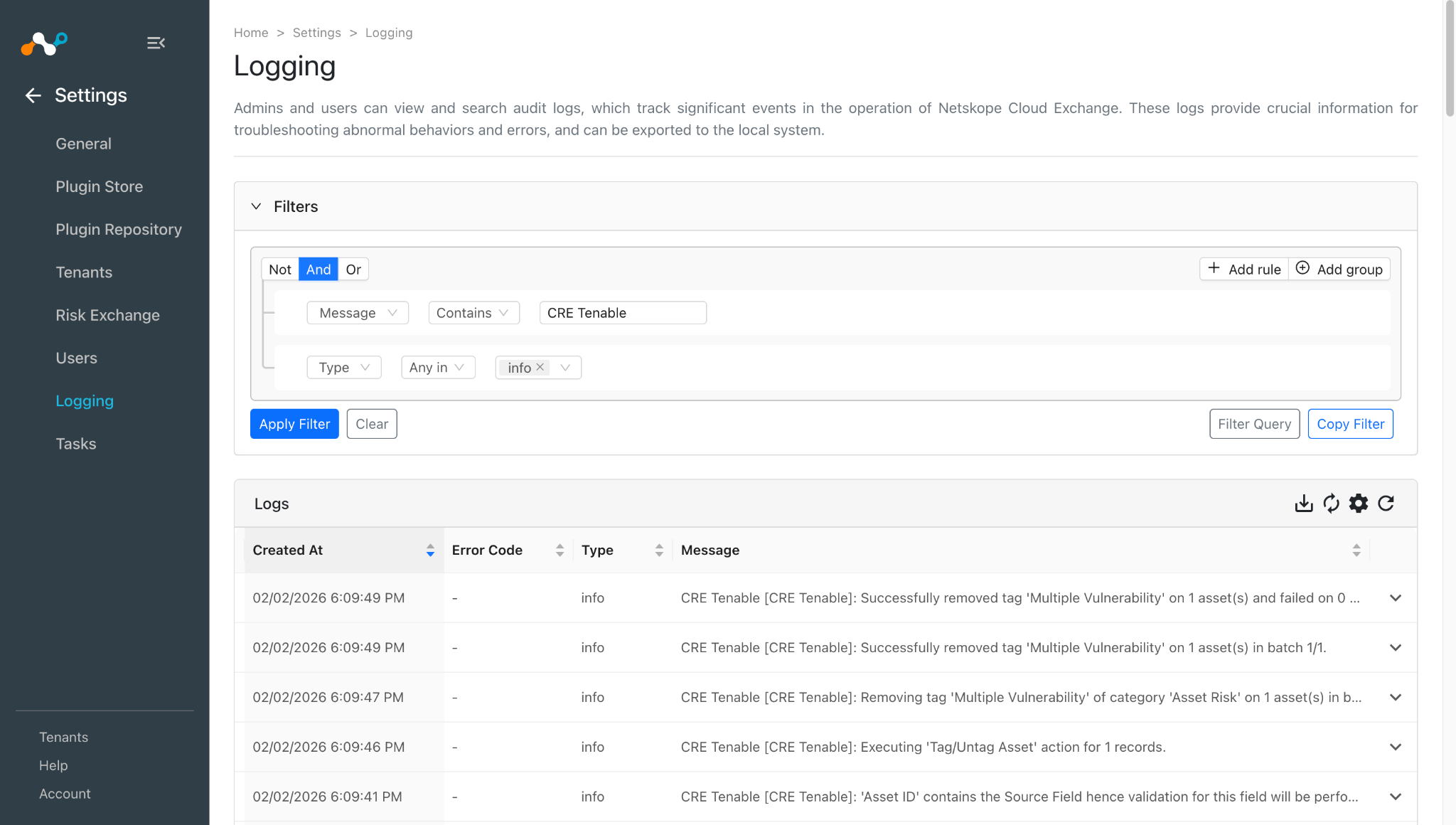
- To verify the logs related to pulled records, go to Logging and apply the filter with plugin name or plugin configuration name.
Logs for performed actions:
- When a user matches one of the configured business rules, the configured action will be performed on the user. This can be seen in Action Logs.
Validate in Tenable
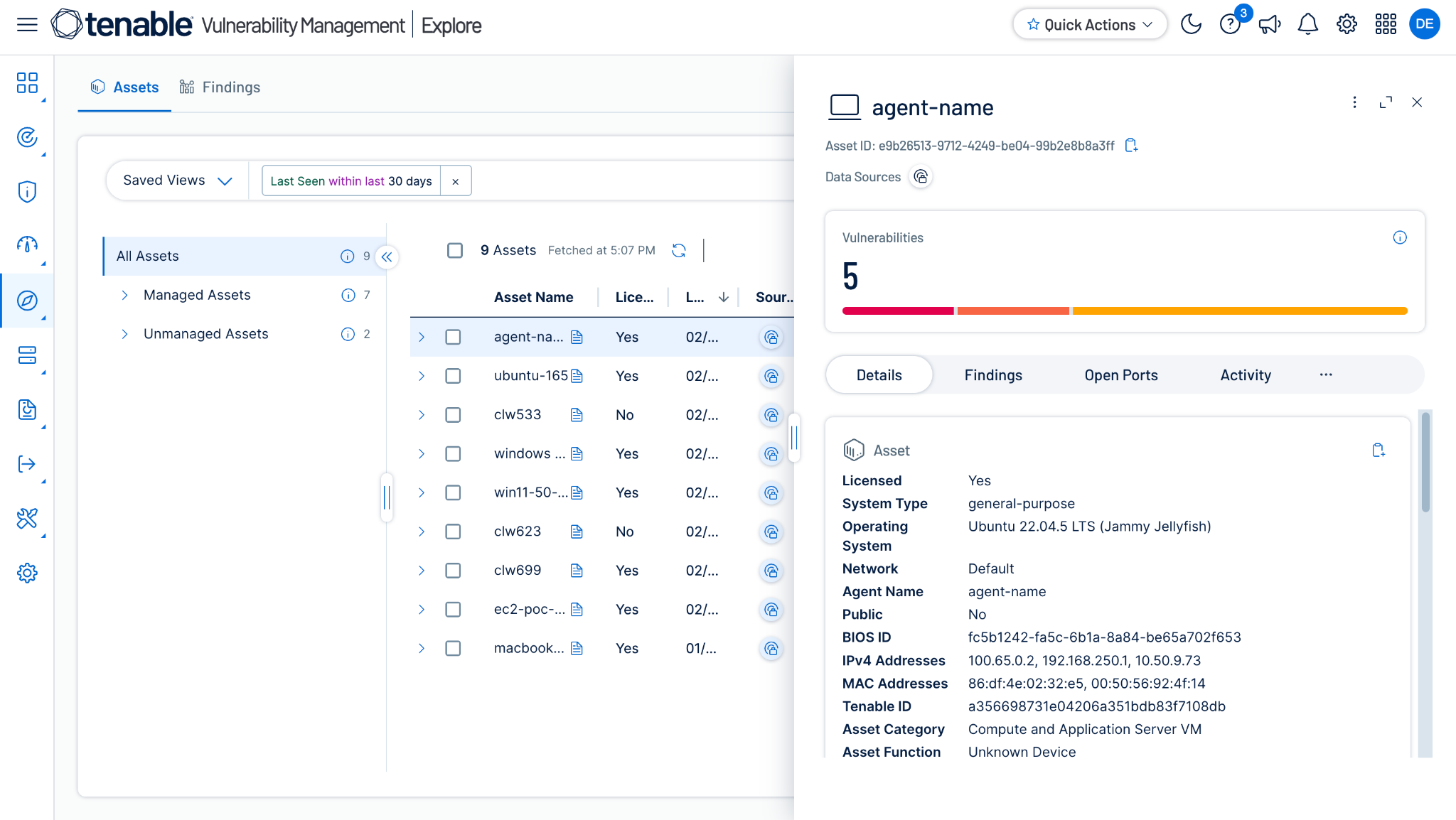
- To see the Tenable plugin pulled Assets, go Vulnerability Management > Explore > Assets > All Assets.
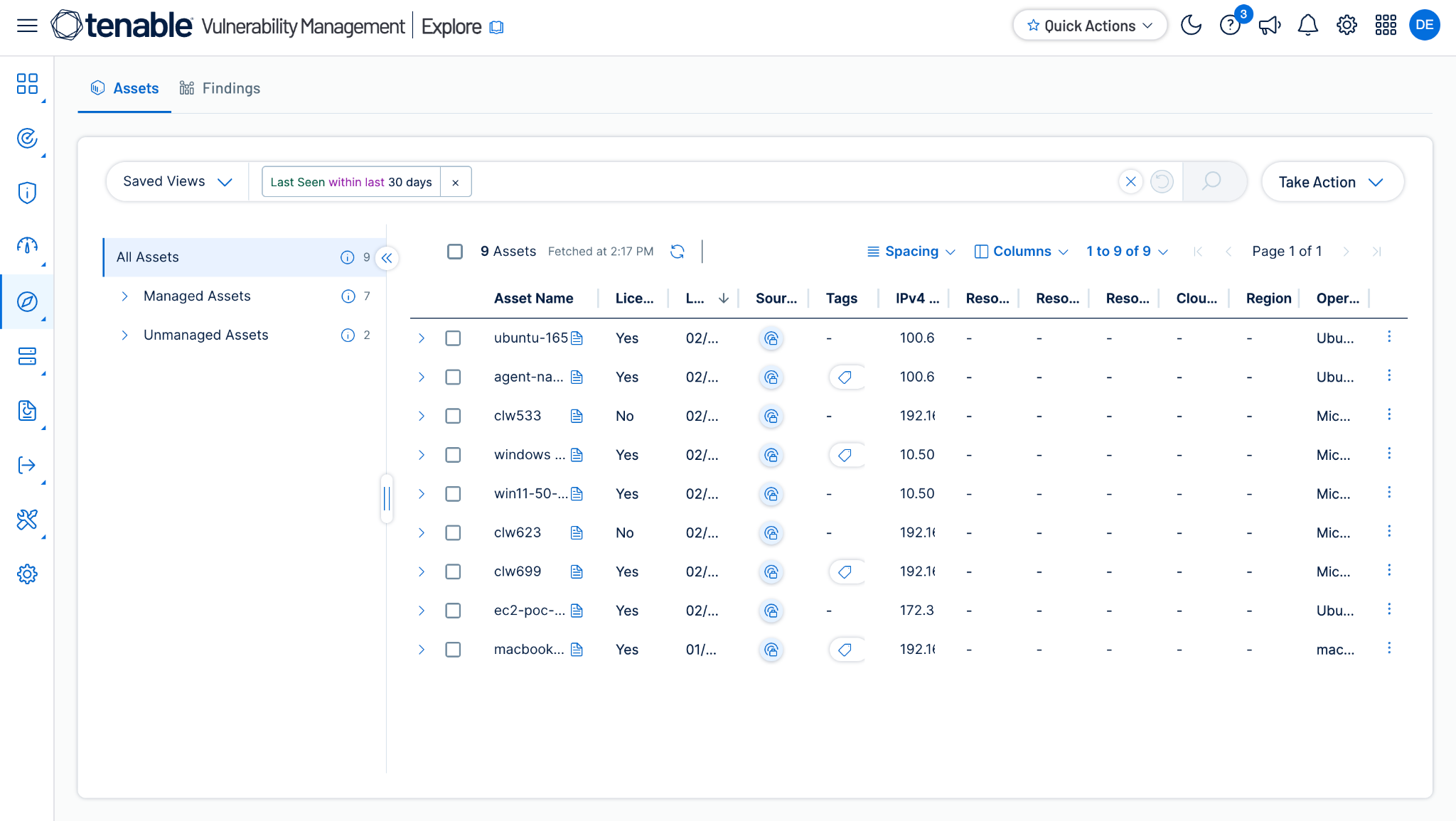
- Click Asset to see more information about a particular asset:
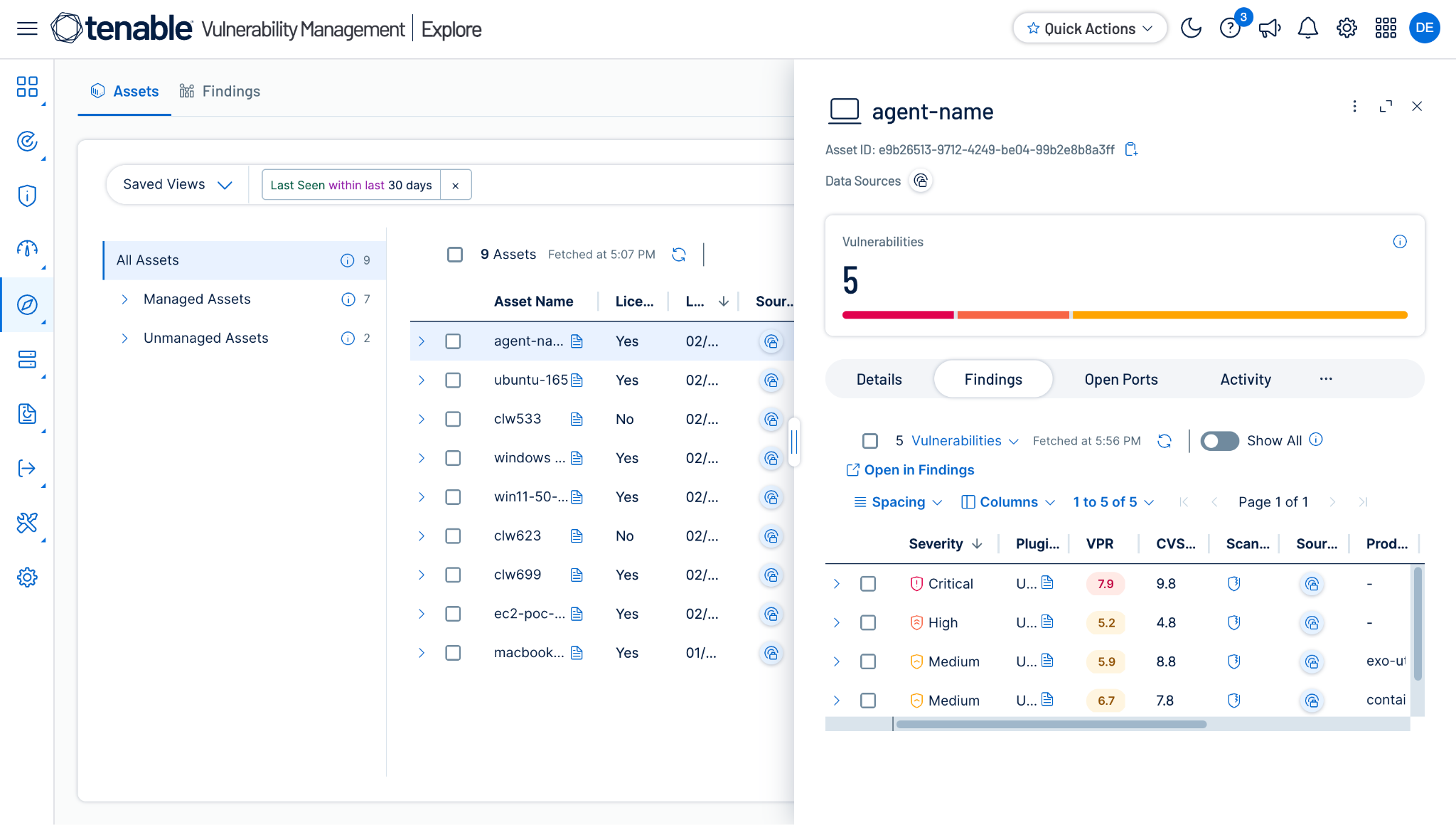
- To see vulnerabilities related to a particular asset, click Findings.
Validate the Tag/Untag Asset Action
- Go to Vulnerability Management > Explore > Assets > All Assets.
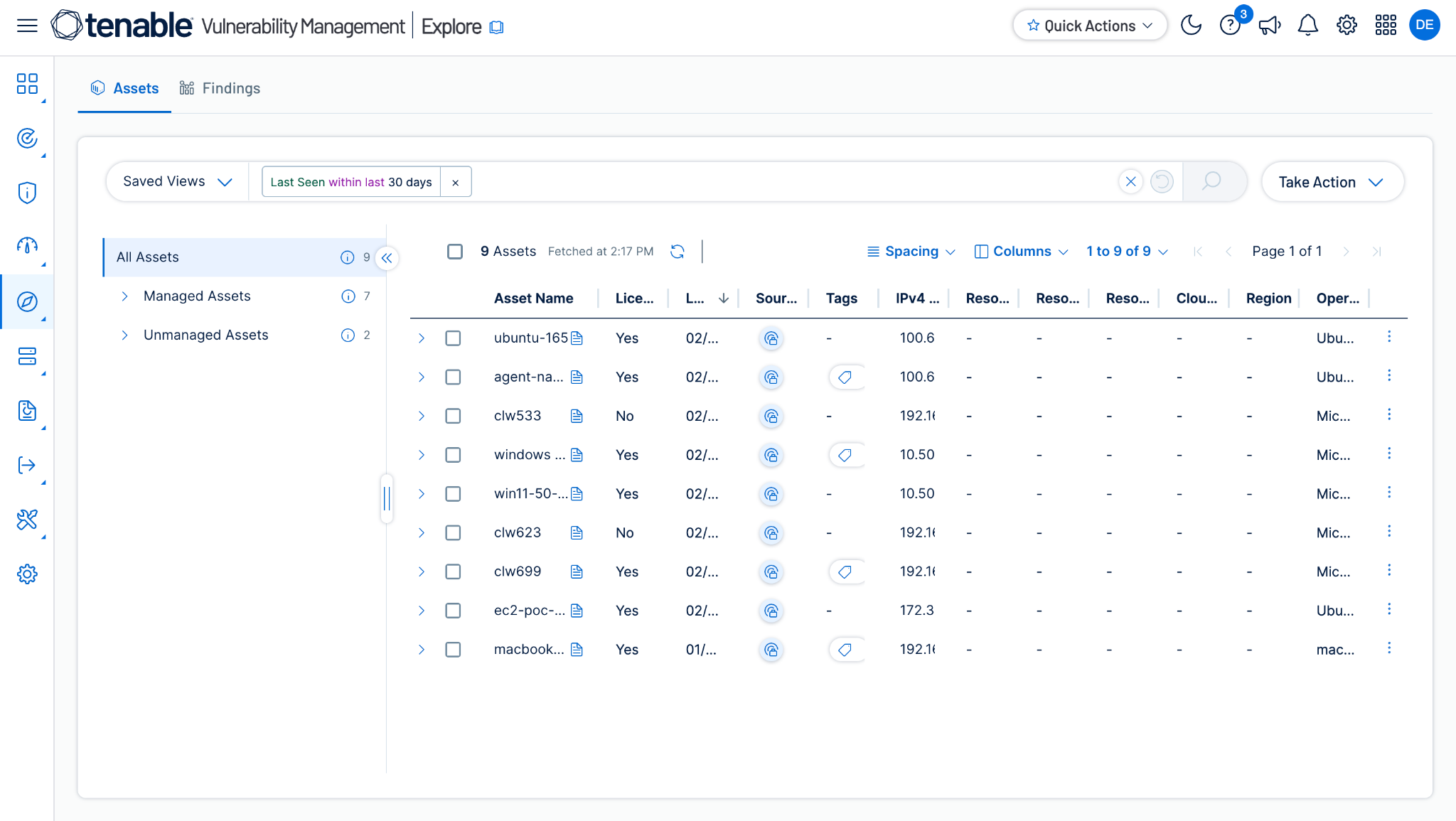
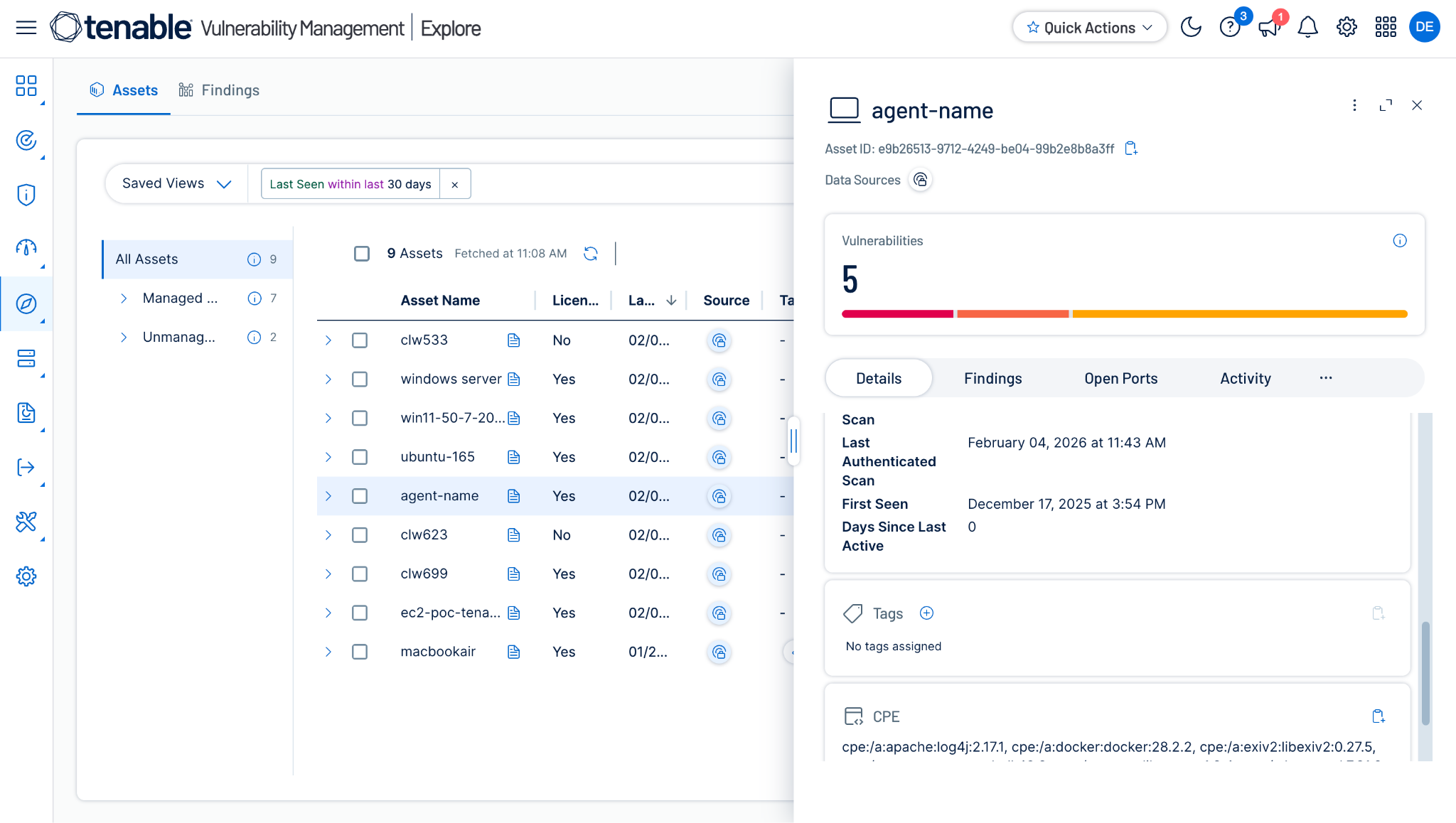
- Open the Asset that you performed the Tag/Untag Asset action on by clicking the Asset Name (like Agent Name). You will see the attached Tags in the Details section.
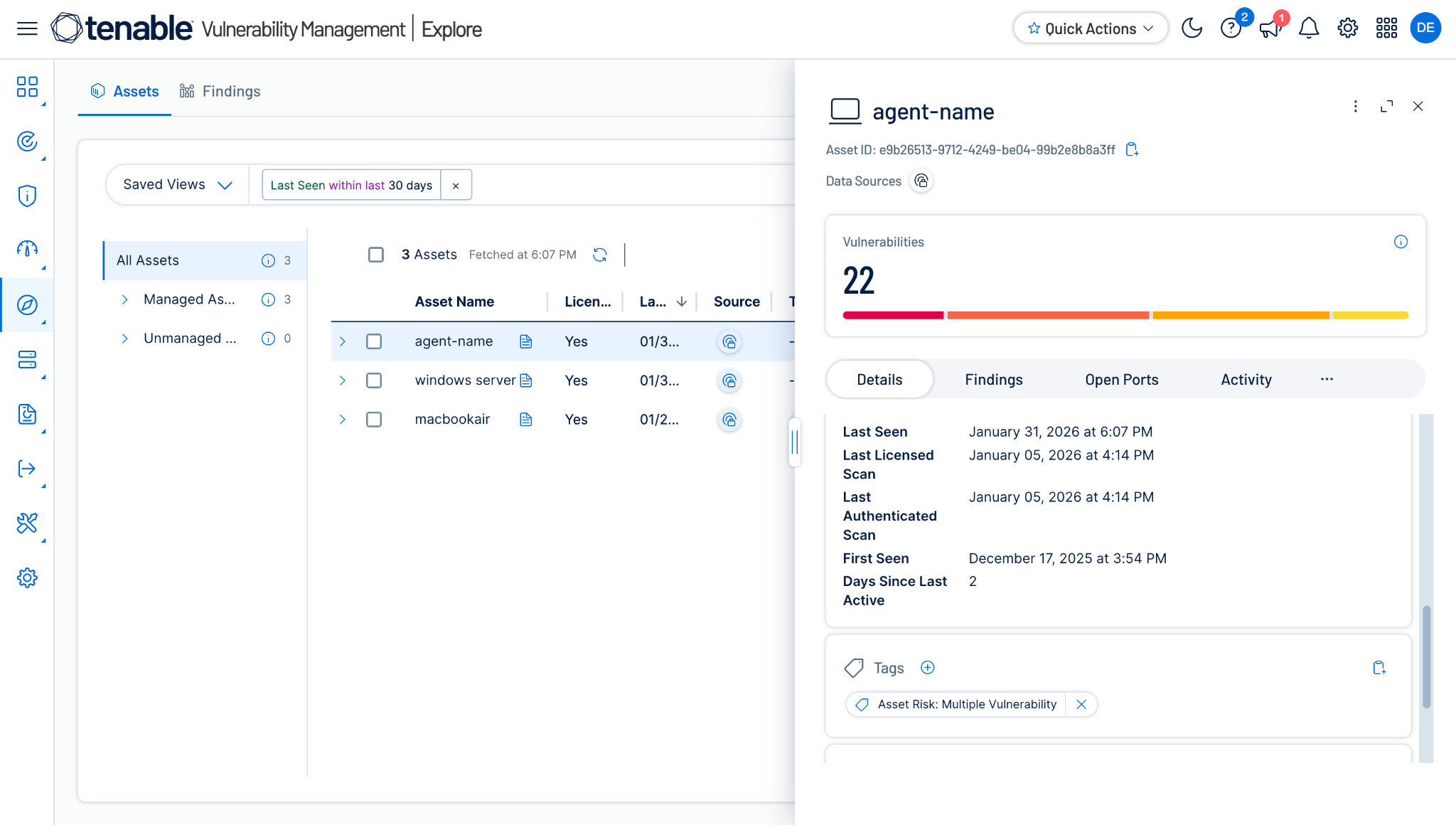
- The same Asset after performing the Untag Asset action will look like this:
Troubleshooting the Tenable Plugin
Unable to configure the CRE Tenable plugin
If you are unable to configure the CRE Tenable plugin, it could be due to one of these reasons:
- Provided Incorrect Access Key or Secret Key
- Provided Credentials don’t have sufficient permissions
What to do:
- Check the Access Key or Secret Key Secret explained here.
- Provide proper permissions for the configuration parameter.
Unable to pull Assets
If you are unable to pull Assets from the Tenable plugin, it could be due to one of these reasons:
- No Asset present on the Tenable platform
- An error is received while pulling the records from the platform.
- Mapping is not added while configuring the plugin in the entity source page.
What to do:
- Check on the Tenable platform if Assets exist or not.
- Receiving 500 error: The server might be down, wait for a while and check later.
- Receiving 403 error: The plugin configuration parameter does not have sufficient permissions or the credentials no longer exist. Verify the permission for the Client ID and Client Secret.
- Receiving 401 error: The provided credentials while configuring the plugin no longer exist. Verify credentials and edit the plugin configuration with valid credentials if required.
- For Asset, make sure that the mapping is added under Asset Entity and the mandatory field is mapped while configuring the plugin.
Unable to View Asset details on the Records page
If you are unable to view application/workload details on the record table, it could be due to the Mapping for all the Tenable fields were not provided while configuring the CRE Tenable plugin..
What to do:
- Make sure to provide the needed mappings while configuring the plugin.
- Make sure that the fields created in an entity are according to the suggested Mappings.
Known Behaviors
- If you are adding 2 tags on 1 device, and if any 1 tag fails, then the whole action will be marked as failed on the Action Logs page.
- To view tags created by other users on Tenable, the user will need an Administrator role.