

Release Notes
1.0.1 (Requires minimum Cloud Exchange version 6.0.0)
Changed
- Updated plugin logo and name from Imperva to Thales.
- Updated the Initial Range (in days) parameter to support values from 0 to 1800.
Removed
- Removed the error logger patching.
1.0.0
Added
- Initial release.
This document explains how to configure the Thales v1.0.1 plugin with the Threat Exchange module of the Netskope Cloud Exchange platform. This plugin is used to fetch the IoCs of type IPv4 from the Application > Attack Analytics > Incidents page on the Thales platform. This plugin does not support sharing of IoCs to the Thales platform. This plugin supports retraction of IoCs pulled from the Thales platform.
Prerequisites
To complete this configuration, you need:
- A Netskope tenant (or multiple, for example, production and development/test instances).
- A Netskope Cloud Exchange tenant with the Tenant plugin and Threat Exchange plugin already configured.
- A URL List on your Netskope tenant.
- A Destination Profile on your Netskope tenant.
- A Private App on your Netskope tenant.
- Connectivity to the Thales platform.
- A subscription for Thales Threat Response Module services.
- A user with the Manage API Key role to generate an API Key.
- For Secrets Manager configuration, refer to Secrets Manager. To set up Azure Key Vault Secrets Manager, refer to Prerequisites for Azure Key Vault Secrets Manager.
- Connectivity to the following host:
https://api.imperva.com - Your Thales account ID.
Thales Plugin Support
This plugin is used to fetch the IoCs of type IPv4 from the Application > Attack Analytics > Incidents page on the Thales platform. This plugin does not support sharing of IoCs to the Thales platform. This plugin supports retraction of IoCs pulled from the Thales platform.
| Fetched Indicator Types | Shared Indicator Types |
|---|---|
| IPv4 | NA |
IoC Retraction
IoC Retraction (Pull): Indicators are fetched from Thales. In the subsequent pull cycles, if the incidents of some indicators are deleted or marked as false positive on Thales, or the indicators are not in the specified Retraction Interval, they are marked as Retracted in Netskope Cloud Exchange.
| Retraction Type | Supported Retraction Type |
|---|---|
| IoC Retraction (Pull) | Yes |
| IoC Retraction (Push) | No |
Mappings
Pull Mappings
| Netskope CTE Field | Thales API Field |
|---|---|
| IOC Value | dominant_attack_ip.ip |
| Type | IPv4 |
| Severity | severity |
| Firstseen | first_event_time |
| Lastseen | last_event_time |
| Extended string | https://<thales-instance-url>/attack-analytics/incident-details/<incident_id> |
| Tags | incident_typedominant_attack_violationdominant_attack_ip.reputationdominant_attack_ip. dominanceseverity_explanation |
Severity Mappings for Pull
| Netskope Severity | Thales Severity |
|---|---|
| LOW | MINOR |
| HIGH | MAJOR |
| CRITICAL | CRITICAL |
| UNKNOWN | CUSTOM |
Permissions
Users should have the Manage API Key role to generate an API Key.
API Details
List of APIs Used
| API Endpoint | Method | Use Case |
|---|---|---|
| /analytics/v1/incidents | GET | Fetch IoCs from Incidents |
Fetch IoCs from Incidents
Endpoint: /analytics/v1/incidents
Method: GET
Headers
| Key | Value |
|---|---|
| User-Agent | netskope-ce-7.0.0-cte-thales-v1.0.1 |
| x-API-Id | <api_id> |
| x-API-Key | <api_key> |
| accept | application/json |
Query Parameters
| Key | Value |
|---|---|
| caid | <Account ID> |
| from_timestamp | <timestamp> |
| to_timestamp | <timestamp> |
Sample Response
[
    {
        "id": "db0cfbe0-d8ca-11f0-1f46-8bef9ba73c98",
        "main_sentence": "Illegal Resource Access attack by a single IP from Bulgaria using Go HTTP library HackingTool ",
        "secondary_sentence": "On host \"Thales1.cdsys.io\" ",
        "false_positive": false,
        "events_count": 6,
        "events_blocked_percent": 0,
        "first_event_time": 1765702422735,
        "last_event_time": 1765702621854,
        "severity": "MINOR",
        "severity_explanation": "High risk, High confidence",
        "dominant_attack_country": {
            "country": "Bulgaria",
            "country_code": "BG",
            "dominance": "DOMINANT"
        },
        "dominant_attack_ip": {
            "ip": "195.178.110.158",
            "reputation": [
                "IP reputation Medium risk"
            ],
            "dominance": "STRONGLY_DOMINANT"
        },
        "dominant_attacked_host": {
            "value": "Thales1.cdsys.io",
            "dominance": "STRONGLY_DOMINANT"
        },
        "dominant_attack_tool": {
            "name": "Go HTTP library",
            "type": "Suspicious",
            "dominance": "STRONGLY_DOMINANT"
        },
        "dominant_attack_violation": "Illegal Resource Access",
        "only_custom_rule_based": true,
        "how_common": "SPRAY_AND_PRAY",
        "incident_type": "REGULAR"
    }
]
Performance Matrix
This reading is conducted on a Large Cloud Exchange Stack with these specs by pulling 100k IoCs from Thales.
| Description | Specification |
|---|---|
| Stack Size | Large RAM: 32 GB Core: 16 |
| Indicators fetched from Thales | ~11k per min |
User Agent
netskope-ce-7.0.0-cte-thales-v1.0.1
Workflow
- Create an API ID and API Key on Thales.
- Configure the Thales Plugin.
- Add a Business Rule.
- Configure Threat Exchange Sharing for Thales.
- Validate the Thales Plugin.
Watch a Video
Click play to watch a video.
Create an API ID and API Key on Thales
-
Log in to Thales.
-
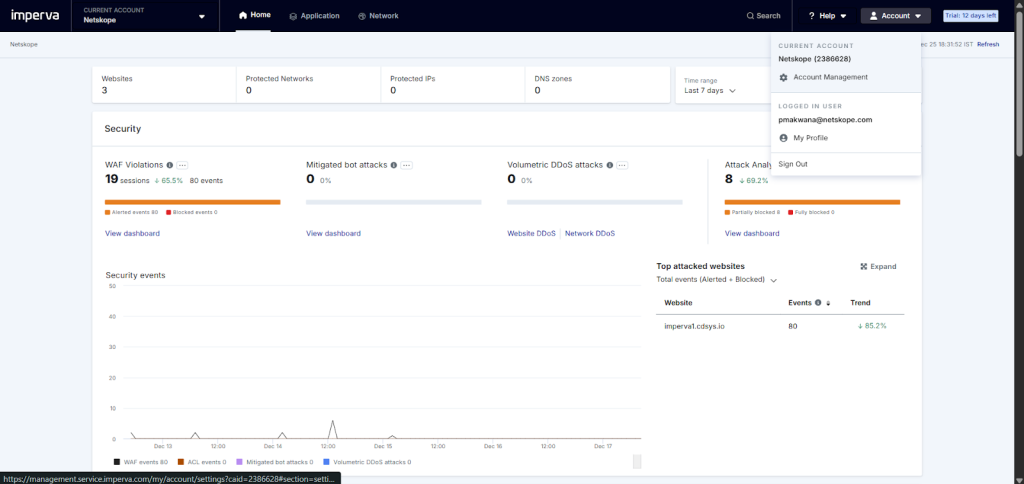
Go to Account > Account Management from the top right corner.
-
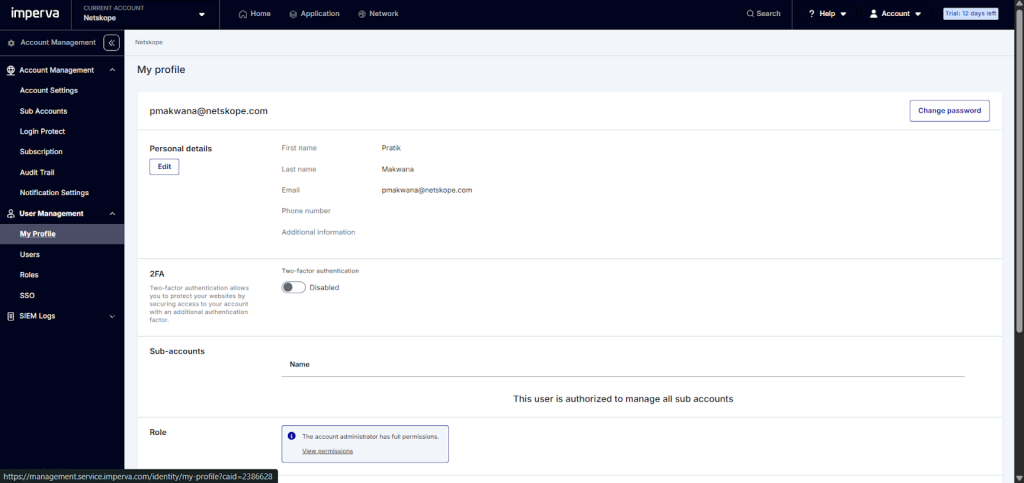
Go to User Management > My Profile.
-
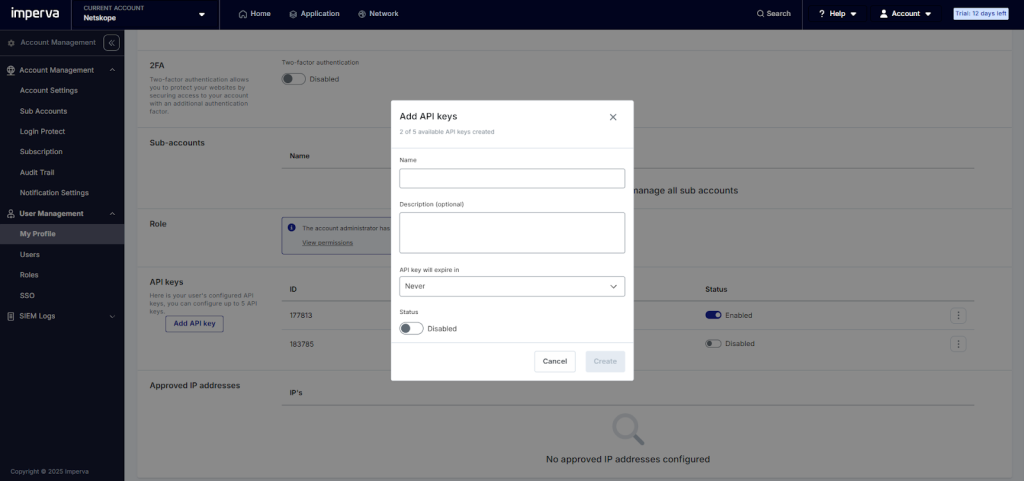
Scroll down to API Keys and click Add API Key.
-
Enter a Name, select when the API key will expire in, and enable the status. Click Create.
-
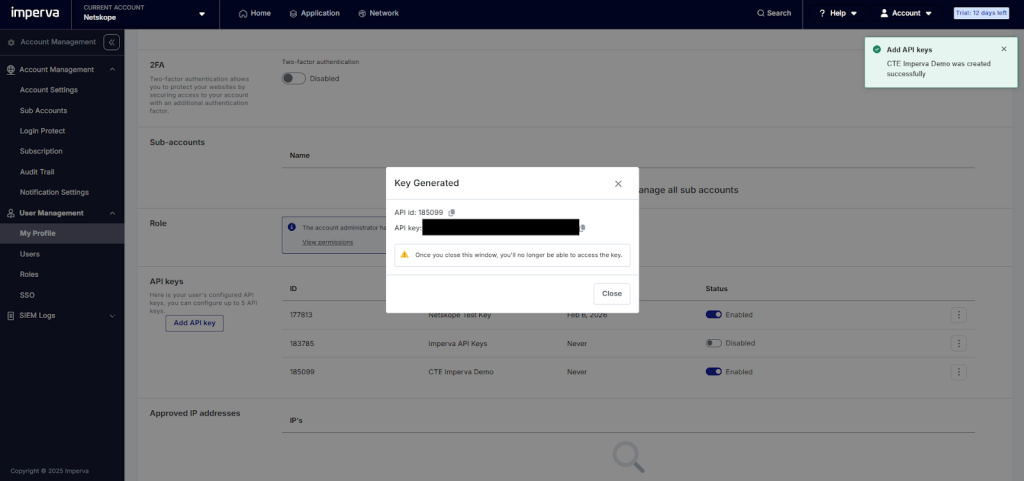
Copy the API ID and API Key, and then click Close. These are used to configure the plugin.


Configure the Thales Plugin
-
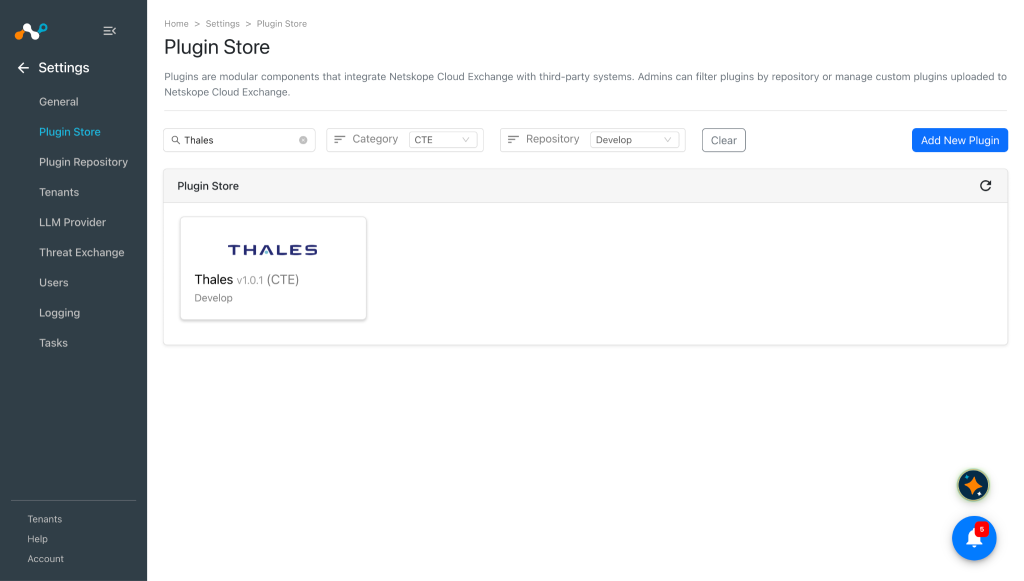
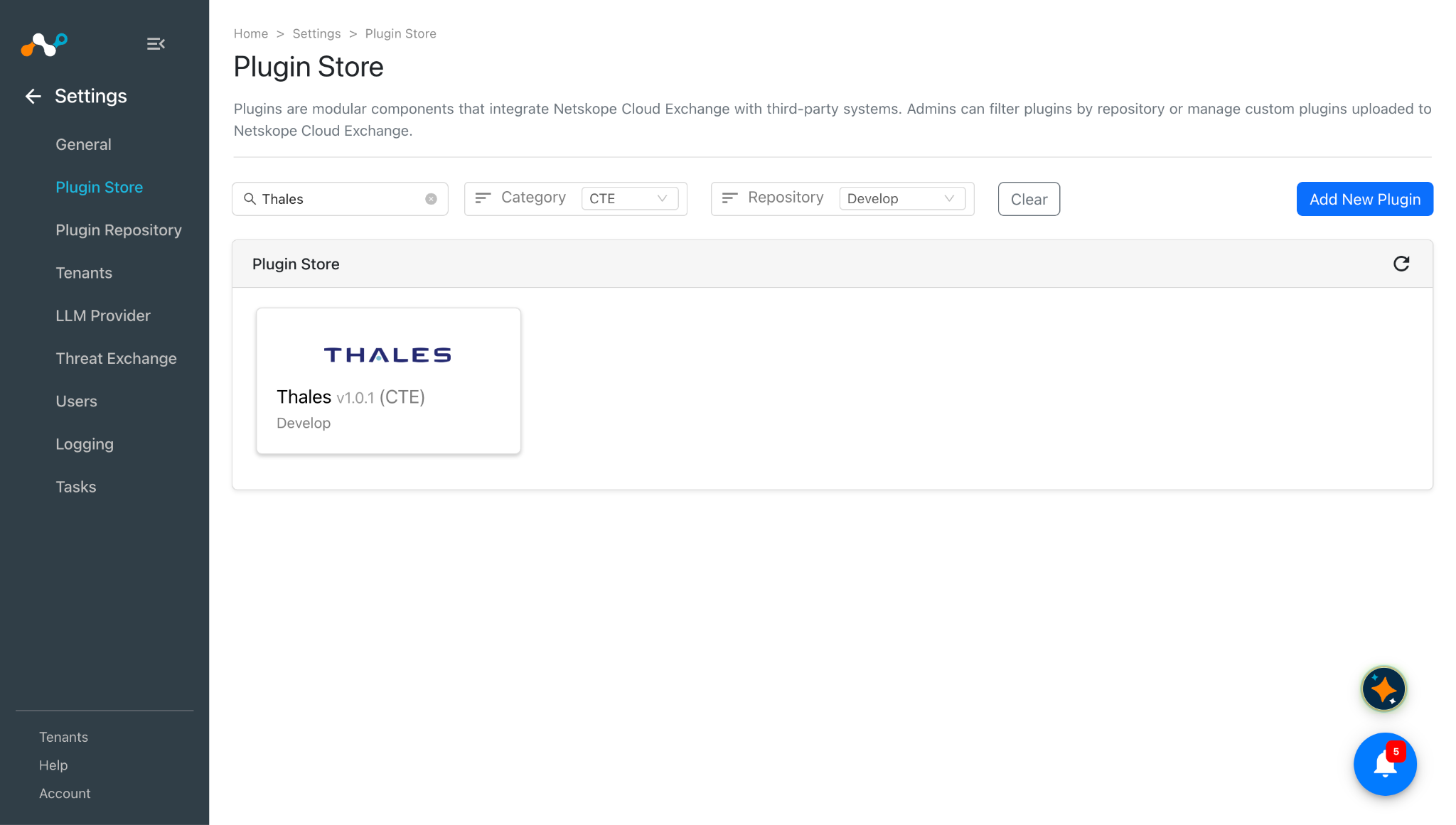
In Cloud Exchange, go to Settings > Plugin Store. Search for and select the Thales v1.0.1 (CTE) plugin.
-
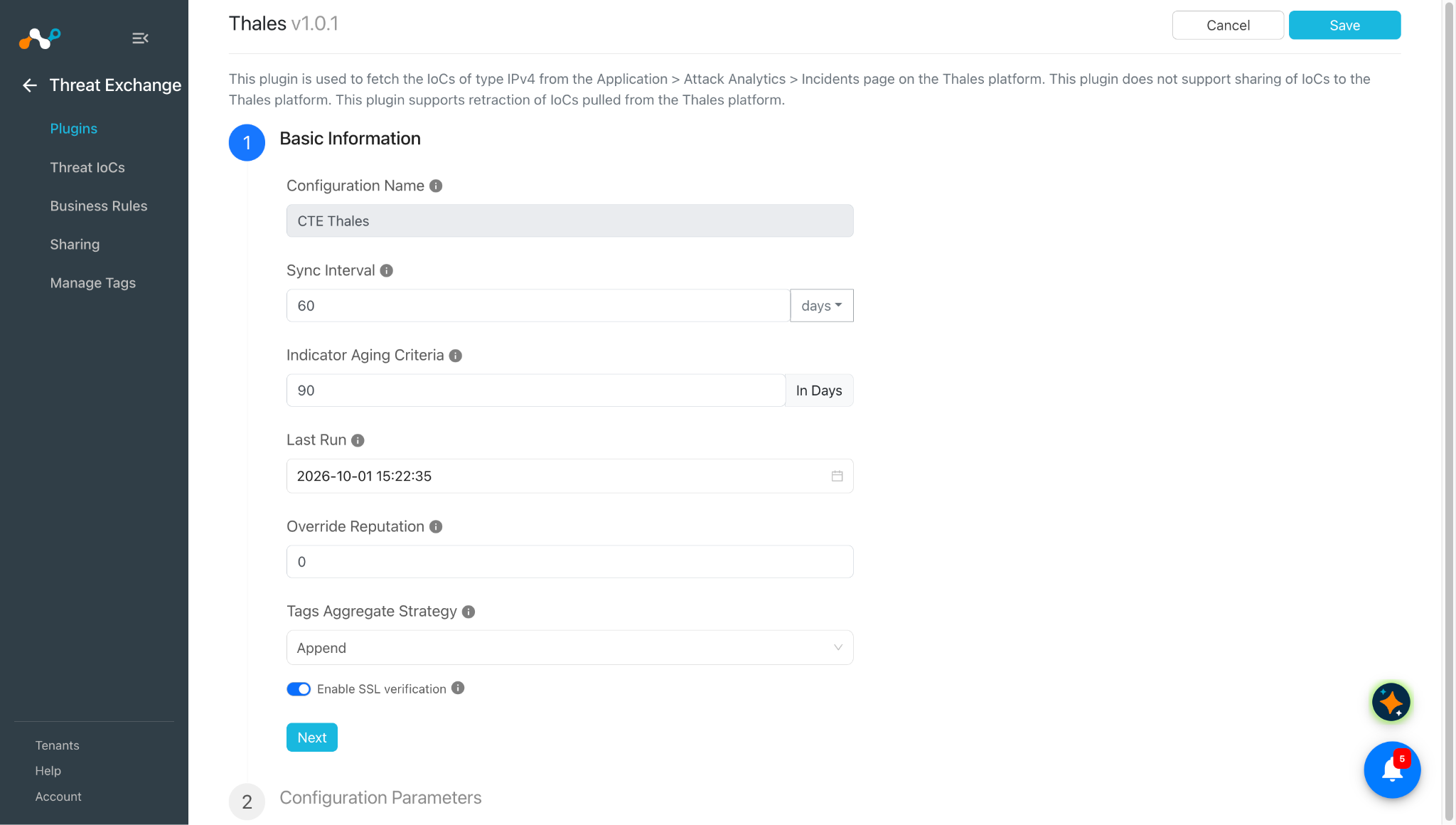
Enter the Basic Information:
- Configuration Name: Unique name for the configuration.
- Sync Interval: Interval to fetch data from this plugin and share data to this plugin from other sources.
- Aging Criteria: Expiry time of the plugin in days (Default: 90).
- Override Reputation: Set a value to override the reputation of indicators received from this configuration.
- Enable SSL Validation: Enable SSL Certificate validation.
- Use System Proxy: Enable if the proxy is required for communication.
It is better to have a larger value for Sync Interval if you want to pull IoCs in large numbers.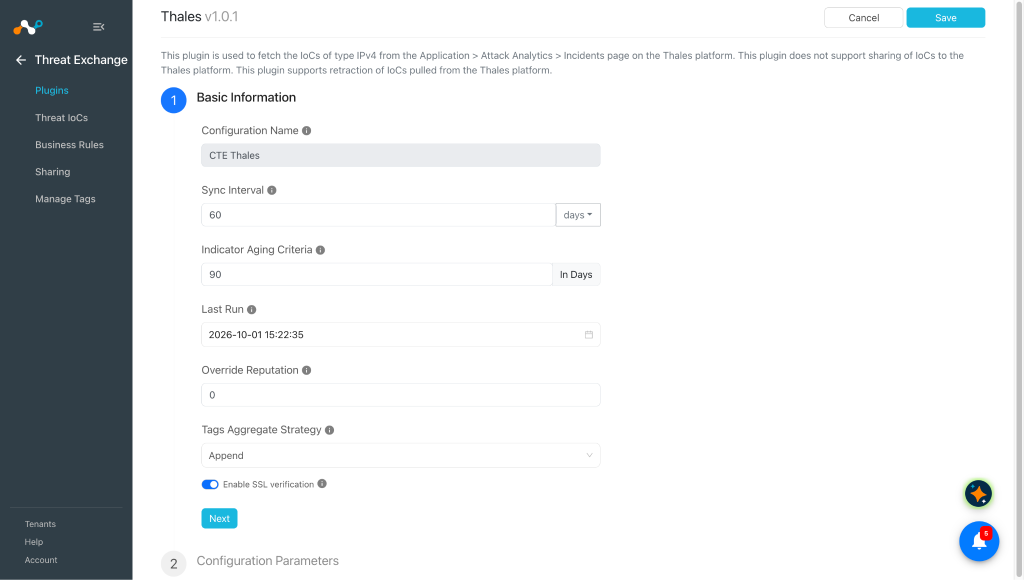
-
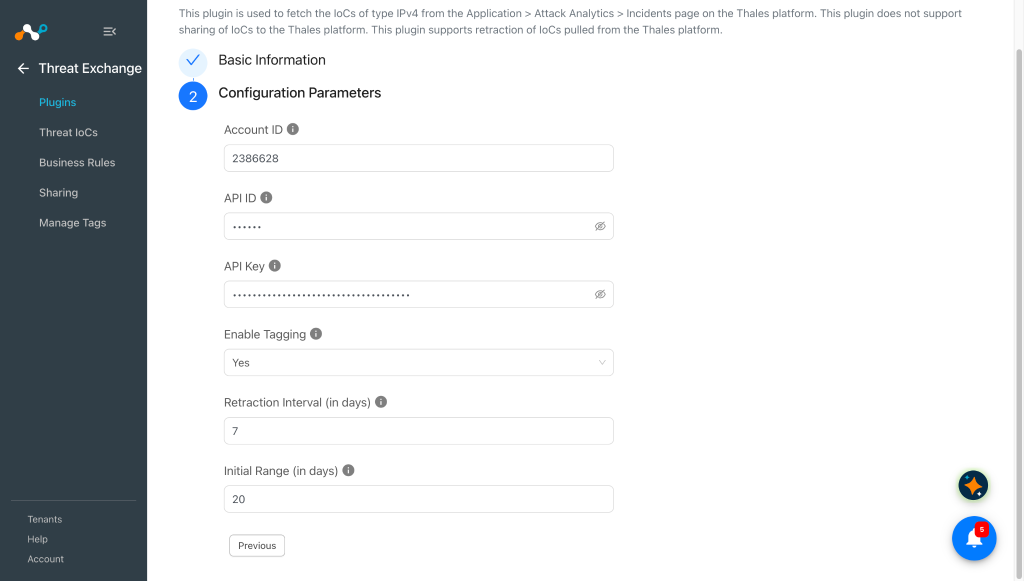
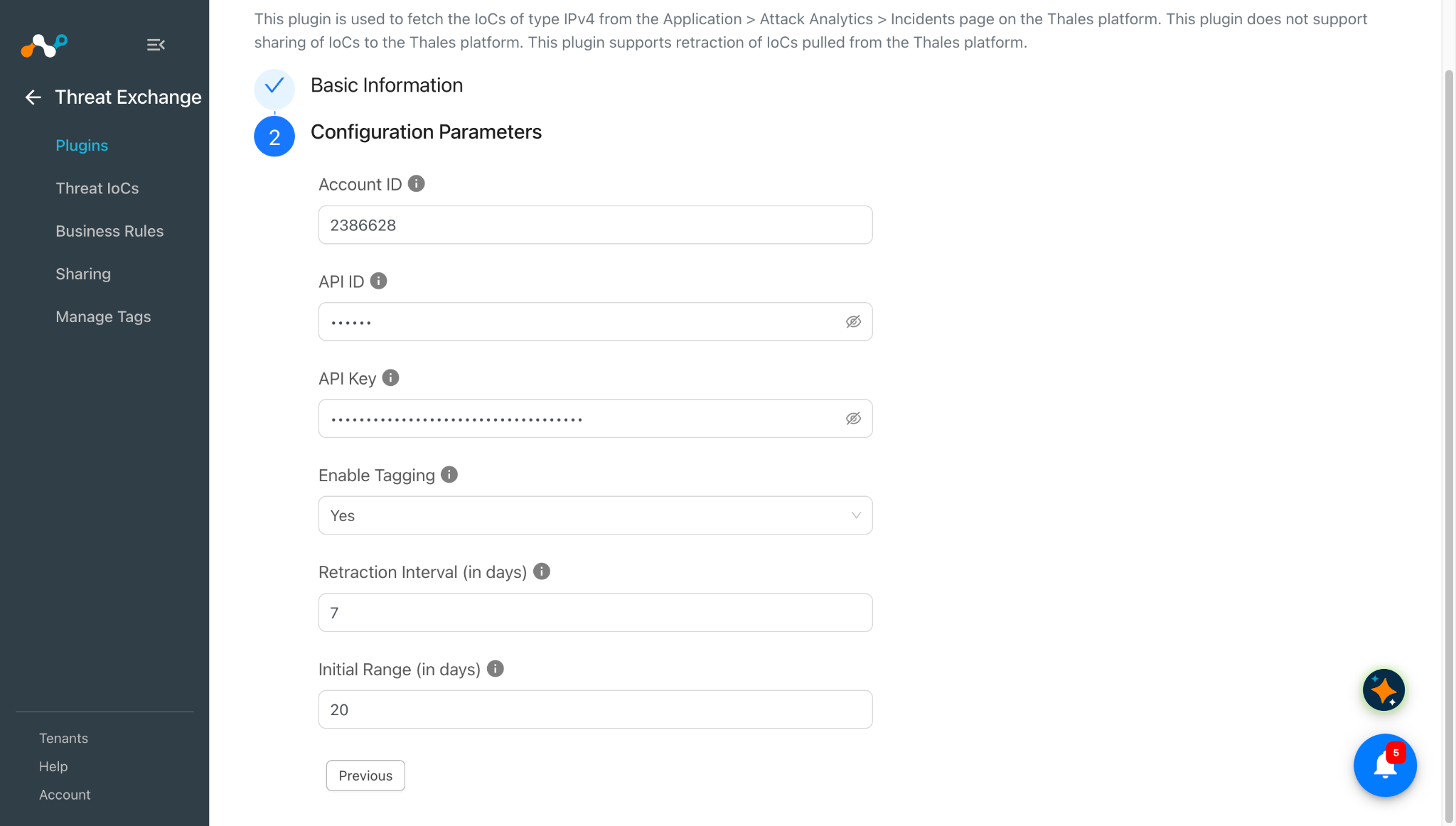
Click Next and enter the Configuration Parameters:
- Account ID: Unique identifier for your account.
- API ID: API ID generated from the Thales instance obtained previously.
- API Key: API Key generated from the Thales instance obtained previously.
- Enable Tagging: Enable/Disable tagging functionality.
- Retraction Interval (in days): Number of days to use as the retraction interval for Thales indicator(s) pull retraction. This parameter applies only when IoC(s) Retraction is enabled in Threat Exchange Settings. Value must be between 1 and 1800.
- Initial Range (in days): Number of days to pull the data for the initial run. Value must be between 0 and 1800. If you enter 0, no historical data is pulled.
-
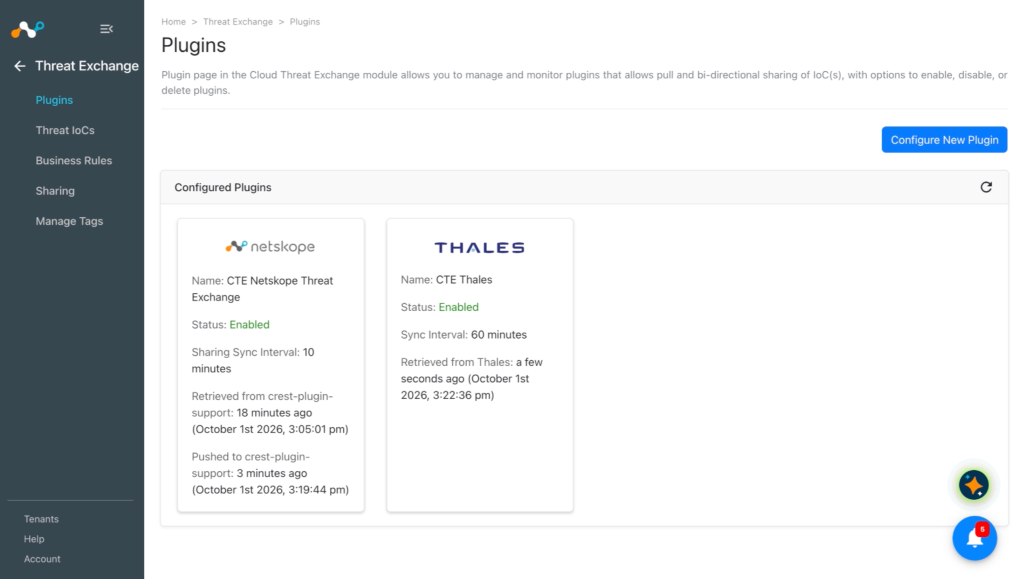
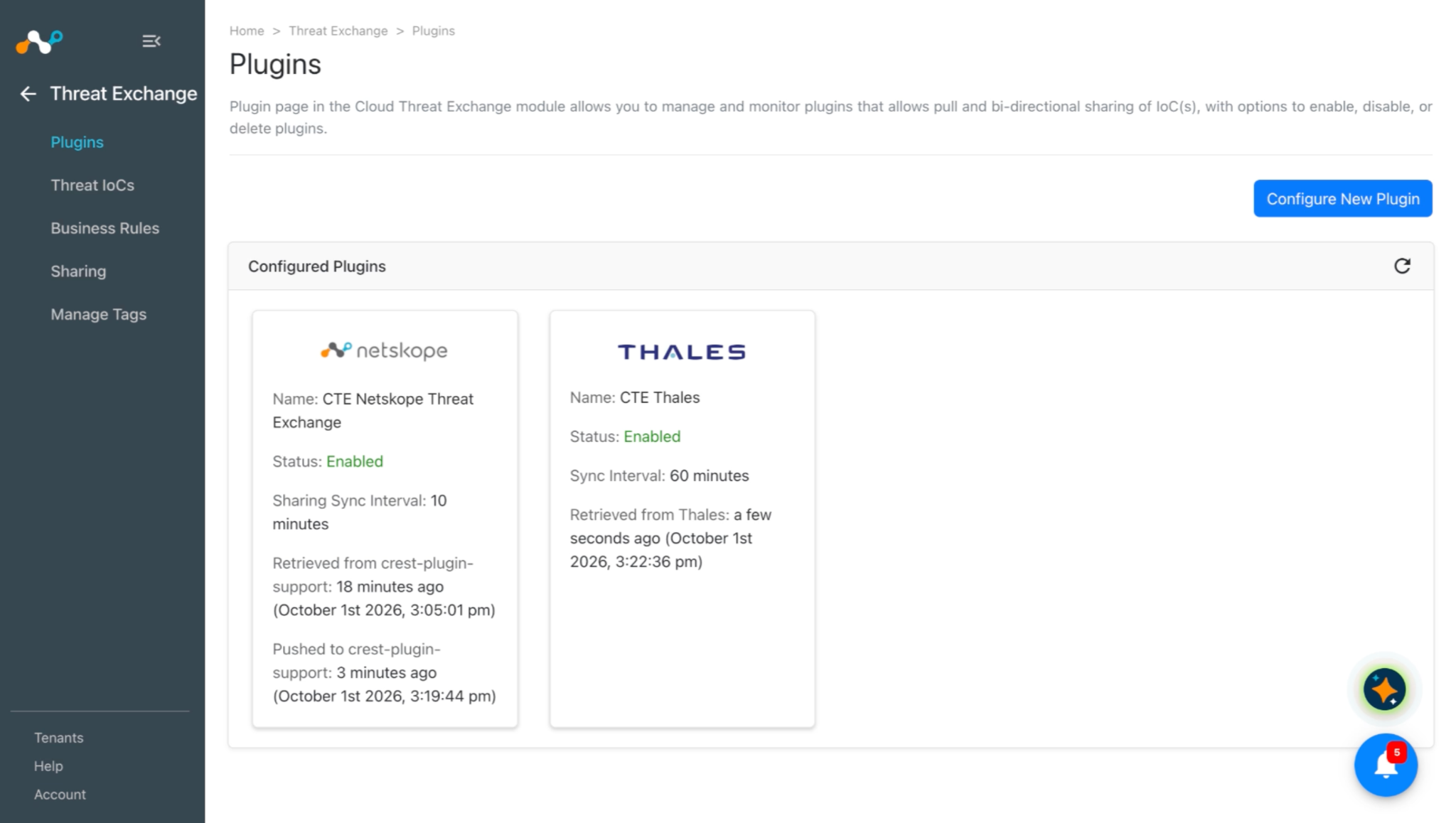
Click Save. The plugin configuration appears on the Threat Exchange > Plugins page.
Add a Threat Exchange Business Rule for Thales Plugin
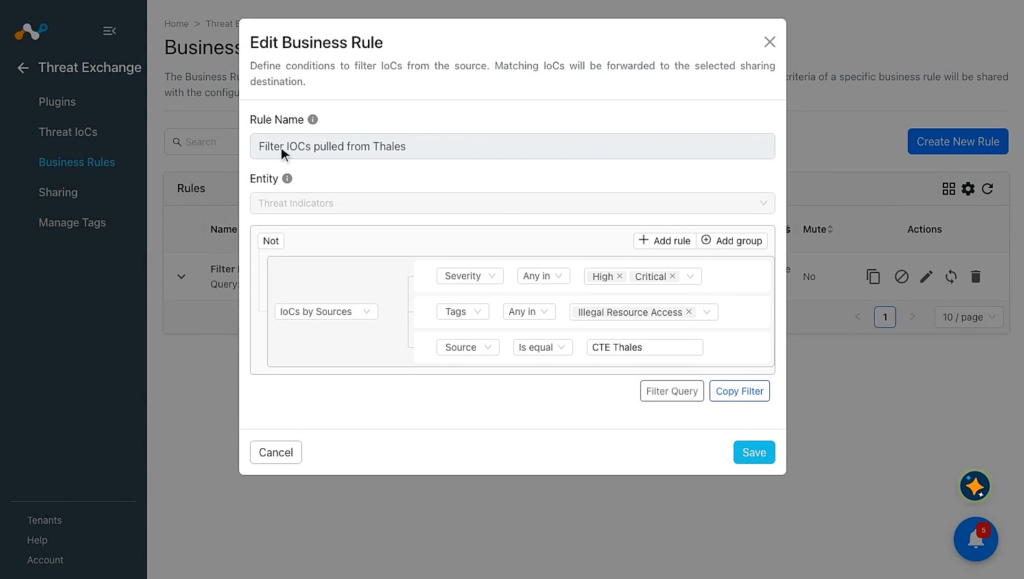
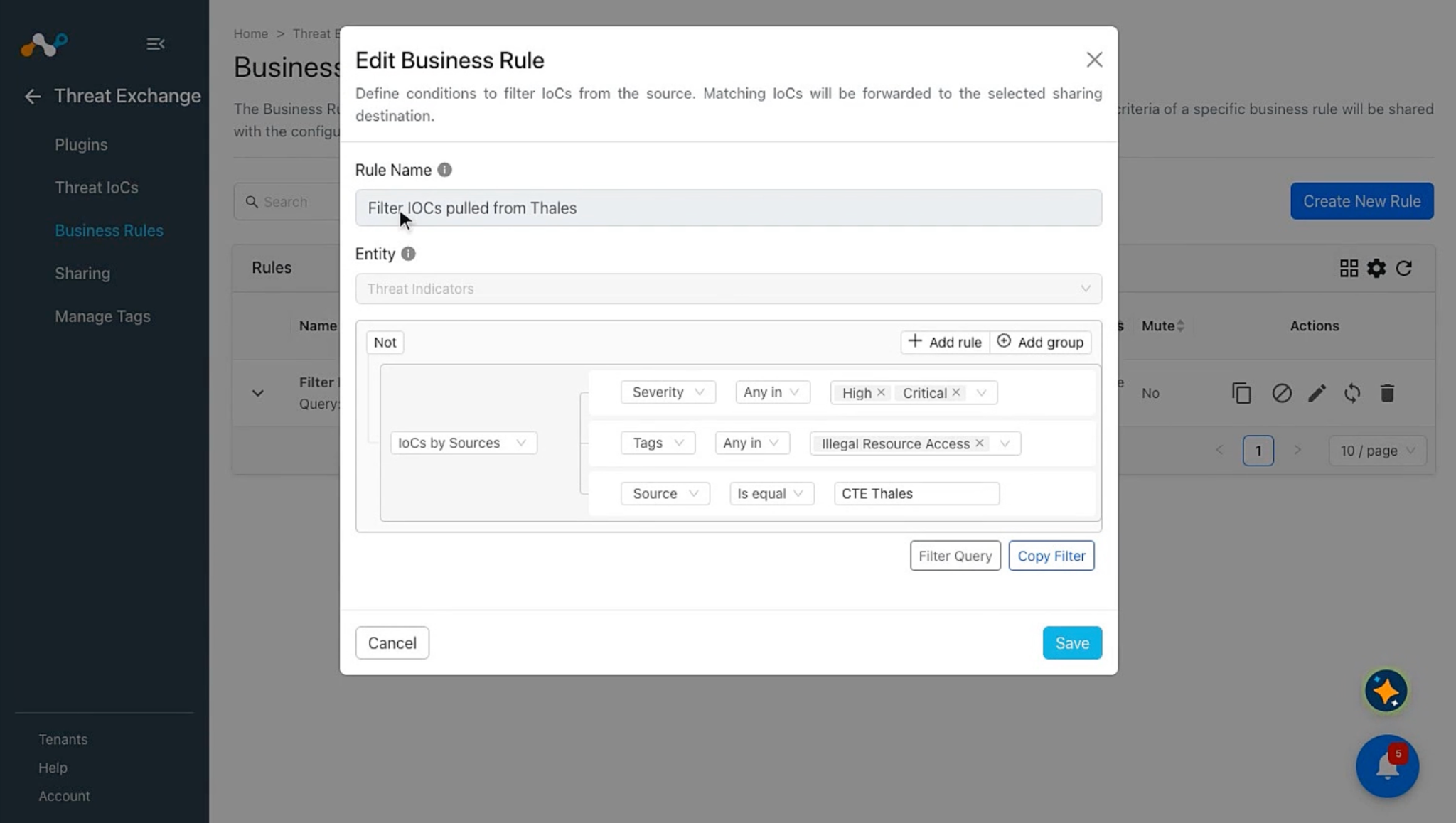
To share indicators fetched from Thales to the Netskope tenant, you need a business rule that filters the indicators that you want to share. To configure a business rule:
-
In Threat Exchange, go to Business Rules and click Create New Rule.
-
Add the filter according to your requirements in the rule, and then click Save.
Configure Threat Exchange Sharing for Thales
The Thales plugin does not support sharing of IoCs, but the IoCs pulled from this plugin can be shared to the Netskope Tenant or other 3rd-party platforms.
To share IoCs from Thales to Cloud Exchange:
-
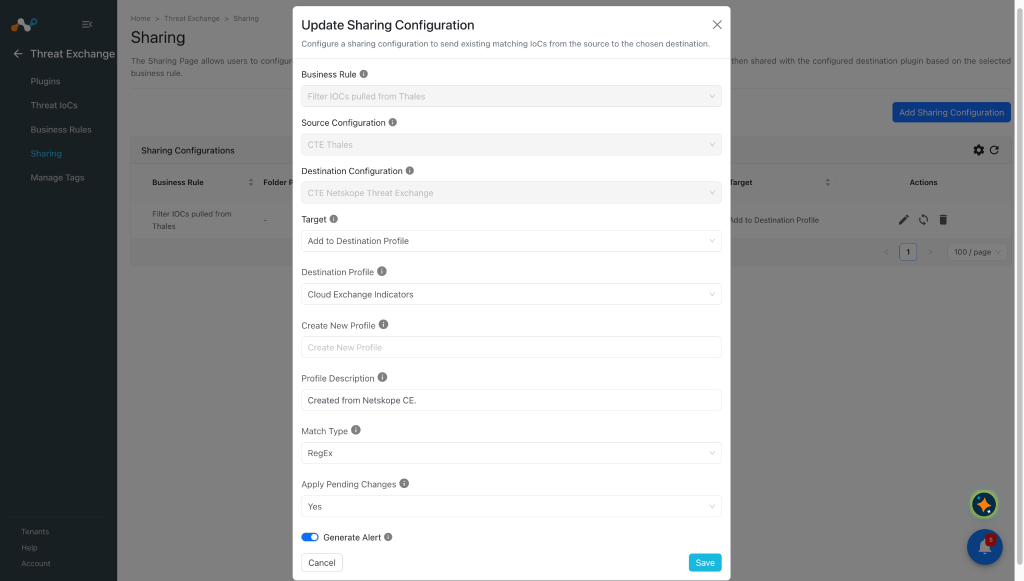
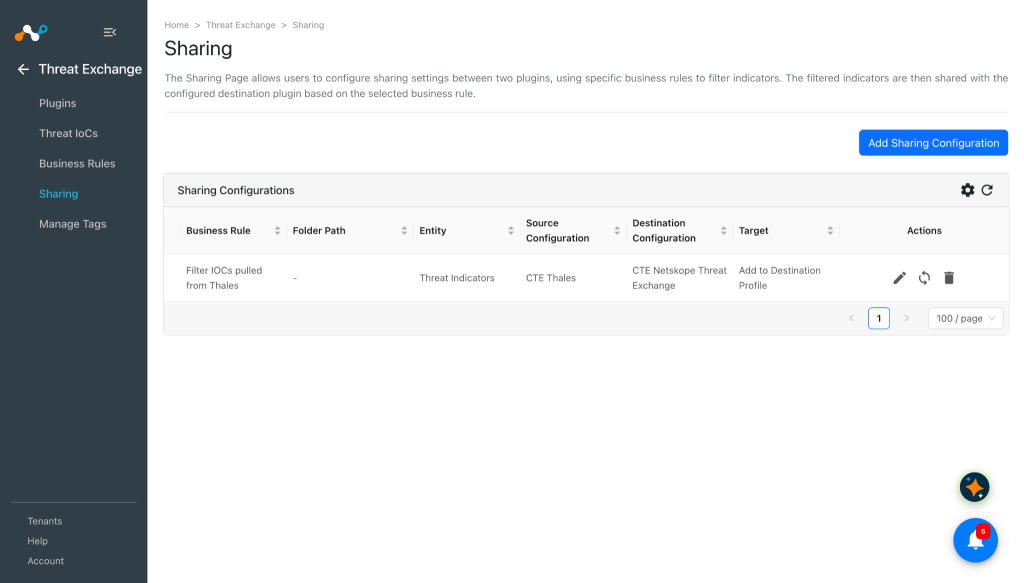
In Threat Exchange, go to Sharing and click Add Sharing Configuration.
-
Select your Source Configuration (CTE Thales), a Business Rule, the Destination Configuration (CTE Netskope Threat Exchange), and Target.
-
Click Save.
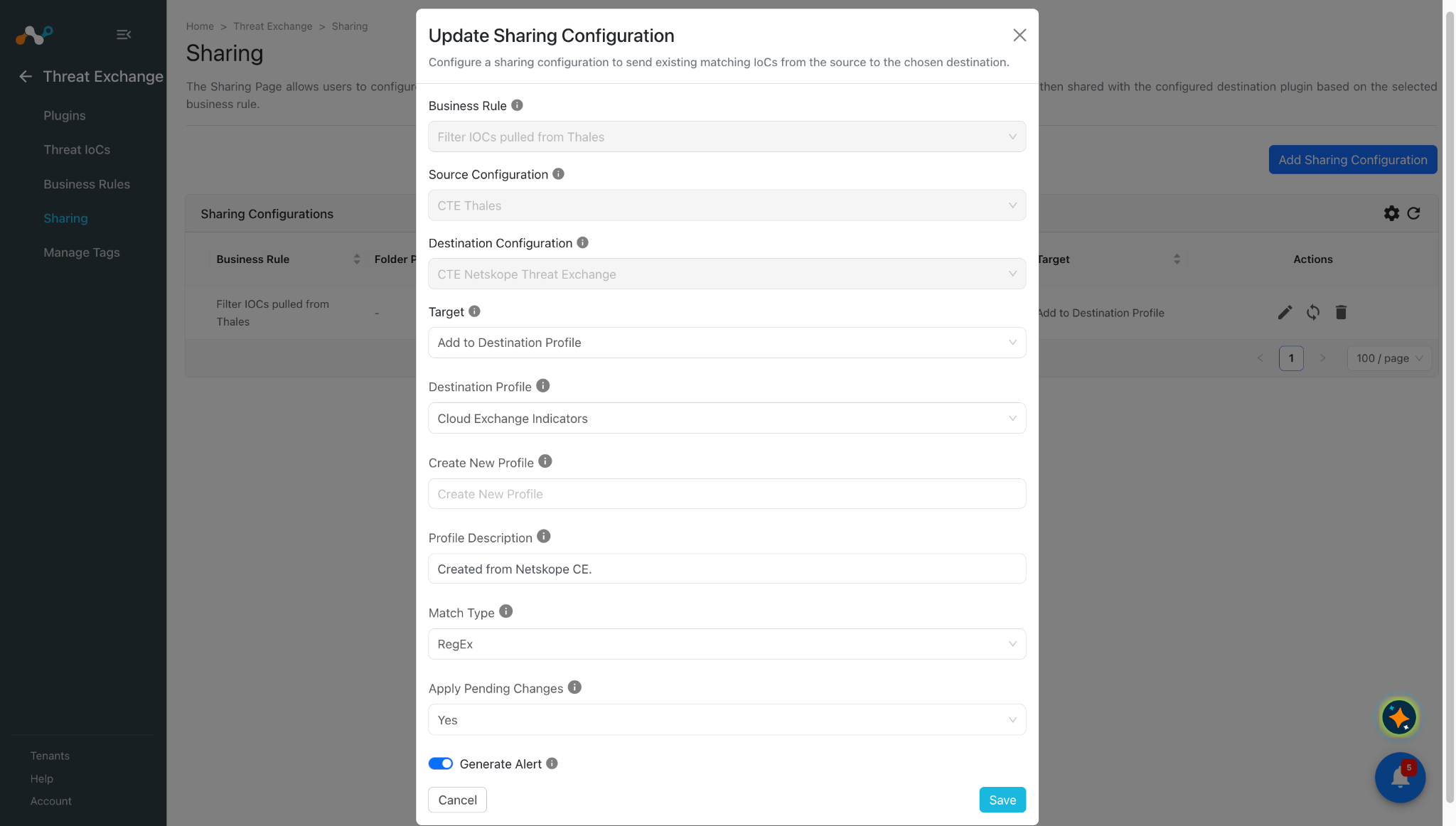
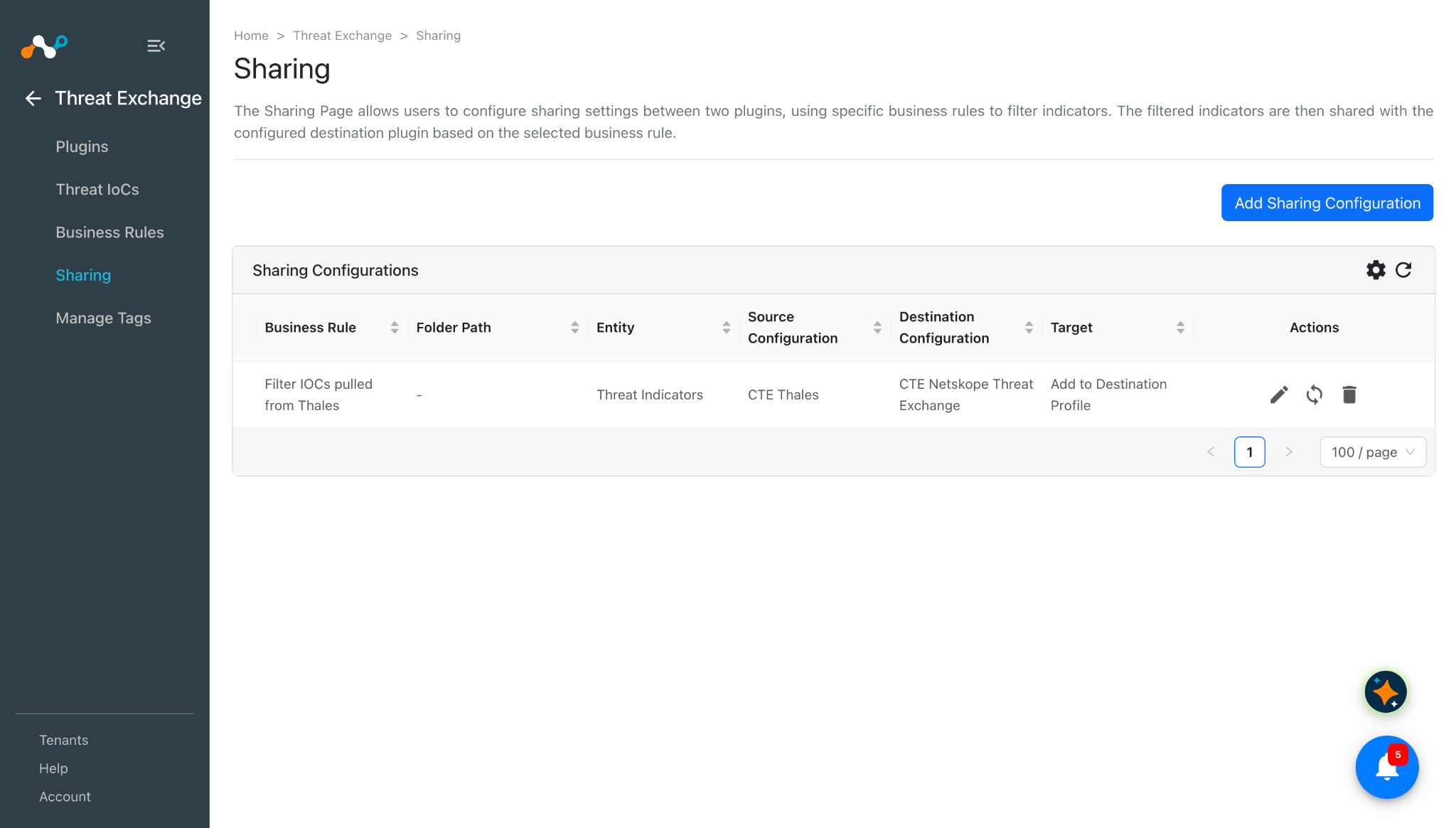
For more information about all the actions supported on the Netskope tenant, refer to Threat Exchange Plugin.
Validate the Thales Plugin
Validate the Pull
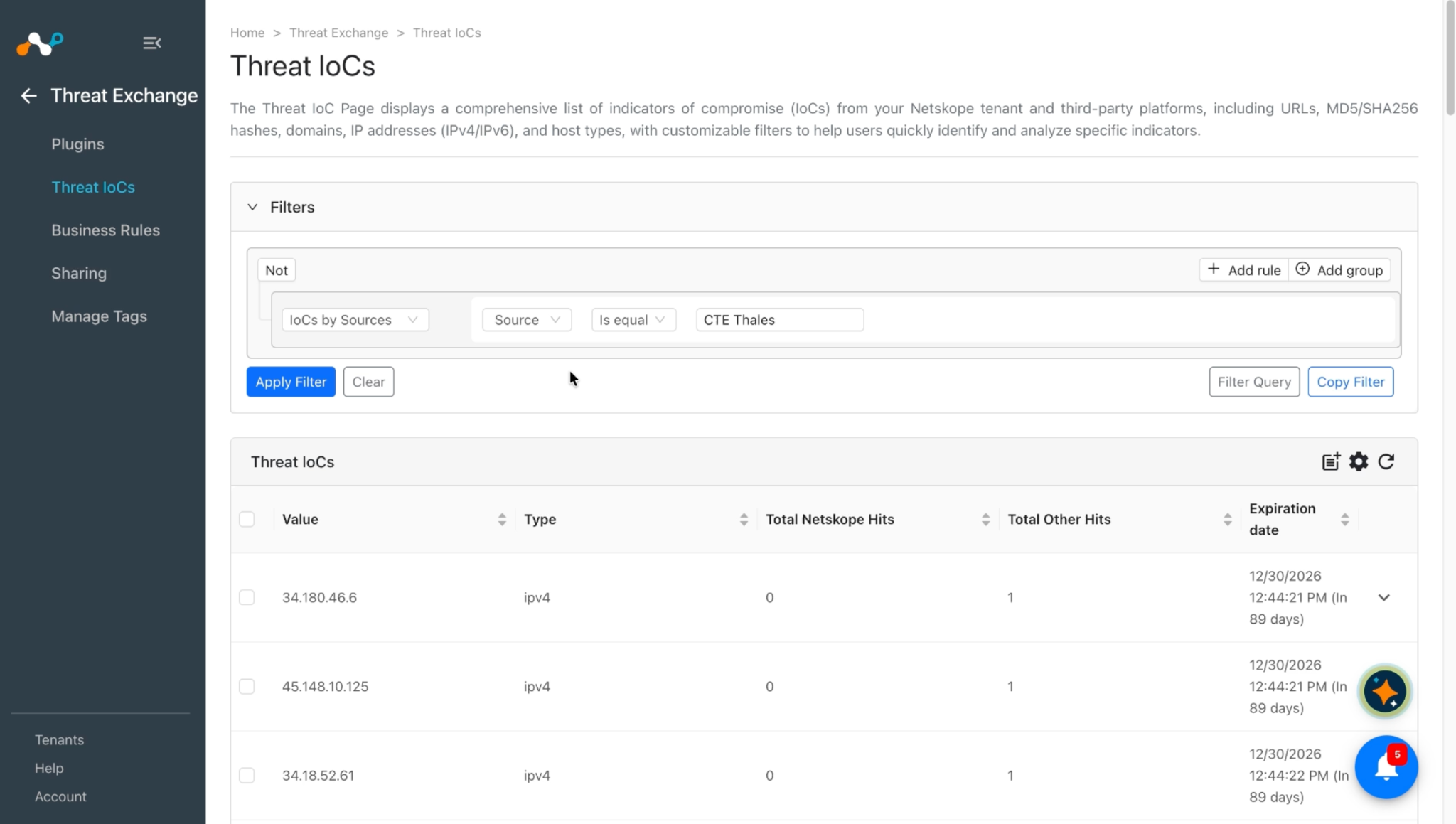
Pulled data is listed on the Threat IoCs page. You can filter the IoCs pulled from the platform using the filter sources.source Like "<plugin configuration name>".
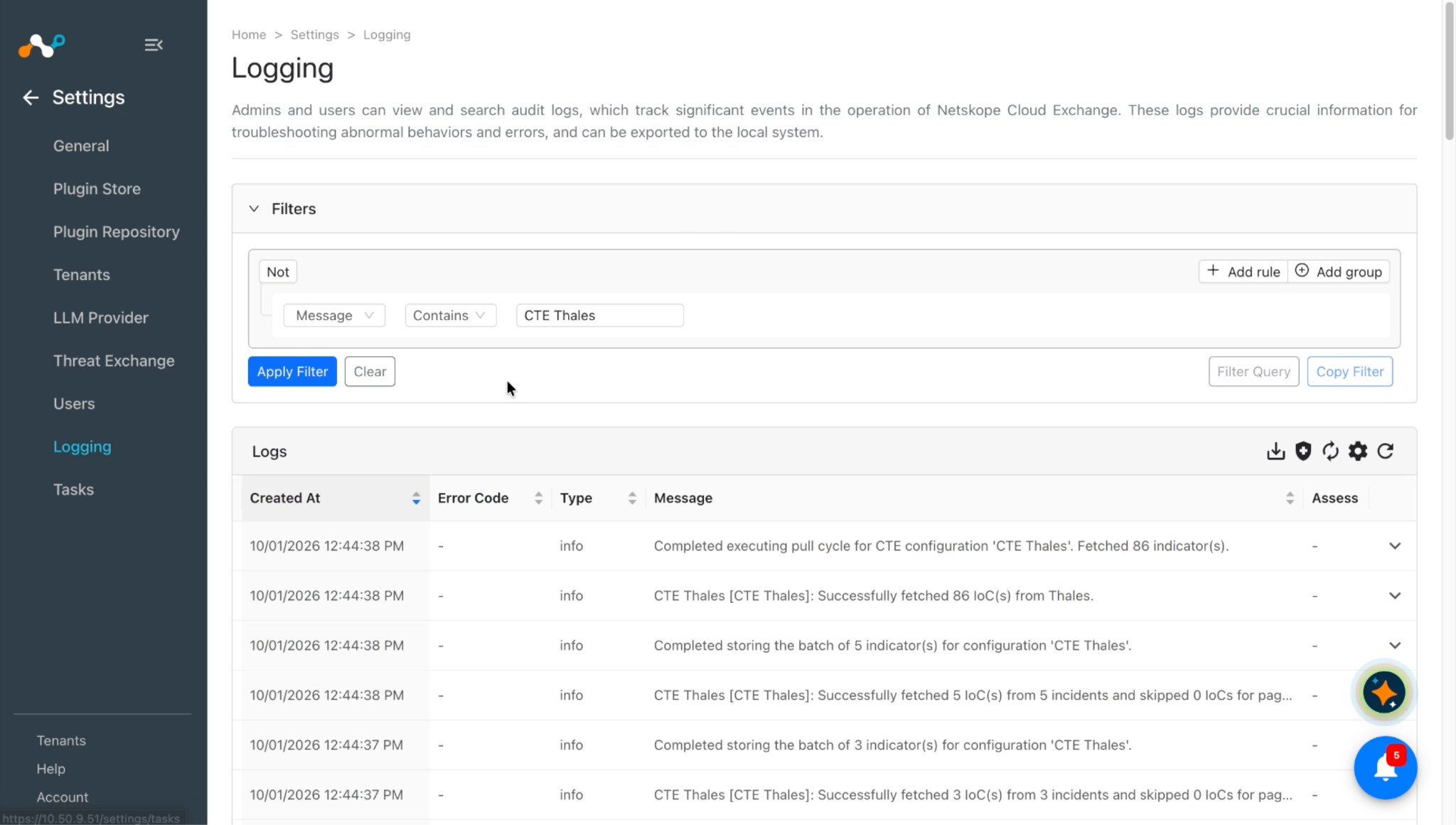
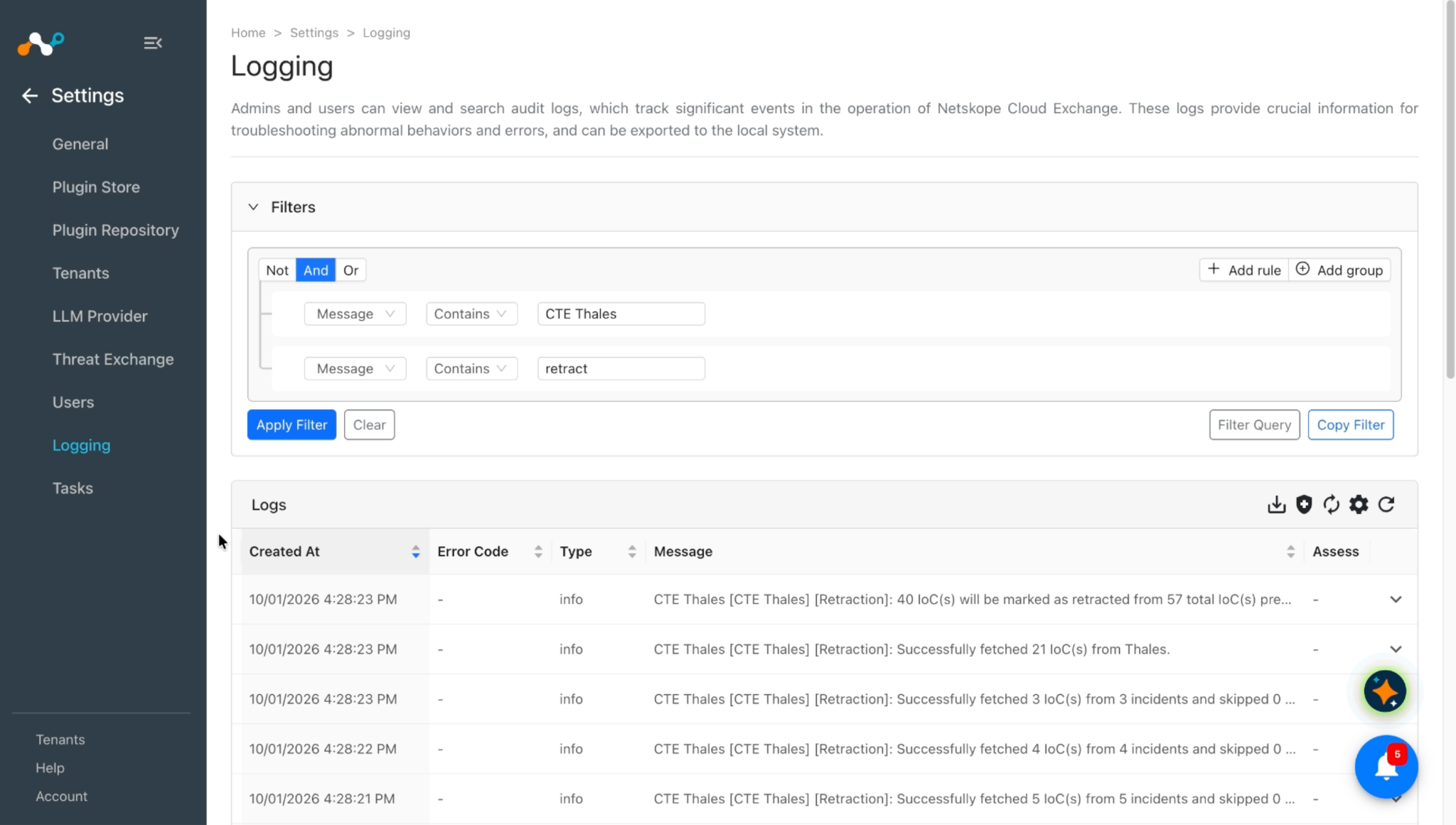
To verify pulled logs in Cloud Exchange, go to Logging and search for logs from the CTE Thales plugin with the filter message Like "CTE Thales".
To verify the data available for pulling on the Thales platform, log in to Thales and go to Application > Attack Analytics > Incidents.

To verify the details of a particular incident, click More details.

To verify the retracted IoCs, check the logs for IoC retraction, for example, message Like [Retraction].
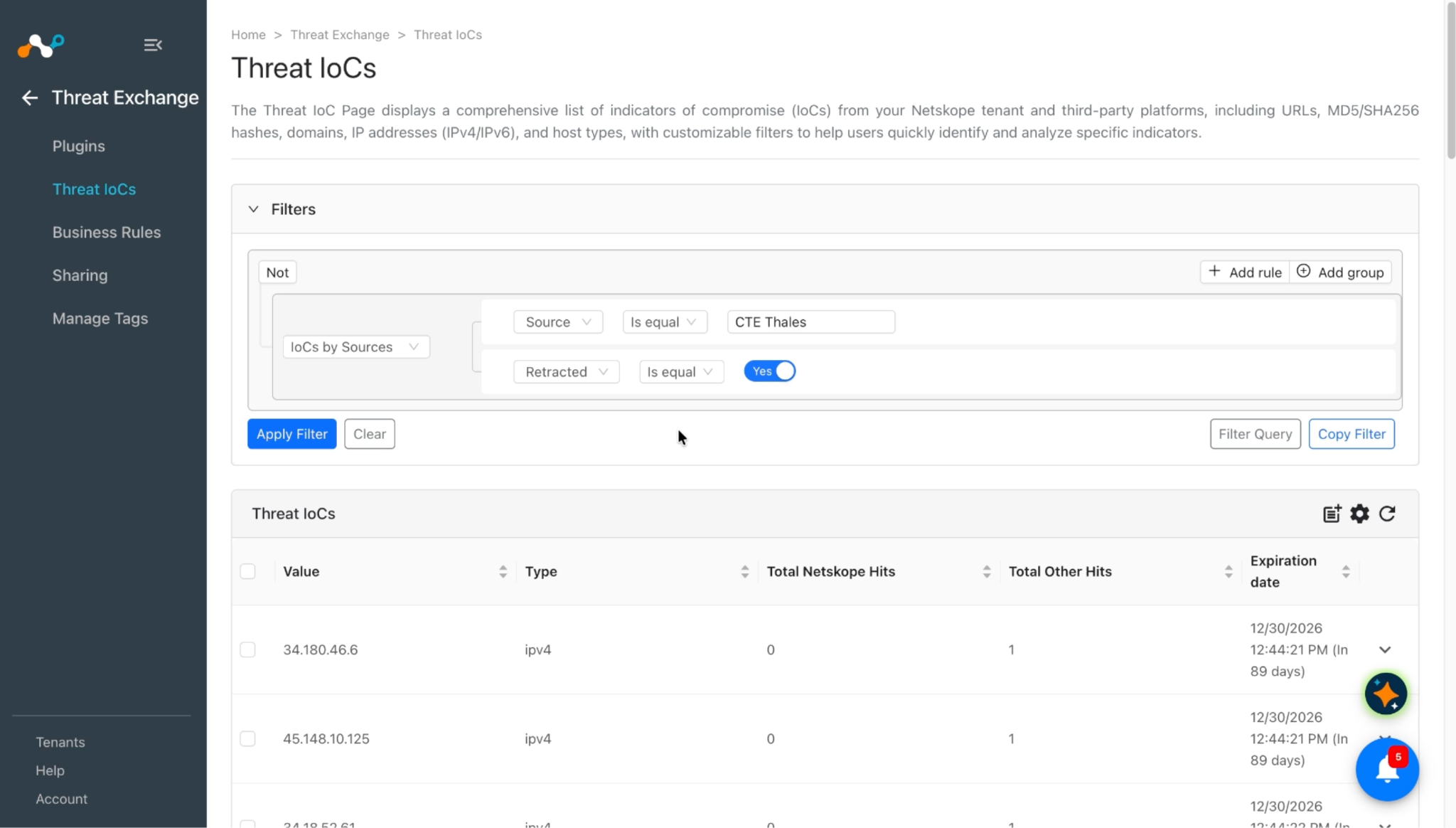
You can filter the retracted IoCs from the platform using the filter sources.source Is equal "<plugin configuration name>" && sources.retracted Is equal true.
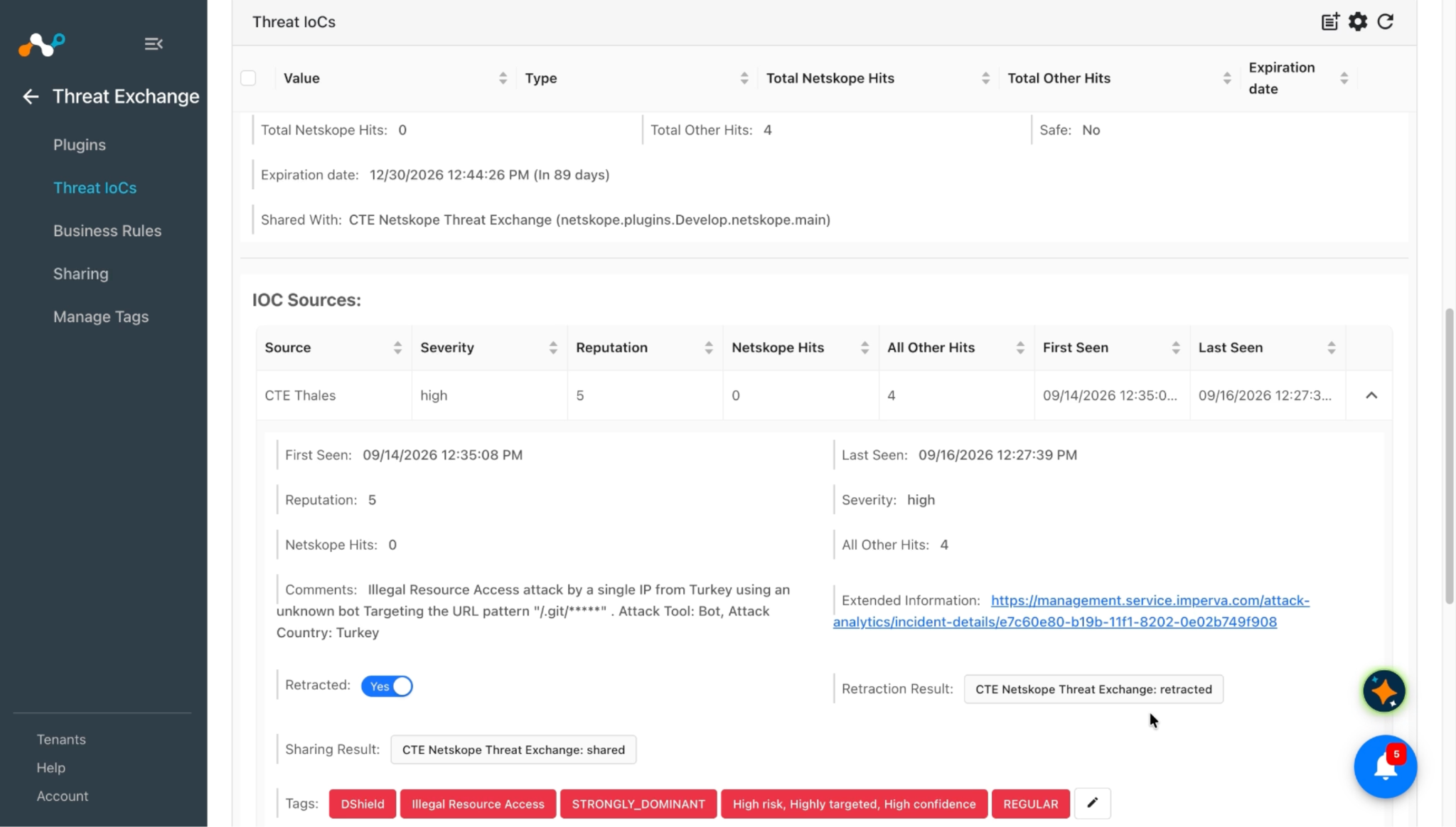
- If the incidents of some indicators are deleted or marked as false positive on Thales, or the indicators are not in the specified Retraction Interval, they are marked as Retracted: Yes in Cloud Exchange.
- Sharing results are marked only if the IoCs are pulled from the source plugin after creating the sharing configuration.
Validate the Push
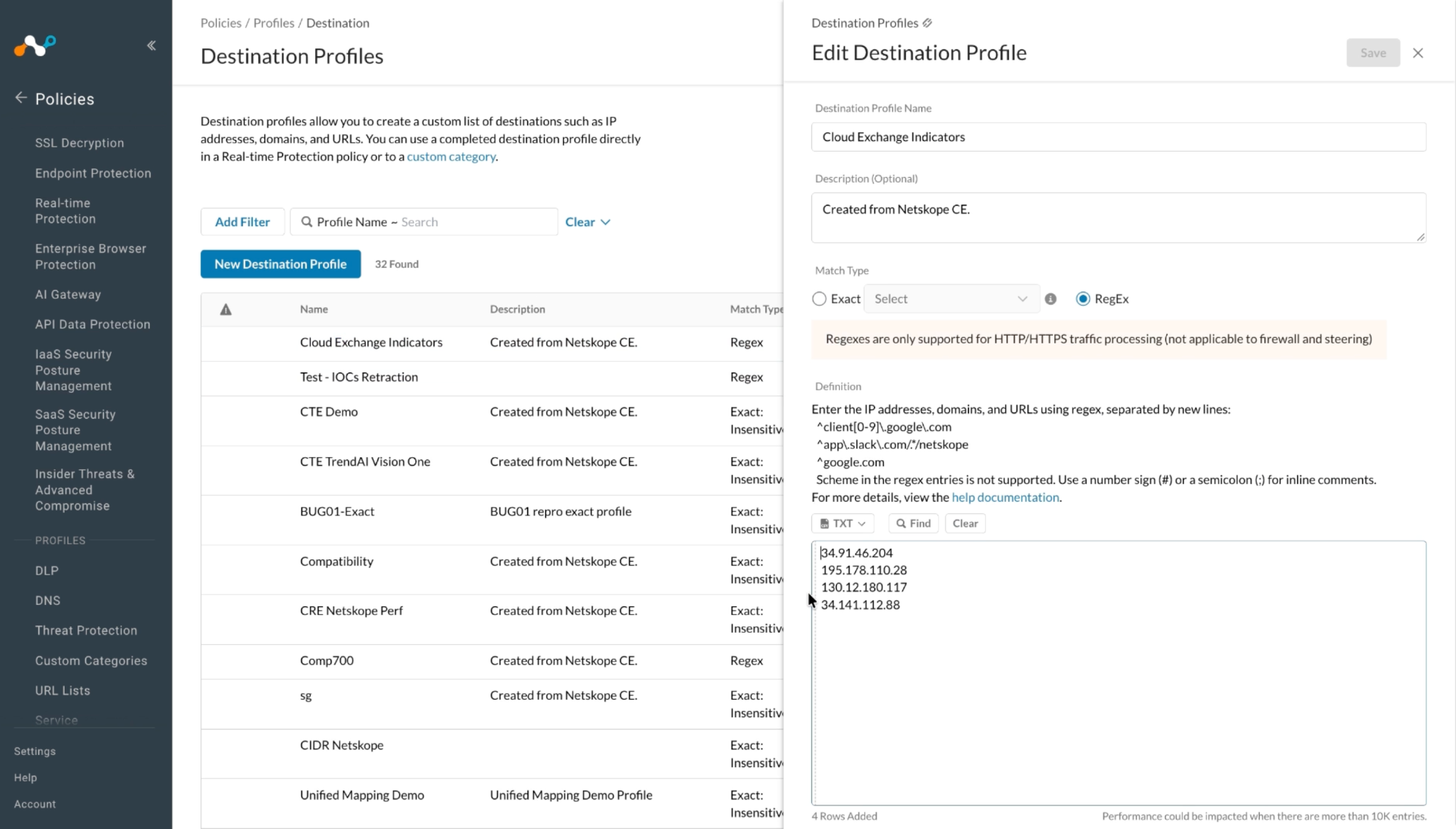
Here you can see IoCs were added to the Destination Profile on the Netskope Tenant.
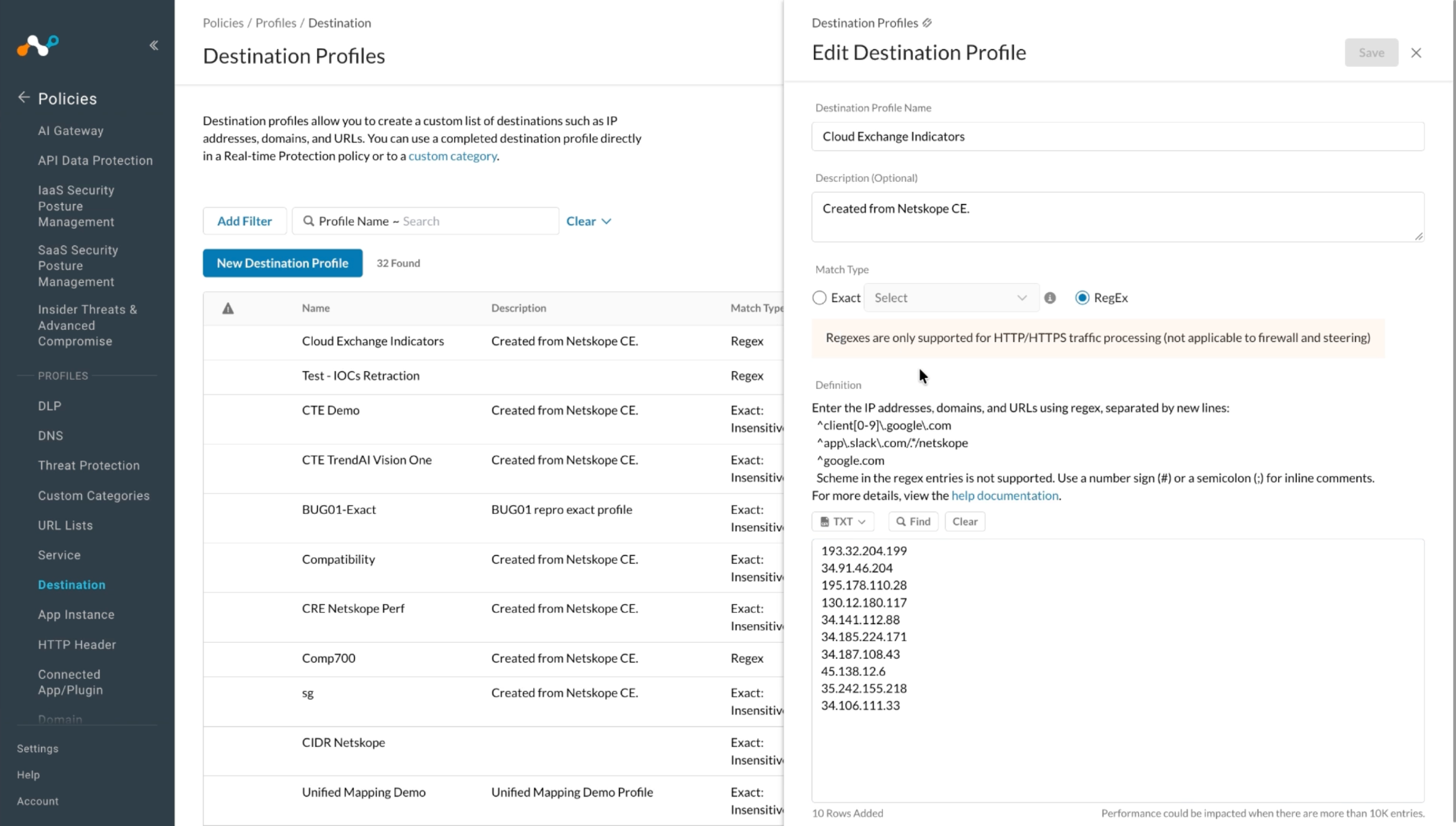
Then some of the shared IoCs were marked as retracted, so they were deleted from the profile.
Troubleshooting the Thales Plugin
Unable to pull IoCs from the Thales platform
After the plugin configuration, if the IoCs are not pulled from the platform, it might be due to one of these reasons:
- No IoCs are available on the platform to pull.
- IoCs are not available for the given configuration parameters (for example, Initial Range).
What to do: Identify your root cause from the list above and follow the matching steps:
- No IoCs are available on the platform to pull: Check if the IoCs are available on the platform to pull. If they are available, check the resolution for the next point.
- IoCs are not available for the given time range: If the IoCs are available on the platform to pull, but the plugin has not pulled the IoCs in Cloud Exchange, check the number of days in the Initial Range (in days) parameter of the plugin configuration. On the Thales platform, check if you have data for the given time range.
