Release Notes
2.6.0 (Required minimum CE version for this is 7.0.0)
Added
- Added support for prefixing CIDR IoCs and RANGE IoCs when sharing them to the destination profile.
- Added support for ipv4 CIDR IoCs when sharing them to the private app and url list.
Updated
- Updated the Private App sharing logger to include the count of skipped IoCs due to unsupported types.
- Updated the FQDN validation regex to support hostnames with multiple labels for Private App sharing.
- Enhanced sharing actions with skipped_iocs tracking to ensure unsupported IoCs retain the correct Sharing Result status after retract and un-retract cycles.
- Improved Unshared tagging to ensure all IoCs that fail to be shared are consistently marked as Unshared across sharing actions.
Fixed
- Added unique destination key mappings for Private App and File Hash List to prevent data from being overwritten by other actions.
2.5.0
Added
- Added support for DNS Profile sharing and push retraction. (Min. required CE version: 6.1.0)
- Added logic for skipping tags longer than 30 characters for Private App sharing action.
2.4.0
Added
- Added support for Destination Profile sharing and delete retraction. (Min. required CE version: 6.1.0)
- Added delete retraction for URL List.
- Added resolution for error logs.
Changed
- Updated URL List sharing to share only modified indicators. (Min. required CE version: 6.1.0)
- Updated error log to info log when duplicate file hashes are shared.
- Updated sharing behavior irrespective of selected IOC types in configuration.
2.3.0
Added
- Added configuration option to enable/disable querying Retrohunt API.
Fixed
- Fixed tagging of indicators while sharing.
2.2.0
Added
- Added support for retraction of False Positive if IoC type is File Hash. (Min. required CE version: 5.1.0)
- Added support for port range in Add to Private App Target.
- Added support for severity in URL IoCs.
Changed
- Pull only malicious file hash IoCs using Retrohunt.
- Updated URL List limit to 7 MB from 8 MB.
2.1.3
Changed
- Bug fixes.
2.1.2
Added
- Added support to create indicators from SHA256 and MD5 fields, along with Local SHA256 and Local MD5, from malware alerts.
2.1.1
Changed
- Updated authentication for V1 token.
2.1.0
Added
- Added support for retraction of retracted IoCs. It does not support fetching retracted indicators from the Netskope tenant.
2.0.0
Changed
- The Netskope CTE plugin has been restructured and is now available in the Default repository.
1.0.0
Added
- Initial release.
This document explains how to configure the Threat Exchange v2.6.0 plugin in the Cloud Exchange platform. This plugin is used to fetch the File hashes (MD5 and SHA256) and URLs (URL, IPv4, hostname, domain, and FQDN) from the Malware and Malsite alerts available on the Netskope Tenant from Skope IT > Alerts.
This plugin also supports sharing File Hashes (MD5 and SHA256) and URLs (URL, IPv4, hostname, domain, and FQDN) indicators to a File Hash List (Policies > Profiles > File), URL List (Policies > Profiles > URL Lists), Private App (Settings > Security Cloud Platform > App Definition > Private App), Destination Profiles (Policies > Profiles > Destination), and DNS Profiles (Policies > Profiles > DNS) within Netskope.
Consider the maximum size of data that Netskope File Hash List can hold (8 MB), URL List can hold (7 MB), and DNS Profile can hold (16 MB) while configuring the Business Rule.
Prerequisites
To complete this configuration, you need:
- A Netskope tenant (or multiple, for example, production and development/test instances).
- A File Profile on your Netskope tenant.
- A URL List on your Netskope tenant.
- A Destination Profile on your Netskope tenant.
- A Private App on your Netskope tenant.
- A DNS Profile on your Netskope Tenant
- A Netskope Cloud Exchange tenant with the Tenant plugin already configured and the Threat Exchange module enabled. Note: Minimum required Tenant version is Netskope Tenant v1.6.2
- A 3rd-party Threat Exchange plugin like CrowdStrike or MISP.
- Connectivity to a Netskope tenant with permission to generate tokens.
- Need Retrohunt API by File Hash feature enabled in Netskope Tenant
- Need Destination Profile feature enabled in Netskope Tenant
- Need Netskope SWG License for the Destination Profile
Threat Exchange Plugin Support
This plugin is used to fetch the File hashes (MD5 and SHA256) and URLs (URL, IPv4, hostname, domain, and FQDN) from the Malware and Malsite alerts available on the Netskope Tenant from Skope IT > Alerts.
This plugin also supports sharing File Hashes (MD5 and SHA256) and URLs (URL, IPv4, hostname, domain, and FQDN) indicators to a File Hash List (Policies > Profiles > File), URL List (Policies > Profiles > URL Lists), Private App (Settings > Security Cloud Platform > App Definition > Private App), Destination Profiles (Policies > Profiles > Destination), and DNS Profiles (Policies > Profiles > DNS) within Netskope.
Consider the maximum size of data that Netskope File Hash List can hold (8 MB), URL List can hold (7 MB), and DNS Profile can hold (16 MB) while configuring the Business Rule.
| Fetched Indicator Types (Malware and Malsite alerts) | Shared Indicator Types |
|---|---|
| SHA256 MD5 Domain IPv4 Local_MD5 Local_SHA256 URL | SHA256 MD5 Domain IPv4 URL |
Note
- Support for prefixing CIDR IOCs and RANGE IOCs when sharing them to the destination profile is from CE v7.0.0.
- Support for sharing IPv4 CIDR IOCs to the private app and url list is from CE v7.0.0
IoC Retraction
IoC Retraction (Pull): IoCs that are false positive(verdict clean) as per retrohunt (retrohunt/ioc/getinfo) endpoint will be marked as retraced in CE if Enable Retrohunt is set to Yes in the plugin configuration.
IOC Retraction (Push): Retracted indicators present on CE will be deleted from Netskope Tenant during sharing.
| Retraction Type | Supported Retraction Type |
|---|---|
| IoC Retraction (Pull) | Yes |
| IoC Retraction (Push) | Yes |
Mappings
| Cloud Exchange Fields | Netskope Fields |
|---|---|
| value | Malware local_md5, local_sha256, SHA256 and MD5 Malsite |
| type | Malware MD5, SHA256 Malsite URL |
| comments | Malware <Tenant URL> – object Example: https://crest-plugin-support.de.goskope.com – , Malware Name: amtest, Malware Type: hash Malsite <Tenant URL> – malsite_category Example: https://crest-plugin-support.de.goskope.com – Malicious Site, Phish Site, Bot |
| severity | Malware retrohunt.severity_updated or retrohunt.severity or severity 1: low 2: medium 3: high Malsite severity |
| firstseen, lastseen | timestamp |
Permissions
- Need v2 token created using the Netskope Cloud Exchange Role.
- The required permissions (privilege levels) per plugin are available in REST API scopes.
API Details
List of APIs Used
| API Endpoint | Method | Use Case |
|---|---|---|
| /api/v2/events/dataexport/alerts/malware | GET | Pull the Malware alerts from Netskope tenant |
| /api/v2/events/dataexport/alerts/malsite | GET | Pull the Malsite alerts from Netskope tenant |
| /api/v1/updateFileHashList | POST | Push the file hashes to Netskope Tenant |
| /api/v2/policy/urllist | GET | Get URL Lists |
| /api/v2/policy/urllist | POST | Create URL List |
| /api/v2/policy/urllist/{}/append | PATCH | Push the URLs to Netskope |
| /api/v2/policy/urllist/deploy | POST | Deploy changes to Netskope URL List |
| /api/v2/steering/apps/private | GET | List Private Apps |
| /api/v2/infrastructure/publishers | GET | List Publishers for Private Apps |
| /api/v2/steering/apps/private | PATCH | Push Private App to Netskope Tenant |
| /api/v2/nsiq/retrohunt/ioc/getinfo | POST | Fetch False Positive and Retrohunt Severity |
| /api/v2/policy/urllist/{}/replace | PATCH | Push the URLs to Netskope for delete retraction |
| /api/v2/profiles/destinations | GET | Get Destination Profiles |
| /api/v2/profiles/destinations | POST | Create Destination Profile |
| /api/v2/profiles/destinations/{}/values | POST | Push or Remove Destination Profile Values |
| /api/v2/profiles/destinations/deploy | POST | Apply Pending Changes for a Destination Profile |
| /api/v2/profiles/dns | GET | Get DNS Profiles |
| /api/v2/profiles/dns | POST | Create DNS Profile |
| /api/v2/profiles/dns/{} | PATCH | Update DNS Profile |
| /api/v2/profiles/dns/domaincategories | GET | Get DNS categories |
| /api/v2/profiles/dns/recordtypes | GET | Get DNS Record types |
Pull the Malware alerts from Netskope tenant
API Endpoint: https://<tenant-url>/api/v2/events/dataexport/alerts/malware
Method: GET
Request Headers
| Key | Value |
|---|---|
| Netskope-API-Token | <netskope_api_rbac3_token> |
| User-Agent | netskope-ce-7.0.0 |
Sample API Response
{
    "ok": 1,
    "result": [
        {
            "TSS-scan": "v2",
            "_id": "ca2cd2413493f18eeb65b2",
            "access_method": "API Connector",
            "acked": "false",
            "action": "Detection",
            "activity": "Introspection Scan",
            "alert": "yes",
            "alert_name": "VBA.Heur.EmotetDldr.1.3CBCEF4D.Gen:94075",
            "alert_type": "Malware",
            "app": "Dropbox",
            "app_name": "Dropbox",
            "app_session_id": 97439093538764,
            "appcategory": "Cloud Storage",
            "category": "Cloud Storage",
            "cci": 81,
            "ccl": "high",
            "connection_id": 115689096495576,
            "count": 1,
            "created_date": 1751544554,
            "detection_engine": "Netskope Advanced Heuristic Analysis",
            "detection_type": "Virus",
            "device": "Other",
            "dst_country": "US",
            "dst_geoip_src": 2,
            "dst_latitude": 37.77,
            "dst_location": "San Francisco",
            "dst_longitude": -122.4,
            "dst_region": "California",
            "dst_zipcode": "94107",
            "dstip": "162.125.8.18",
            "file_id": "id:RqCtsmy9paAAAAAAAAP9LA",
            "file_name": "testpdv_5e673d7973900c3c1ed399_66b8e7b2e881b711aca1b98d91d5ce3b_1751544269_office_clafier.doc",
            "file_path": "/tss-sanity-1751a0b8/testpdv_5e67ccdec797303d7973900c3c1ed399_66b8e7b2e881b711aca1b98d91d5ce3b_1751544269_office_classifier.doc",
            "file_size": 156874,
            "file_type": "application/ms-word",
            "filename": "testpdv_5e67ccde0c3c1ed399_66b8e7b2e881b711aca1b98d91d5ce3b_1751544269_office_classifier.doc",
            "incident_id": 1000362732176413775,
            "instance": "TEST Netskope MW 1",
            "local_md5": "66e881b711aca1b98d91d5ce3b",
            "local_sha256": "6712afc5119e5303a6dedcb4b61cf2f1ee525cd2c9d4da31d21",
            "malware_id": "6c2e227369044356354b84add6456611",
            "malware_name": "VBA.Heur.EtDldr.1.3CBCEF4D.Gen:94075",
            "malware_severity": "high",
            "malware_type": "Virus",
            "md5": "66b8e7b2e8aca1b98d91d5ce3b",
            "mime_type": "application/msword",
            "modified_date": 1751544429,
            "object": "testpdv_5e973900c3c1ed399_66b8e7b2e881b711aca1b98d91d5ce3b_1751544269_office_classifier.doc",
            "object_id": "id:RqCtsmyAAAP9LA",
            "object_type": "File",
            "organization_unit": "",
            "policy": "2214472052546912863",
            "request_id": 0,
            "scan_time": 1751544554,
            "scan_type": "ongoing",
            "scanner_result": "malicious",
            "severity": "high",
            "severity_id": 3,
            "sha1": "c66724a30cf9a0e0558ec3028d",
            "sha256": "6712afc5119e507259dcb4b61cf2f1ee525cd2c9d4da31d21",
            "shared_type": "private",
            "site": "Dropbox",
            "timestamp": 1751544733,
            "title": "testpdv_5e67ccd399_66b8e7b2e881b711aca1b98d91d5ce3b_1751544269_office_classifier.doc",
            "traffic_type": "CloudApp",
            "transaction_id": 1000362732176413775,
            "true_filetype": "None",
            "tss_license": "True",
            "tss_mode": "introspection",
            "type": "nspolicy",
            "ur_normalized": "ali+nsmtp@netskope.com",
            "url": "https://www.dropbox.com/work/tss-sanity-17515441674e95a0b8?preview=testpdv_5e67ccdec797303d7911aca1b98d91d5ce3b_1751544269_office_classifier.doc",
            "user": "alitp@netskope.com",
            "user_id": "dbmi1Dimthhx2TJyIhxpudwxGmM",
            "record_type": "alert",
            "file_category": "",
            "usr_title": "",
            "src_latitude": 0.0,
            "managementID": "",
            "userCountry": "",
            "department": "",
            "browser": "",
            "userip": "",
            "page": "",
            "from_user": "",
            "appsuite": "",
            "os": "",
            "shared_with": [],
            "sanctioned_instance": "",
            "os_version": "",
            "company": "",
            "usr_udf_supervisorname": "",
            "dst_timezone": "",
            "user_confidence_index": 0,
            "browser_session_id": 0,
            "src_geoip_src": 0,
            "usr_udf_companyname": "",
            "srcip": "",
            "usr_udf_supervisorid": "",
            "src_zipcode": "",
            "hostname": "",
            "manager": "",
            "usr_udf_businesssegmentlevel1": "",
            "protocol": "",
            "usr_udf_businesssegmentlevel3": "",
            "custom_attr": {},
            "usr_status": "",
            "usr_udf_businesssegmentlevel2": "",
            "usr_udf_businesssegmentlevel4": "",
            "src_country": "",
            "parent_id": "",
            "src_location": "",
            "src_region": "",
            "device_classification": "",
            "instance_id": "",
            "malware_profile": "",
            "tss_fail_reason": "",
            "browser_version": "",
            "usr_udf_primarydomain": "",
            "usr_udf_employeeid": "",
            "src_timezone": "",
            "policy_id": "",
            "usr_display_name": "",
            "managed_app": "",
            "tss_scan_failed": "",
            "src_time": "",
            "fastscan_results": "",
            "referer": "",
            "ml_detection": "",
            "nsdeviceuid": "",
            "userPrincipalName": "",
            "src_longitude": 0.0,
            "page_site": ""
        }
    ],
    "wait_time": 5,
    "timestamp_hwm": 1751544743
}
Pull the Malsite alerts from Netskope tenant
API Endpoint: https://<tenant-url>/api/v2/events/dataexport/alerts/malsite
Method: GET
Request Headers
| Key | Value |
|---|---|
| Netskope-API-Token | <netskope_api_rbac3_token> |
| User-Agent | netskope-ce-7.0.0 |
Sample API Response
{
    "ok": 1,
    "result": [
        {
            "_id": "96e20f6e73d2867d1865d",
            "access_method": "Client",
            "acked": "false",
            "action": "block",
            "alert": "yes",
            "alert_name": "ww25.cleansix.xyz",
            "alert_type": "malsite",
            "app": "",
            "app_session_id": 8130338485448244761,
            "appcategory": "Security Risk - Cosed/malicious sites",
            "browser_session_id": 5158615776615133890,
            "category": "Security Risk - Comised/malicious sites",
            "cci": 0,
            "ccl": "unknown",
            "connection_id": 0,
            "count": 1,
            "device": "Linux Device",
            "device_classification": "not configured",
            "dst_country": "US",
            "dst_latitude": 27.947519302368164,
            "dst_location": "Tampa",
            "dst_longitude": -82.45842742919922,
            "dst_region": "Florida",
            "dst_timezone": "America/New_York",
            "dst_zipcode": "N/A",
            "dstip": "199.59.243.228",
            "dstport": 80,
            "hostname": "ip-172-31-29-12",
            "incident_id": 374545097297887,
            "ja3": "NotAvailable",
            "ja3s": "NotAvailable",
            "malicious": "yes",
            "malsite_category": [
                "Malicious Site"
            ],
            "malsite_country": "US",
            "malsite_id": "94c0d6c6de81b144a968",
            "malsite_ip_host": "199.59.43.228",
            "malsite_latitude": 27.9479302368164,
            "malsite_longitude": -82.458422919922,
            "malsite_region": "Florida",
            "managed_app": "no",
            "notify_template": "sileblock.html",
            "organization_unit": "",
            "os": "Linux",
            "os_version": "Linux 22.04.4",
            "other_categories": [
                "Security Risk",
                "Security Risk - Compromised/malicious sites"
            ],
            "page": "ww25.cl.xyz/?subid1=20250627-2139f4956fa",
            "page_site": "cleansix",
            "policy": "MalsiteCategoryTestPolicy",
            "policy_id": "21BDBAE80 2025-05-28 11:59:16.009444",
            "protocol": "HTTPS/1.1",
            "request_id": 3745126345097297887,
            "severity": "high",
            "severity_level": "med",
            "severity_level_id": 1,
            "site": "cleansix",
            "src_country": "US",
            "src_latitude": 39.0469,
            "src_location": "Ashburn",
            "src_longitude": -77.4903,
            "src_region": "Virginia",
            "src_time": "Fri Jun 27 07:32:58 2025",
            "src_timezone": "America/New_York",
            "src_zipcode": "20149",
            "srcip": "52.23.214.14",
            "telemetry_app": "",
            "threat_match_field": "domain",
            "threat_match_value": "ww25.cleansix.xyz",
            "threat_source_id": 1,
            "timestamp": 1751023978,
            "traffic_type": "Web",
            "transaction_id": 3745097297887,
            "type": "malsite",
            "ur_normalized": "nijani@crestdatasys.com",
            "url": "ww25.clix.xyz/",
            "user": "nijlani@crestdatasys.com",
            "useragent": "Python/3.10 aiohttp/3.10.5",
            "userip": "172.31.29.12",
            "record_type": "alert",
            "malsite_confidence": 0,
            "object": "",
            "referer": "",
            "sAMAccountName": "",
            "malsite_hostility": "",
            "fromlogs": "",
            "malsite_first_seen": 0,
            "custom_attr": {},
            "object_type": "",
            "conn_duration": 0,
            "universal_connector": "",
            "dsthost": "",
            "malsite_last_seen": 0,
            "suppression_end_time": 0,
            "co": "",
            "malsite_active": "",
            "retro_scan_name": "",
            "from_user": "",
            "aggregated_user": "",
            "division": "",
            "req_cnt": 0,
            "resp_cnt": 0,
            "org": "",
            "log_file_name": "",
            "browser_version": "",
            "department": "",
            "browser": "",
            "dst_geoip_src": 0,
            "gateway": "",
            "server_bytes": 0,
            "malsite_consecutive": "",
            "numbytes": 0,
            "malsite_reputation": "",
            "appsuite": "",
            "serial": "",
            "client_bytes": 0,
            "src_geoip_src": 0,
            "suppression_start_time": 0,
            "sfwder": ""
        }
    ],
    "wait_time": 5,
    "timestamp_hwm": 1751023980
}
Push the file hashes to Netskope Tenant
API Endpoint: https://<tenant-url>/api/v1/updateFileHashList
Method: POST
Body:
{
  "name": "<Name of FileHash List>",
  "list": "<MD5 and SHA256 values comma separated>",
  "token": <Netskope Tenant V1 Token>,
}
Get URL Lists
API Endpoint: https://<tenant-url>/api/v2/policy/urllist
Method: GET
Request Headers
| Key | Value |
|---|---|
| Netskope-API-Token | <netskope_api_rbac3_token> |
| User-Agent | netskope-ce-7.0.0 |
| X-CE-Installation-Id | <installation_id> |
Parameters
| Key | Value |
|---|---|
| field | id,name |
Sample API Response
[
    {
        "id": 1,
        "name": "test"
    }
]
Create URL List
API Endpoint: https://<tenant-url>/api/v2/policy/urllist
Method: POST
Headers
| Key | Value |
|---|---|
| User-Agent | netskope-ce-7.0.0 |
| Netskope-API-Token | <netskope_api_rbac3_token> |
| X-CE-Installation-Id | <installation_id> |
Body
{
  "data": {
    "type": "exact",
    "urls": [
      "www.test.com"
    ]
  },
  "name": "string"
}
Sample API Response
[
  {
    "data": {
      "type": "exact",
      "urls": [
        "www.test.com"
      ]
    },
    "id": 0,
    "modify_by": "Netskope API",
    "modify_time": "1997-01-01 00:00:00",
    "modify_type": "Created",
    "name": "string",
    "pending": 0
  }
]
Push the URLs to Netskope
API Endpoint: https://<tenant-url>/api/v2/policy/urllist/<urllist_id>/append
Method: PATCH
Headers
| Key | Value |
|---|---|
| User-Agent | netskope-ce-7.0.0 |
| Netskope-API-Token | <netskope_api_rbac3_token> |
| X-CE-Installation-Id | <installation_id> |
Body
{
    "data": {
        "urls": [
            "https://example.com/resource/product-000001"
        ],
        "type": "exact"
    }
}
Sample API Response
{
  "data": {
    "type": "exact",
    "urls": [
      "https://example.com/resource/product-000001"
    ]
  },
  "id": 0,
  "modify_by": "Netskope API",
  "modify_time": "2025-01-01 00:00:00",
  "modify_type": "Edited",
  "name": "string",
  "pending": 0
}
Deploy changes to Netskope URL List
API Endpoint: https://<tenant-url>/api/v2/policy/urllist/deploy
Method: POST
Headers
| Key | Value |
|---|---|
| User-Agent | netskope-ce-7.0.0 |
| Netskope-API-Token | <netskope_api_rbac3_token> |
| X-CE-Installation-Id | <installation_id> |
Sample API Response
[
  {
    "data": {
      "type": "exact",
      "urls": [
        "www.test.com"
      ]
    },
    "id": 0,
    "modify_by": "Netskope API",
    "modify_time": "1997-01-01 00:00:00",
    "modify_type": "Created",
    "name": "string",
    "pending": 0
  }
]
List the Private apps from Netskope Tenant
API Endpoint: https://<tenant-url>/api/v2/steering/apps/private
Method: GET
Headers
| Key | Value |
|---|---|
| User-Agent | netskope-ce-7.0.0 |
| Netskope-API-Token | <netskope_api_rbac3_token> |
| X-CE-Installation-Id | <installation_id> |
Parameters
| Key | Value |
|---|---|
| fields | app_id,app_name |
Sample API Response
{
  "data": {
    "private_apps": [
      {
        "app_id": 51,
        "app_name": "[<private_app_name>]",
      },
      ….
    ]
  },
  "status": "success",
  "total": 2
}
List Publisher for Private Apps
API Endpoint: https://<tenant-url>/api/v2/infrastructure/publishers
Method: GET
Headers
| Key | Value |
|---|---|
| User-Agent | netskope-ce-7.0.0 |
| Netskope-API-Token | <netskope_api_rbac3_token> |
| X-CE-Installation-Id | <installation_id> |
Parameters
| Key | Value |
|---|---|
| fields | publisher_id,publisher_name |
Sample API Response
{
  "data": {
    "publishers": [
      {
        "publisher_id": 3,
        "publisher_name": "<publisher_name>"
      },
      ….
    ]
  },
  "status": "success",
  "total": 5
}
Push Private App to Netskope Tenant
API Endpoint: https://<tenant-url>/api/v2/steering/apps/private/<app_id>
Method: PATCH
Headers
| Key | Value |
|---|---|
| User-Agent | netskope-ce-7.0.0 |
| Netskope-API-Token | <netskope_api_rbac3_token> |
| X-CE-Installation-Id | <installation_id> |
Body
{
    "host": "1.1.1.1,3.2.14.4",
    "protocols": [
        {
            "port": "23",
            "type": "TCP"
        }
    ],
    "publishers": [
        {
            "publisher_id": "3",
            "publisher_name": "<publisher_name>"
        }
    ],
    "tags": [
        {
            "tag_name": "test"
        }
    ]
}
Sample API Response
{
  "data": {
    "allow_unauthenticated_cors": false,
    "allow_uri_bypass": false,
    "app_id": 51,
    "app_name": "[<app_name>]",
    "app_option": {},
    "bypass_uris": [],
    "clientless_access": false,
    "host": "1.1.1.1,3.2.14.4",
    "id": 51,
    "is_user_portal_app": false,
    "modified_by": "apigw",
    "modify_time": "2025-04-01 04:03:31",
    "name": "[Risk Exchange Demo]",
    "policies": [],
    "private_app_protocol": "",
    "protocols": [
      {
        "created_at": "2025-04-01T04:03:31.659Z",
        "id": 270,
        "port": "23",
        "service_id": 3,
        "transport": "tcp",
        "updated_at": "2025-04-01T04:03:31.659Z"
      }
    ],
    "public_host": "",
    "reachability": {
      "reachable": false
    },
    "real_host": "",
    "service_publisher_assignments": [
      {
        "primary": null,
        "publisher_id": 3,
        "publisher_name": "<publisher_name>",
        "reachability": null,
        "service_id": 51
      }
    ],
    "steering_configs": [
      "Default tenant config"
    ],
    "supplement_dns_for_osx": false,
    "tags": [
      {
        "tag_id": 153,
        "tag_name": "test"
      }
    ],
    "trust_self_signed_certs": false,
    "uribypass_header_value": "",
    "use_publisher_dns": false
  },
  "status": "success"
}
Fetch False Positive and Retrohunt Severity
API Endpoint: https://<tenant-url>/api/v2/nsiq/retrohunt/ioc/getinfo
Method: POST
Headers
| Key | Value |
|---|---|
| User-Agent | netskope-ce-7.0.0 |
| Netskope-API-Token | <netskope_api_rbac3_token> |
| X-CE-Installation-Id | <installation_id> |
Body
{
    "hash": [
        "e0b060152606988664368bd658cbec4b"
    ]
}
Sample API Response
{
    "status": "OK",
    "result": {
        "e0b060152606988664368bd658cbec4b": {
            "seen": true,
            "verdict": "malicious",
            "severity": 3,
            "md5": "e0b060152606988664368bd658cbec4b",
            "sha256": "263689ec92f357b573206c06d27ae957bf17be7ff2b90f917543432b01e3be10",
            "malware_name": "Backdoor",
            "latest_detection_date": 1750150278,
            "verdict_updated": "clean",
            "severity_updated": 0
        }
    }
}
Push the URLs to Netskope for delete retraction
API Endpoint: https://<tenant-url>/api/v2/policy/urllist/<urllist_id>/replace
Method: PATCH
Headers
| Key | Value |
|---|---|
| User-Agent | netskope-ce-7.0.0 |
| Netskope-API-Token | <netskope_api_rbac3_token> |
| X-CE-Installation-Id | <installation_id> |
Body
{
    "data": {
        "urls": [
            "https://example.com/resource/product-000001"
        ],
        "type": "exact"
    }
}
Sample API Response
{
  "data": {
    "type": "exact",
    "urls": [
      "https://example.com/resource/product-000001"
    ]
  },
  "id": 0,
  "modify_by": "Netskope API",
  "modify_time": "2025-01-01 00:00:00",
  "modify_type": "Edited",
  "name": "string",
  "pending": 1
}
Get Destination Profiles
API Endpoint: https://<tenant-url>/api/v2/profiles/destinations
Method: GET
Request Headers
| Key | Value |
|---|---|
| User-Agent | netskope-ce-7.0.0 |
| Netskope-API-Token | <netskope_api_rbac3_token> |
| X-CE-Installation-Id | <installation_id> |
Parameters
| Key | Value |
|---|---|
| fields | id,name,type,values_count |
| offset | 0 |
| limit | 100 |
Sample API Response
{
    "elements": [
        {
            "id": "dfbd59ab-xxxx-xxxx-xxxx-81b7bc805f47",
            "name": "CTE Destination Profile",
            "type": "insensitive",
            "values_count": 100000
        }
    ],
    "total_count": 1
}
Create Destination Profile
API Endpoint: https://<tenant-url>/api/v2/profiles/destinations
Method: POST
Headers
| Key | Value |
|---|---|
| User-Agent | netskope-ce-7.0.0 |
| Netskope-API-Token | <netskope_api_rbac3_token> |
| X-CE-Installation-Id | <installation_id> |
Body
{
    "description": "my destination description",
    "name": "CTE Destination Profile",
    "type": "insensitive",
    "values": [
        "example.com/resource/product-000001"
    ]
}
Sample API Response
{
    "id": "dfbd59ab-xxxx-xxxx-xxxx-81b7bc805f47",
    "name": "CTE Destination Profile",
    "description": "my destination description",
    "type": "insensitive",
    "values": [
        "example.com/resource/product-000001"
    ],
    "values_count": 1,
    "status": "applied",
    "create_by": "NetskopeCE",
    "create_time": "2026-04-01T08:48:50.284153069Z",
    "modify_by": "NetskopeCE-Dev",
    "modify_time": "2026-04-01T08:48:50.284153069Z",
    "label_ids": []
}
Push or Remove Destination Profile Values
API Endpoint: https://<tenant-url>/api/v2/profiles/destinations/<destination-profile-id>/values
Method: POST
Headers
| Key | Value |
|---|---|
| User-Agent | netskope-ce-7.0.0 |
| Netskope-API-Token | <netskope_api_rbac3_token> |
| X-CE-Installation-Id | <installation_id> |
Body
{
    "operation": {
        "op": "append",
        "values": [
            "www.example.com/mypath1",
            "www.example.com/mypath2"
        ]
    }
}

OR

{
    "operation": {
        "op": "remove",
        "values": [
            "www.example.com/mypath1",
            "www.example.com/mypath2"
        ]
    }
}
Sample API Response
{
    "id": "dfbd59ab-xxxx-xxxx-xxxx-81b7bc805f47",
    "name": "CTE Destination Profile",
    "description": "my destination description",
    "type": "insensitive",
    "values": [
        "example.com/resource/product-000001",
        "www.example.com/mypath1",
        "www.example.com/mypath2"
    ],
    "values_count": 3,
    "status": "applied",
    "create_by": "NetskopeCE",
    "create_time": "2026-04-01T08:43:21.661Z",
    "modify_by": "NetskopeCE",
    "modify_time": "2026-04-01T08:43:53.825Z",
    "label_ids": []
}

Remove for Delete Retraction

{
    "id": "dfbd59ab-xxxx-xxxx-xxxx-81b7bc805f47",
    "name": "CTE Destination Profile",
    "description": "my destination description",
    "type": "insensitive",
    "values": [
        "example.com/resource/product-000001"
    ],
    "values_count": 1,
    "status": "applied",
    "create_by": "NetskopeCE",
    "create_time": "2026-04-01T08:43:21.661Z",
    "modify_by": "NetskopeCE",
    "modify_time": "2026-04-01T08:50:12.81Z",
    "label_ids": []
}
Apply Pending Changes for a Destination Profile
API Endpoint: https://<tenant-url>/api/v2/profiles/destinations/deploy
Method: POST
Headers
| Key | Value |
|---|---|
| User-Agent | netskope-ce-7.0.0 |
| Netskope-API-Token | <netskope_api_rbac3_token> |
| X-CE-Installation-Id | <installation_id> |
Body
{
  "ids": [
    "dfbd59ab-xxxx-xxxx-xxxx-81b7bc805f47"
  ]
}
Sample API Response
{
    "applied": [
        "dfbd59ab-xxxx-xxxx-xxxx-81b7bc805f47"
    ]
}
Get DNS Profiles
API Endpoint: https://<tenant-url>/api/v2/profiles/dns
Method: GET
Headers
| Key | Value |
|---|---|
| User-Agent | netskope-ce-7.0.0 |
| Netskope-API-Token | <netskope_api_rbac3_token> |
| X-CE-Installation-Id | <installation_id> |
Query Parameters
| Key | Value | Description |
|---|---|---|
| limit | 150 | Pagination limit |
| offset | 0 | Pagination offset |
| fields | id,name | Fields to get in the API response |
| filter | Name eq “<Profile Name> | Used to get a DNS profile details by name |
Sample Response
{
    "profiles": [
        {
            "id": "43b69ef8-47b1-11f1-b64b-86231e291fcc",
            "name": "Netskope DNS Profile 1"
        },
        {
            "id": "783e8454-4d26-11f1-a0bb-0e3351bf9dec",
            "name": "Netskope DNS Profile 2"
        }
    ],
    "total": 2
}
Create DNS Profile
API Endpoint: https://<tenant-url>/api/v2/profiles/dns
Method: POST
Headers
| Key | Value |
|---|---|
| User-Agent | netskope-ce-7.0.0 |
| Netskope-API-Token | <netskope_api_rbac3_token> |
| X-CE-Installation-Id | <installation_id> |
Request Body
{
    "name": "My Profile",
    "log_traffic": "Blocked DNS",
    "domain_config": {
        "security_categories": [
            {
                "name": "Newly Registered Domain",
                "action": "Sinkhole"
            }
        ],
        "allow_list": [
            {
                "record_types": [
                    "All Record Types"
                ],
                "domain_names": [
                    "abc.com"
                ]
            }
        ],
        "block_list": [
            {
                "record_types": [
                    "All Record Types"
                ],
                "domain_names": [
                    "xyz.com"
                ]
            }
        ],
        "sinkhole_ip": "1.2.3.4",
        "block_all_except_allow_list": false
    }
}
Sample Response
{
    "applied_time": "2026-05-15 10:41:26",
    "create_by": "RBACv3",
    "create_time": "Fri, 15 May 2026 10:41:26 GMT",
    "custom_config": {
        "bypass_original_dns": false,
        "enable": false,
        "fallback_to_netskope_dns": true,
        "server_ip": []
    },
    "description": "",
    "domain_config": {
        "allow_list": [
            {
                "destination_profiles": [],
                "domain_names": [
                    "abc.com"
                ],
                "record_types": [
                    "All Record Types"
                ]
            }
        ],
        "block_all_except_allow_list": false,
        "block_list": [
            {
                "destination_profiles": [],
                "domain_names": [
                    "xyz.com"
                ],
                "record_types": [
                    "All Record Types"
                ]
            }
        ],
        "security_categories": [
            {
                "action": "Sinkhole",
                "name": "Newly Registered Domain"
            }
        ],
        "sinkhole_ip": "1.2.3.4"
    },
    "id": "9ffaa12c-504a-11f1-bd75-6ae4e2669381",
    "log_traffic": "Blocked DNS",
    "modify_by": "RBACv3",
    "modify_time": "Fri, 15 May 2026 10:41:26 GMT",
    "name": "My Profile",
    "status": "Applied",
    "tunnel_config": {
        "allow_list": [],
        "enable": false
    }
}
Update DNS Profile
API Endpoint: https://<tenant-url>/api/v2/profiles/dns/{profile_id}
Method: PATCH
Headers
| Key | Value |
|---|---|
| User-Agent | netskope-ce-7.0.0 |
| Netskope-API-Token | <netskope_api_rbac3_token> |
| X-CE-Installation-Id | <installation_id> |
Path Parameter
| Key | Value |
|---|---|
| profile_id | 173axxxx-xxxx-xxxx-xxxx-xxxxe2669381 |
Request Body
{
    "domain_config": {
        "security_categories": [
            {
                "name": "Newly Registered Domain",
                "action": "Sinkhole"
            }
        ],
        "allow_list": [
            {
                "record_types": [
                    "All Record Types"
                ],
                "domain_names": [
                    "abc.com"
                ]
            }
        ],
        "block_list": [
            {
                "record_types": [
                    "All Record Types"
                ],
                "domain_names": [
                    "xyz.com"
                ]
            }
        ],
        "sinkhole_ip": "1.2.3.4",
        "block_all_except_allow_list": false
    }
}
Sample Response
{
    "applied_time": "2026-05-15 10:41:26",
    "create_by": "RBACv3",
    "create_time": "Fri, 15 May 2026 10:41:26 GMT",
    "custom_config": {
        "bypass_original_dns": false,
        "enable": false,
        "fallback_to_netskope_dns": true,
        "server_ip": []
    },
    "description": "",
    "domain_config": {
        "allow_list": [
            {
                "destination_profiles": [],
                "domain_names": [
                    "abc.com"
                ],
                "record_types": [
                    "All Record Types"
                ]
            }
        ],
        "block_all_except_allow_list": false,
        "block_list": [
            {
                "destination_profiles": [],
                "domain_names": [
                    "xyz.com"
                ],
                "record_types": [
                    "All Record Types"
                ]
            }
        ],
        "security_categories": [
            {
                "action": "Sinkhole",
                "name": "Newly Registered Domain"
            }
        ],
        "sinkhole_ip": "1.2.3.4"
    },
    "id": "9ffaa12c-504a-11f1-bd75-6ae4e2669381",
    "log_traffic": "Blocked DNS",
    "modify_by": "RBACv3",
    "modify_time": "Fri, 15 May 2026 10:41:26 GMT",
    "name": "My Profile",
    "status": "Applied",
    "tunnel_config": {
        "allow_list": [],
        "enable": false
    }
}
Get DNS Categories
API Endpoint: https://<tenant-url>/api/v2/profiles/dns/domaincategories
Method: GET
Headers
| Key | Value |
|---|---|
| User-Agent | netskope-ce-7.0.0 |
| Netskope-API-Token | <netskope_api_rbac3_token> |
| X-CE-Installation-Id | <installation_id> |
Query Parameters
| Key | Value |
|---|---|
| limit | 150 |
| offset | 0 |
| sortby | name |
| sortorder | asc |
Sample Response
{
    "domaincategories": [
        {
            "category_type": "Security",
            "id": "575",
            "name": "Newly Observed Domain"
        },
        {
            "category_type": "Security",
            "id": "574",
            "name": "Newly Registered Domain"
        },
        {
            "category_type": "Security",
            "id": "583",
            "name": "Security Risk - Ad Fraud"
        },
        {
            "category_type": "Security",
            "id": "588",
            "name": "Security Risk - Attack"
        },
        {
            "category_type": "Security",
            "id": "578",
            "name": "Security Risk - Botnets"
        },
        {
            "category_type": "Security",
            "id": "579",
            "name": "Security Risk - Command and Control server"
        },
        {
            "category_type": "Security",
            "id": "580",
            "name": "Security Risk - Compromised/malicious sites"
        },
        {
            "category_type": "Security",
            "id": "589",
            "name": "Security Risk - Cryptocurrency Mining"
        },
        {
            "category_type": "Security",
            "id": "594",
            "name": "Security Risk - DGA"
        },
        {
            "category_type": "Security",
            "id": "584",
            "name": "Security Risk - Hacking"
        }
    ],
    "total": 15
}
Get DNS Record Types
API Endpoint: https://<tenant-url>/api/v2/profiles/dns/recordtypes
Method: GET
Headers
| Key | Value |
|---|---|
| User-Agent | netskope-ce-7.0.0 |
| Netskope-API-Token | <netskope_api_rbac3_token> |
| X-CE-Installation-Id | <installation_id> |
Query Parameters
| Key | Value |
|---|---|
| limit | 150 |
| offset | 0 |
| sortby | name |
| sortorder | asc |
Sample Response
{
    "recordtypes": [
        {
            "id": "13",
            "name": "A"
        },
        {
            "id": "62",
            "name": "AAAA"
        },
        {
            "id": "83",
            "name": "ANY"
        },
        {
            "id": "6",
            "name": "All Record Types"
        },
        {
            "id": "76",
            "name": "CERT"
        },
        {
            "id": "27",
            "name": "CNAME"
        },
        {
            "id": "48",
            "name": "MX"
        },
        {
            "id": "20",
            "name": "NS"
        },
        {
            "id": "41",
            "name": "PTR"
        },
        {
            "id": "34",
            "name": "SOA"
        }
    ],
    "total": 12
}
Performance Matrix
This reading is conducted on a Large CE Stack with these specifications by pulling and pushing 100k IoCs.
| Description | Specification |
|---|---|
| Stack Size | Large RAM: 32 GB Core: 16 |
| Indicators fetched from Netskope tenant | ~45k per min |
| Indicators shared to Netskope tenant (URL List) | ~100k per min |
| Indicators shared to Netskope tenant (File Hash List) | ~200k per min |
| Indicators shared to Netskope tenant (Private App) | ~500 per min |
| Indicators shared to Netskope tenant (Destination Profile) | ~120k per min |
| Indicators shared to Netskope tenant (DNS Profile) | ~200k per min |
Note
- Private App has a maximum limit of 500, so users will not be able to share more than 500 IoCs to a single Private App.
- Here the sharing performance is calculated with creating a new Destination profile. If the IoCs are shared in an existing Destination profile, the performance might be affected due to the API behaviour that only allows 10 IoCs in one batch while sharing to an existing Destination profile.
User Agent
netskope-ce-7.0.0
Workflow
- Configure a File profile.
- Configure a Malware Detection profile.
- Configure a Destination profile.
- Configure a DNS Profile.
- Configure a Real-Time Protection policy.
- Configure the Threat Exchange plugin.
- Enable IoC retraction.
- Configure a Business Rule
- Configure Sharing using the Source Plugin, Business Rule, Destination Plugin, and Target.
- Validate the Threat Exchange plugin.
Watch a Video
Click play to watch a video.
Configure a File Profile
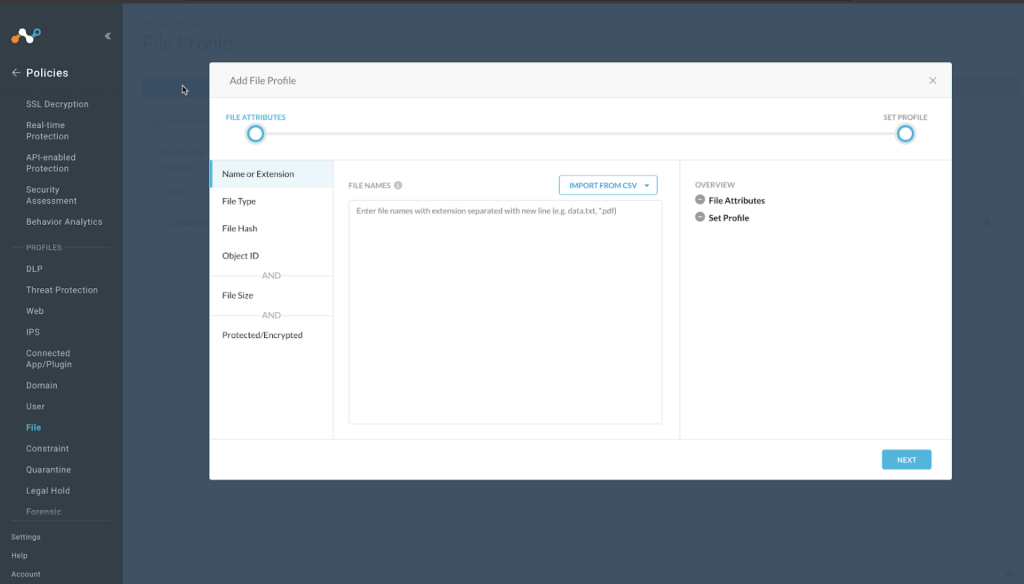
- In your Netskope tenant, go to Policies > Profiles > File and click New File Profile.

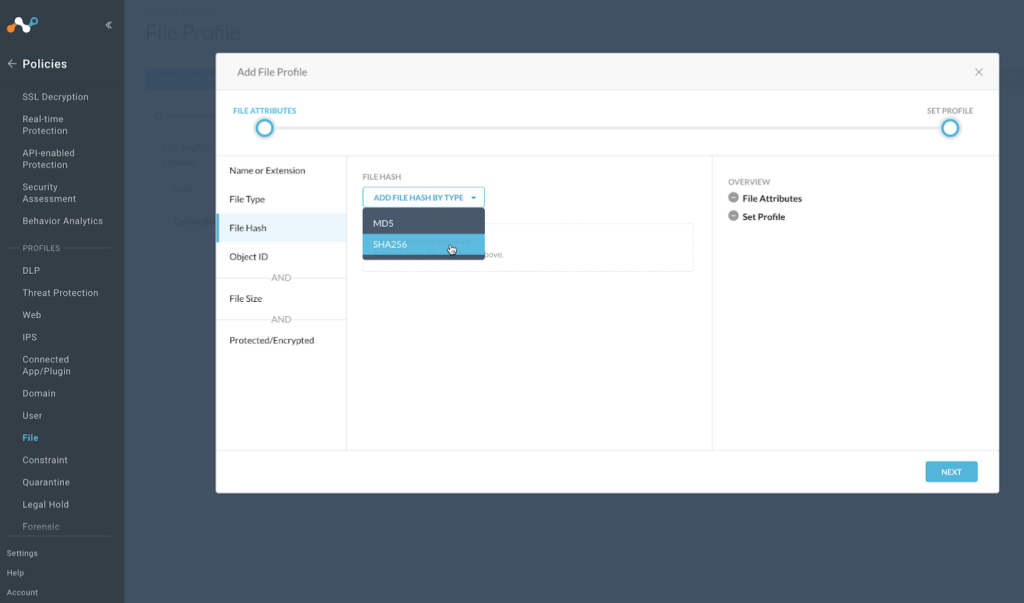
- Select File Hash, and in the dropdown, select SHA256.

- Enter a temporary value in the text field. Netskope does not support proceeding without having a value in this field, and we recommend using as a string of 64 characters that consist of the character f, which will have a very low possibility of matching a valid file format. For example: ffffffffffffffffffffffffffffffffffffffffffffffffffffffffffffffff.
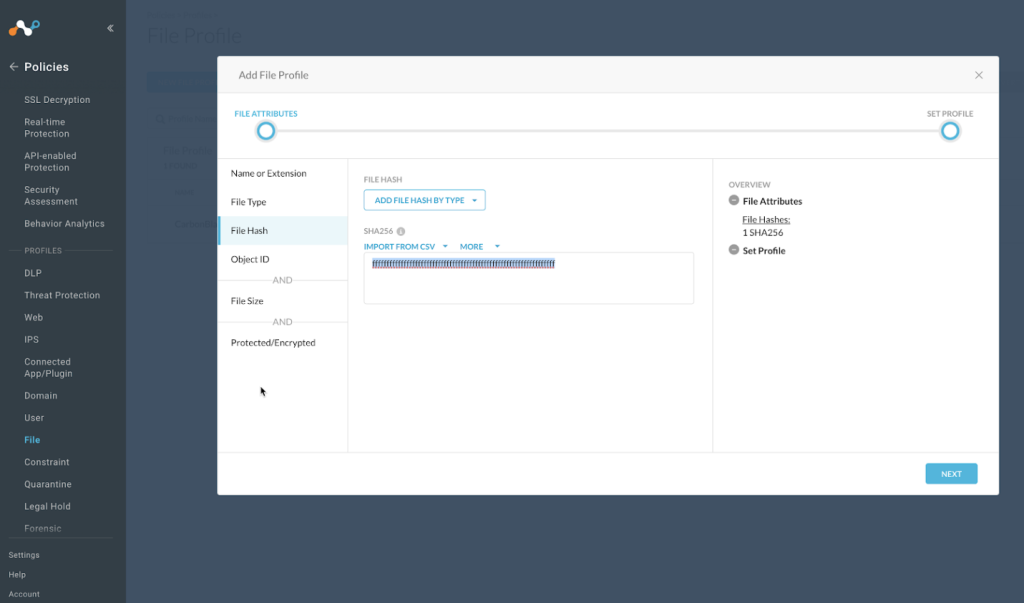

- Click Next.
- Enter a Profile name and description. Do not use spaces in your profile name; use underscores instead for spaces.
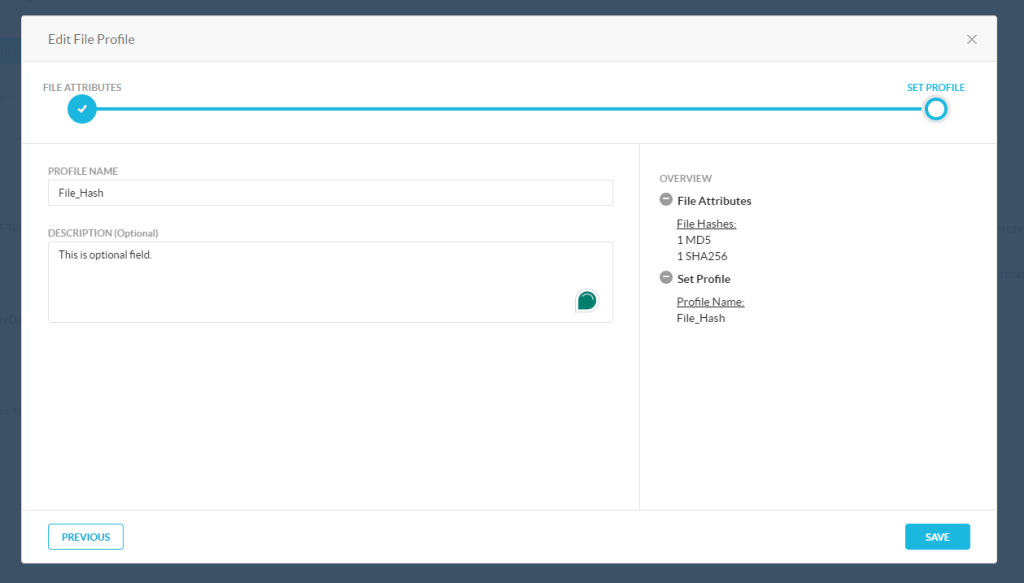

- Click Save.
- To use this profile in a policy, click Apply Changes on the top right of the screen.
Configure a Malware Detection Profile
- In your Netskope tenant, go to Policies > Threat Protection > Malware Detection Profile and click New Malware Detection Profile.
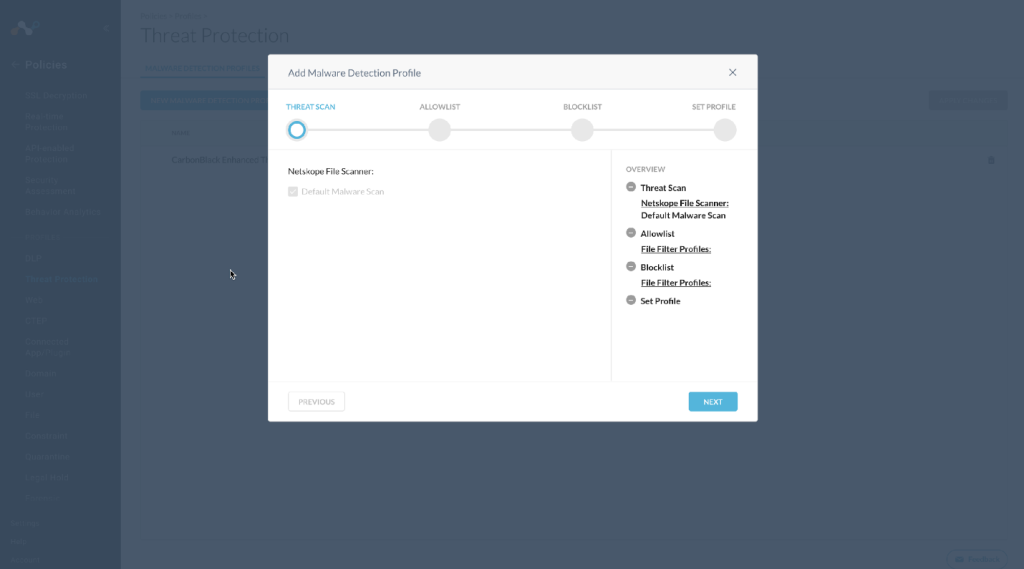

- Click Next.
- For this example, create this list as a block list (click through Allow options). Netskope does support inclusion of both allow and block lists in the Malware Detection profiles. Click Next.
- Select the File Profile that you created previously.
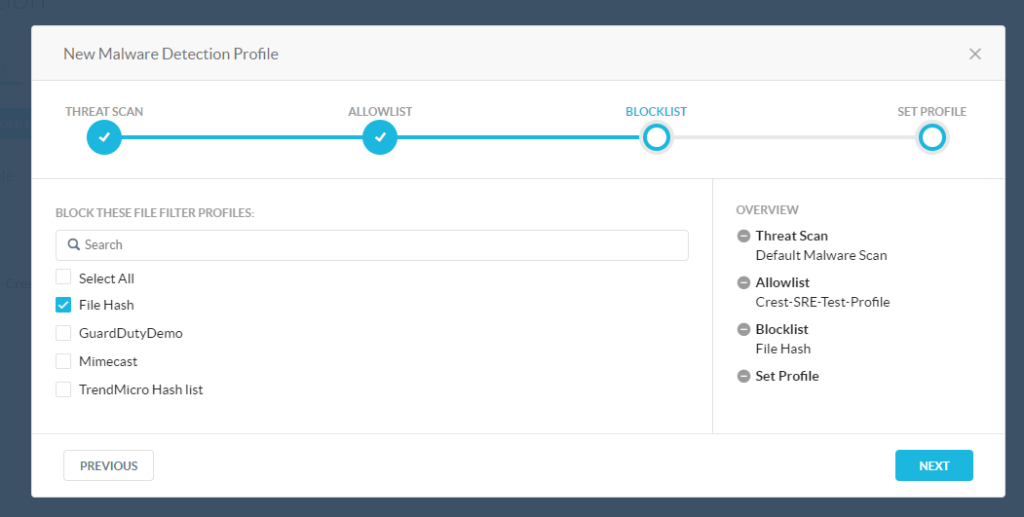

- Click Next.
- Enter a name for the Malware Detection profile.
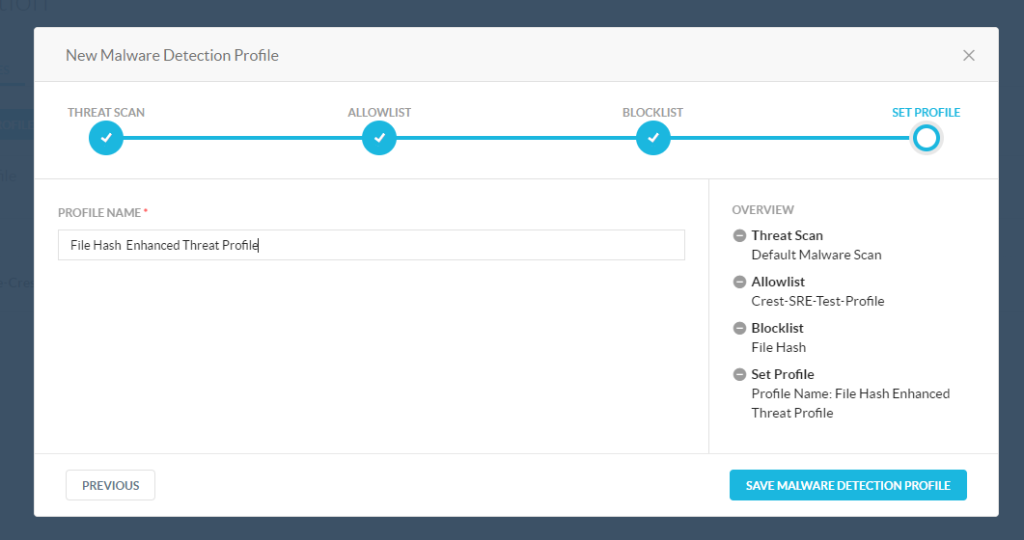

- Click Save Malware Detection Profile.
- To use this profile in a policy, click Apply Changes on the top right of the screen.
Configure a Destination Profile
-
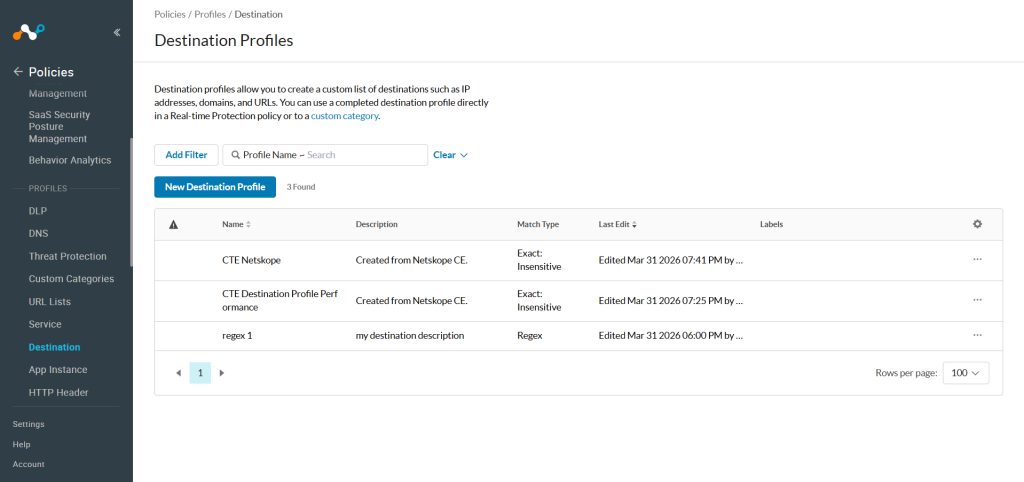
In your Netskope tenant, go to Policies > Profiles > Destination and click New Destination Profile.
-
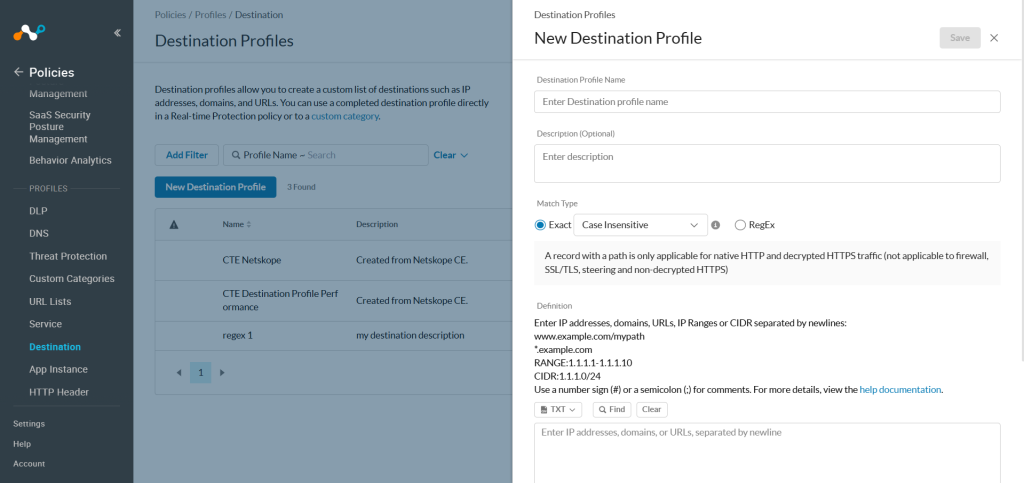
Provide Destination Profile Name and Description and select the Match type.
-
Click Save.
-
To use this profile in a policy, click View pending changes on the top of the screen and then click on Apply changes.


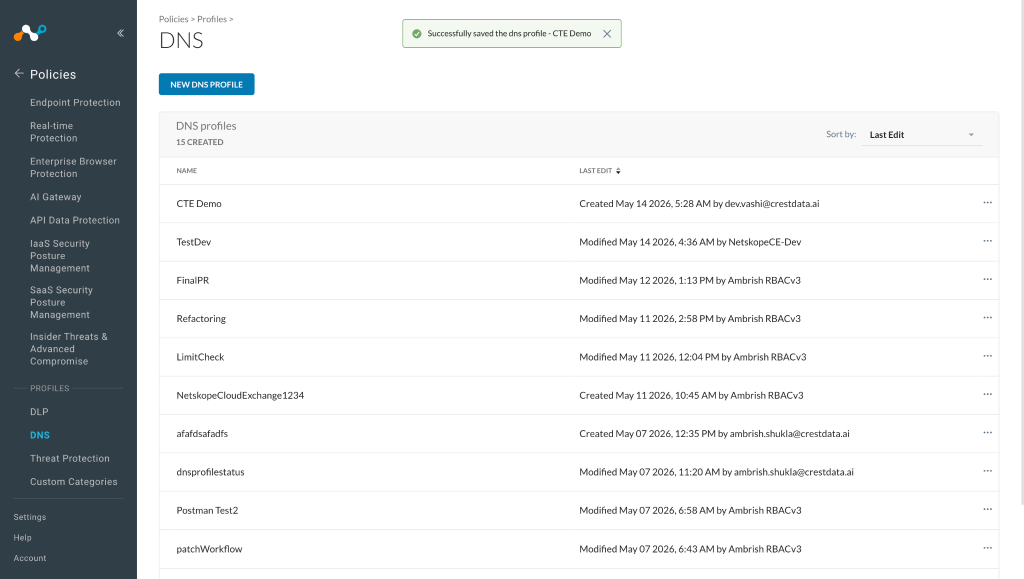
Configure a DNS Profile
-
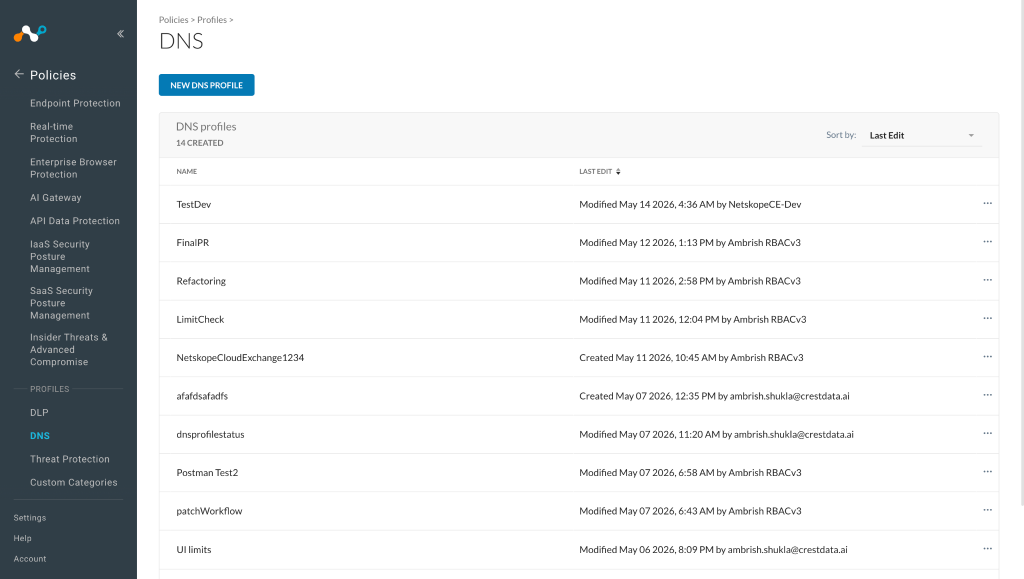
In your Netskope tenant, go to Policies > Profiles > DNS and click New DNS Profile.
-
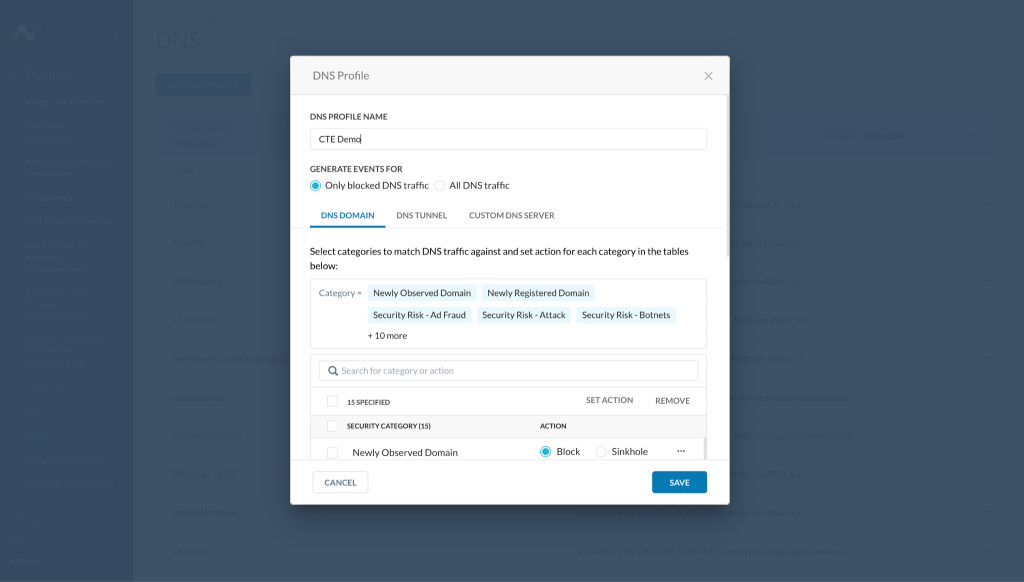
Provide the profile name.
-
Click Save.


Configure a Real-Time Protection Policy
- In your Netskope tenant, go to Policies > Real-time Protection. The policy configuration is just an example. Modify as appropriate for your organization.
- Click New Policy and then select Cloud App Access.
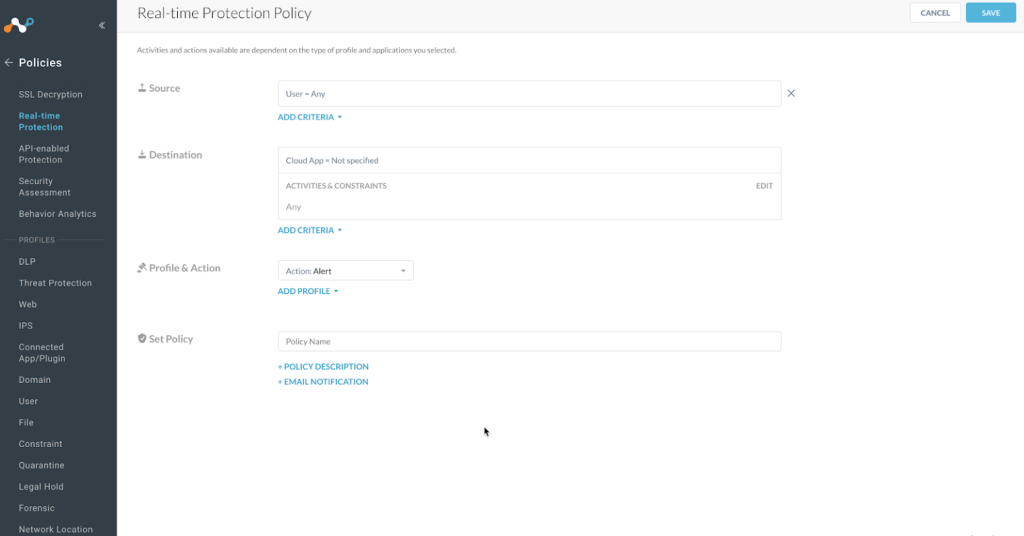

- For Source, leave the default as User = Any.
- Click Category.
- The window expands to allow you to search for and select the option All Categories.
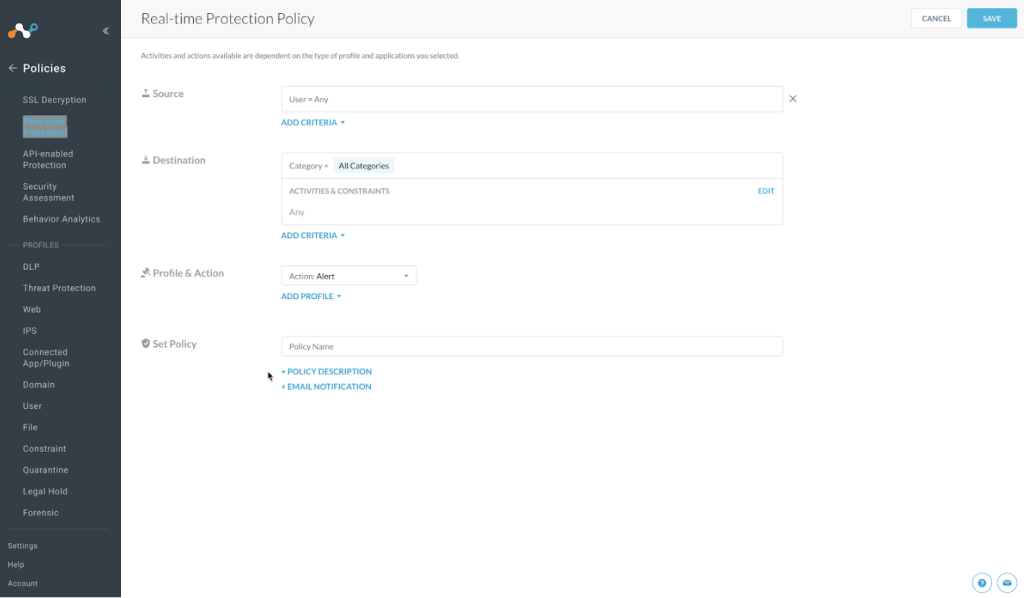

- Click outside of this list to close the search dialog.
- For Activities & Constraints, click Edit.
- Select Upload and Download.
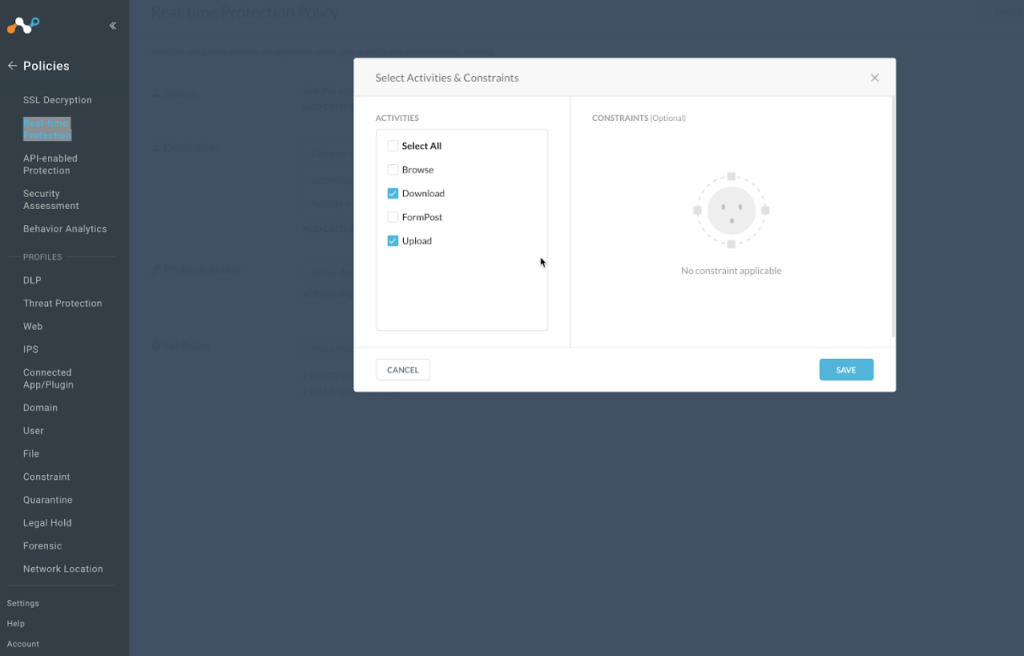

- Click Save.
- For Profile & Action, click the Add Profile dropdown, and select Threat Protection Profile.
- Click in the new Threat Protection Profile field, and it will open up a list of available profiles.
- Select the Malware Detection profile you created previously.
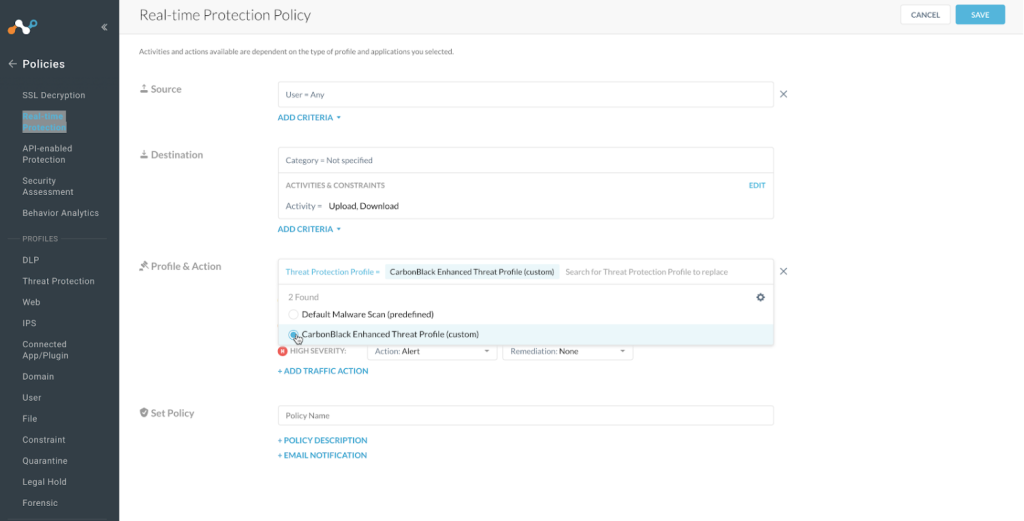

- Adjust the Action: Alert to reflect Action: Block for each of the Severity options.
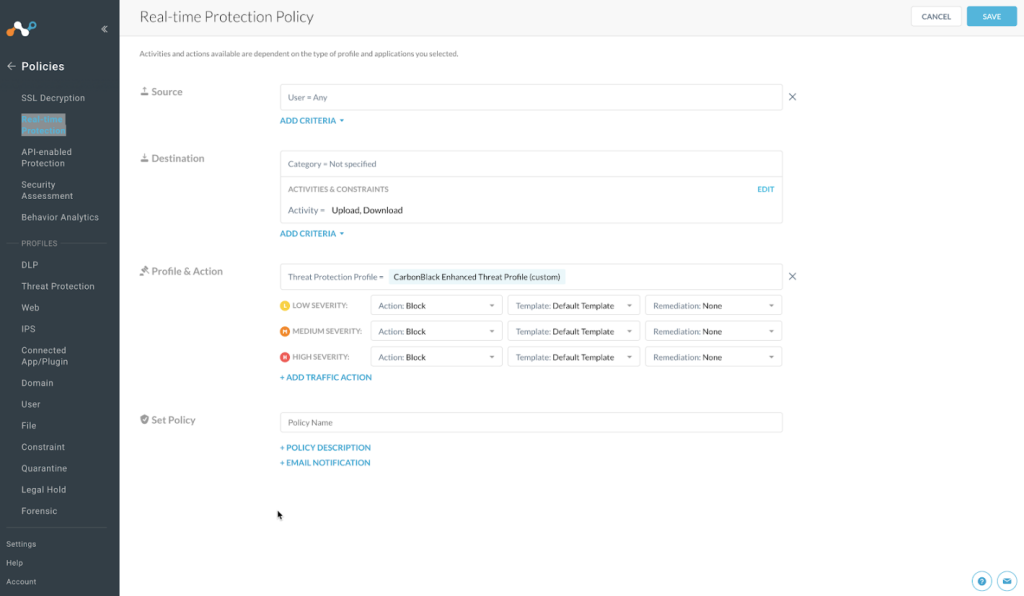

- For Set Policy, enter a descriptive Policy Name.
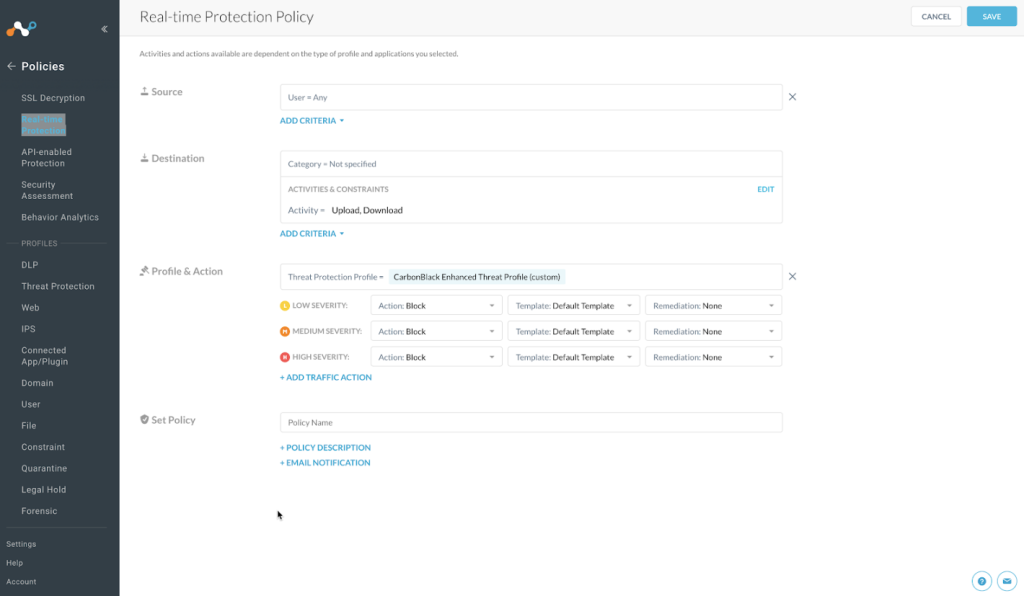

- Click Save in the top right of the screen.
- Select the To the top option when it is presented.
- To publish this policy into the tenant, click Apply Changes on the top right of the screen.
Configure the Threat Exchange Plugin
-
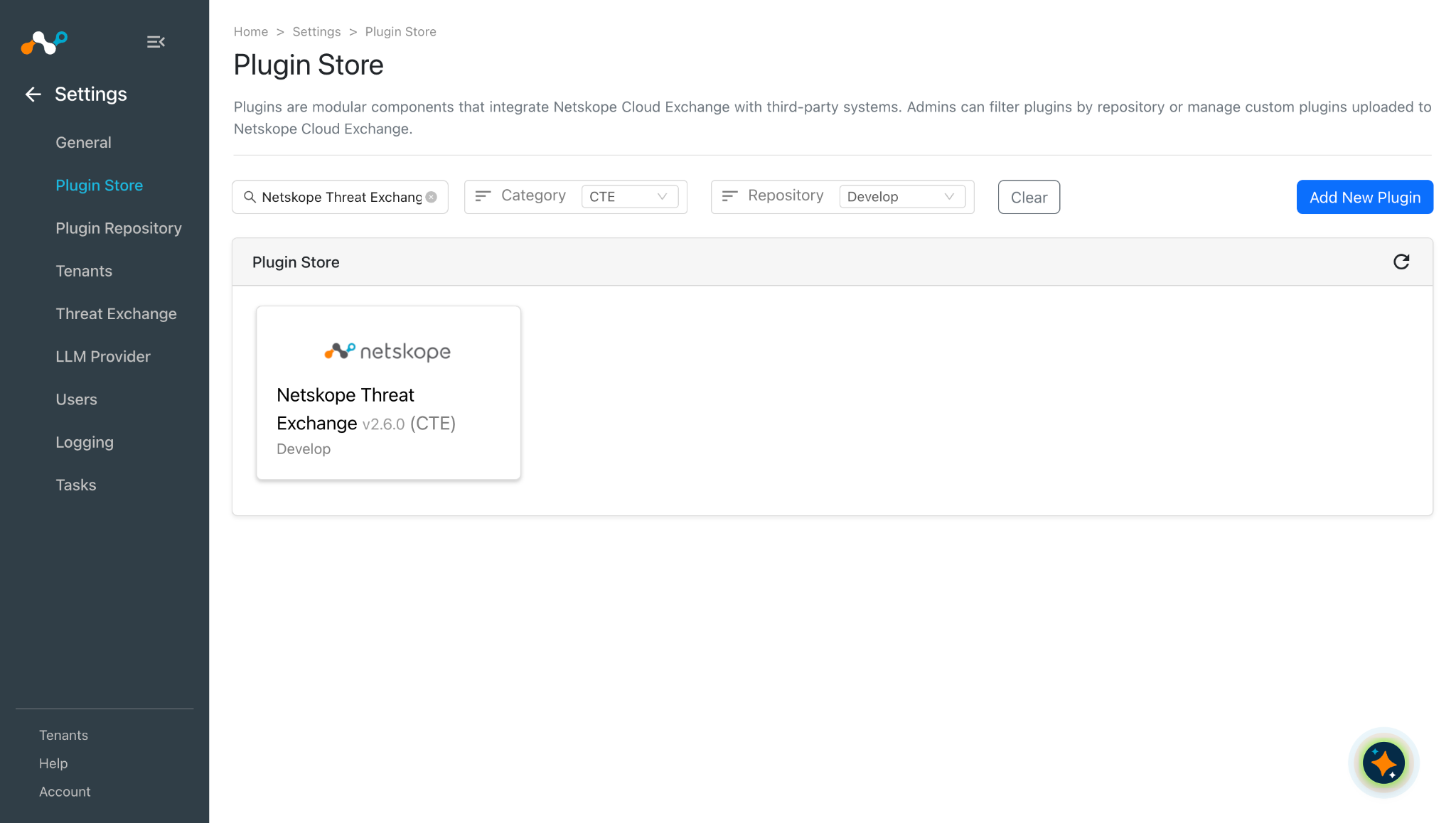
In Cloud Exchange, go to Settings > Plugin Store. Search for and select the Netskope Threat Exchange v2.6.0 (CTE) plugin.
-
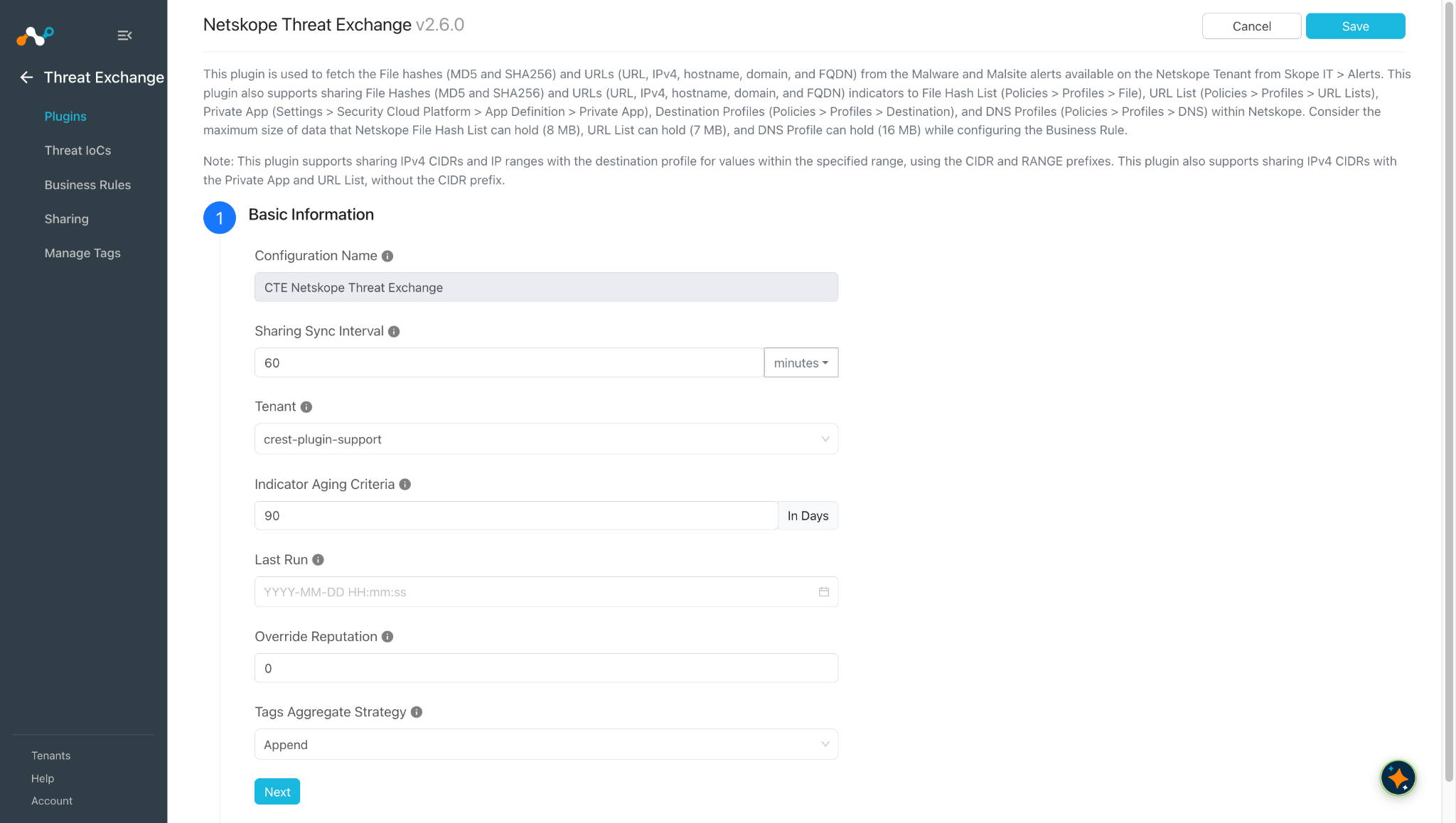
Enter the Basic Information:
- Configuration Name: Enter a unique configuration name.
- Sharing Sync Interval: Specify the time between sharing syncs.
- Tenant: Choose the desired tenant from the dropdown menu. The primary tenant is automatically selected by default.
- Aging Criteria: Specify the criteria for aging the indicator, with the default expiration set at 90 days.
- Override Reputation: Assign a value [1-10] to override the reputation received from this configuration; leave it blank for the default setting.
- Tags Aggregate Strategy: Choose whether to append new tags to existing IoC(s) or overwrite them. This configuration parameter determines how tags are stored for indicators pulled for this configuration.
-
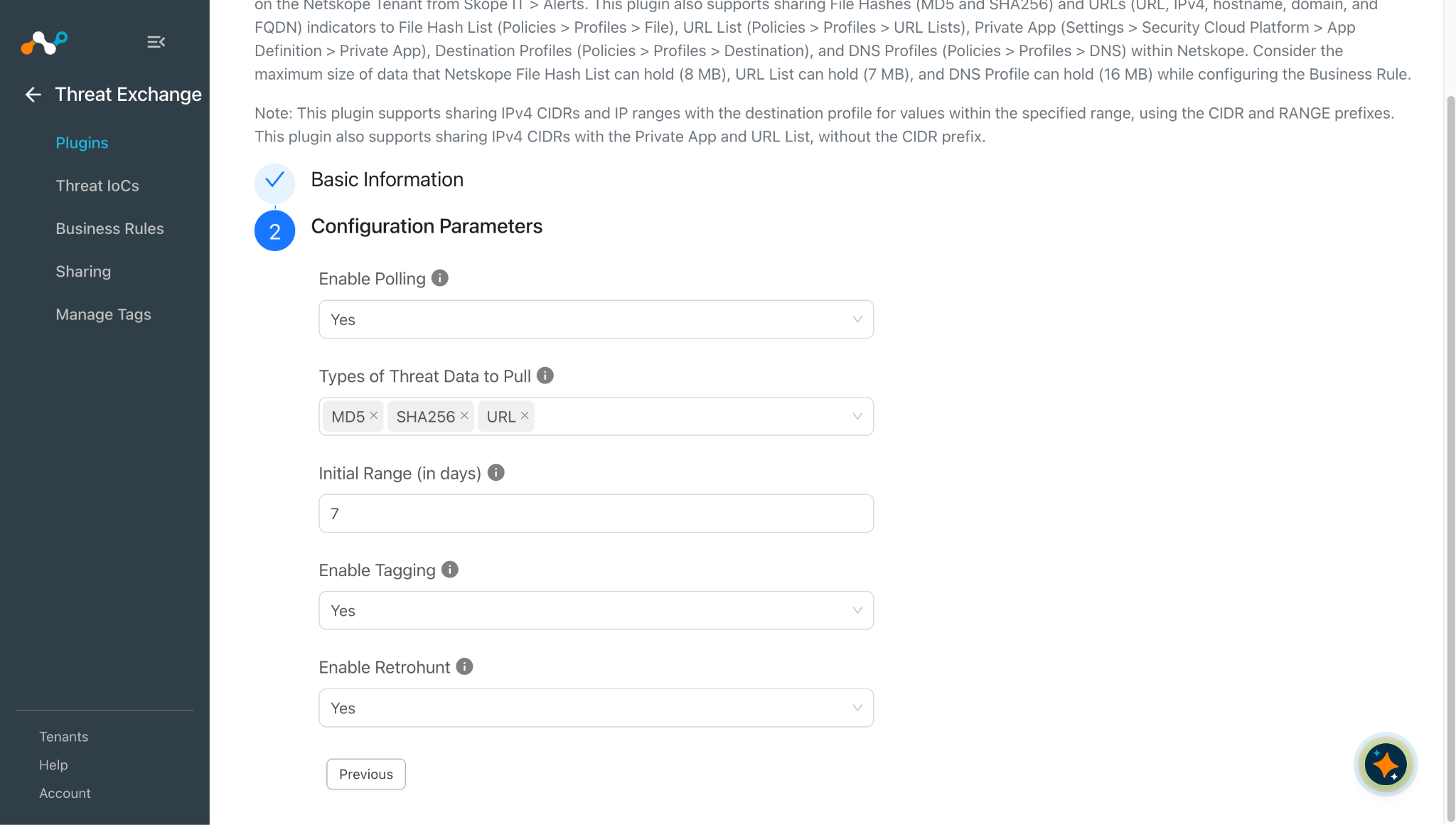
Click Next and enter the Configuration Parameters:
- Enable Polling: Allows data polling from Netskope.
- Types of Threat Data to Pull: Selected indicator types will be extracted from Netskope malware alerts and stored on Threat Exchange.
- Initial Range (in days): Initial range for threat data to be pulled.
- Enable Tagging: The unshared tag indicators can be tagged using this feature.
- Enable Retrohunt: Enable/disable querying the Retrohunt API for clean indicators. If set to Yes, the plugin will not pull clean indicators and if retraction is enabled (Settings > Threat Exchange > IoCs Retraction toggle), clean indicators will be marked as retracted. If set to No, the plugin will pull all indicators. The Retrohunt API requires an Advanced Threat Protection license and Retrohunt API Queryenabled on your Netskope tenant. To enable retraction for the Threat Exchange module, go to Settings > Threat Exchange and enable the IoC(s) Retraction toggle.
Note
- This will only retract the IoCs when Enable Retrohunt is set to Yes and the retraction will be based on the verdict_updated field.
- The Enable Retrohut is only for pulling the hashes (SHA256 and MD5).
-
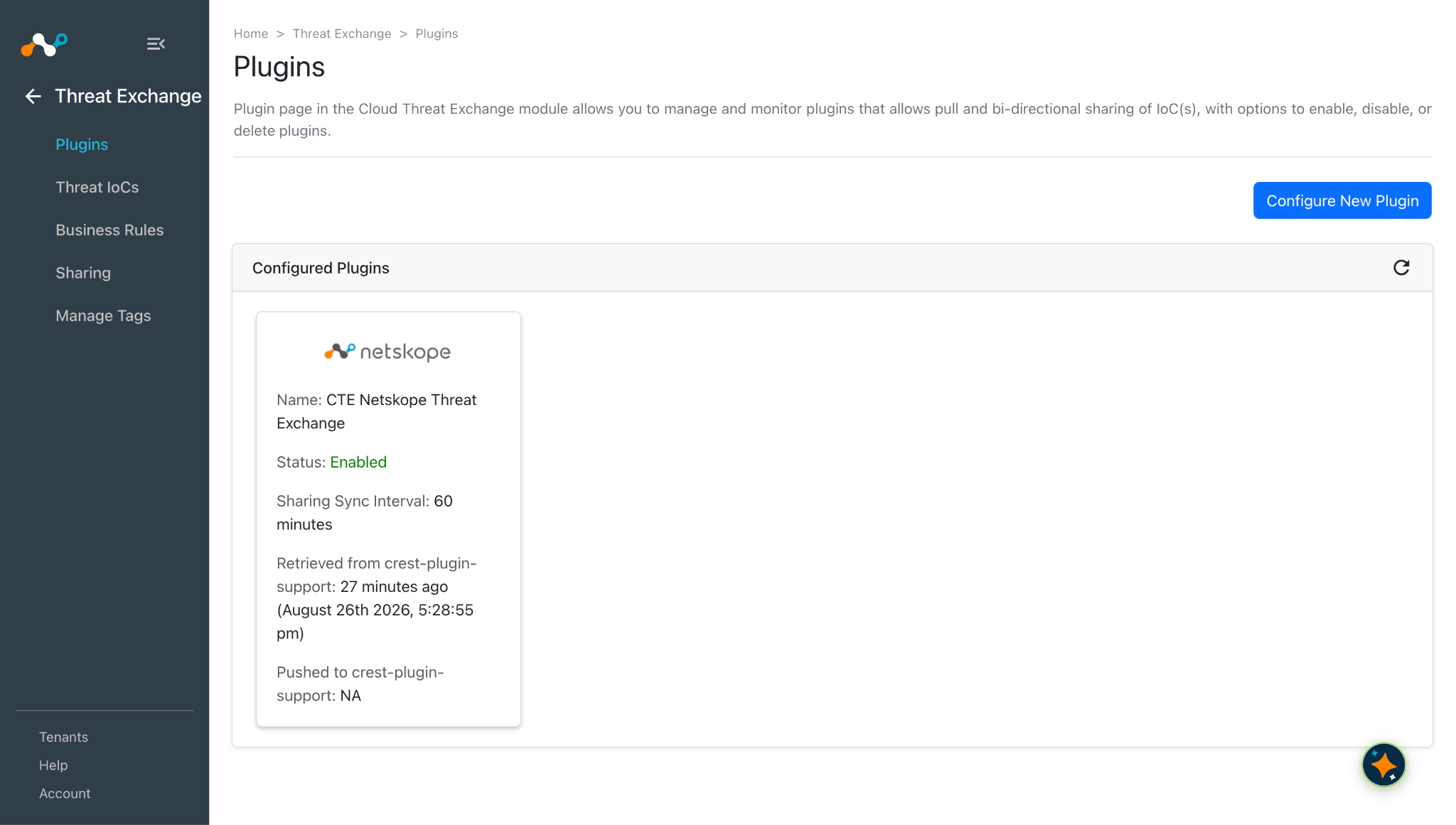
Click Save.
Configure a Business Rule for Threat Exchange
-
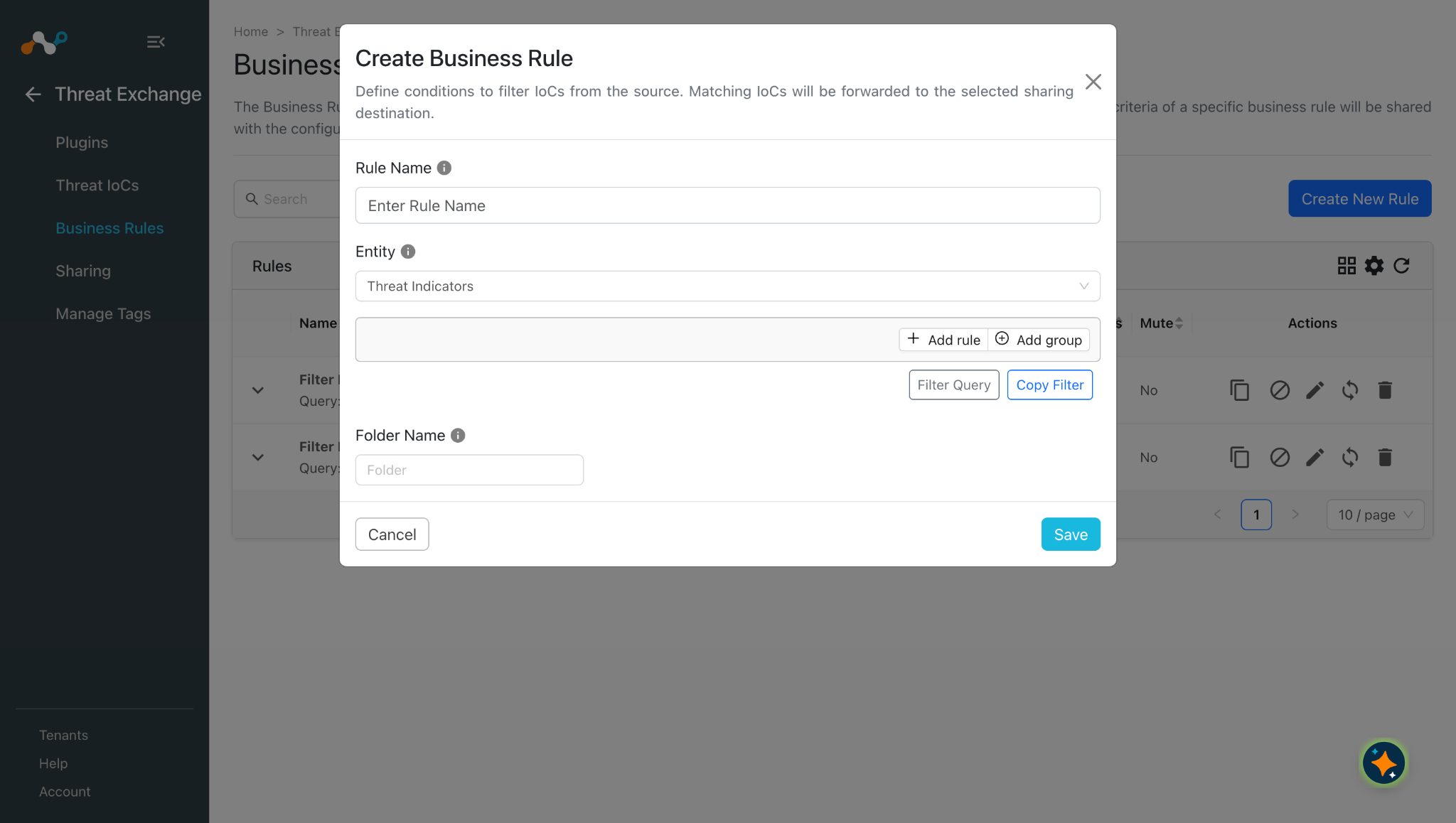
In Threat Exchange, go to Business Rules.
-
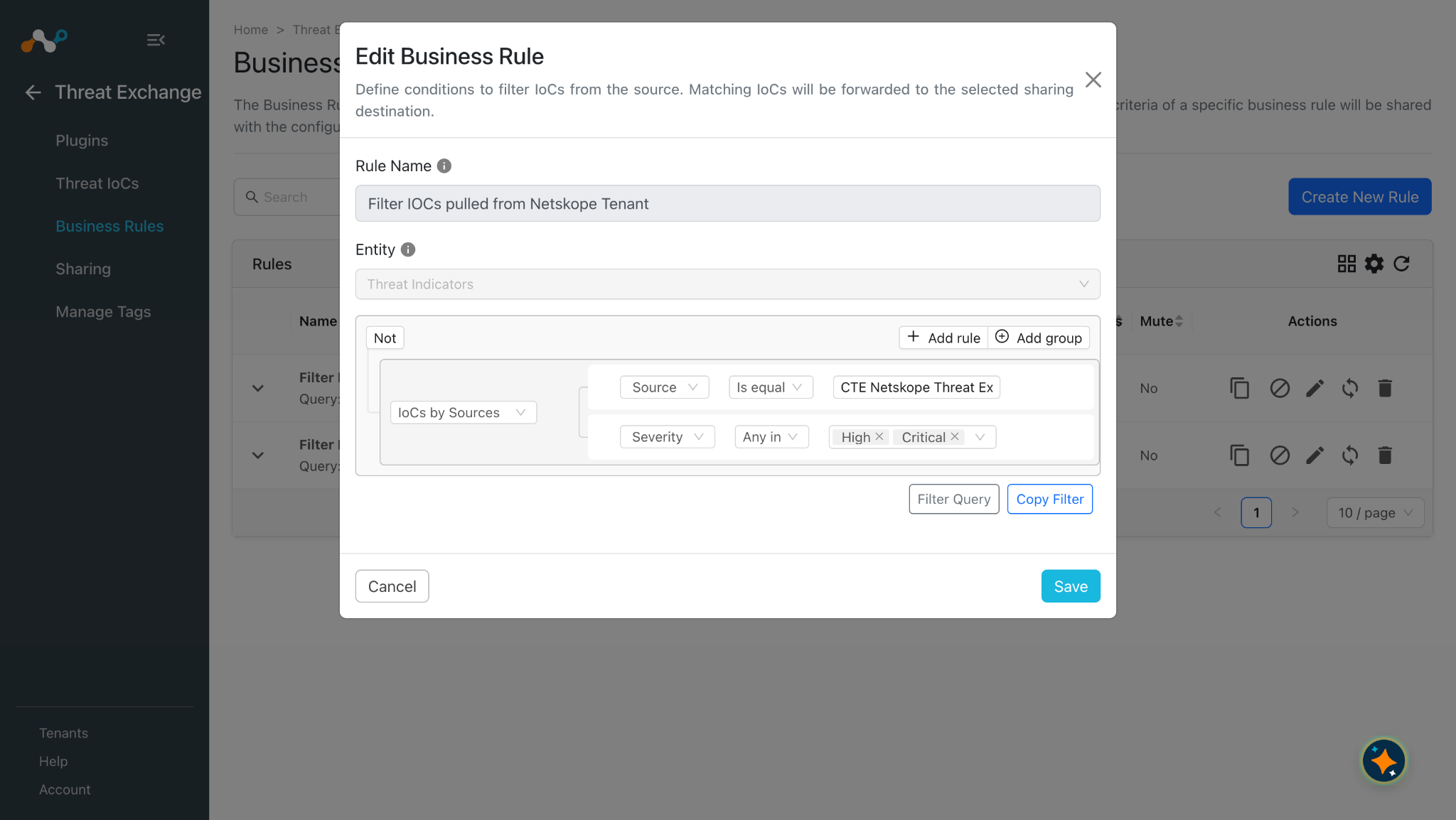
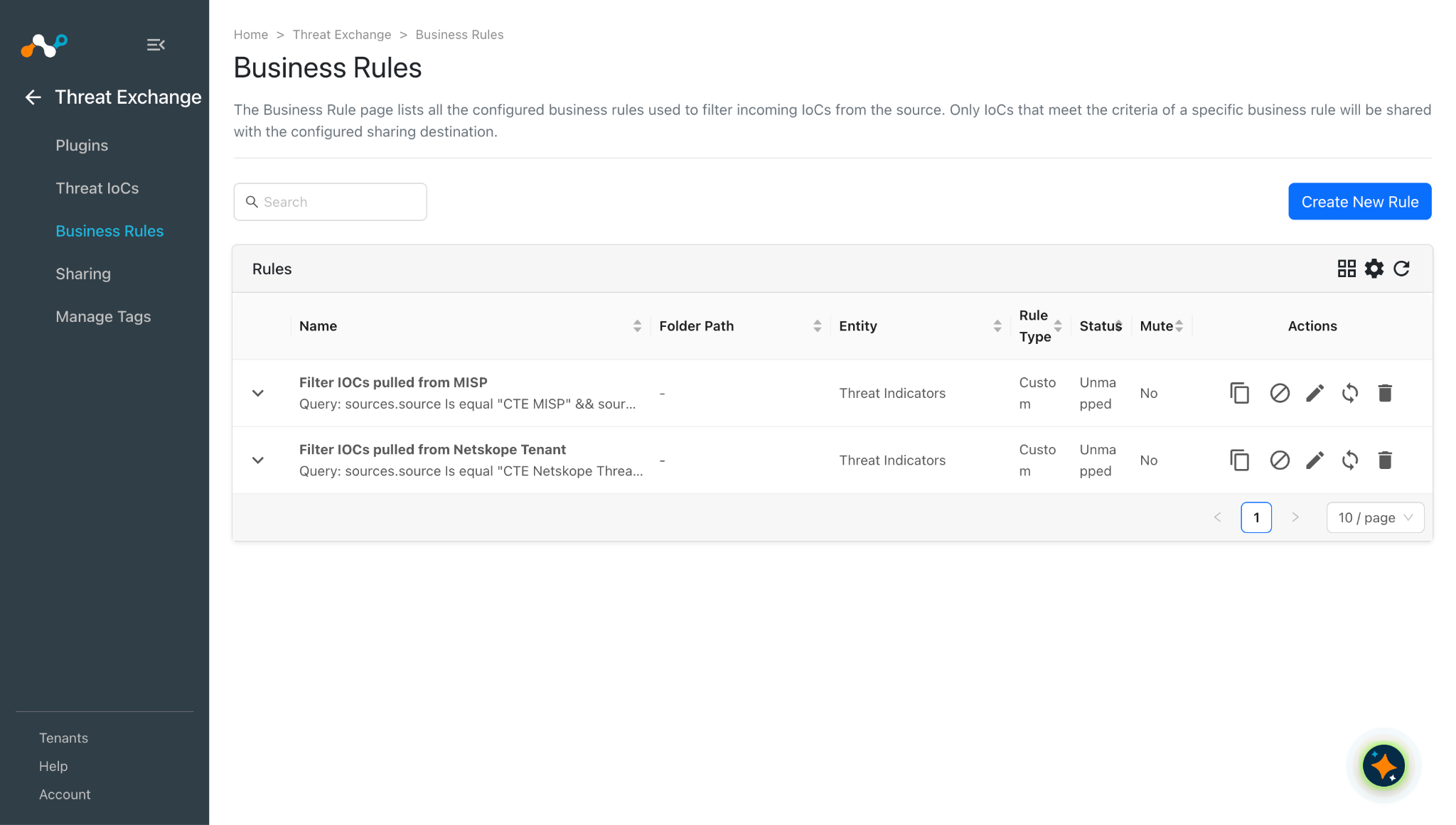
Click Create New Rule, enter a Rule Name, and select filters as per your needs.
-
Click Save.
Configure Sharing for Threat Exchange
In order to add a Sharing configuration, a 3rd-party Threat Exchange plugin, like CrowdStrike, has to be configured before proceeding. You need both a source and destination plugin (configurations) to add a Sharing configuration.
The Threat Exchange plugin supports these sharing methods:
- Add to URL List
- This will replace the old URL List with the new URLs on your Netskope Tenant.
- The maximum sharing capacity is 7MB per request for URL List and overall it supports 300000 URLs on the URL List page.
- If more than 300000 URLs exist from all the URL Lists, the plugin will not be able to apply changes on Netskope Tenant as mentioned in troubleshooting.
- Add to File Hash List
- This will replace the old File Hash List with the new Hashes on your Netskope Tenant.
- The maximum sharing capacity is 8MB per request for File Hash List.
- Users will need to configure the Netskope Tenant plugin with v1 API Token for ‘Add to File Hash List’
- Add to Private App
- This will replace Hosts (IP addresses/hostnames) of the Private App on your Netskope Tenant.
- You can also add tags to the Private Apps.
- Add to Destination Profile
- This will append the new URLs in the already created Destination Profile or in the new Destination Profile.
- The maximum sharing capacity depends on the Match Type you have selected:
- The Regex Match Type supports only 1000 URLs per tenant.
- You can create up to 1,000 destination profiles in a tenant.
- A destination profile can have up to 100,000 destinations. Comments are unlimited. However, the maximum size for a destination profile (including comments) is 10 MB.
- A total of up to 300,000 destinations (excluding comments) is supported in a tenant. To increase this limit, a license is required.
- Add to DNS Profile
- This will append the new Domains/FQDNs in the already created DNS Profile or in the new DNS Profile.
- The maximum sharing capacity is 16 MB.
Add to a URL List
Click here to watch a video.
-
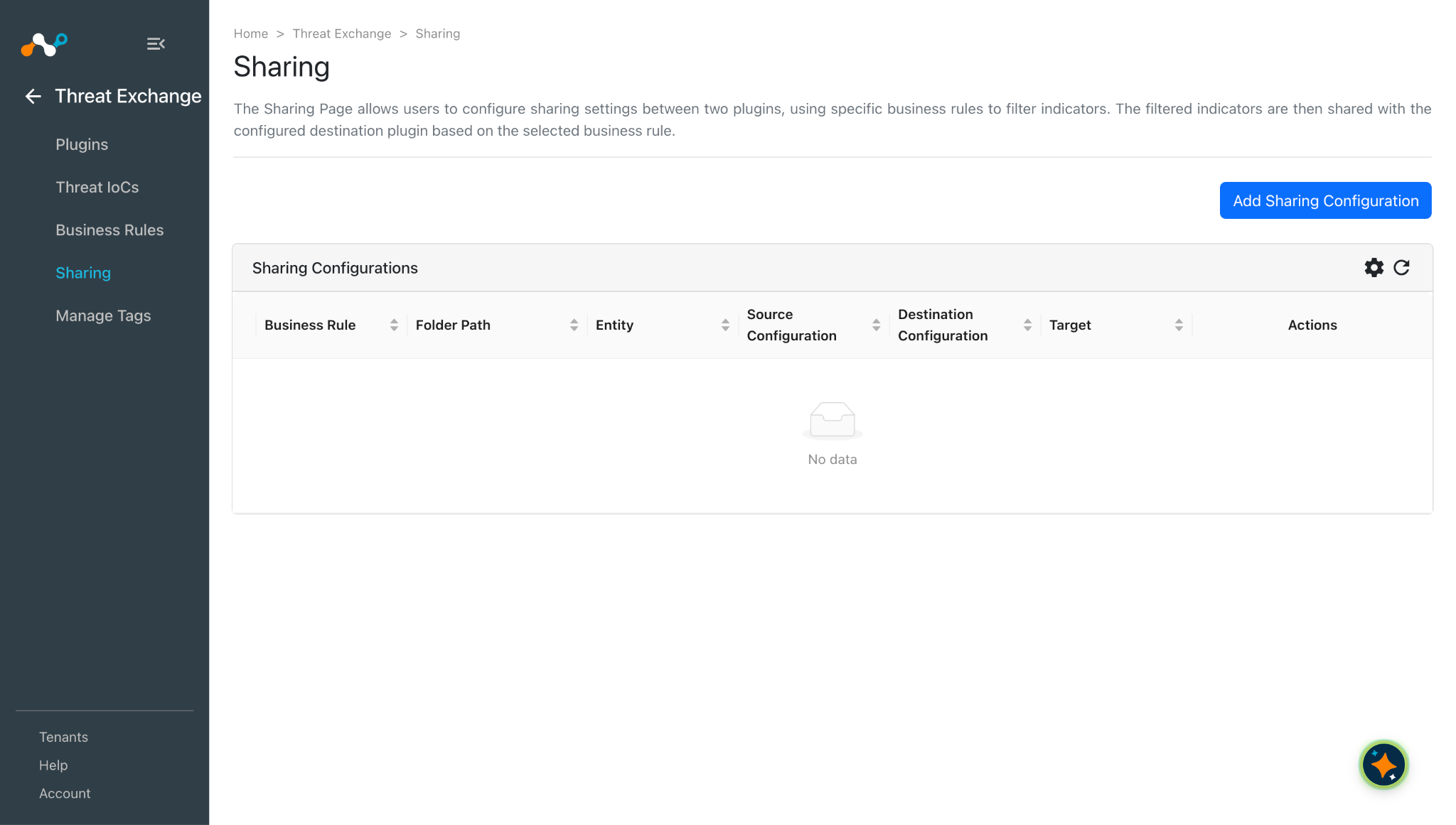
Go to Threat Exchange > Sharing and click Add Sharing Configuration.
-
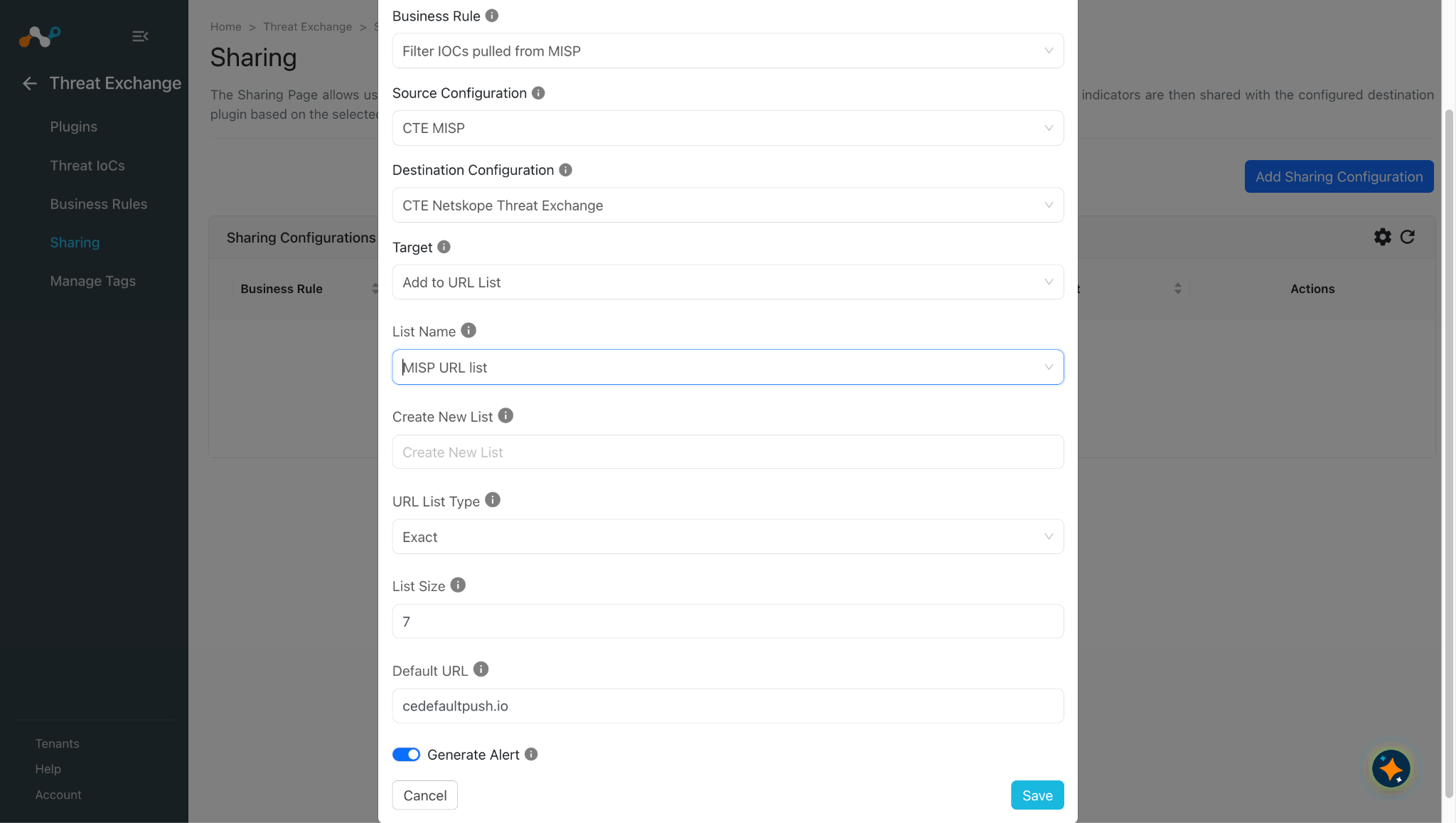
Choose how to share the indicators.
- Select the Source Plugin.
- Select the Business Rule.
- Select the Destination Plugin.
- Select the Target Add to URL List.
- Select the list name from the dropdown menu if you wish to add the URL to a list that has already been created, or create a New List by giving the name to the Create New List field.
- Select the list type for which you’d like the URL to be stored within the list: Exact OR Regex.
- Enter List Size (Maximum Size of the Limit is 7MB).
- Enter a Default URL.
Note
The Add to URL List action will append the new URL List in the old URLs on the Netskope tenant.
-
Click Save.
Add to a File Hash List
Click here to watch a video.
-
Go to Threat Exchange > Sharing and click Add Sharing Configuration.
-
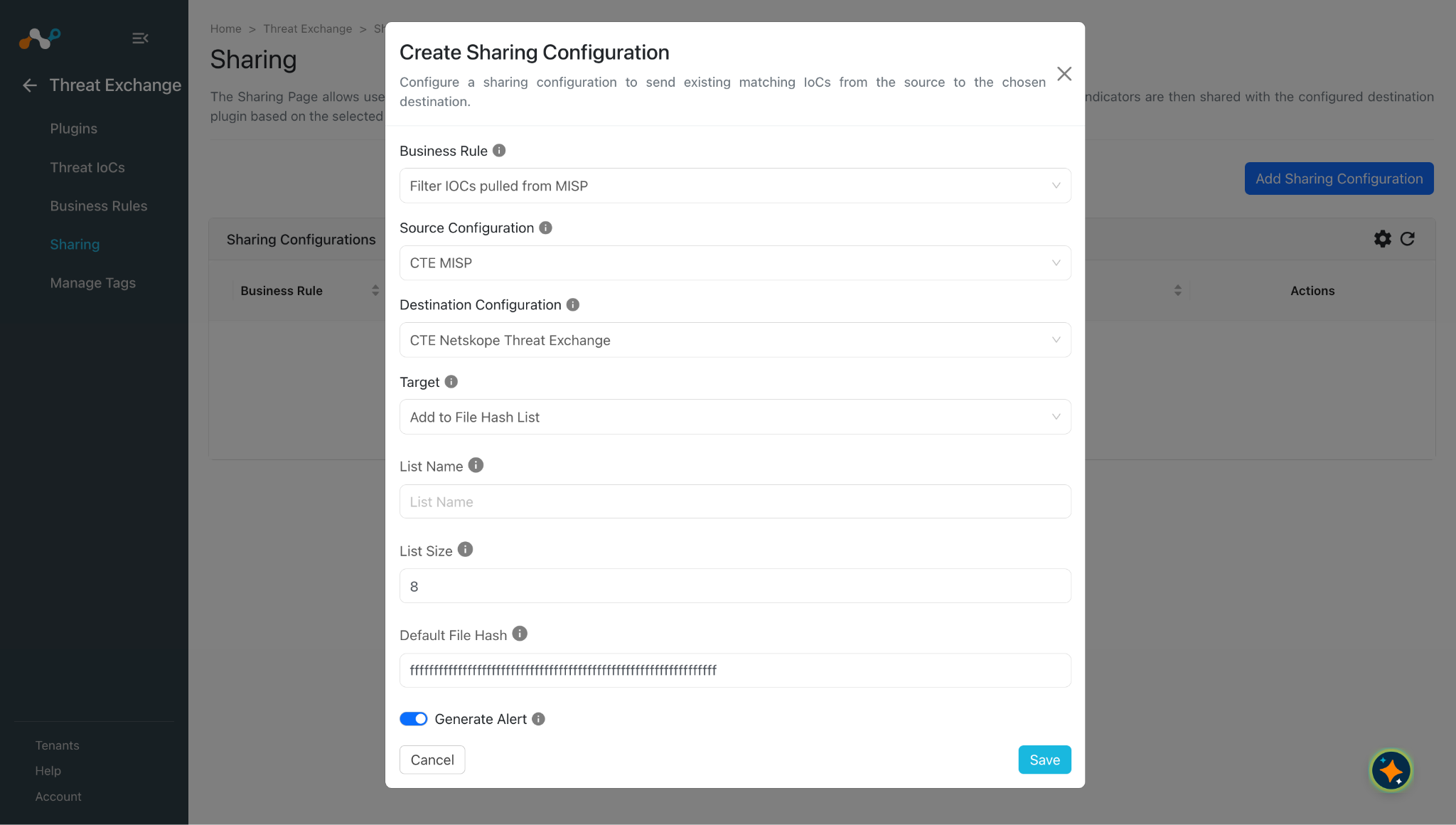
Choose how to share the indicators.
- Select the Source Plugin.
- Select the Business Rule.
- Select the Destination Plugin.
- Select the Target Add to File Hash List.
- Enter the name of the file hash list on Netskope.
- Enter a List Size [Maximum Size of the Limit is 8MB]
- Enter a Default File Hash.
Note
The Add to File Hash List action will replace the whole File Hash list on the Netskope tenant.
-
Click Save.
Add to a Private App
Click here to watch a video.
-
Go to Threat Exchange > Sharing and click Add Sharing Configuration.
-
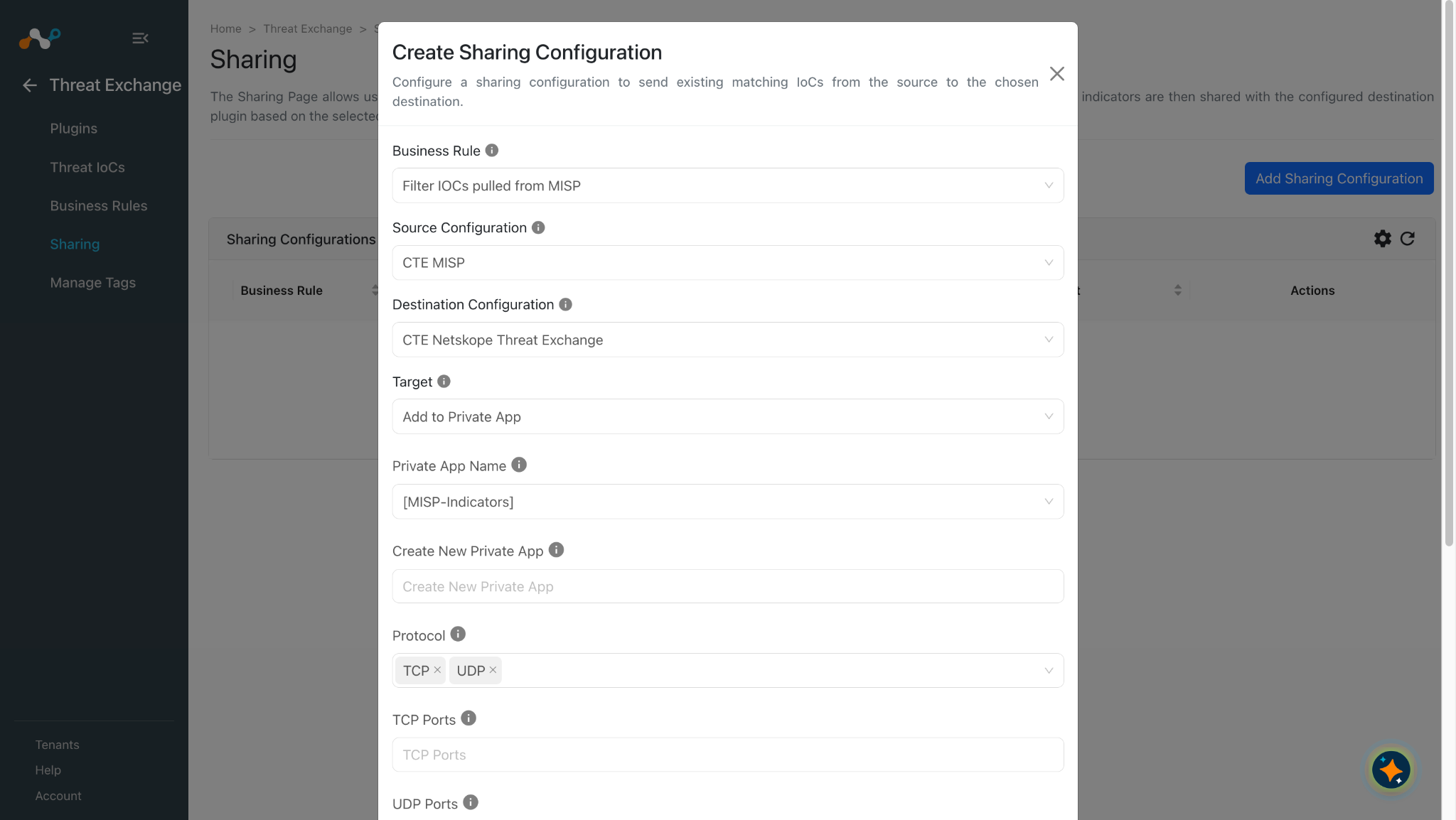
Choose how to share the indicators.
- Select the Source Plugin.
- Select the Business Rule.
- Select the Destination Plugin.
- Select the Target Add to Private App.
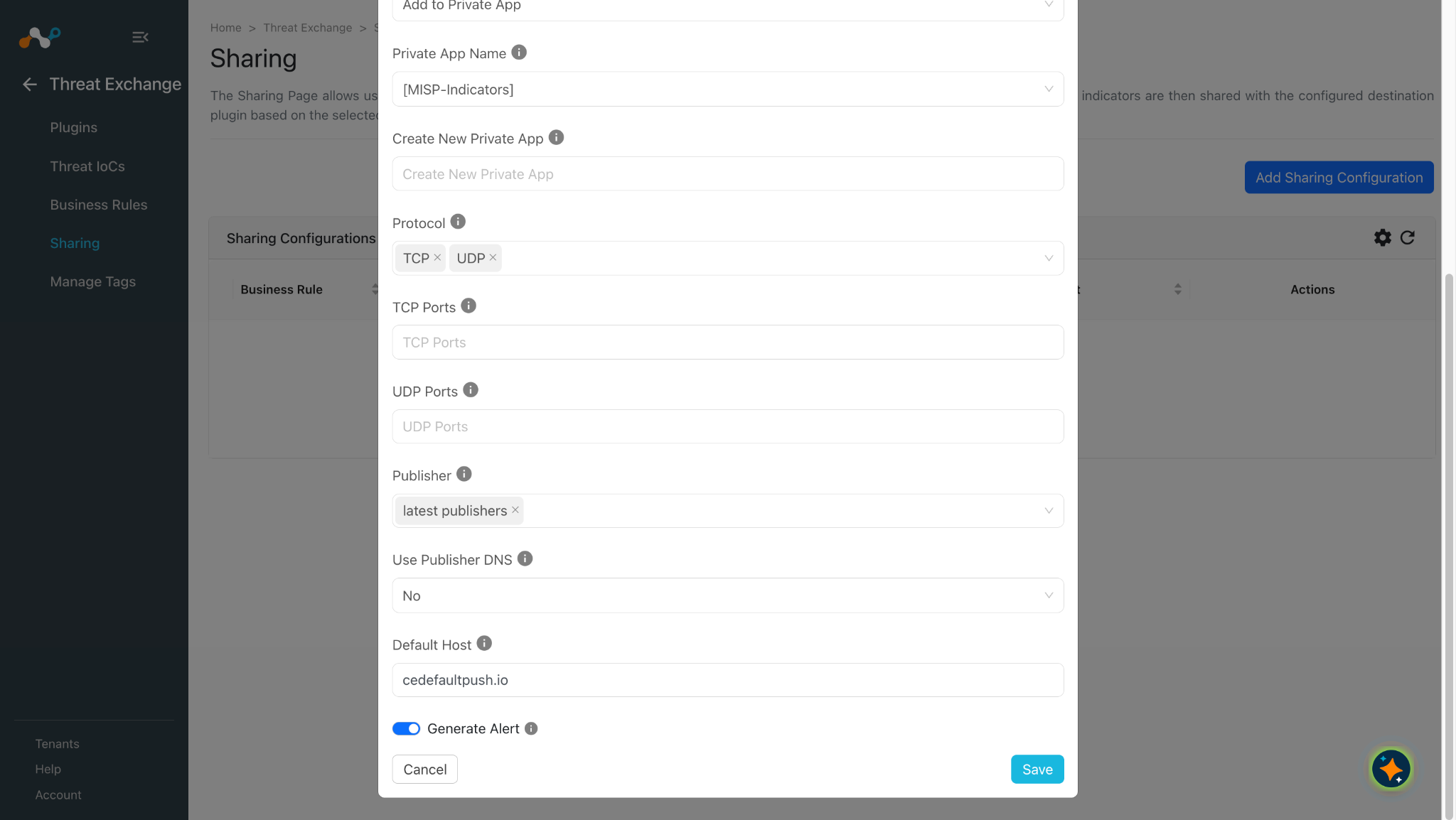
- Select the Private App Name from the dropdown menu if you wish to add the domain/hostname to an already created app, or click Create New Private App.
- Select Protocol.
- Provide the comma-separated TCP and UDP ports (For the selected protocol).
- Select the Publisher.
- Choose to use Publisher DNS or Not.
- Enter a Default Host.
Note
- The Add to Private action will replace the Hosts (IP addresses/hostnames) of the Private app on the Netskope tenant.
- Tags with more than 30 characters will be skipped means they will not be shared. This limit also includes the encoded characters.
-
Click Save.
Add to a Destination Profile
Click here to watch a video (the same one shown at the beginning of this article).
-
Go to Threat Exchange > Sharing and click Add Sharing Configuration.
-
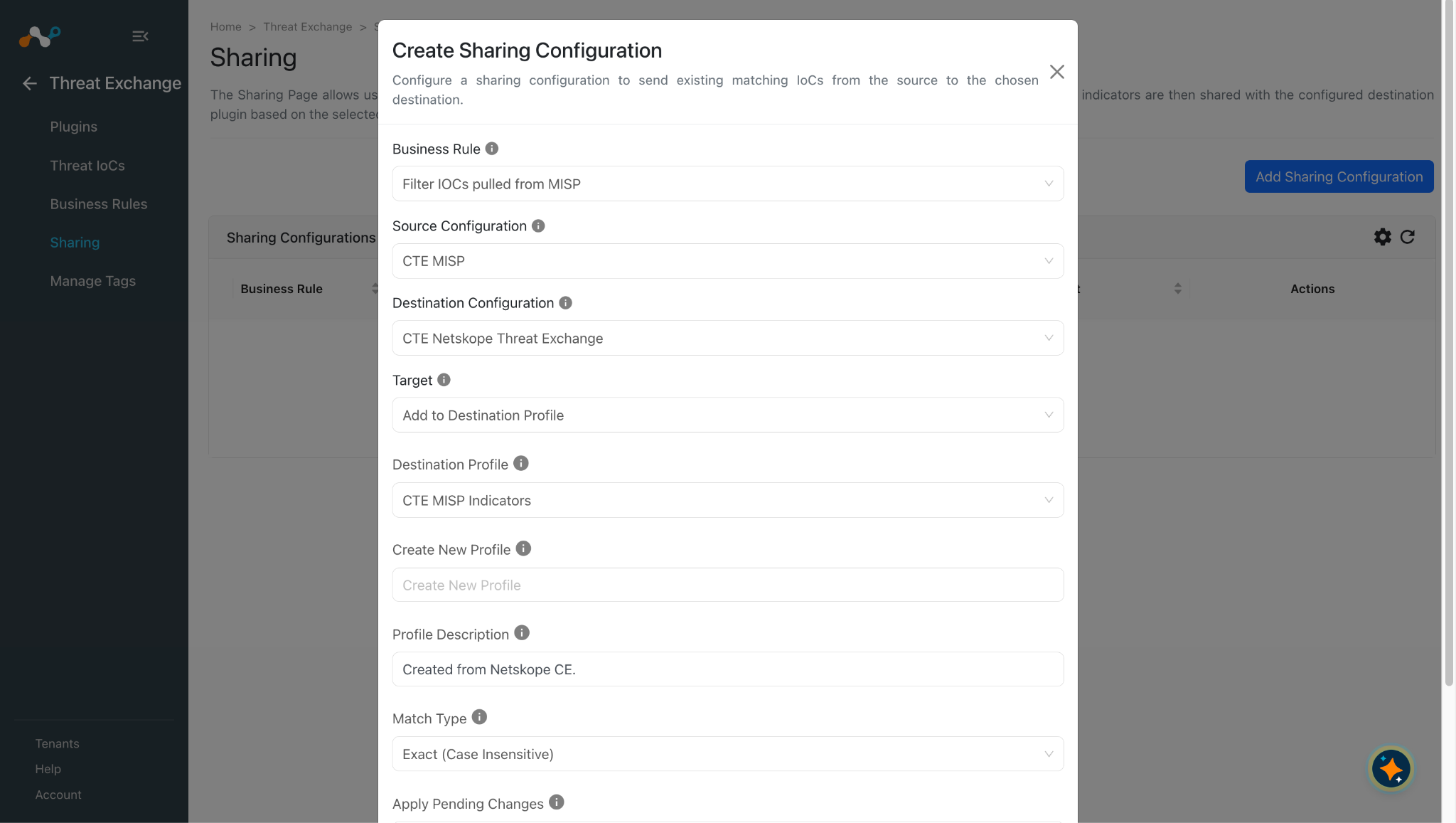
Choose how to share the indicators.
- Select the Source Plugin.
- Select the Business Rule.
- Select the Destination Plugin.
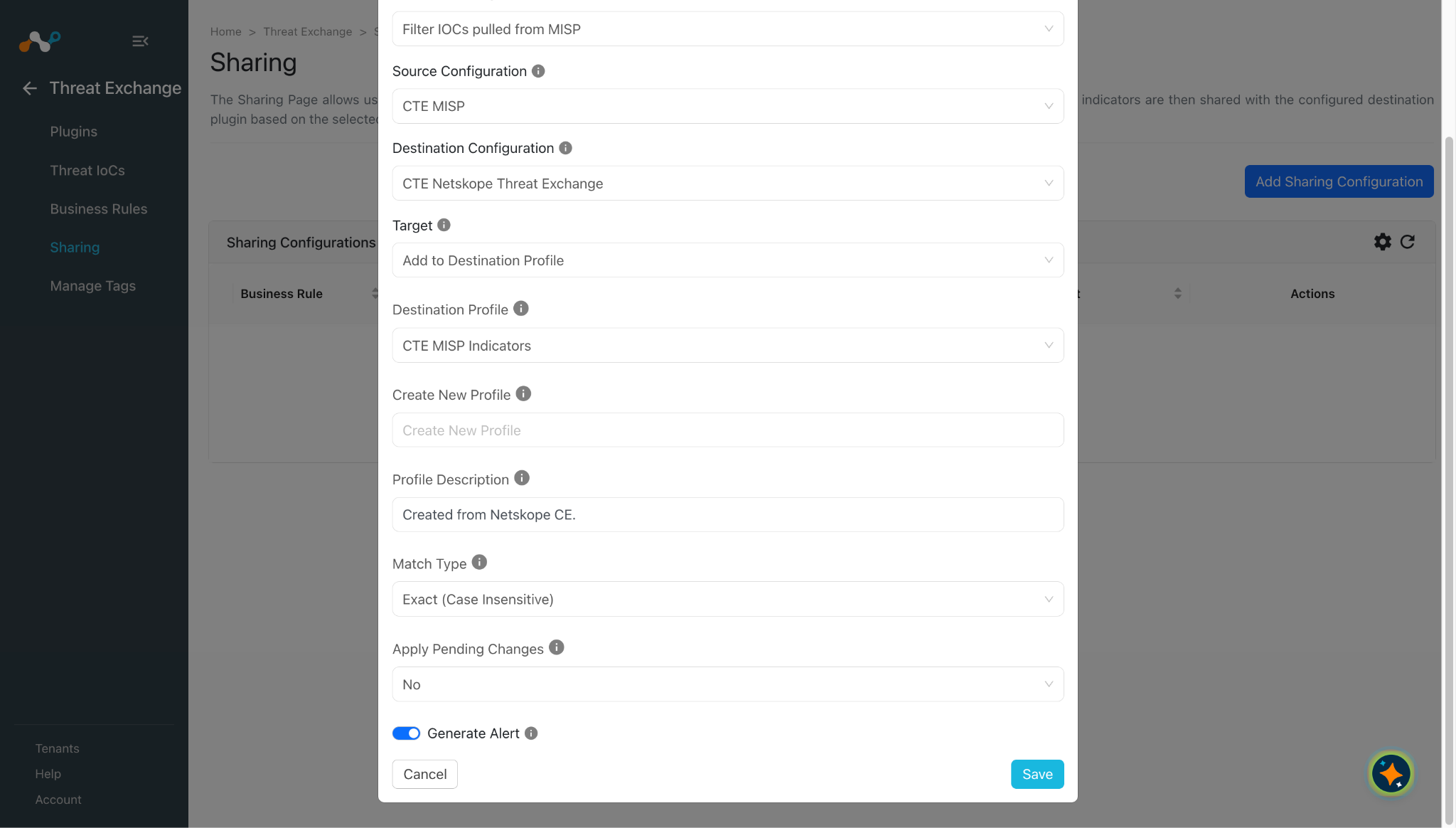
- Select the Target Add to Destination Profile.
- Select the Destination Profile Name from the dropdown menu if you wish to add the URL to an already created profile, or click Create New Profile.
- Provide Description for the profile if creating a new profile.
- Select a Match Type for the profile if creating a new profile.
- Select Apply Pending Changes as Yes if you want to always apply the pending changes of the profile before sharing the URL.
-
Click Save.
Note
- Both of the Exact Match Types support 100k URLs per Destination Profile and 300k URLs per tenant.
- The Regex Match Type supports only 1000 URLs per tenant.
- Netskope plugins supports the Destination Profile from v2.4.0 with CE v6.1.0.
Add to a DNS Profile
Click here to watch a video.
-
Go to Threat Exchange > Sharing and click Add Sharing Configuration.
-
Choose how to share the indicators.
- Select the Source Plugin.
- Select the Business Rule.
- Select the Destination Plugin.
- Select the Target Add to DNS Profile.
- Set the Action Type to perform on DNS Profile.
- Select an existing DNS Profile.
- Create DNS Profile with the given name. (Only Enter if you have selected ‘Create new profile’ in DNS Profile parameter) Create New Profile should be less than or equal to 255 characters.
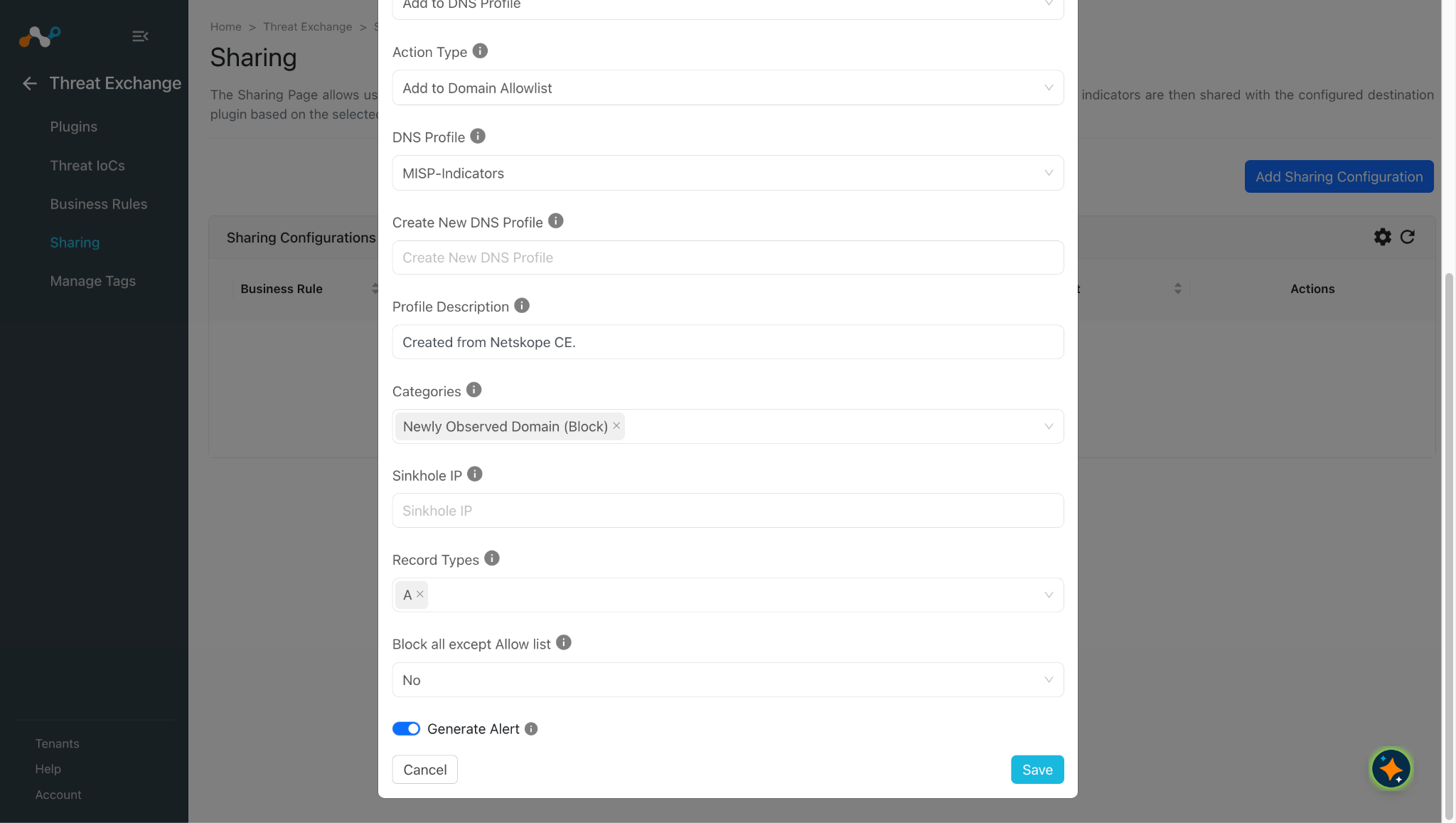
- Provide the description to create a DNS Profile with a given description. (Only Enter if you have selected Create New Profile in DNS Profile parameter) Profile Description should be less than or equal to 255 characters.
- Select one or more Categories along with the action to apply (Block or Sinkhole). The same category cannot be selected with both Block and Sinkhole actions. Selecting any Sinkhole variant requires a value in the Sinkhole IP parameter.
- Enter a Sinkhole IP. (Only enter if you have selected a sinkhole category action in the Categories parameter).
- Select one or more Record Types. All Record Types cannot be selected together with any other Record Type value.
- Under Block All except Allow list, select Yes to block all DNS traffic except domains on this profile’s allowlist; select No to allow all traffic except the listed domains.
Block All except Allow list cannot be set to Yes along with Action type Add to Domain Block list.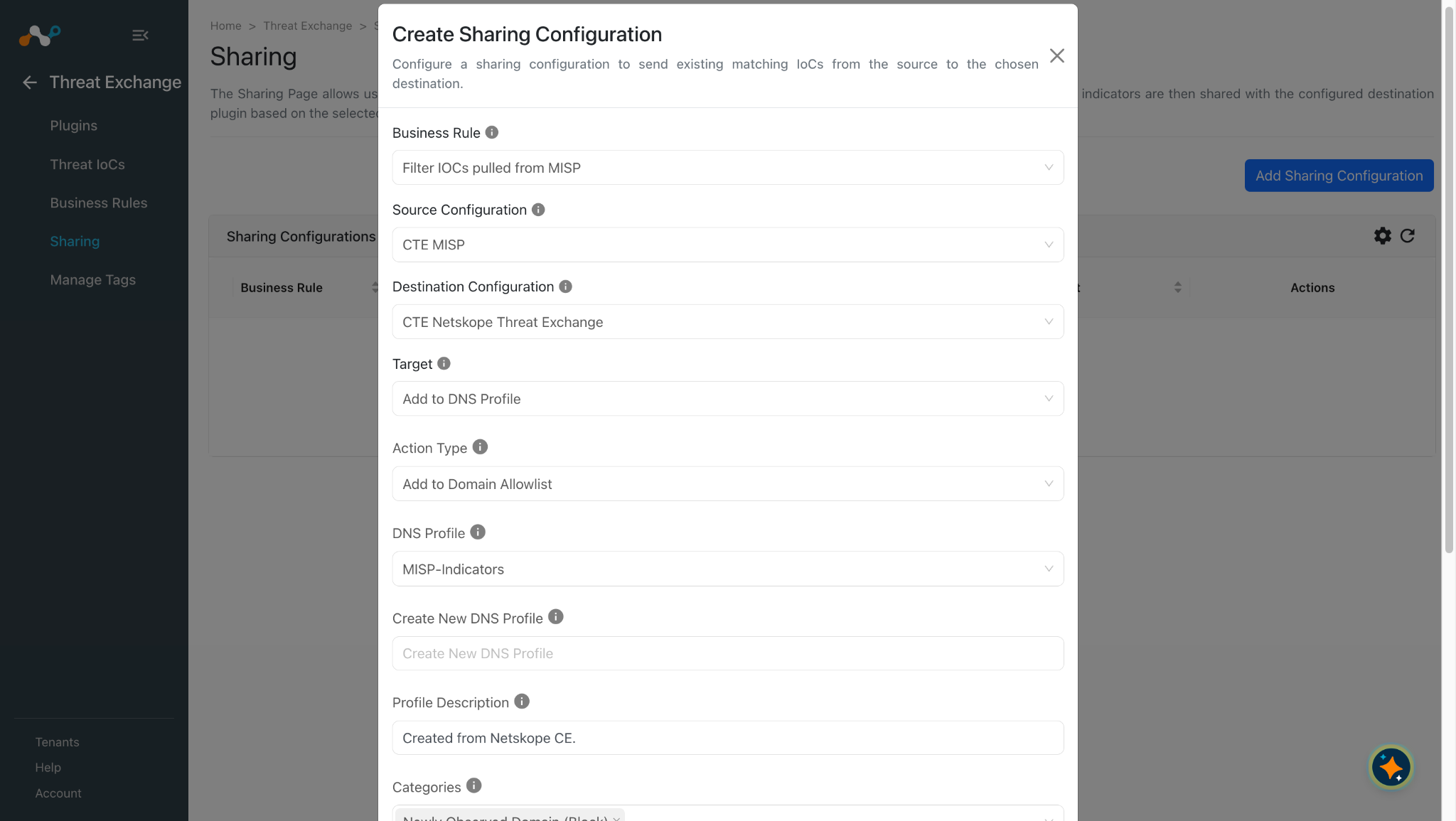
-
Click Save.
Enable IoC Retraction
To enable IoC retraction from Cloud Exchange:
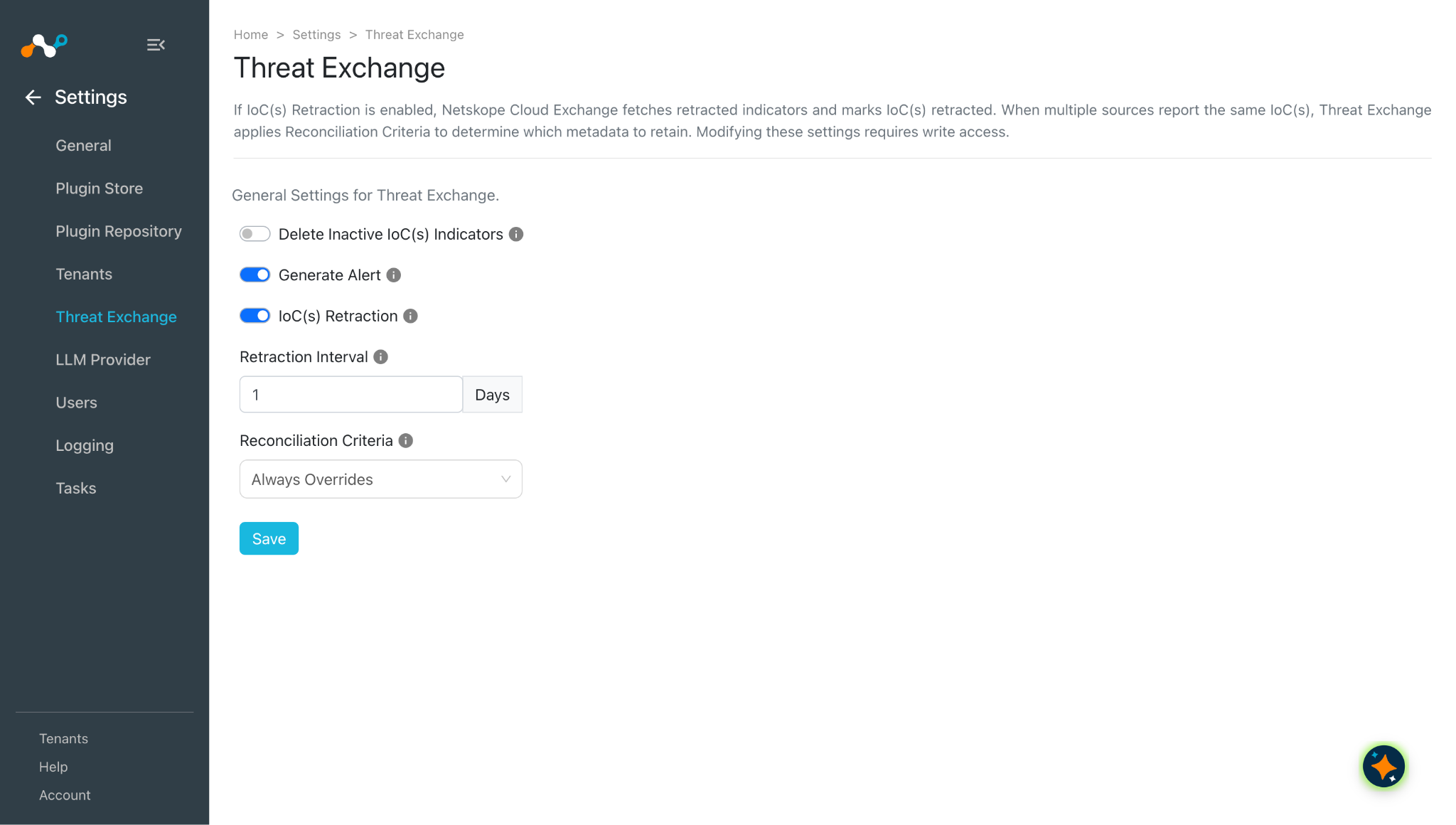
- Go to Setting > Threat Exchange.
- Enable IoC(s) Retraction and enter a Retraction Interval.
- Click Save.
Note
If IoCS are initially pulled in Cloud Exchange, and the Retrohunt pull is enabled, the pulled IoCs from Netskope will be marked as Retracted if the IoC is returned as clean from the Retrohunt APIs. After the IoC is marked as retracted based on the Retrohunt APIs, the IoC will be retracted from the 3rd-party as well if the 3rd-party supports push retraction. If any 3rd-party IoC is shared to a Netskope URL List or File Hash list, and is marked as retracted in Cloud Exchange, it will be deleted from the tenant as well when the next sharing is triggered.
Validate the Threat Exchange Plugin
Validate the Pull
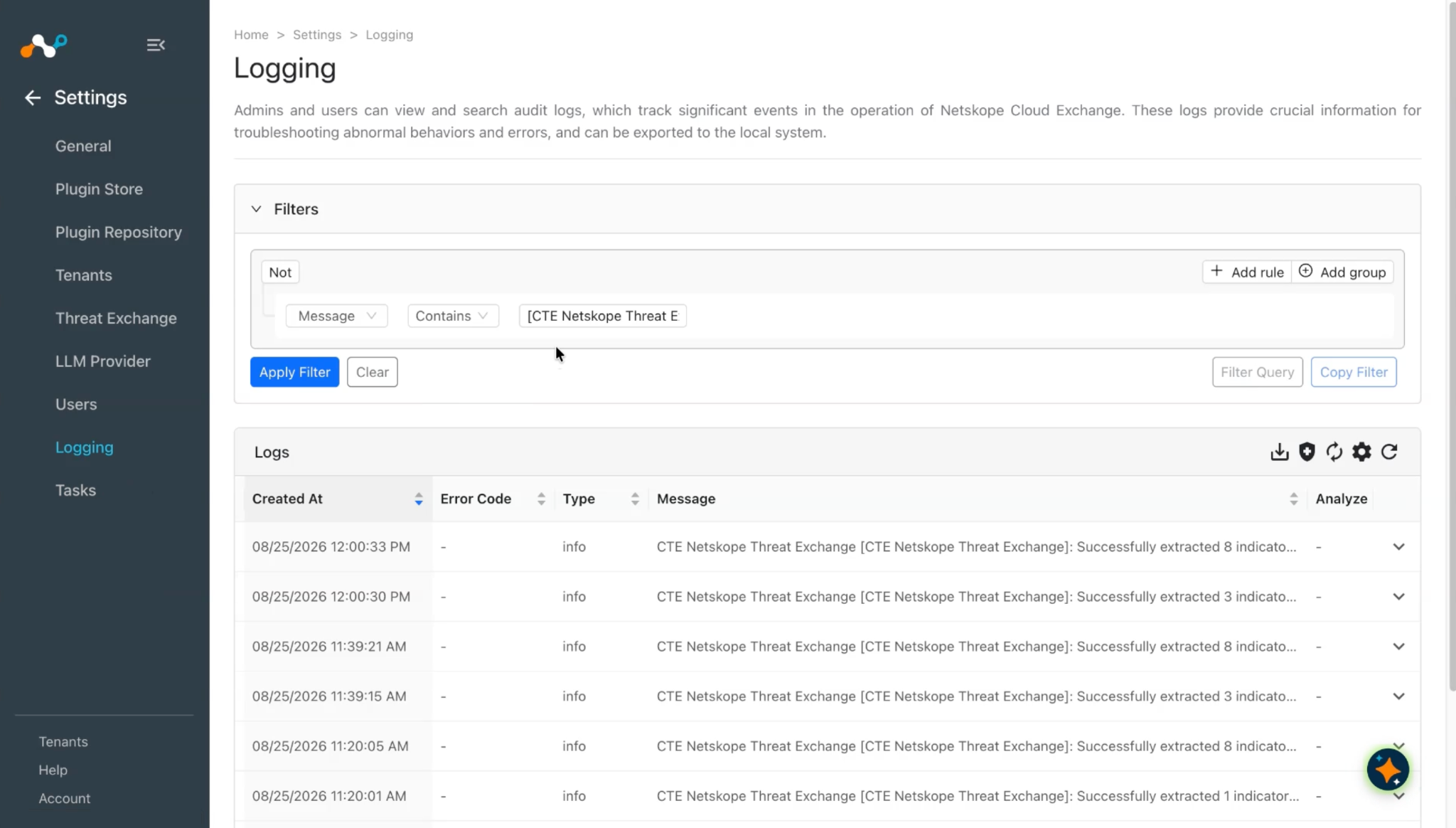
To validate the pulling of Alert from Netskope, go to the Logging in Cloud Exchange and search for the pulled logs.
You can add a filter like: message Like “pulled”.
Note
- If Enable Retrohunt is selected as yes, then after pulling malware from the tenant, the plugin will check the false positive status using Retrohunt, and if any indicator has verdict_updated: clean it will not be stored in Cloud Exchange and only malicious indicators will be stored. Also the plugin will store the severity of the indicator using the severity_updated field.
- If you have to update the severity of the indicator in Cloud Exchange when it is updated on the Netskope tenant, you have to change the Reconciliation Criteria value to Higher Severity Source Override from Settings >Threat Exchange. And the severity will only be updated if it changes from lower to higher, but not for higher to lower.
You can verify the skipped indicators due to false positives by applying the filter message Like “<configuration_name>” in Logging.
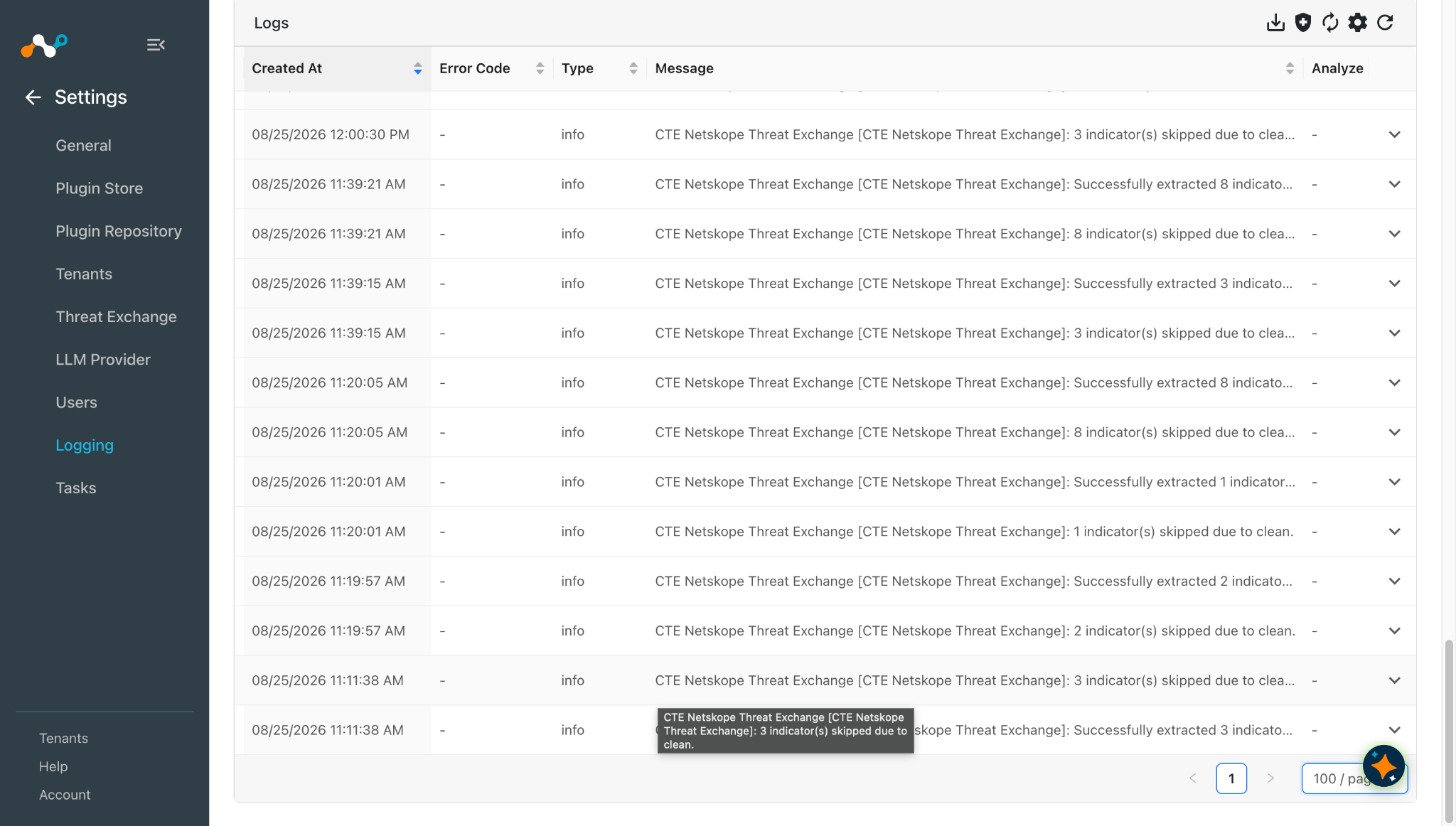
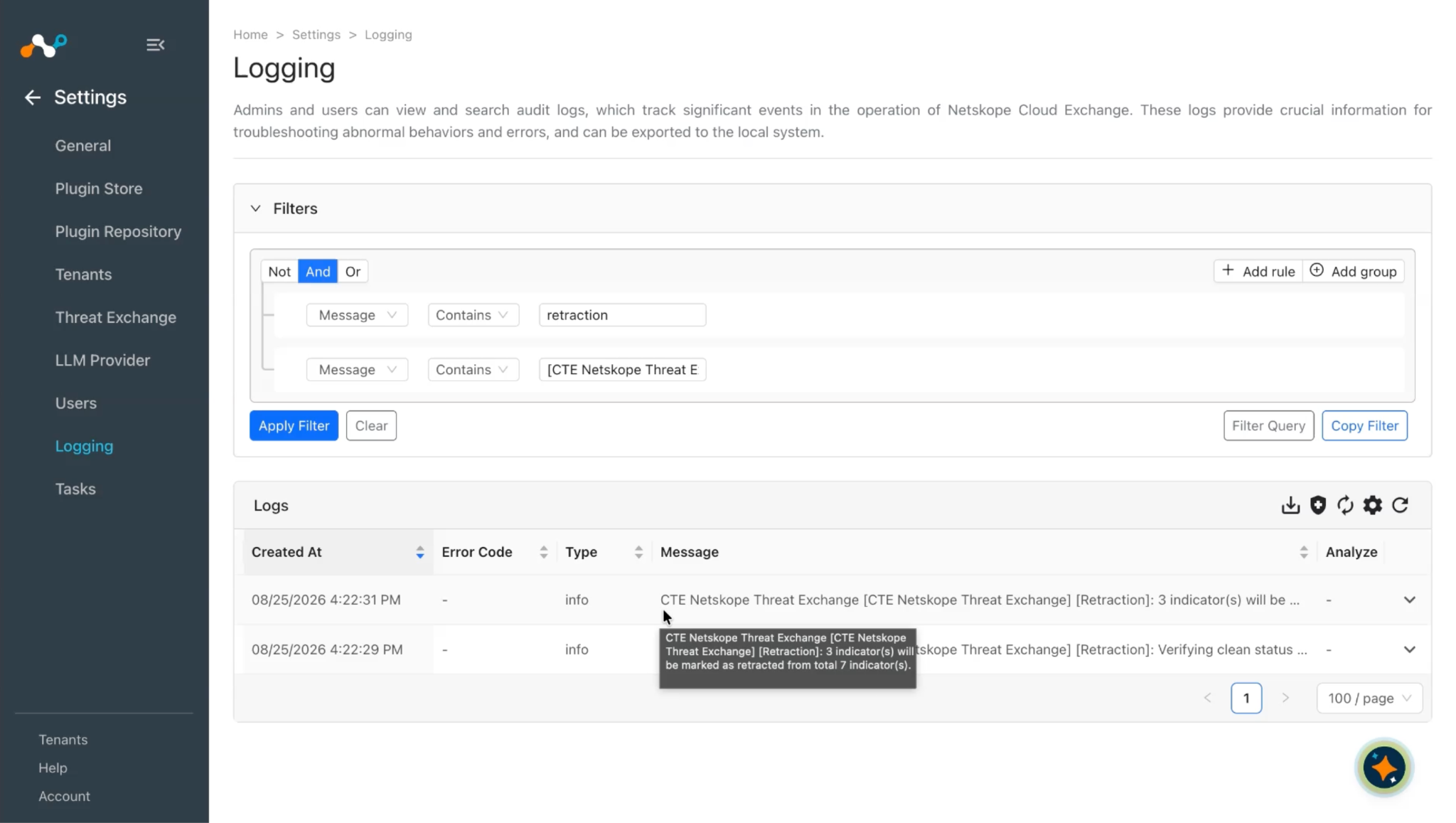
After successfully storing the indicators, when the retraction cycle runs, the plugin will again check the verdict_updated field from Retrohunt. And if any of the stored records has changed the value from malicious to clean, the indicator will be marked as Retracted in Cloud Exchange.
For verifying retraction of indicators, you can check the logs using filter message Like “[Retraction]”.
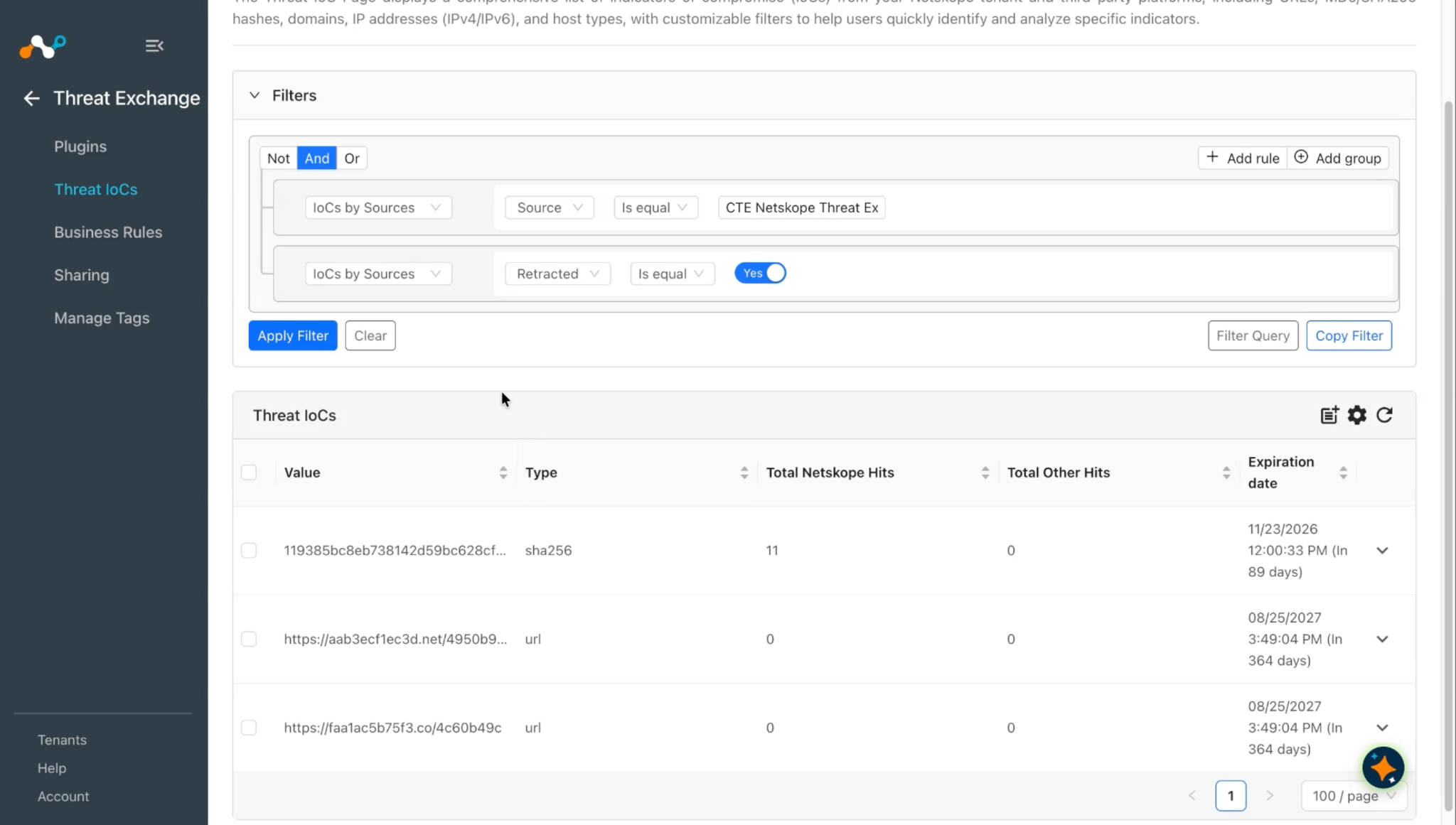
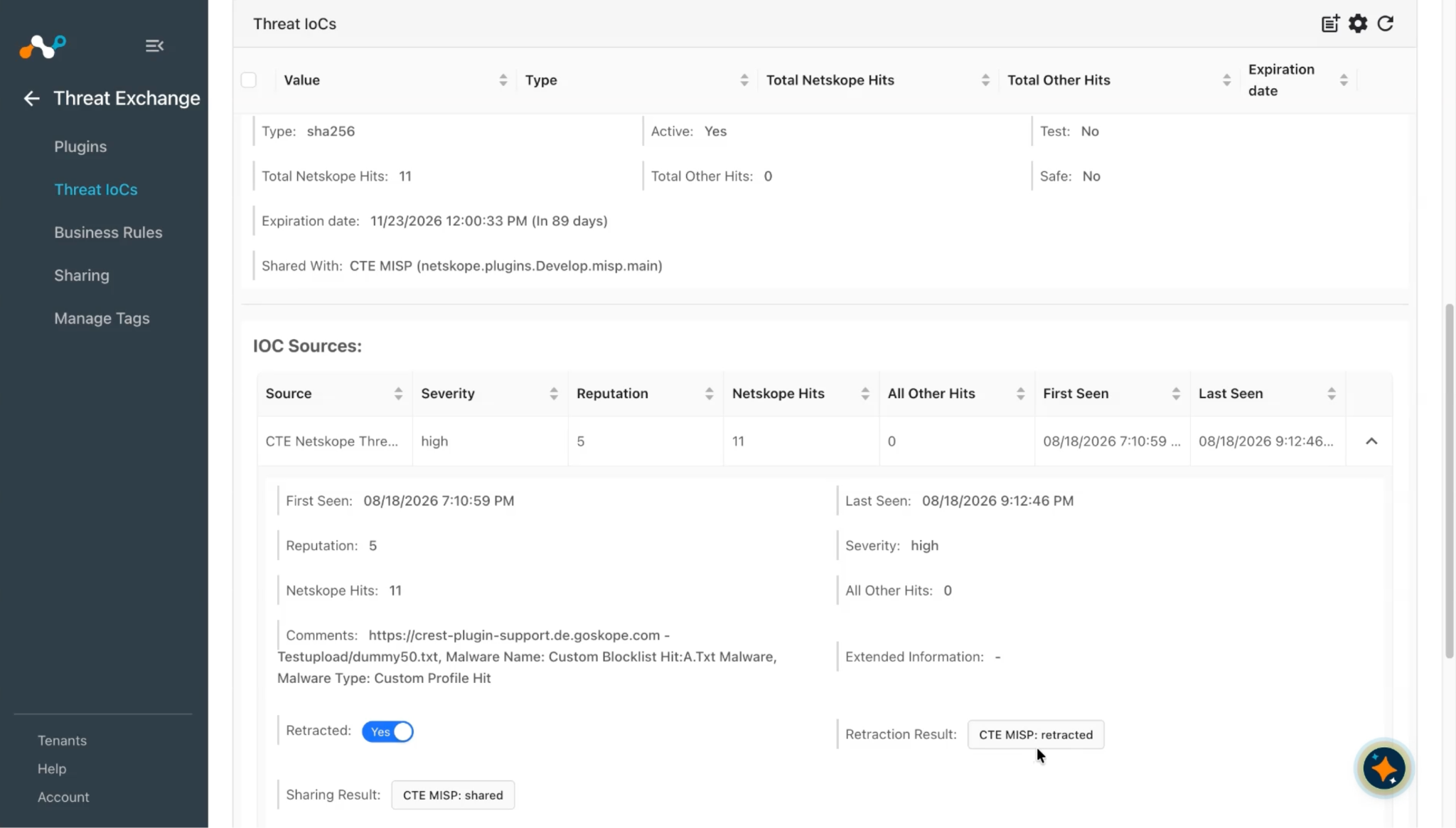
Also you can verify the retracted IoCs from the Threat IoCs page.
Add a filter like sources.source Is equal “<configuration_name>” && sources.retracted Is equal true.
Validate the Stored Indicators
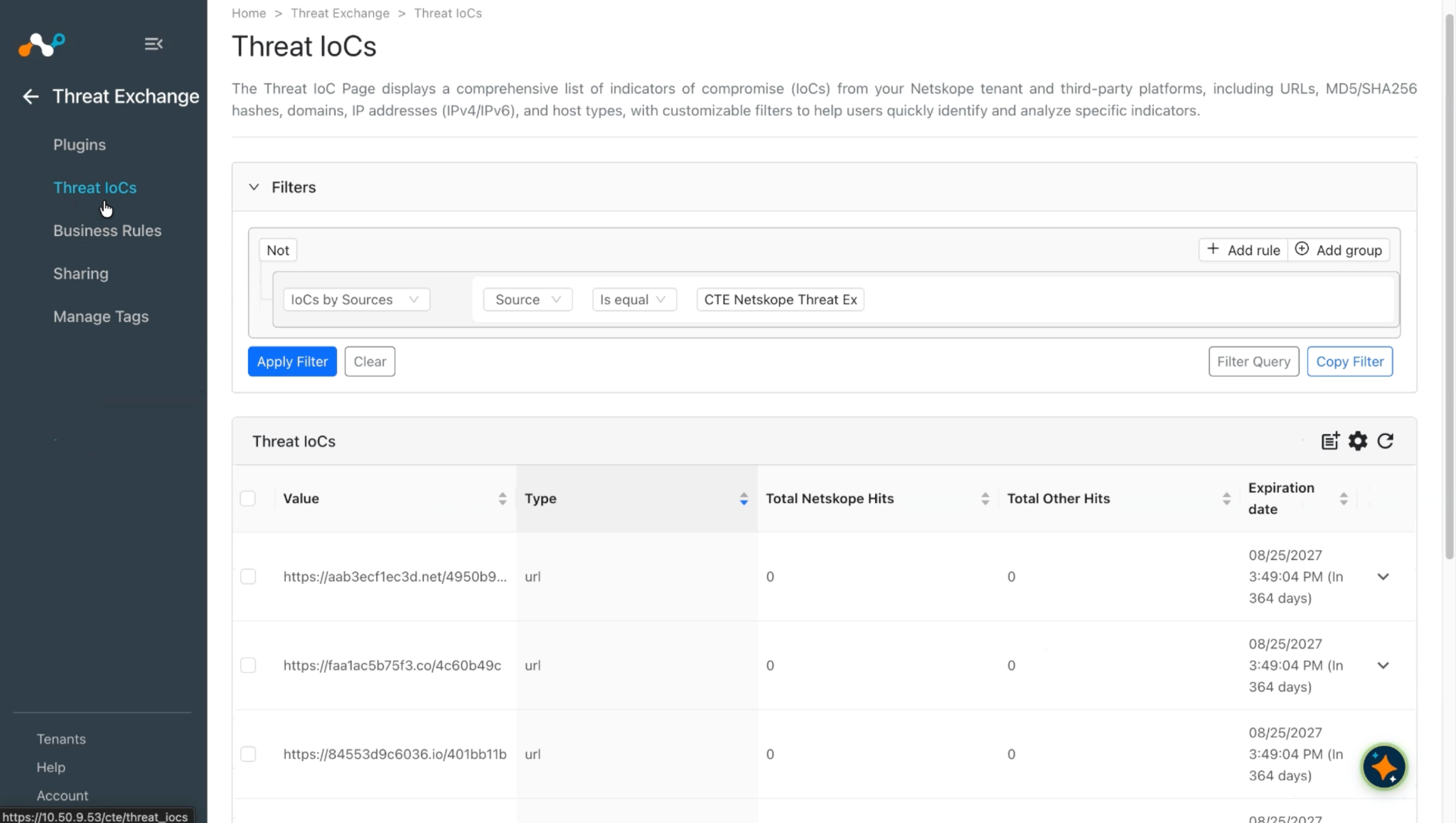
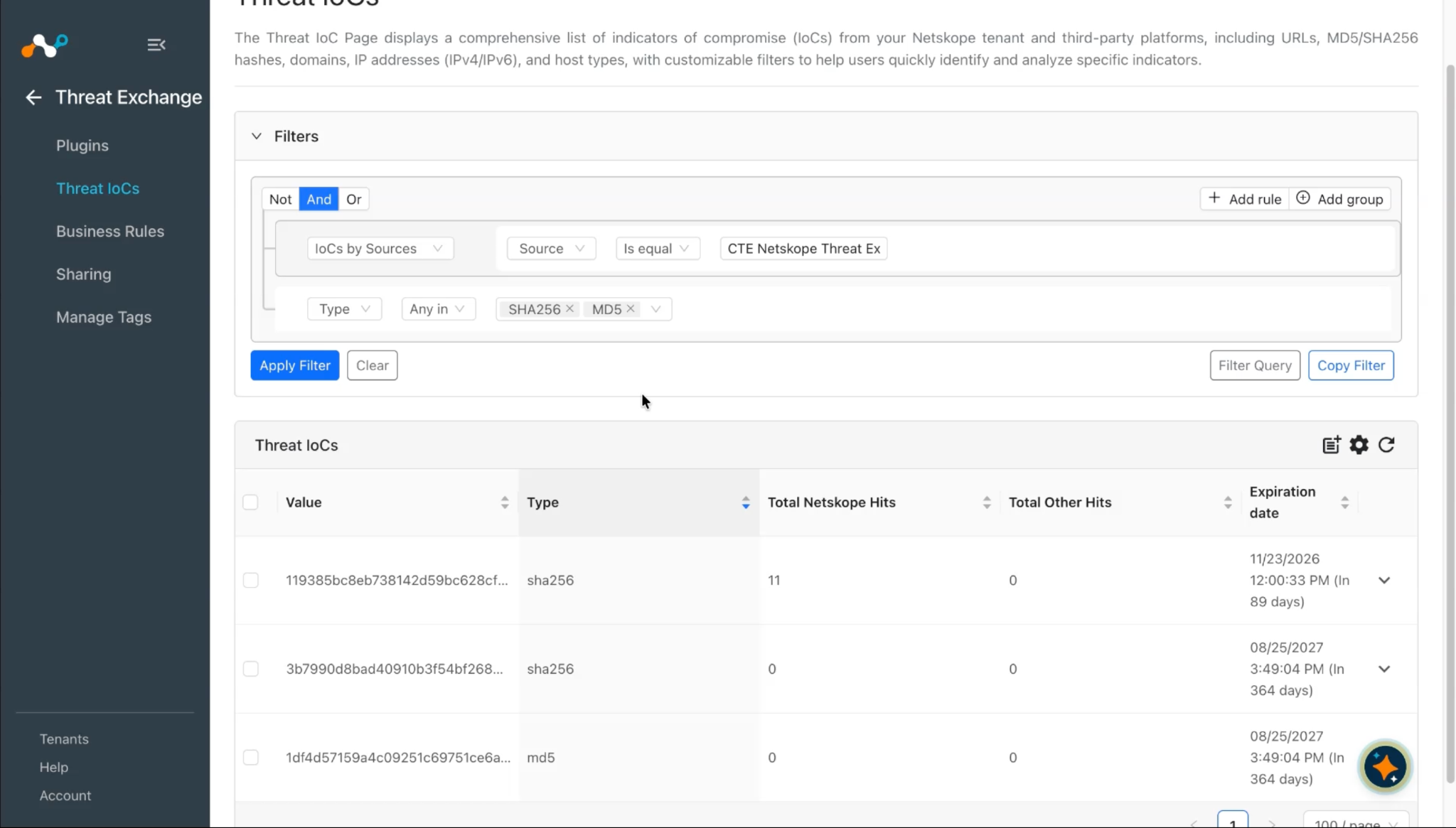
To validate the stored indicator in the Cloud Exchange, go to Threat Exchange > Threat IoCs.
Validate Alerts are Present in your Netskope Tenant
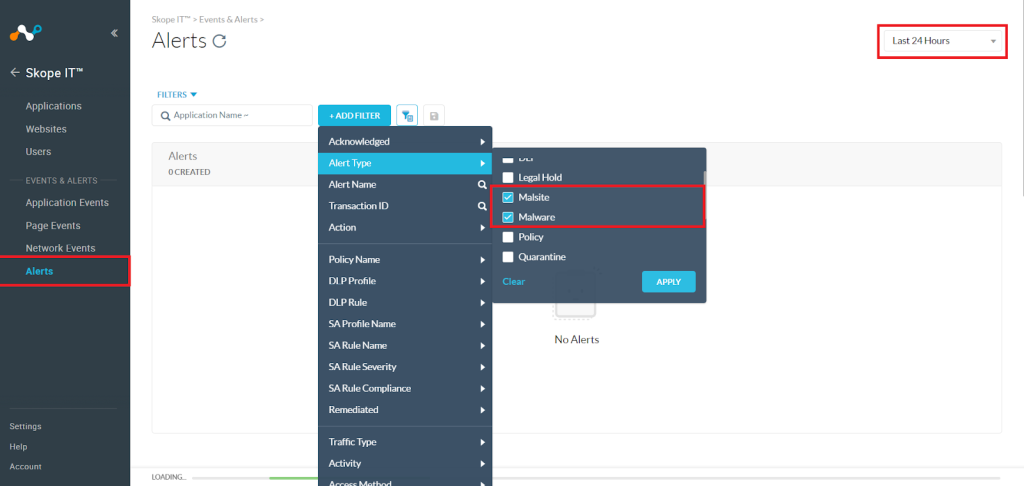
- In your Netskope tenant go to Skope IT.
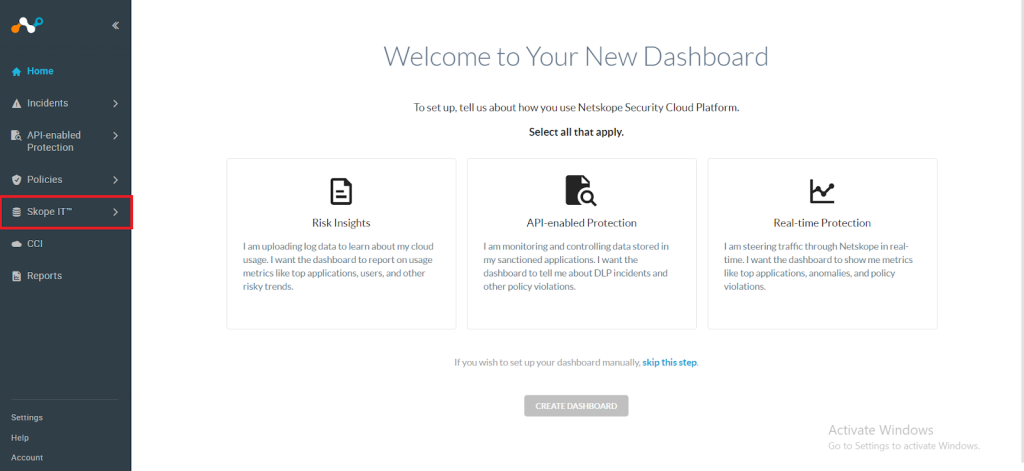

- Click Alerts, click Add Filter and select Alert Type > Malsite and Malware, and then click Apply. Select an option from the Last x Days dropdown in the top-right corner.

Validate the Push
To validate the plugin workflow in Cloud Exchange:
-
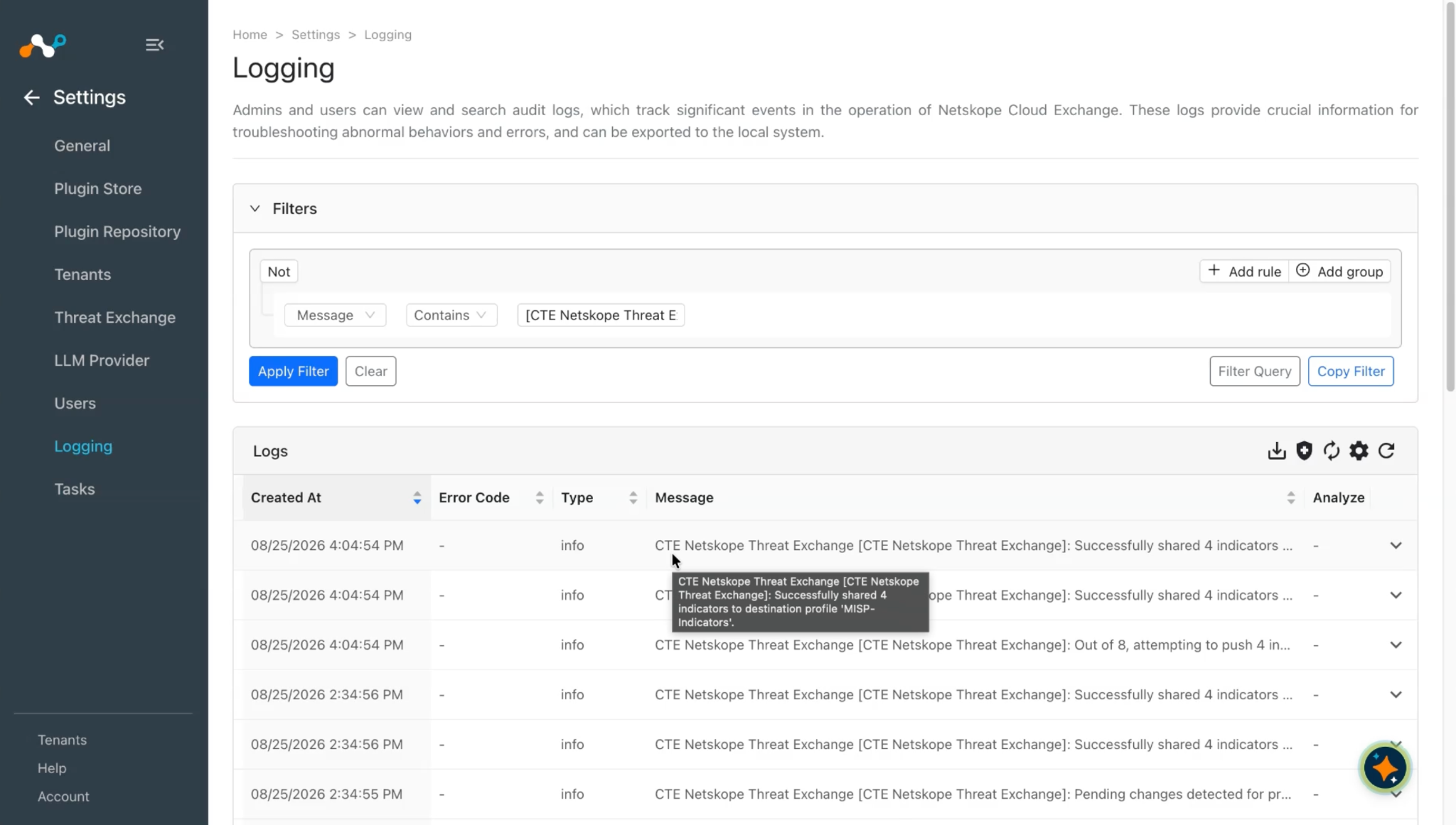
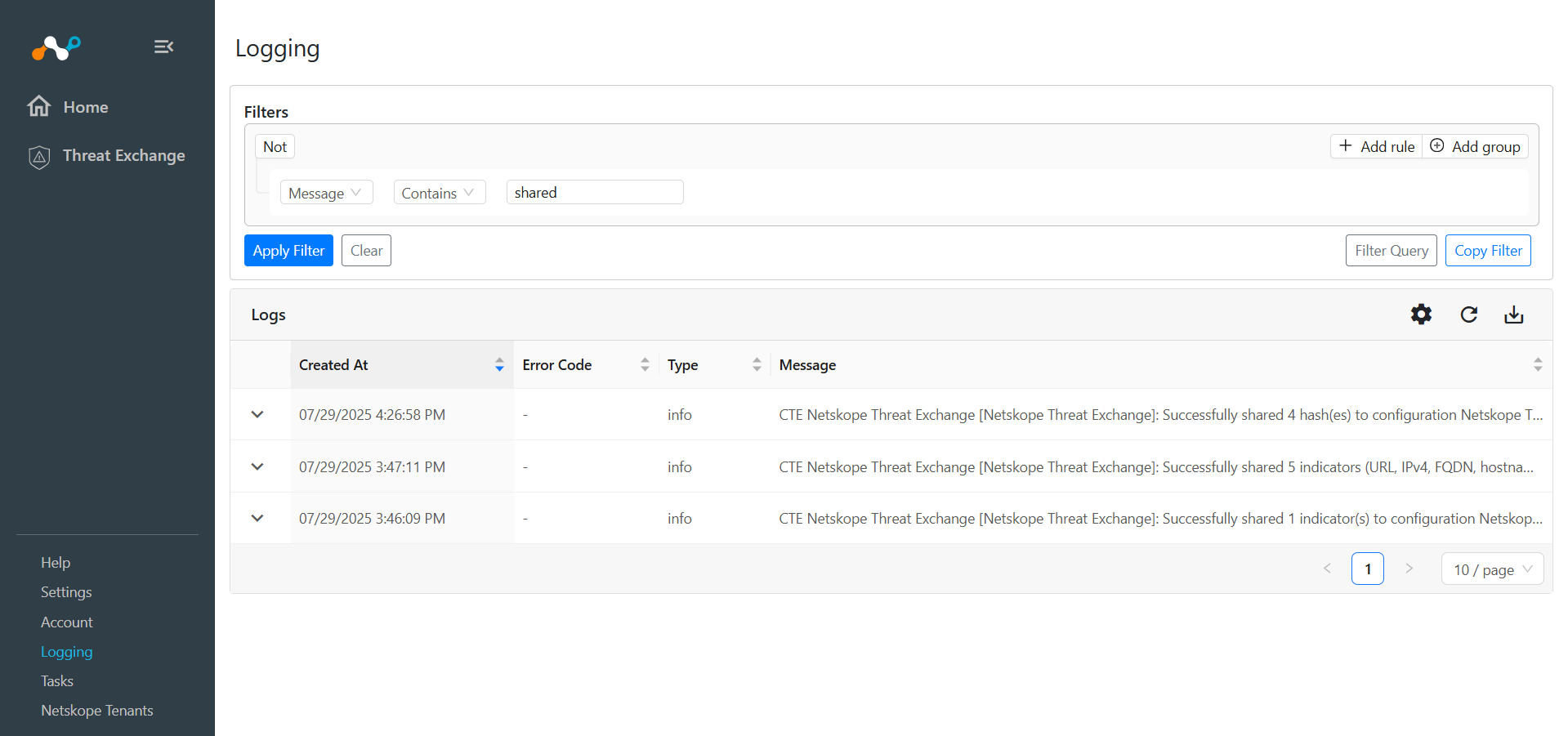
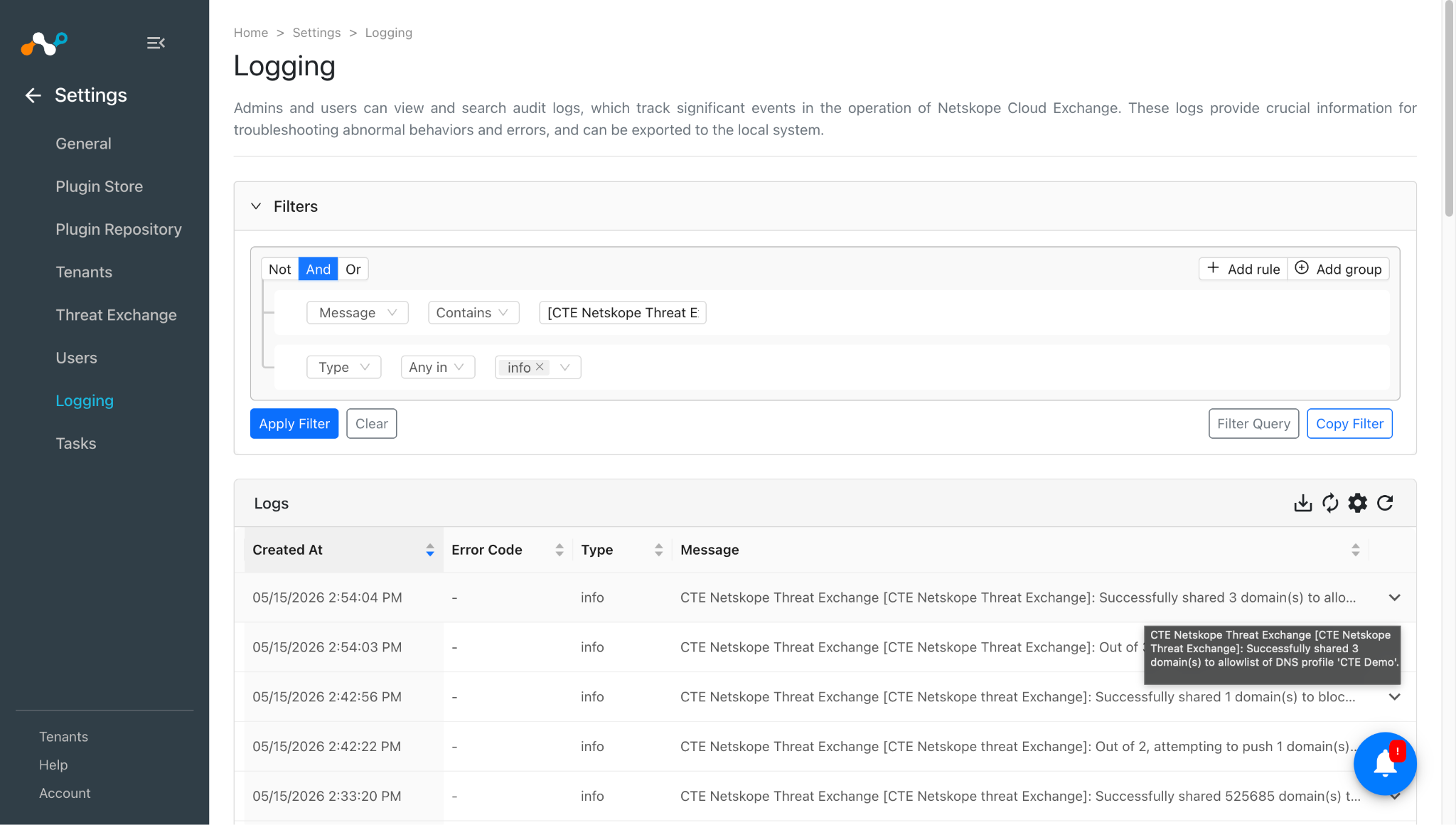
Go to Logging and Search for shared indicators with the filter message Like “shared”.
-
The shared logs will be filtered.
Validate the Push on the Netskope Tenant
Ensure the push of indicators on the Netskope tenant from the 3rd-party plugin.
Validate the Add to URL List Sharing
- In your Netskope tenant, go to Policies.
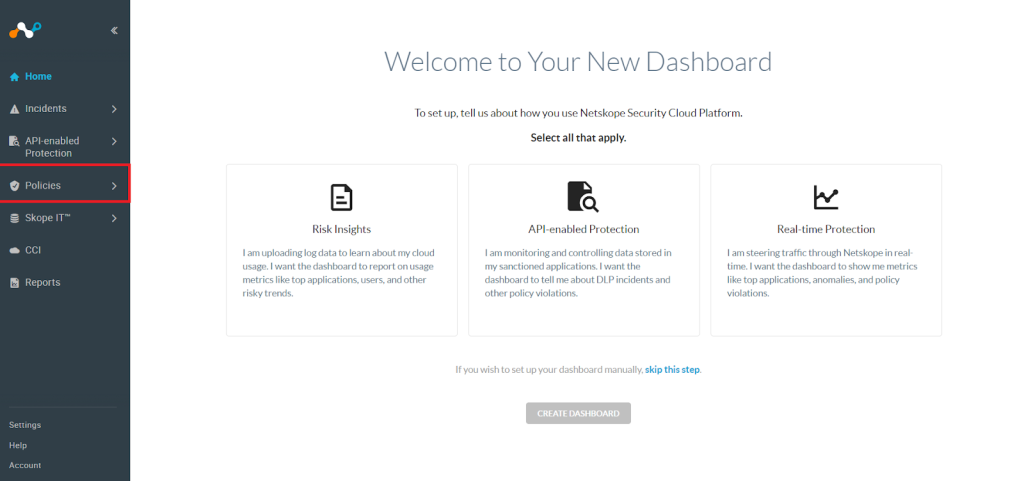

- Click Web > URL Lists.
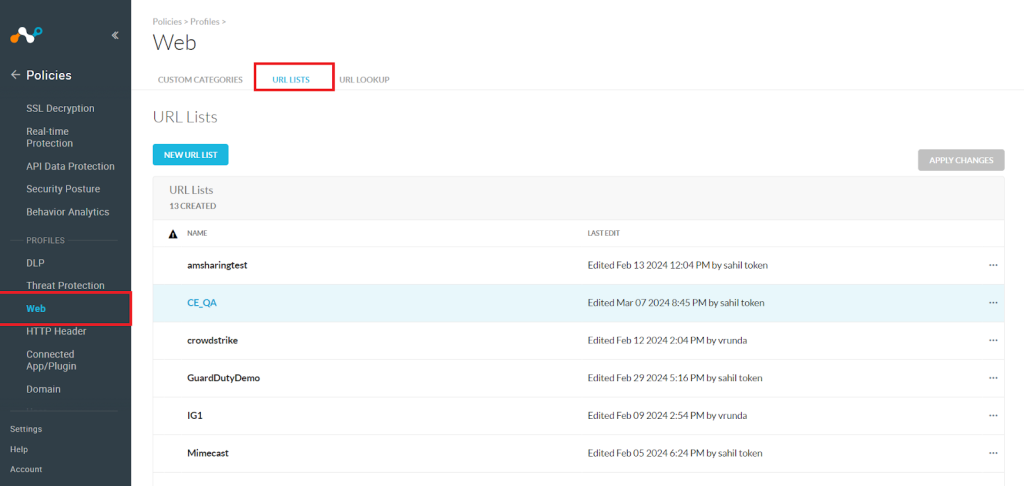

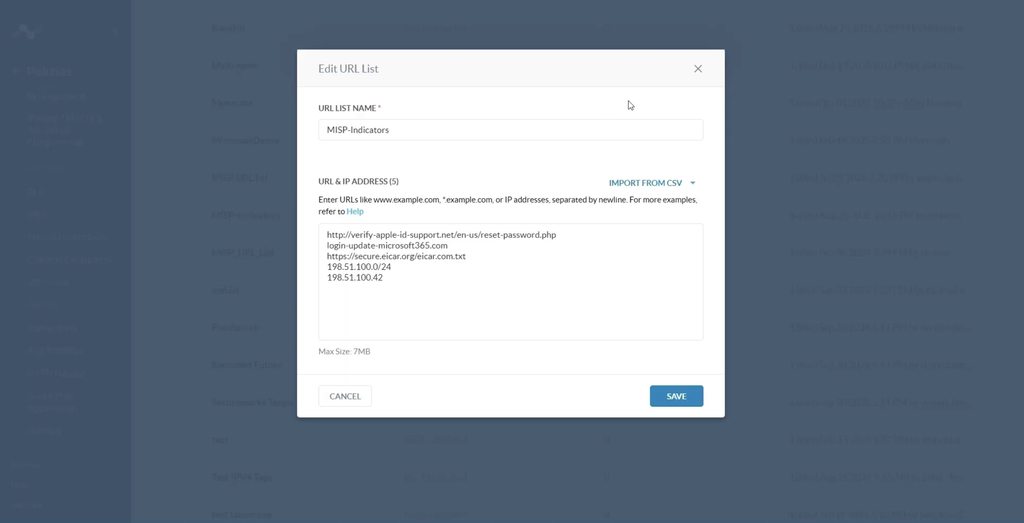
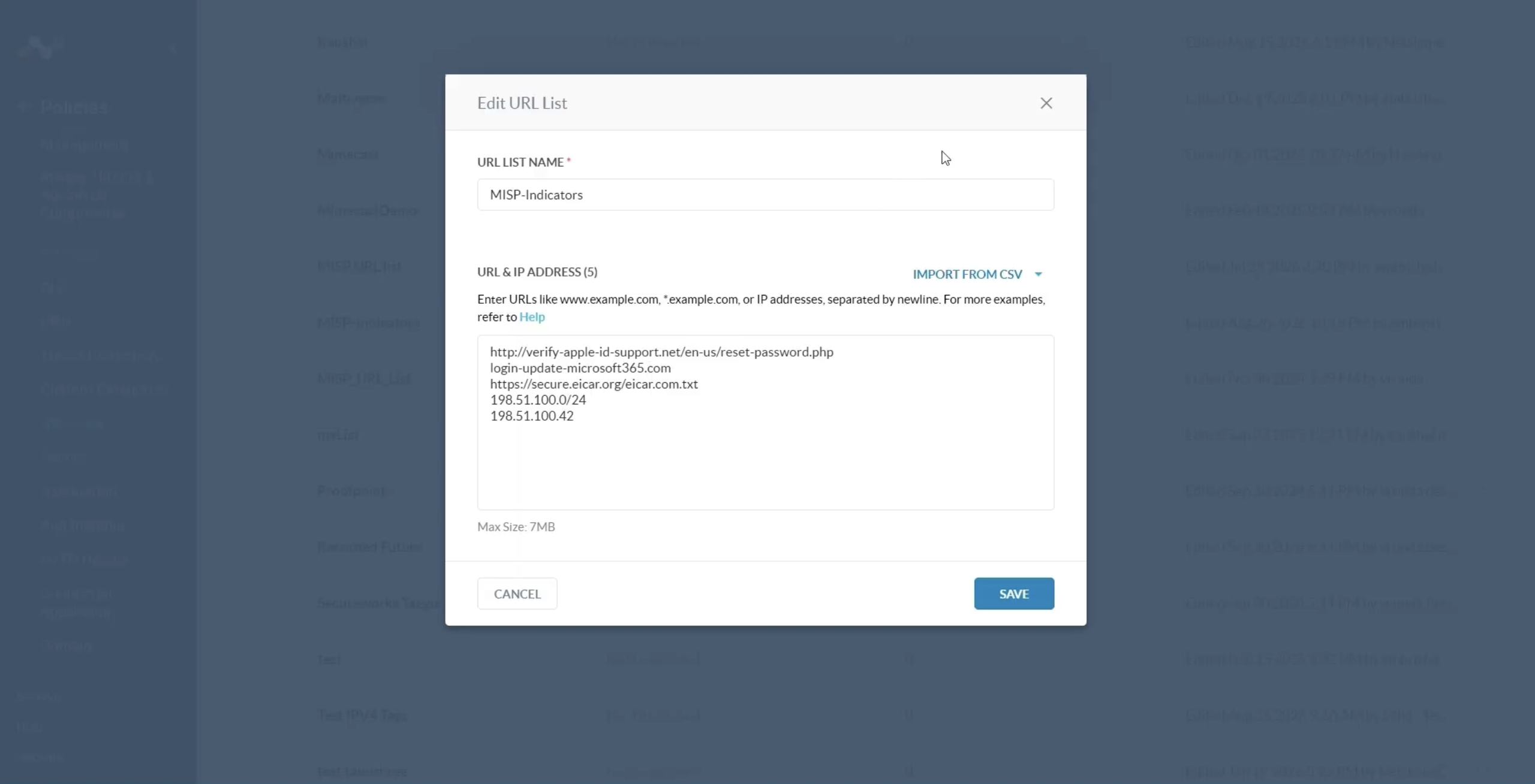
- Click on the List Name for which the URL is stored.
- The List will be shown here.
And as this sharing supports push retraction, you can also validate the logs in the logging section by applying a filter as provided below:

And you can check the same indicators are deleted from the URL list on the Netskope tenant.

Validate the Add to File Hash List Sharing
- In your Netskope tenant, go to Policies.
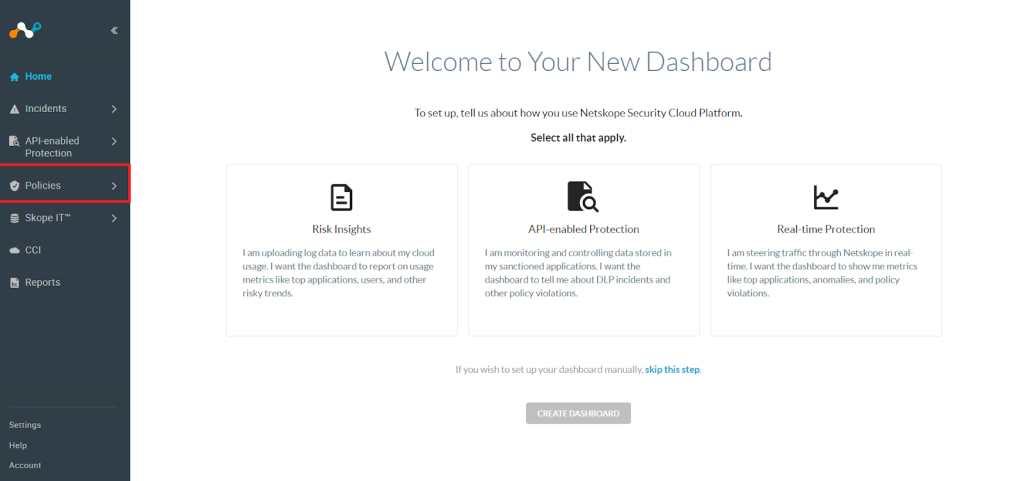

- Click Web > File.
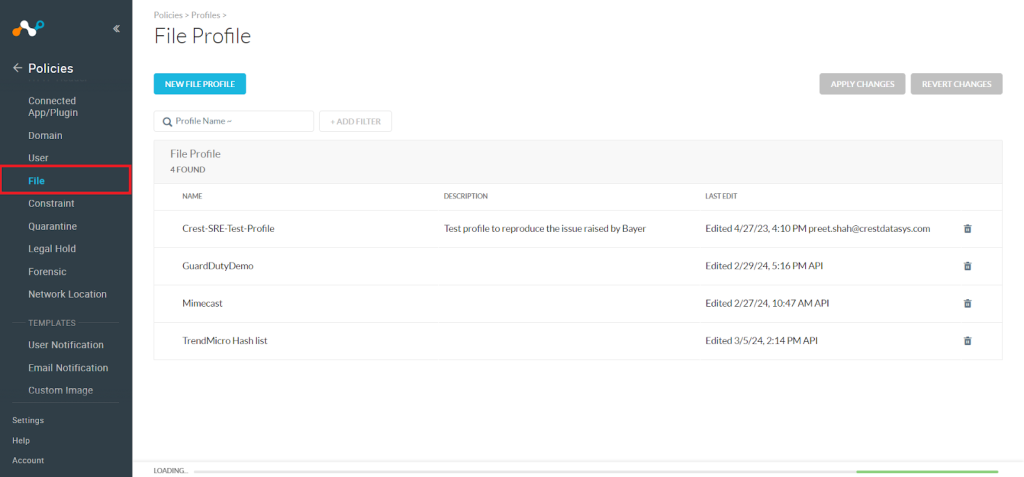

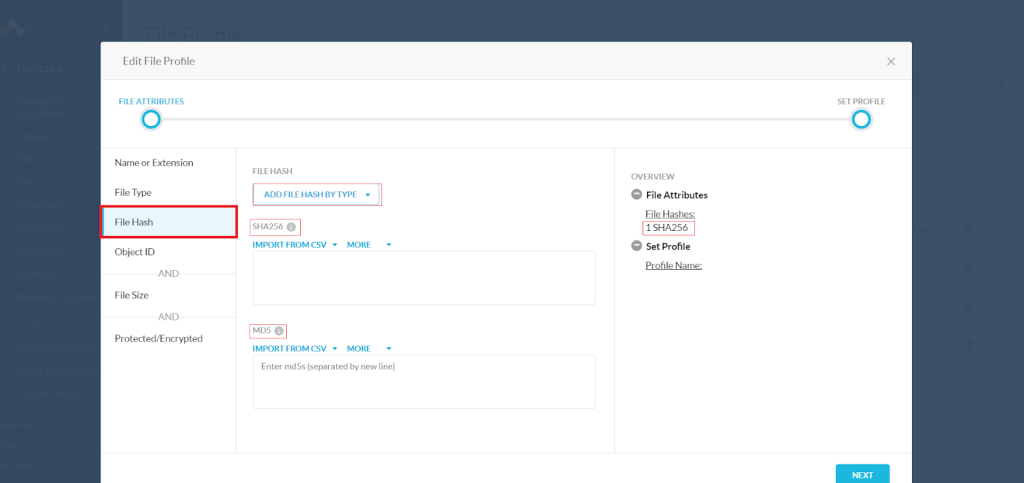
- Click on the File Name > File Hash for which the MD5 and SHA256 File Hash is stored.

Validate the Add to Private App Sharing
- In your Netskope tenant, go to Settings.
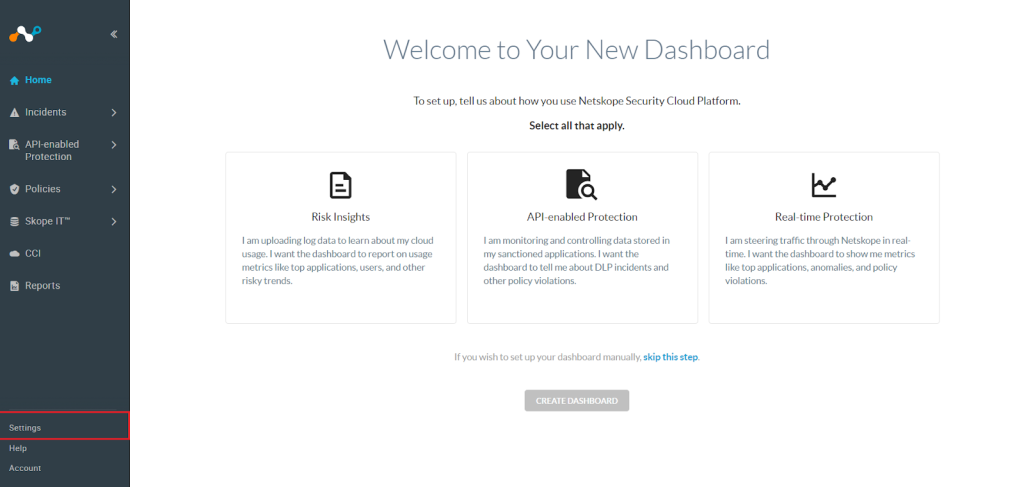

- Click Security Cloud Platform > App Definition > Private App.
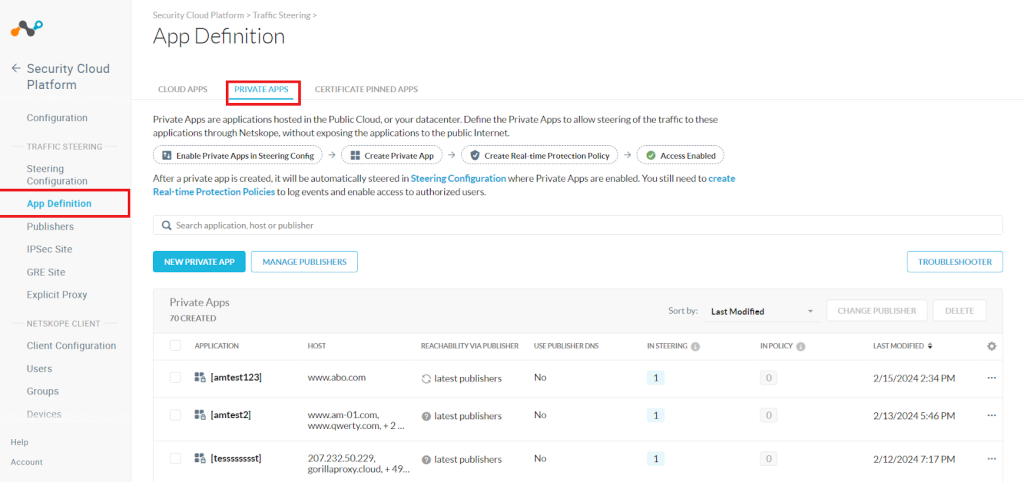

- Click the application name where the hostname and domain details are shared.
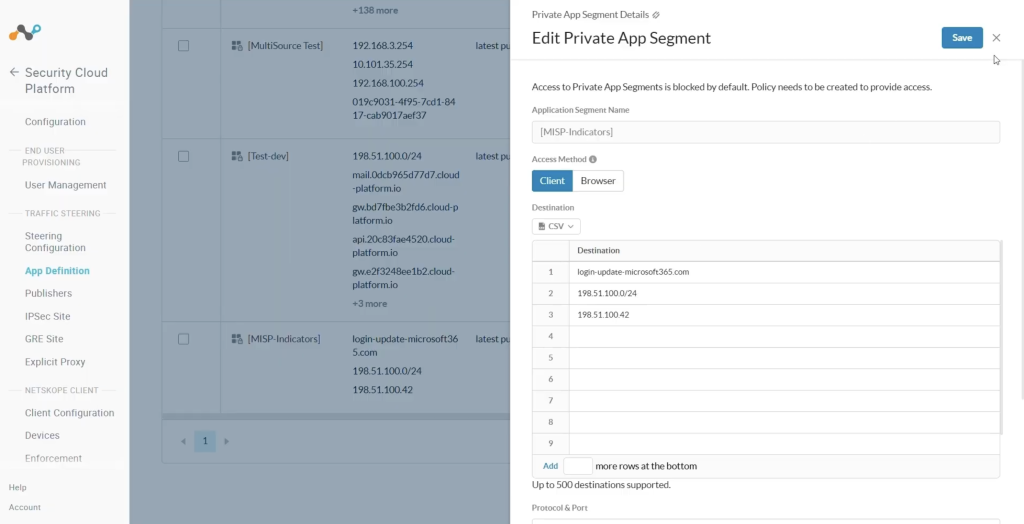
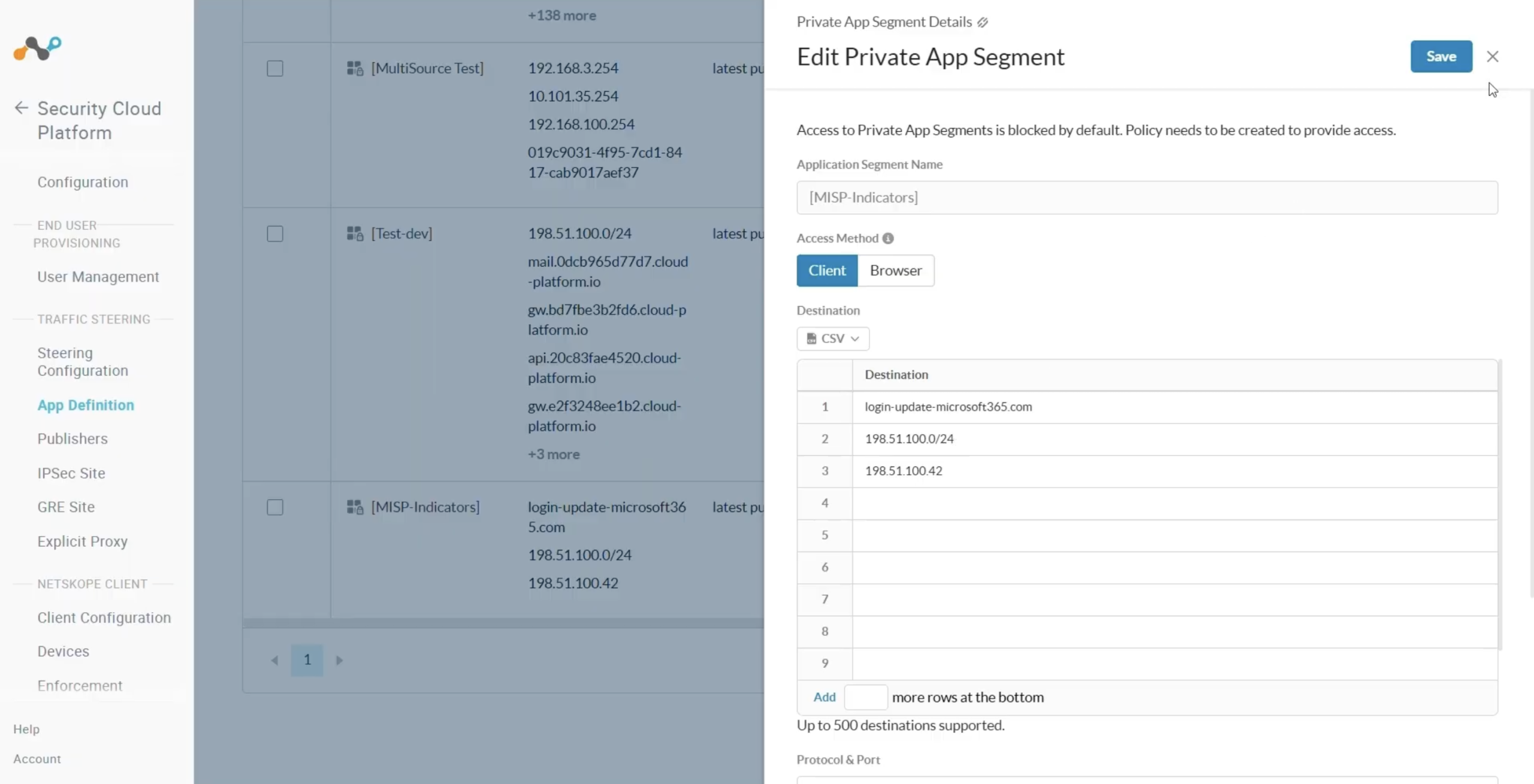
Validate the Add to Destination Profile Sharing
-
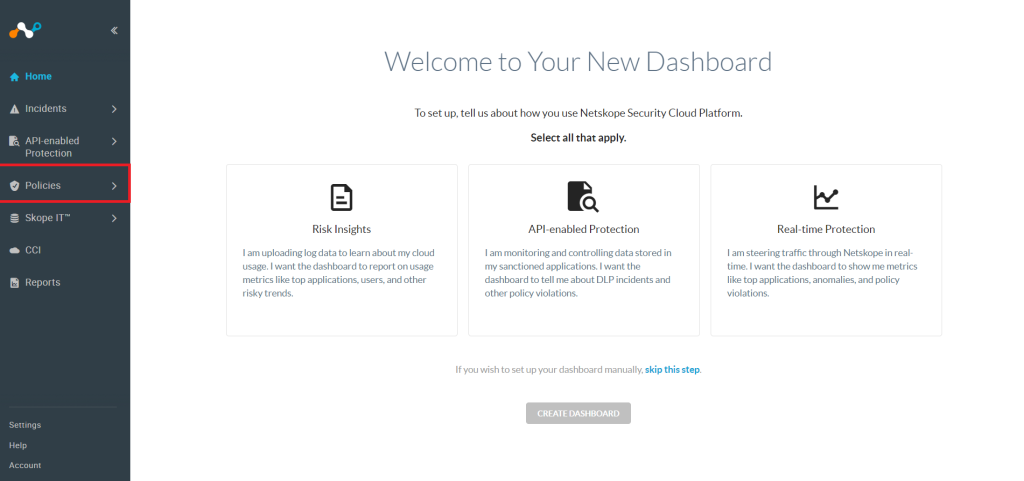
In your Netskope tenant, go to Policies.
-
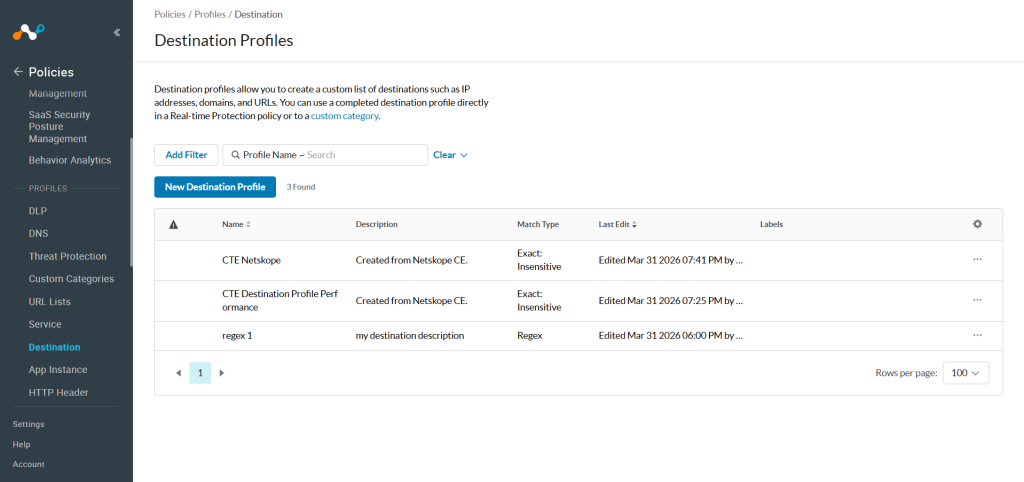
Click Profiles > Destination.
-
Click on the Profile Name on which the URL is shared.
-
The List will be shown here.
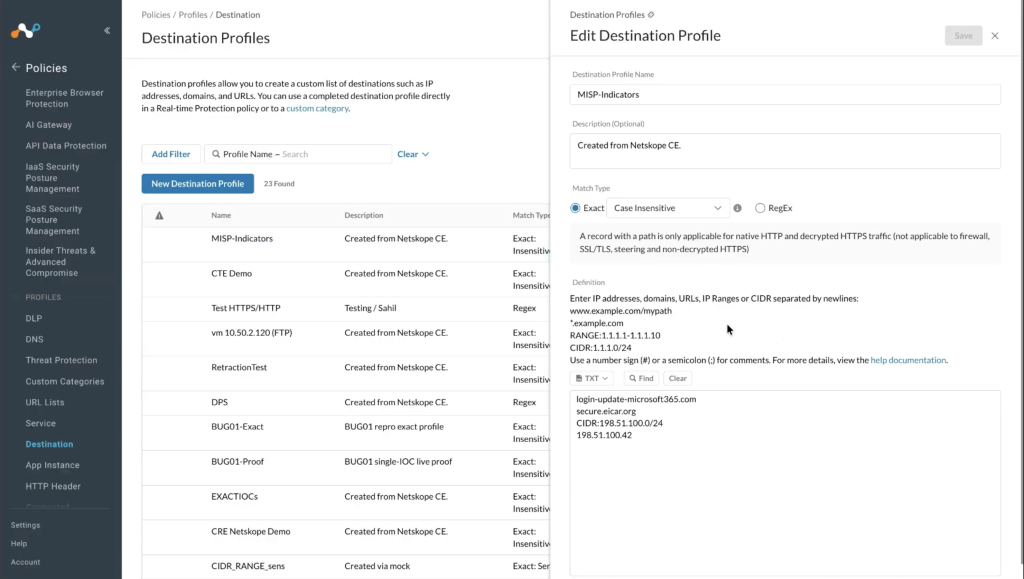


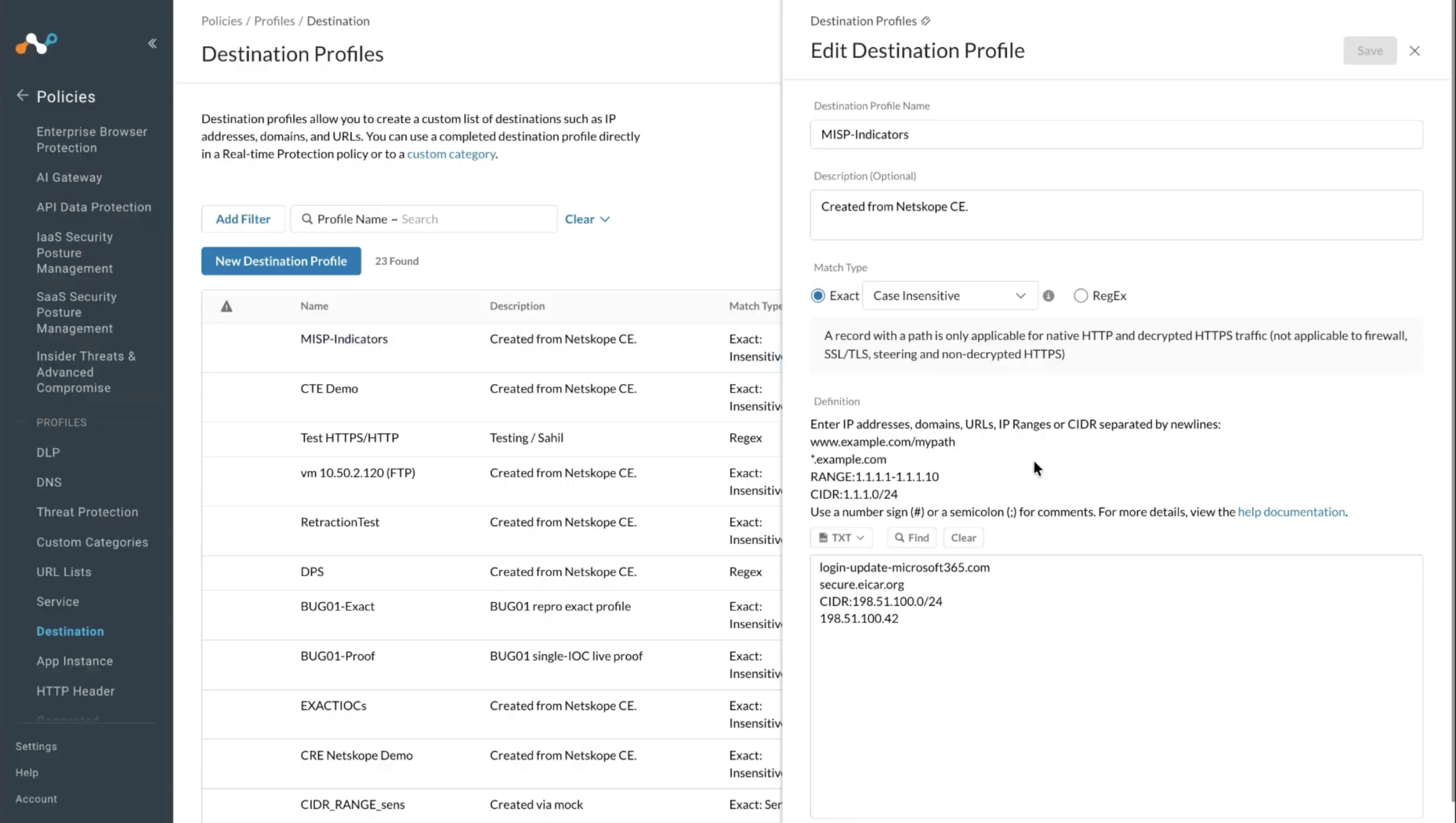
And as this sharing supports push retraction, you can also validate the logs in the logging section by applying a filter as shown below:

And you can check the same indicators are deleted from the Destination Profile on the Netskope tenant.

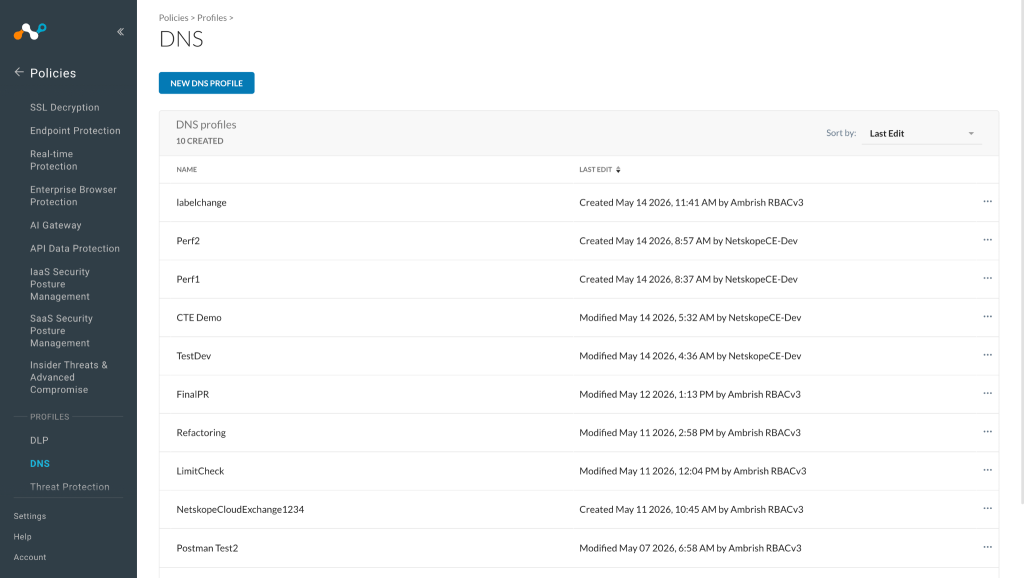
Validate the Add to DNS Profile Sharing
-
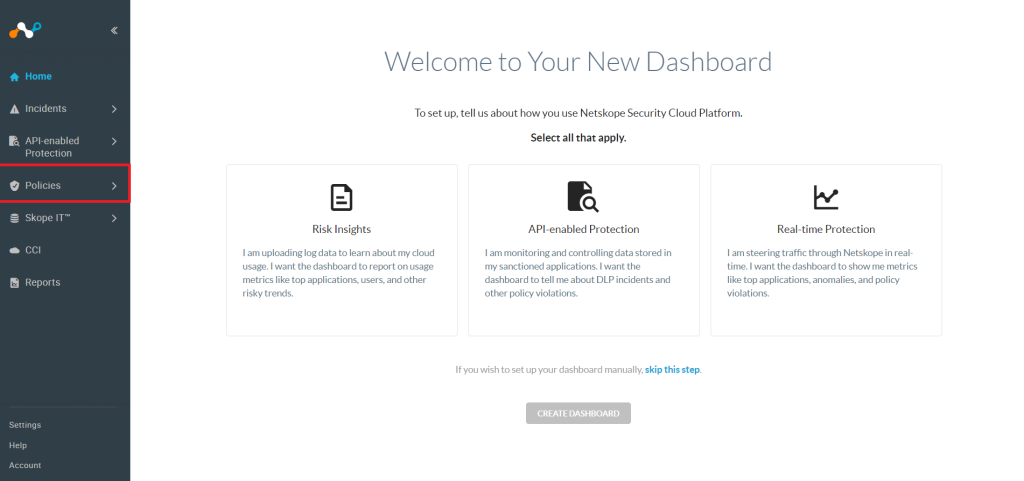
In your Netskope tenant, go to Policies.
-
Click Profiles > DNS.
-
Open the DNS profile that was used while configuring the sharing.
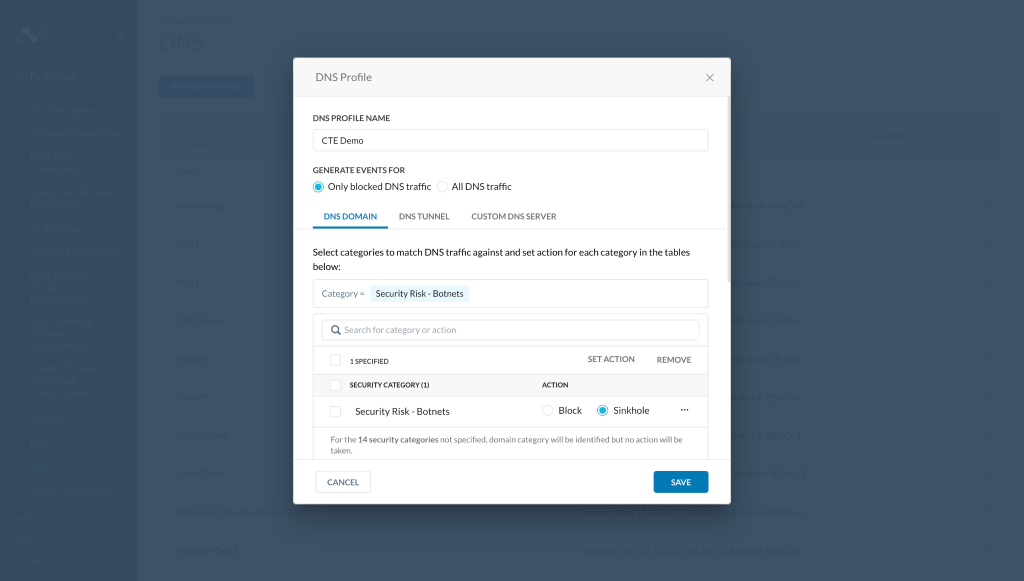
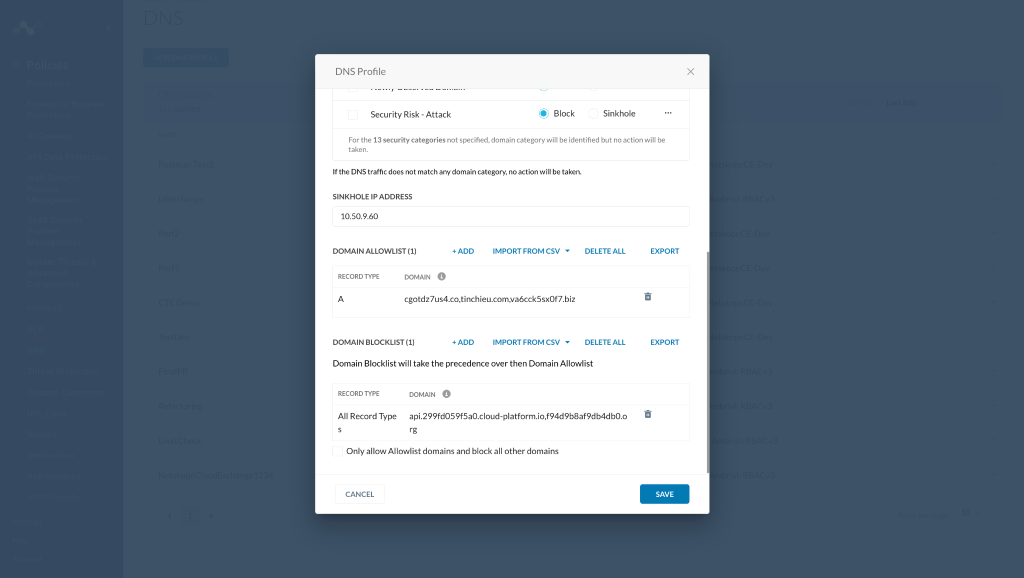


This action also supports push retraction, which means the IOCs that were already shared to a DNS profile and are marked as retracted yes in Cloud Exchange will get deleted from the DNS profile in the next sharing sync interval.
Example:
This is a DNS profile that has domain cgotdz7us4.co. This IoC was pulled from CrowdStrike and shared to this DNS profile via Netskope Threat Exchange plugin.

Now the domain cgotdz7us4.co got marked as retracted in CE as it was deleted on CrowdStrike platform.

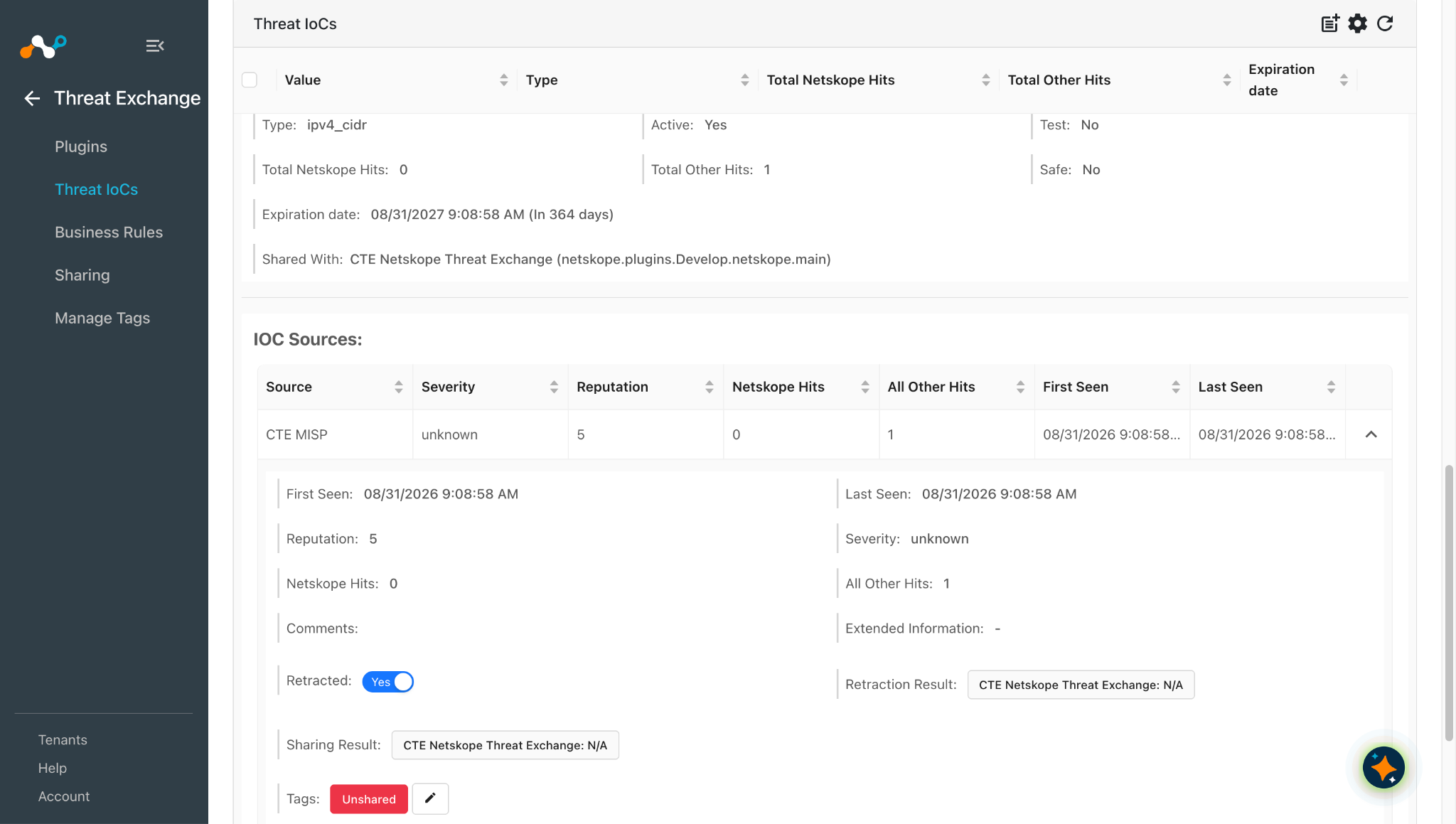
After the next sharing sync interval of Netskope Threat Exchange plugin it got deleted from the DNS profile. We can track the status for deletion via the Retraction result field. When the retraction result is CTE Netskope Threat Exchange: retracted, this means it is deleted from the Netskope Tenant.

Retraction can be verified from the logging page by filtering the logs related to the destination plugin configuration.
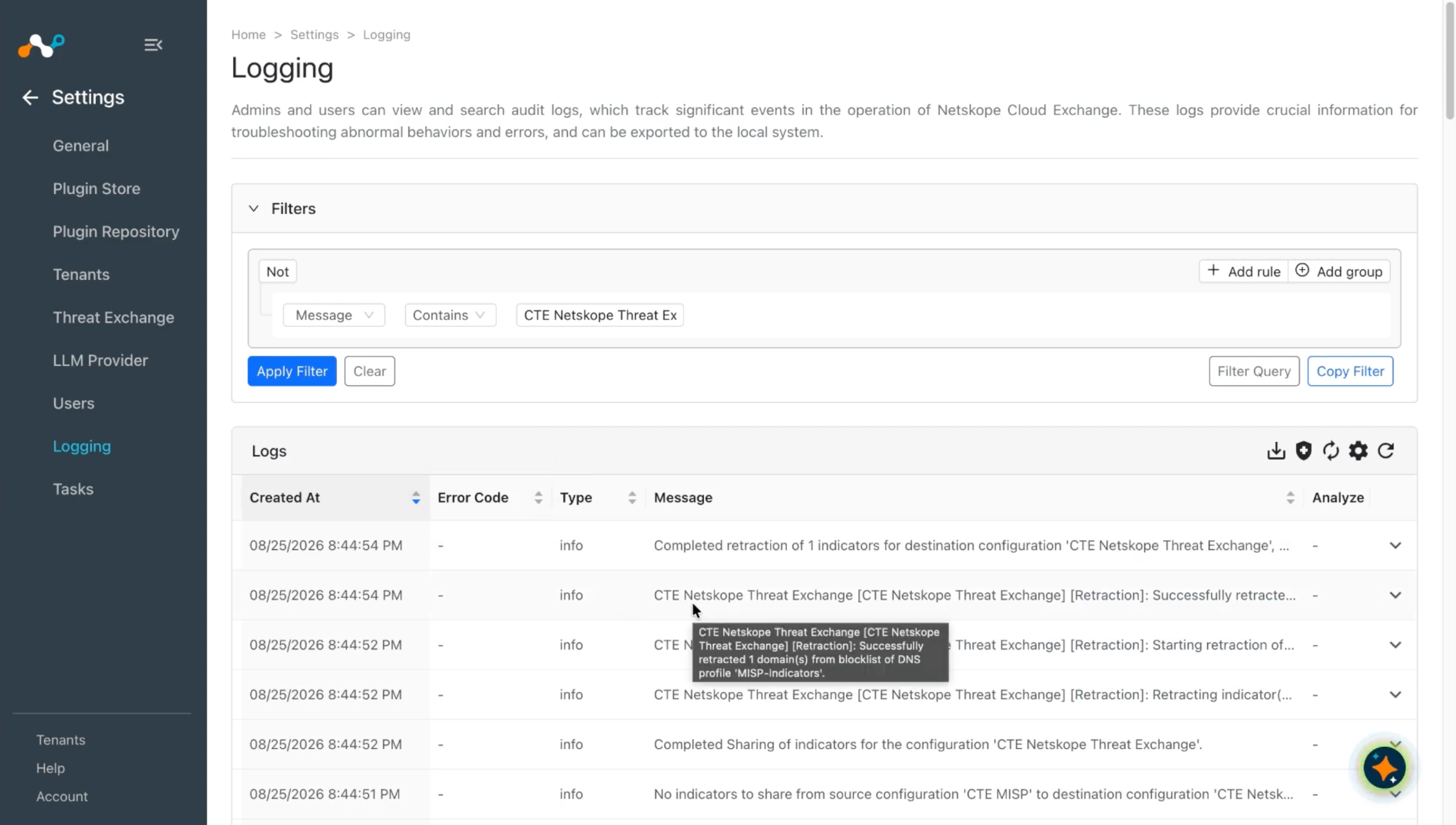
DNS Profile after IOC was deleted.

Troubleshooting the Threat Exchange Plugin
Receiving Error While Configuring the Netskope Threat Exchange
Getting the error: The Netskope tenant API V2 token does not have necessary permissions configured. Refer to the list of endpoints for which the token is missing permission. **

Cause: The provided V2 token does not have the minimum required permissions to configure the tenant in Cloud Exchange.
What to do:
- Go to Logging and look for a warning log similar this:
TENANT Netskope Tenant (Required) [Netskope Tenant]: For Netskope Tenant, received 403 error for following endpoint(s) - Expand the log and get the list of endpoints that are missing permissions.
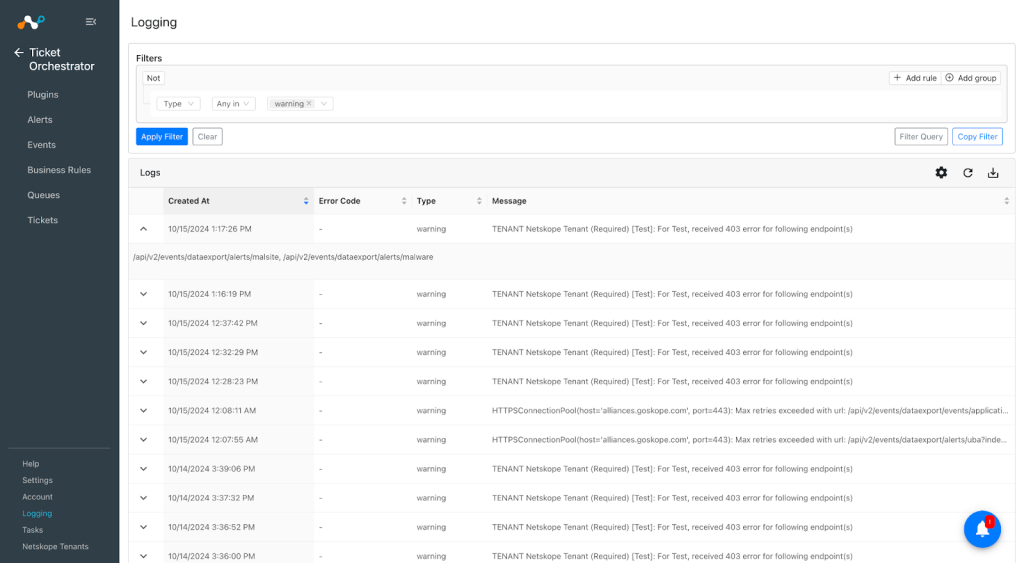

- Update the v2 token permissions, and add the permission for the above endpoint list from the Netskope UI.
Sharing configuration still has List Size 8 MB instead of 7MB in Add to URL list after upgrading the plugin
Since plugin version 2.2.0, we have updated the List size from 8 MB to 7MB. If you have configured the plugin including the Sharing configurations with older versions, and then upgrade the plugin to the latest version. The configuration still has the List Size 8, and while editing the Sharing configuration, it is giving an error.
What to do:
- Edit the configuration and change the List Size to 7MB, and then save the configuration.
- Configure a new Sharing following the steps mentioned in Add to URL List.
Receiving error after successful execution of Add to URL list
If you have synced the Add to URL list sharing, and you are seeing this error even after successful execution, and in the Netskope tenant, there is a warning icon that is saying View pending changes. This is due to limited URLs (300000) being allowed on the Netskope Tenant mentioned in this documentation.


What to do:
Remove the unnecessary URLs from your URL Lists, and then click Apply Changes.
Unshared tags are not attached to the IoCs that are not shared to the third party platform
You may encounter the issue where the tagging functionality is not working properly. To overcome this issue, you need to update the plugin to the latest version, then Unshared tags will be attached to the IoCs that are skipped while sharing to Netskope Tenant.
What to do:
Update the plugin to Netskope Threat Exchange v2.3.0 or above.
Note
If the IoC is having an invalid host or invalid app tag attached to it, then the unshared tag will not be attached to that IoC.
Some of the IOCs not shared to Destination Profile even if the URLs are valid in Cloud Exchange
You might see only a few URLs shared to the Destination Profile even if the URLs are valid in Cloud Exchange. This might be due to below reasons:
- The URLs do not match the definition for the Match Type.
- The maximum number of valid URLs exceeds on the Netskope Tenant.
What to do:
-
Verify the URL matches the definition for the Match Type provided in the Destination Profile. For more information, refer to the documentation.

-
Verify the available URLs on the Destination Profiles as for both of the Exact Match Types, the maximum supported URLs are 100k per Profile and 300k per tenant. And for Regex Match Type, the maximum supported URLs are 1000 per tenant.
Receiving Error while performing DNS Profile action
If you receive a 403 error while performing DNS Profile action, it will be due to insufficient permissions in the V2 token.
What to do:
-
Clone the Netskope Cloud Exchange role and add below permissions to the new role then generate token with this role:
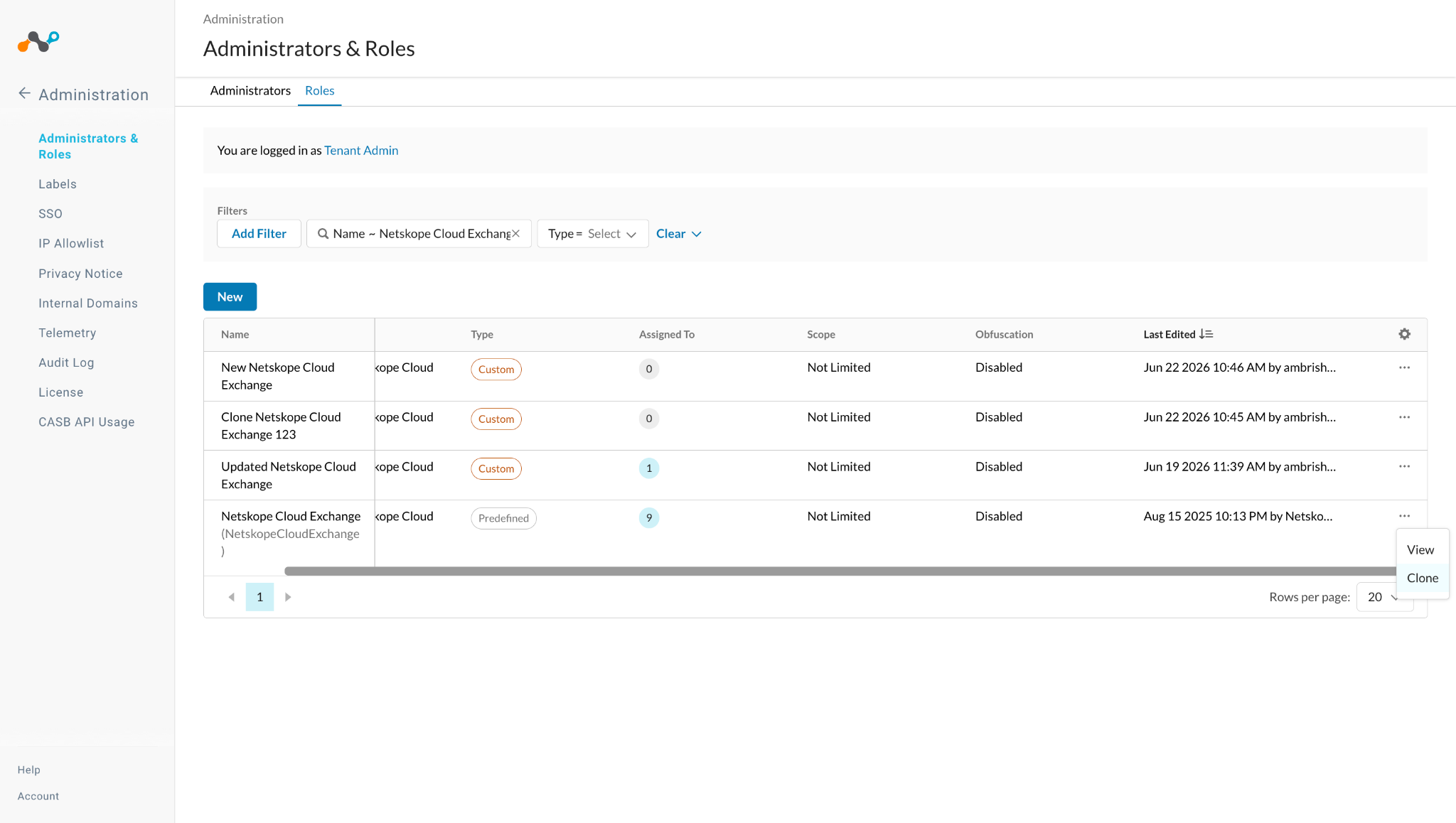
-
Edit the cloned role.
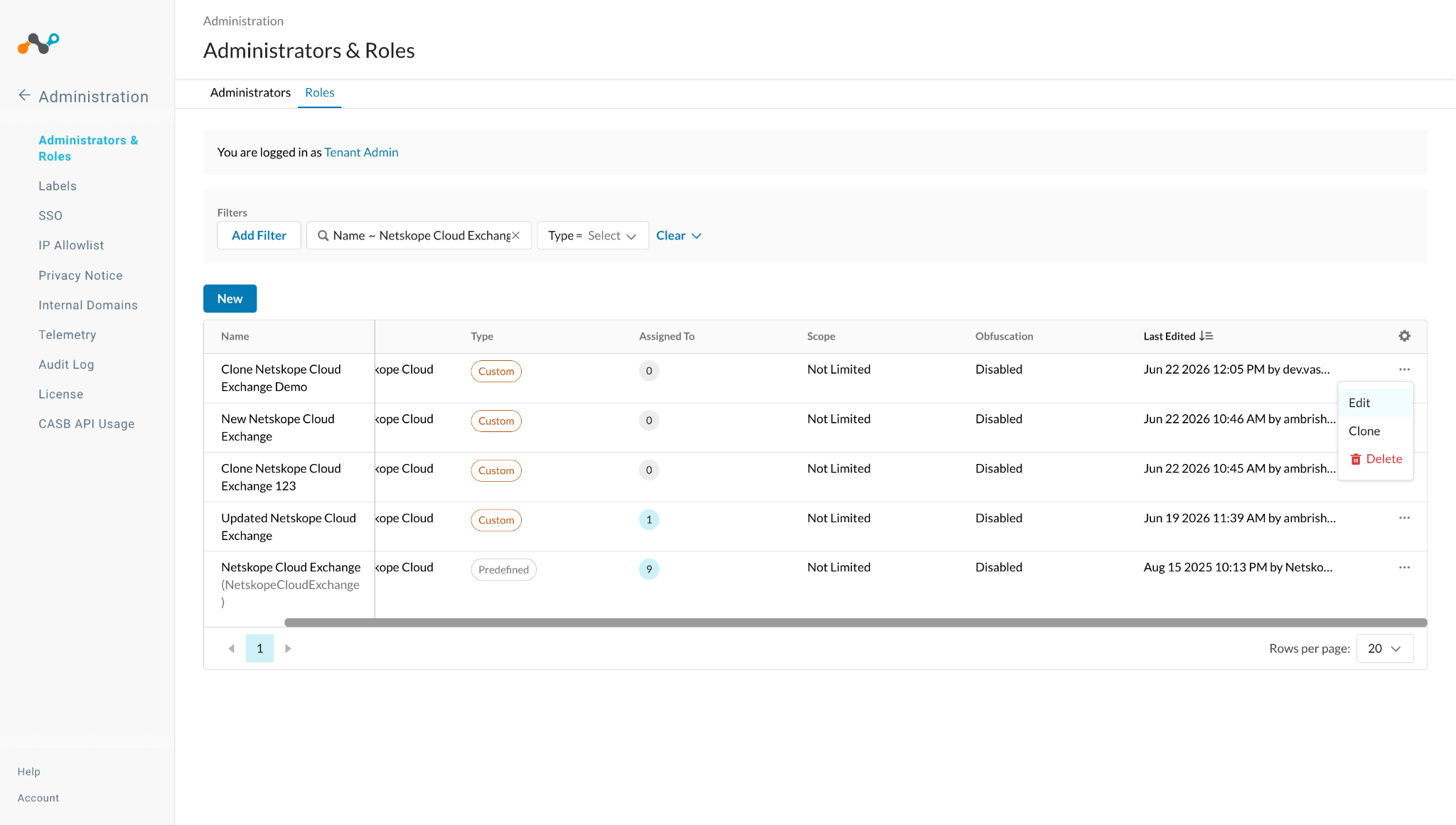
-
Search for DNS Profile and update the its permissions to Manage and Apply.
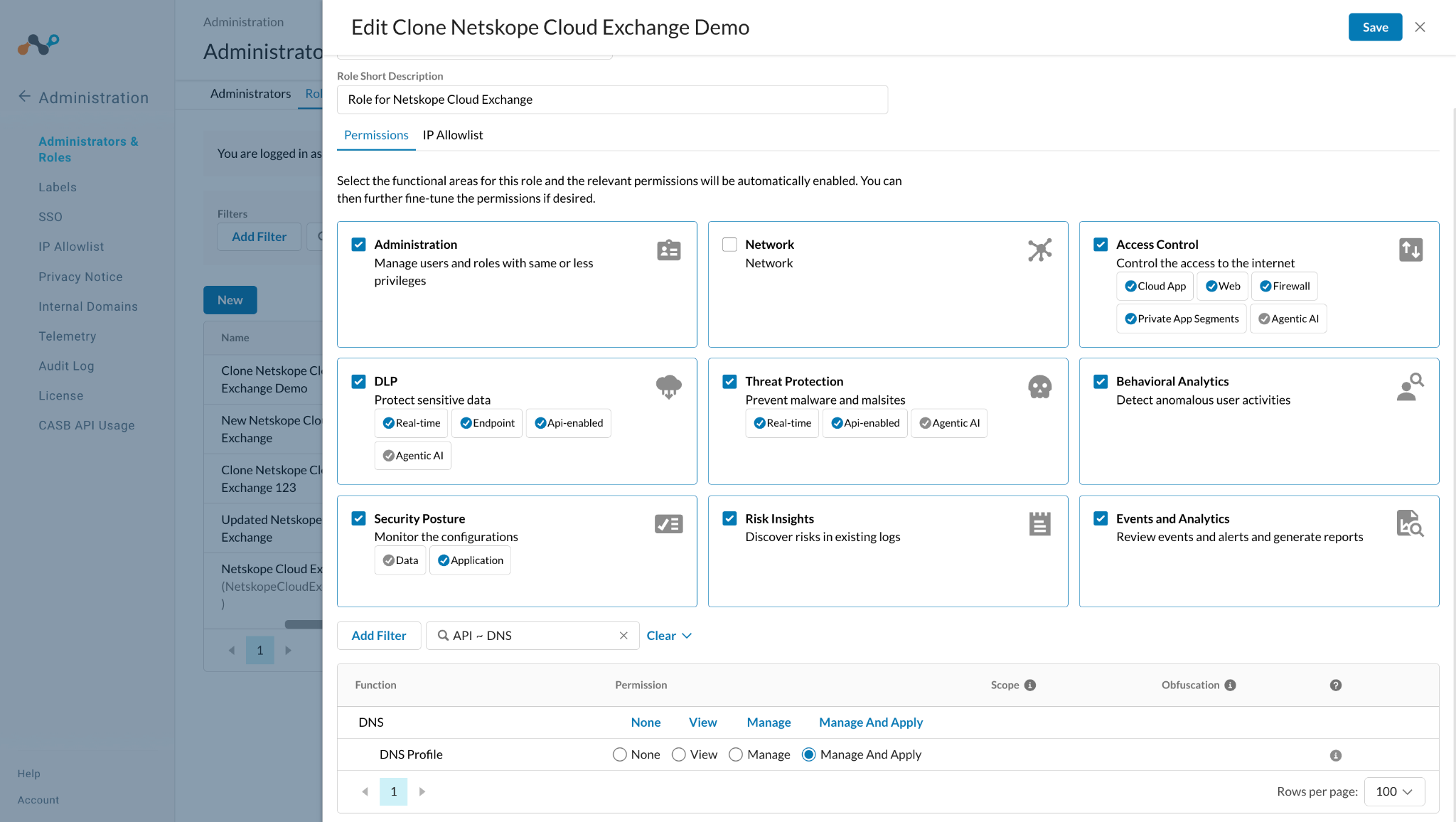
-
Click Save and then generate a token using this New Custom Role.
Limitations
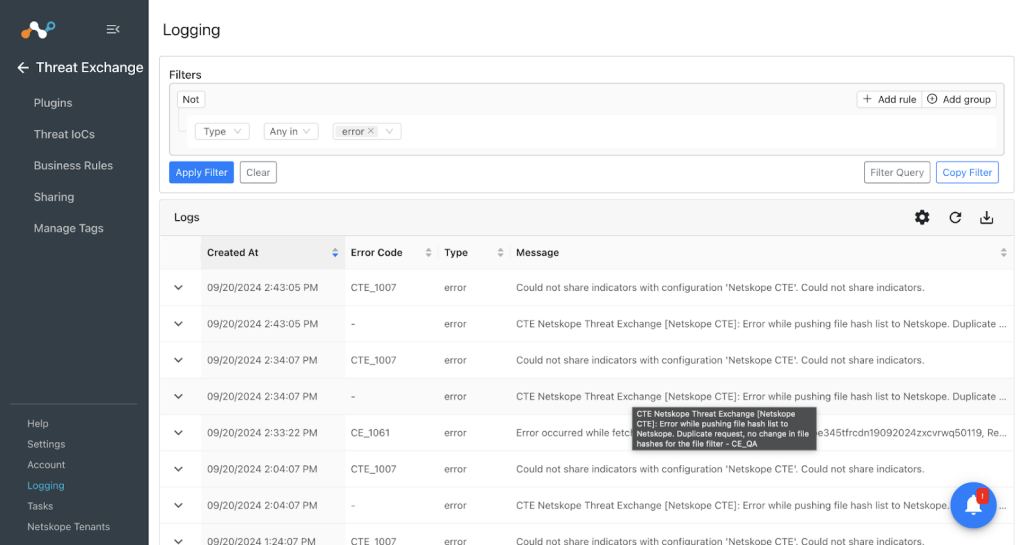
- An error will be thrown if the same File Hash list will be shared to Netskope Tenant from Cloud Exchange. If a File Hash list contains the same list of file hashes that were pushed previously, and Cloud Exchange tries to push it again, then the API will throw error as shown here:

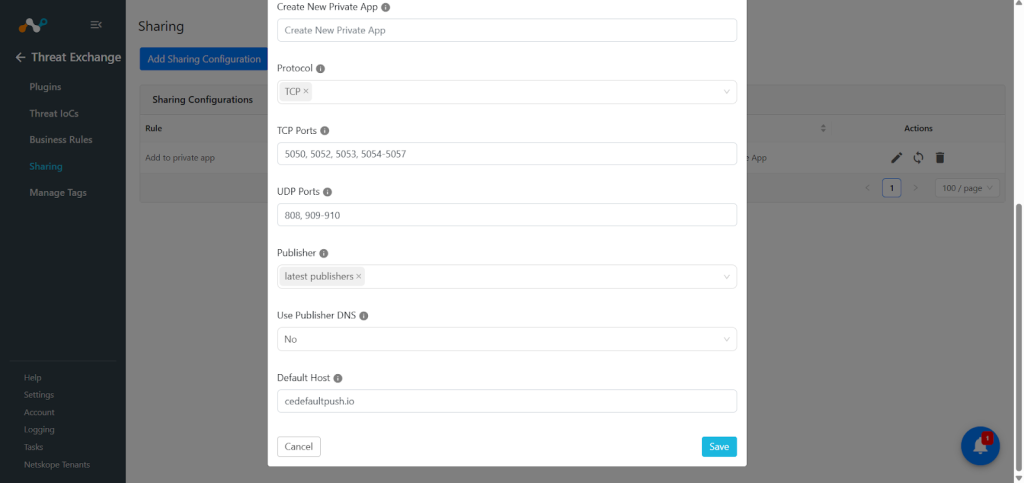
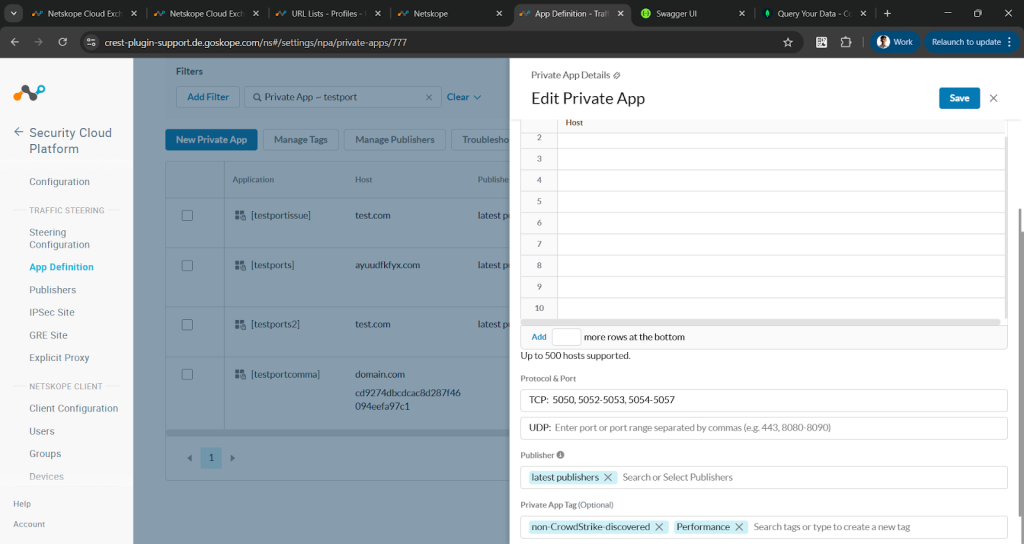
- If you have provided multiple ports and ranges while configuring Add to Private App Sharing, it might convert the multiple ports in one range as per the API limitations, and it could be seen as below:


Known Behaviors
-
Starting from version 2.3.0, if the Enable Retrohunt field is selected as Yes, then the plugin will only pull malware data that does not have verdict: clean or verdict_updated: clean. However, during the retraction cycle, only verdict_updated: clean indicators are retracted. If you’ve already used an older version (v2.1.3 or earlier) and pulled indicators, upgrading to v2.3.0 will not retract indicators with only verdict: clean; only those with verdict_updated: clean will be retracted.
-
While upgrading the plugin, if you use the skip button then you will not be able to enable the plugin from plugin version 2.3.0. We have introduced a new field Enable Retrohunt and its value will not be stored if you use the Skip button while upgrading the plugin. To overcome this issue, you need to edit the plugin and enable/disable the retrohunt field, save the plugin, and then you will be able to enable the plugin.
-
Users will not be able to configure the same action with different business rules for DNS Profile and Destination profile.
-
When the same IoC is shared with multiple destinations/actions, the sharing/retraction result may be displayed as N/A if the IoC is skipped during the latest action execution. This can occur even when the IOC was successfully shared with another destination during a previous execution. As a result, push retraction will not be triggered for such IOCs.
For Example:
- The user shares an IP to the destination profile.
- Then the user shares that same IP to a file hash list. As the File hash list does not support IP, the IoCs will be skipped and its sharing result will be marked as N/A
- Then the IP is retracted yes due to the pull retraction of Source plugin.
- Due to this the retraction result will be marked as N/A and the IoC will not be retracted from the Destination profile.