- Go to Settings > Plugin Repository and click Configure New Repository.
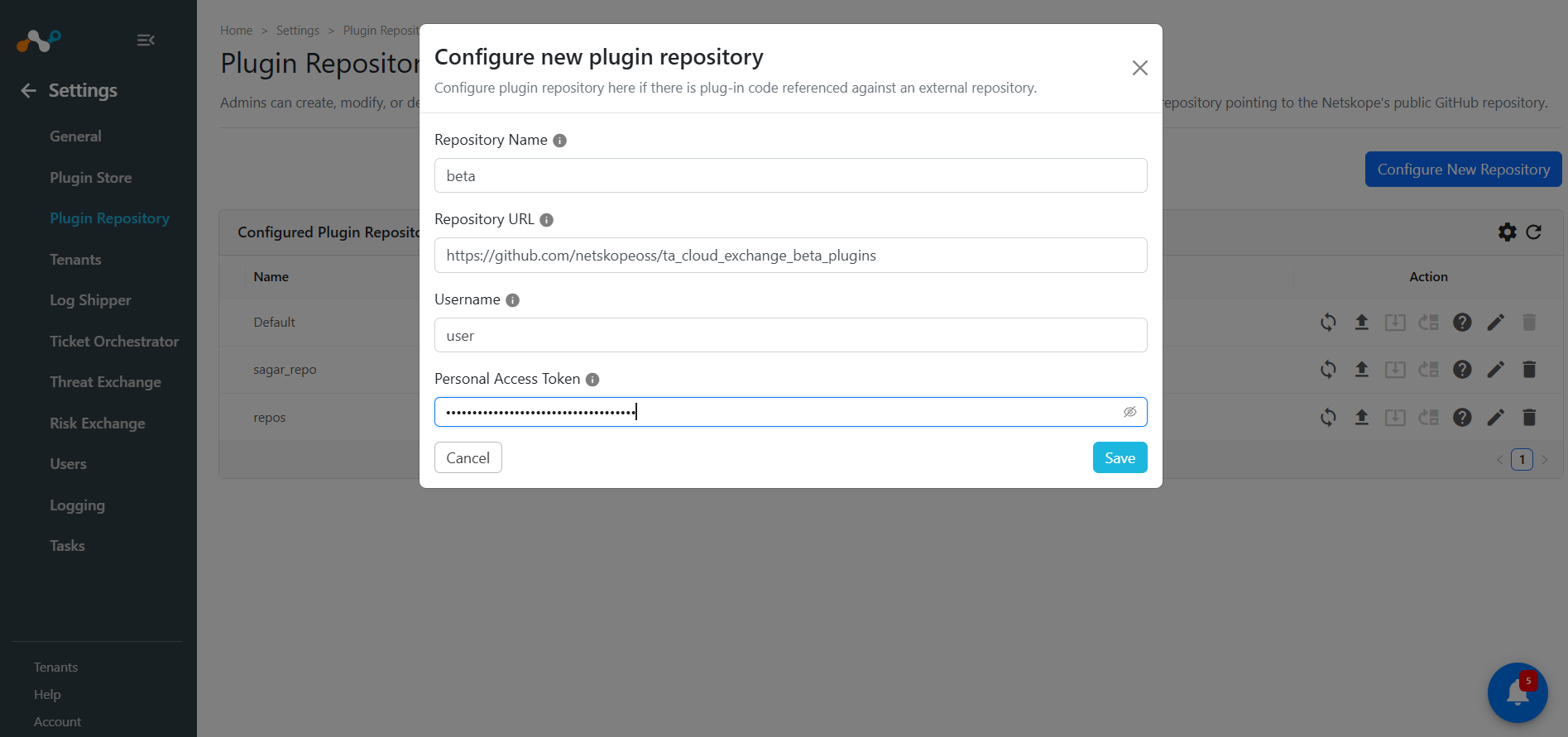
- Enter a name for the repository (any string works), like Beta in this case, and add the following repo in Repository URL. https://github.com/netskopeoss/ta_cloud_exchange_beta_plugins.
- Enter any Username and Password, as the repo is public (user/user).
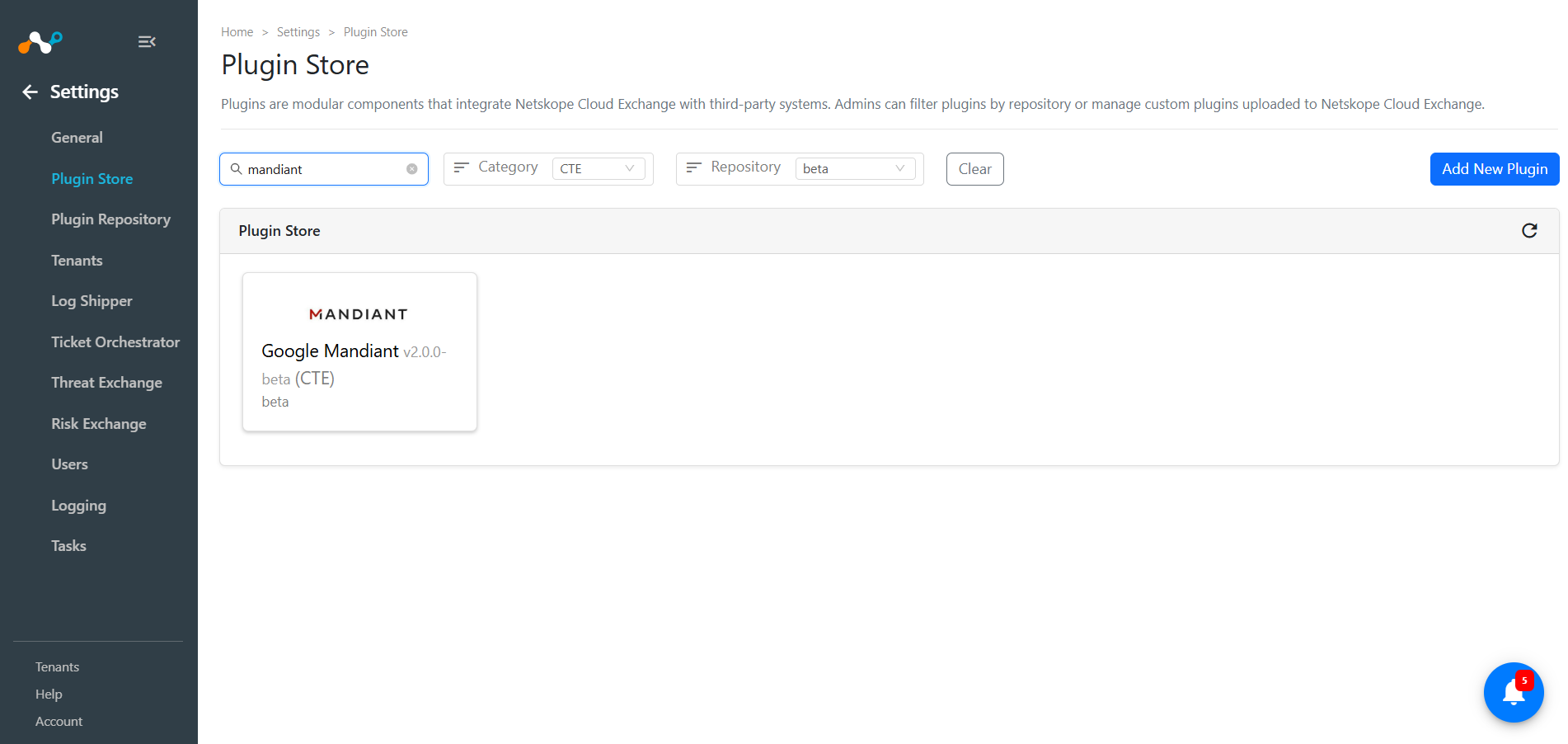
Return to the Plugins page and filter on the repository you just created (it’s beta in the example above) to see plugin versions found there. Alternatively, look for all plugins with a version number including the word beta, like the Mandiant beta plugin shown below.