

This document explains how to configure the Zylo v1.0.0 plugin with the Risk Exchange module of the Netskope Cloud Exchange platform. This plugin is used to fetch applications from the Inventory > Applications page in Zylo. The plugin does not support performing any actions on applications in Zylo.
Prerequisites
To complete this integration, you need:
- A Netskope tenant (or multiple, for example, production and development/test instances).
- A Netskope Cloud Exchange tenant with the Tenant plugin and Risk Exchange plugin already configured.
- Connectivity to the Zylo platform (https://app.zylo.com)
Zylo Plugin Support
This plugin is used to fetch applications from the Inventory > Applications page in Zylo. The plugin does not support performing any actions on applications in Zylo.
| Type of data pulled | Applications |
| Actions Supported | No Action |
Mappings
Mappings are used to view the pulled Hosts and their respective details. Fields mapped during plugin configuration are visible on the Records page after the data is pulled. Here are the suggested mappings that should be used while configuring the plugin.
Pull Mappings
| Netskope CE Fields | Zylo API Fields | Suggested Field Label | Suggested Aggregate Strategy |
|---|---|---|---|
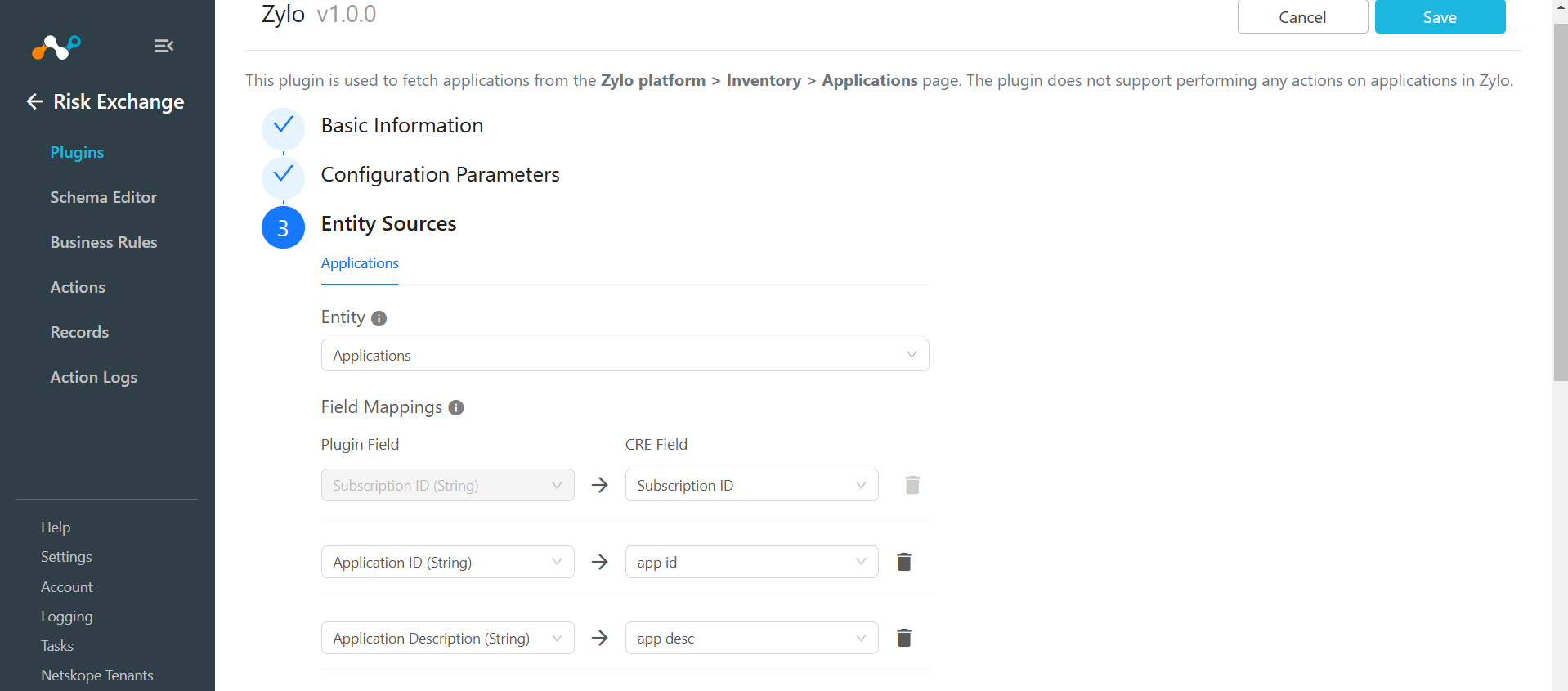
| Subscription ID | id | Subscription ID | Unique |
| Application ID | appId | Application ID | Append |
| Application Description | appDescription | Application Description | Append |
| Application Name | name | Application Name | Append |
| Launch URL | launchUrl | Launch URL | Append |
| Tags | tags | Tags | Append |
| Application Owner Email | owners.app | Application Owner Email | Append |
| Business Owner Email | owners.business | Business Owner Email | Append |
| IT Owners Email | owners.it | IT Owners Email | Append |
| Status | status | Status | Append |
Permissions
Read Only
API Details
List of APIs used
| API Endpoint | Method | Use Case |
|---|---|---|
| v1/subscriptions | GET | Fetch Applications |
Fetch Applications
API Endpoint: https://api.zylo.com/v1/subscriptions
Method: GET
Headers
| Key | Value |
|---|---|
| Authorization | Bearer <API Token> |
Params
| Key | Value |
|---|---|
| pageSize | 1 |
| pageToken | <next_page_token> or null |
Sample API Response
{
"nextPageToken": "MQ==",
"subscriptions": [
{
"appId": "application/669fcc2b-c4a2-4b72-aed2-2f2dbe22f428",
"appDescription": "1Password is a password management tool that securely stores and organizes passwords, credit card information, and other sensitive data. It helps users create strong, unique passwords for all their accounts and access them with a single master password.",
"id": "subscription/891a2dd1-d22e-4583-8107-29bb7b6ed218",
"name": "1Password",
"createTime": "2020-08-03T23:59:57.624Z",
"updateTime": "2024-12-31T08:37:05.186Z",
"category": "IT Infrastructure",
"subcategory": "Identity Management",
"status": "active",
"businessUnit": "IT",
"ssoEnforced": false,
"launchUrl": "1password.com",
"sources": [
"Batch Expense Import"
],
"itSupported": false,
"type": "monthly",
"businessGoals": "",
"tags": [
"Unsanctioned",
"sanctioned"
],
"supplierName": "Agilebits",
"holdsPii": false,
"notes": [],
"functionalities": [
"Password Management"
],
"cloud": true,
"nextAction": null,
"trueUp": null,
"primaryContract": {
"startDate": "2024-02-17T00:00:00.000Z",
"contractEndDate": null,
"totalContractValue": {
"currencyCode": "USD",
"amount": 3894
},
"billFrequency": "monthly",
"cancellationNotificationLength": 0,
"licensesPurchased": 178
},
"usageStats": {
"uniqueActiveUsers": 143,
"uniqueProvisionedUsers": 178,
"activityThreshold": 90,
"provisionedUsers": 0,
"activeUsers": 0,
"percentActiveUsers": 0.8033707865168539,
"percentLicensesProvisioned": 1
},
"payment": {
"yearToDateSpend": 3894,
"annualSpend": {
"currencyCode": "USD",
"amount": 3894
},
"apSpend": {
"currencyCode": "USD",
"amount": 0
},
"expenseSpend": {
"currencyCode": "USD",
"amount": 3894
},
"lastTransactionDate": "2024-11-12T00:00:00.000Z",
"lastApTransactionDate": null,
"lastExpenseTransactionDate": "2024-11-12T00:00:00.000Z",
"numberOfTransactions": 10,
"numberOfUsersExpensing": 10,
"numberOfCostCenters": 6,
"primaryCostCenter": {
"name": "Cost of Goods Sold",
"annualSpend": {
"currencyCode": "USD",
"amount": 1168.2
},
"numberOfCostCenters": 6
}
},
"owners": {
"app": "hailey.stracke@klowd.io",
"business": "florencehorton@klowd.io",
"it": "adalberto.heller@klowd.io"
},
"customFields": [
{
"key": "default_category",
"value": "IT Infrastructure"
},
{
"key": "default_subcategory",
"value": "Identity Management"
},
{
"key": "external_id",
"value": null
},
{
"key": "search_terms",
"value": "\n1Password\n1Password\nAgilebits\nhailey.stracke@klowd.io\nflorencehorton@klowd.io\nadalberto.heller@klowd.io"
},
{
"key": "custom_values",
"value": {
"renewalOwner": null,
"renewalStatus": null
}
},
{
"key": "realized_savings",
"value": null
},
{
"key": "identified_savings",
"value": null
},
{
"key": "last_contract_expiration_date",
"value": null
},
{
"key": "number_of_active_contracts",
"value": 1
},
{
"key": "realized_avoidance",
"value": null
},
{
"key": "identified_avoidance",
"value": null
},
{
"key": "total_contract_line_value",
"value": 3893.76
},
{
"key": "contract_status",
"value": "active"
},
{
"key": "inactive_user_count",
"value": null
},
{
"key": "users_not_in_employee_roster",
"value": null
},
{
"key": "renewalOwner",
"value": null
},
{
"key": "renewalStatus",
"value": null
},
{
"key": "current_fiscal_year_q_1_spend",
"value": 0
},
{
"key": "current_fiscal_year_q_2_spend",
"value": 0
},
{
"key": "current_fiscal_year_q_3_spend",
"value": 0
},
{
"key": "current_fiscal_year_q_4_spend",
"value": 0
},
{
"key": "last_fiscal_year_q_1_spend",
"value": 0
},
{
"key": "last_fiscal_year_q_2_spend",
"value": 0
},
{
"key": "last_fiscal_year_q_3_spend",
"value": 0
},
{
"key": "last_fiscal_year_q_4_spend",
"value": 0
},
{
"key": "current_fiscal_year_q_1_ap_spend",
"value": 0
},
{
"key": "current_fiscal_year_q_2_ap_spend",
"value": 0
},
{
"key": "current_fiscal_year_q_3_ap_spend",
"value": 0
},
{
"key": "current_fiscal_year_q_4_ap_spend",
"value": 0
},
{
"key": "last_fiscal_year_q_1_ap_spend",
"value": 0
},
{
"key": "last_fiscal_year_q_2_ap_spend",
"value": 0
},
{
"key": "last_fiscal_year_q_3_ap_spend",
"value": 0
},
{
"key": "last_fiscal_year_q_4_ap_spend",
"value": 0
},
{
"key": "current_fiscal_year_q_1_expense_spend",
"value": 0
},
{
"key": "current_fiscal_year_q_2_expense_spend",
"value": 0
},
{
"key": "current_fiscal_year_q_3_expense_spend",
"value": 0
},
{
"key": "current_fiscal_year_q_4_expense_spend",
"value": 0
},
{
"key": "last_fiscal_year_q_1_expense_spend",
"value": 0
},
{
"key": "last_fiscal_year_q_2_expense_spend",
"value": 0
},
{
"key": "last_fiscal_year_q_3_expense_spend",
"value": 0
},
{
"key": "last_fiscal_year_q_4_expense_spend",
"value": 0
},
{
"key": "current_fiscal_year_spend",
"value": 0
},
{
"key": "current_fiscal_year_ap_spend",
"value": 0
},
{
"key": "current_fiscal_year_expense_spend",
"value": 0
},
{
"key": "last_fiscal_year_spend",
"value": 0
},
{
"key": "last_fiscal_year_ap_spend",
"value": 0
},
{
"key": "last_fiscal_year_expense_spend",
"value": 0
},
{
"key": "current_and_last_fiscal_quarter_spend",
"value": 0
},
{
"key": "last_2_fiscal_quarters_spend",
"value": 0
},
{
"key": "last_3_fiscal_quarters_spend",
"value": 0
},
{
"key": "current_and_last_2_fiscal_quarters_spend",
"value": 0
},
{
"key": "current_and_last_3_fiscal_quarters_spend",
"value": 0
},
{
"key": "current_and_last_fiscal_year_spend",
"value": 0
},
{
"key": "current_and_last_2_fiscal_years_spend",
"value": 0
},
{
"key": "last_2_fiscal_years_spend",
"value": 0
},
{
"key": "last_3_fiscal_years_spend",
"value": 0
}
]
}
]
}
Performance Matrix
Below is the performance matrix conducted on a Large CE Stack with below-mentioned specifications by pulling 500K applications.
| Stack details | Size: Large
RAM: 32 GB CPU: 16 Cores |
| Time taken to store the pulled and updated applications records | ~15 mins |
User Agent
netskope-ce-5.1.0-cre-zylo–v1.0.0
Workflow
- Get your Zylo Token ID and Token Secret.
- Configure the Zylo plugin.
- Add a Risk Exchange Business Rule for Zylo.
- Add Risk Exchange Actions for Zylo.
- Validate the Zylo plugin.
Click play to watch a video.
Get your Token ID and Token Secret
- Log in to Zylo and click the username icon in the top right corner.
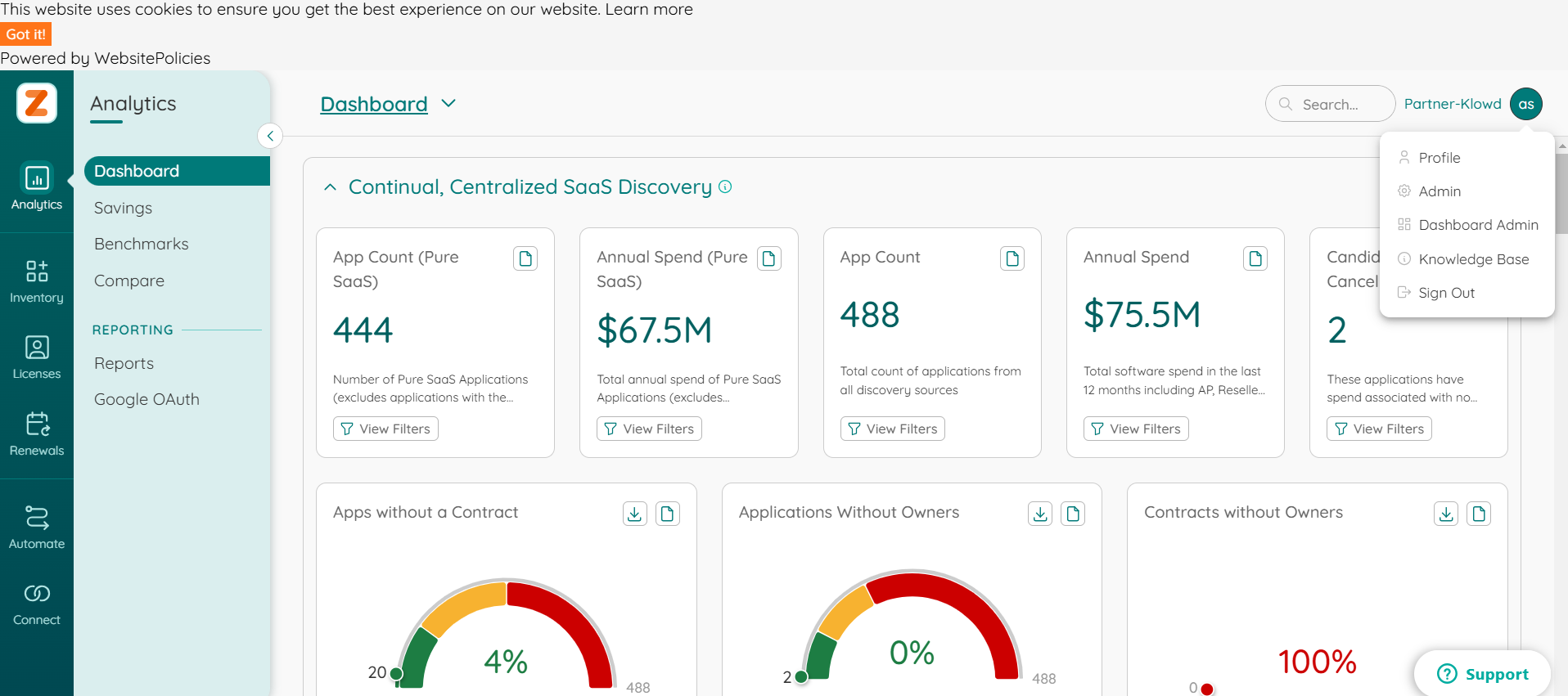
- Click Admin and go to the Company Tokens tab.
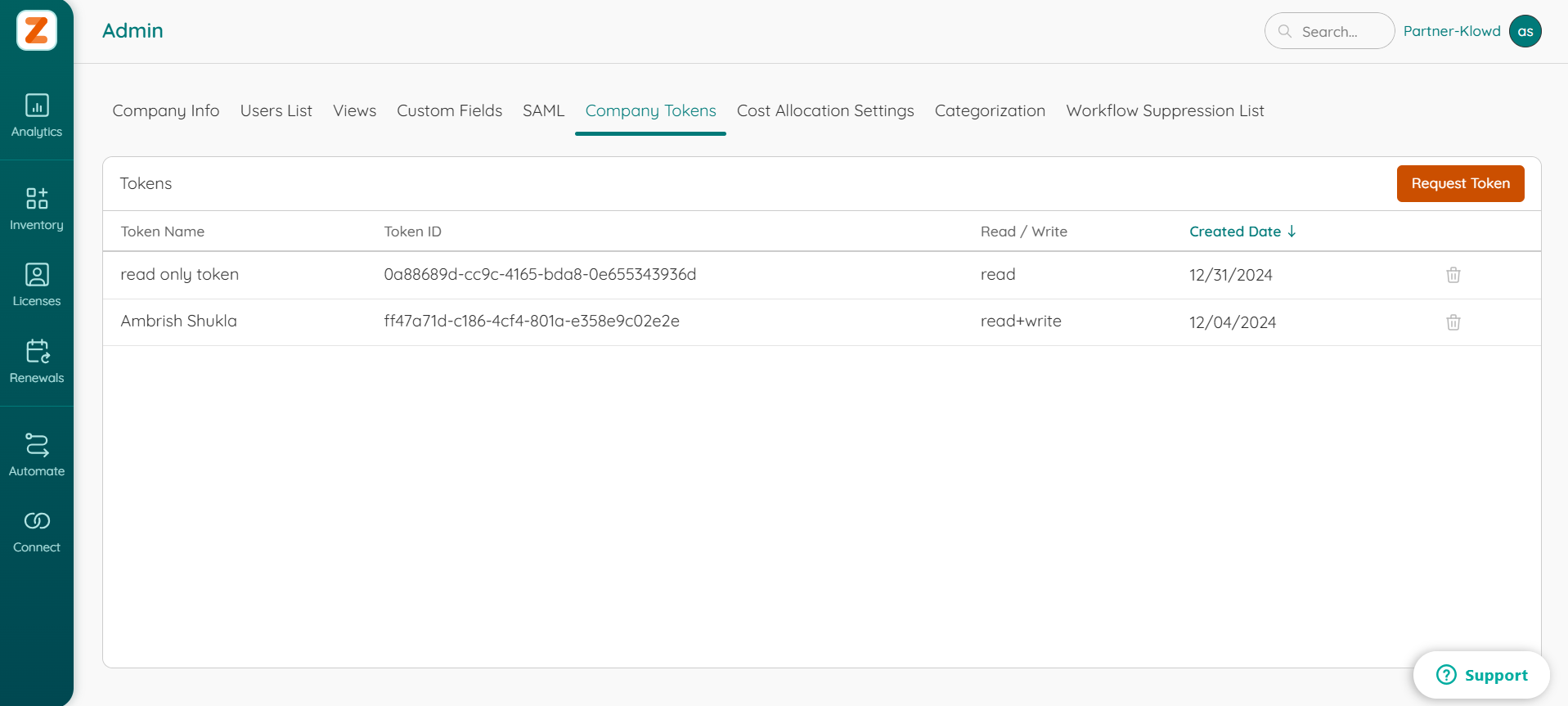
- Click Request Token and provide the Token Name and Token Scope. Select Read Only in the Token Scope, and click Submit.
- Copy the Token ID and Token Secret; these are used to configure the Zylo plugin.
Configure the Zylo Plugin
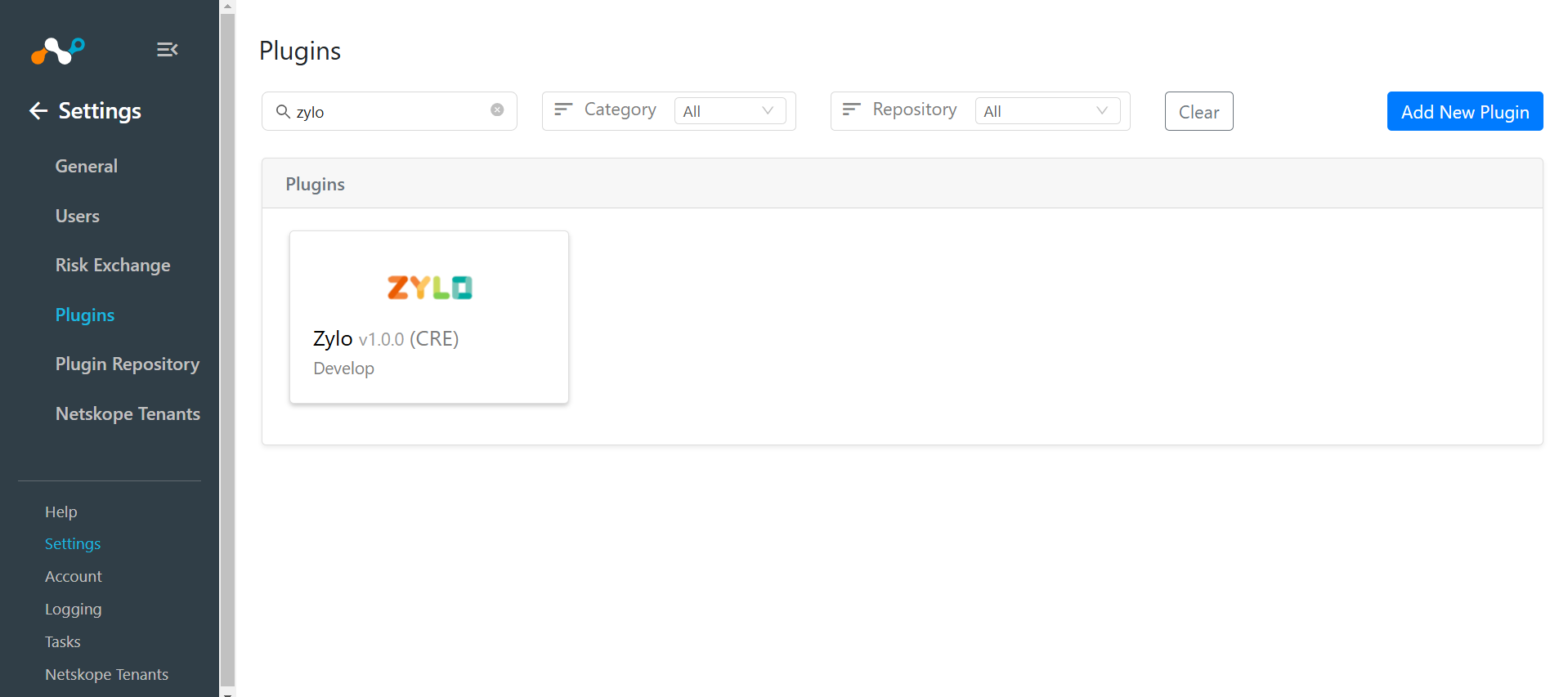
- Log in to Cloud Exchange and go to Settings > Plugins. Search for and select the Zylo v1.0.0 (CRE) plugin box.
- Add a plugin configuration name, and change sync interval if needed.
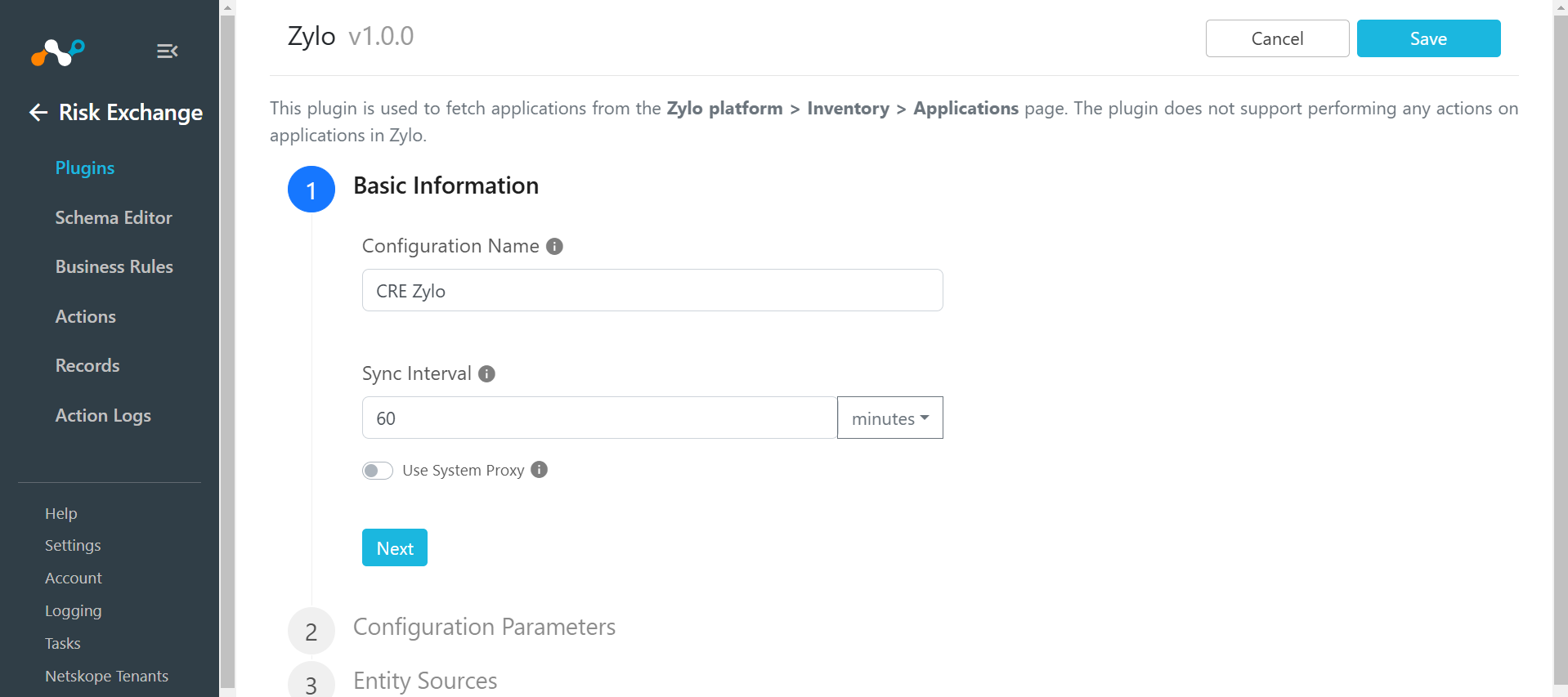
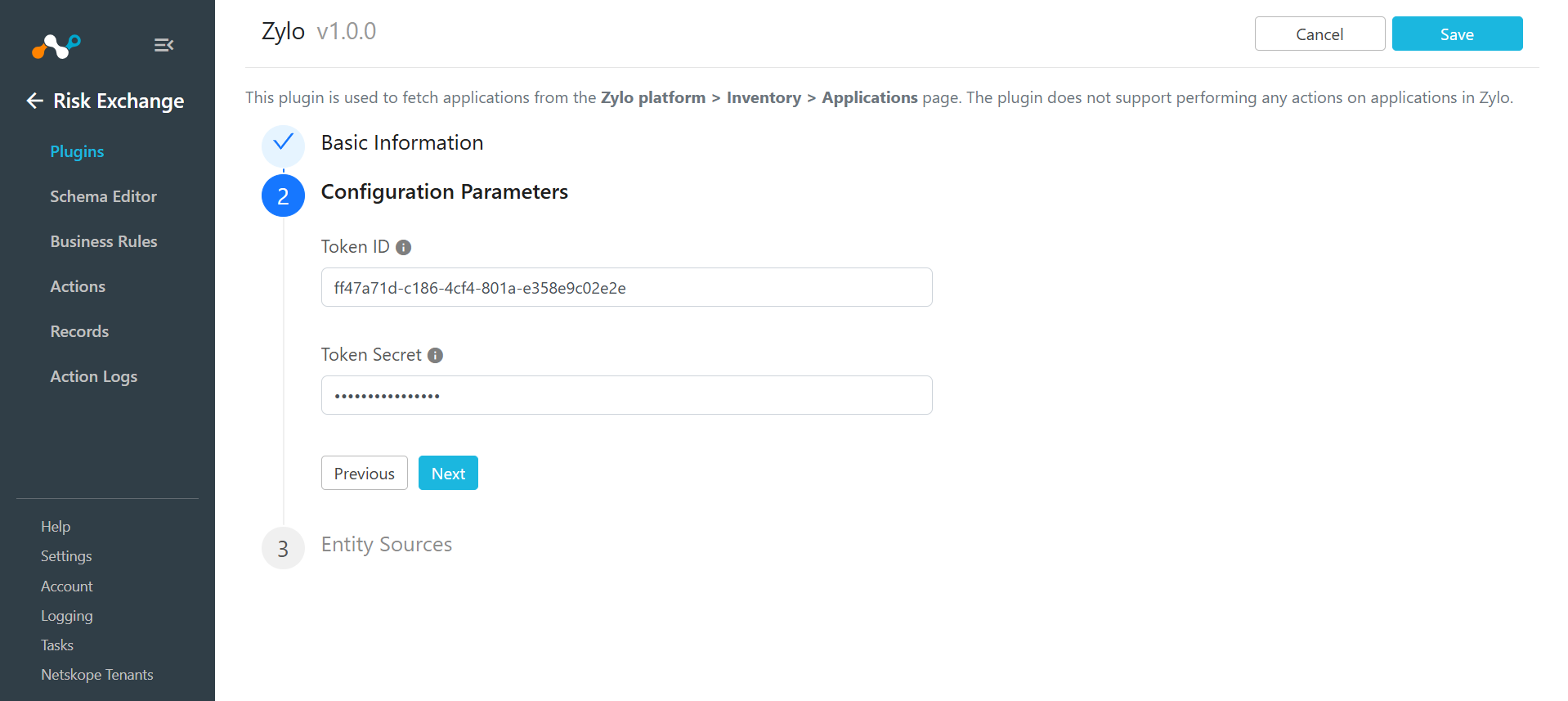
- Click Next. Enter your Token ID and Token Secret.
- Click Next. Select the Applications Entity from the Entity dropdown, and enter the field mappings per your requirements.
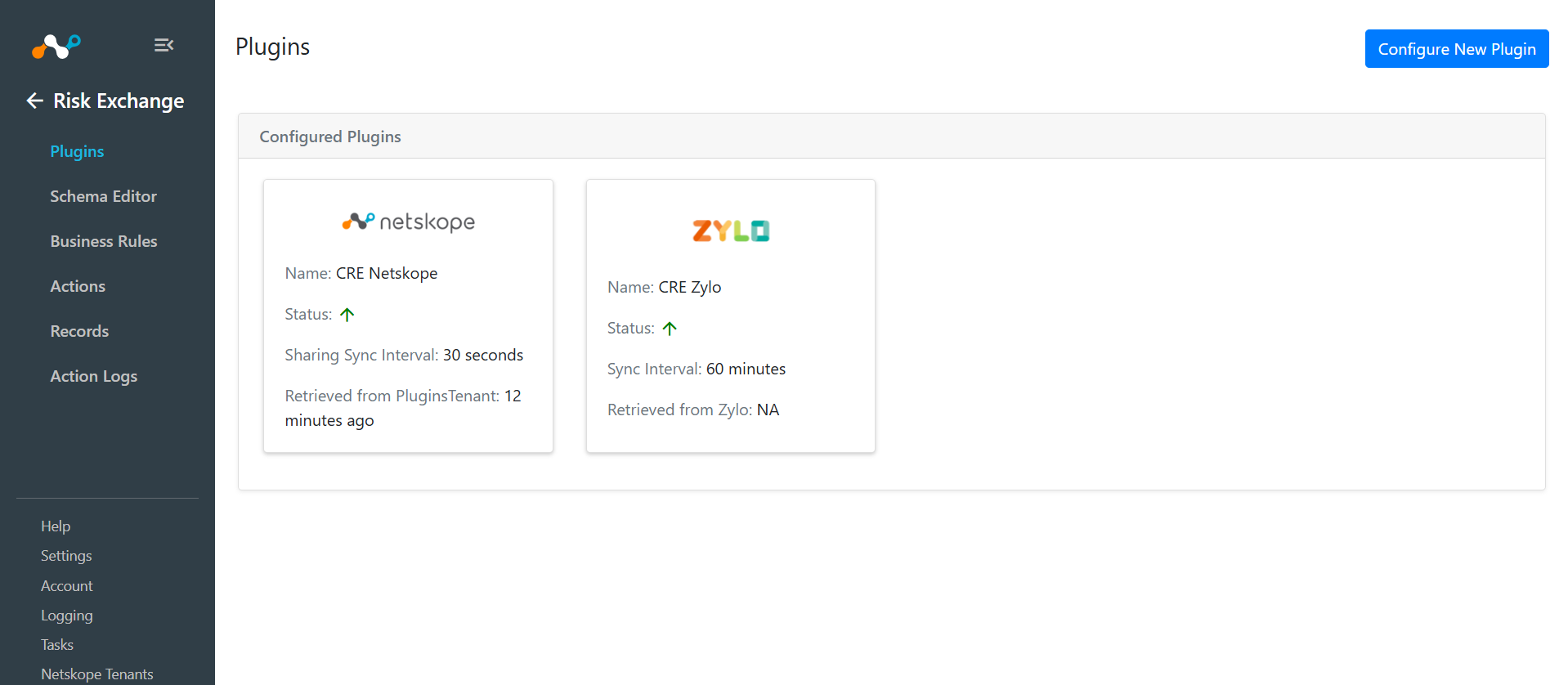
- Click Save.
Add a Risk Exchange Business Rule for Zylo
- In Risk Exchange, go to Business Rules.
- Click Create New Rule in the top right corner.
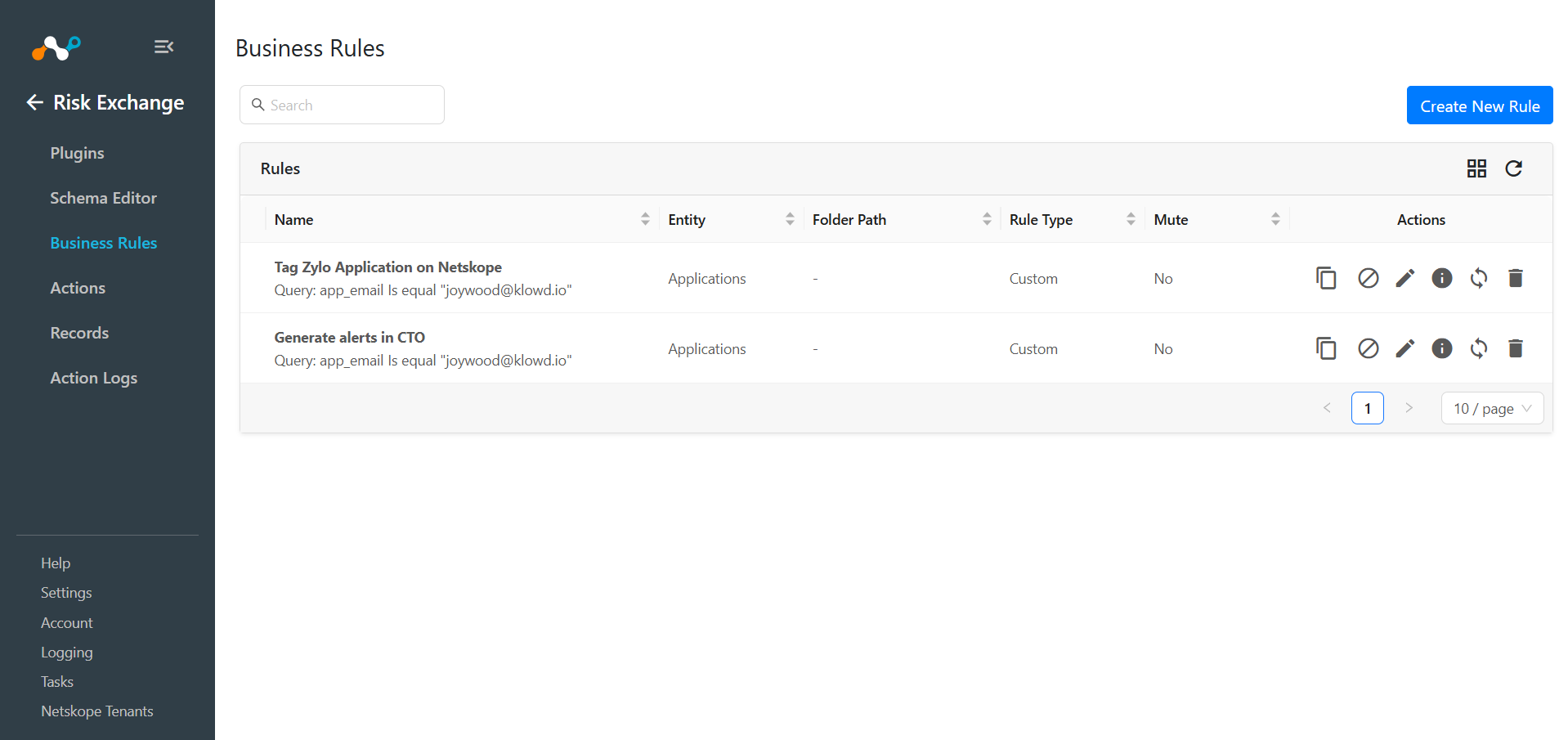
- Enter a Rule Name. Select the Entity for the Field Mappings configured for the Zylo plugin, and configure the query based on your requirements.
- Click Save.
Add a Risk Exchange Action for Zylo
No Action
No action will be performed for this action. You can generate UBA alerts in Ticket Orchestrator by using this action, and enabling the Generate Alerts toggle.
- In Risk Exchange, go to Actions and click Add Action Configuration.
- Select a Business Rule and Target Plugin. For the Action, select No Action.
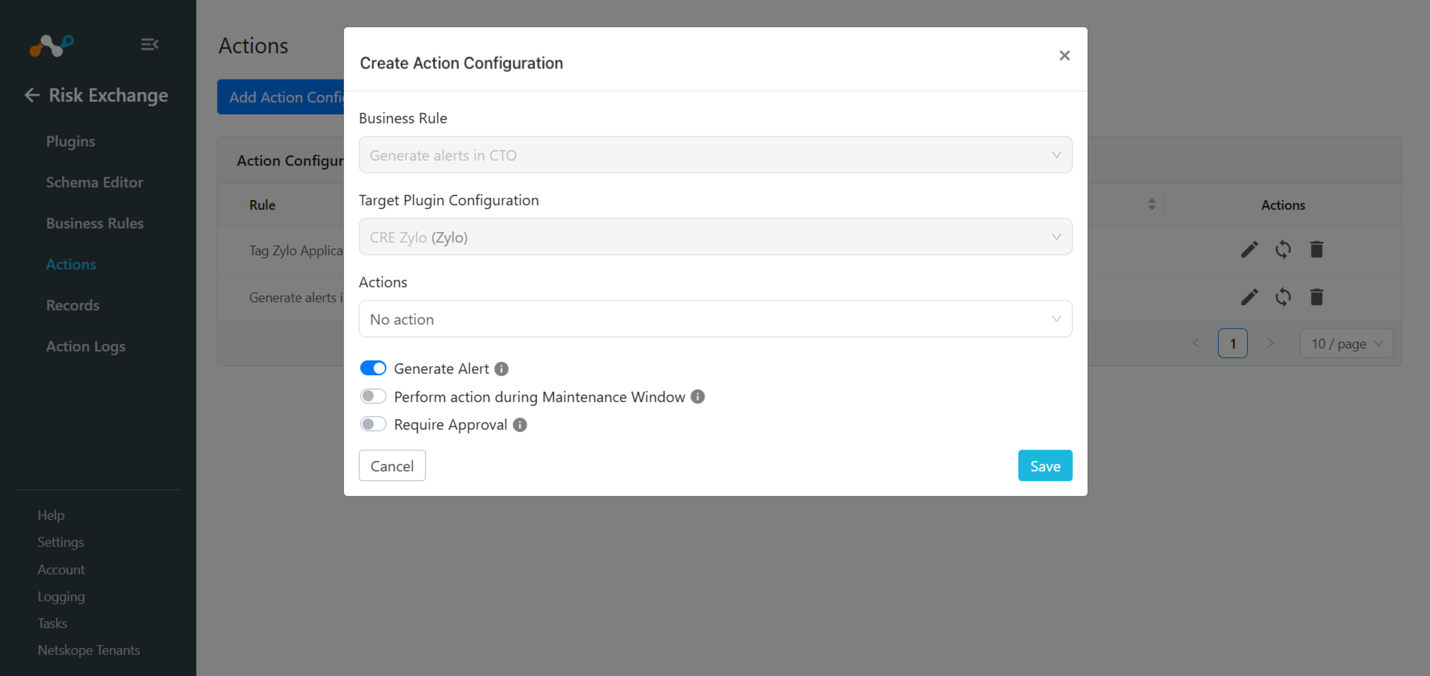
- If only No Action is performed for a plugin, make sure to enable the Ticket Orchestrator module for generating the alerts.
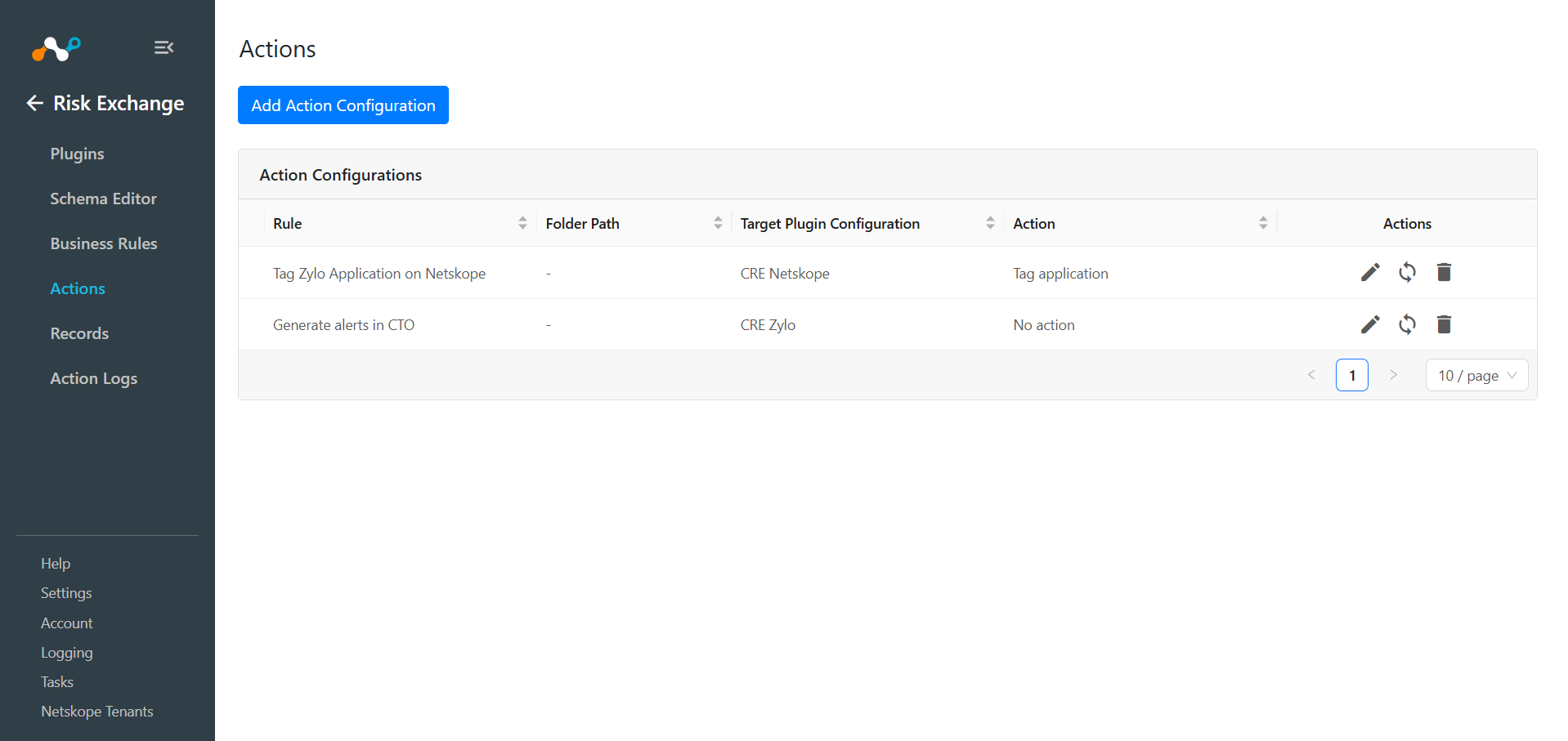
- To perform Netskope actions on the applications pulled from Zylo, refer to the Netskope Risk exchange plugin guide.
Validate the Zylo Plugin
Validate on CE
To validate the pulling, follow these steps:
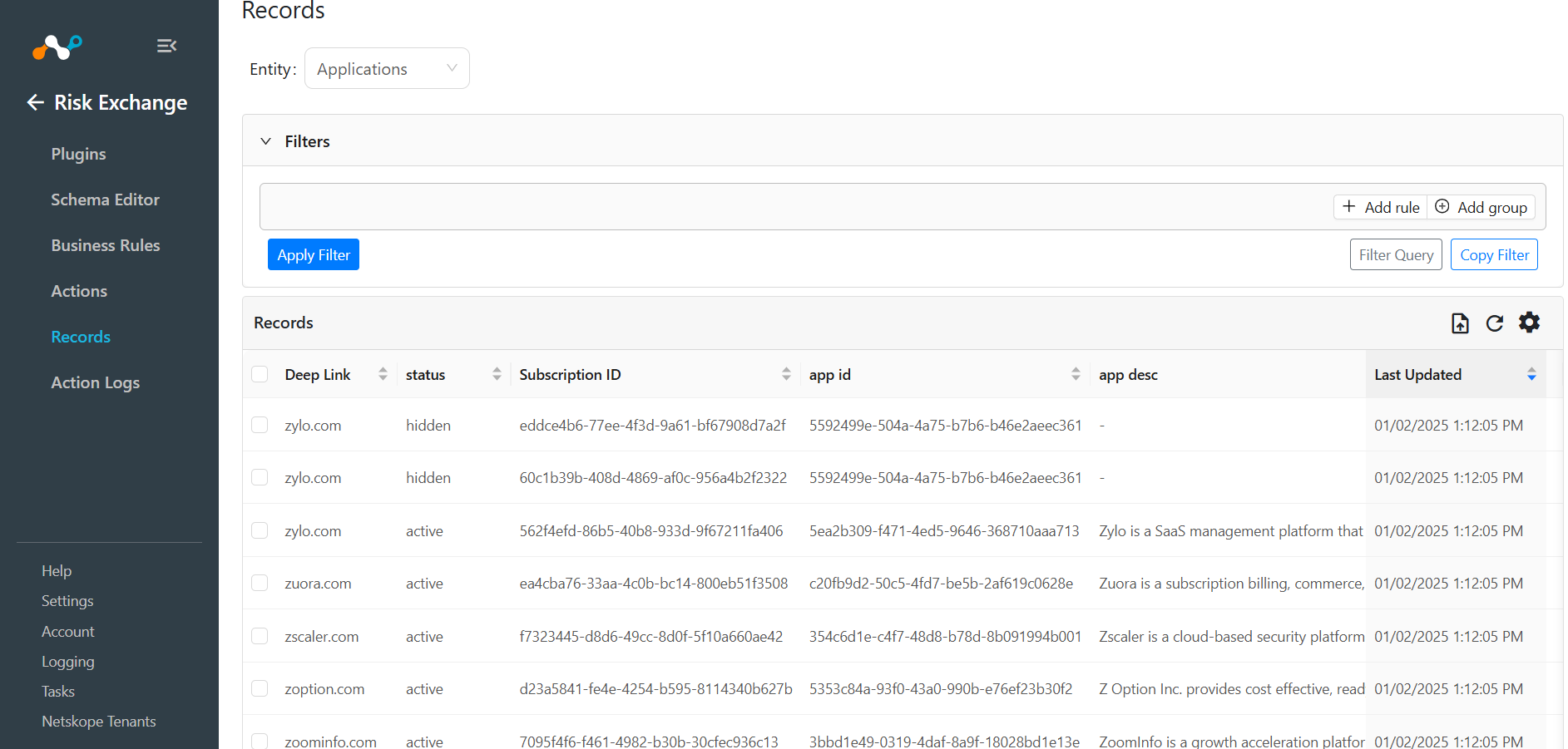
Go to Risk Exchange and click Records. Select the Entity that was selected while configuring the field mappings for Applications to view the pulled apps.
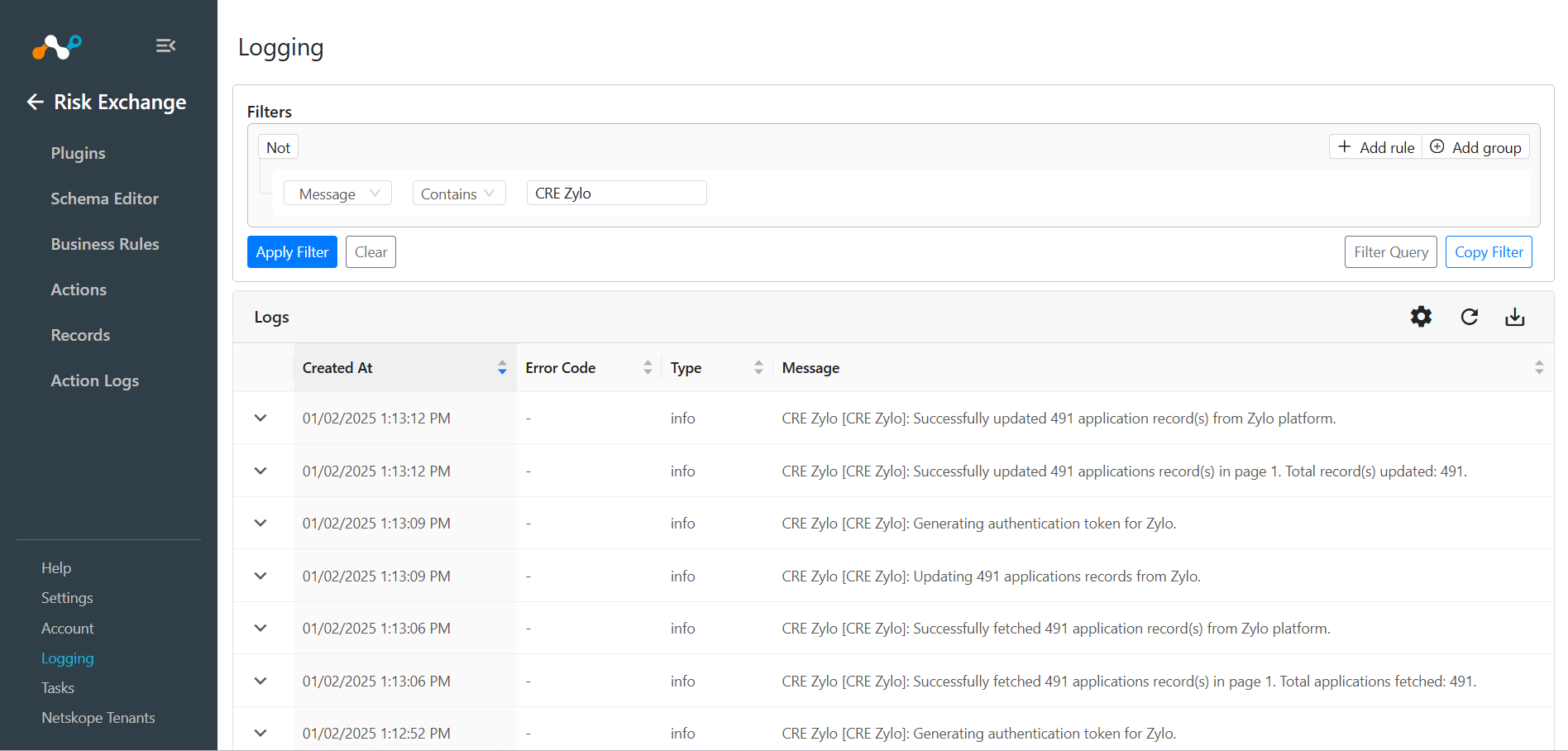
Go to Logging to check the pulled records via logs. Filter the logs using the plugin name, like CRE Zylo.
Validate on Zylo
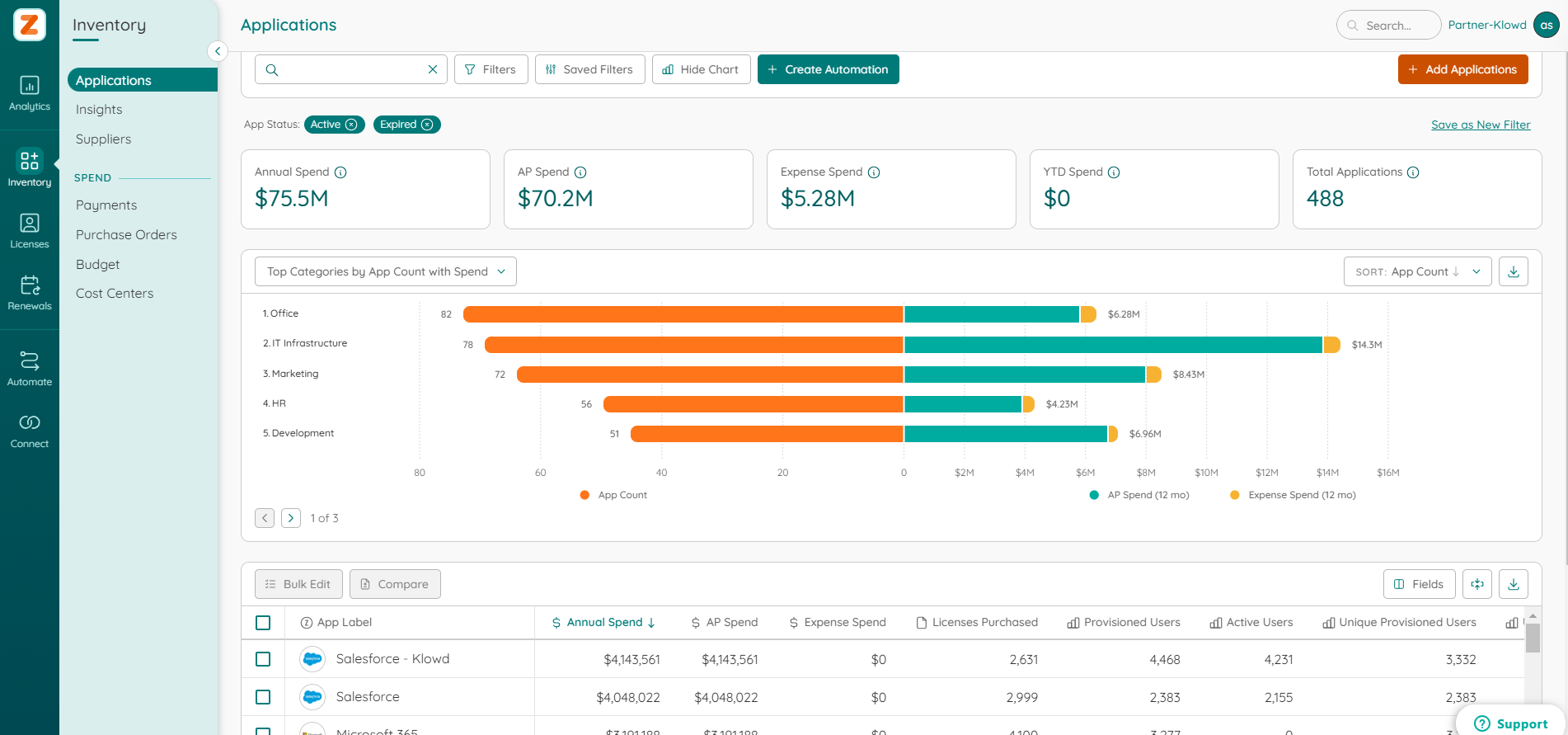
To validate the records pulled from Zylo, log in to Zylo and go to Inventory > Applications.
Troubleshooting the Zylo Plugin
Unable to configure the plugin
If you are unable to configure the CRE Zylo plugin, it could be due to providing an incorrect Token ID or Token Secret.
What to do: To get the Token ID andToken Secret, follows the steps mentioned above in Get Token ID and Token Secret.
Unable to pull Application
If you are unable to pull Hosts from the CRE Zylo plugin, it could be due to one of these reasons:
- No apps are present on the platform.
- An error is received while pulling an application from the platform.
- Mapping is not added while configuring the plugin in the entity source page.
What to do:
- Check if you have data available on Zylo to pull.
- Check the logs from Logging if you have received any error in the plugin workflow.
- Check the plugin configuration, and make sure the mapping is added in the plugin in order to pull the application records.