Overview
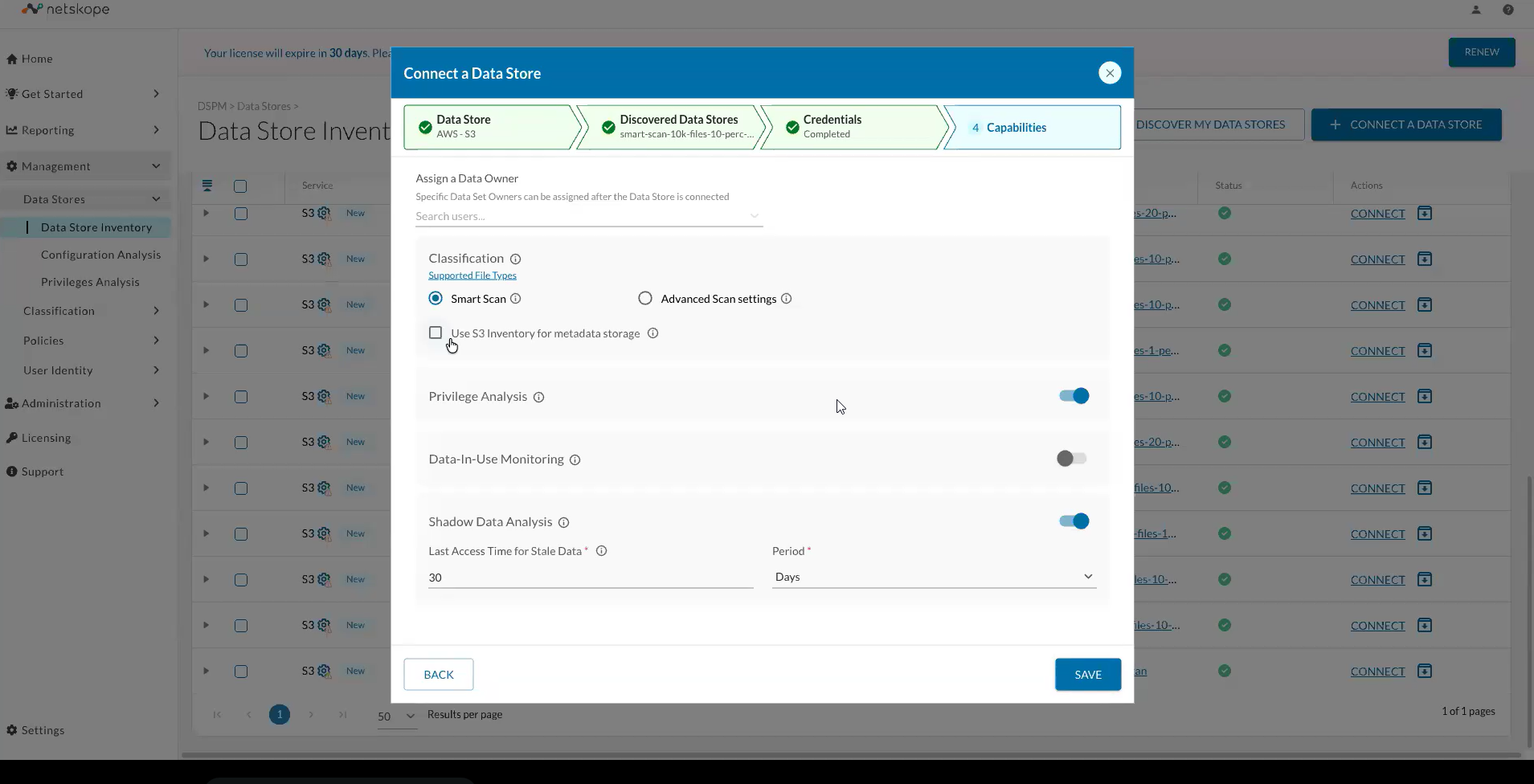
For AWS S3 data stores, you can enable the Use S3 Inventory option during the Add/Edit Data Store workflow. This feature uses the native AWS S3 Inventory to store bucket metadata in a dedicated inventory bucket managed by DSPM, significantly reducing the number of API calls required to fetch file metadata.
-
When to enable S3 Inventory: Enable this option for S3 buckets with large volumes of data. For example, scanning a bucket with 1 billion files would require over 1 million API calls to fetch metadata without S3 Inventory. With S3 Inventory enabled, DSPM simply reads the metadata from the inventory bucket.
It can take up to 48 hours for Amazon S3 to deliver the first Inventory report.
Exigences
To use S3 Inventory, ensure you meet the following conditions:
- DSPM requires the
s3:PutInventoryConfigurationpermission on the IAM Role configured during Infrastructure Onboarding. - The inventory bucket must be server-side encrypted using AWS S3 Managed Keys (SSE-S3).
S3 Inventory is specific to AWS S3 data stores. SMB File Shares do not support this feature.