AI Command Center (AICC) offre une visibilité sur l’utilisation des applications d’IA, des services et des ressources dans votre environnement. Pour ouvrir le tableau de bord AICC, votre poste a besoin de la bonne permission.
Pour les composants Netskope dont l’AICC dépend, voir AI Command Center.
Prerequisites
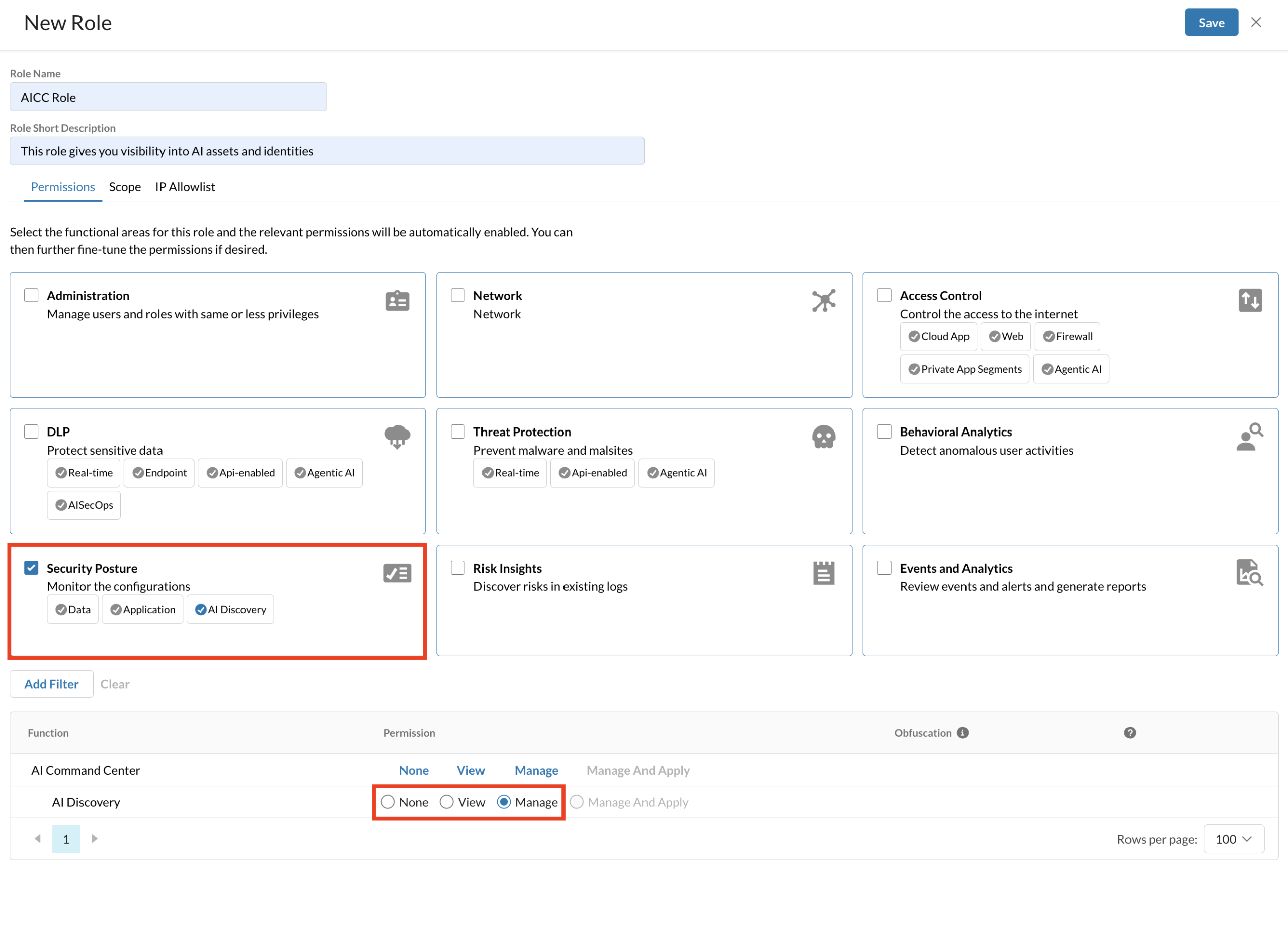
Avant de commencer, assurez-vous que votre rôle inclut la Security Posture > AI Visibility l’autorisation.
If you can’t see the AICC dashboard, create a role with the correct permissions.
Pour créer un rôle avec AI Visibility autorisations :
-
Log in to your tenant.
-
Allez sur Settings > Administration > Administrators & Roles.
-
Cliquez sur l'onglet Roles.
-
Cliquez sur New.
-
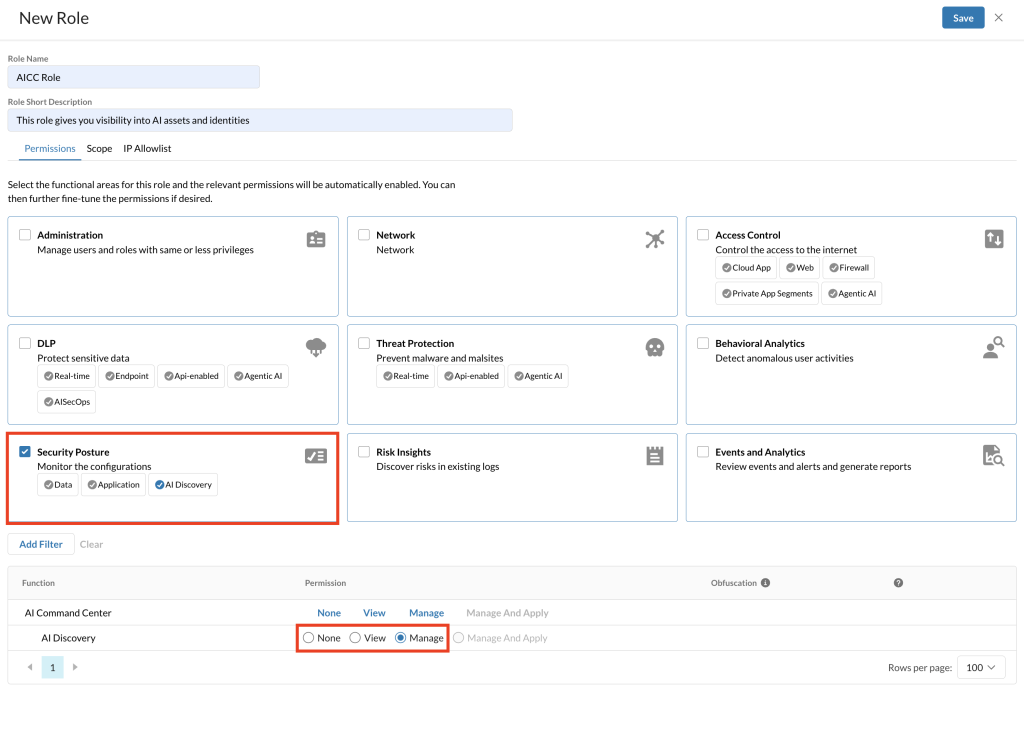
Dans le panneau New Role , saisissez un Role Name et un Role Short Descriptionoptionnel.
-
Dans l’onglet Permissions , sélectionnez Security Posture.
-
Sous Security Posture, assurez-vous que AI Discovery est sélectionné avec les autorisations Voir ou Gérer.
-
Cliquez sur Save.