

Notes de mise à jour
1.0.0
Added
- Initial release.
- Log Types: Alerts, Events, WebTx
- Transformation: CEF (only supported in Single Table mode) and JSON
This document explains how to configure the Microsoft Azure Log Analytics v1.0.0 plugin with the Log Shipper module of the Netskope Cloud Exchange platform. The plugin pushes Netskope Alerts, Events, and WebTx records from Cloud Exchange (CE) into one or more Microsoft Azure Log Analytics Custom Log Tables via a Data Collection Rule (DCR).
Conditions préalables
Pour compléter cette configuration, vous avez besoin de :
- Un locataire Netskope (ou plusieurs, par exemple des instances de production et de développement/test).
- Un locataire Netskope Cloud Exchange avec le plugin Tenant et le plugin Log Shipper déjà configurés.
- A Microsoft Azure subscription with a Log Analytics workspace.
- A Microsoft Entra ID application (client) with a client secret.
- A Data Collection Rule (DCR) and a Data Collection Endpoint (DCE) configured in Azure.
- The Monitoring Metrics Publisher role assigned to the Entra ID application on the DCR.
- Connexion à l'hôte suivant : https://portal.azure.com/.
Microsoft Azure Log Analytics Plugin Support
The plugin pushes Netskope Alerts, Events, and WebTx records from Cloud Exchange (CE) into one or more Microsoft Azure Log Analytics Custom Log Tables via a Data Collection Rule (DCR).
| Type de données | Support |
|---|---|
| Événements | Oui |
| Alertes | Oui |
| WebTx | Oui |
| Cloud Exchange Logs | Non |
Permissions
This permission is needed for the plugin configuration:
Monitoring Metrics Publisher role on the Data Collection Rule (DCR)
Détails de l'API
Liste des API utilisées
| Point final de l'API | Méthode | Cas d'utilisation |
|---|---|---|
| login.microsoftonline.com/{tenant_id}/oauth2/v2.0/token | PUBLIER | Obtain OAuth 2.0 access token from Microsoft Entra ID |
| {dce_uri}/dataCollectionRules/{dcr_immutable_id}/streams/Custom-{table} ?api-version=2023-01-01 | PUBLIER | Ingest log records into Azure Log Analytics Custom Log Table |
Get OAuth 2.0 Access Token
Endpoint: POST login.microsoftonline.com/{tenant_id}/oauth2/v2.0/token
Request Headers:
| Clé | Value |
|---|---|
| Content-Type | application/x-www-form-urlencoded |
Request Body:
{
  "grant_type": "client_credentials",
  "client_id": "{app_id}",
  "client_secret": "{app_secret}",
  "scope": "https://monitor.azure.com/.default"
}
Sample Response:
{
  "token_type": "Bearer",
  "expires_in": 3600,
  "access_token": "<token>"
}
Ingest Log Records
Endpoint: POST {dce_uri}/dataCollectionRules/{dcr_immutable_id}/streams/Custom-{table} ?api-version=2023-01-01
Request Header:
| Clé | Value |
|---|---|
| Authorization | Bearer {access_token} |
| Content-Type | application/json |
Request Body:
[
  {
    "TimeGenerated": "2024-01-01T00:00:00Z",
    "Application": "Netskope CE",
    "DataType": "alerts",
    "SubType": "policy",
    "RawData": "<record or CEF string>"
  }
]
Matrice de performance
These readings were collected on a Large CE Stack with these specifications by running the plugin for a few hours in order to push log records.
| Description | Spécifications |
|---|---|
| Détails de la pile | Taille : Grande RAM : 32 Go Processeur : 16 cœurs |
| Alerts+Events Pushed Per Minute | ~119k EPM (for Single Table) ~128k EPM (Per Data Type Table) |
| WebTx Pushed Per Minute | ~140k EPM (for Single Table) ~130k EPM (Per Data Type Table) |
Agent utilisateur
netskope-ce-6.1.0-cls-microsoft-azure-log-analytics-v1.0.0
Workflow
- Configurez un espace de travail pour l'analyse des logs.
- Create a Data Collection Endpoint (DCE) in Azure.
- Create a Data Collection Rule (DCR) and Custom Log Tables in Azure.
- Assign the Monitoring Metrics Publisher role to the Entra ID application on the DCR.
- Register a Microsoft Entra ID application and generate a client secret.
- Configure the Microsoft Azure Log Analytics plugin.
- Configure a Log Shipper Business Rule.
- Configurer l'expéditeur de logs Livraison de logs.
- Validate the Microsoft Azure Log Analytics plugin.
Regardez une vidéo
Cliquer sur « play » pour regarder une vidéo.
Configurer un espace de travail Log Analytics
-
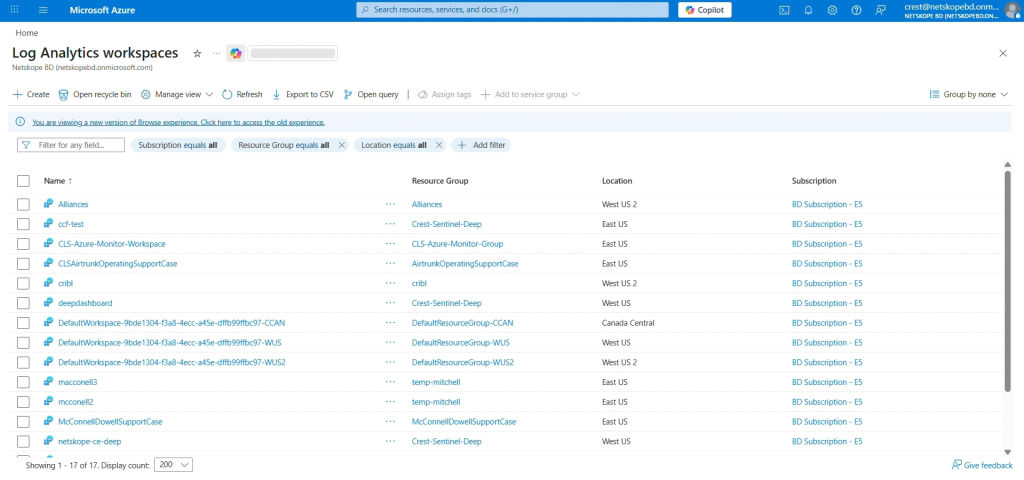
Connectez-vous à Azure et sélectionnez Espace de travail Log Analytics.
-
Cliquez sur Create Tab.
-
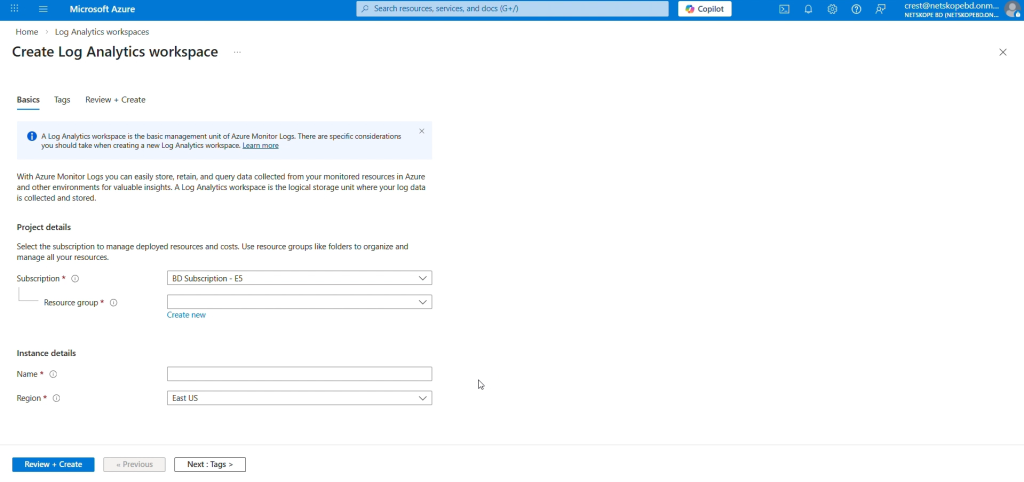
Click Subscription, and then select an existing Resource Group (or create a new one).
-
Saisissez un nom pour votre espace de travail Log Analytics, sélectionnez une région, puis cliquez sur Next > Next > Create.


Configure an Application and get your Tenant ID, Application ID, and Client Secret
-
Connectez-vous à Azure avec un compte ayant un rôle d'administrateur global.
-
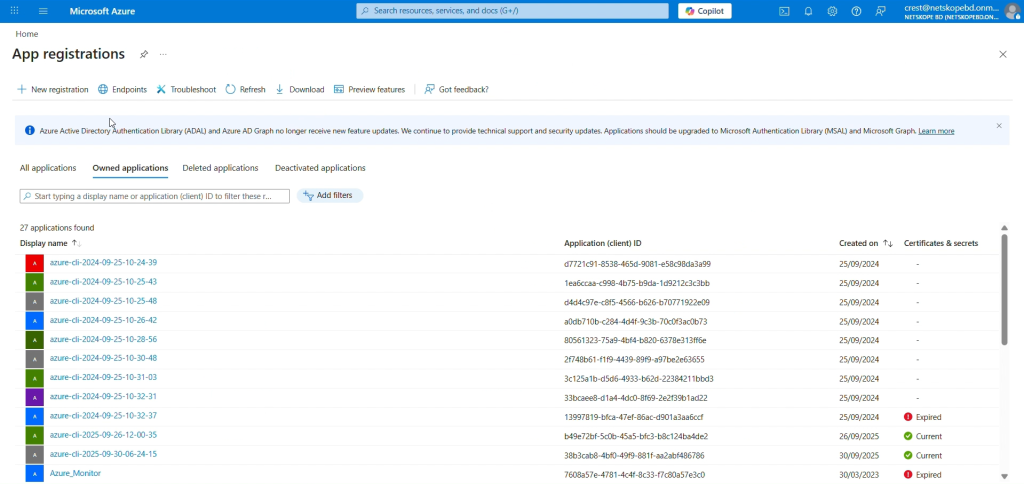
Allez sur Azure App Registration > New Registration.
-
Dans le formulaire d'inscription, saisissez un nom pour votre application, puis cliquez sur Register.
-
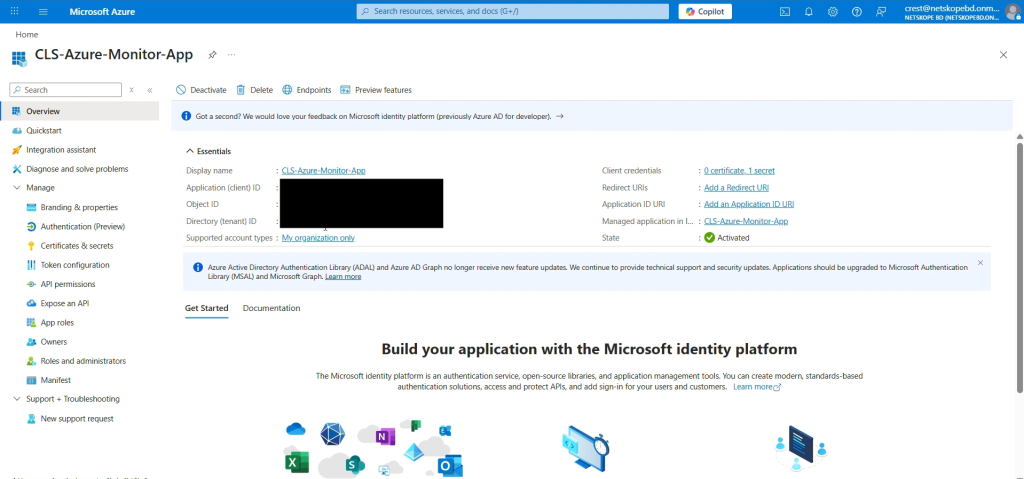
Make a copy of the Tenant ID and Application (Client) ID on the application page.
-
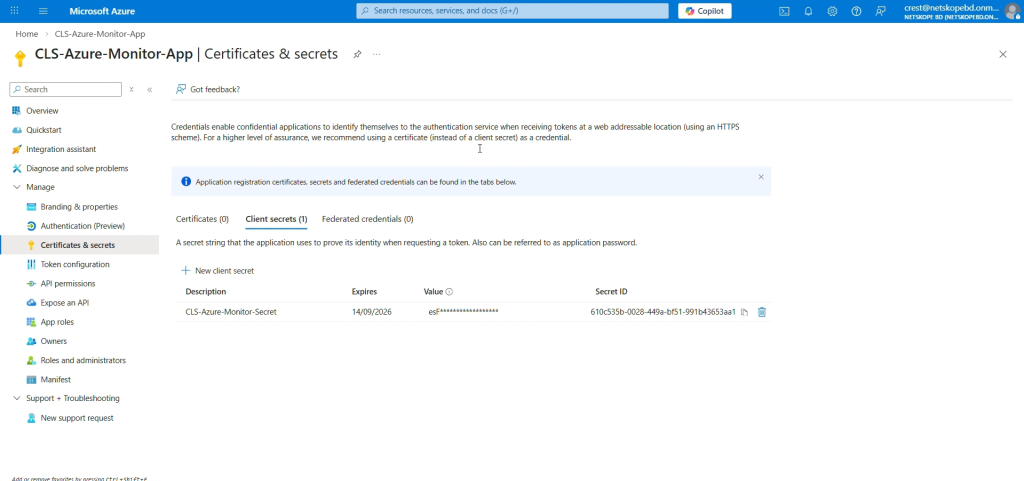
Cliquez sur Add a Certificate or Secret puis sur New client secret pour générer un secret client. Ajoutez une description et une durée d'expiration, puis cliquez sur Add.
-
Copy the value of Secret ID, as it will only be displayed once.


Configurez un point final de collecte de données et obtenez votre URI DCE
-
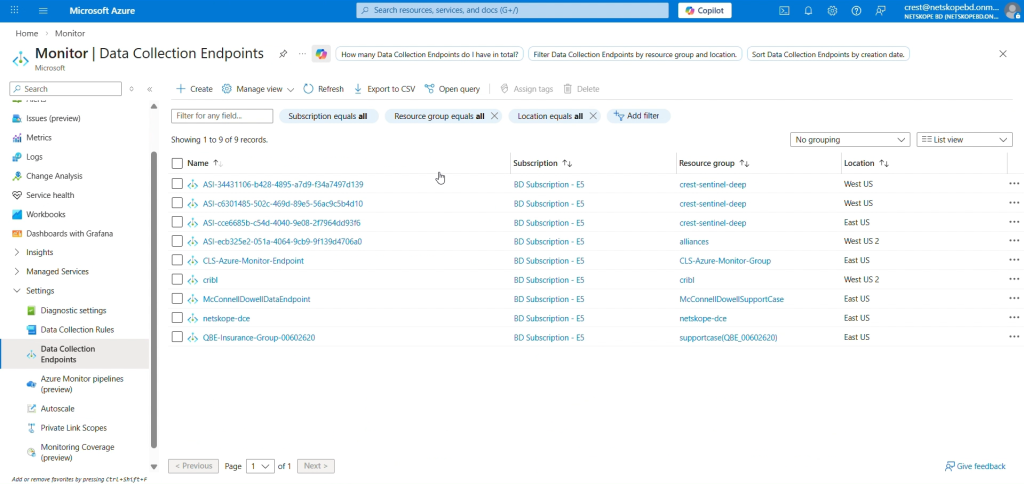
Allez dans Azure Home et sélectionnez Monitor dans la liste des services Azure.
-
Select Data Collection Endpoints dans le panneau de gauche, puis cliquez sur Create.
-
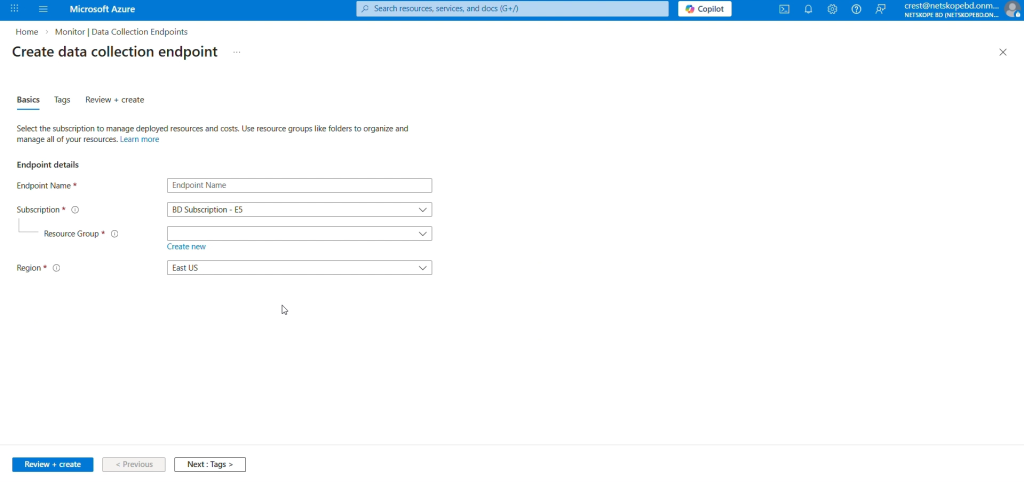
Saisissez un nom pour le point de terminaison de collecte de données, sélectionnez un groupe d’abonnement et de ressources, sélectionnez une région (assurez-vous que cette région correspond à celle de votre espace de travail d’analyse de logs), puis cliquez sur Review + create.
-
Dans l'onglet Vue d'ensemble, copiez l'ingestion de journaux qui sera l'URI DCE de votre point de terminaison de la collecte de données.


Configurez une table de base dans l'espace de travail Log Analytics et obtenez votre ID immuable de règle de collecte de données.
-
Un tableau d'analyse des journaux personnalisé nécessite le téléchargement d'un échantillon de données afin de créer un fichier JSON sur votre système avec le contenu suivant :
For Single table:
[
    {
        "RawData": {},
        "Application":  "",
        "DataType": "",
        "SubType": "",
        "TimeGenerated": "2022-11-01 12:00:00.576165"
    }
]
For Per Data Type Tables:
Alerts:
{
  "Application": "",
  "DataType": "",
  "SubType": "",
  "TimeGenerated": "2022-11-01 12:00:00.576165",
  "id": "",
  "access_key_id": "",
  "access_method": "",
  "account_id": "",
  "account_name": "",
  "AccountType": "",
  "acked": "",
  "act_user": "",
  "action": "",
  "actions_taken": "",
  "activity": "",
  "activity_status": "",
  "activity_type": "",
  "aggregated_user": "",
  "alert": "",
  "alert_detection_stage": "",
  "alert_id": "",
  "alert_name": "",
  "alert_source": "",
  "alert_type": "",
  "all_policy_matches": "",
  "anomaly_type": "",
  "anomalyData": "",
  "app": "",
  "app_activity": "",
  "app_category": "",
  "app_cci_apphosting_provider": "",
  "app_gdpr_level": "",
  "app_name": "",
  "app_scopes": "",
  "app_session_id": "",
  "appact": "",
  "appcategory": "",
  "appsuite": "",
  "archive_subfiles": "",
  "asset_id": "",
  "asset_object_id": "",
  "audit_category": "",
  "audit_type": "",
  "bcc": "",
  "bin_timestamp": "",
  "block_reason": "",
  "breach_date": "",
  "breach_description": "",
  "breach_id": "",
  "breach_media_references": "",
  "breach_score": "",
  "breach_target_references": "",
  "browser": "",
  "browser_session_id": "",
  "browser_version": "",
  "bypass_traffic": "",
  "category": "",
  "cc": "",
  "cci": "",
  "ccl": "",
  "channel": "",
  "classification_name": "",
  "client_bytes": "",
  "client_packets": "",
  "cloud_provider": "",
  "co": "",
  "collaborated": "",
  "company": "",
  "compliance_standards": "",
  "computer_name": "",
  "conn_duration": "",
  "conn_endtime": "",
  "conn_starttime": "",
  "connection_id": "",
  "connection_type": "",
  "CononicalName": "",
  "count": "",
  "created_date": "",
  "createdTime": "",
  "custom_attr": "",
  "custom_connector": "",
  "data_type": "",
  "department": "",
  "departmentNumber": "",
  "destination_file_directory": "",
  "destination_file_name": "",
  "destination_file_path": "",
  "detection_engine": "",
  "detection_type": "",
  "device": "",
  "device_classification": "",
  "deviceClassification": "",
  "dinsid": "",
  "displayName": "",
  "distinguishedName": "",
  "division": "",
  "dlp_fail_reason": "",
  "dlp_file": "",
  "dlp_fingerprint_classification": "",
  "dlp_fingerprint_match": "",
  "dlp_fingerprint_score": "",
  "dlp_incident_id": "",
  "dlp_is_unique_count": "",
  "dlp_mail_parent_id": "",
  "dlp_parent_id": "",
  "dlp_profile": "",
  "dlp_rule": "",
  "dlp_rule_count": "",
  "dlp_rule_score": "",
  "dlp_rule_severity": "",
  "dlp_scan_failed": "",
  "dlp_unique_count": "",
  "dns_profile": "",
  "domain": "",
  "domain_ip": "",
  "download_app": "",
  "driver": "",
  "dst_country": "",
  "dst_geoip_src": "",
  "dst_latitude": "",
  "dst_location": "",
  "dst_longitude": "",
  "dst_region": "",
  "dst_timezone": "",
  "dst_zipcode": "",
  "dsthost": "",
  "dstip": "",
  "dstport": "",
  "dynamic_classification": "",
  "edr_app": "",
  "eeml": "",
  "email_from_user": "",
  "email_modified": "",
  "email_source": "",
  "email_title": "",
  "email_user": "",
  "employeeType": "",
  "encrypt_failure": "",
  "encryption_status": "",
  "end_time": "",
  "endpoint_count": "",
  "endpoints": "",
  "enterprise": "",
  "enterprise_id": "",
  "event_type": "",
  "event_uuid": "",
  "evt_src_chnl": "",
  "exposure": "",
  "ext_labels": "",
  "external_collaborator_count": "",
  "external_email": "",
  "fastscan_results": "",
  "file_category": "",
  "file_cls_encrypted": "",
  "file_exposure": "",
  "file_id": "",
  "file_lang": "",
  "file_md5": "",
  "file_name": "",
  "file_owner": "",
  "file_password_protected": "",
  "file_path": "",
  "file_size": "",
  "file_type": "",
  "filename": "",
  "filepath": "",
  "fllg": "",
  "flpp": "",
  "forward_to_proxy_xau": "",
  "from_object": "",
  "from_storage": "",
  "from_user": "",
  "from_user_category": "",
  "fromlogs": "",
  "gateway": "",
  "gid": "",
  "group": "",
  "home_pop": "",
  "hostname": "",
  "http_method": "",
  "http_port": "",
  "http_status": "",
  "http_transaction_count": "",
  "iaas_asset_tags": "",
  "iaas_remediated": "",
  "iaas_remediated_by": "",
  "iaas_remediated_on": "",
  "iaas_remediation_action": "",
  "incident_id": "",
  "instance": "",
  "instance_id": "",
  "instance_name": "",
  "internal_collaborator_count": "",
  "ip_protocol": "",
  "ja3": "",
  "ja3s": "",
  "justification_reason": "",
  "justification_type": "",
  "last_app": "",
  "last_country": "",
  "last_device": "",
  "last_location": "",
  "last_name": "",
  "last_region": "",
  "last_timestamp": "",
  "legal_hold_profile_name": "",
  "lh_custodian_email": "",
  "lh_custodian_name": "",
  "lh_dest_app": "",
  "lh_dest_instance": "",
  "lh_fileid": "",
  "lh_filename": "",
  "lh_filepath": "",
  "lh_original_filename": "",
  "lh_shared": "",
  "lh_shared_with": "",
  "lh_version": "",
  "loc": "",
  "local_md5": "",
  "local_sha1": "",
  "local_sha256": "",
  "local_source_time": "",
  "location": "",
  "log_file_name": "",
  "logintype": "",
  "loginurl": "",
  "mail": "",
  "mal_id": "",
  "mal_sev": "",
  "mal_type": "",
  "malicious": "",
  "malsite_active": "",
  "malsite_category": "",
  "malsite_confidence": "",
  "malsite_consecutive": "",
  "malsite_country": "",
  "malsite_first_seen": "",
  "malsite_hostility": "",
  "malsite_id": "",
  "malsite_ip_host": "",
  "malsite_last_seen": "",
  "malsite_latitude": "",
  "malsite_longitude": "",
  "malsite_region": "",
  "malsite_reputation": "",
  "malware_id": "",
  "malware_name": "",
  "malware_profile": "",
  "malware_severity": "",
  "malware_type": "",
  "managed_app": "",
  "managementID": "",
  "manager": "",
  "matched_username": "",
  "md5": "",
  "memberOf": "",
  "message_id": "",
  "message_size": "",
  "metadata": "",
  "mime_type": "",
  "ml_detection": "",
  "modified": "",
  "modified_date": "",
  "netskope_activity": "",
  "netskope_pop": "",
  "network": "",
  "network_session_id": "",
  "notify_template": "",
  "ns_activity": "",
  "nsdeviceuid": "",
  "num_sessions": "",
  "num_users": "",
  "numbytes": "",
  "object": "",
  "object_count": "",
  "object_id": "",
  "object_type": "",
  "org": "",
  "organization_unit": "",
  "orig_ty": "",
  "orignal_file_path": "",
  "os": "",
  "os_details": "",
  "os_family": "",
  "os_user_name": "",
  "os_version": "",
  "other_categories": "",
  "outer_doc_type": "",
  "owner": "",
  "owner_pdl": "",
  "page": "",
  "page_site": "",
  "parent_id": "",
  "password_type": "",
  "pid": "",
  "policy": "",
  "policy_action": "",
  "policy_actions": "",
  "policy_id": "",
  "policy_name": "",
  "policy_name_enforced": "",
  "pop_id": "",
  "process_cert_subject": "",
  "process_name": "",
  "process_path": "",
  "profile_emails": "",
  "profile_hits": "",
  "profile_id": "",
  "protocol": "",
  "protocol_port": "",
  "publisher_cn": "",
  "publisher_name": "",
  "q_admin": "",
  "q_app": "",
  "q_instance": "",
  "q_original_filename": "",
  "q_original_filepath": "",
  "q_original_shared": "",
  "q_original_version": "",
  "q_shared_with": "",
  "qdomain": "",
  "qtype": "",
  "quarantine_action_reason": "",
  "quarantine_file_id": "",
  "quarantine_file_name": "",
  "quarantine_profile": "",
  "quarantine_profile_id": "",
  "record_type": "",
  "redirect_url": "",
  "referer": "",
  "region_id": "",
  "region_name": "",
  "related_malware": "",
  "remediation_profile": "",
  "req": "",
  "req_cnt": "",
  "request_id": "",
  "request_type": "",
  "resource_category": "",
  "resource_group": "",
  "resp": "",
  "resp_cnt": "",
  "retro_scan_name": "",
  "risk_level": "",
  "risk_level_id": "",
  "risk_score": "",
  "sa_profile_id": "",
  "sa_profile_name": "",
  "sa_rule_compliance": "",
  "sa_rule_id": "",
  "sa_rule_name": "",
  "sa_rule_severity": "",
  "sAMAccountName": "",
  "sAMAccountType": "",
  "sanctioned_instance": "",
  "scan_time": "",
  "scan_type": "",
  "scanner_result": "",
  "scopes": "",
  "score": "",
  "sender": "",
  "serial": "",
  "server_bytes": "",
  "server_packets": "",
  "serverity": "",
  "session_duration": "",
  "session_number_unique": "",
  "sessionid": "",
  "severity": "",
  "severity_id": "",
  "severity_level": "",
  "severity_level_id": "",
  "sfwder": "",
  "sha1": "",
  "sha256": "",
  "shared_credential_user": "",
  "shared_domains": "",
  "shared_type": "",
  "shared_with": "",
  "sharedType": "",
  "signature": "",
  "signature_id": "",
  "site": "",
  "smtp_client_domain": "",
  "smtp_status": "",
  "smtp_to": "",
  "spet": "",
  "spst": "",
  "src_country": "",
  "src_geoip_src": "",
  "src_latitude": "",
  "src_location": "",
  "src_longitude": "",
  "src_network": "",
  "src_region": "",
  "src_time": "",
  "src_timezone": "",
  "src_zipcode": "",
  "srcip": "",
  "srcport": "",
  "start_time": "",
  "sub_type": "",
  "subject": "",
  "subtype_field": "",
  "suppression_count": "",
  "suppression_end_time": "",
  "suppression_key": "",
  "suppression_start_time": "",
  "surhn": "",
  "tags": "",
  "telemetry_app": "",
  "thr": "",
  "threat_match_field": "",
  "threat_match_value": "",
  "threat_source_id": "",
  "threat_type": "",
  "threshold": "",
  "threshold_time": "",
  "timestamp": "",
  "TitleField": "",
  "title_field": "",
  "to_object": "",
  "to_storage": "",
  "to_user": "",
  "to_user_category": "",
  "total_collaborator_count": "",
  "total_packets": "",
  "traffic_type": "",
  "transaction_id": "",
  "true_filetype": "",
  "true_obj_category": "",
  "true_obj_type": "",
  "true_type_id": "",
  "trust_computer_checked": "",
  "tss_fail_reason": "",
  "tss_license": "",
  "tss_mode": "",
  "TSS_scan": "",
  "tss_scan_failed": "",
  "tunnel_id": "",
  "tunnel_type": "",
  "tunnel_up_time": "",
  "tur": "",
  "two_factor_auth": "",
  "type_field": "",
  "uba_ap1": "",
  "uba_ap2": "",
  "uba_inst1": "",
  "uba_inst2": "",
  "universal_connector": "",
  "ur_normalized": "",
  "url": "",
  "usb_device_id": "",
  "usb_device_name": "",
  "usb_device_sn": "",
  "usb_device_type": "",
  "usb_is_encrypted": "",
  "usb_product_id": "",
  "usb_vendor_id": "",
  "user": "",
  "user_category": "",
  "user_confidence_index": "",
  "user_confidence_level": "",
  "user_generated": "",
  "user_id": "",
  "user_name": "",
  "user_role": "",
  "User_SPACE_Id": "",
  "User_SPACE_Name": "",
  "user_tmp": "",
  "useragent": "",
  "userCountry": "",
  "usergroup": "",
  "userip": "",
  "userkey": "",
  "userPrincipalName": "",
  "usr_display_name": "",
  "usr_status": "",
  "usr_title": "",
  "usr_udf_businesssegmentlevel1": "",
  "usr_udf_businesssegmentlevel2": "",
  "usr_udf_businesssegmentlevel3": "",
  "usr_udf_businesssegmentlevel4": "",
  "usr_udf_companyname": "",
  "usr_udf_employeeid": "",
  "usr_udf_primarydomain": "",
  "usr_udf_supervisorid": "",
  "usr_udf_supervisorname": "",
  "violating_user": "",
  "violating_user_type": "",
  "watchlist_name": "",
  "web_universal_connector": "",
  "web_url": "",
  "windowId": "",
  "workspace": "",
  "workspace_id": "",
  "zip_password": ""
}
Events:
{
  "Application": "",
  "DataType": "",
  "SubType": "",
  "TimeGenerated": "2022-11-01 12:00:00.576165",
  "id": "",
  "access_method": "",
  "acting_user": "",
  "action": "",
  "activity": "",
  "activity_type": "",
  "alert": "",
  "alert_detection_stage": "",
  "alert_generated": "",
  "alert_name": "",
  "alert_type": "",
  "app": "",
  "app_activity": "",
  "app_cci_apphosting_provider": "",
  "app_gdpr_level": "",
  "app_session_id": "",
  "appact": "",
  "appcategory": "",
  "appsuite": "",
  "event_as": "",
  "asn": "",
  "assignee": "",
  "audit_category": "",
  "audit_log_event": "",
  "audit_type": "",
  "bcc": "",
  "boolean_metric_value": "",
  "browser": "",
  "browser_session_id": "",
  "browser_version": "",
  "bypass_reason": "",
  "bypass_traffic": "",
  "category": "",
  "cc": "",
  "cci": "",
  "ccl": "",
  "channel": "",
  "channel_id": "",
  "city": "",
  "classification": "",
  "client_bytes": "",
  "client_install_time": "",
  "client_packets": "",
  "client_version": "",
  "cloud_provider": "",
  "computer_name": "",
  "conn_duration": "",
  "conn_endtime": "",
  "conn_starttime": "",
  "connection_id": "",
  "connection_type": "",
  "CononicalName": "",
  "continent": "",
  "count": "",
  "count_metric_value": "",
  "country": "",
  "custom_attr": "",
  "custom_connector": "",
  "data_center": "",
  "data_type": "",
  "destination_app": "",
  "destination_file_directory": "",
  "destination_file_name": "",
  "destination_file_path": "",
  "destination_instance_id": "",
  "destination_site": "",
  "details": "",
  "device": "",
  "device_classification": "",
  "device_hash": "",
  "device_id": "",
  "device_name": "",
  "device_sn": "",
  "device_type": "",
  "dinsid": "",
  "dlp_fail_reason": "",
  "dlp_file": "",
  "dlp_incident_id": "",
  "dlp_is_unique_count": "",
  "dlp_mail_parent_id": "",
  "dlp_match_info": "",
  "dlp_parent_id": "",
  "dlp_profile": "",
  "dlp_profile_name": "",
  "dlp_rule": "",
  "dlp_rule_count": "",
  "dlp_rule_severity": "",
  "dlp_scan_failed": "",
  "dlp_unique_count": "",
  "dns_profile": "",
  "dom": "",
  "domain": "",
  "domain_ip": "",
  "driver": "",
  "dst_country": "",
  "dst_geoip_src": "",
  "dst_latitude": "",
  "dst_location": "",
  "dst_longitude": "",
  "dst_region": "",
  "dst_timezone": "",
  "dst_zipcode": "",
  "dsthost": "",
  "dstip": "",
  "dstport": "",
  "dynamic_classification": "",
  "eeml": "",
  "email_from_user": "",
  "email_modified": "",
  "email_user": "",
  "encryption_status": "",
  "end_time": "",
  "endpoint_policy_match_desired_action": "",
  "enriched": "",
  "event_recovered": "",
  "executable_hash": "",
  "executable_signed": "",
  "exposure": "",
  "ext_labels": "",
  "file_lang": "",
  "file_md5": "",
  "file_origin": "",
  "file_owner": "",
  "file_path": "",
  "file_size": "",
  "file_type": "",
  "filepath": "",
  "fllg": "",
  "flow_status": "",
  "flpp": "",
  "forward_to_proxy_profile": "",
  "forward_to_proxy_xau": "",
  "from_user": "",
  "from_user_category": "",
  "fromlogs": "",
  "guid": "",
  "heart_beat": "",
  "host_info_client_version": "",
  "host_info_device_make": "",
  "host_info_device_model": "",
  "host_info_hostname": "",
  "host_info_last_update_timestamp": "",
  "host_info_mac_addresses": "",
  "host_info_managementID": "",
  "host_info_nsdeviceuid": "",
  "host_info_old_nsdeviceuid": "",
  "host_info_os": "",
  "host_info_os_version": "",
  "host_info_serial_number": "",
  "host_info_steering_config": "",
  "hostname": "",
  "http_transaction_count": "",
  "incident_id": "",
  "inline_dlp_match_info": "",
  "instance": "",
  "instance_id": "",
  "internal_collaborator_count": "",
  "ip_protocol": "",
  "isp": "",
  "ja3": "",
  "ja3s": "",
  "justification": "",
  "justification_reason": "",
  "justification_type": "",
  "last_connected_from_private_ip": "",
  "last_connected_from_public_ip": "",
  "last_event_timestamp": "",
  "last_seen_device_event_actor": "",
  "last_seen_device_event_event": "",
  "last_seen_device_event_event_details": "",
  "last_seen_device_event_npa_status": "",
  "last_seen_device_event_service_name": "",
  "last_seen_device_event_status": "",
  "last_seen_device_event_status_v2": "",
  "last_seen_device_event_timestamp": "",
  "latest_incident_id": "",
  "latitude": "",
  "legal_hold_profile_name": "",
  "lh_custodian_email": "",
  "lh_custodian_name": "",
  "lh_dest_app": "",
  "lh_dest_instance": "",
  "lh_fileid": "",
  "lh_filename": "",
  "lh_filepath": "",
  "lh_original_filename": "",
  "lh_shared": "",
  "lh_shared_with": "",
  "lh_version": "",
  "local_source_time": "",
  "location": "",
  "log_file_name": "",
  "logintype": "",
  "loginurl": "",
  "longitude": "",
  "mal_sev": "",
  "managed_app": "",
  "managementID": "",
  "md5": "",
  "metric_name": "",
  "metric_true_count": "",
  "metric_type": "",
  "metric_value": "",
  "mime_type": "",
  "modified": "",
  "netskope_activity": "",
  "netskope_pop": "",
  "network": "",
  "network_session_id": "",
  "notify_template": "",
  "ns_activity": "",
  "nsdeviceuid": "",
  "num_sessions": "",
  "num_users": "",
  "numbytes": "",
  "oauth": "",
  "object": "",
  "object_id": "",
  "object_type": "",
  "org": "",
  "organization": "",
  "organization_unit": "",
  "original_file_snapshot_id": "",
  "orignal_file_path": "",
  "os": "",
  "os_details": "",
  "os_family": "",
  "os_user_name": "",
  "os_version": "",
  "other_categories": "",
  "owner": "",
  "owner_pdl": "",
  "package_version": "",
  "page": "",
  "page_site": "",
  "parent_id": "",
  "pid": "",
  "policy": "",
  "policy_action": "",
  "policy_action_enforced": "",
  "policy_id": "",
  "policy_name": "",
  "policy_name_enforced": "",
  "policy_version": "",
  "pop_name": "",
  "pop_pinned": "",
  "port": "",
  "postal_code": "",
  "printer_identifier": "",
  "process_cert_subject": "",
  "process_name": "",
  "process_path": "",
  "product_id": "",
  "protocol": "",
  "protocol_port": "",
  "publisher_cn": "",
  "publisher_ip": "",
  "publisher_name": "",
  "publisher_pop": "",
  "publisher_port": "",
  "q_shared_with": "",
  "qdomain": "",
  "qtype": "",
  "rbi_template_id": "",
  "rbi_template_name": "",
  "record_type": "",
  "referer": "",
  "region": "",
  "req": "",
  "req_cnt": "",
  "request_id": "",
  "resp": "",
  "resp_cnt": "",
  "resp_content_len": "",
  "resp_content_type": "",
  "response_time": "",
  "retro_scan_name": "",
  "risk_score": "",
  "sa_rule_compliance": "",
  "sAMAccountName": "",
  "sampled_text_size": "",
  "sanctioned_instance": "",
  "scan_type": "",
  "serial": "",
  "server_bytes": "",
  "server_packets": "",
  "serverity": "",
  "session_duration": "",
  "session_number_unique": "",
  "sessionid": "",
  "severity": "",
  "severity_level": "",
  "sha256": "",
  "shared_with": "",
  "site": "",
  "smtp_block_reason": "",
  "smtp_client_domain": "",
  "smtp_to": "",
  "source_file_directory": "",
  "source_file_name": "",
  "source_file_path": "",
  "spet": "",
  "spst": "",
  "src_country": "",
  "src_geoip_src": "",
  "src_latitude": "",
  "src_location": "",
  "src_longitude": "",
  "src_network": "",
  "src_region": "",
  "src_time": "",
  "src_timezone": "",
  "src_zipcode": "",
  "srcip": "",
  "srcport": "",
  "ssl_decrypt_policy": "",
  "start_time": "",
  "status": "",
  "sub_type": "",
  "subtype_field": "",
  "supporting_data": "",
  "suppression_end_time": "",
  "suppression_key": "",
  "suppression_start_time": "",
  "tags": "",
  "telemetry_app": "",
  "thr": "",
  "threat_type": "",
  "timestamp": "",
  "title_field": "",
  "to_user": "",
  "total_collaborator_count": "",
  "total_packets": "",
  "traffic_type": "",
  "transaction_id": "",
  "true_obj_category": "",
  "true_obj_type": "",
  "tss_fail_reason": "",
  "tss_mode": "",
  "tss_scan_failed": "",
  "tunnel_id": "",
  "tunnel_type": "",
  "tunnel_up_time": "",
  "tur": "",
  "type_field": "",
  "unc_path": "",
  "universal_connector": "",
  "ur_normalized": "",
  "url": "",
  "usb_device": "",
  "user": "",
  "user_category": "",
  "user_confidence_index": "",
  "user_confidence_level": "",
  "user_generated": "",
  "user_id": "",
  "user_info_device_classification_status": "",
  "user_info_orgkey": "",
  "user_info_userkey": "",
  "user_info_username": "",
  "useragent": "",
  "userip": "",
  "userkey": "",
  "userPrincipalName": "",
  "vendor_id": "",
  "violation": "",
  "web_universal_connector": "",
  "workspace": "",
  "workspace_id": "",
  "zip_file_id": "",
  "zip_password": "",
  "zipcode": ""
}
WebTx:
{ "Application": "", "DataType": "", "SubType": "", "TimeGenerated": "2022-11-01 12:00:00.576165", "bytes": "", "c_ip": "", "cs_bytes": "", "cs_content_type": "", "cs_dns": "", "cs_host": "", "cs_method": "", "cs_referer": "", "cs_uri": "", "cs_uri_port": "", "cs_uri_query": "", "cs_uri_scheme": "", "cs_user_agent": "", "cs_username": "", "date_field": "", "rs_bytes": "", "rs_status": "", "s_ip": "", "sc_bytes": "", "sc_content_type": "", "sc_status": "", "sr_bytes": "", "time_field": "", "time_taken": "", "x_action": "", "x_action_reason": "", "x_c_authn_source": "", "x_c_authn_surrogate": "", "x_c_authn_surrogate_status": "", "x_c_authn_user": "", "x_c_authz_groups": "", "x_c_authz_ou": "", "x_c_authz_source": "", "x_c_browser": "", "x_c_browser_version": "", "x_c_country": "", "x_c_device": "", "x_c_device_classification": "", "x_c_device_uid": "", "x_c_hostname": "", "x_c_latitude": "", "x_c_local_time": "", "x_c_local_timestamp": "", "x_c_location": "", "x_c_longitude": "", "x_c_nsclient_client_profile": "", "x_c_nsclient_steering_profile": "", "x_c_nsclient_version": "", "x_c_os": "", "x_c_os_family": "", "x_c_os_version": "", "x_c_region": "", "x_c_timezone": "", "x_c_user_confidence_index": "", "x_c_zipcode": "", "x_category": "", "x_category_id": "", "x_client_ssl_err": "", "x_cs_access_method": "", "x_cs_access_proxy": "", "x_cs_app": "", "x_cs_app_activity": "", "x_cs_app_category": "", "x_cs_app_cci": "", "x_cs_app_ccl": "", "x_cs_app_from_user": "", "x_cs_app_instance_id": "", "x_cs_app_instance_name": "", "x_cs_app_instance_tag": "", "x_cs_app_instance_tags": "", "x_cs_app_object_id": "", "x_cs_app_object_name": "", "x_cs_app_object_type": "", "x_cs_app_suite": "", "x_cs_app_tags": "", "x_cs_app_to_user": "", "x_cs_connect_host": "", "x_cs_connect_port": "", "x_cs_connect_user_agent": "", "x_cs_connect_xau": "", "x_cs_domain_fronted_sni": "", "x_cs_dst_ip": "", "x_cs_dst_port": "", "x_cs_http_version": "", "x_cs_ip_connect_xff": "", "x_cs_ip_xff": "", "x_cs_nsclient_tunnel_type": "", "x_cs_page_id": "", "x_cs_parent_process": "", "x_cs_pid": "", "x_cs_ppid": "", "x_cs_process": "", "x_cs_session_id": "", "x_cs_site": "", "x_cs_sni": "", "x_cs_src_ip": "", "x_cs_src_ip_egress": "", "x_cs_src_port": "", "x_cs_ssl_cipher": "", "x_cs_ssl_engine_action": "", "x_cs_ssl_engine_action_reason": "", "x_cs_ssl_fronting_error": "", "x_cs_ssl_handshake_error": "", "x_cs_ssl_ja3": "", "x_cs_ssl_malformed_ssl": "", "x_cs_ssl_version": "", "x_cs_timestamp": "", "x_cs_traffic_type": "", "x_cs_tunnel_id": "", "x_cs_uri_path": "", "x_cs_url": "", "x_cs_userip": "", "x_cs_xau": "", "x_eip_policy_footprint": "", "x_eip_policy_name": "", "x_error": "", "x_other_category": "", "x_other_category_id": "", "x_policy_action": "", "x_policy_categories": "", "x_policy_dst_host": "", "x_policy_dst_host_source": "", "x_policy_dst_ip": "", "x_policy_justification_reason": "", "x_policy_justification_type": "", "x_policy_name": "", "x_policy_src_ip": "", "x_r_cert_end": "", "x_r_cert_enddate": "", "x_r_cert_expired": "", "x_r_cert_incomplete_chain": "", "x_r_cert_issuer_cn": "", "x_r_cert_mismatch": "", "x_r_cert_revocation_check": "", "x_r_cert_revoked": "", "x_r_cert_self_signed": "", "x_r_cert_start": "", "x_r_cert_startdate": "", "x_r_cert_subject_cn": "", "x_r_cert_untrusted_root": "", "x_r_cert_valid": "", "x_r_country": "", "x_r_latitude": "", "x_r_location": "", "x_r_longitude": "", "x_r_region": "", "x_r_zipcode": "", "x_request_id": "", "x_rs_file_category": "", "x_rs_file_language": "", "x_rs_file_md5": "", "x_rs_file_sha256": "", "x_rs_file_size": "", "x_rs_file_type": "", "x_s_country": "", "x_s_custom_signing_ca_error": "", "x_s_dp_name": "", "x_s_latitude": "", "x_s_location": "", "x_s_longitude": "", "x_s_region": "", "x_s_zipcode": "", "x_sc_notification_name": "", "x_server_ssl_err": "", "x_sr_dst_ip": "", "x_sr_dst_port": "", "x_sr_forward_dest": "", "x_sr_headers_name": "", "x_sr_headers_value": "", "x_sr_src_ip": "", "x_sr_src_port": "", "x_sr_ssl_cipher": "", "x_sr_ssl_client_certificate_error": "", "x_sr_ssl_engine_action": "", "x_sr_ssl_engine_action_reason": "", "x_sr_ssl_handshake_error": "", "x_sr_ssl_ja3s": "", "x_sr_ssl_malformed_ssl": "", "x_sr_ssl_version": "", "x_ssl_bypass": "", "x_ssl_bypass_reason": "", "x_ssl_policy_action": "", "x_ssl_policy_categories": "", "x_ssl_policy_dst_host": "", "x_ssl_policy_dst_host_source": "", "x_ssl_policy_dst_ip": "", "x_ssl_policy_issuer": "", "x_ssl_policy_name": "", "x_ssl_policy_src_ip": "", "x_support": "", "x_tenant_id": "", "x_tp_engine": "", "x_tp_malware_name": "", "x_tp_result": "", "x_tp_severity": "", "x_transaction_id": "", "x_type": "" } -
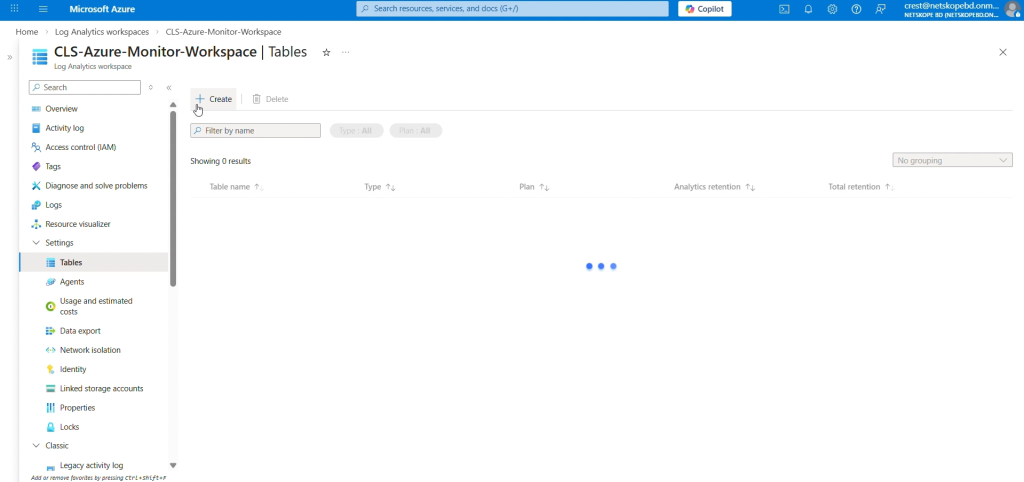
Dans l’onglet d’accueil Azure, allez dans Log Analytics Workspace, sélectionnez l’espace de travail créé précédemment, puis sélectionnez Tables. Cliquez Create et sélectionnez New Custom log (DCR based).
-
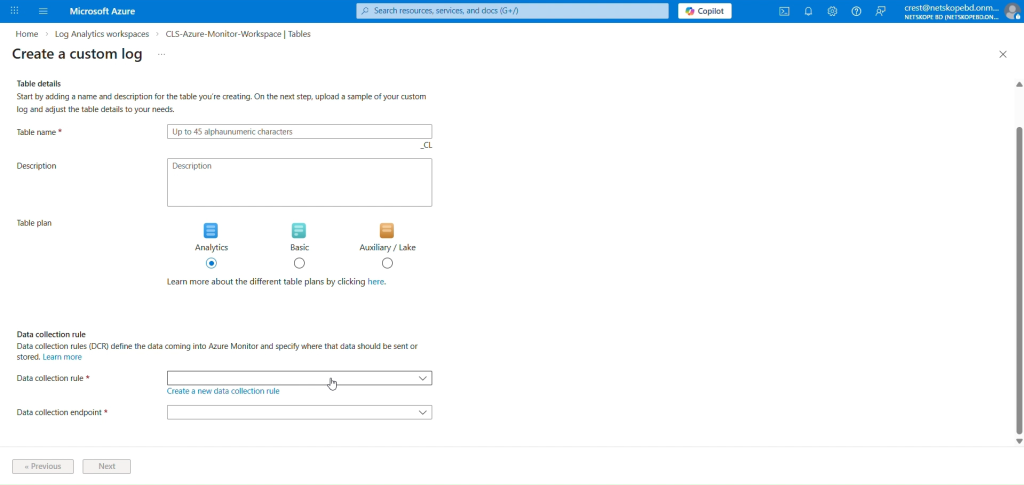
Saisissez un nom pour la table.
-
For the Data Collection Rule, click Create a new data collection rule and select a Subscription and Resource Group from the dropdown lists. Enter the region for your Log Analytics Workspace, and then click Done. Make sure to keep Table plan as Basic.
-
La règle de collection New données sera sélectionnée dans le champ de règle de collection données. Cliquez Next.
-
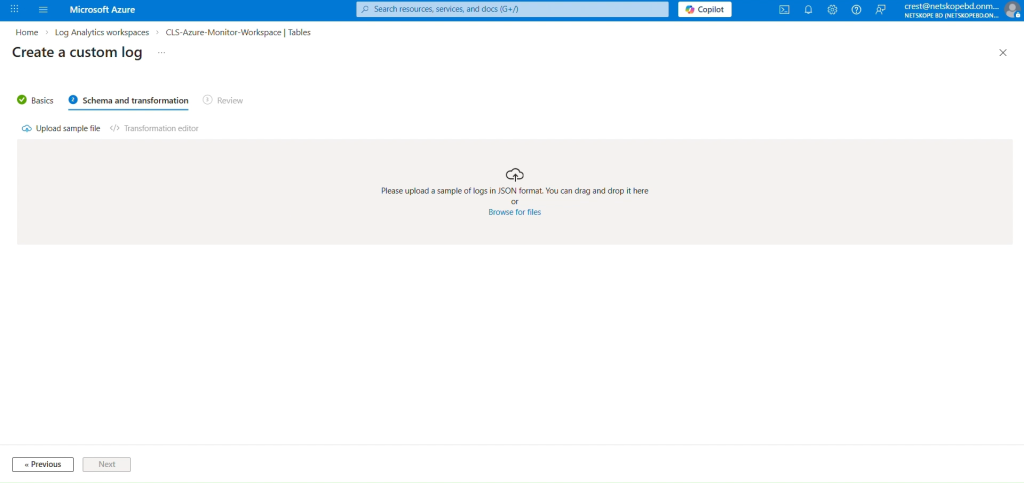
Dans l'onglet Schéma et transformation, cliquez sur Browse for files et sélectionnez le fichier JSON de données d'exemple que vous avez créé précédemment.
-
Cliquez sur Next puis cliquez sur Create.
-
A Custom Log Table will be created with the suffix _CL.
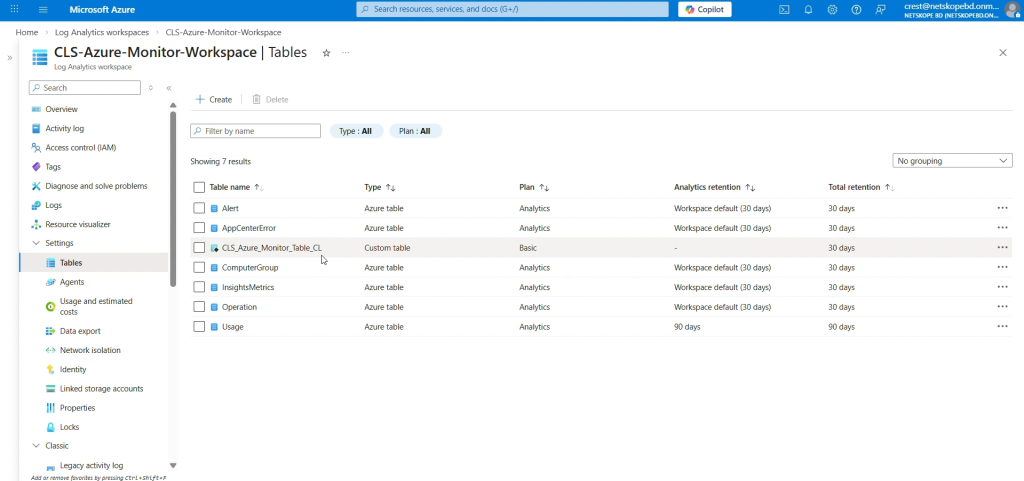 Here you are changing the Table Plan from Analytics to Basic because the Basic log data plan lets you save on the cost of ingesting, and storing high-volume verbose logs in your Log Analytics workspace for debugging, troubleshooting, and auditing. If the Table Plan is not changed and kept as Analytics, the Logs will still be ingested in the Table without any issue. The Analytics table has a configurable retention period from 30 days to 730 days. The Basic table has Retention fixed at eight days. Basic Logs tables retain data for eight days. When you change an existing table’s plan to Basic Logs, Azure archives data that’s more than eight days old, but still within the table’s original retention period.
 -
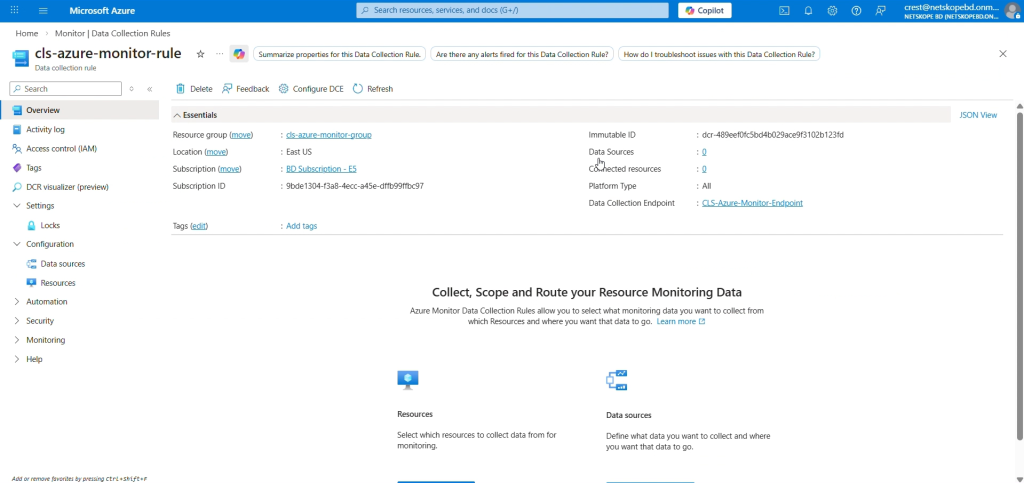
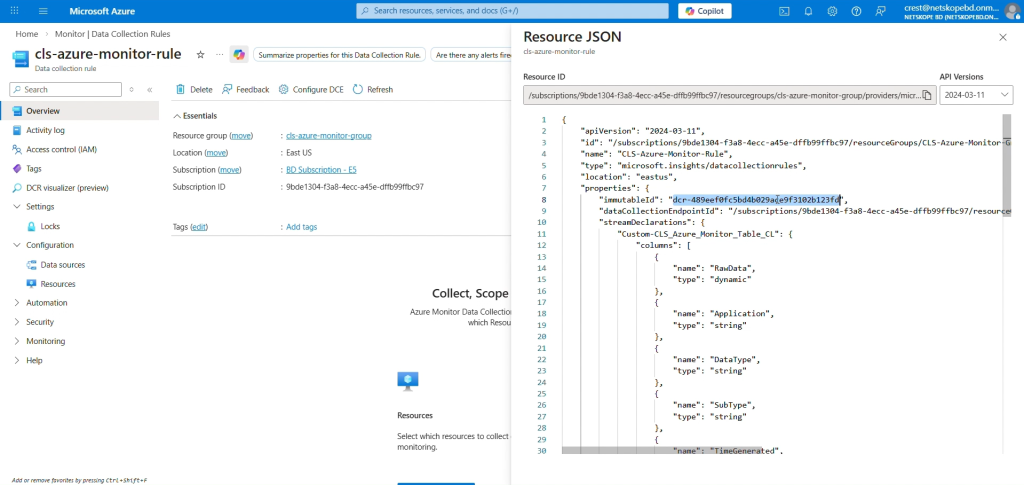
To get the Data Collection Immutable ID, go to Home, select Monitor from the Azure Services > Data Collection Rules, and then select the DCR created by you while creating the Custom Table.
-
In the Overview tab, click JSON View from the top right corner, and copy the immutableId.


Attribuer une autorisation au DCR et au DCE
-
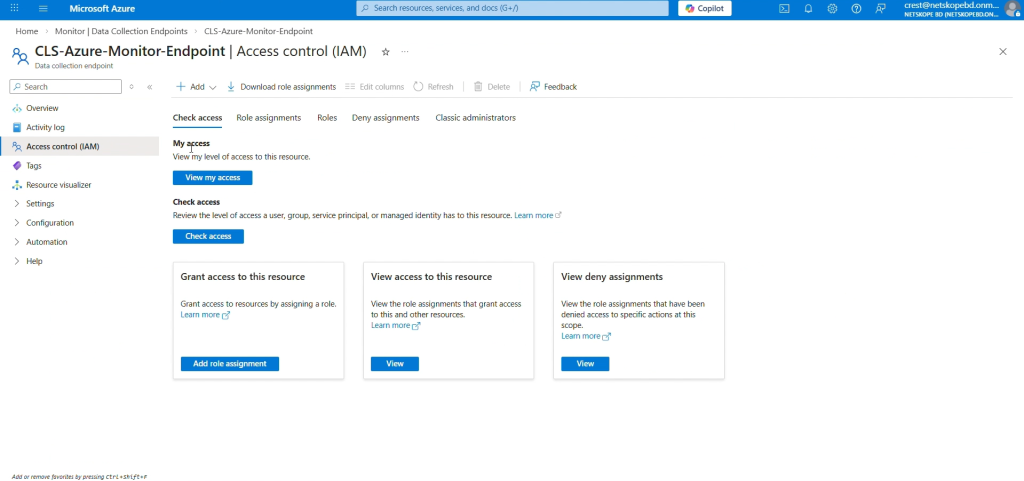
Sur la page d'accueil Azure, allez sur Monitor > Data Collection Endpoint et sélectionnez le point de terminaison créé précédemment.
-
Select Access control (IAM) et cliquez sur Add role assignment.
-
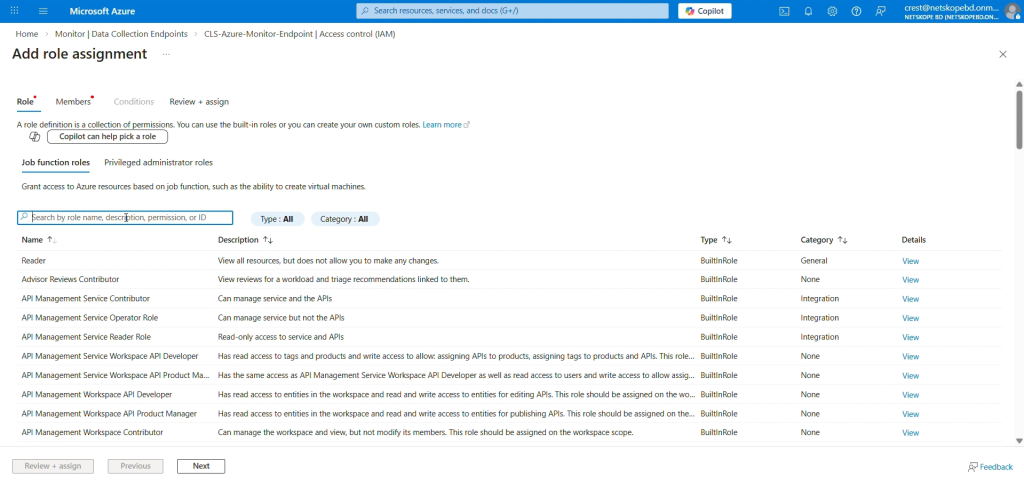
Dans la liste des rôles, sélectionnez Monitoring Metrics Publisher et cliquez sur Next.
-
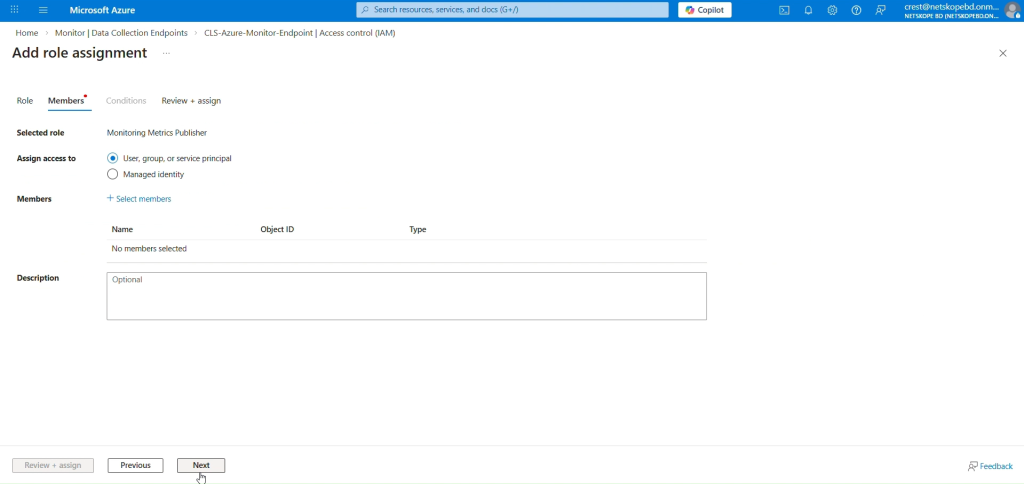
Select a user, group, or service principal for which to assign access.
-
Cliquez sur Select Members et recherchez l'application que vous avez créée dans le champ de recherche, puis sélectionnez-la.
-
Cliquez sur Review + assign.
-
Répétez ces mêmes étapes pour attribuer des autorisations à la DCR (règle de collecte des données).


Configure the Microsoft Azure Log Analytics Plugin
-
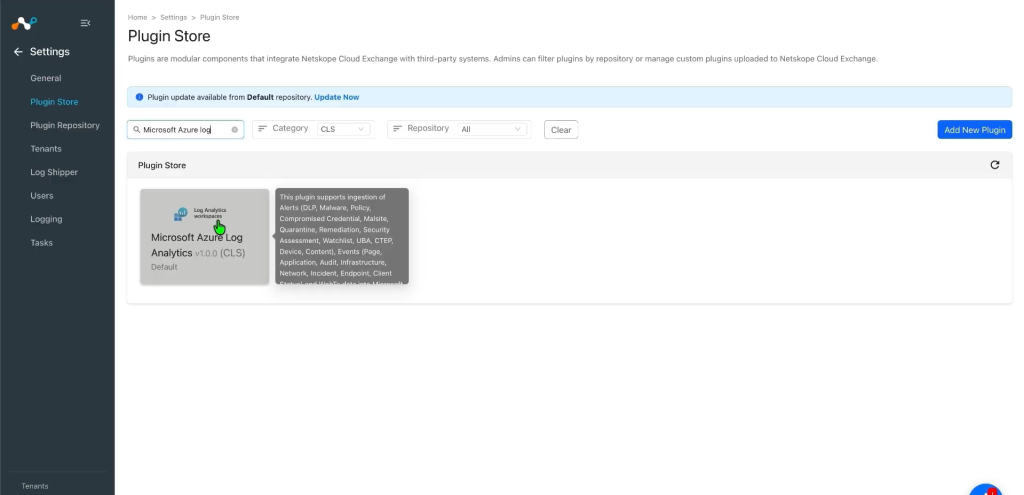
Dans Cloud Exchange, allez sur Settings > Plugin Store. Recherchez et sélectionnez le plugin Microsoft Azure Log Analytics v1.0.0 (CLS).
-
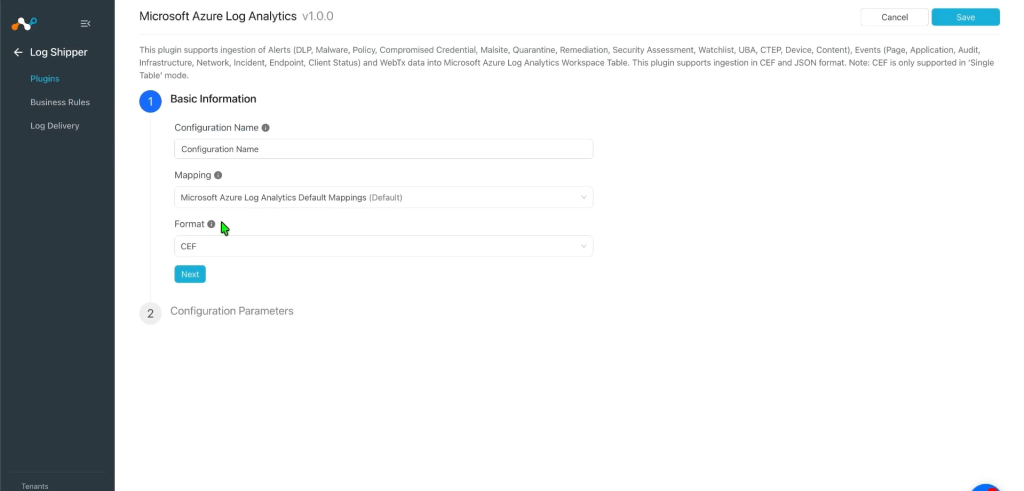
Provide the Configuration Name and change the Sync Interval per your requirement.
-
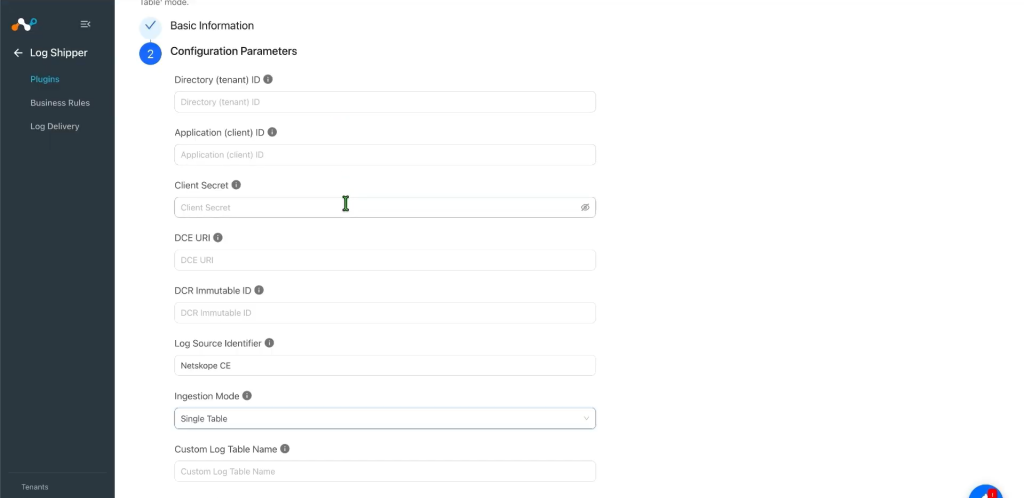
Cliquez sur Suivant et entrez les paramètres de configuration :
- Tenant ID: Microsoft Entra ID Directory (tenant) ID.
- Application ID: Application (client) ID of the Entra ID app.
- Application Secret: Client secret ID of the Entra ID app.
- Data Collection Endpoint URI: Base URI of the Data Collection Endpoint.
- DCR Immutable ID: Immutable ID of the Data Collection Rule.
- Log Source Identifier: Value written into the Application column on every row. Default: Netskope CE.
- Ingestion Mode: Select Single Table to send all data to one table, or Per Data Type to route each data type to a separate table.
- Custom Log Table Name (Single Table mode): Destination table name that receives all records.
- Data Types to Ingest (Per Data Type mode): Select one or more of Alerts, Events, WebTx.
- Alerts Custom Log Table Name (Per Data Type mode): Destination table for Alerts data.
- Events Custom Log Table Name (Per Data Type mode): Destination table for Events data.
- WebTx Custom Log Table Name (Per Data Type mode): Destination table for WebTx data.
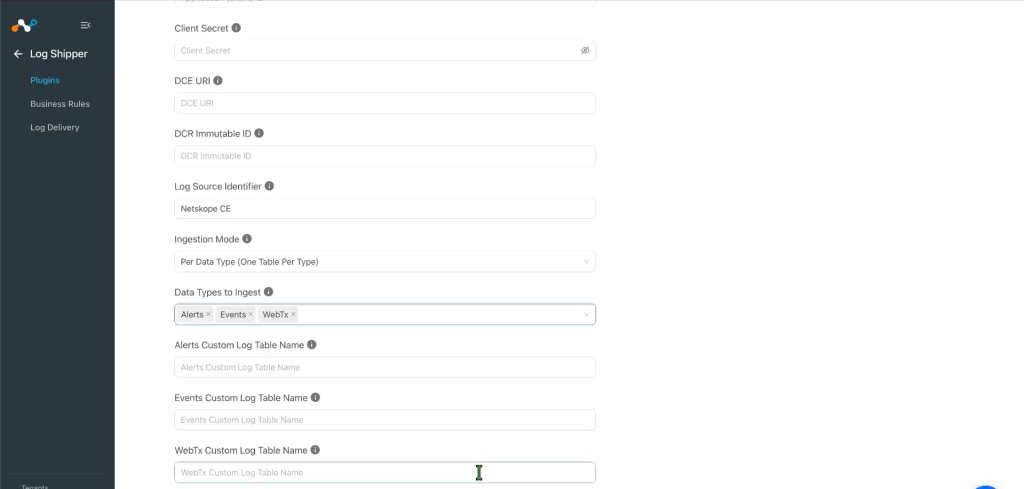 The plugin will not be configured with ‘CEF’ and ‘Per Data Type’ Ingestion mode together.
 -
Click Save.
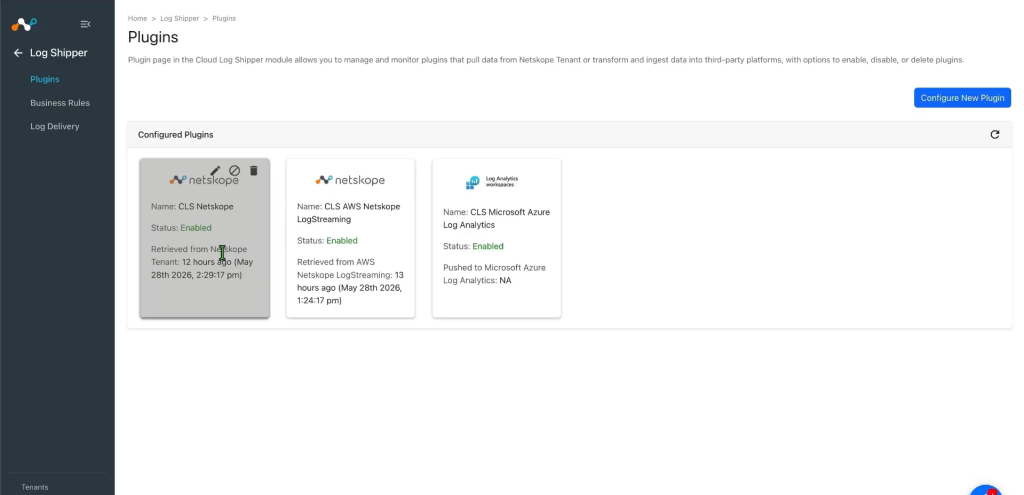


Configure a Log Shipper Business Rule for Microsoft Azure Log Analytics
-
Dans Log Shipper, allez à Business Rules et cliquez sur Add Business Rule.
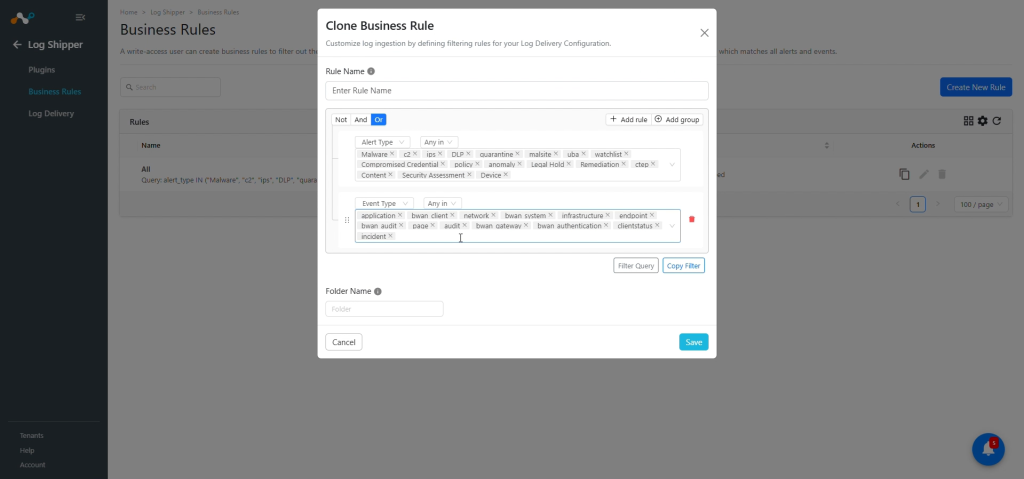
-
Par défaut, une règle de gestion filtre toutes les alertes et tous les événements. Si vous souhaitez filtrer un type spécifique d'alerte ou d'événement, cliquez sur Create New Rule et configurez une règle de gestion New en ajoutant le nom de la règle et le(s) filtre(s).
-
Cliquez sur Save.

Configure Log Shipper Log Delivery for the Microsoft Azure Log Analytics Plugin
-
Dans Log Shipper, allez à Log Delivery et cliquez sur Add Log Delivery Configuration.
-
Select une configuration de la source, une configuration de la destination et une règle de gestion.
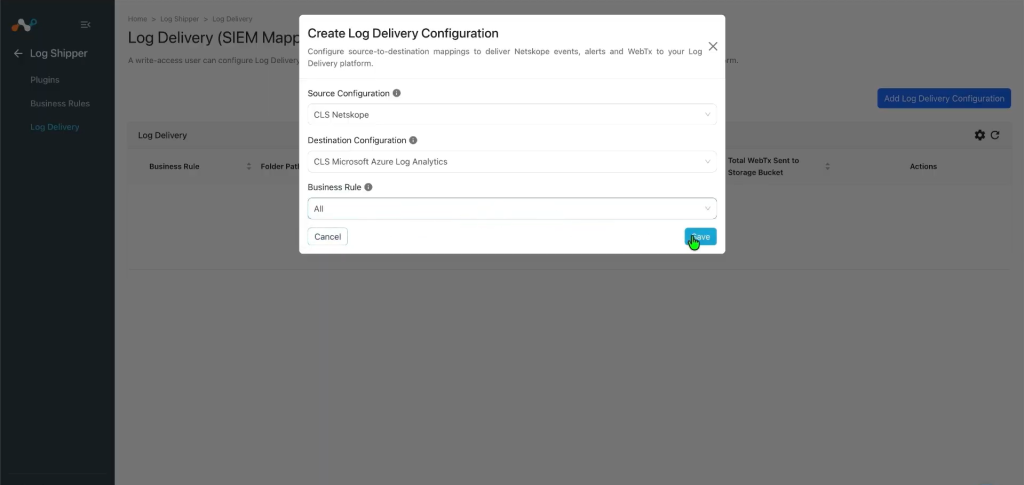
-
Cliquez sur Save.
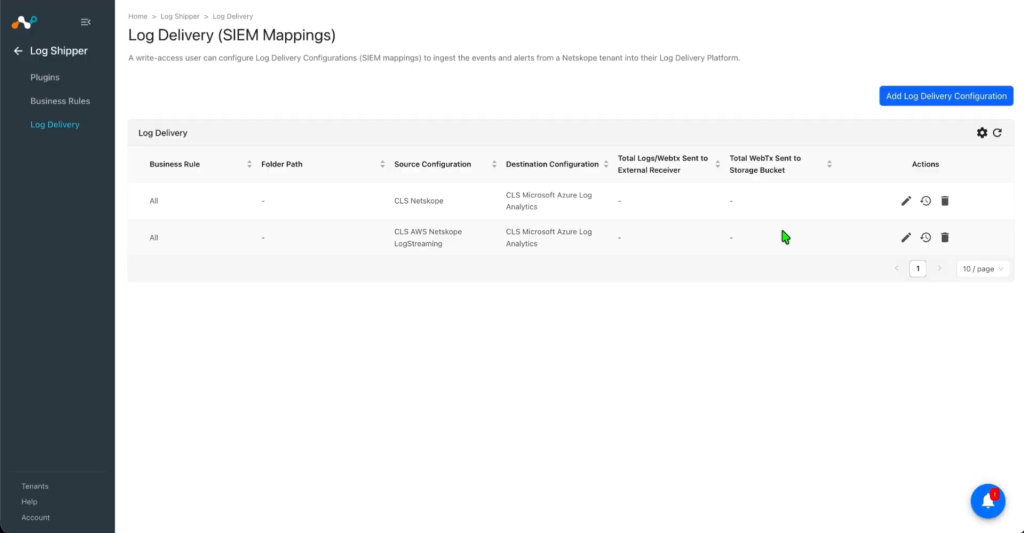
After the Log Delivery is added, the data will start to be pulled from the Netskope tenant and ingested into the Azure Monitor platform.


Validate the Microsoft Azure Log Analytics Plugin
Valider le retrait
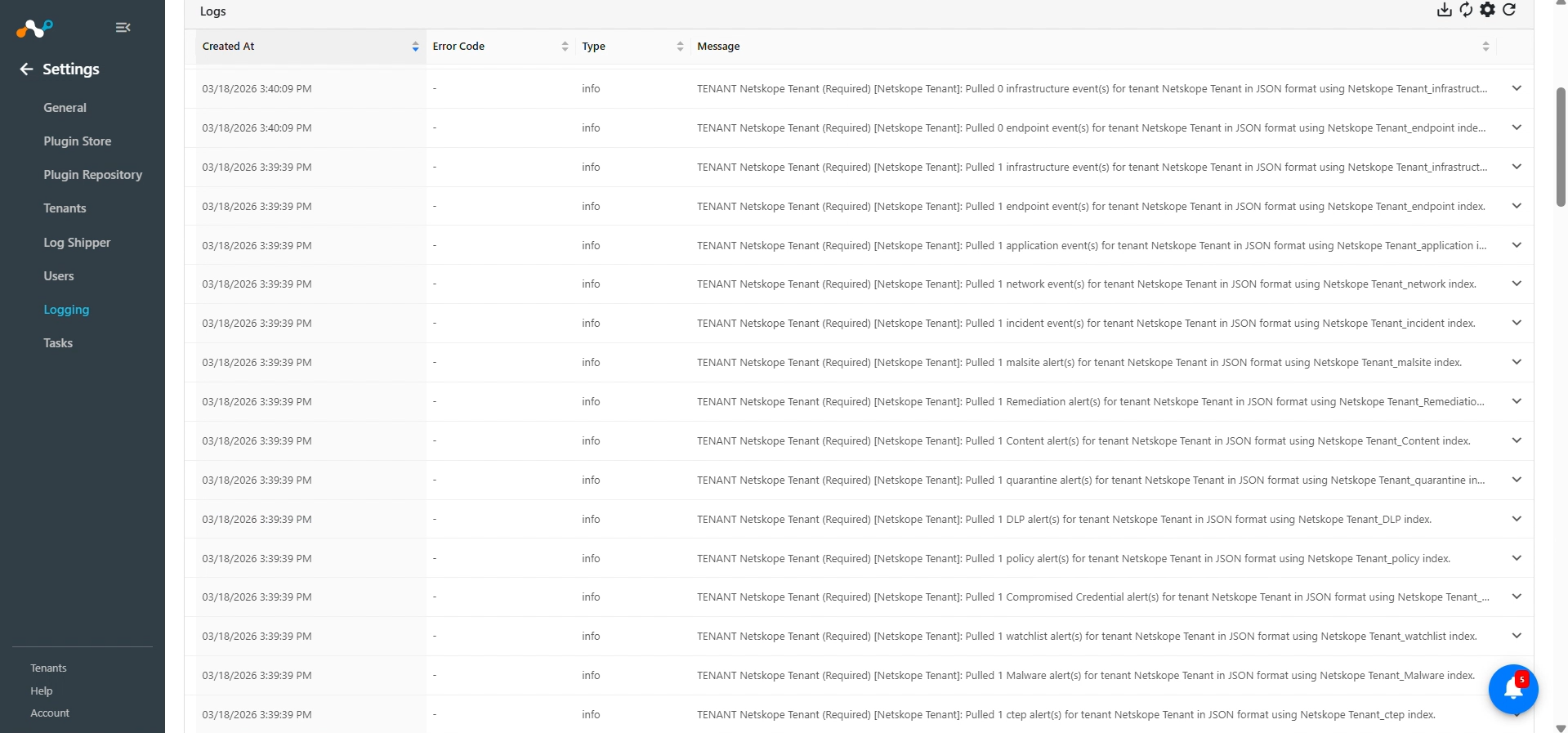
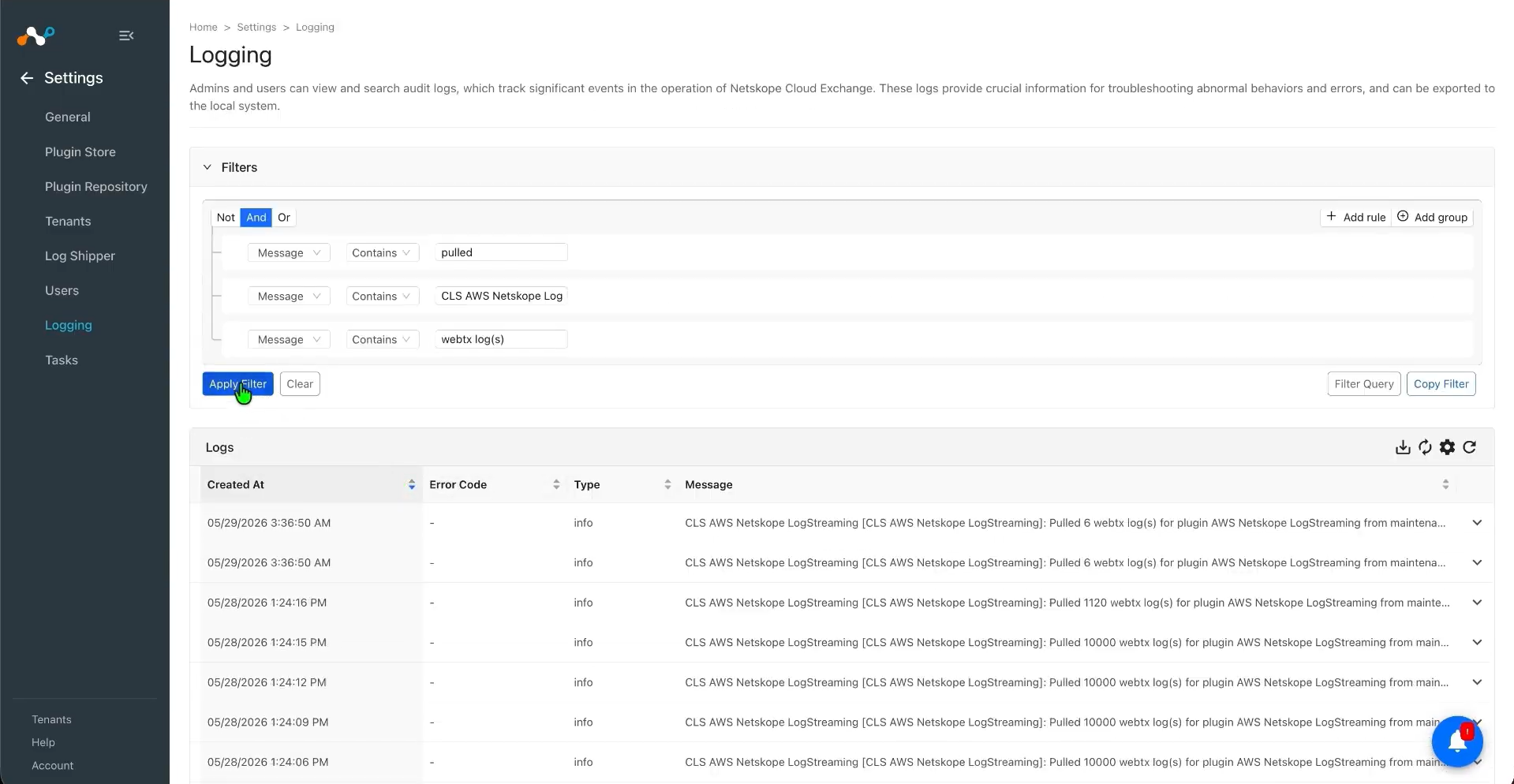
Pour valider l'extraction des indicateurs du locataire Netskope.
In Cloud Exchange, go to Logging and search for the pulled logs.
Valider le push
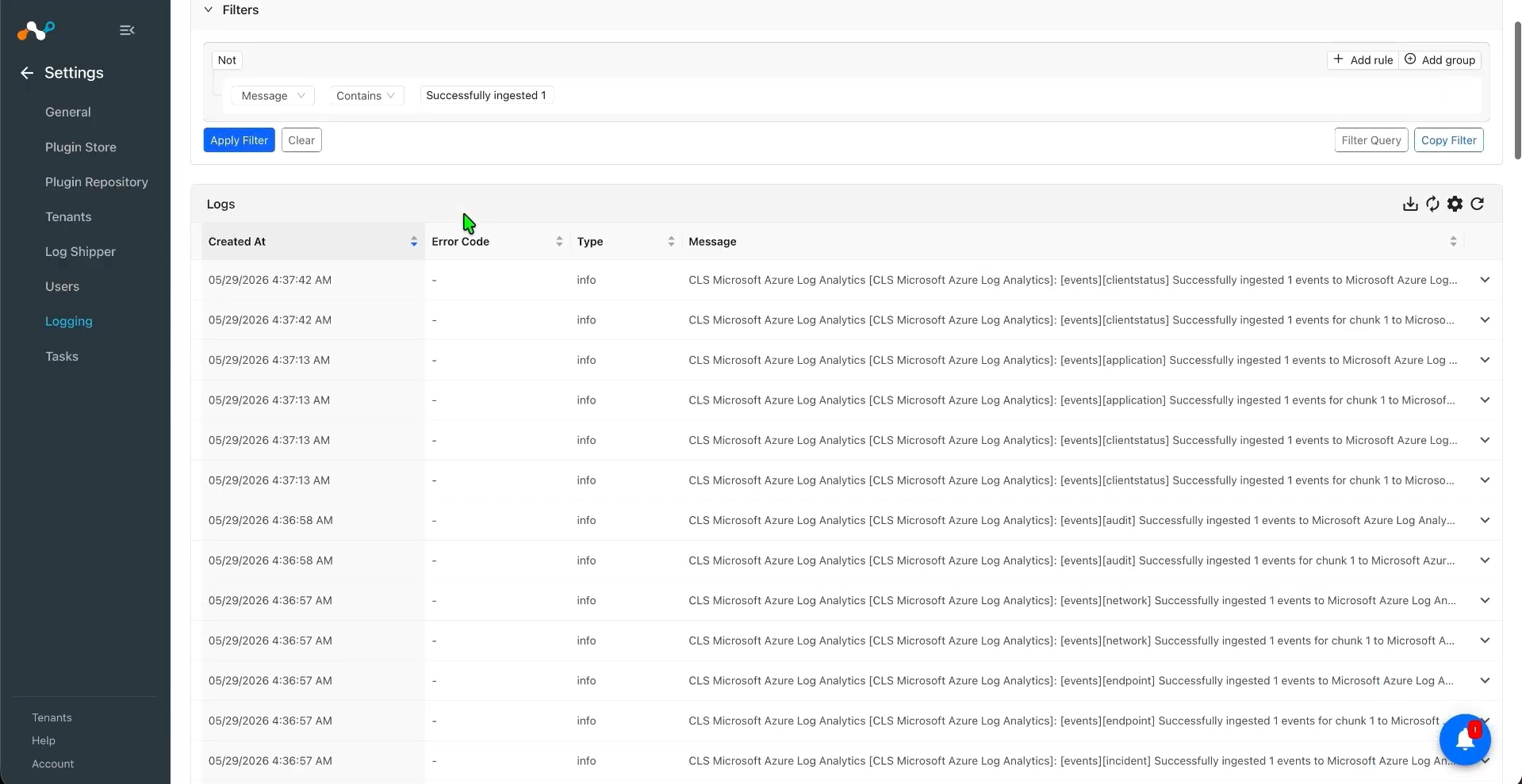
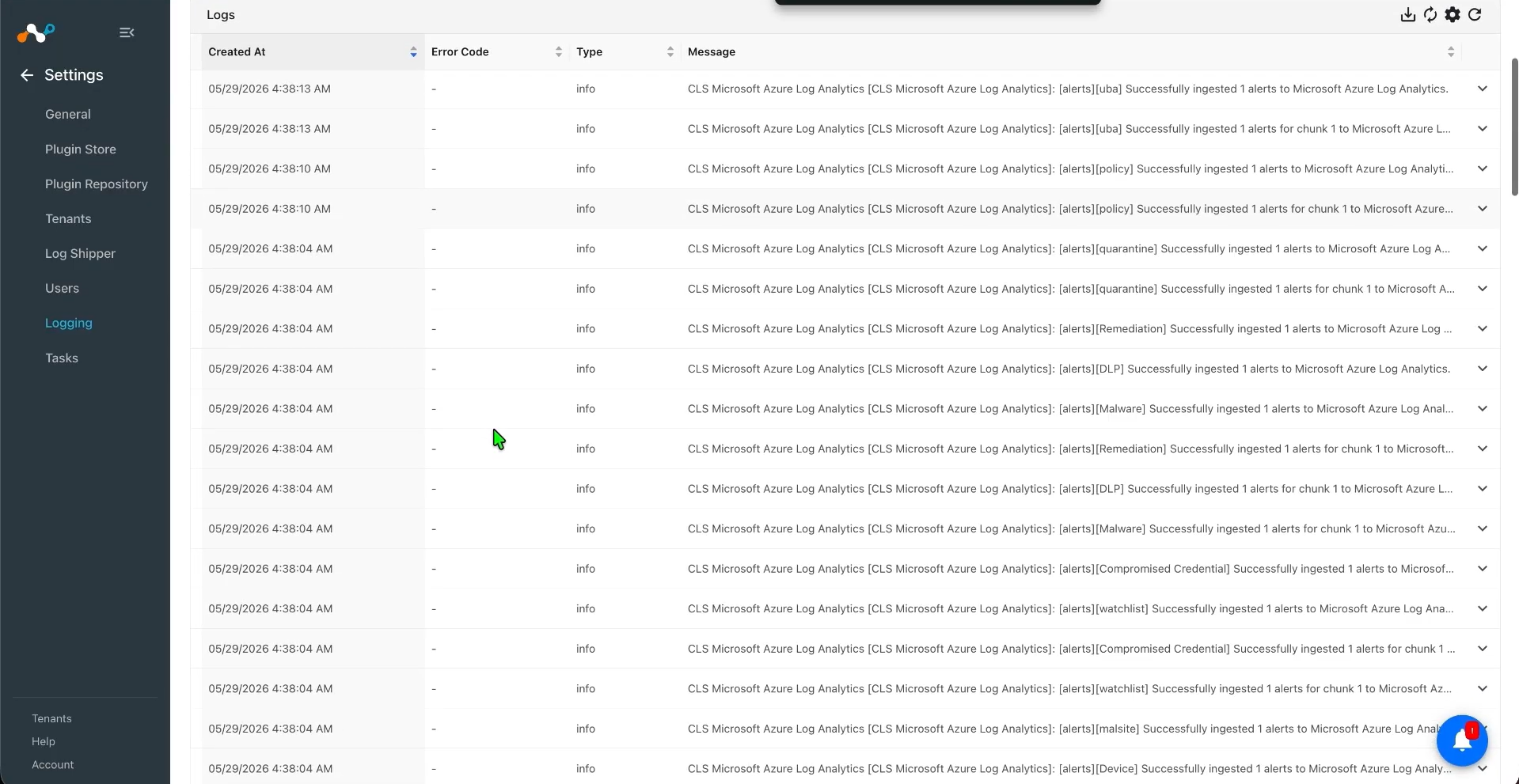
To validate the plugin workflow in Cloud Exchange, go to Logging and search for ingested Events and Alerts with the filter: message contains “ingested”.
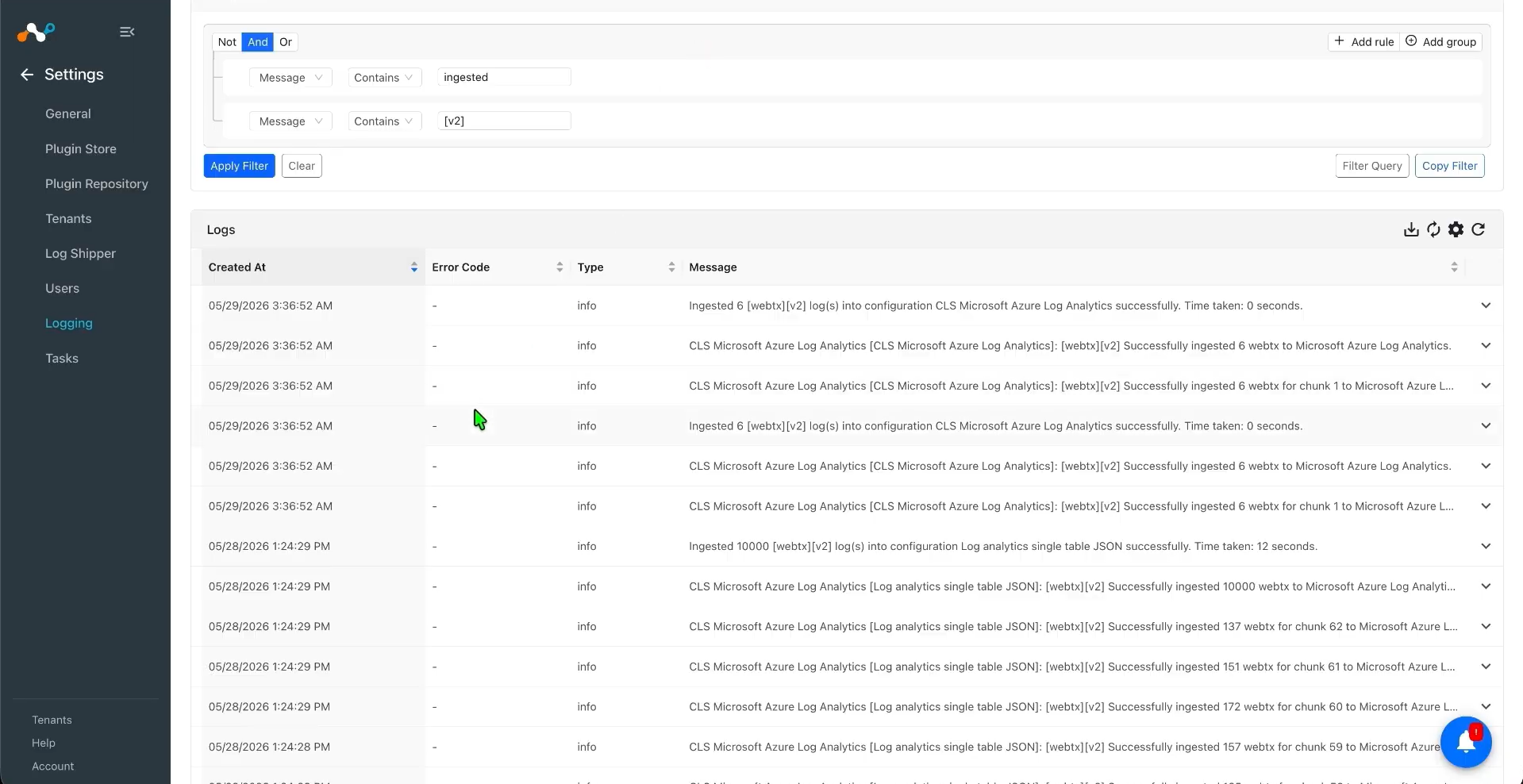
To validate the push on Microsoft Azure Log Analytics:
- Dans le portail Azure, accédez à votre Log Analytics workspace et ouvrez Logs.
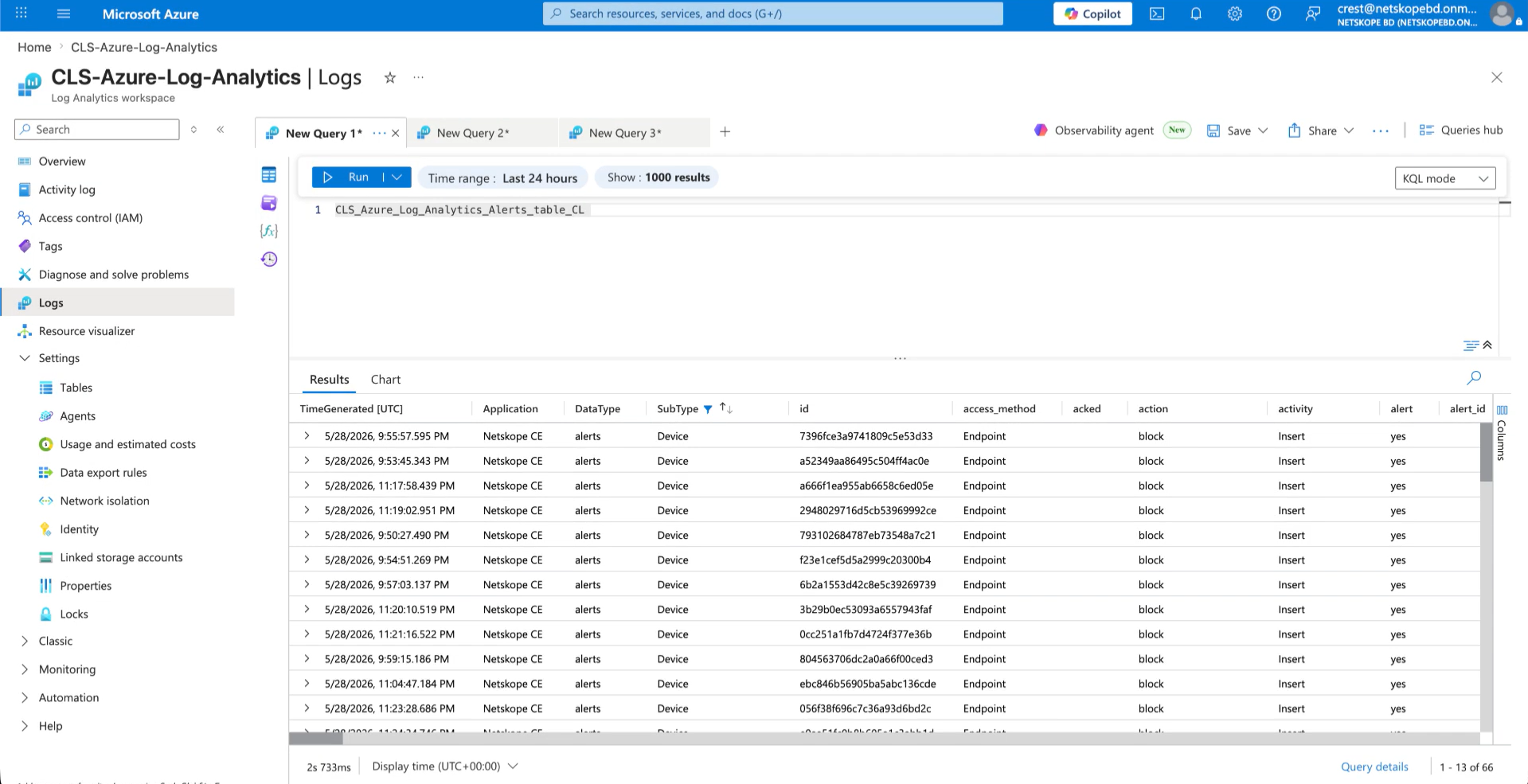
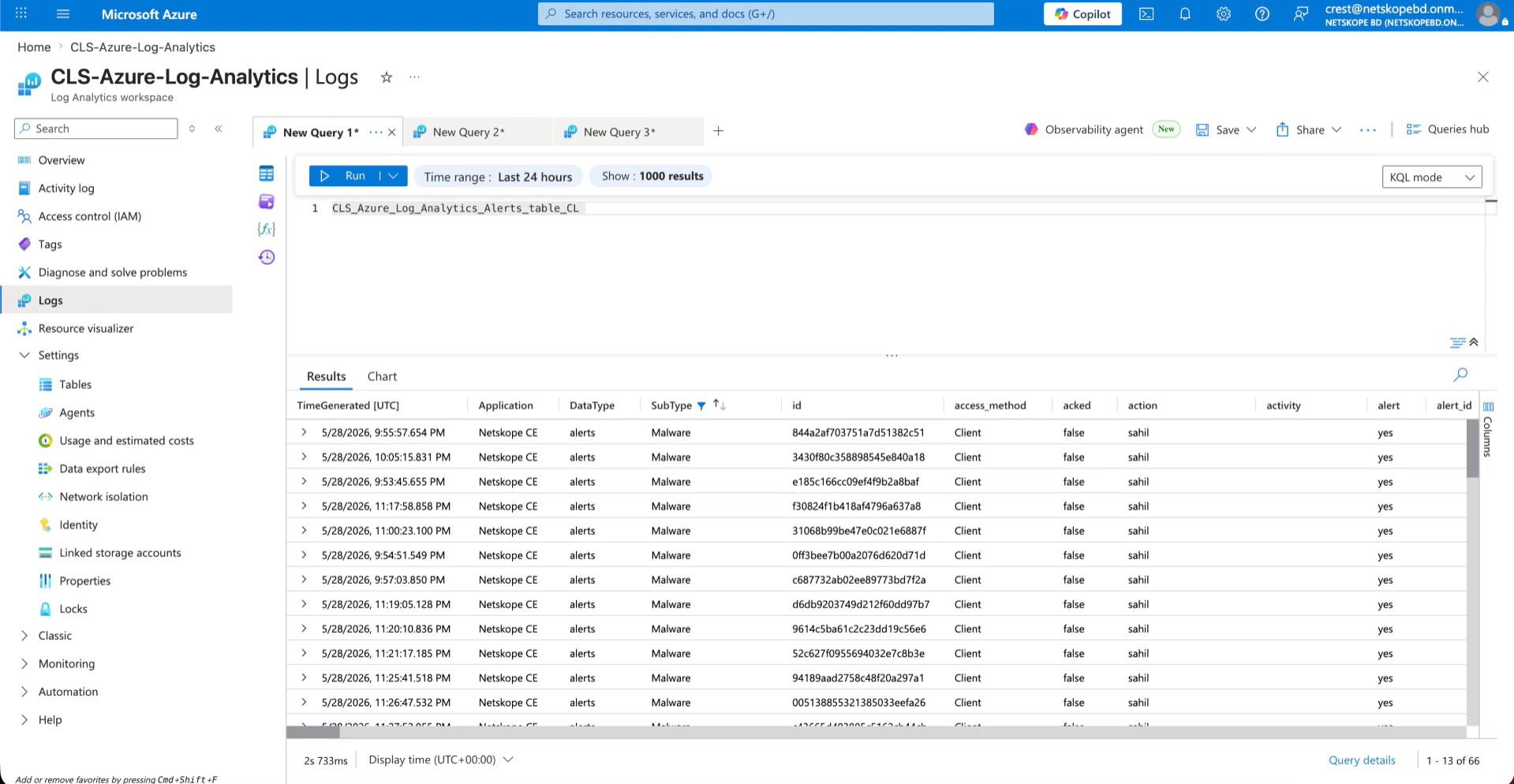
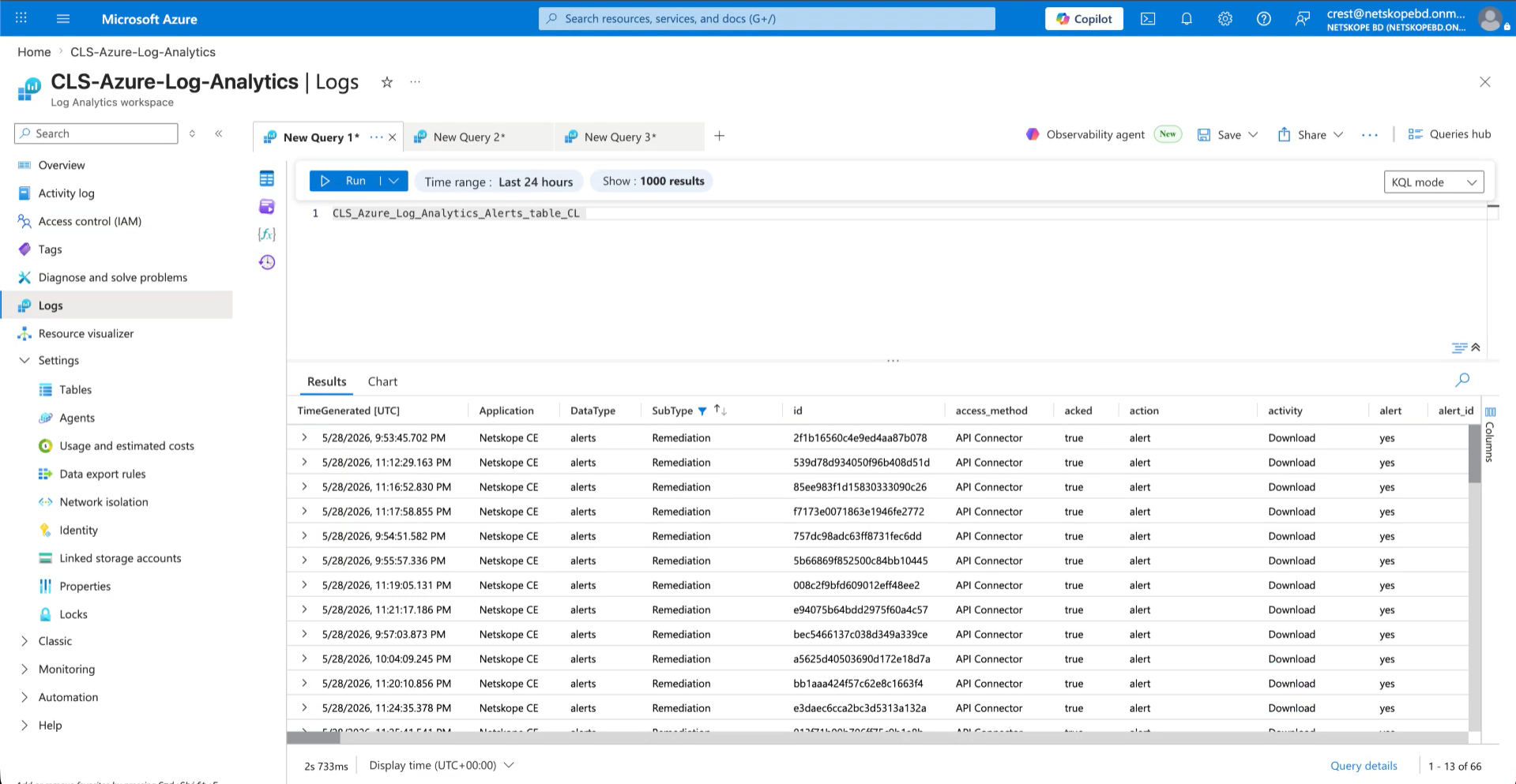
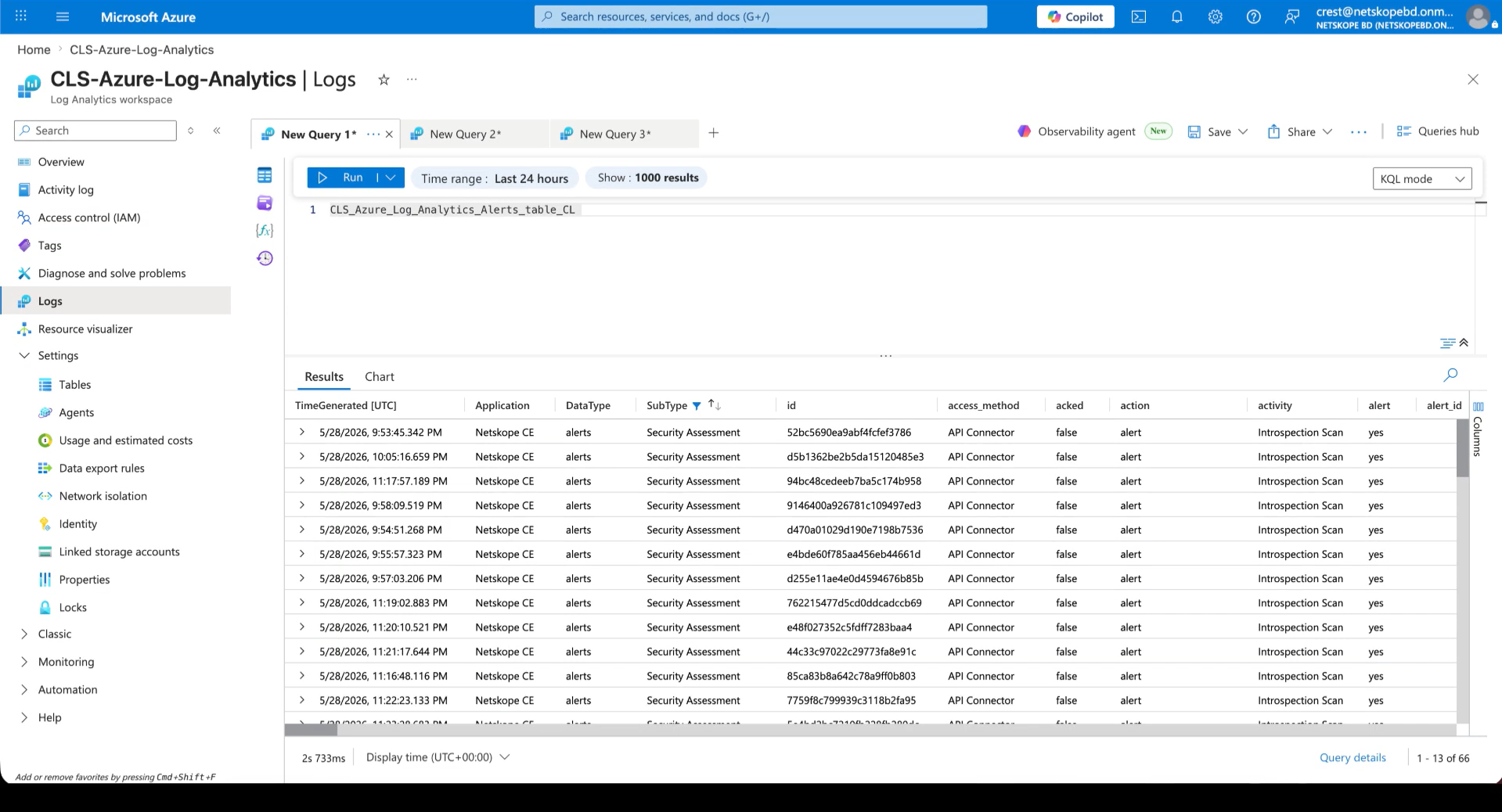
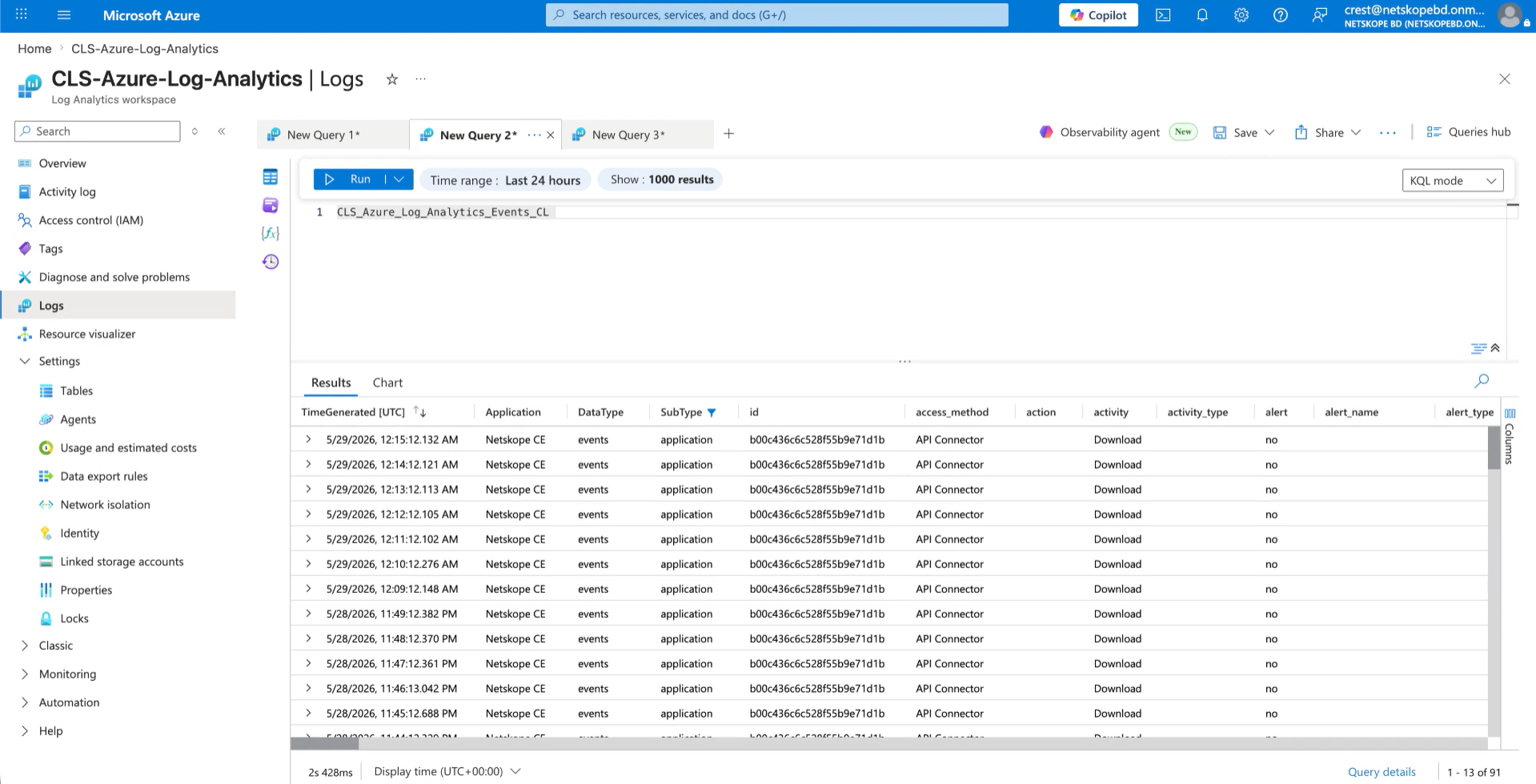
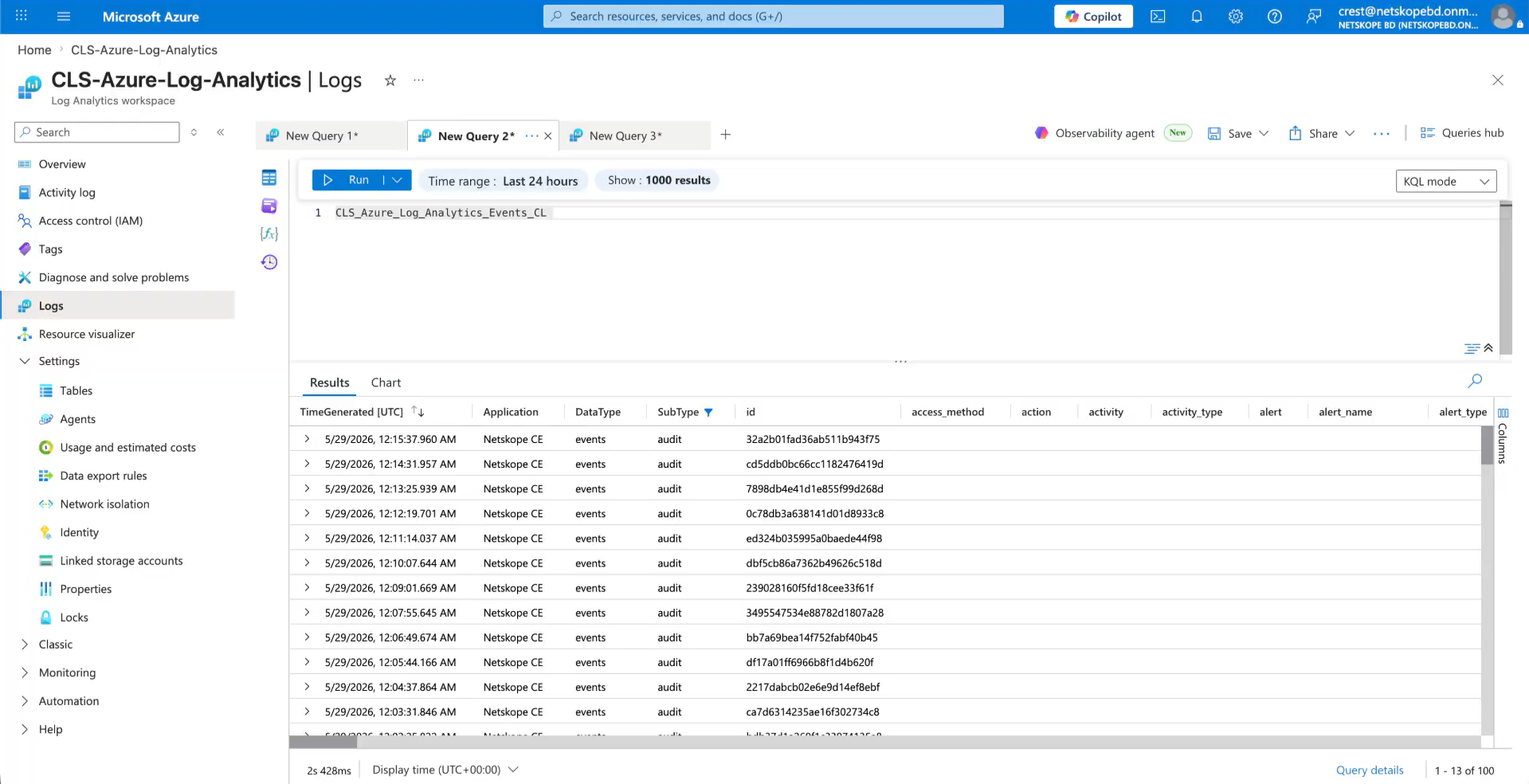
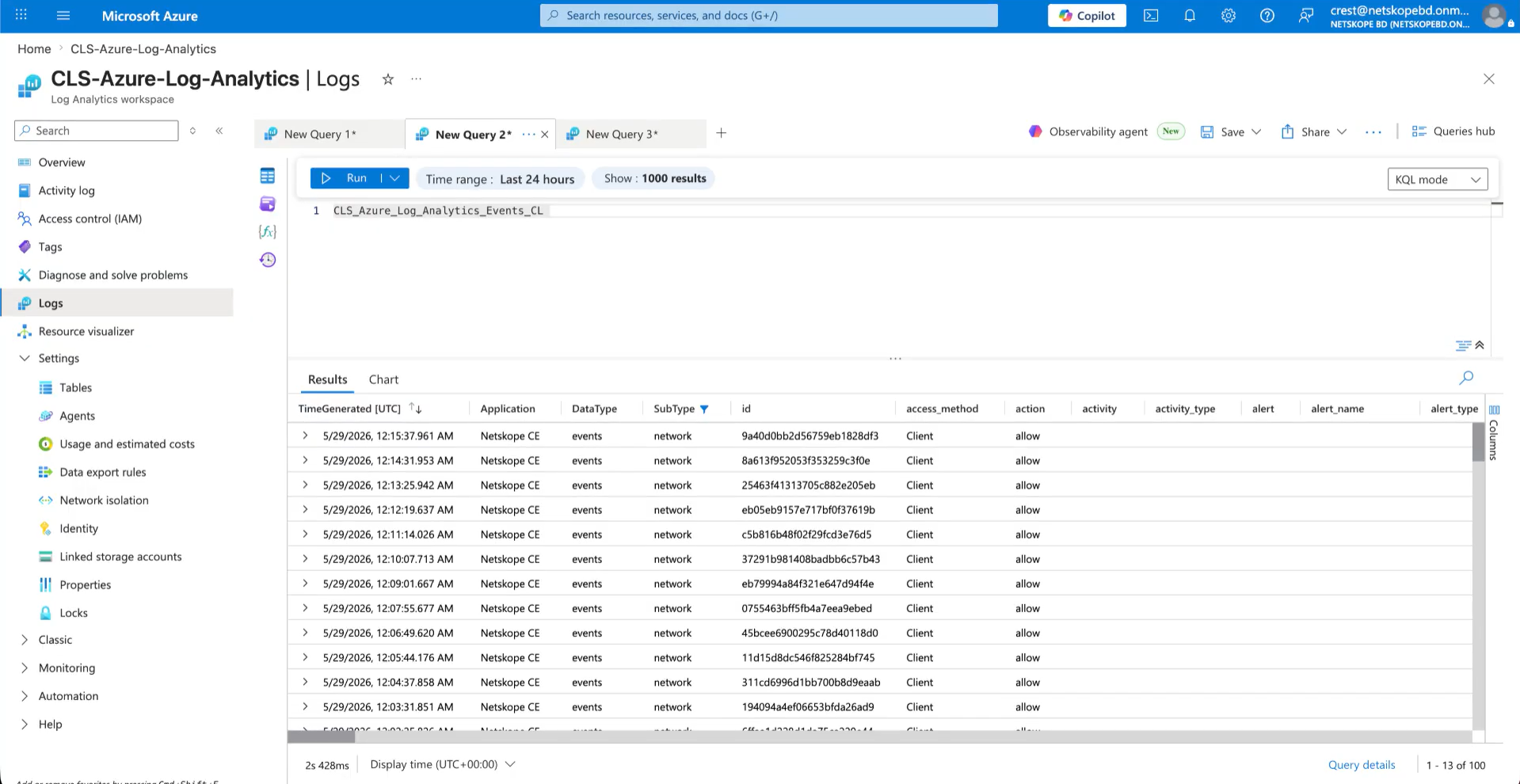
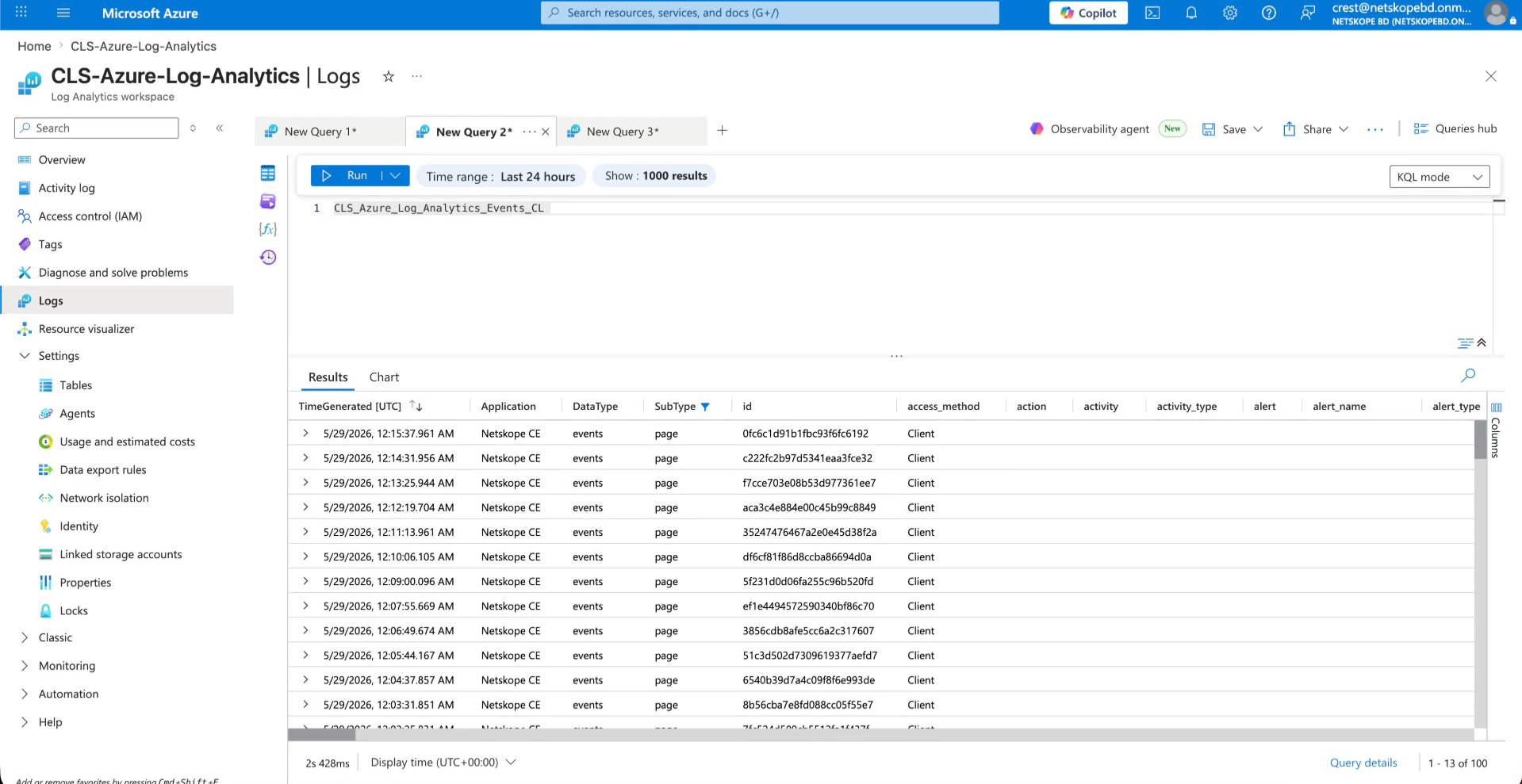
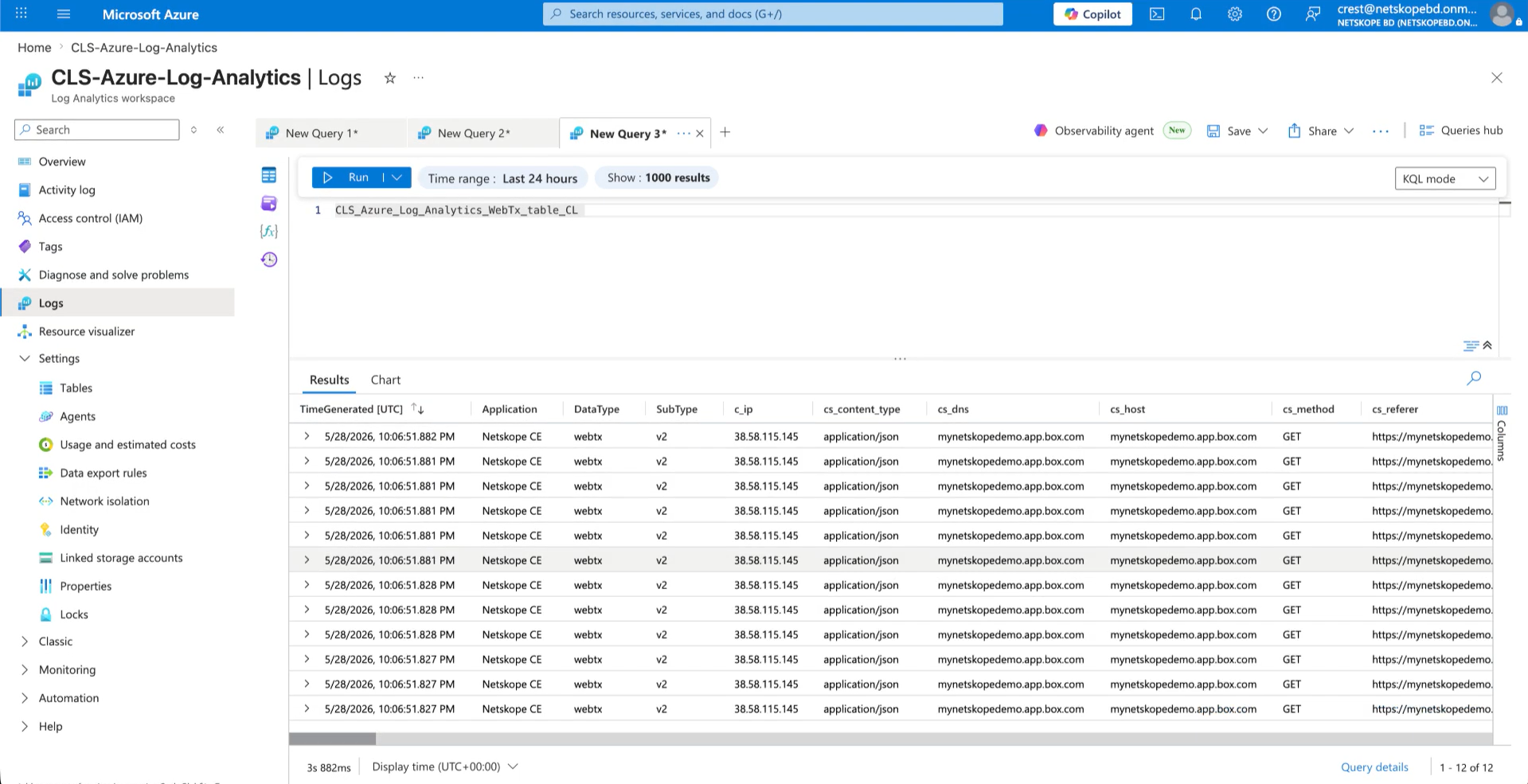
- Query the Custom Log table (like YourTableName_CL | take 10) to verify that records have been ingested.
- For example, below are the alerts ingested in Alerts table.
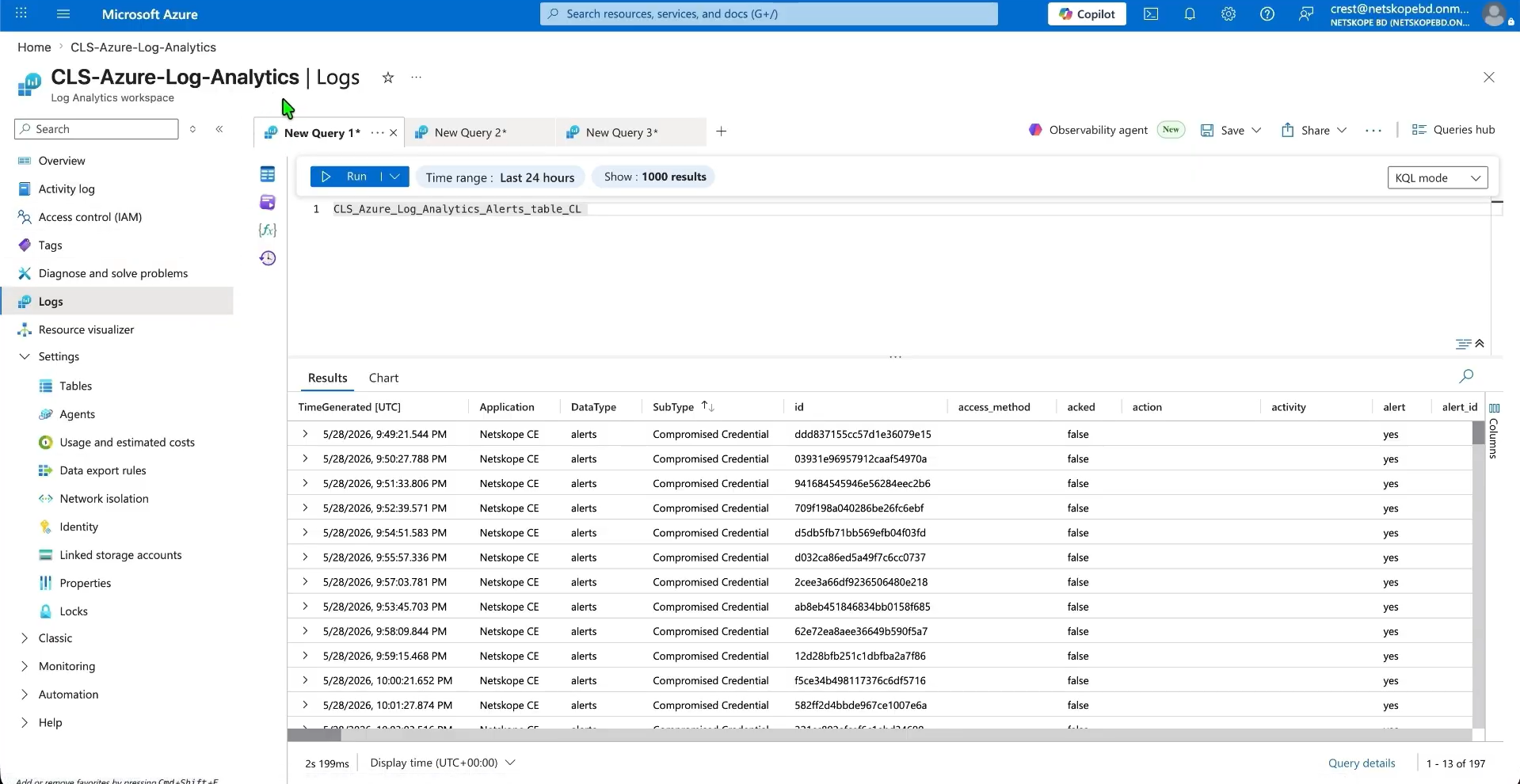
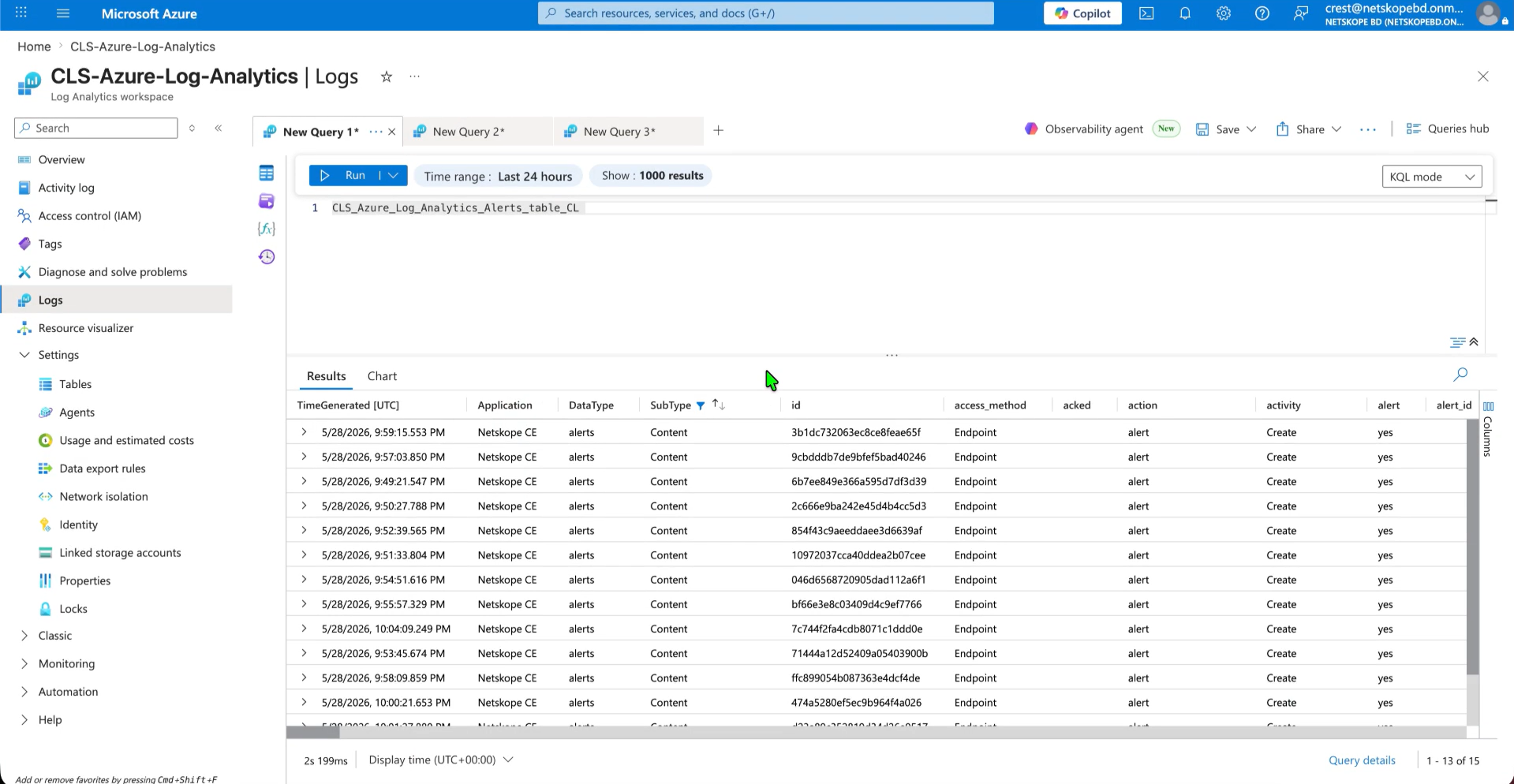
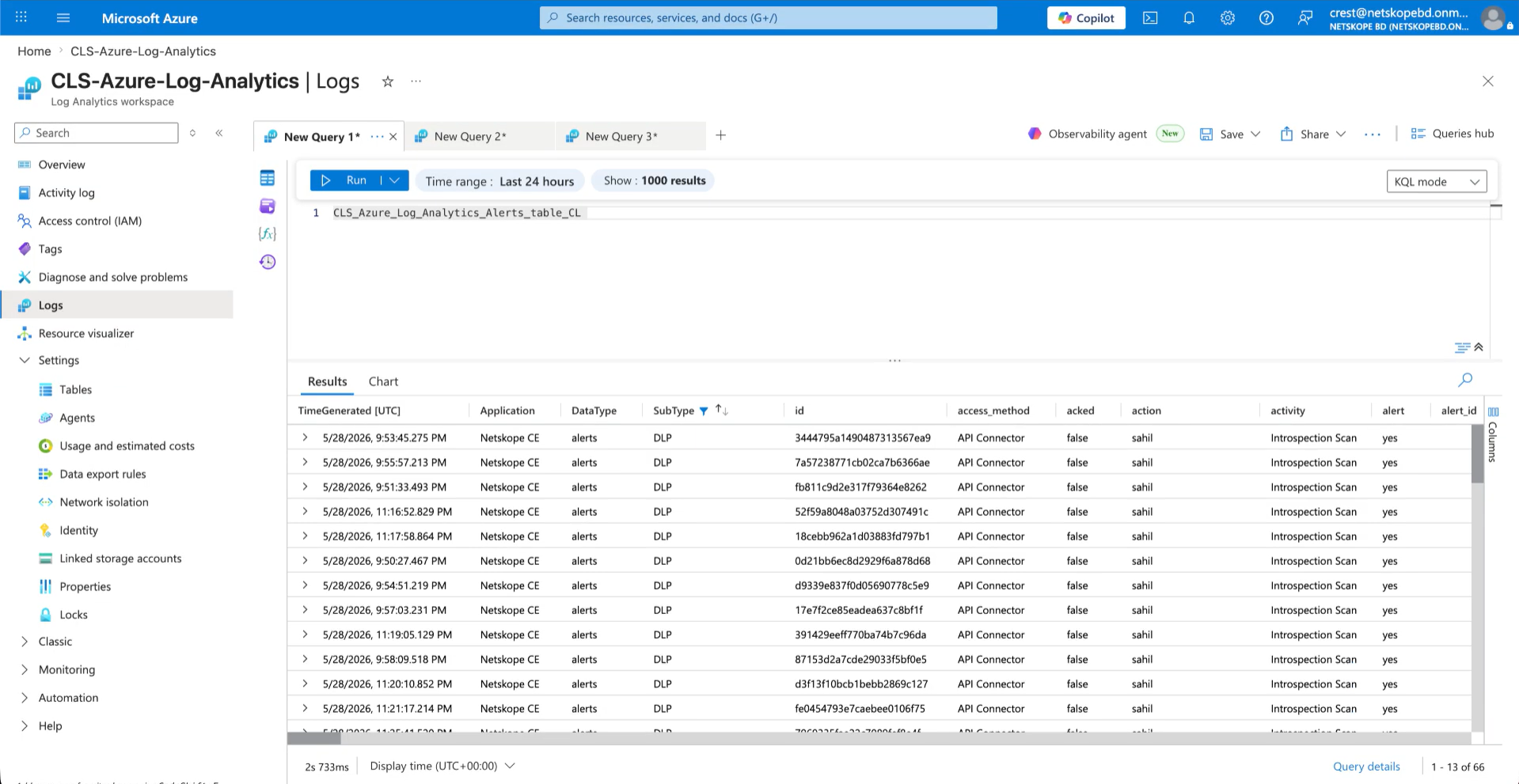
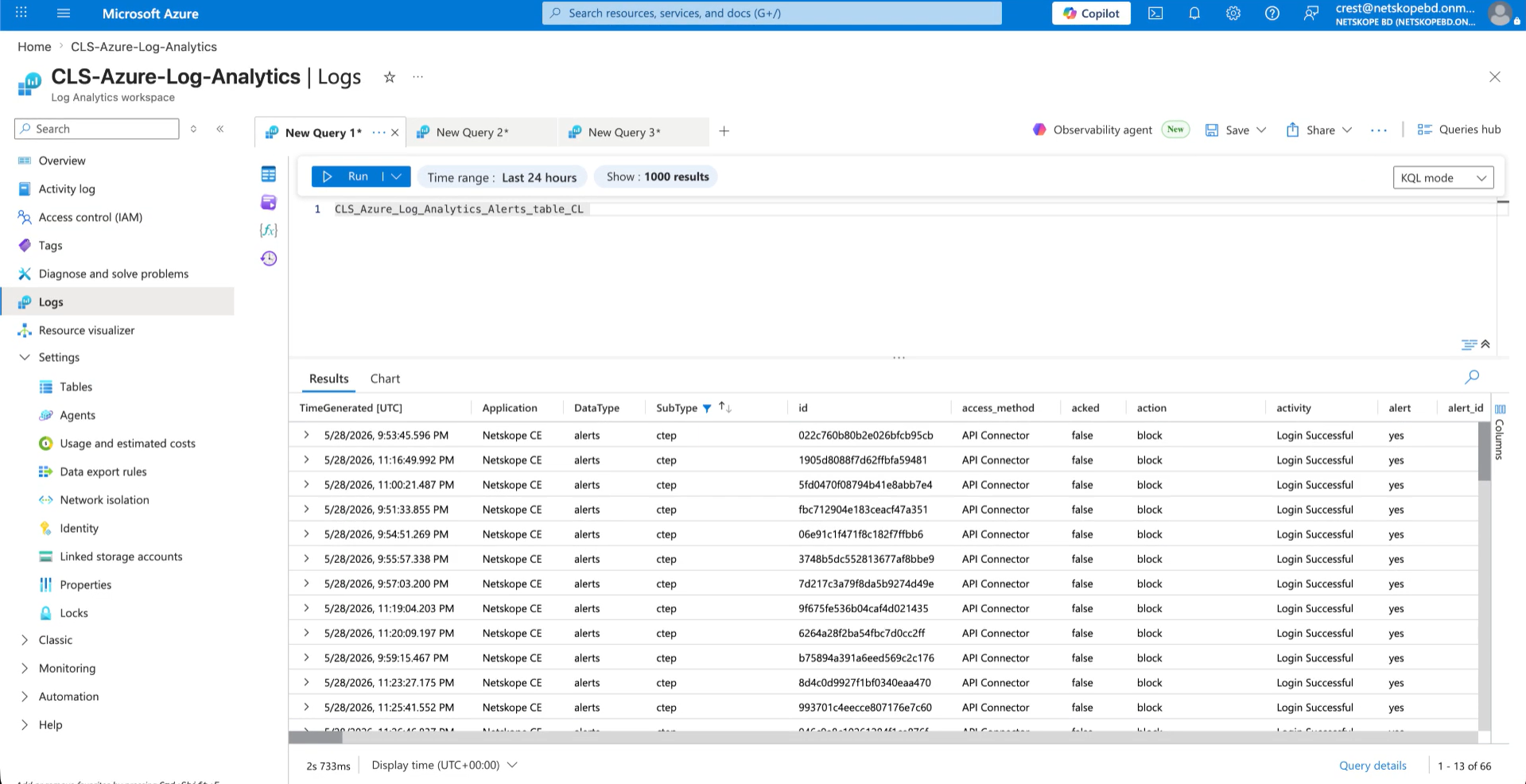
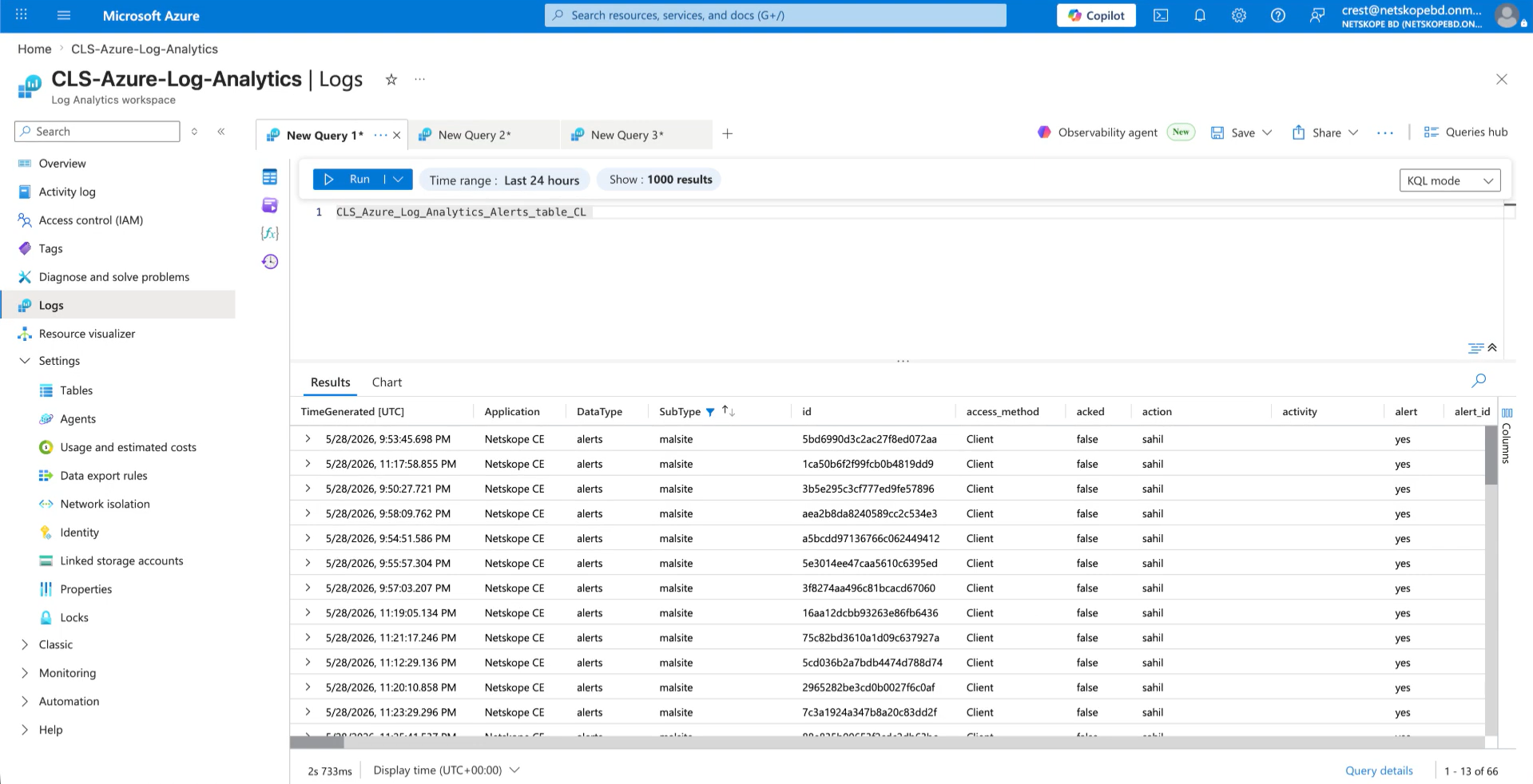
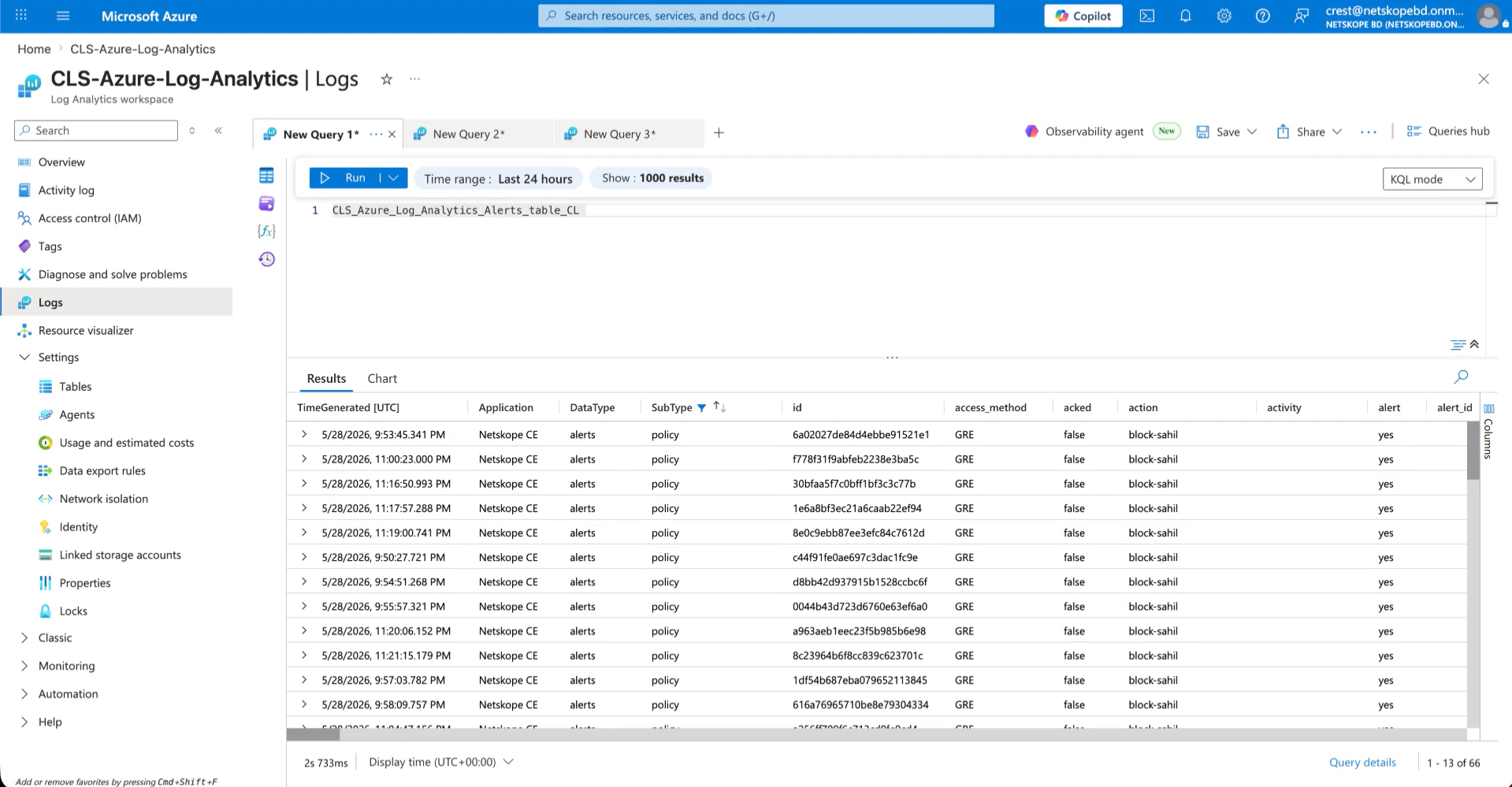
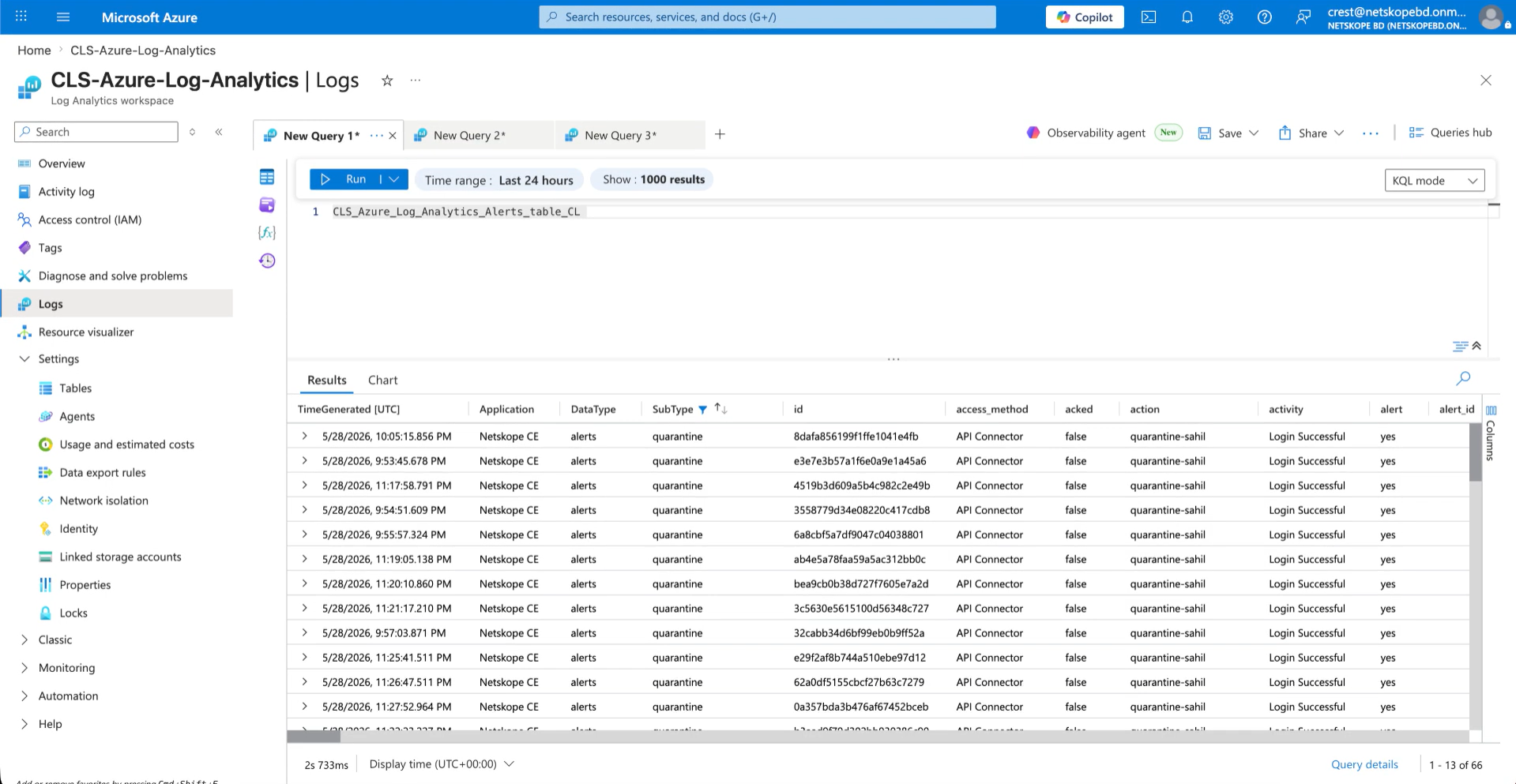
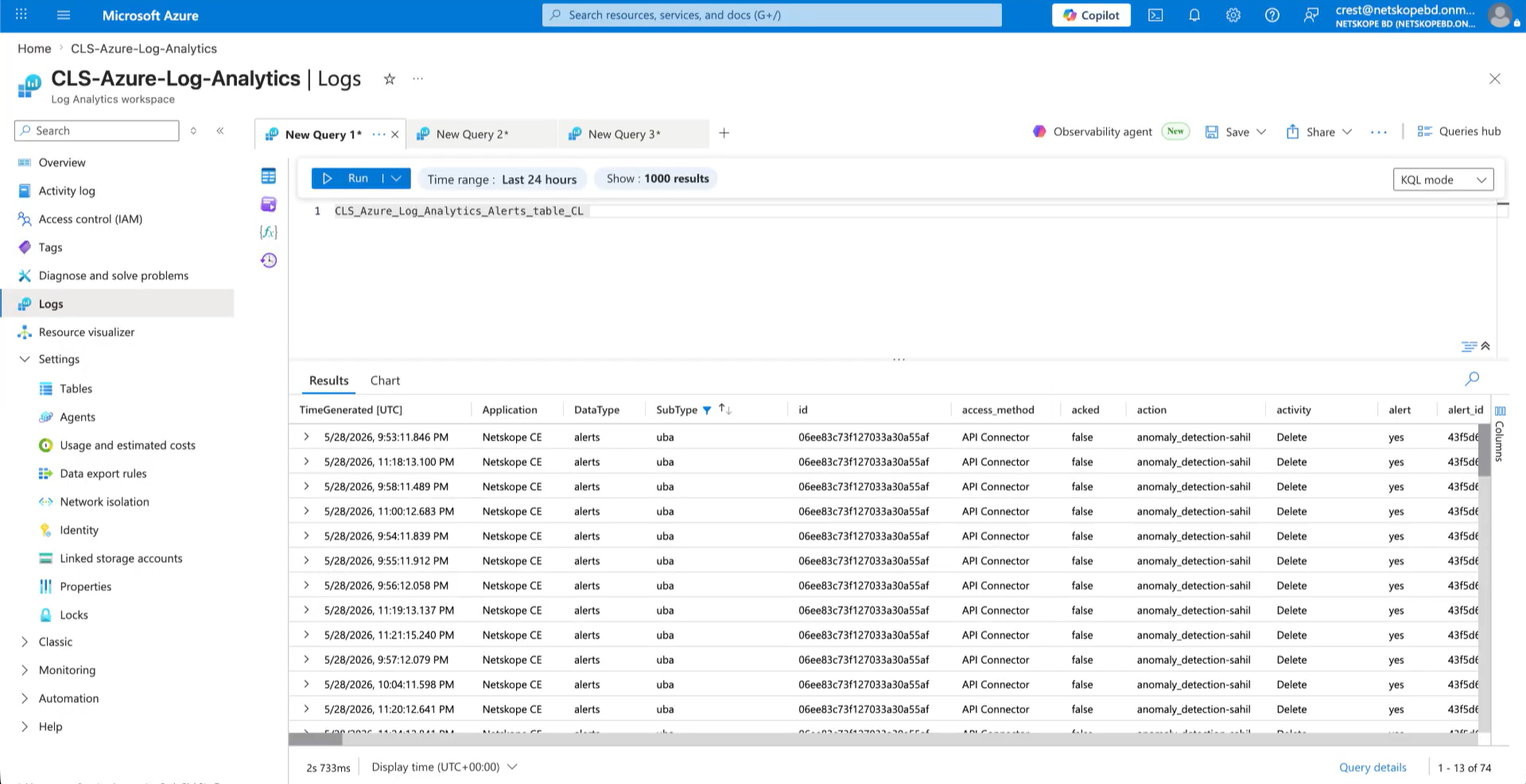
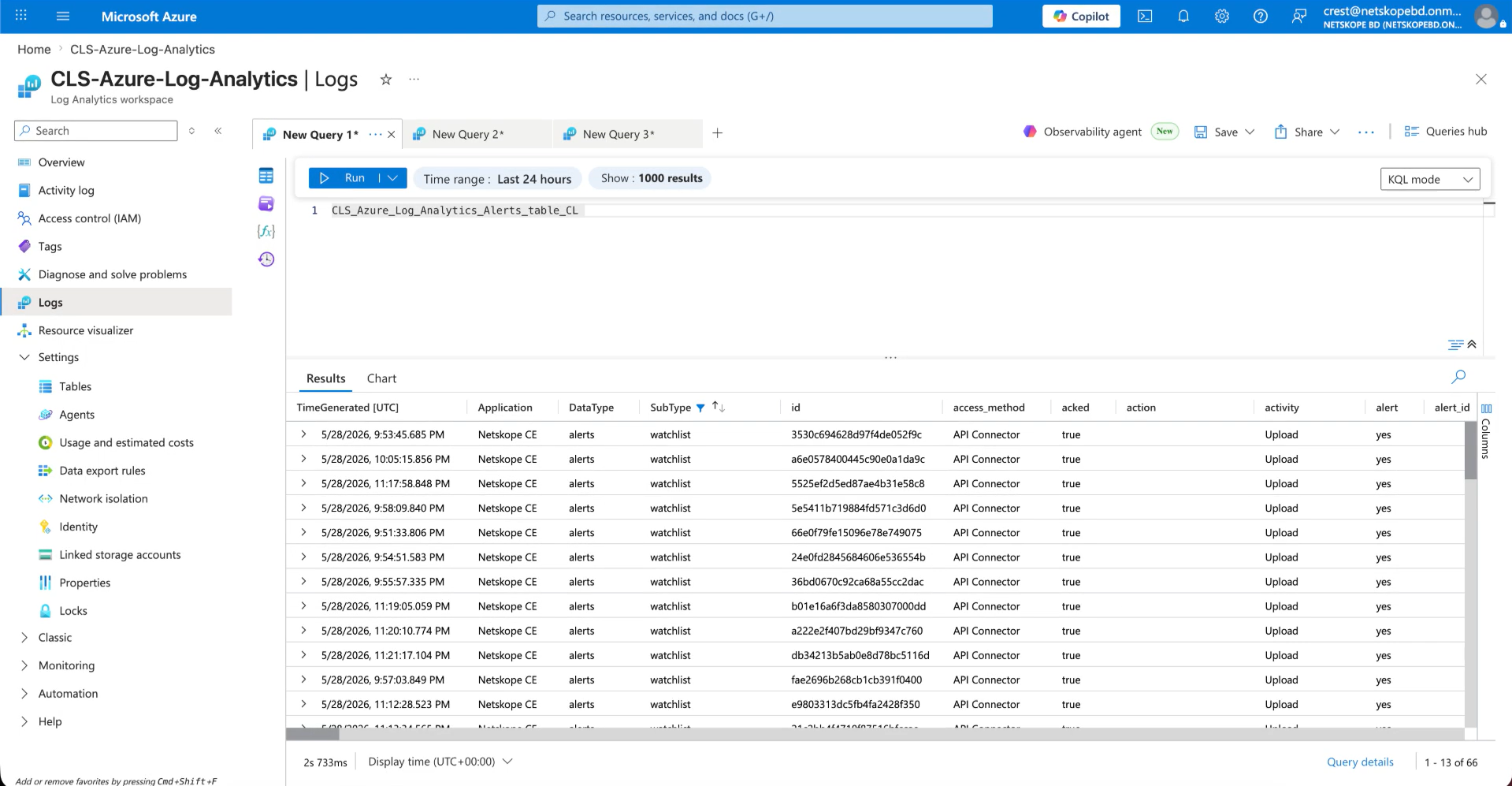
- Here are the events ingested in Events table.
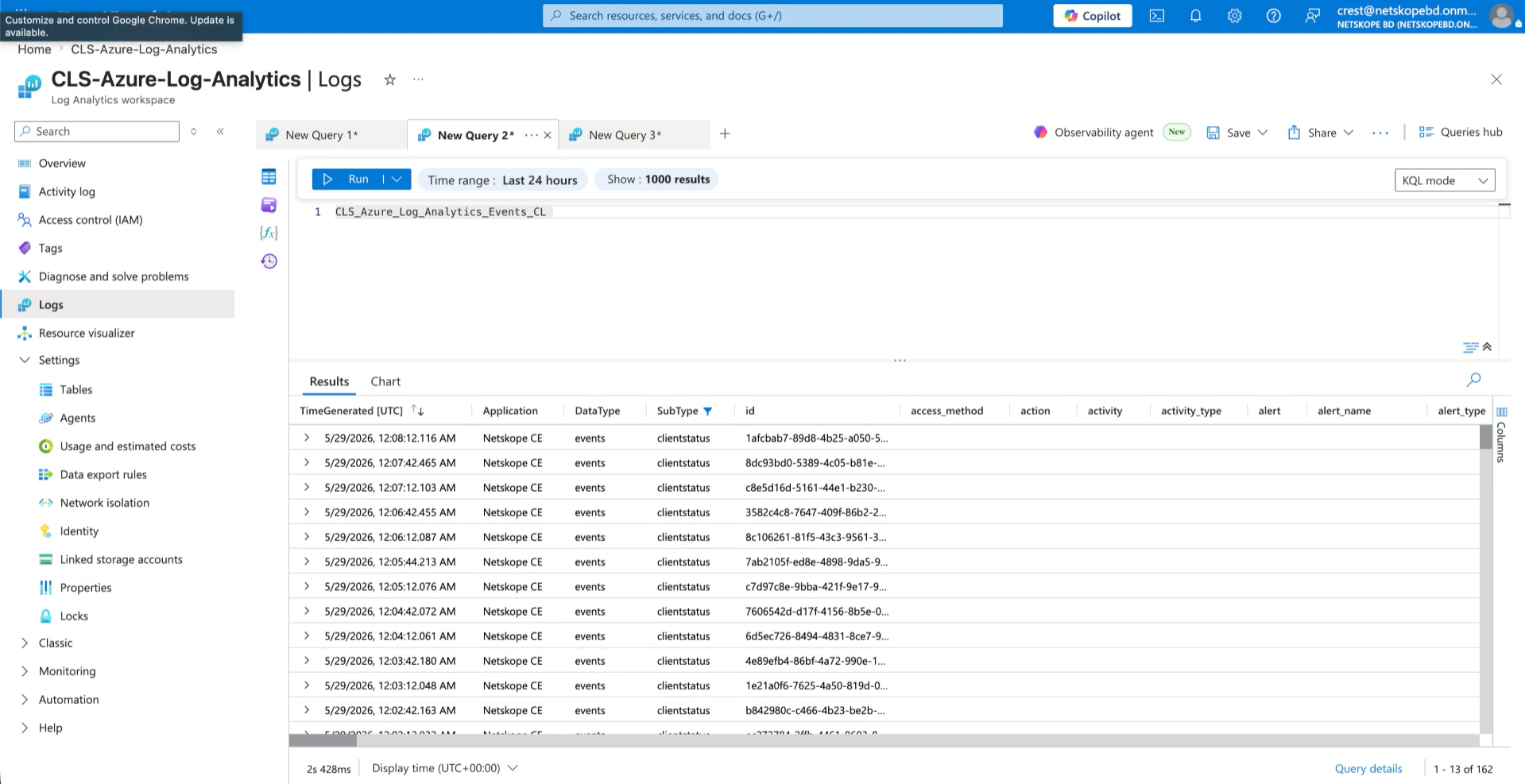
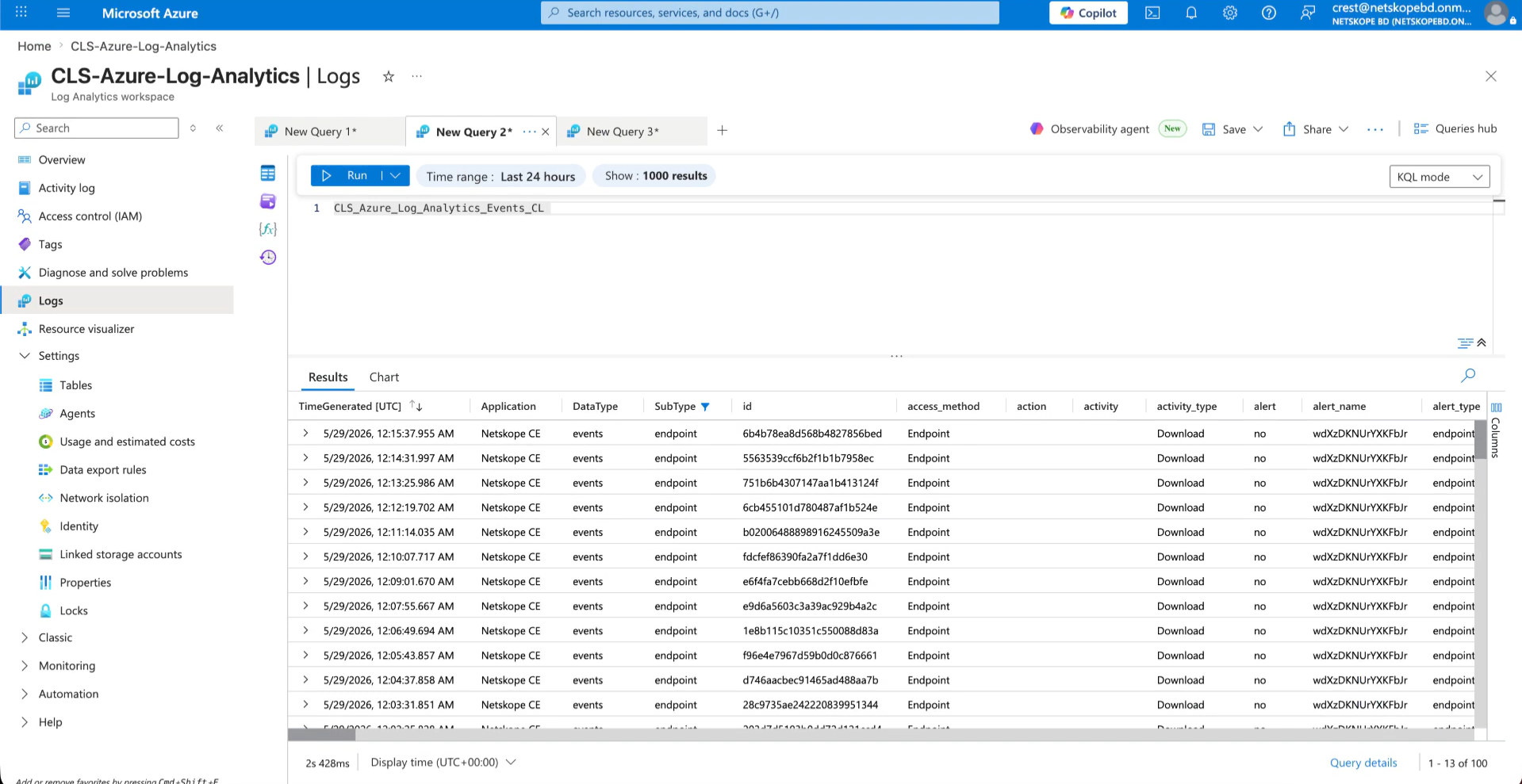
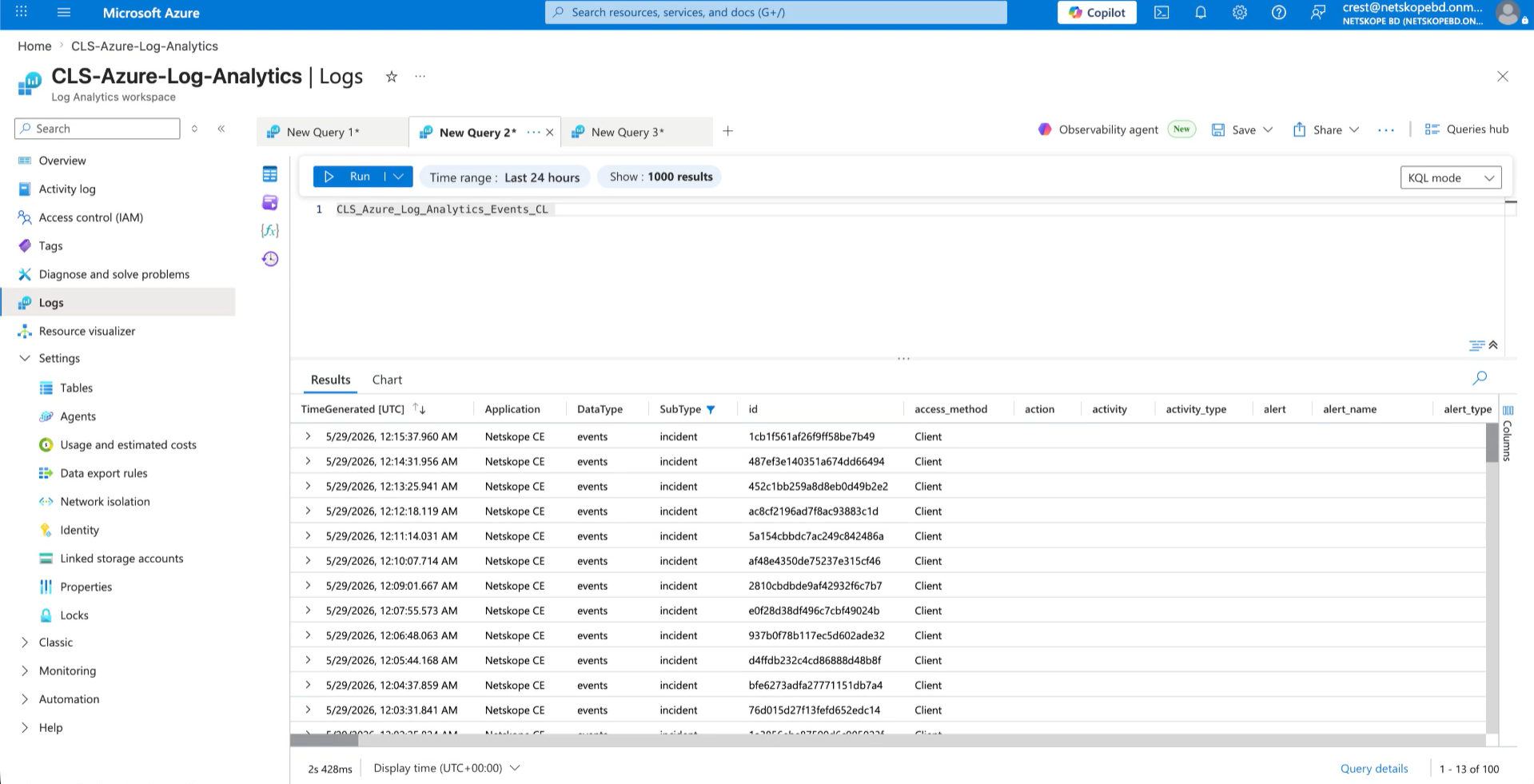
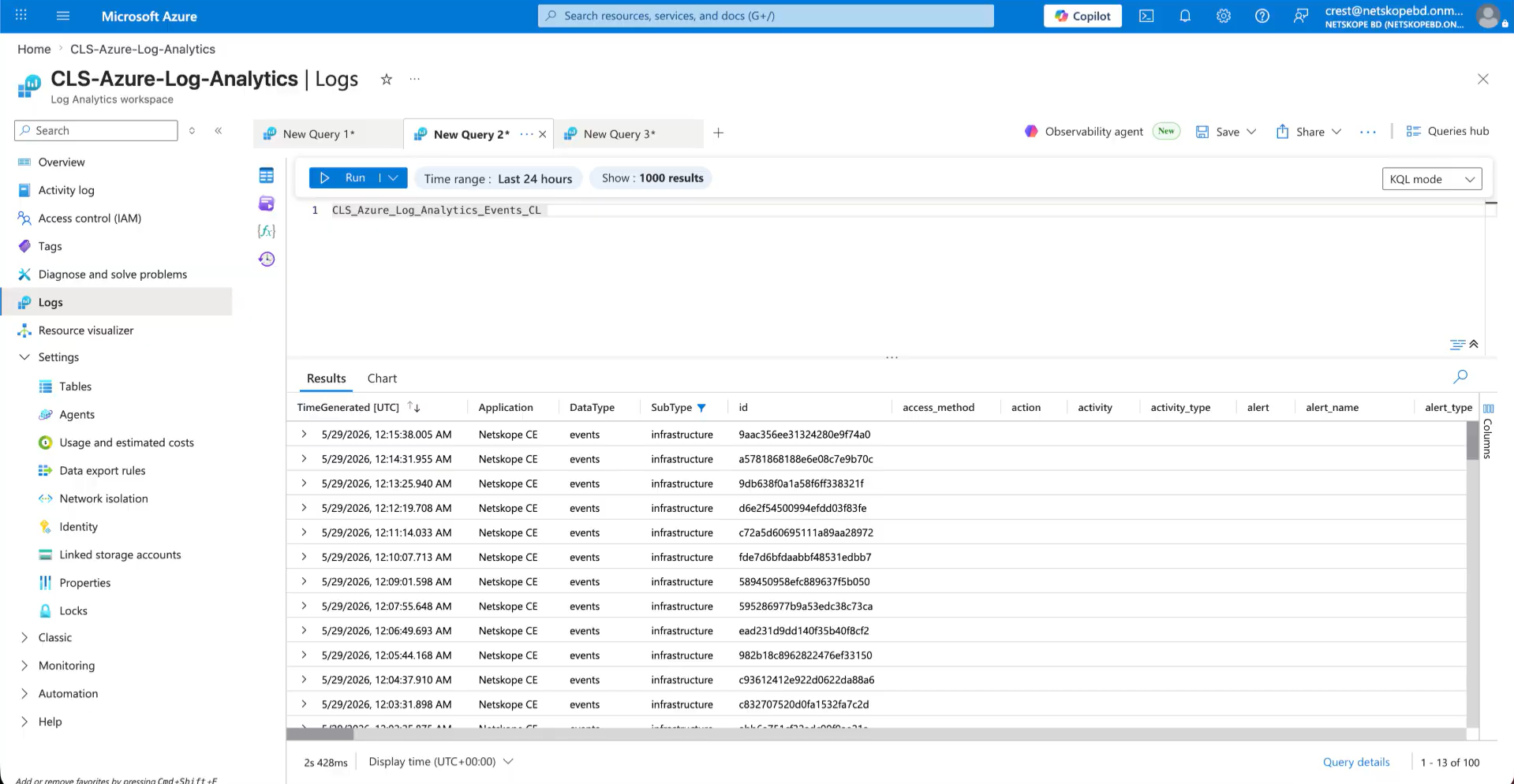
- Here are the WebTx ingested in WebTx table.
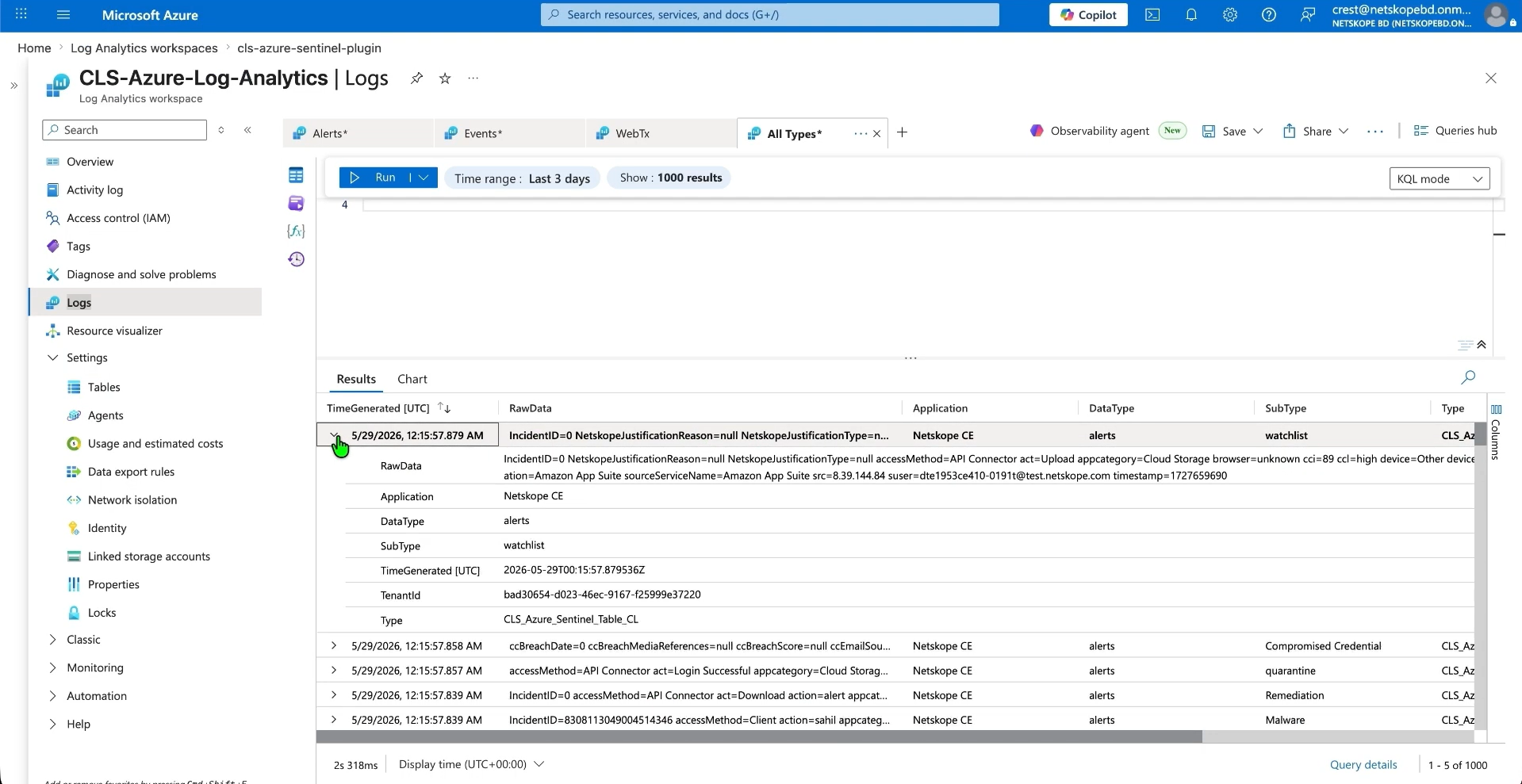
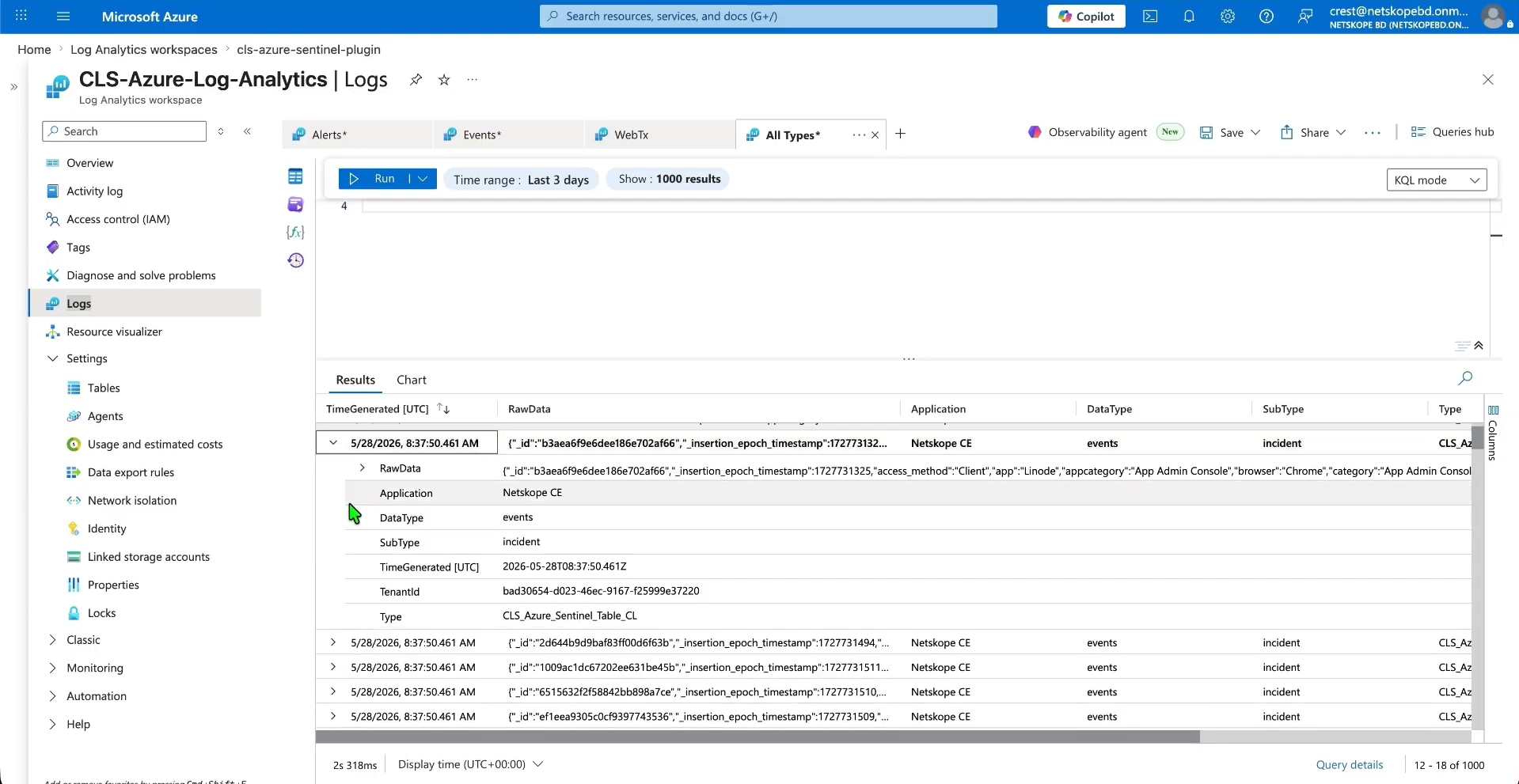
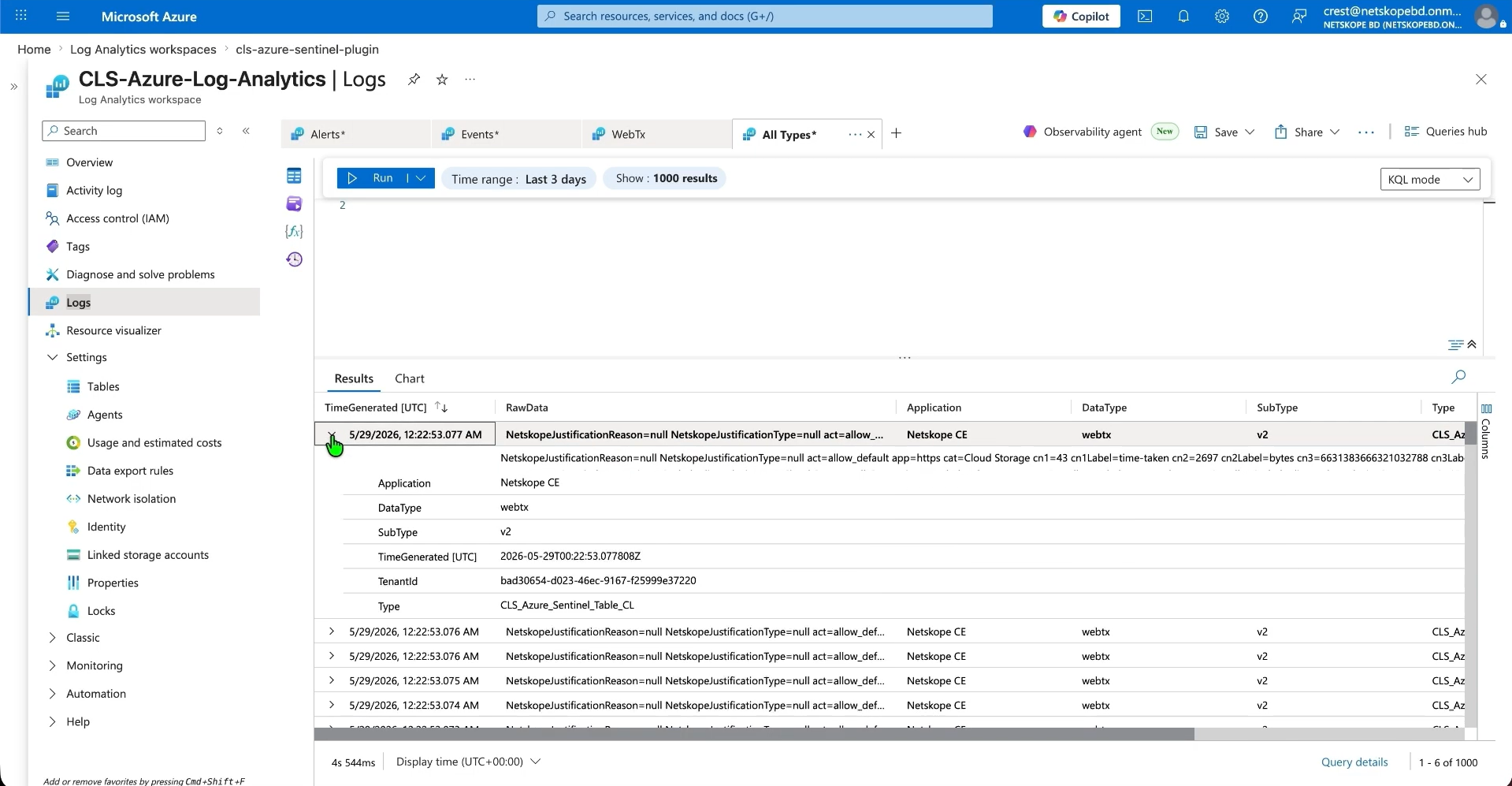
- If you have selected Single Table mode, then the plugin will ingest all alerts, events, and WebTx in a single table in CEF or JSON format.
- Here are the examples of alerts, events and WebTx ingested in CEF and JSON format:
Troubleshooting the Microsoft Azure Log Analytics Plugin
Receiving an error code 403 while configuring the plugin in toast and log message
Assurez-vous que vous disposez des autorisations nécessaires pour votre demande au RCC. Vérifiez que vous avez attribué des autorisations au bon point final de collecte de données, comme décrit ci-dessus. Il peut s'écouler jusqu'à 30 minutes avant que les autorisations attribuées ne soient prises en compte.
Having difficulties in saving the Microsoft Azure Monitor plugin
Despite entering all parameters and clicking the Save button, an error may occur, possibly due to:
- Configuration differs from the specified settings.
- Getting the below error:

What to do:
- Cela peut être dû à des paramètres de configuration incorrects, il suffit de suivre les étapes dans l’espace de travail Configurer un espace de travail d’analyse de logs.
- It could be due to the table recently created and used in the plugin, it takes time to reflect the table on Azure.
Unable to see the events on the Microsoft Azure Monitor
Even after successful ingestion of the events, not able to see the events ingested from the plugin. This could be due to one these reasons:
- Requête incorrecte fournie dans la recherche de logs.
- Aucun événement n'est ingéré dans la plateforme.
- Ou bien les données que vous recherchez se situent en dehors de la période de recherche.
What to do:
- Vérifiez que vous avez fourni la bonne requête dans le journal de recherche.
- Vérifiez les journaux sur Cloud Exchange pour les événements ingérés.
- Les événements de contrôle sont ingérés dans un intervalle de temps plus long.
CEF Formatting Cannot Be Used with Per Data Type Ingestion Mode
If you see CEF formatting cannot be used with ‘Per Data Type’ Ingestion Mode during plugin configuration, it could be due to the plugin configuration being set to CEF while the Ingestion Mode is set to Per Data Type, which is an unsupported combination.
What to do: In the plugin configuration, switch from CEF to JSON, or change the Ingestion Mode to Single Table in the plugin configuration.
Comportement connu
- These fields from the above mapping will appear with the suffix ‘_field’ in the Log Analytics table. This behavior is due to the Azure Log Analytics platform, where certain field names are reserved keywords and cannot be used directly in mappings. To avoid conflicts, the ‘_field’ suffix has been added to these fields:
- type
- title
- subtype
- date
- temps
- TimeGenerated
- Application
- DataType
- SubType
- Additionally, if you encounter any errors while uploading a custom mapping to the Azure Log Analytics workspace table, it may be because one or more fields in the mapping are reserved keywords.