

Navigate to the Investigate > Activities menu to see a list of activity issues as per the severity. You can see the number of activities with high, medium and low severity at the top right of the screen, which can be used to sort the event results by clicking on the circles.
 |
You will see the communication transfer from source to destination between the OT devices in the environment in the table format. You can see the activities table showing a list of OT activities from/to the device in a chronological order. The table shows the source and destination of each activity, including the IP address, port, activity description, activity protocol, timestamp. You can see the OT activities for DNP3 and Modbus protocol communication and their Request and Responses are associated with the corresponding stations.
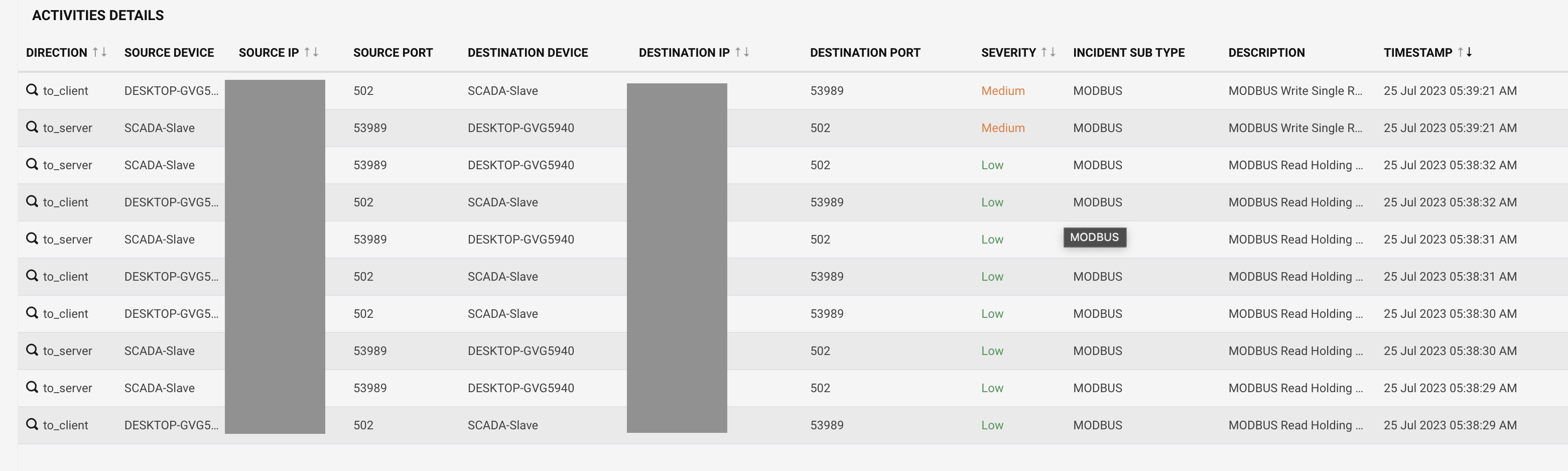
 |
Click on a specific direction to get the detailed information of the communication with the event details and payload. This screen describes the source and destination attributes in detail.
 |