

Notes de mise à jour
1.0.1 (Requires minimum Cloud Exchange version 5.1.2)
Updated
- Updated the User-Agent string passed in API headers to “Integration/1.0 (Netskope; CRE-Tenable; Build/<CE_VERSION>:<PLUGIN_VERSION>)”.
1.0.0
Added
- Initial Release.
This document explains how to configure the CRE Tenable v1.0.1 plugin with the Cloud Risk Exchange module of the Netskope Cloud Exchange platform. This plugin is used to fetch Assets from the Vulnerability Management > Explore > Assets page of the Tenable platform. This plugin supports Tag/Untag Asset actions on Assets.
Conditions préalables
- Cloud Exchange instance with already configured Tenant plugin.
- Netskope Cloud Exchange: Cloud Risk Exchange module.
- Cloud Exchange instance with already configured Risk Exchange plugin.
- Pour la configuration de Secret Manager, reportez-vous à cette documentation et pour configurer Azure Key Vault Secrets Manager, reportez-vous à cette documentation.
- Connectivity to the following hosts: https://cloud.tenable.com
Support des plugins Tenable
This plugin is used to fetch Assets from the Vulnerability Management > Explore > Assets page of the Tenable platform. This plugin supports Tag/Untag Asset actions on Assets.
| Type de données extraites | Actions |
|---|---|
| Assets | Tag/Untag Asset No Action |
Mises en correspondance
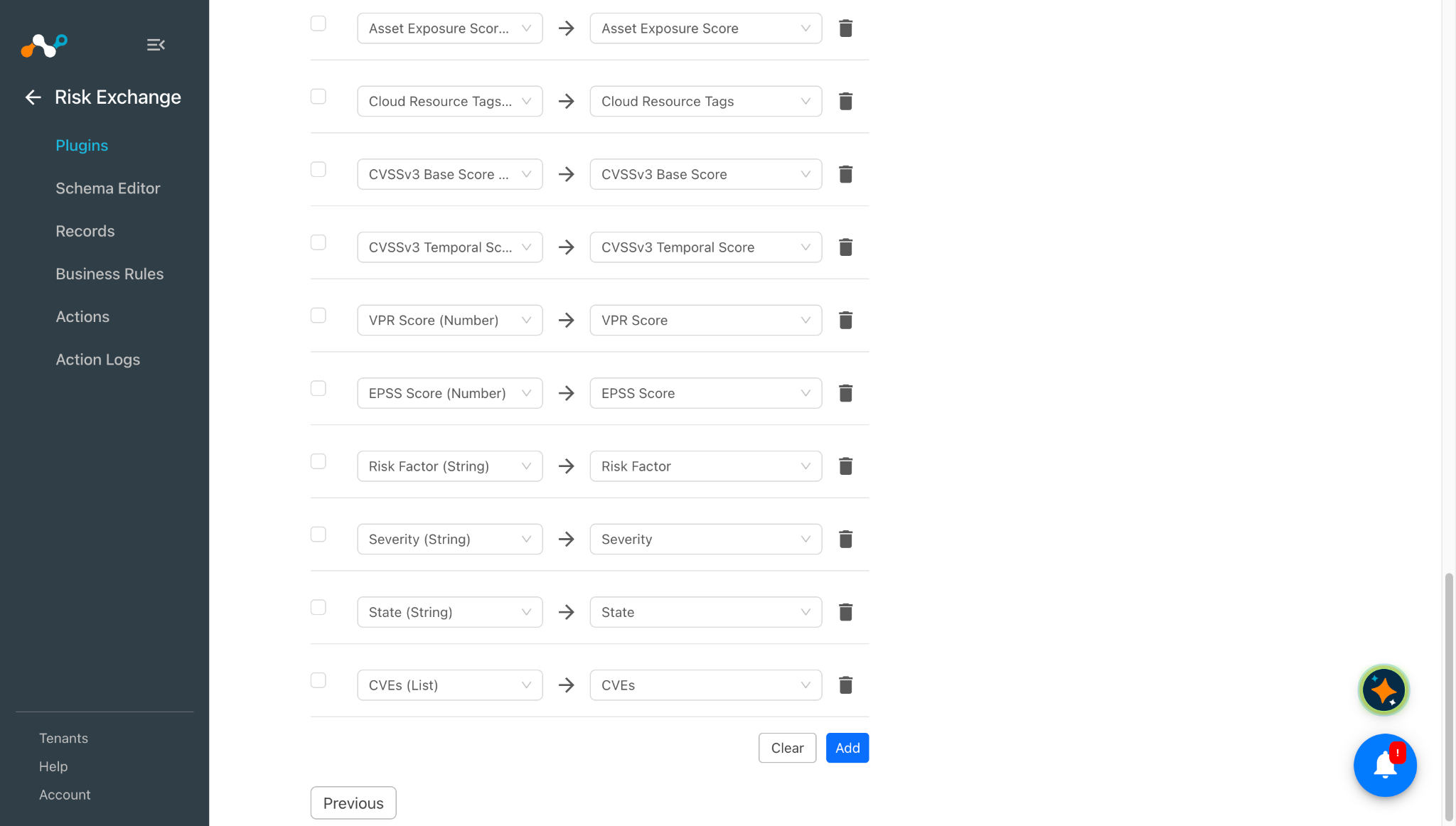
Mappings are used to view the pulled Assets and their respective details. Fields mapped during plugin configuration will be visible on the Records page after the data is pulled. Here are the suggested mappings to use while configuring the plugin.
Cartographie des actifs
| Champ du plugin | Type de données attendu | Nom de champ suggéré | Action suggérée sur le terrain | Valeur de l'échantillon |
|---|---|---|---|---|
| ID de l'actif | String | ID de l'actif | Unique (Conservez cette valeur si vous souhaitez fusionner des enregistrements avec le plugin Netskope Risk Exchange) | 3dc145ce-e0e4-416e-ae1e-12f8bccf3fe1 |
| Hostname | String | Nom de l'hôte | Écraser (Conservez cette valeur unique si vous souhaitez fusionner des enregistrements avec le plugin Netskope Risk Exchange) | clw699 |
| UUID de l'agent | String | UUID de l'agent | Overwrite | d41972661b494b56b56b38136385fb8a |
| Types d'actifs | List | Types d'actifs | Overwrite | [ “host” ] |
| Noms des agents | List | Noms des agents | Overwrite | [ “clw699” ] |
| Systèmes d'exploitation | List | Systèmes d'exploitation | Overwrite | [ “Microsoft Windows 11 Enterprise Build 22631” ] |
| Types de systèmes | List | Types de systèmes | Overwrite | [ “general-purpose” ] |
| Logiciel installé | List | Logiciel installé | Overwrite | [ “cpe:/a:google:chrome:143.0.7499.170” ] |
| Numéro de série | String | Numéro de série | Overwrite | – |
| Sources Noms | List | Sources Noms | Overwrite | [ “NESSUS_AGENT” ] |
| Tags | List | Tags | Overwrite | [ “OS:Windows” ] |
| Adresses IPv4 | List | Adresses IPv4 | Overwrite | [ “10.50.7.xxx” ] |
| Adresses IPv6 | List | Adresses IPv6 | Overwrite | [ “fdfe:9042:c53d:0:xxxx:1627:e7e4:xxxx”, “fda7:xxxx:2e09:0:809c:1627:e7e4:xxxx” ] |
| FQDNs | List | FQDNs | Overwrite | [ “win2k16-7-148.ec.local” ] |
| Adresses MAC | List | Adresses MAC | Overwrite | [ “70:D8:23:E2:37:B3” ] |
| Hostnames | List | Hostnames | Overwrite | [ “clw699” ] |
| Première vue | Datetime | Première vue | Overwrite | 2026-02-02T12:39:57.832Z |
| Dernière visite | Datetime | Dernière visite | Overwrite | 2026-02-02T12:39:57.832Z |
| Évaluation de la criticité des actifs | Number | Évaluation de la criticité des actifs | Overwrite | – |
| Score d'exposition des actifs | Number | Score d'exposition des actifs | Overwrite | – |
| Cloud Resource Tags | List | Cloud Resource Tags | Overwrite | – |
| CVSSv3 Base Score | Number | CVSSv3 Base Score | Append | [7.8] |
| Score temporel CVSSv3 | Number | Score temporel CVSSv3 | Append | [7.2] |
| Score VPR | Number | Score VPR | Append | [4.6] |
| EPSS Score | Number | EPSS Score | Append | [80.494] |
| Facteur de risque | String | Facteur de risque | Append | [ “critical”, “high”, “medium”, “low”, “info” ] |
| Sévérité | String | Sévérité | Append | [ “critical”, “high”, “medium”, “low”, “info” ] |
| État | String | État | Append | [ “OPEN”, “REOPENED”, “FIXED” ] |
| CVEs | List | CVEs | Append | [ “CVE-2013-3900”, “CVE-2016-9535” ] |
- The Hostname field will be extracted from the Host names list for the Tenable plugin. We extract a single hostname from Tenable by ignoring empty values, selecting the only available hostname or the only fully qualified hostname, and skipping the asset if multiple hostnames make the choice ambiguous.You can merge records between Netskope Tenant and Tenable by keeping the Host Name as the common and unique field between both platforms in the plugin.If you have kept Host Name as the common and unique field between Netskope Risk Exchange and Tenable plugin, and if the host name for multiple devices are empty, then Cloud Exchange will overwrite all such records in a single record.
Permissions
You should have:
- Rôle : Responsable de la numérisation
- Permissions :
Permissions Objects CanView Tous les actifs
Détails de l'API
Liste des API utilisées
| Point final de l'API | Méthode | Use case |
|---|---|---|
| /assets/v2/export | PUBLIER | Démarrer la tâche d'exportation d'actifs |
| /assets/export/{export_uuid}/status | OBTENIR | Obtenir l'état des travaux d'exportation des actifs |
| /assets/export/{export_uuid}/chunks/{chunk_id} | OBTENIR | Récupérer chaque morceau pour la tâche d'exportation d'actifs |
| /vulns/export | PUBLIER | Démarrer le travail d'exportation des résultats |
| /vulns/export/{export_uuid}/status | OBTENIR | Rechercher Rechercher exporter le statut d'un travail |
| /vulns/export/{export_uuid}/chunks/{chunk_id} | OBTENIR | Récupérer chaque morceau pour le travail d'exportation de la recherche |
| /tags/categories | OBTENIR | Liste des catégories de balises |
| /tags/values | OBTENIR | List tag values |
| /tags/values | PUBLIER | Create a tag value |
| /tags/assets/assignments | PUBLIER | Ajouter ou supprimer des balises dans les actifs |
Démarrer la tâche d'exportation d'actifs
API endpoint: https://cloud.tenable.com/assets/v2/export
Method: PUBLIER
Headers
| Clé | Value |
|---|---|
| accept | application/json |
| content-type | application/json |
| User-Agent | Integration/1.0(Netskope;CRE-Tenable;Build/7.0.0:1.0.1) |
| X-ApiKeys | accessKey={access_key} ; secretKey={secret_key} ; |
Body:
{
    "chunk_size": 1000,
    "include_resource_tags": true
}
Sample API Response
{
    "export_uuid": "ad0285de-ff53-4a90-b4ca-84a5e283a24d"
}
Obtenir l'état des travaux d'exportation des actifs
API endpoint: https://cloud.tenable.com/assets/export/{export_uuid}/status
Method: OBTENIR
Headers
| Clé | Value |
|---|---|
| accept | application/json |
| content-type | application/json |
| User-Agent | Integration/1.0(Netskope;CRE-Tenable;Build/7.0.0:1.0.1) |
| X-ApiKeys | accessKey={access_key} ; secretKey={secret_key} ; |
Sample API Response
{
    "status": "FINISHED",
    "chunks_available": [
        1
    ]
}
Récupérer chaque morceau pour la tâche d'exportation d'actifs
API endpoint: https://cloud.tenable.com/assets/export/{export_uuid}/chunks/{chunk_id}
Method: OBTENIR
Headers
| Clé | Value |
|---|---|
| accept | application/json |
| content-type | application/json |
| User-Agent | Integration/1.0(Netskope;CRE-Tenable;Build/7.0.0:1.0.1) |
| X-ApiKeys | accessKey={access_key} ; secretKey={secret_key} ; |
Sample API Response
[
    {
        "id": "3dc145ce-e0e4-416e-ae1e-12f8bccf3fe1",
        "has_agent": true,
        "has_plugin_results": true,
        "agent_uuid": "d41972661b494b56b56b38136385fb8a",
        "is_licensed": true,
        "types": [
            "host"
        ],
        "agent_names": [
            "clw699"
        ],
        "operating_systems": [
            "Microsoft Windows 11 Enterprise Build 22631"
        ],
        "system_types": [
            "general-purpose"
        ],
        "is_public": false,
        "sources": [
            {
                "name": "NESSUS_AGENT",
                "first_seen": "2026-02-02T12:39:57.832Z",
                "last_seen": "2026-02-03T11:50:28.434Z"
            }
        ],
        "tags": [
            {
                "uuid": "58dee729-825a-47f4-b96e-9e0e5a20376c",
                "key": "random11",
                "value": "213sa",
                "added_by": "4fac813e-a19a-4734-844d-a9adeb7aaaf0",
                "added_at": "2026-02-02T17:02:47.981Z"
            }
        ],
        "scan": {
            "first_scan_time": "2026-02-02T12:39:57.832Z",
            "last_scan_time": "2026-02-03T11:50:28.434Z",
            "last_authenticated_scan_date": "2026-02-03T04:11:41.000Z",
            "last_licensed_scan_date": "2026-02-03T04:11:41.000Z",
            "last_scan_id": "a9c18e40-92bf-6732-fb4f-ca9eff77f919",
            "last_schedule_id": "template-6074bc5e-1108-f6d2-2c56-af800a50a0b2a6138e2b1593ab04",
            "last_authentication_scan_status": "N/A"
        },
        "network": {
            "network_id": "00000000-0000-0000-0000-000000000000",
            "network_name": "Default",
            "bios_uuid": "c7e04a67-1bb0-5237-a199-c9751791dc50",
            "ipv4s": [
                "192.xxx.17.xxx"
            ],
            "mac_addresses": [
                "70:d8:xx:e2:37:xx"
            ],
            "hostnames": [
                "clw699"
            ],
            "network_interfaces": [
                {
                    "name": "Wi-Fi",
                    "mac_addresses": [
                        "70:d8:xx:e2:37:xx"
                    ],
                    "ipv4s": [
                        "192.xxx.17.xxx"
                    ]
                },
                …
            ]
        },
        "timestamps": {
            "created_at": "2026-02-02T12:39:57.832Z",
            "updated_at": "2026-02-03T11:50:28.434Z",
            "first_seen": "2026-02-02T12:39:57.832Z",
            "last_seen": "2026-02-03T11:50:28.434Z"
        }
    }
]
Démarrer le travail d'exportation des résultats
API endpoint: https://cloud.tenable.com/vulns/export
Method: PUBLIER
Headers
| Clé | Value |
|---|---|
| accept | application/json |
| content-type | application/json |
| User-Agent | Integration/1.0(Netskope;CRE-Tenable;Build/7.0.0:1.0.1) |
| X-ApiKeys | accessKey={access_key} ; secretKey={secret_key} ; |
Body:
{
    "num_assets": 50,
    "filters": {
        "since": 1769254661
    }
}
Sample API Response
{
    "export_uuid": "ad0285de-ff53-4a90-b4ca-84a5e283a24d"
}
Rechercher Rechercher exporter le statut d'un travail
API endpoint: https://cloud.tenable.com/vulns/export/{export_uuid}/status
Method: OBTENIR
Headers
| Clé | Value |
|---|---|
| accept | application/json |
| content-type | application/json |
| User-Agent | Integration/1.0(Netskope;CRE-Tenable;Build/7.0.0:1.0.1) |
| X-ApiKeys | accessKey={access_key} ; secretKey={secret_key} ; |
Sample API Response
{
    "uuid": "c6abfdb5-42ce-49c2-87e7-f6ebb9f3f1c3",
    "status": "FINISHED",
    "chunks_available": [
        1
    ],
    "chunks_failed": [],
    "chunks_cancelled": [],
    "total_chunks": 1,
    "chunks_available_count": 1,
    "empty_chunks_count": 0,
    "finished_chunks": 1,
    "filters": {
        "state": [
            "OPEN",
            "REOPENED"
        ],
        "since": 1769254661,
        "first_found": 0,
        "last_found": 0,
        "last_fixed": 0,
        "first_seen": 0,
        "last_seen": 0,
        "indexed_at": 0,
        "indexed_at_end_value": 0,
        "resurfaced_date": 0
    },
    "num_assets_per_chunk": 1000,
    "created": 1770196536236
}
Récupérer chaque morceau pour le travail d'exportation de la recherche
API endpoint: https://cloud.tenable.com/vulns/export/{export_uuid}/chunks/{chunk_id}
Method: OBTENIR
Headers
| Clé | Value |
|---|---|
| accept | application/json |
| content-type | application/json |
| User-Agent | Integration/1.0(Netskope;CRE-Tenable;Build/7.0.0:1.0.1) |
| X-ApiKeys | accessKey={access_key} ; secretKey={secret_key} ; |
Sample API Response
[
    {
        "asset": {
            "agent_uuid": "b7a114ab10b34a859a24f4f44d4b3b2b",
            "bios_uuid": "6fd71242-b561-e469-92eb-da7997f07f6e",
            "device_type": "general-purpose",
            "hostname": "ubuntu-165",
            "uuid": "c6e4a65b-85fb-4443-997e-c45627fc3e4a",
            "ipv4": "10.50.4.165",
            "last_authenticated_results": "2026-02-04T08:05:09.409Z",
            "mac_address": "00:50:56:92:78:64",
            "operating_system": [
                "Ubuntu Linux 22.04",
                "Linux Kernel 5.15.0-164-generic on Ubuntu 22.04"
            ],
            "network_id": "00000000-0000-0000-0000-000000000000",
            "tracked": true
        },
        "output": "\n  Path               : /usr/bin/containerd\n  Version            : 2.2.0\n  Associated Package : containerd.io 2.2.0-2\n  Managed by OS      : True\n",
        "plugin": {
            "checks_for_default_account": false,
            "checks_for_malware": false,
            "cpe": [
                "cpe:/a:linuxfoundation:containerd"
            ],
            "description": "containerd, a container runtime which can manage the complete container lifecycle of its host system is installed on the target host.",
            "exploit_available": false,
            "exploit_framework_canvas": false,
            "exploit_framework_core": false,
            "exploit_framework_d2_elliot": false,
            "exploit_framework_exploithub": false,
            "exploit_framework_metasploit": false,
            "exploited_by_malware": false,
            "exploited_by_nessus": false,
            "family": "Service detection",
            "family_id": 24,
            "has_patch": false,
            "id": 237414,
            "in_the_news": false,
            "name": "Containerd Installed (Linux)",
            "modification_date": "2026-02-03T00:00:00Z",
            "publication_date": "2025-05-28T00:00:00Z",
            "risk_factor": "info",
            "see_also": [
                "https://github.com/containerd/containerd/tree/main"
            ],
            "synopsis": "containerd was detected on the remote host.",
            "unsupported_by_vendor": false,
            "version": "1.32",
            "xrefs": [],
            "has_workaround": false,
            "type": "local"
        },
        "port": {
            "port": 0,
            "protocol": "TCP"
        },
        "scan": {
            "schedule_uuid": "template-6074bc5e-1108-f6d2-2c56-af800a50a0b2a6138e2b1593ab04",
            "started_at": "2026-02-04T06:58:37.466Z",
            "uuid": "26d44cd9-c220-4281-b7d2-802576647c2e",
            "target": "127.0.0.1"
        },
        "severity": "info",
        "severity_id": 0,
        "severity_default_id": 0,
        "severity_modification_type": "NONE",
        "first_found": "2026-02-03T11:58:39.690Z",
        "last_found": "2026-02-04T08:05:09.409Z",
        "state": "OPEN",
        "indexed": "2026-02-04T08:05:19.375557Z",
        "source": "AGENT",
        "finding_id": "007286e4-4768-5175-8c51-0960fe73b025"
    }
]
Liste des catégories de balises
API endpoint: https://cloud.tenable.com/tags/categories
Method: OBTENIR
Headers
| Clé | Value |
|---|---|
| accept | application/json |
| content-type | application/json |
| User-Agent | Integration/1.0(Netskope;CRE-Tenable;Build/7.0.0:1.0.1) |
| X-ApiKeys | accessKey={access_key} ; secretKey={secret_key} ; |
Sample API Response
{
    "categories": [
        {
            "uuid": "09d80eff-8101-4186-8bcd-caa4d12fbe0a",
            "created_at": "2025-12-16T10:29:53.093Z",
            "created_by": "kaushalp@netskope.com",
            "updated_at": "2025-12-30T06:53:29.120Z",
            "updated_by": "kaushalp@netskope.com",
            "product": "IO",
            "name": "Asset Risk",
            "reserved": false,
            "value_count": 3
        },
        {
            "uuid": "3806fbf2-41f8-4fb6-acef-c4ea8ea88fc1",
            "created_at": "2025-12-16T10:12:20.193Z",
            "created_by": "vdesai@netskope.com",
            "updated_at": "2026-01-31T12:59:52.615Z",
            "updated_by": "kaushalp@netskope.com",
            "product": "IO",
            "name": "Location",
            "description": "The geographic location of the asset.",
            "reserved": false,
            "value_count": 4
        },
       ….
    ],
    "pagination": {
        "offset": 0,
        "limit": 5000,
        "total": 10
    }
}
List tag values
API endpoint: https://cloud.tenable.com/tags/values
Method: OBTENIR
Headers
| Clé | Value |
|---|---|
| accept | application/json |
| content-type | application/json |
| User-Agent | Integration/1.0(Netskope;CRE-Tenable;Build/7.0.0:1.0.1) |
| X-ApiKeys | accessKey={access_key} ; secretKey={secret_key} ; |
Params
| Clé | Value |
|---|---|
| limit | 5000 |
| offset | 0 |
Sample API Response
{
    "values": [
        {
            "uuid": "003b6072-d580-47f4-ac2a-fb663d787b1d",
            "created_at": "2026-01-19T07:07:16.921Z",
            "created_by": "kaushalp@netskope.com",
            "updated_at": "2026-01-19T07:07:16.921Z",
            "updated_by": "kaushalp@netskope.com",
            "category_uuid": "848b55a3-0d41-490d-8e9a-98484d8de244",
            "value": "ubuntu agent name",
            "type": "static",
            "product": "IO",
            "category_name": "FQDNs",
            "access_control": {
                "current_user_permissions": [
                    "ALL",
                    "CAN_EDIT",
                    "CAN_SET_PERMISSIONS",
                    "CAN_USE"
                ]
            },
            "saved_search": false,
            "reporting_allowed": false,
            "consecutive_error_count": 0
        },
        …
    ],
    "pagination": {
        "offset": 0,
        "limit": 5000,
        "total": 136
    }
}
Create a tag value
API endpoint: https://cloud.tenable.com/tags/values
Method: PUBLIER
Headers
| Clé | Value |
|---|---|
| accept | application/json |
| content-type | application/json |
| User-Agent | Integration/1.0(Netskope;CRE-Tenable;Build/7.0.0:1.0.1) |
| X-ApiKeys | accessKey={access_key} ; secretKey={secret_key} ; |
Body:
{
  "category_name": "OS",
  "value": "Windows"
}
Sample API Response
{
    "uuid": "c08f9a13-9965-4d26-8f14-165fe19994a0",
    "created_at": "2026-02-04T09:26:51.192Z",
    "created_by": "kaushalp@netskope.com",
    "updated_at": "2026-02-04T09:26:51.193Z",
    "updated_by": "kaushalp@netskope.com",
    "category_uuid": "1f6b30a9-6e8a-4f77-b52c-dd1e354055e6",
    "value": "Windows",
    "type": "static",
    "product": "IO",
    "category_name": "OS",
    "assignment_count": 0,
    "access_control": {
        "current_user_permissions": [
            "ALL",
            "CAN_EDIT",
            "CAN_SET_PERMISSIONS",
            "CAN_USE"
        ],
        "defined_domain_permissions": [
            "ALL",
            "CAN_EDIT",
            "CAN_SET_PERMISSIONS",
            "CAN_USE"
        ],
        "all_users_permissions": [],
        "current_domain_permissions": [
            {
                "id": "4fac813e-a19a-4734-844d-a9adeb7aaaf0",
                "name": "kaushalp@netskope.com",
                "type": "USER",
                "permissions": [
                    "CAN_USE",
                    "CAN_EDIT"
                ]
            }
        ],
        "version": 0
    },
    "saved_search": false,
    "reporting_allowed": false,
    "consecutive_error_count": 0
}
Ajouter ou supprimer des balises dans les actifs
API endpoint: https://cloud.tenable.com/tags/assets/assignments
Method: PUBLIER
Headers
| Clé | Value |
|---|---|
| accept | application/json |
| content-type | application/json |
| User-Agent | Integration/1.0(Netskope;CRE-Tenable;Build/7.0.0:1.0.1) |
| X-ApiKeys | accessKey={access_key} ; secretKey={secret_key} ; |
Body:
{
  "action": "add or remove",
  "assets": [
    "b73283b4-ce20-4ca6-82ca-caabec2d1133",
    "b73283b4-ce20-4ca6-82ca-caabec2d1133"
  ],
  "tags": [
    "f4d0db60-54a0-46c2-9ab7-67ee345e35e7"
  ]
}
Sample API Response
{
    "job_uuid": "2687e4678dca8d13cafbdf77e516ba0a:8ac90db7bd392f3bbc4b"
}
Matrice de performance
Here are the performance readings conducted on a Large CE Stack with these VM specifications by pulling 500k Assets record each from the Tenable plugin.
| Description | Spécifications |
|---|---|
| Détails de la pile | Taille : Grande RAM : 32 GB CPU : 16 cœurs |
| Temps nécessaire pour stocker les enregistrements tirés du patrimoine | ~ 30 minutes |
Agent utilisateur
Integration/1.0 (Netskope; CRE-Tenable; Build/7.0.0:1.0.1)
Workflow
- Create a custom Permission and assign it to the uUser in Tenable.
- Assign a Role to the Uesr
- Générez votre clé d'accès et votre clé secrète.
- Configurez le plugin Tenable.
- Configurez une règle de gestion.
- Configurer les actions.
- Valider le plugin
Regardez une vidéo
Cliquer sur « play » pour regarder une vidéo.
Create a Custom Permission and Assign it to a User
-
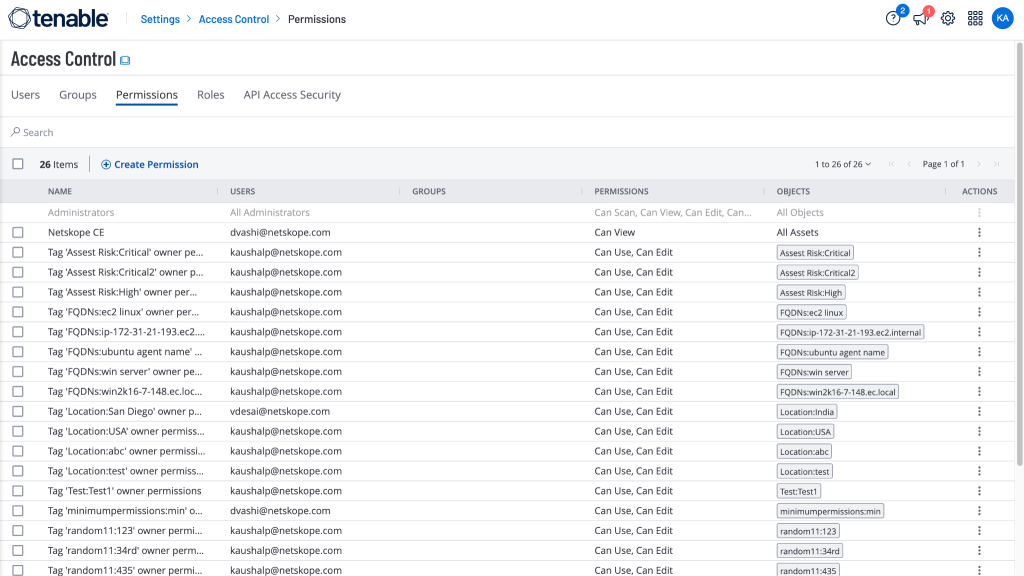
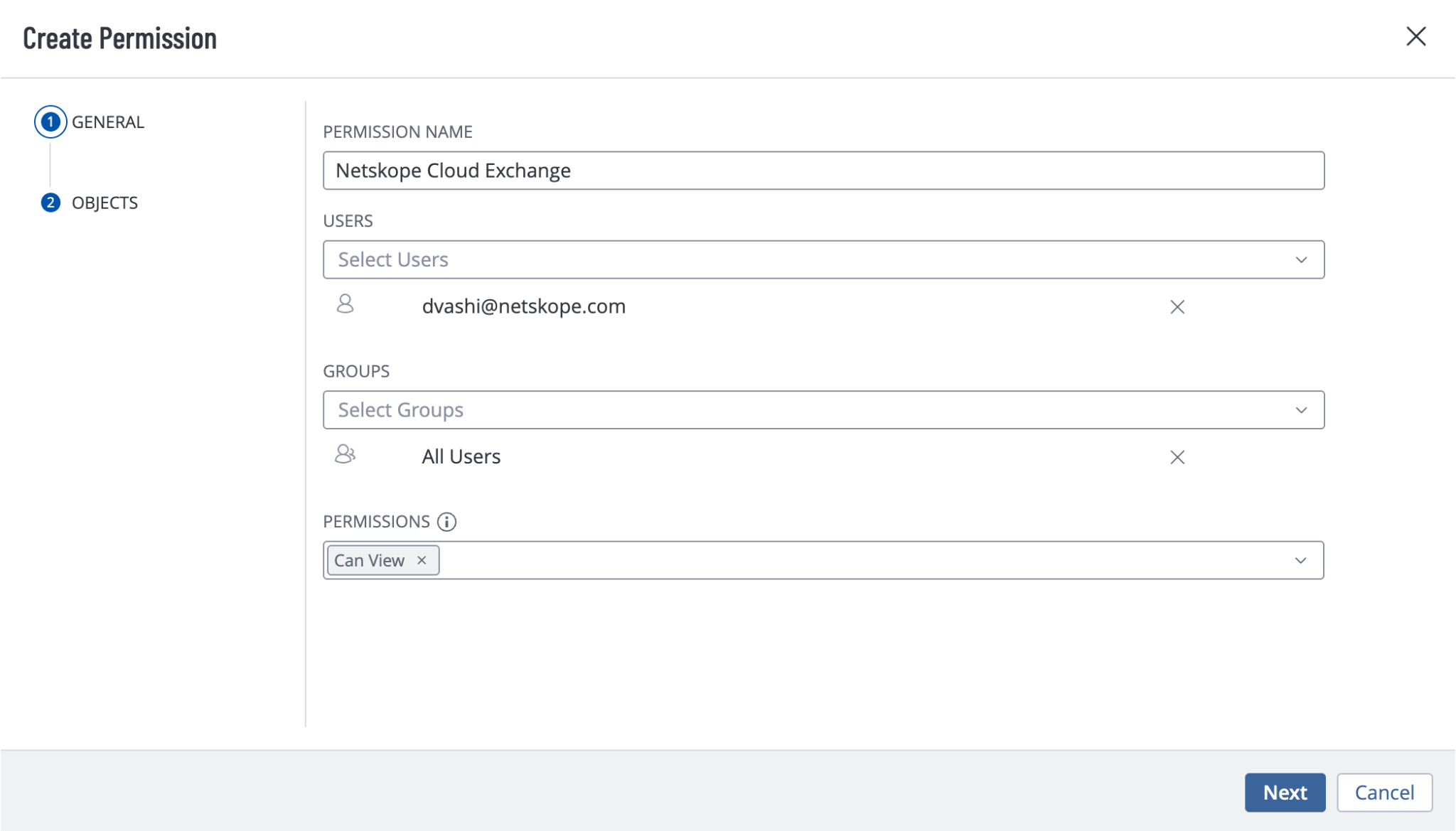
Dans Tenable, allez à Settings > Access Control > Permissions et cliquez sur Create Permission.
-
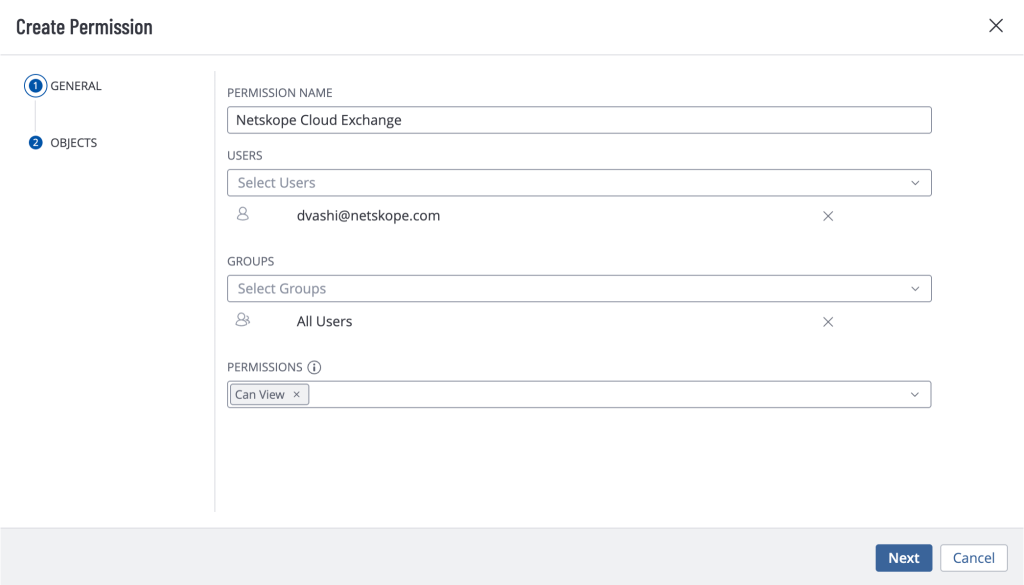
Enter a permission name, and select the user that you will be using to generate the credentials for when configuring the Tenable plugin in Cloud Exchange. Select Groups as All users, and Permissions as Can View.
-
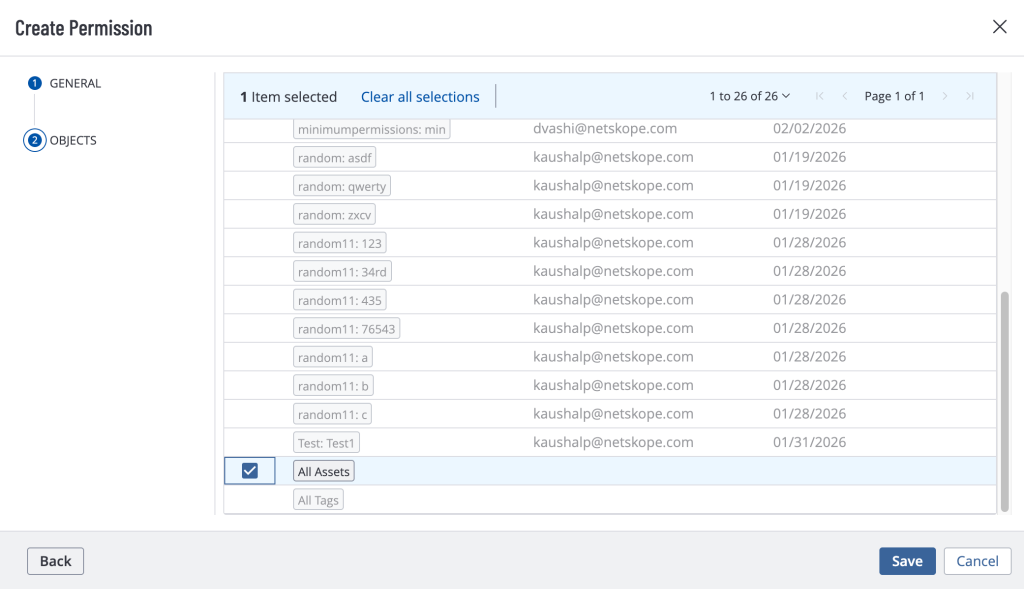
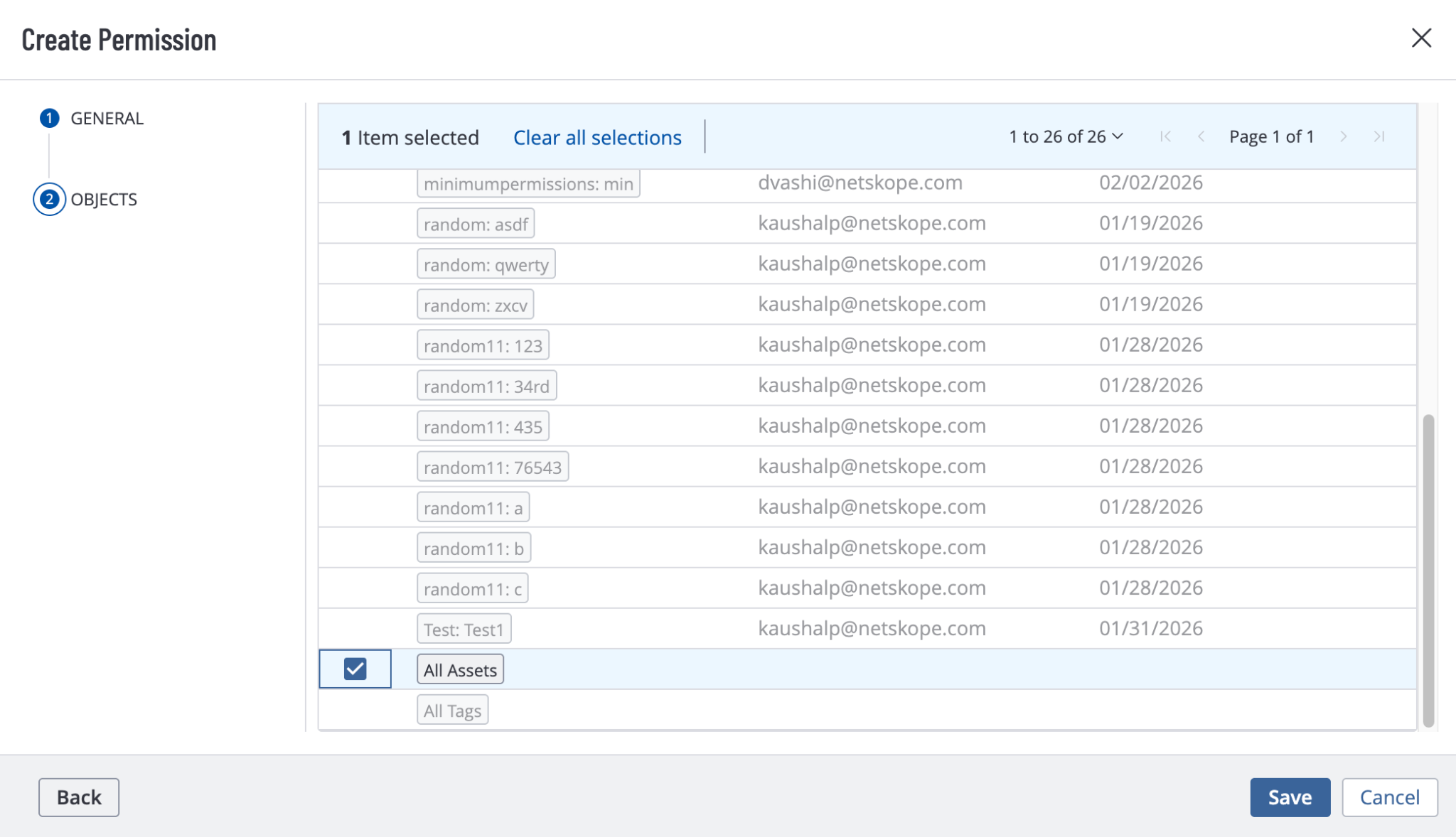
Click Next and select All Assets in the Objects section.
-
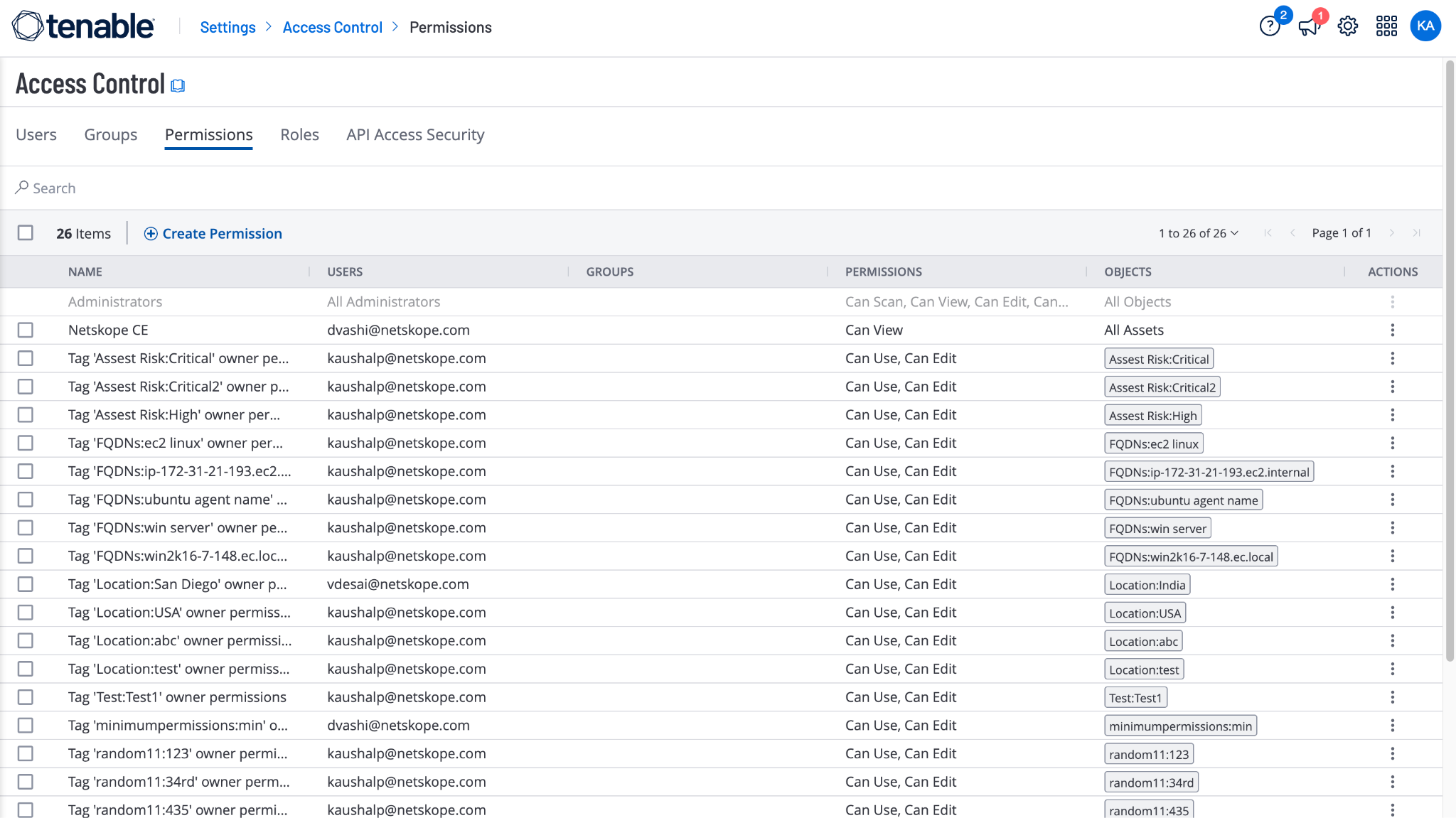
Cliquez sur Save.
Assign a Role to the uUser
-
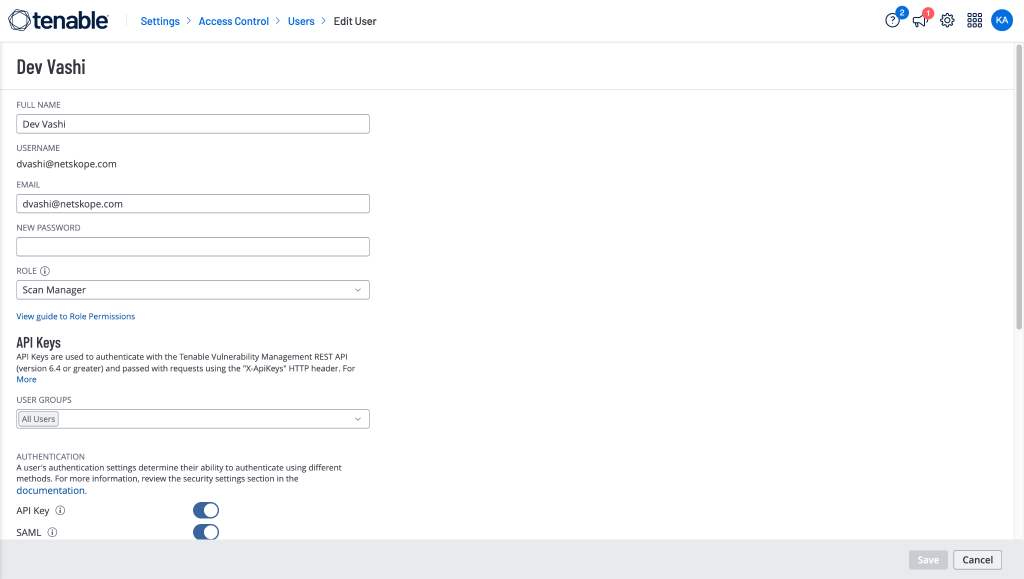
Go to the Settings > Access Control > Users and edit the user that you will be using to generate the credentials for configuring the Tenable plugin in Cloud Exchange.
-
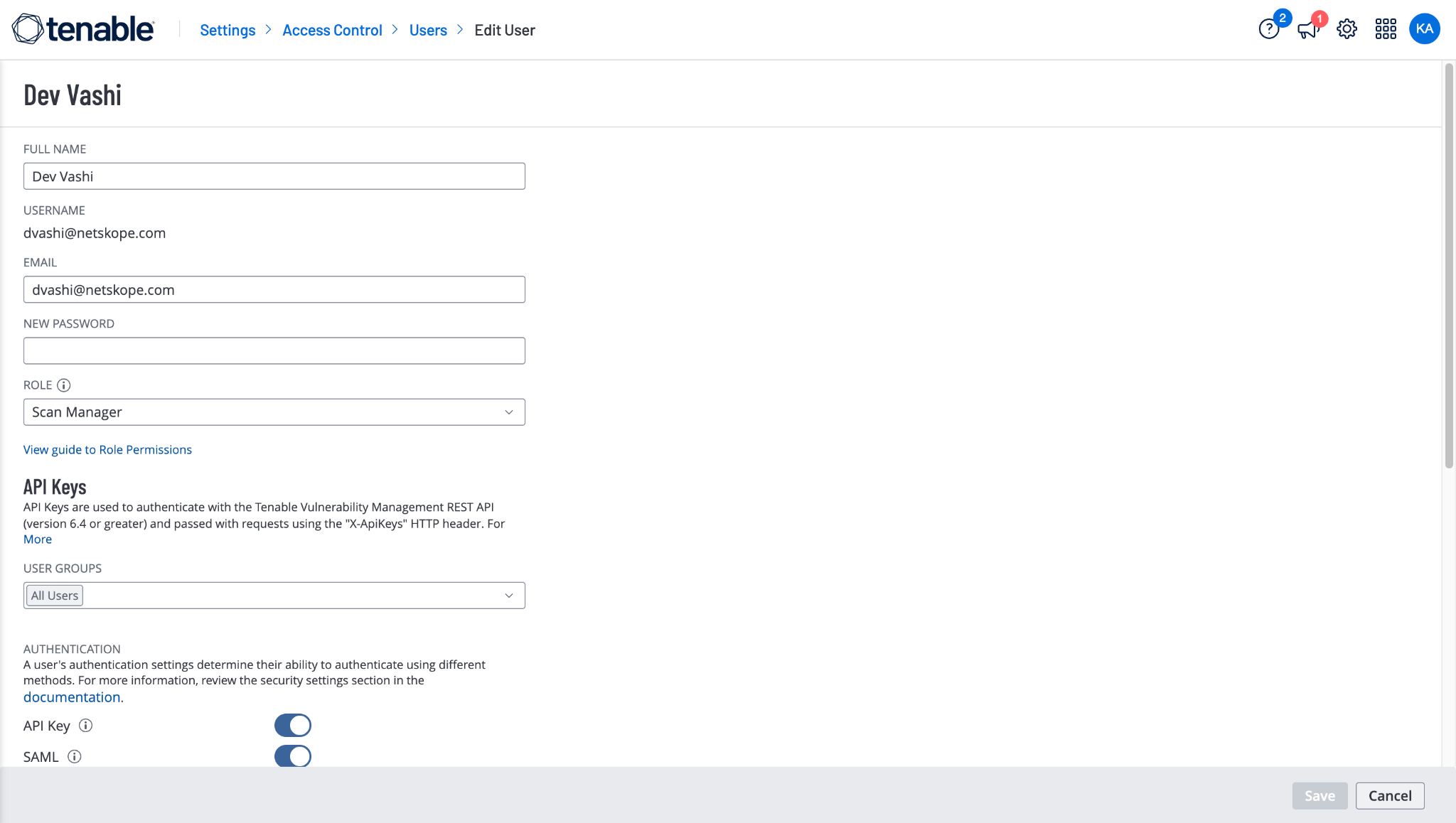
For Role, select Scan Manager and click Save.
Generate your Access Key and Secret Key
-
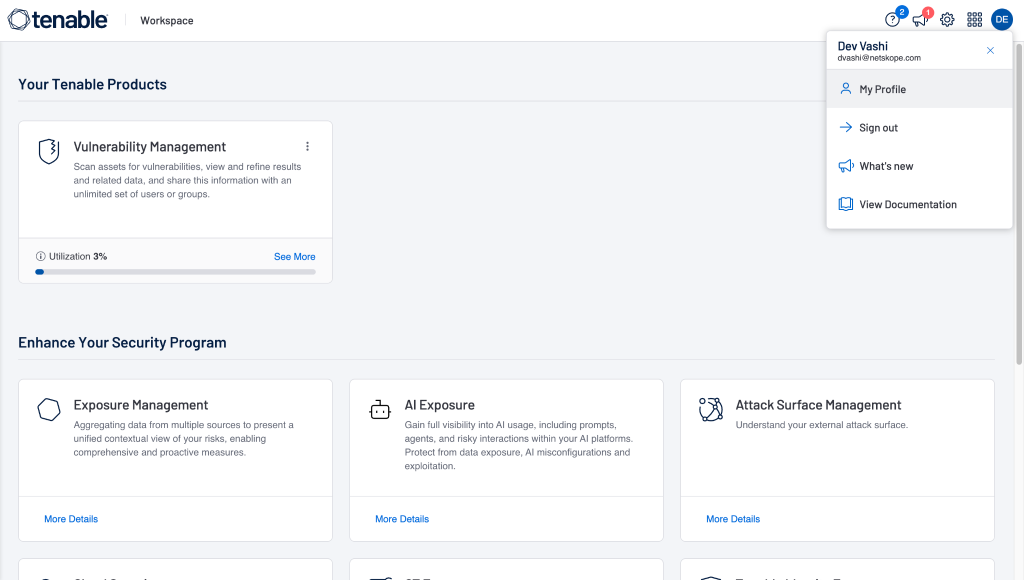
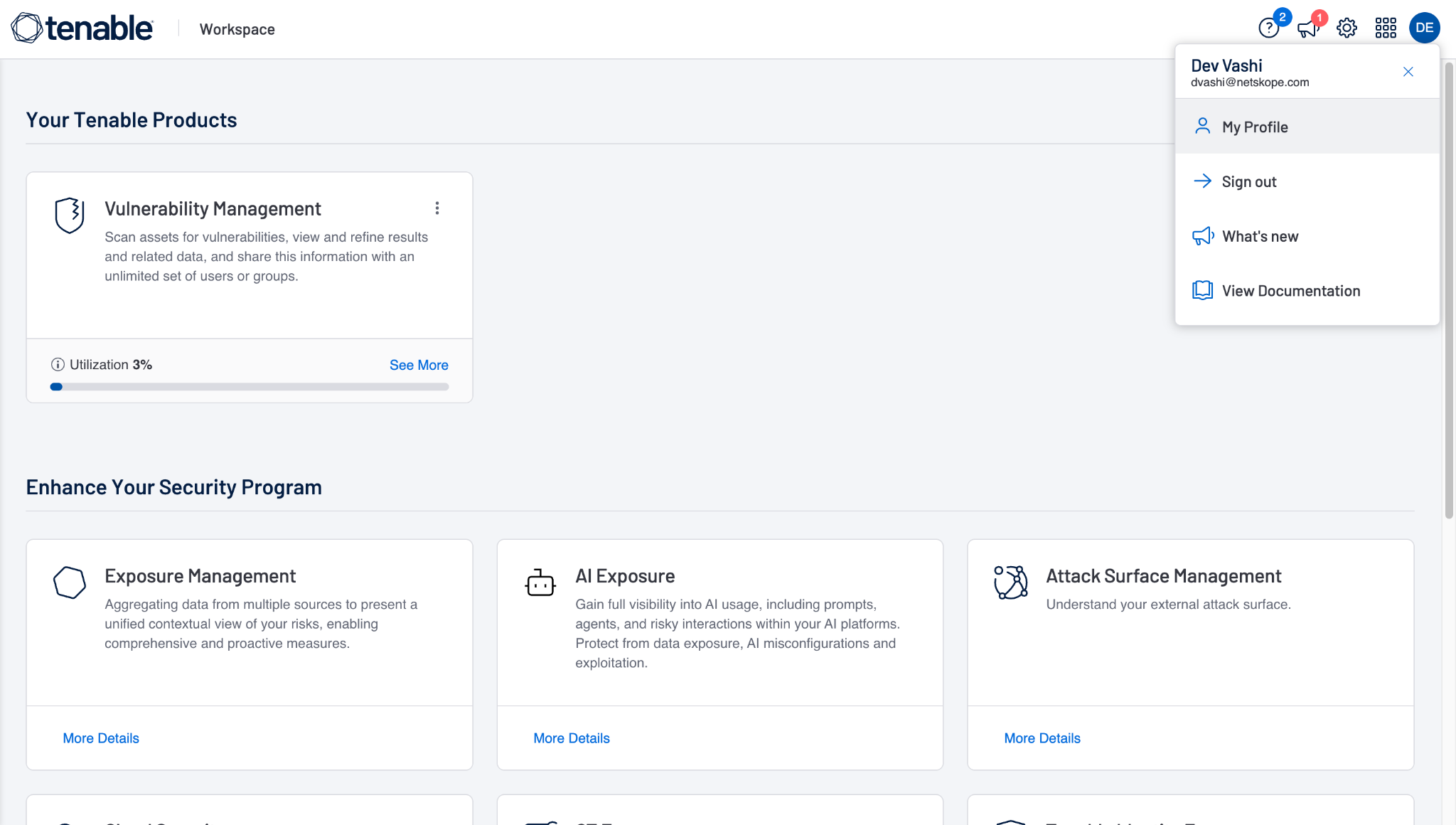
Log in to your Tenable instance with the user that has the following permissions, and then go to My Profile.
-
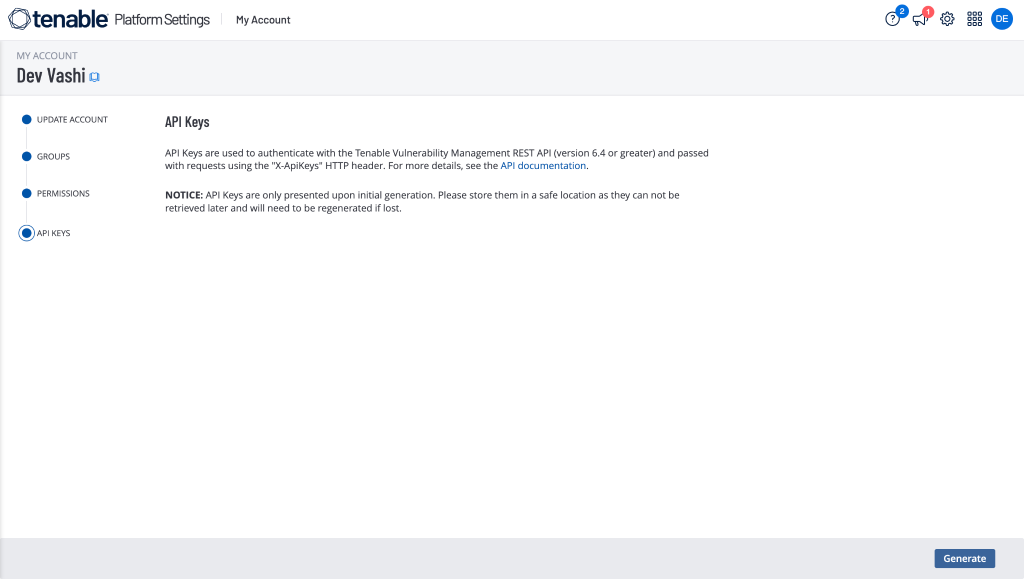
Go to the API Keys page and click Generate.
-
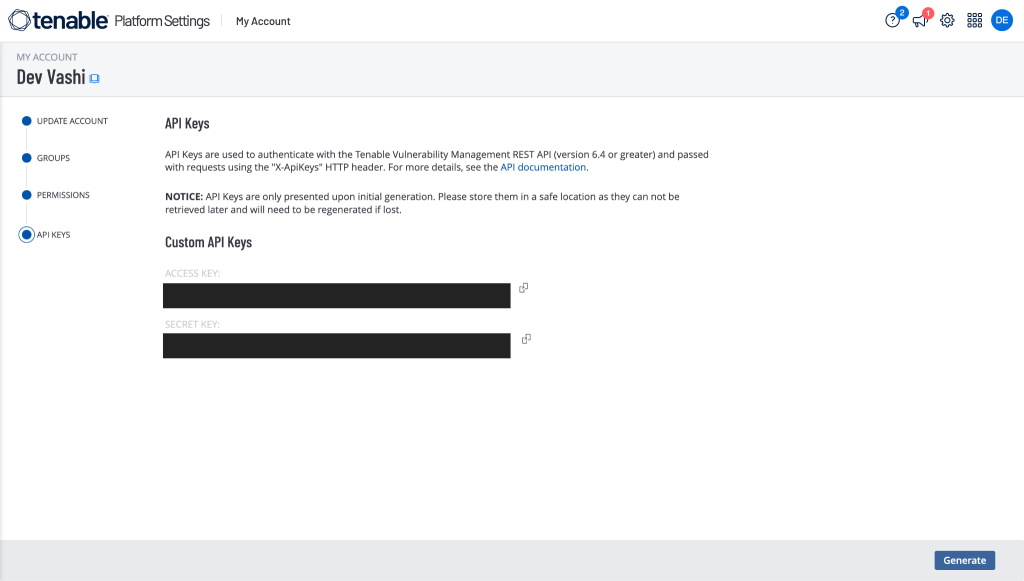
Copy the generated Access Key and Secret Key to use in the plugin configuration.
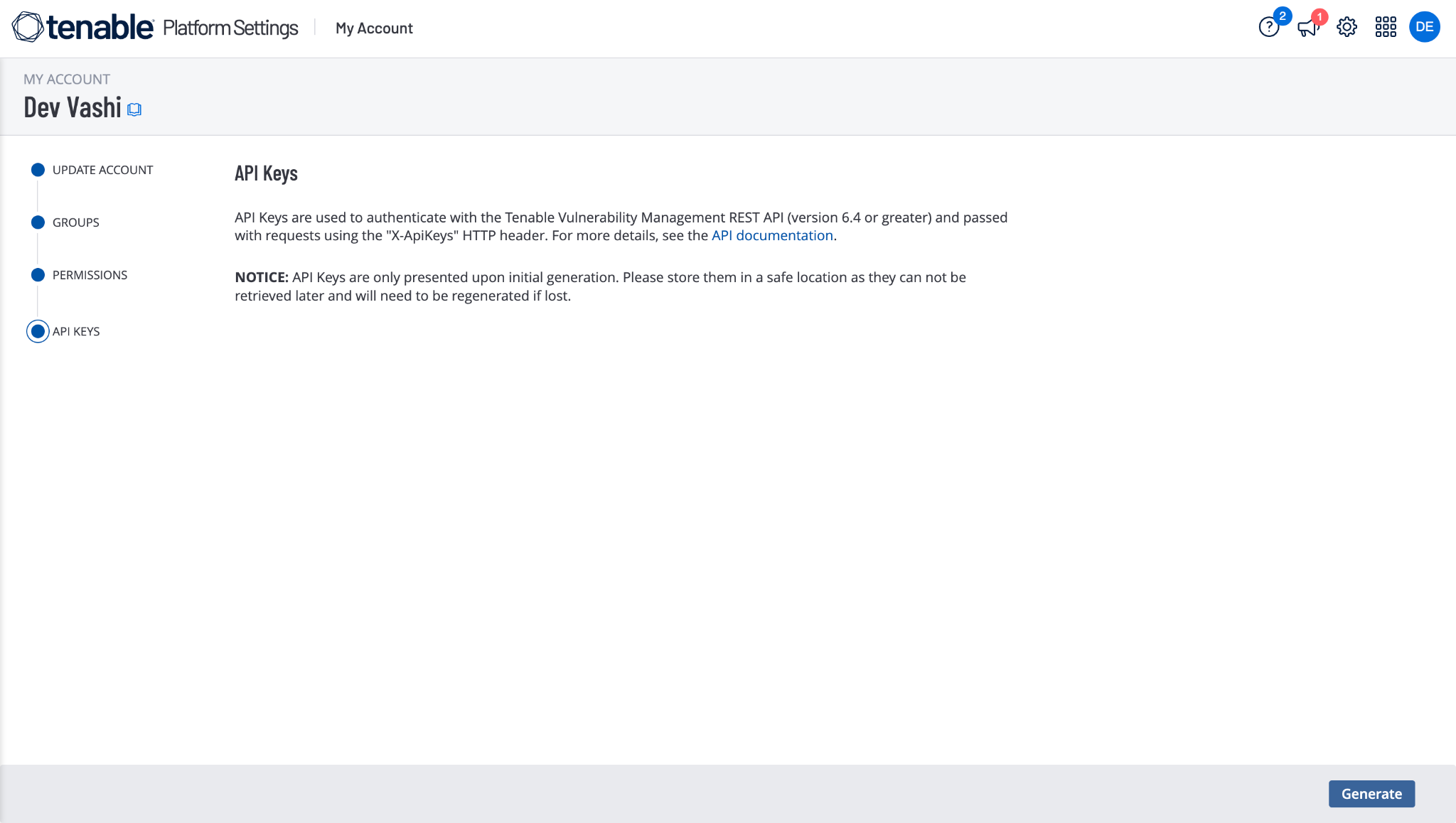
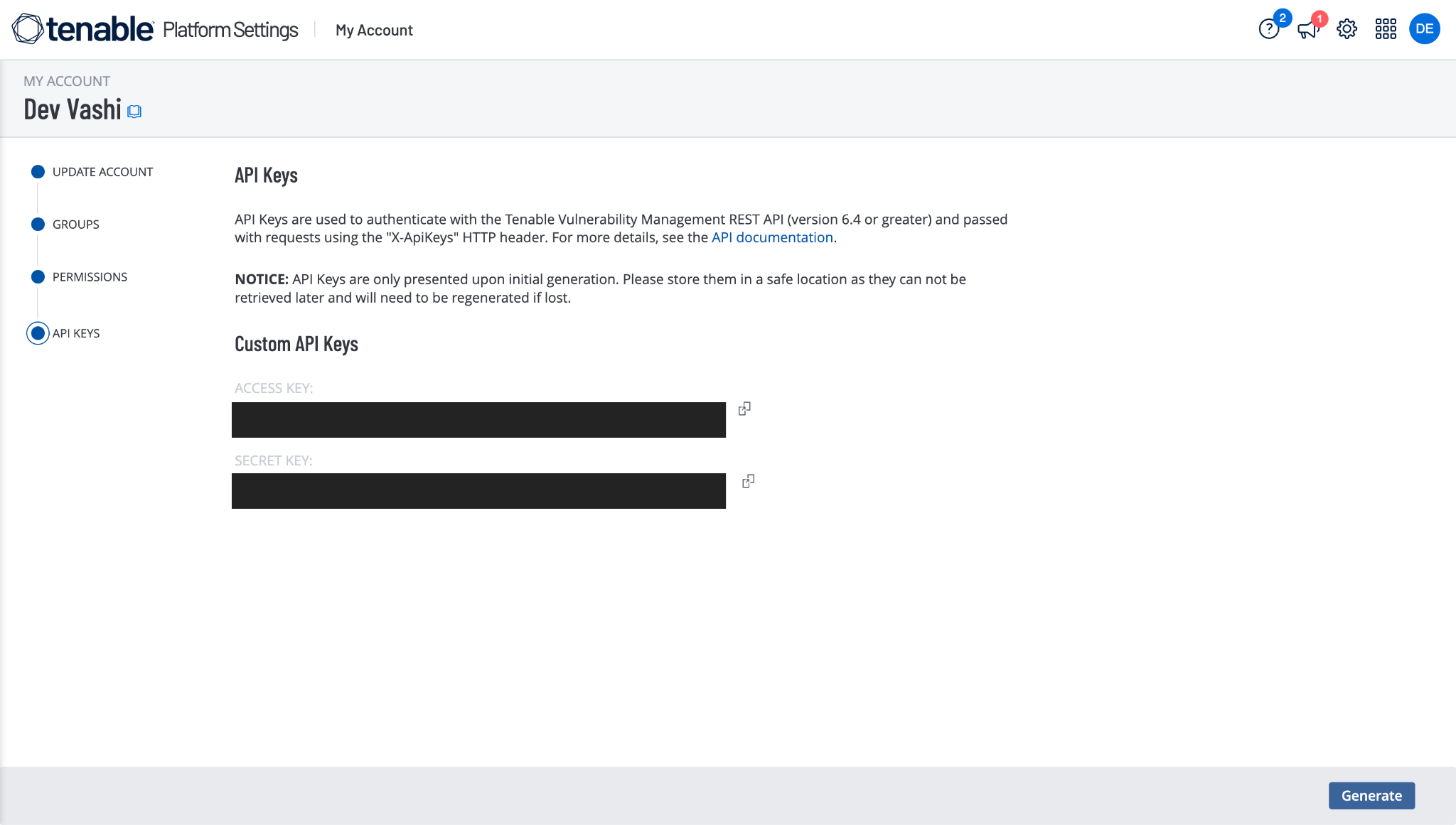
Configurer le plugin Tenable
-
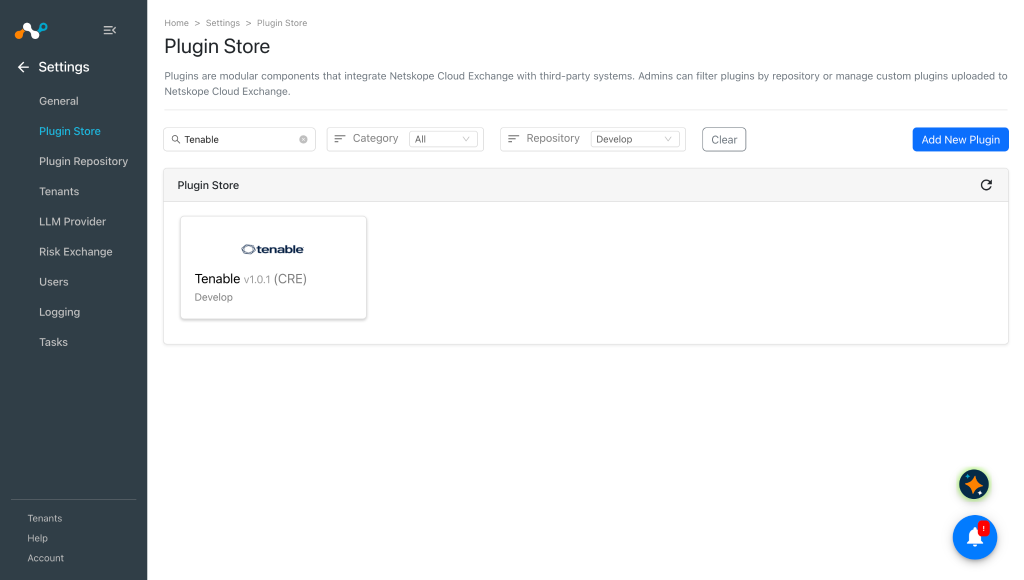
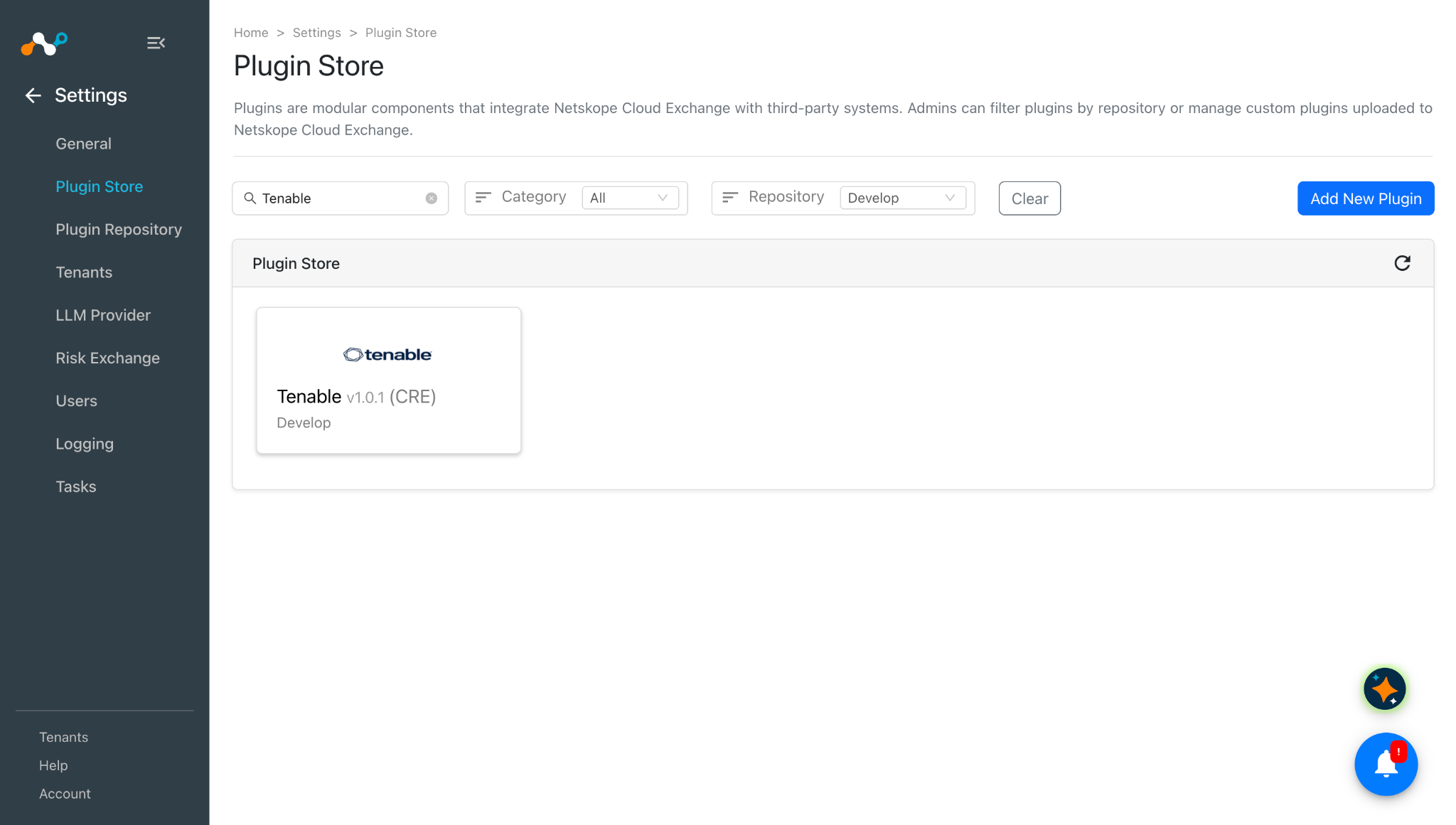
Dans Cloud Exchange, allez sur Settings > Plugin Store. Recherchez et sélectionnez le plugin Tenable v1.0.1 (CRE).
-
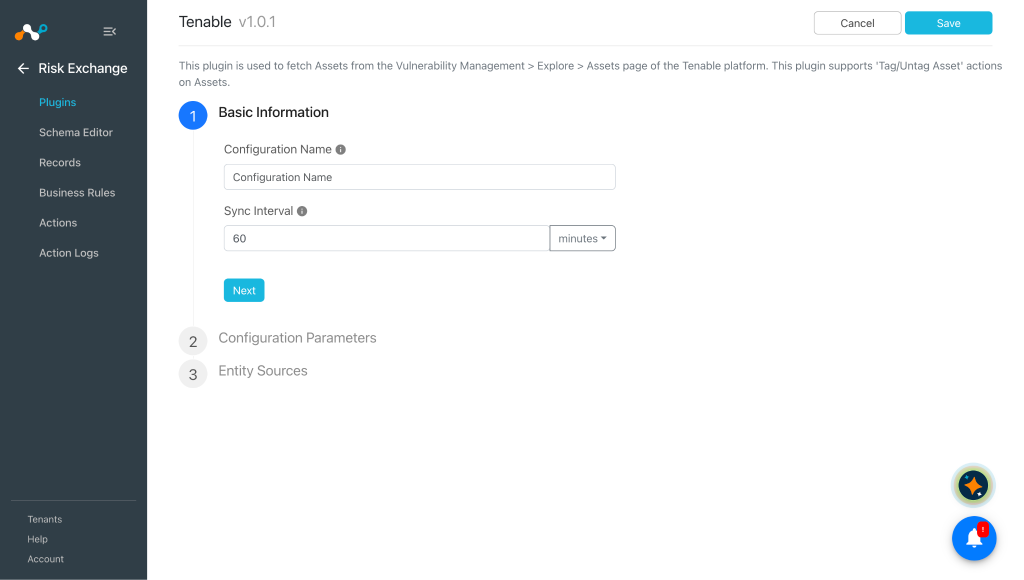
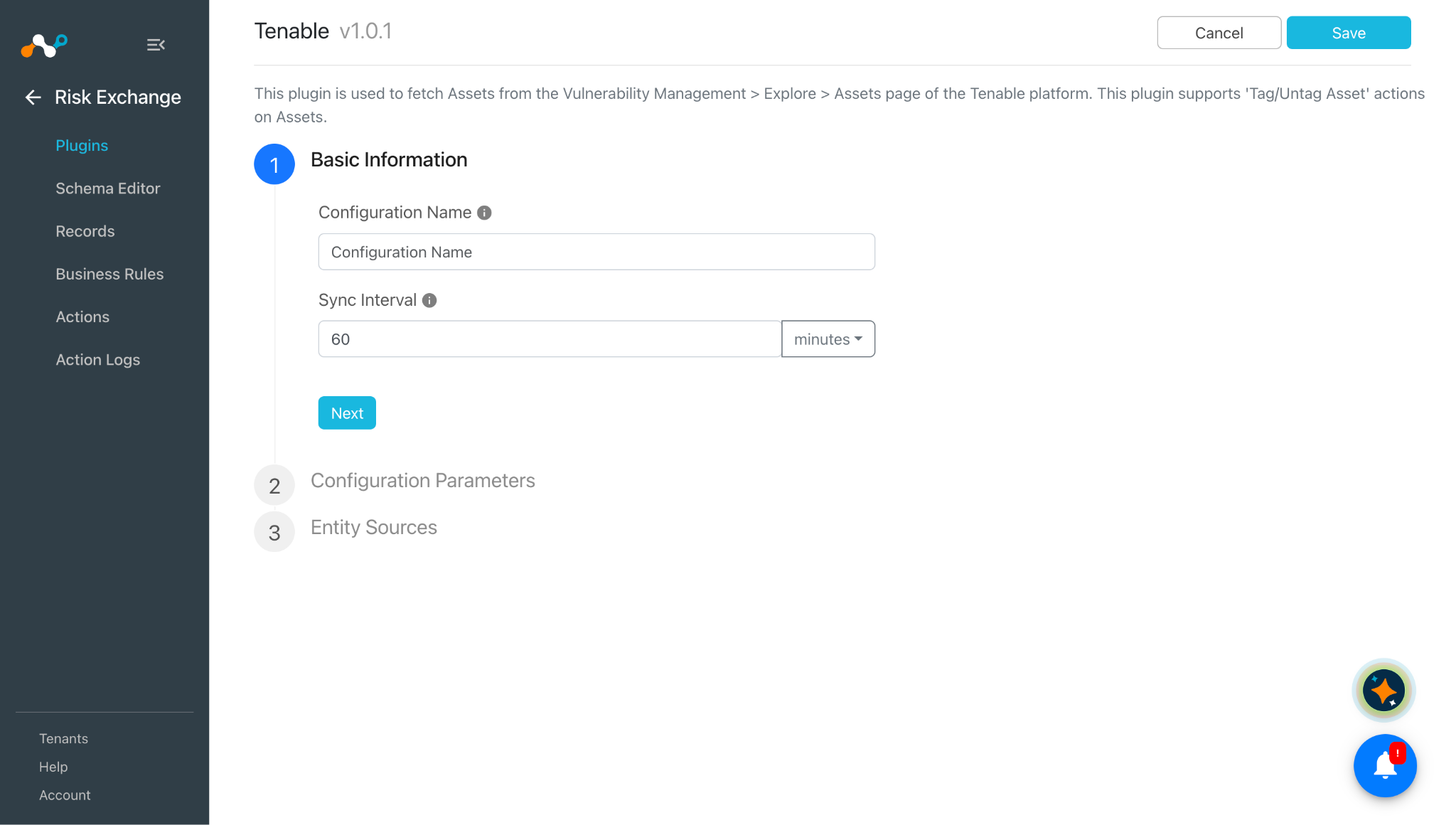
Saisir un nom de configuration de plugin et modifier l’intervalle de synchronisation si nécessaire.
-
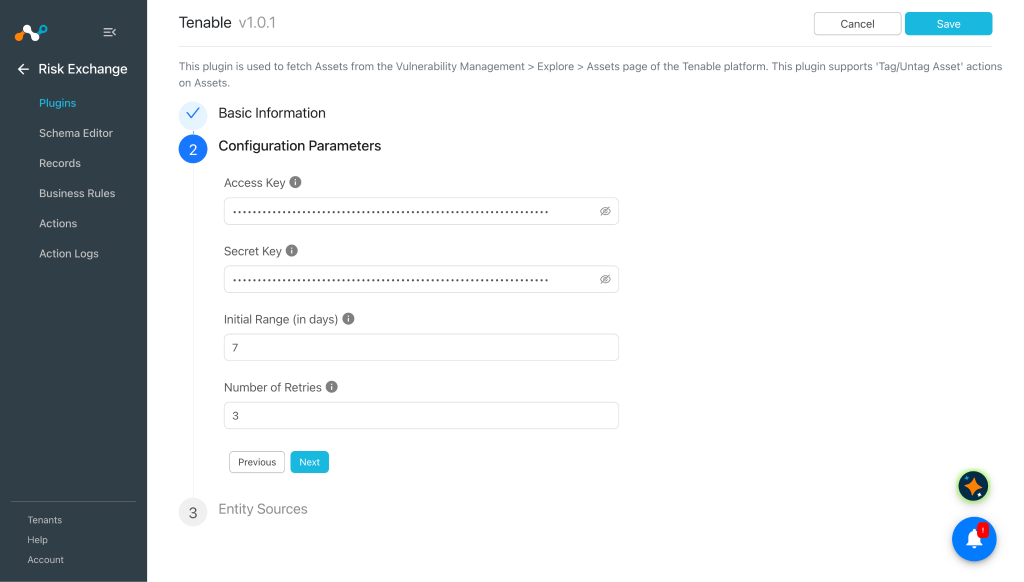
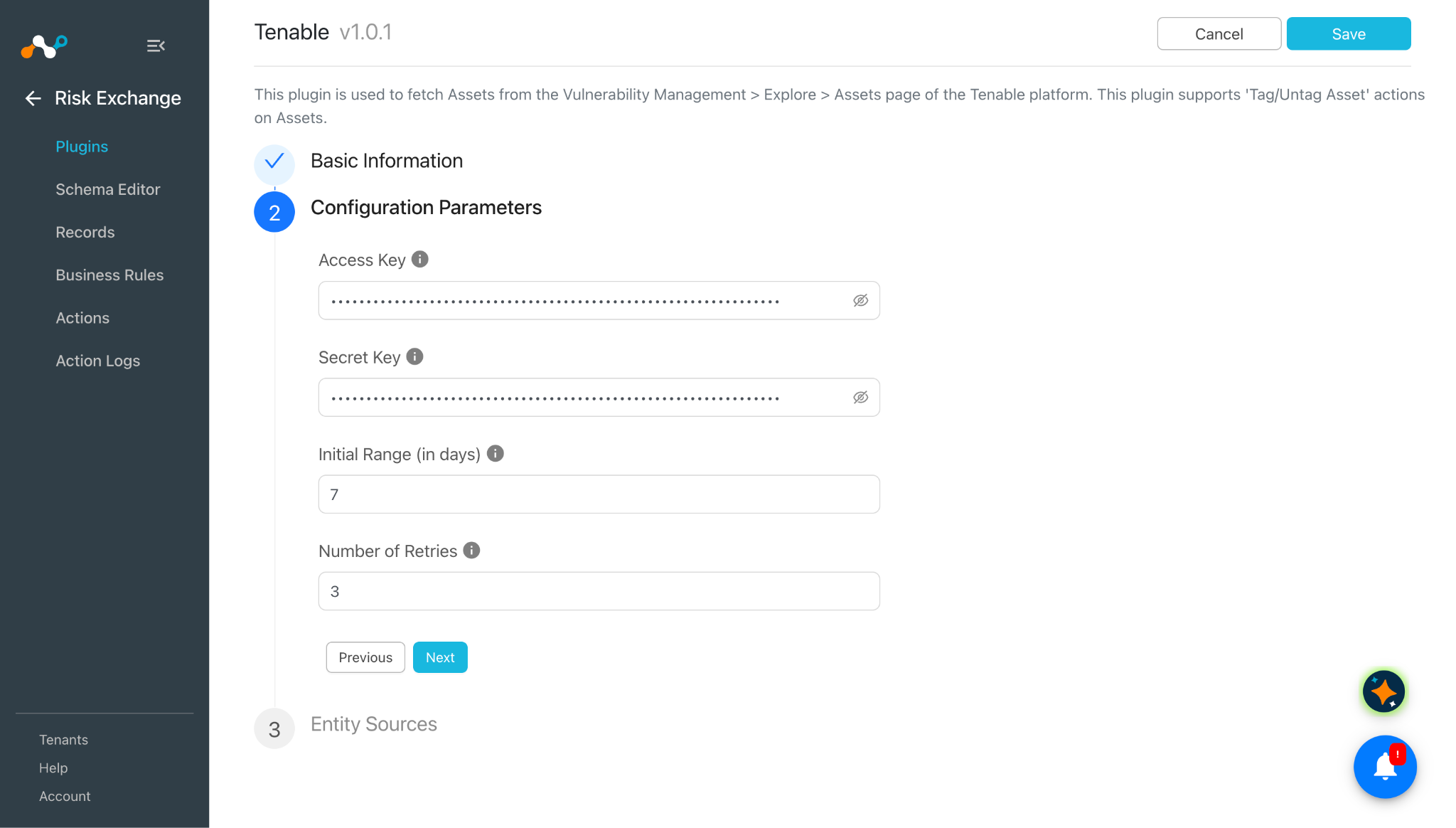
Cliquez sur Next et entrez les paramètres de configuration :
- Access Key: Access Key previously generated from the Tenable platform.
- Secret Key: Secret Key previously generated from the Tenable platform.
- Initial Range (in days): Nombre de jours pour extraire les données de détection de vulnérabilités pour la première exécution. La valeur doit aller de 0 à 2^62.
- Number of Retries: Nombre de tentatives de 60 secondes pour la vérification de l'état d'exportation. La valeur doit aller de 0 à 2^62.
-
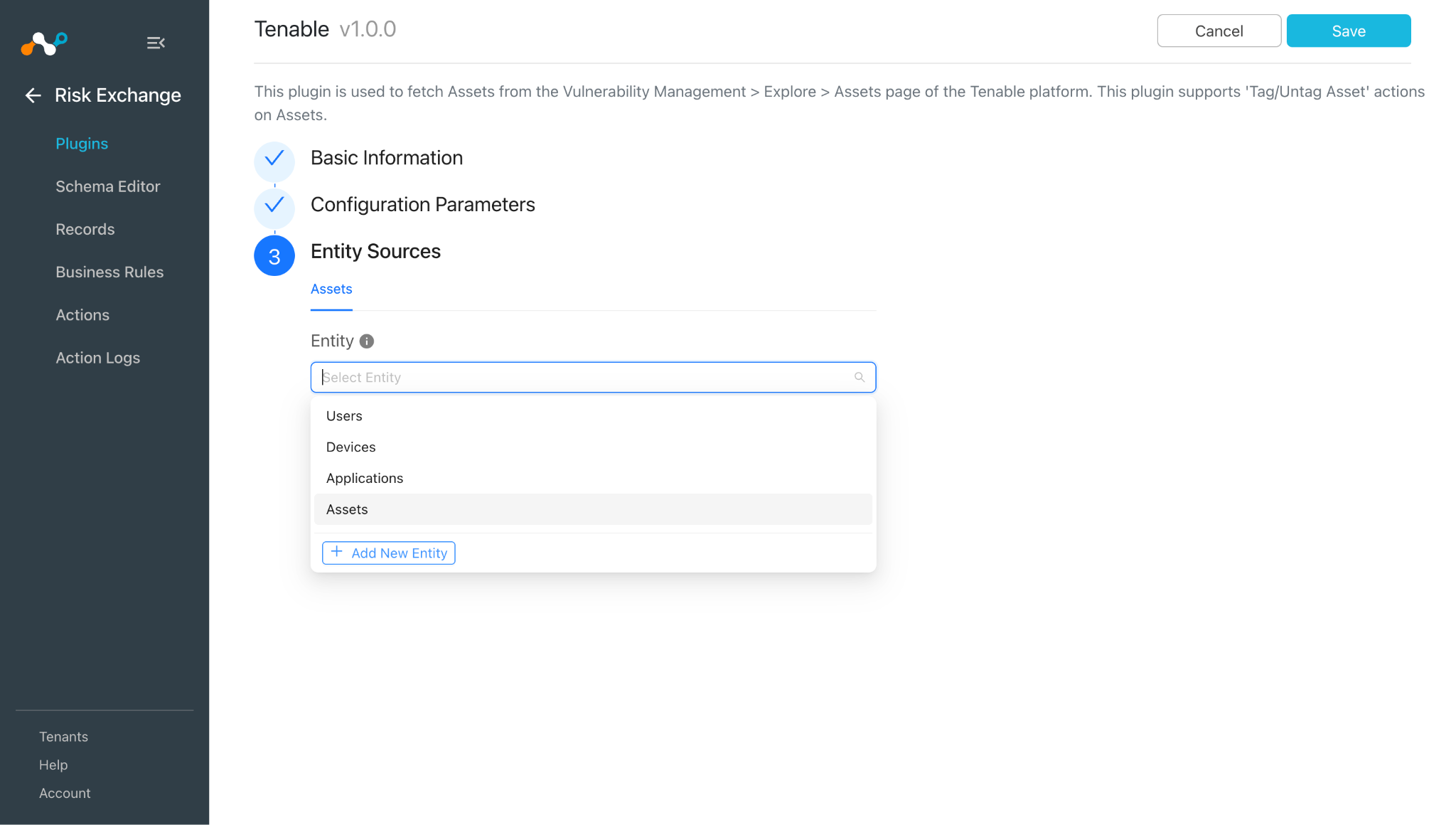
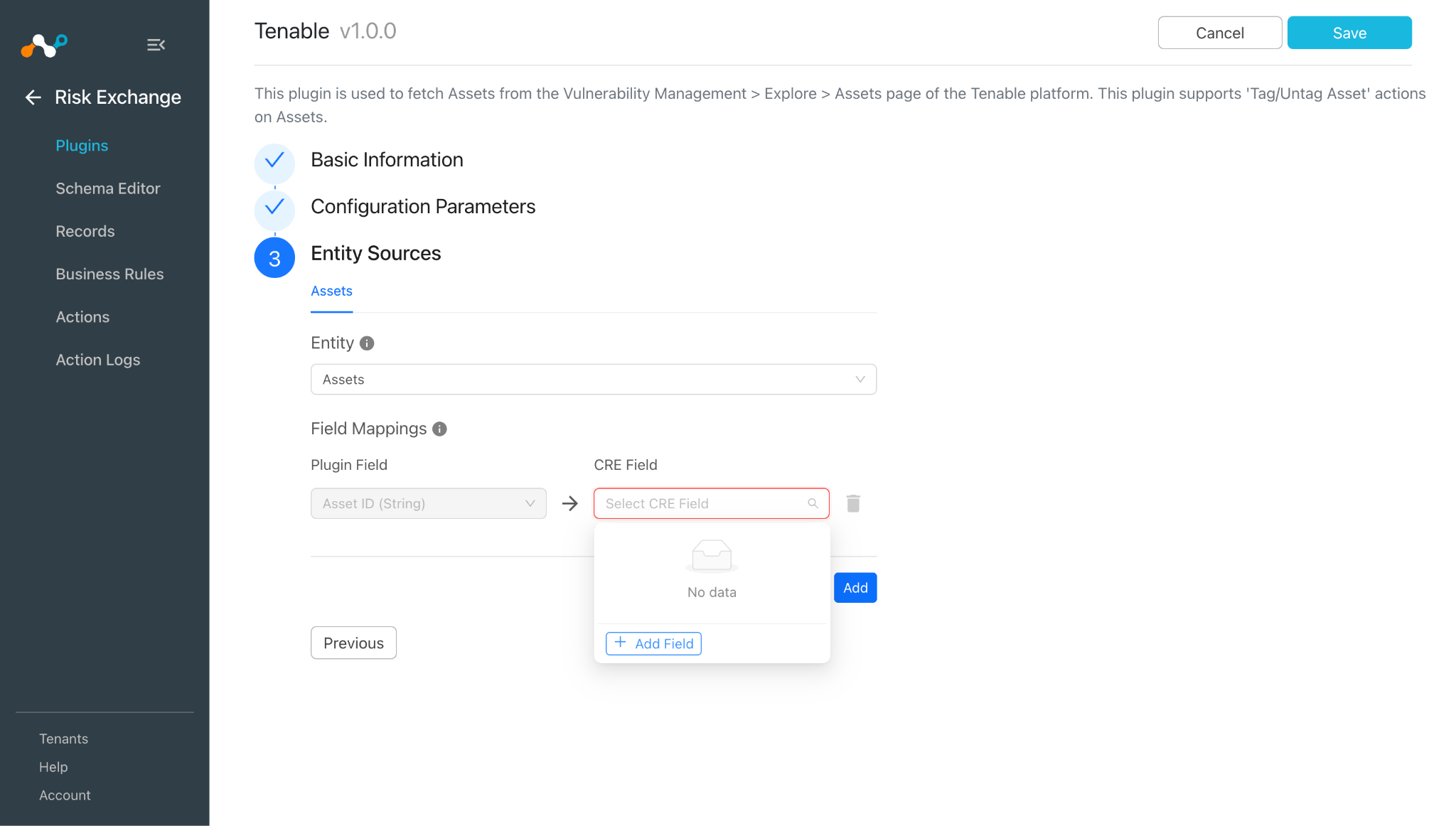
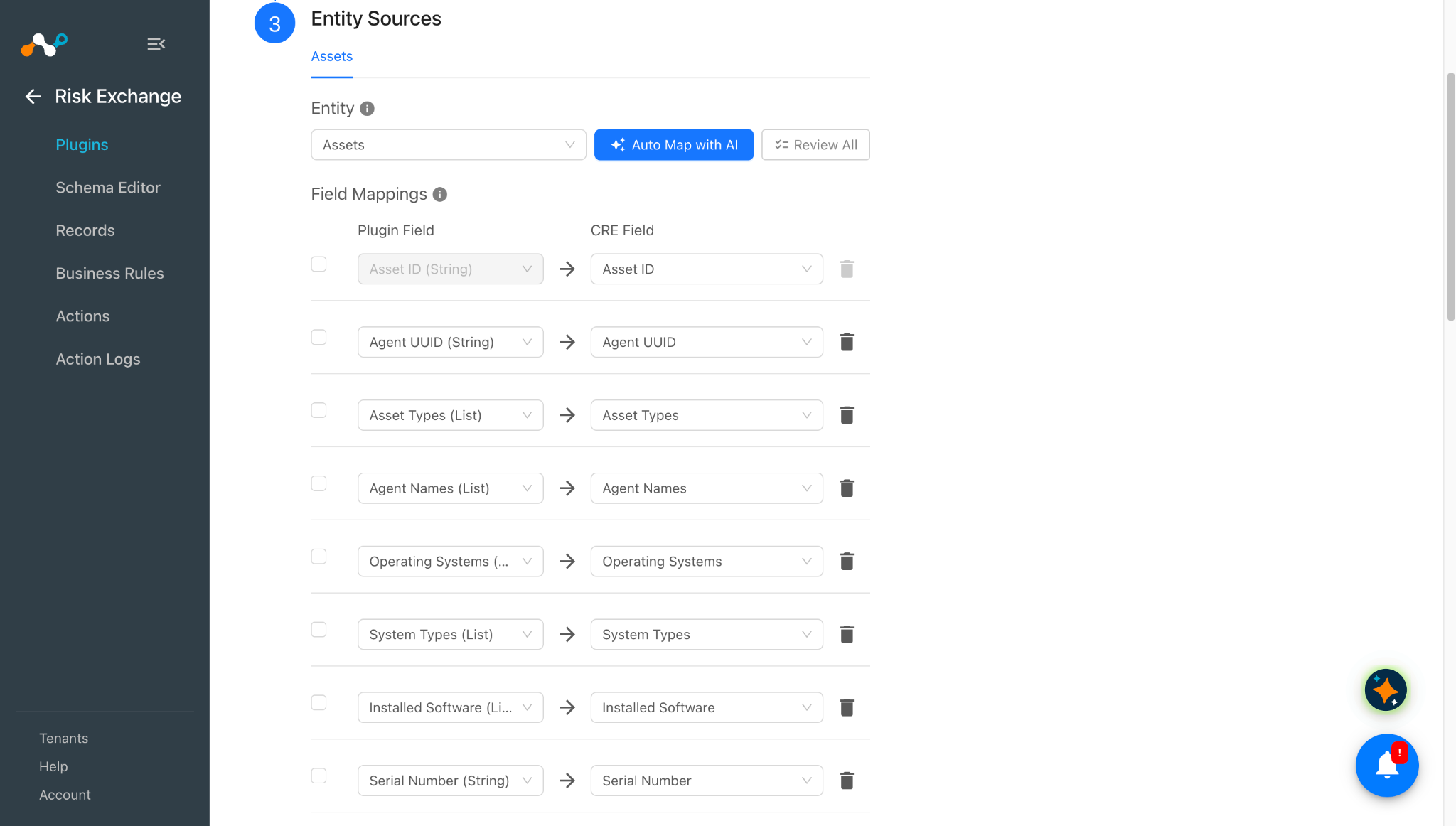
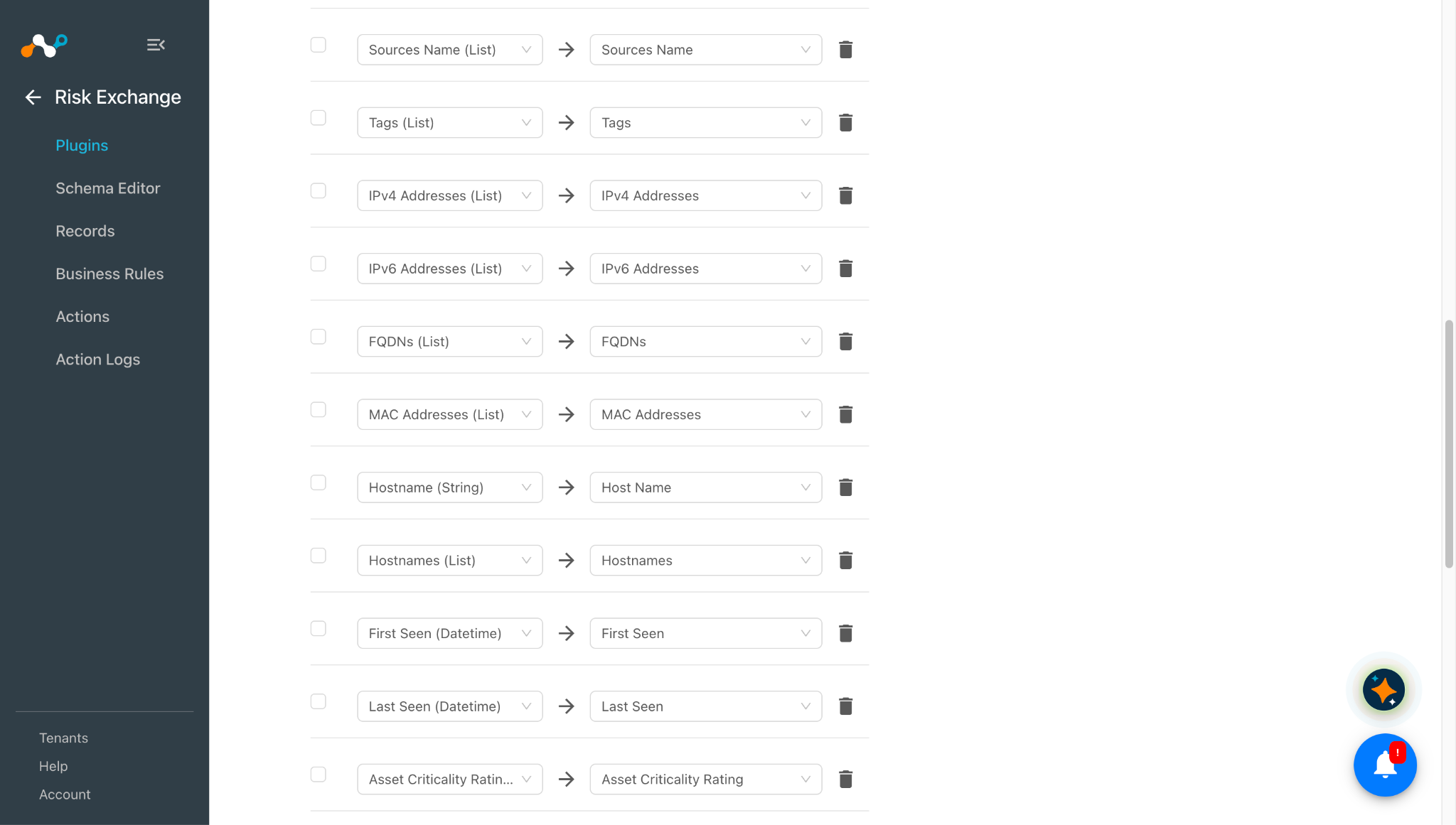
Click Next and select the required Entity from the Entity dropdown. Provide the field mappings per your requirements. You can create new by clicking Add New Entity.
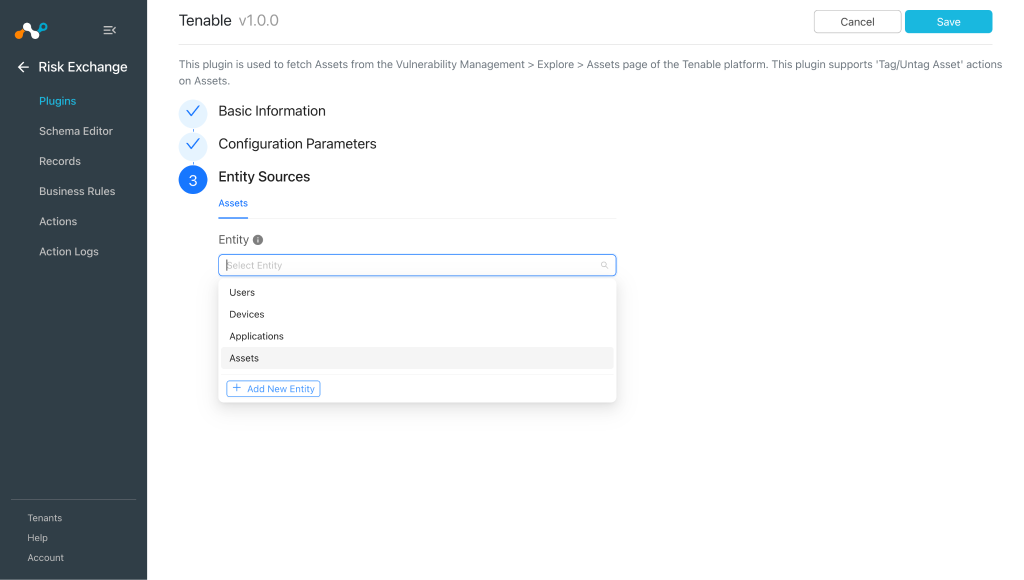
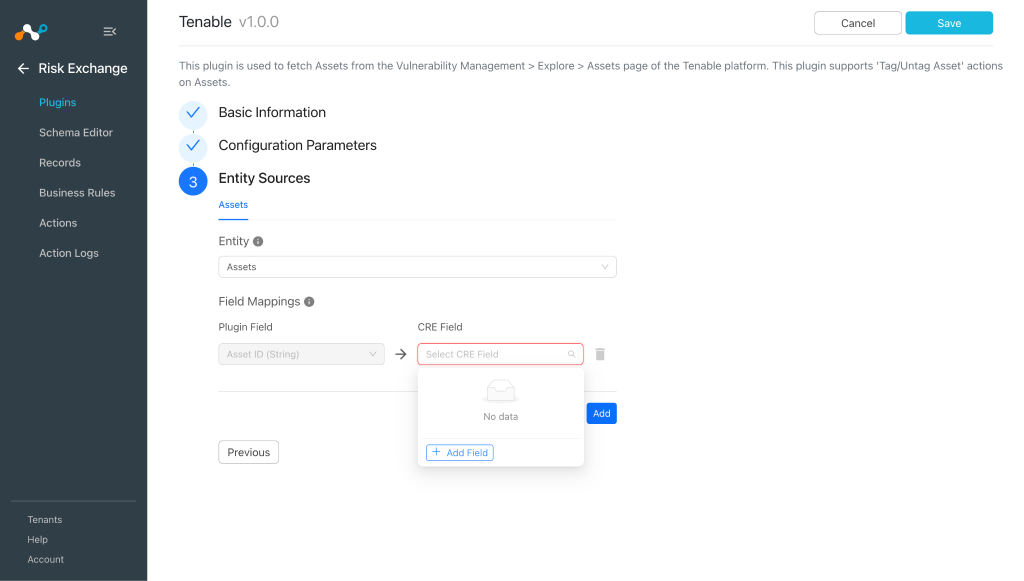
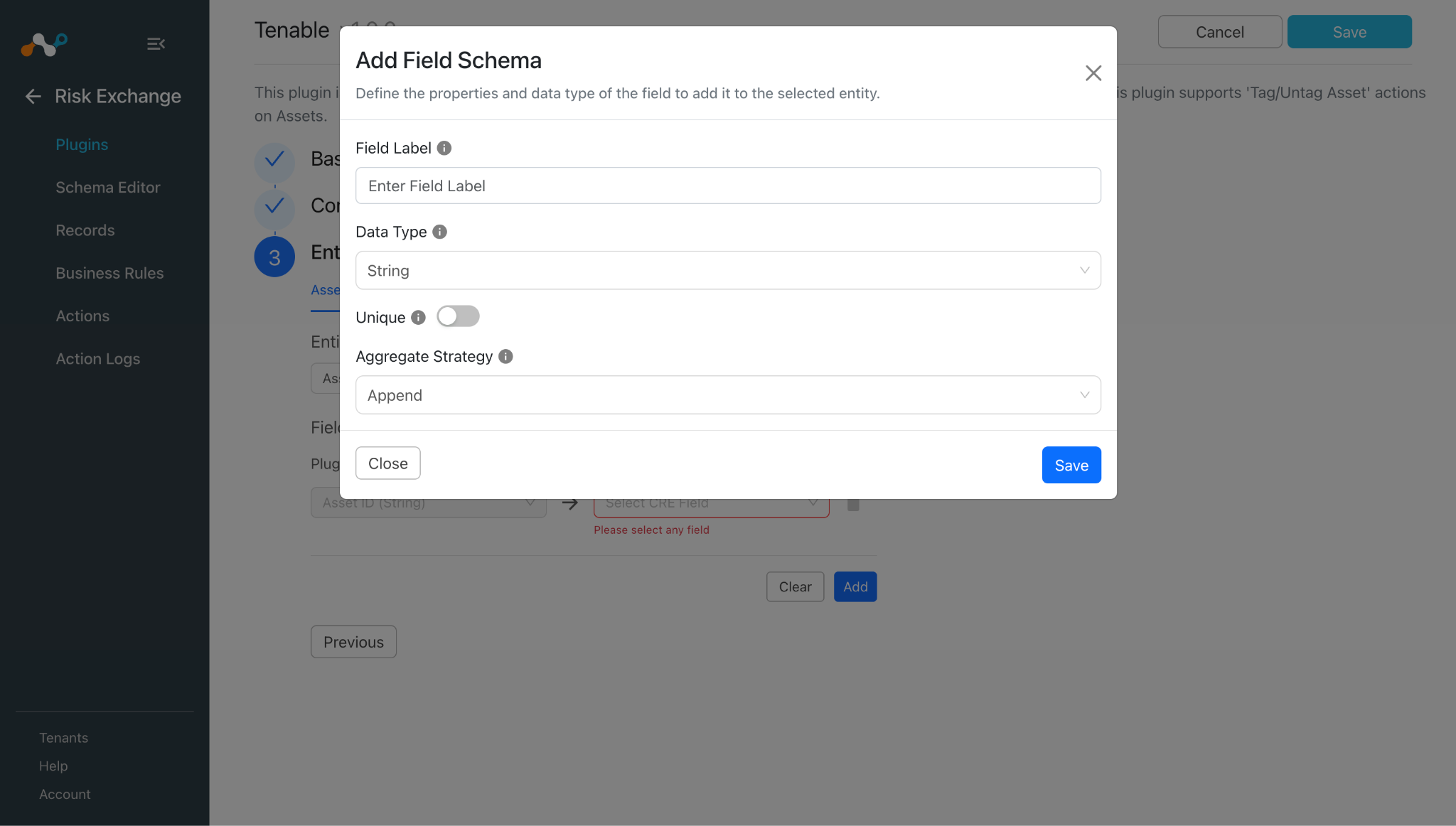
Pour créer un champ New, cliquez sur Add Field.
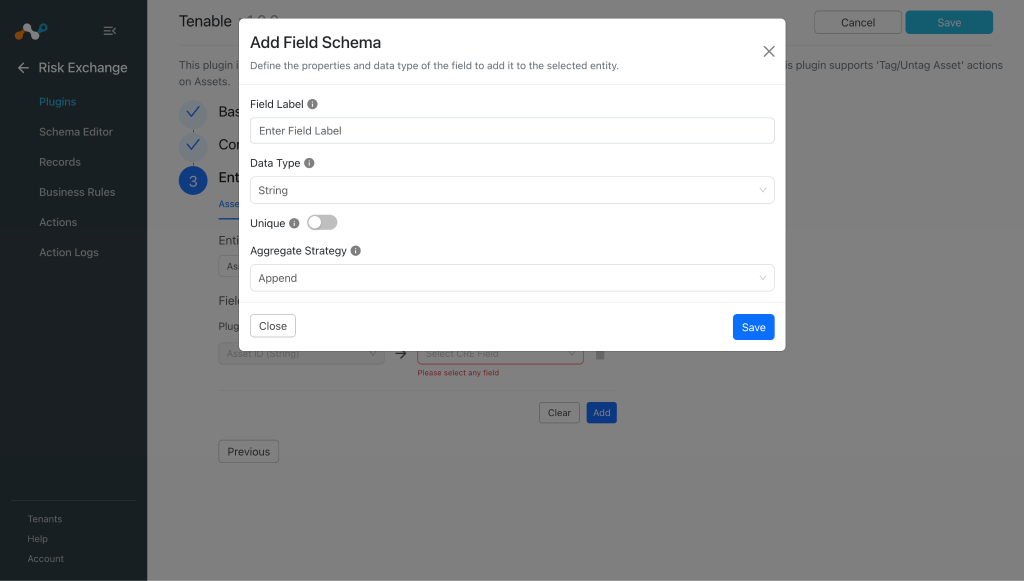
Provide the Field Label, Data Type, and Aggregate Strategy per your requirements.
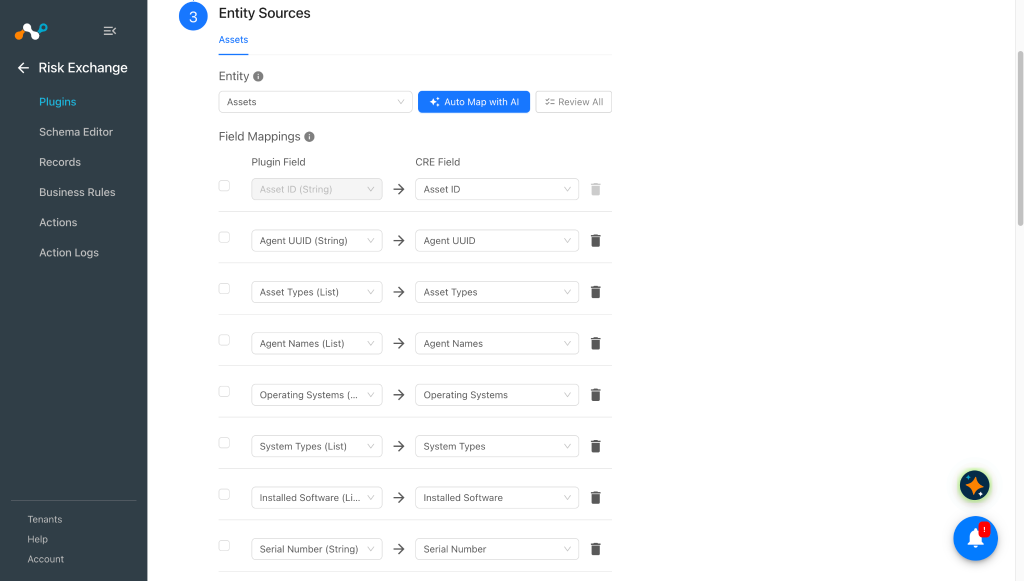
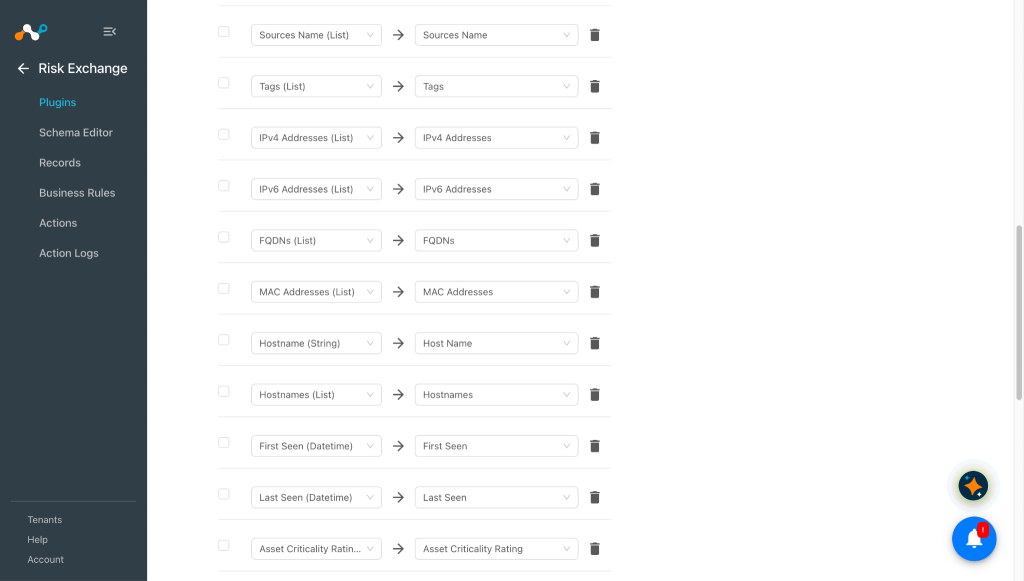
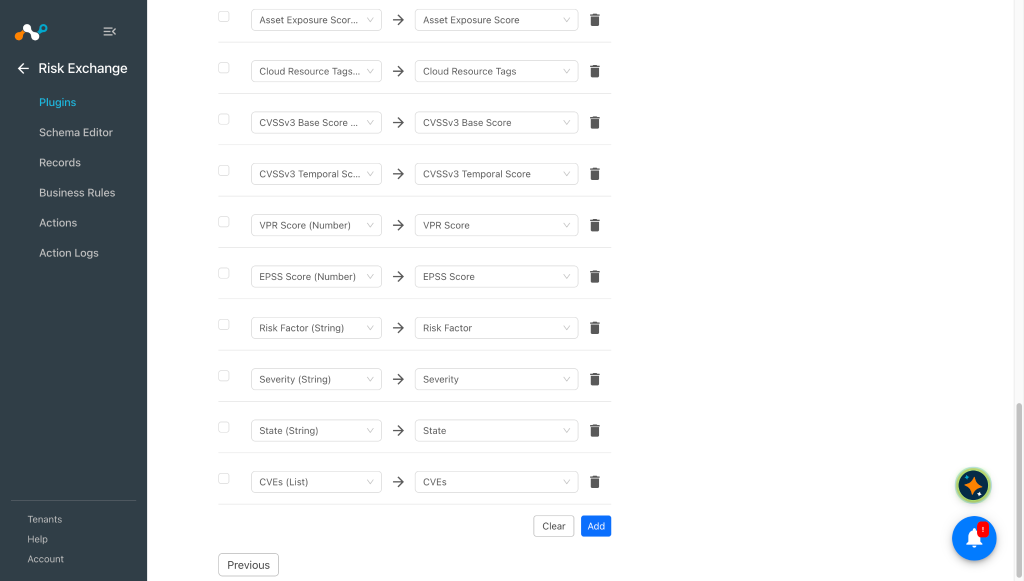
- Le champ d'identification de l'actif sera nécessaire pour extraire les enregistrements.
- Refer to the Mappings section before configuring the plugin.
-
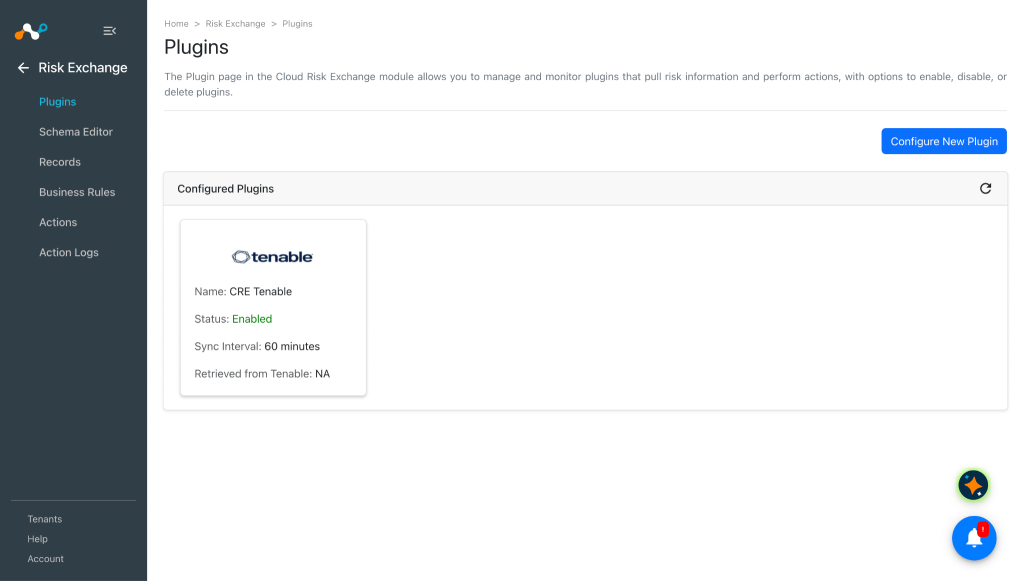
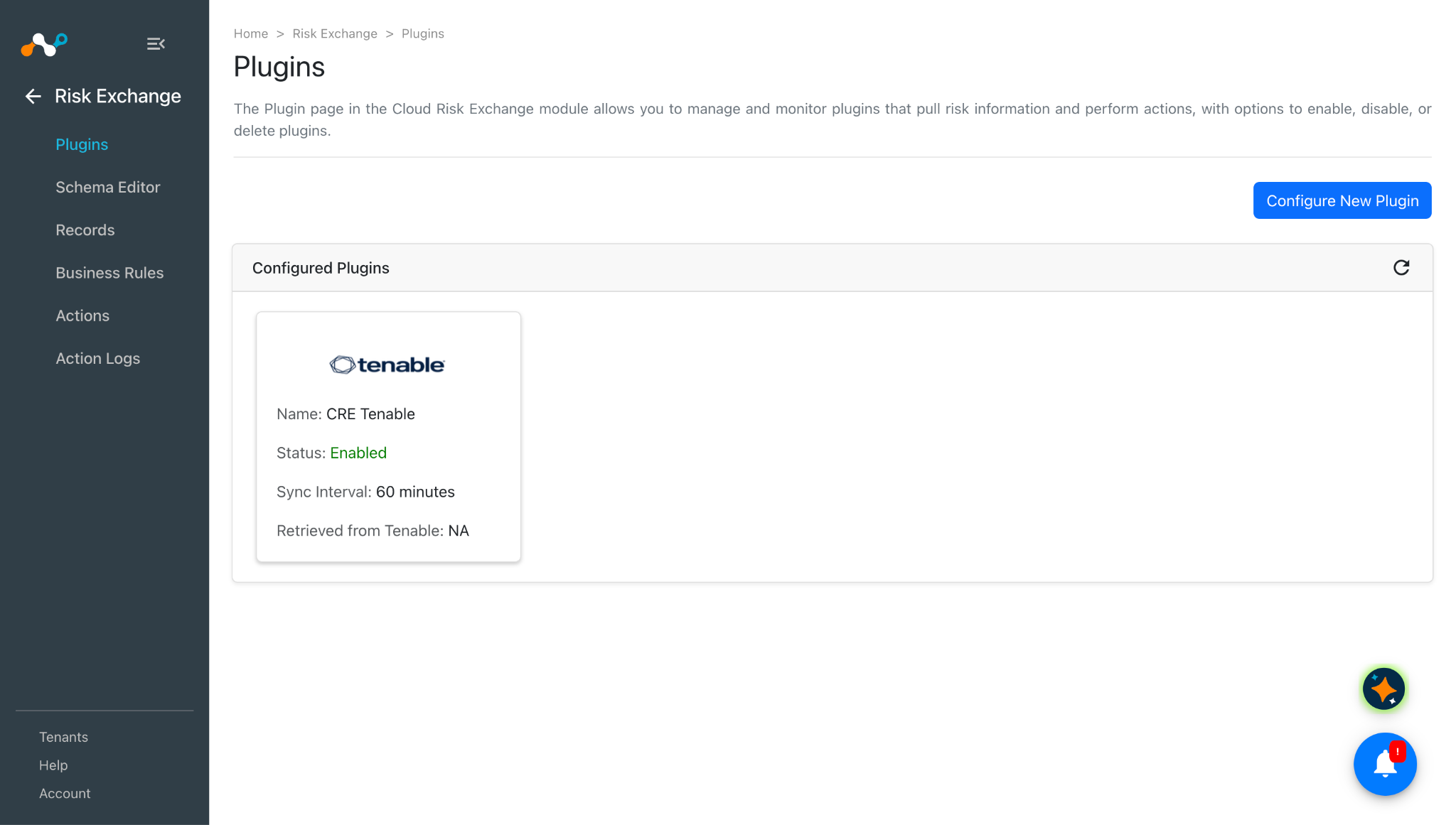
Scroll up and click Save. Your plugin appears on the Risk Exchange Plugins page.
Configure a Risk Exchange Business Rule for Tenable
-
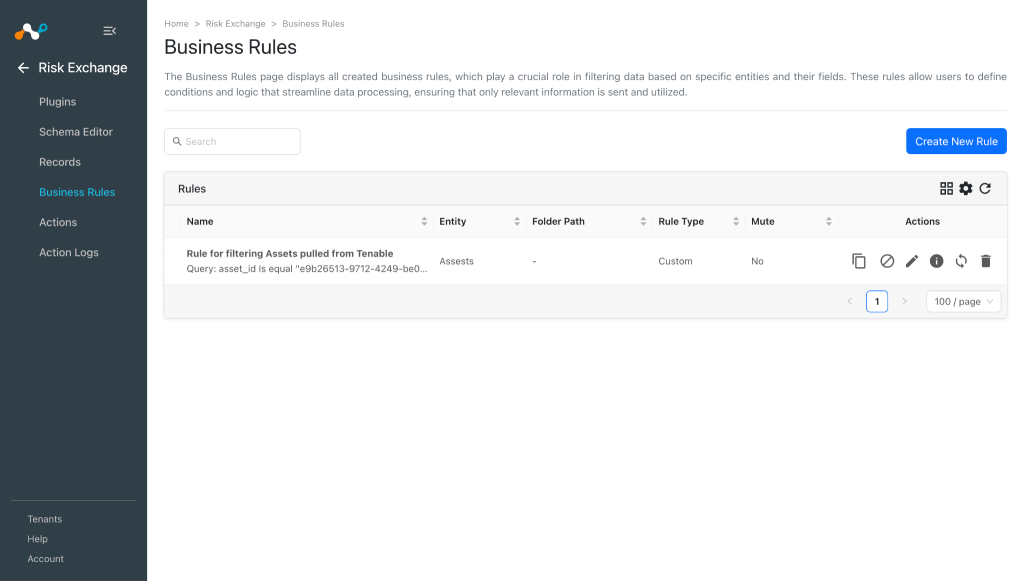
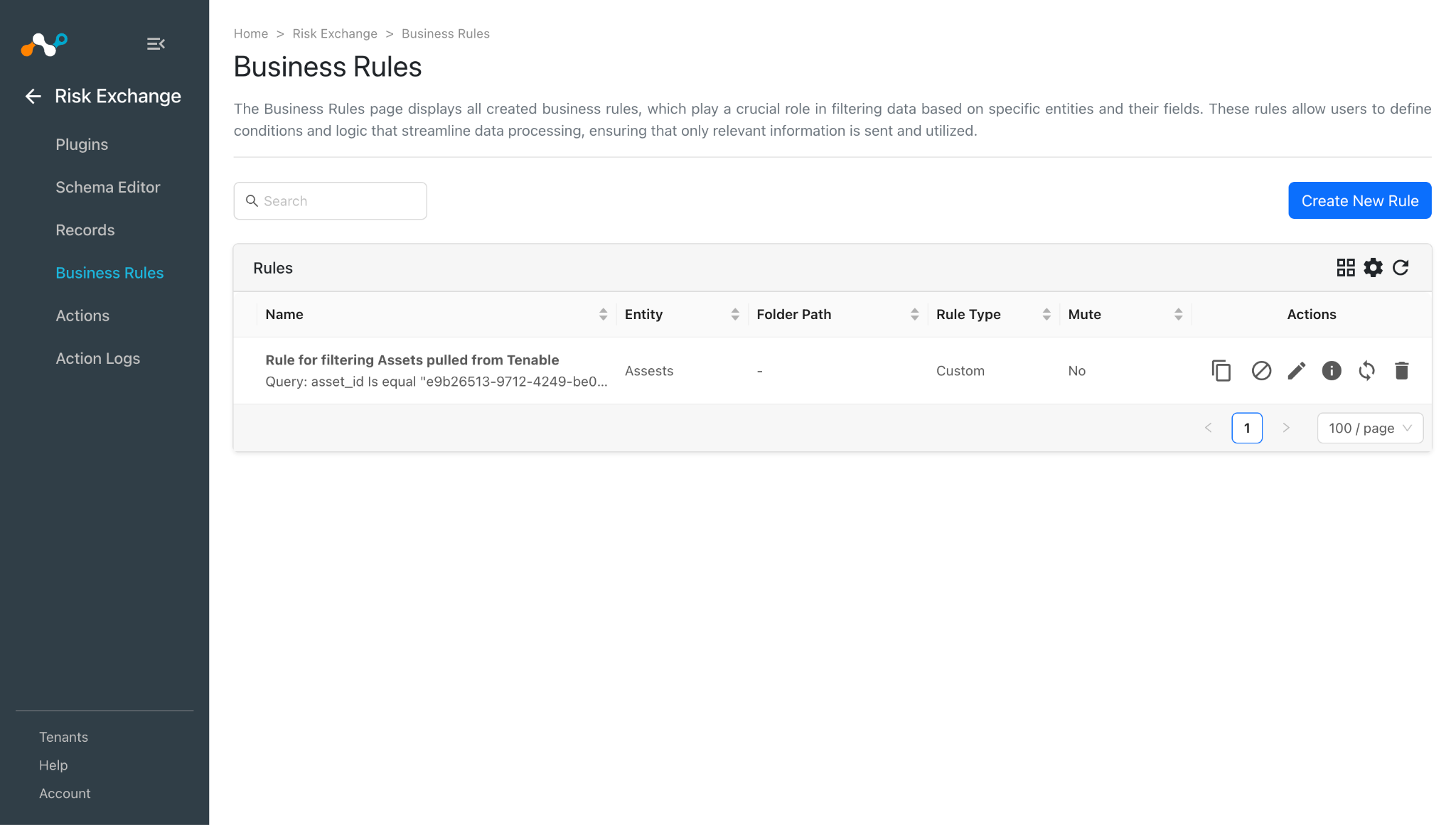
Dans Risk Exchange, allez à Business Rules.
-
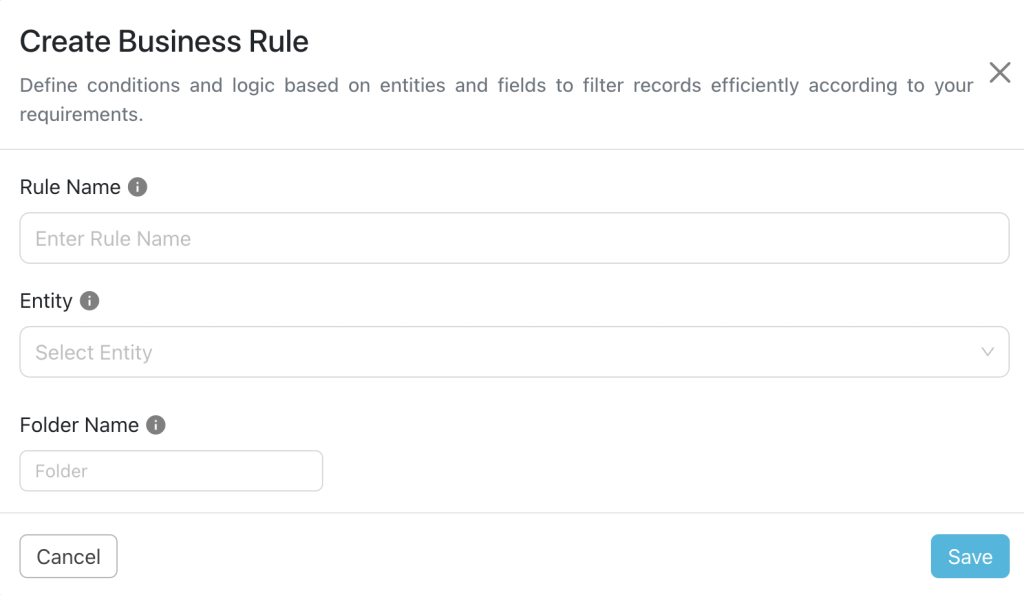
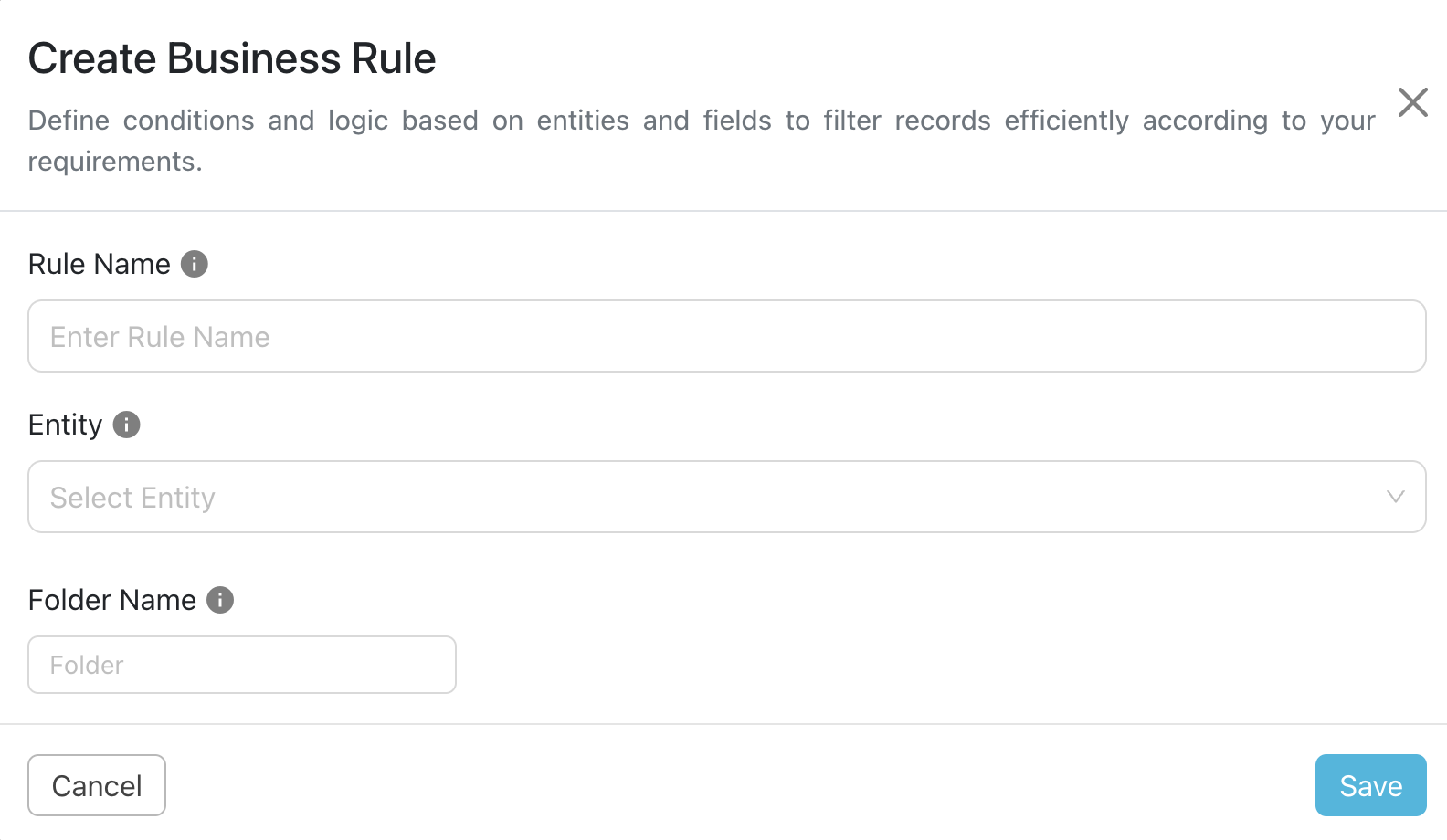
Cliquez sur Create New Rule dans le coin supérieur droit.
-
Enter a Rule Name and select the Entity for the Fields configured for the Tenable plugin based on your requirements.
-
Cliquez sur Save.
Configure Risk Exchange Actions for Tenable
The Tenable supports the following action type:
Tag/Untag Asset
Tag/Untag Asset action can be used to attach/unattach tags from Asset.
No Action
No action will be performed for this action. Users can generate UBA alerts in CTO by using this action and enabling the generate alerts toggle button.
To configure the Actions
Tag/Untag Asset
-
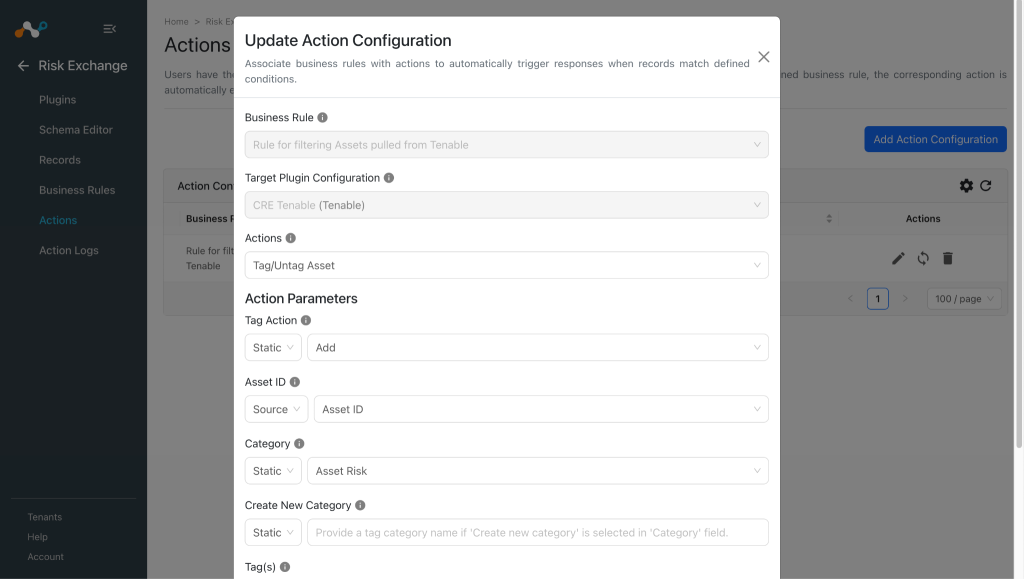
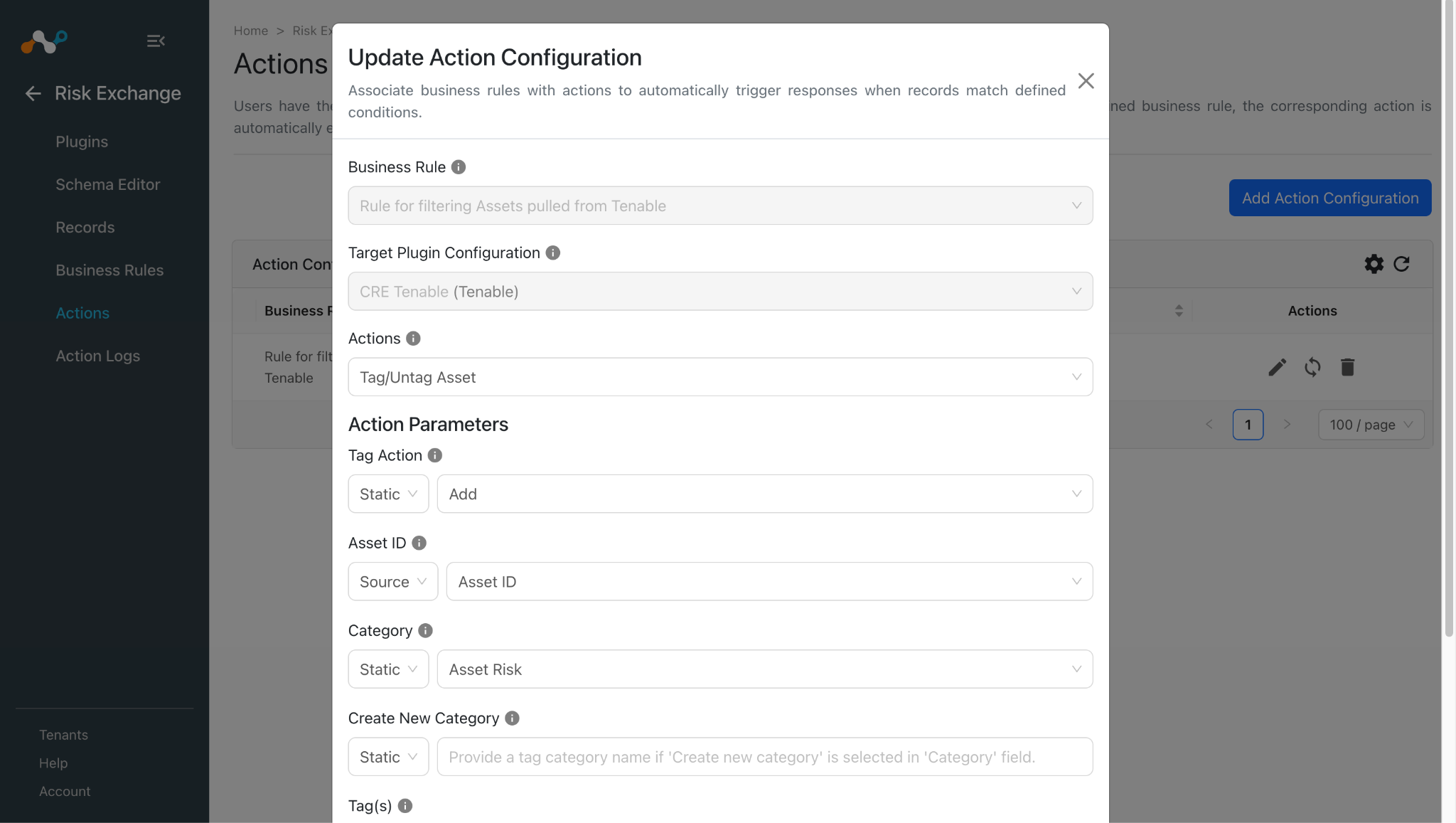
Dans Risk Exchange, allez à Actions et cliquez sur Add Action Configuration.
-
Select the required Business Rule and Plugin Configuration from their respective dropdowns.
-
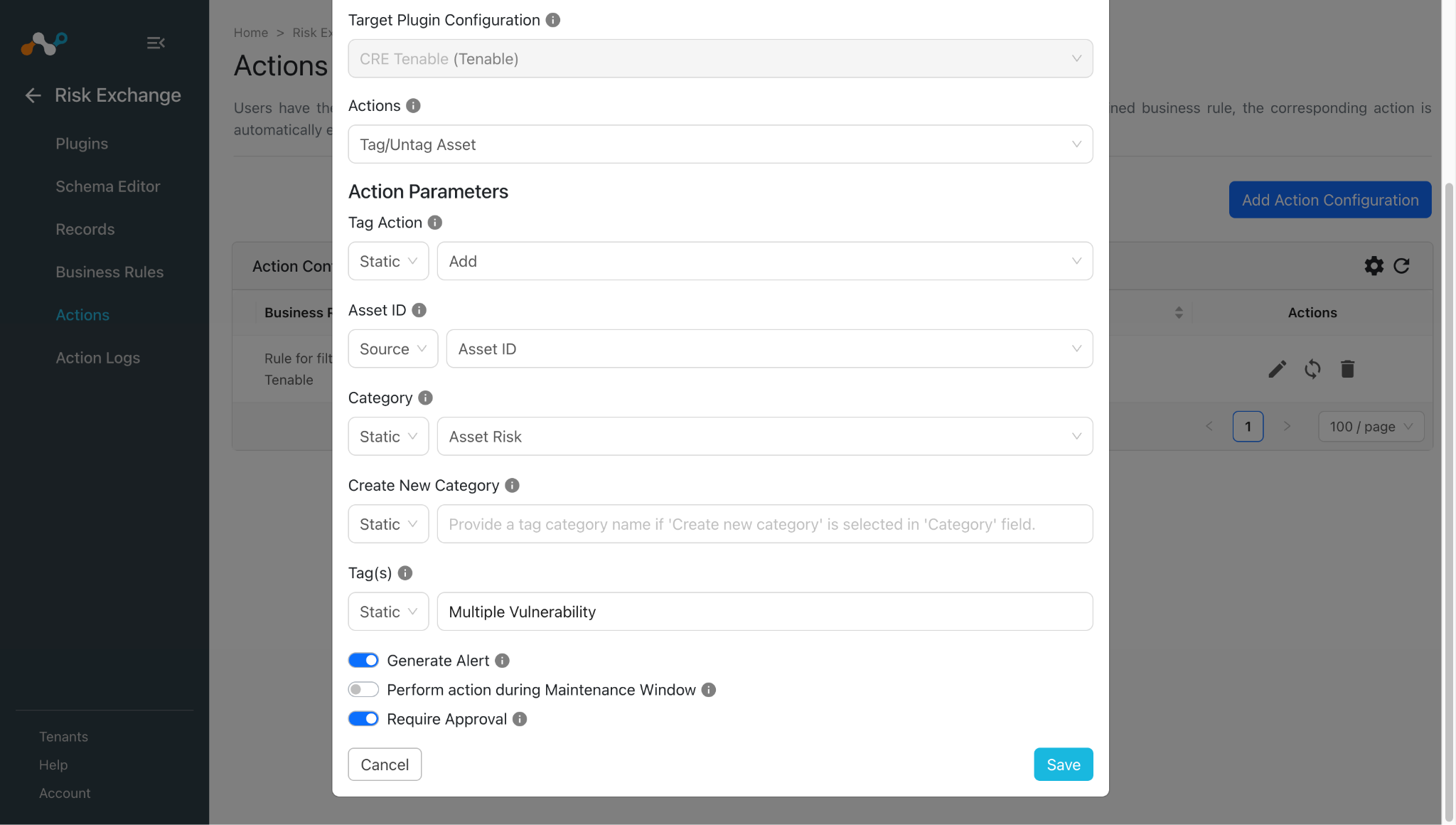
Enter the Action Parameters:
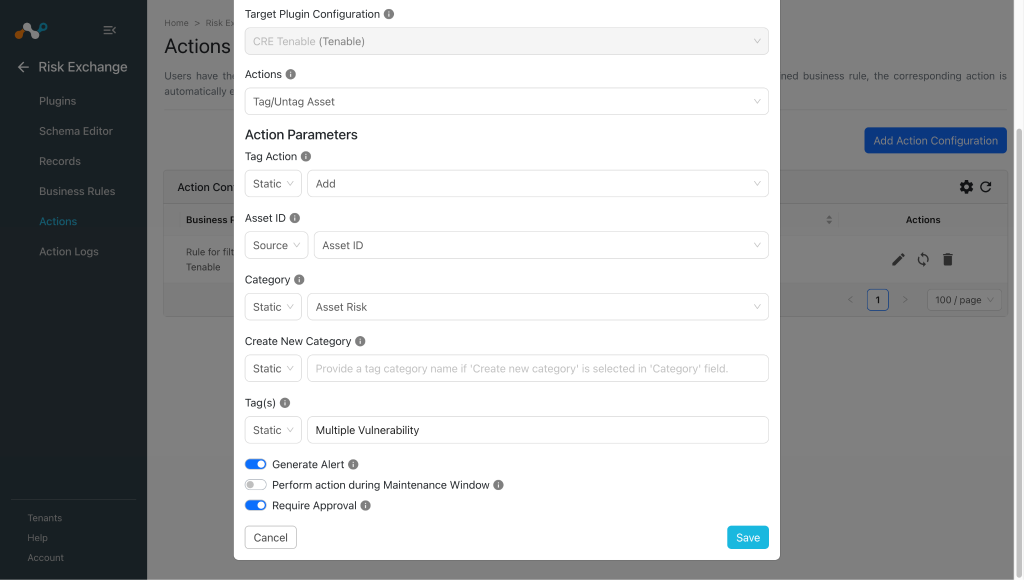
- Tag Action: Select Add to tag the asset, or Remove to untag the asset, from the Static field dropdown.
- Asset ID: Select Champ d'identification de l'actif à partir de la source ou fournir plusieurs ID d'actifs statiques séparés par des virgules.
- Category: Select an existing category, or click Create new category from the Static field dropdown. Create new category cannot be used when the Tag Action is Remove.
- Create New Category: Provide a tag category name if Create new category is selected in the Category field.
- Tag(s): Select source field for the tags or provide static multiple comma-separated tags. Tag value(s) should be less than or equal to 50 characters.
-
Enable the Require Approval toggle if Approval is needed before performing action on the pulled records. Note that if Require Approval is enabled, then users need to manually approve the execution of each action from the Risk Exchange > Action Logs page in Cloud Exchange.
-
Cliquez sur Save.
No Action
-
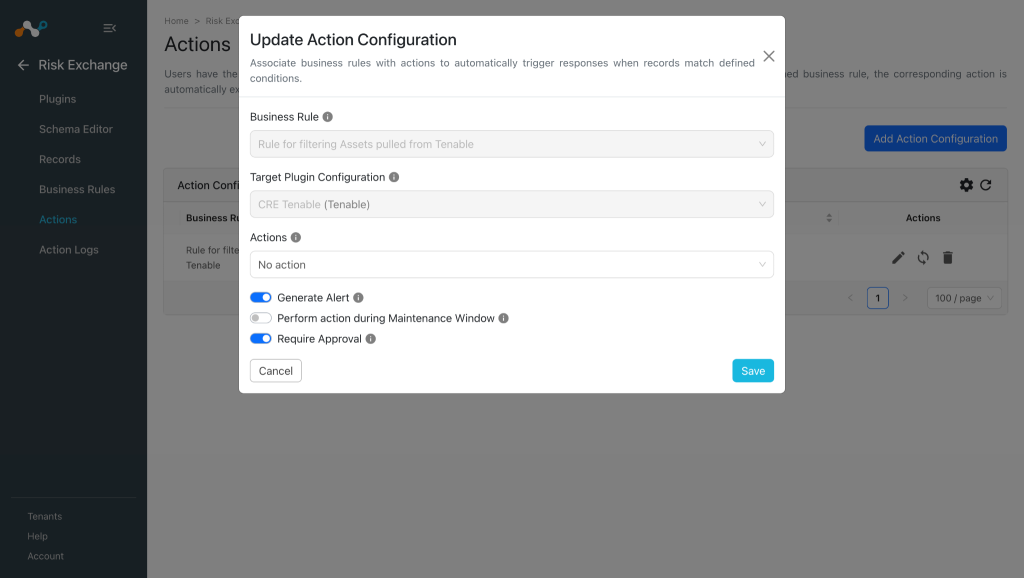
Dans Risk Exchange, allez à Actions et cliquez sur Add Action Configuration.
-
Select the required Business Rule, Configuration, and and the No Action Action from their respective dropdowns.
-
Activez la case à cocher Exiger l' approbation si une approbation est nécessaire avant d'effectuer une action sur les enregistrements tirés.
-
Cliquez sur Save.
Validez le plugin Tenable
Valider dans Cloud Exchange
Pour valider le tirage :
-
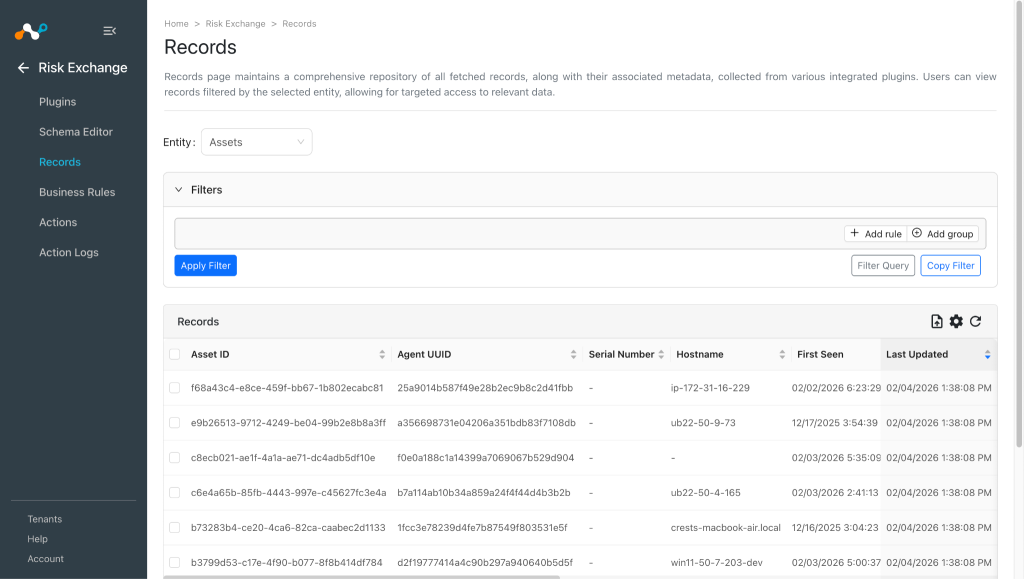
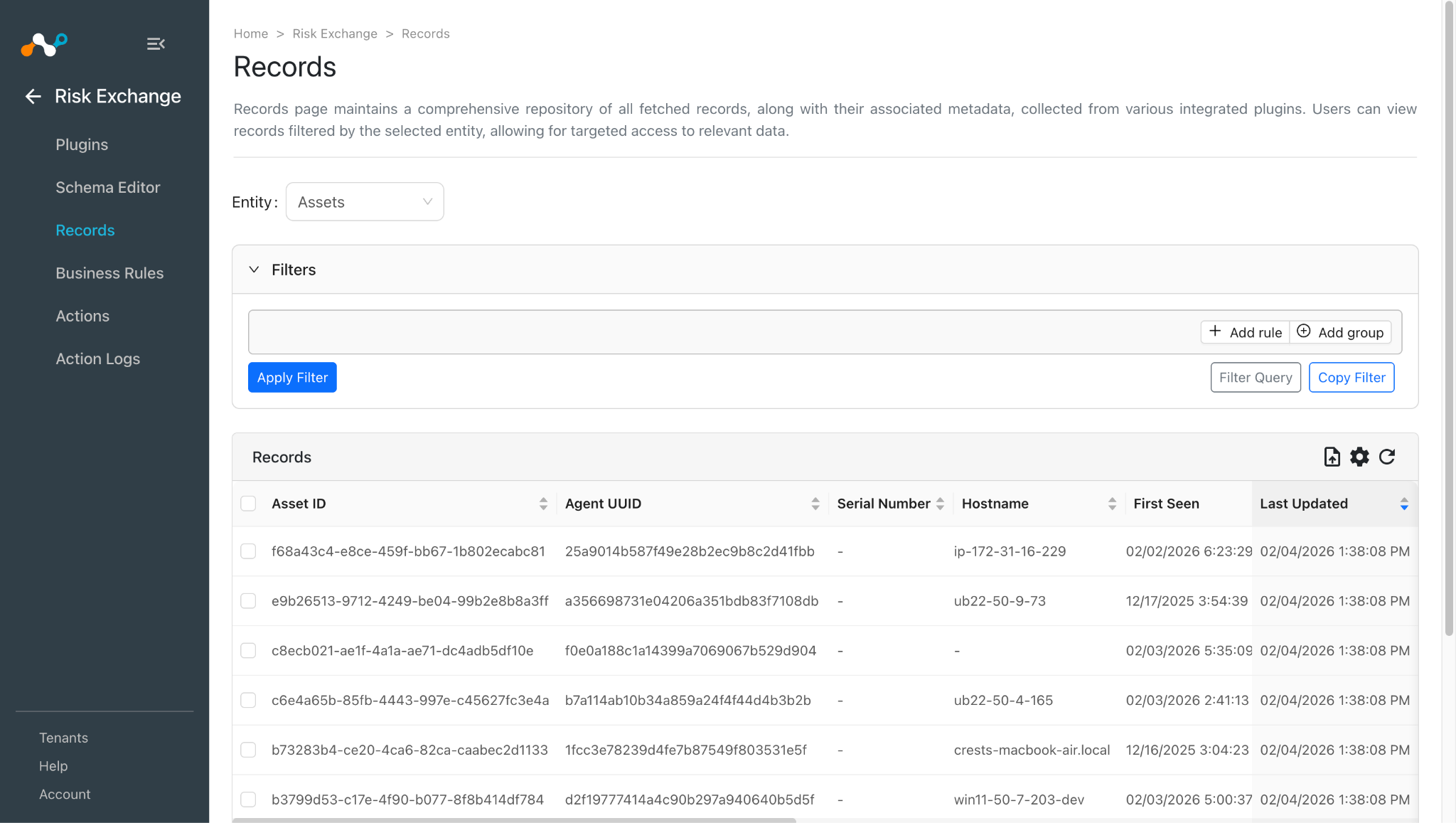
In Risk Exchange, go to Records. Select the Entity that was used while configuring the field mapping to view the pulled records.
-
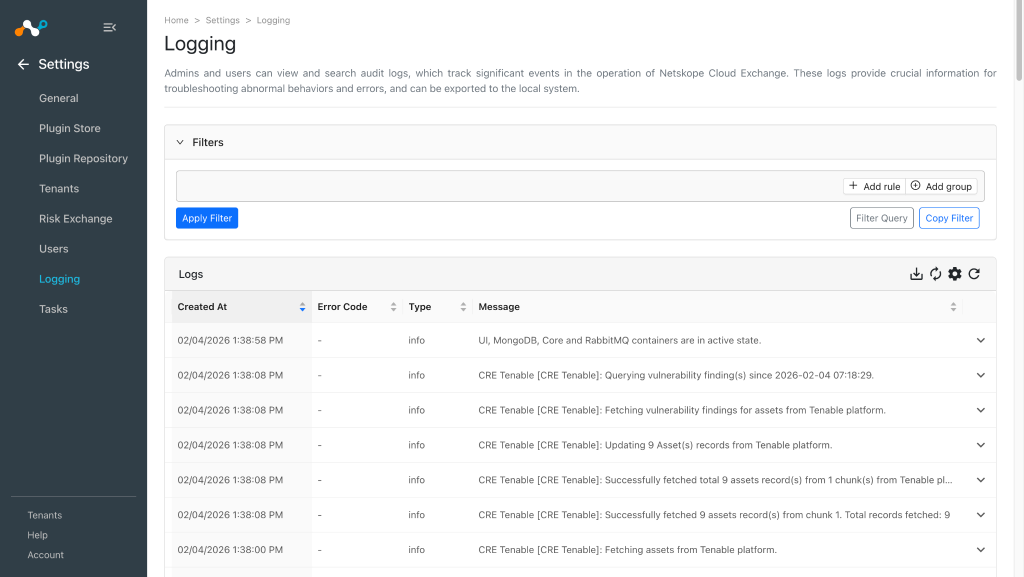
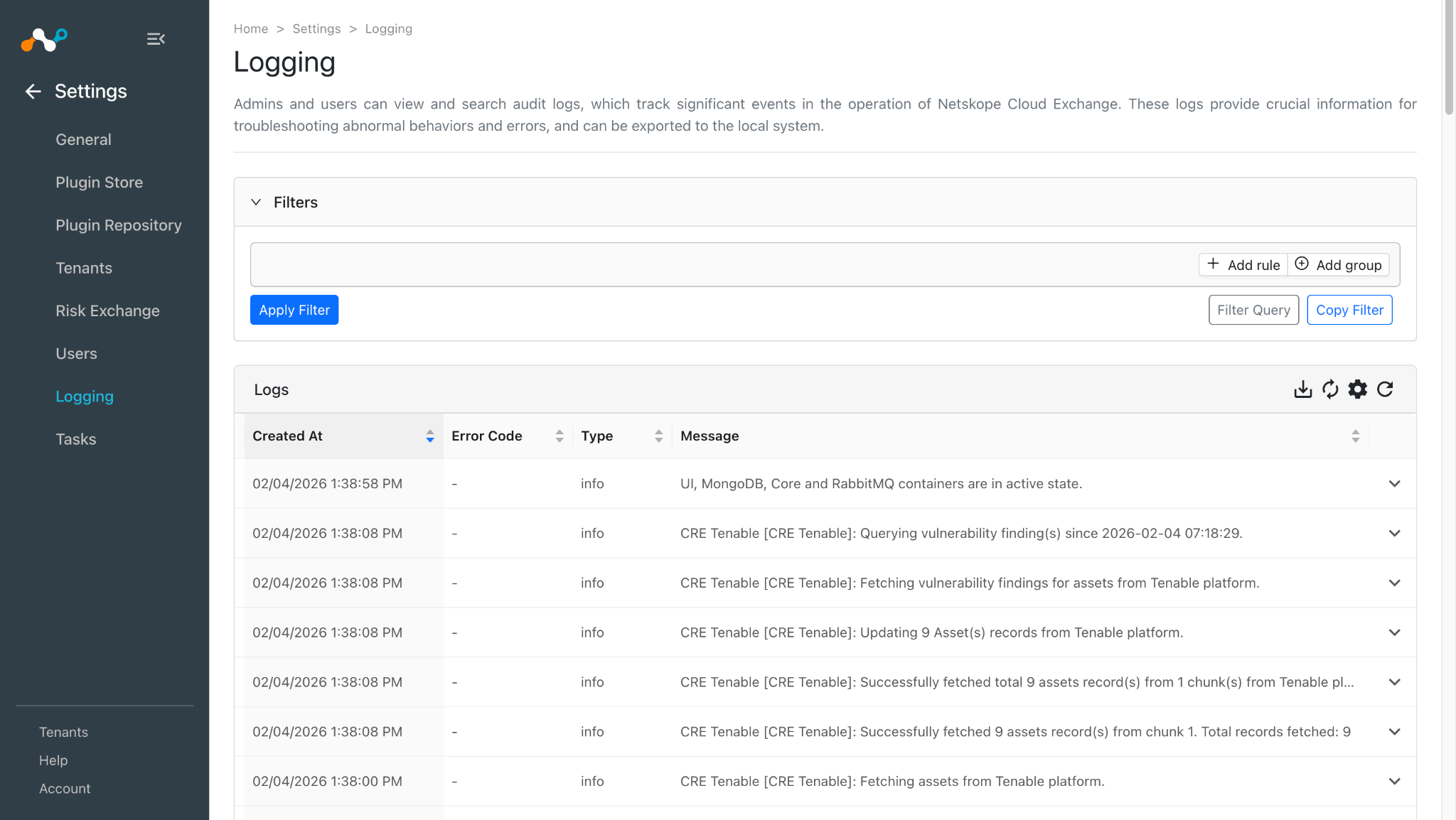
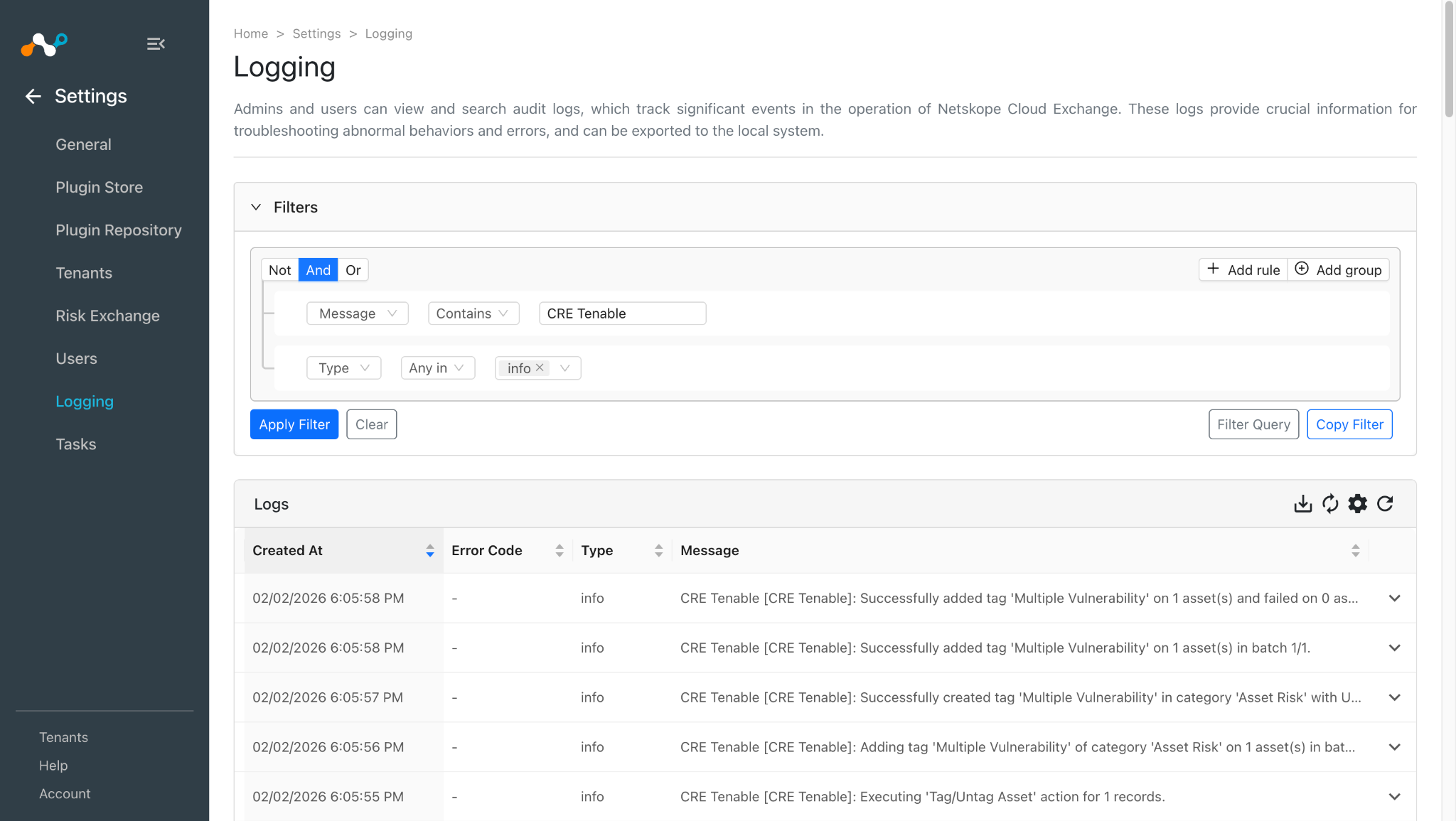
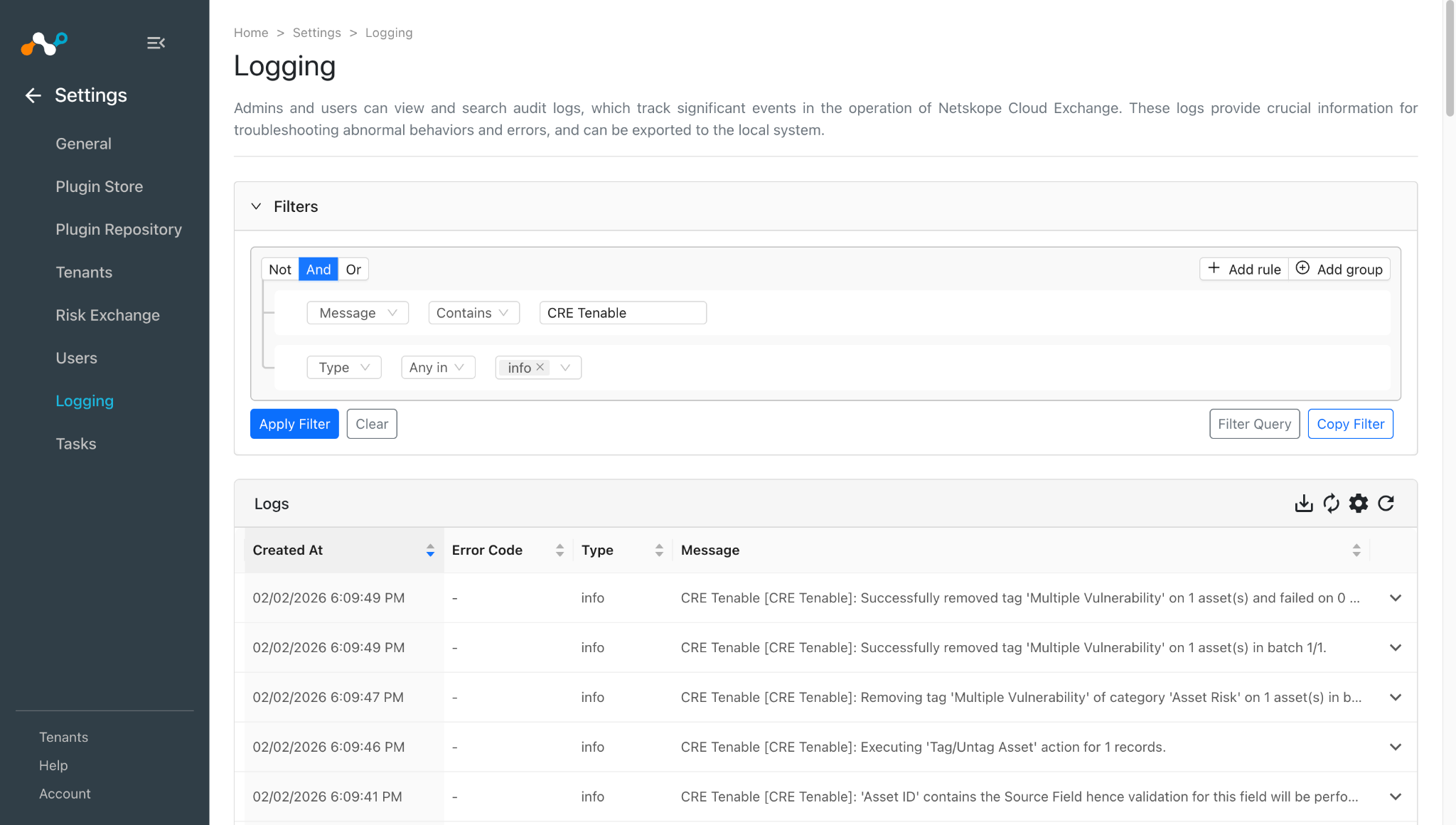
Pour vérifier les journaux relatifs aux enregistrements tirés, allez sur Logging et appliquez le filtre avec le nom du plugin ou le nom de la configuration du plugin.
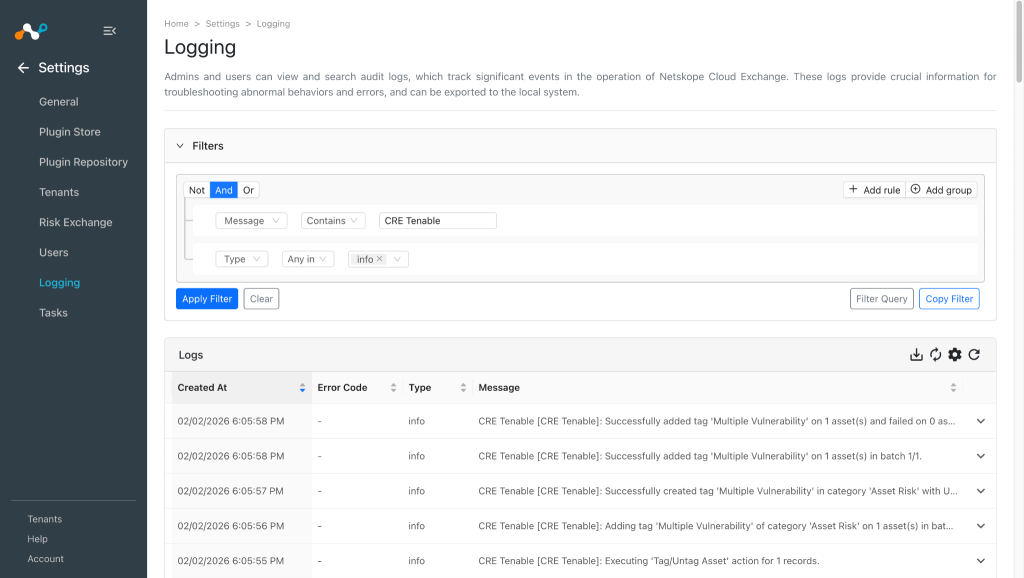
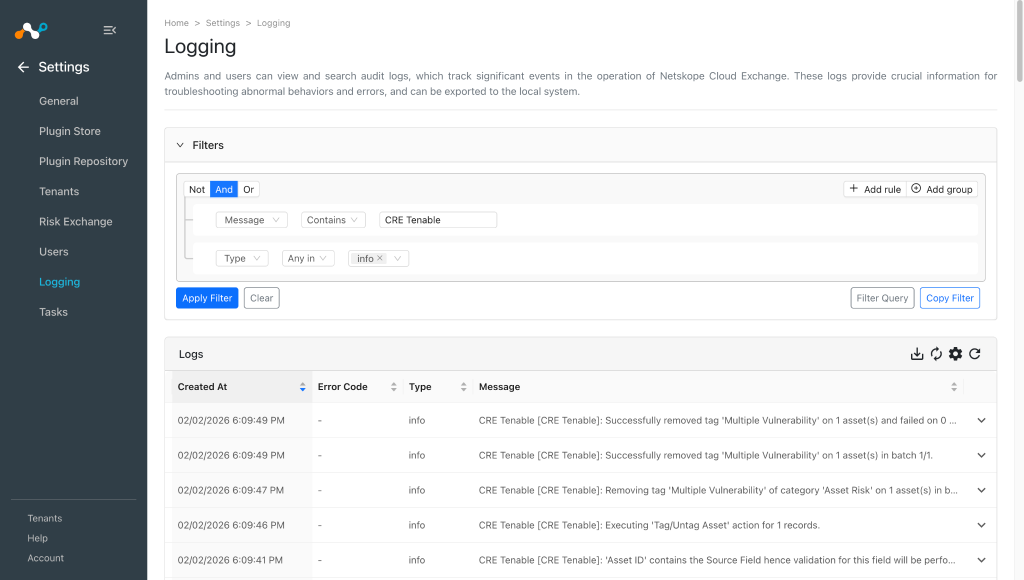
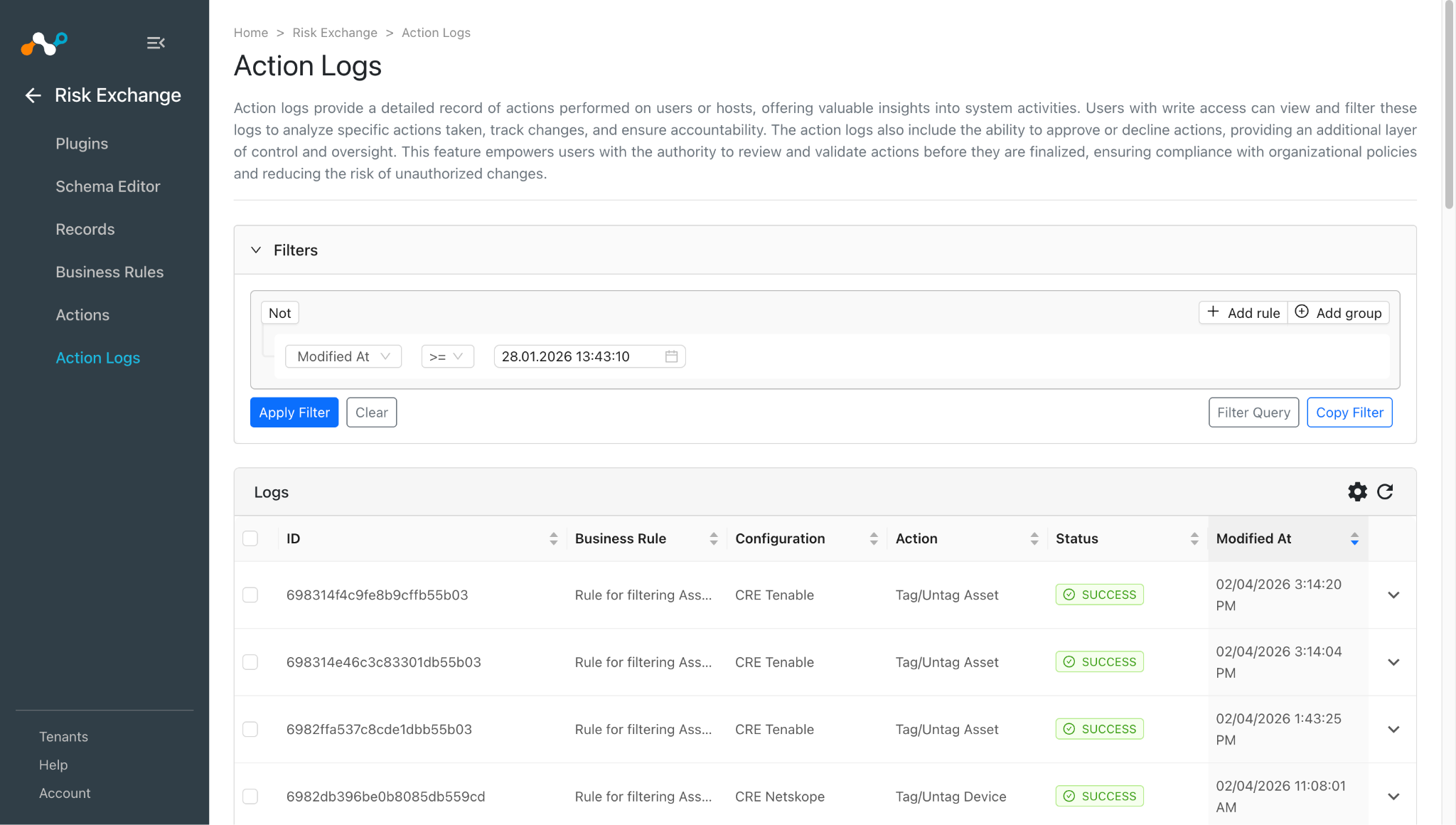
Journaux des actions effectuées :
-
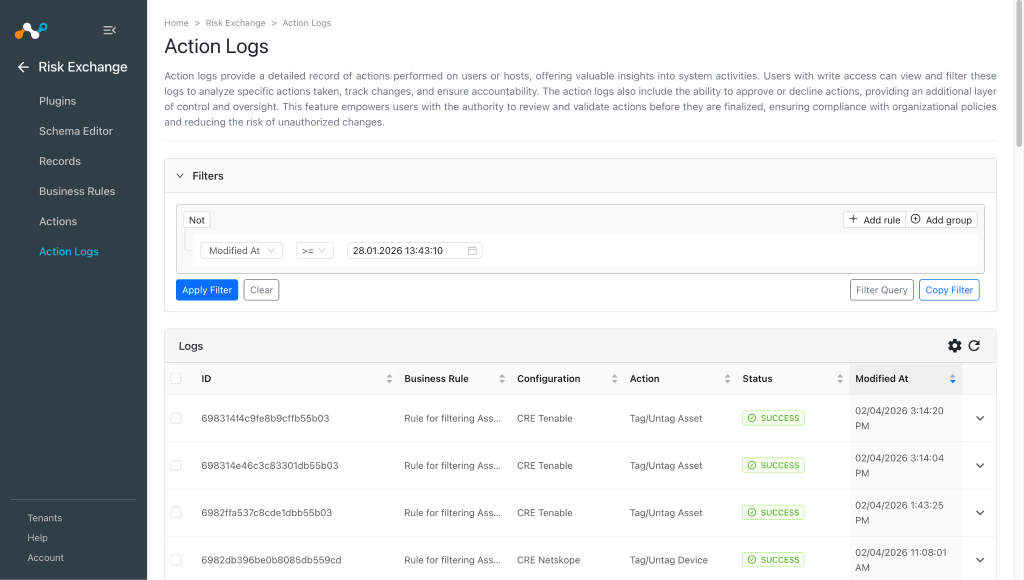
When a user matches one of the configured business rules, the configured action will be performed on the Assets. This can be seen in Action Logs.
Valider dans Tenable
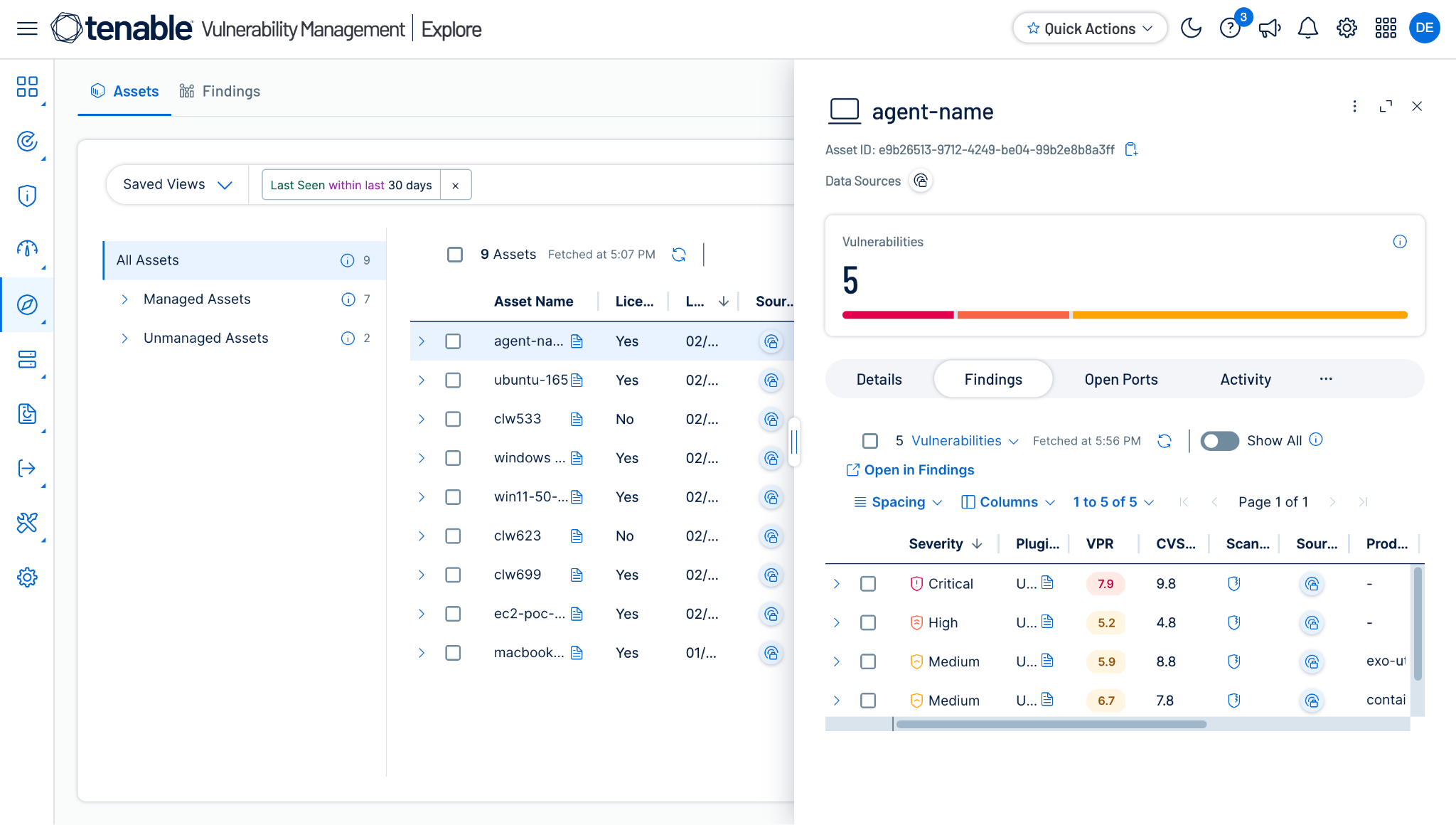
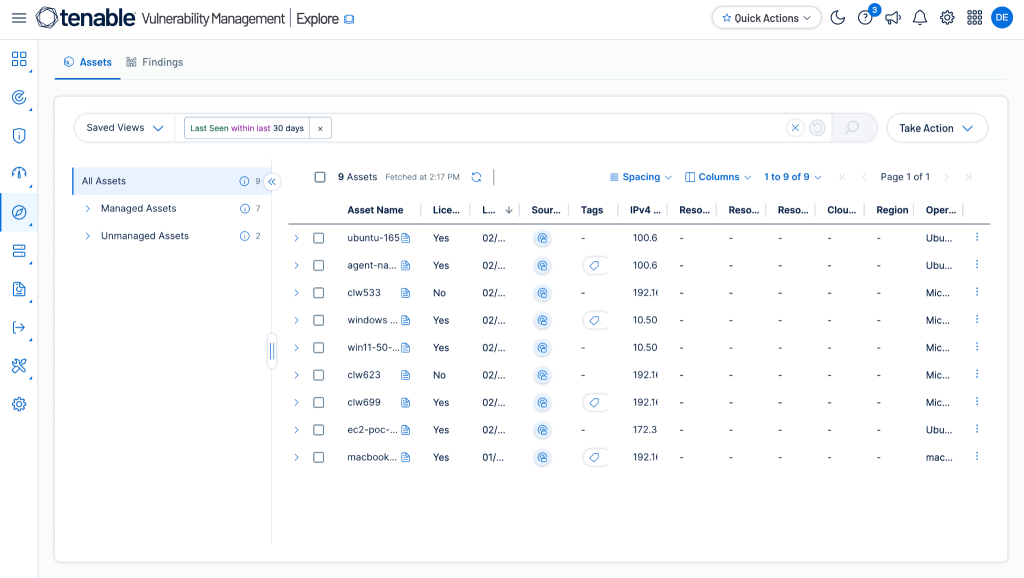
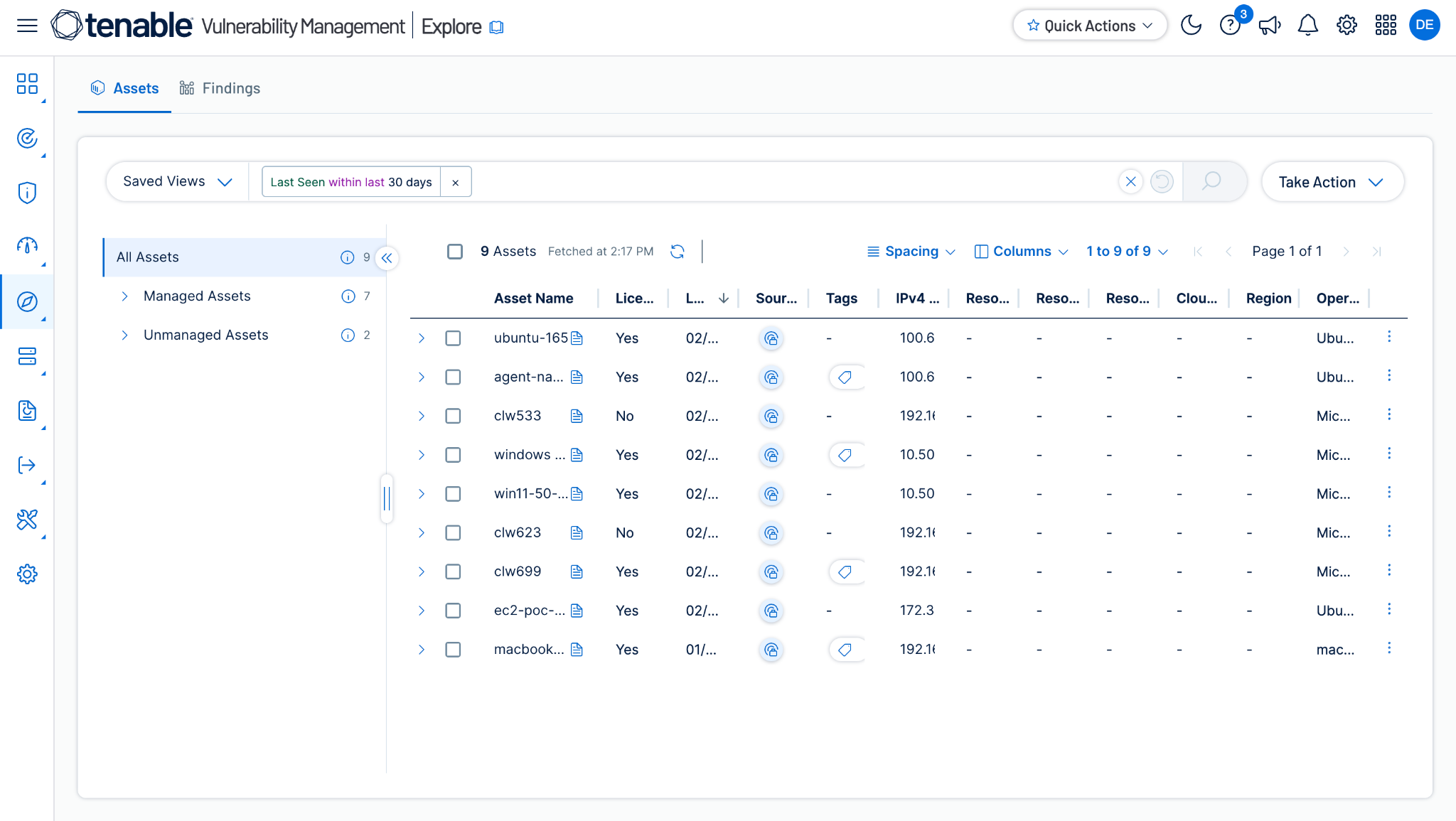
The Tenable plugin pulls Assets from the Vulnerability Management > Explore > Assets > All Assets page.
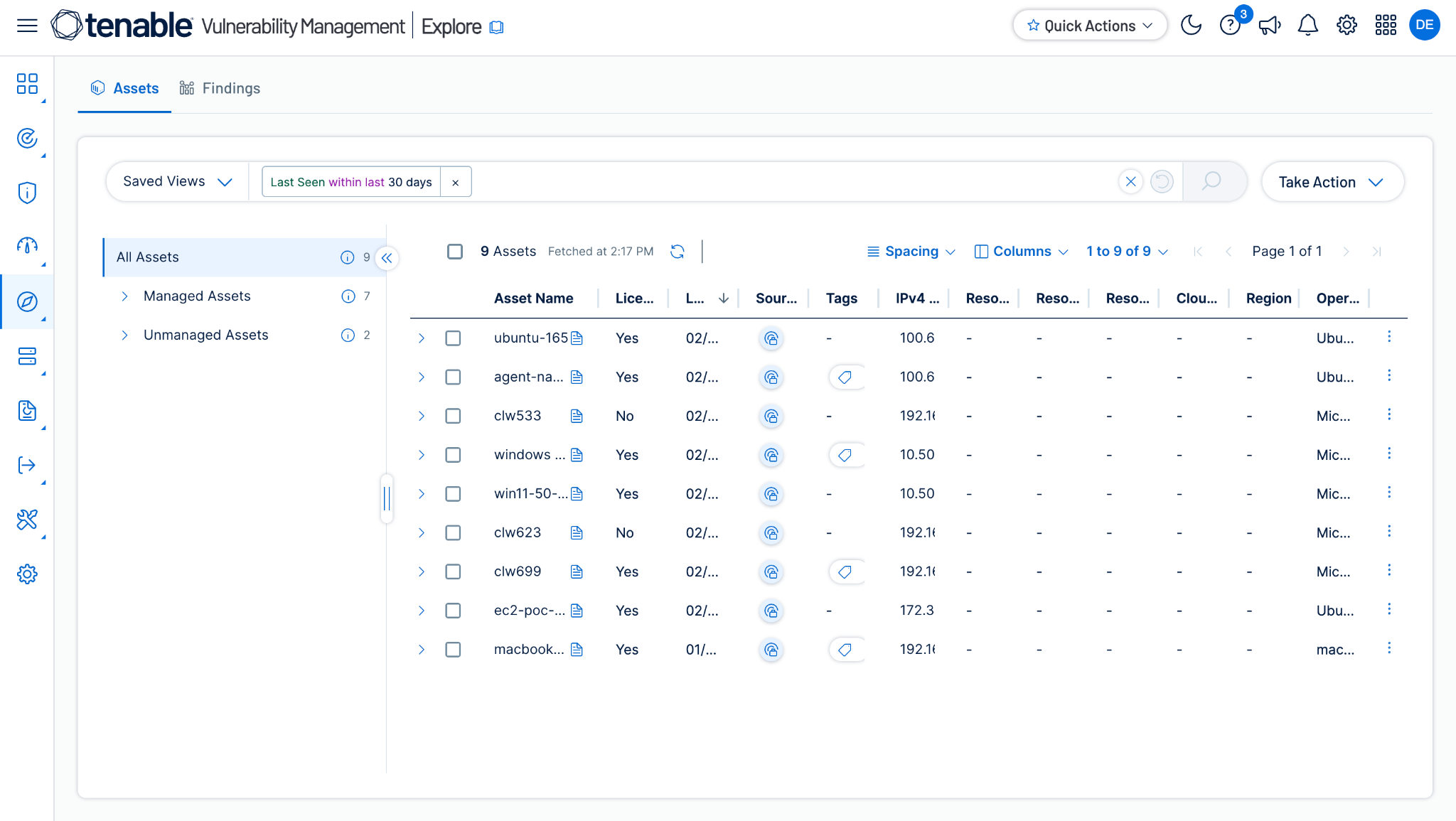
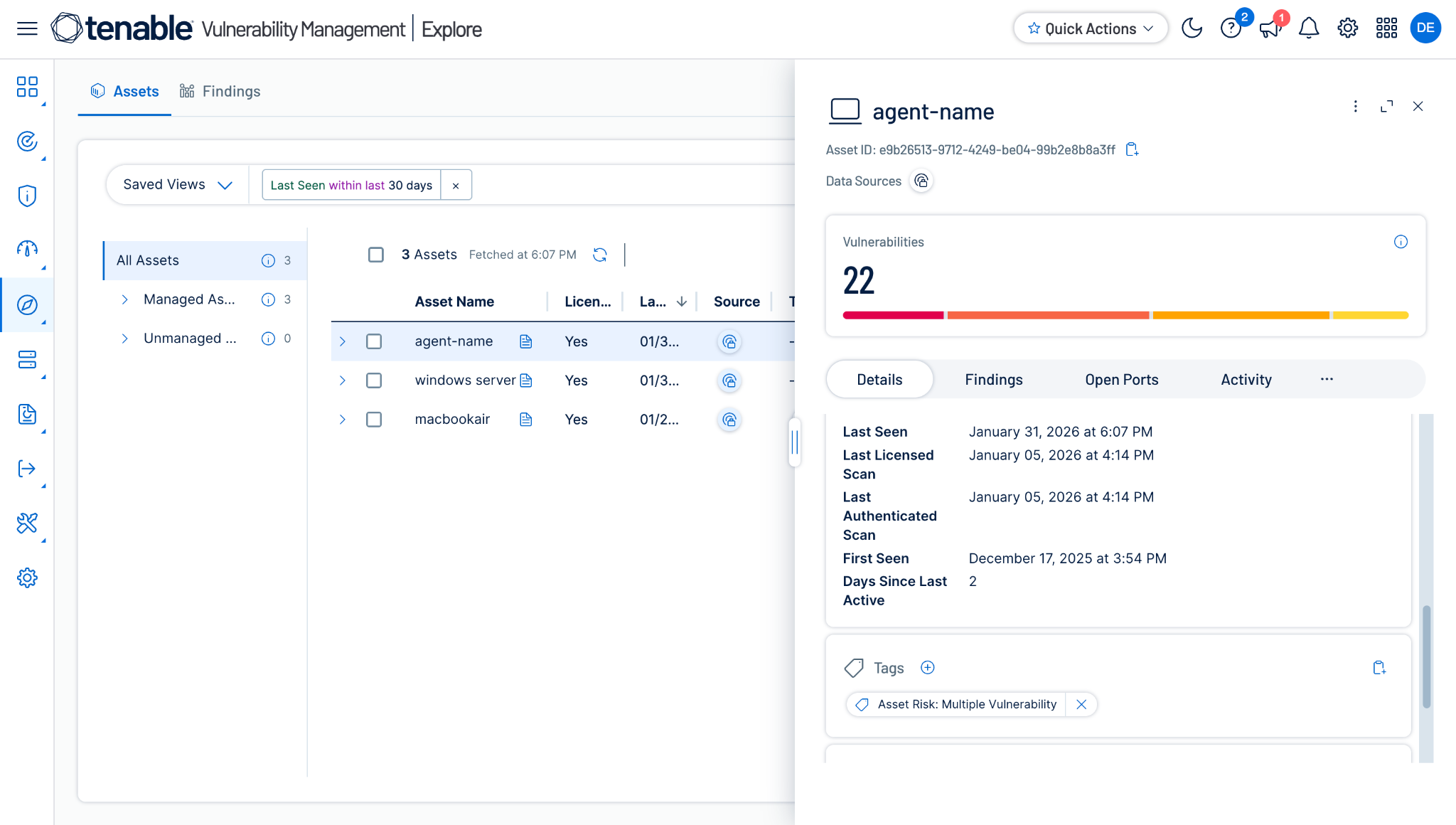
Cliquez sur Asset pour obtenir plus d'informations sur un actif particulier :
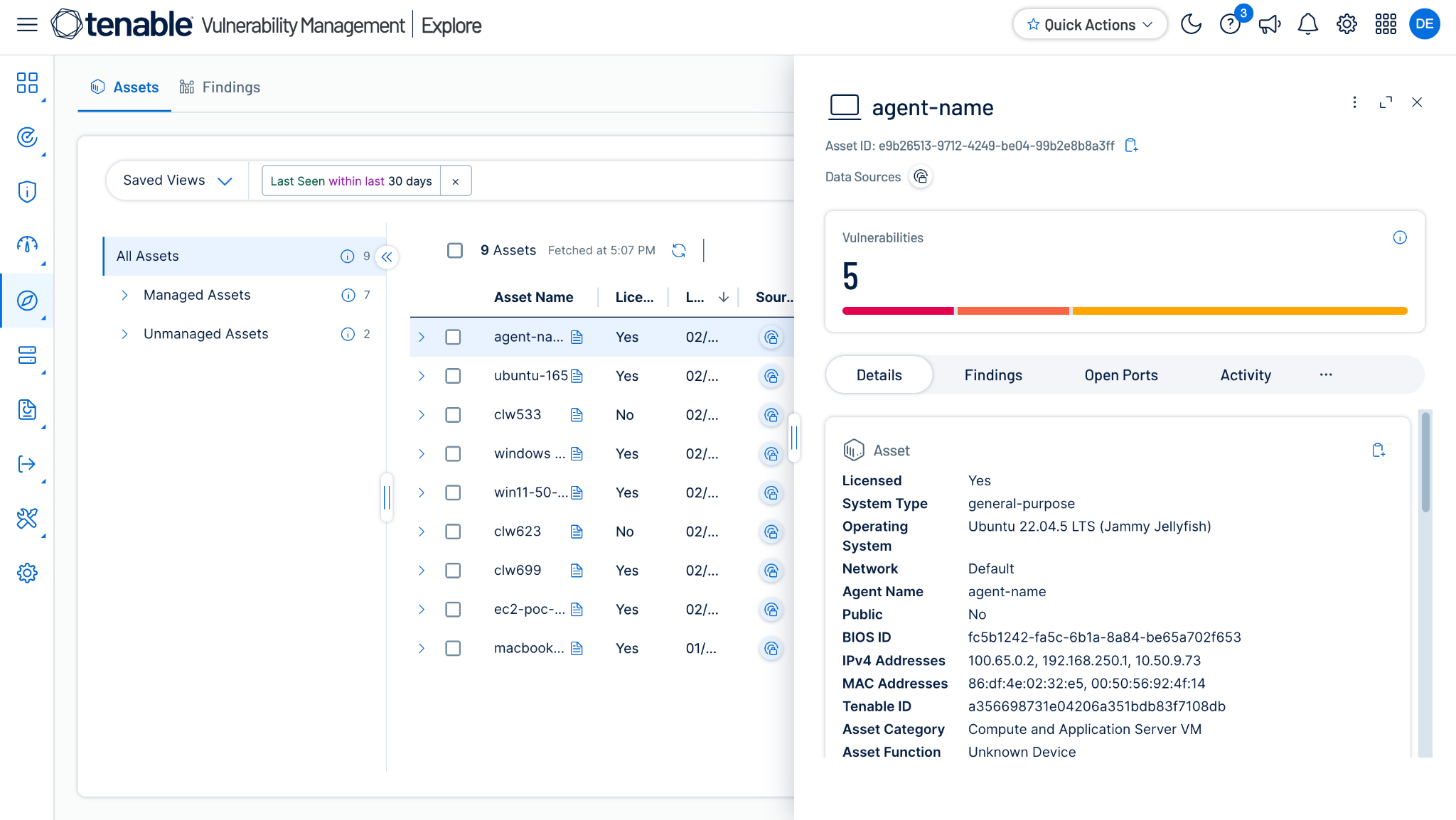
To see vulnerabilities related to a particular asset, click Findings:
Validation of the Tag/Untag Asset Action
-
Allez sur Vulnerability Management > Explore > Assets > All Assets.
-
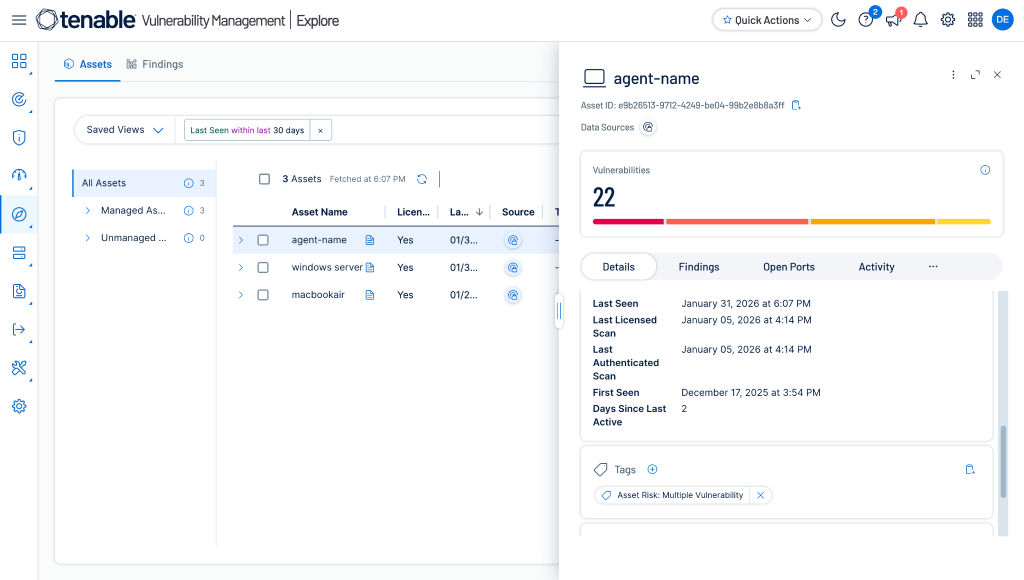
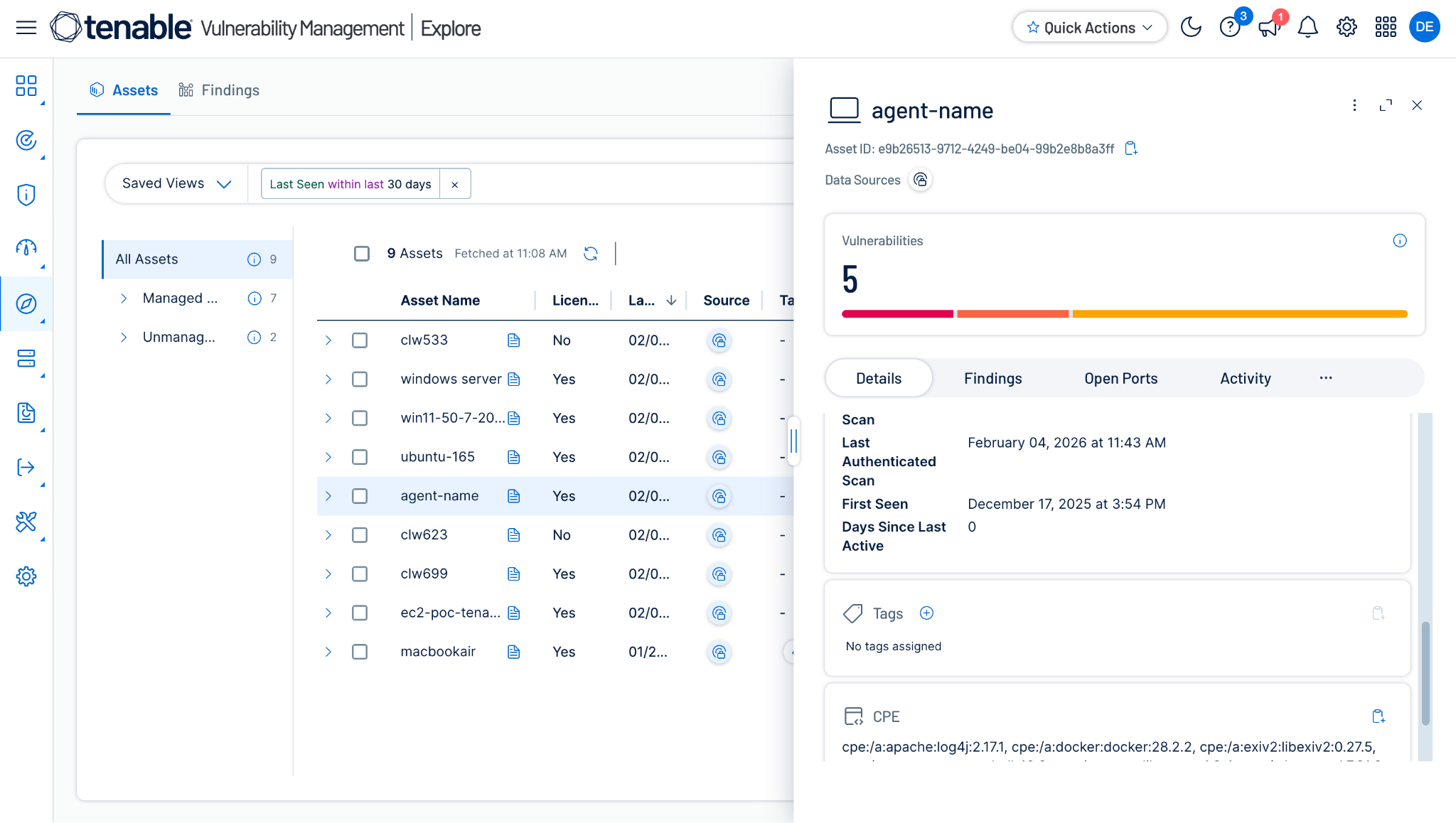
Open the Asset for which you performed the Tag/Untag Asset action by clicking on the Asset Name (like Agent Name). You will be able to see the attached Tags under the Details section.
-
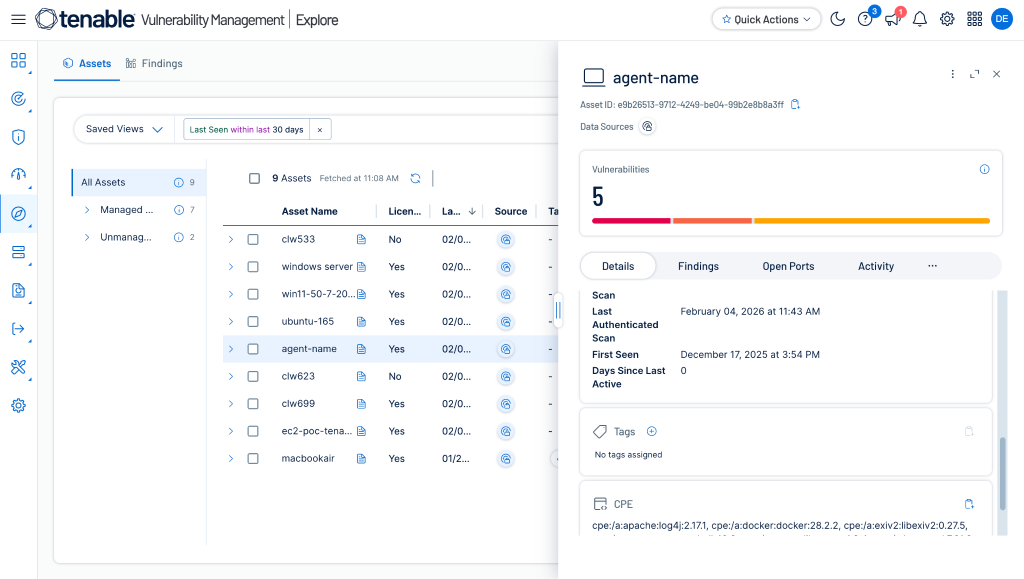
The Asset after performing the Untag Asset action will look like this:
Dépannage du plugin Tenable
Impossible de configurer le plugin CRE Tenable
Si vous ne parvenez pas à configurer le plugin CRE Tenable, cela peut être dû à l'une des raisons suivantes :
- Provided an Incorrect Access Key or Secret Key.
- Les informations d'identification fournies n'ont pas les autorisations suffisantes.
What to do:
- To get the Access Key or Secret Key Secret, refer to this section.
- To provide proper permissions to the configuration parameter, refer to this section.
Impossible de tirer les actifs
Si vous ne parvenez pas à extraire des actifs du plugin Tenable, cela peut être dû à l'une des raisons suivantes :
- Aucun actif présent sur la plateforme Tenable
- Une erreur s'est produite lors de l'extraction des enregistrements de la plate-forme.
- Le mappage n'est pas ajouté lors de la configuration du plugin dans la page source de l'entité.
What to do:
- Vérifiez sur la plateforme Tenable si les actifs existent ou non.
- Réception d'une erreur 500 : Le serveur est peut-être en panne, attendez un peu et vérifiez plus tard.
- Receiving 403 error: The plugin configuration parameter does not have sufficient permissions or the credentials no longer exist. Verify the permission for the Client ID and Client Secret. Refer to Generate the Access Key and Secret Key section.
- Réception d'une erreur 401 : Les informations d'identification fournies lors de la configuration du plugin n'existent plus. Vérifiez les informations d'identification et modifiez la configuration du plugin avec des informations d'identification valides si nécessaire.
- Pour les actifs, assurez-vous que le mappage est ajouté sous l'entité Asset et que le champ obligatoire est mappé lors de la configuration du plugin.
Impossible d'afficher les détails de l'actif sur la page Enregistrements
If you are unable to view Asset details on the record table, it could be due to the Mappings for all the Tenable fields were not provided while configuring the Tenable plugin.
What to do:
- Veillez à fournir le mappage nécessaire lors de la configuration du plugin.
- Make sure that the fields created in an entity are according to the suggested Mappings.
Unable to perform the action on Tenable
If you are unable to perform the action on Tenable, it may be due to one of these reasons:
- Permissions insuffisantes
- Asset not available on Tenable
What to do:
- Make sure the credentials used to configure the plugin have sufficient permissions. Refer to the Permissions section.
- Asset is available on Tenable
Comportements connus
- If you are adding 2 tags on 1 device and if any 1 tag fails then the whole action will be marked as failed on the Action Logs page.
- Pour voir les tags créés par d'autres utilisateurs sur Tenable, l'utilisateur doit avoir un rôle d'administrateur.